
Video management integration · Tanzania
Hanwha WAVE Plugin for LenelS2 OnGuard
Bring selected Wisenet WAVE video resources into the LenelS2 OnGuard environment using Hanwha Vision’s documented video integration. Review the software prerequisites, licensed camera capacity and operator workflow before requesting a Tanzania project quotation.
Quick buyer summary
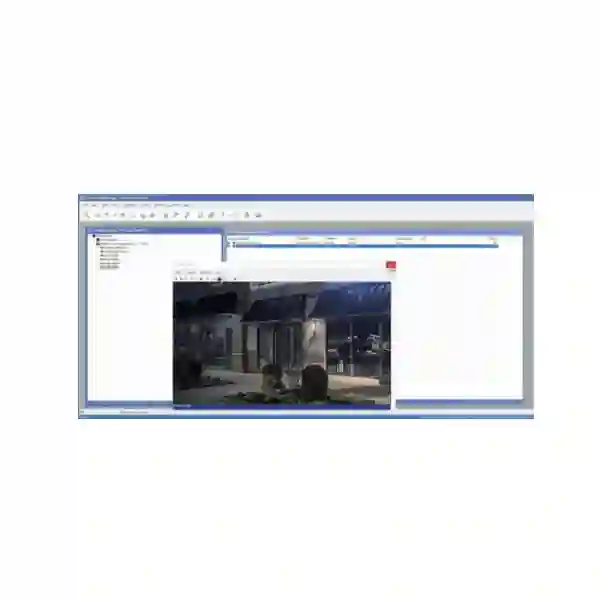
The principal purpose is to make Wisenet WAVE video available within LenelS2 OnGuard. Hanwha identifies the required integration license as WAVE-VIDLENELOG-INT, provides HVA License Manager activation guidance and documents a LenelS2-supplied OnGuard accessory installer. The configuration procedure then registers WAVE as a recorder in OnGuard and imports selected cameras. This is a software integration, not a claim that cameras, access controllers, video-channel licenses, installation services or every available cross-platform automation are included.
WAVE video visibility through OnGuard
Supported OnGuard and WAVE configuration
Hanwha integration plus OnGuard camera capacity
Why video-to-access-control integration matters
An access-control alert rarely tells the whole story. A denied credential, a door held open, or an unexpected visitor may need visual review before a security operator decides what to do. In a disconnected environment, the operator moves between the access-control application and a separate video client, identifies the correct camera, checks its availability, and then tries to align the footage with an access event. Those extra steps can complicate routine investigations, especially when several entrances and multiple shifts are involved.
The WAVE Plugin for LenelS2 OnGuard addresses the video side of that workflow by making Wisenet WAVE video resources available to LenelS2 OnGuard. It is relevant when an organisation already relies on OnGuard for physical access control and uses WAVE for camera management. The benefit to assess is a more coherent operator workflow, not a claim that the integration automatically verifies identities, resolves every alarm, or replaces an incident-response procedure. Actual viewing, recording and investigation capabilities must be tested against the deployed software versions and licenses.
What this plugin does—and what it does not do
This offering is a Hanwha Vision integration for bringing Wisenet WAVE video into the LenelS2 OnGuard environment. Manufacturer documentation describes an integration license activated with HVA License Manager, an OnGuard integration installer, an OnGuard accessory add-on, and a configuration process through OnGuard System Administration. Once configured with suitable credentials and licensing, an administrator can register a WAVE recorder connection and select cameras to import. Those concrete steps make the purpose of this software clearer than broad claims about a fully unified security platform.
It is important to distinguish this video integration from other Hanwha and LenelS2 interfaces. A separately documented OnGuard event/alarm integration can send access events toward WAVE and may support door commands from the WAVE interface, but these are not features that should be assumed to come with every WAVE-to-OnGuard video license. Likewise, access control readers, door controllers, cameras, WAVE server licensing, OnGuard base licensing and camera-channel entitlements are separate deployment matters. Confirm the precise integration scope before treating any proposed feature as included in the quote.
System components to identify before ordering
Start by documenting the OnGuard system, the Wisenet WAVE VMS system and the Windows host or hosts on which integration services will operate. Identify the OnGuard server, WAVE server addresses, camera resources, the administrative workstations, and the segment of the network that connects them. Hanwha’s installation guidance references a host and port for the HVA License Server, while the OnGuard configuration guide requests the WAVE server IP address, user credentials and port. These are different settings and should not be confused during design review.
Next, identify who controls each component. The access-control administrator may manage OnGuard software and digital-video entitlements, while the video administrator manages cameras, recording and WAVE user permissions. Licensing personnel may be responsible for activating the integration entitlement, and IT staff may control firewall changes or service accounts. Naming these responsibilities in advance reduces the risk of an incomplete installation in which the plugin is present but a license, camera permission, network path or necessary OnGuard component is missing.
Best-fit environments and deployment goals
The strongest fit is an existing installation where LenelS2 OnGuard is the operational access-control platform and Wisenet WAVE is the selected video management system. It can also be evaluated during an expansion if the project needs operators to reach WAVE camera resources through OnGuard rather than maintain two completely separate monitoring procedures. Offices, campuses, controlled entrances, logistics premises, education facilities and multi-building sites can all have such a requirement; these are possible use cases, not claims of approved deployments or specific industry certifications.
Before selecting the plugin, write down the operator’s desired task: identify an entrance camera, review footage during an incident, verify that the correct recorder is accessible, or manage a planned set of monitored doors. Then define how success will be measured. For example, a test might require an authorised operator to open the expected camera resource from the approved OnGuard workstation without being given unnecessary WAVE administration rights. A clear workflow test is more valuable than assuming that a product label alone guarantees site-wide interoperability.
Understanding the integration license
Hanwha Vision identifies WAVE-VIDLENELOG-INT as the Wisenet WAVE OnGuard Video Integration license reference. Hanwha’s instructions describe ordering the license through the distribution channel and activating the resulting license key in HVA License Manager. The license manager validates use of the plugin with the target system and can be installed on the OnGuard server or on another suitable server within the network. The license key should be handled as a controlled software asset and delivered through a secure procurement and activation process.
An integration entitlement does not automatically cover all possible OnGuard video channels. Hanwha’s product material for this integration also identifies Lenel DV-CH-series licensing as a factor in how many WAVE cameras may be imported into OnGuard. That makes the commercial scope a two-sided conversation: verify the Hanwha integration license and separately verify the OnGuard capacity required for the proposed cameras. Ask for a quote that lists both sides explicitly, including any pre-existing entitlements, so purchasing staff do not assume that unlimited WAVE cameras can be imported simply because an integration key has been activated.
Sizing the camera import properly
Camera planning should begin with the security workflow rather than the largest possible list. Identify which cameras matter to OnGuard operators, their WAVE server location, their assigned access points or monitoring zones, and their current operational state. Some projects need only the entrances used during alarm verification; others need coverage across several controlled areas. Create a camera schedule with unique names and a proposed import priority. This becomes a practical reference for both OnGuard license validation and post-installation testing.
The distinction between a camera visible in the WAVE client and a camera available through OnGuard is essential. The OnGuard integration must be given suitable rights to the relevant WAVE resources, and the OnGuard platform must have appropriate licensing for the cameras it imports. If a camera is not selected or permissions are incomplete, its mere presence on a WAVE recording server does not prove that it will appear inside OnGuard. Validate the import count and camera list against the final license schedule before sign-off, especially when new cameras are added later.
Version and installer compatibility checks
Manufacturer installation instructions refer specifically to a LenelS2 package named 8.2_Accessory_Add-On_for_Hanwha WAVE_1.0.2 and to a HanwhaOnGuardInstaller.msi within its prerequisites. That package name is a documented installation reference, not a promise that every other OnGuard version is supported. The exact supported combination of OnGuard, WAVE, Windows services, integration software and license-manager version should be checked against current vendor documentation for the customer environment before any change is made.
For an upgrade, do not assume an installer that worked on one server will remain supported after a major OnGuard or WAVE release. Record existing versions and service dependencies, request the relevant vendor release guidance, and reserve time for a compatibility test. Where the product family contains other WAVE or OnGuard integrations, confirm that download names and licensing references match the video plugin being purchased. This protects against selecting the wrong interface or treating an event/alarm add-on as a substitute for the video integration.
Planning a secure integration account
Hanwha’s WAVE preparation instructions recommend creating a dedicated user and role for the OnGuard integration so selected WAVE camera resources can be assigned deliberately. The guide also identifies a specific technical requirement: the WAVE login username must be lowercase for Digest authentication in its documented workflow, and the account must be configured to allow Digest authentication. These implementation details are easy to miss if the integrator tries to reuse a normal interactive account without reviewing the vendor procedure.
Because the published setup walkthrough uses broad role privileges, the security team should review the approved permission model before production deployment and document why each granted permission is necessary. Use a unique credential, control access to credential storage, and determine how password changes will be coordinated with the OnGuard configuration. Assign ownership for account disablement and recovery. A dedicated integration identity also makes troubleshooting clearer, provided monitoring procedures and the vendor’s supported authentication settings remain consistent with organisational policy.
Preparing the HVA License Manager
The HVA License Manager is a necessary part of the manufacturer-documented licensing workflow. Confirm where it will be hosted, whether that host remains reachable from the integration components, and who is authorised to operate it. Hanwha describes Internet Activation through the license-manager interface after the purchaser receives the appropriate integration key. The installation workflow also asks for the license-server host and port, so those details should be agreed before the installer is launched.
For separated network zones, have the customer’s system administrator verify the permitted communication path rather than guessing at firewall rules. Consider what would happen if the license-manager host were unavailable during maintenance and how the team would diagnose a license-validation problem. Keep activation records, the product license reference and support contacts in the project handover. No specific activation time, offline activation option, entitlement term or transfer right should be presumed for the customer’s order; those matters require confirmation from the current license terms and the supplying channel.
Recommended installation sequence
A controlled installation follows the manufacturer’s documented order. First confirm the OnGuard environment, required video-channel capacity and license entitlement. Obtain the LenelS2-supplied accessory package appropriate to the supported system. Within the documented package, install the Hanwha OnGuard prerequisite by running HanwhaOnGuardInstaller.msi and entering the correct HVA License Server connection details. Only after that prerequisite should the OnGuard accessory add-on setup be run. The add-on instructions explicitly expect the prerequisite to be installed.
After software installation, finish license activation and server configuration as directed by the relevant vendor guides. The published procedure references an add-on ReadMe for additional OnGuard steps, so the deployment plan should include that file rather than relying on a summary alone. Back up applicable configurations, coordinate a change window and obtain authority to restart services where required. The goal is a repeatable, supportable process: a technician should be able to explain which package, license, administrator account and server setting produced the functioning integration.
Registering WAVE in OnGuard System Administration
Hanwha’s configuration article describes adding the WAVE system through the Digital Video area of LenelS2 OnGuard System Administration. The administrator adds a video recorder, selects Hanwha WAVE as the video-recorder type and enters the applicable recorder name, workstation, WAVE server IP address, WAVE username, password and server port. In the documented procedure, the WAVE port default is 7001. That value should be verified against the actual WAVE server configuration rather than copied blindly into a site standard.
Once the recorder entry exists, the administrator uses the Hanwha Video Recorder area and the Import from Recorder action to select camera resources. The camera list is an opportunity to verify naming conventions and limit imports to the approved operational scope. If the intended cameras do not appear, check the WAVE user’s resource permissions and connectivity before repeatedly reinstalling the plugin. Record the OnGuard object names and corresponding WAVE identifiers in the commissioning record so future administrators can recognise the same resources after a change.
Commissioning tests that demonstrate actual value
A successful installer completion screen is not a sufficient acceptance test. Commissioning should verify that the license is recognised, the OnGuard recorder connection is available, the expected cameras import, and an appropriately authorised operator can use the intended video workflow from a normal workstation. Choose a representative sample of cameras across relevant servers or networks rather than testing only one camera next to the integration host. Confirm that a user with no approved access to a resource cannot unexpectedly reach it through the integration.
Add negative tests as well as positive tests. For example, record the expected behaviour when an incorrect credential is configured, the WAVE server is unreachable or a camera becomes unavailable. Confirm that administrators know how the fault is reported and where operational evidence can be found. Agree how many cameras are in scope and what constitutes a passed test before commissioning begins. Written acceptance criteria make the quote, deployment and handover easier to evaluate than a statement that the systems are simply compatible.
Health and diagnostic information
Hanwha’s OpenVideo Integration FAQ describes configuration parameters associated with checking server connectivity, camera connectivity, disk usage and license validity. Its published example contains separate server-check, camera-check, disk-check and license-check intervals as well as a disk-alarm threshold. These details indicate that the integration has operational diagnostics worth reviewing during system handover. They do not mean that every alarm, metric or logging feature is automatically exposed in every OnGuard screen or available to every user.
The same FAQ identifies a Hanwha Translator configuration file and a logs directory under the Windows ProgramData area. It also cautions against changing configuration values without understanding the consequences. Treat tuning as a vendor-guided activity, particularly where restart of the LS Communication Server might be required. A monitoring plan should describe who reviews service status, validates camera availability and follows up on capacity notifications. The operational objective is to notice and resolve lost video visibility rather than assume a successful initial import will remain healthy indefinitely.
Separating video from access-event automation
Customers sometimes ask whether the plugin will automatically send every OnGuard alarm to WAVE, activate a WAVE rule or open a door from a video tile. Those capabilities relate to integration direction and interface scope, not merely to the fact that both products appear in the same solution. LenelS2 has separately described a Wisenet WAVE event/alarm integration with event communication and door-control workflows. That interface has its own requirements and compatibility information, and it should be evaluated separately from the WAVE-to-OnGuard video integration represented here.
If access-event automation is part of the business requirement, document the precise events, the desired destination system, the action requested and the security approval needed. Ask the solution designer to identify the specific license and supported software versions enabling that behaviour. Where an action could control a physical door, define authorisation, logging and fail-safe responsibilities carefully. This avoids the common procurement mistake of treating video visibility in an access-control interface as equivalent to bidirectional access-control command capability.
Operational workflow examples
At a controlled entrance, an operator may need to confirm whether the camera associated with a reported access issue can be reached from the approved OnGuard workflow. A good project plan identifies the camera, the workstation, the authorised operator role and the expected evidence-handling procedure. At a larger facility, security staff may need to locate relevant footage without memorising every WAVE camera name. Clear camera labels, tested imports and documented procedures are practical ways to make the integration more useful once installed.
For an incident review, operators should still follow the organisation’s evidence-handling and access policies. The integration is a way of accessing video resources; it does not on its own establish that footage is authentic, complete or retained for a required period. Video availability also depends on the WAVE recording and camera estate, its storage policies and its operational health. During stakeholder interviews, separate questions about seeing video in OnGuard from questions about retention, export, incident reporting and legal record-keeping, because those can have different owners and licensing implications.
Network and infrastructure planning
The interface depends on communication between system components, so deployment planning should include IP addressing, name resolution where applicable, supported ports, service availability and the route between OnGuard and WAVE. Hanwha’s configuration instructions use a WAVE server address and a configurable port, while installation requires a license-server host and port. Keep both paths in the network diagram. Place integration components only on approved hosts and verify reachability from the machines that actually perform the integration, not merely from an administrator’s laptop.
For a facility with intermittent connectivity or multiple buildings, identify which network links are critical to video viewing through OnGuard and how operators are expected to work during an outage. Consider power protection and recovery arrangements for servers and switches as part of the overall system, without assuming the plugin itself provides redundancy. Firewall and endpoint policies should accommodate the specific validated application flows, not an unnecessarily wide collection of open ports. Commissioning should include a service restart test and a documented recovery sequence appropriate to the customer’s change controls.
Cybersecurity and controlled administration
Physical-security systems often connect networks and identities that have different administrators. Before installation, decide where the integration account will be stored, who can update its password, which administrators can change camera mappings and which staff can review diagnostic logs. Apply the organisation’s access approval and audit procedures to OnGuard, WAVE and the supporting Windows hosts. The vendor’s documented authentication requirements should be reviewed alongside the customer’s security standards; do not assume that a credential scheme is acceptable solely because it works in a test lab.
Keep software provenance clear by obtaining the integration files through the appropriate LenelS2 and Hanwha channels and validating versions before installation. Protect license keys and configuration backups, restrict remote administrative access and document the designated support contacts. If a troubleshooting session requires more verbose logging, agree who may enable it, how long it remains active and when the setting is restored. A secure operational arrangement includes patch evaluation, credential rotation and change records after the installation team has left the site.
Troubleshooting camera-import problems
One manufacturer FAQ identifies a common message during Import from Recorder: Camera configuration import could not be completed. Hanwha states that connectivity and incorrect WAVE credentials are usual causes. Begin with the basics: confirm the WAVE server can be reached at the configured address and port, validate the integration username and password, and verify that the account has the permissions and camera assignments needed for the intended import. Check the special lowercase username and Digest authentication requirements described in the WAVE account setup instructions.
If credentials and connectivity are valid, confirm that the correct plugin and accessory versions are installed, the integration license is active, the required OnGuard video entitlement is present and the relevant services are operating. Review supported logs instead of making uncontrolled edits to the translator configuration. Keep copies of the error, timestamp, affected camera identifiers and recent software changes for the vendor support team. A structured fault report makes it easier to distinguish a network error, a permission issue, a licensing shortfall and an incompatibility after an upgrade.
Change control, upgrades and continuing support
Integration software sits between two larger platforms, which means change planning must cover both sides. An OnGuard upgrade, WAVE upgrade, Windows host rebuild, camera migration, license-manager relocation or account password change can affect the working connection. Maintain a small configuration register recording the software versions, host locations, imported cameras, license reference, account owner and acceptance-test results. When a change is proposed, review whether those details will still be valid afterward.
Before a production change, obtain current compatibility guidance for the exact versions involved, back up configuration under the site’s normal policy and prepare a rollback plan. Afterward, repeat the representative camera and role tests used at commissioning. Keep an escalation path for issues that involve one vendor’s interface and another vendor’s platform. No perpetual support entitlement, maintenance window, free upgrade, patch commitment or on-site response level is being promised by this product description; these must be established in the applicable sales and support agreement.
Tanzania purchasing and project considerations
For a project in Tanzania, the central buying question is whether this integration matches the installed OnGuard and WAVE systems and whether the correct licenses and installation resources can be obtained for that environment. Supply the current OnGuard version, WAVE version, number of camera resources intended for import and the preferred integration host details when requesting a technical review. This avoids a generic quote that omits required OnGuard camera-channel entitlements or assumes the wrong software package.
Ask the supplier to confirm applicable regional availability, license fulfillment procedure, activation requirements, support channel, taxes where relevant and whether professional configuration work is included. Do not infer that local stock, installation coverage, price in Tanzanian shillings or a particular delivery deadline applies without a verified offer. For sites with internal IT, security and procurement teams, a short design review is especially useful: it aligns network changes, software access, camera permissions and the acceptance checklist before commercial approval.
Comparing options before making a decision
This integration is appropriate to consider when the customer wants video from Wisenet WAVE available within LenelS2 OnGuard. If the requirement is instead for OnGuard access events to trigger automation in WAVE, evaluate the separately documented event/alarm interface and its own licenses. If the project uses LenelS2 NetBox rather than OnGuard, the relevant Hanwha product family is different again. Similar platform names do not make these interfaces interchangeable, and an integrator should verify the exact product and operating direction before preparing a bill of materials.
A second option may simply be to keep WAVE and OnGuard as separate operator applications when integration cost, change control or software compatibility does not justify linking them. Compare the expected operator improvement against added licensing, commissioning, support coordination and maintenance effort. Use a demonstration or pilot for uncertain workflows, particularly when access permissions or camera selection are complex. The right choice is the option that demonstrably meets the site’s documented operational requirements, not necessarily the one that adds the largest number of integration features.
What to include in a request for quotation
A useful quote request lists the deployment country, customer environment, OnGuard version, WAVE version, server arrangement, planned camera-import count and whether this is a new integration or an expansion. State whether the organisation already owns WAVE server licenses, OnGuard digital-video channel entitlements and a Hanwha integration license. Provide a short description of the operator workflow to be achieved and identify whether event/alarm automation is also being evaluated separately. A clear inventory lets the supplier flag assumptions before committing to a scope.
Ask the quotation to separate software entitlement, any necessary OnGuard licensing, deployment services, testing and support. Request confirmation of exact compatibility, the correct LenelS2 accessory package, activation route and responsibility for configuration changes. Define whether training, handover documentation and a post-installation test are included. Keep administrator passwords and license keys out of ordinary inquiry messages; provide sensitive information only through an approved secure channel after the project process has been agreed.
Acceptance and handover checklist
Before sign-off, confirm that the license-manager service and relevant OnGuard integration services operate in the intended environment. Verify that the recorder appears under the expected OnGuard configuration, that only approved cameras have been imported and that authorised users can carry out the documented video workflow. Check that camera naming is understandable, permissions behave as expected and a sample fault can be recognised and escalated. Record the versions and license references used in the test.
The handover should also name the owner of the integration account, define who can request additional camera imports, identify the process for modifying permissions and explain how maintenance on the two platforms will be coordinated. Include service and support contacts, a safe copy of the configuration register, any accepted limitations and the change rollback procedure. These steps are not features of the license itself; they are recommended project controls that make a cross-platform integration less dependent on the knowledge of a single installer.
Frequently asked questions
What is the Hanwha WAVE Plugin for LenelS2 OnGuard?
It is a software integration intended to bring Wisenet WAVE video resources into LenelS2 OnGuard. The documented setup includes a Hanwha video integration license, a LenelS2-provided installation package and configuration of WAVE as a video recorder in OnGuard. The exact operator capabilities depend on the installed versions, account rights, camera selections and OnGuard video licensing. It does not replace either the access-control platform or the video management system.
Does the integration have a manufacturer license reference?
Yes. Hanwha Vision names WAVE-VIDLENELOG-INT as the Wisenet WAVE OnGuard Video Integration license reference. This identifies the manufacturer license offering; it is not being presented here as a verified SKU for a particular FourTeck Tanzania inventory record. The purchase order should specify the correct entitlement and confirm the activation process, while any local listing SKU must come from the actual seller’s approved product data.
Are OnGuard camera-channel licenses also needed?
The available Hanwha product information identifies OnGuard DV-CH-series camera-channel licensing as a consideration affecting how many WAVE cameras can be imported. Check the customer’s existing OnGuard video entitlements and the proposed camera count before placing an order. Do not assume that the Hanwha integration entitlement alone licenses every camera in the environment. An accurate quotation should list any additional OnGuard capacity required for the intended imported resources.
Where does the integration installer come from?
Hanwha’s published guidance points to the LenelS2 accessory package named 8.2_Accessory_Add-On_for_Hanwha WAVE_1.0.2. It documents a prerequisite installer called HanwhaOnGuardInstaller.msi and then a separate accessory add-on setup. Obtain the correct supported files through authorised vendor channels and check the current installation notes for the OnGuard version in use. The package name should not be treated as a blanket compatibility statement for every release.
How is the integration license activated?
Hanwha explains that the license is validated through HVA License Manager, which may operate on the OnGuard server or another suitable server on the network. The license key received through the purchasing process is entered using the manager’s activation interface. Before beginning, confirm the correct host, port, connectivity, authority to activate the key and the current entitlement terms. Never share a real license key in a public message or product-review field.
Can the administrator choose which WAVE cameras appear in OnGuard?
Hanwha’s setup procedure describes creating a WAVE integration user with access to selected resources, registering the WAVE server in OnGuard System Administration and using Import from Recorder to choose cameras. The cameras available to import therefore depend on the configured account permissions and the working connection. OnGuard video-channel capacity also matters. Test the final selection with the actual operational users rather than assuming every camera will appear automatically.
Why might camera import fail?
Hanwha identifies connection problems and incorrect WAVE credentials as common causes of the camera configuration import error. Check WAVE server reachability, the address and configured port, username, password and resource permissions. Its documented account setup also requires a lowercase username and Digest authentication in that workflow. If the issue persists, review integration-license status, OnGuard entitlements, service state and vendor-supported logs before changing configuration files or reinstalling components.
Is the plugin the same as OnGuard event/alarm integration?
No. The video integration discussed on this page brings WAVE video into OnGuard. A separately documented event/alarm interface concerns OnGuard events reaching WAVE and may provide additional door-control workflows subject to its own compatibility and license requirements. A purchaser requesting alarm rules, intercom actions or remote door commands should have the exact interface verified as a distinct scope item rather than assuming those functions are automatically included in the video plugin.
Will it work with every version of OnGuard and WAVE?
Compatibility cannot be stated for every version without reviewing the supported software matrix for the specific release combination. The manufacturer’s setup instructions reference a particular LenelS2 accessory package, but that does not prove universal support or guarantee that every later platform update will work without changes. Provide the installed OnGuard and WAVE versions when requesting a quotation or upgrade plan, and allow for a representative compatibility test before production acceptance.
Does this product include cameras, storage or installation?
This listing describes the software integration rather than a bundled physical-security system. It should not be assumed to include camera hardware, WAVE recording capacity, OnGuard base licenses, Lenel digital-video channel licensing, server equipment, networking, on-site work or a specific maintenance agreement. Request an itemised project proposal if those elements are needed. Inclusion and cost must be confirmed in the actual offer rather than inferred from the integration’s product name.
How should a Tanzania customer request a quotation?
Share the required workflow, deployment country, number of cameras proposed for import and current OnGuard and WAVE software versions through the normal FourTeck Tanzania enquiry channel. Ask for regional license availability, the supported installation package, additional OnGuard entitlements and clearly defined implementation and support scope. Pricing, currency, taxes, delivery or installation availability are not asserted on this page. Keep passwords and activation keys out of routine quote requests.
Request a compatibility and licensing review
For a Tanzania project enquiry, provide the installed OnGuard and Wisenet WAVE versions, the number of cameras to be imported and the required operator workflow. Ask for a confirmed license scope, appropriate integration package, clear installation responsibilities and a commissioning plan. Product availability and commercial terms must be verified for the proposed purchase.
Contact FourTeck Tanzania to request a project-specific quotation.




Reviews
There are no reviews yet.