
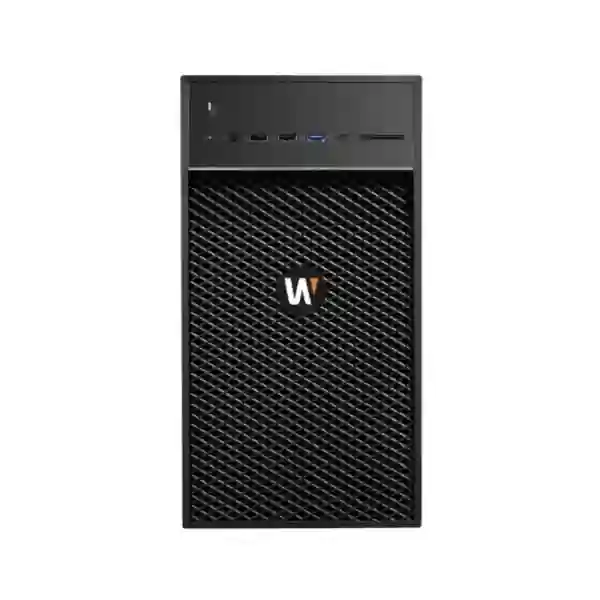
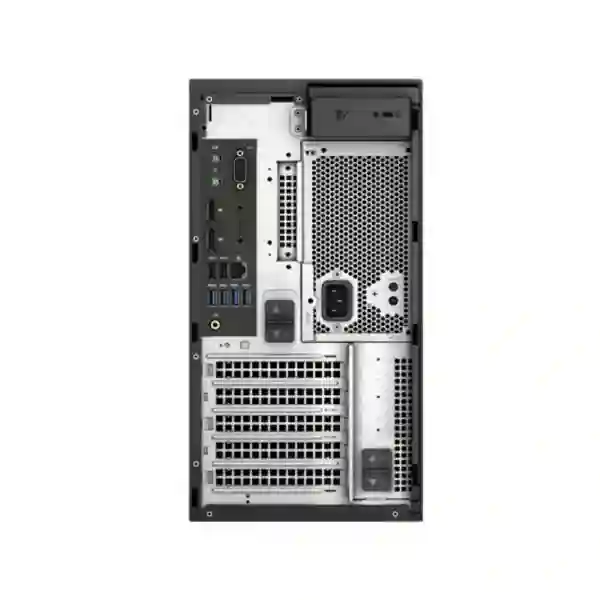
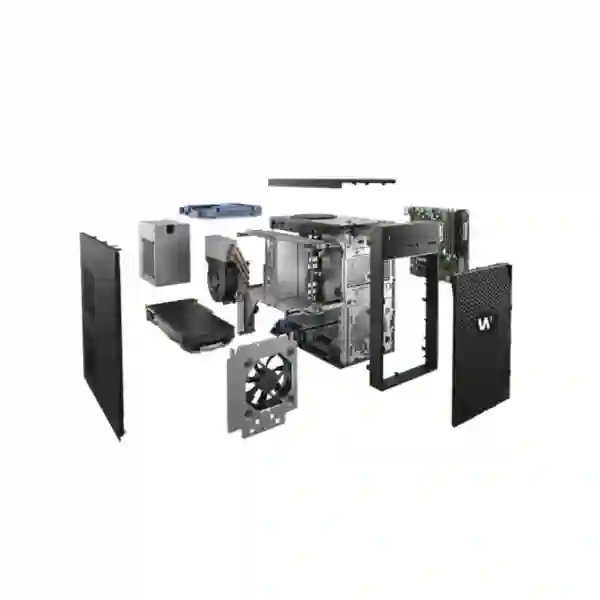
Hanwha WRT-P-3101W Wisenet WAVE Network Video Recorder
Need a Windows-based recording platform for network cameras? The Hanwha WRT-P-3101W combines a Wisenet WAVE video management server and a local viewing workstation in a compact tower. Its documented design offers up to 170 Mbps recording throughput, up to 16 TB raw internal storage and four included Wisenet WAVE Professional recording licenses. Those headline figures are a starting point, not a guarantee that every camera mix or retention target will fit.
For a surveillance project in Tanzania, start with the number of cameras, expected bitrates, recording days and support requirements. Request an exact configuration review before selecting hard drives, extra licenses or an operating-system maintenance plan. Stock, locally applicable warranty and commercial terms require quotation confirmation.
Technical snapshot — what the series specification confirms
| Product model | WRT-P-3101W; Windows-based member of the WRT-P-3101 recorder series |
|---|---|
| Video management | Wisenet WAVE, preloaded and configured |
| Included recording licenses | Four Wisenet WAVE Professional licenses |
| Specified recording throughput | Up to 170 Mbps |
| Maximum specified raw storage | Up to 16 TB; capacity fitted in a particular unit must be checked |
| Processor and memory | 10th-generation Intel Core i3 and 8 GB DDR4 in the referenced series datasheet |
| System storage and drive positions | 256 GB internally mounted operating-system SSD; three 3.5-inch SATA data-drive positions |
| Connectivity | Two Gigabit Ethernet RJ-45 ports; two DisplayPort video outputs |
| Operating system | Windows 10 IoT Enterprise LTSC, according to the original model documentation |
| Environment | 0°C–35°C operating temperature; 10%–80% non-condensing relative humidity |
| Form factor | Tower; approximately 335 × 177 × 345 mm (height × width × depth) |
These are model-family figures from the original Hanwha documentation, not a statement that every storage variant is identically populated or currently available. Confirm the exact supplied configuration and current vendor support status.
What this recorder is designed to do
The WRT-P-3101W is not simply a hard-drive box with a camera menu. It is a purpose-configured Windows video recording server that runs the Wisenet WAVE video management system, stores recordings from licensed network video sources, and can also act as a workstation for users who need to view or investigate footage. This dual-purpose architecture can simplify a small control room or a branch security desk because the recorder and viewing environment are part of one planned deployment. Nevertheless, placing live viewing and recording workloads on the same machine still calls for resource checks rather than assuming that every viewing pattern will be harmless.
A practical surveillance system has more components than the recorder itself: network cameras, a suitable PoE switching design or separate camera power, network cabling, camera and server credentials, storage, a time source, backup power, client workstations where necessary, and an agreed method for reviewing incidents. The recorder is the hub that receives and manages video. It is not a PoE switch and should not be presented as having built-in camera power ports. Buyers should therefore evaluate it as one part of an end-to-end IP video system, rather than as a complete camera kit.
Use the product’s documented performance and storage envelope as constraints in a site design. Wisenet WAVE gives security teams an interface for organizing cameras, reviewing archived video and administering the recording environment, while the actual results depend on the connected devices, network and software configuration. For facilities moving from a basic standalone recorder to a managed VMS workflow, this separation of cameras, licenses and storage makes the bill of materials easier to reason about and expand with appropriate validation.
Who is likely to benefit from the WRT-P-3101W
This recorder is relevant to organizations that want an on-premises video management foundation with a familiar Windows operating environment. A retail location may need a simple way to investigate events at entrances and cash-handling areas. A warehouse may want recordings from loading zones and perimeter cameras arranged in sensible layouts. An office may need authorized staff to review access points and corridors. A school or healthcare facility may have a different retention policy and stronger access-control considerations. The model can be evaluated for these uses, but suitability is always determined by the planned camera load and operational policy.
The dual-purpose form factor is especially worth considering when space for a separate viewing PC is limited and the local team needs a monitor attached to the recorder. Two DisplayPort outputs are documented, which allows planners to assess a multi-monitor workstation arrangement. Monitor count is not the same as unlimited video decoding capacity: displaying many high-resolution live streams is a workload in its own right. Plan layout complexity, client software requirements and the impact of viewing activity on the recorder’s available resources.
It may be a less suitable choice when a deployment requires much more than 16 TB raw internal capacity, a higher aggregate recording bitrate, extensive growth without additional servers, or a different long-term operating-system strategy. Such projects should compare a newer or larger recording server rather than stretch the appliance beyond its design figures. If the purchase is intended to extend an existing Wisenet WAVE deployment, document the current software version, system administration arrangement and license situation before proposing integration.
Recording throughput: what the 170 Mbps figure means
Hanwha’s series documentation identifies a maximum recording throughput of up to 170 Mbps. This is an ingest bandwidth figure, not a fixed channel count and not a promise of a particular recording resolution. Network cameras can produce substantially different bitrates even when installed on the same site. Codec, image quality, frame rate, scene movement, day or night conditions, and camera-specific stream settings all influence the video sent to the recorder. A camera with a changing scene may generate a different bitrate from one watching a quiet corridor, depending on the configured encoding method.
Size recording loads by summing realistic configured or measured camera recording bitrates and allowing for operating margin. For example, twenty cameras averaging 4 Mbps would produce roughly 80 Mbps of incoming recording video before allowing for any additional overhead or variation. The example illustrates arithmetic only; it does not establish that twenty cameras are included in the product or that their licensing and storage requirements are satisfied. Where several cameras transmit high-resolution streams, a conservative estimate should use representative peak or sustained values rather than marketing maximums alone.
Do not confuse two Gigabit Ethernet interfaces with a 2 Gbps recorder throughput rating. The network ports describe physical connectivity; the stated recording ceiling remains a separate appliance-level design limit. Similarly, archived playback, live client viewing, remote access and maintenance activities can consume resources alongside writing recordings. For projects approaching the stated boundary, obtain a current manufacturer sizing recommendation for the specific WAVE version, cameras and viewing pattern. Build operational headroom into the design so routine changes do not immediately exhaust capacity.
Understand raw storage before choosing a capacity
The model family is described as supporting up to 16 TB of raw internal storage. Raw storage means the nominal disk capacity installed before any filesystem overhead, platform reservation or operational considerations are applied. It does not tell a buyer how many days of footage will be retained. Storage variants may be populated differently, so confirm the actual installed drive capacities and configuration in the proposed quotation. The separate 256 GB SSD identified in the series specification is for the operating system and should not be counted as usable video archive capacity.
Retention planning starts with the camera list and a defensible recording profile. Identify the codec and target recording stream for each camera, the average bitrate during expected conditions, whether recording is continuous or event-based, the required number of days, and whether any evidence must be preserved longer than ordinary footage. Multiply incoming bitrate by time to estimate data written. As a rough illustration, a continuous 4 Mbps video stream creates about 43.2 GB over 24 hours in decimal units before other overhead. Ten streams at that same average rate would generate approximately 432 GB per day.
That arithmetic demonstrates why a nominal 16 TB specification is not synonymous with thirty days for every project. Recording patterns, motion-triggered schedules, audio, additional streams, data overhead, and practical buffer capacity can change the outcome significantly. The number in a brochure should therefore never be turned into a retention promise without a documented calculation. Keep extra room for temporary recording surges and any retention rule that calls for incident clips to remain available after routine archives would otherwise be overwritten.
Evidence policies matter as much as capacity. Decide who may export video, what export formats and audit steps the organization requires, and how incident footage should be preserved without accidental deletion. A local recorder is not automatically a full backup or disaster-recovery solution. If footage must survive theft, disk failure or damage at the site, design a separate resilience and evidence-handling process using products and capabilities verified for the intended WAVE deployment. Avoid assuming that disk slots by themselves establish a specific RAID arrangement or that an external USB drive provides a complete security archive strategy.
Practical operating scenarios
Retail and customer-facing premises
Plan entrances, service counters and stock areas around identifiable investigation needs. Calculate camera bitrates, separate viewing permissions for store staff and managers, and decide how incidents are exported and preserved. Four included recording licenses may cover only an initial subset of a larger camera design.
Offices and institutional buildings
Group cameras by entrance, lobby, corridor and restricted areas. Document access to footage and establish retention rules proportionate to the security purpose. Consider local viewing on the server only if its workload remains compatible with uninterrupted recording and the supported WAVE release.
Warehousing and logistics
Vehicle gates, loading bays and busy aisles can produce demanding recording conditions. Estimate real bitrates during high activity, consider power and network continuity, and test that archived video can be retrieved quickly when a delivery or safety incident must be reviewed.
Multi-branch organizations
Use consistent naming, access policies and license records across locations. Evaluate local recording against WAN constraints, verify version compatibility for any shared WAVE environment, and plan what happens when an inter-site connection is unavailable. Avoid promising centralized features without a validated design.
Licensing: four included licenses are not an unlimited camera allowance
The WRT-P-3101W comes with four Wisenet WAVE Professional recording licenses according to the published series specification. Wisenet WAVE’s licensing documentation explains that recording an IP video source generally requires a license for that source or recording stream. The four included licenses are therefore best understood as an initial recording-license allocation, not as a statement that only four cameras can ever be connected and not as an unlimited recording entitlement. Expansion beyond the included licensed recording streams normally requires suitable additional licenses and sizing checks.
Before purchasing, list all planned recording sources and distinguish them from sources that staff only need to view live. Include any special device types such as encoders, embedded recorders or integrations that may follow their own license rules. Confirm the correct license categories and quantities for the current WAVE software release rather than assuming that every video stream is treated identically. A Professional recording license does not automatically provide unrelated modules, specialist analytics or video-wall entitlements.
Licensing is also part of the long-term maintenance plan. WAVE guidance associates activated licenses with server hardware identifiers, so significant hardware changes and server replacement may require a controlled deactivation or transfer procedure. Keep license records under authorized administration, not in open project documents or public messages. When migrating from an older installation, verify available keys and activation status through the authorized vendor workflow before changing disks, motherboard or network hardware. Ask for a written license schedule with the quotation: included licenses, proposed additions and any services excluded from the base appliance.
Procurement teams sometimes focus on camera count while overlooking what must actually be recorded. Make the distinction explicit in the design sign-off: number of physically installed cameras, number of recording streams requiring licenses, number of simultaneous users, number of client stations and capacity reserved for expansion. These quantities are related but not interchangeable. A well-scoped project makes licensing transparent upfront, reduces the risk of non-recording cameras at handover, and makes later extensions easier to budget.
Camera compatibility and integration checks
The series documentation identifies support for Wisenet cameras and ONVIF-conformant IP cameras. That compatibility statement is useful, but it is not a guarantee that every camera sold as ONVIF will expose every feature in the same way. Supported video codecs, device profiles, authentication methods, event metadata, audio, PTZ controls and analytics integrations can depend on the camera firmware and the installed WAVE release. Evaluate the precise camera model and feature requirements instead of treating ONVIF as a universal feature checklist.
For a mixed-brand installation, obtain the full device list with model identifiers, firmware versions, IP addresses or planned addressing ranges, stream resolutions and intended recording profiles. Test the functions that matter in daily operations: live viewing, recording, search, playback, clock synchronization, remote client access and any alarms that staff depend on. A camera may show live video while an event trigger, special control or metadata function remains unsupported. Those differences should be known before the site is commissioned.
Integration planning also extends to the organizational process. Define who will receive alerts, who can alter recording schedules, whether event bookmarks are required, and how footage moves from the security desk to an authorized investigator. The platform’s flexibility is valuable only when configuration and responsibilities are clear. Avoid purchasing on the assumption that a third-party accessory, access-control system or AI function will work automatically; confirm the relevant integration against official current documentation or a controlled proof of concept.
Network design for reliable recording
The two documented Gigabit Ethernet connections provide options for network planning, but their use should reflect a deliberate architecture. Some organizations separate camera traffic from management or client traffic; others use controlled VLANs and routed access under an IT security policy. The exact topology should be designed by the deploying network team rather than relying on the presence of two ports to imply automatic failover, bonding, isolation or redundancy. None of those functions should be assumed without configuration and support verification.
Record camera network traffic near the recorder to validate estimates. Check switch port capacity, uplink contention, multicast or unicast behavior where relevant, the effect of remote sites, and whether cameras are supplied from PoE switches with sufficient power budgets. Network segmentation should restrict unnecessary reachability between the surveillance environment and general office devices. Administrative access should be controlled, remote access should follow a secure organization-approved method, and firewall policies should permit only documented services.
Stable addressing, accurate time and sensible naming conventions prevent many routine problems. Define a consistent camera identifier for each view, record its physical location in project documents, use a reliable time source and document the selected retention schedule. Provide monitoring or review procedures that reveal camera disconnections, excessive disk consumption and time drift before an investigation uncovers the issue. For Tanzania projects where links between sites may vary, assess upload capacity and reliability separately from local LAN bandwidth; local recording and remote viewing place different demands on the network.
Local viewing, display outputs and operator workflow
Two DisplayPort video outputs are listed for the recorder, together with an included DisplayPort-to-HDMI adapter in the referenced series documentation. This helps where staff need local viewing and a modest control-desk layout. It does not prove that every combination of monitors, resolutions and live-camera tiles will operate at a desired frame rate. High-resolution layouts can use substantial processing resources, and an operator workstation may be better separated from the recorder for busy sites.
Design the operator experience around tasks, not merely the maximum number of images that fit a screen. A reception team may need only entrances and a vehicle gate, while an incident reviewer needs efficient playback and export permissions. Assign role-based access according to those needs. Test whether the workstation can smoothly move between layouts, review synchronized footage, locate an incident and export an authorized clip without disrupting routine recording.
Plan for accessibility and turnover as well. The user interface should be understandable to staff who did not build the system; camera names, maps or grouping conventions should remain legible. Document procedures for locking the workstation when unattended, escalating a disconnected camera, handling playback requests and checking system health. An attractive screen wall is useful, but a properly documented evidence retrieval workflow often provides more day-to-day value.
Windows platform, updates and lifecycle considerations
The WRT-P-3101W designation identifies the Windows-based version covered by the original WRT-P-3101 series material, which lists Windows 10 IoT Enterprise LTSC. That is an important procurement detail in 2026 because operating-system servicing, manufacturer software compatibility, security updates and hardware support must be verified for the exact unit and its installed Windows edition. The fact that an appliance originally shipped with a particular operating system does not establish future upgrade rights or compatibility with newer WAVE versions.
Ask the supplier to identify the installed OS build, the WAVE version, the applicable product lifecycle status and the manufacturer-supported patch route before accepting an older-model device. Do not independently install a consumer Windows release or change device drivers just because a newer version exists. Dedicated recording appliances rely on tested combinations of operating system, graphics, storage and VMS components. An unsupported change can affect recording continuity or vendor support arrangements.
Hanwha’s support material describes a WAVE Client 5.1 graphics-driver-related memory issue affecting certain Windows recording-server hardware, including some WRT-P-3101W configurations with specified Intel graphics. That notice reinforces the need to match an actual hardware generation and software installation to a current support advisory. It should not be interpreted as proof that every unit experiences the issue. For deployment planning, favor tested updates, scheduled maintenance windows, configuration backups and a rollback procedure, especially when the recorder is also used for local viewing.
When a project needs a new purchase rather than maintenance of an existing estate, compare the support horizon of this model with current alternatives. A system that meets today’s bitrate and storage targets may still be the wrong commercial choice if its software lifecycle is too short for the organization’s intended operating period. Include lifecycle verification in the purchasing checklist alongside camera count, licenses and raw storage.
Physical installation, ventilation and electrical planning
The original series datasheet shows a tower format with approximate dimensions of 335 by 177 by 345 mm, a nominal chassis weight of approximately 10.68 kg without hard disks and an operating range of 0°C to 35°C. These values matter when choosing a secure shelf, control-room cabinet or equipment area. Leave space for cables, ventilation and authorized service access; do not treat the tower as an outdoor or weatherproof recorder. It should be placed in a protected indoor environment that stays within the supported temperature and humidity limits.
Consider the site rather than only the datasheet. In some Tanzanian installations, ambient heat, dust, ventilation quality and interruptions to utility power may affect reliability. Verify actual room conditions and design appropriate cooling, dust management and power continuity. The recorder documentation includes a universal 100–240 V AC input range, but that does not replace the need to specify a suitable local electrical connection, protective earthing, surge protection and correctly sized backup power for the entire surveillance chain.
Power continuity should cover more than the tower. If the server remains running while PoE switches or critical network devices lose power, camera recording may still stop. Define the equipment that needs UPS support, estimate real operating load and required runtime, and allow for battery aging and orderly shutdown. Avoid turning a maximum electrical specification into a claim about typical energy use. For business continuity, establish what should happen when backup power expires and how staff verify the system has resumed recording.
Protect the device against casual physical access. A recorder that contains sensitive footage should not sit where anyone can disconnect network cables, remove drives or attach unfamiliar USB storage. Apply the organization’s access-control procedures and track who is allowed to maintain the device. Label power feeds and cables, keep the installation diagram current and document supported replacement-drive procedures before commissioning.
Security, access control and evidence handling
A video recorder safeguards sensitive information about people, workplaces and events. Start with unique administrator credentials, appropriately limited operator accounts and current supported firmware or software. Keep the surveillance network restricted, limit remote connections and review vendor security guidance for the versions actually installed. A system that records high-quality video but exposes its administration interface broadly is not a well-designed security solution.
Create role profiles that match responsibilities. Guards may need live view and limited playback, managers may need incident search, and a small group of authorized administrators may change retention schedules, camera settings and licenses. Establish approval procedures for exporting footage and maintain records that support an audit or investigation. Where the platform offers logs or related security features in the installed version, enable and review them according to organizational policy rather than assuming defaults are sufficient.
Video data governance also requires policies beyond the appliance. Define why cameras are installed, who can access recorded material, how long ordinary archives are kept, how incidents are preserved and how unauthorized disclosure is prevented. Evaluate applicable Tanzanian privacy and employment obligations with qualified local advice where necessary; this page does not represent a regulatory certification or legal determination. Privacy signs, restricted placement and careful retention rules may be as important to a responsible rollout as the recorder itself.
Treat backups and exported files as controlled information. If incident footage leaves the surveillance server, follow approved procedures for transfer, storage, naming and disposal. Ensure staff can explain which camera captured a clip, the time basis used and whether the copy is an original export or a subsequent edit. Reliable evidence comes from a repeatable process supported by the technical platform, not from marketing claims about storage capacity.
Day-to-day maintenance and health monitoring
Plan maintenance from the first day. Nominate an owner for system administration, a person who checks recording health, and a process for responding to faults outside business hours. Routine checks should cover camera connection status, storage utilization, clock accuracy, successful playback, available software updates and unusual warning events. The precise monitoring tools will depend on the WAVE release and organization configuration. Record the check frequency so that a critical missing camera is not overlooked for weeks.
Camera settings change over time. New firmware, a different field of view or a higher recording frame rate can increase bandwidth and storage use. Recalculate the recording budget when camera profiles change or new channels are added. A regular sample playback test from each critical area confirms more than an illuminated status indicator: it verifies that useful video can actually be recovered.
Keep a documented asset register: recorder model, installed drive capacities, OS and WAVE versions, network details stored in an appropriately secured system, license entitlement, camera mapping and maintenance history. Avoid storing passwords or activation keys in uncontrolled spreadsheets. Review the register after hardware changes and maintain an approved recovery procedure. The objective is a surveillance system that remains usable for investigations months after the original installation team has left.
Expansion strategy and multi-site deployments
The WRT-P-3101W can be evaluated as a standalone site recorder or as an element in a broader Wisenet WAVE environment, as described in the original product material. Either way, expansion must be based on the actual recording workload, network design and licensing. A growing organization should not wait until storage or bandwidth is fully consumed before designing its next stage. Build a forecast for additional cameras, changed resolution requirements, longer retention and extra operators.
Where multiple branches are involved, decide which video should remain local and which users require remote access. Remote review across a constrained WAN can be different from continuously sending all recording streams to a central site. Verify topology and current WAVE system behavior for the intended version; do not assume seamless cross-site archiving, automatic resilience or unrestricted remote viewing simply because the platform is networked. The bandwidth, resilience and permissions plan should be written down.
A useful commercial approach is to divide growth into phases. Phase one establishes reliable capture and evidence handling at the core site. Phase two adds approved channels and appropriate storage after measured throughput is reviewed. A later phase can add another server or move to a larger platform if the operating environment demands it. Each phase should revisit support lifecycle, license records, cybersecurity and staff training rather than treating expansion as merely purchasing more cameras.
How to size a deployment before requesting a quote
Begin with a room-by-room or zone-by-zone camera schedule. For each position, record the objective of the view, camera model, resolution, intended frame rate, recording method and expected average bitrate. Include challenging scenes such as vehicle entrances or areas with constant movement, because their video traffic may differ from quiet indoor views. Mark any camera that requires audio, special event handling or analytics integration so those requirements can be checked separately.
Next, convert requirements into a draft bill of materials. Count recording licenses, determine the required retention days, estimate raw disk capacity and specify network switches with suitable power budgets. Consider local viewing stations and backup power. Compare the total against the recorder’s specified 170 Mbps recording throughput and up to 16 TB raw storage. Include reasonable margin instead of designing to an exact limit. The four included WAVE Professional recording licenses should appear explicitly on the license schedule, together with any necessary additional licenses.
Finally, agree acceptance tests before installation. Test representative live streams, continuous or scheduled recording, archived playback at the required retention point, user permissions, incident export, camera disconnection alerts and recovery following a planned power outage. A clear acceptance checklist is more useful than relying on a statement that the recorder has been installed. Ask for deployment documentation and any verified commercial support scope in the quotation; do not assume that a local maintenance contract is automatically included.
Comparing this model with other recorder options
A conventional embedded NVR may be simpler when the site uses a tightly defined camera ecosystem and needs limited administrative flexibility. A Wisenet WAVE server such as the WRT-P-3101W is worth evaluating when the organization prefers a VMS-oriented workflow, more flexible client arrangements or potential integration into a wider WAVE system. Neither architecture is automatically superior: compare the operational tasks, supported camera functions, license requirements and support responsibilities rather than relying on the label printed on the chassis.
Compared with a custom-built computer running VMS software, a manufacturer-configured recorder offers a published hardware and application baseline. That can help teams standardize procurement and implementation, but the benefit depends on whether the exact product remains within its supported lifecycle and whether local service arrangements are verified. A custom server may provide more tailored resources, while also requiring careful engineering, software validation and component support. Evaluate total ownership effort, not only initial hardware specifications.
Where new projects anticipate higher camera bitrates, more storage or a long service life, request a comparison with currently supported Hanwha recording-server families. Do not automatically assume a newer model is a drop-in replacement: storage options, supported operating systems, WAVE licensing, hardware graphics and other capabilities can differ. Ask for a side-by-side sizing exercise using the same camera and retention requirements, and select the system that meets the operational need with a justified support horizon.
Tanzania procurement considerations
An accurate Tanzania quotation should identify the exact model and storage configuration, included and additional licenses, accessories, installation scope and support terms. The information here does not confirm that the WRT-P-3101W is in local stock, that a particular disk size is available, or that an overseas warranty description applies in Tanzania. Request written confirmation of every commercial detail that affects the project, including any applicable supply lead time and the arrangements for obtaining replacement parts.
Where a local installer is involved, separate supply obligations from professional services. Clarify who provides cameras, network switches, cabling, UPS equipment, monitors, licenses, system configuration, user training and final testing. Ask who owns administrative credentials after handover and how software updates will be approved. Distinguishing these responsibilities helps avoid a working recorder with incomplete camera coverage, insufficient licenses or no documented support arrangement.
Price should be compared at the level of the complete usable system. A low headline figure without the correct hard disks, recording licenses, network equipment or commissioning may not be the lowest implementation cost. Likewise, a larger recorder is not automatically the best value if its capacity is unnecessary. Share the camera schedule and retention objectives with FourTeck Tanzania to receive a configuration-led response rather than an unverified one-size-fits-all offer.
Ten questions to settle before approving the bill of materials
- How many cameras or recording streams require WAVE Professional licenses, and which license types apply to any special source?
- What average and peak recording bitrates do the selected cameras produce under the planned settings?
- How many days of archive must remain accessible, and does the quote specify installed raw disk capacity rather than only a maximum?
- Does the exact unit run a supported Windows and Wisenet WAVE combination for the intended ownership period?
- What are the verified camera firmware, ONVIF and integration requirements for any third-party devices?
- Which organization will be responsible for updates, license records, configuration backup and fault response?
- Are the operating room temperature, ventilation, power protection and network equipment appropriate?
- Which monitors, adapters, user accounts and practical incident-export procedures are included in commissioning?
- What are the written stock status, delivery arrangements, applicable warranty, and service terms for the exact Tanzania offer?
- Has an acceptance test been agreed for live view, recording, playback, evidence export and recovery after an interruption?
Frequently asked questions
Is the WRT-P-3101W a camera or a network video recorder?
It is a Windows-based network video recording server with Wisenet WAVE video management software, not an IP camera. Cameras connect through the surveillance network, with appropriate switching and camera power provided elsewhere in the installation. The server receives licensed video streams, records archives to its configured storage and can support local viewing. A useful quote therefore needs a separate camera list, recording-license schedule, network design and storage plan, rather than treating this appliance as a complete ready-to-use CCTV kit.
How many cameras can the WRT-P-3101W record?
The base documentation confirms four included Wisenet WAVE Professional recording licenses, not a universal fixed camera limit. The number of sources a fully licensed and properly configured system can record depends on the required license count, aggregate video bitrate, storage and current platform guidance. The stated recording throughput is up to 170 Mbps. For a specific project, count recording sources and calculate the camera traffic, then verify the complete configuration against the supported software and hardware. Do not interpret four included licenses as unlimited camera recording.
Are the four WAVE Professional licenses included?
Yes. The original Hanwha series documentation lists four preloaded Wisenet WAVE Professional licenses. They provide an initial entitlement for licensed recording streams under the applicable WAVE rules. Additional recording sources may need purchased licenses, and special device classes may use different entitlement types. Ask for a license summary in the quotation and verify the activation process for the actual software version. Treat optional video walls or specialist integrations as separate requirements until their licensing and functionality have been confirmed.
Does it support third-party IP cameras?
The product documentation states support for Wisenet and ONVIF-conformant IP cameras. That is a general compatibility category, not confirmation of every model, firmware version, event type or feature. Test or verify the actual camera list, especially if the design requires audio, advanced events, PTZ control or metadata. Recording video successfully is not always the same as receiving every capability available on the camera. A proof of concept with representative devices is sensible for complex mixed-brand environments.
Is 16 TB of storage always included?
No. Up to 16 TB is a documented maximum raw internal storage figure for the series, not a promise that a specific quoted unit arrives with 16 TB installed. Storage variants can differ. Request confirmation of the fitted drives, their nominal capacities and the amount available for video archive after configuration. The separate operating-system SSD should not be counted as recording capacity. Storage should be sized from camera bitrates and retention days rather than from the maximum listed for the hardware family.
How long will recorded video be kept?
Retention depends on installed usable archive space, the number of recording streams, stream bitrate, recording schedules and other configuration factors. As an example, a continuous 4 Mbps video stream writes roughly 43.2 GB of data in a day before overhead. Changing bitrate or using different schedules changes the requirement. Document the required retention policy, collect realistic camera traffic estimates and calculate storage with margin. Do not accept a fixed days-of-recording claim without a camera-specific sizing calculation.
Does the WRT-P-3101W provide PoE ports for cameras?
The published series specifications describe two Gigabit Ethernet network connections, not built-in PoE camera ports. A surveillance system using PoE cameras should therefore include appropriately sized PoE switches or other approved camera power supplies. Plan switch power budgets, network uplinks and backup power alongside the recorder. This distinction helps buyers avoid a quotation in which the recording server is supplied but cameras cannot be powered or connected as expected.
Can the recorder be used with two monitors?
Two DisplayPort outputs are documented, and the original datasheet references a DisplayPort-to-HDMI adapter. Whether a particular multi-screen arrangement performs well depends on the connected displays, live camera layouts, WAVE client version and system resources. A demanding control-room setup can justify a separate viewing workstation so recording is not unnecessarily burdened by interactive video decoding. Specify monitor requirements in advance and verify them during commissioning rather than inferring performance solely from the port count.
Which operating system does the WRT-P-3101W use?
The original WRT-P-3101W series documentation identifies Windows 10 IoT Enterprise LTSC for the Windows model. A similar WRT-P-3101L designation is associated with Ubuntu Linux and should not be substituted without checking the intended specification. Before purchase in 2026, confirm the exact operating-system edition and build supplied, current update eligibility, compatible WAVE version and product lifecycle status. No claim is made here that a particular modern upgrade is approved for this older appliance.
Does the device have a guaranteed five-year warranty in Tanzania?
No Tanzania-specific warranty commitment can be inferred from an overseas datasheet. Some original manufacturer materials describe a warranty program, but local eligibility, service region, handling and purchase-date conditions must be confirmed in writing for the actual supply. Ask the seller to state the applicable warranty period, who provides service, parts availability and what happens if a disk or server component fails. Do not rely on an international promotional statement as a local contractual promise.
Can this recorder be expanded to more cameras later?
Expansion is possible to evaluate through additional appropriate recording licenses and any necessary network or storage changes, but the appliance still has documented hardware constraints. Review the aggregate 170 Mbps recording-throughput envelope, raw storage ceiling, computing resources and support lifecycle before adding cameras. Growth that exceeds the practical limits may call for a second server or a different platform. An expansion plan should preserve time synchronization, secure access controls, license records and evidence-retrieval procedures.
Is the WRT-P-3101W suitable for remote monitoring between Tanzania locations?
It may fit within a remote-access or multi-site Wisenet WAVE design, subject to software capabilities and network validation. Remote viewing depends on available uplink bandwidth, latency, security policy and user permissions; it should not be equated with local recording bandwidth. Keep remote connections authenticated and protected through an approved network architecture. Verify the exact WAVE release and proposed topology before promising centralized live views, archived playback or resilience when a link is unavailable.
What information should I send when requesting a quote?
Share the requested model, expected number and make of cameras, desired recording resolutions, frame rates, retention days, site layout and whether existing cameras or WAVE licenses will be reused. Indicate the need for local monitors, remote access, incident exports, backup power and installation or maintenance services. Ask for clear confirmation of the exact HDD capacity and installed OS version, applicable license count, stock status, warranty and support scope. That information supports a much more useful offer than model number alone.
Is this model necessarily the best choice for a new surveillance system?
Not always. It can be appropriate when its performance, license structure, software environment and service horizon meet an organization’s needs. A new project with larger storage requirements, many high-bitrate cameras or an especially long lifecycle should compare newer supported WAVE server options. Request an apples-to-apples configuration review using the same cameras, bitrates, retention period and user workflow. A technically sound selection balances capabilities today with updates, maintainability and justified growth headroom.
Request a configuration-led WRT-P-3101W quotation
For FourTeck Tanzania, share your camera schedule, site requirements, desired retention period and whether you need installation or a system review. Ask for confirmation of the exact storage variant, recording licenses, supported Windows and WAVE versions, local commercial availability and any applicable service terms. If the model does not meet the project’s future needs, request a supported alternative sized to the same requirements.
Next step: Request a product and solution quotation from FourTeck Tanzania. No price, local stock status, warranty or delivery commitment is implied by this page.




Reviews
There are no reviews yet.