
32-channel professional IP video recording
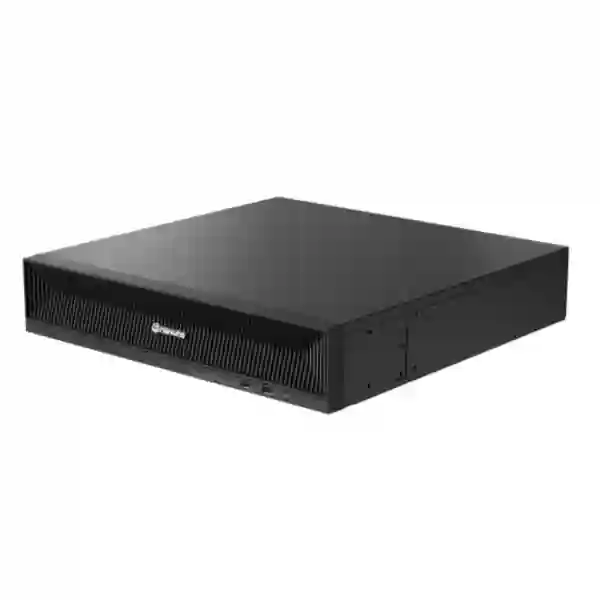
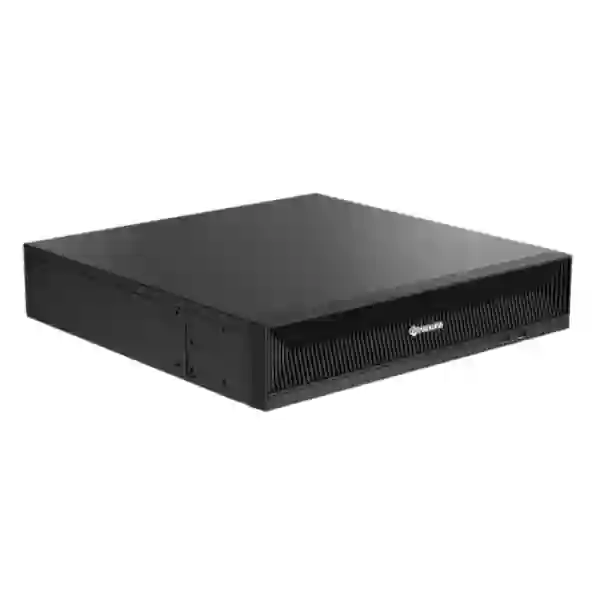
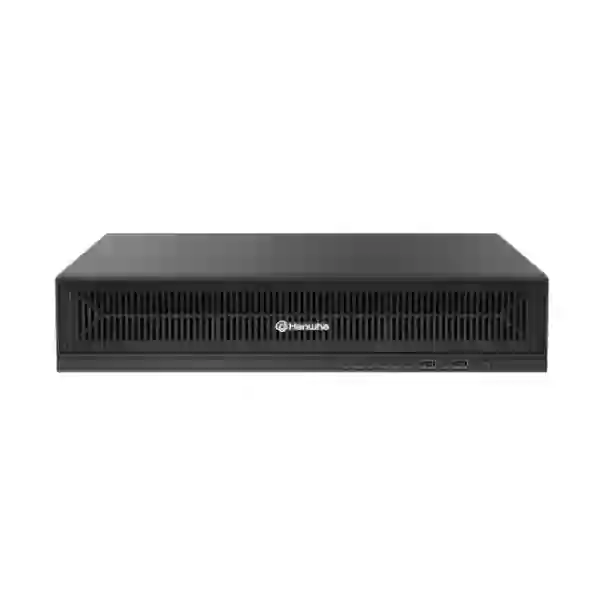
Hanwha XRN-3220B2-30 Network Video Recorder
Plan surveillance around the cameras, recording hours and evidence that matter. This non-RAID 32-channel Hanwha Vision NVR combines high-resolution recording support, flexible monitoring and an eight-bay storage platform. The documented -30 version is associated with 30TB of storage; confirm the exact supplied drive package for your Tanzania project.
32 cameras maximum · Up to 32MP inputs · H.265 / H.264 / MJPEG · Dual HDMI · TPM
Key specifications at a glance
| Recorder family | Hanwha Vision XRN-3220B2, 12th-generation Intel processor |
|---|---|
| Exact variant | XRN-3220B2-30; 30TB variant documented for another market, local bundle to be confirmed |
| Maximum network-camera inputs | 32 channels, up to 32MP input resolution |
| Recording codecs | H.265, H.264, MJPEG |
| Recording bandwidth | Up to 520Mbps distributed mode; up to 300Mbps normal mode |
| Playback bandwidth | Up to 200Mbps |
| Drive architecture | 8 SATA bays; up to 10TB per supported HDD; 80TB nominal platform maximum |
| Storage resilience | Non-RAID B2 model; different RB2 family offers RAID 5/6 |
| Displays | HDMI 1 up to 4K at 30Hz; HDMI 2 up to 1080p at 60Hz |
| Protocols and software | SUNAPI, ONVIF; Hanwha viewing ecosystem |
| Security capabilities | TPM, signed firmware, user logs and supported network-security functions |
| Operating conditions | 0°C to 40°C; 20–85% relative humidity |
Specifications refer to the verified XRN-3220B2 family. Package contents, regional supply terms, firmware compatibility and disk installation require quotation-specific confirmation.
A 32-channel recorder for a planned IP surveillance system
The Hanwha XRN-3220B2-30 is intended for buyers who need one recording platform for a substantial group of network cameras, rather than a collection of small disconnected recorders. It belongs to Hanwha Vision’s XRN-3220B2 family, a 32-channel NVR built around a 12th-generation Intel processor. Its purpose is to receive supported IP-camera video, record it according to an agreed policy, and give authorized operators a practical way to view, search and export footage. For a Tanzanian commercial project, the useful starting point is not simply the number of cameras but the complete operating requirement: monitoring positions, recording duration, network capacity, security controls and local maintenance arrangements.
The model combines support for high-resolution cameras with flexible live-screen layouts and a substantial internal storage architecture. It can suit a newly designed CCTV system or an upgrade from an older recorder, provided the existing cameras and infrastructure are checked. It does not remove the need for correct camera positioning, storage calculations or a stable network. A purchase decision should therefore compare the published platform capability with the actual site plan, including future expansion, who will investigate incidents, and how critical footage will be retained.
Understand the exact -30 variant before placing an order
The exact suffix matters. Manufacturer-associated Korean product documentation describes XRN-3220B2-30 as the 30TB variant of this 32-channel recorder, and a separate Korean equipment listing specifies a package with three 10TB drives. Those sources establish how the variant is described in that market; they do not establish what is packed, stocked or supplied by any particular Tanzania seller. Request written confirmation that the offered unit is specifically XRN-3220B2-30 and ask for an itemized list of installed HDD make, model, quantity, usable capacity and accessories.
The XRN-3220B2 platform has eight SATA drive bays with a manufacturer-stated maximum of 10TB per supported drive and 80TB across all eight bays. That expandable hardware ceiling is not the same as an assurance that the box contains 80TB, and nominal installed capacity is not the same as the final space available for video after formatting or operational overhead. Purchasers should also verify manufacturer HDD compatibility, shipment condition and whether any storage initialization is included in commissioning. If the quote describes a different storage bundle, resolve the difference before payment.
32 camera channels: what the number does and does not mean
A 32-channel rating describes the recorder’s supported network-camera input count. It does not mean every camera will run at its maximum resolution, frame rate and encoding quality at once without design work. Each camera consumes part of the recording bandwidth, network bandwidth and storage allocation. A site with modest corridor cameras will have a different workload from a site with high-frame-rate entrances, long-range perimeter views and a small number of very high-resolution overview cameras. Define those profiles first, then check the aggregate demand against the recorder’s stated performance.
The channel count also influences operational design. Operators should know which cameras require live display, which are recorded continuously, which use an event schedule and which need longer retention. Keep a controlled naming convention that identifies a building, floor, entrance or operational zone, rather than leaving anonymous camera numbers. Leave practical headroom for replacement cameras and occasional temporary monitoring requirements. If the project already uses more than 32 channels or has a committed expansion beyond that point, select an appropriately scaled recording architecture instead of assuming the count can be exceeded.
Recording throughput: distinguish distributed and normal modes
The manufacturer’s published specifications distinguish recording bandwidth by mode: up to 520Mbps in distributed recording mode and up to 300Mbps in normal recording mode. This distinction must remain visible in a specification or proposal. Quoting 520Mbps without its operating context can encourage a project team to oversubscribe the recorder. Recording throughput is separate from the published maximum playback bandwidth of up to 200Mbps, and neither value is a guaranteed internet upload speed or the usable capacity of the entire network.
A sensible system design calculates the expected bitrate for every camera profile, sums simultaneous workloads, and keeps margin for scene complexity, event bursts and changes to compression settings. Review the required live-view load alongside recording and playback, especially if operators use multiple displays or remote clients. Switch uplinks, VLANs, cable quality, link utilization and routing all influence reliability. Ask the system integrator to document which recording mode is intended and to demonstrate the projected load with the selected camera models before final acceptance.
High-resolution recording without overselling 8K
The XRN-3220B2 platform supports network-camera resolutions from CIF through 32 megapixels according to the manufacturer’s published input specification. That breadth can support a mixed surveillance system: lower-resolution general observation where appropriate and higher-resolution cameras where the detail is genuinely useful. However, the ability to register a 32MP camera does not mean that all 32 inputs can be simultaneously decoded at the highest frame rate on a local monitor. Encoding, stream selection and decoder performance matter.
Hanwha’s decoding specification provides examples such as 32MP at 15fps with H.265 only, and lower resolutions at different combinations of channels and frame rates. Those values illustrate resource limits rather than a universal display promise. For a control room, design the live display around efficient substreams where supported and reserve high-resolution playback for investigations. Before selecting cameras, confirm their recording stream, resolution, frame rate and compression profiles with the recorder’s current compatibility information. The result should be useful footage, not a headline resolution figure that operators cannot practically use.
H.265, H.264 and MJPEG in everyday use
The recorder supports H.265, H.264 and MJPEG recording formats. For many modern IP-camera installations, H.265 can be attractive because efficient compression may reduce storage and network demand compared with less efficient settings under similar viewing conditions. Actual savings depend on the scene, motion, lighting, camera implementation and chosen quality profile. It would be misleading to promise a fixed reduction in storage consumption for every environment or to assume that every older camera exposes the same codec options.
Choose codecs as part of a tested end-to-end design. Recording quality must be good enough to identify the details the surveillance plan requires, and exports must be reviewable by authorized personnel when an incident occurs. A crowded entrance, reflective warehouse aisle or moving outdoor scene may demand a different bitrate from a quiet office corridor. Avoid shrinking files by reducing image quality below the site’s evidentiary needs. Check camera firmware and recorder support before standardizing settings across a mixed fleet, and document who may change those settings after handover.
Eight HDD bays and a realistic retention plan
Eight internal SATA bays provide room to build a recording storage plan within the supported drive limits. The published ceiling is eight drives of up to 10TB each, or 80TB nominal in total. The important buyer question is not merely total terabytes: it is how many days of the required footage the configured drives can hold at an acceptable picture quality. Capacity depends on the total sustained bitrate, whether recording is continuous or event driven, daily activity, overhead and any retention reservations required by the organization.
Ask for a retention model using the actual camera schedule. Identify which cameras run twenty-four hours a day and which record only during specific operating periods. Document the required days of retention for each group and the policy for protecting incident footage from automatic overwrite. Consider spare-drive planning, disk health monitoring and how full storage is reported. If a quotation includes 30TB, confirm both the installed nominal capacity and a documented estimate of practical retention with the proposed cameras. Never assume the model suffix alone proves a particular number of recording days.
Storage resilience: non-RAID is a key purchase consideration
This XRN-3220B2 model is identified as a non-RAID recorder in Hanwha’s product documentation. That matters for any location where sustained recording and footage availability are operationally important. Do not describe the XRN-3220B2-30 as providing RAID 5 or RAID 6. A separate XRN-3220RB2 family variant is documented with RAID support; the similar name can easily lead to confusion when products are shortlisted. Buyers should check the complete model code and the resilience requirements before confirming a budget.
Non-RAID recording can still fit a site when the risk is understood and suitable operational controls are designed, but a collection of hard drives is not automatically a fault-tolerant archive. Review how the chosen configuration handles a drive fault, who receives alerts, and how footage is safeguarded during replacement. Hanwha also lists Automatic Recovery Backup and N+1 failover functionality for the family; these are not substitutes for making an explicit drive-resilience decision, and their use depends on compatible system design. Discuss failure scenarios, backup and disaster recovery as separate topics, not a single checkbox.
Dual HDMI outputs for the monitoring desk
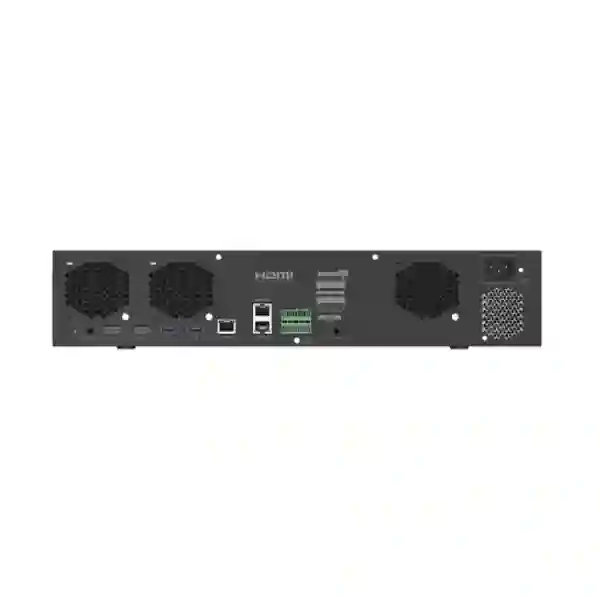
Two HDMI video outputs are specified for the recorder. Hanwha lists HDMI 1 at up to 3840 × 2160 at 30Hz and HDMI 2 at up to 1920 × 1080 at 60Hz. This allows a control-room design with a higher-resolution primary monitor and an additional display for other live views or operational information, subject to the supported display modes and decoding budget. The existence of two outputs should not be interpreted as permission to double the device’s overall decoding capacity.
For better day-to-day use, organize the displays according to the operator’s task. Entrances, cash-handling points, loading zones or safety-critical areas might deserve a consistent prominent position. Less frequently reviewed cameras can be kept in alternate layouts that are easy to summon. Specify suitable monitors, cables, power arrangements and mounting positions separately from the NVR hardware. Test the actual screen arrangements with the planned camera streams to ensure video stays readable and responsive during events rather than only when a single quiet camera is displayed.
Dynamic layouts and virtual channels
Hanwha identifies dynamic layout and virtual channel viewing as key operational features. Dynamic layouts allow operators to tailor the arrangement of camera views, and virtual-channel functionality helps display selected content in more flexible ways. These are particularly relevant when a monitoring desk must adapt between routine observation and a live incident. A static grid of dozens of equally sized images can make important details difficult to find; layouts should reflect what staff actually need to notice.
A useful deployment defines a small set of repeatable working layouts, with clear names and documented use. One might focus on entry points during shift change, another on delivery routes and another on nighttime perimeter observation. Staff should be trained to change views without losing sight of the recorded evidence. Document which user roles may customize layouts and whether these settings are saved per account. Test usability with the intended monitor sizes and viewing distance; software flexibility is valuable only if it makes surveillance decisions faster and less error-prone.
Camera setup and a manageable commissioning process
The recorder’s camera configuration functions include automatic and manual registration. Its broader settings support camera profiles and common adjustments, although the actual controllable parameters depend on the connected device. That gives an integrator useful tools for commissioning, but the easiest setup is one prepared in advance with a clear camera schedule, addressing plan and administrator responsibilities. An uncontrolled installation that uses default settings across many devices is harder to maintain and secure later.
Before connecting the cameras, agree on IP addressing, network segregation, naming and time synchronization. Check the camera firmware, recording profile and events required from each camera. Register cameras in logical groups and test them one by one under daytime and low-light conditions where applicable. Verify that the selected stream is actually being recorded, not merely appearing in live view. Save configuration details in a controlled handover package so maintenance teams can rebuild settings after a hardware replacement without relying on informal recollection.
SUNAPI, ONVIF and integration due diligence
Hanwha lists SUNAPI and ONVIF among supported camera protocols for the XRN-3220B2. These protocols give system designers options when selecting compatible network cameras and integrating surveillance into a wider environment. ONVIF support is helpful for interoperability, but a protocol label by itself never guarantees that every third-party camera feature, metadata field, PTZ function or event type will operate. The safest approach is to check the exact make, model and firmware of each proposed camera against supported functions.
When evaluating a mixed-brand system, separate basic live video from recording, motion events, camera-side analytics, audio, configuration controls and firmware management. Some features available with Hanwha cameras may not extend to a third-party device over a generic connection. SUNAPI can add integration capabilities for supported software, but third-party development and licensing should be assessed separately. Request a practical compatibility test for any camera that is essential to alarms or investigations. List unsupported functions explicitly rather than allowing a general statement of ONVIF compatibility to stand in for acceptance testing.
AI-assisted searches require compatible AI cameras
The manufacturer’s product specification identifies object-attribute AI search with compatible Hanwha AI cameras. This is a meaningful distinction: the NVR is not being presented as a standalone device that turns any conventional camera into an AI analytics source. Searchable attributes depend on what the selected supported camera detects, records and communicates, as well as the recording configuration. An existing third-party or non-AI camera may still be useful for ordinary video recording while providing none of the more advanced attribute-search features.
For projects where investigators need to find events by object or characteristic, define the use case before selecting equipment. Ask what camera-generated metadata is needed, which compatible models can supply it, and how long that metadata remains searchable. Test search behavior on representative recorded scenes, including night conditions, crowded areas and difficult camera angles. Camera placement and image quality influence analytics performance. Avoid promises of perfect identification, automatic incident interpretation or guaranteed search results. A clear demonstration against the intended cameras is more useful than a broad, unqualified claim about artificial intelligence.
Event-driven recording and response workflows
The XRN-3220B2 supports multiple recording modes including scheduled continuous recording and event-based recording, with pre-event and post-event handling. The manufacturer also lists triggers from alarm inputs, video loss and compatible camera events, plus actions such as notifications, PTZ presets, alarm outputs and buzzer activation. In a practical security operation, these capabilities should support a written response plan rather than generate a stream of alarms that nobody can reasonably review.
Start by defining a manageable set of high-value events. A camera disconnected at a sensitive entrance, an alarm input from an authorized sensor or a compatible analytic event may justify a different response from routine scene movement. Specify recipients, time windows and escalation paths. Test what happens if the network or email service is unavailable. Adjust nuisance alerts with care so important warnings are still visible. Record the settings, owner and acceptance criteria for each alert rule. An event workflow is complete only when staff know what action to take after the notification arrives.
Alarm I/O, audio and PTZ control
The published hardware interface lists eight alarm inputs and four alarm outputs, along with network audio capabilities and support for two-way audio. These interfaces can be useful in a designed alarm or security desk workflow, but they do not establish compatibility with every external device or sound system. Confirm electrical interface requirements, the intended trigger logic and whether a specialist integrator must provide an intermediary control system. Never connect equipment based only on connector count or similar-looking terminals.
PTZ control is supported through the recorder interface and compatible viewing tools; Hanwha lists up to 300 presets as a supported capability. For an actual PTZ camera, the available controls and preset behavior should be verified with its exact model. Define who is allowed to move cameras, particularly where another operator depends on a fixed view. Audio collection and monitoring also deserve an explicit privacy and authorization policy. Test audible and visual alarms, operator acknowledgments and any intended camera response before the site goes into routine service.
Playback, evidence search and export
Recorded video is valuable when an authorized person can locate the relevant event and export a usable record. Hanwha documents multiple search modes, including time, event, bookmark and smart-search functions, together with local and network backup formats. The product specification states playback bandwidth of up to 200Mbps. This is not a promise that every simultaneous playback session will run at full camera resolution regardless of load; playback behavior depends on the recorded streams, the chosen viewing method and available resources.
Agree on an incident-retrieval process before the first incident. Operators should know how to choose the correct camera, select a time range, preserve the original record, export the relevant segment and check playback with an approved viewer. Maintain a chain-of-custody process appropriate to the organization, including who requested footage and where copies are kept. Test exports in advance, including timestamps and file compatibility for the intended recipients. Avoid deleting or overwriting relevant footage while a case is open. A simple documented process reduces confusion under pressure.
Remote viewing without compromising the recording network
The recorder works with supported Hanwha viewing software and web-based management, and Hanwha lists Wisenet Viewer and Wisenet mobile among its ecosystem tools. Remote viewing can help authorized supervisors and security teams monitor selected channels when they are away from the recorder. However, the existence of a mobile app or web interface does not mean it is sensible to expose the device openly to the public internet. Remote access should be designed around the organization’s access and cybersecurity policies.
Define what each remote user is permitted to view, search or export. Use strong individual credentials, supported secure access methods, current software, and tightly controlled network rules. Consider a managed VPN or another approved secure remote-access design rather than indiscriminate port forwarding. Review upload bandwidth and connectivity at the site, particularly where internet service has variable performance. Test remote access on the actual connection while local recording continues. Set clear rules for lost phones, staff departures and revoked accounts so surveillance credentials do not remain active indefinitely.
TPM and firmware security: useful controls, not immunity
An integrated Trusted Platform Module is part of the manufacturer’s stated security design. Hanwha also lists signed firmware, TLS-related security functions, user access logs and IP-address filtering among supported features. These are valuable building blocks for a hardened recorder. They should not, however, be described as making a deployment completely secure by themselves. The system’s actual exposure depends on firmware, passwords, network access, administration practices and the security of each connected camera.
Use a documented commissioning checklist that changes default credentials, allocates named accounts, limits management access and establishes a firmware review process. Restrict unnecessary protocols, retain access logs where appropriate and protect backups of the configuration. Place the recorder in a controlled location to reduce casual physical access to its ports and drives. Revisit cybersecurity after adding new cameras, integrating software or enabling remote access. Ask the responsible IT or security team to approve the network design and to define who owns routine updates and incident response.
Network interfaces and switching design
The manufacturer’s interface specification lists three RJ-45 Ethernet interfaces at 1Gbps and support for common IP networking protocols. A multi-camera installation still needs properly selected network switches and structured cabling. The recorder’s ethernet connections are not a substitute for calculating the throughput on each path from cameras to recording, live viewing and remote clients. An overloaded uplink or unstable switch can cause missing footage even while the NVR itself has unused channel capacity.
Build a connection diagram showing camera networks, switch locations, cable distances, uplinks, recorder interfaces and management access. Plan VLANs and routing where appropriate, and ensure that time synchronization and DNS or other required services remain reliable. Include switch and uplink monitoring so an issue can be diagnosed before it becomes a recording gap. Camera power should be designed separately using suitable PoE switches or approved supplies; do not assume the NVR provides a set of onboard PoE camera outputs. The finished plan should be maintainable by the people who will support the site.
Power, UPS and installation environment
Hanwha specifies an AC power input of 100–240V, 50/60Hz for the XRN-3220B2 family and a maximum power consumption figure of 143W in the published eight-drive configuration. The unit’s environmental range is 0°C to 40°C with 20% to 85% relative humidity according to the manufacturer. These are equipment specifications, not a guarantee that any unventilated cabinet will remain within the supported range. A site with high ambient heat, poor airflow or dust needs an appropriate enclosure and environmental controls.
Provide stable electrical supply, surge protection where indicated by the electrical design, and a UPS sized for the recorder, network switches and any equipment needed to sustain recording through an outage. Confirm realistic UPS runtime from the actual load rather than from a marketing label. Allow clearance for ventilation, cabling and maintenance access, and secure the installation location. Include safe shutdown and recovery procedures in the handover documents. In any deployment with critical footage, power continuity and cooling are as important as the recorder’s nominal recording performance.
Physical size and practical rack planning
The published enclosure is a black metal unit measuring approximately 438.0 × 86.0 × 434.9mm, with a stated weight of 7.3kg excluding hard drives. Those dimensions give a useful early indication of rack-space and depth requirements, but do not by themselves confirm which shelves, brackets or rack-mount kits are supplied. Check the complete accessory list and rack compatibility for the exact quotation, especially when the recorder must share an enclosure with switches, a UPS or other security devices.
Leave usable space behind the equipment for power, HDMI, network and alarm cabling, and avoid blocking ventilation while trying to save cabinet depth. Label cables at both ends and prepare a simple service diagram so a technician can isolate faults without disturbing unrelated cameras. Decide where monitors, keyboard, mouse and authorized service laptop connections will be located. For facilities with restricted access, separate operator viewing from physical access to the recording hardware. Consider the eventual replacement of hard drives and ensure the equipment can be serviced without dismantling an entire rack.
Typical application: retail and customer-facing premises
A multi-floor retail operation may need coverage of doors, receiving areas, shared corridors and selected transactional positions. A 32-channel recorder can provide one managed point for those feeds when their combined bandwidth and retention targets fit the published limits. Flexible layouts make it easier for staff to prioritize the cameras that matter during busy periods. The design should be driven by legitimate security and operational requirements, with attention to lighting, privacy, incident response and the ability to retrieve footage without disrupting normal business.
For this type of project, ask the installer to map camera views to actual risks rather than simply fill every available channel. Entry and exit cameras may benefit from different lens and exposure choices than stockroom cameras. Establish which recordings need rapid retrieval and whether authorized staff can do so themselves. Specify retention and escalation policy in advance. A well-planned mix of cameras and recording schedules may produce more usable evidence than maximizing the megapixels of every channel without considering the site’s storage budget.
Typical application: warehouses and distribution areas
Warehouses often include long aisles, loading bays, vehicle approaches and exterior boundaries. These areas vary greatly in movement, lighting and distance. A recorder that supports up to 32 network cameras can form part of a coordinated security system, but camera optics and placement will determine whether the recording is useful when an incident is investigated. High-contrast entry points and fast-moving forklifts require particular care in camera selection and commissioning.
For receiving and dispatch operations, organize cameras by doors, travel routes and handling zones so the operator can reconstruct an event in a sensible order. Review the recording bitrate when busy shifts create significantly more motion than overnight periods. Where outdoor cameras are used, include suitable network protection, mounting and power arrangements in the design. Test retrieval of an event spanning several cameras, not only independent clips. Where analytics are required, choose compatible cameras and validate the intended metadata search instead of assuming that the NVR itself can interpret every recorded scene.
Typical application: offices, campuses and shared facilities
Offices and campuses may have multiple entrances, corridors, parking areas and equipment rooms that are managed by different people. A centrally planned recorder can simplify authorized monitoring and incident retrieval compared with a patchwork of unrelated devices. This does not mean every department should have broad access to every camera. Access profiles and viewing responsibilities should be aligned with operational roles, privacy expectations and the organization’s policies.
Create an agreed camera naming convention and a clear escalation map. A facilities operator may need to watch plant-room access while a security supervisor handles perimeter events and an administrator controls exports. Record which users may make configuration changes and keep a reviewable audit trail. If the campus spans several buildings, test network conditions along each connection path and plan resilient power for intermediate switches. Consider the growth path when a new building or additional entrance is added, because the 32-channel limit remains a fixed planning constraint for this recorder.
Typical application: hospitality and service environments
Hotels, mixed-use properties and service buildings often need surveillance that supports staff safety, property protection and incident documentation without intruding unnecessarily on private spaces. The recorder’s flexible layouts and event functions can help authorized personnel review appropriate public or operational zones. The important decisions concern where cameras are permitted, how long footage is retained, who can access it and how requests for exports are approved. Those rules should be decided by the organization and its advisers, not inferred from hardware capabilities.
Plan cameras around actual sightlines and privacy boundaries. Confirm where staff need local live viewing and whether remote access is justified. Test how a reception or security team locates relevant recordings when the time or exact camera is uncertain. Avoid promising that AI search can identify particular people or characteristics unless a compatible camera, supported metadata and lawful use case have been established. Training, controlled access and a written footage-handling policy often contribute more to successful operation than adding unnecessary features.
Modernizing an existing CCTV installation
Replacing an older recorder can be an efficient way to improve operations, but it is not a simple plug-and-play assumption. Review the existing camera inventory, resolutions, codecs, firmware versions and connection protocols. The new recorder’s support for SUNAPI and ONVIF may provide a path for certain cameras, while advanced analytics, alarms and configuration controls may differ by vendor. Record exactly which camera functions must be preserved after the changeover.
A safe migration has a tested staging plan. Back up relevant configuration information and identify any footage that needs to remain accessible from the old system. Validate camera streams on the new NVR before making it the sole recording platform. Check live view, search, time synchronization, remote access, notifications and export formats. Coordinate the physical cutover so that gaps in coverage are minimized and documented. Keep the previous equipment available for authorized retrieval until the retention transition has been completed under the organization’s policy. Include post-migration training rather than expecting operators to discover a different interface during an incident.
Expansion planning beyond the initial installation
The temptation to purchase a 32-channel recorder for exactly 32 cameras is understandable, but it reduces options when new doors, work areas or camera replacements appear. Decide whether the project needs spare channels, additional storage bays or extra recording capacity in the future. Expansion is not just a count of added cameras: high-resolution upgrades can change the entire bitrate and retention model even if the camera quantity stays the same. Review the impact of planned changes against the normal and distributed recording modes.
If the proposed site will outgrow one recorder, plan a scalable architecture early. A second recorder, supported management software or a different NVR class may be more appropriate, depending on the full system requirements. Consider whether operators need unified monitoring or separate groups for operational reasons. Avoid treating software viewer support as proof that every integration or multi-recorder function is included without license or setup requirements. Ask for an architecture drawing and a clear explanation of how growth, software maintenance and replacement parts will be handled over the intended life of the installation.
How to choose cameras for this recorder
Camera selection should begin with the observation goal at each location: detecting movement, recognizing an event, reviewing a delivery, checking an entrance or capturing detailed imagery. Choose the lens, sensor, lighting and placement accordingly, then confirm the camera’s compatible recording stream with the NVR. Do not use a high megapixel count as a substitute for selecting the right field of view. A poorly positioned camera can generate very large files while still failing to capture the information that staff need.
For a mixed estate, compile a camera compatibility matrix including model, firmware, codec, maximum useful resolution, selected frame rate, estimated bitrate, audio, PTZ, analytic events and supported search metadata. Mark functions that must be demonstrated before acceptance. Use the resulting bitrate totals to size networks and storage. Where AI-assisted search is a requirement, prioritize cameras explicitly supported by the manufacturer for those metadata functions. Include spares and future replacements in the same matrix so the configuration remains understandable after the initial project team has left.
What to ask in a Tanzania quotation
A clear commercial proposal should identify the full model as XRN-3220B2-30 and specify the installed storage configuration, not merely the family name XRN-3220B2. Request confirmation of the number and specification of hard drives, included power and mounting accessories, approved firmware state and compatibility with the proposed cameras. Ask which components, if any, are supplied separately: cameras, PoE switches, network equipment, monitors, UPS, cabling, storage upgrades and software integrations. This helps avoid comparing quotations that look identical but include materially different system components.
The quote should also distinguish equipment supply from site survey, installation, commissioning, operator training and ongoing support. Ask for written terms covering price in the offered currency, taxation, lead time, warranty arrangements and any service commitment; these details are not established by the recorder’s global specification sheet. For Tanzania projects, confirm delivery destination and project conditions directly rather than assuming coverage or stock. A responsible seller can help match the configuration to the site, but final design decisions should be backed by a documented survey and specification.
A practical installation and acceptance checklist
Before handover, confirm that the delivered model code, serial number and actual disk configuration match the accepted quotation. Record the current firmware and validate all installed disks using supported diagnostic information. Check every camera against the approved plan for image, frame rate, codec, naming and recording status. Demonstrate that the total bitrate stays within the operating mode’s budget under representative site conditions. Validate both HDMI displays and any required operator or remote clients.
Then test the less visible functions: time synchronization, alarms, loss-of-video notifications, recorded playback, authorized export and restoration of normal operation after a planned power interruption. Check environmental conditions, UPS status, cabinet locks and access permissions. Review what happens when one camera or a network link is deliberately interrupted for testing. Save an approved copy of the configuration and produce user documentation with emergency contacts and maintenance ownership. A handover signature should mean the purchaser has witnessed the critical workflows, not simply received cartons and cables.
Maintenance: keep a 32-channel system useful
A surveillance system is an operating service rather than a one-time hardware purchase. Assign responsibility for checking camera status, disk health, event logs, storage utilization and the quality of representative recorded footage. Include periodic visual inspections of cabling, vents, UPS batteries and physical security. Review software and firmware advisories through the manufacturer’s supported channels. Maintenance frequency should reflect the risk of the monitored site and its expected operating conditions.
Use controlled change management when adjusting recording quality or retention. A small increase in bitrate across many cameras can materially affect storage consumption, and a camera replacement can alter metadata or event compatibility. Log configuration changes and re-test retrieval after significant updates. Keep access lists current, remove dormant accounts and maintain a documented incident export process. Review storage retention periodically against observed demand, not only the original design spreadsheet. For critical installations, rehearse how staff will respond to an unavailable recorder so a single failure does not become an unmanaged loss of coverage.
Security architecture and privacy responsibilities
The presence of secure features does not eliminate the need to decide who may observe, record and retrieve footage. Establish legitimate surveillance purposes, internal approval processes and retention standards appropriate to the organization’s circumstances and applicable rules. Protect recordings from unnecessary access, use individual accounts where possible and audit exports of sensitive footage. Avoid using shared administrator credentials for routine viewing; separate configuration privileges from investigation and observation duties.
Technical safeguards should be paired with operational discipline. Limit the recorder’s management interfaces to authorized networks, review remote access, physically secure drives and define the process for a lost device or compromised password. Where cameras observe people, make placement decisions with privacy in mind and review any audio recording separately. Arrange legal or policy review where the deployment raises sensitive questions rather than making unsupported claims about local compliance. The result should be a system that meets documented security needs without relying on vague promises of complete protection.
Compare the B2 and RB2 families before choosing
Two names are easy to confuse: XRN-3220B2 and XRN-3220RB2. Manufacturer documentation identifies the B2 family as non-RAID and the RB2 family as offering RAID 5/6, with its own storage and configuration considerations. They should be evaluated against the same number of cameras, intended retention and operational requirements, but they should not be treated as interchangeable products. If disk fault tolerance is a must-have requirement, ask for a documented comparison with the RAID-capable alternative before confirming the B2-30 model.
Neither a RAID option nor N+1 failover automatically guarantees that footage can never be lost. Different mechanisms address different failure modes, and backup, archive and recovery processes may still be required. Ask the integrator to explain which failure scenarios are covered, what extra hardware or configuration is necessary and what happens to recording during repairs. If resilience is not a priority, the simpler non-RAID design may still be appropriate when its limitations are accepted. Make that a conscious decision based on operational risk rather than a misunderstood suffix.
Questions to resolve before a purchase decision
The fastest way to decide whether the recorder fits is to bring together the details that affect recording and operation. Prepare a camera count by location, a list of exact camera models, each camera’s resolution and codec, intended recording hours, required retention, and a sketch of the network. Identify whether the site needs local live monitoring, mobile access, AI-supported search, alarm integration, audio or PTZ control. Those requirements determine the design far more reliably than a generic product ranking.
Also document who will maintain the system and which failures are unacceptable. If a disk fails or a site loses power, who is notified and who can act? Will the organization need RAID-capable storage or a separate archive? Is there a UPS that also powers the switching network? Is there a controlled and tested method to export video? With these questions answered, a supplier can present a comparable quotation and identify any incompatibilities before equipment reaches the site.
Summary: where the XRN-3220B2-30 fits
The value of the Hanwha XRN-3220B2-30 is its combination of 32-camera capacity, high-resolution input support, flexible monitoring, event handling and expandable eight-bay SATA architecture. The documented 30TB variant gives buyers a concrete storage starting point to verify with their supplier. It is especially relevant when an organization wants its IP-camera footage brought together under a managed recorder and is prepared to size the network and retention profile properly.
The boundaries are just as important. The 520Mbps recording figure is mode-dependent, AI attribute search needs compatible cameras, and this particular B2 family is not the RAID 5/6 version. Manufacturer specifications do not establish Tanzania stock, local pricing or the exact disk bundle in a particular offer. Request a configuration review with the precise product code, camera list, recording policy and support requirements. A fit-for-purpose proposal should show why the chosen combination will capture usable footage and how it will be operated over time.
Frequently asked questions
Is the Hanwha XRN-3220B2-30 a 32-channel recorder?
Yes. The underlying XRN-3220B2 platform is specified for up to 32 network-camera channels. The count is the supported number of camera inputs, not a guarantee that every camera can simultaneously use the highest resolution, frame rate and codec setting. Plan aggregate bitrate and display requirements alongside the channel total.
Does the -30 model include 30TB of hard-drive capacity?
Manufacturer-associated Korean documentation identifies the XRN-3220B2-30 as a 30TB configuration, and a Korean product listing describes three installed 10TB drives. That does not verify the actual shipment or installed drive configuration for a Tanzania quote. Request written confirmation of the HDD quantity, model and nominal and usable storage before ordering.
Can the storage grow beyond 30TB?
The XRN-3220B2 platform provides eight SATA bays and is specified for drives of up to 10TB each, a nominal platform maximum of 80TB. Expansion depends on the currently populated bays, the manufacturer’s compatible HDD list and the actual supplied configuration. Have an installer review the upgrade plan, service procedure and effect on the recording schedule.
Does this NVR support RAID 5 or RAID 6?
No. Hanwha identifies the XRN-3220B2 as a non-RAID model. The similarly named XRN-3220RB2 family offers RAID 5/6 in the manufacturer’s specifications. If disk-level fault tolerance is essential, ask for the correctly identified RAID-capable model and a clear explanation of how it will be configured and protected.
What is the recording bandwidth?
The manufacturer specifies up to 520Mbps in distributed recording mode and up to 300Mbps in normal mode. The appropriate figure depends on the proposed operating mode. Ask for a camera-by-camera bitrate budget with headroom, and remember that network uplinks, playback workload and storage retention are separate design checks.
Can this recorder work with 32MP IP cameras?
The family supports network-camera inputs up to 32MP. Actual local decoding capacity varies with resolution, frame rate, codec and the number of displayed streams. Confirm the exact camera and profile against the current compatibility and decoder documentation instead of interpreting maximum resolution as an all-channel live display promise.
Which video formats does it record?
H.265, H.264 and MJPEG appear in the manufacturer’s recording specifications. The available choice for a given input also depends on what the camera sends and which profile is configured. Choose an encoding setting that balances picture usefulness, storage demand and the ability to export footage for investigation.
Can existing ONVIF cameras be reused?
Possibly. The recorder lists ONVIF and SUNAPI support, which can assist with IP-camera integration. Basic video interoperability is not proof that every third-party camera will provide alarm events, PTZ control, audio, analytics or configuration access. Test the precise model and firmware before committing to a full migration.
Does the recorder perform AI searches on any camera?
No such universal capability is established. Hanwha describes object-attribute AI search in conjunction with compatible Hanwha AI cameras. Availability depends on supported metadata, firmware and configuration. If AI-assisted investigations matter, select compatible cameras and demonstrate the intended search using representative footage before acceptance.
Can two monitors be connected directly?
Yes. The published interfaces include HDMI 1 up to 3840 × 2160 at 30Hz and HDMI 2 up to 1920 × 1080 at 60Hz. Operators can use supported display arrangements, but total decoder performance and layout limits still apply. Specify monitors and display plans as part of the project.
Does the NVR power IP cameras directly?
The manufacturer’s interface specification lists network connections but does not document integrated multi-port camera PoE outputs for this model. Plan suitably rated PoE switches or approved camera power supplies as separate components. Include switch power in the UPS design where continuous recording is required.
Can staff view footage on a phone or computer?
Hanwha lists web and software viewing options including Wisenet Viewer and Wisenet mobile. Access depends on correct setup, network conditions and authorization. Use approved secure remote access and role-based credentials, and verify the actual function set required by each user during commissioning.
How many days of video can 30TB store?
There is no reliable universal answer. Recording duration depends on how many cameras are active, their resolutions, frame rates and bitrates, the codecs, recording schedules and usable disk capacity. Ask the supplier to calculate and demonstrate expected retention using the exact camera profiles instead of promising a fixed number of days from the storage label.
Is pricing or stock in Tanzania confirmed?
No Tanzania price, inventory status, delivery commitment or service term is established by the manufacturer’s specification or the model name. Ask for a current written quotation that lists the precise model, disk package, taxes, accessories, availability, installation scope and warranty conditions applicable to the offered supply.
What information should I provide to request a quote?
Provide the complete model code XRN-3220B2-30, number of cameras, their makes and models, intended recording period, retention target, expected live-monitor stations, network and power conditions, and whether RAID-level storage resilience is mandatory. These details help the supplier confirm suitability rather than offer an incomplete hardware-only comparison.
What should be tested at handover?
Verify every camera’s recording and playback, the stated storage configuration, live display layouts, alarms, remote access restrictions, clock accuracy, export of representative evidence and behavior during a controlled camera or power interruption. Collect the approved configuration, user guidance and maintenance ownership information before signing off the installation.
Request a configuration-specific quotation
For a Tanzania project, ask FourTeck for a written quote using the exact Hanwha XRN-3220B2-30 model code. Include your camera list, recording and retention requirements, expected monitoring and remote access, any need for AI-compatible camera search, and whether non-RAID storage meets the organization’s risk policy. Ask the supplier to confirm installed 30TB variant drives, usable recording capacity, compatibility, included components, price, supply and support terms before committing to a purchase.
Request a Hanwha XRN-3220B2-30 project quotation from FourTeck Tanzania.




Reviews
There are no reviews yet.