
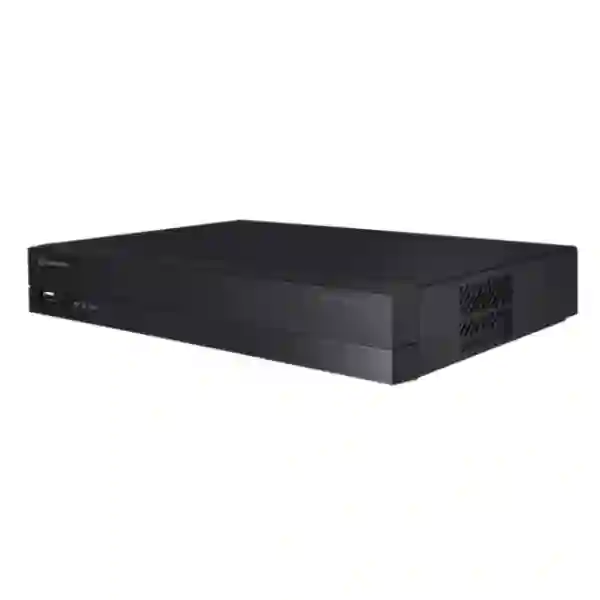
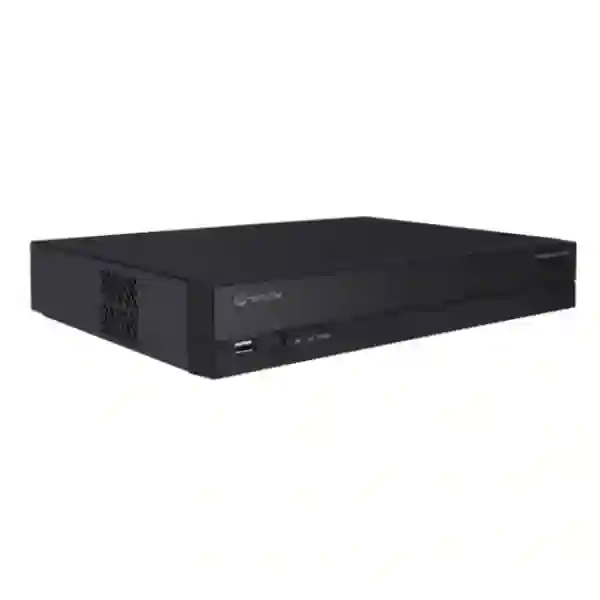
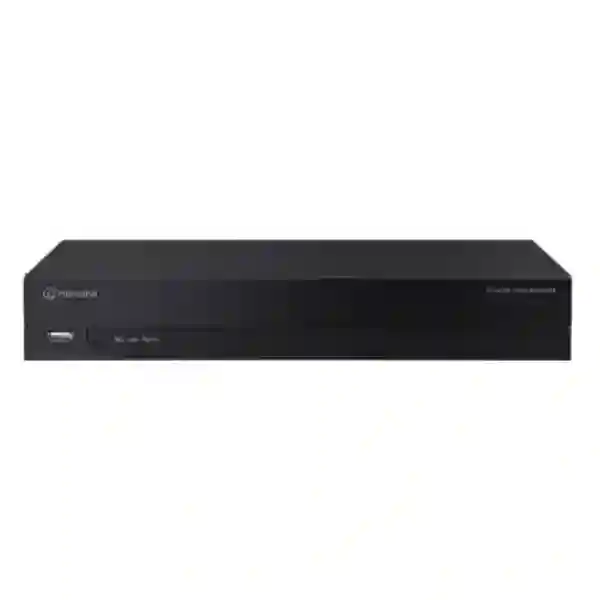
Hanwha Vision XRN-420S-2T 4-Channel 2TB PoE NVR
Protect a defined four-camera site with local video recording, a manufacturer-specified 2 TB hard drive and integrated PoE camera connections. Review camera compatibility, real storage retention and site power conditions before requesting a quotation.
Technical specifications at a glance
These published figures describe the recorder; compatibility and project performance still depend on the exact connected cameras, firmware, hard drive and configuration.
| Manufacturer and model | Hanwha Vision XRN-420S-2T |
|---|---|
| Product class | Four-channel IP network video recorder |
| Manufacturer-supplied storage | 2 TB HDD |
| Drive slots and capacity | One SATA slot; compatible drive up to 6 TB |
| Camera recording inputs | Up to four channels, up to 8 MP |
| Recording bandwidth | Maximum 50 Mbps combined |
| Playback bandwidth | Maximum 32 Mbps |
| Video codecs | H.265, H.264, MJPEG |
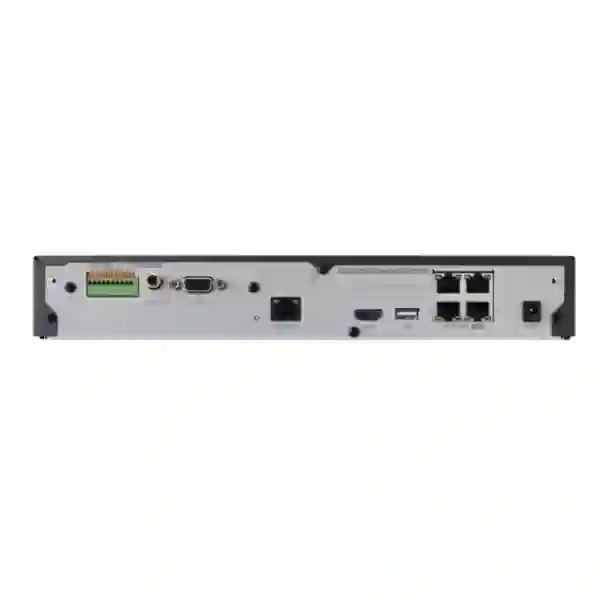
| Camera interfaces | Four 10/100 PoE-capable RJ-45 ports |
| Network uplink | One 1 Gbps RJ-45 port |
| Shared PoE power | 50 W maximum budget |
| Local monitor outputs | HDMI and VGA |
| Smart search | AI attribute search with compatible Hanwha AI cameras |
| Recovery-related feature | ARB support in compatible configurations |
| Power | 100–240 V AC, 50/60 Hz input specification; up to 67 W consumption with HDD and PoE on |
| Operating environment | 0–40°C; 20–85% relative humidity |
| Size | 300 × 47.1 × 208.4 mm |
| Supported camera protocols | SUNAPI, ONVIF |
A practical four-camera surveillance recorder for a defined site
The Hanwha XRN-420S-2T brings four IP camera recordings into one compact network video recorder. It is a practical candidate when the customer already knows the critical views to protect and wants footage stored locally rather than relying entirely on a live display. Typical planning starts with an entrance, a transaction or reception area, a stockroom and an external approach, although the best camera positions depend on the property. Recording and playback should be designed around the evidence users actually need to find later.
This model is not a complete CCTV kit and does not include an automatic promise of cameras, installation or cloud storage. Buyers need compatible cameras, cabling, an appropriate monitor or client device, power and a secure network configuration. The 2 TB manufacturer configuration offers an initial recording drive, but useful storage duration depends on picture settings and activity. Request a camera list and desired retention period before selecting it for a Tanzania site.
Who should choose a four-channel NVR
A four-channel NVR suits a premises where no more than four independent IP camera feeds are required now and where the layout is unlikely to expand beyond that limit. A single office, small retail unit, controlled access point or compact warehouse zone may fit well. Buyers appreciate having recording, viewing and camera connectivity concentrated in one device, with simpler inventory and fewer interfaces to manage than a sprawling recording system.
The important word is independent: a design that may soon need five cameras is already beyond the recorder’s four-channel input limit. A wide-angle or multi-sensor camera should not be assumed to count as a single channel without checking its registration method. If additional locations, multiple buildings or future branches are in scope, consider an eight-channel or larger recorder before spending on cabling and commissioning. Growth planning is often less expensive than replacing a recently installed recorder.
What the 2 TB version actually means
The suffix 2T identifies the manufacturer’s configuration with a 2 TB hard disk supplied as standard. It does not mean that the recorder can store two terabytes of video indefinitely, and it does not guarantee a stated number of recording days. Part of nominal drive capacity is unavailable for user footage because of disk formatting, system structures and practical operation. Recorded size also changes with codec, resolution, frames per second, scene movement and the stream sent by each camera.
The chassis has one SATA hard-drive slot, supporting a compatible drive up to 6 TB according to Hanwha’s published specification. That is a replacement or upgrade path, not a second internal slot. Do not plan for an internal two-disk mirrored array. If the evidence policy needs redundancy, longer retention or additional independent copies, specify those requirements separately and confirm an appropriate recording and backup design before placing an order.
Camera picture quality and 8 MP support
The recorder supports network camera inputs up to 8 MP, often described in the market as 4K-class video. That capability can be useful where scene detail is important, such as identifying what occurred at a counter or reviewing a doorway. It does not itself improve a poor camera image. Lens selection, subject distance, lighting, exposure, mounting height and the camera’s own sensor performance still determine whether useful evidence is captured.
Four high-resolution camera feeds can impose very different network loads depending on the scene and the settings. A quiet hallway may compress efficiently, while foliage, rain, vehicles or changing lights can increase the actual bitrate. Select resolution for the target detail rather than automatically setting every camera to its maximum. After installation, inspect recorded footage by day and by night, zoom to the actual identification area and verify that the chosen settings remain within the recorder’s recording-bandwidth limit.
Understand the 50 Mbps recording limit
Hanwha specifies a maximum aggregate camera recording bandwidth of 50 Mbps for this NVR. That figure describes incoming recording throughput; it is not a guarantee that every possible combination of four 8 MP cameras will run at the highest resolution and frame rate simultaneously. Add the configured maximum or planned camera bitrates, then include reasonable headroom for complex scenes. If a proposed set of streams approaches the limit, adjust the camera profiles or evaluate a higher-capacity recorder.
For example, four cameras configured around 8 Mbps each produce approximately 32 Mbps of combined incoming video before considering operational variation. Four streams at 15 Mbps would total 60 Mbps, above the published recording limit. These are planning examples, not promised performance settings. Network uplink speed, playback capacity and incoming recording capacity are separate quantities, so a gigabit uplink should not be interpreted as permission to exceed the specified recording ceiling.
Video compression and usable picture detail
The XRN-420S series supports H.265, H.264 and MJPEG. Compression matters because surveillance records are streams of pictures, and storing those pictures efficiently can stretch a fixed disk further. H.265 can reduce storage demands relative to less efficient settings for suitable camera content, but results depend on the camera, scene and tuning. A codec label on its own should never be used to promise a retention period or imply that all cameras have identical compression efficiency.
Select an encoding profile that the exact camera and recorder both support, then test export and playback on the devices that investigators will use. Aggressive compression may save space while removing subtle evidence in fast motion or dim lighting. On areas where faces, labels or transactions matter, prioritize legible footage over an attractive storage estimate. Retention should be calculated from measured or realistically specified bitrates, not from a generic claim that compression always halves disk usage.
Recording modes and event capture
Published recording options include normal recording, scheduled recording, event recording with pre-event and post-event material, and bookmarking. These modes let the administrator distinguish evidence needs at different points in the premises. A business might choose continuous coverage at entrances and an event-based schedule elsewhere, but such a choice should follow the site’s risk assessment. Motion or event-only recording uses different storage than continuous recording and depends on camera analytics, trigger sensitivity and configuration.
Set a clear policy for which scenes must always be recorded. Event rules can miss subtle activity or create excessive clips when shadows, weather or headlights change the scene. Test each rule with realistic movement and verify what footage is captured before and after a trigger. A lower storage estimate is not a benefit if the missing footage is the very sequence required during an incident. Document who may change recording modes and when those changes are reviewed.
How to estimate retention from 2 TB
A useful estimate begins with the sum of camera bitrates rather than the number of cameras alone. As a rough theoretical example, four streams averaging 4 Mbps each produce approximately 16 Mbps overall. Dividing a nominal 2 TB by that continuous data rate gives about eleven to twelve days before accounting for disk overhead and operating variation. Four streams averaging 8 Mbps each would use roughly twice the data, reducing the theoretical period to about six days.
Those examples are illustrations, not guaranteed retention for a purchased recorder. Actual footage duration changes as camera bitrates fluctuate, audio is added, scheduled recording is used, metadata accumulates or the usable disk space differs from its label. Work backward from the required number of days and evidence quality. If the resulting storage need is greater than the 2 TB configuration can supply, consider a compatible larger disk within the 6 TB limit or a different recording architecture.
Plan capacity before increasing the drive
A larger installed drive can increase the potential history retained, but changing disk size does not raise the four-camera limit or the 50 Mbps maximum incoming recording rate. Those are recorder capabilities rather than disk capacities. The single-bay design also means an upgrade should be treated as a controlled storage change with a proper backup or evidence-export plan where records must be preserved. Never assume that replacing a drive will preserve footage already on the original disk.
Ask who is responsible for disk compatibility checks, installation, configuration and any required migration of retained evidence. A surveillance-rated disk can be relevant for continuous writing workloads, but supported models and capacities should be checked against current Hanwha guidance. Specify whether footage needs to be available locally, exported periodically or preserved as a separate secure copy. A longer nominal recording window is not the same as a resilient or compliant evidence-management process.
Four integrated PoE camera connections
The recorder includes four 10/100 PoE-capable camera network ports. These ports can carry data and supply power to suitable IP cameras over Ethernet cabling, simplifying a compact installation. Their convenience does not eliminate electrical planning: Hanwha specifies a shared PoE power budget of 50 W for the unit. The total declared or expected draw of all connected cameras, particularly during infrared illumination or other peak operating modes, must remain within that system budget.
Count actual camera loads rather than dividing 50 W evenly and assuming that any four devices will work. Some cameras with powerful illumination, heaters or motorized functions may require external power or a suitable separate PoE switch. Confirm cable quality and distance, connector termination and the camera’s required PoE standard. A camera that powers up on a bench but drops offline at night is not a successful installation. Test the complete configuration under realistic peak power conditions.
Network layout and the gigabit uplink
The published interface arrangement separates four 10/100 PoE camera ports from a 1 Gbps network uplink. This makes the recorder a compact point of connection for four local cameras while providing access to the wider authorized network. The uplink is useful for remote clients, time synchronization, management and the broader IP environment, but it does not remove the recorder’s recording or playback limits. Network design must consider security boundaries as well as raw link speed.
Before deployment, decide whether cameras will sit directly on the integrated ports or be reached through another supported network arrangement. Verify IP addressing, routing, DNS and the specific registration method required by each camera. When the site also runs business applications, separate or restrict surveillance traffic appropriately. Keep changes documented so that a network engineer can restore access without improvising ports or disabling security controls. Remote access should be deliberately configured, never casually exposed to the internet.
ONVIF, SUNAPI and camera compatibility
Hanwha lists both ONVIF and SUNAPI in the recorder’s supported network camera protocols. This is useful when considering a mixed IP camera environment, but protocol support is not a blanket statement that every third-party camera will expose all controls, events, audio and analytics. Registration, stream formats, event messages and advanced functions can behave differently among brands and firmware revisions. Exact-model compatibility testing is still needed for a reliable purchase.
For a project using existing cameras, collect the brand, model, firmware version, power requirement, encoding options and expected maximum bitrate for each unit. Confirm that the recorder can discover or manually register the camera and maintain recording after a restart. Test night mode, motion events, time stamps, playback and any required PTZ features. If a particular smart search, camera-side detection or special recording mode is essential, seek confirmation for that function specifically rather than relying on the generic ONVIF label.
AI-assisted search: understand the dependency
The recorder supports AI object-attribute search when used with compatible Hanwha AI cameras. This can help operators narrow a review by attributes supplied by the appropriate camera integration. However, the recorder should not be described as turning ordinary cameras into AI analytics cameras, and a general claim of facial recognition or universal vehicle identification would overstate the published capability. The actual searchable attributes depend on the supported camera and software combination.
For buyers, the question is not simply whether an NVR has an AI badge. Ask which searchable details a real incident workflow needs, which camera models generate the required metadata and how results can be reviewed or exported. Check whether the search interface functions as expected under real site lighting and the intended camera angles. AI-assisted filtering can speed investigation, but human review and good scene coverage remain necessary. A compatible camera is a prerequisite, not an optional marketing detail.
Camera events, alerts and operator workflow
The XRN-420S platform can react to supported alarm inputs, video loss and camera-generated events. Published responses include functions such as event notifications, buzzer activation and monitor outputs, subject to configuration and the connected camera’s capabilities. These features are most helpful when a site has a clear response plan: who receives a notification, what they are expected to check and how to distinguish an ordinary activity event from a security issue.
A notification does not by itself prove an intrusion, prevent an incident or guarantee that somebody will respond. Establish meaningful event zones, sensible operating hours and escalation contacts. Revisit sensitivity settings when a scene changes, such as after new lighting or shelving is installed. Record the test method and verify that the selected event is visible in playback with accurate time information. Avoid promising alarm integration or emergency-service dispatch unless those services are separately specified and verified.
Automatic Recovery Backup and what it does not mean
Hanwha identifies ARB, or Automatic Recovery Backup, among the XRN-420S features. Its practical purpose in supported configurations is to help retrieve camera-held recording material following certain connection interruptions. This can be useful where a temporary network issue would otherwise create a gap in the NVR timeline. It is a feature to investigate during system design, especially when a compatible camera supports the necessary edge-recording behavior.
Do not treat ARB as a replacement for an independent backup, redundant recorder or a business continuity plan. Recovery depends on supported cameras, local camera storage and the exact operating conditions. During commissioning, deliberately test the planned interruption and confirm how recovered material appears and whether the event is logged. If evidence must survive theft, fire or physical destruction of the NVR, a separate retention and resilience strategy is required. An internal 2 TB disk does not provide off-site protection.
Local monitoring using HDMI and VGA
The recorder includes HDMI and VGA video outputs for local display. Hanwha specifies HDMI output up to 3840 by 2160 at 30 Hz and VGA output up to 1920 by 1080 at 30 Hz. This provides a straightforward option for a reception desk, control point or supervisor who needs to inspect live pictures and playback without a computer always being connected. The screen’s own resolution and the selected viewing layout still affect what the operator can see.
Plan the monitor position and interface around the tasks users perform, not simply the number of screens that can be attached. Four small camera tiles on a distant display can make identification difficult even if the underlying recordings are detailed. Ensure that important camera views remain visible, that the mouse or permitted client interface is accessible and that playback can be operated without disrupting staff. Verify any proposed dual-display arrangement and its supported output mode during setup.
Remote viewing and secure mobile access
Hanwha documents P2P QR-code assisted connection and supported viewing tools for the XRN-420S family. For an authorized user, remote access can help check a site or review an incident without standing at the recorder. Nevertheless, mobile viewing depends on a correctly configured network, compatible app or client, available bandwidth and suitable authentication. The feature should not be taken as proof of free cloud recording, unlimited users or unrestricted mobile connectivity.
Give each administrator an accountable login rather than sharing a common password. Choose access rights according to job need, establish a process for removing departed users and keep the recorder’s configuration protected. Where a business VPN or other secured access method is preferred, assess it with the network administrator. Test remote operation from an actual external connection, including low-bandwidth conditions, and document who is permitted to view or export recordings. Never expose management services to the open internet without a considered security design.
Cybersecurity measures for a video recorder
A network video recorder is an IT system storing potentially sensitive images, so security belongs in the buying decision. Hanwha lists features including user access logs, IP address filtering and signed firmware in its XRN-420S specifications. These capabilities support a managed deployment but do not automatically make a poorly configured network safe. A strong setup also requires unique credentials, appropriate account privileges, current supported firmware and controlled remote connectivity.
Separate recorder administration from routine live viewing when possible. Maintain an authorized list of users, change default settings, back up configuration information securely and review access logs when an incident occurs. Establish responsibility for checking vendor advisories and applying updates after proper testing. Keep the device physically protected from unauthorized resets or cable removal. An NVR can be compromised through weak surrounding practices even when the hardware includes security options; ongoing administration is part of total ownership cost.
Tanzania installation: temperature and ventilation
Hanwha’s published operating range is 0 to 40 degrees Celsius with 20 to 85 percent relative humidity. That makes enclosure placement important for projects in Tanzania, particularly in rooms that become hot when power or ventilation is interrupted. A recorder should be placed in a clean, secure and adequately ventilated indoor location rather than exposed to direct sun, water, dust accumulation or a sealed cabinet with no airflow. Site conditions must stay inside the manufacturer’s limits.
Consider the heat produced by the recorder and surrounding network equipment together. Position the unit so vents are not blocked by files, packaging or tightly stacked electronics. Inspect the intended location at the warmest expected operating period, not only during a cool site visit. If an equipment cabinet uses fans or cooling, check what happens during an outage. Do not assume a standard room is safe simply because it contains a power socket; temperature and humidity control are part of reliable CCTV recording.
Power protection and service continuity
The recorder accepts a 100 to 240 V AC, 50/60 Hz power supply arrangement as specified by Hanwha; its published maximum power consumption is 67 W with a hard disk and PoE active. The entire CCTV design may draw additional power through external switches, monitors, network equipment and cameras. For a site that depends on uninterrupted evidence, estimate the full load before choosing a UPS and verify the power supply and adapter details for the exact delivered unit.
A UPS is intended to bridge short interruptions or enable an orderly response, not to guarantee continuous recording through an extended blackout. Battery runtime depends on the load, battery condition and UPS characteristics. Test what happens to the cameras and recorder when mains power fails and returns. Confirm whether the device restarts and resumes recording automatically under the intended configuration. Surge protection, good grounding and a protected equipment location are also considerations for the responsible installer.
Cable routes and physical network reliability
Reliable video begins with properly planned camera cabling. Before installation, map each camera to its intended recorder port and label both cable ends. Use suitable network cable, weather-protected termination wherever the route is exposed and a sensible separation from sources of electrical interference. Check maximum supported Ethernet distances for the complete connection and the power needed by the camera. The recorder’s four PoE ports should not be viewed as a substitute for professional cabling practice.
Test the completed link at the furthest camera position while infrared illumination or other high-draw functions are active. Loose terminations and moisture ingress can cause intermittent failures that are difficult to diagnose from a live picture alone. Keep spare cable service loops where appropriate and protect exposed runs against accidental damage. If cameras are in distant buildings or high-risk outdoor locations, plan the network and electrical protection separately; the correct approach may involve dedicated switching or optical links rather than a long direct copper run.
A structured installation and commissioning process
Commissioning should produce a working evidence system, not simply four pictures on a screen. Start with the final camera map, storage policy and network plan. Verify firmware versions and supported camera profiles, change credentials, set the time zone and synchronize clocks through an appropriate source. Register cameras one at a time, check their names and confirm that the intended resolution, frame rate and encoding settings are actually active rather than merely selected in a menu.
Then test live view, continuous recording, event recording, timeline search, playback, export and remote access. Disconnect and reconnect each camera to confirm how faults are reported. Measure or observe storage consumption over a representative period and compare it with the retention plan. Finally, deliver a basic operating guide and secure record of configuration ownership. A commissioning checklist provides a clear reference when cameras are later moved, replaced or added within the channel limit.
Time synchronization and trustworthy evidence
Accurate date and time information can be as important as image quality when reviewing an incident. Confirm that camera clocks, the NVR and any related systems use a consistent time source and the correct local time zone. If timestamps drift between devices, investigators may struggle to compare camera views or correlate video with access logs, alarms and business transactions. Make this check part of installation acceptance and revisit it during maintenance.
Also verify that footage can be retrieved by exact date, time and camera name. Test a realistic scenario: identify a short event window, play the clip, export it and confirm that the receiving device can open the file. Record any required proprietary viewer and the handling procedure for original copies. Where the organization has a formal evidence policy, document who made the export, why it was needed and how it was stored. The NVR supplies recording tools; accountable evidence handling is an operating process.
Playback, searches and file export
A good recorder must help a user find an incident after the event. Hanwha lists calendar and event-list playback methods as well as the platform’s supported search functions. Maximum playback bandwidth is specified separately at 32 Mbps, so an operator should not assume that all review operations perform identically regardless of stream complexity or client conditions. Train users on basic timeline navigation before an urgent investigation arises.
Choose a practical export workflow that avoids saving important footage only on a single user’s laptop. Verify the supported backup format and the software required to view it later, then preserve an original copy with appropriate access controls. If an incident crosses several cameras, export a consistent interval that gives enough context before and after the event. Never rely on a screenshot alone when a complete video record is required. Test the full chain from recording to replay on the intended receiving system.
Small retail and reception use cases
For a small shop or front-office layout, a four-channel recorder may cover the public entrance, cash-handling area, customer approach and stock access route. Place each camera to answer a specific question: who entered, what happened at the service point, which door was opened and where goods moved. The camera count is a design constraint, so use it to prioritize evidence rather than installing four cameras merely because four ports are available.
Different positions need different image characteristics. A high camera angle may show the flow of people but fail to capture useful facial detail, while a close counter view may not explain the broader context. Test each scene under real lighting, including evening conditions and power transitions. Explain to employees which views are recorded and who may access the footage. A sensible installation should support security operations without indiscriminate monitoring or collecting more personal data than the legitimate purpose requires.
Office, clinic and controlled access scenarios
An office may use four channels for a reception doorway, corridor intersection, delivery entrance and sensitive room approach. A clinic or professional service location may similarly need access and asset protection, but extra caution is required around private consultations and sensitive activity. Cameras should be positioned for a legitimate security purpose and operated according to the organization’s applicable privacy and retention obligations.
An NVR does not determine where cameras are lawful or appropriate; that decision belongs to the site owner and responsible professionals. Before ordering, define which areas may be recorded, how long the material is needed, whether audio is genuinely necessary and who approves access. If the property has multiple floors, a growing number of entrances or specialized monitoring requirements, a four-channel system may be too narrow. The right recorder is the one that matches the documented surveillance plan, not simply the smallest available model.
Stockroom and compact warehouse scenarios
A small stockroom may need to capture loading activity, high-value shelving, access from the main building and a packing station. Four cameras can be useful when those positions are within one manageable area. The key design challenge is usually contrast and movement: entrances can be bright while interior shelves are dim, and forklifts or workers may move quickly. Choose suitable cameras and exposure settings, then verify recordings while normal work is taking place.
Warehouse conditions can also introduce long cable runs, airborne dust and hotter equipment areas. The recorder should be kept within its specified indoor operating environment even if some cameras are weather-rated outdoors. Consider what happens when a storage door blocks a view or a pallet stack changes the scene. Schedule periodic camera-position reviews, not just disk-health reviews. If the site expects additional loading docks or a larger perimeter, plan a recorder with more channels and suitable network capacity from the beginning.
How the model compares with a larger NVR
The XRN-420S-2T is strongest when a four-camera design is stable, recordings need local storage and the built-in PoE capacity is sufficient. A larger NVR may be the better choice when more independent camera streams, a longer retention target, multiple internal disks or stronger resilience are explicit requirements. Adding an external switch does not turn a four-channel recorder into an eight-channel one. Nor does changing the hard disk enlarge its recording bandwidth.
Compare equipment using the whole operational requirement rather than a feature list in isolation. Useful decision criteria include required camera count now and later, camera encoding, measured bitrate, power draw, retention days, remote users, evidence export, environmental conditions and support for the exact analytics workflow. A proposal with low initial cost can be expensive if it forces early replacement. If the camera plan is uncertain, request an expandable design rather than guessing that the four available inputs will be enough.
What to verify before requesting a quote
A useful quote request includes the exact recorder model, quantity, intended number of cameras, required storage retention and the network environment. For each camera, provide model, maximum bitrate, resolution, power requirement and whether AI search or alarm features will be used. State whether the project needs a monitor, UPS, cabling, configuration, user training or existing-camera integration. These details help distinguish a recorder supply request from a complete CCTV installation.
For Tanzania procurement, ask for confirmation of the exact supplied configuration, local price, current availability, lead time and any applicable commercial terms rather than assuming values from another market. Verify whether the installation scope includes disk setup, camera registration, firmware configuration and export testing. If warranty support, site attendance or long-term maintenance is important, request written details for the specific offer. None of those commercial conditions are implied by the technical specification alone.
Day-to-day operational ownership
Assign an owner who knows where the recorder is located, which cameras are connected and who is allowed to manage the system. A short routine can include checking that each camera is recording, observing storage health, confirming the clock and reviewing alerts. These checks help uncover failures before an incident exposes them. The person monitoring a live screen may not be the person authorized to change system settings, so responsibilities should be documented clearly.
When staff change, update access permissions promptly and keep a record of configuration changes. Agree how footage requests are approved and where exports are stored. Avoid sharing passwords through unsecured messages or leaving a permanent administrator session open at a public desk. Review retention settings after new cameras or encoding profiles are installed because the original storage estimate may no longer be valid. Regularly testing an export is a simple way to confirm that the recorder remains useful as an evidence system.
Troubleshooting a missing or unstable camera
If one camera disappears, begin by checking whether the issue is specific to that camera or affects the entire recorder. Review power at the PoE port, cable condition, camera status and IP addressing before changing recording settings. A loss that happens at night can point toward increased camera power requirements when infrared illumination switches on. A loss after network changes may involve address conflicts or routing. Record error messages and the time of failure before resetting equipment.
If the camera remains reachable but no footage is retained, inspect channel registration, recording schedules, storage condition and stream compatibility. Check the aggregate recording load and the settings actually sent by the camera. Firmware changes should be performed through an approved maintenance process with suitable backups. For persistent faults, provide the support technician with the exact model, firmware, camera configuration and a description of when the fault occurs. Avoid repeatedly factory-resetting a recorder that contains evidence requiring preservation.
Privacy and responsible video retention
Security footage can show customers, employees and visitors. The site owner should define a legitimate surveillance purpose, post appropriate notices where required and restrict viewing or sharing to authorized purposes. Retention should reflect applicable obligations and real incident-review needs rather than simply recording until the disk fills. The manufacturer states the recorder’s storage capability, not the site’s lawful retention period. Obtain appropriate local guidance when processing rules apply to the particular organization.
Create a documented process for requests to view, export or delete footage and for preserving clips related to an active investigation. Keep any exported copies secure and avoid unnecessarily sending identifiable footage through personal accounts. Consider whether audio recording is appropriate and legally permitted before enabling it on a camera. A technically capable NVR becomes a responsible business tool only when its users understand the boundaries around collected information and access rights.
Buyer checklist and next step
Before selecting the Hanwha XRN-420S-2T, confirm that four channels are enough, every planned camera has verified protocol and PoE compatibility, total recording bitrate remains below 50 Mbps and combined camera power remains within the 50 W budget. Define an evidence retention target, check whether the included 2 TB drive can meet it and decide whether an upgrade or separate backup is needed. Confirm the environmental range and plan suitable physical security, ventilation and power continuity.
Finally, check the operational requirements: local monitoring, secure remote users, AI camera dependencies, alert behavior, evidence exports and maintenance ownership. Ask FourTeck Tanzania to review the intended camera schedule and provide a quotation for the correct equipment and agreed services. Confirm local stock and pricing directly; no unverified prices or delivery promises are assumed here. A clear specification and commissioning checklist will make the final surveillance system easier to operate and maintain.
Frequently asked questions about the XRN-420S-2T
Does the XRN-420S-2T include a hard drive?
Yes. Hanwha Vision describes this exact 2T configuration as supplied with a 2 TB drive. Confirm the delivered SKU and configuration on the quotation, because different XRN-420S family variants exist. A nominal 2 TB drive does not imply a fixed number of days of recording. Available history depends on the total recorded bitrate, schedule, image complexity and usable storage.
Can this recorder operate with five IP cameras?
No. The NVR supports a maximum of four network camera channels. Connecting extra network hardware does not increase the recorder’s channel capacity. If a project needs five or more independent feeds, choose a recorder intended for that count. Planning expansion before installation helps avoid another recorder purchase and changes to monitoring, network configuration and retention calculations.
Can it record 8 MP or 4K cameras?
The manufacturer specifies camera recording support up to 8 MP, with suitable HDMI display capability. Actual operation depends on camera encoding, configured bitrates and the total 50 Mbps recording limit. A camera’s high-resolution label is not enough by itself; test the camera stream and confirm that recorded images meet the site’s evidence requirement under realistic lighting.
How many days will 2 TB store?
There is no guaranteed day count. Four cameras averaging 4 Mbps each yield a theoretical period around eleven to twelve days on a nominal 2 TB drive before overhead, whereas four averaging 8 Mbps each yield roughly half that period. Real recording conditions, codec behavior, schedules, disk formatting and camera activity change the result. Calculate retention from the intended camera profiles and verify it after commissioning.
Can a 6 TB drive be installed?
The manufacturer specifies one SATA disk bay with support up to 6 TB for compatible hard drives. This is a single-bay upgrade rather than a second drive position or an internal RAID arrangement. Check the supported hard-drive list and arrange evidence preservation before replacing the installed disk. A larger disk can extend retention but does not add camera channels or recording bandwidth.
Does the recorder supply power to cameras?
It has four integrated PoE-capable camera ports with a shared maximum power budget of 50 W. Whether four particular cameras can be powered directly depends on each camera’s PoE requirement and peak power consumption. Check the full load, especially when infrared illumination, heaters or other features activate. A separate suitable PoE power arrangement may be necessary for high-draw cameras.
Will it support third-party IP cameras?
Hanwha lists ONVIF and SUNAPI among supported network camera protocols, but this is not a guarantee of every feature on every third-party model. Check the specific camera, firmware, stream profile, event handling and remote controls. When a legacy camera system is being retained, test registration, continuous recording, playback and events before treating compatibility as confirmed.
Is AI people or vehicle search included with any camera?
No. The advertised AI object-attribute search relies on integration with supported Hanwha AI cameras. An ordinary IP camera does not necessarily provide the required analytic metadata. Buyers should specify the search question they need to answer, then verify exact camera compatibility and supported attributes. AI-assisted search helps narrow evidence review but does not eliminate the need to inspect results.
Is cloud recording included?
The published features describe local hard-drive recording and remote connection options; they do not establish an included cloud-storage subscription or independent off-site archive for this exact offer. Mobile viewing and cloud storage are different functions. If off-site evidence protection is required, request a separate verified storage, resilience and access design with clear capacity and commercial terms.
Can staff watch the cameras remotely?
The platform supports compatible mobile, web and viewing-tool access with appropriate setup. Effective remote operation also requires a working internet connection, permissions, available client bandwidth and secure networking. Do not give all staff a shared administrator login. Configure authorized accounts and test external access without exposing management interfaces unnecessarily. Remote viewing should be documented as part of the operating procedure.
Are HDMI and VGA outputs included?
Yes. Hanwha specifies one HDMI output and one VGA output for local viewing. The HDMI specification includes up to 3840 by 2160 at 30 Hz, while VGA is specified up to 1920 by 1080 at 30 Hz. Confirm the intended display arrangement and cable connections during installation. Monitor resolution does not change the original quality of the recorded camera stream.
Does ARB provide a second safe copy of all footage?
No. Automatic Recovery Backup is a supported recovery-related feature for appropriate camera and recording configurations; it should not be represented as a guaranteed off-site backup or universal disaster recovery solution. If the recorder is damaged or removed, a single internal disk may be lost. A separate preservation strategy is necessary wherever loss of evidence would be unacceptable.
Can it be placed inside a hot outdoor cabinet?
Only if the whole enclosure maintains the published operating conditions, including 0 to 40 degrees Celsius and 20 to 85 percent relative humidity, and protects the recorder appropriately. An unventilated outdoor cabinet can exceed those conditions even when the outside air seems tolerable. Design the location and cooling for the worst expected operating period. Verify environmental requirements for other connected equipment as well.
What happens when mains power fails?
The recorder and any cameras that depend on it will require suitable power to continue operating. The device’s published maximum consumption is 67 W with a hard drive and PoE operating, but a complete system can consume more when other equipment is included. Select a UPS using the actual total load and desired runtime, then test shutdown and restart behavior. No battery backup or uninterrupted recording is implied by the recorder alone.
Is this a complete CCTV package with installation?
The model describes the network recorder and its manufacturer-specified storage configuration, not a confirmed bundle of cameras, cables, display, UPS or installation services. Ask for a written quote listing exactly what is included. If existing cameras will be reused, supply their model numbers for compatibility review. Installation, training, delivery, warranty and support arrangements must be confirmed for the specific Tanzania offer.
How should I choose between this recorder and an eight-channel model?
Choose based on the surveyed camera count, realistic future growth, combined camera bitrates, required retention and desired resilience. This four-channel model is suitable for a genuinely compact deployment; it is not expandable to eight channels through a firmware setting or Ethernet switch. If more locations are planned, evaluate an eight-channel or larger option whose network, PoE and disk capabilities match the project.
What information is needed for a reliable quotation?
Provide the required number of cameras, their exact models if known, scene locations, retention target, preferred resolution and frame rates, remote viewing needs and any alert or AI search requirements. Mention power conditions, planned UPS, networking and whether installation or user training is needed. Ask the seller to confirm the delivered storage variant, availability, price and scope in writing rather than assuming market conditions.
Does the recorder replace a company’s data protection policy?
No. The NVR provides technical recording and access functions, while the organization decides lawful camera locations, notices, permissions, retention and procedures for evidence exports. Sensitive areas require particular care. Establish accountable personnel and seek local professional guidance where necessary. Technical capability should always be paired with a clear operational and privacy policy.
Request a configuration review and Tanzania quotation
For a suitable XRN-420S-2T proposal, share your camera count and exact camera models, retention target, preferred image quality, operating environment and desired installation scope. FourTeck Tanzania can review the requested configuration through its normal enquiry process. Ask for confirmation of local pricing, stock, delivery arrangements and any services or commercial terms. This description does not represent a stock or price promise.
Next step: request a written quotation for the exact 2 TB configuration and required accessories.




Reviews
There are no reviews yet.