
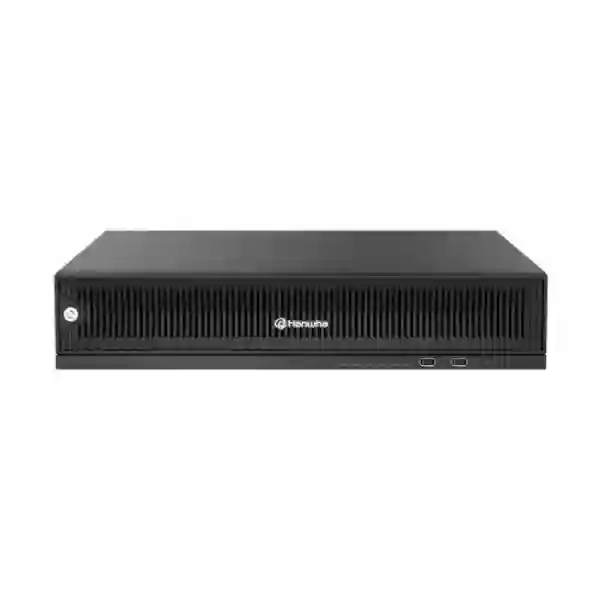
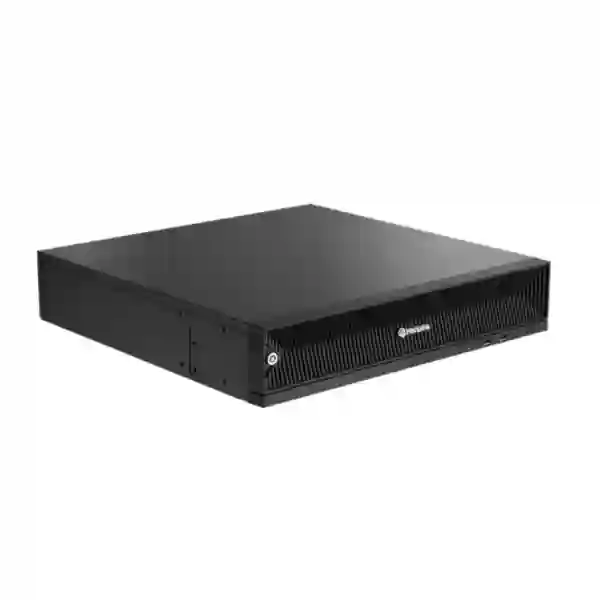
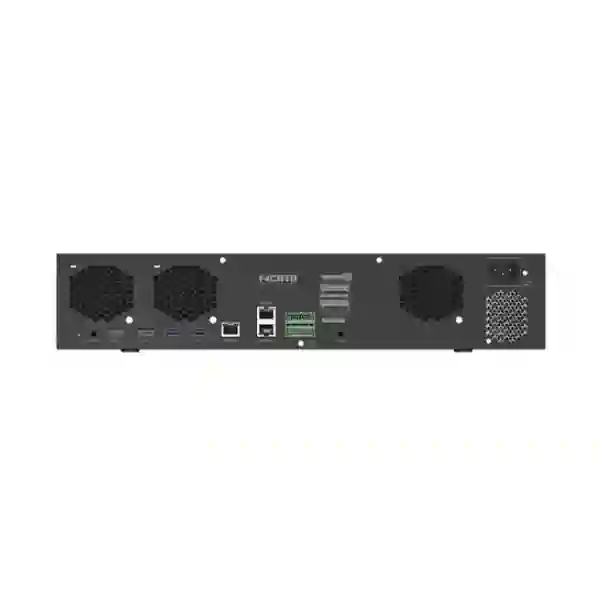
Hanwha XRN-6420RB2 64-Channel NVR
Need reliable centralized recording for a substantial IP CCTV deployment? The Hanwha XRN-6420RB2 supports up to 64 compatible network camera channels, resolutions up to 32 MP, eight SATA HDD bays, RAID 5/6, dual HDMI and supported AI-camera search. Recording performance depends on operating mode, and the base model has no hard drives. For a Tanzania project, specify camera traffic, retention days, usable storage, network capacity, secure access and power continuity before ordering. Request a quote for the actual equipment package rather than assuming a price or available stock.
Technical specifications and buying caveats
| Camera inputs | Up to 64 compatible IP cameras |
|---|---|
| Supported input resolution | Up to 32 MP |
| Compression | H.265 / H.264 / MJPEG |
| Recording throughput | Normal up to 300 Mbps; supported distributed/RAID modes up to 520 Mbps |
| Playback throughput | Up to 200 Mbps |
| Hard drives | 8 hot-swappable SATA bays; up to 10 TB per supported HDD |
| Raw storage | Up to 80 TB non-RAID, with eight 10 TB drives |
| Disks in base model | No HDD included |
| Storage protection | RAID 5 / RAID 6, supported single array |
| Integration | SUNAPI / ONVIF |
| Local display | HDMI 1 up to 4K/30 Hz; HDMI 2 up to FHD/60 Hz |
| Connections | 3 Gigabit RJ-45, 8 alarm inputs, 4 alarm outputs, 4 USB |
| Power | 100–240 VAC, 50/60 Hz; max. 162 W with eight HDDs |
| Environment | 0–40°C; 20–85% RH |
Published specifications represent model capabilities, not a guaranteed site result; actual performance depends on selected configuration, connected cameras and storage. Commercial availability, price, taxes and support terms require a current local offer.
A reliable recording hub for a large camera estate
The Hanwha XRN-6420RB2 is a network video recorder designed for projects that need up to 64 IP camera inputs in one managed system. Its value is in bringing recording, searches, incident review and local video monitoring together. The likely buyer is a security manager, facilities team or systems integrator planning a commercial or institutional installation rather than a single-camera home setup. For a Tanzania project, the technical decision should start with the site plan, expected camera traffic and required evidence retention.
The number 64 describes the maximum input-channel count, not a guarantee that every possible stream can run at its maximum resolution and frame rate simultaneously. A proper equipment schedule should specify camera location, model, codec, expected bitrate, frame rate and recording hours. Decide which cameras need especially detailed footage and which are primarily for general situational awareness. That allows the recorder to be evaluated against a real workload instead of a simplified headline specification.
Who benefits, and who may need another size
This recorder can suit large offices, shared commercial properties, warehouses, managed facilities, campuses and operational sites with many surveillance viewpoints. These are examples of potential deployments, not statements about existing installations or available services in a specific city. It is most attractive when an organization wants centralized on-site recording, controlled permissions and efficient retrieval of video after an incident. The final design must also fit the site’s network and power infrastructure.
A smaller recorder may be more economical for a shop with only a few cameras and no meaningful growth plan. At the other end of the scale, buildings connected by unreliable networks or separate geographically dispersed sites may benefit from distributed recording rather than one central box. Compare alternatives on recording throughput, storage protection, retention days, management effort and consequences of an outage. Buying the largest channel number does not automatically provide the safest or most cost-effective result.
What the technical headline actually means
Hanwha Vision identifies this model as a 64-channel, Intel-based NVR that accepts compatible camera input resolutions up to 32 megapixels. The platform supports H.265, H.264 and MJPEG streams, eight SATA drive bays, dual HDMI local outputs, RAID 5 and RAID 6, and integration through SUNAPI and ONVIF. These features make it flexible for sizeable IP CCTV projects with mixed monitoring and investigation tasks. The recorder also lists AI search support when paired with compatible Hanwha AI cameras.
There are qualifications that belong beside those features. The exact base XRN-6420RB2 is specified without hard drives. The maximum raw eight-drive figure assumes qualifying drives of up to 10 TB each, and RAID consumes usable capacity. Recording bandwidth has different published limits for different operating modes. AI search is dependent on supported camera analytics, not an automatic feature of every connected stream. Those details matter for budget, compatibility and acceptance testing.
Recording bandwidth: plan by mode, not a single number
The published recording specification states up to 300 Mbps for normal mode and up to 520 Mbps for distributed mode, with up to 520 Mbps described for the supported RAID mode. The maximum is therefore not a universal promise under every setting. The system designer must confirm the selected recording architecture, software version and how the recorder will process the proposed mix of camera streams. A quoted maximum should never replace a camera-by-camera bitrate assessment.
Add the expected sustained recording rates of all cameras, then provide sensible headroom for busy scenes, changes in lighting, future expansion and configuration adjustments. If individual cameras are set to variable bitrate, test representative day and night conditions. Separate recording workload from playback and remote viewing requirements. Hanwha also specifies up to 200 Mbps playback bandwidth, so an installation with several simultaneous investigators should be tested in addition to ordinary continuous recording.
32 MP camera support and local decoding are different limits
The recorder supports recording from compatible cameras with resolutions up to 32 MP, but maximum camera resolution and simultaneous local decoding are different technical concepts. Hanwha publishes decoding examples that vary with resolution, codec, frame rate and the number of displayed streams. One example describes 32 MP at 15 fps using H.265, whereas lower-resolution streams may allow more concurrent display activity. Do not infer that sixty-four 32 MP images can all appear at maximum frame rate on a monitor.
Discuss the actual monitoring workflow. A control room may need a large multi-camera mosaic and quick full-screen access to selected critical views. Secondary video profiles can help reduce display workload while detailed streams are recorded. Run a demonstration using the intended screen layouts, camera profiles and scene activity before final acceptance. The goal is an image arrangement that staff can navigate under pressure, not simply the largest theoretical number of channels.
Eight HDD bays and the meaning of 80 TB
The XRN-6420RB2 provides eight hot-swappable SATA drive bays. Hanwha specifies up to 10 TB per supported disk and up to 80 TB of raw capacity in a non-RAID configuration. The base recorder includes no disks, so hard drive selection, supply, installation and initialization are separate quotation items. Buyers should check the manufacturer’s current disk compatibility guidance and choose drives suited to continuous surveillance recording rather than assuming all nominally similar disks behave the same.
Raw capacity is not usable recording capacity. Formatting, reserved space, array parity and system overhead all matter. A product comparison that lists ’80 TB’ without stating the drive count and array configuration can be misleading. Ask the supplier for a capacity worksheet that identifies installed disks, raw total, expected usable total and projected retention using the actual camera traffic. Include a clear plan for drive maintenance, health monitoring and replacement responsibilities.
RAID 5, RAID 6 and the limits of redundancy
RAID support is a distinguishing feature of the RB2 model. In conventional equal-size configurations, RAID 5 uses the equivalent of one drive for parity and RAID 6 the equivalent of two, with the latter able to tolerate more drive failures within its intended protection model. The product specification describes supported RAID 5/6 operation with a single array. Confirm the minimum drive count, supported combinations and rebuild procedures against the exact manufacturer’s guidance.
RAID is designed to mitigate some disk failures; it is not a complete backup or disaster-recovery strategy. Accidental deletion, equipment theft, corruption, fire and major network or power failures involve other risks. Identify recordings that require separate preservation and decide who can export them. If a drive is replaced, track the rebuild rather than assuming the system immediately returns to normal. The extra drives and reduced usable space are real design tradeoffs, not hidden disadvantages to omit from a quote.
Estimate retention with recorded bitrate, not guesswork
Storage duration is driven by the combined recording bitrate, hours per day, recording mode and usable disk space. As an illustrative calculation, a system recording at a combined 160 Mbps continuously produces about 1.73 TB of video data per day before file-system and other overhead. This example is not a promise of how long this recorder will store a particular customer’s video. Actual camera scenes and variable bitrate behavior can move the result substantially.
Specify the required minimum number of days, then size the array using realistic average and peak data rates. Incorporate differences between continuous recording and event-triggered recording, and between daytime and night-time scenes. Critical entrances may justify higher-quality profiles than low-priority corridors. Validate the estimate after installation by checking the archive window while the cameras are active. If business policy requires retention for investigations, record the achieved days in the handover documentation.
H.265, H.264 and MJPEG deployment choices
The recorder accepts H.265, H.264 and MJPEG. H.265 can offer useful compression efficiency under appropriate camera settings, while H.264 remains relevant for some mixed or legacy environments. MJPEG is supported but can create higher data volumes for continuous high-channel-count recording. No fixed percentage storage saving should be promised because codec performance depends on resolution, content, frame rate, camera processing and chosen image-quality parameters.
Run sample recordings at the intended settings, particularly at night and when people or vehicles are moving. A static daytime image is not sufficient evidence that an aggressive bitrate limit will preserve useful detail. Balance clarity, retention and bandwidth against the incidents the customer expects to investigate. Document the selected codec and profile per camera so future changes to the system do not unintentionally alter the archive duration or the usability of recorded footage.
SUNAPI, ONVIF and the reality of camera integration
SUNAPI and ONVIF support help the recorder work with compatible network cameras and allow integration into a variety of IP surveillance systems. However, ONVIF availability does not guarantee that every third-party feature, alarm, analytic event or camera setting will work. Basic live video may be supported even when advanced metadata, audio, PTZ or recovery workflows behave differently. Existing camera models and firmware versions should therefore be checked before a replacement recorder is specified.
Set up a pilot with representative camera types. Confirm registration, live video, recording, motion or event handling, time synchronization, reconnection after interruption, search and export. If the design requires Hanwha-specific functionality, obtain exact compatibility confirmation rather than assuming it follows from an ONVIF label. Keep a record of tested firmware and configuration. The system is only genuinely compatible when it performs the operational tasks the site requires, not merely when a picture appears.
AI search requires the right Hanwha cameras
Hanwha identifies object-attribute AI search for use with compatible Hanwha AI cameras. This can help investigators narrow a large recording archive when relevant analytic metadata has been generated and retained. It should not be marketed as a universal intelligence engine that automatically classifies every recording from every brand. Support depends on the attached camera, its analytics capabilities and the intended software configuration.
Before purchasing cameras specifically for intelligent search, ask to see a demonstration of the exact search task. Confirm which object attributes are available, how the search relates to video timestamps, and how results can be reviewed and exported. Analytics can accelerate searching but may produce incomplete or inaccurate results depending on the scene and configuration. Human review remains important for evidence-sensitive conclusions. Treat AI compatibility as a testable integration requirement, not simply a badge.
Dual-stream profiles and efficient live mosaics
Dual-stream recording and management can help separate high-detail archives from more bandwidth-efficient viewing profiles when the connected camera supports the required behavior. A security operator may need sixteen or more camera tiles in one view, while an investigator may need to enlarge a single scene to inspect detail. Profile selection affects network load, recorder processing and remote-view responsiveness, so the designer should define the role of each stream.
Create a stream schedule that lists the recording profile and the live-view profile for each camera group. Test switching between a mosaic and a detailed view, especially at the busiest times. Agree which cameras deserve higher frame rates and which can use lower rates without undermining operational needs. This practical tuning often provides more value than setting every camera to the same maximum quality. It also makes later storage calculations easier to defend.
Two HDMI outputs and operator-friendly layouts
Two HDMI outputs are provided: HDMI 1 is specified up to 3840 by 2160 at 30 Hz and HDMI 2 up to 1920 by 1080 at 60 Hz. Hanwha describes dynamic layouts, virtual channels and display arrangements that can help a control room place critical scenes prominently. The published supported divisions and decoding workloads depend on the selected modes. The recorder’s two physical outputs should not be confused with the unlimited capacity of a dedicated video wall platform.
Start with a small set of operator tasks: checking entrances, responding to an alarm, following a route across cameras and retrieving a recording. Name camera tiles clearly and group them by meaningful areas. Then test whether both displays can show the desired arrangements using the actual camera profiles. Consider viewing distance, text legibility, restart behavior and the process for restoring layouts after changes. Good screen organization reduces response time without changing camera hardware.
Events, alarm contacts and practical alerts
The recorder supports continuous, scheduled and event-based recording modes, with supported triggers including alarm inputs, video loss and selected camera events. It provides eight physical alarm inputs and four outputs, enabling appropriately designed interfaces with compatible external systems. Event responses may include notifications, alarm outputs and other supported actions. These interfaces do not mean external sensors or a complete alarm system are supplied with the NVR.
Define each event in plain operational terms. Who receives a notification when a camera disconnects? What happens if an alarm is repeatedly triggered overnight? Which events should create a bookmark or bring a particular camera into view? Test the workflow, not just the icon on the screen. Excessive alerts can bury significant incidents, while missing alerts can allow coverage gaps to persist. Agree escalation responsibilities and review them during handover.
Search, playback and evidence export workflow
The recorder offers multiple search approaches, including time, event, bookmark and supported smart-search methods. The rated playback bandwidth is up to 200 Mbps, with additional limits on concurrent local and remote activity. Evidence needs can vary widely: a routine review may require one short clip, while a serious incident may involve several cameras and a tightly controlled export process. The chosen workflows should be tested before operational handover.
Ask an operator to find a specific camera recording, confirm the exact time, review the scene, produce an export in a supported format and verify playback on the intended receiving device. Establish secure sharing and chain-of-custody procedures where investigations require them. Retention and evidence preservation are different: a loop-recording archive can eventually overwrite material unless important video is preserved in time. Give export privileges only to appropriately authorized personnel.
Automatic Recovery Backup and N+1 failover
Hanwha lists ARB, or Automatic Recovery Backup, and N+1 failover among this recorder’s supported capabilities. These functions may be valuable where recording continuity matters, but they require a compatible system design and correct configuration. A specification entry by itself is not proof that a customer’s deployment has a functioning secondary recorder or automatic recovery path. Define the failure events the project should withstand before selecting the recovery arrangement.
Drive failure, recorder hardware failure, camera connection loss, switch failure and mains power interruption are different scenarios. RAID can address selected drive failures, while a properly implemented standby system addresses a different category of risk. Test the agreed scenarios and document recovery steps. When a failure occurs, staff should know who owns the response, what footage might be affected and how normal recording is restored. Avoid marketing redundancy as a guarantee of zero downtime.
Security capabilities and safe remote connectivity
The manufacturer lists TPM support, signed firmware, TLS, IP filtering and other security controls. These can support a sound cybersecurity design when used correctly. They are not a replacement for network segregation, strong accounts, firmware maintenance or thoughtful remote access. Where possible, avoid exposing recorder management services directly to the public internet. Have the customer’s IT team approve remote connectivity and network access before the system goes live.
Assign individual users only the privileges they need, and maintain a process for revoking access when a staff member changes role. Keep system time accurate, review logs and evaluate firmware advisories. Store administrative credentials securely. If regulatory or contractual obligations apply, assess them separately rather than inferring automatic compliance from a security feature list. The installation should also control physical access to the recorder and the hard drives because stored video may contain sensitive information.
Mobile viewing and simultaneous user expectations
Supported Hanwha viewing tools include Wisenet clients and mobile options, with limits on live, search and playback sessions. A manager reviewing one camera remotely places different demands on the system than several investigators exporting footage while the security desk displays many live streams. Plan for the actual number of users and the activity they will perform. Verify that the required client versions and operating systems are supported by the installed recorder firmware.
Remote access depends on more than the NVR. The site must have sufficient upstream bandwidth, appropriate secure access and reliable connectivity. A slow or unstable connection may make remote live viewing less responsive even when local recording remains healthy. Test permissions, network performance and the user experience from the intended remote location. Do not provide one shared administrator password merely to make access easier. Document who can view, search, export and change system settings.
Network design and the three Gigabit interfaces
The recorder has three Gigabit RJ-45 Ethernet connections, according to Hanwha’s specification. Network camera traffic still requires properly designed switches, cabling, addressing and uplinks. The recorder’s interfaces are not an integrated bank of camera PoE ports. Camera power and switching should be costed separately, including any PoE budgets and redundant connections needed by the proposed design.
Create a network diagram showing camera groups, access switches, recorder, workstations and secure remote-access routes. Check that the path from each camera to the recorder can carry the intended sustained load, with headroom for bursts and maintenance. Where appropriate, separate surveillance traffic from general business systems. Verify clock synchronization, port configuration, switch monitoring and the effect of an uplink failure. Repeat throughput checks after expanding the camera estate or increasing stream quality.
Electrical supply and UPS planning
The manufacturer’s electrical specification lists 100 to 240 VAC at 50 or 60 Hz and maximum consumption of 162 W with eight drives. These figures help size the recorder’s own electrical provision, but a security system also includes switches, cameras, displays and possibly external storage or workstations. If only the recorder is connected to backup power while the camera switches fail, recording may still be interrupted. Define which components must remain active during a mains outage.
Specify power protection based on the full connected load and the runtime the site needs. Include orderly shutdown plans, surge protection and a process to test batteries. Do not promise a fixed UPS duration without an actual load and battery calculation. For a Tanzania installation, have the site electrical conditions and power-continuity priorities assessed as part of project planning. The recorder’s broad voltage input is useful, but dependable monitoring still requires an appropriate supporting power system.
Heat, humidity and installation environment
The stated operating range is 0 to 40 degrees Celsius and 20 to 85 percent relative humidity. These are equipment limits to respect during installation and operation. An enclosed cabinet, overcrowded desk or poorly ventilated room can become hotter than the surrounding space, and high ambient temperatures affect disks and switches as well as the NVR. This model should not be treated as outdoor weatherproof equipment.
Choose a secure location with reliable ventilation and practical service access. Hanwha lists enclosure dimensions of about 438 by 86 by 435 mm and weight around 8.8 kg without HDDs. Verify mounting support, airflow, cable management and physical access restrictions. Document the location of the unit and each installed drive, and keep critical equipment away from avoidable water, dust and tampering risks. The equipment-room environment belongs in the design review, not only in the maintenance manual.
Installation sequence and camera onboarding
Commissioning should follow a written plan. Start with network addressing, secure credentials, accurate time settings and an approved camera naming convention. Then add representative cameras and verify live video, recording, reconnection and event operation before onboarding the remaining channels. Hanwha’s Setting Palette can assist with reviewing camera configuration, bandwidth and recording-related parameters, but the installer must still make settings appropriate to the site.
Group cameras by location or operational function and document each configured recording profile. Check that every camera records the expected period and that archived footage can be found by ordinary operators. Confirm that night-time views are adequate and that unexpected scene changes do not overwhelm storage assumptions. A configuration record should include firmware, camera model, network settings, recording mode, event handling and the responsible support team. Keep sensitive credentials in a controlled system rather than a shared document.
Disk installation, health checks and rebuild processes
Since the base model ships without disks, storage commissioning deserves its own acceptance criteria. Verify compatible drive models, sizes, installation order and chosen RAID settings. Confirm that usable capacity matches the approved calculation and that the recorder has completed any required initialization before it is relied upon for production evidence. A drive-array label should distinguish raw physical capacity from usable recording capacity.
Test health alerts and agree who will respond if a disk begins to fail. If a drive must be replaced, follow the manufacturer’s instructions and track the state of the array during rebuild. Do not assume hot-swap means untrained staff can remove any disk without checking its identity. Routine maintenance should include drive status, recorder logs, archive reach and a sample playback test. Plan a safe evidence-preservation workflow for important clips before maintenance begins.
Use cases organized around investigation questions
A logistics site might use the recorder for loading areas, gates, routes between storage zones and vehicle circulation. A large commercial building might need entrances, lobby cameras, service areas and shared corridors. A campus may organize multiple camera groups around separate buildings and duty teams. These examples describe potential configurations only; they do not imply installed systems, locally available stock or service coverage at particular locations.
Design coverage around what an operator must establish after an incident. Can staff follow activity from one area to the next? Are timestamps synchronized? Is footage detailed enough for the intended purpose? Can authorized investigators retrieve video without altering system settings? Privacy, camera placement and recording policies remain the responsibility of the deployment organization. The NVR contributes recording capacity and workflow tools, but the effectiveness of the solution depends on the whole system.
What is included, and what still needs budgeting
The base recorder includes the recording chassis and its specified interfaces, but not HDD storage. A complete solution generally also needs compatible IP cameras, switches, camera power, structured cabling, a suitable monitor or workstation arrangement, network security and installation services. Some projects need UPS equipment, analytics-capable cameras or a more extensive software platform. None of these should be assumed included simply because the NVR supports corresponding integrations.
Request a line-item bill of materials. It should show the chosen drive population, expected usable capacity, optional resilience components and the specific labour or support scope. Confirm the current commercial offer’s warranty, delivery, training and service terms rather than relying on a generic description. If existing infrastructure is to be reused, mark it explicitly and test compatibility. This makes competing quotations comparable and reduces disagreements about missing disks or unplanned setup costs.
Pre-purchase assessment for buyers in Tanzania
Prepare a short request describing the site, planned camera count, desired retention days, recording quality, existing camera models and any necessary AI search. Include whether the NVR should support dual-monitor operation, remote investigators, alarm inputs or failover. A supplier can then evaluate the throughput mode, the correct disk count, array configuration and compatibility with the intended cameras. No local selling price or stock position is asserted here because those details require a current verified quote.
Ask for the precise model reference and confirmation of package contents. Have the quotation distinguish the recorder from storage, network equipment, installation, configuration and ongoing maintenance. Request explicit confirmation of local commercial terms, taxes, service area and any delivery or warranty commitment from the actual seller. A technically accurate product description is a starting point for procurement, not a substitute for a site survey or a current binding commercial offer.
Comparing central recording against multiple smaller NVRs
A central 64-channel recorder can streamline management and give operators a shared place to search for footage. It can also concentrate recording dependency on one chassis and its supporting network. Multiple smaller units may distribute failure risk and reduce the effect of certain network issues, but they introduce separate maintenance, storage and access considerations. The right architecture depends on the site’s physical layout, reliability objectives and staffing.
Compare designs by total expected throughput, usable storage after RAID, recovery plans, access workflow and long-term expansion. Document which cameras would become unavailable if a particular switch, recorder or network connection fails. Assess whether spare capacity is needed immediately or only for a later phase. An apparently cheaper recorder configuration may not remain cheaper if it requires difficult future migration or cannot meet the required archive duration.
Acceptance testing and operational handover
Before declaring the installation complete, verify that all expected cameras are connected and recording in the agreed profiles. Check live display layouts, accurate timestamps, event notifications, playback and a successful evidence export. Monitor incoming bitrate during representative busy scenes. If RAID and recovery features are part of the scope, test and document the agreed behaviors. Include a restart exercise so operators know what the system does after an interruption.
Deliver a camera map, as-built network diagram, drive and RAID record, authorized user list, firmware inventory and maintenance checklist. Train at least the staff responsible for finding footage and responding to alerts. Record any excluded functions or compatibility limitations. For evidence-heavy organizations, demonstrate safe export and retention procedures. Signed acceptance should be based on defined tests, not merely on the presence of pictures across the monitors.
Maintenance after the installation
A recorder can run for long periods without constant intervention, but regular review is still necessary. Check that every camera is recording, storage warnings are handled, time remains correct and the archive covers the expected period. Review network and disk health, especially after adding cameras or changing bitrate settings. The value of a recording system is measured when reliable evidence is needed, not only when the equipment powers on.
Create a maintenance schedule for firmware advisory review, access permissions, periodic playback testing and secure evidence preservation. Keep a process for removing access when users leave the organization and for approving significant configuration changes. Confirm who owns spare-drive sourcing, incident support and warranty handling under the actual commercial agreement. A well-maintained XRN-6420RB2 installation is an operational process as much as a piece of hardware.
Common buyer questions
Are hard drives included?
No. Hanwha specifies the base XRN-6420RB2 without installed HDDs. Eight drive bays are provided, but the purchaser must select appropriate drives and confirm the installed quantity and configuration in a written quotation.
Does it really support 64 cameras?
It supports a maximum of 64 network camera inputs. Effective recording depends on aggregate bitrate, selected operating mode, resolutions and other system limits. Ask for a capacity calculation based on the actual planned cameras.
Is recording bandwidth always 520 Mbps?
No. The published specification distinguishes normal, distributed and RAID operating modes. It lists up to 300 Mbps in normal mode and up to 520 Mbps in the supported higher-throughput modes. Verify the precise planned configuration.
Can it record 32 MP cameras?
It supports camera inputs with resolutions up to 32 MP, subject to throughput and stream limitations. The highest supported camera resolution does not mean all 64 channels can be displayed or decoded at that resolution simultaneously.
How long does 80 TB last?
There is no fixed retention duration. Eight qualifying 10 TB disks amount to 80 TB raw before RAID, formatting and operating overhead. Recording days depend on total camera bitrate, codec, schedule and scene activity.
Does RAID remove the need for backup?
No. RAID helps withstand some disk failures when correctly configured. It does not replace secure export and preservation of important evidence or a broader recovery plan for deletion, physical disaster or equipment loss.
Can I connect third-party ONVIF cameras?
Potentially, but compatibility must be checked for the exact camera and firmware. Live video may work while advanced events, metadata, audio or control functions require additional validation. Test all critical functions.
Is AI object search automatic on all cameras?
No. Hanwha describes AI object-attribute search with compatible Hanwha AI cameras. Confirm the exact supported analytic features and test the search workflow before specifying it as a requirement.
Does the recorder provide PoE camera ports?
The published interfaces list three Gigabit Ethernet ports, not a bank of integrated PoE camera outputs. Plan suitable switches and camera power separately, including their backup-power requirements.
Can I use two monitors?
Yes. The model provides two HDMI outputs with different maximum display formats. Actual layouts and simultaneous decoding depend on the selected viewing mode and profiles, so test the desired control-room arrangement.
Can users view footage remotely?
Supported Hanwha viewing clients and web interfaces provide remote options with applicable user and bandwidth limits. Secure connectivity and permissions must be configured and tested in coordination with the site’s network administrator.
What do ARB and N+1 failover mean for my site?
They are supported recovery functions that require a compatible design, additional equipment where relevant and correct setup. They are not a guarantee against every type of outage. Define the recovery objective and test the configuration.
Is the recorder suitable for a small shop?
It may be technically capable but oversized for a few cameras. Compare a smaller device against future expansion, archive requirements and total project cost before choosing a 64-channel platform.
Is there a verified Tanzania price?
No Tanzania listing price or stock status was verified for this request. Obtain a project-specific quote specifying the recorder, hard drives, configuration, supporting equipment and actual delivery and warranty terms.
What should I provide when requesting a quote?
Share the camera count and models, planned recording bitrates, retention days, preferred RAID level, monitor and remote-access requirements, available network and power infrastructure, and any necessary analytics or failover functions.
Request a tailored XRN-6420RB2 quotation
Share your camera schedule, required retention days, intended drive and RAID configuration, existing network arrangement, monitoring needs and support expectations. Confirm the complete package and current commercial terms before ordering. This content does not claim verified stock, price, installation coverage, warranty or delivery terms for Tanzania.
Contact FourTeck Tanzania to request a project-specific quote.




Reviews
There are no reviews yet.