
HANWHA VISION | IP VIDEO RECORDING
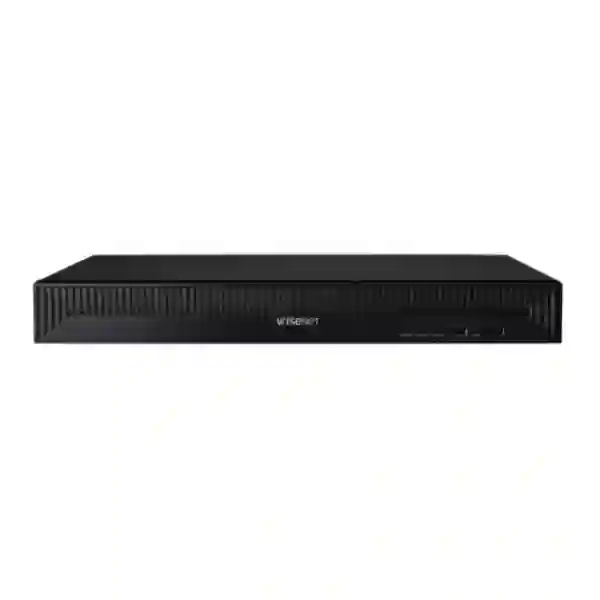
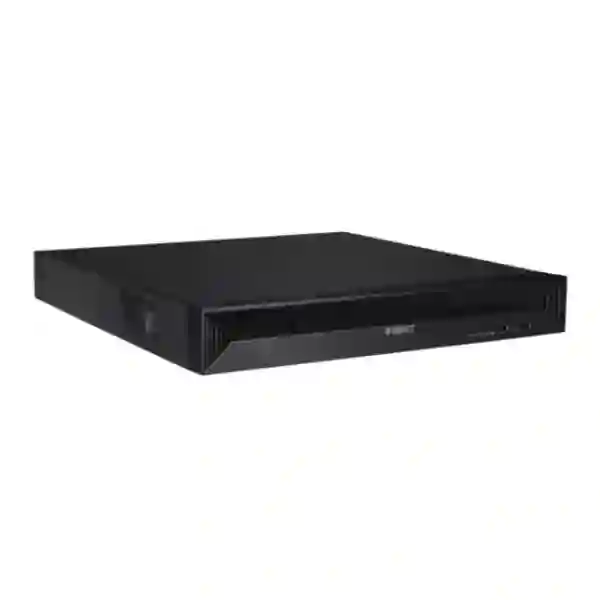
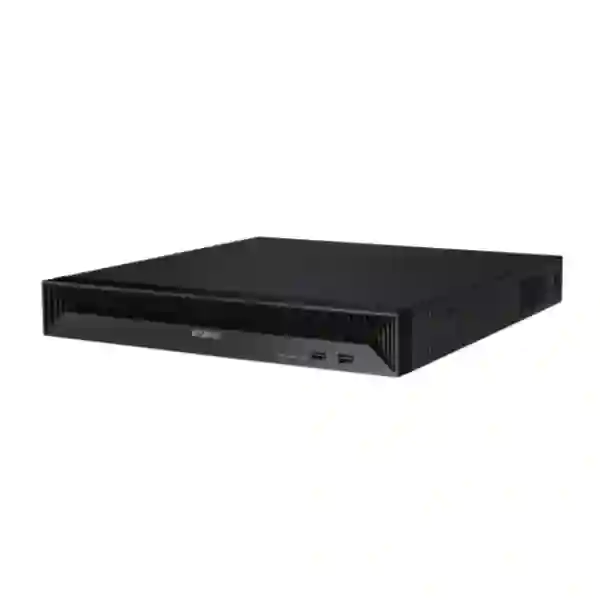
Hanwha XRN-815S 8-Channel PoE Network Video Recorder
Need a manageable recording centre for a small IP CCTV installation? The Hanwha XRN-815S 8 channel NVR brings together eight camera inputs, integrated PoE connections, H.265/H.264/MJPEG recording, two SATA drive bays and local HDMI viewing. It is best evaluated as part of a properly sized surveillance design rather than as a standalone promise of security. For Tanzania enquiries, confirm camera compatibility, storage configuration, required installation services and current commercial terms before ordering.
Verified specification snapshot
These manufacturer figures help with initial screening. A complete system design must also validate the camera models, available recording modes, the selected hard drives and installed firmware. Product availability and the contents of a local commercial package have not been verified.
| Specification | XRN-815S |
|---|---|
| Camera channels | Up to 8 network camera inputs |
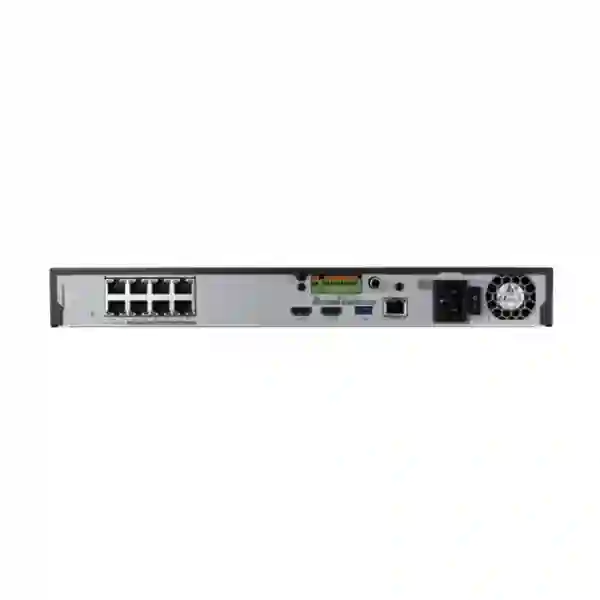
| Camera-side ports | 8 × 10/100 Mbps PoE+ RJ-45 |
| Network uplink | 1 × 1 Gbps RJ-45 |
| Total PoE power budget | 100 W |
| Camera input support | Up to 12 MP; check recording-mode limits |
| Recording resolution entry | 8 MP to CIF in manufacturer performance field |
| Recording bandwidth | Up to 100 Mbps aggregate |
| Playback bandwidth | Up to 32 Mbps |
| Video codecs | H.265, H.264, MJPEG |
| Internal storage | 2 × SATA bays; up to 10 TB per compatible HDD |
| HDMI displays | 2; HDMI 1 up to 4K/30 Hz; HDMI 2 up to 1080p/60 Hz |
| Alarm terminals | 4 inputs and 2 outputs |
| Operating environment | 0°C to 40°C; 20% to 85% relative humidity |
| Power input | 100–240 VAC, 50/60 Hz |
| Chassis size | 370.0 × 50.7 × 320.0 mm |
Who should consider this 8-channel recorder?
The XRN-815S is intended for people building or refreshing a modest-sized IP CCTV system where cameras must be recorded centrally, viewed locally and accessed by authorised personnel. Typical buyers include owners of small shops, offices, clinics, guest accommodation and managed premises, along with integrators specifying equipment for a client. Eight channels are useful when a site has a defined set of entry points and operational areas to cover. The recorder itself is not a camera: it works with separately selected network cameras, storage media, display equipment and the necessary cabling.
The first purchase decision should be whether eight camera inputs can cover the locations that truly require surveillance, including a margin for anticipated changes. A recorder that meets today’s count but leaves no spare channels may become a constraint after adding a stockroom or another access door. Buyers should also decide who will manage footage, how long video must be retained, and whether a monitor is needed on site. Share those requirements when requesting a quotation rather than selecting on channel count alone.
Eight camera inputs, explained clearly
The device accepts up to eight network camera channels and includes eight dedicated camera-side PoE ports. This combination is valuable for a compact system because compatible cameras can receive network connectivity and electrical power over an appropriate Ethernet cable, reducing the need for separate power injectors at every camera. A channel represents a registered camera stream source, not a promise that any arbitrary camera will work. Verify model compatibility, supported protocols, video settings and the total recording load before committing to a camera mix.
The eight camera ports are 10/100 Mbps connections; the recorder also has a separate 1 Gbps network port for connection to the wider site network. This distinction matters when designing network topology. The dedicated ports suit a direct camera-to-recorder installation, whereas cameras accessed through other switches may require different configuration. Keep the camera network and the business network logically organised. Do not assume that connecting eight cameras automatically provides eight-camera recording at every possible resolution, codec, bit rate or frame-rate combination.
Resolution: camera support is not the same as every recording mode
Hanwha Vision describes the XRN-815S as supporting cameras up to 12 MP on the input side. Its published performance specifications separately describe a recording-resolution range ending at 8 MP and a playback range that can extend to 12 MP. These are different specification fields and should not be combined into an unsupported claim that every 12 MP camera mode can be recorded without qualification. The correct configuration depends on the exact camera, firmware, selected stream, channel load and recording settings.
For an installation where fine identification detail is essential, start with the scene: camera position, field of view, lens choice, lighting and target distance. A higher megapixel number alone cannot compensate for poor positioning or motion blur. Ask the installer to test the required camera stream against the recorder’s compatibility information and check recorded footage, not merely the live preview. This is especially useful for cash-handling positions, a visitor entrance or an area where later evidence may matter.
Understanding the 100 Mbps recording bandwidth
The manufacturer specifies up to 100 Mbps network-camera recording bandwidth. This is a shared recording-throughput budget across the connected cameras, rather than 100 Mbps for each of eight individual channels. An eight-camera design with comparatively high camera bit rates can approach the aggregate limit faster than expected. Resolution, frame rate, scene activity, compression settings and continuous versus event-based recording all influence the amount of data entering the NVR. Plan the complete set of camera streams before deciding the recorder has enough capacity.
A practical sizing method is to list each camera’s intended main-stream bit rate and add the figures together, then allow operational headroom. Look for periods when the scene is busy, lighting changes or image noise increases. Avoid using an unusually quiet test scene as the only evidence of capacity. The playback bandwidth is separately specified at up to 32 Mbps, so expectations for simultaneous remote searching and high-resolution playback should also be checked. A network’s advertised link speed does not replace these recorder-level limits.
PoE power: check the whole system, not only the ports
The recorder provides eight PoE+ camera-side connections with a manufacturer-stated total PoE budget of 100 W. Power over Ethernet can simplify deployment, but the total budget must cover the actual connected camera load, including demanding operating states such as infrared illumination, motor movement, heating or other accessories where applicable. An eight-port chassis does not imply that eight high-power devices can all draw their individual maximum at the same time. Request the power requirements of each chosen camera, and check the aggregate against the recorder’s available budget.
For cameras with unusually high power demand or for long, difficult cable runs, a separate appropriately specified PoE switch or power arrangement may be the better design. Confirm the cabling standard, connector quality, distances and surge protection with the installer. Using a switch may alter the network-registration procedure compared with plugging cameras directly into dedicated ports. Power calculations also affect UPS sizing, because the recorder, its installed drives and all cameras powered by it share the site’s backup-power planning.
Compression choices and image quality
H.265, H.264 and MJPEG are listed recording codecs. H.265 can reduce storage and network demand compared with some H.264 configurations at comparable perceived quality, but results depend on camera implementation, scene complexity and bit-rate settings. The best choice is not necessarily the codec promising the smallest files: an installation needs footage that remains useful when reviewing a real event. Choose a recording profile based on detail, movement and available storage rather than selecting an aggressive compression setting without checking the image.
Some cameras support multiple streams for different purposes, such as a higher-quality main stream for recording and a lower-bandwidth stream for remote preview. The XRN-815S lists normal, dual-stream, scheduled and event-related recording modes. Confirm the behaviour of each planned camera combination during commissioning. If operators rely on remote mobile viewing over variable connectivity, consider how reduced-bandwidth live streams affect image quality while keeping the evidential recording profile appropriate. Storage optimisation should never mean silently losing important visual information.
Two SATA drive bays and the 20 TB headline
There are two internal SATA drive bays, with manufacturer specifications indicating compatible drives up to 10 TB each and an aggregate maximum of 20 TB. This figure describes a supported upper hardware configuration, not a promise that 20 TB of recording space is present in the product as supplied. The actual number, brand and capacity of installed drives must be stated in the quotation. Compatibility is important; storage drives should be checked against the manufacturer’s current supported-HDD information instead of assuming that any drive of the correct physical size will perform reliably.
Recording space is consumed by video and by necessary system overhead, and usable capacity depends on how storage is configured. Do not assume that two bays automatically provide disk mirroring or a particular RAID mode. Confirm the NVR’s supported storage behaviour for the intended firmware and configuration. Buyers planning long retention periods should check both the expected daily data rate and the expected overwrite policy. The right HDD choice is part of the security design, not merely a specification to add at checkout.
Plan retention before deciding how many terabytes to buy
Retention is the length of time recorded footage remains available before it is removed or overwritten. The answer varies dramatically between a quiet office hallway and an outdoor loading area with near-constant movement. Camera count, bit rate, frame rate, scheduled operating hours and recording mode all determine how quickly storage fills. If a business needs a particular retention target, calculate it using the intended camera profiles and realistic activity patterns, then build in an allowance for uncertainty rather than relying on a generic days-per-terabyte estimate.
A useful site survey records each camera location, approximate hours of activity, desired evidence detail and the retention requirement assigned by the organisation. Where footage may be needed for investigations, include a process for exporting relevant clips before routine overwrite. Confirm the precise privacy and record-retention obligations applicable to the organisation separately; the product itself does not establish a legal retention period. Ask for a storage-sizing worksheet with the quote, including assumptions that can be checked after installation.
Continuous, scheduled and event-led recording
The recorder’s listed recording modes include continuous recording, scheduled options, events and event pre/post settings. A continuous policy preserves an uninterrupted timeline but uses storage even when little happens. Event-led recording may save capacity, yet it relies on triggers and thresholds being configured correctly. A critical corridor, public entrance or cash point may justify a different policy from a low-traffic secondary space. Map recording rules to the risks and operational needs of each camera, rather than using one profile for all locations by default.
Before sign-off, simulate ordinary and difficult events: people crossing the edge of a view, changing light, a brief network interruption and periods with several simultaneous triggers. Confirm that the clips actually appear in search results and contain enough time before and after the event. Event configurations should be documented so that a future technician can distinguish expected behaviour from failure. If footage is needed for formal investigations, keep the export procedure and the time-setting policy alongside the surveillance operating instructions.
Local viewing with two HDMI outputs
The XRN-815S provides two HDMI outputs for on-site viewing. Manufacturer data lists HDMI 1 at up to 3840 × 2160 at 30 Hz and HDMI 2 at up to 1920 × 1080 at 60 Hz. This arrangement can be useful where a security operator needs a main overview while a second display presents another layout, subject to the recorder’s supported display modes and decoding limits. Display resolution is not itself a guarantee that every channel can be decoded in full resolution and full frame rate simultaneously.
Choose monitors and viewing positions according to the work people must perform. A wall display showing eight miniature camera panes is suitable for awareness, but examining fine detail may require a single-camera view or recorded playback. Check the required video-output mode, connector length, room layout and operator access. Place the recorder and display in protected locations so casual visitors cannot change settings, unplug drives or view sensitive footage. Consider how the system will be used when the normal operator is absent.
Search, playback and evidence retrieval
Investigating an incident usually begins with an approximate time and camera location. The recorder lists date/time calendar search, event lists, text search and smart-search functions, with available results depending on the footage and attached camera capabilities. Users can review clips using fast and slow playback, forward and backward controls and frame or step navigation. The quality of evidence still depends on the original stream, exposure and whether the event was recorded. Useful searches are the result of correct system configuration and reliable timestamps.
The specifications also provide several backup formats, including local user-interface export and network export options. Establish who is authorised to export video, how exported files are named and how copies are safeguarded. Test sample exports on an approved viewing computer before an incident makes the procedure urgent. If footage could be relied upon in an investigation, document the export date, camera and time window, and retain the original recording according to applicable policy. The recorder is a recording tool, not a substitute for evidence-handling procedures.
AI object-attribute search: a conditional feature
Hanwha Vision lists AI object-attribute search when the XRN-815S is integrated with a compatible Wisenet AI camera. This is an important condition. The recorder should not be described as an independent AI camera or as providing every advanced analytics feature on any generic IP camera. The camera must generate the relevant analytic data and the installed system must support the required search workflow. Compatibility, firmware and specific attributes should be checked for the exact proposed camera models.
For a buyer, the practical question is what task the search capability should improve. An operator may want to reduce the time spent reviewing long recordings after an event, but results should be tested with actual site conditions. Poor lighting, occlusion, unusual viewing angles or distant subjects can affect camera analytics. AI-assisted filtering is a way to help operators locate candidate footage; it does not guarantee detection or replace normal security procedures. Ask for a demonstration with the intended camera type before treating this capability as a purchasing requirement.
Camera compatibility and ONVIF considerations
The published specification includes SUNAPI and ONVIF camera protocols, giving integrators more than one route for connecting compatible network cameras. However, a common protocol label does not guarantee that all features work across every camera brand, model or firmware. Basic live video may operate while motion events, advanced analytics, audio, PTZ functions or configuration commands remain unavailable. This difference is especially important when an existing installation contains cameras from multiple manufacturers and the proposed recorder is part of an upgrade rather than a new build.
Before choosing the XRN-815S as a replacement, inventory the installed cameras and document their current codecs, resolutions, firmware and credentials. Confirm the connection profile for each one and test recording plus playback, not just discovery. Where advanced Hanwha camera functions are essential, favour model-level confirmation. If the organisation needs full third-party interoperability, request an explicit compatibility test plan and a clearly stated list of supported functions. Network compatibility is an engineering question that should be closed before equipment is ordered.
Direct connection versus managed network deployment
The integrated camera-side PoE ports make a straightforward topology attractive: compatible cameras connect to the recorder, while the recorder’s separate network port connects to the organisation’s network as needed. Hanwha’s setup guidance explains that camera registration differs between direct plug-and-play arrangements and installations where cameras are connected through additional switches. In the latter case, manual registration may be required. Confirm the correct method before installation to avoid time-consuming troubleshooting when equipment is already mounted.
Network addressing should be deliberate, especially when the recorder is installed on a site with an existing DHCP service. Hanwha’s guidance warns against conflicting DHCP behaviour on the business-network side and explains that separate NVR network interfaces should not share the same subnet. Engage the site’s IT administrator where appropriate, particularly in a managed office. Document IP ranges, gateway settings and camera addresses. The goal is a system that an authorised technician can maintain without unintentionally affecting ordinary business devices or exposing cameras unnecessarily.
Remote viewing without assuming unrestricted internet access
The manufacturer lists smartphone support for iOS and Android and a QR-code-based P2P connection feature. Remote viewing can be valuable when an owner needs authorised access while away from the premises, but it must be configured according to current software support and the customer’s network security policy. It should not be assumed that every mobile application, every platform version or every external network will work identically. Cellular reliability, internet upload speed, firewall rules and viewer permissions all influence the actual experience.
Discuss who needs remote access, whether they require live viewing or playback, and how the organisation will revoke access when responsibilities change. Separate operator accounts are preferable to sharing administrator credentials. Avoid publicly exposing management interfaces without a reviewed security design. If remote connectivity is unavailable, the recorder can still be evaluated for appropriate local recording use, depending on the final topology. A useful quotation distinguishes recorder features from any internet connection, display, mobile device or configuration services that must be provided separately.
Accounts, access control and cybersecurity
The XRN-815S lists controls such as IP address filtering, user access logging, 802.1X, certificates and signed firmware. These capabilities can support a disciplined deployment but do not make the recorder secure merely by being present. Administrators still need appropriate account permissions, strong unique passwords, current supported software, controlled network access and a review process for viewing and exporting footage. An insecure recorder can expose sensitive business activity even when the cameras themselves are well positioned.
Set up a named administrator and defined roles during commissioning. Change factory or installer credentials as required, record how support access will be granted and protect any recovery information. Confirm available firmware from Hanwha’s official support resources for the exact device, rather than applying a download intended for a similar model. Plan periodic checks of logs, account lists and remote connectivity. Cybersecurity is part of the operating cost of a video system; the buyer should know who owns it after the initial installation is complete.
Alarm inputs, outputs and event actions
The technical specification identifies four alarm inputs and two alarm outputs, allowing appropriate external alarm devices or controlled outputs to participate in a configured surveillance workflow. The recorder also lists event actions such as notifications, preset camera positioning, alarm output and other system responses. The availability of a physical connection is not evidence that a particular third-party alarm panel, relay device or access-control system can be integrated without engineering work. Wiring, voltage levels and the intended event behaviour must be reviewed against the official manual.
If alarm integration is important, write down the sequence of events the customer expects. For example, a triggered input might need to associate a time window with a camera view and notify an authorised operator. The integrator can then check the supported action, electrical interface and recording configuration. Test false alarms and routine maintenance scenarios as well as the ideal trigger. A reliable installation should produce records that a later operator can interpret, not an unexplained collection of alerts.
Automatic Recovery Backup and continuity planning
Automatic Recovery Backup, or ARB, is identified among the recorder’s supported functions. Hanwha also lists failover-related capability in its specifications. These terms should not be interpreted as a blanket promise that every failure, outage or network disruption will leave uninterrupted recordings. The effectiveness of a recovery design depends on compatible cameras, relevant settings, storage, network conditions and any additional equipment used by the site. Ask the integrator to explain which precise failure scenarios a proposed configuration will address.
For an ordinary business, start with the failure scenarios that are most likely to matter: power loss, a disconnected camera cable, a full or faulty disk, an accidental configuration change, or a recorder needing replacement. Define how staff will be alerted and what action they should take. If evidence must be available after a major incident, consider whether a single physical NVR is an acceptable point of failure. Any redundancy claim belongs in the design and test plan, not in a generic product promise.
Power supply, heat and installation location
Manufacturer specifications give an AC input range of 100–240 V at 50/60 Hz, a maximum consumption figure of 165 W with two drives and PoE active, and a figure of 35 W without PoE. These figures help with equipment-room and UPS planning but do not state the exact consumption of every site configuration. The operating temperature range is 0°C to 40°C, with the specified relative-humidity range of 20% to 85%. The recorder is therefore intended for a suitable protected indoor environment, not direct outdoor exposure.
In a warm plant room or poorly ventilated cabinet, the temperature around the recorder can be higher than the air in the room. Leave suitable ventilation and avoid placing the NVR next to heat sources or in a dusty, damp enclosure. A UPS should be sized for the full load, including the PoE cameras and required network equipment, and tested for the site’s required backup duration. Do not treat the broad AC input range as an assertion about local regulatory approval. Use qualified electrical installation practices and suitable protective equipment.
Physical dimensions and rack or shelf planning
The published chassis dimensions are approximately 370.0 × 50.7 × 320.0 mm, with a listed weight of about 2.86 kg. These details make it possible to plan a ventilated shelf, cabinet or protected equipment space. They do not confirm that any particular rack shelf, mounting accessory or hard-drive kit is included. Check the physical clearance for cabling, airflow and service access before fixing a cabinet in place. A recorder that is hard to reach is more difficult to maintain when a drive or cable needs inspection.
Consider also the cable paths. Ethernet runs must be labelled so a technician can identify the camera associated with each port without unplugging random connections. Keep power and data wiring neat and follow suitable separation and grounding practices for the building. If the monitor is remote from the equipment cabinet, verify HDMI extension methods and cable length rather than assuming a long passive lead will work. The best location balances security against heat, noise, convenience and access for authorised maintenance personnel.
Retail shop and small showroom design
A compact retail site may need coverage of the customer entrance, sales floor, payment counter, delivery door and storage area. The XRN-815S can be considered when a plan of those viewpoints fits within eight IP camera channels and the aggregate bandwidth and PoE power limits. Do not assume that one camera can capture both the complete activity of a room and fine details at a payment position. Use an appropriate combination of views rather than relying on megapixels alone to solve every problem.
For a shop that closes overnight, decide which cameras should record continuously and which could use a properly tested event policy. Consider whether an owner needs remote viewing, whether staff may export footage, and how long evidence should be kept when a discrepancy is discovered after several days. Secure the NVR away from public access and plan uninterrupted power according to local conditions. Obtain a complete site quote that identifies cameras, lens selection, installation materials, storage and commissioning rather than considering recorder hardware in isolation.
Office, clinic and reception-area design
An office or clinic often has a different balance of requirements from retail. Entrances, reception, corridors and equipment rooms may need monitoring, while privacy considerations affect what should be captured and who may view it. This recorder is a possible recording hub when the required camera count and system load are within its supported limits. It does not decide where cameras are legally or ethically appropriate, nor does it replace the customer’s responsibilities for staff and visitor privacy.
Begin with a location plan and define the business objective for each camera. Distinguish safety and access monitoring from intrusive surveillance of private or sensitive activities. Restrict viewing rights to authorised roles, document access and set a retention policy appropriate to the organisation. If an IT team already operates managed networks, agree on camera addressing, segmentation, firmware and support responsibilities. That early discussion can prevent conflicts between a security installation and existing office systems later on.
Guest accommodation and shared premises
Guesthouses, small hotels and shared commercial premises may require coverage of reception, common access points, parking approaches and back-of-house movement. An eight-channel recorder can be evaluated for a limited set of communal spaces, but it should not be presented as a complete solution for every building size. Multi-level sites or several distant buildings may require more cameras, networking equipment or a different recorder class. Camera placement should be assessed carefully so that private accommodation and other sensitive spaces are not filmed inappropriately.
Staff availability is another consideration. The people who respond to incidents may not be the people who administer the NVR. Define who checks camera health, who can review recordings, and how unusual events are escalated. For a site with visitors at all hours, think about power continuity and accessible evidence after a reported incident. Obtain a design that shows camera views and cable routes; a labelled plan is more useful than a channel count without any explanation of what those channels will actually see.
Warehouse, loading and access-route design
Warehouses and loading areas introduce challenging camera scenes: high contrast, moving vehicles, varied lighting and long distances. The XRN-815S may suit a small facility if the camera count and data loads are appropriate, but the recorder does not determine whether a selected camera can read identifying details under those conditions. Choose camera lenses, mounting heights, illumination and scene coverage for the actual operational requirement. A wide overview and a close inspection view may be separate requirements, even when both appear to concern the same doorway.
Outdoor cameras can have higher PoE requirements when accessories or environmental features are active. Check those loads against the recorder’s 100 W aggregate budget and account for cable distances and protection. Agree on recording schedules around deliveries and after-hours movement. For investigation usefulness, make sure timestamps are correct and that operators know how to isolate footage from multiple cameras covering the same activity. A thoughtful installation turns a set of video feeds into a usable record of operations.
Residential estate or small managed building
A small managed building may need cameras at the main entrance, vehicle gate, shared corridor and equipment area. A recorder with eight channels can be appropriate if the design stays within its limits and does not require a large distributed camera network. However, recording equipment cannot compensate for weak access procedures, poor camera positioning or an insufficient lighting plan. Building managers should decide which areas need visibility, who may access the footage, and which events warrant review.
Where a building has multiple occupants, viewing rights and privacy can be as important as image quality. Avoid giving every resident access to a common administrative account. Document a request procedure for incident footage and ensure any shared display is not visible to unrelated visitors. Consider environmental conditions at the recorder location and specify backup power if the building needs recording during brief interruptions. Before ordering, confirm if the selected cameras are suitable for their physical installation points and the network connection distances.
What to check when upgrading an existing CCTV system
Replacing an older NVR can appear simpler than fitting a completely new system, but existing cameras create technical questions. Check whether they are IP cameras rather than analogue-only devices, whether they use supported protocols, and whether their main recording streams are compatible with the new recorder. An analogue camera cannot be assumed to connect directly to an IP NVR. Existing Ethernet runs, PoE devices and power supplies also require inspection rather than automatic reuse.
Preserve any footage needed from the old recorder before removal. Record the current camera passwords and configuration using an approved secure process. Consider whether switching recorder brands changes access to camera analytics, PTZ control or motion-event recording. Test a representative camera on the proposed replacement and repeat the test for unusual models. An upgrade quote should say whether it includes migrating settings, exporting legacy footage, replacing drives or retraining operators. If the business expects to exceed eight channels soon, compare higher-channel options rather than accepting a short-lived upgrade.
First-time commissioning: the key sequence
Hanwha Vision’s published setup guidance for its S-series NVRs includes the XRN-815S. Installation normally begins with the device’s startup checks and setup wizard, followed by network configuration, camera registration and recording settings. A direct camera-to-PoE-port configuration can support plug-and-play registration, while an installation involving external switches may need manual mode. The right path depends on topology. An installer should understand this choice before connecting equipment so that cameras are not registered in an unsuitable addressing arrangement.
A commissioning checklist should then verify administrator credentials, time and date, camera image quality, storage health, recording schedules, alarm rules, monitor views and authorised remote access. Run a recording-and-playback test for every channel. Check behaviour after a controlled restart and ensure written handover material includes the camera map and basic recovery actions. Do not mark the project complete simply because all eight thumbnails appear on a screen. Successful commissioning means the system records, preserves and retrieves the footage the customer expects.
Long-term maintenance and ownership
A video recorder needs ongoing attention even after installation. Agree on a routine for checking camera connectivity, disk health, recorder time, firmware status and event or system logs. An occasional playback test is worthwhile because a working live image does not by itself prove that earlier footage was recorded successfully. Record equipment details and changes in a controlled maintenance document so that staff can understand the installation months later without relying on the original engineer’s memory.
Assign a named owner for user accounts, security updates and backup or export procedures. If a camera is replaced, repeat the compatibility and retention calculations because the new model may use a different bit rate or power level. Review access when staff leave or vendors change. Keep maintenance expectations separate from warranty claims: warranty terms, service coverage, response time and local support must be confirmed for the exact transaction. A clear support arrangement can be more valuable to a business than an extra feature nobody is responsible for operating.
Limitations worth understanding before you buy
The XRN-815S has eight camera channels, a shared 100 Mbps maximum recording bandwidth, a 100 W total PoE budget and two internal SATA drive bays. These are useful strengths for an appropriately sized installation, but they are also planning boundaries. It is not a limitless enterprise recorder and should not be sold as one. Its AI object-attribute search depends on compatible Wisenet AI cameras, and its protocol support does not guarantee every advanced feature on third-party cameras. No advertised feature eliminates the need for compatibility and installation testing.
Other common assumptions need checking. The headline 20 TB capacity is not a statement that disks come fitted; the local HDMI output specification is not the same as unlimited decoding; and a QR-code feature does not guarantee remote access under all network conditions. Avoid basing a project on unverified stock, price, local warranty or regulatory status. Buyers should ask for a written configuration, exact camera models, intended HDD capacities, power totals and a commissioning plan. These details allow meaningful comparison with another NVR.
A practical buying and quotation checklist
Before requesting the Hanwha XRN-815S 8 channel NVR, prepare a short requirements list. Include the number of cameras needed now and later, the areas each camera must cover, the intended camera resolutions and bit rates, the desired recording schedule, and the target retention period. Note whether the cameras will use the recorder’s integrated PoE ports or other network switches. Add any requirements for AI-assisted searches, alarm connections, local screens, mobile access and external integration. This gives the supplier enough information to validate technical suitability.
Ask the quotation to identify what is included and excluded: recorder hardware, compatible HDDs, cameras, mounting accessories, structured cabling, PoE equipment if needed, UPS, installation, configuration, handover and ongoing maintenance. Request confirmation of availability and applicable warranty for the exact local transaction rather than assuming terms from another market. If the design is close to a bandwidth, channel or power limit, ask for an alternative configuration and explain the trade-off. The goal is a supportable surveillance system, not simply the lowest price for an empty chassis.
Frequently asked questions
The answers below address common pre-purchase checks. Final performance and configuration depend on the exact camera and storage combination chosen for the site.
How many IP cameras can the XRN-815S record?
The NVR supports up to eight network camera channels. Final suitability depends on the selected camera streams, the shared 100 Mbps recording limit, PoE power consumption and compatibility. Eight ports should not be interpreted as unlimited simultaneous recording performance.
Does the recorder include eight PoE ports?
Yes. Hanwha specifies eight 10/100 Mbps camera-side PoE+ RJ-45 ports, with a total PoE power budget of 100 W. Check each camera’s maximum power requirements; eight high-demand cameras can exceed the shared allowance.
Can I use a 12 MP camera?
The official input specification lists camera support up to 12 MP, while the published recording-resolution field is listed separately with an 8 MP upper value. Confirm the exact camera stream and firmware configuration before promising a particular 12 MP recording workflow.
How many hard drives can be installed?
There are two SATA bays. Hanwha lists compatible HDD support up to 10 TB per drive and a maximum of 20 TB combined. Whether any drives are included must be confirmed in the actual quotation; capacity alone does not establish a retention period.
What does the 100 Mbps recording specification mean?
It is the maximum aggregate network-camera recording bandwidth stated by the manufacturer, not a separate 100 Mbps allowance for every camera. Add the intended camera bit rates and provide headroom for changing scenes and future configuration adjustments.
Does the recorder support AI search?
Object-attribute AI search is listed when the recorder is integrated with a compatible Wisenet AI camera. The necessary metadata and supported capabilities depend on the particular cameras and configuration. The NVR alone should not be treated as an independent analytics engine.
Can I connect cameras from other brands?
SUNAPI and ONVIF support is specified, so interoperable IP cameras may be possible. However, basic streaming and advanced features are not equivalent. Confirm each proposed camera model’s video, recording, events, PTZ and analytics behaviour through compatibility tests.
Can I view my cameras on a phone?
The product specification lists mobile support and QR-code-based P2P setup. Actual operation depends on current supported applications, the network, permissions and the installed configuration. Remote access should be reviewed against the organisation’s security requirements.
Does it work during a power cut?
The recorder requires electrical power, as do the cameras and network equipment. A correctly sized and maintained UPS may provide temporary continuity, but that equipment and its runtime should be specified separately. The NVR itself does not guarantee recording through an outage.
What should a Tanzania buyer confirm before ordering?
Confirm the exact recorder model, the camera list, suitable drives, the power and network design, installation scope, current local availability, quoted price, warranty terms and ongoing support arrangements. None of those commercial terms should be assumed from the technical specifications alone.
How should I estimate recording retention?
Use the number of cameras, their planned bit rates, recording hours, compression settings and storage capacity to calculate expected daily consumption. Test the result against real recordings, reserve reasonable capacity headroom and decide how important clips will be exported before automatic overwrite.
Is this suitable for more than eight cameras?
Not as a single eight-channel recording system. If the planned installation requires more than eight IP camera channels, evaluate a different recorder capacity or an appropriately engineered multi-recorder design. Buying precisely eight channels leaves no room for additional registered cameras.
Request a configuration-specific quotation
If the Hanwha Vision XRN-815S seems suitable, share your camera count, site layout, retention target and any need for remote viewing or advanced searches. Request confirmation of the proposed camera models, PoE power totals, supported recording streams, HDD configuration and installation scope. A complete quote should also confirm current Tanzania availability, price and applicable warranty rather than assuming them. No local price or stock promise is made on this page.
Ask FourTeck Tanzania for product and configuration details.




Reviews
There are no reviews yet.