
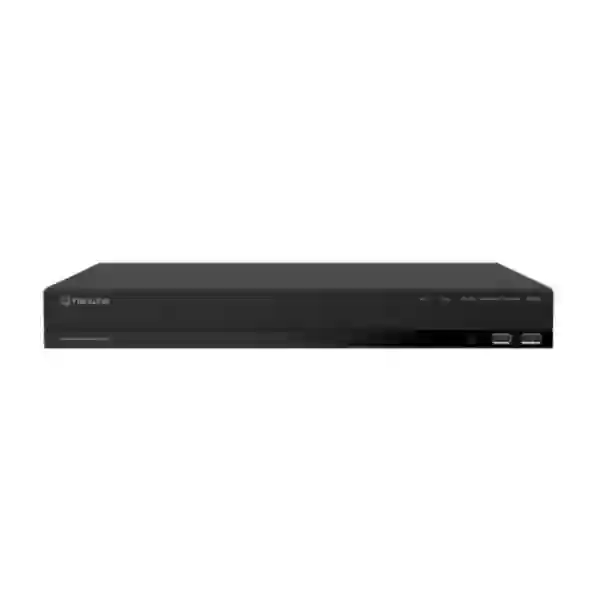
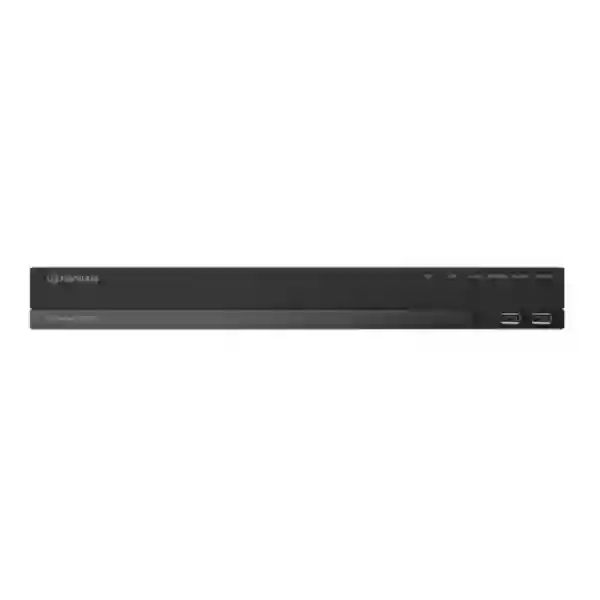
8-channel IP video recording · 4TB included
Hanwha Vision XRN-827S-4T 8-Channel PoE NVR
Plan a compact, network-based CCTV system without treating the recorder as an afterthought. The Hanwha XRN-827S-4T combines eight network-camera channels, PoE camera connections and a supplied 4TB drive in an on-site recorder. It is also identified by Hanwha Vision as a smart-parking-oriented model, making camera compatibility and workflow design especially important.
For buyers evaluating a project in Tanzania, the sensible first step is a system check: identify the eight or fewer cameras, estimate recording loads and required footage retention, and confirm whether parking features and support are available in the intended region. This page explains both what the manufacturer specifies and what still needs checking before an order.
8 channels
Network camera recording
4TB included
Two SATA drive positions
120 Mbps
Maximum recording bandwidth
100W PoE
Shared power budget
Up to 32MP
Camera- and codec-dependent
4K HDMI
Local viewing output
Who this NVR is for
This recorder is most relevant when a site wants a manageable number of IP cameras, central local recording and a clear path to searching incidents. An eight-channel design can fit a gate and driveway, a small commercial building, a security office, a controlled car park or a property with several high-priority camera views. Its built-in camera-power connections may reduce the number of separate PoE switches needed at the recorder location, although real installations still depend on cable distance, camera wattage and network layout.
It is not a substitute for specifying the whole security system. Camera lenses, low-light performance, exposure settings, mounting height and retention requirements determine whether important detail is captured. A high recorder resolution limit cannot rescue unreadable footage from a poorly positioned camera. For parking projects, barrier controllers, vehicle-identification cameras and the management software may be separate items. Treat the XRN-827S-4T as a recording and workflow component, not an automatic end-to-end parking management package.
Key specifications at a glance
These are the published technical parameters for the exact XRN-827S-4T model. Maximum figures are not guaranteed real-world throughput for every combination of cameras, frame rates and playback demands.
- Camera inputs: Up to eight network camera channels, with SUNAPI and ONVIF among the listed protocols.
- Recording: Up to 120 Mbps incoming recording bandwidth; H.265, H.264, MJPEG and supported WiseStream operation.
- Resolution: Up to 32MP for compatible recording and playback modes, with specific H.265 and decoder constraints.
- Hard disks: Included 4TB drive; two internal SATA bays and up to 12TB total raw capacity with supported disks.
- Camera power: Eight integrated 10/100 PoE/PoE+ camera ports with a combined 100W power budget.
- Local output: One HDMI connection up to 3840 × 2160 at 30Hz and one VGA connection up to 1920 × 1080 at 60Hz.
- Connectivity: Two Gigabit network interfaces, three USB ports and four alarm inputs plus two alarm outputs.
- Operating conditions: Specified ambient range 0°C to 40°C and 20% to 85% relative humidity.
Check the exact shipping variant, disk arrangement, firmware and regional support status against the current manufacturer documentation before procurement.
Recording bandwidth: how to interpret 120 Mbps
The stated 120 Mbps recording bandwidth describes an aggregate input capacity of the NVR; it does not mean every attached camera can independently send 120 Mbps. The practical design is the sum of expected camera bitrates, including allowances for changing scene activity and video profiles. Eight cameras averaging 6 Mbps require about 48 Mbps before considering bursts and other system overheads. That may be comfortably below the advertised ceiling, yet retention and disk use still depend on the actual stream each camera produces.
A high-resolution camera can use less bandwidth in a quiet corridor than in a busy driveway, depending on codec, frame rate, compression settings and motion. Night-time noise, headlights, rain and busy scenes can increase encoded data. Use a test recording with representative daytime and evening movement rather than trusting a single static bitrate estimate. Playback and export have their own demands; the manufacturer separately lists a maximum playback bandwidth of 32 Mbps. Plan for routine review as well as recording.
The included 4TB drive and the real meaning of retention
The 4TB drive is a useful starting point because the recorder can be evaluated without assuming the buyer will immediately install an additional disk. But 4TB is a nominal manufacturer capacity, not a promise of a fixed number of recording days. Continuous recording from eight higher-bitrate cameras can fill that space much faster than motion-activated recording from four lower-bitrate cameras. Disk formatting, recording reserves, audio, metadata and retention policy also affect capacity available for saved footage.
As an illustration, eight cameras that average 4 Mbps each consume roughly 346 GB per day in combined video data, using decimal units and ignoring overhead. Four terabytes divided by that nominal daily use is approximately 11.6 days before practical deductions. If the cameras average 2 Mbps each, the theoretical duration roughly doubles. These examples are planning arithmetic, not tested product guarantees. Build the final retention estimate from measured camera bitrates, required evidence quality and a safety margin.
Two SATA bays, growth and RAID-1
The manufacturer specifies two internal SATA HDD positions and a maximum combined capacity of 12TB for supported drive configurations. That provides a defined upgrade path beyond the included 4TB, but it is not unlimited expansion. Confirm permissible disk sizes and any compatibility list before selecting a replacement or second drive. Do not assume that mixing any two capacities will produce the total printed on their labels, or that every drive intended for a desktop computer is appropriate for continuous surveillance recording.
The specification also lists RAID-1 capability. RAID-1 normally mirrors data across two suitable drives so a single drive failure does not automatically eliminate all recorded footage; it does not double usable storage. Two equal 6TB drives used as a mirror would ordinarily give roughly one 6TB copy of usable raw capacity before filesystem overhead, not 12TB of unique recordings. The exact configuration and migration process must be verified for this recorder. RAID is resilience against some drive failures, not a backup or protection from deletion, theft, power damage or multiple faults.
Compression formats: H.265, H.264, MJPEG and WiseStream
The NVR supports H.265, H.264 and MJPEG recording, with WiseStream operation where the camera and video profile support it. H.265 can lower bitrate for a comparable image in many scenarios, but the actual saving is scene-dependent. H.264 can be appropriate where older workflows, third-party integrations or export viewers need a familiar format. MJPEG has different bandwidth and storage characteristics and should be chosen for a specific reason rather than enabled by habit.
WiseStream is not a magic compression setting applied equally to every third-party camera. Confirm whether the intended Hanwha camera supports the required stream profile and firmware combination. For a vehicle entrance, test fast movement, number plates, glare and darkness at the chosen encoder settings. For a quiet internal lobby, a smaller bitrate may be acceptable. The right format is the one that gives enough evidential detail at a sustainable storage cost and can still be played by the people who must review incidents.
32MP support does not make every camera an 8K camera
The product specification lists recording and playback support for streams as high as 32MP under compatible conditions. That describes what the recorder can process in certain modes; it does not mean the box includes cameras, upgrades their sensors or converts low-resolution footage into 32MP. Actual recording quality comes from the cameras. The manufacturer also identifies codec-dependent playback limits, including a lower maximum for H.264 than for H.265, so the high headline resolution should be read alongside the decoder table.
A high-megapixel camera can be valuable for wide scenes where operators may crop detail after an event, but it may generate more data, require careful lens selection and make low-light tuning more demanding. A dedicated 4MP entrance camera with the right lens and exposure may be more useful for an actual vehicle question than a much higher-resolution overview camera. Decide the view first, select the camera second, and confirm that the NVR can record and display that exact stream configuration.
PoE power: eight ports share a 100W limit
The eight integrated PoE/PoE+ ports can simplify the physical installation because a compatible camera can receive power and network connectivity through one cable from the NVR. The important limit is the combined 100W budget. Eight ordinary cameras with modest power demands may fit, while eight high-power devices with IR illuminators, heaters or motors could exceed the available supply. A PoE+ label on a port does not mean eight cameras can each consume the maximum PoE+ power at the same time.
For procurement, ask the installer to list each camera model and its worst-case power draw, including infrared illumination and accessories. Add those figures and retain margin rather than planning at exactly 100W. Also check whether cameras are spread across long cable runs or separate buildings; cable quality, surge protection and allowable Ethernet lengths remain important. If the camera design exceeds the integrated budget or needs a different switching topology, use suitable external PoE equipment and document how it will connect.
HDMI, VGA and the control-room view
The HDMI interface supports up to 3840 × 2160 at 30Hz, while VGA supports up to 1920 × 1080 at 60Hz. The official specification describes dual-monitor operation for certain FHD configurations and a single-monitor UHD arrangement. Do not assume that both outputs can simultaneously show independent 4K pictures. Confirm the display mode required by the security desk, especially if one screen shows a gate close-up and another shows general camera overviews.
A monitor layout is an operational decision. Eight small camera thumbnails can help staff notice movement, but they may not show enough plate or face detail for immediate assessment. Decide which views should be enlarged by default, which cameras need event pop-ups and whether an operator will frequently switch to recorded playback. Test display resolution on the actual monitor models and check that review controls remain easy to use during an incident. A correctly configured operator screen can matter as much as raw recorder resolution.
Viewing from a phone or workstation
Hanwha lists mobile support for iOS and Android along with QR-code-assisted P2P setup, and describes web viewers and supported management applications. These capabilities can make it easier for an authorised operator to check a site away from the recorder. They should not be interpreted as guaranteed remote connectivity on every mobile network, firewall or company IT environment. The specific app versions, service conditions, account setup and country availability should be confirmed for the deployment.
Remote viewing is particularly useful when a supervisor occasionally needs to inspect a gate event or verify that a camera is working. It is not a replacement for clearly assigned day-to-day monitoring responsibility. Decide who needs live view, who needs playback and who can export footage. Verify access from outside the site using the intended network connection, including any VPN or security gateway. Do not turn on unnecessary public port forwarding as a shortcut to achieving mobile access.
Protect the recorder as a networked security system
The manufacturer lists functions such as HTTPS/TLS-related security, signed firmware, user access logging and IP filtering. Those capabilities are useful building blocks, but secure deployment depends on how the organisation configures and maintains the NVR. Replace default credentials, give each operator an individual account, assign only the permissions needed and control who can export recordings. Protect administrator credentials separately from normal viewing credentials and establish a procedure for staff changes.
Place CCTV equipment on an appropriate security network, record its IP addresses and avoid unneeded inbound internet exposure. Review firmware supplied for the exact model and region, and schedule controlled updates with a backup of configuration and a recovery plan. Security logs should be checked when there is a suspected access issue. If a third-party management system is involved, test the whole authentication path rather than assuming that a secure recorder automatically makes every connected camera and workstation secure.
AI search: where the intelligence comes from
The XRN-827S-4T is advertised with AI-assisted object searching when integrated with suitable Hanwha AI cameras. The manufacturer lists categories including people, faces, vehicles and number plates. This is best understood as a camera-and-recorder workflow: the recorder can help an operator find matching recordings when compatible cameras provide the required metadata. It should not be advertised as creating all of those classifications from any basic video stream by itself.
Before including AI search in a purchasing decision, confirm the camera family, firmware, metadata support and licensing or feature conditions for the intended use. Ask for a demonstration using the same type of event that staff will investigate. A searchable vehicle category may reduce the effort needed to review hours of footage, but the usefulness of results still depends on camera placement, scene conditions and indexing. Poor lighting, occlusions or unrecognised plate formats can limit what a search finds.
Finding an incident quickly: event search and bookmarks
The recording platform supports event-related functions and bookmarks, including event triggers from compatible cameras and alarm inputs. This can help an operator move from an incident report to the relevant video segment without replaying a complete working day. Effective use starts with accurate recorder time, sensible camera names and a shared convention for describing events. An event labelled “Gate 1 entry” is easier to investigate than an anonymous camera number with the wrong clock setting.
For an incident-handling process, decide how staff record the event time, which views they inspect and how they preserve any required export. Train them to check the lead-up and aftermath, not only the moment a detection was triggered. Some important events are visible on a continuous video stream even when no analytic alarm is raised. Keep an escalation process for system faults, missed recordings and suspect footage. The goal is consistent investigation rather than simply collecting more notifications.
Smart parking: a useful role, but confirm the solution boundary
Hanwha Vision identifies this exact model as an eight-channel smart-parking NVR. That description is relevant to properties that need footage around entrances, exits, visitor lanes or controlled vehicle access. In a suitably designed system, recorder footage can help staff look back at a reported incident and connect observations from multiple cameras. It can also serve as one component in a more detailed parking-control workflow if the necessary cameras, software and external devices are supported.
The designation does not prove that the recorder alone performs vehicle plate recognition, payment, ticketing, barrier actuation or parking-space allocation. Those functions may depend on separate specialised hardware, camera analytics, licences, regional firmware and third-party systems. Hanwha notes that product availability can vary by region, so local feature availability must be checked instead of importing assumptions from another country. For Tanzania, request a compatibility demonstration and written confirmation of the exact parking functions included in the proposed solution.
Vehicle entrances and number-plate capture
If the priority is a useful view of vehicles entering or leaving a property, design the entrance scene around evidence needs. A contextual camera may show the surrounding lane and traffic, while a second, purpose-positioned camera may be needed to capture registration detail. The capture result depends on vehicle speed, distance, angle, lighting, shutter settings, resolution and plate appearance. The recorder can store suitable streams, but it cannot make a blurred or overexposed plate readable after the event.
If automatic number-plate recognition is required, validate the proposed camera or specialist recognition system against plate designs and operating conditions relevant to the project. Do not assume that a “number plate” AI search category means automated gate access has already been integrated. Ask whether recognition output is exported as searchable metadata, how false matches are handled, what happens when a plate is dirty or missing and who can manually authorise a vehicle. Verify the entire process at the installed site before relying on it operationally.
Scenario: managed residential or mixed-use property
A residential compound may need a clear record of who enters, where vehicles wait and how visitors move between a gate and shared spaces. An eight-channel recorder can be considered when the final camera schedule fits within that channel count and bandwidth budget. Allocate priority views to the entry point, the exit point and any specific area where incidents are most likely to be reported. This is an example of system planning, not a claim that the NVR has been deployed at a particular Tanzanian estate.
Resident access systems and visitor-registration tools often form separate workflows. If staff need to review video alongside a visitor record or an intercom event, confirm the exact integration path and the permissions involved. Define when footage is reviewed and which roles can see it. Also consider privacy in shared spaces, signage, how long evidence is kept and who handles requests. A good design records enough to resolve a genuine question without collecting unnecessary views simply because a channel is free.
Tanzania installation conditions: heat, dust and ventilation
The published operating range is 0°C to 40°C, with 20% to 85% relative humidity. That is an equipment specification, not an assurance that the unit will operate indefinitely in an unventilated rooftop cabinet or a hot guardhouse. Position the recorder in a sheltered, access-controlled location with predictable ventilation and sufficient clearance for cooling airflow. Check the enclosure temperature under likely peak operating conditions, not only the ambient temperature outside the building.
Dust, moisture and crowded cable bundles can create avoidable maintenance problems. Do not place a standard indoor NVR where rain, condensation or direct sun can reach it. Allow room to inspect drives, connections and indicators. Keep recorded footage and the recorder itself secure from tampering, especially if staff and visitors have access to the same room. A modest investment in enclosure planning can protect the usefulness of footage during the period when it is needed most.
Power planning and practical continuity
The NVR accepts 100–240 VAC at 50/60Hz according to the published specification. Power consumption without PoE is listed at approximately 35W, while the stated maximum with the PoE budget is 160W. The actual draw depends on camera loading, drive configuration and operating conditions. Include camera power when sizing an uninterrupted power supply; an NVR with live recording but unpowered cameras is not a functioning surveillance system.
Specify the amount of backup time the site genuinely needs, then assess the NVR, any external switches, network router, gate equipment and essential displays as separate loads. A surge-protection and grounding review is sensible when cabling extends between buildings or to exposed camera locations. After installation, test a controlled power interruption and normal restart. Check that clocks, network addresses, recording schedules and remote access recover correctly. No recorder specification alone guarantees continuity through a local power failure.
A practical commissioning sequence
A good purchase includes a methodical way to make the recorder useful on day one. The following sequence gives the installer and the site owner a shared checklist rather than an assumption that plugging in eight cameras is enough.
- 1. Define outcomes. List the specific events the system must document and the minimum detail needed from each view.
- 2. Approve camera locations. Test the proposed views in daylight and darkness, including relevant vehicle movement.
- 3. Check electrical loading. Total the worst-case PoE consumption and account for power and UPS requirements.
- 4. Size the recording plan. Set bitrates, frame rates, continuous or event schedules and a defensible retention target.
- 5. Configure secure access. Create individual user roles, time synchronisation and the approved remote-viewing method.
- 6. Verify all workflows. Test local playback, search, incident export, mobile access and any external alarm or parking interaction.
- 7. Hand over documentation. Provide an inventory, labelled cable plan, administrator procedures and the agreed service responsibilities.
Where camera-dependent AI or parking integration is important, insist that those exact functions appear in the acceptance test. A generic live-video demonstration is not enough to verify specialist features.
Privacy, recording scope and responsible access
Security cameras collect information about people and vehicles, so the deployment should be proportionate to a legitimate site purpose. Define what each camera needs to see, avoid unnecessary private areas and restrict who can view, download or share recordings. Appropriate notices, retention decisions and documented processes should be assessed against the current legal and organisational requirements that apply to the particular Tanzanian site. This page does not claim any specific statutory approval or regulatory certification for the installation.
If number plates or face-related metadata are involved, agree who is responsible for operating the search function and whether the chosen use is necessary. Exported clips need secure storage and a process for controlled disclosure. Train staff not to copy footage to personal devices or share it casually. Set user permissions to match those responsibilities. Technical support for searches and exports is useful only when paired with a reasonable policy for handling sensitive footage.
Selecting cameras that suit the XRN-827S-4T
Start with the job at each camera position. For a general overview, the priority may be coverage and day-night consistency. For a narrow entry lane, shutter speed, lens angle and control of glare can matter more than the highest megapixel count. For a corridor, the mounting geometry may determine whether a specialised view mode is useful. Check whether each chosen camera needs audio recording, external illumination, PTZ control or metadata that the operator expects to search later.
Then confirm compatibility explicitly. The manufacturer lists SUNAPI and ONVIF, but a protocol name does not guarantee every feature works between every pair of devices. Basic video may work while motion events, smart searching or camera configuration functions require a closer match. Ask the supplier to document supported streaming, detection, audio, PTZ and recording options for the exact camera models and firmware. The integrated PoE budget should be checked against those same cameras, not estimated from a generic eight-camera package.
Interoperability, management software and expansion decisions
Hanwha documentation refers to supported web and management tools and integration through SUNAPI and relevant ONVIF functions. This can matter when a property already operates several security devices or wants to review incidents from a workstation rather than the recorder itself. However, software naming and feature availability can change by version. A compatibility claim should identify the exact client release, firmware version and functions required. Do not assume an unrelated VMS can retrieve every smart-search result merely because it can display live streams.
Think ahead to operational scale. A single eight-channel recorder can be easier for a compact site, while multiple buildings or a larger camera count may justify a different recorder or central management approach. Adding more recorders does not necessarily create one seamless set of recordings without management software and network planning. Compare the ongoing complexity of users, search, exports, alarms and storage. When future growth is likely, ask for a design that explains what will happen at camera nine, not just what works at camera eight.
When a different NVR class may be the better choice
The XRN-827S-4T can be a sensible candidate for a defined eight-camera project, but the right purchase depends on the constraint that matters most. If there are already nine or more camera positions, look for a suitably sized higher-channel recorder. If camera streams require more than the aggregate bandwidth available, choose a platform that can ingest those streams with headroom. If the required retention period is longer than the two-bay storage design can support, evaluate a larger storage architecture rather than compressing evidence until it becomes unhelpful.
If the project is entirely basic CCTV with no planned use for camera-based AI metadata or parking workflows, compare the full system cost and maintenance obligations with simpler alternatives. Conversely, if automatic barrier control, plate recognition and a complete parking-management application are mandatory, request a verified end-to-end solution rather than buying a recorder first and hoping the other parts will connect. A well-scoped requirements document protects the buyer from both over-specification and a system that cannot perform its main job.
Before requesting a quotation, prepare these details
A clear enquiry makes it possible to confirm fit and avoid a quote based only on a model number. Useful information includes the cameras, the site layout and the practical evidence requirements.
- Camera schedule: Number of cameras, exact models if chosen, viewing locations and expected resolutions.
- Recording objective: Required days of retention, continuous or event operation and any high-priority views.
- Power layout: Maximum camera wattages, cable lengths, building distribution and backup-power requirements.
- Operator workflow: Number of viewing users, local monitor arrangement, mobile viewing and export permissions.
- Parking requirement: Whether video review alone is enough or plate recognition, gate events and access control must integrate.
- Regional requirements: Requested user-interface language, local firmware support, supply confirmation and service expectations.
- Commercial scope: Whether the enquiry is for the recorder alone, cameras and storage, or a complete installation and commissioning plan.
Price, stock, delivery, warranty and regional eligibility are not confirmed on this page. Ask for an itemised written quotation and a model-specific support check before making commitments.
Frequently asked questions
Does the Hanwha XRN-827S-4T include a hard drive?
Yes. The manufacturer specifies an included 4TB hard drive for the XRN-827S-4T. Confirm the disk is part of the exact quoted package and not a similar model with a different shipping configuration.
How many IP cameras can the recorder support?
The stated limit is eight network camera channels. Check the combined video bitrate and camera compatibility as well as the channel count; eight cameras does not guarantee every high-bitrate profile can run without planning.
Can it power all eight cameras directly?
It has eight PoE/PoE+ camera ports and a shared total budget of 100W. Whether all eight chosen cameras fit depends on their maximum consumption, including IR, motor or heater loads.
How many days will 4TB retain?
There is no universal answer. Days of footage vary with camera count, bitrate, scene movement, recording schedule and disk overhead. As a nominal example, eight streams averaging 4 Mbps use approximately 346 GB daily before overhead.
Can I install a second hard disk?
The manufacturer lists two SATA drive slots and up to 12TB combined raw capacity with supported configurations. Check compatible disk sizes, RAID settings and the process for adding or replacing a disk.
Does it record 4K cameras?
The recorder supports a range of camera resolutions including high-resolution input up to 32MP under stated conditions. Compatibility, recording load and display decoding must be checked for the actual camera and codec settings.
Can I see live footage on a phone?
The manufacturer lists mobile viewing and QR-code-assisted connectivity. Real access depends on supported applications, account setup, network policy, firmware and regional service conditions; confirm the intended access method before purchase.
Does the recorder automatically recognise number plates?
Do not assume it does so by itself. Hanwha describes AI-assisted searching with compatible AI cameras, but plate reading and an operational parking-control workflow require a verified camera, software and integration design.
Does RAID-1 double storage?
No. Mirroring generally keeps a second copy of data on a matching disk and reduces usable capacity compared with using both disks independently. RAID-1 also does not replace separate evidence exports or backup procedures.
Is the XRN-827S-4T confirmed for sale and support in Tanzania?
Not from the information verified for this page. Hanwha notes that regional product availability can differ. Request current confirmation of supply, language, firmware support, compatibility and after-sales arrangements for the exact model.
Can I connect ONVIF third-party cameras?
The NVR lists ONVIF support, but detailed feature interoperability varies by device and version. Test basic video plus any required motion events, PTZ control, audio and analytics with each proposed model.
What information is needed for a meaningful quotation?
Provide the camera models and count, target recording days, expected view quality, PoE power demand, monitor and remote-access needs, and whether parking or access-control integration is essential.
Next step · Model-specific enquiry
Request a Hanwha XRN-827S-4T configuration review
Share your camera count, model numbers, required days of recording and whether your project needs simple CCTV review or a true parking-management integration. Ask for confirmation of the exact XRN-827S-4T regional supply, language support, compatible camera functions, included 4TB storage, power loading and service arrangements before ordering.
A responsible quote should specify what is included, what is optional and what still needs technical demonstration. Price, stock, warranty and delivery conditions must be confirmed separately for the intended Tanzanian deployment.




Reviews
There are no reviews yet.