
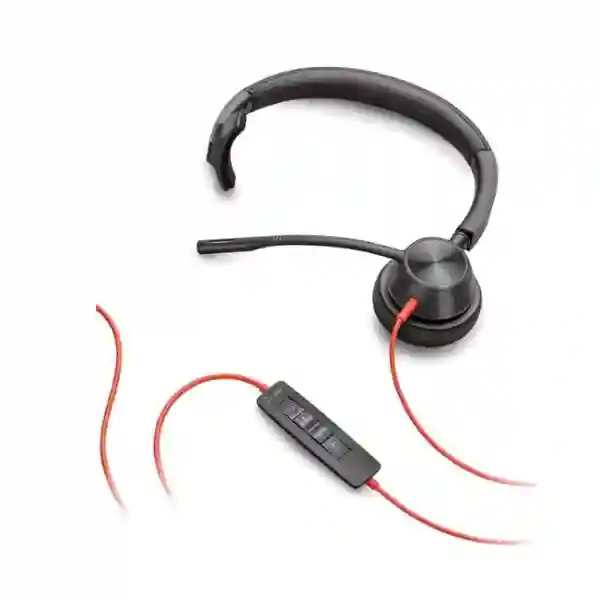
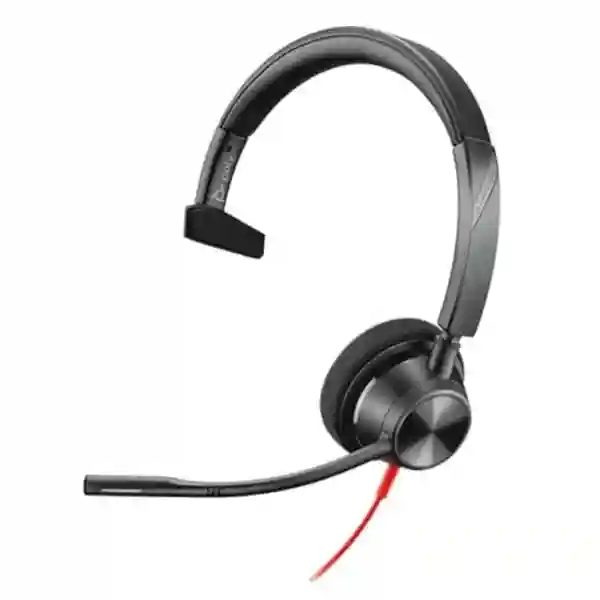
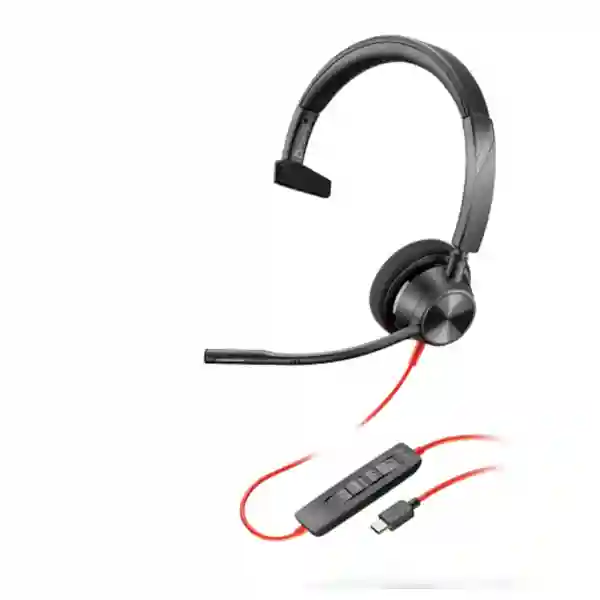
Wired business communications | Mono design | USB-C
HP Poly Blackwire 3310 Mono USB-C Headset
Take computer calls while remaining aware of your workspace. The HP Poly Blackwire 3310 Mono USB-C Headset combines an on-ear single-speaker design, flexible boom microphone, wired USB-C connection and practical inline controls for day-to-day office conversations. Confirm the exact variant, accessory bundle and calling-platform requirements before ordering.
Quick purchasing answer
Choose this headset when staff need a wired USB-C headset for calls and meetings but want to leave one ear uncovered for awareness of nearby activity. It is a particularly sensible option for reception, administration, service desks and mixed office work. For loud environments, sustained stereo listening or a mandated Microsoft Teams-certified package, compare the exact alternatives and verify the relevant variant first.
For a reliable quotation, state the required number of units, the computer ports, principal softphone or meeting app, and whether a USB-A adapter must be included. Ask FourTeck to confirm the exact manufacturer configuration and current Tanzania commercial terms; this page does not claim a particular stock quantity, price or listing-specific SKU.
At a glance
| Specification | What the buyer should know |
|---|---|
| Product family | HP Poly Blackwire 3300; model 3310 |
| Wearing style | Over-the-head, on-ear mono / monaural |
| Connection | Wired USB-C; confirm adapter inclusion separately |
| Voice input | Adjustable boom microphone; noise-handling design |
| On-cable controls | Call answer/end, mute, volume; app behavior can vary |
| Typical environments | Desk-based calling, meetings, reception, office support |
| Verify before purchase | Part number, included adapter, certifications, local terms |
What this single-ear business headset is built to do
The HP Poly Blackwire 3310 Mono USB-C Headset is a wired communication accessory for people whose workday includes speaking and listening through a computer. It combines one on-ear speaker, an over-the-head frame, a flexible boom microphone and a USB-C wired connection. That arrangement is deliberately straightforward. Rather than choosing a separate desktop microphone and speakers, a user can keep incoming audio close to one ear and position the microphone near the mouth. It is especially useful for work that alternates between digital conversations and activities taking place at the same desk.
The key buying decision is not simply whether a headset can play sound. It is whether the wearing style, port, microphone, physical controls and software behavior suit the user’s workflow. With a monaural design, the wearer can hear the call in one ear while the other remains open to colleagues or the working environment. This can help someone who regularly switches between a computer conversation and face-to-face interaction, although an open ear also means less isolation from nearby noise than a fully covering headset.
A wired USB headset is often attractive for workplaces that prioritize predictable setup. There is no separate Bluetooth pairing process to coordinate and no headset battery to recharge between shifts. The host computer still needs to recognize the device and the meeting or calling application must select it as the audio input and output. A successful installation therefore depends on the computer, its operating system and the specific communications software, not solely on the headset itself.
Why choose mono rather than a two-ear headset?
A mono or monaural headset places the listening speaker on one ear rather than both. This design offers an intentional compromise: the user can follow a remote conversation and remain more aware of nearby voices, announcements or a colleague approaching the desk. A receptionist, small-office administrator or service coordinator may appreciate the ability to stay engaged with a screen-based call without completely shutting out the surrounding office. This is an advantage only when environmental awareness is genuinely part of the role.
The same feature can be a limitation. In a loud open-plan workspace, background conversation may compete with what the user is hearing through the single speaker. Someone who regularly joins long, detailed online workshops, transcribes speech or works near loud equipment may prefer a stereo or more isolating arrangement. The Blackwire 3310 should not be described as providing active noise cancellation to the listener; the series’ microphone noise handling is a separate capability from suppressing sound heard by the wearer.
The right choice comes from the task rather than a universal ranking. If the user spends much of the day handling customer calls while occasionally answering nearby colleagues, mono deserves serious consideration. If they need strong listening isolation, music immersion or concentration in a busy room, they should evaluate a two-ear alternative. Teams buying dozens of headsets can avoid disappointing users by testing one sample in the actual workplace before finalizing an equipment standard.
The microphone and spoken-word clarity
A flexible boom places the microphone closer to the mouth than a laptop microphone typically can. HP describes a noise-cancelling microphone on current Blackwire 3310 family variants and highlights its suitability for voice communication. In practice, microphone positioning matters: a boom that is too far from the mouth can capture a less consistent voice level, while a boom placed directly in the path of the wearer’s breath may pick up unwanted bursts of air. A comfortable position near the side of the mouth is a useful starting point.
Noise-cancelling microphone design should be understood carefully. It is intended to make a person’s voice easier to pick out from surrounding sound, but it cannot promise silence for the remote party. Closely positioned coworkers, sudden impacts, fans and poorly configured communications software can still affect the transmitted signal. For important customer calls, it is sensible to perform a short test recording or call in the actual work environment and ask another participant whether speech sounds natural, clear and consistent.
The quality the other person hears also depends on the entire communication path. Microphone settings, the computer’s selected input device, meeting-app processing, network quality and the remote participant’s speakers all affect a call. An office can have suitable headset hardware and still experience poor conversations if the application is taking audio from the built-in laptop microphone. Explicitly choosing the Blackwire input and checking mute status should therefore be part of the initial setup process.
Comfort, positioning and daily wear
The Blackwire 3300 family is designed for business wearing comfort, with an over-the-head form, an adjustable fit and cushioned contact points. A single-ear design can feel less enclosing than a two-ear headset, particularly for people who dislike listening to every conversation through both ears. Nevertheless, comfort is individual. The pressure felt at the ear, the shape of the headband and the length of a continuous call all influence the user experience. A short trial is more informative than assuming one fit will suit an entire team.
An effective setup begins with gentle adjustment of the headband so the ear cushion rests against the ear without excessive force. The microphone boom can then be positioned to support intelligible speech without rubbing on clothing or sitting directly against the lips. The cable should be routed so that ordinary keyboard movements and standing from the desk do not pull on the headset. A neatly routed cable can matter as much as the headset’s weight during a busy working day.
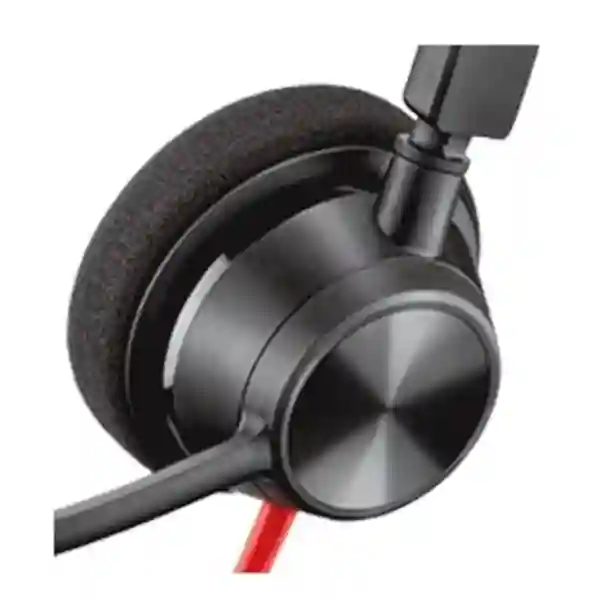
Different Blackwire 3310 production configurations may describe foam or artificial-leather ear cushions in their documentation. Do not assume a particular cushion finish or accessory is included on the basis of the family name alone. Where cushion feel, cleanability or replacement is important, ask for the exact manufacturer part number and package contents. Workers who rotate between users should also consider hygiene routines and whether the chosen ear cushion is appropriate for shared equipment.
USB-C connection: what it simplifies and what to verify
The defining connection for this listing is a wired USB Type-C plug. For a computer with a suitable USB-C port, the connection is designed to support straightforward digital headset audio without needing a separate analog microphone jack. This can make the headset appropriate for laptops and office desktops that already use modern USB-C accessories. It does not mean every USB-C-shaped port, dock, phone or tablet will necessarily provide the same controls or application compatibility, so the actual host device must be checked.
A buyer should first inspect the computer assigned to the user. Confirm that an accessible USB-C port is available, that the workplace allows a headset to occupy it, and that the port works correctly with USB audio devices. Staff who use a dock should test the headset through their normal dock arrangement as well as directly on the computer if they encounter problems. Some dock, hub or security policies can affect device recognition even when the headset itself is functioning normally.
Some Poly Blackwire 3310 packages are officially sold with a USB-C-to-USB-A adapter, but the product title supplied here does not establish that an adapter is in this particular box. A team using a mixture of older USB-A computers and newer USB-C laptops should explicitly request package confirmation. Do not assume that the headset includes a 3.5 mm analog connector: different Blackwire models support different connections, and the 3310 USB-C version should be chosen for its stated USB-C use.
Inline call controls and the everyday workflow
HP documents physical controls for call answer/end, microphone mute and volume adjustment on the Blackwire 3310. Keeping those basic actions close at hand can reduce the number of times a user needs to search a meeting window while speaking to a customer. A clear mute control is especially valuable when someone must briefly consult a colleague or handle an interruption. The user should still watch the application mute indicator because hardware and software states can sometimes be presented differently in different communications tools.
The presence of an answer/end button does not guarantee identical call-control integration with every softphone. Applications vary in how they support headset controls, and some features may depend on installed software, device configuration or the variant’s certification. For example, receiving audio and transmitting speech can work even when a particular app does not respond to a hardware call button. This is why a test call within the organization’s actual calling platform is preferable to relying only on a general compatibility statement.
A useful desk routine is to check the headset at the beginning of the shift, adjust listening volume to a comfortable level, verify the microphone input and practice mute once. When a call arrives, answer through the supported app or device control, then confirm both parties can hear each other. After a call, end it using the method supported by the current software. These simple habits prevent basic operational errors and improve the consistency of customer conversations.
Operating systems, meetings and softphones
HP’s product information identifies the Blackwire 3310 family as intended for computer collaboration, including Windows and macOS environments. Current documentation for certain configurations also lists additional operating systems, but those broader claims should not be transferred automatically to an unspecified USB-C package. For this product page, the reliable starting assumption is computer-based USB audio. Organizations relying on a nonstandard operating system, thin client, smartphone or tablet should confirm support for their exact hardware and software combination.
A headset can be compatible with computer audio without being specifically certified for every feature of a particular collaboration platform. The Blackwire 3300 family includes standard unified-communications and distinct Microsoft Teams-focused variants. Therefore, a procurement request that requires a dedicated Teams experience or documented Teams certification should identify the exact model variant before purchase. Merely stating Blackwire 3310 Mono USB-C is not enough to establish a Teams-certified package.
When testing software, verify three separate functions: audio received through the ear speaker, speech picked up by the boom microphone and response of the physical call controls. Record the results in each approved application, such as the company meeting client and customer-service softphone. If incoming audio works but the microphone does not, check which input the application selected. If mute works but call answer does not, investigate software integration rather than immediately treating the headset as defective.
Reception desks, administration and customer service
At a reception desk, a headset should support a person who may alternate between greeting visitors, consulting a colleague and responding to a phone or computer call. The Blackwire 3310’s uncovered ear can help preserve awareness of the room, while the microphone remains positioned for spoken replies. Staff should still take calls in a setting where conversations are suitable to be overheard; a mono headset does not make sensitive telephone content private from people standing nearby.
Administrative teams often need an accessory that works across repeated short conversations rather than one long conference. Inline mute and volume controls can make that pattern manageable, while the wired connection removes the distraction of charging. For customer-service agents who depend on a browser-based phone or desktop softphone, the real qualification test is whether the application picks the correct audio devices and supports the desired call actions. One successful meeting call is useful but does not substitute for testing the main customer-contact application.
A small contact centre may want consistent headsets for easier onboarding and troubleshooting. Consistency helps an IT team document one setup method, but the choice between mono and stereo should still reflect room noise and staff preference. If agents sit close together and often struggle to hear customers, a more isolating option may be worth the extra evaluation. The Blackwire 3310 is best viewed as a practical option for voice work, not a guaranteed solution to every acoustic challenge.
Hybrid work, home offices and shared desks
For a hybrid employee, a wired headset offers the benefit of familiar controls when moving between suitably equipped computers. The user can carry the headset between approved locations without managing Bluetooth pairing with multiple personal and office devices. That convenience comes with a visible cable and the need for a compatible USB-C connection at every workstation. If travel flexibility is the highest priority, users may prefer to assess wireless options as well, while considering charging and device management.
In a home office, the boom microphone can be helpful when the computer is positioned farther away than it would be on a conventional desk. However, the environment still matters. Household conversations, traffic and appliances may be audible, and a single-ear speaker leaves one ear open to these distractions. Users should pick a reasonably quiet room for confidential or important calls, make a test recording before an interview or presentation, and avoid assuming a noise-handling microphone can compensate for every background sound.
Shared desks introduce another consideration: everyone who uses the workstation needs to know how to select the correct headset in the calling application. A short laminated instruction card or centrally maintained IT note can reduce repeated questions about microphone selection and mute. The workplace should also establish whether headsets are assigned to individuals or shared, because personal ear-contact accessories require appropriate cleaning and replacement practices if they move between staff.
Comparing nearby Blackwire choices
The Blackwire 3310 is the single-ear USB headset option within a broader family. HP’s comparison material identifies the Blackwire 3320 as a stereo, two-ear alternative. A buyer who needs to monitor the room while taking calls may prefer the 3310’s monaural design, whereas one who wants audio in both ears may find the 3320 more suitable. Neither format is automatically better for all staff. Workplace noise, concentration requirements, listening preferences and hygiene policies should guide the decision.
Another nearby model, the Blackwire 3315, is listed by HP as a monaural option with additional 3.5 mm connectivity on applicable configurations. This distinction matters for organizations with a documented need to connect to a compatible analog device. The 3310 product named here should not inherit the 3315’s analog feature. A purchasing team should write down the actual connection it needs rather than treating all products in the Blackwire 3300 family as electrically interchangeable.
There are also standard UC and Microsoft Teams-focused configurations within the family. If staff use Teams, ask which functions require certification and compare the relevant approved variant, not just the model’s broad appearance. If different departments use different meeting and calling clients, test the common functions they need first. A short comparison based on wearing style, connector, supported software and exact part number is more useful than an overly broad claim that one headset supports everything.
How to choose the correct version before ordering
Before requesting a quotation, record the complete item description from the organization’s requirement. Include HP Poly, Blackwire 3310, mono or monaural, wired, and USB-C. Add whether a USB-A adapter must be included and whether a Microsoft Teams-certified version is necessary. These details are not decorative: a seller may supply a valid Blackwire 3310 family product that does not match the exact accessory or certification expected by the buyer unless the variant is specified.
If the company uses standardized inventory records, compare the manufacturer’s part number on the proposed quote with the part number in the official product specification for that version. Do not confuse a manufacturer part number with a merchant’s internal SKU. The listing title provided for this page does not include a confirmed FourTeck SKU, so no local SKU should be invented. The purchasing team can add its internal stock code after the proposed model has been matched to the right physical package.
Quantity, intended deployment date, computer type, preferred communications software and support expectations should be communicated at the same time as the headset requirement. This lets a supplier discuss what needs confirming rather than giving a vague yes to an incomplete specification. The buyer should ask for confirmation of current availability, commercial terms, warranty applicability and included accessories for Tanzania before issuing a purchase order. No unverified stock or delivery statement is implied by this product description.
A practical IT rollout for multiple users
For a larger deployment, begin with a small pilot that includes at least one person from each work pattern: frequent customer calls, internal meetings, hybrid work and shared desks. Test the selected Blackwire 3310 configuration on the actual computers and software the organization has approved. Confirm basic audio, microphone, mute and call response. Record which ports and docks were used so IT can reproduce both the successful configurations and any exceptions during wider rollout.
Next, create a short setup guide covering the correct USB-C connection, how to select the headset in the operating system, where to set the microphone inside the calling application and what the inline buttons do. Include a note that application behavior may differ, particularly for call-answer integration. A documented process helps desk-side support staff distinguish software configuration problems from physical headset faults. It also reduces time spent answering the same first-day questions.
Finally, assign responsibility for routine support, labeling and returns. If headsets are personal equipment, label them according to company policy without exposing employee information unnecessarily. Keep purchase and manufacturer-part details together so replacements can be matched accurately. For a shared fleet, establish a suitable cleaning routine and track any worn cushions or cables. These ordinary operational steps often determine whether a wired headset deployment stays easy to manage beyond the initial installation.
Troubleshooting: no sound, no microphone or buttons
If the wearer cannot hear the remote participant, first check the selected output device in the meeting application and the operating system. The computer may have switched to built-in speakers or a monitor audio device. Confirm listening volume at both the app and headset controller, then reconnect the USB-C plug if appropriate. When a dock is involved, a direct connection to a supported computer port can help isolate whether the problem follows the dock or the headset.
If the remote participant cannot hear speech, check the inline mute state, application mute state and selected microphone input. Many computers contain a built-in microphone that can appear beside the headset in a selection list. Speaking into the boom while watching the app’s input indicator can help identify the correct device. A short local recording may also reveal whether audio is being captured before network transmission becomes a factor. The microphone boom should be positioned near the side of the mouth.
If audio works but a hardware answer/end button does not control a particular softphone, verify the application’s supported integrations and any approved device software before drawing conclusions about the headset. Restarting the application or selecting the headset again can resolve ordinary device-selection issues, but do not install unapproved software on managed computers. Report persistent problems with the operating-system version, exact product variant, communication app and connection method so the support team has enough information to diagnose them.
Audio safety, listening levels and privacy
HP identifies SoundGuard acoustic protection technology in Blackwire product documentation, with the precise description varying by configuration. The important buyer distinction is that acoustic protection features are not the same as microphone noise cancellation or active noise cancellation for the wearer. A headset may help manage unexpected acoustic levels without preventing every uncomfortable sound or creating a quiet listening environment. For specific technical protection thresholds, the employer should obtain the datasheet for the proposed manufacturer part number.
Safe working practice also depends on user behavior. Begin with the listening volume low, then increase it only as necessary to understand speech clearly. Staff should not compensate for a noisy room by continually increasing volume. If conversations remain difficult to hear, review the surrounding environment, the remote person’s microphone and whether a stereo or more isolating headset is appropriate. Follow the organization’s hearing-safety guidance and any applicable occupational requirements.
Privacy is a separate decision. The microphone can capture speech, and the uncovered ear does not prevent nearby people from hearing the wearer’s side of a conversation. Sensitive conversations should take place in an appropriate room or under the employer’s confidentiality procedures. A wired USB connection avoids some wireless pairing concerns but is not, by itself, a guarantee of application security, call encryption or regulatory compliance. Those responsibilities belong to the organization and its communications services.
Product care, storage and long-term use
A business headset lasts longer when employees treat the cable and microphone boom as working equipment rather than disposable accessories. Avoid sharply bending the USB-C plug, trapping the wire in desk drawers or hanging the full headset by the cable. When leaving the desk, place the unit where the headband and ear cushion will not be crushed by other items. A simple headset hook can help with storage if it is securely installed and does not strain the lead.
For routine care, follow the manufacturer’s cleaning advice for the particular ear-cushion material. Use an appropriate lightly dampened cloth only where the instructions permit, and never soak ports, buttons or microphone openings. Organizations should not presume that every disinfectant or solvent is compatible with synthetic ear pads and plastics. A shared-device policy should explain cleaning frequency, personal hygiene and when to replace a damaged cushion or cable rather than continuing to use an uncomfortable or unreliable headset.
Periodically verify that the USB plug fits securely, the cable has no visible damage and the controls still work as expected. If a headset develops intermittent audio when the cable moves, discontinue use and report it to IT rather than repeatedly forcing the connection. Keep the quotation, purchase record and exact manufacturer variant available for any support query. Warranty terms must be confirmed for the purchased unit and location rather than assumed from a general worldwide product page.
Why this headset can make sense for Tanzanian organizations
Organizations in Tanzania may have a mix of modern laptops, older desktops, shared workstations and different internet calling applications. A wired mono USB-C headset can be useful where a company wants a straightforward accessory for routine staff communication, but the decision still begins with the actual equipment on the desk. The buyer should confirm USB-C access, software compatibility and whether an adapter is needed before standardizing on a model. This avoids purchasing a headset that looks suitable on paper but requires unplanned accessories.
Local commercial details must be checked rather than assumed. A product appearing in manufacturer documentation does not establish that a particular variant is physically in stock in Tanzania, available for same-day delivery or covered by particular local service arrangements. FourTeck can be asked to confirm the quote, proposed model and current terms for the required order. Buyers should request the commercial information in writing and avoid using pricing from another country as a substitute for a verified Tanzanian quotation.
Tanzania-based teams arranging headsets for several departments should prepare an accurate equipment list. Useful details include number of users, assigned PCs, platform requirements, USB-C and USB-A counts, physical work environments and preferred deployment schedule. These particulars help identify whether the Blackwire 3310 is an appropriate standard model, whether a stereo alternative deserves evaluation and which exact Blackwire package should be specified. The goal is a fit-for-purpose purchase, not a claim that one headset suits every business.
Buyer checklist: compare the real decision factors
First check the work pattern. Does the employee need to remain aware of colleagues while speaking, or do they need stronger isolation from surrounding noise? This single question often decides whether a mono design is appropriate. Next verify the physical connection: the requested computer or supported dock must provide an accessible USB-C connection. If USB-A compatibility is required, request explicit confirmation of an included adapter rather than assuming every Blackwire 3310 package includes one.
Then document the software that matters. General Windows or macOS computer audio is not identical to full integration with every call-control button in every softphone. Ask which operating systems, meeting platforms, and calling features have actually been tested. If Microsoft Teams certification is mandatory for a procurement specification, insist on the correct certified variant and its corresponding manufacturer part number. If staff will use the same headset in multiple locations, test every relevant connection arrangement.
Finally examine the practical contract details. Confirm the description on the supplier quote matches the requested mono USB-C model, identify included accessories and ask about the applicable limited warranty and support process. Discuss delivery and stock only on the basis of current supplier confirmation. The most useful quotation is not merely the lowest headline price; it is one that states exactly which headset the organization will receive and what conditions apply to its purchase.
Deployment examples and sensible boundaries
Consider a small office where a manager joins short online conversations while monitoring the front desk. A single-ear wired headset is a logical candidate because awareness of nearby activity is part of the job. The microphone can be kept close to the mouth, and the user can manage listening volume or mute without relying solely on the computer interface. The organization should still test voice quality and respect confidentiality requirements when calls involve customer details.
In a second example, a customer-service employee works with a computer softphone for many hours each day. The Blackwire 3310 may offer simple wired access and familiar call controls, yet the office might have several people speaking within close range. The user’s ability to hear the caller will depend on room noise, listening volume and the single-ear format. An evaluation should compare comfort and intelligibility with a stereo option rather than presuming that a boom microphone also blocks outside sound for the wearer.
A third example is a hybrid employee who uses different laptops across locations. The same headset can be convenient where both systems support the relevant USB audio connection and where company policies allow the accessory. If one laptop has only USB-A or a secure docking configuration blocks the accessory, the initial assumption may fail. A useful buying process tests representative devices before placing a bulk order and records the exact package confirmed by the supplier.
Technical summary without variant confusion
The core product identity is HP Poly Blackwire 3310, a wired monaural over-the-head headset in the Blackwire 3300 series with USB-C connectivity. Manufacturer materials identify a flexible boom microphone, one on-ear speaker, inline controls for call answer/end, mute and volume, and compatibility aimed at computer-based communication. HP also describes acoustic protection features in the range. These are the stable features relevant to understanding the requested headset without assigning an unverified listing-specific identifier.
Technical details such as speaker diameter, total cable length, ear-cushion finish, bundled USB-A adapter, microphone characterization and supported operating-system list can differ across manufacturer documents and configurations. Quoting a number from one version as though it applies to every Blackwire 3310 package creates an avoidable buying risk. The exact manufacturer’s part number is therefore a necessary reference for a final technical schedule, particularly where a public-sector or enterprise tender requires precise component specifications.
For procurement records, keep the product name separate from the commercial SKU. A manufacturer’s model number does not automatically become the seller’s inventory identifier, and a retailer elsewhere may use an entirely different SKU. Because no FourTeck listing SKU was provided, this description does not assign one. The same caution applies to certification, local warranty service and stock status, which should be confirmed from the proposed configuration and supplier terms.
Frequently asked questions
Is the HP Poly Blackwire 3310 a single-ear headset?
Yes. The Blackwire 3310 is a monaural, on-ear headset with one listening speaker, rather than a stereo design with speakers on both ears. Its format leaves one ear uncovered, which can be helpful when someone needs to take a computer call and remain aware of nearby activity. That advantage may be less useful in a very noisy room. Buyers who need audio in both ears should compare a stereo option such as the Blackwire 3320 before choosing a standard headset for their team.
Does it connect through USB-C?
The product described here is the wired USB-C version. The computer must have a suitable USB-C port and support the headset as a USB audio device. An accessible port on a laptop or compatible dock can make setup straightforward, but an unfamiliar dock or restricted computer configuration still deserves testing. The USB-C connector is not a promise of identical functionality across every phone, tablet or USB-C accessory. Identify the actual device the headset will connect to before ordering.
Is a USB-C-to-USB-A adapter included?
Do not assume that an adapter is included solely because the headline says Blackwire 3310 Mono USB-C. HP lists specific Blackwire 3310 packages with a USB-C-to-USB-A adapter, but the supplied listing title does not identify one of those packages. If an office has computers with only USB-A ports, specify the adapter requirement in the quote request and ask the supplier to confirm the exact manufacturer part number and contents of the offered box.
Will it work with Microsoft Teams?
The Blackwire 3300 family includes versions intended for collaboration applications, including specific Microsoft Teams-certified configurations. The title of this listing alone does not prove that the supplied package is the Teams-certified variant. Basic audio may be available through a compatible computer while certain integrated controls depend on the app, software configuration and exact version. If a formal Teams certification or dedicated Teams control is required, request the corresponding certified variant and verify the approved part number before purchase.
Can I use it for Zoom or other meeting platforms?
A suitable USB headset can provide input and output audio for many computer meeting tools, subject to platform and system compatibility. However, successful speaker and microphone audio does not necessarily mean every hardware answer, end or mute function behaves identically in each app. Check the relevant platform’s device settings, select the Blackwire headset and make a short test call. A business relying on a particular softphone should test that app specifically rather than treating general meeting compatibility as full call-control certification.
Does the microphone remove all background noise?
No. HP describes a noise-cancelling microphone on current Blackwire 3310 variants, which is designed to help voice pickup in a working environment. It does not remove every surrounding sound, and it should not be confused with active noise cancellation for the wearer’s ear. Position the boom appropriately, reduce avoidable room noise and check the selected microphone in the communications application. In a busy office, a test recording is the best practical way to assess whether the transmitted voice is clear enough.
Does it need Bluetooth pairing or charging?
This is a wired USB-C headset rather than a battery-powered Bluetooth headset. It therefore does not rely on the regular charging and wireless pairing routine associated with cordless models. It does rely on a suitable computer connection and correct audio settings. Users should inspect their workstation layout before purchase because a cable must run from the headset to an accessible port without pulling or becoming trapped under furniture. Wired convenience is strongest when the person works primarily at a desk.
Does it have mute and volume buttons?
HP lists inline call answer/end, microphone mute and volume controls for Blackwire 3310 configurations. The controls help a person make everyday adjustments without repeatedly searching the application interface. The exact response of a physical call button can vary depending on the installed softphone and supported integrations. During rollout, verify the mute indicator and perform a test call in each approved app. Users should know the app’s controls as a fallback if a hardware call action is not supported.
Is a mono headset good for a call centre?
It can be, particularly where agents benefit from hearing supervisors or activity around them while speaking with customers. A single-ear design is less isolating than a two-ear alternative, so it may be less comfortable to use in a loud contact centre. Test the actual desk arrangement, the agent’s softphone and call duration before standardizing. Comfort, privacy, microphone intelligibility and whether nearby speech competes with the caller all matter. No one model is the best choice for every contact-centre floor.
Is the Blackwire 3310 suitable for a home office?
It is a reasonable candidate for a computer-based home office with a compatible USB-C port. A wired headset can simplify repeat meetings because it does not need recharging. The mono format lets the wearer remain aware of the room, which some people like and others find distracting. Household noise can still affect attention and calls. Place the microphone carefully, select the right audio devices and test it in the room where important conversations will take place.
What is the difference between Blackwire 3310 and 3320?
The most immediate distinction is wearing style: the Blackwire 3310 is monaural, while HP presents the Blackwire 3320 as a stereo option in the same family. The 3310 leaves one ear open; a stereo model delivers audio to both ears. Choose based on working conditions and preference rather than assuming stereo is always a higher-quality answer. For comparisons involving accessories, connectivity or certifications, use the specifications of the exact versions being quoted because names alone do not cover every package variation.
Is this the same as Blackwire 3315?
No. Both names occur in the Blackwire family, and HP describes monaural options within it, but the model numbers should not be treated as interchangeable. Manufacturer comparison information describes additional 3.5 mm connectivity on applicable Blackwire 3315 configurations, which should not automatically be attributed to the Blackwire 3310 USB-C version. If a buyer needs an analog connection for a particular device, that requirement should be stated explicitly, followed by confirmation of the chosen model and its connectors.
Can it connect to a mobile phone?
The title only establishes a USB-C wired headset and does not guarantee mobile-phone compatibility. Some HP documentation for particular newer configurations lists mobile operating systems, while other product materials focus on computer use. Phone hardware, USB audio support, application behavior and adapter needs vary. For a phone-led workflow, request verification for the exact phone model, operating system, headset part number and intended communications app. Do not substitute a USB-C connector match for a complete compatibility assessment.
What should an IT department check before bulk purchase?
Check actual USB-C port availability, any docks in use, the supported computer operating systems and the organization’s primary calling applications. Trial the headset with representative workers to assess fit, microphone quality and the single-ear listening experience. Confirm whether the order needs a USB-A adapter or a particular Microsoft Teams-certified version. Keep the manufacturer’s part number on the quote, verify local commercial and warranty conditions, and create a simple onboarding note for choosing microphone and speaker devices.
How can I troubleshoot when callers cannot hear me?
First verify mute in both the headset controls and the communications app. Next check that the Poly headset is selected as the microphone rather than the computer’s internal microphone. Reposition the boom near the mouth, make a test recording and inspect the input activity indicator. If the problem continues, check the USB-C connection and test a supported computer port. Record the operating system, app and precise headset variant when contacting IT, since these details help isolate a configuration problem from a hardware fault.
What should I ask FourTeck before buying in Tanzania?
Ask for a quotation stating the full product description, exact manufacturer part number, included accessories and relevant software or certification variant. Confirm current Tanzania availability, the applicable price, delivery arrangements and warranty terms directly from the commercial offer. If the purchase is for a team, provide the quantity, computer types and main calling applications. This gives the supplier a clear target to verify and prevents an unspecified Blackwire family product from being substituted for the exact mono USB-C configuration required.
Request the correct Blackwire 3310 configuration
Ask FourTeck for a Tanzania quotation for the HP Poly Blackwire 3310 Mono USB-C Headset. Share your required quantity, computer types, communication platform and any adapter or certification requirement. Request written confirmation of the precise model and supplied accessories, current stock position, price, warranty applicability and delivery conditions. The right next step is an accurate quotation for your working environment, not an assumption about an unspecified variant.
Enquire with FourTeck for specification confirmation and a quote.




Reviews
There are no reviews yet.