
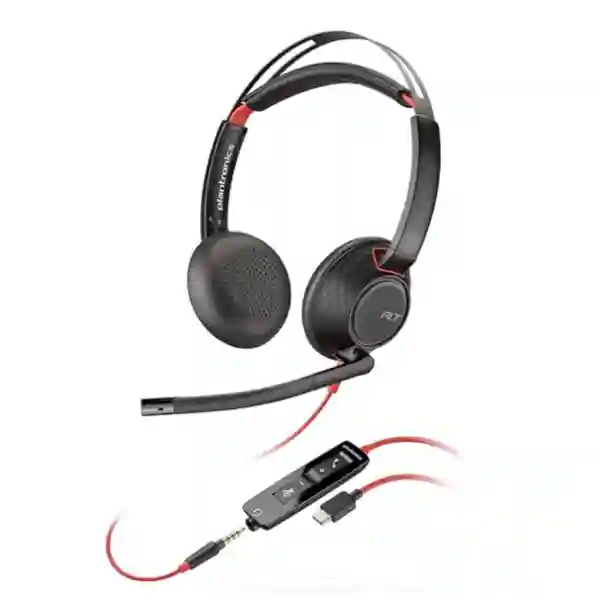
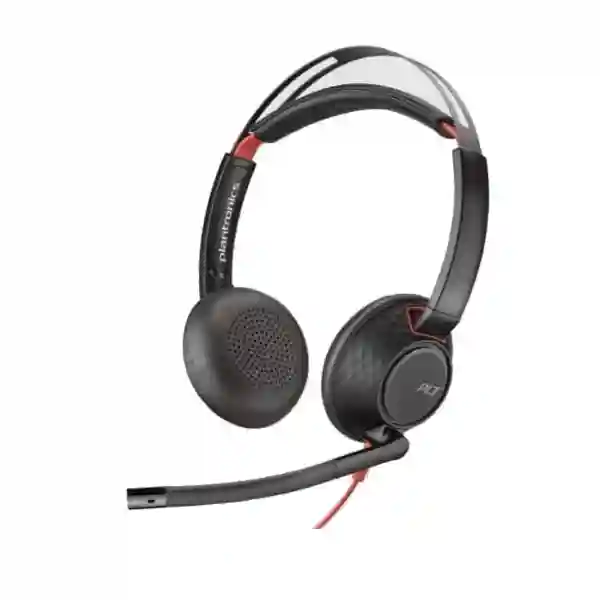
HP Poly Blackwire 5220 Stereo USB-C Headset
A corded, two-ear headset for employees who work through computer calls, video meetings and training sessions. Explore microphone performance, USB connection choices, comfort and the checks that matter before purchasing for a Tanzanian workplace.
At a glance: what buyers should verify
| Wearing style | On-ear stereo: two earpieces |
|---|---|
| Microphone | Noise-cancelling boom; exact performance depends on the environment |
| Connection | Wired USB-C; confirm USB-A adapter and 3.5 mm options in the offered package |
| Core controls | Call answer/end, volume and mute; application behaviour can vary |
| Use cases | Desk-based meetings, support calls, online training and hybrid office work |
| Not the same as | Bluetooth mobility or active noise cancellation at the ears |
| Before ordering | Verify exact manufacturer part number, compatibility, carton contents and quote |
A practical wired headset for a working day
The HP Poly Blackwire 5220 Stereo USB-C Headset is intended for people who spend a substantial part of the working day speaking with colleagues, customers and project teams. Its two-ear, on-ear construction combines computer audio and a boom microphone in one corded device. Rather than depending on charging routines or a wireless pairing process, it gives an employee a familiar wired connection for a desk-based calling setup. The most relevant buying question is whether a reliable stereo USB headset fits the way your team works, not simply whether it has more features on a specification list.
For Tanzania-based procurement teams, the practical attraction is straightforward: one clearly defined headset class can help standardise meetings, online training, support calls and daily communication. The final purchase decision should still consider the actual computer ports, collaboration application, workplace noise, individual comfort and the exact package being quoted. Ask FourTeck Tanzania to confirm the supplied HP part number, included connectors, purchasing terms and suitability before you place an order.
Who should shortlist this model
A stereo on-ear headset makes sense for staff who concentrate on voice calls while also listening to both channels of a presentation, training recording or meeting. Office administrators, help-desk teams, customer-service representatives, finance staff and hybrid workers may all find this arrangement convenient. The 5220 is particularly worth considering where a laptop or desktop remains the main communications device and where users prefer an adjustable boom microphone instead of speaking toward a laptop’s built-in microphones.
It is not automatically the right choice for every role. Supervisors who need to hear colleagues speaking nearby may prefer a single-ear Blackwire 5210 style instead. Staff who walk far from the desk during calls should assess a wireless headset. Workers in particularly loud environments should not confuse the headset’s noise-cancelling microphone with active noise cancellation for their own ears. Choosing by daily behaviour tends to produce a better outcome than purchasing identical hardware for every employee without a trial.
The buying decision in sixty seconds
Start with four checks. First, identify whether the main computer offers USB-C, USB-A or both. Second, determine whether the employee wants both ears covered or one ear free. Third, confirm that the calls are handled through a computer application that recognises the headset as an audio input and output. Fourth, ask the supplier which precise retail or bulk package is available. HP documents a Blackwire 5220 USB-C configuration with a 3.5 mm connection and a USB-C-to-USB-A adapter, but that published configuration should not be substituted for confirmation of FourTeck’s exact carton.
Next, test the headset with the intended meeting or calling application. A short trial should include the person’s normal speaking volume, the background conditions of the actual workplace and several consecutive meetings. These checks reveal more useful information than relying on a general claim of crystal-clear calls. If the trial fits the user’s requirements, the 5220 can become a practical candidate for a defined wired-headset standard.
Stereo listening: what two earpieces change
The Blackwire 5220 is the two-ear member of the Blackwire 5200 family. Both earpieces play audio, which can make recorded training, multimedia material and long conversations easier to follow for users who prefer a balanced listening experience. Its on-ear cushions rest against the ears rather than enclosing them like a large over-ear headset. That distinction matters for comfort and for how much surrounding sound remains audible in a busy office.
Stereo does not guarantee isolation from every nearby conversation. The amount of physical sound reduction depends on the seal of the ear cushions, the wearer and the environment. A user who must stay aware of reception visitors, a colleague or a public counter might intentionally prefer mono. For those whose work is primarily through a computer and who want sound through both ears, the 5220 provides the relevant wearing style without needing a wireless charging station or a separate listening device.
Noise-cancelling microphone for the outgoing voice
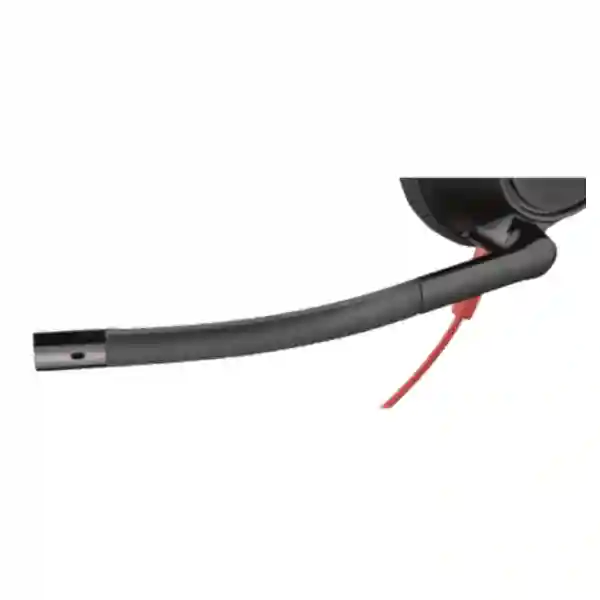
HP specifies a noise-cancelling boom microphone for this product family and the documented USB-C stereo configuration. The purpose is to make speech easier to distinguish from some nearby office sounds when a caller speaks. The boom brings the microphone close to the mouth, which is one reason a dedicated office headset can be a sensible upgrade from a laptop microphone on a desk several centimetres away. HP also describes digital signal processing in the Blackwire 5200 series.
Microphone noise reduction has limits. It will not make a crowded room silent, remove every voice from the background or repair an unstable internet connection. Place the microphone where the manufacturer’s fitting guidance indicates, make a test recording and ask a colleague how natural and intelligible the voice sounds. Check a real meeting rather than only the operating system’s microphone meter. This keeps expectations realistic and gives the buyer evidence relevant to the intended workplace.
Passive comfort is not active noise cancellation
There are two different noise questions when shopping for a business headset: what the other person hears from your microphone, and what you hear from the room around you. The Blackwire 5220 has a specified noise-cancelling microphone. Its cushioned earpieces can also offer a degree of passive isolation as they sit on the ears. Neither claim means that the headset provides the electronic active-noise-cancelling listening experience found on some higher-tier products.
This difference matters in open offices, shared service desks and home-working spaces. If the challenge is speech being picked up by a microphone, assess a recorded microphone test. If the challenge is the wearer struggling to hear a caller over machinery or loud conversations, assess the ear fit and consider whether a different product category is more suitable. Avoid increasing listening volume continually to compensate for a noisy setting; first look at the workspace and headset choice.
Designed for long conversations
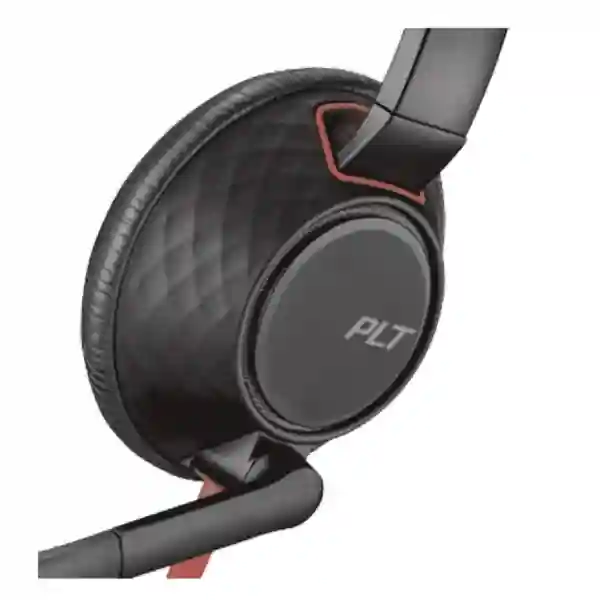
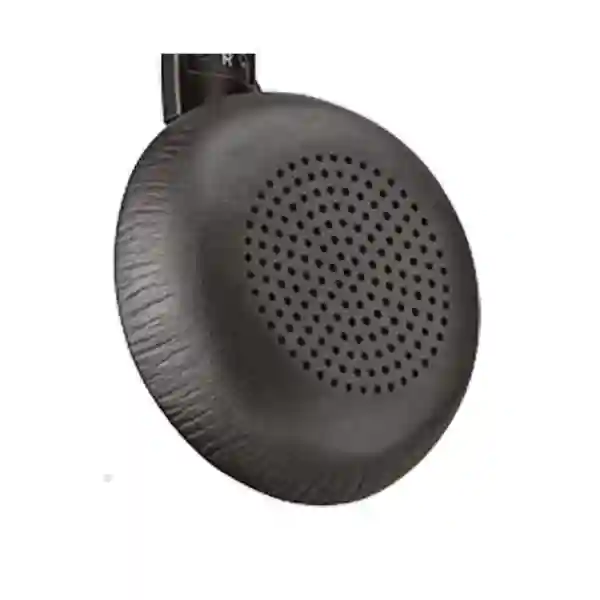
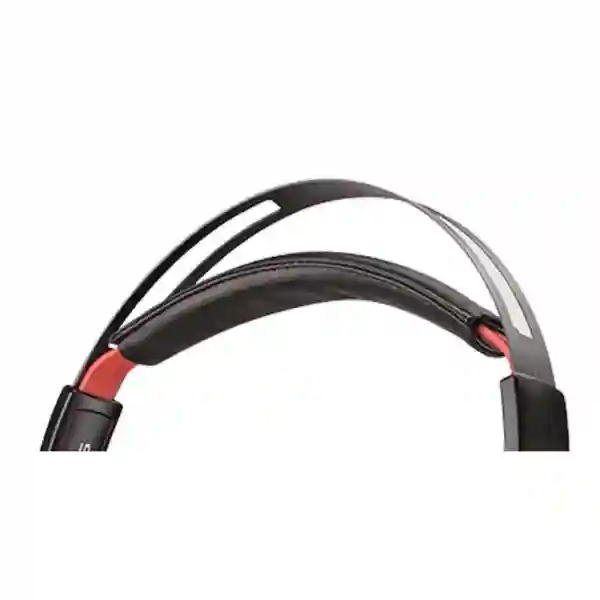
HP describes soft leatherette-surfaced cushions, memory-foam padding and a cushioned metal headband for the Blackwire 5200 design. The result is a headset intended to remain wearable across routine calls and meetings, although comfort is individual. Weight distribution, glasses, hairstyle, head size and skin sensitivity can all influence the experience. For the documented HP USB-C configuration, the published headset weight is approximately 165.2 grams, useful as a specification but not a substitute for trying the fit.
For a team deployment, it is worth having a few different employees wear the headset during a representative work session. Ask whether either ear becomes warm, whether the headband applies pressure, and whether the boom remains positioned after movement. An inexpensive trial can prevent an entire team from receiving the wrong wearing style. Plan basic cleaning and individual fitting guidance for shared workstations, and replace damaged cushions rather than continuing with a poor seal or uncomfortable surface.
USB-C connectivity on modern computers
A USB-C headset is especially relevant to laptops and workstations whose newer ports use the smaller reversible USB-C connector. On a supported computer, the operating system normally presents a USB audio input and output that can be chosen inside the meeting application. The wired arrangement means the person does not have to think about Bluetooth discovery, wireless range or headset charging before joining a call. It still requires a working computer port and the correct device selection.
Do not assume that every USB-C-shaped socket on every device offers exactly the same audio behaviour. Organisational restrictions, docks, thin clients and mobile devices can create exceptions. For a planned roll-out, test one representative example of each computer model and docking arrangement, including connecting through a monitor or dock if that is how employees work. Confirm whether the target package uses USB-C directly and whether the cable length is comfortable for the desk configuration.
Working with older USB-A equipment
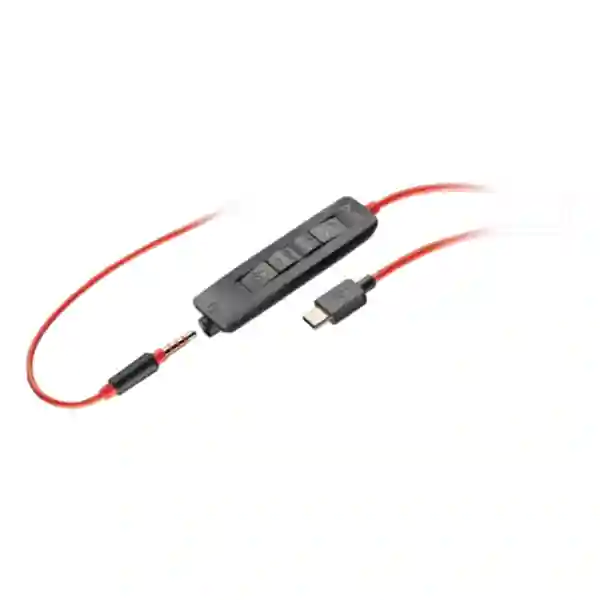
Some offices use a mixture of modern USB-C laptops and older desktop computers with rectangular USB-A ports. HP’s published Blackwire 5220 configuration identified as 8X231AA includes a USB-C-to-USB-A adapter, which can simplify deployment across such equipment. The important qualification is that 8X231AA is a manufacturer product number for one documented package, not a verified SKU for this FourTeck listing. Procurement teams should ask which exact part number is being supplied and check whether the adapter is included.
When an adapter is present, ensure that it is fitted securely and that there is clearance around crowded ports. Avoid assuming that any third-party USB hub or docking station will behave identically in a managed environment. A standard workstation test should cover device detection after reboot, headset selection after unplugging and reconnecting, and continued operation when the laptop is docked. These simple checks reduce avoidable support tickets after the initial purchase.
When the 3.5 mm connection is useful
HP’s documented USB-C Blackwire 5220 package also supports 3.5 mm audio connectivity for compatible tablets and mobile devices. This can be valuable when a staff member occasionally moves from a computer call to a device with a suitable headset jack. The benefit depends on the actual port and the way that device supports microphone input through its audio connector. Many current phones have no built-in 3.5 mm jack, so do not presume immediate compatibility with a particular handset.
The analogue connection is not the same as a USB computer connection. Some inline call-control and software-management behaviours may differ or may not be available when connected through a 3.5 mm port. Check microphone, speaker and call handling on the exact mobile device before specifying this feature for a team. If mobile use is a primary requirement, ask whether a wireless or mobile-first product would better suit the daily workflow. Treat 3.5 mm access as a useful option, not a universal guarantee.
Inline call controls within easy reach
The manufacturer’s specification lists call answer and end, microphone mute, and volume up or down among the Blackwire 5220 inline controls. Having these physical functions along the cable can help a user make small adjustments during a busy meeting without hunting for an on-screen button. In a customer-facing role, an easily accessible mute function is particularly valuable when a short conversation occurs at the desk while a remote call remains connected.
Actual call-control integration varies with the application and connection method. A mute action should always be checked against the microphone status shown by the conferencing platform, especially in an organisation using several softphones. Train users to verify that they are unmuted before speaking and to confirm the expected action after pressing answer or end. The control module is a usability aid, but it does not remove the need for appropriate meeting etiquette or application-level settings.
Voice audio and everyday media
The Blackwire 5220 is primarily a communication headset, yet employees may also use it for training videos, recorded instructions and other work-related media. HP describes Dynamic EQ behaviour for the Blackwire 5200 series, adjusting sound treatment between voice calls and multimedia listening. The published headset specification identifies a 28 mm speaker driver in the documented configuration. These details explain the product’s dual role more usefully than a broad promise of studio-grade audio.
Use realistic expectations. Music enthusiasts, professional audio engineers and users requiring highly isolated monitoring may need a different headset category. For ordinary meetings and online lessons, the test is whether speech remains intelligible at a comfortable volume and whether the audio stays consistent when changing between applications. Check that system notifications do not play unexpectedly loudly during calls, and teach users to manage their computer volume as well as the inline controls.
Working with meeting and calling software
The headset is designed for computer communication, but a product family’s general optimisation for collaboration does not prove that every regional part number has every vendor’s certification. HP publishes compatibility and certification information for specific configurations, while software providers can change their device policies. In a buying process involving Microsoft Teams, Zoom, Google Meet or another application, confirm the exact variant and test the core audio and control functions in the version used by your organisation.
The most practical test is simple: join a meeting, choose the headset as both microphone and speaker, speak at ordinary volume, mute, unmute and leave the meeting. Repeat with the user’s normal docking station or virtual-desktop environment. A headset can provide basic USB audio even if a specialised application button is not integrated with every platform. Avoid treating generic USB audio compatibility as a promise that every software-specific shortcut or certification will apply to the supplied unit.
Home office and hybrid work scenarios
Hybrid work introduces several small but real audio problems: household noise, switching between a meeting application and a call, and using a laptop in different rooms. A wired stereo headset can give the employee a familiar microphone position and listening arrangement each day. The Blackwire 5220 may be attractive when the employee is normally seated during calls and values straightforward connection more than the ability to walk around while talking.
Think about where the cable will go. It should not stretch across a walkway, become trapped in a chair or snag on the edge of a desk. A comfortable setup might use a laptop stand, a separate keyboard and enough cable clearance to let the employee sit naturally. If someone routinely attends calls while moving between rooms, the wire may become a disadvantage. The right headset is the one that fits actual habits, not merely the one that works in a single short demonstration.
Shared desks and rotating staff
Hot-desking creates a different set of requirements from issuing a headset permanently to one employee. Users need to recognise which audio device is connected, adjust the headband quickly and avoid sharing damp or worn ear cushions. A wired USB headset can be easier to account for at a fixed workstation because its connection is visible and it does not depend on pairing credentials or charging stations. However, a shared headset also requires a documented cleaning and storage routine.
For departments with rotating shifts, consider personal headset assignment rather than passing one worn device between users. If sharing cannot be avoided, agree on suitable cleaning methods from the manufacturer’s maintenance guidance, avoid liquid entering the microphone or controls, and inspect pads regularly. Keep the cable untangled and note which workstations use USB-C or USB-A. This planning is less glamorous than a feature list, but it can make the difference between a reliable deployment and repeated avoidable support requests.
Customer-service and help-desk use
For reception back offices, internal IT support, booking teams and customer-service desks, the microphone is often the most important component of the communication setup. A boom microphone positioned near the mouth can be preferable to a laptop microphone exposed to keyboard noise and surrounding movement. The Blackwire 5220 is a reasonable candidate for these seated, computer-based roles where two-ear listening is acceptable and workers need ordinary volume and mute controls close at hand.
It is important to distinguish an office headset from a complete contact-centre system. The headset does not itself provide call distribution, recording, supervisor monitoring, CRM integration or telephony licensing. Those capabilities depend on software and workplace infrastructure. Before buying a large quantity, verify compatibility with the organisation’s actual softphone and run a small pilot with real calls under typical background conditions. For high-noise contact centres or specialist desk-phone systems, compare purpose-designed alternatives rather than assuming one general-purpose model fits all.
Online learning, training and webinars
Students, instructors, trainers and administrative staff may need a headset that handles both listening and speaking during long sessions. The two-ear design gives a balanced listening arrangement for presentations, while the microphone can be positioned consistently during questions. For a trainer, this can be particularly useful when switching between explaining slides, facilitating a group discussion and listening to remote participants. The straightforward wired connection also removes the need to manage a separate headset battery during a scheduled course.
Training organisers should still test the headset with the actual classroom computer, meeting platform and any screen-recording software. Check whether the microphone is being captured in recordings and whether playback goes only to the headset when that is desired. If an instructor needs to hear the physical classroom simultaneously, a single-ear alternative may be more comfortable operationally. The choice should follow teaching requirements rather than assuming stereo is preferable in every learning environment.
Business travel and moving between desks
The Blackwire 5200 design is described by HP as portable and supplied with a carrying case in the documented retail configuration. A corded headset can be useful when an employee works at different desks but still needs a familiar personal audio device. The practical benefits are that there is no pairing history to manage and no wireless battery to recharge. A headset also keeps the microphone at a repeatable position when the person changes workstations.
Portability needs a little care. Coil the cable loosely rather than wrapping it tightly around the earcups, protect the boom from pressure and keep the supplied accessories together. A travelling user should verify laptop port availability and any adapter requirements before leaving the office. If mobile calls while walking are essential, a wireless design is often more appropriate. A case makes transportation easier; it does not turn a desk-oriented wired headset into a mobile hands-free system.
Planning a multi-user purchase
For an organisation purchasing several headsets, start with a device inventory rather than a quantity alone. Record the main laptops and desktops, available USB ports, required calling applications and which roles need mono or stereo. Group users by actual working conditions: quiet office, shared workspace, customer-support desk, mobile supervisor or occasional meeting attendee. The Blackwire 5220 may suit several of these roles, but a mixed order can be more effective than a blanket choice.
Request a quotation that states the exact manufacturer part number, package type, quantities, accessory contents, commercial terms and any support arrangements. Avoid copying an outside retailer’s SKU into a FourTeck product record. Ask which testing or replacement procedure will apply if a unit does not work with the organisation’s managed hardware. This turns a general headset purchase into a defined deployment decision that finance, procurement and IT can evaluate together.
Choosing between 5220 stereo and 5210 mono
The Blackwire 5220 is the stereo option, meaning the wearer uses two earpieces. The Blackwire 5210 is the corresponding mono style for people who want one ear open to the surroundings. The comparison should begin with the employee’s duties. A support agent who listens closely to remote callers may prefer stereo; a receptionist who must greet visitors while monitoring a call may prefer mono. Neither choice is universally more professional or more comfortable.
A short side-by-side fit test can be more revealing than a specification comparison. Ask participants to complete their normal tasks, take several calls and describe how aware they remain of nearby conversation. The organisation may decide to offer a default stereo option for dedicated desk calling and a mono alternative for colleagues who need environmental awareness. Confirm the specific connector and pack of whichever model is chosen, because related models and regional bundles can differ.
When to consider a wireless headset instead
A corded device is not a compromise for someone who stays at a computer and values predictable connection. It can be a sensible default for scheduled meetings and stationary call work. The disadvantage becomes clear when the wearer regularly leaves the desk while remaining on a call. In that situation, cable length is a hard physical limit. A Bluetooth or DECT headset designed for the organisation’s communications setup may be worth evaluating.
Wireless alternatives have their own considerations, such as charging, pairing, radio conditions, coverage, charging docks and device management. The question is not which technology is newer; it is whether a real mobility requirement justifies the additional complexity. If the team normally sits in front of a computer for calls, the Blackwire 5220’s wired approach may be a better fit. If free movement is central to the job, shortlisting only wired USB devices would miss the requirement.
What SoundGuard Digital means for evaluation
HP lists SoundGuard Digital as the acoustic protection technology for the documented Blackwire 5220 configuration. This is relevant to organisations that want to understand how a headset addresses unexpected high-level audio and listening exposure. However, protective features have specific operating conditions and software requirements; they should not be described as making prolonged loud listening harmless. HP’s technical notes identify Poly Lens Desktop App requirements for enabling certain SoundGuard Digital functions.
During a pilot, IT should check the current official Poly Lens guidance for the exact device, supported operating system and policy configuration. Users should maintain comfortable volume settings and report sudden spikes, uncomfortable listening levels or persistent distortion. Employers with specialised occupational audio requirements should evaluate their complete work environment and applicable policies rather than relying on the presence of one named feature on the product label.
Poly Lens and device management
HP identifies Poly Lens as a management and personalisation application for supported Poly devices. For an individual user, such software may assist with settings, updates or other supported device features. For a managed organisation, an IT team may want a consistent approach to headset configuration and software maintenance. The degree of functionality available depends on the exact headset, application version, operating system and deployment method.
Do not assume that an app is required for basic USB audio or that every administration feature is included for every license or device. Before standardising the Blackwire 5220, verify which settings are relevant to your organisation, whether software installation is permitted by IT policy and whether device firmware changes must be tested centrally. A pilot should include at least one computer with the same endpoint security and restrictions used in production. Documentation and change management matter as much as the hardware itself.
Set up on a Windows workstation
Connect the headset to a supported USB-C port, or use the verified supplied USB-A adapter where appropriate. Allow Windows to recognise the connected audio device, then select it as the intended input and output within the operating system and conferencing software. Conduct a short microphone test, check playback at a comfortable level and verify that the inline mute control behaves as expected in the selected application. If a laptop’s built-in microphone remains selected, callers may hear the room even though the user hears sound through the headset.
On managed machines, changes to default devices can be controlled by IT policies. Check what happens after moving the laptop between a dock and a direct USB connection. For employees who use more than one conferencing application, confirm the selection in each application separately. The product should be evaluated against the versions of Windows and the call software that the business actually uses, rather than assuming identical behaviour across every computer and update state.
Set up on a Mac workstation
For a compatible Mac, connect through an appropriate USB port and choose the headset in macOS sound input and output settings. Open the meeting application and separately check its device selection, because a software application may retain a previous microphone or speaker choice. Test a call with a colleague to confirm volume, speech clarity and mute behaviour. If the computer connects through a dock or adapter, include that route in the test instead of validating only a direct connection.
When a Mac is used for recordings, webinars or screen-sharing sessions, remember that different applications may manage input and output independently. A microphone that works in a call may not automatically be selected for a recording tool. Keep operating-system permissions and organisational security settings in mind. Where Poly Lens functions are needed, verify their present support on the organisation’s Mac configuration before promising a managed feature. These steps support a repeatable experience rather than relying on automatic device switching.
Fixing common microphone problems
If colleagues cannot hear the user, first check physical mute, then the meeting application’s microphone selection and finally the operating system’s input setting. Confirm that the microphone boom is close enough to the mouth and that it has not been moved away while putting on the headset. On some systems, another application can hold an unexpected audio setting or a dock may not have reconnected correctly. Disconnecting and reconnecting the supported USB connection may help identify a port or detection issue.
If speech sounds weak, distorted or unusually noisy, test at a natural speaking level in a quiet location before assuming a hardware defect. Compare recordings from two different apps where possible. If the headset works on one computer but not another, investigate permissions, software settings or the USB path. Avoid making broad promises that microphone noise cancelling will eliminate every environmental problem. Consistent diagnostic steps save time for both the end user and the IT support team.
Troubleshooting playback and call controls
When audio plays from the laptop speakers rather than the headset, the device is often connected physically but not selected as the active output. Check operating-system audio settings, then confirm the chosen speakers in the meeting application. If the volume is low, inspect both the computer settings and headset controls. When a USB dock is involved, test a direct connection to isolate the issue. A damaged cable, incompatible accessory or restricted USB port can also affect operation.
If an answer or end button does not control a particular softphone, that does not necessarily mean the microphone or speakers are faulty. Test basic audio separately from application-specific call-control integration. Some functions depend on the platform, connector path and software configuration. Document the result for the selected company applications so users understand which physical buttons work and which actions should be performed inside the application window. This is especially helpful in training new employees.
Comfort, cleaning and responsible handling
A well-fitted headset should sit securely without creating an uncomfortable clamp or requiring the wearer to turn the microphone boom into an awkward position. Encourage users to adjust the headband before their first call and take appropriate breaks during extended periods of listening. Leatherette-surfaced ear cushions are convenient, but they still require care. Follow the manufacturer’s cleaning guidance and avoid soaking the earcups, cable connector or control module with liquid.
Regular visual inspection is worthwhile in shared or high-use offices. Look for split cushions, a frayed cable, loose connectors or a boom that no longer holds its position. Store the headset in a protected location and keep cables away from chairs and floor traffic. Where several employees use the same workstation, hygienic allocation and replacement of worn consumables should form part of the equipment plan. Good handling can support a more consistent user experience, although it does not replace the manufacturer’s warranty terms.
Understanding the specifications that matter
HP documents the USB-C stereo Blackwire 5220 configuration with a noise-cancelling microphone, 28 mm speakers, a 32-ohm impedance and 280-degree boom rotation. The published microphone bandwidth is 100 Hz to 10 kHz and the speaker bandwidth is 20 Hz to 20 kHz. HP also lists a total cable length of about 217 cm for the configuration reviewed. These are concrete reference points, but specification figures alone cannot establish perceived speech quality or long-term comfort for every user.
Buyers should put more weight on relevant fit than on comparing isolated numbers. A longer cable is only useful if it suits desk placement; a stated frequency range does not confirm compatibility with a call platform; and a microphone specification does not substitute for testing background noise. Confirm the exact supplied manufacturer part number when comparing quotations because product packaging and variants can change. This ensures that like-for-like offers are actually being compared.
What comes in the documented retail package
HP’s published product information for a Blackwire 5220 USB-C package identified as 8X231AA lists the headset, a carrying case, a quick-start guide, a warranty card and a USB-C-to-USB-A adapter. The product is also described as supporting a 3.5 mm audio connection. This is useful reference information for a prospective buyer, but the user-supplied product name does not identify the exact FourTeck retail SKU, so the contents of the offered carton must be confirmed independently before purchase.
There may be regional or bulk packaging differences for commercial orders. Ask whether the quote describes a retail pack or a bulk unit, and confirm included accessories in writing. If the business requires the adapter for older laptops, make that an explicit purchase requirement rather than an assumption. The manufacturer’s product number is not interchangeable with a store-specific SKU. Record both identifiers separately if the confirmed quotation provides them, and avoid copying either from an unrelated seller’s catalogue.
Testing before a business-wide rollout
A short user acceptance test should involve the same hardware and software that staff use every day. Recruit representatives from different roles, computer models and office environments. Ask each participant to connect the headset, choose the correct audio input and output, make a normal meeting call, operate mute and volume controls, and speak while typical workplace noise is present. If appropriate, include a recorded training session and a docking-station reconnection test.
Capture feedback in plain language: Was speech easy to understand? Was the microphone near the mouth without obstructing work? Did the cushions remain comfortable? Was the cable awkward? Did the expected call buttons work in the organisation’s application? Record any exceptions by workstation and software version. A pilot is not a certification exercise, but it can reveal a deployment mismatch before dozens of people are affected. It is a worthwhile step for schools, offices, support centres and other multi-user buyers.
Tanzania purchasing and quotation guidance
For a Tanzanian business considering the HP Poly Blackwire 5220 Stereo USB-C Headset, the immediate commercial step is to request a quotation for the exact connector and package required. A useful enquiry states the expected quantity, the computer models, the main communication software and whether staff are located at fixed desks or move around. Ask for the final manufacturer part number, contents and any applicable commercial terms so that the proposed order can be compared accurately.
This page does not state a Tanzanian shilling price, current stock position, shipping timeline, import status or local service commitment because those details have not been verified for the target listing. Do not infer them from another country’s online store. The same caution applies to warranty handling: HP documents a standard manufacturer warranty for a reference product, but local purchase and support arrangements should be confirmed in the quotation. This keeps the decision based on current facts rather than assumptions.
Selecting a headset for a growing organisation
As a company adds staff, a headset standard can reduce variation between workstations and simplify basic user training. A suitable standard usually identifies the preferred form factor, ports, supported calling applications, storage instructions and an alternative for people who need a different wearing style. The Blackwire 5220 may be a sensible stereo candidate within such a standard, especially where computers provide compatible USB connectivity and staff spend long periods in online communication.
Avoid assuming that one headset should serve every team indefinitely. New computers may change port availability, remote workers may have different needs and software updates can affect call controls. Review user feedback after the first deployment and document any recurring issues. Plan for spare accessories only after confirming the part and compatibility. A clear product selection policy gives procurement a better basis for repeat orders and gives IT a more predictable support environment.
Responsible expectations for quality and reliability
No headset can compensate fully for a failing internet connection, an overloaded computer, incorrectly configured software or a very noisy workspace. The Blackwire 5220 can improve the physical microphone position and provide a dedicated wired listening arrangement, but call quality still depends on the complete communications chain. For critical operations, review connectivity, application configuration, user training and environmental conditions together with the headset choice.
Similarly, product durability should not be treated as a guarantee of a particular lifespan. A cushioned metal headband and a commercial design are useful construction details, but actual service life depends on handling, storage and usage. Encourage users to report early signs of damage and protect the cable from strain. Procurement teams should request clear warranty and support information for the offered unit rather than relying on a general marketing description or an assumption from another market.
How to brief FourTeck for an accurate recommendation
The fastest route to the right quotation is a concise technical brief. Describe the headset as a stereo wired on-ear model for computer calls, specify the required USB-C connection, mention whether USB-A compatibility or 3.5 mm use is essential, and provide the number of staff who will use it. If the organisation has a standard application such as Microsoft Teams or Zoom, include that requirement and ask for confirmation of the exact proposed variant’s functions.
It is also useful to mention whether users wear glasses, spend several hours on calls or need to hear colleagues beside them. Those factors may point to a trial or a mono alternative. Request the actual HP part number and a written list of the contents included in the quote. With those details, the buyer can evaluate price and deployment fit without confusing the headset family name, manufacturer’s package identifier and the store’s own SKU.
Final fit check and next step
The strongest reason to consider this model is its combination of two-ear listening, a dedicated noise-cancelling boom microphone and a wired computer connection suited to seated communication work. It is not a wireless headset, and its microphone noise cancelling should not be mistaken for active noise cancellation at the ears. The documented HP configuration includes useful connectivity options, but the supplied bundle still requires confirmation before an order is finalised.
Ask FourTeck Tanzania for the current quote and exact specification of the HP Poly Blackwire 5220 Stereo USB-C Headset. Share your computer ports, calling platform, expected quantity and preferred wearing style. A short compatibility and comfort test, followed by clear confirmation of the part number and commercial terms, is the most practical way to decide whether this is the right headset for your users.
Frequently asked questions about the Blackwire 5220
Is the Blackwire 5220 a wired or wireless headset?
It is a wired headset designed for use with compatible devices. It is not a Bluetooth model and does not need to be charged like a wireless headset. Its wired design suits desk-based communication, although people who need to move around while speaking may prefer another style.
Does it have two earpieces?
Yes. The 5220 is a stereo, on-ear model with two earpieces. If a user needs one ear open to hear the room or visitors, compare a mono Blackwire 5210 configuration before ordering. Comfort and environmental awareness should be tested in the real workplace.
Will it work with a USB-C laptop?
HP documents USB-C computer connectivity for the product configuration reviewed. Confirm that the laptop and operating system support the headset, then select it as the microphone and speaker in the calling application. Test docking stations and managed devices before a multi-unit rollout.
Can it connect to a computer with USB-A only?
HP’s documented 8X231AA retail configuration includes a USB-C-to-USB-A adapter. That does not establish which accessories are included in every package offered by a reseller. Ask FourTeck to confirm the exact part number and adapter contents of the quoted unit.
Does it also have 3.5 mm audio connectivity?
HP describes a 3.5 mm connection on the reviewed USB-C Blackwire 5220 configuration for compatible mobile or tablet devices. Confirm the physical jack and microphone support on the intended device. Do not assume that every phone has a suitable port or that USB inline controls behave identically through analogue audio.
Does the headset cancel background noise for the wearer?
The documented model has a noise-cancelling microphone intended to help the transmitted voice. Its ear cushions offer passive sound isolation to a degree, but it should not be presented as having active noise cancellation for listening. For a very noisy office, conduct a real-world test.
Is it suitable for Microsoft Teams or Zoom meetings?
The headset is designed for computer communication, but the exact certification and call-control behaviour depend on the variant and software environment. Confirm the quoted HP part number and run a short test in the organisation’s current version of its meeting or softphone application.
Can I mute the microphone from the cable?
HP lists mute among the inline user controls, together with call answer/end and volume adjustments. Test the mute action in the actual conferencing application, since software and connection types can affect integration. Always verify the visible mute indicator before discussing sensitive information.
Is the headset comfortable for long meetings?
HP describes cushioned leatherette-surfaced earpieces and an adjustable headband, intended for extended office use. Comfort varies by wearer, glasses and fitting preference. A representative user trial is recommended for employees who spend many hours on calls, particularly before ordering in volume.
Does it need a battery or charging dock?
The Blackwire 5220 is a corded audio headset rather than a rechargeable wireless model. It does not have a wireless charging routine. The main operational requirements are a compatible connection, correctly selected audio devices and appropriate application settings.
Can a mobile phone use the headset?
Mobile compatibility depends on the exact model, connector and phone. HP lists 3.5 mm mobile or tablet use for the documented configuration, but modern phones often need additional interface hardware or may not support a given accessory. Test the actual phone and ask which package is being quoted.
What comes inside the box?
HP lists a carrying case, headset, guide, warranty card and USB-C-to-USB-A adapter for one documented retail configuration. Bulk and regional packages may vary. Since the target store’s exact SKU has not been provided, FourTeck should confirm the contents of its offered package in writing.
Can an IT team use Poly Lens?
HP identifies Poly Lens for supported Poly device settings and management. Feature availability, software support and configuration requirements can vary. IT should consult current manufacturer documentation for the exact device, then pilot the intended functions under the organisation’s endpoint security policies.
What is the difference between Blackwire 5210 and 5220?
The key wearing-style distinction is mono versus stereo: the 5210 leaves one ear free, while the 5220 covers both ears. Which is more suitable depends on whether the user needs to monitor the surrounding room. Confirm the full model and connector package before comparing quotations.
Is a price in Tanzanian shillings available here?
No verified price for this exact Tanzania listing was supplied. Ask FourTeck Tanzania for an up-to-date quotation that identifies the manufacturer part number, accessories, taxes where applicable, quantity and commercial terms. Prices from foreign stores should not be treated as local prices.
Should we buy the same headset for every staff member?
Not necessarily. Map users by computer ports, work location, communication software, mobility and preference for one or two earpieces. A small pilot can establish which roles suit the Blackwire 5220 and where a mono, wireless or specialised alternative may be a better choice.
How can I confirm the exact part number?
Ask for the manufacturer product number and a description of the included cable and adapter. HP identifies 8X231AA as one documented Blackwire 5220 USB-C configuration, but this is not a verified FourTeck listing SKU. Keep manufacturer identifiers and store inventory identifiers distinct.
Will a headset improve a poor internet connection?
No. A dedicated microphone can help capture speech at a more consistent position, but a headset cannot resolve bandwidth, latency, packet loss or application failures. Diagnose the network, computer and call platform separately when users report broken audio or dropped meetings.
How should shared office headsets be maintained?
Use the manufacturer’s cleaning and handling guidance, keep moisture away from electronic parts, inspect ear cushions and cables, and store devices safely. For frequent shared use, consider individual headset assignments or a planned hygiene and accessory replacement process.
What should I tell FourTeck when requesting a quote?
Provide the number of units, the main laptops or desktops, the required USB connector, any USB-A or 3.5 mm requirement, the calling platform and the preferred stereo wearing style. Ask for the exact package contents and current commercial conditions before approval.
Request an HP Poly Blackwire 5220 quote
Tell FourTeck Tanzania your quantity, computer ports, preferred stereo wearing style and communication software. Request written confirmation of the exact HP part number, included connectors, package contents and current purchasing terms. A suitable trial is recommended for business-wide deployment.
Next step: Contact FourTeck Tanzania for a product-specific quotation and compatibility review.




Reviews
There are no reviews yet.