
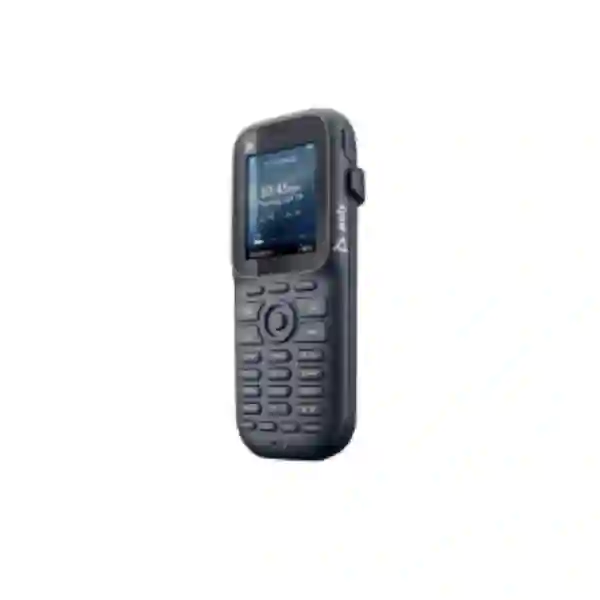
HP Poly Rove B1 DECT Base Station
A single-cell IP DECT base station for teams that need to answer business calls while moving around a defined workplace.
Supports up to 10 registered Poly Rove handsets and 10 SIP registrations; call capacity depends on codec and configuration. Request a configuration review before purchase.
What the Poly Rove B1 actually does
The HP Poly Rove B1 DECT Base Station is the network-connected radio base for compatible Poly Rove cordless IP handsets. It links a business voice service using SIP with the DECT radio connection used by employees carrying handsets. The practical benefit is straightforward: a receptionist, stockroom supervisor, clinician, facilities worker or retail colleague can continue handling assigned calls without remaining beside a desk telephone. The base station is not itself the cordless handset, an internet subscription or a complete telephone system. Those elements need to be planned separately.
This is a single-cell product. One B1 establishes the DECT cell, while compatible Rove R8 repeaters can be used to extend the signal into suitable adjoining areas. HP lists up to 10 registered handsets and 10 SIP registrations for B1. It also identifies up to 10 concurrent narrowband calls or five wideband calls in specified conditions. Those figures describe different operating dimensions: registrations do not guarantee ten simultaneous HD calls, and a repeater does not turn the B1 into a multi-base system.
For buyers in Tanzania, the useful first question is not simply whether a wireless phone is desirable. It is whether one well-positioned cell has enough radio reach and simultaneous-call capacity for the site, and whether the existing PBX or hosted SIP service can provision the intended users. The most sensible next step is to review the floor plan, handset quantity, busy-hour call load, network access and support requirements together before deciding on the base and accessories.
Verified B1 specifications at a glance
| Item | What to plan around |
|---|---|
| Product | HP Poly Rove B1 DECT Base Station; single-cell cordless IP voice base |
| Handsets | Up to 10 registered compatible Poly Rove handsets per B1 |
| SIP registrations | Up to 10 |
| Simultaneous calls | Up to 10 narrowband or up to 5 wideband, subject to codec and deployed features |
| DECT expansion | Up to 3 compatible Poly Rove R8 repeaters |
| Compatible handsets | Poly Rove 20, Rove 30 and Rove 40 |
| Radio range | HP documents maximum figures up to approximately 50 m indoors and 300 m outdoors under favorable conditions; survey the actual site |
| Deployment architecture | One B1 base station per B1 system; not a B1 multi-base roaming cluster |
| Management | Local device configuration plus Poly device-management capabilities subject to service setup |
| Purchase scope | Confirm whether the offer is the B1 unit alone or a named handset-and-base bundle; verify power accessories and regional variant |
Understand the three parts of a working cordless IP phone system
A functioning Rove installation has three distinct layers. At the user end are the cordless handsets, chosen for the people who will carry them. In the middle is the B1 base station, which makes the radio link, controls handset registration and participates in the voice service. At the network end is an IP voice platform, such as a compatible SIP-based business PBX or hosted calling service. Each layer needs configuration and each can introduce a different problem if it is omitted from the buying decision.
The Ethernet network carries signalling and voice packets between the base and the business phone service. The DECT radio connection carries calls between the base and registered handsets. This matters because Wi-Fi coverage and DECT coverage are not interchangeable measurements. A handset may have a good DECT signal while the network uplink or SIP service is unavailable, or the network may be healthy while the radio path is blocked by walls and metal racks. Troubleshooting should identify which layer is failing before equipment is replaced.
A practical small deployment might use one B1 near the working area, several Rove 20 handsets for ordinary staff and a Rove 30 or 40 where environmental protection or additional user controls make sense. The voice server then assigns the appropriate extensions and call handling. This is an illustrative architecture rather than a packaged offer. Buyers should confirm every handset, cradle, cable, power component and service entitlement on their quotation instead of assuming that a base-station product name includes them.
Who should consider this base station?
The B1 is suited to organisations where staff move frequently but remain within a manageable single-cell radio environment. Consider a small retail floor with a separate stock area, a clinic reception and nearby workrooms, a compact warehouse, a small hotel service office or a business facility where an employee needs to answer the same extension at different points in a shift. The value is mobility within the premises, without relying on a conventional desk telephone at every work position.
It is especially useful when the current telephone workflow causes missed calls or unnecessary trips to a fixed desk. For example, a store assistant checking inventory can remain reachable, while a maintenance colleague moving between nearby rooms can take a call without returning to reception. Teams with rotating shifts can also think through shared-user or assigned-user handset arrangements, subject to what their voice platform supports. These use cases do not imply that the B1 includes a dispatch system, business messaging or staff-location services.
The limitations are equally important. The B1 is not an appropriate starting choice when the design requires multiple synchronised base stations, unlimited roaming across separate buildings or substantially more than ten active handheld devices. A physically small site can still be a poor fit if structural shielding creates radio dead zones or the call profile requires more simultaneous wideband capacity. Buying by staff headcount or floor area alone misses these issues; a basic requirements review is more reliable.
Separate handset count from simultaneous calling demand
Capacity discussions are often confusing because a business may have ten people carrying handsets but only two or three people talking at the same time. Handset registration is one number, SIP line or registration count is another, and concurrent audio sessions are a third. HP states that the Rove B1 supports up to ten handsets and ten SIP registrations. It also lists up to ten narrowband and five wideband simultaneous calls for the single-cell B1. Codec choices and enabled features can change actual usable capacity.
Start with the busiest realistic fifteen-minute period. Count who may be on an inbound customer call, who may call a colleague, who receives transferred calls and who needs to answer at the same time. A ten-handset deployment with a low call load can have a very different experience from a five-handset deployment in which every person is routinely talking. If several staff need HD wideband audio at once, do not apply the narrowband maximum to that requirement. Discuss the supported codec configuration with the SIP service administrator.
Also allow for features that use call or radio resources. HP’s administrator guidance notes that the push-to-talk function can affect the number of concurrent calls with certain codecs. Repeaters also have their own audio-channel limits. Therefore, the correct capacity design should consider where calls are made, which codec will be negotiated, whether push-to-talk is enabled and whether repeater-connected users may be calling together. The design target should include headroom for ordinary busy periods rather than exactly matching a theoretical maximum.
DECT coverage: why a site survey matters
HP documentation describes favorable maximum wireless reach on the order of 50 metres indoors and 300 metres outdoors for Poly Rove operation. These are not a promise that a signal will pass through every wall or reach every point at that distance. Building geometry, metal shelving, concrete reinforcement, machinery, doors, windows, floor transitions and nearby radio conditions all affect the result. In a warehouse, radio behaviour can change when storage racks become full; in a clinic, closed doors and interior partitions can make the next room more difficult than expected.
Draw a simple map of the actual staff walking routes and mark where calls must work. The most important places are often the receiving desk, storeroom, stock-picking aisle, service corridor, customer-facing counter and the position where staff pass between work zones. Test not only whether the handset shows signal bars, but whether a continuous conversation stays intelligible while the employee moves. Repeat testing with doors open and closed, during normal working activity, and at the furthest expected call locations.
Do not translate an advertised maximum range into an automatic radius or coverage area. A base placed at the far edge of the site can waste much of its reach outside the useful workspace. A higher central location may improve continuity, but the final position must also be practical for power, Ethernet connectivity and access for support. If coverage is marginal, evaluate a Rove R8 repeater in a proven overlap area. If the desired working zone truly requires more than one coordinated base, examine a different Rove base architecture.
Choose the base-station location deliberately
Positioning is part of system design, not a cosmetic final step. The B1 supports a stand or wall mounting arrangement, so a deployment can choose an accessible location that aligns with staff movements and existing network access. Keep the unit clear of obvious shielding objects when feasible, and make sure it can be serviced without disrupting daily operations. A cabinet that is convenient for an IT switch may not be a good radio location, especially if the cabinet or room contains a substantial amount of metal.
The best place is often a compromise between radio coverage, cable routing and secure access. Consider a position with a stable network path to the business voice platform and a reliable approved power source. Confirm the applicable power arrangement and any required adapter or network power equipment for the exact regional unit being purchased. Do not assume that a particular power accessory is included simply because it appears in a separate handset-and-base kit. Verify the bill of materials and local electrical suitability before installation.
After mounting, test the full working route with the specific handset models intended for staff. Record weak points and note what changed when the base was moved. If a site expands after commissioning, retain these notes for future planning instead of beginning a second survey from scratch. This small documentation step is particularly useful when furniture, partitions or warehouse rack layouts are later altered. It also helps operations teams distinguish a newly introduced environmental obstruction from a network or account issue.
Extending reach with Rove R8 repeaters
The Poly Rove R8 is the relevant extender in the Rove ecosystem, and HP identifies support for up to three R8 repeaters with the B1. A repeater receives and relays the DECT radio connection so that handsets can operate beyond the most reliable direct reach of the base. This can be useful for an adjacent workroom, a longer corridor or a nearby area where base placement alone does not provide adequate service. The repeater must be positioned with a workable connection back toward the base or supported repeater chain.
A repeater primarily addresses reach rather than the entire system’s user or call capacity. It does not raise the B1 registration limit beyond ten handsets or convert the B1 into a coordinated multi-base system. HP also documents separate concurrent-call constraints on repeaters. For a site where several employees all make calls from a remote zone at once, those limits deserve special consideration. It is possible to have a strong-looking radio path that still does not match the desired busy-hour call behaviour.
Before ordering repeaters, test whether a small change in the B1 location solves the problem. If not, identify the minimum number of repeaters needed to provide continuous usable signal and suitable capacity at the difficult points. The installation plan should state the expected call routes, any cascade design, power locations and how a staff member will test the handoff in practice. Repeater quantity should follow a coverage assessment, not a generic assumption that every additional room needs its own device.
SIP PBX and hosted voice integration checks
The Rove B1 is part of a SIP-based IP telephony solution. That does not mean every feature on every PBX, cloud service or operator account is automatically supported. Before purchase, ask the voice provider or system administrator for the provisioning method, authentication requirements, supported transport and codec settings, registration limits and any device-specific compatibility guidance. Confirm that the service can assign the needed users or extensions and that calling works in both directions under the intended network configuration.
For a business already using desk IP phones, the question is how the cordless endpoints should participate in the existing call plan. A warehouse supervisor might need a direct extension, while store assistants might answer a ring group or receive transfers from reception. Those behaviours are generally defined by the business telephone service and its configuration, not solely by the radio base. Ask the provider to test hold, transfer, caller identification, voicemail access and any required key functions. Document the results rather than relying on a generic SIP label.
Where a cloud calling platform is involved, review its specific Rove support statement and current firmware requirements. Product-family marketing can identify platform relationships, but the exact supported model, management method and feature set may vary. Be especially careful with claims involving Microsoft Teams, Zoom or another collaboration platform: the pathway or gateway may matter, and an endpoint that handles SIP calls is not necessarily a native client for every feature. Obtain written confirmation for essential integrations before basing an operational process on them.
Ethernet, power and network readiness
The base station needs a dependable connection to the IP network serving the telephone platform. Identify the intended Ethernet port, network addressing method, DNS and routing requirements and any traffic restrictions before installation. Where a dedicated voice VLAN is used, make sure its configuration matches the deployment plan. The phone service may be hosted remotely or on local infrastructure; either arrangement needs a stable packet path to support call signalling and audio. A functioning data port alone does not establish full voice readiness.
Talk quality can deteriorate when the link drops packets, experiences variable latency or competes with heavy data traffic. Ask the network administrator whether traffic prioritisation, switch port policies or firewall rules are required by the chosen service. Avoid blindly opening broad network access or copying settings from an unrelated PBX. Establish a baseline call test during ordinary activity and repeat it during busier periods. If voice performance changes only during large uploads or network congestion, investigate the network as well as the DECT radio layer.
Reliable power is also part of the design. Verify the exact B1 variant’s supported powering method and included components, and decide whether critical voice equipment should be connected to a suitable backup-power arrangement. Consider the network switch, router, on-premises PBX where applicable and internet equipment, not just the base itself. A handset with a charged battery cannot place a business call through a base or network device that has no power. Confirm any local mains adapter requirements and installation safety details for the specific purchased pack.
Security is more than a wireless encryption claim
HP promotes secure DECT communication within the Rove family. That is an important component of a business voice system, but it should not be confused with a complete organisational security policy. The full call path also includes handset registration, access to the base administration interface, SIP credentials, the IP network, the voice platform and any remote management service. Security planning should assign responsibility for each of these points. A secure radio path cannot compensate for an exposed administrator password or unattended access to the voice service.
During commissioning, change default administrative credentials in accordance with current HP guidance, limit management access to authorised personnel and use a supported secure signalling and media configuration where it is available and compatible with the chosen voice platform. Track software versions, supported updates and relevant vendor advisories. Where phones are moved between employees, define how devices are issued, recovered and de-registered. Make staff aware that a lost handset should be reported promptly so IT can assess its account and registration state.
Ask the service provider to explain where configuration and call records are stored, what account-level protections apply and whether any device-management service is part of the contracted offer. These considerations matter in environments handling confidential business or patient-related communications. Do not advertise a particular encryption setup, data-residency location, certification or guaranteed protection unless it has been verified for the actual deployment. Treat the Rove security features as useful building blocks inside a broader, managed voice environment.
Voice quality and the meaning of narrowband and wideband
Audio quality is one of the reasons businesses investigate a dedicated cordless voice system, but it should be evaluated on the working network with the chosen handsets and telephone platform. Narrowband and wideband describe different classes of audio bandwidth and can carry different resource demands. HP documents ten concurrent narrowband calls but five concurrent wideband calls for the B1 in its single-cell overview. A purchaser who expects every handset to conduct an HD audio conversation simultaneously should plan against the wideband figure, not the headline ten-call number.
The audio codec selected for a call depends on the devices, service settings and negotiation between endpoints. Consequently, a useful pre-purchase test includes an internal call, an external inbound call, an external outbound call and any transferred-call scenario that the team regularly uses. Listen from the farthest planned operating area while another user is calling. If problems occur, distinguish between radio signal loss, overloaded network conditions, platform restrictions and the limits of the configured codec or repeater route.
Also account for ordinary workplace noise. A warehouse operator may need an appropriate headset, a rugged handset or a quiet spot to take a customer call. An employee at a reception counter may prioritise straightforward call controls and charging convenience. The base station provides the common infrastructure, while comfort, user controls and environmental durability depend on the handset model. Selecting handsets alongside the base therefore improves the final result more than buying the maximum number of identical units without considering each role.
Choosing among Rove 20, Rove 30 and Rove 40 handsets
The Rove B1 works with Poly Rove 20, 30 and 40 handsets, enabling a team to select endpoints by job rather than forcing one handset model on everyone. HP positions the Rove 20 as an accessible option for general workplace calling. It is a sensible candidate for office reception, administration, stock control and other indoor roles where straightforward cordless voice access matters most. Evaluate its controls and charging workflow with the intended user before deploying it throughout an organisation.
The Rove 30 and Rove 40 occupy the more rugged part of the family. HP describes IP65 dust and water protection and impact-related protection for the ruggedised models; those are handset characteristics, not a durability claim about the B1 base station. An employee moving through workshop areas, stock aisles or other demanding settings may find them more appropriate than a standard handset. Even with a rated handset, workplace procedures and accessory selection remain important. The protection label does not mean a device is immune to all damage or misuse.
The Rove 40 also offers additional user-oriented capabilities, including Bluetooth headset connectivity and a dedicated emergency key as described by HP. Buyers should establish how such controls work within their phone service and internal response procedures rather than assuming any emergency workflow is automatically provisioned. Confirm the exact handset features, chargers, headsets and spare batteries required for each position. A mixed fleet can be operationally practical, provided that the voice platform, numbering plan and support team are prepared to administer it.
B1 versus B2 versus B4: choose the architecture early
The main difference between Rove base models is not just an increase in the headline handset count. HP positions B1 as a single-cell option, B2 for single- or dual-cell deployments and B4 for multi-cell environments. If the workplace is compact and the expected radio path is manageable, the B1 can be a clean, focused solution. If the brief already includes multiple floors, several distant coverage zones or a future need for coordinated base-station expansion, a different architecture should be considered from the start.
The B2 expands design options by supporting a two-base arrangement and more registered handsets, according to HP’s model comparison. The B4 addresses larger multi-cell designs that require specialised planning. Those alternatives introduce their own requirements, constraints and cost considerations; they should not be treated as interchangeable accessories to a B1 installation. HP notes that base-station pairing is model-specific. Purchasing a second B1 as if it would form a seamless two-base cluster is not the same as selecting a supported B2 dual-cell configuration.
Choose based on the operational problem: how many devices must register, how many conversations must happen at once, how much continuous walking coverage is required and how much expansion is likely. A site may be small but have high call concurrency, or large but need only occasional calls. Comparing these independently helps avoid overspending on complexity or underbuying an installation that will immediately need redesign. Ask for a proposed topology rather than only a product quantity list.
Planning comparison across the Rove base family
| Model | Architecture | Practical buying question |
|---|---|---|
| Rove B1 | Single cell; up to 10 registered handsets | Is one base with optional compatible repeaters sufficient? |
| Rove B2 | Single or dual cell; up to 20 handsets supported by the model | Will a two-base design or greater handset allowance be necessary? |
| Rove B4 | Multi-cell architecture for larger deployment designs | Does the site need coordinated coverage and system growth beyond smaller base models? |
What a Tanzania buyer should verify before placing an order
For a Tanzania deployment, begin with business suitability and exact product identification. Ask the supplier to state whether the quotation covers a standalone HP Poly Rove B1 DECT Base Station or a kit containing a Rove handset. This distinction changes the bill of materials materially. Confirm the regional radio variant, applicable local regulatory and import requirements, the included or required power components and compatibility with the intended phone service. No Tanzanian certification, supplier authorisation or stock status is assumed in this description.
Next, confirm the full cost of the working solution, not merely the base price. A real deployment can also require several handsets, chargers, additional repeaters, cabling, network adjustments, SIP subscriptions, configuration services and ongoing administration. Some organisations already have usable voice infrastructure; others need a hosted service or PBX configuration before a handset can make calls. Ask for a clearly itemised quote and use the installation plan to identify the parts that are essential on day one versus optional expansion.
Finally, clarify the support process. Who will register handsets, perform firmware checks, change extensions when employees move, and troubleshoot the difference between a telephone-service outage and a radio coverage issue? Are any warranties, shipping arrangements or local installation services specified in the actual offer? Obtain those terms from the seller in writing. Without verified listing-specific commercial details, this page deliberately does not promise pricing in Tanzanian shillings, delivery windows, availability, service geography or coverage under a particular warranty.
A practical installation sequence
Begin by documenting requirements: handset quantity, expected simultaneous conversations, extension assignments, important call flows and the areas staff must reach. Add any requirements for paging, push-to-talk, headsets or remote management, then check how those features affect capacity and platform configuration. Review the current telephone service and network settings so the team knows what will be tested. A small installation is easier to commission when its acceptance criteria are written down rather than remembered informally.
Next, confirm the bill of materials, approved powering method and proposed base location. Connect the B1 through the intended network and configure the SIP registrations in line with the phone service’s requirements. Register the compatible Rove handsets using HP’s current supported method and apply appropriate administrative security settings. Test an internal extension, an external call and ordinary call handling before introducing repeaters. If the basic voice service does not work at the base, adding a repeater will not repair the SIP connection.
After the core calling tests, walk the entire intended service area while maintaining a call. Add repeaters only where a measured coverage need remains and verify their traffic capacity for expected users. Repeat the call test at the edge of each area and near transitions where staff will walk. Record firmware, configuration responsibility, handset-to-user allocation, account recovery steps and the final radio layout. A short handover checklist helps the business support ordinary staff changes without recreating the original installation project.
Operations, monitoring and ongoing support
The installation is not finished simply because the first handset can place a call. Establish who manages the system, which employees may change user accounts and which person receives reports of coverage or audio problems. HP identifies device-management capabilities within the Poly ecosystem, including PDMS-SP, but any central management arrangement must be checked for the specific service and deployment. A simple single-site solution may use local administration; a business with multiple locations may need a more formal update and support process.
Build a small asset register listing the base station, each handset, any R8 repeaters, associated extension and responsible department. Note which units are shared between shifts and which are individually issued. Keep credentials in an approved secure administration system rather than in public documents or on a sticker accessible to visitors. Record the source and approval process for firmware changes. New versions can contain security or interoperability changes, so test the required calling functions after an update before considering the work complete.
Support staff should have a repeatable first-response process. Ask whether one handset or several are affected, whether the problem happens in one physical place, whether the handset still shows a base connection, and whether desk phones on the same service work. These observations quickly separate a flat battery, a single damaged handset, a local dead zone, a base/network problem and a general SIP platform outage. The objective is not to make frontline staff into telephone engineers; it is to capture enough useful evidence to resolve incidents efficiently.
Common deployment mistakes to avoid
One frequent mistake is buying the base station without checking whether the required handsets are included. Another is assuming that an advertised maximum of ten calls means ten simultaneous wideband calls. A third is expecting a second B1 to behave like a supported dual-cell B2 architecture. These issues arise because catalog descriptions sometimes combine information about handsets, kits and other Rove bases. Match each specification to the exact model and quote, especially when a seller’s title uses the broader Rove family name.
Coverage mistakes are equally common. Putting the base in a convenient network cupboard without testing the radio path can create poor reception in the place that matters most. Buying the maximum number of repeaters without measuring the weak areas can increase complexity without improving the real bottleneck. Ignoring call volume through a repeater may also lead to disappointment. The better approach is to test actual working routes and concurrent use, then add accessories only where they address an identified requirement.
Finally, teams sometimes overlook the operational dependency on the business voice service, internet or local network equipment. The cordless system is part of an IP telephony environment, so it should be included in network change management, user provisioning and power-continuity planning. If features such as call transfer, ring groups or emergency workflows are critical, test them with the chosen service before go-live. Clearly defining acceptance tests is more valuable than assuming that every standard SIP feature behaves identically across platforms.
Think through the full ownership cost
The base station is just one component in the total cost of a cordless phone system. A realistic budget includes the chosen handset mix, charging locations, network and power requirements, any coverage repeaters, voice-service fees where applicable, setup time and future replacement accessories. Where the business already has a compatible SIP platform and suitable cabling, the incremental cost may be simpler. Where it is establishing its first IP voice service, a wider telephony project may be necessary.
Labour costs also matter. A quick installation in a compact building with an accessible network point has a different effort profile from a warehouse that needs coverage testing, repeaters, cable runs and coordinated configuration with an external hosted PBX. Ask the supplier to separate hardware, implementation and ongoing services. This makes competing offers easier to compare without assuming that the cheapest base unit yields the lowest completed-project cost. It also creates a clearer understanding of which organisation owns future changes and troubleshooting.
When forecasting growth, consider whether the number of staff, extent of the workspace or expected simultaneous calls could materially change. Buying one extra handset later is different from expanding from a single radio cell to an interconnected multi-base deployment. Early architectural decisions may affect future investment more than small differences in purchase price. For a team that expects significant premises expansion, it may be worth evaluating B2 or B4 now, even if a B1 is currently sufficient on handset count alone.
Match the design to real business workflows
In retail, the key workflow may be a customer call that must reach whichever colleague is checking stock. The requirements are reliable coverage between the counter and storeroom, sensible ring-group behaviour and a handset that survives daily handling. In a compact warehouse, the focus may be mobility among racks and receiving areas, with clear communication despite background noise. Test those precise routes before committing to coverage. Neither use case should be reduced to a generic claim that a DECT base covers a whole building.
In a clinic or professional practice, staff may need to answer an assigned internal extension while moving between reception and nearby rooms. Call privacy, administrator access and the ability to direct callers appropriately become important. The phone service must be evaluated for any confidential communications requirements beyond the DECT radio features. In a small hotel or facility-maintenance office, shift handovers, charging and robust registration management may be more important than a large number of concurrent calls.
These examples explain why two businesses with the same number of employees might need different solutions. One might prioritise a single B1 with a handful of Rove 20 handsets. Another might choose rugged models, a measured R8 repeater location or an entirely different base family because the work area crosses multiple difficult building zones. A product quote becomes useful when it describes the actual call journey, not merely the hardware brand and a nominal distance specification.
Decision checklist for procurement and IT teams
Before approving an order, confirm that the product identity, radio variant and seller’s package contents are explicit. Record the number of cordless users, registered extensions and simultaneous calls expected at the busiest point. Ask which codecs the phone platform will use, whether optional calling features alter capacity and whether the planned number of repeaters is within the supported B1 limits. This creates an objective basis for comparing a B1 offer with alternative Rove designs and avoids making a purchasing decision from a headline feature list.
Then document the physical deployment: where the base will go, which locations are difficult to reach, who will undertake a live coverage check and which network and power systems must remain available. Confirm handset choices against employee roles, including required ruggedness and headset connectivity. Ensure that administration, provisioning and security responsibilities are allocated. Where the telephone platform is managed by a separate provider, ask it to confirm the actual endpoint compatibility and any special setup requirements.
Finally, request a quotation that distinguishes hardware, accessories, platform subscriptions and deployment support. Confirm warranty and service terms for the exact offer without inferring them from unrelated regional catalogs. If any local regulatory condition applies to the radio equipment, have the responsible seller or importer verify it before supply or use in Tanzania. The strongest purchase decision is the one that can be explained to both the IT team and the staff who will depend on the handsets every day.
Before you request a quotation, have these details ready
- Number of employees requiring a handset and the handset models preferred for each working role.
- Current PBX or hosted voice provider, available SIP extensions and any required calling-platform features.
- Expected maximum simultaneous calls, including whether wideband audio and push-to-talk are needed.
- Simple floor plan with walls, shelving, floors and outdoor points where calls should remain reliable.
- Available Ethernet connection, network policies, powering arrangement and any backup-power expectations.
- Whether the requirement is a standalone B1, a handset bundle or a complete configured phone deployment.
- Any special environmental or regulatory requirements that must be confirmed before supply or installation.
Frequently asked questions
Is the HP Poly Rove B1 DECT Base Station a complete telephone system?
No. It is the DECT radio base and SIP-facing component of a cordless IP voice arrangement. Compatible Poly Rove handsets and a working business voice platform are still required. A supplier may sell a base and handset together as a distinct kit, but a listing for the base station alone should not be assumed to include the cordless handsets, charging accessories or a hosted calling subscription. Ask for a line-by-line description of what the quotation includes.
How many handsets can I register to one B1?
HP specifies support for up to ten registered Poly Rove handsets on a B1 base station. Compatible handsets include the Rove 20, Rove 30 and Rove 40. This figure is the handset registration allowance and is separate from the number of simultaneous calls that the unit can handle. If a business needs more than ten registered handsets, compare the requirements against another supported Rove base architecture rather than expecting a repeater to increase the allowance.
Can ten employees all make HD calls at the same moment?
Not on the assumption that all calls use wideband audio. HP describes up to ten concurrent narrowband calls but up to five wideband calls in its B1 overview. Other variables, including codecs and enabled features, can affect real-world capacity. Ask the telephone service administrator which codecs the platform will negotiate, then calculate the expected busy-hour call load. The appropriate purchasing figure is the supported limit for the planned configuration rather than the highest number found in a general product summary.
Does the B1 work with Rove 30 and Rove 40 handsets?
Yes. HP’s Rove family compatibility information lists Rove 20, Rove 30 and Rove 40 handsets with the B1. This allows a team to select a simpler handset for an ordinary office role and a ruggedised or feature-rich handset where the job requires it. The important caveat is that handset-level functions depend on the specific model and the voice platform. Confirm available chargers, headsets and any workflow-specific key functions separately before ordering.
What is the indoor and outdoor wireless range?
HP has published favorable maximum range figures of around 50 metres indoors and 300 metres outdoors for Poly Rove operation. Those distances are guidance, not a guaranteed radius in every building. Reinforced concrete, metal racks, thick partitions, doors, equipment and environmental factors can make the actual usable area smaller. A site survey with a live call on the intended handset is the most meaningful way to plan the B1 location and decide whether a repeater is necessary.
Can I add a second B1 for multi-cell roaming?
A B1 is a single-cell system and HP describes support for one base station per B1 system. Buying another B1 should not be assumed to create a synchronised two-base configuration with supported roaming. The Rove B2 is the model intended for a single- or dual-cell architecture, while B4 addresses larger multi-cell deployments. If seamless movement between multiple base stations is an essential requirement, select the correct base family during design instead of trying to add it after installation.
What does an R8 repeater add?
A compatible Poly Rove R8 repeater extends radio reach into areas where the direct B1 connection is weak, provided it is installed with a suitable overlapping signal path. HP identifies support for up to three R8 repeaters with B1. A repeater does not increase the maximum registered handset count or change the B1 into a coordinated multi-base system. Repeaters also have call capacity considerations, so review both coverage and the number of people likely to talk from the repeated area.
Will it work with my existing IP PBX?
The B1 belongs to a SIP-based voice environment, but exact platform compatibility, provisioning and available features must be checked. Give your provider the device model, software expectations and list of important functions, such as inbound and outbound calls, transfer, hold and voicemail access. A SIP-capable PBX does not automatically ensure that every vendor-specific key function or management integration will behave as expected. Testing with the real provider is the safest route before a large handset purchase.
Does the base station use office Wi-Fi?
The handset-to-base radio link uses DECT rather than the office Wi-Fi connection. The base communicates with the IP voice environment through the wired network. This means a strong Wi-Fi signal is not proof of good DECT coverage, and strong DECT reception does not rule out a network or telephone-service problem. Plan the two layers separately: test radio reception where staff move, and test network connectivity, packet stability and call signalling for the B1.
Does the B1 include a handset or power adapter?
Do not assume so from the product family name. The HP Poly Rove B1 base station and a Rove handset-and-base kit are different purchase scopes. Regional versions and packaged accessories should be confirmed for the exact listing. Request the seller’s bill of materials, including any supported power supply, plug arrangement, Ethernet cable, mounting pieces, chargers and handsets. That avoids an incomplete delivery and prevents warranty or electrical questions from being settled by unrelated catalog descriptions.
Is the Rove B1 suitable for a warehouse?
It can be suitable for a compact warehouse or storage operation when a measured single-cell design covers the required working routes and call capacity is adequate. Warehouse racks, metal inventory, loading areas and large doors may alter the radio path significantly. Consider ruggedised Rove handsets for roles that need added environmental protection, and test calls while moving through stocked aisles. For multiple buildings, extensive floor areas or sustained high concurrency, evaluate a larger or different architecture instead.
Can I use it with Microsoft Teams or another cloud calling platform?
HP presents the Rove family in the context of selected collaboration platforms, but the exact connection method and supported functions can depend on a SIP gateway, a certified integration and platform-specific configuration. The B1 should not be described as a universal native client for every cloud calling service. Ask the platform provider to confirm support for this precise base and the chosen handsets, current firmware requirements, call features and any account or licensing prerequisites.
How should we secure and maintain the system?
Manage administrative access, protect SIP credentials, follow current HP firmware and security guidance, and define a process for registering and removing handsets. Secure DECT technology addresses the radio portion, but the rest of the voice path depends on the network, the telephone service and administrator practices. Maintain an asset list and a responsible support contact. If central Poly device management is wanted, confirm whether it is supported and provisioned in the specific commercial service being purchased.
Can FourTeck quote a full configured deployment in Tanzania?
Use the product enquiry process to describe the required configuration and request confirmation of the scope that can actually be supplied. Provide handset quantity, premises layout, existing phone platform and any special network requirements. Commercial details such as price, availability, delivery, warranty, local installation coverage and regulatory suitability should be confirmed in the seller’s written response for the precise offer. None of those listing-specific details are presumed in this page.
Request an HP Poly Rove B1 configuration and quote review
If your team needs cordless business calling within a defined workplace, share the site layout, expected number of handsets, existing SIP telephone service and expected peak call load. Ask for a proposed B1 configuration, confirmation of compatible handsets, any necessary repeaters and a clearly itemised quotation. FourTeck Tanzania product enquiries should establish actual scope, commercial terms and regional suitability before an order is placed.
Next step: enquire about the HP Poly Rove B1 DECT Base Station and specify your deployment requirements.




Reviews
There are no reviews yet.