
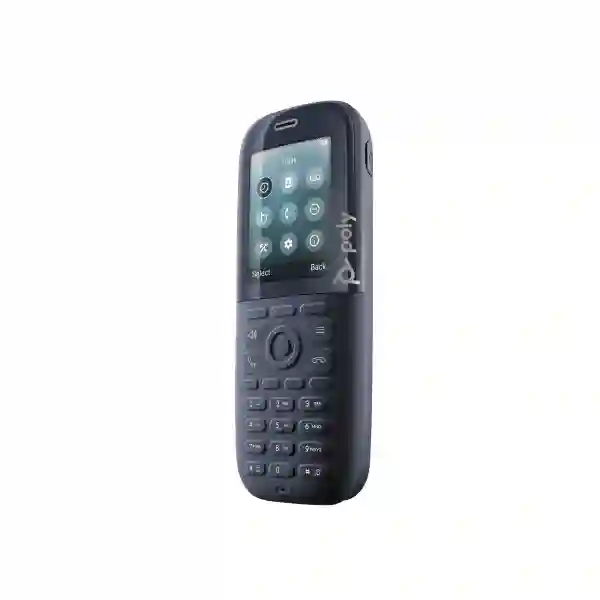
BUSINESS DECT MOBILITY · TANZANIA BUYER GUIDE
HP Poly Rove B2 DECT Base Station
Connect compatible wireless handsets to a SIP phone environment and plan practical cordless coverage for staff who work beyond a fixed desk. Evaluate registration limits, peak call traffic, deployment footprint and the regional model before you buy.
At a glance
- Up to 20 registered handsets per base
- Up to 20 SIP registrations
- 10 narrowband or 5 wideband concurrent calls per base
- Single-cell or paired two-B2 dual-cell configuration
- Compatible Poly Rove handsets and R8 repeater support
- Regional radio variant must be checked before ordering
The base station is one component in a complete business phone installation. Compatible handsets, SIP configuration, a reliable network and a surveyed coverage plan are essential purchasing considerations.
Technical reference
| Type | Single/dual-cell DECT IP base station |
|---|---|
| Handset registrations | Up to 20 per base |
| SIP registrations | Up to 20 per base |
| Simultaneous calls | Up to 10 narrowband or 5 wideband per base |
| Paired B2 stations | Up to two in a B2 dual-cell arrangement |
| Supported repeaters | Up to six Rove R8 repeaters per B2 base, subject to topology |
| Compatible family | Poly Rove 20, 30 and 40 handsets; Rove R8 repeaters |
| Illustrative range | Up to 50 m indoors / 300 m outdoors for HP’s regional product reference; site-dependent |
| Regional frequency | HP Africa lists an 1880–1900 MHz variant; confirm exact Tanzania-suitable model |
| Dimensions / weight | 56.9 × 146.3 × 36.8 mm; approximately 168 g in HP’s Africa listing |
Specifications are model and configuration dependent. Confirm firmware, compatibility, packaging and applicable requirements against the exact regional variant and installation plan.
What the HP Poly Rove B2 does
The HP Poly Rove B2 DECT Base Station connects compatible Poly Rove wireless handsets to an IP telephony environment. It provides the DECT radio connection used by mobile staff while the business telephone system supplies accounts, extensions, routing and external calling. That separation matters: the base station is not a mobile network tower, a conventional analogue telephone socket or a complete telephone service by itself. Buyers normally need a suitable SIP calling platform, compatible handsets, network connectivity and a reviewed deployment plan.
For an office, hospitality operation, service counter or operational workspace in Tanzania, the main attraction is being able to take and place business calls while moving away from a fixed desk. A well-planned DECT installation can support staff who walk between rooms, service areas or workstations. The benefit depends on radio coverage and sufficient calling capacity, not just the number of handsets purchased. Start with a list of users, extensions, call peaks and spaces requiring reliable access before deciding how many components to order.
Who should consider this model
The B2 suits organisations that need more registered handsets than an entry-level single-cell arrangement but do not need an extensive multi-cell estate. HP documents support for up to 20 registered handsets and 20 SIP registrations per B2 base station, with the option to pair two B2 stations for a dual-cell arrangement. It is consequently worth evaluating where staff share a building, need cordless movement and want a structured IP telephone deployment rather than separate consumer cordless phones.
Good candidate environments include reception-led offices, workshops with supervisors moving across a floor, compact accommodation properties, operations desks and service teams that must remain reachable away from fixed extensions. Suitability is not defined by an industry label alone. A location with six handsets and several concrete walls may be harder to cover than a largely open location with more staff. Equally, a department that regularly needs many simultaneous conversations may require a different design even when its handset count looks modest.
Quick specifications for buying decisions
HP describes the Rove B2 as a single/dual-cell DECT IP base station. Its documented per-base limits are 20 handsets, 20 SIP registrations, 10 simultaneous narrowband calls or 5 simultaneous wideband calls. The station may be deployed alone or paired with one other B2. It supports expansion with compatible Poly Rove R8 repeaters, subject to the deployment rules in the applicable administration guide. These are distinct capacities: registering 20 devices does not mean 20 wideband conversations can occur at the same time.
HP’s Africa product information identifies an 1880–1900 MHz regional variant and lists a compact black enclosure weighing approximately 168 grams. Manufacturer materials describe indoor coverage up to approximately 50 metres and outdoor coverage up to approximately 300 metres for the applicable regional version, but obstacles and building conditions can reduce usable range substantially. Confirm the regional part, contents of the exact shipment and regulatory suitability before purchase; do not use specifications from a differently tuned country version as evidence that it is approved locally.
Understand handsets, extensions and calls
Three numbers frequently appear together on a DECT quotation, yet they represent different things. Registered handsets are the portable devices allowed to connect to the base. SIP registrations relate to the voice service identities that the base can register. Concurrent calls represent conversations in progress at one moment. A business can assign extensions and ringing rules in ways that do not map one phone permanently to one unique line, depending on its PBX and configuration. A deployment plan should document all three independently.
For example, an organisation might issue handsets to reception, technicians, managers and a shift supervisor. Registration capacity may accommodate the devices, while capacity at the busiest hour is determined by how many people answer or place calls together and which codecs the system uses. Ask an administrator to estimate the peak from call logs if available rather than relying on headcount. Include internal calls, transferred calls and expected growth. The correct sizing question is not merely how many employees carry phones but how much simultaneous traffic the radio and voice system must support.
Narrowband and wideband capacity
HP’s deployment documentation specifies up to 10 concurrent narrowband calls or 5 wideband calls for one Rove B2. Wideband audio can provide a more natural listening experience when the end-to-end call path supports it, but it consumes more of the available DECT call capacity. HP also documents a lower supported limit for concurrent Opus calls. The actual result depends on codec negotiation, firmware, telephony server configuration and the mix of active sessions, so capacities should not be combined as though they were separate independent pools.
During planning, identify whether your priority is maximum simultaneous call volume, high-quality voice or a practical balance. Confirm the codec choices supported by the chosen SIP service and test realistic calls rather than setting a codec only because it appears in a brochure. Where staff have long customer conversations at the same time, design to a sustainable busy-hour margin. A base station that is comfortably within its handset limit can still be at its call limit during a busy service period.
Coverage is a site-design decision
The advertised range is useful as an initial reference, not a guaranteed radius on a floor plan. Steel shelving, reinforced concrete, thick masonry, closed doors, plant equipment and building geometry may reduce radio performance. A quoted outdoor range also does not mean the system is intended to provide uninterrupted service across every outdoor area. Assess the actual pathways staff use, including corridors, stairs, stores, back offices and transition points, instead of assuming that one central mounting position covers everything.
HP’s site-planning guide explicitly recommends a survey before deployment and notes that materials and neighbouring devices can affect reception. Walk the site, mark rooms where calls are essential and note potential dead areas. Consider the busiest operating periods, when a weak connection has the greatest effect on customer service. In a Tanzanian business setting, the design should reflect the actual construction, working layout and locally suitable equipment variant. A measurement-based plan is more dependable than treating an ideal specification as a coverage promise.
How to perform a useful pre-installation survey
Start with a plan showing floors, partitions, work areas, lifts, entrances and network cabinets. Identify where a user begins a call, where they need to continue speaking and where they may hand a conversation to a colleague. Mark powered network connection points and any areas where equipment cannot be installed safely. Add a list of the devices already using radio spectrum nearby. The objective is to produce a design that supports real working movements, not merely a strong signal beside the base station.
Survey locations should include difficult corners, enclosed offices, storage areas and the edges of outdoor working zones if these are in scope. Where practical, test using compatible handsets and observe reception while moving through doorways and between rooms. Record any weak areas and decide whether repositioning the base, adding a second paired B2 or extending coverage with R8 repeaters is the more appropriate response. Repeat the check after major building alterations, shelving changes or expansion, because radio conditions can change after the initial installation.
Single-cell deployment: simpler coverage
A single B2 creates one DECT cell for registered handsets. It is a sensible starting design when the required area can be covered from a practical location and the expected call load fits within one station’s capabilities. It also keeps the initial arrangement easier to document and maintain. The Ethernet connection links the base to the IP environment, while the compatible handsets communicate with it over DECT. A PBX or SIP service remains responsible for routing the wider business calls.
Choose the base location for the strongest useful coverage, not just for the shortest route to a network switch. A convenient server room may be surrounded by metal and concrete, making it a poor radio position. Confirm power, network availability and physical security at the selected site. If employees frequently leave the coverage area, a single base will not be made adequate merely by registering additional handsets. That is a coverage problem and should be solved through a layout change or supported expansion.
Dual-cell pairing: when two B2 stations help
Two compatible B2 base stations can be paired into a supported dual-cell configuration. This may enlarge the area available to users and provide additional cell capacity compared with using one station alone. The second station should serve a genuine design requirement, such as adjacent working zones or a floor plan that cannot be covered reliably by one cell. HP says that only like-model base stations can be paired: a B2 cannot be combined into one pair with a B4.
Dual-cell installation is not simply placing two unrelated bases in a building. The pair needs proper configuration, suitable network access, radio planning and verification of how handsets behave while employees move through overlapping coverage. Confirm the software versions and any applicable system limitations from HP’s current administration guidance. Where calls must continue during movement, test the actual path with a live conversation. Present dual-cell support as a useful capability, not as a promise that every building will have seamless handover or failover without detailed design.
Rove R8 repeaters: extending the radio footprint
The Poly Rove R8 repeater is an option when the base’s coverage needs extension and adding full call-processing capacity is not the main objective. HP documents support for up to six paired R8 repeaters per Rove B2 base station, subject to installation topology and software rules. A repeater relays the DECT radio path; it is not a substitute for sufficient SIP registrations or the base’s inherent concurrent-call budget. The positioning of repeaters also influences how much useful coverage is gained.
Repeaters are particularly relevant when one difficult corridor or adjoining operational area falls beyond the practical cell edge. They still need a suitable signal relationship with the serving base or repeater path, and their location should be determined through assessment rather than merely placed in a dead zone. Review pairing, permitted chain depth, power requirements and supported firmware with the installation guide. If the challenge is numerous simultaneous callers rather than a radio gap, a different base-station plan may be more effective than adding repeaters.
When the B2 is not the best scale
Businesses sometimes interpret the B2’s dual-cell option as evidence that it can grow into an unlimited collection of access points. It cannot. HP differentiates the B2 single/dual-cell design from the Rove B4 multi-cell family used for larger managed DECT estates. A property with many floors, a spread-out campus or a substantial number of separately active users may need a multi-cell assessment from the outset. Migrating later can require different hardware and further engineering work.
Decide whether the requirement is more range, more handsets, more simultaneous calls or operational resilience. Those are different planning problems and do not necessarily share the same solution. A second B2 may be appropriate for one adjacent area. R8 repeaters may suit a limited coverage extension. A larger multi-cell architecture may better suit broad estates. Compare the future site plan, available backbone network and support capability before choosing the cheapest-looking initial configuration. Avoid purchasing against a single specification in isolation.
Which Poly Rove handsets belong in the design
HP identifies Poly Rove 20, Rove 30 and Rove 40 handsets as compatible members of the wireless phone family, with release-specific firmware considerations. A B2 base station is only part of the solution: mobile employees need compatible handsets, suitable chargers and any approved accessories required by their work. The exact handset choice should be driven by how it will be used, which functions are important and whether the firmware and calling platform support those functions together.
For a purchasing comparison, ask who needs a straightforward portable extension, who frequently uses a headset, and who requires an enhanced handset workflow. Confirm the chosen handset’s physical characteristics, charging arrangement, supported features and current compatibility documentation separately rather than assuming every function is identical across Rove models. Handset availability and included accessories may differ by offer. Also confirm whether chargers and batteries are separate line items. A base-station-only quotation does not automatically mean that twenty functioning handsets are supplied.
SIP calling and PBX integration
The B2 brings cordless devices into a SIP-based voice environment, but integration should be confirmed for the actual PBX or hosted service. HP publishes interoperability information for the Poly Voice portfolio and cautions that platform and feature combinations vary. Being SIP-capable is not a guarantee that every service, shared-line configuration, transfer method or vendor-specific function will operate identically. Obtain the provider’s supported configuration guidance and test the functions your organisation truly uses.
Before installation, gather SIP server details, account credentials, extension numbering, supported audio codecs, time settings, transport requirements and any provisioning information. Agree on whether handsets should use unique extensions or share lines for team coverage. Test inbound and outbound calls, caller display, hold, transfer, voicemail access and any required call groups. If an existing IP telephony platform is already in use, identify its exact version and support arrangement. The goal is predictable daily calling, not merely a successful first SIP registration.
Network preparation and switch placement
A DECT base station depends on the wired network behind it. Check that the proposed location has a stable Ethernet connection, appropriate addressing, correct gateway and DNS settings, reliable access to the voice platform and any needed network segmentation. Depending on the network design, voice traffic may share infrastructure with other applications, so traffic management and switch configuration should be reviewed. A strong DECT radio signal cannot compensate for a failing switch uplink or an unreachable SIP server.
Document how the station receives its address, how it discovers its provisioning system if one is used, and how administrators will reach the management interface. Examine firewall rules, NAT behaviour and external SIP arrangements when a hosted platform is involved. The network team should know how to distinguish a radio symptom from an IP transport issue. Testing should include calls during realistic business network load, not only after hours. If calls become one-way, delayed or unable to register, examine the voice network path before assuming the base unit is defective.
Power and continuity planning
HP setup documents describe Power over Ethernet as an installation option and refer to an external power adapter where PoE is not available. The exact power accessories included vary by regional configuration, so inspect the intended package rather than assuming the same adapter ships everywhere. The chosen power method should match site electrical arrangements and the installation location. Avoid placing the base where cabling is exposed to damage, moisture or avoidable interruption.
For business continuity, think beyond the base unit itself. A powered handset may still be unable to place outside calls if the Ethernet switch, router, PBX or upstream connectivity fails. If uninterrupted calling during short power disturbances is important, assess the entire chain and identify what can be protected by appropriately specified backup power. Do not describe a base station or battery-supported handset as guaranteeing continuous telephone service on its own. Confirm charging arrangements and test a controlled recovery after a planned restart.
DECT security and wider voice security
HP markets the Rove B2 with DECT encryption for the wireless link between compatible handsets and the base. This is an important feature for a business phone system because conversations take place over radio as staff move around a property. However, wireless encryption is not the same as proof that every segment of an external call is encrypted. The onward SIP and media connections, provider configuration and any handoff to other telephone networks require their own review.
A sensible security checklist includes replacing default administrative credentials, controlling physical access to network ports, using supported management settings and reviewing secure SIP transport or media encryption where appropriate and compatible. Keep firmware under a maintenance process and limit provisioning access to authorised personnel. When the organisation handles confidential enquiries or customer information, ask its IT and compliance teams to review retention, recording and call-routing policies as well. Security depends on the full system configuration, not one product badge.
Management, registration and provisioning
HP’s Rove administration guide explains handset registration through the base-station management interface and device menus. In a managed rollout, administrators can plan how each handset is identified, associated with a line and documented for replacement. Registration should follow an approved process so a handset is not assigned to the wrong team or caller identity. Keep a record of the base units, handset identifiers, firmware versions and extension assignments, along with who is authorised to change them.
HP also describes management and provisioning capabilities for the Rove family, including service-provider management options. Whether a particular business uses local administration or a managed service depends on its voice platform, permissions and operational arrangements. Do not buy on the assumption that a cloud management subscription or service-provider portal is bundled automatically. Confirm what is included, whether an administrator has access, and how changes, resets and updates will be performed. A repeatable provisioning method becomes valuable when handsets are shared across shifts or replaced after damage.
A sensible commissioning sequence
An installation is more reliable when the work is staged. First approve the radio and capacity plan, then confirm the regional model, handsets and power method. Next prepare the network and SIP service, mount the base safely, power it, and establish managed access to its configuration. Register a small test set of handsets, assign their extensions and verify basic signalling. Only after that should the wider handset population be enrolled and the radio coverage assessed across the complete working area.
Commissioning tests should include a call made from the weakest expected point, a call received at peak activity, a transfer between staff members and movement along typical routes. If two B2 stations or R8 repeaters are in use, test the intended transitions and document where coverage is marginal. Confirm clock settings, numbering plans, user instructions and an escalation procedure for faults. Hand over a brief configuration inventory and site map to the responsible IT contact. This prevents a working demonstration on installation day from being mistaken for a fully supported deployment.
Reception and customer-service scenarios
A reception team may need to answer the main number while moving between a front desk, nearby offices and customer waiting areas. With suitable handset and PBX configuration, staff can stay reachable without forwarding every interaction to a mobile phone. The key requirements are clear shared or individual extension rules, sufficient call capacity during busy arrivals and dependable radio performance in the areas where staff leave the desk. If multiple colleagues must answer a common number, verify the desired ringing behaviour with the SIP platform.
An effective design also considers the handoff between reception and specialist staff. Decide whether calls should be transferred, parked or routed through a group, and test whichever methods the actual platform supports. A portable device is helpful only when the recipient knows how to retrieve and return the call. Document who owns the main number after hours and how unanswered calls are handled. These questions often have a greater practical impact than the quoted maximum outdoor range.
Hospitality, accommodation and guest services
Hospitality teams may move between reception, maintenance, service corridors and operational offices. A DECT deployment can keep staff on internal extensions as they perform work, provided the building has adequate cell coverage. It is useful to map the actual employee routes rather than assuming guest areas and service areas are equally reachable. Thick walls, multiple floors and enclosed utility spaces make a practical survey particularly important. For a property with dispersed buildings, do not assume a B2 pair will be sufficient without checking its physical limits.
Plan how calls reach the right department, how a replacement handset is registered and how the next shift receives the correct device. Where staff work outdoors, establish the precise areas in which a call must be maintained. Keep emergency procedures independent of unverified telephone features and confirm required reliability arrangements with the organisation’s safety team. Buying decisions should balance handset count, charge locations, coverage and the particular PBX functions used by the property.
Warehouses, workshops and active service areas
Operational areas introduce different design challenges from offices. Metal racks, loading zones, machinery, moving stock and changing layouts can create uneven radio conditions. A supervisor may need to move between an administrative desk and a busy work floor while taking supplier or internal calls. This makes portable extensions attractive, but it also increases the importance of handset protection, safe carrying practices and predictable connectivity. The B2 should be evaluated in the real working environment rather than from a simplified floor plan.
Start with the critical route between the loading area, stock locations, service counters and any secured office. Test during normal operations with equipment active and doors in their typical positions. Consider whether staff can hear and safely answer calls in noisy areas; the choice of handset and headset arrangements may matter more than the base specification. Do not promise ruggedisation, hazardous-area suitability or special protective ratings unless separately confirmed for the chosen handset. Record coverage limitations clearly so users know when other communication procedures are required.
Small offices, clinics and professional teams
An office or professional practice may have a compact staff count but frequent movement among meeting rooms and service spaces. The Rove B2 can be considered when desk-bound telephones are inconvenient and a SIP phone system already exists or is being planned. It can be helpful for people who move within their premises yet should retain a business extension. The main evaluation points are indoor radio coverage, simultaneous-call demand, confidentiality controls and compatibility with existing call-routing practices.
In a clinic or similar sensitive environment, review the organisation’s privacy and operational policies before defining handset use. Verify coverage in required spaces rather than assuming any wireless solution reaches enclosed rooms. Plan safe charging, secure access to extension settings and an alternative way to communicate during wider network or power outages. Avoid treating the base station as a clinical safety system. A procurement review should test practical workflows and handovers, not rely exclusively on a manufacturer feature list.
Common buying mistakes to avoid
The most common error is selecting a base from its maximum handset number without calculating concurrent calls. Another is relying on an ideal outdoor range to plan indoor coverage through thick walls. Buyers also sometimes overlook that a base station is not a bundle of handsets, chargers, SIP accounts and installation work. Finally, similar model names can hide different regional frequency variants. Each of these mistakes can create extra costs, inadequate call quality or a deployment that is unsuitable for the intended site.
Avoid vague quotations headed only ‘DECT telephone system’. Request the exact B2 regional model, count of base units, handset models, repeater quantities, power arrangements, provisioning responsibilities and acceptance criteria. Check whether firmware updates, account configuration, training and support are included or separate. Ask what evidence the proposed design has for its coverage and traffic assumptions. A quotation that clearly identifies limitations is more useful than one that promises universal range or support without checking the installed environment.
B1, B2 or B4: choosing the right family member
HP positions the Rove B1 as a simpler single-cell option, the B2 as a single/dual-cell station with up to twenty registered handsets per base, and the B4 as part of a broader multi-cell architecture. These are not interchangeable decisions. A small office with limited coverage needs may find a simpler station adequate. A team requiring a larger registered handset pool or two coordinated cells may consider the B2. A substantial estate with many zones should be assessed for the B4 architecture and its own deployment constraints.
Do not compare only the most prominent headline numbers. Check the number of active users, concurrent conversations, codec choices, roaming needs, supported handsets, permitted expansion topology, system management and long-term site plans. The B2’s support for pairing with a second B2 does not imply compatibility with a B4 cell. Equally, an R8 repeater addresses radio extension rather than converting the B2 into a full multi-cell system. Good product selection begins with a measured requirement and ends with a documented design.
Regional variant and Tanzania procurement checks
Different HP markets identify different frequency versions of the Rove B2. HP’s Africa product listing names the single/dual-cell 1880–1900 MHz version, while HP’s North American listing identifies a 1920–1930 MHz version. A product name alone therefore does not establish the radio variant in a seller’s carton. Confirm the exact model and frequency with the proposed supplier, and check the applicable Tanzanian regulatory and equipment requirements before deployment. A manufacturer listing for another region is not proof of local authorisation.
Also verify the connector, adapter plug and other package contents for the exact offer. A technical proposal should clearly distinguish manufacturer part numbers from the merchant’s stock-keeping code. This listing does not state a verified FourTeck Tanzania SKU, price, stock quantity or guaranteed fulfilment date. Request those details through the current sales quotation process. Commercial availability, any import considerations and local after-sales terms should be confirmed for the actual shipment rather than inferred from international retailer pages.
What to include in a complete quote
A meaningful quote covers the complete working system, not only the central base. Specify the B2 quantity and exact regional variant, each compatible handset, chargers, any approved repeater, suitable power components, network connection work and the intended voice platform. Identify which SIP accounts or extensions already exist and whether additional service is required. Include the proposed coverage footprint, busiest expected call load and acceptance tests. Where two stations are planned, describe their pairing and placement rather than treating them as unrelated purchases.
Ask separately about configuration work, on-site survey, documentation, user orientation, firmware maintenance and fault support. Do not assume any such service is included unless the seller agrees it in writing. If an existing PBX is involved, share its make, release and supported provisioning method so the solution can be evaluated before ordering. Request explicit confirmation of what the quote excludes. This produces a fairer comparison between offers and reduces the chance of paying later for essential items absent from the first equipment price.
Maintaining dependable daily operation
Once the system is live, maintain a small operational record. It should include which base serves each area, how handsets are numbered, the approved firmware release, relevant configuration backups and the name of the system administrator. When users report faults, record where the symptom occurs, which handset is involved and whether it affects one extension or several. A location-specific problem suggests different checks from a failure affecting every handset at the same time.
Periodically review call demand and any new working areas. Additional staff, new shelving or changes to office partitions may alter the original design assumptions. Confirm the procedure for replacing a lost handset and withdrawing an old device’s access. Check updates using official HP support guidance and test important calling features after planned changes. Establish who owns issues relating to the base station, local network and SIP provider so a caller is not passed between teams without a clear troubleshooting path.
How to judge whether the investment fits
The best value comes from matching the Rove B2 to a defined communications problem. Does the business lose time because staff must return to desks to answer calls? Do existing fixed phones leave important work areas disconnected? Is the intention to give a portable extension to shift workers without exposing personal mobile numbers to every business call? These are useful objectives, but they need operational and technical testing. A cordless base cannot correct poor routing practices or an unstable underlying telephone service by itself.
Compare the full deployed cost with the expected use: base stations, handsets, repeaters, network power, configuration and lifecycle support. Include the time needed to train users on hold, transfer, voicemail and charging routines. Define success in observable terms, such as reliable calls along designated routes and capacity during a representative busy period. If those conditions are met, the solution can be evaluated on practical service outcomes rather than a single range figure or the lowest hardware line item.
Before placing the order
Prepare a short site brief containing the building layout, number of users and handsets, estimated peak simultaneous calls, preferred handset models, existing SIP or PBX environment and areas requiring coverage. Include whether staff need to continue calls while moving between distinct rooms or floors. For a two-cell or repeater layout, ask for the proposed topology and commissioning tests. This information enables a more meaningful discussion than requesting a generic DECT base price without the working context.
For Tanzania procurement, request confirmation of the correct regional radio version and applicable requirements, the exact package contents, the base/handset compatibility and the support arrangement. Treat any price, stock status, lead time or warranty offer as quotation-specific until verified. If the floor plan or PBX details are incomplete, identify the assumptions clearly rather than pretending they are settled. The next practical step is to request an equipment and deployment review before finalising quantities.
Frequently asked questions
Does the HP Poly Rove B2 include a cordless handset?
The base station is a separate system component. HP’s regional package listing identifies the B2 unit, a stand, setup information and a power adapter for that variant, but it does not list twenty handsets. Confirm whether your sales offer bundles any compatible Rove handsets, chargers or accessories before ordering.
How many Rove handsets can I register?
HP documents up to 20 registered handsets per Rove B2 base station. Registration capacity is different from the simultaneous call limit. Work out how many portable devices you will issue and how many active calls they will handle at the busiest time. Also verify the actual compatible handset and firmware combination.
Can twenty people speak at once on a single B2?
No. A single B2 is documented for up to ten concurrent narrowband calls or five concurrent wideband calls. The number of handsets registered does not equal the number of live conversations supported. Codec choice and the planned cell arrangement affect a proper capacity calculation.
Does this device work without an IP phone system?
The base communicates with Rove handsets and connects them to an IP calling environment. For normal business calling, you need compatible SIP service or a supported PBX configuration, appropriate credentials and working network access. It is not a standalone substitute for a telephone subscription or call-routing service.
Can I use a Poly Rove B4 as the second cell?
No. HP specifies like-model pairing for its base stations. A B2 can pair with a second B2 in the supported dual-cell design, but the B2 cannot be paired directly with a B4 as though they formed one two-cell system. Consider B4 separately for a larger multi-cell design.
How far does the Rove B2 reach?
HP’s Africa product materials describe up to approximately 50 metres indoors and 300 metres outdoors for the regional version shown. Those are reference maxima, not a guarantee for a particular property. Walls, doors, shelving and interference can reduce real coverage; survey and test the intended routes.
When should I choose an R8 repeater?
Consider a compatible Rove R8 repeater when the main issue is extending radio reach to another area, subject to the manufacturer’s pairing and positioning requirements. A repeater does not automatically increase SIP registration or concurrent-call capacity. Test signal quality and the proposed repeater topology before procurement.
Does the base station secure every part of a telephone call?
HP describes DECT encryption over the handset-to-base wireless connection. Security of SIP signalling, media outside the DECT link, upstream telephone services, management access and call recordings depends on the wider system. Review those elements with the network and voice administrators rather than assuming the entire call path is protected automatically.
Is the North American Rove B2 version suitable for Tanzania?
Do not assume that it is. HP publishes different frequency variants for different markets, including an Africa listing and a distinct North American version. The exact radio model and its suitability under applicable Tanzanian requirements need confirmation before ordering or installing equipment.
Can the B2 connect to my existing SIP PBX?
It may be suitable, but support for a specific platform, version and feature set should be verified using HP interoperability information and the PBX provider’s guidance. Test registration, inbound and outbound calls, transfers, caller display, voicemail and any shared-line functions that your staff rely on.
Will a second B2 eliminate every coverage problem?
A paired second B2 can support a dual-cell layout, but its result still depends on correct placement, configuration and site conditions. Radio dead spots may remain behind building materials or beyond the planned footprint. Validate the design by walking the actual user routes while calls are active.
What should I send with a quote request?
Provide the number of required handsets, expected busiest-hour calls, a basic floor plan, existing PBX or SIP provider details, intended handset models and locations where communication is essential. Ask for the correct regional B2 variant and a breakdown of accessories, installation, support and any assumptions.
Request a deployment-focused quote
Tell FourTeck Tanzania how many people need cordless extensions, where they work, what SIP or PBX system you use and how many calls occur at peak times. Request confirmation of the exact regional B2 model, compatible handsets, optional repeaters, installation scope and quotation terms before proceeding.
Next step: Ask for a reviewed equipment and deployment quotation.




Reviews
There are no reviews yet.