
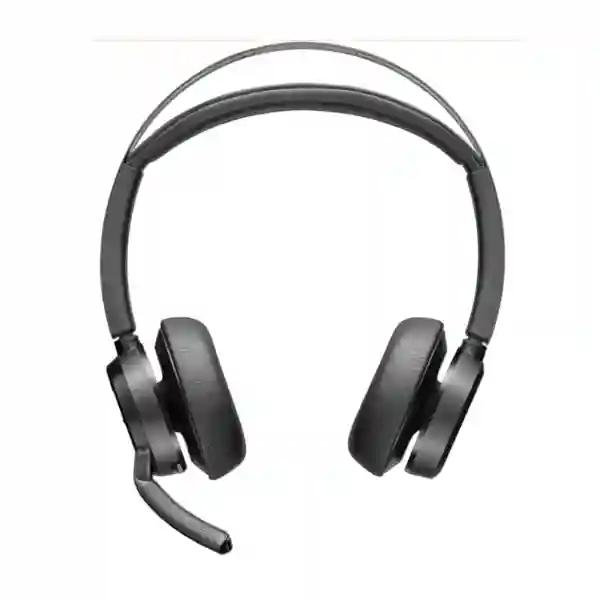
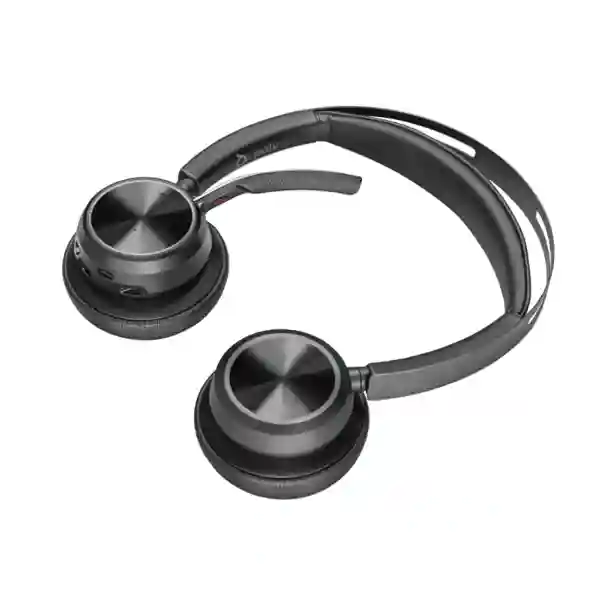
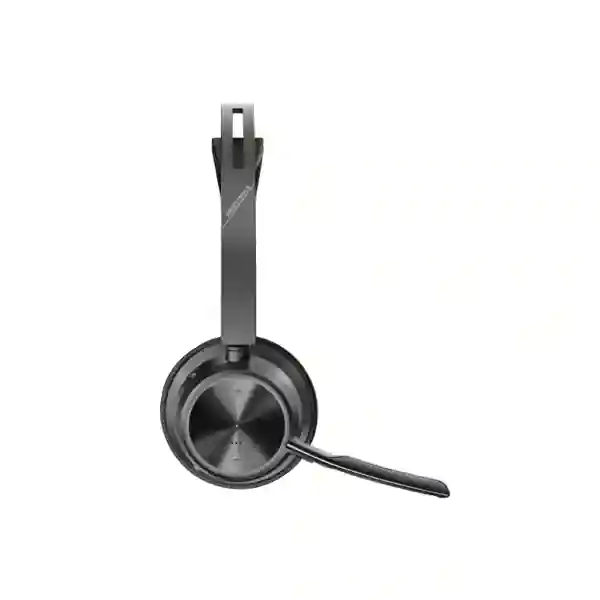
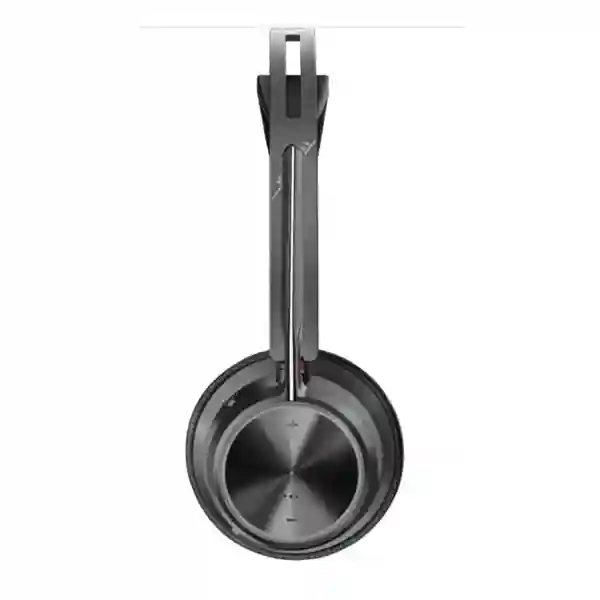
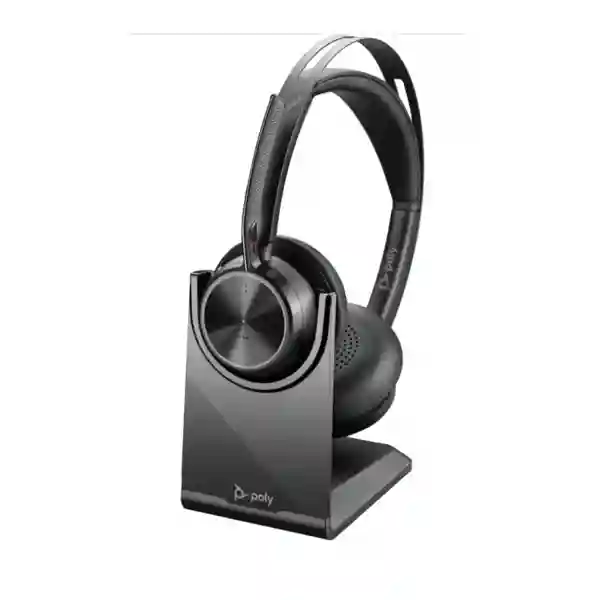
HP Poly Voyager Focus 2 UC USB-A Bluetooth Headset
A stereo on-ear business headset for laptop calls, mobile conversations and focused listening. Its BT700 USB-A adapter, Bluetooth 5.1, selectable hybrid ANC and Acoustic Fence microphone processing address practical communication needs. Confirm the exact edition, box contents and local quotation before ordering.
Key features at a glance
USB-A BT700
Computer connection adapter
Bluetooth 5.1
Mobile connectivity and multipoint
Hybrid ANC
High, low and off levels
Acoustic Fence
Multi-microphone speech focus
Verified technical overview
| Type | Stereo on-ear, over-the-head business headset |
|---|---|
| Computer | BT700 Bluetooth USB-A adapter |
| Mobile | Bluetooth 5.1 |
| Wireless range | Up to 50 metres under suitable conditions |
| ANC | Hybrid active noise cancellation: high, low, off |
| Microphone | Acoustic Fence multi-microphone processing |
| Connections | Multipoint: up to two active devices |
| Talk time | Up to 25 hours with ANC/indicator off; up to 16 hours with both on |
| Music | Up to 40 hours ANC off; up to 24 hours ANC on |
| Charging | Approximately two hours, according to model documentation |
| Configuration | Poly Lens supported functions |
| Edition | Confirm standard UC versus Teams-certified variant |
| Package | Confirm manufacturer part number and charging stand |
| Tanzania terms | Availability, price and warranty subject to quotation |
A practical headset for professional conversations
The HP Poly Voyager Focus 2 UC USB-A Bluetooth Headset targets employees who spend substantial time speaking with customers, colleagues, students or project teams through computer applications. Its stereo on-ear design combines a movable boom microphone, adjustable noise cancellation and Bluetooth connectivity. A computer equipped with a compatible USB-A port can use the BT700 adapter, while a mobile phone can use Bluetooth. This gives the product a clear business purpose rather than positioning it as a general entertainment accessory. The best buyer is someone who values intelligible speech, accessible call controls and the ability to move around a nearby workspace. An employee who rarely takes calls may not need all these functions. Before buying, consider the daily number of calls, the workplace noise level, required software and preferred wearing style. Choose based on actual work rather than a single headline feature.
Two kinds of noise control, two distinct benefits
Noise cancellation is often described too broadly. The Focus 2 family combines active noise cancellation for what the wearer hears with microphone processing for what remote listeners hear. ANC can help reduce distracting sounds around the listener, especially recurring ambient sound. Acoustic Fence technology uses multiple microphones to prioritize speech going into a call. These functions are different and should not be evaluated as if they were one control. A worker may hear less environmental noise even when another person can still hear some background activity through the microphone. Conversely, outgoing speech can be relatively clear while the wearer remains aware of the office. Neither feature creates total silence. A careful evaluation should include a call placed in the real workplace and feedback from the listener at the other end. This is especially useful when deciding whether the equipment suits a busy team.
Choosing between high, low and off ANC
The manufacturer describes three settings for hybrid active noise cancellation: high, low and off. This choice lets users adapt their listening experience to the context. A user in a quiet private office may prefer ANC off, while someone working near ventilation or in a lively shared environment may prefer a stronger setting. High ANC should not be treated as an instruction to disconnect from the surroundings whenever a headset is worn. People who must hear colleagues, visitors or safety announcements should choose a mode consistent with their responsibilities. Noise reduction also consumes energy, so its setting has implications for battery endurance. When testing the headset, try the modes during a realistic task rather than a brief demonstration in silence. Document a suitable starting setting for team members, then allow adjustments where company policy permits. The aim is comfortable, reliable communication, not maximum isolation at all times.
How Acoustic Fence helps callers hear speech
The microphone boom brings the voice pickup closer to the person speaking. Poly’s Acoustic Fence processing aims to distinguish that speech from competing sound in the environment. It is useful to evaluate the microphone in a room with typical conversations, keyboard activity or other workday noise. Good microphone placement still matters. Position the boom using current manufacturer guidance, avoid directing it into the wearer’s breath and check that the microphone is not accidentally muted. In a remote meeting, a colleague’s feedback or a short authorized test recording can reveal more about outgoing sound quality than the wearer’s own listening impression. Computer settings, conferencing software and the network connection also influence the result. Buyers should not interpret noise processing as a guarantee that every sound disappears. The headset is one element in a larger communication chain, and practical setup is essential to obtain its intended benefit.
Why stereo listening can be useful at work
Stereo on-ear headphones deliver sound to both ears and can serve several workplace activities. Employees can follow a video meeting, listen to online training and play ordinary media through one personal device. For a user switching repeatedly between calls and learning material, this can reduce the need to change headsets. The Focus 2 is primarily a communications product, however, not a substitute for specialized audio-monitoring equipment. Its balance of voice-oriented features and media listening should be considered in that context. Stereo is also not always appropriate for someone who needs continuous awareness of visitors or nearby announcements. A single-ear alternative may suit such a role better. During a computer call, Bluetooth routing can alter audio behavior compared with music playback, depending on the system and app. Test both activities on the intended computer before assuming that the experience will be identical in every application.
On-ear comfort over a working day
The headset uses cushioned on-ear contact areas and a padded sling-style headband. HP describes the design as suitable for prolonged professional wear. Published family information gives a weight of approximately 175 to 176 grams, which provides a useful reference but cannot predict individual comfort. Head shape, glasses, hair, cushion condition and preferred contact pressure all affect the wearing experience. A purchasing team should let representative employees try the headset during their normal meetings, not only for a few minutes at a desk. Ask whether it remains comfortable after several hours, whether the boom stays in a convenient position and whether the headband adjustment works for different users. People who dislike on-ear pressure or need an enclosing over-ear design should compare alternatives. Comfort is both a personal preference and a productivity consideration; a well-specified device is not a good choice when a particular employee cannot wear it comfortably.
USB-A connection: check the computer first
This version is identified by its USB-A computer connection. Its BT700 Bluetooth adapter is intended for a suitable USB Type-A port, making the headset convenient for many desktops, notebooks and approved docking stations. That designation matters because modern laptops can have very different port arrangements. Some provide several USB-A connections; others depend mainly on USB-C. Before placing an order, inspect the devices employees actually use, including any docking arrangement that sits between the headset adapter and computer. Do not assume that a USB-C adapter is included in a USB-A package or that every third-party hub will work equally well. Organizations with restrictive USB policies should also confirm that the accessory is permitted. The BT700 is used for the computer communication link; it is not the same as the charging cable or a desktop charging stand. Clear identification of these parts prevents avoidable ordering errors.
The role of the BT700 adapter
A computer may have built-in Bluetooth, which raises a reasonable question: why use a separate USB adapter? The BT700 provides the supported computer-facing connection path associated with the Poly UC setup. For managed computers, that can make it easier to maintain a consistent device arrangement than depending on different built-in Bluetooth chipsets. The actual experience still depends on operating-system support, application selection, device permissions and the installed software environment. A USB adapter should not be described as a universal cure for dropped calls or interference. Position it where it can communicate reliably with the headset and verify that security policy permits the accessory. When an employee changes desks, keep track of the adapter because losing it can interrupt the preferred computer workflow. A small component deserves a clear storage and replacement procedure, especially when many people use the same headset model.
Computer and phone use with multipoint Bluetooth
HP documentation for the Voyager Focus 2 family describes Bluetooth 5.1 and multipoint connectivity, with two simultaneous device connections and additional remembered pairings. This can suit a professional who joins computer meetings but also receives mobile calls. The convenience is reduced if the employee does not know which device is currently controlling the microphone. Train users to check call status before speaking and to understand how their specific phone and meeting app handle competing audio. Multipoint is not a guarantee that two live conversations can be mixed together. One call or audio stream generally takes priority according to device behavior and software. The safest way to assess this capability is to connect the actual work phone and computer, then simulate the events that occur during an ordinary day. Confirm notification behavior, incoming-call switching and reconnection after the user leaves and returns to the desk.
Wireless range in real buildings
Manufacturer information lists up to 50 metres of wireless range for the UC family in suitable conditions. This is an upper-bound specification, not a promise of continuous coverage across a large building. Walls, metal furniture, enclosed computer cabinets and interference from other wireless devices can shorten usable distance. A person walking through several rooms may encounter more signal obstruction than one who moves across an open office. During a pilot, test the route employees will actually take while on calls. Check nearby desks, hallways and appropriate shared work areas rather than measuring only a straight line. Put the adapter in a sensible location where allowed. If a team needs dependable coverage across floors or extended facilities, consider a communications system designed for that purpose. The headset’s published range offers context for ordinary mobility around a workstation, but real deployment conditions should decide whether it meets an organization’s needs.
Battery life must be read with its settings
The best available battery number is not always the most useful. HP’s detailed specification lists up to 25 hours of talk time when both active noise cancellation and the online indicator are switched off. With ANC and the indicator operating, the published figure can be as low as 16 hours under the stated default combination. These are separate test configurations. A person taking calls with ANC enabled should not assume the longest figure describes that workflow. Volume, battery age, radio conditions and software behavior can also influence actual endurance. Procurement should therefore consider hours of active conversation, time between charging opportunities and any need for continuous availability. Where staff work long shifts, establish an agreed charging routine and test the product under representative conditions. A technically correct battery maximum can still mislead unless the buyer understands how that maximum was obtained and how their daily settings compare.
Listening time is different from speaking time
Manufacturer documents describe music playback figures of up to 40 hours with ANC off and up to 24 hours with ANC on. These listening estimates should not be confused with two-way calling endurance. A headset running an active microphone faces a different workload from one playing recorded training material. Employees frequently combine both activities, so it is more useful to map a normal day than to repeat a single advertising number. Someone who listens to educational content for several hours and speaks on occasional calls may have a different charging need from a full-time telephone agent. Set expectations for a mixed workload, especially when ANC is commonly left active. As batteries age, useful runtime may change. For business continuity, avoid depending on ideal laboratory conditions. A simple routine that checks battery level before an extended meeting is often more effective than calculating a theoretical maximum for every combination of settings.
Charging and supported wired audio
HP describes charging of approximately two hours and supports corded audio operation on appropriate Voyager Focus 2 configurations. These capabilities are helpful when planning a workday around multiple meetings. The exact cable connection and supported mode should nevertheless be checked against the manufacturer part number and instructions for the supplied version. A cable that charges the headset must not automatically be assumed to behave identically on every device or software edition. It is sensible to keep charging equipment at a consistent workstation and to charge before long sessions instead of waiting for a low-battery prompt. Users should avoid putting strain on ports or using unapproved power accessories. Some packages include a dedicated charging stand, while others do not. The ordinary product name provided here does not establish that the stand comes in the box. Treat it as a quotation detail requiring explicit confirmation, not an implied standard accessory.
Headset controls during an active meeting
The Focus 2 family includes controls for volume, mute, answering or ending calls and changing the ANC setting. These are practical when the user needs to respond without searching for a small button inside a meeting window. The boom microphone can also support mute behavior on compatible configurations. Yet the hardware control and the conferencing app are not always identical layers of operation. An application may have its own mute state and integration requirements, especially when run in a browser. Before giving a presentation, test whether the headset and app agree on microphone status. If a control does not behave as expected, verify the selected audio device and any required Poly software integration. Train staff on the physical controls as well as the on-screen controls they use every day. Good habits reduce accidental unmuting, missed calls and the frustration of talking through a microphone that the application has not selected.
Smart sensors and automatic behavior
HP describes smart sensors that assist with features such as handling calls and music when users wear or remove the headset. Automatic behavior is convenient when it matches expectations and confusing when it does not. For example, an employee who frequently lifts one ear cup may prefer different sensor behavior from someone who wears the headset continuously. Supported settings can be reviewed through appropriate Poly software, subject to the installed version and model. An organization should avoid assuming that every employee wants the same defaults. During onboarding, explain what happens when the headset is picked up, put down or repositioned. If a sensor setting interrupts calls, investigate the configuration before describing the unit as defective. For teams using established call scripts or strict answer procedures, manual controls may be preferable. The priority is predictability: the user should know when the microphone is active and which device will receive incoming sound.
Online indicators and mute reminders
The headset family includes visual in-call indicators and dynamic mute alerts. A light can signal to nearby colleagues that the wearer is speaking with somebody, while an audio prompt can help the wearer realize that they are trying to talk while muted. These small functions address frequent communication mistakes. They do not provide complete privacy and should not be considered security controls. A colleague may not notice the light, and software-based mute can still require verification. Users handling confidential conversations should check the application status and choose a suitable room regardless of what the ear cup shows. The online indicator also affects the manufacturer’s battery configurations, so settings should reflect organizational priorities. Some teams may prefer the visible signal in shared offices; others may prioritize endurance. Discuss those trade-offs rather than treating one arrangement as universally optimal. Training on basic audio etiquette remains important even with intelligent device features.
Standard UC and Teams-oriented variants
There are multiple Voyager Focus 2 variants, including standard UC and Microsoft Teams-oriented packages. The product name “UC USB-A” should not be interpreted as definitive proof of a dedicated Teams-certified edition or its associated platform controls. If an IT purchasing standard requires certification, ask for the exact manufacturer part number and confirmation matching that variant. General ability to participate in Teams meetings is different from certification of a particular combination of hardware and software. The same caution applies when comparing online catalogue descriptions that mix images or accessories from several variants. Provide procurement with a written specification for the edition required. Users who depend on app-specific call controls should test those functions through the approved desktop software. This approach prevents a superficially similar headset from being purchased where a precisely identified product is required by company policy or a deployment contract.
Zoom, Meet and softphone compatibility
HP positions the Voyager Focus 2 family for leading conferencing services. In practical terms, the headset can be evaluated for business meetings on commonly used laptop and desktop platforms. That statement does not mean that every edition has identical certifications or hardware button integration across Zoom, Microsoft Teams, Google Meet and every softphone. A reliable test uses the actual communication application and computer version in the organization. Confirm that playback and microphone devices are correctly selected, place a test call and verify mute and call controls. If the employee uses a browser-based service, be prepared for integration differences from a native desktop client. Organizations using specialist voice platforms should confirm compatibility with their provider and support arrangements. Avoid promising universal behavior based solely on a broad brand-level compatibility statement. Correct application setup is as important to a successful call as the headset’s microphone design.
Windows, macOS and workstation readiness
Published materials for the Focus 2 UC family identify Windows and macOS support. For deployment, however, operating-system compatibility is only one part of readiness. Computers need an appropriate USB-A connection for the specified adapter, permission to use that peripheral and properly selected audio input and output. Docking stations, remote desktop sessions and company-managed security policies can create additional considerations. If employees work from several locations, document which arrangement is approved at each site. Where virtualized applications are used, check the end-to-end audio path rather than assuming the headset alone guarantees call quality. A small pilot can reveal practical issues before a larger order is committed. IT should also track the adapter as a managed accessory and establish a procedure for replacement or re-pairing. These steps convert a manufacturer compatibility statement into an actual operational plan for the organization’s endpoint environment.
Using Poly Lens for device preferences
Poly Lens is HP Poly’s device software environment for supported settings, updates and management. End users may be able to review options, while IT teams can use relevant management functions where supported. Exact features depend on product, software version and organizational configuration. It is sensible to keep a simple record of preferred defaults for ANC, sensors, alerts and other settings. When troubleshooting, change one variable at a time so it is possible to determine what resolved the problem. An approved firmware update process is also useful, especially across a fleet. Some advanced acoustic-related functions are specifically associated with Poly Lens Desktop; do not assume every feature is fully active in every out-of-box configuration. For business buyers, the key question is how the headset fits into the existing device-management approach. Software flexibility is valuable when it improves consistency and support, not when it adds unnecessary work for the end user.
SoundGuard Digital and safe listening habits
HP describes SoundGuard Digital in the product family, including some features that require Poly Lens Desktop. This technology belongs to the headset’s audio-management offering, but it should not be described as a substitute for workplace hearing-safety procedures. Encourage staff to use a comfortable listening level, take appropriate breaks and report persistent discomfort. A comfortable work environment can reduce the temptation to turn volume excessively high. The headset’s active noise cancellation and processing features do not make it approved hearing protection for hazardous industrial noise. Companies with formal hearing requirements should assess them separately. Personal fit, ambient sound, software levels and usage duration all contribute to a good listening practice. IT can help by standardizing sensible initial settings and documenting what users may change. The practical goal is a device that supports regular communication without encouraging unhealthy listening habits or creating unsupported claims about safety certification.
Remote work and hybrid meetings
Hybrid work often exposes inconsistencies between devices and locations. One user may take a meeting on a desk computer, answer a phone call later and switch to a laptop at home. The Focus 2 UC approach can reduce the number of personal audio devices needed when the required connections are supported. This convenience is most valuable when the user knows how to switch the audio destination and keeps the BT700 adapter available. Before moving to a new workplace, check port compatibility, charging level and pairing state. A headset cannot compensate for unreliable broadband, an overloaded computer or a malfunctioning meeting service. Test outgoing speech under realistic household conditions, and avoid assuming that ANC fully eliminates other people talking nearby. For confidential discussions, use a private space where possible. A strong hybrid-work setup combines good audio equipment, stable connectivity and clear policies rather than relying on any single feature.
Shared office use and workplace awareness
In an open office, the headset may help the wearer follow a discussion while the boom microphone processes surrounding sound for the caller. It can also display a visible in-call cue. These are useful supports for everyday workplace etiquette, not a replacement for quiet areas and sensible desk organization. People who must remain aware of visitors or coworkers may prefer low ANC or ANC off. Other roles may need a single-ear headset so the wearer can continually hear the room. Test those requirements during normal operations rather than deciding from a marketing photograph. Where multiple people work in close proximity, clear rules for interrupting colleagues and taking sensitive calls remain important. The headset should be evaluated as one component in a wider acoustic environment. Its success is measured by comfortable, understandable conversations and appropriate awareness, not merely by how much outside sound it can reduce.
Sales teams and customer-facing staff
Employees who spend much of the day in sales calls, demonstrations and client discussions may appreciate hands-free controls, a boom microphone and stereo listening. They may also value the ability to handle a mobile call without leaving their preferred headset. The device should still be tested with the company’s actual customer relationship workflow, softphone and meeting software. If remote answering or integration with a particular service is essential, confirm those functions separately. Some business applications treat external headset buttons differently from ordinary computer audio. A representative trial can reveal these differences before deployment to dozens of users. Ask participants whether voices remain clear, how often they adjust ANC and whether the headset is comfortable after long conversations. Include IT support in the trial so that pairing and device selection are examined alongside user preference. A purchase decision supported by real feedback is stronger than one based only on technical specifications.
Contact-centre suitability and limitations
A computer-based customer support operation may benefit from Acoustic Fence microphones, accessible mute controls and consistent USB-adapter deployment. But a UC headset designed for general business conversations is not necessarily the best tool for every high-volume contact centre. Workflows involving repeated calls, shift handovers, specialized telephony software and strict device policies deserve focused testing. Compare listening clarity, microphone performance, user fatigue and replacement accessory needs. Confirm that the chosen phone application supports the required answer, end and mute controls. If employees use physical desk phones, identify a compatible base solution rather than presuming that the standard UC USB-A package includes telephone connections. For shared equipment, document cleaning and pairing procedures. Assess whether staff can maintain adequate charging between shifts. A structured pilot under normal call load provides more reliable evidence of suitability than an informal demonstration, particularly when device failure or discomfort can interrupt customer service.
Educators, consultants and online training
A stereo business headset can support online lessons, consultations, remote workshops and professional development. The microphone boom is useful when a speaker needs to move slightly while presenting, and stereo playback makes recorded demonstrations convenient to follow. However, headset quality alone cannot ensure that every listener will understand a session. Microphone placement, application settings and network performance remain important. In regulated or confidential meetings, audio features also do not replace correct privacy settings or a suitable room. When delivering a course, test both recorded playback and live microphone input before participants join. If screen recording or transcription is used, follow the organization’s relevant consent and data rules. For sessions that run several hours, pay attention to fit and charging. The best equipment arrangement is one that lets the speaker concentrate on the discussion instead of repeatedly troubleshooting audio or adjusting an uncomfortable headset.
Travel, portability and accessory handling
Employees who visit clients or work from several sites should treat the small adapter as an essential component of the setup. A headset is less convenient when the computer connection accessory has been left behind. Manufacturer documentation identifies a travel pouch in standard UC packages, but the exact contents must be checked for the quoted version. Store the headset so the cushions and microphone boom are not crushed by heavy equipment. Before an important off-site call, confirm that the destination laptop has the appropriate USB-A port and the operating system permits the accessory. Charge in advance and follow approved power guidance. During transport, keep track of the BT700 and charging cable separately from the headset. If using a shared computer, observe company policy for removable devices and sign out of accounts after the session. Small preparation steps can make the wireless convenience more dependable in practical business travel.
What comes in the box depends on the variant
Descriptions of the Focus 2 family show different packages. Standard UC combinations commonly include the headset, BT700 adapter, charging cable and carrying pouch, while certain versions include a charging stand. Teams-oriented versions and connector arrangements may also differ. The exact user-supplied title does not reveal the manufacturer part number, so this listing should not promise an unverified stand or platform-specific button arrangement. When requesting a quote, ask the supplier to identify the complete manufacturer part number and list every included accessory. Check the actual adapter connector as well as the charging arrangement. Do not assume that a pictured charging cradle, USB-C accessory or office telephone base comes with the product. Product photographs sometimes illustrate family options rather than the exact orderable package. A detailed quotation protects both buyer and seller by making sure the offered configuration matches the equipment required by the team.
USB-A and USB-C are purchasing choices
The choice between a USB-A and USB-C adapter should follow the computers the organization intends to use. Many desktop systems provide USB-A, while some modern lightweight notebooks favor USB-C. A mixed fleet may need more than one headset variant or a carefully tested accessory plan. Avoid assuming that every adapter arrangement has identical support simply because the physical connection can be converted. Consider what happens when employees dock their laptops, move between offices or receive replacement equipment. IT should audit endpoint ports before making a bulk purchase. The naming difference also matters when comparing two vendor quotations; one may refer to a USB-A adapter while another describes a USB-C model that happens to ship with an adapter. Verify the actual contents rather than comparing abbreviated product names. This page describes the USB-A UC configuration and should be used to request that connection type explicitly.
The difference between a UC headset and an Office base
A standard Voyager Focus 2 UC connection is centered on a computer and compatible Bluetooth mobile devices. HP describes a separate Voyager Office base option for supported desk-phone scenarios. A telephone base may require additional interface components and compatibility checks. It should not be confused with the simpler desktop stand used for charging. If an employee uses a physical desk handset, identify its make and connection requirements before specifying a headset. If the daily telephone system runs as software on a computer, the UC arrangement may be more relevant. Businesses replacing old wired telephone headsets should ask whether the desired change also requires new calling software or a supported office-base configuration. The headset product family provides multiple paths, but they are not interchangeable by default. Correctly identifying the calling endpoint prevents a costly mismatch and makes it easier to plan training and support.
A practical first-day setup procedure
When the package arrives, start by confirming that the product number and accessories match the quotation. Charge the headset sufficiently using approved equipment, then connect the BT700 USB-A adapter to a permitted computer port. Follow the manufacturer’s current pairing and setup guide for the exact model. In the operating system, choose the headset for both microphone input and audio output. Repeat the selection in the conferencing application if it maintains separate device preferences. Place a short test call and check volume, microphone clarity, mute controls and ANC selection. If the user also pairs a phone, test how incoming calls and media are handled. Install or update Poly software according to company policy rather than bypassing IT controls. Show the user where to store the adapter and how to reconnect after changing workstations. This simple checklist can prevent many issues that are unrelated to product quality.
Resolving common audio problems
If a colleague cannot hear the headset user, first check the boom position, mute status and selected application microphone. If the wearer cannot hear the colleague, check the speaker device and volume settings on both the computer and headset. If the connection is intermittent, move closer to the USB adapter, reduce obstructions and inspect whether the port or hub is operating reliably. When a headset button does not affect the call, review the application’s integration support instead of assuming the button has failed. Change one setting at a time to identify the cause. If the problem persists, record the manufacturer variant, software versions and steps already tried before requesting support. In a managed environment, a short troubleshooting guide can reduce repetitive help-desk calls. Different symptoms require different checks, and guessing at wireless interference or hardware failure too early can waste time.
Care, cleaning and reassignment
The cushions and headband touch the wearer, so regular care is part of successful workplace deployment. Follow manufacturer instructions for cleaning rather than using aggressive chemicals or immersing electronic components. Inspect cushions for wear and the microphone boom for damage. Store the device without pressure on the ear cups or connectors. Shared headsets need a clear cleaning and handover procedure, and many organizations may find personal assignment preferable for heavy daily users. When moving a headset to a new employee, remove unnecessary pairings and follow approved device-reset procedures. Keep an inventory record for the headset and its BT700 adapter so that one small missing part does not interrupt the user. Good handling also makes it easier to distinguish mechanical damage from a software issue. The lifetime usefulness of a headset depends partly on simple routines that rarely appear in a feature comparison.
Tanzania-specific procurement questions
For an organization buying in Tanzania, the device specification and the local commercial offer should be treated separately. HP documentation can establish headset capabilities, but it does not prove local stock, delivery schedules, applicable selling price or the supplier’s service arrangements. Ask the seller for a verified quote for the exact model and quantity. State the location relevant to delivery, but do not assume that any particular office or service region is supported without confirmation. Confirm the intended computers, collaboration platforms and charge-stand requirements. If the purchase covers several departments, specify whether Teams-specific certification or centralized management is required. An itemized quote makes comparisons fairer because two offers with similar headset names may include different adapters or accessories. Avoid converting an overseas retailer’s price into a presumed Tanzanian selling price. Local terms and availability belong in current seller documentation, not in unverified product marketing.
How to decide whether this is the right product
A premium UC headset makes sense when its features solve persistent communication problems. Consider the Focus 2 USB-A version if staff frequently use computer calls, want adjustable listening ANC, value a close boom microphone and have compatible USB-A endpoints. Consider alternatives when users need a mono design, full over-ear enclosure, USB-C-only connection, strict industrial hearing protection or a desk-phone interface not included with this package. Some organizations may benefit more from improving meeting-room acoustics or network reliability than from upgrading every headset. Evaluate the complete working environment. A controlled trial should include microphone feedback from remote listeners, wearing comfort during long calls and checks of app controls. This process helps buyers match technical capability to daily use instead of selecting by brand recognition or a maximum battery figure. An informed decision also identifies what must be confirmed in the quotation before the organization commits.
Building a useful business quotation
Start a quotation request by identifying the HP Poly Voyager Focus 2 UC USB-A Bluetooth Headset, the approximate quantity and the user’s main computer platform. Add details about the meeting or calling application, required adapter type and whether a charging stand is essential. If the organization requires a certified platform-specific edition, state that requirement and request the exact manufacturer part number. Ask the seller to specify box contents, price, availability, warranty terms and proposed fulfillment arrangements for the actual Tanzania offer. Do not assume those details from unrelated international listings. For large deployments, include a pilot requirement and describe the expected user environments, such as private offices or shared workspaces. It is also helpful to specify who will manage software settings and accessory replacement. A quotation built around these facts is more useful than one that simply repeats a product name and invites the supplier to choose the variant.
What the buyer should verify before approving an order
The final order should match the actual deployment plan. Confirm a free USB-A port or an explicitly approved alternative, test the collaboration applications, check whether employees need desktop stands and identify any Teams certification requirement. Make sure the manufacturer part number on the quote matches the intended edition. Review accessory counts and the approved support process. When employees use mobile phones as well as computers, test connection switching with those devices. When staff share equipment, establish hygiene and pairing procedures. For people who take long calls, test battery endurance with their preferred ANC settings rather than relying on a power-saving marketing maximum. Above all, treat local price, delivery and warranty as seller-specific commercial facts requiring current verification. This checklist turns a technical product description into a sensible purchase plan for a Tanzania-based team.
Frequently asked questions
Is this a USB-A headset?
The named UC configuration includes a BT700 adapter intended for a compatible USB-A computer port. Check the exact package and your computer before purchase. USB-C variants also exist, but this title does not imply that a USB-C adapter is supplied.
Is the connection Bluetooth 5.1?
HP’s Voyager Focus 2 family specifications identify Bluetooth 5.1. A computer can use the BT700 connection, while a compatible phone can connect over Bluetooth. Actual behavior still depends on operating system, software and pairing settings.
Does ANC completely remove nearby conversation?
No. ANC helps reduce certain sounds heard by the wearer, while Acoustic Fence microphone processing helps prioritize outgoing speech. Neither function guarantees total removal of voices or other noise. Test both sides of a call in the real workplace.
What are the ANC settings?
The manufacturer describes high, low and off options for hybrid active noise cancellation. Choose according to the surrounding environment and the need to remain aware of colleagues. Using ANC also affects battery consumption, so test the setting during normal work.
How long can I talk on one charge?
HP lists up to 25 hours with ANC and the online indicator off, and up to 16 hours with both enabled. These are settings-dependent maximums, not guarantees. Your volume, battery condition and workload can affect practical endurance.
What is the music playback time?
Manufacturer specifications describe up to 40 hours with ANC off or up to 24 hours with ANC on. Listening time should not be confused with two-way calling time. Mixed use will depend on the actual pattern of calls and playback.
Does the box include a charging stand?
Not necessarily. Some Voyager Focus 2 UC packages include a desktop stand, while standard configurations can be sold without one. Ask the seller to provide the exact manufacturer part number and an itemized package list before ordering.
Is it Microsoft Teams certified?
Standard UC and Microsoft Teams-oriented models are distinct purchasing variants. The generic title does not prove which edition is offered. If certification is a required condition, request model-specific confirmation for the unit that will actually be supplied.
Can I use it with Zoom or Google Meet?
HP positions the family for leading meeting platforms, but certification and call-control support may differ by edition and software. Test the actual application, especially mute and answer functions. Basic audio operation should not be confused with every app-specific integration.
Can I pair a phone and computer?
The Focus 2 family supports multipoint Bluetooth and two simultaneous connections. The computer-oriented UC workflow uses the BT700 adapter. Test call switching with your particular phone and conferencing app because competing audio streams are managed by connected devices.
Will it connect to a physical desk phone?
The standard UC package should not be assumed to include desk-phone connectivity. HP offers a separate Voyager Office base for certain compatible scenarios. Verify your telephone model, the necessary base and interface accessories before ordering.
How far can I move from the PC?
The published UC wireless range reaches up to 50 metres under suitable conditions. Walls, interference and the adapter position may reduce that distance. Test the actual route rather than assuming that the headset will work across an entire building.
Can I continue working while it charges?
HP documents a corded audio mode for supported Focus 2 configurations. The exact cable procedure and capabilities should be checked for the supplied edition. For critical calls, charging before the meeting remains more predictable than relying on a last-minute connection change.
Does the headset support Poly Lens?
Poly Lens offers supported headset settings, update and management functions. Available capabilities depend on the exact version and deployment. IT should confirm current software support and use an approved process for configuration and firmware changes.
Is it suitable for a contact centre?
It may suit computer-based support teams, but test it with the actual softphone, employee shifts and call-control requirements. For dedicated desk phones or specialized call environments, another edition or headset type may be required. A representative pilot is preferable to assuming compatibility.
What price applies in Tanzania?
No local price is asserted in this description. Request a current quote for the exact product number, quantity and configuration. The seller should confirm availability, applicable warranty and commercial terms rather than relying on foreign listings or estimated currency conversions.
Request the exact USB-A Focus 2 configuration
Ask FourTeck Tanzania for a current quotation that specifies the manufacturer part number, included accessories, adapter type, any platform certification, the price and local commercial terms. Include your quantity and intended meeting platform so that the correct variant can be identified.




Reviews
There are no reviews yet.