

UBIQUITI • OUTDOOR POINT-TO-POINT BACKHAUL
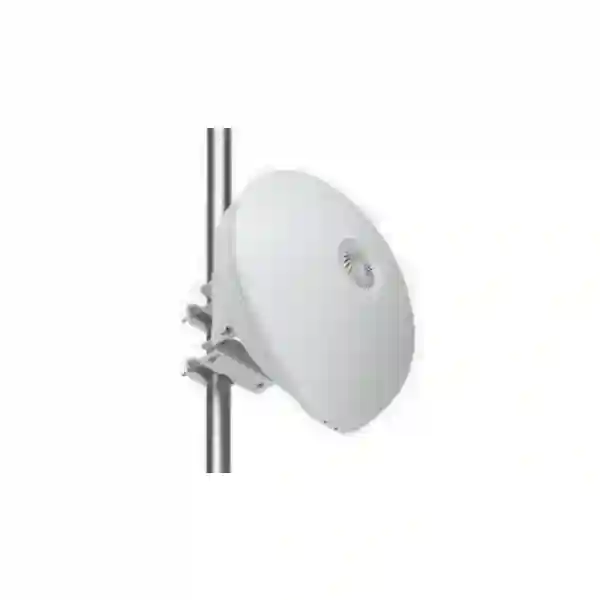
Ubiquiti airFiber 60 Xtreme-Range AF60-XR in Tanzania
Build a dedicated high-capacity wireless connection between two suitable locations. Review realistic range, weather resilience, mounting, network interfaces and deployment requirements before requesting a project quotation.
Key technical specifications
| Model | AF60-XR |
|---|---|
| Operating mode | Point-to-point bridge |
| Maximum total throughput | 5.4 Gbps (manufacturer rating) |
| Maximum range | 15+ km (manufacturer rating) |
| Primary radio | 60 GHz |
| Backup | Integrated 5 GHz radio |
| Network ports | 1 × GbE RJ45; 1 × 1/10G SFP+ |
| Maximum power consumption | 24 W |
| Power supply | 48 V DC, 0.65 A passive PoE adapter included |
| Dimensions | 779 × 664 × 383 mm |
| Weight | 8.6 kg without mount; 13 kg with mount |
| Mounting pole diameter | 40–80 mm |
| Ingress protection | IPX6 |
| Operating temperature | −40 to 55°C |
| Management | UISP, browser and supported management tools |
Technical ratings are based on Ubiquiti documentation. Installation-dependent performance, local spectrum permissions and commercial terms require verification.
Why choose the airFiber 60 XR for a long-distance link?
The Ubiquiti airFiber 60 Xtreme-Range AF60-XR is a fixed point-to-point wireless bridge for connecting two locations over a dedicated outdoor radio path. It is designed for organisations that need a high-capacity connection between buildings, network sites, or infrastructure locations without laying fibre across the entire route. Ubiquiti rates the product for 15+ km maximum range and up to 5.4 Gbps maximum total throughput. These are manufacturer specifications rather than promises for any particular installation. Actual results depend on the path, radio conditions, permitted channels, alignment, weather, and the equipment connected at each end. A link survey and capacity plan are therefore essential before ordering equipment for a specific route.
For a Tanzania deployment, the principal buying question is whether the proposed sites have a suitably clear, stable line of sight and whether the resulting radio link can satisfy both normal traffic demand and the service requirement during difficult weather. This model combines a high-capacity 60 GHz primary link with a separate 5 GHz backup radio. That combination is especially useful when network continuity matters, but buyers should not assume that backup operation preserves the primary link’s peak speed. Ask for a design based on the actual coordinates, distance, elevation, and traffic requirements. A well-designed short or medium link may be more valuable than a marginal long-distance link simply because it falls inside the headline range figure.
What the 60 GHz and 5 GHz radios do
The primary 60 GHz radio supplies the high-capacity point-to-point connection. A directional radio path can be attractive for moving traffic between network distribution sites while avoiding the time and civil work associated with a new terrestrial cable route. The AF60-XR uses Ubiquiti Wave technology, and its software offers alignment and diagnostics tools. It is a bridge, not a general-purpose indoor Wi-Fi access point, and the product’s operating mode is point-to-point only. A typical project uses compatible radios at the two ends of the planned route, with suitable switches, uplinks, power, grounding, and mounting hardware selected as part of the wider installation.
The integrated 5 GHz backup radio is intended to maintain a connection when adverse conditions interfere with the 60 GHz path. Rain can significantly influence millimetre-wave link performance, particularly when longer paths are involved, so a buyer should evaluate the route’s weather exposure rather than assuming the advertised maximum range means continuous peak throughput. Backup capacity and channel availability must also be assessed separately. Where every minute of network interruption has commercial consequences, use a documented failure and recovery plan. It should specify the minimum service level the customer needs while the primary link is degraded, what monitoring alerts are required, and what response is expected from the operating team.
Capacity: interpreting the headline throughput
Ubiquiti lists a maximum total throughput of 5.4 Gbps for the current product listing. This figure must not be misread as a guarantee of 5.4 Gbps of usable application traffic in one direction. Aggregate performance, direction of traffic, framing overhead, path quality, configuration, and upstream bottlenecks all affect the result delivered to a business network. An older manufacturer datasheet also presents an earlier maximum-throughput description, so a project specification should identify the product documentation and firmware version used when a throughput commitment is written. Do not design contractual service capacity from a single marketing number.
The AF60-XR provides one 1/10G SFP+ port and one Gigabit Ethernet RJ45 port. For a multi-gigabit design, pay particular attention to the SFP+ uplink, its transceiver or direct-attach compatibility, and the upstream switching infrastructure. Connecting the bridge through only a one-gigabit bottleneck can prevent the customer from benefiting from the faster radio connection. Check optical type, cable length, fibre plant, switch port provisioning, VLANs, and the intended traffic profile before finalising the bill of materials. Perform acceptance testing at relevant times and record directional throughput, latency, packet loss, radio signal quality, and failover behaviour. A result that looks impressive in a short speed test may still require additional monitoring before it is appropriate for a production network.
Range and line of sight: the crucial pre-purchase checks
The published 15+ km maximum range describes capability under suitable conditions; it is not an assurance that any pair of sites separated by that distance will establish a reliable link. Terrain height, rooftops, masts, trees, temporary obstacles, and the radio path’s clearance all matter. A visual line of sight alone does not fully describe the required clearance around a wireless path. Account for the Fresnel zone and for the consequences of future construction or vegetation growth. At longer distances, even a small angular alignment error can produce a meaningful performance problem because highly directional antennas concentrate energy into a narrow beam.
Before buying, document both endpoints with coordinates and elevation; estimate the required mounting height; survey the actual line of sight; and check whether the proposed locations can carry the mounting hardware safely. Include the effect of pole sway under wind and the accessibility of each site for commissioning or maintenance. On a rooftop, determine whether the mounting surface and cable route can be installed without compromising waterproofing or building safety. On a tower, assess loading and vibration as part of the structural review. Site conditions differ greatly across Tanzania, and an engineer should use local observations rather than treating a generic online link estimate as definitive. Where the path is obstructed or unstable, an alternative site, extra relay hop, or different technology may be a better commercial choice.
Rain, resilience, and realistic service expectations
One of the most important design choices for a 60 GHz link is the availability target. At millimetre-wave frequencies, heavy rain can cause substantially greater signal attenuation than it does at many lower-frequency wireless bands. The impact depends on rain intensity, path length, antenna alignment, fade margin, and equipment configuration. Consequently, the same model can perform very differently on two routes with similar distances. A customer should not equate weatherproof enclosure construction with immunity to atmospheric losses. IPX6 is a property of the device enclosure, not a statement that radio throughput remains unchanged in rain.
The 5 GHz backup feature provides a second radio path within the product, but its usable capacity can be lower and its operation may depend on the spectrum and channel width legally available at the installation. In planning meetings, define what ‘working during a storm’ actually means. For a business office, lower temporary bandwidth may be tolerable. For a high-load network aggregation site, the fall-back link may require traffic prioritisation, another independent connection, or a different architecture. Consider monitoring the frequency of backup events, the duration of each event, and the services affected. These observations help determine whether the network is achieving the intended user experience rather than merely showing a link-up indicator.
Applications for service providers and enterprises
An internet service provider may use the AF60-XR to connect two network locations where fibre is unavailable, expensive to extend, or constrained by construction lead times. The use case is backhaul: carrying traffic between infrastructure points, not delivering Wi-Fi directly to a group of mobile subscribers. Link capacity must be evaluated against current peak usage and expected growth. If the connection carries many customers, consider the impact of backup-mode capacity on congestion, quality of service, and the wider routing or switching design. Monitoring should make it possible to distinguish radio degradation from problems in the upstream network.
Enterprise buyers may need to connect a warehouse with an office, a secondary facility with a main campus, or separate buildings that have a viable outdoor path. Such projects often have practical dependencies beyond the radio itself: appropriate rack space, network segmentation, redundant power, switch compatibility, and access to the mounting position. A point-to-point link can also support site migration or temporary connectivity during infrastructure work, provided the radio path and safety conditions are acceptable. The right choice depends less on the product label than on a clearly defined service objective. Specify expected simultaneous traffic, critical applications, maintenance access, and the duration for which the link must remain useful as demand grows.
Physical construction and mounting
The AF60-XR measures approximately 779 × 664 × 383 mm. Ubiquiti specifies a weight of 8.6 kg without the mount and 13 kg with the mount. Its housing uses UV-stabilised polycarbonate and steel, while the mount uses galvanised steel. A precision alignment kit is included, and the mounting system is intended for poles with an outside diameter of 40 to 80 mm. These are important purchasing details because a structure suitable for a small outdoor Wi-Fi device is not automatically suitable for a substantially larger dish-style bridge.
The published wind loading is 422 N at a 200 km/h wind speed. This should be used as input to an engineering assessment rather than as a general approval for any mast or roof arrangement. Ensure the support remains sufficiently rigid for fine antenna alignment and that the mounting hardware is suitable for the specific installation environment. Plan adequate working space, cable entry, drainage, safe access, lightning-protection practices, and inspection intervals. The device is rated IPX6 for protection against powerful water jets, but installers should still follow approved cable and weather-sealing practices. Do not route cable in ways that trap water at connectors. Where a structure or installation requires professional certification or landlord approval, arrange that process before fixing an installation date.
Power, cabling, and upstream equipment
Ubiquiti specifies a maximum device power consumption of 24 W and includes a 48 V DC, 0.65 A Gigabit passive PoE adapter. Power wiring and supported voltage ranges must be checked carefully against the current installation instructions for the actual hardware version. Passive PoE is not interchangeable with every standards-based PoE switch port. Connecting an incompatible power source, using the wrong injector, or misidentifying cable conductors can cause service failure or equipment damage. Commissioning documentation should identify the injector or power design, cable route, grounding arrangement, and the protected supply used at each end.
Because the unit has both Gigabit Ethernet and 1/10G SFP+ network interfaces, plan which interface carries production traffic and which equipment will terminate that connection. Check that modules, fibre, and upstream switch configurations match the intended use. If the installation relies on a multi-gigabit radio path, verify that the entire wired chain can transport the traffic. Network resilience also depends on stable electrical power; consider a correctly sized UPS and a suitable backup strategy where interruptions are common or disruptive. Power budgeting should include related switches and monitoring equipment, not just the 24 W radio figure. Record serial numbers and the physical port assignments in the as-built documentation so that future technicians can identify both ends of the system.
Management, diagnostics, and security
The product supports UISP management, network discovery, ping watchdog functions, time synchronisation, antenna alignment tools, ping, traceroute, and speed testing. These capabilities can simplify initial configuration and ongoing operational support when used within a disciplined management process. Ubiquiti lists WPA2-PSK with AES for wireless encryption. Network operators should still protect device management access using strong credentials, controlled administrator permissions, and an appropriately isolated management network. Encrypting the air link does not replace secure application protocols or sensible enterprise network design.
A useful monitoring plan records whether the active path is the 60 GHz radio or its 5 GHz backup, along with signal and quality readings, interface status, uptime, and traffic utilisation. Establish normal thresholds shortly after commissioning; baseline data is often more useful than responding only after an outage. Check the appropriate firmware release for the model and confirm features against the installed version. Avoid upgrading a critical link without a change plan, backup configuration, and a path to recovery. Where the connection is part of a larger service-provider network, integrate alarms with the team’s existing operating procedures. An alert should tell the engineer which site is affected and whether the issue appears related to radio quality, power, cabling, or upstream connectivity.
Regulatory and channel planning in Tanzania
Wireless equipment must be deployed within the rules that apply at the actual installation location. The product’s published 60 GHz operating-frequency family is 57–71 GHz, and its 5 GHz backup radio has region-dependent operating bands. That broad technical capability does not mean every channel, output power, or operating mode is permitted in Tanzania. The installer or network operator should confirm applicable requirements with the Tanzania Communications Regulatory Authority and obtain any approvals or authorisations required for the intended configuration. Do not infer Tanzanian authorisation from FCC, IC, or CE marks shown in global manufacturer materials.
Before finalising a radio plan, identify the region setting, permitted channels, antenna characteristics, transmit-power restrictions, and any conditions relating to the use of backup frequencies. A project should also document whether relevant licences or coordination obligations apply. Keep the site survey and regulatory check together because a technically appealing channel may not be a lawful deployment option. Avoid copying a configuration from a different country without verification. This is particularly important for integrated equipment using more than one radio band. Where regulatory interpretation remains uncertain, obtain competent local professional guidance before installation, purchasing commitments, or on-air testing.
How to scope a reliable installation
Start with the business requirement, not the maximum printed throughput. Identify which locations must communicate, the applications carried, the bandwidth needed in each direction, acceptable latency, the minimum capacity during backup operation, and the consequences of a complete failure. Determine whether the bridge is the primary connection, a temporary replacement, or part of a broader resilient architecture. Then validate both endpoint locations: ownership or access rights, clear path, mounting height, structural capacity, cable distance, power source, and maintenance arrangements.
The engineering stage should include a path profile and an RF design with an appropriate fade margin. In long-distance 60 GHz projects, rain exposure deserves explicit analysis. Procurement should account for the number of radios, appropriate site hardware, compatible uplink parts, surge-protection provisions, switching and power equipment, and installation services. During commissioning, the team should document alignment, configuration, active channels, software versions, and operational performance. After the work, give the operator enough information to identify a degraded link and restore service safely. This sequence prevents costly oversights such as discovering that the new radio is fast enough but the available tower is too flexible, the fibre uplink is missing, or backup mode cannot support essential applications.
A practical deployment checklist
For planning purposes, divide the project into a site survey, equipment selection, installation, and acceptance phase. The survey should verify coordinates, antenna heights, optical and Fresnel clearance, environmental exposure, safe access, and the likely power and cable routes. Selection should confirm the exact AF60-XR hardware, a compatible peer, the appropriate mount, a matched uplink strategy, and the operating-region requirements. Do not purchase only one radio if the application requires a complete new point-to-point pair and no compatible endpoint already exists.
Installation should be performed using manufacturer instructions and the safety procedures appropriate to the location. A technician should mount the equipment securely, connect the correct power arrangement, configure management access, and align the narrow-beam antennas carefully. Acceptance testing should go beyond showing that the radio is connected. Measure application-relevant capacity, directional throughput, latency, loss, stability, and the response to a controlled backup-link test where permitted and safe. Record the initial operational values as the support baseline. A handover should include network diagrams, port and fibre details, administrator ownership, support escalation contacts, and a scheduled inspection plan. This is particularly valuable when multiple contractors are involved or when the site is difficult to reach quickly.
Where this model may not be the right fit
The AF60-XR is not the best answer for every wireless project. It is designed for a dedicated point-to-point path, so a buyer seeking direct access for many client devices or a multipoint coverage cell should consider a different architecture. It may also be unsuitable where trees, hills, buildings, or other obstacles prevent a stable line of sight. In those situations, extending a cable route, changing the endpoints, inserting a relay, or considering another wireless frequency band may provide a better result. A smaller, shorter-range bridge may be more economical where the required distance and traffic are modest.
This product also should not be chosen solely because a planned route is within 15 km. Weather availability, endpoint power, tower stability, regulatory permissions, and wired capacity can change the recommendation. If a customer requires a guaranteed bandwidth level through prolonged heavy rainfall, the proposed backup radio and any alternative connection must be evaluated against that requirement. If a network is unable to accommodate any interruption, an independent diverse path may be necessary; an integrated backup radio is not automatically equivalent to full path diversity. Buyers should ask for design assumptions and an acceptance methodology in writing. A transparent assessment of limitations is more useful than an unsupported assurance about ‘carrier-grade’ performance.
Comparing procurement options
When comparing the airFiber 60 XR with other wireless bridge proposals, use a common set of decision criteria. Compare the usable distance at the required availability target, realistic traffic capacity, whether the design has independent backup connectivity, the interfaces that connect to existing infrastructure, device power needs, and physical support requirements. Pay attention to whether a quoted price covers one radio or a complete two-end link. Installation labour, tower work, fibre modules, surge protection, power continuity, and ongoing support may be separate items. A low unit price does not necessarily imply a lower full-project cost.
Ask suppliers to describe any assumptions that affect delivered results. Examples include clear line of sight, allowable frequency channels, rain-fade calculations, firmware version, Ethernet or SFP+ configuration, and the capacity available after failover. A proposal should also explain how the link will be monitored and what documentation will be delivered. If a supplier recommends an alternative bridge, request the same site-specific evidence rather than comparing headline throughput alone. For organisations operating several links, consistency of monitoring and spare-part strategy may matter as much as a modest difference in peak performance. Procurement works best when the technical evaluation and the operating team’s responsibilities are aligned before the purchase order is placed.
What to provide when requesting a quotation
To obtain a meaningful quote for an AF60-XR deployment in Tanzania, provide the two proposed endpoint locations, preferably with coordinates, site elevations, and available rooftop or mast heights. Include photographs of each direction if possible, along with an estimate of the distance between sites. Describe whether there is an existing network connection at either location and which switch ports are available. State the expected traffic in each direction, peak and normal demand, and whether the applications are sensitive to temporary congestion or interruption. If there is an existing link, include its observed shortcomings.
Also explain what is already available: stable electrical power, UPS capacity, outdoor cabling, protective equipment, pole or tower space, and permissions to install. Tell the supplier whether the request is for equipment supply only, a site assessment, or an end-to-end design and commissioning service. A useful proposal should identify what remains to be validated before anyone can guarantee a deployment outcome. If only the device is needed, confirm the exact model and accessory requirements. For pricing, availability, warranty, and delivery terms, request current written confirmation rather than relying on assumptions from an international catalogue. FourTeck Tanzania can use the project requirements you supply to discuss the appropriate product configuration and next purchasing steps without making unsupported claims about local stock.
Maintenance and long-term operation
A wireless bridge remains infrastructure after commissioning. Schedule periodic visual inspections of the mount, pole, cable entry, connector protection, and surrounding environment. Check whether new trees or construction could obstruct the beam, and assess whether strong winds may have affected alignment. Review diagnostic trends: a steady decline in signal quality or rising time on backup can indicate a problem before users report a complete outage. Maintain contact details for the people permitted to access both sites, especially if one endpoint is on a shared rooftop or remote tower.
Keep configuration backups and an inventory of hardware, uplink components, and installed firmware versions. Monitor power quality, UPS condition, temperature exposure, and switch-port health. When troubleshooting, distinguish the symptoms of a radio fade from a power interruption or a failed wired uplink. Check whether only one direction is affected, whether the unit switched to backup, and whether congestion is occurring upstream. Record incidents and their weather conditions so that repeat patterns can inform future design improvements. If business demand increases, reassess the link’s headroom and backup capacity before the service becomes consistently saturated. This approach protects the value of the installation and supports more informed expansion decisions.
FAQ: Is AF60-XR suitable for a 15 km link?
Ubiquiti specifies a maximum range of 15+ km, but the achievable service level at any particular distance depends on clear line of sight, precise alignment, installation rigidity, weather, spectrum settings, and the required uptime target. A site-specific design should estimate radio performance and include a realistic rain-fade assessment. The published range is useful for shortlisting the product, not as a substitute for the survey. A technically reachable path can still be unsuitable when the customer needs very high availability or high throughput during difficult weather.
FAQ: Does the device include a backup connection?
Yes. The AF60-XR includes an integrated 5 GHz backup radio to help preserve connectivity when the primary 60 GHz path is impaired. Its available capacity and permitted operating channels differ from those of the main path. The backup should be tested as part of commissioning, especially for critical applications. It should not be treated as an independent physical route because both radios still rely on the same mounting locations, power infrastructure, and general site access.
FAQ: Can I connect the bridge to a 10G switch?
The device includes a 1/10G SFP+ port and a separate GbE RJ45 port. A suitable 10G-capable switch can be part of the design when connected using compatible modules and infrastructure. However, a 10G wired interface does not mean the air link itself delivers 10 Gbps. The wireless system has its own performance limits. Confirm optics or direct-attach parts, switch compatibility, cable type, and actual throughput expectations before finalising the design.
FAQ: How many devices are needed?
A new point-to-point link generally requires a compatible endpoint at each site. Buyers should check exactly what a supplier’s quotation includes and not assume that a single listed AF60-XR unit constitutes a complete two-site link. Also allow for the associated mounting, power, cabling, wired interfaces, and commissioning work. If an existing radio is present at one end, confirm supported interoperability, firmware, and operating configuration before ordering the other end.
FAQ: Is it an outdoor device?
Yes. The AF60-XR is intended for outdoor installation, uses a UV-stabilised enclosure and galvanised-steel mounting material, and has an IPX6 weatherproofing rating. It still requires proper mounting, protected electrical connections, safe cabling, and maintenance. The enclosure rating is not a guarantee of immunity to lightning, water ingress through poorly installed connections, or movement of the support structure. Follow the applicable installation instructions and site safety requirements.
FAQ: Can it serve many wireless clients directly?
No. Ubiquiti lists point-to-point operation for this model. Its primary purpose is transporting network traffic between two fixed locations, not acting as a public Wi-Fi access point or a point-to-multipoint sector. If a project needs to distribute connectivity to multiple customer premises, a separate access-network design will be needed. The AF60-XR may form one backhaul segment within that broader network where its path characteristics are appropriate.
FAQ: Which frequencies can be used in Tanzania?
The hardware supports a 60 GHz operating-frequency family and a region-dependent 5 GHz backup system. Actual permission to use particular channels or transmit powers must be confirmed against the rules applicable to the installation in Tanzania. Do not assume that a channel available in another country is allowed locally. Confirm regulatory configuration, permissions, and any applicable licensing conditions before the radio is placed into operation.
FAQ: Is the quoted maximum throughput guaranteed?
No. The manufacturer’s maximum throughput is a product capability statement under suitable conditions, not a guaranteed customer service level. Real traffic performance is affected by link conditions, protocol overhead, wired bottlenecks, configuration, and weather. If the buyer requires a formal performance commitment, the project must define acceptance measurements, operating conditions, backup expectations, and the responsibilities of the network service provider.
FAQ: What comes with the radio?
Ubiquiti states that the unit includes a precision alignment mounting kit and a 48 V DC, 0.65 A Gigabit PoE adapter. Do not assume that the package includes every item needed for an operational link. A second endpoint, suitable cables, switch uplinks, optical modules, mounting support, and power-protection accessories may still be required. Ask for a confirmed bill of materials for the complete installation before making a purchasing decision.
FAQ: What should I monitor after installation?
Monitor active radio band, link quality, throughput in both directions, latency, packet loss, uptime, and wired interface state. UISP-related tools and other diagnostics can support these tasks. Alerting should distinguish backup-mode operation from full loss of connectivity. Review events against weather and maintenance records, and create a baseline after installation so that deterioration can be recognised early. Monitoring will be most useful when an assigned team owns the response process.
FAQ: What information is needed for pricing?
Provide the exact model AF60-XR, quantity, whether a complete link is required, the two site locations, expected bandwidth, mounting environment, and any relevant uplink or power requirements. Ask the seller to identify the specific items included and excluded, current availability, warranty terms, delivery conditions, and any installation services. Prices and stock status are not stated here because they have not been verified for the Tanzania listing.
Next step: request a site-specific AF60-XR proposal
The Ubiquiti airFiber 60 Xtreme-Range AF60-XR is worth evaluating when two fixed sites need high-capacity outdoor connectivity and a dedicated radio path is feasible. The most important next step is a site-specific assessment rather than an assumption based on the headline range or throughput. Share the endpoint details, traffic requirement, existing uplink ports, and availability target with FourTeck Tanzania and request a proposal covering radio equipment, installation dependencies, regulatory checks, and acceptance testing.
A project quote should clearly state whether it supplies one device or a complete two-end link, the proposed interface and power design, and which performance or weather assumptions have been validated. Ask for written confirmation of price, stock, delivery and warranty terms. Where more than one solution is reasonable, compare total project cost and expected operation under difficult conditions. The objective is a network connection that meets the business requirement in practice, with an understandable path for support and future growth.




Reviews
There are no reviews yet.