
Outdoor airMAX AC wireless bridge · Tanzania
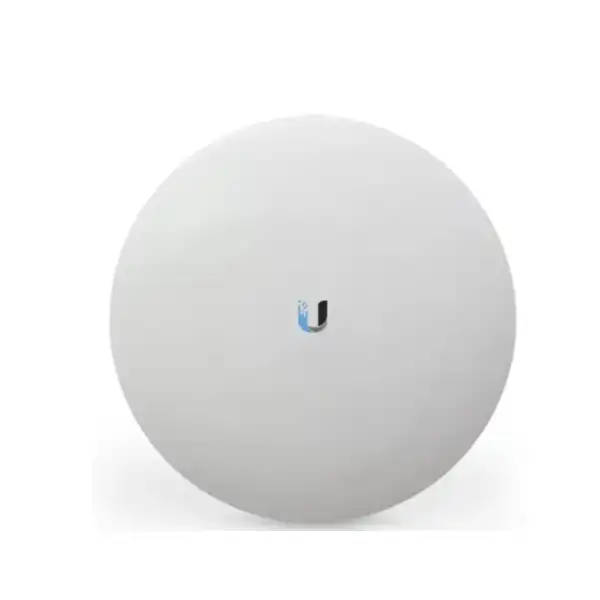
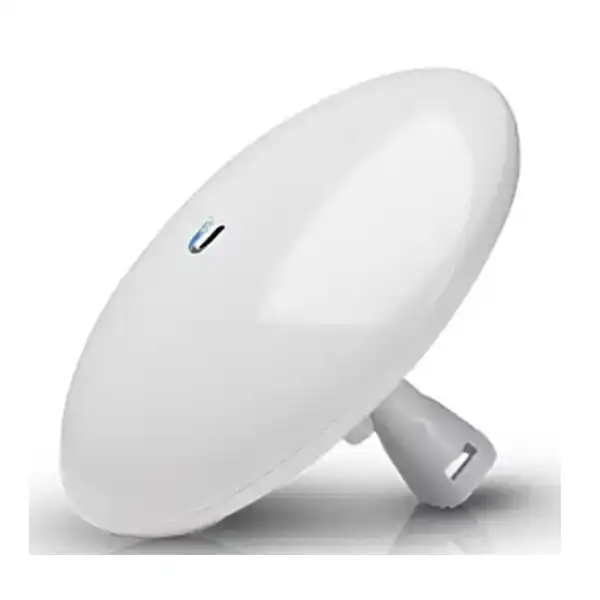
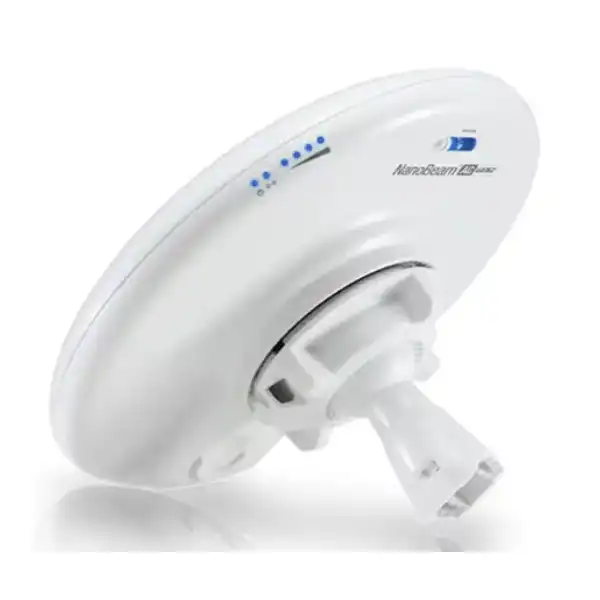
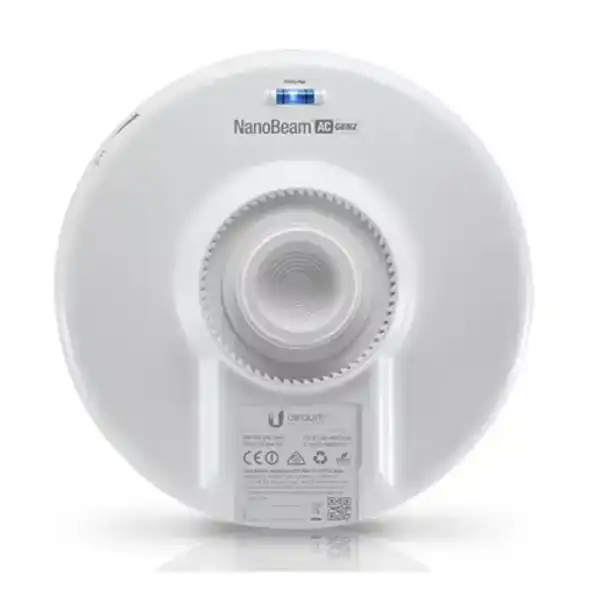
Ubiquiti airMAX NanoBeam 5AC Gen2 NBE-5AC-Gen2
A compact 5 GHz directional bridge with a 19 dBi antenna, dual Gigabit Ethernet interfaces, and dedicated management Wi-Fi for professionally planned outdoor network links.
Verified product essentials
| Manufacturer | Ubiquiti |
|---|---|
| Model | NBE-5AC-Gen2 |
| Product type | Outdoor directional airMAX AC bridge / CPE |
| Radio band | 5 GHz transport; separate 2.4 GHz management radio |
| Antenna | 19 dBi, dual-linear |
| Ethernet | Two 10/100/1000 Mbps RJ45 interfaces |
| PoE | 24V, 0.5A Gigabit passive PoE adapter specified |
| Maximum consumption | 8.5 W |
| Dimensions with mount | 189 × 189 × 125 mm |
| Weight with mount | 530 g |
| Mounting | Included pole mounting; suitable wall hardware optional |
| Operating temperature | −40 to 80°C per Ubiquiti product specifications |
What this NanoBeam is designed to solve
The Ubiquiti airMAX NanoBeam 5AC Gen2 is a compact, directional outdoor wireless bridge for a site that needs a network connection beyond the practical reach of a normal Ethernet cable. Rather than relying on a general-purpose indoor Wi-Fi router to cover an entire compound, an installer aims the NanoBeam toward another compatible outdoor radio. The resulting link can carry network traffic between two locations, subject to clear path conditions, radio planning, installation quality and legal spectrum settings. It is especially relevant where trenching or laying a cable is difficult, expensive, disruptive or impractical.
For a Tanzanian organisation comparing ways to connect two premises, the first question is not simply the advertised throughput. It is whether a reliable radio path exists between the locations. Trees, rooftops, terrain, competing 5 GHz networks, weather exposure and practical mounting height can all affect a deployment. A qualified installer should assess the path and anticipated traffic before choosing radios, antenna positions, channel width and power settings. This product is a network transport component; it does not itself supply an internet subscription.
The NanoBeam family packages a directional antenna and radio into one compact outdoor unit. That integrated design reduces the number of separate antenna components that have to be selected, mounted and connected. Its adjustable mounting approach helps installers aim the device, while a separate management Wi-Fi radio can make setup more convenient near the installation. Good results still depend on correct configuration at both ends of the intended wireless link.
Who should consider this 5 GHz wireless bridge
A small business operating from two nearby buildings may use a pair of compatible radios to extend an existing LAN without excavating a path for copper or fibre. The deployment must be planned so each building has the correct local switching, power, earthing and protection arrangements. The bridge connects networks; it does not automatically provide separate access control, segmentation, failover or cybersecurity policies. Those needs belong in the wider network design.
Schools, training centres and multi-building facilities may consider a directional bridge when classrooms or administration offices sit away from the principal network point. A wireless connection can carry traffic such as approved business applications, ordinary web access or centrally managed services, but performance will depend on load, alignment and interference. Where service continuity is critical, include monitoring and an alternative connection plan rather than assuming any single wireless path will always be available.
An internet service provider may evaluate the NanoBeam as customer-premises equipment in an appropriately designed airMAX network. Compatibility must be established with the intended base-station radio, mode, firmware and channel plan. Site owners considering surveillance-network transport should similarly size links for actual aggregate camera bitrates and peaks, not count cameras alone. Users needing indoor client Wi-Fi should pair the bridge with a suitable access point or router rather than treat the directional bridge as a household Wi-Fi replacement.
Point-to-point and point-to-multipoint roles
In a point-to-point deployment, one outdoor radio at site A communicates with a compatible radio at site B to create a dedicated directional path. Each side is attached through Ethernet to the appropriate local network infrastructure. This can be useful across a road, between office blocks or between separate parts of a property when cabling is unsuitable. The installer chooses complementary access-point and station roles and checks whether bridging or another network mode is appropriate.
In a point-to-multipoint network, a suitably planned base station serves multiple compatible stations. The NanoBeam can be assessed for a client-side role because its directional antenna is intended to focus the link toward the serving radio. However, whether it is a good option depends on the base station, sector coverage, required channel widths, client density and airMAX protocol compatibility. The ability to configure an access-point mode does not mean this small directional device is a substitute for a sector antenna serving a broad area.
Do not assume every 5 GHz Wi-Fi device will form an airMAX link. The airMAX AC radio ecosystem has mode and compatibility requirements; legacy airMAX M, ordinary Wi-Fi clients and other Ubiquiti families may not connect in the same way. Before purchasing radios for a mixed environment, verify the exact peer models, firmware versions and documented interoperability. When replacing an older radio, identify both link ends rather than shopping on the basis of frequency alone.
Understanding the 19 dBi directional antenna
The built-in 19 dBi dual-linear antenna is a key distinction of the NanoBeam 5AC Gen2. Antenna gain describes the concentration of radio energy in particular directions relative to a reference radiator. It does not mean that the radio creates additional power or that every possible path will work. The focused pattern is useful when the device points at a specific distant peer because it can help direct wanted energy and reduce pickup of noise from other directions.
Directional gain makes accurate alignment important. If the radio is aimed off the intended path, signal quality and available modulation rates can deteriorate even when the two sites look visually close. A proper installation therefore includes a stable mount, careful azimuth and elevation adjustment, examination of received signal and noise, and testing under real traffic. Moving a mast after a successful setup, for example during roof work, may require alignment to be checked again.
The benefit of a focused antenna must also be balanced against local transmission limits. A higher-gain antenna can affect permitted effective radiated power, so the radio output setting must be appropriate for the antenna and legal channel configuration. Do not simply set maximum power to improve a weak link. Excessive power can introduce interference, degrade nearby links and violate operating requirements. Better mounting positions, clearer line of sight and appropriate channel selection are often more valuable adjustments.
Why line of sight matters
A wireless link is more than an imaginary straight line joining two antennas. The path should be checked for physical obstructions and for adequate clearance around the signal path, commonly considered through Fresnel-zone analysis. A tree that appears below the direct sightline can still affect performance if its canopy encroaches into that zone. Buildings, nearby structures and seasonal vegetation changes can also alter signal conditions over time.
An installer should inspect both sites and use credible survey data for elevation, antenna height and link distance. Exact requirements depend on frequency, path length and terrain. Even when a rooftop seems high enough from ground level, water tanks, parapets, advertising structures or future construction can restrict clearance. A proposed long link should not be approved solely because a marketing description mentions a long distance capability.
If the path is obstructed, consider a different mounting location, appropriate mast height, an intermediate relay design, a wired alternative or another technology. There are practical tradeoffs in cost, maintenance access, permissions and power provision. Where a building has more than one possible antenna location, planning those options before hardware installation can prevent avoidable remounting. A proper survey also considers safe access for future inspection and maintenance.
Throughput and real-world performance
Manufacturer and reseller throughput figures are useful as broad product positioning but are not guarantees for a specific Tanzanian site. The traffic rate achievable by two radios can vary with channel width, modulation, interference, link distance, signal quality, firmware, traffic direction, environmental conditions and other users of the channel. Network protocols and bridge operation also introduce overhead, so application-level transfer rates will not necessarily match headline wireless figures.
A wider channel can increase peak capacity in a clean environment, but it also occupies more spectrum and can be more difficult to use reliably in a congested area. Narrower channel widths may be useful when stability and interference control matter more than maximum speed. The correct selection should follow a spectrum assessment, legal channel availability and traffic requirements rather than a blanket recommendation to use the widest setting.
Plan capacity against real needs: total users, busy-hour traffic, video workloads, backups, voice calls, important applications and growth. If the bridge carries business-critical traffic, measure throughput and latency after configuration and document the baseline. Re-test when adding more devices or changing network topology. This practical approach makes the NanoBeam easier to evaluate against a fibre extension, leased service or different wireless hardware.
Physical interfaces and power design
Ubiquiti lists two Gigabit RJ45 networking interfaces for the NBE-5AC-Gen2 and a 24V, 0.5A Gigabit passive-PoE adapter in its product documentation. The maximum stated consumption is 8.5 watts. Passive PoE deserves attention because it is not interchangeable with every standards-based PoE switch port. Check the exact injector, voltage, polarity, cable and any converter before connecting power; incorrect assumptions can damage hardware.
Two Ethernet interfaces do not transform the NanoBeam into a managed office switch or imply that either connection can power arbitrary downstream equipment. Follow the documented port roles and electrical limitations in the relevant hardware revision and installation guide. If a site requires multiple wired endpoints, plan a suitable switch at that location. Keep the network topology straightforward and avoid accidental loops between bridge paths.
Outdoor cabling needs physical care. Use appropriate shielded cable, protect the cable route, allow for strain relief and weather exposure, and ensure grounding is designed correctly. Ubiquiti’s installation instructions call for shielded Ethernet cabling and proper earth grounding. A surge-protection strategy should account for both the outdoor radio and the building entry point; an installer must select components that suit site conditions and applicable electrical rules.
Management and commissioning
The product includes a dedicated 2.4 GHz management Wi-Fi radio. This management connection supports setup and service access and is separate from the directional 5 GHz transport link. It should not be interpreted as a normal indoor Wi-Fi service for staff, guests or household devices. The main link is designed around compatible outdoor bridge equipment, not direct connectivity to ordinary phones and laptops.
During commissioning, installers should confirm the intended management addressing, login credentials, firmware version, radio mode, country or regulatory profile, peer pairing and channel settings. They should also record both serial identifiers internally for service records without exposing sensitive access information in public page content. Where remote management is enabled, access should be limited to trusted administrators and secured through the organisation’s network policies.
Ubiquiti provides operating software and tools for monitoring relevant radio information. Depending on the deployed software and configuration, administrators can inspect link statistics, Ethernet rate, errors, uptime, signal behaviour and other operating values. Monitoring a small link is worthwhile: trends in signal and error counts can reveal changes before end users notice outages. Management access itself must be protected from unnecessary exposure to the public internet.
Mounting and alignment on site
The circular enclosure measures approximately 189 × 189 × 125 mm with mount installed and weighs about 530 grams, according to Ubiquiti’s specifications. Its relatively small form factor can simplify placement on suitable poles or brackets, but structural suitability must still be assessed. Use the correct mount and fasteners, account for local wind exposure and choose a location that can be accessed safely for service.
Start by identifying a secure mounting point with a clear direction toward the peer. The pole, bracket or supporting structure should resist movement. After mounting, bring the radio into approximate alignment, connect the correctly specified PoE and Ethernet components, then fine-tune the direction using available signal measurements. Tighten the assembly carefully so the final orientation is preserved without damaging components.
Never treat roof access, mast work or electrical grounding as casual do-it-yourself tasks. Professional installation is specified in Ubiquiti’s guidance, and site owners should use competent personnel who understand elevated work, cabling, lightning and surge risks. Include drip loops, cable routing and maintenance access in the plan. In exposed environments, periodic visual checks can identify deterioration or accidental movement before a link fails.
Outdoor durability and environmental planning
The NanoBeam uses a UV-stabilized outdoor enclosure and is intended for an outdoor mounting environment within its published operating limits. Manufacturer testing and physical specifications describe its design, but they do not remove the need for good installation practice. A reliable deployment depends just as much on mounting hardware, connectors, power arrangements, cable routing and grounding as on the radio housing itself.
Tanzania includes varied local conditions, from humid coastal settings to inland areas with different seasonal patterns. It would be misleading to assume one mounting method or preventive-maintenance interval is appropriate everywhere. Evaluate site-specific exposure, corrosion risk, direct sunlight, wind, seasonal rainfall and the condition of the supporting structure. Cable and bracket materials should be selected accordingly.
For businesses where a link interruption would halt operations, plan practical resilience. Use an uninterrupted power supply where suitable, keep the power adapter in an appropriate protected location, document the radio configuration and arrange for qualified maintenance. Environmental resilience does not imply a guarantee against lightning, extreme weather or prolonged power outages. A second connection or another documented continuity procedure may be needed for critical services.
Network security and operational responsibilities
A wireless bridge should be treated as part of the organisation’s network infrastructure, not a self-securing replacement for network planning. Administrators should deploy current appropriate firmware, strong credentials, restricted management access and sensible segmentation. If the bridge extends the same network between buildings, access to confidential systems may be affected by the design of that extended LAN. The correct firewall and VLAN arrangements depend on the use case.
Before the link is operational, confirm who owns the equipment, who maintains it, who can change radio settings and how configuration backups are handled. Use a consistent naming scheme that identifies each end of the path without publishing sensitive network details. Record mounting positions, IP allocation, safe management access, radio frequency settings and the results of acceptance testing. These records simplify future troubleshooting.
An outdoor radio can be physically accessible to contractors or visitors on certain sites. Plan mounting and cable termination to reduce casual tampering. Monitor changes in link quality, unexpected reboots and management-access events when the deployed tooling permits. Security also extends to the computers, switches and routers connected behind the bridge, and it should not be confused with the radio’s advertised antenna or speed specifications.
Choosing an appropriate wireless design
Choose a NanoBeam when its compact directional form, 19 dBi antenna, airMAX AC platform and available mounting arrangement suit the actual link. It may be an efficient option for a site-to-site bridge that does not require a larger dish or extensive multi-client coverage. The right decision is nevertheless application-specific. A higher-gain directional antenna, another band, a sector access point or a wired connection may be more suitable for a difficult path.
Where a customer wants to cover many phones and computers around an office, this model is not the appropriate primary access-point choice. General user Wi-Fi requires equipment designed for client coverage. Where several remote buildings must connect through one central site, the planner should assess whether a point-to-multipoint airMAX system, multiple dedicated bridges or a wired core offers the desired management and capacity characteristics.
Consider total project cost rather than only the price of a single radio. Typical categories include a second compatible unit, mounts, outdoor shielded cable, lightning and surge protection, PoE power, local switches, labour, survey work and possible access equipment. Requirements differ by site, and no fixed Tanzania package price is asserted here. Request a design and itemised quotation to compare options fairly.
Practical buying checklist
First, identify both endpoints and the desired connectivity outcome. Are you extending a LAN, connecting a customer location, providing an upstream connection for other devices, or transporting traffic between two office switches? Write down the approximate site separation, obstacles and estimated bandwidth requirement. A clear statement of purpose prevents confusion between a wireless bridge and an ordinary Wi-Fi router.
Second, confirm counterpart hardware and the intended network mode. One NanoBeam unit on its own is not a complete point-to-point bridge; a compatible radio is needed at the other end. The two endpoints need coordinated radio configuration, and their antenna directions must be appropriate to the path. Check whether the proposed design includes all mounting, power, patching and protective accessories.
Third, verify what is included in the commercial offer. The manufacturer’s quick-start material identifies the radio, mounting parts, 24V Gigabit PoE adapter, power cord and guide for its documented package, but actual sales bundles and regional plugs should be confirmed in the quote. Confirm the exact model, quantity, hardware revision where relevant, and any optional parts. Do not substitute an apparent retailer SKU for a FourTeck listing SKU.
Finally, ask how acceptance will be judged. A useful plan specifies successful endpoint connectivity, stable operation during a representative test, appropriate management access, documented settings and measured performance against the project requirement. Include who will respond if the connection later needs realignment or troubleshooting. These service considerations are often more important than a difference in headline speed figures.
Tanzania deployment and regulatory considerations
5 GHz spectrum planning is important because a manufacturer’s worldwide hardware range does not mean every listed frequency, channel width or power level is permitted at every location. The installer should verify current Tanzania Communications Regulatory Authority requirements applicable to the intended radio service and installation. Where required, account for lawful equipment use, permitted channels, transmission power, licensing conditions and dynamic frequency selection.
This page does not claim that an individual NBE-5AC-Gen2 unit has been locally type-approved, licensed or cleared for a particular Tanzania deployment. Those are distinct questions that require authoritative confirmation. Similarly, a general manufacturer specification or certification obtained for another jurisdiction does not establish a Tanzania-specific approval. A purchasing decision should distinguish hardware capability from legal permission to operate.
Commercial availability is also separate from technical suitability. Local inventory, delivery, installation service areas, warranty terms, tax treatment and quoted prices may change and must be verified for the actual offer. Avoid relying on prices quoted for unrelated regions or other sellers. Ask for the exact model and an up-to-date quotation with any necessary equipment and installation components clearly identified.
What to test before handover
After installation, verify that both link endpoints can be reached by authorised administrators and that the expected network devices can communicate through the bridge. Check physical Ethernet negotiation and ensure there are no obvious cabling errors. If traffic is passing through switches, review VLAN and topology settings to avoid accidental loops or unwanted exposure of internal services.
Next, record the received signal and noise indicators, chosen channel width, link uptime and throughput observed under a representative load. Results should be measured on the installed path rather than inferred from manufacturer maxima. Where important services such as voice or cameras will use the bridge, test their behaviour during normal traffic conditions and confirm whether the business requirement is met.
Finally, check operational details that are easy to overlook: waterproof routing of the cable, strain relief, grounding, surge protection, secure mounting, adapter placement, configuration backup and an administrator handover. Set a maintenance owner and a sensible process for reviewing firmware updates. A documented baseline helps distinguish environmental degradation from changing traffic demands later on.
Frequently asked questions
Is the NanoBeam 5AC Gen2 a Wi-Fi router? No. It is a directional outdoor airMAX bridge device. Its separate 2.4 GHz management Wi-Fi capability is for device management, not general-purpose indoor client coverage. A normal access point or router may still be required behind the link.
Can one device connect two buildings? A point-to-point link requires a compatible radio endpoint at both buildings. The second radio, mounting arrangements, power supplies and network connections must be included in the design. Do not assume a single boxed radio is a complete bridge kit.
What is the antenna gain? Ubiquiti specifies a 19 dBi integrated directional antenna. This is useful for focused radio paths, but it is not a promise of a particular range or throughput. The site path and correct alignment remain essential.
Does this model have Gigabit Ethernet? Yes. The manufacturer lists two Gigabit RJ45 interfaces for NBE-5AC-Gen2. Check documented interface and PoE roles rather than treating the device as a generic switch.
Can it connect to any 5 GHz access point? Not necessarily. The transport role uses Ubiquiti’s airMAX platform, and interoperable modes and firmware need to be checked against the proposed partner device. Matching the band alone is insufficient.
Is a clear line of sight necessary? A clear and properly assessed radio path is strongly recommended. Obstacles and inadequate Fresnel-zone clearance can weaken or destabilise a link. Professional survey results are more useful than a guessed distance estimate.
What powers it? Ubiquiti specifies 24V passive PoE with a 24V, 0.5A Gigabit adapter in the documented product package. Verify the actual bundle and electrical compatibility before installation; ordinary PoE assumptions may be unsafe.
Can the radio be mounted outdoors? It is designed for outdoor installation with an appropriate secure mount, cable, grounding and protective practices. Outdoor suitability does not eliminate environmental or electrical hazards.
What speed will a business receive? No fixed application throughput can be promised without a path survey and practical testing. Link quality, channel settings, interference and traffic demands influence results.
Is it suitable for security camera traffic? It may carry network traffic for a correctly sized and configured surveillance deployment. Capacity should be assessed using aggregate actual traffic, peak load and required uptime.
Is it approved for operation in Tanzania? This page does not assert a specific local approval. Verify applicable Tanzania regulatory and type-approval conditions before deployment.
Does it include an internet connection? No. The unit transports data over a wireless path; the network still needs an internet service if internet access is the objective.
Can I buy a pair? Request a quotation specifying the quantity and exact model. Do not assume the available offer is automatically a two-unit kit.
What should I send for a quotation? Provide the approximate distance between sites, each mounting location, line-of-sight condition, intended services, estimated traffic demand and whether compatible equipment already exists.
Request a suitable NanoBeam configuration
To evaluate the Ubiquiti airMAX NanoBeam 5AC Gen2 for a Tanzanian deployment, prepare a short description of the two sites, the approximate distance, desired bandwidth and the network devices at each endpoint. Include known obstructions and whether a power source and protected Ethernet route are available at the planned mounting points. These practical details help establish whether the compact 19 dBi bridge is appropriate.
Ask FourTeck Tanzania for a model-specific quotation and confirmation of current offer details, including equipment quantity, accessories, availability and any installation scope that may be provided. A properly scoped proposal can identify design assumptions and items that require an on-site survey. Technical suitability and local regulatory compliance should be confirmed before installation.
Plan the right link before ordering
Request a FourTeck Tanzania quotation for the exact NanoBeam model and the accessories your site requires. Provide both site locations, estimated distance and intended network traffic for a more meaningful product discussion. Current prices, stock and local authorisations require separate confirmation.
Contact FourTeck Tanzania to discuss your requirements.




Reviews
There are no reviews yet.