
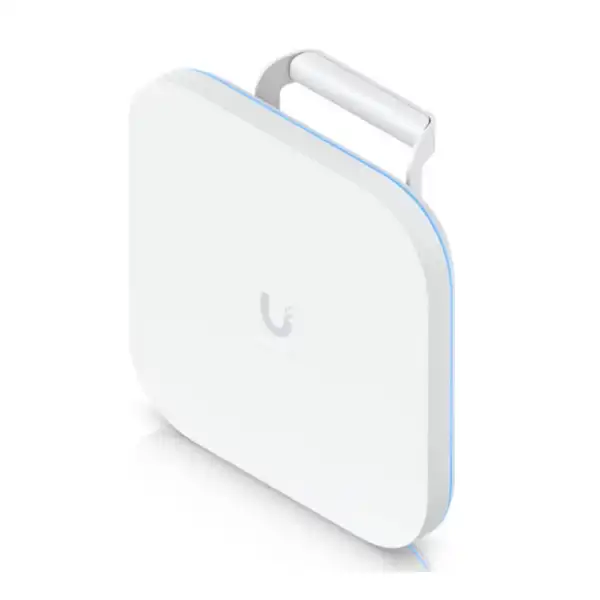
Ubiquiti UniFi E7 Campus Indoor (E7-Campus-Indoor) | Enterprise WiFi 7
Build an indoor network for demanding client density with the Ubiquiti E7 Campus Indoor E7-Campus-Indoor. Its capacity features are intended for planned wireless environments, not as a replacement for survey, switching, power and security design. Request a model-specific quotation and deployment review for Tanzania before committing to equipment quantities.
Important regional check: Tanzania is not listed in Ubiquiti’s published 6 GHz-supported regions reviewed for this content. Do not assume 6 GHz, 320 MHz channels or extended-range operation is available until current regulatory and vendor support is verified.
Key specifications
| Feature | Specification / buyer note |
|---|---|
| WiFi standard | WiFi 7; 10 spatial streams |
| Radio configuration | 6 GHz 4 × 4; 5 GHz 4 × 4; 2.4 GHz 2 × 2 |
| Theoretical maximum radio rates | 6 GHz 11.5 Gbps (320 MHz); 5 GHz 8.6 Gbps (240 MHz); 2.4 GHz 688 Mbps (40 MHz) |
| Manufacturer coverage reference | 465 m² / 5,000 ft²; verify with a site survey |
| Published client scale | 1,000+; not guaranteed simultaneous throughput |
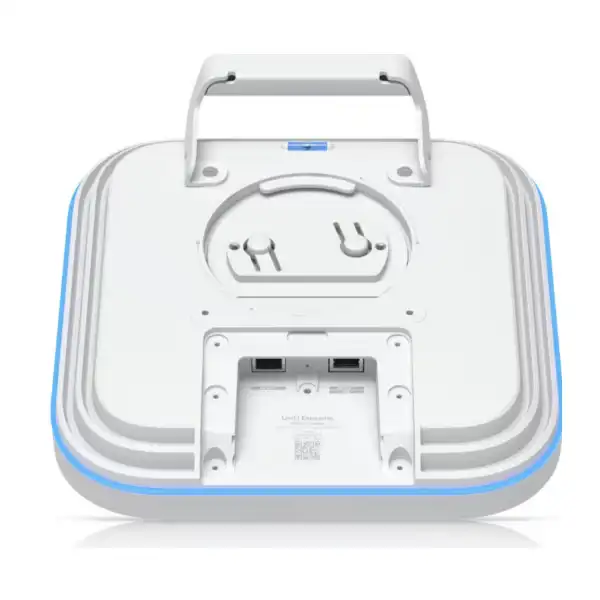
| Network connections | 1 × 10 GbE RJ45 and 1 × 1 GbE RJ45 |
| Power | PoE++; maximum consumption 44 W |
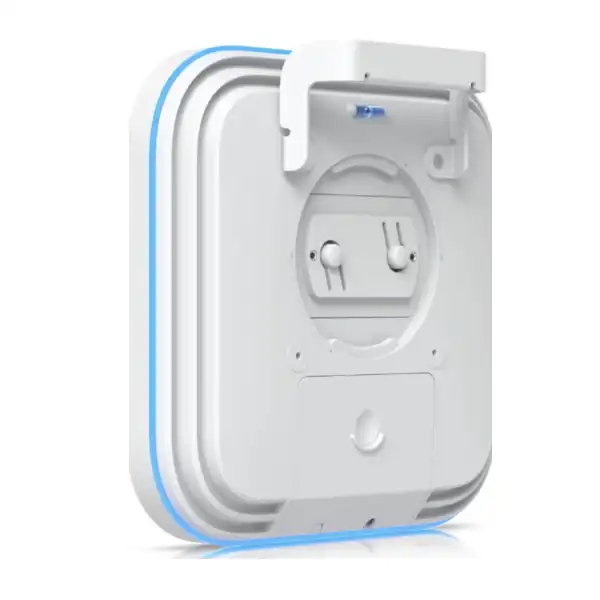
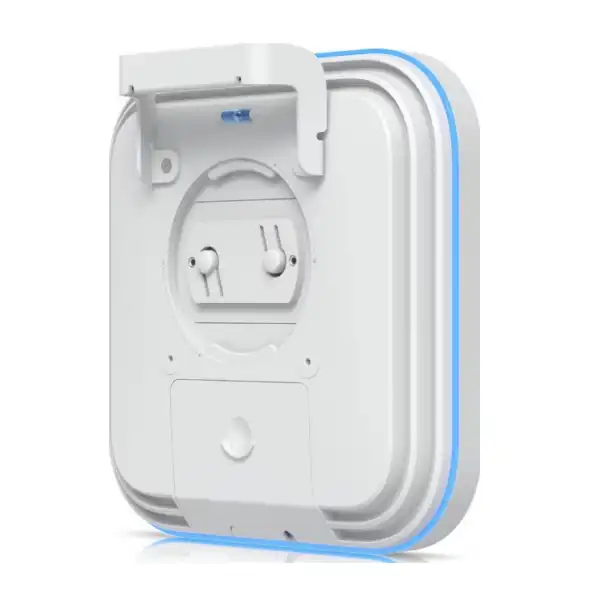
| Mounting | Wall and pole mounts included; VESA optional |
| Dimensions and weight | 250 × 250 × 45.5 mm; 2.2 kg device |
| Management requirement | UniFi Network 10.0.162 or later |
| Tanzania 6 GHz status | Not confirmed as supported; verify before relying on it |
All peak rates and coverage figures are manufacturer’s technical references; practical results vary with client capabilities, regional permissions, design and conditions.
What the E7 Campus Indoor is designed to solve
Enterprise wireless becomes difficult when many people, applications, and devices compete for airtime in the same location. A fast internet connection cannot compensate for poorly placed access points, overloaded radio channels, or a bottleneck between wireless infrastructure and the wired network. The Ubiquiti UniFi E7 Campus Indoor is a high-capacity WiFi 7 access point intended for thoughtfully engineered indoor deployments. It combines ten spatial streams across three radio bands, directional internal antennas, a 10 GbE interface, and a secondary GbE interface. Its practical value is not one headline speed number. It is the ability to design a wireless cell around demanding user density, appropriate coverage, and enterprise network policies.
Buyers evaluating the Ubiquiti E7 Campus Indoor E7-Campus-Indoor for a Tanzanian building should start with three questions: how many devices actually transmit at busy times, where those devices are concentrated, and what applications they use. A lecture hall with hundreds of phones has a different traffic profile from a laboratory transferring large files. A hotel conference area differs from an open-plan office even if both have the same floor area. This access point can be a suitable component of a high-capacity design, but correct quantity, mounting, switching, radio configuration, and regional features must be confirmed before purchasing.
The manufacturer’s 465 m² coverage figure and 1,000-plus client capacity are useful planning references, not guaranteed outcomes in every building. Walls, seating layout, device capabilities, channel width, interference, user behaviour, and available uplink throughput matter. A complete installation may need multiple access points, deliberately smaller cells, and adequate wired backhaul. For a buying decision, request a layout-based design instead of interpreting the most optimistic published figures as a promise of end-user performance.
At-a-glance specifications and what they mean
The E7 Campus Indoor supports WiFi 7 with ten spatial streams divided into 4 × 4 MIMO on 6 GHz, 4 × 4 on 5 GHz, and 2 × 2 on 2.4 GHz. Ubiquiti lists maximum theoretical radio data rates of 11.5 Gbps on 6 GHz at 320 MHz, 8.6 Gbps on 5 GHz at 240 MHz, and 688 Mbps on 2.4 GHz at 40 MHz. These values describe ideal link-layer capability under particular channel configurations; they are not guaranteed application throughput, and the permitted channel widths and bands depend on geography.
The device measures 250 × 250 × 45.5 mm, weighs approximately 2.2 kg without the articulating mount, and supports included wall and pole mounting hardware, with optional VESA mounting. Ubiquiti specifies PoE++ power, a maximum consumption of 44 W, one 10 GbE RJ45 connection, and one 1 GbE RJ45 connection. It also lists real-time spectrum analysis and PRISM RF filtering. The practical installation checklist therefore includes mechanical support, cable routing, a compatible power budget, appropriate switching, and a network-management environment rather than simply a free Ethernet wall socket.
Ubiquiti’s technical specifications currently identify UniFi Network 10.0.162 or later as the application requirement. Buyers should validate the applicable software version and adopted-device support against their installed controller before ordering. A large migration also needs time for configuration templates, VLAN policies, access-control rules, firmware updates, and acceptance testing. Hardware selection works best when it is part of that broader network plan.
WiFi 7 capacity without misleading speed promises
WiFi 7 is useful because it offers a more capable foundation for modern clients, wider possible channels, and higher efficiency features than older generations. Nevertheless, the user experience depends on the client devices, negotiated radio mode, channel conditions, and the rest of the network. A WiFi 6 laptop does not become a WiFi 7 device merely by joining this access point. Mixed client environments remain normal in universities, offices, healthcare facilities, and hospitality venues, so backward compatibility and realistic airtime expectations should inform the design.
Ten spatial streams represent combined radio resources, not ten independent full-speed connections promised to every user. Multiple devices share available airtime, and each client’s antenna capability constrains the link it can establish. For example, a typical two-stream phone cannot use all four spatial streams of a 4 × 4 radio as one personal connection. The reason to specify a high-capacity access point is better collective service within a well-designed cell, not the expectation that an individual user’s speed test will match a sum of advertised radio rates.
Performance planning should also distinguish between burst traffic and sustained workloads. Video calls demand consistent latency and low packet loss. Cloud applications need reliable upstream paths. Training centres may create short but intense log-in periods. Local content transfers can load the wired backbone even when the internet connection is quiet. A useful purchase evaluation records representative user counts and traffic classes, then tests the planned installation against those requirements.
Tanzania: check 6 GHz before treating it as an available feature
The E7 Campus Indoor has 6 GHz radio hardware, and Ubiquiti describes an expanded indoor 6 GHz capability for this model. Hardware capability, however, is not the same thing as permission to transmit in every country. Ubiquiti’s published list of countries supported for 6 GHz operation did not include Tanzania when this product description was prepared. That absence does not by itself establish the complete legal position, but it means buyers must not assume the 6 GHz radio, 320 MHz channels, or any extended-range mode will be available for a Tanzanian installation.
Before committing to a design that depends on 6 GHz, verify current Tanzanian radio rules with the appropriate regulator, confirm Ubiquiti’s present country support and firmware behaviour, and check the exact regional hardware variant. Ask the deploying engineer to record the permitted bands, channels, power settings, and operating mode. Avoid importing configuration assumptions from the United States, Europe, or a neighbouring country. Country selection is a compliance and operational decision, not a setting to bypass in order to reach a benchmark result.
Ubiquiti specifically notes that long-range 6 GHz operation with automated frequency coordination is limited to FCC/IC regions. It should not be offered as an assured Tanzania feature. Where 6 GHz operation is unavailable or unconfirmed, assess whether this high-end model still makes commercial sense for its 5 GHz and 2.4 GHz service, high-capacity interfaces, management options, and antenna characteristics. If a proposal relies on 6 GHz spectrum to achieve required capacity, make that condition explicit before a purchase order is approved.
Understanding 2.4 GHz, 5 GHz, and 6 GHz in a mixed workplace
The 2.4 GHz band is valuable for older clients and devices that do not support newer spectrum, but it is often busy and has fewer practical non-overlapping channels. Treat it as a shared resource for necessary client compatibility rather than the default home for every high-performance workload. Many IoT devices, low-cost handhelds, and legacy endpoints still depend on 2.4 GHz. Their presence should be documented, because their airtime consumption can influence the experience of the entire cell.
Five gigahertz is a common workhorse for business wireless, supporting many modern laptops, phones, and tablets. Its best channel plan depends on neighbouring access points, permitted channel widths, local conditions, and client support. Wider channels can improve an individual link in favourable circumstances but may reduce the number of independently usable channels in a multi-AP building. High-density designs often benefit from deliberate channel reuse and restrained power levels rather than automatically selecting the widest setting.
Six gigahertz can provide additional spectrum to capable devices where permitted, although client support, distance, obstacles, and local regulations remain decisive. None of these bands is a substitute for good cell placement. Segmenting clients by practical needs, analysing airtime usage, and measuring actual application performance produce more useful results than comparing a single advertised throughput figure. Review each band separately during commissioning so the design works for the devices the organisation actually owns.
Directional antenna design and why placement matters
Unlike a generic promise of coverage in every direction, this model’s internal antenna system uses directional patterns. Ubiquiti lists 12 dBi antenna gain and an approximately 90° × 50° beamwidth for 6 GHz; 12 dBi and 100° × 55° for 5 GHz; and 9 dBi and 90° × 80° for 2.4 GHz. These figures are useful to an installer deciding where the main coverage lobe should point. They do not mean that the entire area inside an angle receives equal signal strength or guaranteed application performance.
An articulating mount gives the designer a way to aim the radio toward the relevant users. In a long lecture room, for example, mounting angle and seating direction can matter more than whether the access point is visually centred on a wall. In an open indoor event space, the correct orientation may be different again. Mount selection should account for people, furniture, shelving, equipment, metallic structures, walls, and future room modifications.
Because directional patterns focus energy, the model may be a poor fit where a centrally located omnidirectional ceiling access point would serve a small, uncomplicated office more economically. Use a floor plan, expected crowd positions, and an on-site verification survey to judge the design. Document mounting height and direction as part of the installation record so technicians do not accidentally change the coverage pattern during later maintenance.
How to interpret the 465 m² coverage reference
Ubiquiti quotes a coverage area of 465 square metres, or 5,000 square feet. That headline is a reference point for evaluating the product, not a rule for dividing a building’s total floor area by 465 to obtain the number of required access points. A 465 m² open, unobstructed hall and a 465 m² floor divided into concrete-walled rooms can behave entirely differently. Elevators, service shafts, metallic shelving, reinforced structures, and neighbouring radios may produce dead spots or undesirable overlap.
Coverage is also not the same as useful capacity. A client may detect a strong enough signal to connect but still experience poor voice quality or slow application loading when many other users share the channel. Network planning should establish minimum acceptable signal and service quality for each functional area. Busy meeting spaces, test centres, multimedia rooms, and service counters may call for smaller cells even when a single access point can technically be heard across the room.
Before purchase, identify the floor materials, ceiling height, construction type, expected room occupancy, roaming paths, and whether mobile devices must work near the edges of the space. An initial predictive plan can guide equipment quantities, but commissioning measurements are important for validating actual results. If someone proposes guaranteed full-speed coverage from the published area figure alone, request a site-specific justification and acceptance criteria.
The 1,000-plus client figure is a capacity rating, not a service guarantee
Ubiquiti specifies support for more than 1,000 clients, a notable feature for high-density planning. The number describes the manufacturer’s supported client scale; it should not be interpreted as 1,000 people simultaneously streaming demanding video at the maximum advertised wireless rate. A client connected but mostly idle uses the network differently from one uploading files, participating in a real-time meeting, or receiving continuous live video.
For useful sizing, estimate concurrent active devices rather than only registered users. A student may carry a phone and a laptop, while shared terminals, scanners, displays, and sensors add more endpoints. Record peak occupancy, the expected device multiplier, average activity, and the busiest traffic periods. Then examine uplink capacity, firewall throughput, DHCP and authentication design, switch capability, and the strength of the internet service. The access point is one element in a much longer performance chain.
Large deployments should distribute demand across multiple cells instead of trying to make a single access point do everything. Wireless contention, collisions, retries, and client steering can limit practical capacity long before the theoretical client count is reached. A pilot in the highest-density area gives the organisation evidence about real application quality, not just a successful association count.
10 GbE uplink and a secondary GbE port
The primary 10 GbE RJ45 interface helps prevent the wired connection from becoming an avoidable bottleneck when many capable clients are active. It is most valuable when the upstream switching, local server infrastructure, and application traffic can use higher aggregate bandwidth. Installing a 10 GbE-capable access point on a slower uplink may still be sensible during a staged upgrade, but the wired connection then determines how much traffic can leave the access point at once.
The additional 1 GbE RJ45 connection supports designs that prioritise connection resilience. Ubiquiti positions this as a redundant GbE port for high-availability applications. Nevertheless, failover behaviour, cable paths, switch configuration, power design, and the entire network architecture must be verified for the intended use. Two physical sockets alone do not guarantee uninterrupted calls, seamless sessions, or survival of every type of network failure.
Specify the switching environment as carefully as the access point. Evaluate port speed, PoE capabilities, power budget, cabling quality, VLAN support, aggregation design, and switch redundancy. Where the secondary connection is planned as a backup, test a real cable or switch failure during commissioning and record the observed behaviour. Critical facilities should also assess gateway, DNS, DHCP, authentication, and upstream dependencies rather than focusing only on the wireless edge.
PoE++ power and electrical planning
The E7 Campus Indoor is powered using PoE++, and the manufacturer specifies maximum power consumption of 44 watts. This means the PoE source and its available per-port power must be matched to the device. A switch with available Ethernet ports is not automatically a suitable source of power. Check the exact PoE standard, port budget, total switch budget under simultaneous load, and the cabling route before approving the bill of materials.
Power planning is especially important in dense environments that run many access points from the same distribution switch. The design should allow for the combined consumption of access points, other PoE devices, reasonable operating margins, and any intended redundancy. Confirm the actual supported powering arrangement and accessories for the purchased regional variant. Do not assume that an old PoE or PoE+ injector will meet a PoE++ requirement merely because the connector fits.
For important services, consider how the switch, controller, gateway, and upstream internet equipment receive protected power. A UPS serving only the wireless device but not its network path can leave users without usable connectivity. On completion, the installer should document which switch port powers each access point, the available capacity, any backup power arrangements, and the actions needed to restore service after an outage.
UniFi Network management and controller readiness
The model belongs to Ubiquiti’s UniFi ecosystem. Centralised configuration and monitoring can help an organisation manage multiple access points, related policies, and network changes consistently. Ubiquiti currently lists UniFi Network version 10.0.162 and later for this model. Before deployment, confirm that the existing controller or compatible UniFi gateway supports the device and that the organisation has a practical firmware-upgrade and change-management plan.
Adoption into management is only the first step. Agree on wireless network names, authentication types, VLAN mapping, device policies, guest access, scheduled services, and administrative permissions. Decide who will receive alerts, who is authorised to change radio settings, and how the configuration will be documented. A campus with several departments benefits from templates that prevent one area from drifting away from agreed security standards.
A safe rollout uses a small pilot before wider deployment, particularly when replacing older APs. Check whether existing clients reconnect correctly, whether network segmentation still works, and whether application traffic follows the expected path. Change one significant setting at a time where possible, keep a rollback plan, and record any device compatibility issues. Management software improves control but cannot repair poor RF placement or an undersized wired network.
RF filtering, spectrum visibility, and interference
The E7 Campus Indoor includes Ubiquiti’s PRISM RF filtering and real-time spectral analysis features. These tools are valuable in locations with competing radio activity, because they support better observation and management of the wireless environment. They do not eliminate interference, exempt a deployment from lawful channel restrictions, or make a poorly designed network immune to congestion. Their greatest value comes when an administrator uses the information to make sensible channel and power decisions.
Antenna placement near machinery, power equipment, other radios, dense metal fixtures, or neighbouring tenant networks can change wireless behaviour. Survey the environment at the times when the facility is busiest, not only when the building is empty. Review utilisation, retransmissions, client experience, and the effect of wider channel settings. If performance decreases in a particular room, inspect interference and capacity before increasing transmit power indiscriminately.
The model also supports advanced radio-management functions and zero-wait DFS. Actual operation depends on firmware, regulatory domain, selected channels, and surrounding conditions. DFS-related behaviour deserves attention in environments where a channel change could affect active applications. Build the channel plan around allowed spectrum and validated client performance, not around a single attractive setting in the management interface.
Roaming across lecture halls, corridors, and offices
People do not remain beside a single access point. Staff move from offices to meeting spaces, nurses move along wards, and students travel between classrooms. The E7 Campus Indoor lists support for 802.11r fast roaming, 802.11k radio resource management, and 802.11v BSS transition management. These mechanisms can assist suitably configured networks and compatible clients as they move between coverage cells.
Roaming quality still depends on client decisions, signal overlap, authentication configuration, and a coherent RF design. Enabling a feature does not guarantee that every phone will switch at precisely the desired moment. Some older or specialised devices need compatibility testing before features are enabled network-wide. For mobile applications, test walking routes and transitions while a real voice call or business workflow is active, rather than relying only on stationary throughput measurements.
Plan overlapping cells so users have a usable alternative access point before the current signal becomes unacceptable, while avoiding excessive overlap that wastes airtime. Keep relevant VLANs, authentication policies, and gateway paths consistent where uninterrupted mobility is required. Document exceptions for legacy devices and establish a practical way to distinguish roaming failures from application or internet problems.
Separate staff, students, visitors, and devices
Enterprise deployments rarely have only one type of user. An educational site may need separate policies for teachers, students, visitors, and managed teaching equipment. A business may separate employee laptops from guest phones, meeting-room displays, and operational devices. The E7 Campus Indoor supports guest isolation, private pre-shared keys, client isolation, and dynamic RADIUS-assigned VLANs, offering useful building blocks for a more controlled design.
These features still need consistent end-to-end network configuration. A wireless network name does not provide isolation by itself if VLANs, switching, firewall rules, and DHCP scopes are incorrectly designed. Authentication choices should reflect device capabilities and the organisation’s security requirements. Private pre-shared keys can simplify some segmented access scenarios, while RADIUS-based arrangements may better fit centrally managed environments. Select the approach on operational grounds, not because it appears more advanced on a feature list.
Review who can administer the wireless estate, how passwords or credentials are changed, how access is revoked, and which systems can be reached from each wireless segment. Test both allowed and forbidden traffic paths. For a school or clinic, protecting sensitive systems may be more important than maximising the number of clients that can join the access point. Good wireless performance and good security must be designed together.
Guest WiFi and visitor authentication
Ubiquiti lists a captive hotspot portal with options for custom branding, voucher authentication, password authentication, payment-based authentication, and external portal support. These features may be relevant for conference facilities, hotels, public waiting areas, training centres, and institutions with temporary visitors. The correct method depends on how guests obtain access, whether staff need to issue credentials, and what local operational or legal requirements apply.
A guest portal should be tested on real phones and laptops, including clients with privacy controls or changing device identifiers. Ensure visitors can reach the resources needed to authenticate without reaching staff systems. Plan sensible session duration, bandwidth limits, support instructions, and an accessible process for users whose device does not show the portal automatically. If payment or an external portal is part of the design, confirm the complete supported integration and any separate service arrangements before making a promise to end users.
Guest isolation and speed-limiting functions can help contain demand and reduce exposure, but they are not a substitute for firewall policy, responsible data handling, and operational monitoring. In a large visitor venue, design around peak arrival periods when many users try to authenticate simultaneously. A useful acceptance test includes an unfamiliar visitor completing the sign-in process without technical assistance.
Mounting, physical environment, and service access
Ubiquiti lists included wall and pole mounting options and optional VESA mounting. The access point itself measures 250 × 250 × 45.5 mm, and the device weighs about 2.2 kg; with the articulating mount, total weight is approximately 3.1 kg. These figures matter when selecting a stable mounting surface and maintaining the intended antenna orientation. A location that provides easy cable access but points the antenna away from users may be a poor compromise.
The product is identified as an indoor model. Do not assume it carries the weatherproofing claims of the separately named E7 Campus indoor/outdoor variant. Where a project includes outside corridors, exposed verandas, external walls, or open-air seating, verify the environmental requirements and select appropriate equipment instead of treating an indoor specification as an outdoor rating. The manufacturer lists an ambient operating temperature range of -40°C to 60°C and 5–95% non-condensing humidity, but these limits do not establish permission for direct rain exposure.
Mounts, cable strain relief, tamper protection, service clearance, and safe access should be part of the installation specification. In high ceilings or occupied public areas, plan maintenance access and safe installation methods before the venue becomes operational. Record the installed location, orientation, cable identifier, and management name for each access point, making later troubleshooting and replacement considerably easier.
Scenario: universities, classrooms, and training facilities
Lecture theatres can create sharp peaks in demand when a class begins, an online exam starts, or hundreds of students open the same resource. A high-capacity directional AP may help serve a defined seating area, but the network should be designed for peak active devices and critical application traffic rather than nominal room occupancy alone. Consider the number of laptops and phones per attendee, examination security, local learning platforms, and the ability of the wired backbone to handle concurrent requests.
Separate student, teaching, guest, and administrative access where needed. Test movement between corridors and learning areas, and validate real-time collaboration under load. A single high-power radio may produce broad signal reach without the capacity needed for simultaneous assessment activities, so multiple carefully planned cells may be preferable. The E7 Campus Indoor should be evaluated as part of an overall campus design with sufficient switching and management capacity.
Scenario: offices, shared workspaces, and meeting areas
In a busy workplace, a mixture of meetings, cloud collaboration, file synchronisation, guest access, and mobile devices creates irregular traffic patterns. High-capacity WiFi 7 hardware can be useful in conference zones and densely used shared areas, but not every small office needs this class of access point. First map the spaces where people actually gather and identify the applications that are sensitive to delay, such as voice and interactive video.
Plan network segmentation for employees, visitors, and operational systems. Validate that meeting-room equipment connects reliably, roaming does not interrupt user workflows, and the uplink design serves local traffic as well as internet traffic. Where room partitions or furniture change frequently, leave time for a follow-up survey. The goal is a stable and maintainable workplace network, not the highest-looking number in a product comparison.
Scenario: hospitality, events, and visitor spaces
Large meeting rooms, exhibition zones, training events, and hospitality common areas can attract many short-lived client connections. Their main challenge is often variability: an empty room becomes crowded quickly, and the load may concentrate in one corner. Directional antenna positioning, visitor authentication design, and enough internet and authentication capacity are therefore essential. A ceiling plan prepared without an occupancy plan may miss the busiest areas.
Use guest isolation and appropriate access controls to separate visitor traffic from operational systems. Check portal compatibility and user onboarding before opening a venue to guests. If a project requires a public-facing outdoor area, specify weather-appropriate equipment separately. The E7 Campus Indoor should not be described as an outdoor AP merely because a different Campus model has an outdoor rating.
Scenario: healthcare, institutional, and operational premises
Facilities that depend on wireless scanners, mobile workstations, staff devices, and visitor access need more than bandwidth. Predictable connectivity, role-based separation, and a clear support process matter. The E7 Campus Indoor may be appropriate for selected high-density indoor areas, but wireless connectivity should not be represented as suitable for safety-critical or life-critical applications without the separate design, validation, and controls those systems require.
Identify operational devices with unusual radio or authentication requirements and test them before migration. Provide documented policies for staff, visitors, and managed endpoints. Consider how devices move across rooms, what happens during power or network failures, and how administrators identify and recover a malfunctioning access point. Site-specific suitability is determined by the full system, not the AP model in isolation.
A sensible survey and deployment sequence
Begin with a structured requirements meeting rather than a shopping list. Collect building drawings, room uses, peak occupancy, expected devices per person, existing WiFi complaints, critical applications, uplink speeds, available switch ports, and any security or compliance constraints. Mark the areas with the highest user concentration. Where possible, document the current baseline: signal quality, roaming behaviour, latency, and applications that users report as unreliable.
Next, develop a predictive RF design using permitted radio bands and realistic building materials. Choose mounting positions that use the directional antenna pattern intentionally. Assess whether a high-capacity E7 Campus Indoor is the right device for each area; smaller rooms or uncomplicated zones may need a different AP class. The bill of materials should include required switching, PoE++ capability, cabling, mounts, power resilience, management software readiness, and any supporting infrastructure.
Install a pilot covering a demanding space, configure the approved security and wireless policies, and test representative user devices. Measure performance at busy times, roaming routes, portal operation, and network isolation. Finally, document the installed radio settings and management arrangements. A signed acceptance checklist based on application results is much more useful than a statement that all access points show online.
Buyer checklist for switches, cables, and ancillary equipment
Before ordering, check that the chosen switch offers the necessary Ethernet link speed and an adequate PoE++ power budget. If many access points share one switch, add the expected demand of all powered devices rather than checking a single port. Confirm copper cabling quality, run length, termination condition, and compatibility with the intended link speed. Existing cable installations should be tested rather than assumed suitable because they already carry network traffic.
Review gateway performance, DHCP capacity, DNS reliability, VLAN design, internet service, and any local servers used by wireless clients. Decide whether a resilient secondary GbE path is warranted and whether the supporting switches and network architecture can implement it. Check for operational considerations such as spare switch capacity, backup power, replacement procedures, and staff familiar with UniFi Network management.
Also verify the exact supplied package and mounting accessories with the seller rather than assuming an accessory shown in a different region or product variant is included. The model identifier is E7-Campus-Indoor; it should not be confused with the separately named indoor/outdoor E7 Campus. Ask for a written equipment schedule that names each item and its intended role.
Comparing this model with a simpler indoor access point
The E7 Campus Indoor is a strong candidate when high simultaneous user counts, directional coverage, a 10 GbE uplink, and enterprise management capabilities have a measurable purpose. It may be excessive for a small shop, a lightly occupied office, or a space served adequately by a lower-capacity WiFi 7 or WiFi 6 model. More expensive radio hardware will not solve an underperforming internet service, poor cabling, inappropriate channel planning, or insufficient power and switching capacity.
A comparison should ask whether the extra spatial streams are useful for the expected client mix, whether the wired network can carry the resulting traffic, and whether directional antennas match the room. It should also consider the operating region. In Tanzania, a business case that depends on immediate 6 GHz service must be reconsidered until that capability is verified. Rather than choosing by generation alone, compare application quality, deployment complexity, support requirements, resilience, and total project cost.
Another useful distinction is between indoor and weather-rated equipment. Do not substitute the E7 Campus Indoor for an outdoor-rated unit simply because both share the Campus family name. Likewise, do not assume a consumer router with a similar advertised wireless speed offers the same VLAN, high-density, mounting, monitoring, and operational capabilities. Select the hardware class that matches the actual brief.
What to request with a Tanzania quotation
A useful quotation should identify the exact model E7-Campus-Indoor, any verified regional suffix, the equipment quantity, proposed location of each unit, associated switching and PoE arrangements, and the management environment. Request a separate description of what has been included and excluded: cabling, mounts, controller or gateway upgrades, surveys, configuration, testing, training, and ongoing support if offered. Without that clarity, two quotations for the same access point may represent very different installation outcomes.
Ask the supplier to state how 6 GHz regional support will be assessed, which bands are intended for initial service, and what assumptions are used for user numbers and coverage. Do not rely on foreign retail prices as Tanzania selling prices, and do not assume current stock or delivery lead times without confirmation. A good purchase decision weighs verified hardware facts and the implementation plan together.
For procurement records, distinguish model, manufacturer part number, and retailer or seller SKU. The supplied model identifier identifies the product family variant but does not establish the local listing’s SKU. Keep regulatory and installation questions documented before approval. The next step is to request a model-specific quotation and design review through FourTeck Tanzania’s normal enquiry process.
Operating and maintaining the network after deployment
A wireless design needs ongoing care as client populations and building use change. Schedule periodic reviews of connected clients, failed associations, noisy channels, device health, available switch power, firmware status, and unexpected changes to radio configuration. Treat user complaints as useful evidence: record location, time, application, and device type rather than categorising every report as an internet problem. A small consistent set of measurements can reveal growth-related capacity problems before they cause major disruption.
Change control is important for busy institutional sites. Test controller and firmware updates in an appropriate maintenance window, record the current configuration, and ensure administrators know how to roll back when necessary. When a room is remodelled or a metal partition is installed, revisit the coverage plan instead of assuming the original survey remains valid. Account for newly deployed IoT systems and legacy devices as well as mainstream laptops and phones.
Keep a clear asset record that maps each access point to a room, mounting orientation, switch port, VLAN or management segment, and support owner. Review authentication and guest credentials as organisational needs change. The lasting value of enterprise wireless comes from maintainability and dependable user experience, not just strong specifications on installation day.
Frequently asked questions
Is the E7 Campus Indoor a WiFi 7 access point?
Yes. Ubiquiti lists the E7 Campus Indoor as a WiFi 7 access point with ten spatial streams. It supports 2.4 GHz, 5 GHz, and 6 GHz hardware. Which bands and features can operate at the installation location depends on regional regulations, Ubiquiti’s country support, and the selected configuration. Users should not infer that all published peak radio rates will be available in Tanzania.
Can I use the 6 GHz band in Tanzania immediately?
Do not assume so. At the time this description was researched, Tanzania did not appear on Ubiquiti’s published list of supported 6 GHz regions. The relevant Tanzanian rules, actual product-region variant, and current vendor software support need independent confirmation before the design relies on 6 GHz. Avoid describing the optional 320 MHz capability as an assured local feature until those checks are completed.
Does one unit guarantee WiFi throughout 465 square metres?
No. The 465 m² figure is a manufacturer coverage reference. Walls, attenuation, user density, interference, client capability, and directional antenna orientation can produce different results. Some spaces require more than one AP to meet their coverage or capacity goals. A site survey and representative acceptance testing are a better basis for specifying quantity than a floor-area calculation alone.
Will 1,000 people all get gigabit speeds at the same time?
No. The 1,000-plus figure indicates a published maximum client capacity class, not a guaranteed simultaneous throughput level for every connected device. Actual experience varies according to active client numbers, device radios, shared airtime, channel plans, uplink bandwidth, applications, and the broader network. Design around peak active traffic and user experience rather than connected-device count alone.
Do I need a 10 GbE switch to use this access point?
The model has a 10 GbE interface and a secondary 1 GbE interface. A 10 GbE-capable upstream path can help realise its aggregate wired capacity, but whether it is essential depends on the intended deployment. A slower link can constrain total traffic. Independently of speed, the source must meet the device’s PoE++ power requirements. Validate the chosen switch and cabling before procurement.
Can an ordinary PoE injector power it?
Not every PoE injector is appropriate. Ubiquiti specifies PoE++ and up to 44 W maximum consumption. The actual injector or switch must provide the required standard and sufficient power, with an appropriate cable installation. Do not assume an existing PoE or PoE+ source is adequate. Confirm all powering accessories for the exact variant being purchased.
Is the indoor model suitable for exposed outdoor areas?
This listing is for E7-Campus-Indoor, the indoor variant. Do not assume it shares the weatherproofing specifications of a separately named E7 Campus indoor/outdoor product. For rain-exposed walls, external walkways, open courtyards, or other outdoor locations, select equipment with independently verified environmental suitability and installation requirements.
Which UniFi Network software version is required?
Ubiquiti’s current technical specification lists UniFi Network version 10.0.162 and later for E7 Campus Indoor. Confirm controller and gateway compatibility in the deployed environment, including the actual supported firmware and any additional upgrade requirements. Rollout planning should include backup and change-control steps rather than treating adoption as a one-click guarantee.
Does the access point offer separate visitor and staff access?
The published feature set includes guest isolation, captive portal options, private pre-shared keys, dynamic RADIUS-assigned VLANs, client isolation, and speed limiting. These are useful for designing separate visitor, staff, and device policies. Correct operation still requires a matching switching, gateway, authentication, and firewall configuration. Always test the intended security separation after installation.
Can it help with roaming between rooms?
The product supports 802.11r, 802.11k, and 802.11v mechanisms that can assist compatible clients moving between cells. Good roaming is nevertheless a property of the full wireless design, including suitable overlap, client behaviour, authentication configuration, and network consistency. Walk-test real applications, particularly voice or mobile workflows, before declaring a multi-AP deployment complete.
What is the difference between 10 GbE throughput and the advertised radio rates?
The 10 GbE figure describes a wired Ethernet interface. The higher 6 GHz and 5 GHz figures are theoretical radio link rates under specified channel widths and conditions; they are not directly comparable with application throughput. Protocol overhead, contention, client limitations, usable spectrum, and other network bottlenecks reduce realised performance. A realistic evaluation measures end-to-end applications.
Can I buy the device without any additional network equipment?
That depends on the existing infrastructure. The access point needs compatible PoE++ power, an appropriate wired connection, and a supported UniFi management environment. Multi-user installations may also require switching upgrades, structured cabling, controller or gateway changes, surveys, and configuration services. Request a complete bill of materials rather than assuming the AP alone satisfies the project.
Is this a good choice for a small office?
It can work in an indoor office, but its high-capacity specification may not be economical if user counts and application demands are modest. Consider the direction of its antenna pattern, available wiring and PoE++, and whether the network can use a 10 GbE uplink. Compare the project requirements with simpler alternatives before committing to a high-density model.
What should be tested before signing off installation?
Test intended coverage and signal quality in occupied areas, real application throughput and latency, peak client demand, roaming routes, guest onboarding, segmentation, switch power headroom, and any planned backup connection. Record the operating bands and region settings, especially the Tanzania 6 GHz verification outcome. The acceptance record should connect measurable results to the original requirements.
How do I request a correct quotation for Tanzania?
Provide the product name Ubiquiti UniFi E7 Campus Indoor, model E7-Campus-Indoor, building type, approximate floor plan, busiest-room occupancy, expected client devices, existing switch and controller details, and intended applications. Ask for the exact regional variant, total equipment scope, mounting design, regulatory checks, and separately confirmed local price and availability. FourTeck Tanzania can then review the request through its usual enquiry process; no unverified price or stock claim is implied here.
Request an E7 Campus Indoor quotation
Share your floor plan, expected peak clients, use cases, current switching, and desired installation timeline with FourTeck Tanzania through its usual enquiry channel. Request confirmation of the exact regional model, applicable 6 GHz support, site-survey assumptions, PoE++ and 10 GbE requirements, and a complete project scope. No stock, pricing, delivery, warranty, or installation-coverage commitment is stated without verification.




Reviews
There are no reviews yet.