
Ubiquiti Enterprise Firewall EFG: secure, manage and scale your network edge
When an organisation needs enterprise-scale routing, intrusion prevention, flexible high-speed connectivity and coordinated UniFi network management, the Enterprise Firewall EFG provides a powerful 1U gateway platform. It brings together 25G-capable interfaces, 12.5Gbps IDS/IPS routing throughput, support for large device and client estates, and an option for gateway high availability with a second matching unit.
This guide explains where the product fits, what the published specifications actually mean, which components must be planned separately and what Tanzanian business buyers should verify before requesting a quote. For purchasing decisions, FourTeck Tanzania should confirm current availability, the complete bill of materials, technical scope and terms through a current quotation.
EFG specifications at a glance
| Model | Ubiquiti Enterprise Firewall / EFG |
|---|---|
| Security-routing capacity | 12.5Gbps IDS/IPS throughput |
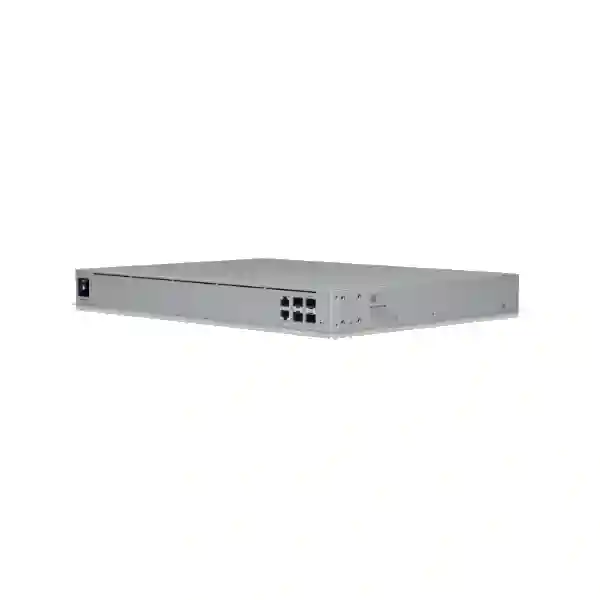
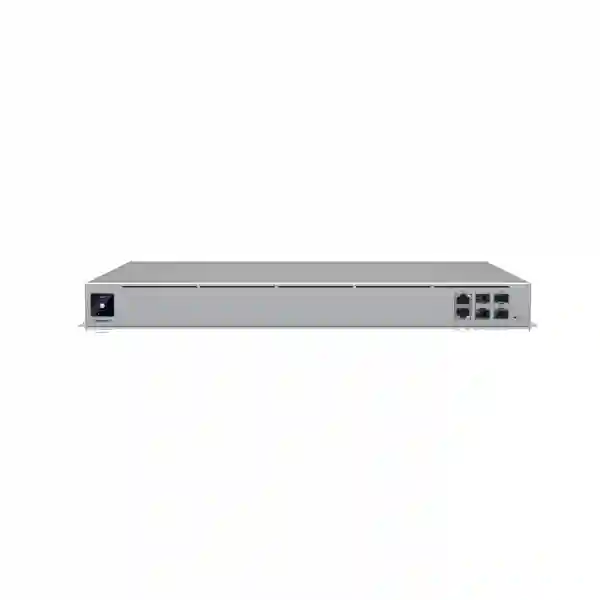
| Interfaces | 2 × 25G SFP28; 2 × 10G SFP+; 2 × 2.5GbE RJ45 |
| Managed scale | 500+ UniFi devices; 5,000+ connected clients |
| Session scale | 10 million concurrent; 71,000 new sessions/second |
| Internet connections | Up to five WAN ports with suitable remapping |
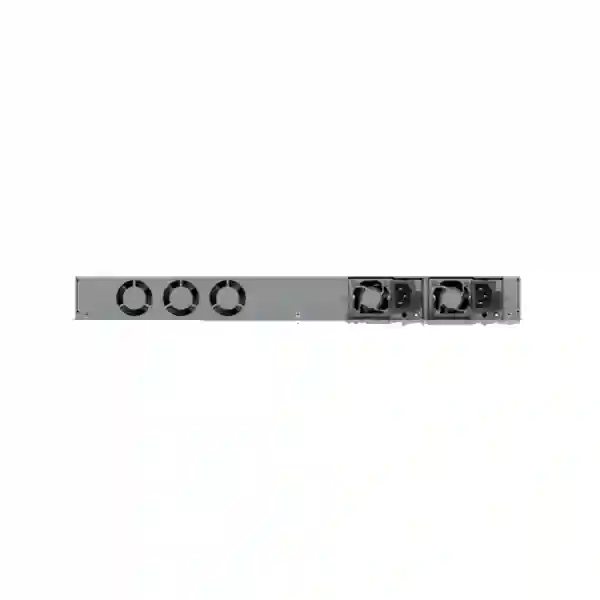
| Resilience | Dual hot-swappable PSUs; Shadow Mode with a second EFG |
| Software role | UniFi Network application; other UniFi apps require separate suitable consoles |
| Mounting and input | 1U rackmount; 100–240V AC |
Figures reflect Ubiquiti’s published model specifications. Interface capacity, inspected routing, VPN tunnel throughput and site-specific application performance are different measurements.
Who should consider the Ubiquiti Enterprise Firewall EFG?
The Ubiquiti Enterprise Firewall EFG is an enterprise-scale UniFi Cloud Gateway for organisations that need a substantial security edge, fast fibre or copper handoffs, centrally administered networks and a growth path beyond a small-office router. It combines firewall enforcement, routing, VPN connectivity and the UniFi Network management application in one rack-mounted system. That makes it a candidate for campuses, multi-building offices, busy hospitality environments and other networks with many users or managed UniFi devices.
Its value is not simply the presence of a 25G port. Buyers should evaluate their real internet bandwidth, traffic mix, security inspection requirements, number of network segments, upstream switching capacity and recovery objectives. A large network might need strong policy control and reliable administration before it actually needs a 25-gigabit internet circuit. The EFG can help consolidate that edge function, but an appropriately designed LAN and trained administrators remain essential.
For Tanzanian organisations evaluating a new security gateway, the sensible first step is a network requirements review rather than selecting a headline throughput figure. Map the current internet handoff, planned growth, remote offices, application dependencies and downtime tolerance. Ask FourTeck Tanzania to review the EFG model against those requirements and confirm the actual purchase scope, accessory needs and local commercial terms before committing to deployment.
What the EFG does—and what it does not do
The EFG is a firewall and router that also hosts the UniFi Network application. It can manage supported UniFi network devices, apply traffic policies between networks, route clients toward one or more internet connections, provide VPN services and display traffic and system information. That integrated role can simplify the control plane compared with an architecture where network management runs on a separate computer. The result is one appliance with several closely related responsibilities.
It is not a Wi-Fi access point, a general-purpose Ethernet switch or a Power over Ethernet injector. Access points, access switches, suitable optics, cables and any required upstream equipment must be designed and budgeted separately. Where copper connectivity exceeds the built-in ports, an appropriate network switch will normally provide the fan-out. Equally, the presence of high-speed fibre cages does not mean that every optical module or ISP handoff will be automatically compatible.
A crucial software boundary is that the EFG runs UniFi Network rather than the complete suite of UniFi applications. Organisations using UniFi Protect, Access or other UniFi applications need separately appropriate consoles or infrastructure for those functions. Before an upgrade, inventory every application running on the existing UniFi console; migrating the Network configuration alone should not be mistaken for migrating cameras, recordings, door access or related data.
Performance figures that matter during network design
Ubiquiti rates the EFG for 12.5 Gbps of IDS/IPS routing throughput. This is a security-inspection figure and should not be confused with the nominal 25G speed of an individual SFP28 interface. An interface rating describes a physical connection capability, while sustained inspected application traffic depends on the packet mix, enabled policies, protocol overhead and the wider network. Treat published figures as planning references, not a promise that every workload runs at the same rate.
The manufacturer also states capacity for more than 500 managed UniFi devices and more than 5,000 simultaneously connected clients, alongside 10 million concurrent sessions and 71,000 new sessions per second. These figures describe different resources. Managed devices are typically UniFi infrastructure under the controller, client counts indicate endpoint scale, and session counts concern network conversations. A busy education campus or enterprise can have many sessions per person, so those numbers should not be interchanged.
Ask how many users connect during the busiest hour, whether traffic is mainly web browsing, conferencing, large file transfers, encrypted tunnels or guest access, and which flows require intrusion prevention. Include peak rather than average utilisation and leave a realistic growth margin. Where very high-speed inspected traffic, extensive encrypted inspection or unusual routing patterns are essential, a proof-of-concept against representative policies is safer than sizing from a single product specification.
High-speed ports, WAN choices and cabling
The hardware provides two 25G SFP28 ports, two 10G SFP+ ports and two 2.5 GbE RJ45 ports. The manufacturer lists one 25G SFP28 and one 2.5 GbE RJ45 interface as the default WAN ports and supports a maximum of five WAN ports after suitable reconfiguration. This gives designers a flexible way to connect high-speed distribution equipment and several internet handoffs, but the final mapping must be established in UniFi Network before installation.
Choose optical transceivers and direct-attach cables only after checking the interface speeds, supported media, distance, connector type and compatibility of both ends of a connection. The SFP28 ports support 25G, 10G and 1G modes according to the manufacturer; the SFP+ ports are specified for 10G and 1G. That still does not remove the need to validate the intended optic or cable with the connected switch or ISP device. A fibre connector alone is not a compatibility guarantee.
A connection diagram should distinguish internet-facing interfaces from trusted LAN uplinks, an optional dedicated high-availability connection and out-of-band or alternative management access. Label all ports at the rack and in the configuration. When a provider delivers Ethernet through a modem or optical network terminal, determine the actual presentation speed, addressing, VLAN tags and authentication requirements before deciding whether the gateway will connect by copper, fibre or an intermediate device.
Firewall policy, segmentation and intrusion prevention
At the network edge, the EFG supports stateful firewalling, application-aware controls, intrusion detection and prevention, traffic identification, content controls and policies based on regions, domains and applications. Zone-based firewall features help administrators express which groups of networks can reach others. The strongest designs start with a clear traffic matrix: which users or systems need access to which destinations, through which ports or applications, and for what business purpose.
Network segmentation remains valuable even when the internet firewall is powerful. Separate staff endpoints, guest Wi-Fi, point-of-sale terminals, building systems, cameras and server environments into appropriate VLANs or subnets where needed. Permit only required traffic between them and verify the result through testing. A guest network that reaches the internet but cannot initiate connections to finance systems, for example, is easier to reason about than one flat network with numerous ad hoc exceptions.
Intrusion prevention should be deployed with an understanding of signatures, alert quality, exclusions and operational ownership. Blocking every detection immediately can disrupt legitimate applications, while disabling protections to eliminate nuisance alerts reduces coverage. Establish an initial policy, review events and adjust rules using evidence. Ubiquiti documents optional CyberSecure Enterprise enhancements; buyers should confirm which desired feeds or advanced services require an additional subscription instead of assuming every advertised security capability is included indefinitely.
SSL/TLS inspection and privacy trade-offs
The EFG supports SSL/TLS traffic inspection, which decrypts selected encrypted traffic for analysis and then re-encrypts it. Ubiquiti lists support for 10,000 concurrent inspection sessions and recommends keeping typical concurrent inspection load below that ceiling for headroom. This is a distinct capacity from the gateway’s much larger total session figure. Organisations should size the actual inspected-user population, applications and browsing patterns rather than treat every encrypted flow as an equally simple inspection target.
Certificate deployment and user-device management are essential. A client generally needs to trust the certificate used by the inspection feature; otherwise applications may warn about untrusted connections or fail. Personal devices, unmanaged guests and software using certificate pinning can create practical constraints. It is usually more manageable to begin with defined staff networks and explicit domain categories, rather than intercept all encrypted traffic across every user group from the first day.
Inspection decisions also carry confidentiality and policy implications. Financial, healthcare, government or other sensitive destinations may need exclusions, and local legal and organisational requirements should be reviewed before enabling decryption. Document who may view inspection results, how long related logs are retained and how exceptions are approved. A secure design is not necessarily the one inspecting the most traffic; it is the one applying proportionate controls transparently and reliably.
Multi-WAN and internet continuity
Multi-WAN capabilities allow the EFG to make use of more than one upstream connection. UniFi supports WAN failover, load balancing and policy-based routing, enabling administrators to steer selected networks or devices toward a chosen uplink. This can be useful where one internet link serves business applications and another provides alternative capacity or contingency. The availability of a second port, however, is not itself a second ISP service and does not guarantee that two connections are truly independent.
For a Tanzania deployment, investigate the actual fixed-line or wireless handoff at the site, contracted service characteristics, public IP needs and any upstream routing restrictions. Ask whether candidate connections use independent physical paths and power arrangements, and whether the provider supports the address or failover design. Avoid treating two subscriptions that share the same damaged last-mile route as complete resilience. The quality of network continuity depends on the full path, not only the firewall.
Define the desired failover behaviour for voice, payment, cloud and site-to-site applications before configuring it. Some existing sessions may need to reconnect when the public address changes. Policy rules that pin traffic to one WAN may also require special handling during outages. Test link-down events, degraded service and restoration while observing both users and logs. Route selection and alerting should make it clear when a backup connection is being used and when the primary has recovered.
Shadow Mode high availability: plan the full pair
The EFG supports Shadow Mode high availability using VRRP and an active-passive arrangement. Automatic gateway takeover is intended to reduce the impact of failure of the primary firewall, with connection-state synchronisation helping preserve continuity. Ubiquiti requires a second matching EFG and suitable UniFi OS for this function. One EFG with its dual power supplies has power-module redundancy; it does not by itself form a gateway high-availability pair.
The high-availability design must include corresponding WAN and LAN connections, the specified dedicated inter-gateway connection, and a network topology that does not retain avoidable single points of failure elsewhere. A shared switch or provider device can still interrupt both gateways, while a poorly planned upstream VLAN can prevent failover from working correctly. Use the manufacturer’s current configuration procedure and verify the physical port assignments rather than copying a diagram from a different UniFi gateway model.
Operations teams should perform a controlled failover test before signing off. Record which applications reconnect, what alerts are issued and how the surviving gateway is promoted and managed. Also test how the organisation will recover when a failed primary device is replaced. Redundant power supplies, a second gateway and multiple ISPs address different failure scenarios; each should be documented separately so that procurement decisions match the organisation’s real recovery objectives.
Branch connectivity and remote-access VPNs
Ubiquiti specifies several VPN technologies for the EFG, including IPsec and OpenVPN site-to-site capabilities, UniFi Site Magic, and remote-access options such as WireGuard and Teleport. These can connect an office to a branch, allow authorised users to reach selected internal resources or support administrative access without exposing services directly to the internet. Choose the protocol for the actual peer equipment, required authentication model and support responsibilities rather than selecting solely by the name of a feature.
VPN throughput is not the same as IDS/IPS routing throughput. The manufacturer publishes separate single-user and single-tunnel figures, and some protocols can deliver far less than the headline firewall figure. A business transferring large backups between sites should evaluate the specific encrypted tunnel design rather than expecting a 25G uplink to imply a 25G VPN. Encryption overhead, packet sizes, latency and the remote gateway can all affect realised application performance.
Before activation, define which remote users or branch networks may reach specific destinations, how devices are authenticated, and how access is withdrawn when staff roles change. Test DNS resolution, overlapping private address ranges, routing to cloud workloads and failover across internet links. For remote offices, document who maintains the far-end device and what happens when either site’s connection fails. Reliable VPN is a combined routing, identity, security and operational design.
Routing, VLANs and the wider campus design
The EFG supports dynamic routing features including OSPF and BGP as listed in Ubiquiti’s technical specifications. That can be useful where the gateway exchanges routes with internal routing infrastructure or participates in a more involved enterprise topology. Whether those protocols are necessary depends on the actual design. A single small office with a handful of VLANs may not need them, while a campus with multiple routed segments may benefit from a deliberate routing policy.
Decide where the default gateways for each VLAN will live and where security policy must be enforced. If inter-VLAN traffic is routed by a separate Layer 3 switch, some conversations may never traverse the edge firewall. That is not automatically wrong, but it must align with the security model. A diagram showing subnets, trunking, switch uplinks and inspection points is more useful than assuming that all packets will pass through the EFG just because it is the main internet gateway.
Review address plans before migration, particularly where the existing network contains overlapping subnets, static routes or legacy devices with fixed IP addresses. Document DHCP scopes, DNS dependencies, multicast requirements and any public-facing services. Apply routing changes in a staged manner with a proven rollback path. Testing should include traffic between restricted zones, user connectivity to permitted services and recovery if a route or upstream link becomes unavailable.
Centralised UniFi Network management
The EFG includes the UniFi Network application, providing a control plane for supported UniFi switching, wireless and other network infrastructure. This can help operators review network health, configure policies and understand how client traffic moves through the environment. For large estates, consistent site naming, device labels, admin roles and change records are important because one interface may expose many devices and many thousands of clients.
Central management is helpful only when responsibility is clearly assigned. Define who may modify firewall rules, update the gateway, create VPN profiles and administer the broader UniFi estate. Apply strong account protections, use appropriate privilege levels, and retain a documented recovery process. Device monitoring, security event review and policy change approval should be part of ordinary operations rather than left until an outage or investigation forces attention.
Organisations moving from a Dream Machine or another UniFi gateway should distinguish configuration migration from application migration. The EFG cannot replace a separate UniFi Protect recorder or a console required for other applications. Review existing integrations, network settings, remote access and backup files before cutover. The correct end state may involve the EFG for Network and security alongside other dedicated UniFi consoles for video, door access or related functions.
Hardware, power, space and environmental requirements
The EFG is a 1U rackmount appliance measuring approximately 442.4 by 43.7 by 325 mm and weighing about 6.5 kg. It uses an 18-core ARM v8.2 processor at 2 GHz and includes a 1.3-inch touchscreen for local information. Ubiquiti lists a maximum power consumption of 82W, with two hot-swappable 150W power supplies and a 100–240V AC supported input range. The supply rating is not the same as the appliance’s typical or maximum draw.
Plan for rack depth, cable bend radius, cooling airflow, accessible power feeds and clear service labels. Two power supplies offer the best operational value when they can use appropriately separated protected power paths. If both are connected to the same failed power strip, the deployment still has a shared electrical vulnerability. Where uptime matters, involve facilities staff in the design of suitable UPS capacity and the maintenance plan for protected circuits.
Ubiquiti specifies an operating temperature range of 0 to 40 degrees Celsius and 5 to 95 percent noncondensing relative humidity. Rack location and room ventilation should therefore be reviewed, especially in environments where ambient heat, dust or intermittent cooling may affect equipment. Do not infer suitability for outdoor mounting or unconditioned cabinets from the presence of robust enterprise features. Inspect the intended installation environment before confirming the purchase.
Practical use cases for organisations in Tanzania
A multi-building office can use the EFG as a central policy enforcement and routing point while supported UniFi switches and access points handle distribution and wireless access. Separate networks for administration, visitors and building services make the security boundary clearer. If internet access is essential for meetings and cloud applications, the design can also consider distinct WAN links and measured failover behaviour, provided the local infrastructure supports the selected approach.
An education or training campus with many wireless clients may value the scale of the integrated UniFi Network controller and the ability to set policies across user groups. The buyer still needs to size AP density, switching backhaul, authentication, content controls and internet bandwidth independently. A headline capacity of 5,000+ clients is not a promise that a particular Wi-Fi layout, ISP circuit or application server can serve that number without congestion.
A hospitality, retail or multi-site enterprise deployment may prioritise guest isolation, secure business traffic, remote administration and branch VPNs. The EFG can provide relevant gateway capabilities, but the appropriate solution depends on branch equipment, payment-system boundaries and remote operational support. These are examples of potential fit, not claims about any existing FourTeck installations, local service coverage or regulatory approvals. A site survey and requirements review determine the real answer.
Deployment workflow: assess, configure and test
Begin with discovery. Record the current gateway, ISP delivery types, WAN addressing, VLAN and subnet inventory, DHCP and DNS functions, VPN peers, critical firewall rules and all inbound services. Note the physical interfaces and the devices connected to each one. Identify systems with strict maintenance windows, such as payment applications, telephony and production servers. A complete baseline makes migration less risky and provides the information needed to specify accessories correctly.
Next, build the intended configuration in a controlled sequence: management access, internet connectivity, LAN and VLAN definitions, routing, firewall policies, VPNs and monitoring. Add any high-availability pairing and alternate WAN paths according to current Ubiquiti guidance. Use a test plan that lists expected and denied flows, rather than relying only on a successful speed test. Security should be tested by proving that prohibited traffic remains blocked as well as demonstrating that approved services work.
At cutover, record the exact change window, responsible engineers, backup configuration and reversal steps. Confirm expected public addressing and NAT behaviour, test wired and wireless clients, and check remote connectivity from outside the site. Monitor performance and security events after the change, paying attention to devices that use unusual ports or hard-coded addresses. Handover should include an accurate network diagram, admin ownership, update policy and escalation process.
What to compare before choosing a different firewall
The first comparison is architectural: an integrated UniFi Cloud Gateway such as the EFG versus a dedicated gateway managed by a separate UniFi control plane. Ubiquiti’s UXG Enterprise approach, for example, belongs to a different management design from the EFG’s built-in UniFi Network application. Organisations that already have an established control plane should consider the management implications, not only raw port speed or the appliance price.
A smaller UniFi gateway may be sufficient when the number of users, inspection demand and uplink requirements are moderate. Selecting the largest model does not improve a weak internet circuit, poor access-point layout or unsuitable switching design. Conversely, buyers with dense client estates, high-speed uplinks, complex routing or gateway redundancy requirements should avoid under-sizing simply because current throughput appears low during ordinary business hours.
Buyers comparing platforms should request a like-for-like evaluation of firewall features, practical inspected throughput, high availability, identity integration, encrypted inspection, logging, support arrangements and long-term administration. Also compare the work involved in training staff and migrating policies. The best fit is the appliance whose verified features cover the organisation’s controls and operational capabilities, not automatically the product with the highest advertised interface speed.
Procurement and configuration questions to resolve
Before requesting a quote, specify whether the requirement is one EFG or a matching pair for Shadow Mode. List any needed 25G or 10G optics, DAC cables, switches, rack hardware and protected electrical feeds. Confirm the interface types provided by the ISP and the uplink speeds supported by existing switching equipment. Without that information, the hardware purchase can be technically correct but incomplete for the actual site.
Ask for a clear distinction between standard UniFi functions and any optional security subscription, professional service, support or ongoing licensing arrangement. Do not assume a commercial feature is included simply because the appliance supports it technically. Where SSL inspection, advanced threat feeds or a specific routing design is essential, request confirmation of current software requirements and operational responsibilities. A written bill of materials helps stakeholders compare complete solutions rather than isolated device prices.
For FourTeck Tanzania, price, inventory status, import arrangements, fulfilment, warranty and installation services should be confirmed through a current quotation; none is asserted on this page. The exact target-listing SKU has not been supplied, so the manufacturer model code EFG is used only as a model identifier, not represented as a retailer SKU. Provide the business requirements and desired deployment timeline when asking for a tailored proposal.
Operational readiness after installation
A firewall project is not complete at the moment internet access starts working. Assign responsibility for UniFi OS and Network updates, configuration backups, security alerts and changes to routing or access policy. A simple monthly review can compare expected users and devices with actual utilisation, examine recurring alerts and check whether temporary exceptions are still needed. The frequency of reviews should reflect the organisation’s risk and business criticality.
Maintain diagrams and recovery information in a secure location accessible to authorised responders. Record how to reach the gateway if primary WAN access fails, where configuration backups are kept and how credentials are controlled. For high-availability installations, document which device is active, how failover is verified and how a replacement unit would be integrated. A spare plan should consider optics, cables, upstream switches and power accessories as well as the gateway itself.
Finally, measure the outcome against the original goals: fewer unplanned outages, appropriate segmentation, visibility into network events and adequate performance under peak traffic. If users still experience slow cloud applications, investigate end-to-end latency, Wi-Fi conditions, DNS and upstream capacity instead of assuming the firewall is responsible. Consistent monitoring and disciplined change management are what turn capable hardware into a dependable enterprise security service.
Frequently asked questions
Is the EFG a firewall or a UniFi controller?
It is both an enterprise security gateway and a UniFi Cloud Gateway running the UniFi Network application. It performs routing, firewall and supported VPN functions while managing supported UniFi network devices. It is not a replacement for every UniFi application. Separate appropriate infrastructure is needed for applications such as Protect or Access.
Does the EFG support 25Gbps internet?
It has 25G SFP28 interfaces capable of high-speed links with appropriately matched equipment. That port rating is not a guarantee of 25Gbps inspected application throughput. Ubiquiti specifies 12.5Gbps IDS/IPS routing throughput, so buyers must size their security workload separately from the physical internet handoff.
How many devices and users can it manage?
Ubiquiti lists support for more than 500 managed UniFi devices and more than 5,000 simultaneous clients. These are manufacturer scale figures, not a substitute for network design. Effective performance also depends on internet capacity, Wi-Fi deployment, switching, traffic patterns and configured security features.
Can one EFG deliver automatic gateway failover?
No. Shadow Mode automatic gateway failover requires a second matching EFG, compatible UniFi OS and the prescribed HA connections. One device does include two hot-swappable power supplies, but redundant power modules do not provide a separate standby firewall. Upstream links and switches need their own resilience planning.
Can it use more than one internet connection?
Yes. UniFi supports multiple WAN connections, failover, load balancing and traffic policies. The EFG has two default WAN interfaces and supports up to five WAN ports with supported remapping. Real continuity depends on the internet services, addressing, ISP handoff and correctly tested policy rules.
Does the EFG include intrusion prevention?
Yes. It supports IDS/IPS and advanced firewall functions, with manufacturer-rated IDS/IPS throughput of 12.5Gbps. Specific premium threat intelligence or CyberSecure Enterprise capabilities may require an optional subscription. Confirm the desired features and current terms before relying on them for procurement.
Does it inspect encrypted HTTPS traffic?
The EFG supports SSL/TLS inspection, subject to configuration, trust certificates, client compatibility and practical session limits. Ubiquiti specifies up to 10,000 concurrent SSL/TLS inspection sessions. Organisations should start with defined managed endpoints and review privacy, exclusions and operational impact before broad deployment.
Can I connect branches or remote employees?
Supported VPN options include IPsec or OpenVPN for site-to-site use and WireGuard-related remote access features. Suitability depends on peers, security policy, connectivity and software versions. Assess published protocol-specific tunnel throughput when large interoffice transfers or latency-sensitive applications are involved.
Will the EFG power Wi-Fi access points?
No. The EFG is a firewall gateway, not a PoE switch. Appropriate UniFi access points, PoE-capable switches or injectors, structured cabling and uplinks must be selected separately. A complete design also checks how many clients each radio environment can realistically serve.
Can the EFG run UniFi Protect recording?
No. Ubiquiti states that the EFG runs UniFi Network only. Other UniFi applications, including Protect, require suitable separate consoles or appliances. Existing deployments should inventory those applications before switching gateways so recordings and operational functions are not overlooked.
Is the EFG suitable for a Tanzanian multi-site company?
It can be a candidate for such a design because it supports enterprise routing, segmentation, VPNs and multi-WAN connectivity. Suitability depends on each site’s WAN conditions, remote gateway compatibility and the organisation’s security policy. Local availability, price and deployment services should be confirmed separately rather than assumed.
What should be supplied when requesting a quote?
Share the number of users and UniFi devices, internet link speeds and handoff types, key VLANs, remote sites, required inspection policies and resilience objectives. State whether a second gateway is required, and include switch uplink and rack or power details. FourTeck Tanzania can then evaluate the requested configuration and confirm commercial details through its normal quotation process.
Does the headline 12.5Gbps figure apply to every VPN tunnel?
No. Ubiquiti publishes different figures for security routing and for individual VPN protocols or tunnels. VPN performance can be substantially lower than the IDS/IPS routing number and varies with encryption, remote peer, latency and traffic mix. Test the actual tunnel design when encrypted bandwidth is mission-critical.
Request an EFG configuration and quotation review
Share your user count, managed-device estate, fibre or copper handoff, required WAN links, remote sites, segmentation needs, inspection policies and desired gateway failover arrangement. Ask for the correct number of EFG appliances and compatible accessories, rather than a device-only price that may omit critical infrastructure.
Contact FourTeck Tanzania through its established enquiry or quotation channel for a current commercial offer and a review of the proposed configuration. Stock, local pricing, warranty, supply arrangements and any installation or support services must be confirmed for the exact order. This page does not assert product availability or a specific Tanzania shilling price.




Reviews
There are no reviews yet.