
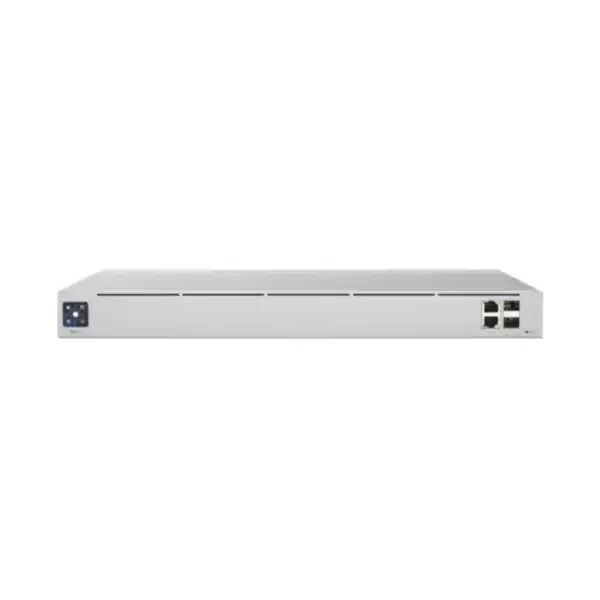
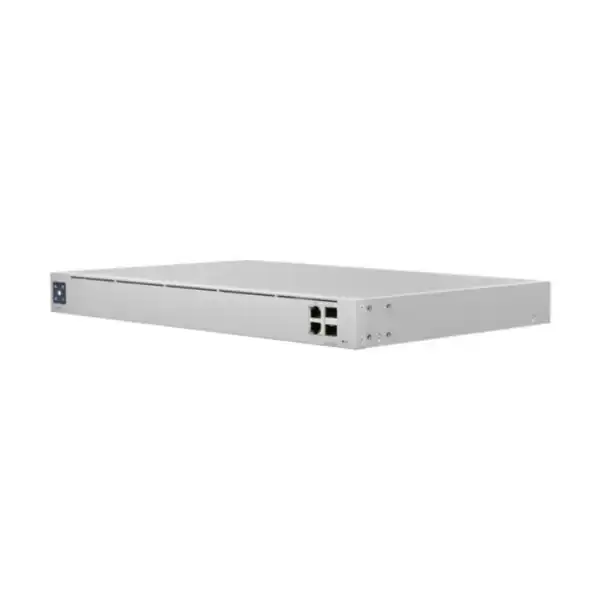
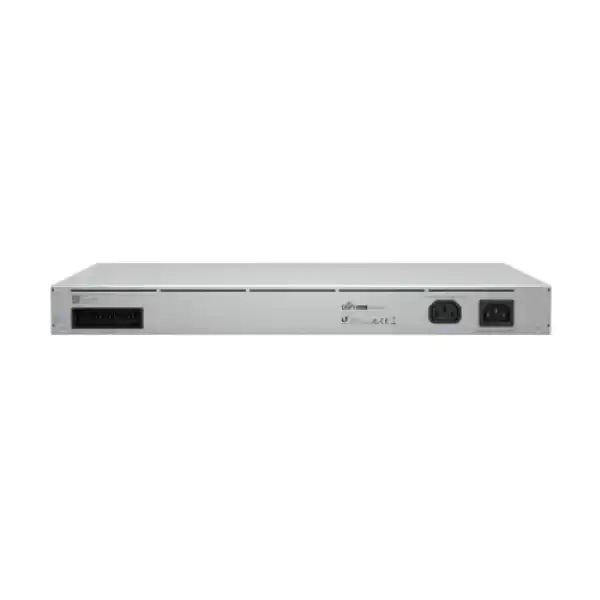
Ubiquiti Gateway Enterprise UXG-Enterprise
A dedicated 25G-capable UniFi gateway for organisations that need high-capacity security processing, multiple WAN paths, detailed routing policies and a well-planned management environment. Build a solution around real applications and failover requirements—not port speed alone.
At a glance: what the buyer needs to know
2 × 25G SFP28, 2 × 10G SFP+, 2 × 2.5 GbE RJ45; default WAN: one SFP28 and one RJ45.
Stateful firewall, Layer 7 rules, IDS/IPS and compatible traffic-inspection features.
Two included hot-swap power supplies; optional same-model Shadow Mode pair.
Separate supported UniFi Network management and appropriate software versions required.
Manufacturer specifications and planning notes
| Model | Ubiquiti Gateway Enterprise (UXG-Enterprise) |
|---|---|
| Physical ports | (2) 25G SFP28; (2) 10G SFP+; (2) 2.5 GbE RJ45 |
| Default WAN | (1) 25G SFP28 and (1) 2.5 GbE RJ45 |
| Maximum WAN ports | 5, with compatible interface assignment |
| IDS/IPS throughput | 12.5 Gbps specified |
| Processor and memory | 18-core ARM v8.2, 2 GHz; 16 GB RAM |
| Power supplies | (2) included hot-swappable 150W CRPS |
| Maximum power consumption | 82W |
| Form factor and dimensions | 1U rackmount; 442.4 × 43.7 × 325 mm |
| Ambient operating range | 0–40°C; 5–95% noncondensing humidity |
| Management application | UniFi Network 8.3.32 or later; verify supported hosting |
| Gateway-level high availability | Shadow Mode supported with second UXG-Enterprise and required firmware |
Specifications describe manufacturer capabilities under stated conditions. Confirm software, optics and deployment compatibility for the exact project.
Who should choose the UXG-Enterprise?
The Ubiquiti Gateway Enterprise UXG-Enterprise is designed for organisations that need a dedicated, high-capacity gateway rather than an all-in-one appliance that also hosts the network management application. It is relevant when an internet edge must serve substantial traffic, multiple internal networks, remote users and branch connections. The appeal is not simply that the appliance has a 25G connector. It combines faster interfaces with firewall policies, inspection capability, VPN features, routing options and redundancy-oriented hardware in a standard rack format. A buyer should assess how these capabilities support actual workloads before selecting a model.
A strong fit might be a headquarters consolidating separate offices, an education campus with segmented staff and student networks, a healthcare organisation protecting different application zones, or a business that needs several internet connections. Each has different priorities. A headquarters may value routing policies and VPN interoperability; a campus may need clear VLAN boundaries; a business-critical site may prioritise failover procedures and operational monitoring. The gateway can be part of these designs, but a complete solution also depends on suitable switches, access points, structured cabling, internet services and competent administration.
For a small site with modest internet service, basic firewall rules and no requirement for advanced interfaces, this model can be more infrastructure than the workload justifies. Assess the present connection speed, growth plan, number of sites, security policy and available technical expertise. FourTeck Tanzania can use those details to help define an appropriate bill of materials and deployment scope, without assuming that this device is the best choice for every business.
Six network interfaces, with a practical WAN and LAN plan
The gateway provides six physical network interfaces: two 25G SFP28, two 10G SFP+ and two 2.5 GbE RJ45. Its default WAN allocation is one 25G SFP28 port and one 2.5 GbE RJ45 port. Ubiquiti identifies five as the maximum WAN port count, subject to port remapping and the current application configuration. This flexibility is useful, but it should not be interpreted as five additional WAN connectors beyond the six physical interfaces. Assigning a port to another purpose changes how many interfaces remain available for LAN connections.
A realistic design starts by drawing every physical handoff. Identify whether each internet provider supplies copper Ethernet, fiber terminated by a compatible optical module, or a connection through a separate provider device. Next, identify the speeds supported at both ends of each link. The SFP28 ports are rated for 25G, 10G or 1G operation according to Ubiquiti’s specifications, while the SFP+ ports support 10G or 1G. The RJ45 ports support 2.5G, 1G, 100M and 10M. Confirm module, fiber, connector and link negotiation compatibility before procuring optics.
A 25G port is a physical interface capability, not a guarantee that every firewall or encrypted-inspection workload will run at 25 Gbps. Similarly, the presence of multiple fast LAN uplinks does not remove congestion elsewhere. Include switch uplink capacities, cabling distances and likely simultaneous traffic in the design. If using aggregation or multiple connections, document which interfaces carry which networks so that installation and troubleshooting remain clear.
Multi-WAN connectivity and internet continuity
Multi-WAN support is valuable where a single internet provider is not sufficient for a site’s operating requirements. The UXG-Enterprise supports multi-WAN load balancing, failover-oriented design and policy-based WAN routing. These capabilities help administrators decide how traffic should use available connections, but the outcome depends on the ISP services, addresses and physical paths available at the site. Two contracts delivered through the same upstream infrastructure may still share a failure point even when they appear as separate WAN connections.
Before activation, record the speed, upload capacity, latency profile, address assignment and service restrictions of each circuit. Check whether a provider supplies a public IP address, uses carrier-grade NAT, requires PPPoE or expects a VLAN tag. Some VPN or inbound-service scenarios need additional ISP arrangements. Ubiquiti’s performance measurements for routing are based on defined test conditions, and it notes that PPPoE implementations can reduce results. These are reasons to validate the actual ISP handoff, not reasons to assume every circuit behaves identically.
Plan which applications should remain on a preferred connection, which can move to an alternate provider and which might need stable source addressing. Validate how voice, banking portals, hosted applications and long-running sessions behave during a WAN transition. Internet failover can restore connectivity, yet an existing remote session may need to reconnect when its path or public address changes. A well-designed multi-WAN deployment includes alerting, documented circuit ownership and periodic tests rather than reliance on a dashboard icon alone.
Understanding security throughput correctly
Ubiquiti specifies 12.5 Gbps throughput with IDS/IPS enabled for the UXG-Enterprise. Its enterprise gateway performance material also lists a 23.5 Gbps firewall routing benchmark under its stated testing method. These figures describe different processing conditions and should never be added together or read as a promise of end-to-end application speed. The bandwidth achievable on a live network can vary with packet sizes, routing method, encrypted traffic, enabled inspection policies and the characteristics of the internet provider.
A capacity plan should distinguish internet access from internal east-west switching traffic. The gateway typically matters when traffic crosses a routed security boundary or exits toward another network. If large amounts of traffic are switched locally, the switching architecture can determine throughput instead. Conversely, when most business applications traverse the gateway, firewall and inspection performance become central. Record the busiest hour, typical traffic mix and future growth rather than selecting a box solely from the advertised speed of one optical interface.
Leave operational headroom for bursts, maintenance windows and changes to inspection rules. A network that routinely reaches its maximum measured capacity has little reserve when applications change. During commissioning, test representative transfers with the intended firewall, NAT, VPN and inspection configuration enabled. Measure latency, packet loss and throughput together. The objective is a repeatable application experience for users, not an isolated best-case speed-test number.
Stateful firewall and application-aware protection
The UXG-Enterprise includes stateful firewalling, application-aware Layer 7 controls, deep packet inspection, traffic identification and advanced filtering options. These tools allow an administrator to develop a more detailed security policy than a simple allow-all internal network. Different groups of users and systems can be separated into zones, with only the services they genuinely require permitted to cross between them. Such segmentation is particularly important when guest devices, business applications, infrastructure management and sensitive data share the same physical switching estate.
A useful firewall policy starts with an inventory, not with a long list of arbitrary blocked applications. Identify business services, server addresses, expected ports, required destinations and the people responsible for each system. Create explicit rules for critical paths and review exceptions as they are added. Application awareness can improve visibility, but administrators should still account for encrypted protocols and application behavior that can change over time. Confirm that a policy works with real business workflows before broad rollout.
Filtering should also be understood as one layer in an overall protection programme. Endpoint updates, identity controls, backups, secure administration, monitoring and staff processes remain necessary. The gateway cannot stop every form of social engineering or guarantee that a compromised endpoint is harmless. Its value is strongest when traffic controls support a documented network design and the security team has processes for reviewing alerts, updating rules and responding to incidents.
IDS/IPS: detection, prevention and operational tuning
Intrusion detection and prevention systems inspect traffic for patterns and behaviors associated with known threats. In the UXG-Enterprise, IDS/IPS functionality is part of UniFi’s security feature set. Detection can surface suspicious activity; prevention policies can block certain traffic. The distinction matters because a rule that only alerts does not necessarily stop a connection, while a rule configured to block may affect legitimate applications if it matches unexpected traffic. Administrators should decide how to handle events according to their organisation’s risk tolerance.
Begin with the networks that most need inspection, such as user segments accessing the internet or exposed services, then review alert volume and application impacts. Establish who will investigate recurring events and how confirmed false positives will be documented. Ubiquiti also describes an optional CyberSecure Enterprise service associated with expanded signature capabilities. Do not assume that every subscription-backed enhancement is included in the gateway’s base purchase price. Confirm the chosen feature set and any associated service terms during procurement.
Throughput planning should reflect the exact inspection policy being used. A laboratory figure with IDS/IPS enabled is informative but does not capture every combination of deep inspection, NAT, tunnel overhead and real application traffic. After deployment, compare security events with user experience metrics, and adjust policies through controlled change procedures. Good security is not achieved by enabling every available option without considering performance, privacy, support ownership and legitimate access needs.
SSL/TLS inspection: value, privacy and exceptions
The manufacturer describes SSL/TLS inspection and NeXT AI Inspection capabilities for supported management configurations. Encrypted-traffic inspection can improve visibility where normal traffic identification is limited, but it also introduces technical and governance decisions. Some applications use certificate pinning or other mechanisms that can react adversely to interception. Administrators should not promise transparent inspection of every encrypted session and should not assume that enabling a feature is appropriate for all device categories.
Start by identifying the business purpose for inspection. Decide which networks, destinations or application categories require the additional checks and which traffic should be excluded. Consider confidential communications, employee notices, consent and relevant internal policies. Ubiquiti documents inspection-related session limits, so capacity planning should use current official guidance rather than treating the appliance’s overall connection capacity as an SSL inspection guarantee. A narrower, risk-based policy may be more practical than indiscriminate decryption.
Before enabling inspection broadly, test managed workstations, mobile devices, cloud services, authentication flows and critical business applications. Document certificate distribution requirements where applicable, emergency bypass procedures and troubleshooting ownership. Keep a rollback method ready. For Tanzanian organisations, relevant legal and contractual obligations should be assessed by their own compliance advisors. The product’s technical ability does not by itself establish permission to inspect any particular category of communications.
Network segmentation for departments and guests
The gateway can support a network architecture where users and systems are separated by function rather than connected to one large, trusting local network. For example, staff laptops, guest Wi-Fi, printers, administrative devices and application servers may each occupy distinct logical networks. UniFi network policies and compatible switches can then control which paths are allowed. The aim is to reduce unnecessary lateral movement while keeping ordinary business activities reliable.
Design segmentation around clear ownership. A guest network might need internet access without access to office devices. A finance network may need a limited set of application servers but no general reachability to network management interfaces. Printers may need carefully defined access from approved devices. Avoid blanket rules that appear secure on paper but interrupt DNS, authentication, updates or essential service discovery. Map dependencies, test from representative endpoints and document why exceptions exist.
Segmentation is not the same as physically isolating every system, and a VLAN label alone is not a complete security policy. Enforcement must occur where traffic crosses boundaries. Decide whether traffic will be routed at the gateway or elsewhere in the network, because that affects which inspection and access policies are applied. Review the combined design of gateway, switches and wireless access points to ensure that a change to one component does not unintentionally open a path that was meant to remain restricted.
Dynamic routing, NAT and complex networks
Ubiquiti lists OSPF and BGP dynamic routing, advanced NAT capabilities, LACP and related networking controls for this model. These functions can matter when a gateway connects to a larger enterprise network, multiple routed segments or a service provider arrangement with specific routing expectations. They are not automatically required in every deployment. Static routes may be easier to audit for small designs, while dynamic routing becomes attractive when the network topology and route advertisements are sufficiently complex.
For OSPF or BGP, define the routing relationship before enabling it. Record neighboring devices, intended prefixes, path preferences, security controls and failure scenarios. Make sure that the design does not accidentally advertise private routes or create a loop. Where a provider expects BGP, verify prerequisites directly with that provider, including addressing and session parameters. The existence of a BGP menu does not establish that the ISP will offer the necessary service.
NAT selection also deserves careful review. Standard outbound masquerading may be sufficient for ordinary clients, while one-to-one translations or other rules may be required by specific business services. Document each exposed service and consider whether a VPN or private connection would be safer than opening a public listener. Test routing after failover and after changes to WAN assignment. Enterprise networking features help with flexibility, but change control and clear diagrams are what make that flexibility supportable.
Remote access VPN for staff and administrators
The gateway supports several VPN approaches, including WireGuard, OpenVPN, L2TP and Ubiquiti’s Teleport-related access methods, subject to the supported client and management configuration. That range gives administrators options for remote staff, third-party support and secure administration. However, remote access should be based on a defined identity and device policy rather than simply on the availability of a tunnel type. Decide which applications each user category may reach, what authentication is required and when access should expire.
Ubiquiti publishes different single-user throughput benchmarks for different VPN protocols. In its listed tests, WireGuard and Teleport server connections reach up to 1.2 Gbps, while OpenVPN and L2TP figures are lower. These laboratory measurements do not predict the actual speed for every user. Distance, client performance, upload capacity at the office, mobile network conditions and other active sessions all matter. Select protocols based on compatibility, security policy and operational support as well as headline speed.
Remote access procedures should include credential revocation, device loss response, user onboarding and access logs. Limit administrative access to trusted personnel and keep privileged management separate from general remote-user access where possible. For contractors, grant only the network segments and time periods required for the job. Test remote access from a representative external connection before relying on it in an emergency. A correctly configured VPN is an access path, not a substitute for identity management.
Site-to-site VPN and branch connectivity
Branches often need reliable access to central applications, shared services or other offices. The UXG-Enterprise supports site-to-site VPN technologies including IPsec, OpenVPN and Ubiquiti Site Magic. These can help connect compatible environments over existing internet services. Choosing among them requires more than checking a feature list. Examine what runs at the other location, how the address ranges are allocated, which services cross the tunnel and how routing will behave when either site’s internet connection changes.
The manufacturer’s published single-tunnel benchmarks differ by method, with Site Magic, IPsec and OpenVPN each showing distinct tested throughput values. A single tunnel should not be assumed to deliver 12.5 Gbps simply because the gateway has that IDS/IPS rating. VPN encryption, route selection, competing workloads and the remote endpoint can be limiting factors. Evaluate whether a private circuit, a conventional site-to-site tunnel or an SD-WAN-style policy design matches the application requirements and expected troubleshooting model.
A maintainable branch design documents subnets, DNS behavior, identity services, failover expectations and who can change routes on each side. Avoid overlapping private address ranges where possible; when unavoidable, the design becomes more complex. Include a plan for tunnel monitoring and clear fault isolation between the local ISP, internet path and remote network. After deployment, test the actual business application and not just a successful ping between gateway addresses.
SD-WAN policy and application path selection
Ubiquiti identifies license-free SD-WAN capability and policy-based WAN and VPN routing as networking features of the UXG-Enterprise. The term SD-WAN can describe a broad collection of functions, so buyers should evaluate the exact UniFi functionality they intend to use rather than assume the gateway includes every feature found in other vendors’ platforms. Site topology, supported peer devices, internet circuits and available management services determine what can be implemented.
A policy-driven design might prefer one internet link for a hosted voice system, use another for general browsing, or send selected corporate destinations through a branch tunnel. The exact policies must match UniFi’s supported controls. Application priorities should be grounded in operational needs, and routing exceptions should be documented so that traffic patterns do not become unpredictable. Where a business relies on stable source addresses or strict allowlisting, coordinate with the application owner before introducing automatic path changes.
Management costs should be assessed separately from the gateway’s base networking features. Ubiquiti may describe certain SD-WAN capabilities as license-free, while hardware for hosting the controller, official hosted management and optional cybersecurity services have their own procurement considerations. Confirm what is included in the proposed configuration, how it will be updated and who will troubleshoot end-to-end connectivity across multiple sites.
Built-in power redundancy and its limits
The unit includes two hot-swappable 150W CRPS power supplies, and Ubiquiti specifies maximum device power consumption of 82W. Redundant supplies can reduce the risk associated with the failure of one power module and allow some maintenance without fully removing the gateway from service. They do not automatically protect against a rack losing power, a failed upstream switch or a single building power distribution fault. A resilience plan must address the complete power path.
Where the facility supports it, consider separate protected power feeds and suitable uninterruptible power infrastructure. Check the actual rack’s electrical capacity, socket arrangements, airflow and monitoring. The gateway accepts 100–240V AC at 50/60 Hz according to the manufacturer’s hardware specifications. That describes the supported input range; it is not a claim of local regulatory certification or site readiness. Electrical installation and backup-power design should be checked by qualified personnel.
The hot-swappable supplies are valuable, but maintenance still needs a procedure. Identify replacement-part sourcing, how to recognise a faulty module and who is authorised to work in the rack. Test notifications for power-supply events if available through the chosen management configuration. If a failure of the whole gateway would stop an essential business service, a redundant power supply alone is insufficient: evaluate a second gateway, resilient WAN handoff and redundant switching.
Shadow Mode gateway high availability
Shadow Mode uses a second compatible gateway as a standby member of a high-availability design. Ubiquiti documents an active-passive arrangement using VRRP and firewall-state synchronization. For UXG-Enterprise deployments, its current setup guidance specifies two UXG Enterprise units and UniFi Gateway firmware 4.3.1 or later. This is not a feature created by checking a box on a single appliance. The second device, cabling, management configuration and topology must all be included in the project plan.
A sensible design establishes the primary gateway, adopts the secondary unit to the same site and then follows the supported Shadow Mode setup sequence. The official procedure includes direct interconnection and mirrored WAN and LAN paths when prompted. If only one ISP handoff is available, the upstream distribution design must enable both gateways to access it in the intended failover arrangement. Revisit switch and power resilience, because duplicating the gateway does not remove every shared point of failure.
Failover should be tested during a planned maintenance window with representative applications. Record whether sessions reconnect, how alarms are delivered and which physical connections need attention after hardware replacement. Keep the approved firmware requirements, network diagrams and recovery procedures current. High availability improves resilience against selected failures, but no single topology can promise continuous connectivity under every ISP, facility or application fault.
UniFi Network management is a separate design decision
The UXG-Enterprise is an independent UniFi gateway rather than a device intended to replace every part of a management stack. Ubiquiti describes management through compatible CloudKey Enterprise or Official UniFi Hosting arrangements, and its current product materials also reference supported UniFi OS Server environments. The published minimum UniFi Network application version for this device is 8.3.32. Buyers should verify the exact supported hosting choice, software release and desired feature combinations at procurement time, particularly where advanced inspection is required.
This distinction affects the total solution cost and daily administration. Identify where the UniFi Network application will run, how administrators will securely access it, who owns backups and how updates will be scheduled. A business should not assume that purchasing the gateway alone delivers a complete controller service. If it already operates UniFi switching and Wi-Fi, review how the new gateway will fit into the existing site and whether the management arrangement is suitable for the size and complexity of that deployment.
A good management plan also defines roles. Network engineers may need access to routing and firewall policies, while help-desk personnel may only need operational visibility. Maintain secure credentials and a documented recovery path for loss of management access. Before migration, confirm adoption procedures, supported firmware and rollback options. The benefits of a unified interface are strongest when configuration ownership, monitoring and change approval are organised.
How it fits with switches and wireless networks
The Gateway Enterprise sits at a network edge or routed security boundary; it is not a substitute for an access switch, a wireless access point or structured cabling. A typical deployment connects internet services to selected WAN interfaces, connects LAN-facing uplinks to suitable aggregation or core switches, and uses those switches to serve access layers and wireless infrastructure. Depending on the topology, some internal routing may occur elsewhere. Decide deliberately where policies are enforced rather than treating the gateway as an automatic bottleneck for every local device.
Ubiquiti’s UniFi ecosystem can make network visibility and administration more consistent when supported products share a compatible management environment. Still, the maximum speed of one component does not determine the entire network’s capability. A 25G gateway uplink is useful only when the connected switch and selected optic can negotiate the intended rate. Likewise, a multi-gigabit access layer should be evaluated alongside server connections, upstream bandwidth and the number of simultaneous clients.
Document every interface between gateway and switching. Specify cable type, optic or direct-attach cable, expected link speed, VLAN tagging behavior and redundancy requirements. Confirm interoperability at the time of design rather than assuming that any physical module with the right shape will work as intended. For Wi-Fi users, verify SSID-to-network mappings, guest isolation and access to approved applications after routing and firewall changes. A smooth migration depends on coordination between wireless, switching, routing and security layers.
Internet service planning for deployments in Tanzania
For a deployment in Tanzania, the most useful local question is how the available internet service will physically and logically connect to the proposed gateway. Ask each selected provider for a written description of the handoff speed, medium, IP addressing, authentication method, routing requirements and fault escalation process. Do not assume that a 25G port means a local provider will deliver a matching service. A smaller handoff can work appropriately when it matches the site’s actual traffic and resilience needs.
Power continuity and equipment-room conditions are equally important. Plan for backup power according to site requirements and test how the network recovers after a controlled outage. Check rack depth, cooling, dust management and the operating environment. Ubiquiti specifies an ambient operating range of 0 to 40 degrees Celsius for the device. A hot or poorly ventilated cabinet can undermine the reliability benefits of well-designed electronic equipment, especially when multiple active devices share the enclosure.
If an organisation operates several locations, compare the requirements of each site separately. A branch with a modest circuit may not need the same hardware as a central campus. Document WAN provider diversity, application dependencies and support responsibilities at every location. Nothing in this product description should be interpreted as a claim of local stock, a particular delivery area, an installation service, local telecommunications approval or a specific business internet offer. Those details require confirmation for the actual quotation and project.
Rack installation, environmental and physical checks
The manufacturer’s technical specifications identify a 1U rackmount enclosure measuring approximately 442.4 by 43.7 by 325 millimetres, with a weight of 6.5 kilograms. The gateway uses an 18-core ARM v8.2 processor at 2 GHz, 16 GB of system memory and a 1.3-inch touchscreen. These hardware details can help an engineer confirm enclosure space, mounting arrangements and front-panel access. They do not remove the need to check the actual rack layout and the space needed for power and data cables.
Allow adequate clearance for cables and airflow in accordance with the relevant installation instructions. Place optical modules and fiber paths so that connectors are protected from excessive bending or accidental strain. Label WAN feeds, LAN uplinks and redundant power inputs clearly. Where management access to the equipment room is shared, define physical access controls and identify which cables must not be removed during maintenance. Good labeling is inexpensive compared with diagnosing a disconnected production circuit.
The device’s operating humidity specification is 5 to 95 percent noncondensing. The noncondensing condition matters: high humidity and condensation are not equivalent. Evaluate environmental conditions realistically, particularly in equipment rooms without stable climate control. Record the appliance’s serial information in the asset register, document firmware and configuration ownership, and set a maintenance schedule that includes checking alarms and physically inspecting cable and power connections.
Prepare for a controlled migration from another gateway
Replacing an existing firewall or router is a change to the path on which every business application may depend. Start with a complete export or documented record of the old configuration. Inventory WAN information, subnets, VLANs, DHCP scopes, DNS behavior, NAT mappings, VPN peers, firewall exceptions, routing protocols and monitoring destinations. Confirm which services have inbound dependencies and which external partners allowlist the organisation’s public address. The new device’s feature list does not automatically translate a policy written for another vendor.
Build a migration plan that names the owner of each workstream. One person may handle physical installation, another coordinate ISP changes, and another validate business applications. Decide how long the cutover window can safely last and what events will trigger rollback. Preserve the former gateway configuration and a practical reconnection plan until all agreed tests pass. If multiple sites are involved, consider a staged deployment so that routing and VPN behavior can be evaluated on a limited footprint first.
After cutover, test more than browsing. Verify internal name resolution, authentication, business applications, printing, remote access, site-to-site connectivity, guest isolation, inbound services and monitoring alerts. Record actual results, including any temporary exceptions. A project is not complete merely when the appliance is adopted into UniFi Network; it is complete when the required business paths work, the policies are documented and the support team knows how to operate the new environment.
Capacity testing and realistic acceptance criteria
Before deployment, agree on measurable criteria for success. These may include reachability of agreed services, sustained transfer performance over a chosen test path, acceptable application latency, automatic movement to a secondary ISP, correct access control between VLANs and delivery of security alerts. A statement such as fast internet is too vague to test. Write down the network conditions, devices, ports and expected workloads for each test so that performance findings can be repeated later.
When assessing gateway throughput, make sure that the test actually traverses the device and uses the intended security controls. Internal traffic between two ports on the same switch may not represent gateway performance at all. Conversely, a test across the internet can be limited by the far-end server, ISP contention or transceiver link rate. Evaluate with realistic packet mixes and with IDS/IPS, NAT and VPN features set to the production policy. Avoid comparing numbers measured under incompatible conditions.
Acceptance testing should include failure cases: disconnect a permitted standby ISP path, check DNS recovery, validate critical application behavior, and observe logs and alerting. For high-availability pairs, use the manufacturer’s documented test method and watch how the network behaves during takeover. Record timing only from the actual installation; do not promise universal recovery intervals. Revisit the baseline after major upgrades so that a configuration change can be distinguished from a physical or provider fault.
Operational monitoring and support ownership
The gateway can expose internet quality, outage reporting and traffic information through supported UniFi management features. For operations teams, visibility is useful only when someone has responsibility for responding to what it shows. Decide which events require immediate attention, which can be reviewed during business hours and how alerts will reach an authorised person. Include physical power, link failures, WAN interruptions, abnormal security events and resource trends in the operating plan.
A routine review should examine interface status, security alerts, VPN health, management access, policy changes and firmware availability. Avoid updating production equipment automatically without considering change windows and dependencies. Conversely, leaving network security software unmaintained creates its own risks. Maintain a clear update and recovery policy, including configuration backups and documented administrators. If an optional security service is used, confirm its terms and renewal responsibility separately from the gateway hardware.
Establish a troubleshooting sequence that begins with the affected application and follows its path: client, access layer, gateway, provider, remote endpoint and management controls. This prevents a WAN problem from being incorrectly diagnosed as an application failure, or vice versa. Keep a current network diagram and record any deliberate routing exceptions. Even sophisticated hardware delivers limited operational value when the team supporting it lacks access, documentation or a defined escalation process.
Choosing between an independent gateway and an all-in-one platform
An independent gateway such as the UXG-Enterprise makes sense when the organisation wants a dedicated edge appliance and a separately designed management environment. That separation may suit a network team already administering multiple UniFi sites or using enterprise-scale management infrastructure. An all-in-one UniFi cloud gateway can be more straightforward for a smaller environment that prefers a single appliance hosting both gateway functions and supported applications. The correct decision depends on topology and operational model, not simply on which box has the largest headline number.
Compare platforms using a consistent checklist. Include WAN and LAN interface speeds, real security-processing requirements, available VPN methods, redundancy options, supported management arrangements, rack and power constraints, operational skills, and expansion plans. Identify whether the organisation needs managed Wi-Fi, video storage or other services from separate devices. Do not assume that two products with similar ports also have identical software responsibilities or high-availability setup requirements.
Procurement should consider the total system: gateway units, management hosting, optics, switching, cabling, rack components, backup power, project services and any optional subscriptions. A lower hardware price may still lead to an unsuitable deployment if key dependencies are omitted. Conversely, an expensive gateway may add little value to a site whose internet and security requirements remain modest. Ask for a design recommendation that explicitly states both the proposed benefits and the reasons a different class of solution might be sufficient.
Common business deployment scenarios
For a multi-department headquarters, the gateway can provide a central routing and firewall policy point. The design might separate corporate workstations, guest internet, infrastructure management and business servers, with controlled access between them. It may also use two WAN services so that an outage on one provider does not eliminate every available internet path. The security team should verify application dependencies and operational monitoring before relying on that architecture for essential services.
For a campus or institution, the attraction may be high-speed uplinks and traffic segmentation across large groups of users. Yet switching design and access-layer capacity remain essential; the gateway will not replace appropriate aggregation hardware or wireless planning. For a distributed company, policy-based routing and VPN options may be more useful than the maximum optical speed. Branch interoperability, nonoverlapping address plans and a suitable controller environment become the critical design questions.
For a business-critical operation, the key objective may be resilience. Dual included power supplies and an optional same-model Shadow Mode pair can form part of that approach. Still, a resilient edge also needs properly planned ISP handoffs, switching paths and backup power. These scenarios illustrate possible architectural uses, not guaranteed outcomes or proof that any particular installation already meets a named compliance or service requirement.
What to specify when requesting a quotation
A detailed quotation begins with a description of the network rather than a product name alone. State how many sites are involved, the expected number of active users, current and proposed WAN capacities, any application-specific latency requirements, and whether a second ISP is already available. Include the make and interface speeds of relevant core switches, the desired management arrangement and any existing UniFi equipment. This helps avoid an incomplete order that contains the gateway but not the modules or services needed to connect it.
Specify security requirements in operational terms. Indicate whether the organisation needs VLAN-based access policies, IDS/IPS, remote-user VPN, site-to-site connectivity, dynamic routing, encrypted-traffic inspection or a standby gateway. Record how the requirements will be validated and who will maintain them. If a second UXG-Enterprise is required for high availability, include it as a separate quantity. If an optional security subscription is relevant, request a distinct explanation of its features, cost and term.
Finally, ask the supplier to confirm the exact model, hardware quantity, compatible transceivers and cables, management dependencies, delivery terms, warranty terms if applicable, and any implementation scope. The buyer should seek current Tanzania pricing and availability directly rather than relying on international catalogue prices. An accurate, itemised proposal provides a clearer basis for comparison than an unqualified statement that the appliance is enterprise-ready.
Limitations and decisions to resolve before purchase
The UXG-Enterprise is powerful, but not every requirement is solved by the gateway itself. It is not a managed access switch, Wi-Fi access point or complete substitute for network design. Its 25G interfaces do not mean that inspected traffic always achieves 25 Gbps. A single unit’s redundant power supplies do not equal gateway-level failover. A separate supported UniFi Network management environment must be planned, and some advanced features have particular controller, software or service dependencies.
Consider the practical effects of changing internet paths. Inbound services may require static addressing and provider coordination; a session may reset after WAN failover; third-party VPN interoperability needs explicit testing. SSL/TLS inspection requires privacy and application-compatibility decisions. High availability requires supported firmware and a second appliance, along with correctly mirrored connections. Optional security intelligence products should not be assumed to be free simply because basic firewall and IDS/IPS functions exist.
These limitations are reasons to prepare a careful solution, not reasons to avoid the product. When performance goals, management ownership and failure scenarios are clear, the gateway can be evaluated against objective acceptance criteria. Ask FourTeck Tanzania to review the proposed topology and identify dependencies before an order is finalised. Confirm all commercial terms in a current quotation; this description intentionally makes no claim about Tanzania stock, price, warranty period or local regulatory certification.
A suggested implementation sequence
First, gather the existing network diagram, circuit details, application inventory and security requirements. Resolve the target WAN and LAN port allocation, including any modules needed for SFP28 or SFP+ links. Select a supported UniFi management approach and verify software requirements. If the objective includes gateway redundancy, include the matching second unit and plan the associated Shadow Mode links from the outset. Agree on the maintenance window and communicate what users should expect during migration.
Second, stage the appliance in a controlled environment. Update it using an approved process, adopt it into the intended management environment, configure baseline networks and apply reviewed firewall policies. Introduce VPN, multi-WAN and routing changes in a documented order. Before any live cutover, verify management recovery, configuration backups, interface negotiation and reachable support contacts. Make sure the team can reverse the change if the acceptance tests do not pass.
Third, complete functional and failure testing after installation. Confirm required application access and blocked paths, measure representative traffic, test provider failover and validate monitoring. For a high-availability deployment, follow the manufacturer’s current procedure and test hardware takeover deliberately. Hand over diagrams, policy records, credentials through secure processes, backup instructions, ownership details and a scheduled review date. That documentation is part of the deliverable because it keeps the investment operable long after installation.
Frequently asked questions
Does the UXG-Enterprise include a UniFi controller?
No. It is an independent gateway, so a compatible external UniFi Network management environment is needed. Ubiquiti documents supported CloudKey Enterprise, Official UniFi Hosting and certain UniFi OS Server arrangements. Verify the exact hosting choice and software release for your intended features before ordering.
Is this a 25 Gbps firewall?
It has 25G-capable physical SFP28 interfaces, but throughput depends on the workload. Ubiquiti specifies 12.5 Gbps for IDS/IPS, while a separate firewall routing benchmark uses defined test conditions. Do not treat physical port speed as guaranteed inspected or VPN application throughput.
How many network ports are provided?
There are six physical network interfaces: two 25G SFP28, two 10G SFP+ and two 2.5 GbE RJ45. The default WAN configuration uses one SFP28 and one RJ45 interface. Some ports can be remapped, so final WAN and LAN allocation must be planned together.
Can it use more than one internet provider?
Yes. Multi-WAN features support load balancing and policy-based routing, subject to the configured interfaces and providers. Before deployment, verify each service’s handoff, addressing and failover behavior. An alternate ISP can improve connectivity options but does not guarantee that every live session survives a change.
Is a second gateway required for Shadow Mode?
Yes. Gateway-level Shadow Mode high availability requires a second UXG-Enterprise and a supported configuration. Ubiquiti’s setup guidance specifies gateway firmware 4.3.1 or later for the UXG Enterprise pair. The extra gateway, WAN and LAN topology and management planning must be included in the design.
Do the two power supplies make the site fully redundant?
No. The included hot-swappable power supplies address a specific hardware failure mode. They do not protect against the loss of the whole rack, both power feeds, upstream network equipment or the single gateway itself. Consider backup power and a supported standby gateway where the business requires greater resilience.
Which VPN options are supported?
Ubiquiti lists WireGuard, OpenVPN, L2TP, Teleport-related remote access and site-to-site options such as IPsec and Site Magic. Supported functions vary by use case and software configuration. Select the protocol according to endpoint compatibility, security policy, routing and actual traffic needs.
Can it connect to an existing 10G network?
The device has two 10G SFP+ interfaces and two SFP28 interfaces that list 10G operating support. Check the exact transceiver or direct-attach cable, the peer switch and the desired link speed. A compatible connector shape alone is not sufficient evidence of interoperability.
Does the gateway provide intrusion prevention?
Yes. IDS/IPS is part of the listed gateway feature set. Ubiquiti also offers optional enhanced threat-signature services. Review the desired inspection policies, performance impact, subscription requirements and operational monitoring responsibilities rather than assuming all security enhancements are bundled.
Can it inspect encrypted traffic?
Ubiquiti describes SSL/TLS inspection and NeXT AI Inspection for supported management and feature configurations. Enabling inspection requires careful attention to application compatibility, privacy, certificates and published session guidance. Test with representative devices and obtain appropriate organisational approval before broad rollout.
Is it suitable for a small office?
It can operate in different environments, but a small office with modest WAN bandwidth and simple network policies may not need its high-speed interfaces or advanced architecture. Compare total cost, management needs, resilience expectations and available technical skills with smaller gateway alternatives.
What should a buyer in Tanzania confirm before ordering?
Confirm the exact model and quantity, ISP handoff types, available speeds, optics, controller or hosting arrangement, power and cooling, security needs, any standby gateway and desired installation scope. Request current local pricing, delivery and warranty terms in an individual quote rather than assuming these from a global product listing.
Can the device host Wi-Fi or video-recording applications?
Do not plan this independent gateway as a replacement for dedicated access points, switches or video-recording hardware. It is intended to provide gateway, routing and security functions within a broader network. Determine which separate UniFi components and management services the overall solution needs.
What is the minimum UniFi Network version?
The current manufacturer specification lists UniFi Network 8.3.32 or later for the UXG-Enterprise. More specialised features can have additional firmware, controller or hosting requirements. Verify the release notes and supported combination used in the final design, especially when configuring Shadow Mode or encrypted-traffic inspection.
Request a UXG-Enterprise configuration and quote
Share your proposed WAN speeds, physical interfaces, switching environment, management arrangement, security requirements and redundancy objectives with FourTeck Tanzania. Request an itemised recommendation covering the gateway, compatible connectivity accessories and any separately required management or high-availability components. Pricing, stock, delivery and commercial terms are subject to confirmation.
Ask FourTeck Tanzania for a tailored quotation




Reviews
There are no reviews yet.