

UNIFI WI-FI 7 · TANZANIA BUYER GUIDE
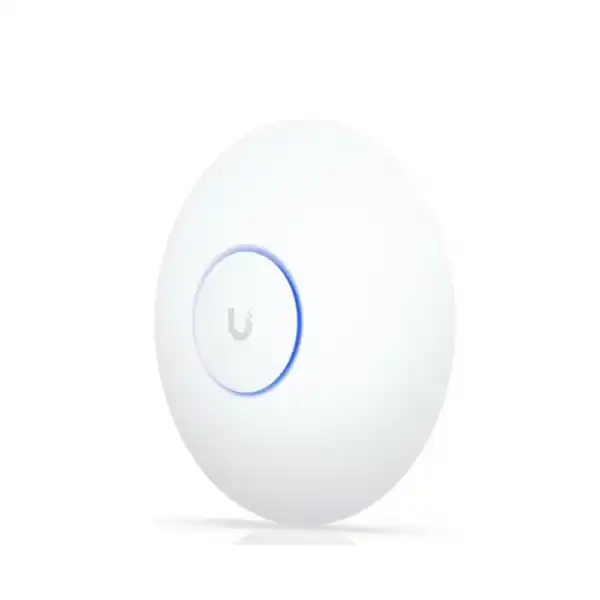
Ubiquiti U7 Long-Range U7-LR Wi-Fi 7 Access Point
Plan a stronger, centrally managed indoor wireless network with a dual-band Wi-Fi 7 access point built for practical 5 GHz coverage. The U7 Long-Range combines five spatial streams, a 2.5 GbE uplink and PoE installation. It is designed for organisations evaluating dependable access in offices, teaching spaces, guest premises and other suitable indoor layouts. Coverage and user performance still depend on your site, so start with a layout-based assessment rather than a speed headline.
Fast buyer answer: is the U7-LR right for your network?
Choose this model when the main objective is centrally managed Wi-Fi 7 on 2.4 GHz and 5 GHz, with particular attention to 5 GHz radio capability and a 2.5 GbE wired connection. Reconsider if you need a 6 GHz radio, exposed outdoor mounting, or an all-in-one internet router. A strong result requires compatible PoE power, UniFi management, careful AP placement, appropriate switching, and performance testing where clients will actually work.
Good fit to evaluate
Managed indoor offices, classroom spaces, suitable guest networks and larger rooms with many 5 GHz devices.
Check alternatives first
6 GHz-dependent deployments, weather-exposed sites, unusual industrial settings and building-to-building radio links.
U7-LR technical specifications at a glance
| Specification | Manufacturer information |
|---|---|
| Wi-Fi standard | Wi-Fi 7 (802.11be) |
| Operating bands | 2.4 GHz + 5 GHz (no 6 GHz) |
| Spatial streams | 5 total: 3 × 3 at 5 GHz; 2 × 2 at 2.4 GHz |
| Maximum 5 GHz PHY rate | 4.3 Gbps, 160 MHz channel |
| Maximum 2.4 GHz PHY rate | 688 Mbps, 40 MHz channel |
| Manufacturer coverage reference | 160 m² (1,750 ft²) |
| Manufacturer client-count figure | 300+ |
| Wired interface | One 2.5 GbE RJ45 port |
| Power | PoE; maximum power consumption 14 W |
| Mounting | Ceiling or wall; plastic mounting plate listed |
| Dimensions | 175.7 mm diameter × 43 mm |
| Software | UniFi Network 9.1.120 or later per published manufacturer specification |
Published data-rate, coverage, and association figures describe product capabilities under stated conditions. They are not a guarantee of per-device transfer speed, fully covered floor area, or concurrent application performance. Always verify the current manufacturer specification and local deployment requirements before purchasing.
Who should choose the UniFi U7 Long-Range?
The Ubiquiti U7 Long-Range U7-LR makes sense for a buyer who wants an actively managed wireless network rather than another consumer router placed at the edge of a building. Its emphasis is useful 5 GHz coverage, capacity for a changing mix of devices, and manageable deployment within the UniFi Network environment. An office with shared desks, a training centre with many laptops, or a hospitality site with guest traffic can all benefit from planning wireless access as infrastructure. Before ordering, check the physical layout, the existing switch and cabling, and whether a UniFi management application is already in use.
This model is particularly relevant when many client devices operate on 5 GHz and the customer prefers coverage planning over paying for a 6 GHz radio that may not be needed. It is less compelling if the main requirement is six-gigahertz connectivity, a weather-exposed installation, or a standalone router that supplies routing, internet access, and Wi-Fi in one box. U7-LR is an access point, so it needs an appropriate network upstream. Ask for a network design or equipment quote based on actual rooms, users, walls, and cabling rather than treating a coverage figure as a guaranteed floor-plan result.
What the U7-LR actually provides
Ubiquiti specifies the U7-LR as a Wi-Fi 7, or IEEE 802.11be, access point with two operating radio bands: 2.4 GHz and 5 GHz. It has five spatial streams in total, using a 3 × 3 arrangement on 5 GHz and a 2 × 2 arrangement on 2.4 GHz. The product is built around one 2.5 Gigabit Ethernet RJ45 uplink that also supports its Power over Ethernet connection. Those features form a coherent design for a managed indoor wireless network where users need a dependable connection, centrally administered settings, and sufficient wired capacity to carry combined wireless traffic.
Manufacturer overview figures include up to 160 square metres of indicative coverage and a 300-plus client count. Both numbers are useful for product classification, not promises that every device in a crowded room will achieve the same speed or that a particular concrete building will receive complete service from one unit. The maximum physical data rates are 4.3 Gbps at 5 GHz under a 160 MHz channel configuration and 688 Mbps at 2.4 GHz under a 40 MHz configuration. Actual application throughput is lower and depends on devices, interference, network loading, channel settings, and the connected infrastructure.
Dual-band Wi-Fi 7 without the confusion
Wi-Fi 7 identifies the wireless technology generation; it does not mean that every Wi-Fi 7 access point contains a 6 GHz radio. The U7-LR uses 2.4 GHz and 5 GHz only. That is a decisive difference when comparing its specification with tri-band models. For many established office and guest networks, 5 GHz remains the working band for laptops, phones, and meeting-room devices, while 2.4 GHz still provides connectivity for equipment that needs it. Buyers should map their client device population before deciding whether the absence of 6 GHz is a real limitation.
Do not interpret a Wi-Fi 7 badge as a guarantee of identical performance across every client. Some phones connect with Wi-Fi 5 or Wi-Fi 6, some devices have only one radio chain, and some older or lower-cost devices depend on 2.4 GHz. A centrally managed access point can serve a mixed environment, but the achievable speeds and available features depend on the client. If a planned upgrade revolves around 6 GHz-capable laptops, tri-band alternatives should be part of the comparison before a site commits to one model.
Understanding the 2.4 GHz and 5 GHz bands
The 2.4 GHz band is valuable for devices that prioritize reach, compatibility, or connectivity through ordinary partitions, but it is commonly affected by congestion and has less room for high-capacity channel planning. The U7-LR provides a 2 × 2 radio on this band, with a manufacturer-stated maximum PHY rate of 688 Mbps under a 40 MHz setting. That rate is not an expected speed-test reading. In a busy environment, narrower channels can produce more predictable operation than an aggressive maximum-rate configuration, especially when several neighbouring networks use the same frequencies.
On 5 GHz, the U7-LR provides a 3 × 3 radio and a stated maximum PHY rate of 4.3 Gbps with a 160 MHz channel. The wider channel may improve peak capability where spectrum conditions and compatible clients allow it, but it occupies more frequency space. Dense offices, retail premises, and multi-access-point buildings may work better with narrower channels selected after a survey. The best configuration balances coverage, interference, client capability, and reuse between adjacent access points rather than automatically choosing the widest possible channel everywhere.
What five spatial streams mean for buyers
Spatial streams describe radio capacity, not the number of people who can connect or a fixed per-user speed. On this model, three streams belong to the 5 GHz radio and two belong to 2.4 GHz. Multiple-input, multiple-output design and multi-user radio functions help the system serve compatible clients, but a phone with two receive chains does not magically become a three-stream device because the access point has three. The practical advantage of the radio design is more flexibility for carrying traffic across active users, especially when combined with sensible placement and channel planning.
For a procurement decision, translate stream counts into the applications that matter. A shared office may need usable video meetings during busy periods, whereas a store might need uninterrupted connectivity for handheld devices and guest browsing. An education site may experience short bursts when many learners begin a download together. None of those outcomes can be predicted from stream count alone. Backhaul speed, traffic shaping, the number of access points, the size of clients’ files, and upstream internet bandwidth can be as important as the radio architecture.
Coverage: what the 160 m² figure does and does not say
Ubiquiti lists an indicative coverage area of 160 square metres for the U7 Long-Range. This is a comparative planning figure, not a circular radius, a guaranteed building footprint, or a promise that high-speed service will reach every corner. Radio signal is altered by walls, steel reinforcement, shelving, equipment rooms, doors, people, and other wireless systems. A long corridor with open doors behaves differently from a series of small rooms separated by concrete. A building with two floors needs its own assessment instead of merely dividing total floor area by 160.
When planning a Tanzanian office, school, or guest facility, start with the room layout and identify where reliable applications must work. Mark the busiest desks, point-of-sale stations, classrooms, conference rooms, and guest areas; then consider each room’s obstacles and connection requirements. The desired result is sufficient signal quality and capacity where people actually work, not simply a maximum number of square metres on a product sheet. A survey and post-installation measurement are more trustworthy than one-size-fits-all placement assumptions.
The meaning of 300+ supported clients
The manufacturer lists a maximum client count of more than 300, which signals the intended connection scale of the access point. It should never be translated into a guarantee that 300 people can stream, meet on video, or transfer large files simultaneously at a particular bitrate. A client may be associated with Wi-Fi yet generate almost no traffic. Another client can consume considerable airtime through continuous uploads or a weak connection. An access point’s practical service capacity changes as the mix of clients and applications changes.
Estimate concurrency rather than just the number of devices purchased. A classroom with 35 actively used laptops may create a more demanding moment than a larger inventory of largely idle sensors or phones. A meeting facility can experience several simultaneous video calls, while a reception area may see short web-browsing sessions. Reserve headroom for growth, test peak conditions, and split groups across several access points where necessary. This produces a more defensible network plan than equating the published association figure with guaranteed user experience.
Why the 2.5 GbE uplink matters
The single 2.5 GbE RJ45 uplink provides a path for the combined wireless traffic to reach the wired LAN. That is relevant because several devices can be active at once, and a well-designed wireless deployment should not be unnecessarily constrained by an older one-gigabit edge port. The 2.5 GbE label describes the port capability, not an internet speed that the access point creates. If the existing switch port, cables, upstream router, or internet plan cannot carry the traffic, the wider wireless capability does not remove those constraints.
Before installation, check the switch port’s negotiated rate, its PoE capability, the cable route, and the aggregate capacity of the rest of the network. Existing structured cabling may be suitable, but its condition and termination should be tested rather than assumed. Think about local file transfers and shared applications as well as internet access. A busy site with local servers can generate substantial LAN traffic even when its outside connection is modest. The correct design balances wireless capacity, wired connectivity, and the actual service being delivered.
Power over Ethernet and power budgeting
The U7-LR is powered through Ethernet using PoE and has a manufacturer-listed maximum consumption of 14 watts. PoE simplifies placement because a separate electrical socket does not have to be installed directly beside the access point. However, a suitable PoE supply is still essential. The power must come from an appropriately compatible switch or injector, and the combined power demand of all connected devices must fit within the switch or power equipment’s available budget. Do not assume that every existing network switch can power this model merely because it has Ethernet ports.
A practical review should include the number of access points, port power capabilities, total switch budget, maximum cable distance, UPS requirements, and plans for later expansion. Confirm what equipment is included in the actual purchase offer rather than assuming a power injector is packaged with every unit. For a business where wireless access supports payment devices, classes, or daily operations, protecting the upstream router and switching equipment from power interruption can matter just as much as supplying power to the access point itself.
Ceiling and wall mounting considerations
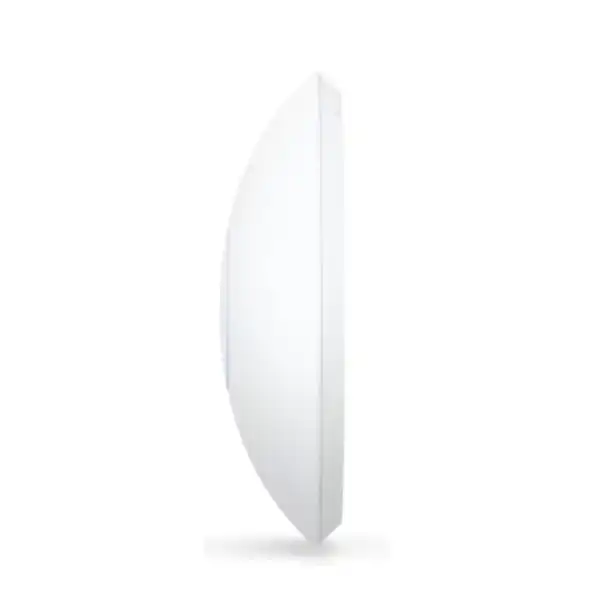
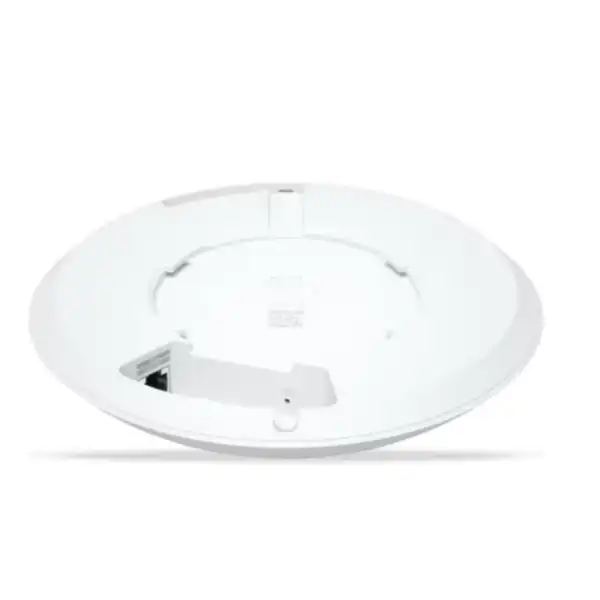
Ubiquiti specifies ceiling and wall mounting and lists a plastic mounting plate as included. The compact round device measures approximately 175.7 mm in diameter and 43 mm in depth. The physical design is suited to unobtrusive placement in a planned indoor network, but the mounting position should be selected for radio performance and safe cabling rather than appearance alone. A position near the centre of the intended service area often deserves assessment before an edge-wall location. Avoid hiding the access point behind thick partitions or placing it directly next to electrical or metallic obstacles.
Check the supporting surface, fixings, cable entry, access for maintenance, and any building or safety rules that affect installation. A wall orientation may create a different radiation pattern through the intended rooms than a ceiling location, so the final position should be validated in the actual space. Leave enough access to identify status lights and service the cable connection if required. For an installation above desks, corridors, or public spaces, use a properly secured mounting arrangement and ensure cable routes are protected from damage.
Use case: managed office Wi-Fi
Shared offices benefit when wireless coverage is predictable across workstations, meeting rooms, and communal areas. The U7-LR can form one access point within a centrally managed UniFi installation, serving devices that connect on the 2.4 GHz or 5 GHz bands. For an office moving from a basic consumer router, the main improvement may be a more deliberate topology: access points placed where staff work, switch ports that can provide the right capacity, and settings administered through one management interface instead of independently adjusted devices.
Office buying decisions should follow application needs. Teams relying on cloud meetings need stable signal and manageable latency; departments transferring large documents may also need strong local network performance. Guest devices should not automatically share unrestricted access to internal systems. A multi-room site may need several access points for consistency even when a single U7-LR appears capable on paper. Include a survey of meeting rooms at full occupancy and verify that the existing switching, router, DHCP, and internet connection can sustain expected usage.
Use case: classrooms and training centres
A teaching environment often has concentrated activity: many students join a lesson, load the same learning platform, or start a download within a short period. The advertised 300-plus client association figure is not a class-size recommendation. Instead, use the active-device mix, lesson software, and room construction to estimate demand. The U7-LR’s 5 GHz radio and managed configuration can be relevant to such deployments, particularly where ordinary laptops and tablets are the primary clients and 6 GHz is not a procurement requirement.
Plan for staff and learner networks separately when security policy calls for it. Check how devices authenticate, where guest or student traffic is allowed to reach, and whether bandwidth policies need to prevent one download from affecting a live class. For several classrooms on the same corridor, avoid selecting AP quantities by head count alone; adjacent rooms can interfere, and thick walls can block service. A measured channel plan and clear policy for credentials and device onboarding help keep daily use more predictable.
Use case: guesthouses and hospitality
Guest connectivity has two competing requirements: guests expect a simple connection, while the operator needs reasonable control over access and separation from internal equipment. The U7-LR’s UniFi feature set includes captive portal options, voucher authentication, guest isolation, and Wi-Fi speed limiting. Those capabilities offer useful configuration choices, but each one must be implemented correctly in the broader network. A captive portal does not on its own provide comprehensive security, and a speed limit does not create extra internet bandwidth.
Hospitality properties have difficult radio conditions because rooms are partitioned, doors are closed, and the client population changes frequently. A single access point placed at reception may leave rooms without satisfactory service even if the combined floor space looks small. Map guest rooms, shared spaces, staff operations, and the position of network cabinets. Ensure any portal wording is clear and the authentication experience is tested on ordinary guest phones. Plan for secure staff services and a reliable path to support when a device cannot connect.
Use case: retail shops and service counters
Retail networks may carry handheld inventory devices, employee laptops, guest phones, and payment-related systems with very different traffic profiles. An access point chosen for raw data-rate headlines alone cannot guarantee operational reliability. The U7-LR can be evaluated as part of an indoor managed Wi-Fi design where checkout zones, counters, stock rooms, and customer-facing areas each receive the attention their importance warrants. Coverage should be checked near shelving, refrigerators, back-room doors, and any metal fixtures that can alter signal conditions.
Separate operational and visitor use according to the organisation’s security requirements. Confirm the capabilities and connectivity needs of payment terminals with their vendor rather than assuming they behave like common laptops. Identify who manages network credentials, which changes require authorisation, and how connectivity is restored after a power outage. If stock areas are densely filled or separated by thick walls, additional access points and carefully routed network cabling may be more effective than pushing transmit power higher on one device.
Use case: larger homes and residential projects
A larger home can benefit from centrally managed wireless access, especially where a home network already includes wired switching, several rooms, and numerous phones, televisions, or smart devices. The U7-LR may provide a strong central access-point option when most higher-performance clients are on 5 GHz. However, a standalone access point is not a complete internet router. The design still needs an upstream network device to handle internet access and local routing, plus a compatible way to supply PoE power.
A multi-floor property should be considered floor by floor. Concrete slabs and metalwork may limit how much 5 GHz signal moves vertically, and a single central device will not always deliver reliable connections throughout the building. For a renovation, structured cabling to strategically chosen access-point locations can offer more lasting value than repeated wireless extension. Compare the U7-LR with smaller access points and determine whether a multi-AP design provides a better result for the rooms actually used.
Use case: indoor storage and operational areas
Storage rooms, workshops, and service areas can be challenging because shelving, stored materials, machinery, and changing inventory affect radio propagation. The U7-LR may be considered for an appropriate indoor environment, but its long-range positioning should not be confused with guaranteed coverage through tall metal racks or across multiple isolated rooms. The planning question is where workers carry handheld devices and whether connectivity must persist along particular aisles or at workstations. Measure those routes, not just the building’s dimensions.
Operational sites should also check environmental suitability, mounting protection, and maintenance access. Ubiquiti publishes temperature and humidity operating limits, but those values alone are not proof that the product is suitable for outdoor exposure, dust-heavy industrial locations, or other harsh conditions. Consider a more specialised access point if the mounting site needs an environmental rating or a different antenna pattern. Test traffic under normal working conditions, including when equipment is running and stock shelves are full.
Guest access, captive portals, and user experience
The manufacturer’s feature list for U7-LR includes captive hotspot portals, custom landing pages, voucher authentication, password authentication, and guest network isolation. These are flexible tools for sites that want to control visitor connectivity, but the configuration should reflect a real operational policy. A simple guest Wi-Fi password may suit a small office; a venue with changing visitors may find a captive portal useful. Choose the simplest method that gives the required access control without unnecessarily complicating connection for legitimate users.
Design the guest experience around ordinary phones and laptops. Test whether the landing page opens cleanly, whether users regain access after a short interruption, and whether their devices receive correct addressing and DNS. If terms of use or branding are shown, keep the copy readable on a small screen and avoid claims the business cannot support. Guest traffic should be checked against the intended internal-access restrictions. A portal is a convenience and management feature, not a substitute for a correctly implemented network security policy.
Segmentation, credentials, and access policies
The U7-LR specification includes capabilities such as private pre-shared keys, dynamic RADIUS-assigned VLANs, client isolation, and RADIUS over TLS. These options can support networks with different user groups, but they depend on correct configuration and compatible surrounding infrastructure. A VLAN label on an access point does not automatically protect an internal application if switching, routing, or firewall policy permits unintended paths. An effective plan documents which groups should be able to access particular systems and implements that policy from wireless edge to gateway.
Start with a manageable number of user classes, such as staff, authorised devices, and guests. Determine how credentials are issued and revoked, who can change those credentials, and whether the organisation requires central authentication. Test both allowed and blocked traffic after implementation; a successful Wi-Fi connection alone is not enough proof that segmentation works. Avoid adding advanced features without an operational owner. In many small deployments, well-maintained credentials, suitable isolation, and a clear update process matter more than enabling every available option.
UniFi Network management and adoption
The U7-LR belongs to Ubiquiti’s UniFi ecosystem. Ubiquiti’s published requirements list UniFi Network version 9.1.120 or later for the device, while mobile application requirements are also specified by the manufacturer. Check the current supported software before installation, especially if adding a new access point to an older UniFi deployment. Device adoption, wireless configuration, monitoring, and firmware management should be part of the proposed operational setup. The access point does not replace the gateway or switching functions required elsewhere in the local network.
Decide who is responsible for the management application and how administrators will access it securely. Record device names, physical locations, configuration standards, and backup procedures so another technician can support the site. For an existing installation, verify software compatibility and assess planned changes before adding new equipment during business hours. A consistent UniFi configuration can simplify operation across multiple access points, but it still requires routine review of wireless conditions and of any client or network changes that affect service.
Roaming between access points
UniFi’s U7-LR specification lists features including 802.11k radio resource management, 802.11v BSS transition management, and 802.11r fast roaming. These features can assist supported client devices in moving between access points, but roaming decisions remain partly client controlled. They should not be presented as a guarantee that every handset will switch at the ideal moment or that every application will survive a weak-signal area without interruption. The physical network still needs suitable overlapping coverage and sensible configuration.
For a multi-access-point property, test movement along the actual paths that matter: between work areas, along guest corridors, or between teaching rooms. Too little overlap creates gaps, while excessive overlap and poorly planned channels can increase contention. If using fast-roaming settings, confirm that older or specialised devices support the intended authentication behaviour before enabling features across the whole network. Consistency in names, security, and management is useful, but controlled field testing is the best way to verify the user’s roaming experience.
Wireless meshing: useful, but not the default answer
Ubiquiti lists wireless meshing among the U7-LR’s supported features. Meshing can provide flexibility where wired backhaul is temporarily difficult, but wireless uplink traffic consumes radio resources and its quality is sensitive to the link between access points. A long-range label does not eliminate these constraints. For a permanent office, school, or hospitality installation with feasible cabling, a wired uplink is generally the cleaner starting point because it gives the access point a predictable connection to switching and network services.
If a mesh connection is considered, verify software compatibility, supported topology, signal strength between nodes, and the effect on user traffic. Avoid placing a remote node where it barely receives a usable upstream signal; a downstream coverage indicator cannot compensate for weak backhaul. Test application performance under load before relying on the arrangement for business operations. Where cabling becomes available later, reassess the topology and prefer a stable wired connection when it better serves the design.
Channel width, interference, and real-world speed
The maximum listed wireless rates assume conditions that are rarely present across every device in an operating building. Wide channels need available spectrum, capable clients, clean signal, and suitable radio configuration. In a busy location, channel contention, retries, weak client radios, and neighbouring access points can reduce useful throughput even when the access point itself is operating correctly. The U7-LR supports multiple channel widths, making design choices possible rather than requiring one maximum-width setting for every installation.
A sensible deployment tests usable throughput, stability, latency, and connection quality at representative positions. Avoid treating a single speed test beside the access point as proof of whole-site performance. Compare conditions at busy times and with several simultaneous users, not only when the building is empty. Where interference is present, adjusting channel width and placement may yield a better experience than increasing transmit power. Record the settings and test results so future network changes can be evaluated against a baseline.
Step-by-step planning before installation
Begin with a basic site brief: number of rooms, approximate floor plan, building materials, current internet and switching equipment, intended users, critical applications, and desired coverage locations. Identify where Ethernet already reaches and whether the switch provides an adequate PoE budget. Next, use the manufacturer’s specification as a starting point for placement, not as a substitute for measurement. Determine whether one access point is plausible or whether several should share the job with suitable spacing and wired connectivity.
After physical preparation, confirm network addressing, management reachability, switch link speed, and PoE delivery before final mounting. Adopt the device using a supported UniFi Network version, apply the required wireless settings, and validate ordinary client connectivity. Check staff and guest policies independently and test the applications that matter most to the customer. Finally, record the installed position, port assignment, software version, important configuration decisions, and any observed weak areas. These steps make the installation easier to maintain and improve the quality of a future support conversation.
Security and ongoing operational care
A managed access point is one part of a secure network, not an automatic security solution. The design needs appropriate account protection for the management system, reviewed administrative access, maintained firmware, and wireless authentication settings suitable for the client population. If guest or personal devices are allowed on site, decide how they are separated from sensitive systems and how their access is withdrawn. The manufacturer’s published feature list supports several approaches, but the correct configuration depends on the wider LAN and the organisation’s policy.
Set an operating rhythm for checking software releases, client experience, configuration changes, and device health. Have a reliable record of the current setup before making major changes so unexpected problems can be investigated. Consider the effect of power interruptions on the gateway, PoE switch, and upstream connection: the wireless access point cannot provide internet service if those supporting components are unavailable. Good operations depend on a complete, documented system rather than one product specification.
Troubleshooting weak Wi-Fi and slow connections
When a client reports poor performance, first identify whether the issue follows one device, one physical area, one radio band, or the entire network. Confirm that the access point is powered properly, connected at the intended Ethernet speed, and reachable by the management application. Check whether the client has a usable signal and whether a neighbouring device or another access point is introducing interference. A slow website can also be caused by upstream service, DNS, or application problems; testing only the radio may miss the actual bottleneck.
Next, compare different clients and times of day and test near and far from the access point. Review channel utilisation, retries, and the client’s band selection where the management tools provide the information. If problems occur only behind a reinforced wall or in a distant room, moving an access point or adding another properly connected unit may be better than raising transmit power. Document the original symptoms and the effect of each change so troubleshooting produces repeatable conclusions instead of an accumulation of untested settings.
U7 Long-Range versus U7 Lite
U7 Lite and U7 Long-Range are both part of the U7 family, but their intended planning roles differ. Published manufacturer-based comparisons identify U7 Lite as a smaller-capacity dual-band option, while U7-LR provides a 3 × 3 5 GHz radio, five spatial streams, and a larger indicative coverage figure. If the building contains many small separated rooms, several appropriately placed smaller access points may still outperform one long-range unit. A purchasing decision based only on the highest coverage figure would overlook obstacles and the distribution of active clients.
Choose between these classes of device by evaluating the radio requirements and the total deployment. A compact office with light demand may not benefit from the extra radio resources of the Long-Range model, while a larger open working space might make better use of them. Compare switch requirements, mounting positions, cable runs, support arrangements, and the number of units required. Avoid assuming that a more powerful single access point provides the same user experience as a deliberately designed multi-access-point network.
U7 Long-Range versus U7 Pro
The headline difference for many buyers is the band configuration. U7 Long-Range is a dual-band 2.4/5 GHz model, while U7 Pro adds a 6 GHz radio. The U7-LR emphasises 5 GHz performance and the manufacturer’s longer indicative coverage figure; the Pro can be a better candidate when newer Wi-Fi 6E or Wi-Fi 7 devices genuinely need access to the 6 GHz band. Do not purchase either product merely because both carry a Wi-Fi 7 name. Their radio layouts solve different design questions.
An organisation with a modern fleet of 6 GHz-capable devices may value the additional band in suitable spaces, especially where usable spectrum and client density justify it. A site dominated by ordinary 5 GHz clients may place a higher priority on the U7-LR’s radio and placement characteristics. Compare the exact current specifications, uplinks, power requirements, and site layout before choosing. If the goal is sustained throughput across multiple rooms, the number and positions of access points can matter more than a single model-level comparison.
When to select an outdoor or specialised access point instead
Long-Range describes the U7-LR product’s wireless positioning, not a blanket promise of weather protection. The published specification does not present the unit as a purpose-built, weather-exposed outdoor access point. A courtyard, external corridor, open warehouse yard, or building-to-building link may require different enclosure protection, antenna direction, mounting arrangements, and regulatory review. Buyers should describe the actual environment instead of assuming that a longer-range indoor model is interchangeable with an outdoor design.
A similarly important distinction concerns dedicated point-to-point links. An indoor Wi-Fi access point serving nearby phones and laptops is not automatically the right tool to connect two separate buildings. That scenario needs its own assessment of distance, line of sight, throughput, power, mounting, and approved operating parameters. Even within a building, an unusual industrial or high-interference environment may call for a specialised solution. A clear deployment brief helps avoid using the wrong class of equipment.
Tanzania-specific buying and deployment questions
For a Tanzania-based deployment, confirm the actual electrical and network infrastructure at the installation site rather than assuming every location has the same conditions. Check whether the existing gateway, PoE switch, cabling, and backup power arrangement are sufficient. Identify the staff member or technical provider who will maintain UniFi Network and respond when an access point reports a problem. Where a project has multiple rooms or buildings, ask for a plan that accounts for the structure, occupancy, and types of connected devices.
Country-specific commercial details require separate confirmation. A product specification does not establish FourTeck Tanzania stock, price in Tanzanian shillings, delivery coverage, installation service, or warranty terms. The appropriate next step is to request an exact quote and provide information about the site and intended use. Radio configuration should also follow the applicable local rules and the permitted region settings for the equipment. Do not infer national regulatory authorisation from certifications listed for other markets on a global technical sheet.
Total cost is more than the access point
A useful budget includes the access point itself, suitable power supply, cabling, switch capacity, any required gateway or management equipment, installation, testing, and ongoing operation. A building with existing 2.5 GbE switching and compatible PoE power may have different deployment costs from a site with an older unmanaged switch and no structured network cabling. A quote that omits these dependencies can appear attractive yet fail to describe a complete working system.
Determine whether the project needs one access point, several access points, or changes to placement before estimating equipment totals. Include the cost of safe cable installation and any required network reconfiguration. If guest authentication or segmented networks are part of the objective, allow for design and testing as well as hardware. Seek a line-item proposal with clearly stated inclusions and exclusions. That makes alternatives easier to compare without inventing a local retail price or implying that necessary accessories are automatically included.
Pre-purchase checklist for the U7-LR
Confirm the exact model, U7-LR, and make sure the requested product is not confused with U7 Pro, U7 Lite, or an older U6 Long-Range model. Check that the expected clients use the 2.4 GHz and 5 GHz bands and that a 6 GHz radio is not essential. Review the site dimensions, obstacles, and number of simultaneously active devices; ensure the proposed access-point count addresses those realities. Verify that the proposed mounting locations have safe, serviceable Ethernet routes and a compatible way to supply PoE.
Also confirm the upstream LAN capabilities, the UniFi Network software version, and the person responsible for management. Ask how staff and guests will be authenticated, whether network segmentation is required, and how success will be tested after installation. For projects involving business-critical systems, identify power backup and support expectations as separate requirements. If the buyer needs a firm commercial proposal, request the precise model, quantity, accessories, installation scope, and any documented service terms rather than relying on inferred stock, warranty, or delivery promises.
How to assess the result after deployment
A successful installation should be judged by observable service in the intended areas. Test connection quality near desks and counters, in meeting rooms, at the end of corridors, and wherever critical systems operate. Compare representative devices and the activities that matter most, such as conferencing, application access, browsing, and file transfers. Record whether guest restrictions work as specified and whether clients receive correct network addressing. A high link-rate number alone is not enough if users still experience dropped calls or intermittent access.
Run the checks at different occupancy levels where practical and record the main equipment settings. Confirm the Ethernet uplink negotiated as intended, that power remains stable, and that all access points appear correctly in the management system. If the user experience falls below the agreed objective, adjust placement or channel planning and measure again. Treat the coverage plan as a living design: building changes, new devices, and altered workloads may justify future tuning or additional access points.
Frequently asked questions about the U7-LR
Does the U7-LR support Wi-Fi 7?
Yes. Ubiquiti lists IEEE 802.11be Wi-Fi 7 support for the U7 Long-Range. It serves clients over the 2.4 GHz and 5 GHz bands. Wi-Fi generation and operating-band support are separate details, so confirm the bands your devices actually use before purchasing.
Does the U7 Long-Range include 6 GHz?
No. This exact model is dual-band and has no 6 GHz radio. Buyers who require 6 GHz connectivity should evaluate a suitable tri-band model rather than assuming all products bearing a Wi-Fi 7 label support that frequency.
What is its quoted coverage area?
The manufacturer provides an indicative figure of 160 square metres. This is a planning reference, not a guarantee for every wall type, floor or room. Use a floor plan and, preferably, measurements in the actual space to decide access-point quantity and positioning.
Can it connect more than 300 devices?
Ubiquiti publishes a 300-plus client-count figure. That does not promise simultaneous high-throughput service to 300 active users. Capacity depends on traffic, client types, interference and the network beyond the access point. Size the installation for real workloads rather than the association number alone.
How does the U7-LR get power?
It uses Power over Ethernet and has a stated maximum consumption of 14 watts. Confirm that the proposed PoE switch or injector supports the device and leaves enough power budget. Check the actual sales package to establish which accessories are included.
Does it need a separate router?
Yes, it is an access point rather than a full internet gateway. The larger network still needs the relevant routing and internet infrastructure. UniFi Network management is also part of the intended administration model, with software compatibility checked before installation.
What network uplink does it have?
The device has one 2.5 GbE RJ45 network interface. A suitable switch and cabling arrangement are needed to make use of that capability. The port speed should not be confused with guaranteed internet speed or the throughput an individual wireless client will achieve.
Can it be mounted on a wall?
Yes. Ubiquiti lists ceiling and wall mounting and identifies a plastic mounting plate in its published specification. Select the location for wireless performance and safe service access; test the result instead of assuming wall and ceiling placements behave identically.
Is the U7-LR the same as the U6-LR?
No. They are different UniFi access point models from different Wi-Fi generations. Confirm U7-LR in the purchase specification and compare the exact current datasheets rather than relying on similar Long-Range wording or product images.
Is it suitable for outdoor exposure?
Do not treat Long-Range as an outdoor weatherproof rating. The U7-LR is best assessed for suitable indoor deployments; use an access point explicitly intended for outdoor conditions where a location is exposed to rain, sun or other environmental stresses.
Does the U7-LR support a guest network?
Its documented UniFi feature set includes guest isolation, captive portal options, voucher authentication and speed limiting. A working guest setup still depends on proper configuration of the broader network, and visitor access should be tested separately from staff connectivity.
Can one unit cover a multi-floor building?
That cannot be concluded from the published coverage figure. Reinforced floors, room layout, interference and user demand all matter. For several storeys, evaluate each floor and consider wired access points in locations that provide measured, reliable service.
Is the U7-LR price confirmed for Tanzania?
No FourTeck Tanzania price, availability, delivery condition or warranty term is asserted on this page. Request a quote for the exact U7-LR model and any necessary PoE, switching, installation and support components so the full proposed solution is clear.
Request a U7 Long-Range quote for your Tanzania project
Share the required quantity, floor plan or approximate layout, wall type, existing switches, approximate number of active devices, and any guest-network or staff-network requirements. A useful quote should clarify the exact access-point model, power equipment, cabling, installation scope, and service terms rather than treating one unit as a guaranteed solution for every building. Include whether you need a new UniFi management environment or are expanding an existing one.
Ask FourTeck Tanzania to confirm current product availability, pricing in TZS, suitable accessories, and any applicable warranty or delivery conditions for the intended order. Those details have not been assumed here. Where 6 GHz, outdoor operation, or multi-building connectivity is important, request a comparison with a more suitable model before confirming the design.




Reviews
There are no reviews yet.