
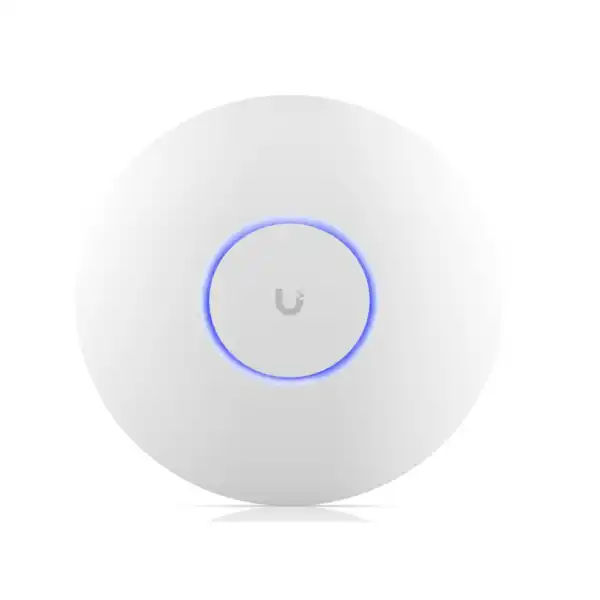
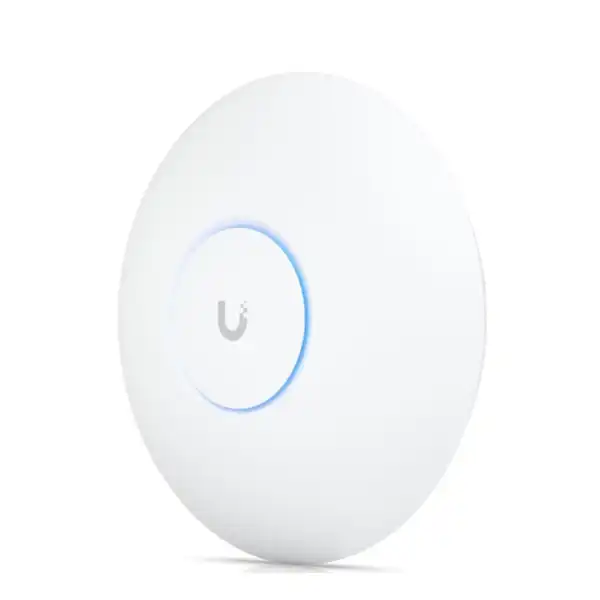
Ubiquiti U7 Pro Max WiFi 7 Access Point
The Ubiquiti U7 Pro Max is a high-capacity indoor WiFi 7 access point for companies, hospitality venues, learning environments and well-equipped private networks. The U7-Pro-Max model offers eight spatial streams, 2.5 Gigabit wired connectivity, dedicated spectrum scanning and centralized UniFi Network management. It is a candidate for demanding indoor wireless environments, but buying the right AP requires checking the building, devices, cabling, power and permitted local frequencies. For Tanzania, its 6 GHz radio is a hardware specification rather than a promise that 6 GHz transmission is available: local rules and Ubiquiti’s country support must be verified. This page explains the useful capabilities and the conditions under which they deliver value, including tradeoffs that a product summary often omits.
Key verified specifications at a glance
| Manufacturer and model | Ubiquiti UniFi U7 Pro Max — U7-Pro-Max |
|---|---|
| WiFi technology | WiFi 7 hardware; 2.4, 5 and 6 GHz radios subject to regional permissions |
| Spatial streams | 8 total: 2 × 2 on 2.4 GHz; 4 × 4 on 5 GHz; 2 × 2 on 6 GHz |
| Wired connection | One 1/2.5 GbE RJ45 port |
| Power | PoE+; 25 W maximum consumption |
| Published coverage | 160 m² (1,750 ft²), site dependent |
| Published capacity | 500+ connected clients, application dependent |
| Hardware size and weight | 206 mm diameter × 46 mm high; 680 g |
| Mounting | Ceiling or wall; Pro Mount included |
| Software requirement | UniFi Network 8.2.93 or later |
| Management features | Dedicated spectral analysis; WiFi policy and roaming features |
| Tanzania frequency caution | Do not assume local authorization or platform enablement for 6 GHz |
Manufacturer capacity and radio rates are design or physical-layer figures, not guaranteed speeds, coverage or application performance. Hardware presence is not proof of permission to transmit on every supported band.
Important deployment note for Tanzania
The 6 GHz radio must not be assumed legal or enabled for an ordinary Tanzania WLAN deployment. The July 2025 TCRA WLAN and LPWAN band plan lists 2.4 GHz and 5 GHz as license-exempt WLAN bands, while Ubiquiti does not list Tanzania among its published 6 GHz supported regions in the information reviewed. Plan around compliant supported bands and confirm current official requirements before configuring the device.
What the U7 Pro Max is designed to solve
The Ubiquiti U7 Pro Max is a centrally managed, indoor WiFi 7 access point for spaces where a basic wireless router or older access point no longer delivers a consistent experience. It is intended to connect wireless devices to an existing wired network. It does not replace the broadband modem, internet router, firewall or a properly planned switching system. Buyers should evaluate it as one component of a complete business network rather than as an all-in-one internet solution. Its principal strengths are eight spatial streams, a 2.5 Gigabit Ethernet uplink, dedicated spectrum analysis and integration with UniFi Network management. These capabilities are useful when many people work, communicate, stream, learn and move between rooms during the same day. They do not eliminate the need to assess building structure, congestion, cabling and internet capacity. For an office refresh, school deployment or hospitality project in Tanzania, begin with the user experience that needs improvement. Confirm the current network bottleneck and select equipment against that requirement, not against the largest number printed on a wireless specification sheet.
Eight spatial streams explained without marketing jargon
The device has eight spatial streams distributed across its three radio bands: two on 2.4 GHz, four on 5 GHz and two on 6 GHz. Spatial streams are parallel radio data paths used with supported client hardware; they are not eight independent internet connections, and a typical phone cannot consume all eight by itself. This architecture can provide more aggregate radio capacity when several suitable devices communicate at once. The four-stream 5 GHz radio is particularly relevant to mixed-device offices because many laptops, phones and tablets already use 5 GHz. Actual simultaneous throughput depends on the clients’ own antenna configurations, supported WiFi standards, signal quality and the amount of airtime consumed by slower or distant devices. An eight-stream access point can still experience poor service if the network has congested channels, excessive retransmissions or a slow uplink. Assess the mix of devices and the applications used during the busiest hour. This is a more reliable way to decide whether the U7 Pro Max is justified than assuming each additional stream produces a fixed improvement in speed.
Radio bands: practical roles for different devices
A well-designed wireless network assigns a practical role to each band rather than directing every client to whichever frequency sounds newest. The 2.4 GHz band is commonly useful for older devices, simple sensors and equipment needing coverage through more obstacles, but it offers less spectrum and often encounters interference. The 5 GHz band is a strong general-purpose choice for modern workstations, business phones, meeting rooms and many higher-throughput applications. The U7 Pro Max hardware also contains a 6 GHz radio, which can offer additional channel options in jurisdictions where that band is authorized and supported in UniFi software. However, do not treat all three radios as available for a Tanzania installation simply because the product is advertised as tri-band. Regulatory domain, national frequency rules, model region and current firmware jointly determine permitted operation. A good rollout begins with the legally usable spectrum, measures coverage on the actual premises and leaves room for future improvements without promising frequencies that may not be enabled locally.
Critical Tanzania 6 GHz regulatory consideration
For a Tanzania deployment, the 6 GHz specification needs special attention before any purchasing promise or network design. The Tanzania Communications Regulatory Authority’s July 2025 Radio Frequency Band Plan for WLAN and LPWAN Services lists 2.4 GHz and 5 GHz among the license-exempt WLAN bands; it does not list 6 GHz as a license-exempt WLAN band. Ubiquiti’s published list of regions supporting UniFi 6 GHz operation also does not include Tanzania in the information reviewed for this page. Consequently, 6 GHz should not be represented as presently available or license-exempt for an ordinary Tanzania installation. Buyers should plan a compliant 2.4 GHz and 5 GHz deployment and independently confirm the current TCRA requirements, exact device regulatory variant and UniFi software region support before considering 6 GHz transmission. A future policy or firmware change is possible, but it cannot be assumed. This distinction matters because some theoretical WiFi 7 speed figures depend on 6 GHz and exceptionally wide channels that may be unavailable in the intended country.
Wireless speed numbers versus usable application speed
The manufacturer lists maximum physical-layer data rates of up to 688 Mbps on 2.4 GHz, 8.6 Gbps on 5 GHz and 5.8 Gbps on 6 GHz under specified channel-width and client conditions. These figures are radio link rates, not guaranteed speed-test results, internet download rates or a promise that one device will receive their sum. The 6 GHz and 320 MHz headline figures must also be read alongside the Tanzania regulatory limitation explained above. Real applications experience protocol overhead, interference, shared airtime, client limitations and the limits of the 2.5 GbE wired uplink. A single user with a 1 Gigabit wired network or modest internet package will not automatically obtain multi-gigabit internet simply by adding this access point. For a meaningful evaluation, measure throughput, packet loss, latency and stability from representative devices near and far from the proposed mounting location. Test actual file transfers, video calls and business applications, not only a brief peak-speed benchmark. This helps identify whether the investment improves daily work.
Dedicated spectral analysis: why it matters
The U7 Pro Max includes a dedicated spectral scanning engine, and Ubiquiti lists real-time spectral analysis among its capabilities. Spectrum visibility can help administrators investigate noisy channels, interference patterns and reasons that a particular area suffers inconsistent wireless service. This is especially relevant in multi-tenant buildings, shared office floors and spaces with several nearby access points operated by different organizations. The extra scanning function does not create interference-free airwaves or guarantee the best channel under every circumstance. It provides information and management capabilities that can support better choices. Combine spectrum observations with client statistics, physical site measurements and a channel plan rather than relying on a single automatic setting. Changes to channel width and transmit power should be assessed across neighboring access points as well. The goal is not merely to make the nearest client show a strong signal; it is to maximize useful airtime for all users while reducing unnecessary contention and retransmission over the entire coverage area.
Understanding the published coverage rating
Ubiquiti specifies a nominal coverage area of 160 square metres, approximately 1,750 square feet, for the U7 Pro Max. That is a planning reference, not a guaranteed floor area in every building. Thick masonry, reinforced concrete, metal shelving, lift shafts, glass coatings and room layout can change signal behavior significantly. Even an open-plan floor may need multiple access points if users are distributed around partitions or congregate in busy meeting spaces. Signal strength is only one component of a successful design: an apparently covered location may still have high contention or poor upload performance. Draw a floor plan and identify where people actually work, queue, study or meet. Mark the obstacles, existing cabling, ceiling materials and potential sources of noise. A site survey, followed by verification after mounting, gives a better estimate of access point count than dividing the total building area by the advertised coverage figure. Allow neighboring cells to overlap sufficiently for practical roaming without creating excessive co-channel interference.
The 500-plus client rating is not a service guarantee
The manufacturer describes capacity for more than 500 connected clients. That figure is a device-level design rating; it is not an assurance that 500 people can all stream video, join conferences or upload large files at full quality at the same time. The useful capacity depends on how much airtime devices consume, their negotiated rates, application mix, security settings and the performance of the upstream network. A room containing hundreds of idle phones can behave very differently from a classroom containing fewer laptops all participating in live video lessons. When planning capacity, ask how many devices will actively transmit during the busiest five to fifteen minutes, what quality of service they need and how much uplink and internet bandwidth are available. Separate low-bandwidth background clients from demanding users in the calculation. For higher-density environments, multiple carefully positioned access points with suitable wired connections are usually more manageable than expecting a single ceiling device to solve all coverage and capacity needs.
PoE+ power and the real equipment checklist
The U7 Pro Max receives power through its Ethernet connection using PoE+, corresponding to the 802.3at power class, and Ubiquiti specifies a maximum consumption of 25 watts. This simplifies ceiling installation because a separate mains socket beside the access point is not normally necessary. It also means that purchasing only the AP may not be sufficient to make it operate. Your switch must provide a compatible PoE+ port with an adequate total power budget, or the design must include an appropriate compatible PoE+ power source. Do not assume that any Ethernet switch, ordinary PoE port or passive injector meets this requirement. A project with several access points must budget for the combined power load and the other powered devices attached to the same switch. Confirm the switch port capability, spare power budget, patch-panel route and cable condition before installation. Consider backup power for the upstream switch and network gateway where service continuity matters, because the AP cannot remain online when its PoE source is down.
What the 2.5 GbE uplink does and does not do
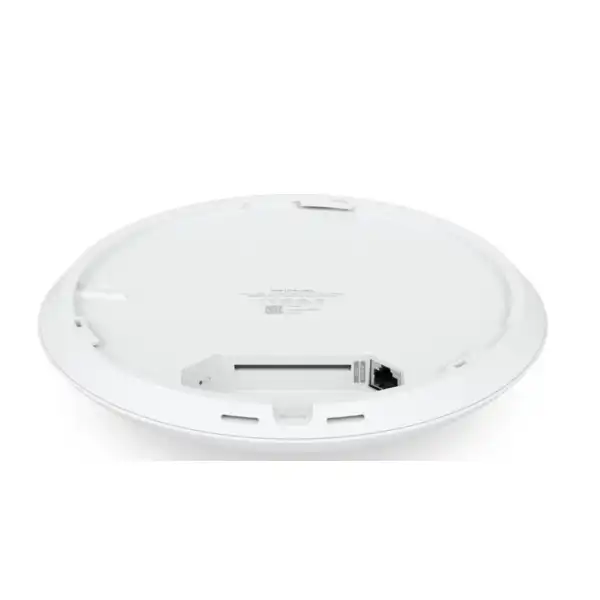
The device has one RJ45 Ethernet networking interface supporting 1 and 2.5 Gigabit speeds. A compatible 2.5 GbE switch port allows more wired headroom than a traditional 1 Gigabit uplink, which may matter when several modern wireless devices are transferring data concurrently. There is no 5 or 10 Gigabit wired port on this model. A 2.5 Gigabit connection is also not an internet bandwidth subscription; the internet gateway, subscription, firewall policies and upstream switches can still limit external traffic. If an installation uses an older Gigabit PoE+ switch, confirm the port’s negotiation mode and assess whether the reduced uplink headroom is acceptable. For a small office with modest internet usage, Gigabit backhaul may be sufficient even if the access point supports faster wired connectivity. For file-intensive workflows or a higher-capacity campus design, include end-to-end multi-gigabit switching and backbone review. Match the total network path to realistic traffic instead of treating the access point as an isolated speed upgrade.
Management through UniFi Network
The U7 Pro Max is part of the UniFi ecosystem and uses UniFi Network for centralized configuration and monitoring. Ubiquiti lists UniFi Network version 8.2.93 or later as its minimum application requirement in the published technical specifications. A compatible UniFi console or supported self-hosted management arrangement can organize wireless networks, device adoption, firmware management, monitoring and relevant policy settings. Buyers should verify the actual management platform and software version available to their organization rather than assuming every existing controller will support the new model without updates. An access point is not the same thing as a UniFi gateway, so routing, firewall policy and WAN connectivity still need appropriately configured upstream equipment. Centralized management is valuable when an organization has multiple floors, buildings or branches because it helps standardize configuration and diagnose issues. However, ongoing operation still benefits from documented administrator accounts, controlled access, backups, firmware review and a change-management procedure to avoid accidental disruption.
Designing the wired network before installation
Good wireless performance begins with the wired infrastructure. Trace the proposed access point location back to its patch panel, PoE+ switch, gateway and internet connection. Verify the cable category, termination quality and path length are suitable for the intended Ethernet rate. An existing cable may appear to work at 1 Gigabit yet perform inconsistently or fail to negotiate the planned 2.5 Gigabit link if the installation is damaged. Test cables rather than assuming they are good because a link light appears. Consider whether the switch has enough ports for future access points and whether there is sufficient capacity between the access switch and the network core. If staff, guests and devices are divided into separate networks, ensure required VLANs reach the AP’s switch port and are supported by downstream routing and firewall rules. Document port assignments and label both ends of each cable. These operational details often determine whether a well-specified AP produces a reliable result after it is mounted out of reach.
Mounting, placement and physical environment
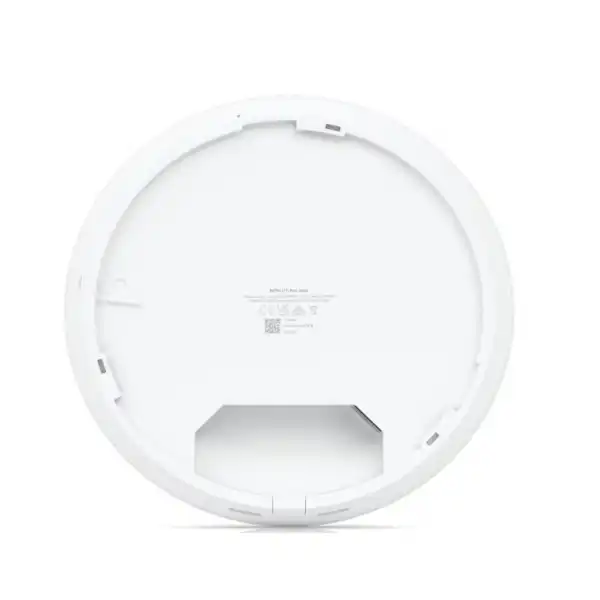
Ubiquiti supports ceiling or wall mounting for this model and lists the Pro Mount as included. The enclosure measures approximately 206 millimetres in diameter and 46 millimetres in height and weighs around 680 grams. Select a structurally suitable mounting surface that supports the hardware and permits safe cable routing. Central, elevated locations often give a more balanced coverage pattern than corners, metal cupboards or locations directly beside dense electrical equipment. Avoid obstructing ventilation and allow access for maintenance or replacement. The manufacturer specifies an ambient operating range from minus 30 to 50 degrees Celsius and 5 to 95 percent noncondensing humidity, but this is not a declaration that the unit is outdoor weatherproof. Do not place an indoor AP in direct rain, uncontrolled outdoor exposure or a location with condensation merely because it tolerates a broad ambient temperature range. If the site includes workshops, exposed verandas or exterior courtyards, evaluate an appropriately rated outdoor model and its local frequency rules instead.
How to plan user and guest wireless networks
A useful business deployment often needs more than one access policy. Employees may require access to internal applications and printers, while guests should ordinarily reach the internet without accessing business systems. Facility equipment may need only a few carefully defined services. UniFi supports guest isolation, captive portal options and additional policy features, but their practical effect depends on the rest of the network being configured correctly. Start by mapping users and devices to legitimate network destinations. Then establish SSIDs, VLANs and firewall policies that enforce the desired boundaries. Do not make the wireless network name itself the only security barrier. For a receptionist, visitor or customer area, decide whether portal authentication or a simple guest password gives the better experience. Check the operational and privacy implications of keeping guest access logs or using voucher flows. Keep the number of SSIDs purposeful: broadcasting many network names can add management overhead and consume airtime, particularly when supporting legacy devices.
Security and device compatibility decisions
The access point supports modern UniFi wireless security features, but those features must be chosen with the client fleet in mind. WPA3 is relevant for suitably capable devices and is a requirement for 6 GHz operation where that band is legally enabled. Some older scanners, printers, smart devices and handheld terminals may only support earlier security modes. A single strict setting across every SSID can therefore break essential equipment even when newer laptops connect perfectly. Inventory the client classes before changing security settings. For mixed fleets, consider separate policies for modern employee devices and approved legacy devices, with network isolation where necessary. Enterprise authentication and RADIUS-linked segmentation can be useful where identity and administrative capacity support them. Never describe an encryption mode as a substitute for software patching, endpoint security or user access control. Review passwords, administrator privileges, guest policy and firmware regularly. When enabling features such as Multi-Link Operation or fast roaming, test supported client models and consider any additional security-mode requirements imposed by the current UniFi software version.
Roaming between multiple access points
For a multi-AP building, users care about whether calls and applications stay connected while they walk, not simply whether every room displays a WiFi icon. UniFi lists support for standardized features including 802.11k radio resource management, 802.11v transition management and 802.11r fast roaming. These can assist suitable clients, but the client device ultimately influences when and how it roams. A network with excessively high transmit power can cause devices to remain attached to a distant AP despite a better one being nearby. Conversely, cells that are too small or poorly overlapped may create dead zones. Plan channel reuse, realistic power levels and a consistent security configuration. Verify performance with actual handsets, laptops and voice applications moving through corridors and between work areas. Introduce roaming adjustments deliberately and monitor whether older or specialized devices develop new issues. A methodical roaming test is more useful than assuming the existence of a fast-roaming feature means seamless behavior for every client.
Fit for offices and shared workspaces
In an office, the business case typically depends on a combination of meeting-room density, laptop usage, cloud applications, VoIP, large file transfers and the ability to administer multiple access points consistently. The U7 Pro Max is worth considering when the existing network is constrained by radio capacity, co-channel interference or an older access point that lacks multi-gigabit connectivity. Its four-stream 5 GHz radio and spectral visibility may be more relevant to immediate productivity than future 6 GHz promises. Plan the busy-hour experience for conference rooms, customer reception, desks and shared areas separately. A floor may need several APs even when a single AP’s nominal coverage seems large enough, especially if many people join calls at the same time. Review upstream bandwidth, switch capacity and quality-of-service priorities for voice or video traffic. When reviewing a quote, request a network design explaining mounting positions and wired connectivity rather than just a quantity of access points. The value is a stable workplace network, not a particular advertised peak link rate.
Fit for hospitality, retail and visitor areas
Hotels, hospitality venues and retail premises often mix staff systems, visitor devices, payment-related infrastructure and operational equipment. These environments benefit from a clear separation of networks and from management that makes trouble spots visible. The U7 Pro Max may serve indoor common areas, reception spaces, business lounges or other carefully surveyed zones, but guest rooms and wall-heavy corridors require their own coverage assessment. A single central ceiling AP should not be presumed to penetrate every room with an acceptable connection. Captive portal and guest policy options can support visitor onboarding when configured appropriately, although they are not a complete property-management or payment solution by themselves. Sensitive operational networks need independent authorization and firewall controls, and the wireless design should be assessed with relevant system vendors. Establish expected maximum guest occupancy, busy periods and traffic behavior before finalizing AP count. For any outdoor terraces or exposed spaces, use an access point specifically suitable for the physical environment rather than installing this indoor model in weather exposure.
Fit for education and training spaces
Education sites can create sharp bursts in usage when a class starts, a teacher shares media or many learners open an online assessment simultaneously. The published 500-plus client rating should not be interpreted as capacity for that whole class to sustain demanding real-time applications on one device. Instead, assess room occupancy, number of active devices, lesson format and whether traffic stays on the local network or must cross the internet connection. High-density rooms often benefit from smaller, intentionally designed cells and sufficient switch and backhaul capacity. Plan separate access policies for staff, students and visitors where appropriate, with a clear support model for shared devices. Verify that required learning platforms, examination systems and classroom displays function across the selected security settings and VLANs. Access point placement should account for furniture, walls and how the building will be occupied during busy sessions. The U7 Pro Max can be part of a well-managed campus WiFi design, but reliable educational service still depends on the complete network architecture and operational practices.
Fit for larger homes and demanding private networks
A household with many connected devices, high-resolution media, remote work and a preference for centralized networking may consider the U7 Pro Max, particularly if a suitable UniFi environment already exists. However, its capability should be matched to the building rather than assuming a business-class AP will solve every domestic coverage problem. A multi-storey residence can require more than one carefully placed AP because floors, walls and stairwells change radio propagation. Printers, streaming devices, cameras and older smart-home accessories may benefit from a simpler compatibility-focused wireless policy, while modern laptops can use a separate higher-performance network. Remember that the access point still requires a router, suitable PoE+ power and Ethernet backhaul or a deliberately designed alternative connection. If most use is light browsing on a modest internet connection, a less powerful access point may be more economical. Choose this model when its management, radio capacity and deployment characteristics solve an identifiable problem rather than buying it exclusively for the newest wireless generation label.
When a less expensive or different model is better
Not every environment needs the Pro Max tier. An office with few active clients, little interference, standard Gigabit switching and an adequate existing WiFi 6 deployment may obtain limited benefit from a higher-capacity access point. A simpler UniFi model can be easier to justify in that situation. By contrast, a project that truly requires a 5 or 10 Gigabit wired uplink should evaluate a different model because the U7 Pro Max has only a 2.5 GbE network port. Outdoor installations need an appropriately weather-rated product. Extremely dense environments may need a multi-AP design or higher-capacity hardware rather than only a more capable single AP. There is also a geographic distinction: purchasing the Pro Max does not overcome the Tanzania 6 GHz regulatory and platform restrictions described earlier. Compare options using locally usable bands, client demand, wired infrastructure, mounting requirements and cost of the entire deployment. A responsible recommendation sometimes leads to a smaller AP, additional APs, a switch upgrade or changes to placement before any new radio is purchased.
A step-by-step approach to initial configuration
Before mounting the access point permanently, inspect the supplied hardware and verify the exact model and intended regulatory region. Connect the Ethernet cable to a compatible PoE+ source and check that the device powers up. Ensure the UniFi Network management environment is running a supported application version, then follow the current official adoption process. Create or assign the required wireless networks and confirm that their VLANs, DHCP services, DNS resolution and upstream routing are working. Select channels and channel widths appropriate to the country, neighboring networks and intended client mix. Do not manually force a disallowed frequency or alter regulatory settings to bypass local constraints. Test one modern device and at least one representative legacy device before expanding the rollout. Record the switch port, physical location, management device name and configuration decisions so the system can be maintained later. When the pilot behaves as expected, install the access point in its approved mounting position, repeat coverage tests and verify that the finished configuration survives an ordinary restart.
Channel width, congestion and realistic tuning
Wider channels can increase a compatible client’s theoretical data rate, but they also use more spectrum and may overlap neighboring networks. Choosing the widest offered setting on every AP is rarely a substitute for measuring the radio environment. In a dense building, narrower channels can sometimes provide a better total experience by making it easier to assign non-overlapping frequencies and reduce contention. The right choice depends on the available 2.4 and 5 GHz spectrum, local restrictions, client capabilities and neighboring equipment. Use spectrum information and client statistics to distinguish congestion from weak signal, authentication failure or a slow upstream path. Avoid setting every AP to maximum transmit power because downlink signal strength may outpace the client device’s ability to transmit back. Review channel allocation again when a space changes occupancy or neighboring networks appear. The design objective is predictable service for many users, not a screenshot showing the highest possible connection rate in one ideal test location.
Operational monitoring and maintenance
The value of centralized wireless management continues after installation. Agree who will review alerts, check uplink errors, handle firmware updates and respond when users report slow or intermittent connections. Record a baseline for connected devices, channel utilization, typical RSSI, throughput and common application performance so future problems can be compared against a known healthy state. Where possible, label physical access points consistently with their names in UniFi Network; this makes remote diagnosis much easier. Firmware updates should be reviewed against the production environment, especially when critical voice, payment or legacy applications depend on the wireless network. Consider a test unit or planned maintenance window for larger sites. Back up relevant controller configuration and keep administrator access under appropriate control. If a device appears offline, investigate PoE power, cabling and switch ports before assuming that the radio has failed. A well-maintained U7 Pro Max deployment should be treated as part of an ongoing IT service, not a one-time hardware installation.
Troubleshooting common performance complaints
When users say the new WiFi is slow, identify whether the complaint involves internet speed, local file transfers, connection drops or an application that only performs poorly at certain times. Start with a wired baseline through the same switching and gateway path, then compare representative wireless clients. Check negotiated Ethernet speed, PoE events, channel utilization, client signal strength and retry behavior. Compare several physical locations, and repeat tests during the busy period rather than relying entirely on an empty-office test. Slow performance from one device may reflect that device’s radio capabilities or software, while simultaneous issues across all devices can indicate uplink congestion or a network service failure. If only older devices fail to connect, review the SSID’s security settings, device firmware and band support. Do not make several unrelated changes at once; adjust one variable, record the result and roll back if the change does not help. This evidence-led process produces faster and more durable improvements than replacing hardware without diagnosing the original cause.
Environmental, power and resilience planning
The U7 Pro Max is rated for indoor operation within the manufacturer’s environmental limits, but deployment suitability depends on more than a temperature figure. Evaluate heat buildup above ceilings, dust exposure, condensation risk, access for safe servicing and the availability of a secure cable route. Where operational continuity is important, protect the PoE+ switch, router and other necessary network equipment with appropriately designed power backup. An access point has no independent battery in this deployment arrangement. If the building uses several switches, determine which switch powers each AP and whether a single switch outage would affect the whole user area. Consider physical security in public-facing spaces, especially where devices or network cabling could be accessed without authorization. Note the location and mounting hardware in handover records. Environmental and resilience planning may not change a speed-test number, but it reduces downtime and ensures the selected wireless equipment remains practical to operate and maintain over time.
What a credible quotation should specify
A useful purchasing quotation should identify the exact U7 Pro Max model, quantity, regional hardware variant and the supporting equipment required to make the system operational. Ask whether PoE+ power is supplied by an existing compatible switch, a proposed new switch or a suitable injector, and confirm the total power budget. Check whether a 2.5 GbE port is available where additional uplink headroom is part of the design. Include required cabling, mounting arrangements, controller provision, network segmentation and configuration work rather than treating the AP price as the complete project cost. For premises with multiple rooms, request a proposed coverage layout and assumptions about active device count. Ask which testing and handover tasks are in scope, including basic coverage, wired link verification and client connectivity. Commercial terms such as stock, final Tanzania price, tax treatment, warranty and delivery require a current verified offer and are not asserted in this description. Confirm them through the seller’s formal quotation before placing an order.
The buyer’s readiness checklist
Before ordering, record the approximate floor plan, primary user areas and known coverage gaps. Count active laptops, phones, shared terminals, printers and special-purpose devices, not just the total number of people employed. Identify the highest-demand applications and periods when everyone is likely to connect simultaneously. Inspect the existing router, firewall, switches and PoE budget. Confirm the network management platform and whether its current version supports the AP. Determine who will maintain firmware and configuration after installation. Review the legally available WiFi frequencies for Tanzania and avoid assuming that the hardware’s 6 GHz capability is locally operational. Check whether devices support the desired security and WiFi features. Decide whether a pilot installation, radio survey or more than one AP is necessary. Finally, compare the total project scope with alternative models and an improved placement design. These steps turn a product search into a defensible investment decision grounded in user experience, compatibility, safety and maintainability.
Why an internet speed test can mislead buyers
A WiFi speed-test result depends on several independent systems: the client radio, local wireless channel, wired network, gateway, internet package and the remote test server. If the internet service is the smallest capacity in that chain, a faster access point may deliver no visible improvement on a public download test even when local wireless communication becomes more efficient. Conversely, a strong nearby speed test says little about what happens through two reinforced concrete walls or while dozens of devices are active. Compare local and external tests, examine both download and upload, and include latency and stability. A useful acceptance test measures business applications during realistic occupancy. Agree pass or fail expectations that match the installation environment rather than an unattainable theoretical link-rate figure. This prevents disappointment and helps identify where investment will produce a meaningful return.
Planning for older clients and IoT equipment
A modern access point does not automatically modernize the radio chip inside an older printer, barcode scanner, POS terminal or sensor. Those devices may only communicate over 2.4 GHz, may require earlier security settings and may behave badly when advanced transition features are enabled without testing. Before a deployment, list the most important older models and ask whether they can be updated or replaced. Provide a compatibility policy that preserves access to only the resources they require. Keep legacy traffic separated from employee systems where feasible, and test reconnect behavior after the AP reboots or the network password changes. A controlled pilot can uncover problems that raw speed specifications cannot predict. Document exceptions rather than weakening every user’s wireless policy to accommodate a small number of old devices. A good WiFi upgrade is successful when both the newest laptop and the critical legacy terminal perform their intended tasks reliably.
Scaling from one access point to several
Adding an AP is not the same as extending a wired LAN with an unmanaged radio. A multi-access-point design needs predictable channel allocation, suitable overlap, adequate backhaul and a consistent client authentication experience. Install devices where their cells serve real user groups and avoid placing every unit in the middle of a long corridor by default. Map cable runs and switching ports for each unit so faults can be isolated quickly. Use a consistent naming convention that describes building, floor and physical area without exposing unnecessary sensitive information. During acceptance testing, walk representative devices between coverage areas and observe whether their connection and applications remain stable. In environments with particularly heavy usage, spread demand across cells rather than depending on the advertised maximum client count of one AP. Design for maintenance as well: access to power, cable testing and a sensible spare-parts strategy may matter more operationally than small differences in theoretical wireless rates.
What WiFi 7 actually changes for purchasers
WiFi 7 is a generation of wireless technology that can support advanced modulation, improved channel capabilities and features such as Multi-Link Operation when compatible clients and network settings allow them. An AP carrying the WiFi 7 name does not mean all connected devices suddenly obtain WiFi 7 features. The wireless standard negotiated by each client depends on that client’s hardware and software. Furthermore, some WiFi 7 capabilities depend on radio bands and channel widths that are not universally authorized. For Tanzania, this is especially important when interpreting claims tied to 6 GHz operation. Buying a WiFi 7 device may still make sense for a 2.4 and 5 GHz network because of its architecture, management features and expected client refresh cycle, but justify the purchase on the features the site can actually use. Confirm the exact firmware behavior of any optional advanced function before treating it as a mandatory business requirement.
Frequently asked questions
Does the U7 Pro Max work as a router?
No. It is a wireless access point intended to connect WiFi devices to an existing network. Internet routing, firewall policy, DHCP and wide-area connectivity require appropriate upstream equipment or services. A UniFi gateway can be useful in an integrated deployment, but it is a separate component. Confirm the complete network topology before assuming that an AP alone can provide internet access.
Can its 6 GHz radio be used in Tanzania?
Do not assume so. The TCRA July 2025 license-exempt WLAN band plan reviewed for this page lists 2.4 GHz and 5 GHz, not 6 GHz, and Tanzania does not appear on Ubiquiti’s current published list of supported 6 GHz regions. Confirm any later regulatory changes and exact UniFi region support before enabling that band. Do not bypass regional restrictions.
Does it need a special power supply?
It uses PoE+ through Ethernet and has a manufacturer-rated maximum power consumption of 25 watts. A compatible 802.3at PoE+ switch port with sufficient budget, or a suitable PoE+ power source, is required. A normal non-PoE switch port will not power the access point by itself. Review the total power budget when installing several APs.
Is a 2.5 Gigabit switch mandatory?
The access point supports 1 and 2.5 GbE over its wired network port. A suitable 2.5 GbE switch port is needed to make use of the higher wired rate. A compatible lower-rate connection can still be appropriate in a deployment where its performance limitations are understood. Check PoE+ support separately because link speed and available power are distinct requirements.
How many U7 Pro Max units does an office need?
There is no responsible universal answer based only on square metres. The published 160 square metre coverage rating is a reference, while walls, floor layout, active clients and application demand change the outcome. A survey or informed floor-plan assessment can establish likely access point positions. Test those positions before finalizing the number of devices for a busy multi-room environment.
Can five hundred people stream at once?
The 500-plus figure is a manufacturer client-capacity rating, not a guarantee of streaming performance for that number of simultaneous active users. Video demands significant airtime, internet bandwidth and wired capacity. For high-density streaming, plan multiple appropriate access points, sufficient upstream connectivity and a realistic application test. Busy-hour traffic estimates are more useful than the connected-device maximum alone.
Can older WiFi 5 or WiFi 6 devices connect?
The U7 Pro Max lists support for earlier wireless standards, subject to suitable band, security and client settings. This allows a mixed-device environment, although older clients do not gain WiFi 7 capabilities by connecting to a newer access point. Test critical legacy devices, particularly those limited to 2.4 GHz or older authentication options, before changing production wireless policies.
Does it support guest WiFi and roaming?
UniFi lists guest isolation, captive portal options, and roaming-related standards such as 802.11k, 802.11v and 802.11r for the device. These are capabilities that require suitable network configuration and client compatibility. Guest protection also depends on VLANs and firewall policy outside the access point. Roaming quality should be verified with moving client devices across the actual deployment.
Is the U7 Pro Max an outdoor access point?
It is presented by Ubiquiti for ceiling or wall mounting and should be treated as an indoor model. Its operating temperature range does not establish weatherproofing. Outdoor courtyards, roofs and exposed patios call for equipment selected and installed for that environment. Local wireless frequency rules and safe power delivery still apply, whatever product is selected.
What must be checked before buying in Tanzania?
Verify the exact model and regional hardware variant, PoE+ compatibility, available wired uplink, network-management software, site layout and active-client demand. Confirm local frequency regulations before promising 6 GHz operation. Request current seller confirmation for the commercial price, availability, support terms, warranty and delivery, because none of those listing-specific facts are established by the technical specification alone.
Request an informed U7 Pro Max quotation
Share the approximate floor plan, main wireless problem, active-client count, existing switch model, PoE+ availability and intended management platform when asking for a Ubiquiti U7 Pro Max proposal. For a multi-room site, request suggested locations and the scope of cabling, configuration and testing as part of the discussion. The best offer should match the locally permitted bands and the business’s actual application demand, not simply repeat theoretical radio speed numbers.
Ask FourTeck Tanzania for current availability, applicable pricing, regional device details, warranty terms and an appropriate design for your premises. No stock, price, delivery timeline, certification or locally enabled 6 GHz operation is claimed by this product information page. A formal quotation and a deployment review should resolve those details before purchase.




Reviews
There are no reviews yet.