
Yealink ContentCamMount-USB Tanzania
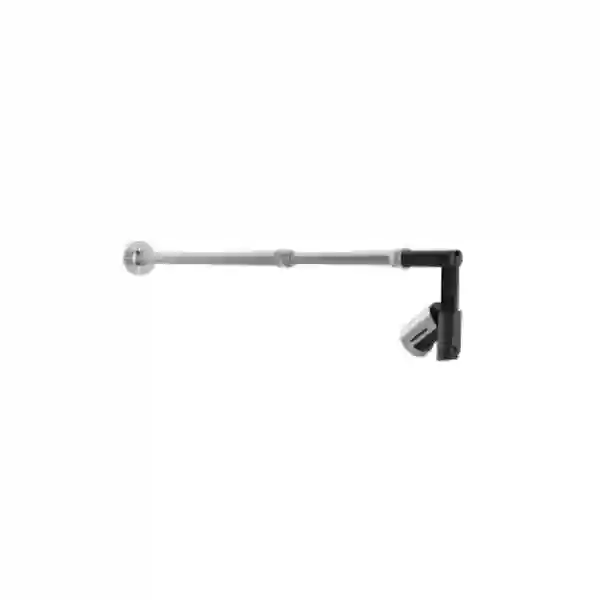
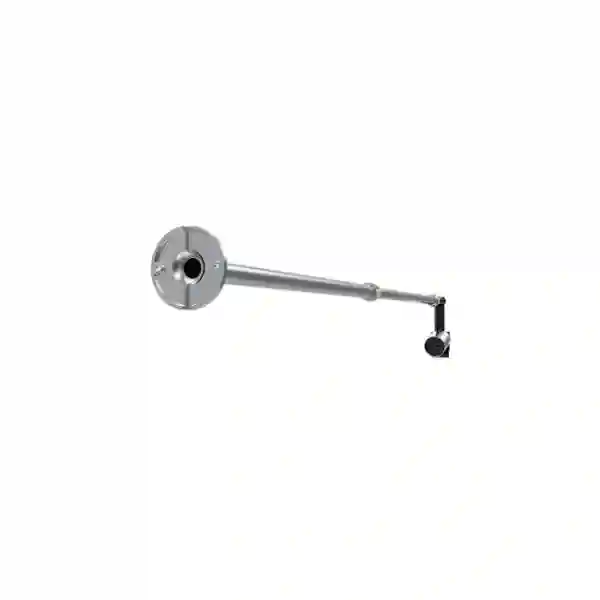
The Yealink ContentCamMount-USB is a professional deployment accessory created for the Yealink UVC30 content camera. Yealink lists ContentCamMount-USB within its room-system accessories portfolio and identifies it as a deployment tool for the UVC30 content camera. For organisations in Tanzania planning Microsoft Teams rooms, training spaces, classrooms, boardrooms or collaboration environments where physical whiteboard content needs to be captured clearly, the accessory helps create a more deliberate and stable camera placement than an improvised mounting arrangement.
The product should be evaluated as part of the complete room design rather than as an isolated bracket. The practical questions are where the whiteboard is positioned, how wide the writing surface is, where the UVC30 will sit relative to that surface, how the USB connection will be routed, whether users can write naturally without obstruction, and whether the conferencing system is configured to use the camera as intended. FourTeck Tanzania can help customers map those questions into a quotation and deployment plan.
Yealink describes ContentCamMount-USB as a deployment tool for the UVC30 content camera.
Yealink publishes manufacturer part number 330100052001 for ContentCamMount-USB.
Structured content-camera deployment in meeting rooms where board visibility and clean installation matter.
What the Yealink ContentCamMount-USB solves
A content camera is useful only when its viewing angle, working distance and relationship to the writing surface are predictable. In a hybrid meeting, remote participants may need to follow diagrams, formulas, planning notes or process sketches written on a board. A loose desktop camera or an improvised wall attachment can create inconsistent framing, cable strain or an installation that is difficult to maintain. ContentCamMount-USB gives project teams a dedicated mounting approach designed around the UVC30 content-camera use case.
The accessory is especially relevant to organisations standardising Microsoft Teams Rooms where repeatability matters across several rooms. Procurement teams can specify the camera, mounting accessory, cabling, room controller, display and other required components as a coordinated bill of materials instead of discovering missing installation parts after equipment arrives. That is why FourTeck recommends treating mounting hardware as part of the room design. A complete quotation should state the exact UVC30 requirement, wall type, board position, approximate board width, cable path and any room-system hardware already installed.
Verified product facts
Yealink includes ContentCamMount-USB in its official meeting-room accessory catalog. The manufacturer describes it as a deployment tool for the UVC30 content camera, and Yealink’s published accessory-program information identifies manufacturer part number 330100052001. These facts form the basis of this page. Where third-party sellers publish dimensions, board-width claims, package contents or local stock, FourTeck recommends reconfirming the exact current package and compatibility before ordering rather than assuming reseller data is universally current.
Compatibility planning
The central compatibility relationship is with the Yealink UVC30 used as a content camera. Buyers should also confirm the specific Yealink MVC or Microsoft Teams Rooms environment, software configuration and room design. A mounting accessory does not by itself enable content-camera workflows; the connected room system, conferencing platform, USB path and physical placement must all be considered together. For existing rooms, provide the installed Yealink models and photographs or measurements of the whiteboard wall when requesting a quotation.
Buying and deployment checklist
- Confirm that the intended camera is the Yealink UVC30 and identify how it will be used as a content camera.
- Record the whiteboard location, approximate width, wall construction and usable mounting area.
- Confirm the room-system platform and exact Yealink MVC or Microsoft Teams Rooms components already in use.
- Plan the USB cable route so the installation is tidy, protected and serviceable.
- Check display, camera, lighting and seating positions so the content camera does not interfere with the main meeting camera or user movement.
- Ask for a quotation that clearly identifies ContentCamMount-USB, manufacturer part 330100052001, quantity and any other required room accessories.
For related procurement, review the FourTeck Tanzania technology shop, which covers conferencing equipment and supporting business technology. For room-design, configuration and deployment discussions, the FourTeck Tanzania services page explains the wider solution approach. The FourTeck Tanzania home page provides context on video conferencing, displays, networking and related infrastructure. Regional buyers can also review FourTeck Kenya and FourTeck Uganda for neighbouring-market technology enquiries.
Yealink ContentCamMount-USB Tanzania
Organisations searching for Yealink ContentCamMount-USB in Tanzania are commonly trying to complete a professional meeting-room bill of materials rather than buy a generic wall bracket. The accessory makes most sense where a Yealink UVC30 will be dedicated to capturing physical whiteboard content for remote participants. In Tanzania, that can include corporate boardrooms, training facilities, education environments, project offices and customer-facing collaboration rooms. The starting point should be the room workflow: who writes on the board, how often remote attendees need to see it, whether the board is fixed or movable, and how the Teams room is operated day to day.
Procurement teams should identify the exact Yealink room system already installed or planned. This prevents a common purchasing mistake in which an accessory is ordered because the model name appears relevant but the complete platform relationship has not been checked. The UVC30 role, room-system generation, controller, computing unit and software configuration should be documented. If the room is still at design stage, the whiteboard wall, display wall and seating arrangement can be planned together so camera positions are not chosen independently. This is particularly useful in rooms where the main video camera and content camera serve very different viewing purposes.
For Tanzania quotations, provide quantity, destination, required project timeline and whether installation assistance is needed. FourTeck should not assume stock, delivery time or included services until the request has been reviewed. A good quotation request also includes photographs or dimensions of the proposed wall. Wall construction matters because mounting methods appropriate for solid masonry can differ from those suitable for partitions. Cable routing also deserves attention: exposed USB cabling can look unfinished and may be vulnerable to accidental disconnection, while concealed cabling must remain accessible enough for future service.
The purchasing decision is therefore less about comparing headline features and more about confirming fit. The ContentCamMount-USB is a specialised accessory whose value comes from helping the UVC30 occupy a predictable, professional content-camera position. Buyers planning multiple rooms can benefit from standardising a room template: defined board size, mounting height, cable path, display position and documented accessories. That approach improves consistency when new meeting rooms are added later and gives IT teams clearer information for troubleshooting and replacement.
Yealink ContentCamMount-USB Dar es Salaam
In Dar es Salaam, demand for ContentCamMount-USB is most relevant to organisations building or refreshing collaboration spaces where Microsoft Teams meetings are part of daily operations. Corporate offices, professional-services firms, financial teams, project organisations, education providers and regional headquarters may all use whiteboards during hybrid sessions. When remote participants need to see handwritten diagrams clearly, a dedicated UVC30 content-camera installation can be more practical than asking presenters to repeatedly reposition a normal room camera. The mount should therefore be selected as part of a purposeful room layout.
A Dar es Salaam project should begin with measurements. Note the board width and height, the available wall area around it, the nearest suitable route to the room-system USB connection and any trunking or conduit already present. Also identify whether users stand close to the board, whether presentation furniture can obstruct the camera, and whether reflections from windows or lighting affect visibility. These details influence the usefulness of a content-camera deployment more than the accessory model alone. The installation team should preserve clear movement space and avoid creating cables that are easy to pull accidentally.
For existing Yealink MVC rooms, include the installed system model and UVC30 details in the enquiry. For new rooms, include the planned display size, seating capacity and collaboration platform. This gives procurement and technical teams a common reference. It also reduces the chance that the mount is sourced separately from the camera and room system without confirming how everything connects. Where multiple offices use similar room types, a standard bill of materials can reduce variation and simplify later support.
When requesting pricing in Dar es Salaam, avoid relying on a website stock indicator from another country. Ask for the exact ContentCamMount-USB, manufacturer part 330100052001, required quantity and project location, then request confirmation of availability and commercial terms. If installation is part of the requirement, state the wall material, cable-concealment preference and whether access outside normal working hours is necessary. This information allows the quotation to reflect the real deployment rather than only the accessory itself. A well-scoped request is faster to evaluate and gives buyers a clearer basis for approving the complete meeting-room project.
Yealink ContentCamMount-USB Mwanza
For Mwanza organisations, ContentCamMount-USB can be relevant when a meeting room must connect local teams with colleagues, partners or specialists in other cities while preserving the usefulness of a physical whiteboard. Engineering discussions, operational planning, training and education can all involve sketches or annotations that are easier to produce on a board than inside a presentation file. A UVC30 dedicated to content capture can support that workflow, but its physical position needs to be stable and repeatable. The mount provides a purpose-built foundation for that deployment.
The procurement process should verify the room system first. Buyers should confirm the exact Yealink environment and whether the UVC30 will be configured specifically for content-camera use. The accessory should not be treated as a universal camera bracket. Record the board dimensions, wall type and distance to the system connection. In rooms where electrical and data routes are shared, plan cable management carefully so the USB run is protected and does not create an untidy installation. If the building has thick walls or limited concealed pathways, surface trunking may need to be considered as part of the finished design.
Mwanza buyers planning new meeting rooms can also use the accessory decision as a prompt to review the wider collaboration experience. Camera eye line, microphone coverage, display visibility, lighting and internet performance all influence whether a Teams room feels professional. The content camera addresses a specific visual task, but it depends on the rest of the room to provide an effective meeting. In procurement documents, separate the main participant camera from the content camera so both functions are clear to technical reviewers.
A useful quotation request states the model ContentCamMount-USB, manufacturer part 330100052001, UVC30 requirement, room count and deployment location. Add photographs if possible. If the organisation is rolling out rooms in Mwanza and other cities, ask for a consistent design standard so accessories, cable routes and installation practices are repeatable. Standardisation can make future troubleshooting easier because support teams know what to expect in each room. It can also prevent small omissions such as missing mounting hardware or uncertain cable-routing responsibilities from delaying the final handover.
Yealink ContentCamMount-USB Arusha
Arusha organisations that host training, planning and cross-location meetings may benefit from a dedicated whiteboard-content workflow. The Yealink ContentCamMount-USB is relevant where the UVC30 is intended to observe a physical board rather than serve as the room’s primary participant camera. This distinction matters because each camera has a different purpose. The main meeting camera frames people; the content camera frames written information. A professional mounting arrangement helps keep that content view consistent from one meeting to the next.
Before ordering, survey the room. Confirm the width of the board, the available mounting surface, the location of displays, windows and lighting, and the path to the room-system USB connection. Consider where presenters stand while writing and whether any furniture moves into the camera’s field. A room used for training may have more movement than a small executive meeting room, so the installation should be protected from accidental contact. If the room is frequently reconfigured, make sure the board and content-camera relationship remains fixed even when tables and chairs move.
Arusha buyers should also document the exact Yealink MVC or Teams room components in use. If the room is being upgraded from another platform, confirm software and hardware compatibility before assuming an existing UVC30 can simply be repurposed. Content-camera functionality depends on the complete conferencing workflow. FourTeck can use the room information to help structure a bill of materials, but final pricing, availability and deployment scope should be confirmed against the live project requirement rather than inferred from foreign reseller listings.
For organisations with several training or conference rooms, the ContentCamMount-USB can fit into a standard room specification. Define acceptable board sizes, mount positions, cabling practices and naming conventions for room devices. Keep a simple drawing or photograph in the handover documentation. These small steps make maintenance easier and help future installers understand why the content camera was positioned in a particular location. When requesting a quotation in Arusha, include room quantity, board measurements, preferred installation timing and any site-access rules so the commercial and technical response can be prepared around real conditions.
Yealink ContentCamMount-USB Dodoma
In Dodoma, organisations planning formal meeting and briefing spaces may use physical whiteboards alongside Microsoft Teams collaboration. ContentCamMount-USB can support a UVC30 content-camera deployment where remote attendees need a clear, persistent view of handwritten material. This is useful in planning sessions, policy discussions, training, project coordination and technical meetings where a presenter may move between slides and a physical board. The accessory belongs in the installation plan because camera placement directly affects whether the remote audience can follow that board work.
Room surveys should be practical. Measure the board rather than estimating from a photograph, identify the wall construction and note existing power, network and cable channels. Review the display position because a crowded front wall can make camera placement difficult. If the board is near a door, cabinet or movable partition, ensure the mount will not interfere with normal room use. Good cable management should protect the USB connection and leave a route that can still be serviced later without damaging decorative finishes.
For procurement in Dodoma, identify the exact UVC30 and room-system configuration. Yealink officially positions ContentCamMount-USB for UVC30 content-camera deployment; that is the verified relationship buyers should use as the compatibility baseline. Other claims about supported board dimensions or included package items should be reconfirmed in the current commercial offer because reseller descriptions can differ. If a tender or internal requisition requires manufacturer identification, use ContentCamMount-USB and manufacturer part 330100052001, then request confirmation of the package supplied.
A structured request should include quantity, destination, whether installation is required, room photographs, board dimensions and desired project date. If the room also needs conferencing cameras, displays, microphones, room controls or network improvements, list those requirements together. This allows the accessory to be quoted in context and reduces fragmented purchasing. For multi-room rollouts, ask for consistent mounting and commissioning documentation. A content-camera setup that looks simple can still create support problems if each room is installed differently. Standard design choices improve repeatability and help users know what to expect when they move between locations.
Yealink ContentCamMount-USB UAE
UAE buyers often operate meeting-room estates across offices, branches and customer spaces, making standardisation an important reason to choose a purpose-built accessory. ContentCamMount-USB can form part of a repeatable Yealink UVC30 content-camera design for Microsoft Teams Rooms where physical whiteboards remain part of collaboration. Rather than treating the bracket as a minor afterthought, project teams should include it in room standards alongside the display, primary camera, microphones, controller, computing unit, cabling and network requirements.
In new fit-outs, coordinate the content-camera location with interior design and AV construction. Confirm board dimensions, wall backing, conduit paths and access panels before finishes are completed. This avoids late drilling or exposed cabling. In existing rooms, inspect the wall, identify a safe USB route and make sure the mount position does not conflict with screens, speakers or room-control devices. If large glass surfaces create glare on the board, lighting improvements may be just as important as camera placement.
Procurement teams should reference the exact model ContentCamMount-USB and manufacturer part 330100052001. Yealink identifies the accessory for UVC30 content-camera deployment. Where a supplier proposes alternative brackets, compare more than price: review mechanical suitability, camera positioning, cable management and consistency with the room standard. A cheaper generic option may be acceptable in some environments, but any alternative should be evaluated against the intended UVC30 workflow rather than assumed equivalent.
For UAE projects, quotations should distinguish supply-only requests from full installation and commissioning. State the room count, building locations, access requirements, wall construction and whether work must coordinate with fit-out contractors. Multi-site organisations can benefit from creating a standard drawing and bill of materials, then adapting only the dimensions required by each room. This makes approvals clearer and provides a predictable basis for support. The accessory is most valuable when it helps produce that disciplined, professional deployment rather than simply adding another item to the hardware list.
Yealink ContentCamMount-USB Uganda
Uganda organisations using Yealink room systems can consider ContentCamMount-USB when a UVC30 will be dedicated to capturing whiteboard information for hybrid meetings. The accessory is especially relevant to distributed teams that regularly share planning diagrams, training notes or technical drawings with participants joining remotely. A fixed mounting arrangement helps preserve the same board view over time and prevents staff from relying on improvised camera placement before each meeting.
The technical review should start with compatibility. Confirm the UVC30, room-system model and conferencing workflow. Then inspect the physical room: board size, wall type, distance to the USB connection, nearby displays and likely cable route. The presence of a suitable mount does not remove the need for good lighting or clear board visibility. If the room is narrow, crowded or heavily glazed, practical placement may require more planning than in a simple rectangular meeting room.
For procurement, use the official model name and manufacturer part 330100052001, and ask the supplier to confirm the current package contents. Avoid basing a Uganda purchase on stock or delivery claims from overseas stores. Availability, freight and lead time should be confirmed for the actual destination and order quantity. If the project includes installation, provide wall photos and measurements early so any additional fixings, trunking or site work can be included in the scope rather than added later.
Organisations deploying several rooms across Uganda should consider a repeatable room standard. This can define which rooms need content cameras, how boards are positioned, where USB cables terminate and how equipment is labelled. Not every room requires the same design; a small huddle room may not need whiteboard capture, while a training or planning room may use it constantly. Assigning the accessory only where the workflow justifies it keeps budgets focused and makes the technology easier for users to understand.
Yealink ContentCamMount-USB Kampala
Kampala businesses with boardrooms, training suites and hybrid collaboration spaces may use ContentCamMount-USB as part of a Yealink UVC30 content-camera installation. The buying intent is usually specific: the customer already uses or plans to use a Yealink Teams room and needs a reliable way to position the UVC30 relative to a whiteboard. That makes compatibility and room design more important than a long feature list.
A site review should capture board dimensions, wall material, display arrangement, seating direction and cable routing. Where meeting rooms are part of premium office fit-outs, concealment and finish quality matter. A cable path that is technically functional but visually poor can reduce the perceived quality of the room. Conversely, fully concealed cabling must still allow access for maintenance. The installer should balance appearance with serviceability and avoid placing the camera where users can easily bump it while writing.
Kampala procurement teams can reduce risk by including exact identifiers in purchase requests: Yealink ContentCamMount-USB and manufacturer part 330100052001. State that the intended camera is UVC30 and provide the room-system model. If the supplier offers a substitute, require a compatibility explanation rather than accepting a generic mounting bracket solely because it fits mechanically. The content-camera workflow depends on deliberate positioning and system integration.
For larger organisations, document one approved room configuration for each room type. A training room may need content-camera capture, while an executive room may prioritise participant framing and presentation sharing instead. This prevents unnecessary accessories from being installed everywhere. A clear quotation request should include quantities, site locations, installation requirement, photos and timing. By treating ContentCamMount-USB as part of the room architecture, buyers can make approval easier for IT, procurement and facilities teams because the purpose of the accessory is clear.
Yealink ContentCamMount-USB Arua
Arua organisations considering Yealink ContentCamMount-USB are likely to be solving a practical meeting-room problem: how to keep a UVC30 content camera aligned with a physical whiteboard without repeated setup. This can be valuable for training, technical support, education, project coordination or branch meetings where participants in other locations need to follow handwritten content in real time. The mount’s role is to create a dedicated, stable deployment rather than a temporary camera position.
Because projects outside major commercial centres may involve longer procurement cycles, confirming the complete requirement before ordering is particularly useful. Record the exact UVC30 need, ContentCamMount-USB model, manufacturer part 330100052001, room-system details and quantities. Add the board measurements and wall construction. If installation resources are limited locally, clarify in advance whether the order is supply only or whether technical assistance, installation instructions or coordinated deployment support is expected.
Cable planning should not be overlooked. The content camera must connect into the room environment without creating a fragile or inconvenient cable path. Consider whether existing conduit is available, whether surface trunking is acceptable and how future servicing will be performed. In rooms with power interruptions or variable connectivity, those infrastructure issues affect the broader Teams experience even though they are not functions of the mount itself. Keeping the accessory decision within the larger room plan prevents the project from focusing too narrowly on one component.
When evaluating quotations for Arua, compare whether they identify the exact accessory, installation assumptions and any supporting materials required. Ask suppliers to confirm current availability rather than relying on online listings. If several rooms are planned over time, keep records of the final mounting height, cable path and room-system configuration. Standard documentation helps future technicians understand the original design and allows the organisation to replicate successful rooms without re-learning every installation decision.
Yealink ContentCamMount-USB Mbarara
In Mbarara, ContentCamMount-USB can support professional collaboration rooms where the Yealink UVC30 is assigned the specific job of capturing physical whiteboard content. Teams that discuss layouts, diagrams, plans or training material often use a board because it is immediate and flexible. Remote participants, however, can lose context if the board is outside the main camera view. A dedicated content-camera arrangement provides a more consistent way to bring that physical content into the hybrid meeting workflow.
The room should be assessed before purchasing. Measure the board, confirm the wall type, locate displays and identify a practical USB route. Consider user behaviour: people may stand close to the board, place flipcharts nearby or move furniture. The mount should be positioned so normal collaboration does not place the camera at unnecessary risk. Lighting also matters because reflections or shadows can reduce board readability even when the camera is perfectly aligned.
Mbarara buyers should use the official product identifiers in procurement documentation and confirm that the target camera is UVC30. The published manufacturer part is 330100052001. If the room already contains Yealink MVC equipment, list the models so compatibility can be reviewed. If the room is new, specify whether the requirement includes only the mount or also the camera, room controller, compute device, microphones, display and installation. This avoids quotations that are difficult to compare because suppliers assume different scopes.
A complete commercial request should state quantity, destination, desired schedule and installation expectations. For organisations with branches, decide whether the same room standard will be used elsewhere. Consistency can reduce support complexity, but only if the rooms have comparable dimensions and workflows. The goal is not to install a content camera everywhere; it is to use it where physical board collaboration has real value and to deploy it in a way that remains reliable, understandable and maintainable.
Yealink ContentCamMount-USB Gulu
Gulu organisations planning hybrid meeting spaces can use ContentCamMount-USB to support a dedicated UVC30 content-camera position where a physical whiteboard is central to the way teams work. This can be useful for educational sessions, operational planning, workshops and remote expert consultations. Instead of asking a presenter to reposition the main meeting camera toward the board, a separate content camera can preserve participant framing while giving remote attendees a focused view of written material.
The accessory should be included early in the room design. Confirm board dimensions, wall construction and the route to the room system. If the building uses surface-mounted cable infrastructure, plan a neat path with appropriate protection. If cabling will be concealed, confirm access before construction finishes. Check whether lighting creates glare across the board and whether users will stand directly between the board and camera during normal writing. These factors determine whether the final system is easy to use.
For Gulu procurement, specify Yealink ContentCamMount-USB and manufacturer part 330100052001, along with the UVC30 requirement. Ask for current availability and delivery terms for the actual project instead of assuming overseas e-commerce information applies locally. Where installation is requested, clarify whether wall preparation, trunking or other site materials are included. These details can be more important to the successful handover than a small difference in accessory price.
If the organisation expects to deploy similar rooms in future, create a simple installation record after the first successful room. Photograph the mount position, note board measurements, cable route and device names, and keep this with the room-system documentation. This makes expansion easier and reduces dependency on individual installers’ memory. ContentCamMount-USB is a small component, but when it is specified within a repeatable room design it can contribute to a more predictable collaboration experience.
Yealink ContentCamMount-USB Kenya
Kenya businesses deploying Yealink Microsoft Teams Rooms may consider ContentCamMount-USB where physical whiteboard capture is an important part of hybrid collaboration. In larger organisations, the accessory may appear in room-standard specifications for training rooms, project rooms and boardrooms that use a UVC30 specifically as a content camera. The value of the accessory is strongest when it supports a documented, repeatable installation rather than being purchased as a general camera bracket.
Before ordering, confirm the exact Yealink room-system environment and the UVC30 role. Then document the board size, mounting surface and cable route. Nairobi and other Kenyan office fit-outs often involve coordinated AV, electrical and interior works, so the mounting position should be agreed before final wall finishes where possible. This allows conduit, backing and access to be prepared in advance. For retrofit rooms, a neat surface cable route may be preferable to disruptive construction, depending on the site.
Procurement requests should use ContentCamMount-USB and manufacturer part 330100052001. If comparing suppliers, evaluate whether each quotation covers the same scope: accessory only, camera plus mount, installation, commissioning, room-system integration or a complete conferencing solution. Price comparisons are misleading when one proposal includes site work and another does not. Ask for availability to be confirmed against the required quantity and destination.
Kenya organisations with multiple offices can benefit from standardising room categories. A small room might use a video bar without a content camera, while a training room may include UVC30 content capture and ContentCamMount-USB. Defining those patterns keeps budgets controlled and helps IT teams support rooms consistently. The final room documentation should identify camera purpose, cable connections and mounting details. This makes the accessory part of an understandable system and gives future support teams enough context to maintain or replace components efficiently.
Yealink ContentCamMount-USB Kuwait
Kuwait organisations planning modern boardrooms and training spaces can use ContentCamMount-USB within a Yealink UVC30 content-camera design for Microsoft Teams Rooms. The accessory is most appropriate where users continue to rely on physical whiteboards and remote attendees need that content integrated into the meeting experience. Because premium meeting spaces often demand clean finishes, the mount, cable path and wall preparation should be treated as part of the AV design rather than installed after every other component is finished.
During planning, confirm the board dimensions, wall backing, nearby screens, speakers and lighting. Whiteboards located close to large displays can create space conflicts, while glossy surfaces can reflect strong lighting. Coordinate the UVC30 location with the main camera so each has a clear purpose. The content camera should observe the board; the participant camera should frame the people. Keeping those roles separate makes commissioning and user training easier.
Kuwait procurement teams should reference ContentCamMount-USB and manufacturer part 330100052001 in requests. Yealink officially positions the accessory for UVC30 content-camera deployment. For multi-room projects, ask the supplier to confirm quantities, lead times and package contents in writing. Do not assume stock shown by international web stores is available for the Kuwait project. If installation is required, identify site access procedures and whether work must coordinate with facilities or fit-out teams.
A room-standard approach can be especially useful in organisations with several conference spaces. Create one design for rooms that require physical content capture and another for rooms that do not. Include drawings, cable responsibilities and commissioning checks. This keeps the accessory connected to a real user need and avoids unnecessary hardware. A clear standard also lets procurement compare future quotations against the same baseline instead of re-designing the content-camera arrangement for each new room.
Yealink ContentCamMount-USB Ghana
Ghana organisations with Yealink Teams room deployments can consider ContentCamMount-USB for conference and training rooms where a UVC30 will capture handwritten whiteboard content. Hybrid meetings often fail to include remote participants effectively when locally written information is not visible online. A dedicated content camera can solve that specific issue, while the purpose-built mounting accessory helps keep the camera in a consistent position without relying on temporary tripods or desktop placement.
A useful pre-purchase survey should record the board dimensions, wall type, display location and USB route. If the site is still under construction, coordinate cable paths before walls are closed. If the room is already finished, decide whether surface trunking or another non-disruptive route is appropriate. Check lighting and board condition as well; a camera cannot compensate for severe glare, faint markers or a board that is routinely obscured by furniture.
For Ghana quotations, specify Yealink ContentCamMount-USB and manufacturer part 330100052001, and identify the UVC30 as the intended camera. If the request is part of a complete meeting-room upgrade, list the room-system model, display requirements, microphones and network considerations. This allows suppliers to evaluate the room as a system. Ask for actual project availability and delivery terms instead of relying on public overseas prices or stock indicators.
Multi-site organisations can improve consistency by documenting which room types require content capture. Training centres and project rooms may benefit more than small huddle rooms. Once the first room is commissioned, retain photographs and configuration notes so later deployments can follow the same pattern. This reduces installation variation and helps IT teams explain the setup to users. ContentCamMount-USB is a specialised accessory, so procurement is most effective when its purpose is linked clearly to the collaboration workflow rather than added to a generic accessories list.
Yealink ContentCamMount-USB Nigeria
Nigeria organisations with distributed offices and frequent Teams collaboration may use ContentCamMount-USB in rooms where physical whiteboard content needs to be visible to remote participants. The accessory supports a UVC30 content-camera deployment, allowing the room to maintain a separate camera role for board content while the main conferencing camera remains focused on participants. That separation can be valuable in training rooms, project management spaces, design discussions and technical workshops.
Large organisations should include the accessory in a documented room standard. Define the board position, expected mounting surface, USB route and room-system models. In new office fit-outs, coordinate wall reinforcement and conduit early. In retrofit environments, inspect existing finishes and identify a practical cable path that balances appearance, safety and future service. Meeting-room installations often become difficult when AV components are chosen after furniture and wall finishes are fixed, so early planning can prevent unnecessary rework.
Procurement requests should use the exact model ContentCamMount-USB and manufacturer part 330100052001. Ask the supplier to confirm the current package supplied, availability for the required quantity and any installation inclusions. Nigeria is a large market with varied logistics conditions, so delivery estimates should be based on the specific destination rather than a general national assumption. If several sites are involved, separate quantities and locations clearly.
For supportability, label the content camera and document its intended function. Users should understand that the UVC30 is positioned for board capture and should not be moved casually. Basic room instructions can explain how to use whiteboard content during meetings and who to contact if framing changes. The combination of a dedicated mount, correct configuration and clear operational ownership creates more value than hardware alone. Buyers should therefore evaluate the accessory as one part of a complete collaboration process.
Yealink ContentCamMount-USB Seychelles
Seychelles organisations operating offices, hospitality businesses, education facilities or professional meeting spaces may use Yealink ContentCamMount-USB when a UVC30 is required to capture physical whiteboard content for remote collaboration. In island environments where specialist equipment can involve longer procurement planning, confirming the complete bill of materials before shipment is especially important. Missing a small mounting component can delay a room handover even when the main conferencing equipment has already arrived.
Before placing an order, document the Yealink room-system configuration, UVC30 requirement, ContentCamMount-USB model and manufacturer part 330100052001. Measure the board and inspect the wall. Identify the USB cable route and whether additional trunking or installation materials are needed. If the room is used by visitors or hotel guests, installation finish and simplicity become particularly important because staff may have limited time to troubleshoot unusual setups.
For procurement, request confirmation of availability, freight approach and delivery scope for the specific island destination. Avoid assuming that a reseller’s stock status in another market translates directly to Seychelles. If professional installation is required, clarify travel, site access and any local preparation that can be completed in advance. Supplying photographs and dimensions early can help reduce uncertainty.
A stable content-camera position also supports easier user instructions. Staff can learn a consistent workflow: join the meeting, use the board normally and rely on the configured content camera rather than moving devices around. For organisations with only one or two collaboration rooms, that simplicity may be more valuable than complex custom AV. For larger groups, documenting the first successful deployment provides a template for future rooms. The mount’s contribution is therefore practical: it helps turn a UVC30 whiteboard-capture concept into a fixed, serviceable room installation.
Frequently asked questions
What is Yealink ContentCamMount-USB?
It is a Yealink room-system accessory that the manufacturer describes as a deployment tool for the UVC30 content camera. Its purpose is to support a dedicated physical installation for content-camera use, such as capturing whiteboard material in a meeting room.
Which camera is it designed for?
Yealink specifically associates ContentCamMount-USB with the UVC30 content camera. Buyers should still confirm their complete room-system compatibility and intended conferencing workflow before purchasing.
What is the manufacturer part number?
Yealink publishes manufacturer part number 330100052001 for ContentCamMount-USB in its accessory information. Use the exact product name and part number in procurement requests to reduce ambiguity.
Does the mount include the UVC30 camera?
The page should be treated as an accessory listing, not as a bundled camera offer. Ask the supplier to confirm the current package contents in the quotation and specify separately if you also require the UVC30.
What information should I provide for a quotation?
Provide quantity, location, room-system model, UVC30 requirement, board dimensions, wall type, photographs where possible, desired timeline and whether you need supply only or installation and commissioning support.
Quotation checklist and decision recap
Choose Yealink ContentCamMount-USB when your project specifically needs a professional UVC30 content-camera deployment and the room workflow benefits from capturing a physical whiteboard. Confirm the exact room system, board position, wall construction and USB cable route before ordering. For multi-room projects, standardise the design where room conditions are similar. Request a quotation using the exact product name and manufacturer part number 330100052001, but ask for current availability, package contents, price and delivery scope rather than assuming those details from overseas listings.
A complete enquiry should include: project location; number of rooms; accessory quantity; UVC30 quantity if also required; Yealink MVC or Microsoft Teams Rooms system model; board width and height; wall photographs; installation requirement; cable-concealment preference; and target completion date. This information allows a supplier to respond with a commercially meaningful scope instead of a generic accessory price.
Consult FourTeck Tanzania
If you are planning a Yealink Teams room and need ContentCamMount-USB, UVC30 or other collaboration components, FourTeck Tanzania can review the requirement in the context of the room. Share your existing Yealink models, room dimensions, board measurements, photographs and quantity. The objective is to confirm compatibility and identify supporting installation requirements before the purchase is finalised.




Reviews
There are no reviews yet.