
Yealink CT200 Room Device Navigator
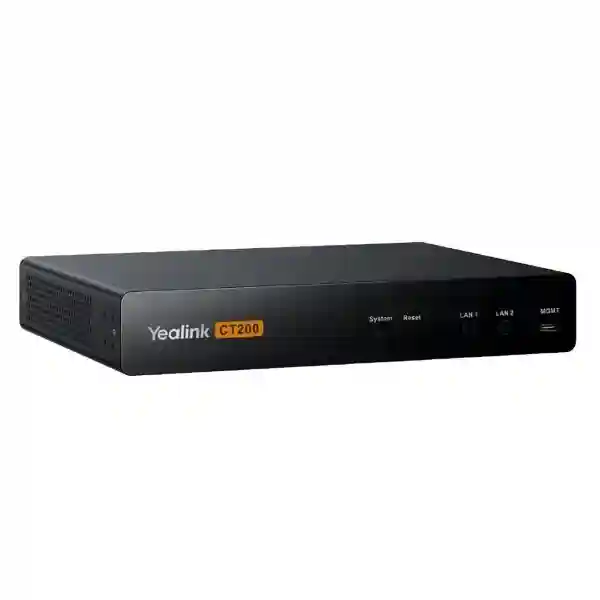
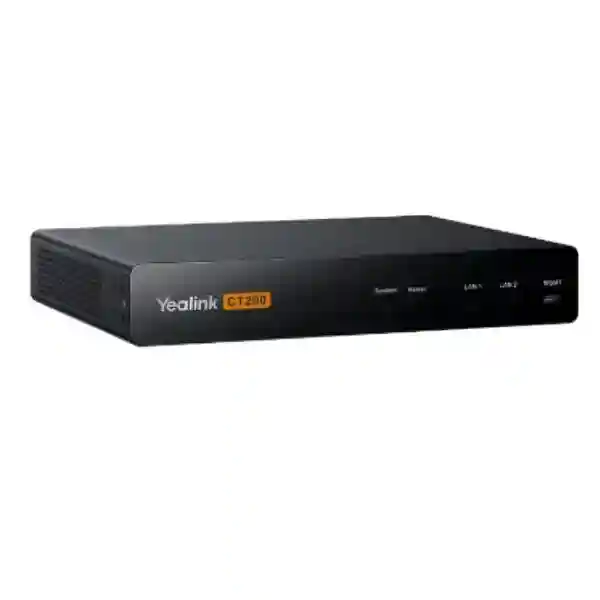
The Yealink CT200 is a dedicated room-device navigator created for structured management and monitoring of modern collaboration-room equipment. It can coordinate compatible AVoIP devices, cameras, audio endpoints, touch interfaces and other meeting-room components while supporting room-control functions such as AV routing and display power management. For organizations in Tanzania planning boardrooms, divisible spaces, training rooms or advanced Microsoft Teams Rooms environments, the CT200 provides a practical control layer between the room design and the devices users depend on every day.
FourTeck can help customers evaluate the CT200 as part of a complete meeting-room design that considers network topology, PoE, displays, cameras, microphones, AVoIP encoders and decoders, touch panels and room-control requirements rather than treating the navigator as a standalone appliance.
Quick answer
The CT200 is best suited to organizations that want centralized control and visibility across compatible Yealink room devices and AVoIP components, with separate management and device-control network paths and integration flexibility through an Open API.
What the Yealink CT200 does
Yealink positions the CT200 as a Device Navigator. Its purpose is to simplify how multiple room technologies are managed inside a collaboration space. Instead of asking operators to manage every camera, microphone, speaker, encoder, decoder, touch panel and display independently, the CT200 can act as a central room-control and device-management point for supported components. This matters most in rooms where the AV design has moved beyond a single USB camera and display and now includes several IP-connected elements that must behave predictably together.
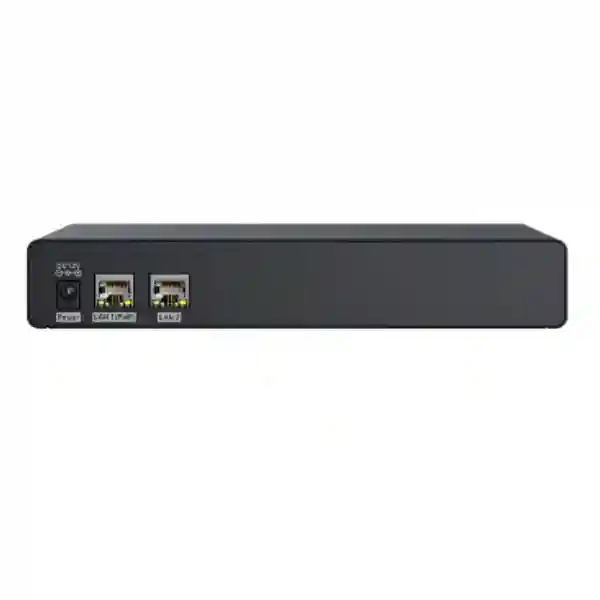
The CT200 includes two network paths that allow management traffic and device-control traffic to be separated. Yealink’s published specification lists one PoE port, one RJ45 port, one MGMT port and a 12V/2A power input. The unit can be powered by 802.3af PoE or the supplied power adapter. It supports rack and flat installation, allowing it to sit in a meeting-room rack, equipment cabinet or suitable technical space. Yealink also publishes Open API support for third-party integration, which helps system designers incorporate compatible external control logic where appropriate.
Monitor and manage compatible Yealink room devices from a coordinated room-control architecture.
Separate management and control traffic for cleaner network planning and operational segmentation.
Support room-control workflows such as AV routing and display power handling according to the deployed design.
Provide integration options for third-party devices and customized meeting-room workflows.
Verified CT200 hardware specifications
| Installation | Rack installation or flat installation |
| Interfaces | 1 × PoE, 1 × RJ45, 1 × MGMT, 1 × 12V/2A power input |
| Power | DC 12V/2A adapter or 802.3af PoE |
| Power consumption | Average 2W; peak 3.5W; standby 1.7W |
| Operating temperature | -10°C to +45°C |
| Operating humidity | 10% to 95% |
| Dimensions | 216 × 160 × 36 mm |
| Weight | 1.46 kg |
Compatibility and room architecture
Yealink’s published compatibility information for CT200/CT300 Manager includes a broad set of supported Yealink devices. Examples include UVC86 and SmartVision 80 cameras, CM20 and CM50 microphones, CS10 and CS10-D speakers, MSpeaker II and MSpeaker Pro, CTP25 and MTouch-series touch panels, MCore4 and MCore Pro, AP08 DSP, AVHub and AVBridge, EN300 and DE300 AVoIP devices, and the YPS20 sensor. Compatibility can depend on firmware and deployment design, so a bill of materials should be checked against current Yealink documentation before procurement.
In practical deployments, the CT200 becomes most valuable when the room has several components that need a common control model. A training space may have several displays and presentation sources. A boardroom may need multiple cameras, room audio, source switching and a touch interface. A divisible room can require different behavior depending on whether partitions are open or closed. These scenarios benefit from design discipline: device addressing, VLANs, PoE availability, switching capacity and user-interface mapping should be planned before installation.
For broader collaboration planning, review FourTeck Tanzania’s meeting-room and integrated IT solution portfolio, the regional FourTeck Kenya collaboration portfolio, FourTeck Uganda business technology solutions, and FourTeck UAE enterprise technology solutions. Multi-country organizations can use these regional resources when standardizing room designs across branches.
Planning a CT200 deployment
A CT200 project should begin with the room workflow, not the equipment rack. Document what users expect when they enter the room: which display turns on, which source appears by default, how a meeting is joined, how local presentation is selected, whether content must be routed to multiple displays, and what should happen when the room is idle. This user journey determines how the underlying control logic should be built.
Next, map the physical devices and network connections. Confirm PoE capacity, available Ethernet ports, management addressing, AV-network addressing, uplink capacity, switch features, security policy and the location of the CT200. If the room uses Yealink AVoIP encoders and decoders, document every source and destination. Where displays or third-party devices are controlled, confirm the supported command method and validate the required API or driver before the project is commissioned.
Finally, plan support. Record device names, IP addresses, firmware versions, switch ports, credentials ownership and the room-control design. A technically advanced room becomes difficult to maintain when these details are left undocumented. A commissioning checklist should test every normal user action, failure condition and restart sequence before handover.
Yealink CT200 Room Device Navigator Tanzania
For organizations in Tanzania, the Yealink CT200 is relevant where meeting rooms are becoming more integrated and more dependent on IP-based AV. A conventional room may use one display, one camera and a USB connection, but a modern boardroom or training facility can involve multiple displays, cameras, microphones, loudspeakers, presentation inputs, touch panels and network-based AV distribution. The CT200 provides a central control layer that can simplify how those components are supervised and coordinated. This is especially valuable for organizations that want a repeatable room standard rather than a collection of independently configured devices.
A Tanzania deployment should consider network and power conditions at the actual site. The CT200 can use 802.3af PoE, which can reduce local power-adapter dependence when a suitable managed PoE switch is available. However, the switch itself should be protected by appropriate UPS capacity if meeting continuity is important. Network planning should distinguish normal corporate traffic from AV and room-device management traffic. Yealink’s dual-network approach is useful here because the CT200 can separate management and device-control paths, but the surrounding switching and IP design still need to be engineered correctly.
Procurement teams should also avoid buying the CT200 without confirming the complete room architecture. The navigator is not a camera, microphone or conferencing computer by itself. Its value comes from coordinating a supported ecosystem. A correct quotation should therefore list the CT200 together with compatible cameras, audio components, touch interfaces, AVoIP encoders and decoders, displays, switching, cables, mounting accessories and any software or licensing requirements relevant to the overall room. FourTeck can help turn the room requirement into a bill of materials and implementation plan.
For businesses standardizing collaboration across several Tanzanian offices, documentation is as important as hardware. Use consistent room names, IP schemes, rack layouts and device labels. Keep configuration backups and firmware records. Define who owns the room-control design and who can make changes. This makes expansion easier when a second or third room is added later. Customers can also combine the CT200 project with wider FourTeck Tanzania networking, display and collaboration planning so that switching, PoE, Wi-Fi, internet connectivity, cabling and room AV are assessed as one environment.
Yealink CT200 Room Device Navigator Dar es Salaam
In Dar es Salaam, the CT200 is a strong fit for corporate headquarters, financial institutions, professional services firms, hotels, training centers and larger organizations building formal collaboration spaces. These environments often have meeting rooms that must work reliably for executive meetings, customer presentations and hybrid sessions with regional or international participants. The more devices a room contains, the more valuable centralized management becomes. A CT200-based design can bring compatible cameras, audio devices, touch interfaces and AVoIP equipment into a planned control architecture rather than leaving users to switch inputs and power displays manually.
Dar es Salaam sites frequently combine new room technology with existing structured cabling and network racks. Before procurement, the existing LAN should be reviewed for PoE capability, available ports, VLAN support, uplink capacity and rack space. If a meeting room is being renovated, cable routes should be planned before furniture and ceiling work are finalized. For large boardrooms, it is useful to confirm where cameras, microphones and displays will be mounted and how presentation sources will reach the AV network. The CT200 can then be positioned in the equipment rack or technical area with clean access to management and device networks.
A deployment should also account for user simplicity. Executives and guests should not need to understand the room architecture. The objective is a predictable control interface where common actions are obvious and the system behaves consistently. This is one reason the CT200’s room-control capability is useful: the technical complexity can be hidden behind a controlled user experience. Commissioning should test startup, display power, source selection, meeting mode, local presentation, audio, camera behavior and recovery after power or network interruption.
Organizations requesting a Dar es Salaam quotation should share the room dimensions, seating layout, number and size of displays, conferencing platform, required cameras and microphone coverage, available rack space and network-switch details. If the room will use AVoIP, identify every source and destination. FourTeck can use this information to develop a more accurate bill of materials and reduce changes during installation.
Yealink CT200 Room Device Navigator Mwanza
For Mwanza organizations, the Yealink CT200 can support meeting-room modernization in businesses that need dependable collaboration between regional offices, headquarters and external partners. Mining, logistics, education, healthcare, hospitality and professional-services organizations may operate teams across multiple sites, making well-designed video meeting rooms increasingly important. The CT200 is particularly useful when the room goes beyond an all-in-one endpoint and includes several controllable devices that must operate together.
A Mwanza project should start by deciding whether the room truly requires a device navigator. Small rooms with one video bar and one display may not need this level of control. Medium or large rooms with multiple cameras, installed audio, more than one display, AVoIP routing or automation requirements are more suitable candidates. This distinction helps avoid unnecessary complexity while ensuring advanced rooms have the management structure they need. Yealink’s support for compatible cameras, microphones, speakers, touch panels, MCore systems, AV processors and AVoIP devices makes the CT200 suitable for scalable room designs.
Network resilience deserves careful attention. If the room depends on IP-based AV, the switch becomes part of the collaboration system, not just background infrastructure. Port configuration, PoE budget, VLANs, uplinks and UPS protection should be documented. The CT200’s dual-network arrangement can help separate management and device traffic, but security policies and routing must still be designed around the organization’s network standards. Where remote support is planned, access should be controlled according to IT policy rather than exposing room devices unnecessarily.
For procurement, request an itemized solution rather than only a CT200 price. Include the navigator, compatible endpoints, required mounting, switching, patching, displays and implementation services. A room drawing is valuable because it reveals cable distances, screen positions and microphone coverage. A properly documented Mwanza deployment can later become a template for other branches, reducing design time and creating a consistent meeting experience across the organization.
Yealink CT200 Room Device Navigator Arusha
In Arusha, the Yealink CT200 can serve organizations that require polished collaboration spaces for hospitality, tourism, international development, education, conferences and regional business operations. Many meeting rooms in these sectors host participants who are unfamiliar with the equipment, so ease of use is critical. A well-designed CT200 installation can hide the complexity of multiple AV devices behind a more coordinated room-control workflow, reducing the need for users to locate remotes, change display inputs or manually select equipment each time a meeting starts.
The room should be designed around typical events. A hotel boardroom may switch between video meetings, local presentations and training sessions. An NGO or regional office may use Microsoft Teams throughout the day and occasionally connect guest laptops. A conference facility may need content routed to more than one screen. These use cases determine whether AVoIP encoders and decoders are required and how the CT200 should coordinate them. Yealink documents CT200 use with EN300 and DE300 in AVoIP scenarios, making source-to-display routing an important design consideration for advanced rooms.
Environmental and infrastructure planning also matters. The CT200 is specified for operating temperatures from -10°C to +45°C and 10% to 95% operating humidity, but it should still be installed in a clean, ventilated technical location. If it is rack mounted, ensure cable management leaves the interfaces serviceable. If powered through PoE, calculate the total switch power budget for all room endpoints. If powered by the adapter, include protected power and cable routing. Good installation practice is about maintaining the complete room, not only getting it to work on day one.
For Arusha buyers, the quotation process should include current room equipment, preferred conferencing platform, display count, presentation sources, speaker and microphone requirements, network availability and any need for third-party integration. The CT200’s Open API can be useful, but integrations should be validated against the specific devices and commands involved before they are promised as part of the final solution.
Yealink CT200 Room Device Navigator Dodoma
For institutions and businesses in Dodoma, the Yealink CT200 can be considered for formal meeting rooms where reliability, repeatable operation and centralized equipment control are priorities. Government-related organizations, educational institutions, corporate offices and conference facilities may require rooms that connect several cameras, microphones, speakers, displays and presentation sources. In these environments, unmanaged complexity quickly becomes a user-support problem. A device navigator can provide a more disciplined approach by coordinating supported endpoints through one room-control architecture.
The design phase should establish governance as well as hardware. Decide who is responsible for the room configuration, who can change device settings and how updates are documented. A centrally managed room can still become unreliable if unauthorized changes are made to IP addresses, switch ports or device firmware. The CT200’s management role should therefore sit within a broader operational process that includes configuration records, network diagrams and controlled administrator access.
For rooms that need AV distribution, the network must be treated as part of the signal path. Confirm whether the existing switches are appropriate for the intended design, particularly where multiple high-quality video streams are transported over IP. The CT200 itself has low published power consumption and supports PoE, but associated encoders, decoders, cameras, touch panels and audio devices can create a larger PoE requirement. Allow headroom for future expansion rather than sizing the switch exactly to the initial endpoint count.
Procurement teams in Dodoma can improve quotation accuracy by providing a room plan and a functional description. Rather than saying “we need a smart meeting room,” describe the number of participants, displays, video sources, meeting platform and desired control actions. FourTeck can then evaluate whether the CT200 is appropriate and what companion devices are required. This approach protects the project from both under-specification and unnecessary hardware.
Yealink CT200 Room Device Navigator UAE
For organizations operating between Tanzania and the UAE, the Yealink CT200 can support a common room standard across regional offices. Multinational companies often want users to encounter a similar collaboration experience in different countries, even when room sizes vary. The CT200 can be part of this standard for larger spaces that use supported Yealink cameras, audio devices, touch panels and AVoIP equipment. A consistent design philosophy reduces training and makes remote troubleshooting more predictable for centralized IT teams.
UAE offices frequently include executive boardrooms, training rooms and divisible meeting spaces where automation has clear value. Display power, source selection, room-control pages and AV routing can be planned around common workflows. The CT200’s Open API capability also provides a route for approved third-party integration when a project includes non-Yealink devices. The correct approach is to validate every intended command and driver during design rather than assuming generic compatibility.
When standardizing between UAE and Tanzania sites, document differences in displays, room dimensions, switch platforms and power arrangements while keeping the logical workflow consistent. A room in Dubai may have more screens or a different table shape than a room in Dar es Salaam, yet users can still receive the same start-meeting and presentation experience. Standard naming, VLAN conventions and configuration templates help regional support teams understand both sites.
Customers planning a UAE deployment can reference FourTeck UAE for regional enterprise technology requirements while using the Tanzania site for Tanzanian projects. This multi-region approach is useful for procurement teams managing shared standards, but final equipment availability, service scope and project timing should always be confirmed at quotation stage.
Yealink CT200 Room Device Navigator Uganda
The Yealink CT200 can support Ugandan organizations building advanced meeting spaces where multiple AV devices need coordinated management. Regional headquarters, banks, NGOs, universities, hotels and large private enterprises may use rooms for hybrid meetings with teams in East Africa and beyond. As collaboration systems grow, support teams benefit from an architecture that clearly separates room control from the individual endpoints. The CT200 is designed for that role and can manage supported Yealink equipment across cameras, audio, touch panels, MTR components and AVoIP devices.
For Uganda deployments, network planning should be completed before installation. Determine which VLAN carries room management, which network carries AV-device communication and how the CT200’s two network connections fit the site security design. Managed switching is preferable because it provides visibility into ports, PoE, VLAN membership and troubleshooting. The room should also have appropriate power protection so the switch, displays and room appliances recover predictably after interruptions.
A useful procurement model is to classify rooms. Small rooms may use all-in-one video bars. Medium rooms may use a dedicated camera and microphones. Large rooms may use CT200-based device navigation and AVoIP. By applying the advanced control architecture only where it creates value, organizations can control cost while maintaining a clear standard. Where CT200 is selected, the implementation should include configuration documentation, port mapping and user acceptance testing.
Regional customers can also review FourTeck Uganda for related business technology requirements. For a cross-border organization, the same room standard can then be coordinated with Tanzania, Kenya and other branches while each site retains a bill of materials appropriate to its actual room size and infrastructure.
Yealink CT200 Room Device Navigator Kampala
In Kampala, the CT200 is suited to organizations planning executive collaboration rooms, customer briefing spaces and training facilities with several integrated devices. The value is not simply that the CT200 connects to a network; it is that it can provide a coordinated layer for supported room devices and room-control actions. This can reduce the number of independent interfaces users must understand and give IT teams a clearer model for managing complex rooms.
A Kampala boardroom might combine a Yealink camera system, ceiling or table microphones, installed speakers, two displays, an MTR compute, touch control and local presentation sources. If AVoIP is used, encoders and decoders can distribute sources and displays across the IP network. The CT200 can sit at the center of that design, but the outcome depends on correct engineering around it. Switch features, PoE capacity, cable quality, display control methods and firmware compatibility should all be confirmed during the design phase.
Commissioning should be written as user scenarios. Test joining a scheduled meeting, starting an ad-hoc call, sharing content, changing sources, ending a meeting, putting the room into an idle state and recovering from device restart. If a touch panel is used for room control, confirm that the interface exposes only the controls users genuinely need. A simpler interface is often more reliable operationally than a page crowded with technical options.
Kampala procurement teams should ask suppliers to separate hardware, configuration, installation and optional support in the quotation. This makes it easier to see the cost of the complete room and avoids assuming the CT200 alone includes every component. It is also useful to specify whether the customer already owns displays, switches or Yealink devices so the proposed design can reuse compatible infrastructure where appropriate.
Yealink CT200 Room Device Navigator Arua
For organizations in Arua, the Yealink CT200 is most relevant when a meeting space needs more than a simple video endpoint and the organization wants a room that can be supported systematically. Regional offices and institutions may depend heavily on virtual meetings to connect with national headquarters, project partners and international teams. A well-designed room can reduce travel and make collaboration more consistent, but reliability depends on the entire chain: network, internet, power, displays, audio, cameras and control.
The CT200 can contribute by centralizing supported device management and room control. Its low power requirement and PoE option simplify physical installation, yet the larger design should still include suitable UPS protection for switches and critical room equipment. In locations where technical support may not be physically present every day, documentation and remote diagnostic planning become especially valuable. Device labels, network addresses, switch ports and recovery procedures should be recorded at handover.
Arua projects should avoid overengineering. If the room has a single video bar and display, the CT200 may be unnecessary. If the room has multiple displays, cameras or sources, installed audio and automation needs, the CT200 becomes more compelling. This functional approach keeps spending aligned with user requirements. The same analysis should determine whether AVoIP encoders and decoders are needed or whether direct connections are simpler and more appropriate.
Before requesting a quote, provide the number of seats, room dimensions, meeting platform, internet connection, display count, existing network equipment and preferred presentation method. If the room will be duplicated at another branch, say so early so the design can be standardized. Standardization makes spares, training and support easier and reduces the chance of every branch becoming a unique technical environment.
Yealink CT200 Room Device Navigator Mbarara
In Mbarara, the Yealink CT200 can be used as part of advanced meeting rooms for education, healthcare, agribusiness, financial services and regional enterprises that require dependable collaboration with other offices. The main reason to select the CT200 is control complexity. When a room contains multiple devices that need to be coordinated, a device navigator creates a structured control point. For simpler rooms, a more compact all-in-one solution may remain the better choice.
Planning should examine the physical room before finalizing hardware. Long rooms may need more advanced camera coverage and distributed microphones. Large wall displays or dual screens influence camera placement. Hard surfaces can create acoustic challenges that no control device can solve on its own. The CT200 helps manage devices, but good audio, video and user experience still depend on correct room acoustics, placement and endpoint selection.
The network should be checked for managed switching, PoE budget and segmentation. Yealink’s CT200 design includes separate network connections for management and device control, which can be useful when an organization wants to keep infrastructure management separate from AV traffic. The implementation should follow the customer’s cybersecurity policy, with strong administrator credentials and controlled management access. Default or shared credentials should not be left in place after commissioning.
For Mbarara procurement, ask for a system drawing alongside the quotation. A drawing helps confirm how the CT200 connects to the switch, how AVoIP devices are distributed, where touch panels connect and which displays are controlled. It also becomes an important support document later. If future expansion is expected, reserve switch ports, PoE capacity and rack space rather than rebuilding the infrastructure when a second display or additional device is added.
Yealink CT200 Room Device Navigator Gulu
For Gulu businesses and institutions, the CT200 can support collaboration rooms that serve as communication hubs between regional teams and central offices. The need is often not simply high video quality but predictable operation for users who may not be AV specialists. A room that requires five remotes, manual input switching and several login steps will create support calls. A properly designed control layer can reduce that friction by presenting common functions in a more consistent workflow.
The CT200 is designed to manage compatible Yealink room devices and can participate in room-control functions such as AV routing and display power. Its Open API also enables integration possibilities with third-party equipment. Integration should nevertheless be treated as an engineering task. Confirm command protocols and supported functions before installation, and test them under real room conditions. A theoretical API connection is not the same as a fully commissioned user experience.
Infrastructure resilience matters for regional sites. Consider UPS runtime for the network switch and room-control equipment, verify cable routes and protect the rack from heat and dust. Keep spare patch leads and label both ends of every connection. These simple measures improve maintainability. If a support engineer must troubleshoot remotely, clear labeling and accurate diagrams can reduce resolution time considerably.
Gulu customers should request a quotation that distinguishes mandatory equipment from optional enhancements. For example, the CT200, switch and required endpoints may form the core design, while additional displays or advanced automation may be optional. This makes budget decisions clearer without losing the architecture. It also helps organizations phase a project while keeping the final room design in mind.
Yealink CT200 Room Device Navigator Kenya
In Kenya, the Yealink CT200 can be positioned within enterprise collaboration environments that need coordinated room control and AVoIP management. Nairobi-based headquarters, universities, hotels, financial institutions and technology companies may have larger meeting spaces where multiple screens, cameras and audio devices need to behave as one system. The CT200 offers a central device-navigation layer for compatible Yealink equipment and is especially relevant when organizations are moving toward standardized, IP-based meeting-room architectures.
Kenyan organizations with branches in Tanzania or Uganda can use the CT200 as part of a regional room template. This does not require every room to have identical hardware. Instead, define tiers: huddle room, standard meeting room, boardroom and training room. The CT200 may be reserved for the boardroom and training-room tiers where centralized control adds value. Common documentation, naming and support processes can remain consistent across countries.
Network engineering is central to AVoIP success. The switch should be selected according to required bandwidth, PoE, VLAN and management features. The CT200’s separate management and device-control interfaces can be integrated into this design, but IP addressing and security rules must be coordinated with the enterprise network team. Where an AV integrator and IT department are both involved, responsibilities should be defined before commissioning so neither side changes configuration without understanding the impact.
Customers can review FourTeck Kenya for regional collaboration and infrastructure requirements. For cross-border procurement, use a consistent functional specification and allow the final bill of materials to reflect local room conditions. This produces a better standard than forcing identical equipment into fundamentally different spaces.
Yealink CT200 Room Device Navigator Kuwait
For organizations in Kuwait, the Yealink CT200 can be part of advanced boardroom, command-room, training and executive collaboration designs where several AV elements must be centrally controlled. These spaces may include multiple displays, high-performance cameras, installed microphones, speakers, presentation sources and network-based AV distribution. The CT200 is intended to simplify management and room-control workflows across compatible equipment rather than act as a standalone conferencing endpoint.
A successful Kuwait deployment should account for the equipment environment. Rack-mounted AV and network devices require ventilation, organized patching and protected power. The CT200’s compact 216 × 160 × 36 mm chassis and rack/flat mounting options make placement flexible, but service access should not be blocked by dense cable bundles. If PoE is used, document the switch port and ensure the PoE budget has adequate headroom. If the power adapter is used, connect it to the appropriate protected circuit.
Room automation requirements should be written in plain language before any programming or configuration begins. For example: “when the room wakes, both displays power on and the default conferencing source appears”; “when presentation mode is selected, the content source routes to the main display”; “when the meeting ends, displays return to the required standby state.” These statements become acceptance tests and help ensure the final room behaves according to business expectations.
For multi-country organizations, a Kuwait room can share architecture standards with Tanzania, UAE, Kenya and Uganda locations while adapting displays and endpoint counts. The key is consistent documentation and user experience. Pricing, availability and project support should be requested through a current quotation because these commercial details change over time and are not assumed in this product page.
Yealink CT200 Room Device Navigator Ghana
The Yealink CT200 can support Ghanaian enterprises, universities, financial institutions, hotels and organizations that are modernizing larger collaboration spaces. As AV systems move onto the IP network, operations teams need tools that make many endpoints manageable. The CT200 can provide centralized management for compatible Yealink room devices and can coordinate room-control tasks such as routing AV signals and managing displays as part of a designed workflow.
A Ghana project should begin with a room survey or accurate floor plan. Camera sightlines, microphone pickup, loudspeaker coverage and display viewing distance should be assessed independently of the controller. The CT200 makes the devices easier to coordinate, but it does not correct poor acoustic design or unsuitable camera placement. For best results, the room architecture should be developed as one system that includes AV, network and physical installation.
The deployment should also consider cybersecurity. Room devices are network endpoints and should follow the organization’s policies for passwords, firmware, management access and segmentation. The CT200 provides a management interface, so administrator access should be restricted to approved technical staff. The network design can use the CT200’s dual-interface concept to keep device control and management functions appropriately separated within the site architecture.
For procurement, compare the CT200 not only on unit price but on whether it reduces operational complexity in the intended room. In a large room, centralized control can make the system easier to use and support. In a small room, a simpler endpoint may be more economical. A quotation should therefore follow the room requirement. Include the CT200 only when the design benefits from the navigation and control role it provides.
Yealink CT200 Room Device Navigator Nigeria
In Nigeria, the CT200 is suitable for large enterprises, banks, energy companies, universities, hotels and public-sector organizations building integrated collaboration rooms. These environments can contain several screens, cameras, microphones, speakers, presentation sources and room interfaces. The CT200 is designed to help manage that complexity by acting as a device navigator for compatible Yealink room systems and AVoIP equipment.
Power resilience is an important project consideration in any mission-critical meeting space. The CT200 has low power consumption and supports 802.3af PoE, but the room experience also depends on switches, displays, conferencing computers and other endpoints. UPS or other approved power-protection strategy should therefore be sized for the entire critical chain, not only the controller. After a power event, the room should be tested to ensure devices return in the correct order and recover their expected state.
Large Nigerian organizations often have centralized IT standards across multiple offices. A CT200 deployment can fit this model when configuration and support are documented. Create a room inventory, record firmware versions and IP addresses, map every switch port and keep copies of room-control design files. If third-party devices are integrated through API or network commands, document those dependencies as well. This reduces troubleshooting time when personnel change or the room is upgraded later.
When requesting a Nigeria quotation, specify the number of rooms and whether they are identical. Standard rooms can reuse a validated design, while unique boardrooms may need custom engineering. Commercial details such as stock, lead time and support scope should be confirmed during quotation. The product page deliberately avoids promising those variables because they can change between projects.
Yealink CT200 Room Device Navigator Seychelles
For organizations in Seychelles, the Yealink CT200 can be considered for premium hotel meeting spaces, government facilities, corporate boardrooms and training rooms where a polished user experience is important. Integrated rooms may need to support both local presentations and video meetings with international teams. The CT200 can help coordinate compatible Yealink room equipment so users interact with the room as one system rather than a set of independent products.
Island deployments benefit from thoughtful lifecycle planning. Equipment should be selected with maintainability in mind, configuration should be backed up, and project documentation should be complete. If technical support requires remote assistance or planned visits, clear diagrams and device inventories become especially valuable. The CT200’s centralized management role can support this approach, provided the room network and access controls are designed correctly.
Environmental planning should include ventilation and equipment placement. Although Yealink publishes a broad operating temperature and humidity range for the CT200, it should be installed in an appropriate indoor technical environment. Cables should be protected, equipment racks should be ventilated, and power should be managed safely. Coastal conditions also make general infrastructure maintenance important, particularly for connectors and equipment rooms exposed to humid air.
A Seychelles quotation should cover the complete system: CT200, compatible camera and audio devices, displays, touch interfaces, AVoIP endpoints where required, switches, cabling, mounting and commissioning. Where the room is used by guests or external groups, ease of use should be prioritized. A successful design minimizes the number of technical decisions a meeting organizer must make while still giving administrators the management depth they need.
CT200 quotation checklist
Frequently asked questions
What is the Yealink CT200?
The CT200 is Yealink’s room Device Navigator. It is designed to manage and monitor compatible room devices, including AVoIP equipment, cameras, audio devices and related room components, while supporting room-control functions such as AV routing and display power management.
Does the CT200 support PoE?
Yes. Yealink specifies 802.3af PoE support. The CT200 can also use a DC 12V/2A power adapter.
Can the CT200 work with AVoIP?
Yes. Yealink documents the CT200 as part of its AVoIP room architecture and lists EN300 and DE300 among compatible managed devices. The number of encoders and decoders depends on the sources and displays in the room.
Can CT200 integrate third-party equipment?
Yealink publishes Open API capability for third-party integration. Actual compatibility should be validated against the specific device, protocol and commands required by the project.
Is CT200 suitable for a small meeting room?
It can be used where the design requires its control and management functions, but many small rooms can be simpler with an all-in-one video bar or compact room system. The CT200 is most compelling when multiple devices, AVoIP routing or advanced room automation must be coordinated.
How is CT200 installed?
Yealink specifies rack installation and flat installation. The package includes a mounting kit intended for wall, flat-surface or rack installation, along with required mounting pieces and screws.
Decision recap
Choose the Yealink CT200 when your meeting room needs a dedicated control and management layer for multiple compatible Yealink devices, AVoIP routing, display control or third-party integration. Its dual-network design, PoE support, flexible installation and Open API capabilities make it especially relevant to boardrooms, training rooms, divisible spaces and advanced enterprise collaboration environments.
Do not choose it simply because it is available. Start with the room workflow and equipment list. If a compact all-in-one endpoint meets the requirement, keep the design simple. If the room contains several systems that need to behave as one, the CT200 can provide the structured control layer that makes the investment easier to use and support.
Consult FourTeck about the CT200
Share your room dimensions, conferencing platform, displays, cameras, microphones, existing network and control requirements. FourTeck can help evaluate whether CT200 is appropriate, identify the companion devices required and prepare a solution-oriented quotation for Tanzania or a coordinated regional deployment.




Reviews
There are no reviews yet.