
Microsoft Teams Rooms compute for compatible Yealink MeetingBoard deployments
Yealink MCore-OPS-T Tanzania
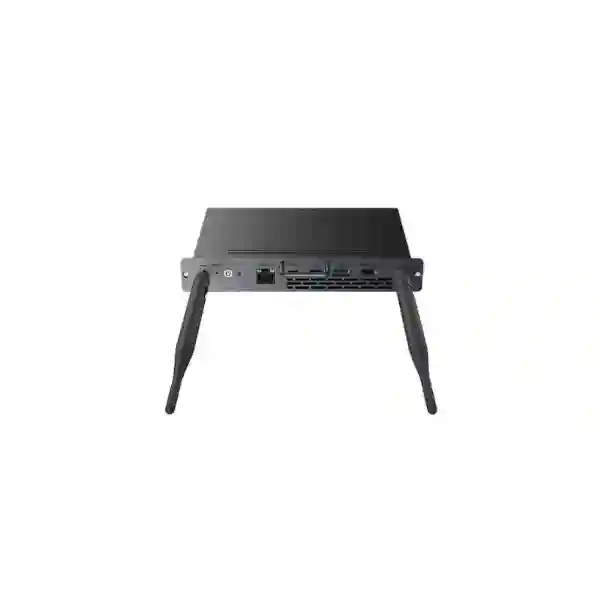
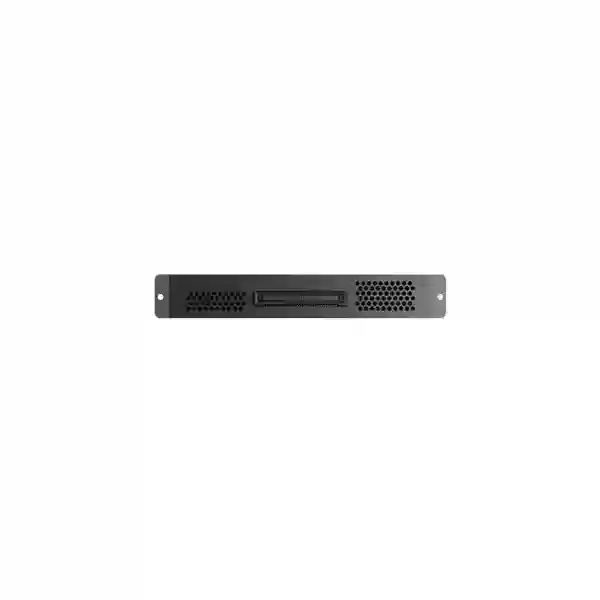
Yealink MCore-OPS-T is a modular Windows compute unit developed for interactive whiteboard collaboration and Microsoft Teams Rooms workflows on compatible Yealink MeetingBoard systems. It integrates the compute platform directly into the MeetingBoard architecture so organizations can create a cleaner room design without relying on a separate desktop-style PC beside the display. For Tanzania buyers, the practical value is not simply the processor specification: the product is most useful when the MeetingBoard model, touch-control method, Microsoft Teams Rooms account, network readiness, cabling and lifecycle plan are validated together before purchase.
Yealink officially lists MCore-OPS-T as end-of-sale from 31 August 2026. That makes this page especially relevant for organizations maintaining an existing installed base, replacing a failed module, standardizing a remaining room rollout, assessing compatible accessories or planning a migration to newer MCore OPS generation hardware. Availability should therefore be confirmed on a project quotation rather than assumed from an older product listing.
What is the Yealink MCore-OPS-T?
The MCore-OPS-T is the Teams-oriented member of Yealink’s MCore-OPS family. Yealink describes the platform as a modular computing solution for interactive whiteboards, and the T suffix identifies the Microsoft Teams-certified model. The unit ships with Windows 11 IoT Enterprise x64, a Windows 11 IoT Enterprise licence, the Microsoft Teams Rooms application and Yealink RoomConnect. Its role is to supply the Windows compute layer that turns a compatible MeetingBoard deployment into a Microsoft Teams Rooms on Windows configuration.
For business buyers, it is important to distinguish the module from a complete meeting room. The MCore-OPS-T does not by itself provide the display, room camera, microphones, loudspeakers, Microsoft tenant configuration, Teams Rooms account or every control accessory required for a finished deployment. It is one component in a room architecture. A successful quotation should therefore state the exact MeetingBoard model, existing peripherals, room size, controller requirement, cable plan, Microsoft licensing responsibility and whether the request is for a replacement module or a complete collaboration solution.
Purpose-built Teams compute
The model includes the Microsoft Teams Rooms app and Yealink RoomConnect in the supported system image, helping organizations deploy a dedicated room experience rather than treating the interactive display as an ordinary user PC.
OPS-style integration
The module is designed to integrate with compatible Yealink MeetingBoard systems, reducing the need for an externally mounted compute box and simplifying room aesthetics, cable planning and support documentation.
Lifecycle-aware procurement
Because Yealink has declared the product end-of-sale, buyers should treat new sourcing as a compatibility and lifecycle exercise. Confirm genuine availability, support expectations and the suitability of newer MCore-OPS-G2T alternatives before approving a purchase.
Verified Yealink MCore-OPS-T specifications
| Operating system | Windows 11 IoT Enterprise x64 with licence |
| Collaboration software | Microsoft Teams Rooms app and Yealink RoomConnect |
| Processor | 11th Generation Intel Core i5-1135G7 |
| Memory | 8 GB DDR4, configured as 2 x 4 GB |
| Storage | 128 GB SSD |
| Graphics | Intel Iris Xe Graphics, 1.30 GHz listed by Yealink |
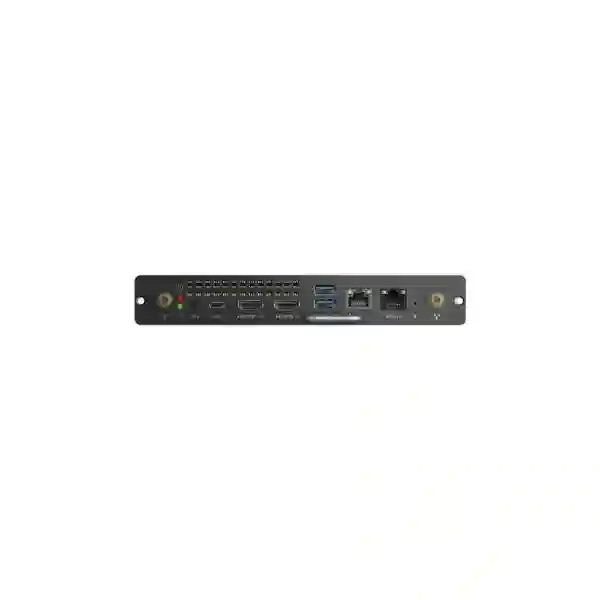
| Interfaces | 1 x MTouch port (RJ-45), 1 x HDMI out, 2 x USB 3.0 Type-A and 1 x USB 3.0 Type-C with DP Alt Mode |
| Wireless | Wi-Fi 6 (802.11ax) and Bluetooth 5.2 |
| Security / BIOS | TPM 2.0, UEFI Secure Boot, Kernel DMA support, DP, CEC and custom boot logo support |
| Dimensions | 180 mm x 119 mm x 30 mm |
| Weight | 0.7 kg |
| Operating environment | 10-90% humidity and -10°C to 50°C ambient operating temperature |
| Lifecycle | Yealink lists MCore-OPS-T as end-of-sale from 31 August 2026; support continues under Yealink’s published lifecycle policy. |
Note: Yealink states that HDMI output is not available while the MCore-OPS-T operates in Teams Rooms mode. Project designs should use the vendor compatibility list rather than assuming every port behaves identically across generic Windows and Teams Rooms modes.
Compatibility that matters before ordering
Yealink’s current compatibility information lists MCore-OPS-T as compatible with MeetingBoard and MeetingBoard Pro, while MeetingBoard C is not listed as compatible with this model. Yealink also lists MTouch Plus-MB as the supported touch panel for MCore-OPS-T / MCore-OPS-G2T MeetingBoard configurations. Compatibility can depend on the exact MeetingBoard generation and software version, so a replacement purchase should start with the display model and firmware rather than with the compute module alone.
If an organization is designing a new room rather than replacing an installed module, it is prudent to compare the newer MCore-OPS-G2T. Yealink lists that generation with a newer Intel Ultra 5 platform, 16 GB DDR5, 256 GB SSD, a dedicated LAN interface and HDMI input capabilities that are not present on MCore-OPS-T. The older MCore-OPS-T can still be the correct choice for an existing standardized installation, but the decision should be based on lifecycle, room compatibility and support strategy rather than model familiarity.
Business use cases for MCore-OPS-T
The strongest use case is an organization that already owns a compatible Yealink MeetingBoard and wants a Windows-based Microsoft Teams Rooms experience integrated with the board. This can apply to executive boardrooms, management meeting spaces, hybrid classrooms, project rooms and collaboration areas where users expect a dedicated room account and a predictable one-touch meeting workflow. By embedding the compute layer into the board architecture, IT teams can keep the room visually clean and reduce the number of visible external devices that users might unplug or repurpose.
A second use case is replacement and lifecycle continuity. If a previously deployed MCore-OPS-T fails, the organization may prefer like-for-like replacement to avoid changing the operational template for only one room. In that situation, the quotation should record the existing MeetingBoard model, current firmware, controller model, installed Teams Rooms configuration and the organization’s planned refresh horizon. If the entire estate is approaching replacement, migrating to newer compute may offer a better long-term path than buying additional end-of-sale units.
A third use case is phased standardization. Some organizations acquire MeetingBoards over several budget cycles and later add Teams Rooms compute to selected rooms. MCore-OPS-T can support this transition where compatibility is confirmed, but the project should also consider Microsoft licensing, room accounts, tenant policy, network access, security controls, device naming, update management and user training. The compute hardware is only one part of delivering a consistent collaboration service.
Deployment planning and Microsoft Teams Rooms readiness
Before installation, confirm that the organization has a suitable Microsoft Teams Rooms account and licence, an approved network path to Microsoft cloud services, DNS and time services, adequate internet capacity, the correct display firmware, and a documented room naming convention. For managed enterprises, also determine how Windows updates, Teams Rooms updates, asset inventory, local administrator access, endpoint security controls and incident escalation will be handled. A room device should be treated as a managed endpoint, not as an unmanaged appliance that is installed once and forgotten.
Physical preparation is equally important. The MeetingBoard should be mounted safely with service access available for the OPS module. Ventilation and operating-temperature limits should be respected, and power stability should be considered for locations where outages or voltage disturbance are common. Wi-Fi 6 is supported by the compute unit, but business-critical meeting rooms often benefit from carefully planned network architecture and controlled RF conditions. If the existing room relies on wireless connectivity, test roaming, interference and internet stability during realistic meeting traffic rather than only checking that the device can connect.
For replacement projects, capture the existing room configuration before removing a failed unit. Record serial numbers, software versions, Microsoft room account details, any custom policy, peripheral connections and known-good behavior. This makes commissioning the replacement more predictable and helps distinguish a compute fault from issues elsewhere in the room. For new deployments, pilot one representative room before replicating a design across many sites.
Yealink MCore-OPS-T Tanzania procurement guidance
Organizations searching for Yealink MCore-OPS-T in Tanzania are often solving one of three procurement problems: replacing an existing Teams Rooms compute module, adding Teams capability to a compatible MeetingBoard, or completing a room bill of materials that was specified earlier. Because the product entered end-of-sale status on 31 August 2026, the first question should now be whether MCore-OPS-T is technically required or whether a newer supported compute option is more appropriate. That decision depends on the MeetingBoard model, current room peripherals, software baseline, organization-wide standard and expected remaining service life of the installation.
A useful quotation request should therefore include more than a model name. Provide the number of rooms, MeetingBoard size and model, controller model, existing compute status, city, desired installation date, Microsoft Teams Rooms licensing status and whether commissioning is required. If the request concerns a failed unit, include the symptoms and any troubleshooting already completed. A detailed request allows the supplier to identify whether the correct response is a replacement module, a newer compatible compute platform, an accessory change or a broader room refresh.
FourTeck Tanzania’s broader technology portfolio can be reviewed on the FourTeck Tanzania business technology site, while the Tanzania IT product shop is useful when a project also needs related conferencing, networking or endpoint products. Buyers planning deployment services can also review FourTeck Tanzania services so supply, installation and configuration responsibilities are clear in the project scope.
Yealink MCore-OPS-T Dar es Salaam
Dar es Salaam organizations commonly evaluate Microsoft Teams Rooms hardware for headquarters, professional-services offices, financial institutions, education facilities, hospitality management teams and multi-site businesses. For an MCore-OPS-T requirement, the most valuable starting point is to identify whether the room is already built around a compatible MeetingBoard. A replacement compute module can preserve an existing user experience, but an end-of-sale product should not be purchased solely because it matches an old bill of materials. If the room is being redesigned, compare the lifecycle and connectivity advantages of newer OPS compute before approving the order.
In Dar es Salaam, meeting-room reliability is influenced by more than the compute device. IT teams should review internet resilience, wireless congestion, room power protection, display mounting, cable access and thermal conditions. Microsoft Teams Rooms traffic shares the same business network as many other cloud services, so a room that works well during an empty-site test can behave differently during busy periods. Organizations with critical executive or client-facing meetings may benefit from documenting a fallback process, such as an approved laptop-based Teams workflow, while keeping the dedicated room as the primary experience.
For quotation accuracy, provide the Dar es Salaam site name, room count, MeetingBoard model and screen size, software version, current touch controller, Teams Rooms account status and target completion date. If the compute unit is being replaced after a fault, include photos of the existing module label and connected accessories. This information reduces the risk of ordering a module that is technically similar but incompatible with the installed room generation. FourTeck’s contact page can then be used to request lifecycle-aware sourcing, compatible alternatives and installation scope.
Yealink MCore-OPS-T Mwanza
Mwanza businesses, education organizations, healthcare administrators and distributed enterprises can use dedicated Teams Rooms to reduce the friction of regular meetings with Dar es Salaam, regional sites and international partners. Where a compatible Yealink MeetingBoard is already installed, MCore-OPS-T can provide the Windows Teams Rooms compute environment in the integrated OPS architecture. The buying decision should, however, begin with the installed MeetingBoard generation and the organization’s refresh plan because the MCore-OPS-T is now an end-of-sale model.
For regional sites, supportability is particularly important. A conference room should have a documented inventory, stable software baseline, known network configuration and an escalation path when a meeting cannot start. If the site has limited on-site IT support, standardizing accessories and room layouts can reduce troubleshooting complexity. A replacement MCore-OPS-T may be justified if it restores a known room quickly, while a planned refresh could favor a newer generation platform that offers a longer lifecycle and more modern interfaces.
A Mwanza quotation request should specify the number of rooms, whether each room is a repair or expansion, the MeetingBoard model, controller type, Microsoft Teams tenant status and expected support requirements. It is also useful to state whether the project includes network preparation, UPS protection, room mounting, user orientation or remote commissioning. By separating hardware supply from deployment services, procurement teams can compare offers more accurately and avoid assuming that a quoted compute module automatically includes every task required to return a room to service.
Yealink MCore-OPS-T Arusha
Arusha organizations working in tourism, non-governmental programs, professional services, education and regional administration frequently collaborate with teams outside the city. A dedicated Microsoft Teams Room can make scheduled meetings easier to start and manage than a shared laptop arrangement, especially where a boardroom is used by many departments. MCore-OPS-T is relevant when the room already uses a compatible Yealink MeetingBoard and a Windows-based Teams Rooms workflow is required.
Procurement teams should consider lifecycle before price. An older end-of-sale compute module may be the lowest-disruption replacement for an installed room, but it may not be the best choice for a completely new deployment. Ask whether the organization expects to use the room for another one, three or five years; whether the existing MeetingBoard will remain in service; and whether centralized IT wants to standardize on a newer generation of Yealink compute. These questions help avoid a purchase that solves an immediate hardware problem while creating an accelerated replacement requirement later.
For Arusha projects, include environmental and operational details in the quotation brief. State the room’s typical occupancy, MeetingBoard size, network method, power protection, controller, existing accessories and any mounting constraints. Also confirm who will configure the Teams Rooms account and tenant policies. A well-defined scope makes it possible to distinguish a simple module replacement from a complete recommissioning project, which may involve software updates, account validation, network testing and user acceptance checks after installation.
Yealink MCore-OPS-T Dodoma
Dodoma procurement can include public-sector departments, national institutions, education organizations and businesses that need structured, repeatable collaboration rooms. In these environments, product documentation and lifecycle status can be as important as the initial hardware specification. Yealink’s published end-of-sale date for MCore-OPS-T should therefore be included in internal procurement evaluation so stakeholders understand that the model is now primarily relevant to installed-base continuity and compatible replacement scenarios.
Technical evaluation should verify the exact MeetingBoard model and the accessories already in service. Yealink’s compatibility data distinguishes between MeetingBoard families, and buyers should not assume that every product bearing the MeetingBoard name accepts the same OPS configuration. The MTouch Plus-MB controller is associated with MCore-OPS-T MeetingBoard deployments, while some other Yealink touch controllers are not listed for this architecture. Capturing the current room bill of materials prevents a purchasing team from ordering a compute module without the correct control path.
For tender or quotation preparation in Dodoma, list hardware and services separately. Hardware lines can include the compute module or proposed successor, controller, cables and any required accessories. Service lines can include installation, firmware alignment, Teams Rooms sign-in, network validation, test calls, user handover and documentation. This separation makes evaluation more transparent and helps the receiving IT team understand what has been completed before the room enters production use.
Yealink MCore-OPS-T UAE
Organizations operating between Tanzania and the UAE may want a consistent meeting-room standard across regional offices. If an installed estate already uses MCore-OPS-T with compatible MeetingBoards, cross-site consistency can simplify training and support because users see the same Teams Rooms workflow in multiple locations. The challenge in 2026 is lifecycle: continued expansion with an end-of-sale compute module may increase future replacement effort, so a cross-border standard should distinguish between maintaining existing rooms and specifying new rooms.
For UAE-linked procurement, document the final destination of each room, who owns the Microsoft tenant configuration, whether devices will be staged before shipping and how warranty or replacement handling will work across borders. Do not assume that a part sourced in one country has identical commercial terms in another. Large organizations should create a room schedule showing site, MeetingBoard model, compute generation, controller, display firmware, Teams Rooms account, installation date and planned refresh year. This turns an informal collection of meeting rooms into a manageable collaboration estate.
Where regional coordination is required, the Tanzania project can be aligned with the wider FourTeck network while keeping country-specific commercial terms separate. The objective should be consistent technical architecture with clear local procurement responsibility, not simply moving the same part number between countries. For a new UAE room, compare MCore-OPS-G2T or current Yealink Teams Rooms systems before committing to the older MCore-OPS-T platform.
Yealink MCore-OPS-T Uganda
Ugandan organizations with regional offices can encounter the same decision as Tanzania customers: preserve an existing MeetingBoard room with a like-for-like MCore-OPS-T replacement or move toward a newer compute generation. If multiple branches share the same old standard, keeping a limited pool of compatible spares may be practical for continuity. For greenfield rooms, however, the 2026 end-of-sale status should trigger a review of current Yealink alternatives rather than automatic repetition of the legacy bill of materials.
Cross-site Teams Rooms projects benefit from disciplined network and account preparation. Each room should have a dedicated resource account, predictable naming, documented network requirements and a support owner. The physical device should also be recorded in an asset register with its MeetingBoard and controller. This is especially useful when support is coordinated from a central IT team that may not be physically present at every branch. A clear record makes remote troubleshooting and replacement much faster.
For Uganda-specific planning, buyers can review FourTeck Uganda technology solutions for regional IT and communications context. If the requirement is part of a Tanzania-led group procurement, provide a consolidated room list so compatibility and lifecycle decisions can be reviewed once, while quotations and delivery arrangements remain specific to each destination.
Yealink MCore-OPS-T Kampala
Kampala headquarters, banks, NGOs, universities and enterprise offices often need reliable rooms for daily Teams meetings. In a room already built around Yealink MeetingBoard hardware, MCore-OPS-T can remain operationally relevant because it preserves the integrated Windows Teams Rooms configuration. Procurement should nevertheless be framed as lifecycle maintenance. Before sourcing a replacement, confirm that the MeetingBoard itself is expected to remain in service long enough to justify investment in another end-of-sale compute module.
Support teams should test the full room after any compute replacement. That means validating sign-in, scheduled meeting join, camera and audio behavior, content sharing, controller operation, display wake behavior, network connectivity and post-reboot recovery. The CEC capability can help with coordinated screen wake behavior, but the complete user experience depends on the combination of board, compute, controller, Teams software and tenant configuration. A successful boot alone is not sufficient acceptance testing.
For a Kampala quotation, include room names and locations, existing serial/model information, desired project date and whether the organization has spare MeetingBoard peripherals. If several rooms are affected, consider testing one replacement first. That pilot can confirm that the chosen hardware revision and software baseline behave as expected before the same approach is applied to the full estate.
Yealink MCore-OPS-T Arua
Arua sites may depend heavily on remote collaboration with Kampala, neighboring countries and international teams, making meeting-room uptime a practical business concern. If a compatible Yealink MeetingBoard is already installed, a functioning OPS compute module can provide a dedicated Microsoft Teams Rooms endpoint without requiring staff to connect a personal laptop for every meeting. The room should still have a documented fallback because cloud collaboration depends on local power, network availability and Microsoft service reachability as well as room hardware.
For remote or distributed sites, simplicity of support is often more valuable than adding many optional accessories. Standardize the controller, software version, room instructions and cable arrangement wherever possible. If MCore-OPS-T is retained for continuity, record its lifecycle status and set a future refresh date so the organization does not wait for another failure before planning migration. A planned refresh can be scheduled with budget and user communication; an emergency replacement usually offers fewer choices.
Arua procurement requests should describe the room and deployment constraints, including whether technical staff are available on site. Remote commissioning may be appropriate for some tasks, but physical installation and fault diagnosis can require local hands. Clarifying those responsibilities in advance helps ensure that the quotation reflects the real work required to place the room back into reliable service.
Yealink MCore-OPS-T Mbarara
Mbarara enterprises, universities, healthcare organizations and regional institutions may use Teams Rooms to reduce travel and maintain regular contact with other offices. For a room standardized on Yealink MeetingBoard, MCore-OPS-T can provide the familiar Windows Teams Rooms layer. Yet lifecycle context is essential: a buyer replacing one failed module in a stable room has a different requirement from a buyer specifying ten new rooms for a multi-year expansion.
Replacement projects should prioritize compatibility and recovery speed. New-room projects should prioritize lifecycle, management and scalability. A newer compute generation may provide stronger long-term value where the MeetingBoard and accessory combination supports it. The correct choice may also depend on how the IT team manages Windows endpoints, whether newer deployment automation is desired and how long the organization expects to keep the room standard.
For Mbarara, prepare a procurement checklist that covers room count, board model, controller, software versions, Teams Rooms licence, internet connection, power protection and support expectations. When these items are known before ordering, there is less risk of receiving a compatible compute unit but discovering later that account setup, software alignment or an accessory dependency prevents the room from entering service on schedule.
Yealink MCore-OPS-T Gulu
Gulu organizations that collaborate across multiple locations can benefit from a dedicated room endpoint because users do not need to rebuild the meeting setup each time. In an existing compatible Yealink MeetingBoard room, MCore-OPS-T keeps the Windows-based Teams Rooms workflow integrated into the display system. If the module is being sourced after a hardware failure, procurement should confirm the exact model requirement and verify that the failure is isolated to the compute device rather than the MeetingBoard, controller, network or Microsoft account.
A simple diagnostic record can improve procurement decisions. Note whether the device powers on, whether Windows loads, whether the Teams Rooms app starts, whether the controller communicates and whether the room reaches Microsoft services. This information can prevent unnecessary replacement when the root cause lies elsewhere. It also provides the supplier with useful context when recommending a like-for-like unit or a newer compatible path.
For planned deployments in Gulu, include the organization’s support model. If a central Kampala IT team is responsible, consistent configuration and remote-management procedures can be more important than local customization. Keep room documentation concise and practical: physical connection map, account identity, network method, device models, software baseline and escalation contact. These records make long-term support easier whether the installed compute remains MCore-OPS-T or moves to a successor generation.
Yealink MCore-OPS-T Kenya
Kenyan branches of Tanzania-based groups may need the same collaboration standard as the head office. A shared Yealink room architecture can simplify user training and support, but lifecycle differences between old and new sites should be acknowledged. Existing MeetingBoard rooms using MCore-OPS-T can be maintained where replacement availability and compatibility are confirmed. New sites should generally evaluate current-generation Yealink Teams Rooms compute and complete room systems before selecting a product that is already end-of-sale.
Regional standardization works best when the standard defines outcomes and approved architectures rather than one part number forever. For example, the business requirement may be a Windows-based Microsoft Teams Room with a Yealink interactive display, consistent controller behavior and centralized support. That requirement can be met by different compute generations over time while the user experience remains controlled. This avoids forcing new sites onto old hardware solely to match rooms purchased in previous years.
For Kenya requirements, use the FourTeck Kenya IT solutions site to coordinate country-specific requirements. Multi-country customers should provide a matrix of sites and room types so the supplier can identify which rooms need like-for-like maintenance and which are better candidates for a current-generation design.
Yealink MCore-OPS-T Kuwait
Kuwait-based offices linked to East African operations may rely on Teams Rooms for regular management, project and client meetings. If an older room already uses MCore-OPS-T, a replacement can preserve consistency with the installed MeetingBoard configuration. For expansion, however, organizations should evaluate the current Yealink portfolio because newer compute platforms can provide a longer lifecycle and updated deployment capabilities.
Cross-border purchasing should maintain clear asset and warranty records. Capture the country of installation, supplier, serial number, purchase date, room name and support contact for every room component. This matters when the same multinational organization has similar hardware in several countries, because it prevents support teams from losing track of where a device was sourced and which commercial terms apply. Standard room documentation also helps when staff rotate between offices.
For a Kuwait project connected to a Tanzania rollout, compare the technical standard once but quote each country separately where appropriate. Microsoft account configuration can remain centralized while local installation and logistics are handled per site. This approach gives the organization consistent room behavior without assuming identical supply conditions or service terms in every market.
Yealink MCore-OPS-T Ghana
Ghana organizations with existing Yealink MeetingBoards may encounter MCore-OPS-T in installed Microsoft Teams Rooms on Windows environments. When the requirement is maintenance, the correct replacement should be verified against the board generation and current Yealink compatibility list. When the requirement is a new boardroom, lifecycle considerations become more prominent because the MCore-OPS-T is no longer a current-sale model from the manufacturer.
For enterprises operating across Africa, a room-standard document can help procurement teams make consistent decisions. The document should define supported room sizes, preferred MeetingBoard families, compute generation, touch-controller approach, Teams Rooms licensing responsibility, networking baseline, update policy and support ownership. It should also include an exception process for legacy rooms. This prevents an older model such as MCore-OPS-T from becoming the default for new rooms merely because it appears in historical documentation.
Country teams can coordinate broader infrastructure needs through the FourTeck Ghana business technology site. If a Ghana room is part of a Tanzania-led project, include both countries in the room schedule and identify which location will own technical acceptance after installation.
Yealink MCore-OPS-T Nigeria
Nigeria-based regional offices can use Microsoft Teams Rooms to connect large distributed teams, but room architecture should be standardized carefully. An existing MeetingBoard installation with MCore-OPS-T can continue to be supported within Yealink’s lifecycle policy, and like-for-like replacement may be appropriate when the priority is fast restoration of a known room design. New deployments deserve a fresh comparison against current Yealink compute and complete MVC options.
Large enterprise estates should avoid treating every conference room as a one-off project. Group rooms by size and use case, then define approved templates. A small management room may have different audio and camera requirements from a large training space, even if both use Teams. MCore-OPS-T contributes compute, but it does not solve every room-design question. Display position, acoustics, camera coverage, participant count, network quality and cabling remain central to the final experience.
For Nigeria procurement linked to Tanzania, provide a centralized technical specification and local commercial schedules. This lets the organization maintain consistent room behavior while acknowledging different logistics and support arrangements. Legacy MCore-OPS-T rooms should be identified explicitly so procurement can distinguish maintenance stock from equipment intended for new expansion.
Yealink MCore-OPS-T Seychelles
Seychelles businesses, hospitality groups and regional operations may use dedicated Teams Rooms for meetings with mainland offices, suppliers and international management. Where a compatible MeetingBoard is already installed, MCore-OPS-T can provide an integrated Windows Teams Rooms compute layer without adding a separate external PC beside the display. The compact architecture is especially useful in meeting spaces where a clean installation and simple user experience are priorities.
Because island logistics can make emergency replacement more complex, lifecycle planning deserves extra attention. If an organization depends on MCore-OPS-T rooms, it should document the installed base, determine whether a spare strategy is justified and set a planned migration date. Holding an unsupported quantity of legacy hardware indefinitely is not a substitute for a refresh plan, but having a validated recovery option can reduce disruption while the newer standard is rolled out.
A Seychelles quotation request should state whether hardware supply alone is required or whether staging, remote configuration guidance and installation coordination are needed. Include the MeetingBoard model, current compute state, controller, Teams Rooms account readiness and destination island. These details help the supplier prepare a realistic bill of materials and support scope rather than quoting an isolated module without considering deployment dependencies.
Selection checklist: should you buy MCore-OPS-T in 2026?
A reasonable fit when…
You already have a compatible MeetingBoard room, need a known replacement, have verified the board and controller combination, understand the product’s end-of-sale status, and the remaining life of the room justifies maintaining the existing architecture.
Compare newer options when…
The room is new, the organization is starting a multi-year rollout, the existing MeetingBoard is also approaching refresh, newer management capabilities are desired, or the project would otherwise commit many new rooms to an already end-of-sale compute platform.
Quotation checklist
To receive a useful quotation, include the following information in the enquiry rather than sending only the product model:
✓ Quantity and room count
✓ Country and city of installation
✓ Exact Yealink MeetingBoard model and size
✓ Existing MCore model, if this is a replacement
✓ Existing touch controller model
✓ MeetingBoard firmware/software version if known
✓ Microsoft Teams Rooms account and licensing status
✓ Existing camera/audio accessory details
✓ Desired installation or replacement date
✓ Whether supply-only, installation, configuration or remote support is required
✓ Whether the project is a single-room repair or a multi-site standardization exercise
Frequently asked questions
Is Yealink MCore-OPS-T still a current-sale product?
No. Yealink lists MCore-OPS-T as end-of-sale from 31 August 2026. The manufacturer also publishes continuing support periods under its lifecycle policy. Buyers should confirm project availability and compare newer supported alternatives before placing a new order.
What operating system is installed?
Yealink specifies Windows 11 IoT Enterprise x64 with a Windows 11 IoT Enterprise licence. The MCore-OPS-T system preload also includes the Microsoft Teams Rooms app and Yealink RoomConnect.
What processor, memory and storage does MCore-OPS-T use?
The verified Yealink specification lists an 11th Generation Intel Core i5-1135G7 processor, 8 GB DDR4 memory configured as two 4 GB modules, and a 128 GB SSD.
Does MCore-OPS-T support Wi-Fi and Bluetooth?
Yes. Yealink lists Wi-Fi 6 based on 802.11ax and Bluetooth 5.2. Network design should still be validated for the meeting room because wireless support alone does not guarantee adequate real-world call quality.
Which Yealink boards are compatible?
Yealink’s current compatibility list shows MCore-OPS-T with MeetingBoard and MeetingBoard Pro, while MeetingBoard C is not listed as compatible with the T model. Always verify the exact board generation and current compatibility documentation before ordering.
Which touch controller is used with MCore-OPS-T?
Yealink lists MTouch Plus-MB as a touch panel specifically designed for MCore-OPS-T and MCore-OPS-G2T MeetingBoard / MeetingBoard Pro Microsoft Teams Rooms on Windows solutions.
Can the HDMI output be used in Teams Rooms mode?
Yealink’s specification states that the MCore-OPS-T HDMI output is not available in Teams Rooms mode. Room design should follow the supported MeetingBoard architecture instead of assuming generic PC display behavior.
Is Microsoft Teams Rooms licensing included?
The hardware includes the Teams Rooms application in the system image, but organizations should separately confirm the Microsoft Teams Rooms account and cloud licensing needed for their tenant. Hardware and Microsoft service entitlement are distinct procurement items.
Should a new room use MCore-OPS-T or MCore-OPS-G2T?
For a new deployment, the newer generation deserves careful consideration because Yealink lists a newer Intel Ultra 5 platform, 16 GB DDR5, 256 GB SSD and additional interfaces on MCore-OPS-G2T. MCore-OPS-T remains particularly relevant for compatibility-driven replacement in existing rooms.
What should I send for a Tanzania quote?
Send quantity, city, MeetingBoard model and size, current compute and controller models, whether the room is new or existing, Teams Rooms licensing status, deployment timeline and required service scope. This makes it possible to verify compatibility and lifecycle before pricing.
Decision recap
Yealink MCore-OPS-T is a compact Microsoft Teams Rooms compute module for compatible Yealink MeetingBoard environments. Its verified hardware platform includes Intel Core i5-1135G7 processing, 8 GB DDR4, 128 GB SSD, Wi-Fi 6, Bluetooth 5.2, USB connectivity, TPM 2.0 and CEC. The product is technically well defined, but the most important procurement fact in late 2026 is its lifecycle status: Yealink ended new sales on 31 August 2026.
That does not make every MCore-OPS-T requirement invalid. Existing rooms can still need replacement and support, and organizations may have legitimate reasons to preserve a standardized architecture. The right buying process is therefore to verify the installed MeetingBoard, controller and software, compare the cost and operational impact of like-for-like replacement with a newer compute path, and request a quotation that explicitly states availability and service scope.
Plan your Yealink Teams Rooms deployment
Send FourTeck the exact MeetingBoard model, room count, city, existing controller and compute details, and whether you need replacement, migration or a complete new room design. The requirement can then be checked for MCore-OPS-T compatibility, lifecycle risk and suitable current-generation alternatives before a commercial proposal is prepared.




Reviews
There are no reviews yet.