
Yealink MeetingEye 500 Zoom Rooms System
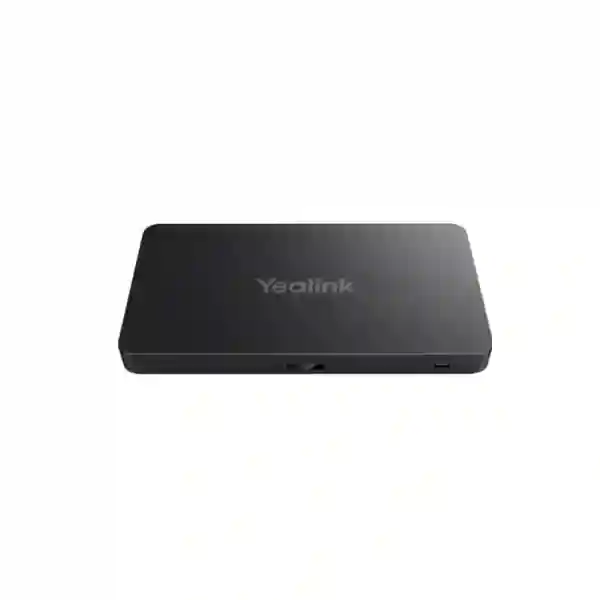
The Yealink MeetingEye 500 is an Android-based Zoom Rooms platform designed for organizations that need a scalable, professional video collaboration system for large and extra-large meeting spaces. Instead of locking the room into one integrated camera-and-speaker bar, MeetingEye 500 uses a separate computing architecture that can be matched with suitable Yealink cameras, microphones, speakers, touch controllers and content-sharing accessories. This modular approach is especially useful for boardrooms, training rooms, divisible conference spaces, executive meeting rooms and other environments where camera placement, audio coverage and display layout require more planning than a standard huddle-room appliance.
Official Yealink information describes MeetingEye 500 as a Zoom Rooms System on Android with support for multi-camera deployments, 4Kp30 UHD video and content sharing, flexible installation and third-party camera or professional-audio compatibility in supported configurations. Current Yealink support information also lists ongoing MeetingEye 500 firmware releases in 2026, making lifecycle and software planning an important part of a procurement discussion. FourTeck focuses on helping customers define the complete room bill of materials instead of treating the computing unit as a standalone purchase.
What the MeetingEye 500 is designed to solve
Large collaboration rooms often expose the limits of all-in-one video bars. Participants may sit at different depths, room furniture may prevent a single ideal camera position, presentation content may need more than one display, and microphones may need to be distributed around a long table. The MeetingEye 500 addresses that class of requirement with a separate Android room-system architecture. Yealink documents compatibility with selected Yealink cameras and audio devices as well as supported third-party camera and professional-audio options, allowing the room design to be shaped around the physical space rather than forcing the physical space to fit one fixed appliance.
Native Zoom Rooms workflow
Designed for Zoom Rooms on Android, MeetingEye 500 is intended to give users a purpose-built meeting-room experience rather than requiring a user laptop to host every call.
Multi-camera room design
Official specifications list support for up to three compatible Yealink cameras, with third-party camera support also documented, giving AV designers more options for large-room sightlines.
Flexible audio choices
Supported Yealink microphones, speakers and compatible third-party professional audio can be selected according to table shape, room acoustics and pickup requirements.
4K content workflows
Yealink documents 4Kp30 video/content capability and multiple HDMI outputs, making the platform suitable for rooms where remote participants and shared content both need clear display treatment.
Verified technical highlights
| Platform | Android 11 listed in Yealink’s current datasheet; native Zoom Rooms positioning. |
| Video and content | Up to 4Kp30 UHD video/content workflows in supported configurations. |
| Camera expansion | Optional UVC84/UVC85/UVC86 cameras, with support for up to three listed in the current datasheet; third-party camera support is also documented. |
| Audio options | Optional compatible Yealink microphones/speakers and supported third-party devices; final compatibility should be confirmed for the chosen room design. |
| Controller options | CTP18 or CTP25 touch-panel options are listed by Yealink. |
| Content sharing | VCH51 and WPP30 options are documented, along with HDMI input and supported USB-C workflows depending on accessory choice. |
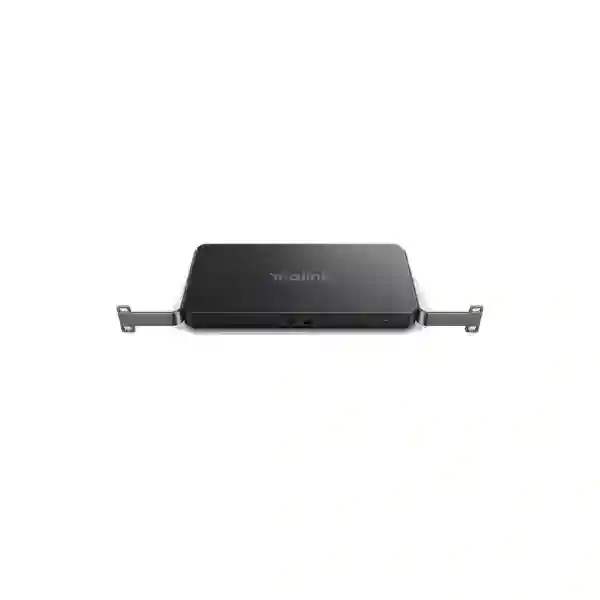
| Physical deployment | Separate design supports wall, table, under-table or rack/cabinet-oriented deployment approaches depending on bracket and room plan. |
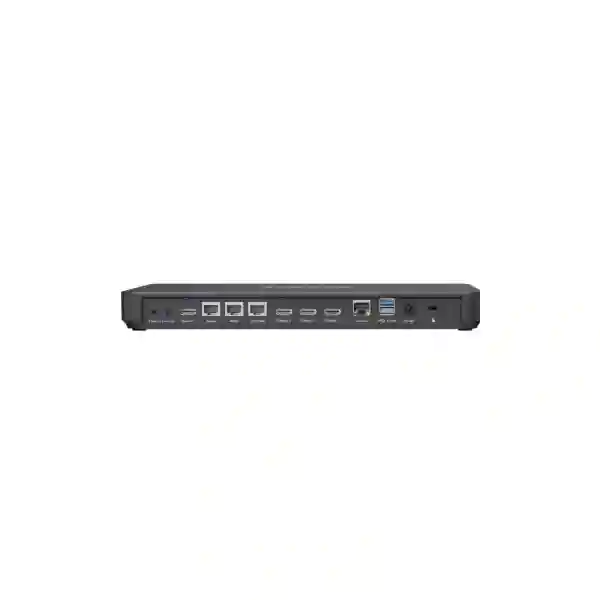
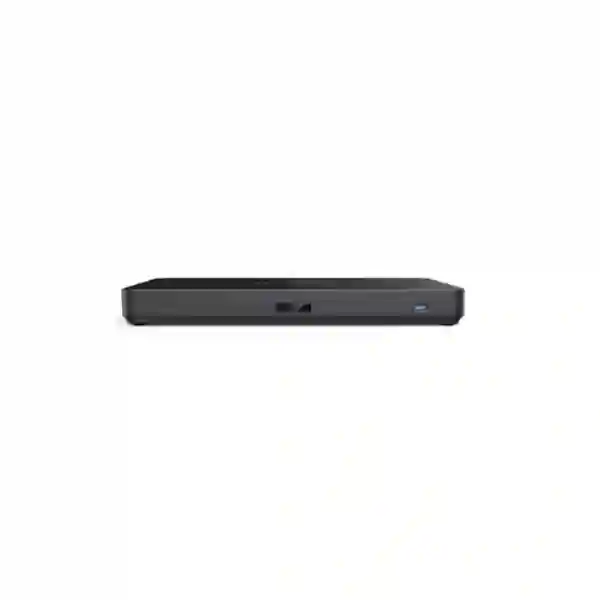
| Connectivity highlights | Yealink lists three USB-A 3.0 ports, HDMI input and multiple HDMI outputs in the current technical specification. |
Configuration details can vary by firmware, regional bundle and accessory selection. A quotation should identify the exact camera, audio, controller, content-sharing and mounting components rather than assuming they are included with the MeetingEye 500 computing unit.
Planning the right room configuration
The most important buying decision is not only whether MeetingEye 500 can run the room, but how the complete room should be engineered. Begin with room dimensions, seating capacity and table layout. Next define the camera views needed for the far end: a single front camera may be enough for some boardrooms, while deeper rooms may benefit from additional camera positions. Audio planning should consider where participants sit, whether ceiling or table microphones are preferred, how much reverberation is present and whether an existing DSP or professional audio system should be retained. Display planning should decide whether the room needs one, two or three displays, how shared content should appear and whether confidence or auxiliary displays are required.
Content sharing should also be chosen intentionally. Some rooms need a permanently wired HDMI source at the table, while others prioritize wireless presentation or USB-C connectivity. Network design must provide reliable enterprise connectivity for the Zoom Rooms platform and should account for VLAN, firewall and quality-of-service policies. For larger deployments, buyers should include remote device management, firmware lifecycle, standardized accessory choices and a repeatable installation template in the project scope. These decisions reduce support variation across branches and make future replacements easier.
Yealink MeetingEye 500 Zoom Rooms System Tanzania
For Tanzanian organizations, MeetingEye 500 is most relevant where a meeting room is important enough to justify a purpose-built collaboration environment rather than a webcam and laptop. Head offices, banks, universities, government teams, energy companies, hospitality groups, NGOs and regional enterprises frequently need boardrooms that can bring remote specialists, executives and project teams into the same discussion without forcing every session to depend on an employee’s computer. In that context, the Android-based Zoom Rooms approach can simplify the user experience while the separate MeetingEye architecture leaves room for a more capable camera and audio design.
Procurement in Tanzania should start with the room rather than the product box. The quotation should state the MeetingEye 500 unit, chosen camera or cameras, microphones, speakers, touch controller, display requirements, mounting brackets, presentation accessories and required cabling. Buyers should also confirm the Zoom Rooms licensing arrangement separately because room licensing is a software/service requirement, not something that should be assumed to be bundled with the hardware. For rooms where an existing DSP, amplifier or installed microphone system already exists, compatibility should be checked before deciding whether to reuse it or replace it.
FourTeck can help structure the bill of materials around seating distance, desired camera coverage, audio pickup zones and content-sharing needs. Organizations deploying several rooms should aim for a standard configuration where possible, while still allowing larger executive or training rooms to use additional cameras or upgraded audio. Network teams should be involved early so firewall, segmentation, DNS, internet resilience and quality-of-service expectations can be validated before installation day. This planning is especially valuable when locations use different ISPs or network standards across branches.
Tanzania buyers often search for a Yealink MeetingEye 500 supplier, Zoom Rooms system quotation, conference-room camera solution or large-boardroom video conferencing system. A useful quotation therefore needs more than a product price: it should explain what is included, what is optional, what must be licensed, what existing equipment can be retained and which installation tasks are part of the project. For broader collaboration and infrastructure options, customers can also review FourTeck Tanzania technology solutions when planning related network, security and workplace requirements.
Yealink MeetingEye 500 Zoom Rooms System Dar es Salaam
Dar es Salaam is a natural fit for professional Zoom Rooms because many organizations coordinate national operations, regional offices, customers and international partners from the city. MeetingEye 500 suits boardrooms and larger meeting spaces where participants may sit farther from the display and where a single integrated camera bar cannot provide the desired framing. The product’s multi-camera positioning lets a room designer consider front, rear or alternative viewing angles, while compatible microphones and speakers can be chosen around long boardroom tables or training-room seating.
A Dar es Salaam deployment should include an early site assessment of room geometry, lighting, acoustics and network conditions. Glass walls, strong daylight and hard surfaces can affect camera exposure and audio intelligibility, so the hardware selection should be supported by placement decisions rather than chosen purely from a specification list. If the room already has professional AV components, the integration scope should identify exactly which devices can work with the planned Zoom Rooms setup and which adapters, hubs or interfaces are needed. This avoids discovering late in the project that a legacy microphone or display workflow cannot be used as expected.
For executive spaces, buyers may prioritize clean installation, concealed cabling, touch control and consistent startup behavior. For training rooms, the priority may be content visibility and camera coverage of both presenter and audience. For operations rooms, multiple displays may matter more than room aesthetics. MeetingEye 500 is attractive because the computing system can be installed separately from the room peripherals, giving the AV design more freedom to match these different usage patterns.
When requesting a quote in Dar es Salaam, specify the number of seats, display count, room dimensions, table arrangement, existing audio equipment, presentation sources and whether wireless sharing is required. Mention whether remote administration and standardized firmware management are part of the project. A complete proposal can then be built around the MeetingEye 500 rather than offering a generic kit that may not suit the room. For wider regional sourcing and enterprise technology planning, the FourTeck Africa portal provides a broader regional context for multi-country projects.
Yealink MeetingEye 500 Zoom Rooms System Mwanza
Organizations in Mwanza that collaborate with head offices, field teams, suppliers, health specialists, education partners or customers in other cities can use a dedicated Zoom Room to make scheduled video meetings more predictable. The MeetingEye 500 is particularly useful when the room is larger than a huddle space and needs carefully positioned cameras or wider microphone coverage. Instead of placing all functions in one bar at the front of the room, the separate system allows components to be positioned according to the actual seating and visual requirements.
For Mwanza buyers, connectivity planning should be part of the room specification. A high-quality camera system cannot compensate for unstable internet or poorly prioritized traffic. The network team should confirm available bandwidth, firewall policy, wired Ethernet availability and resilience expectations. If the meeting room is critical for management or operations, organizations may also consider redundant connectivity at the wider network level. The Zoom Rooms appliance itself should be connected in a way that aligns with corporate segmentation and security policy rather than being treated as an unmanaged consumer device.
Room acoustics deserve equal attention. Large tiled rooms, high ceilings and reflective walls can create echo that makes meetings tiring even when microphones are technically functioning. The selection and position of microphones and speakers should therefore consider the seating zone and acoustic characteristics. MeetingEye 500 can work with supported Yealink audio accessories and supported third-party professional audio, but exact compatibility and quantity should be validated for the final design. Camera choices should similarly be based on distance, field of view and whether speaker tracking or framing functions are required.
A strong Mwanza quotation should separate core hardware, optional peripherals, installation materials, software licensing and support. It should also state assumptions, such as whether displays, electrical outlets and network points already exist. This clarity helps procurement compare proposals fairly and reduces unexpected project changes. Where the organization is standardizing multiple branches, a common room template can be documented and repeated, with only the camera and audio quantities adjusted for room size.
Yealink MeetingEye 500 Zoom Rooms System Arusha
Arusha organizations often work in environments where international coordination, tourism, development projects, regional administration and professional services depend on frequent remote meetings. A purpose-built Zoom Room can reduce setup time for recurring calls and provide a more consistent experience for visiting partners or executives. MeetingEye 500 is appropriate when the collaboration space needs more flexible camera and audio placement than a compact all-in-one unit can provide.
In a hotel conference room or multi-purpose meeting venue, flexibility may be the main objective. The room might host a board meeting in the morning and a training session later in the day. Camera presets, multiple camera positions and distributed microphones can help adapt the space, but only when the room has been planned with these scenarios in mind. In a corporate boardroom, by contrast, the priority may be discreet permanent installation, reliable one-touch meeting control and predictable display behavior. MeetingEye 500’s separate architecture can support both approaches when paired with the right peripherals.
Arusha buyers should ask whether the proposed camera model, microphones, speakers, touch panel and presentation accessories are included or optional. They should also confirm whether the proposal includes physical mounting, cable routing, configuration, testing and user handover. Zoom Rooms licensing should be identified separately, and existing Zoom administration policies should be reviewed before deployment. Where wireless presentation is requested, the quotation should explain the supported accessory and user workflow rather than assuming every laptop will connect in the same way.
For organizations with branches across East Africa, room standardization can be more valuable than selecting a different system in every city. A documented MeetingEye 500 reference design can define the approved camera, microphone, display and controller combination, allowing IT teams to support similar rooms remotely. Customers coordinating projects into neighboring markets can also explore FourTeck Kenya for related regional technology sourcing and project planning.
Yealink MeetingEye 500 Zoom Rooms System Dodoma
Dodoma-based institutions and enterprises may need structured video collaboration for coordination with Dar es Salaam, regional offices, ministries, partners and remote project teams. MeetingEye 500 can serve larger meeting spaces where consistent operation, more than one camera position or distributed audio is important. The system’s Android-based Zoom Rooms positioning supports a dedicated-room workflow, reducing dependence on individual users bringing the correct laptop, adapter and conferencing setup to each session.
For formal boardrooms and institutional meeting spaces, the room should be designed for repeatability. The touch controller should be placed where users can start and manage meetings comfortably. Cameras should be positioned to capture participants naturally without forcing everyone to look away from the displays. Microphones need sufficient coverage without creating clutter, and speakers should make remote voices easy to understand across the seating area. If multiple displays are planned, content and participant layouts should be agreed before mounting screens so sightlines remain comfortable.
Procurement teams should request model-level detail for every quoted component. A description such as “Zoom Room system” is not enough for a project that may include multiple cameras, professional audio and specialized content sharing. Ask for the exact MeetingEye 500 unit, exact camera models, microphone count, controller model, speaker solution, bracket type and any hubs or wireless presentation devices. Where third-party audio or cameras are proposed, compatibility should be confirmed for the specific configuration and firmware rather than inferred from general platform support.
IT teams in Dodoma should also include lifecycle planning. Yealink continues to publish firmware for MeetingEye 500, and organizations should define who will review updates, schedule maintenance and maintain room availability. A well-documented deployment includes network settings, device inventory, administrator ownership and a recovery plan. These operational details turn the room from a one-time installation into a supportable business system.
Yealink MeetingEye 500 Zoom Rooms System UAE
In the UAE, MeetingEye 500 is suitable for organizations that need a scalable Zoom Rooms environment for executive boardrooms, training spaces, regional headquarters and larger client-facing meeting rooms. The separate Android computing design helps AV teams avoid the limitations of an all-in-one bar when rooms have long tables, multiple displays or special camera positions. Multi-camera support can be particularly valuable in executive spaces where both participant framing and presenter coverage matter.
UAE projects frequently involve existing room-control, DSP or professional AV infrastructure. The procurement process should therefore include an integration review rather than assuming that every installed component can connect directly. MeetingEye 500 supports selected Yealink peripherals and documented third-party camera/pro-audio scenarios, but the exact signal flow should be drawn before purchasing. The design should identify how content enters the system, how many displays are used, how audio is routed and whether USB/BYOD workflows are required in addition to native Zoom Rooms operation.
A commercial proposal should state licensing, warranty terms from the chosen supply channel, accessories and installation scope separately. For organizations operating across multiple Emirates or countries, standard room profiles can simplify support. A “large room” standard may use one agreed camera and distributed audio design, while an “extra-large room” profile adds more camera positions and upgraded audio. Centralizing these decisions makes remote management, replacement stock and user training easier.
Customers planning UAE collaboration infrastructure can reference FourTeck UAE for broader enterprise technology requirements. When comparing MeetingEye 500 with newer all-in-one Zoom appliances, focus on room architecture: MeetingEye 500 is most compelling where modular camera and audio placement provides tangible value. If the room is small and simple, a compact bar may be easier; if the room needs AV flexibility, the separate architecture can justify the additional design effort.
Yealink MeetingEye 500 Zoom Rooms System Uganda
Ugandan businesses, institutions and NGOs can use MeetingEye 500 to standardize larger Zoom-enabled collaboration rooms across headquarters and branch networks. The platform is most relevant where a dedicated room must be ready for scheduled meetings without relying on whichever laptop an employee brings. Its modular design also allows the camera and audio system to be selected for the space rather than accepting the compromises of a single fixed video bar.
For multi-site deployments, the main design objective should be consistency. Define room classes by size, then assign a standard camera, microphone, display and controller configuration to each class. This makes it easier to create repeatable cable schedules, administrator procedures and troubleshooting guides. When a larger room needs exceptions, document them clearly. MeetingEye 500’s support for more than one camera can make these larger rooms easier to accommodate while keeping the core room platform consistent.
Network design remains critical. Zoom Rooms should have stable wired connectivity, correct firewall access and sufficient internet capacity for the expected meeting quality. IT teams should also consider how device firmware will be updated and who owns room support. If a room is used for executive meetings, remote interviews or important stakeholder sessions, operational readiness matters just as much as camera resolution. UPS protection, display power management and documented startup procedures may all be relevant to the overall room project even though they are outside the MeetingEye 500 itself.
Uganda customers coordinating regional projects can review FourTeck Uganda for country-specific technology planning. A request for quotation should include room dimensions, seat count, number of displays, existing AV equipment and preferred content-sharing method. This information allows the supplier to recommend the correct peripherals instead of over- or under-specifying the solution.
Yealink MeetingEye 500 Zoom Rooms System Kampala
Kampala organizations with regional headquarters, professional-service teams, financial operations, development programs or education networks often need meeting rooms that are used repeatedly by different groups. A dedicated MeetingEye 500 Zoom Room can provide a consistent interface and allow IT teams to build a known room configuration around approved cameras, microphones and displays. This is preferable to ad-hoc setups when the room regularly hosts senior management, customers or external stakeholders.
The camera plan should start with the seating layout. Long boardroom tables may need a camera with appropriate optical reach, while training spaces may benefit from more than one camera perspective. MeetingEye 500 supports multi-camera configurations, so designers can consider participant coverage and presenter coverage separately. Audio design should follow the same principle: microphone placement should match where people speak, and speakers should provide even coverage without excessive volume near the front of the room.
Kampala buyers should be cautious with generic “complete kit” descriptions. The MeetingEye 500 is a system platform, and the final user experience depends heavily on the selected peripherals and installation. Ask for a line-item bill of materials and a short room-design explanation. Clarify whether cabling, brackets, touch control, wireless sharing, display installation and post-installation testing are included. If Zoom Rooms licenses are required, identify their procurement and renewal responsibility from the beginning.
For companies with existing conference-room investments, a compatibility audit can protect prior spending. Supported third-party cameras and professional audio may be reusable in some designs, but only after exact compatibility is confirmed. An integration drawing and pre-deployment checklist are valuable for complex rooms. This approach reduces installation-day surprises and gives internal IT teams a clear support reference once the room is in service.
Yealink MeetingEye 500 Zoom Rooms System Arua
For organizations in Arua, the business case for a professional Zoom Room may center on reducing travel and improving communication with headquarters, project offices and external partners. MeetingEye 500 can be a strong fit when the meeting space is larger than a small office and needs dedicated cameras, distributed microphones or a more structured display setup. The room can then function as a predictable collaboration endpoint rather than an improvised laptop meeting.
Because remote locations may place greater emphasis on connectivity resilience and local supportability, the deployment should be kept as standardized as practical. Use documented cable paths, label network and AV connections, keep administrator records, and select peripherals that are appropriate for the room without unnecessary complexity. If multiple cameras are not required, the system can still be designed around a single suitable camera; if the room later changes, the modular architecture leaves room to expand within supported configurations.
Before purchasing, verify power availability, wired network access, display mounting surfaces and the path for camera/microphone cabling. Wireless presentation can be convenient, but a wired fallback may still be useful for important meetings. Audio testing should be performed with participants seated in their normal positions, because microphone coverage measured only at the front of the room may not represent actual use. If an existing audio system is present, document the exact model and interfaces so compatibility can be checked.
Arua procurement teams should request a proposal that separates equipment from services and clearly identifies what is optional. This makes budget decisions easier and supports phased rollout. Organizations can start with the necessary camera, audio, controller and display workflow, then add features such as wireless presentation or additional camera coverage when there is a defined use case. The goal is a room that staff can operate reliably, not a collection of features that are rarely used.
Yealink MeetingEye 500 Zoom Rooms System Mbarara
Mbarara businesses, universities, healthcare organizations and distributed enterprises can use a dedicated Zoom Room to support training, management meetings, interviews and specialist collaboration. MeetingEye 500 offers a modular foundation for rooms where participant distance and table length make a simple webcam or small-room bar less suitable. Its Android appliance model also supports a room-first workflow in which users join meetings from a dedicated controller instead of reconfiguring a PC for each session.
For training and education spaces, visibility is a major design concern. Participants may need to see both the remote presenter and shared content, and the far end may need a clear view of a local presenter or audience. Multi-display and multi-camera planning can improve these scenarios when the room layout justifies it. For healthcare or professional consultation, audio intelligibility and privacy may be more important than presentation flexibility. The same MeetingEye 500 platform can support different room priorities through the selected peripherals.
Mbarara customers should include IT governance in the design. Define who owns the Zoom Room account, who can administer devices, how firmware changes are approved and how users report faults. If the room is used frequently, schedule periodic checks of cameras, microphones, display inputs and network connectivity. These operational steps prevent gradual degradation from becoming visible only during an important call. The room should also be documented so replacement parts can be ordered by exact model when needed.
When requesting pricing, provide accurate room dimensions and photos or drawings if available. State whether the meeting table is fixed, whether cables can run under the floor or through walls, and whether displays already exist. Mention any existing microphones, DSPs or amplifiers. With this information, the quotation can focus on the right equipment instead of including generic components that may not be needed.
Yealink MeetingEye 500 Zoom Rooms System Gulu
Gulu organizations that coordinate programs, regional teams, education activities or professional services can benefit from a dedicated large-room collaboration system when video meetings are a regular part of operations. MeetingEye 500 is designed for more demanding room layouts than a personal conferencing device, and its modularity allows cameras and audio to be placed around the actual seating plan. This can create a more natural meeting experience for participants at both ends.
A practical Gulu deployment should prioritize reliability and ease of support. Keep the design understandable to local IT staff, document each cable, and avoid unnecessary accessory combinations. The correct solution is not always the one with the most devices. A well-placed camera, correctly sized audio system and clear touch workflow may outperform a more complex design that users do not understand. When multiple cameras are required, define when and how they are used so the room behavior remains predictable.
Connectivity should be assessed under realistic conditions, including busy-office periods. Ensure the Zoom Rooms system uses reliable wired networking and that corporate firewall rules permit the required service operation. If the wider site depends on a single internet service, business stakeholders should decide whether the meeting room is important enough to justify broader network resilience. This is an infrastructure decision, not a MeetingEye 500 feature, but it strongly affects the quality of the collaboration experience.
For budgeting, separate essential components from optional enhancements. The essential bill of materials may include the MeetingEye 500, camera, microphone/speaker solution, touch controller and required mounting/cabling. Optional items can include wireless presentation, additional cameras, upgraded audio or room scheduling. This structure helps the organization purchase a complete working room first and add enhancements later if the business case is clear.
Yealink MeetingEye 500 Zoom Rooms System Kenya
Kenyan enterprises looking for a flexible Zoom Rooms platform for large meeting spaces can use MeetingEye 500 as the room-computing foundation while selecting cameras and audio around each space. The approach is particularly useful for regional headquarters, financial institutions, universities, professional-service firms and organizations with training rooms or large executive boardrooms. A purpose-built room helps create consistent meeting behavior and reduces the setup variations caused by individual laptops.
For Nairobi and other major business centers, many rooms already have displays, table connectivity or professional AV. A MeetingEye 500 project should begin by cataloguing those assets. If existing audio or cameras are candidates for reuse, record their exact models and signal interfaces. Yealink supports documented third-party camera and professional-audio scenarios, but compatibility should be confirmed rather than assumed. Where existing equipment is unsuitable, the quotation should explain why a replacement or interface is necessary.
Multi-country organizations may gain the most value by designing one or two repeatable Zoom Room standards. A medium/large template can specify a particular camera, microphone layout and two-display configuration; an extra-large template can add cameras, extended audio and more advanced content workflows. MeetingEye 500’s modular structure aligns well with this standardized approach because the core platform can remain common while peripherals scale with the room.
Kenya buyers should also evaluate lifecycle and operational support. Current firmware, Zoom Rooms software compatibility, account administration and accessory support should be part of the ownership plan. Pricing should be requested against a complete bill of materials, including installation and commissioning where required. The purchase decision should focus on how well the proposed room design solves real meeting scenarios rather than comparing the MeetingEye 500 hardware price in isolation.
Yealink MeetingEye 500 Zoom Rooms System Kuwait
Kuwait organizations can consider MeetingEye 500 for large conference rooms where modular AV design is preferred over an integrated video bar. Boardrooms, operations meetings, training rooms and client presentation spaces may require cameras with greater reach, multiple displays or professional audio integration. The separate Android appliance architecture lets the room designer position components for sightline, acoustics and maintenance rather than concentrating everything at the display wall.
A Kuwait project should account for installed AV systems and room automation. If a DSP, amplifier, ceiling microphone or control system already exists, the integration design should identify how that infrastructure will interact with the Zoom Rooms solution. MeetingEye 500 supports compatible third-party professional audio in documented scenarios, but exact interoperability depends on models and interfaces. For complex rooms, a signal-flow diagram and equipment schedule should be prepared before ordering.
Buyers should also define content-sharing expectations. Executive users may want both wired and wireless options, while secure environments may restrict wireless sharing. Training rooms may need presenter devices connected permanently. MeetingEye 500 supports multiple content-sharing methods through supported accessories and inputs, so the correct method should be chosen according to policy and user workflow. The same principle applies to displays: decide what remote participants and shared content should look like before installation.
For regional technology procurement in Kuwait, customers can also visit FourTeck Kuwait. A well-structured quotation should identify each Yealink accessory, licenses, services and installation assumptions. This allows procurement teams to compare total room scope instead of comparing only a headline system price.
Yealink MeetingEye 500 Zoom Rooms System Ghana
Ghanaian organizations with regional operations, financial services, education programs, energy projects or distributed management teams can use MeetingEye 500 to create a consistent Zoom Room in larger spaces. The system is best considered as the computing and orchestration layer around which suitable cameras, microphones, speakers, controller and displays are designed. That distinction matters because room performance depends strongly on the peripherals and installation quality.
For Accra boardrooms and similar environments, the camera should be selected around the farthest participant and expected viewing angle. A long room may justify optical zoom and carefully chosen camera height. A training room may need a presenter view in addition to participant framing. MeetingEye 500’s multi-camera capabilities provide flexibility, but additional cameras should only be included when they solve a defined visual requirement. The same discipline should be applied to microphones: quantity and placement should be driven by pickup coverage and acoustics.
Organizations should involve both AV and network teams during design. The room needs physical cabling, stable Ethernet and appropriate internet access, while administrators need a plan for Zoom Rooms accounts, firmware updates and support ownership. If several sites are planned, a standardized bill of materials can simplify both procurement and long-term support. Record all model numbers and configuration decisions so new rooms can be replicated without restarting the design process.
The final Ghana quotation should include equipment, licensing assumptions, mounting, cabling, commissioning and user handover as separate items where applicable. Avoid proposals that simply say “complete Zoom Room” without identifying what is actually included. Clear scope is especially important when displays or existing AV equipment are provided by the customer, because responsibility for interfaces and testing must be understood before installation.
Yealink MeetingEye 500 Zoom Rooms System Nigeria
Nigeria’s large corporate, financial, energy, technology, education and professional-service sectors create strong demand for enterprise video collaboration. MeetingEye 500 is suited to organizations that need a dedicated Zoom Rooms system for large boardrooms and training spaces where one fixed camera bar may not provide sufficient coverage. Its modular Android design can support a more engineered room with multiple cameras, distributed audio and several display possibilities.
For Lagos, Abuja and multi-site enterprise deployments, standardization is a major operational advantage. Rather than allowing every office to select different cameras and microphones, IT teams can define approved room patterns and repeat them. This reduces the number of spare parts, firmware combinations and user workflows that support staff must understand. MeetingEye 500 can form the common platform while selected peripherals scale according to room class.
Network resilience and power continuity should be considered at the site level. The Zoom Room depends on stable networking and functional displays, so organizations should align the meeting space with their wider UPS, generator and connectivity policies where necessary. These infrastructure components are not features of MeetingEye 500, but they influence uptime. The room project should also define how system updates are tested and deployed so critical meeting spaces are not disrupted unexpectedly.
Nigeria buyers should request an exact bill of materials and avoid comparing quotations solely on price. One proposal may include cameras, microphones and controller while another may price only the computing unit. Confirm licenses, mounting, installation, testing and support scope. Where an existing professional audio system is to be retained, provide model details and request compatibility validation. This level of specification produces a more accurate procurement decision and reduces change orders later.
Yealink MeetingEye 500 Zoom Rooms System Seychelles
Organizations in Seychelles may use video collaboration to connect island-based teams with regional headquarters, suppliers, consultants and international partners. A dedicated Zoom Room is valuable when the meeting space is used frequently and participants expect a professional, repeatable experience. MeetingEye 500 can support larger rooms where camera placement and audio coverage need more flexibility than an integrated small-room appliance can offer.
For hospitality groups, government teams, financial organizations and corporate offices, room aesthetics may be especially important. The separate MeetingEye 500 architecture allows the computing unit to be installed away from the visible front wall while cameras, displays and microphones are positioned for a cleaner room appearance. Cable paths should be planned early, particularly in finished rooms where surface cabling would be undesirable. Mounting brackets, cable lengths and access for maintenance should all be part of the installation design.
Because equipment logistics can be significant for island deployments, the bill of materials should be finalized carefully before shipment. Confirm every required accessory, bracket, power item and interface. Verify whether customer-supplied displays and existing audio are compatible with the intended design. A pre-deployment checklist can reduce the risk of a missing small component delaying commissioning. Where possible, configuration standards should match other rooms in the organization so remote IT teams can provide support with familiar procedures.
Seychelles buyers should distinguish between the hardware platform, Zoom Rooms licensing, installation and ongoing support. They should also plan firmware ownership and administrator access. The goal is a room that remains supportable after the initial installation team leaves. MeetingEye 500 provides a flexible foundation, but long-term success depends on documentation, standardized peripherals, reliable networking and clear responsibility for the room’s software and device lifecycle.
Compatibility, licensing and lifecycle guidance
MeetingEye 500 should be purchased as part of a complete Zoom Rooms design. The Zoom Rooms service license is separate from the room hardware unless a seller explicitly includes it in a commercial bundle. Camera, audio and controller choices also vary. Yealink currently lists UVC84, UVC85 and UVC86 camera options and several Yealink microphones, speakers and touch controllers in its MeetingEye 500 documentation. Third-party camera and professional-audio support is documented, but a specific third-party device should never be assumed compatible without validation.
Yealink continues to issue MeetingEye 500 firmware; a September 2026 release note lists MeetingEye 500 firmware 280.320.0.130 and Zoom Rooms version information together with accessory firmware. This reinforces the need to include firmware governance in larger deployments. Organizations should decide whether updates are centrally administered, how changes are tested, when maintenance windows occur and who can access device administration. A room that is technically well designed but operationally unmanaged can still become unreliable over time.
Buying checklist for a MeetingEye 500 quotation
Provide room length, width, ceiling height, seat count, table layout and intended meeting types.
State whether you need one or multiple views, presenter coverage, optical reach or AI framing/tracking features.
Identify existing microphones/DSPs, preferred table or ceiling pickup, speaker needs and acoustic concerns.
Specify display count, desired participant/content layout, HDMI sources and wireless or USB-C sharing requirements.
Confirm who supplies and renews the Zoom Rooms license and which account/tenant the room belongs to.
Clarify installation, cabling, commissioning, testing, user handover, documentation and post-install support.
Frequently asked questions
Is Yealink MeetingEye 500 a complete camera-and-audio kit?
Not necessarily. MeetingEye 500 is the room-system platform and is designed to work with compatible camera, audio, controller and content-sharing components. A seller may offer bundles, but the exact included items must be confirmed in the quotation.
Can MeetingEye 500 support multiple cameras?
Yes. Yealink’s current datasheet lists support for up to three compatible Yealink cameras in supported configurations and also documents third-party camera support. The correct quantity depends on room design.
Does it support 4K content?
Yealink documents 4Kp30 UHD video/content capabilities and multiple display outputs. Actual meeting behavior depends on Zoom Rooms software, display capabilities, accessories and system configuration.
Can existing professional audio be reused?
Potentially. Yealink documents third-party professional-audio compatibility, but the exact DSP, microphone, speaker and interface combination should be validated before procurement.
Do I need a Zoom Rooms license?
A Zoom Rooms service subscription is normally required for native Zoom Rooms operation. Treat licensing as a separate commercial line item unless the chosen bundle explicitly states otherwise.
What information is needed for an accurate quote?
Provide room dimensions, number of seats, display count, photos or drawings, existing AV models, camera expectations, audio preferences, content-sharing method, network details and installation scope.
Decision recap
Choose the Yealink MeetingEye 500 when your Zoom Room needs a modular Android platform with room for multi-camera design, flexible audio, professional display planning and structured content sharing. It is most compelling in larger spaces where camera position, microphone coverage and clean installation matter more than the simplicity of an all-in-one video bar.
Before ordering, define the complete room bill of materials and confirm accessory compatibility, Zoom Rooms licensing, network readiness, mounting and installation responsibilities. FourTeck can use those inputs to prepare a solution-oriented quotation for Tanzania and regional projects.




Reviews
There are no reviews yet.