
Yealink MP54 E2 Zoom Phone Tanzania
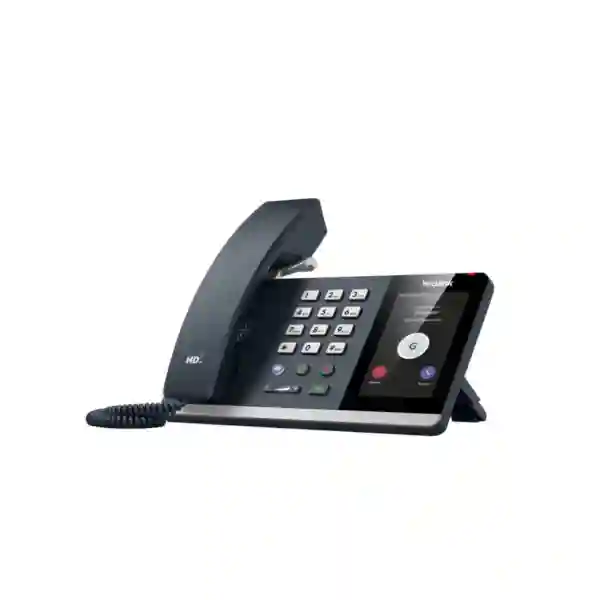
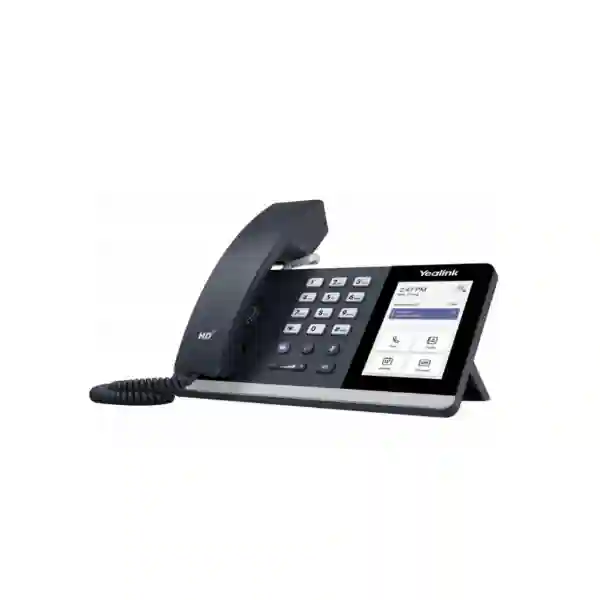
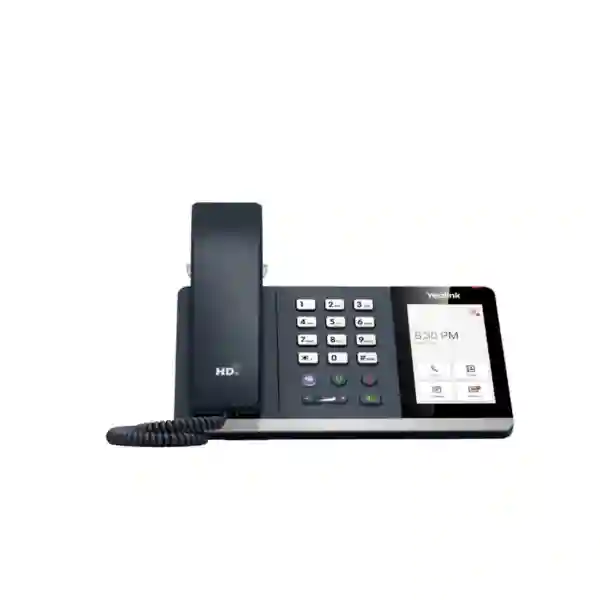
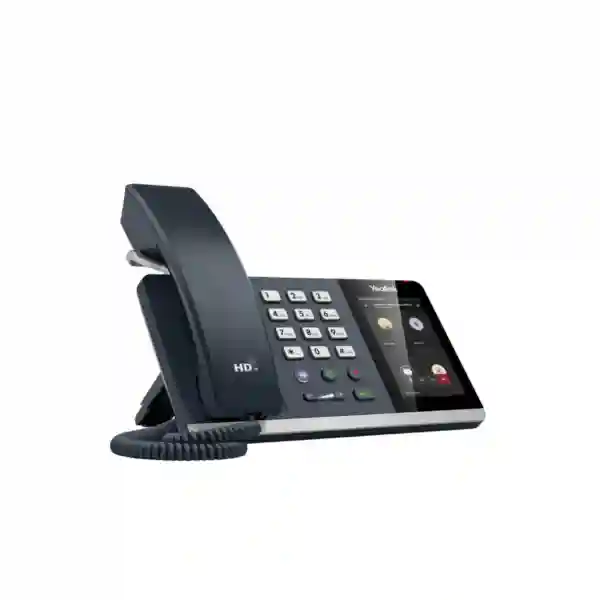
The Yealink MP54 E2 Zoom Phone is a purpose-built desk phone for organizations that want a familiar handset experience together with native Zoom Phone capabilities. Designed around Android 13, the device brings a responsive 4-inch capacitive touchscreen, a Zoom-tailored user interface, Yealink Optima HD audio, Noise Proof technology, a magnetic handset, Bluetooth 5.2, dual-band Wi-Fi, a USB port for supported headsets, dual-port Gigabit Ethernet and Power over Ethernet. It is intended for general office users and front-desk environments where dependable voice communication, simple call handling and centralized administration matter.
For Tanzanian organizations moving from traditional telephony toward cloud communications, the MP54 E2 provides a practical bridge between a physical business phone and Zoom-based workflows. Users can work with the dedicated Zoom interface rather than relying on a general-purpose SIP experience, while IT teams can use Zoom Device Management or Yealink management tools for provisioning, monitoring and maintenance. This makes the phone relevant to offices, service desks, education, professional services, healthcare administration, hospitality back offices, distributed branches and other environments where staff still benefit from a dedicated desk endpoint.
What the Yealink MP54 E2 Zoom Phone Delivers
The MP54 E2 is positioned as an entry-level Zoom Phone for general office and front-desk use, but its feature set goes beyond basic calling. The Android 13 platform supports a modern interface and current application environment, while the 4-inch 480 × 800 capacitive touchscreen allows users to interact with calling, meetings, contacts and device functions through a visual workflow. A physical dial pad and conventional handset remain available, so employees who prefer the tactile familiarity of a desk phone do not have to change their basic calling habits.
Audio is a central part of the design. Yealink specifies Optima HD voice, Noise Proof technology, a full-duplex hands-free speakerphone with acoustic echo cancellation, and support for a hearing-aid-compatible handset. In a typical business environment, these capabilities are intended to make conversations clearer and reduce the distraction caused by surrounding office noise. The phone also supports Bluetooth headsets and USB headsets, giving users flexibility for private conversations, longer calls or hands-free workflows.
Network connectivity is equally practical. The device includes dual-port Gigabit Ethernet and supports IEEE 802.3af Power over Ethernet, helping organizations reduce desktop power-adapter clutter when compatible PoE switching is available. Built-in dual-band 2.4 GHz and 5 GHz Wi-Fi can be useful where cabled network access is inconvenient, while Bluetooth 5.2 supports compatible wireless peripherals. For wired headset or accessory use, a USB 2.0 port is available.
Key Verified Features
Android 13 Platform
The MP54 E2 Zoom model is based on Android 13, providing the operating foundation for its Zoom-tailored calling experience and enterprise device functions.
4-inch Touchscreen
A 4-inch, 480 × 800 capacitive touchscreen provides visual control for calls, contacts, meetings and device settings while keeping the phone compact for business desks.
HD Voice and Noise Proof
Yealink Optima HD voice, Noise Proof technology and full-duplex speakerphone operation with acoustic echo cancellation are designed to improve call clarity.
Flexible Connectivity
Bluetooth 5.2, dual-band Wi-Fi, USB headset support and dual-port Gigabit Ethernet provide several options for connecting the phone and user accessories.
PoE Support
IEEE 802.3af Power over Ethernet can carry both data and power over the network connection when paired with a suitable PoE switch or injector.
Centralized Management
The phone supports Zoom Device Management and Yealink device management platforms, helping IT teams deploy, update and monitor fleets of devices.
Technical Specifications
| Operating system | Android 13 |
| Display | 4-inch 480 × 800 capacitive touchscreen, 5-point multi-touch |
| Audio | HD handset and speaker, Noise Proof technology, full-duplex speakerphone with AEC |
| Ethernet | Dual-port Gigabit Ethernet |
| Power | IEEE 802.3af PoE, Class 3; optional external 5 V / 2 A adapter |
| Wi-Fi | Built-in dual-band 2.4 GHz / 5 GHz Wi-Fi, IEEE 802.11a/b/g/n/ac |
| Bluetooth | Bluetooth 5.2 |
| USB | 1 × USB 2.0 / Type-A port for compatible USB headsets |
| Management | Zoom Device Management and Yealink device management platforms |
| Mounting | Desk stand and wall-mountable design |
Who Should Consider the MP54 E2 Zoom Phone?
This phone is most relevant to organizations that have standardized or are standardizing on Zoom Phone and want a dedicated endpoint for employees who make or receive calls frequently. Typical users include reception teams, office administrators, customer service representatives, finance and operations staff, managers who prefer a desk handset, shared desks, common administrative points and branch-office employees. It is particularly useful where the organization values a native Zoom interface but does not need the larger screen or premium feature set associated with higher-tier executive models.
It can also suit mixed working environments where some employees rely on desktop or mobile Zoom applications while others need a fixed phone. Deploying dedicated phones at selected desks can improve availability for front desks, security posts, reception points, sales counters and operational workstations. Because the device supports both wired and wireless network options, organizations can choose the connectivity method that best fits each site, although wired Gigabit Ethernet with PoE is often the simplest arrangement for predictable business-phone deployment.
Deployment, Network and IT Planning
Before procurement, IT teams should confirm their Zoom Phone licensing and account requirements, user assignment method, network architecture, VLAN policies, quality-of-service approach and power strategy. The MP54 E2 supports both IPv4 and IPv6 environments and can obtain network parameters using DHCP or static addressing. For wired deployments, dual Gigabit Ethernet ports can be useful when the desk design routes a computer through the phone, subject to the organization’s network policy. Power over Ethernet simplifies installation where compatible switching infrastructure is available.
Wireless deployment through built-in dual-band Wi-Fi can be appropriate for desks where Ethernet is not practical. However, organizations should still review Wi-Fi coverage, access-point capacity, interference, roaming expectations and voice-quality requirements. Voice traffic is sensitive to latency, packet loss and jitter, so a stable network design remains important whether the phone is connected by cable or wireless LAN. Where voice quality is business critical, network assessment should be part of the rollout plan rather than treated as an afterthought.
Security planning should include device authentication, secure management access, certificate handling, network segmentation and administrative permissions. Yealink documentation for the MP54 E2 Zoom platform identifies support for HTTPS, TLS, SRTP and IEEE 802.1X. These capabilities can support enterprise security policies, but actual configuration should be aligned with the organization’s identity, network and security architecture. For multi-site organizations, centralized device management can reduce administrative effort by providing a consistent method for updates and configuration control.
Headsets, Accessories and User Experience
The MP54 E2 can support several working styles. Employees who prefer a traditional handset can use the magnetic handset, while users handling longer conversations can connect compatible Bluetooth or USB headsets. This is useful in reception, service and shared-office environments where hands-free communication can improve comfort and allow users to continue working with documents or applications during calls. A standard RJ9 headset connection is also present for suitable wired accessories.
When selecting headsets, buyers should verify compatibility with the intended model and firmware rather than assuming that every Bluetooth or USB headset will provide identical call-control functionality. Audio compatibility, answer/end controls, mute behavior and firmware support can differ by accessory. FourTeck can help organizations define the intended user profile before quoting the phone together with suitable headset or network components. For broader communication deployments, customers can also review FourTeck IP phone solutions for complementary endpoints and deployment options.
Yealink MP54 E2 Zoom Phone Tanzania
In Tanzania, the Yealink MP54 E2 Zoom Phone addresses a growing requirement among businesses that want cloud-based calling without losing the familiarity and reliability of a dedicated desk phone. Organizations in banking, professional services, education, healthcare administration, logistics, retail management, hospitality, NGOs and distributed enterprises often operate with a mixture of laptops, mobile devices and fixed workstations. The MP54 E2 can fit into this mixed environment by giving selected employees a permanent Zoom Phone endpoint while allowing the broader organization to continue using Zoom applications on other devices.
For procurement teams in Tanzania, the key consideration is not simply whether the phone can make calls, but whether it fits the organization’s wider Zoom, network and support model. Buyers should confirm the number of users who genuinely need physical desk endpoints, the availability of PoE switching, wired Ethernet ports, Wi-Fi quality, preferred headsets, desk layout and whether centralized device administration is required. A properly planned quantity avoids over-buying while ensuring that front desks, shared points and call-intensive users have the right hardware.
Organizations operating across multiple Tanzanian locations should also consider standardization. Using the same phone model in head offices and selected branches can simplify user training, spare-device planning, firmware management and support documentation. The device’s support for Zoom Device Management and Yealink management tools is valuable in this context because administrators can work with a consistent endpoint platform rather than maintaining several unrelated phone families.
Connectivity should be reviewed site by site. In offices with managed Gigabit Ethernet and PoE, the MP54 E2 can be deployed with a single network cable for power and data. In environments where cabling is limited, dual-band Wi-Fi provides another option, but voice performance should still be validated against access-point coverage and network load. For organizations looking at broader business communications and networking, the FourTeck Tanzania technology portfolio can be considered alongside the phone so that switching, connectivity and endpoint planning are treated as one deployment rather than isolated purchases.
Quotation preparation should include the required number of phones, Zoom Phone licensing status, preferred power method, headset requirement, network availability, number of sites and any rollout deadline. FourTeck can use this information to structure a practical quote around the MP54 E2 and any related requirements without making assumptions about stock, delivery or licensing. Customers seeking a Tanzania quotation can use the contact option on this page to discuss the required deployment.
Yealink MP54 E2 Zoom Phone Dar es Salaam
Dar es Salaam organizations frequently operate fast-moving offices where reception, administration, customer-facing teams and management need reliable communications throughout the working day. The Yealink MP54 E2 Zoom Phone is well suited to this type of environment because it combines a dedicated handset with a native Zoom-oriented interface. Businesses already using Zoom for meetings can extend that platform to selected desks, reducing the need to operate a separate user experience for fixed business telephony.
For companies with headquarters or major operational offices in Dar es Salaam, the MP54 E2 can be assigned to reception counters, executive assistants, customer care desks, finance departments, sales teams and shared administrative locations. Its 4-inch touchscreen provides quick visual access to calling functions, while physical keys and a standard handset retain the familiar workflow many users expect from an office phone. Employees who need hands-free operation can use the full-duplex speakerphone or connect compatible Bluetooth and USB headsets.
Network planning is important in dense office environments. Where managed Ethernet cabling and PoE switching are available, using PoE can reduce adapter clutter and make phones easier to reposition within the structured cabling footprint. Organizations using Wi-Fi should verify access-point coverage and capacity around work areas, especially if the same wireless network carries laptops, mobile devices, video meetings and guest traffic. Voice quality depends on a stable LAN and internet connection, so network readiness should form part of the deployment discussion.
Dar es Salaam businesses with multiple branches may also benefit from standardized device management. Zoom Device Management and Yealink management capabilities help IT administrators maintain consistent configuration and firmware policies across a distributed estate. This is useful when a central IT team supports multiple sites and wants to minimize manual intervention at each desk.
When requesting a quotation, buyers should provide the expected number of endpoints, department or user type, whether PoE is available, any headset requirement, and whether the deployment is limited to one office or part of a larger multi-site rollout. FourTeck can then align the MP54 E2 proposal to the actual operational requirement and identify related infrastructure considerations where necessary.
Yealink MP54 E2 Zoom Phone Mwanza
Businesses in Mwanza that coordinate operations between administrative offices, customer service points, warehouses, field teams or regional branches can use the Yealink MP54 E2 Zoom Phone as a fixed communication endpoint within a broader cloud-calling strategy. A dedicated phone is valuable where staff need a permanent extension and should remain reachable without depending on a laptop application being open. Reception desks, finance offices, operations counters and managers are typical examples.
The MP54 E2 provides flexibility for offices where network layouts differ by location. Dual-port Gigabit Ethernet supports wired deployments, while dual-band Wi-Fi can be considered when installing cable is inconvenient. The device also supports PoE, enabling power and network connectivity through one Ethernet cable when compatible switching is present. These choices help organizations adapt the same phone model to different branches rather than purchasing separate hardware for each network situation.
Audio performance is also relevant for busy workplaces. Yealink’s HD voice, Noise Proof technology and full-duplex speakerphone are designed to support clear communication, while headset connectivity can help staff who make frequent calls. A Bluetooth headset can provide movement around the immediate workspace, and a USB headset can offer a straightforward wired or wireless accessory route depending on the compatible model selected.
Organizations in Mwanza should include WAN reliability and bandwidth planning in the rollout process because Zoom Phone depends on the quality of the underlying IP connection. If a site also carries cloud applications, video meetings, file transfers and guest Wi-Fi traffic, the network should be assessed for congestion and appropriate traffic management. Standardizing device management through Zoom or Yealink platforms can simplify the support burden where the IT team is located elsewhere.
A useful procurement brief should identify the number of Mwanza users, whether the phones are for individual desks or common areas, the preferred connection method, headset needs, and how the site is linked to the rest of the organization. This gives FourTeck enough context to prepare an accurate commercial discussion around the device and the related deployment requirements.
Yealink MP54 E2 Zoom Phone Arusha
Arusha has a diverse business environment that includes tourism operations, professional services, education, NGOs, administration, hospitality support functions and regional offices. The Yealink MP54 E2 Zoom Phone can fit organizations in these sectors that use Zoom Phone and want reliable fixed endpoints for users who spend much of the day handling calls. The dedicated handset, touchscreen interface and headset options make the device suitable for both traditional phone users and staff accustomed to cloud collaboration tools.
Hospitality and travel-related back offices, for example, may need phones at reservations, administration or finance desks where users must remain consistently reachable. NGOs and project offices may prefer standardized cloud calling across several locations, while schools and professional offices may need phones at reception and administration points. In these environments, the MP54 E2 offers a consistent Zoom-oriented experience without requiring every user to place calls from a computer.
The phone’s connectivity options can help accommodate different office layouts. Ethernet and PoE are attractive for structured office installations because they provide a stable wired connection and simplified power arrangement. Built-in Wi-Fi offers an alternative for spaces where network outlets are limited, although wireless performance should be validated for voice. Bluetooth 5.2 and USB headset support provide flexibility for users who need hands-free operation or a more private calling setup.
For multi-site organizations with an Arusha office, centralized management can be an important part of the buying decision. Devices can be administered through Zoom and Yealink management tools, supporting a more consistent configuration and maintenance approach. This reduces reliance on site-by-site manual settings and can help IT teams maintain a common endpoint policy across several locations.
Before requesting a quote, Arusha buyers should document the number of endpoints, current Zoom Phone environment, whether each desk has Ethernet and PoE, the expected user type and whether accessories are required. This information helps determine whether the MP54 E2 is the right standard device or whether some users may need a different model in the broader Yealink Zoom Phone range.
Yealink MP54 E2 Zoom Phone Dodoma
Organizations in Dodoma often include government-facing service providers, education, associations, professional offices, project teams and administrative departments that depend on structured communication between staff and external contacts. The Yealink MP54 E2 Zoom Phone offers a practical desk endpoint for offices already using or planning to use Zoom Phone as part of their communications environment. It retains the simplicity of a physical handset while integrating cloud calling and management functions.
For administrative desks, the 4-inch capacitive touchscreen makes it easier to navigate calling functions without relying entirely on a computer. Physical controls and the magnetic handset provide a familiar experience for users transitioning from conventional business phones. The full-duplex speakerphone can be useful for short hands-free conversations, while Bluetooth and USB headset support can better suit staff who spend longer periods on calls or need privacy in shared offices.
Infrastructure planning should focus on network reliability, power and centralized management. Where PoE switching is already deployed, phones can receive both power and data from the Ethernet connection, reducing the need for individual power adapters. Where structured cabling is unavailable, dual-band Wi-Fi can provide another connectivity option. In either case, IT teams should verify that the site’s internet connection, LAN configuration and security policies support dependable voice traffic.
For organizations with offices in Dodoma and other Tanzanian cities, using a common endpoint such as the MP54 E2 can simplify training and technical support. Device settings, updates and monitoring can be handled through supported management platforms, while procurement teams can keep a consistent hardware standard for compatible user groups.
A quotation request should specify the number of users, departments, planned locations, network and power method, headset requirements and existing Zoom Phone licensing arrangement. This information allows FourTeck to discuss the phone in the context of the complete operational need rather than quoting hardware without considering deployment readiness.
Yealink MP54 E2 Zoom Phone UAE
Organizations in the UAE often operate highly connected offices with cloud collaboration, hybrid work and centralized IT management already established. The Yealink MP54 E2 Zoom Phone can serve as a practical entry-level Zoom desk phone for general office users, reception teams and front desks that need a permanent physical endpoint. Its combination of Android 13, a 4-inch touchscreen, HD audio, Wi-Fi, Bluetooth, USB headset support, Gigabit Ethernet and PoE makes it suitable for standardized business deployments.
In multi-branch businesses, the management model can be just as important as the handset features. Support for Zoom Device Management and Yealink management platforms allows IT teams to deploy and maintain devices more consistently across offices. This can help organizations reduce manual configuration effort and align phones with corporate firmware, security and operational policies.
UAE buyers should assess whether the MP54 E2 matches the user profile. It is best suited to general office and front-desk use rather than users who require a larger executive-class display or more advanced hardware expansion. For organizations purchasing a mix of endpoints, the MP54 E2 can be used as the standard desk model while higher-tier phones are allocated selectively to users with more demanding requirements.
Network readiness should include PoE availability, VLAN design, quality-of-service policy, internet resilience and security requirements. Bluetooth and USB headset options should also be matched to the intended working style. Buyers coordinating procurement between the UAE and East Africa can review FourTeck UAE technology solutions alongside the Tanzania requirement to maintain a more consistent regional approach.
For quotation planning, include endpoint quantity, deployment sites, Zoom Phone status, power method, headset model preference and any centralized rollout requirements. This allows the commercial proposal to reflect the complete deployment rather than only the phone unit.
Yealink MP54 E2 Zoom Phone Uganda
Ugandan organizations with distributed teams, branch networks and cloud collaboration requirements can use the Yealink MP54 E2 Zoom Phone as a consistent desk endpoint for selected users. The phone is particularly relevant to organizations that already use Zoom for meetings and want to consolidate fixed business calling on the same collaboration ecosystem. General office users, receptionists, administrative staff and front desks can benefit from the familiar handset format combined with a native Zoom interface.
From a deployment perspective, the phone offers both wired and wireless network options. Dual Gigabit Ethernet and PoE are suitable for managed office networks, while integrated dual-band Wi-Fi can provide flexibility where cabling is limited. IT teams should evaluate connection quality carefully, especially at branch sites where WAN capacity may be shared among cloud applications, file synchronization and video conferencing. Stable network performance is essential for consistent call quality.
The MP54 E2 also supports Bluetooth and USB headsets, which can help call-intensive employees work more comfortably. Centralized administration through Zoom and Yealink tools is useful where a small IT team supports multiple locations. Standardized configuration, firmware policies and remote visibility can reduce the support effort associated with manually maintained phones.
Organizations purchasing across Tanzania and Uganda may also want to align their endpoint standards so employees have the same phone experience in both countries. Customers can review FourTeck Uganda solutions when coordinating regional technology requirements. Standardization can simplify documentation, spare planning and internal training.
For an accurate quote, provide the total number of phones, branch locations, expected user roles, preferred power method, headset requirements and current Zoom Phone environment. This information helps determine whether the MP54 E2 should be deployed as the standard endpoint or as one part of a mixed Yealink Zoom Phone estate.
Yealink MP54 E2 Zoom Phone Kampala
Kampala businesses often combine head-office teams, customer service functions, sales operations and administrative departments in environments where staff depend on both cloud applications and frequent voice communication. The Yealink MP54 E2 Zoom Phone can provide a reliable fixed endpoint for these users while preserving the collaboration model of Zoom Phone. Reception points, office administrators, finance desks and call-heavy staff can work from a dedicated phone without keeping a desktop softphone in the foreground all day.
The touchscreen interface helps users access Zoom calling functions visually, while physical keys and the handset make the device straightforward for staff accustomed to conventional business phones. Bluetooth 5.2, USB headset support and a full-duplex speakerphone create several ways to work, from private headset calls to hands-free conversations. Organizations can choose accessories based on user role rather than forcing one calling style on everyone.
IT teams in Kampala should consider network and power design early. PoE can simplify desk installation when supported by the switching infrastructure. Wired Gigabit Ethernet is generally attractive for permanent workstations because it offers consistent connectivity, while Wi-Fi can be reserved for spaces where cabling is impractical. For either method, network segmentation and voice quality monitoring should be part of the rollout plan.
Central management becomes particularly valuable when a Kampala office supports branches or remote sites. Zoom Device Management and Yealink platforms can help administrators maintain a common configuration, perform updates and monitor devices without visiting every desk. This can reduce operational overhead and support a more predictable user experience.
A Kampala procurement brief should identify user count, departments, site count, PoE availability, headset needs and whether the project is a new Zoom Phone rollout or an expansion of an existing deployment. Those details provide the basis for a more accurate equipment and implementation discussion.
Yealink MP54 E2 Zoom Phone Arua
For organizations operating in Arua, a dedicated cloud-connected desk phone can be useful where administrative, customer-facing or coordination roles require consistent availability. The Yealink MP54 E2 Zoom Phone provides a physical handset and keypad together with a Zoom-tailored Android 13 interface, making it suitable for users who need a permanent business extension but still want the organization’s cloud communications platform to remain consistent.
Arua deployments may vary significantly in network layout, which makes the MP54 E2’s connectivity options useful. Wired Gigabit Ethernet is available for structured office networks, Power over Ethernet can reduce the number of power adapters required, and dual-band Wi-Fi can be considered for work areas without network outlets. Organizations should choose the connection method based on reliability and network design rather than convenience alone, because call quality depends on stable IP performance.
For staff handling frequent calls, compatible Bluetooth or USB headsets can improve comfort and allow limited movement around the desk area. Yealink’s HD audio and Noise Proof technology are intended to improve intelligibility in real office environments, while full-duplex hands-free operation provides another calling option for short conversations or collaborative tasks.
If the Arua location forms part of a wider Ugandan or East African network, standardized device management can help central IT teams support the phone estate remotely. Using a common model for general office users can also simplify user guidance, replacement planning and internal support procedures.
When requesting pricing, buyers should include the number of phones, network connection method, availability of PoE, headset requirements and the site’s Zoom Phone status. It is also useful to state whether devices need to be configured as individual user phones, reception points or shared/common-area endpoints so the deployment can be planned correctly.
Yealink MP54 E2 Zoom Phone Mbarara
Mbarara organizations that need dependable calling for administration, services, education, healthcare support, branch operations or commercial offices can consider the Yealink MP54 E2 Zoom Phone as a fixed Zoom endpoint. Its main strength is combining a conventional desk-phone form with a modern cloud-calling interface, allowing users to pick up a handset and dial normally while still working within a Zoom Phone environment.
For local offices, the 4-inch touchscreen provides a clear interface without consuming the desk space of larger executive phones. The device supports wired Gigabit Ethernet and PoE for permanent workstations and includes dual-band Wi-Fi where wireless connectivity is more practical. Bluetooth and USB headset options allow organizations to equip receptionists, coordinators or support staff according to how long and how often they spend on calls.
Voice reliability should be considered together with the network. If the branch internet connection is shared with cloud software, video meetings and large file transfers, IT teams should review traffic prioritization and bandwidth utilization. A business phone can only perform as well as the path carrying its voice packets, so network assessment is an important part of deployment quality.
Centralized management can be useful where the Mbarara site does not have dedicated on-site IT staff. Supported Zoom and Yealink management tools allow administrators to work with devices remotely, reducing the need for manual desk-by-desk intervention. This is particularly helpful for organizations using the same phone model across several branches.
A good quotation request should identify phone quantity, user roles, office locations, power and network availability, and accessory requirements. It should also confirm whether Zoom Phone is already active or is being introduced as part of a larger communications project. This context helps ensure the phone is proposed as part of a workable deployment.
Yealink MP54 E2 Zoom Phone Gulu
Gulu offices that want to modernize business calling while retaining dedicated phones can use the Yealink MP54 E2 Zoom Phone for reception, administration, operations and other call-focused roles. Because the device is designed around the Zoom user experience, it can help organizations avoid a fragmented workflow in which meetings are handled in Zoom but fixed desk calls use an unrelated platform.
The physical handset and keypad make adoption easier for users familiar with conventional office telephones, while the touchscreen provides access to cloud-oriented features. Audio is supported by Yealink’s HD voice technologies, and users can choose between handset, speakerphone and compatible headset operation. Bluetooth 5.2 and USB connectivity broaden the accessory options available for different types of staff.
For branch deployments, network design should be matched to the site. PoE and Gigabit Ethernet are attractive where structured cabling is present because they provide a simple one-cable installation at the desk. Built-in Wi-Fi can help in locations where cabling is unavailable, but the wireless environment should be assessed to make sure voice traffic is not competing with excessive interference or congestion.
Organizations with a central IT team can use supported management platforms to configure and maintain the phone fleet. This is useful when a Gulu office needs the same policies and settings as other company locations. A standardized endpoint can also make user training easier because employees moving between offices encounter the same interface and controls.
Before placing an order, buyers should define user quantity, whether each device is assigned to a person or shared location, the available network connection, power method, headset preference and Zoom licensing situation. Providing these details gives FourTeck a clearer basis for a practical quote and any associated deployment guidance.
Yealink MP54 E2 Zoom Phone Kenya
Kenyan organizations using Zoom Phone can deploy the Yealink MP54 E2 as a standard desk endpoint for office users, branch employees, front desks and other roles that need a dedicated calling device. The model combines a 4-inch touchscreen and Zoom-tailored interface with traditional handset operation, making it suitable for organizations that want cloud communications without asking every employee to depend entirely on a PC or mobile softphone.
The device’s dual-port Gigabit Ethernet and PoE support fit structured business networks, while dual-band Wi-Fi offers flexibility for desks with limited cabling. Bluetooth 5.2 and USB headset support are valuable in busy offices where users may need privacy, mobility around a workstation or improved comfort during extended calls. IT teams can select accessories by user profile and verify compatibility before large-scale purchasing.
For distributed enterprises, centralized device management is an important advantage. Zoom Device Management and Yealink management platforms can reduce the administrative work involved in configuring and maintaining phones across multiple offices. Standardizing on the MP54 E2 for general users can also simplify support documentation and hardware replacement strategy.
Organizations coordinating deployments between Tanzania and Kenya may wish to maintain a common endpoint standard across both countries. The FourTeck Kenya technology site can support regional planning where procurement spans several East African operations. A coordinated approach helps reduce device variation and makes it easier to maintain consistent configuration policies.
For quotation purposes, include the total number of phones, office locations, user categories, PoE availability, Wi-Fi requirements, headset needs and current Zoom Phone licensing position. These details help ensure the proposed solution reflects the actual operational environment rather than treating the phone as a standalone item.
Yealink MP54 E2 Zoom Phone Kuwait
Businesses in Kuwait that use Zoom Phone can consider the Yealink MP54 E2 for general office, reception and front-desk deployments where a dedicated endpoint remains preferable to software-only calling. The model is compact enough for standard workstations yet provides a modern Android 13 interface, touchscreen navigation, HD audio, integrated Wi-Fi and Bluetooth, USB headset support and Gigabit Ethernet with PoE.
In offices with structured cabling, PoE can simplify installation by eliminating a separate desktop power supply. Dual Gigabit Ethernet ports can also support common desk layouts where the phone shares the network position with a computer, subject to the company’s network and security policy. Wi-Fi is available where cable access is inconvenient, but organizations should evaluate wireless performance before relying on it for large voice deployments.
The MP54 E2 is particularly suitable when IT departments want a standard model for a large group of ordinary users without paying for higher-tier executive features that may go unused. More advanced users can be assigned another endpoint, while the MP54 E2 becomes the baseline model for general office roles. Centralized management through Zoom and Yealink tools helps support this standardized approach.
For regional organizations working across Kuwait and East Africa, procurement teams may also consult FourTeck Kuwait technology solutions when aligning device requirements across markets. This can help maintain consistency in endpoint selection, deployment standards and support processes.
A quotation request should state the phone quantity, deployment location, PoE or adapter requirement, headset preference, Zoom Phone status and whether centralized provisioning is expected. Clear information at the quotation stage reduces uncertainty and helps identify any additional network or accessory requirements.
Yealink MP54 E2 Zoom Phone Ghana
Organizations in Ghana that are adopting cloud communications can use the Yealink MP54 E2 Zoom Phone as a fixed endpoint for employees who need dependable desk calling. The phone is designed for general office and front-desk scenarios, making it relevant to corporate offices, professional services, education, NGOs, hospitality administration and multi-site businesses. Its Zoom-focused interface helps maintain consistency with an organization’s broader Zoom collaboration environment.
The 4-inch touchscreen, physical dial pad and magnetic handset create a balance between familiar telephone operation and modern cloud controls. Audio features are designed for everyday business use, while headset support gives employees more flexibility. Bluetooth 5.2 and USB connectivity can support compatible headsets for users who make frequent calls, and the full-duplex speakerphone can be used for hands-free conversations.
Network readiness is an important part of deployment. Gigabit Ethernet and PoE are suitable for structured office networks, while dual-band Wi-Fi can provide an alternative in areas without network outlets. IT teams should review internet bandwidth, LAN design and wireless quality to ensure that voice traffic receives stable performance. Where sites are distributed, centralized device management can help maintain configuration and firmware consistency.
The MP54 E2 can also form part of a standardized regional endpoint strategy. Organizations with operations in several African markets may prefer one model for general users so training and support remain predictable. This is especially useful where the same central IT team is responsible for several country offices.
For procurement, provide the number of phones, user types, site details, network connection method, power availability and headset requirement. Confirming whether Zoom Phone is already active or part of a planned rollout will also help structure a more relevant commercial proposal.
Yealink MP54 E2 Zoom Phone Nigeria
Nigerian businesses with large user populations, multiple offices or customer-facing operations can use the Yealink MP54 E2 Zoom Phone as a standard fixed endpoint within a Zoom Phone deployment. The device is designed for everyday office users and front desks, making it suitable for organizations that need a dependable desk phone at scale without moving every user to a premium executive model.
The phone supports several deployment scenarios. Ethernet and PoE fit managed corporate networks, dual-band Wi-Fi can address spaces where cabling is difficult, and Bluetooth or USB headsets can support call-intensive teams. The Android 13 interface and 4-inch touchscreen give users a visual experience for Zoom calling while retaining the physical keys and handset expected from a business phone.
For larger organizations, centralized administration is critical. Supported Zoom and Yealink management tools can help IT teams configure, update and monitor phones across multiple sites. A common endpoint standard can reduce the number of hardware variations in the environment, which in turn simplifies user support, documentation and spare-device planning.
Network performance should be reviewed carefully at each location. Voice quality can be affected by unstable WAN links, oversubscribed internet access or congested wireless networks. Where possible, organizations should define voice VLAN, QoS and monitoring policies so the phones operate within a controlled business network rather than an unmanaged best-effort environment.
When requesting a quote, Nigerian buyers should include phone quantity, site count, user profiles, PoE availability, Wi-Fi requirements, headset needs and the current Zoom Phone architecture. This gives the supplier enough context to discuss the hardware as part of a scalable communications design instead of treating each phone as an isolated purchase.
Yealink MP54 E2 Zoom Phone Seychelles
Businesses and organizations in Seychelles that rely on cloud collaboration can deploy the Yealink MP54 E2 Zoom Phone at desks where a fixed calling endpoint is useful. Hotels, professional services, administration offices, education, service companies and distributed operations may all have roles that benefit from a dedicated phone rather than software-only calling. The MP54 E2 provides the familiar handset experience while integrating with the Zoom Phone ecosystem.
The device’s compact touchscreen interface is suitable for standard office desks, while HD audio features support everyday business conversations. Bluetooth 5.2 and USB headset connectivity can improve comfort for staff handling regular calls, and the full-duplex speakerphone provides another communication option. Ethernet, PoE and dual-band Wi-Fi make the model flexible for different site layouts.
For island or distributed environments, IT teams should give particular attention to internet reliability and network design because the performance of a cloud phone depends on the quality of its IP path. Where offices already have managed switching and PoE, wired deployment is straightforward. Where Wi-Fi is used, the organization should confirm signal strength and capacity in each work area before making it the standard connection method.
Centralized management can reduce the need for manual device administration at each location. This is valuable for organizations whose IT support is delivered from another office or country. A common phone model can also simplify staff training and help maintain a consistent user experience across properties, branches or departments.
For a Seychelles quotation, provide device quantity, user roles, deployment sites, power method, headset requirements and the Zoom Phone environment. This information helps determine the right combination of phones and accessories and identifies any network considerations that should be addressed before rollout.
Buying Guidance: MP54 E2 Versus Higher-Tier Zoom Phones
The MP54 E2 is best understood as a general-purpose Zoom desk phone for organizations that want a balanced combination of price-conscious deployment, touchscreen usability, modern connectivity and centralized management. Users who mainly need dependable business calling, meetings, contacts and standard desk-phone functions will often find this class of device appropriate. It is also a sensible candidate for large deployments where a consistent standard model is required across many users.
However, not every employee necessarily needs the same phone. Executives, specialists or users who prefer a larger display may benefit from higher-tier models in Yealink’s Zoom Phone range. Procurement teams should classify users by actual requirements instead of buying a premium device for everyone or choosing the least expensive device without considering workflow. The most efficient design may combine several phone models while retaining a common vendor and management platform.
FourTeck can help customers compare the MP54 E2 with alternative Yealink Zoom phones based on screen size, intended user class, accessory needs, connectivity and deployment scale. The goal is to match each endpoint to the user’s job rather than selecting purely by headline specification.
Compatibility and Integration Considerations
The MP54 E2 Zoom is designed as a Zoom-focused device, so organizations should confirm that their telephony strategy is aligned with Zoom Phone before procurement. Buyers should review licensing, user assignment, dial-plan design, emergency calling requirements, PSTN integration and any local regulatory considerations with their Zoom or communications administrator. Hardware alone does not create a complete cloud calling service; it functions as an endpoint within the broader Zoom Phone environment.
Network integration should include DHCP or static IP planning, DNS, time synchronization, secure management access and any voice VLAN or 802.1X authentication requirements. Yealink documents support for IPv4/IPv6, HTTPS, TLS, SRTP and IEEE 802.1X. Organizations with strict security policies should validate the intended configuration in a pilot before rolling out large numbers of phones.
Headsets and accessories should also be validated. The presence of Bluetooth and USB does not mean every accessory exposes identical call-control features. Large deployments should test the selected headset model with the intended firmware and workflow before standardizing it. Likewise, if phones will be wall-mounted, mounting position, cable access and user ergonomics should be checked in advance.
Deployment Checklist
Verify the organization’s Zoom Phone licensing, user configuration and call-routing design before assigning hardware.
Check Ethernet ports, VLAN policy, DHCP, QoS, internet stability and whether 802.1X or certificate-based access is required.
Use IEEE 802.3af PoE where available or plan for the optional external power adapter where PoE cannot be provided.
Identify which employees need Bluetooth, USB or wired headsets and validate accessory compatibility in advance.
Define who will manage provisioning, firmware updates, alarms and device policies through Zoom or Yealink tools.
Test a representative user group and site before a broad rollout so network, audio, headset and management issues are identified early.
Frequently Asked Questions
Is the Yealink MP54 E2 designed for Zoom Phone?
Yes. Yealink positions the MP54 E2 Zoom as a Zoom-tailored IP phone, and Zoom lists the MP54 E2 as a certified device. It is intended to provide a native Zoom Phone and meeting-oriented experience on a dedicated desk endpoint.
Does the MP54 E2 support Wi-Fi?
Yes. It includes built-in dual-band 2.4 GHz and 5 GHz Wi-Fi with support for IEEE 802.11a/b/g/n/ac. Wired Ethernet may still be preferred in many permanent office installations because it provides predictable connectivity and works well with PoE.
Can I use a Bluetooth headset?
The phone includes Bluetooth 5.2 and supports Bluetooth headset connectivity. Buyers should confirm the specific headset model and expected call-control functions before standardizing an accessory across a large deployment.
Does the MP54 E2 support Power over Ethernet?
Yes. The device supports IEEE 802.3af PoE, Class 3. This allows a compatible PoE switch or injector to provide power over the Ethernet cable and can simplify desk installation.
Is an external power adapter included?
Yealink lists the AC adapter as optional in the MP54 E2 Zoom documentation. Buyers should therefore confirm the intended power method and quote contents rather than assuming an adapter is supplied.
Can the phone be managed remotely?
Yes. Yealink documents support for Zoom Device Management and Yealink device management platforms. These tools can help administrators with deployment, configuration, updates and monitoring.
What type of users is the MP54 E2 intended for?
Yealink positions the MP54 E2 Zoom as an entry-level Zoom Phone for general office and front-desk users. It can suit reception, administration, shared points and other employees who need a reliable dedicated business phone.
Does it support USB headsets?
Yes. The phone has one USB port and supports compatible USB headsets. Accessory compatibility should be checked for the selected headset model and required functions.
Quotation Checklist for Yealink MP54 E2 Zoom Phone
To prepare a useful quotation, provide the number of phones required, the countries and cities involved, whether the phones are for individual users or shared/front-desk positions, your current Zoom Phone status, available Ethernet and PoE infrastructure, whether Wi-Fi will be required, any headset preference, expected deployment schedule and whether centralized provisioning support is needed. Supplying this information reduces back-and-forth and helps ensure the proposal covers the right endpoint, power and accessory requirements.
Decision Recap
Choose the Yealink MP54 E2 Zoom Phone when your organization needs a dedicated Zoom-oriented desk phone for general office users, reception staff or shared communication points. Its key advantages are the native Zoom-focused experience, Android 13 platform, compact touchscreen, Yealink HD audio technologies, wired and wireless network flexibility, PoE support, broad headset connectivity and centralized management options. It is especially attractive when the organization wants a standard phone that can be deployed across many ordinary business users while reserving higher-tier models for specialist or executive roles.
Before purchasing, confirm Zoom Phone licensing, network readiness, power method and accessory compatibility. A pilot deployment is recommended for organizations planning a large rollout, because it provides an opportunity to validate call quality, headset behavior, network policy and remote management before the phone becomes the standard endpoint across multiple sites.
Talk to FourTeck About Your Zoom Phone Deployment
Whether you need a small number of Yealink MP54 E2 phones for a Tanzanian office or a larger multi-country rollout, FourTeck can discuss endpoint selection, network requirements, accessories and procurement planning around your business needs. For organizations evaluating broader IP telephony and collaboration infrastructure, regional resources such as FourTeck global technology solutions and FourTeck Africa solutions can also support cross-border planning.
Use the quote request below with your device quantity, site details and deployment requirements so the discussion can focus immediately on the correct configuration and procurement scope.




Reviews
There are no reviews yet.