
Yealink MVC S98 Teams Rooms System Tanzania
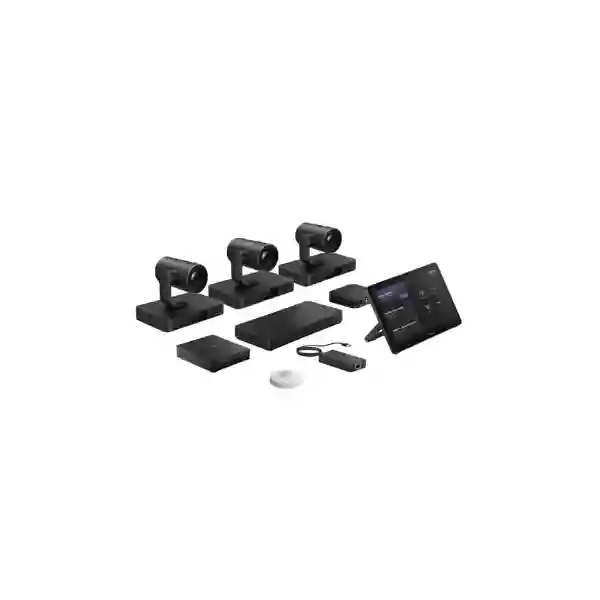
The Yealink MVC S98 Teams Rooms System is built for organizations that need a native Microsoft Teams Rooms environment in extra-large conference spaces, executive boardrooms, training rooms, classrooms and complex ProAV environments. It combines a fourth-generation MCore 4 room PC, MTouch Plus touch console, SmartVision 80 intelligent camera architecture, AVHub audio/video processing, RCH40 E2 PoE connectivity, RoomSensor environmental and occupancy sensing, and BYOD connectivity in a modular design that can be adapted to demanding room layouts. For Tanzania buyers, the most important step is not simply ordering the kit; it is defining the room geometry, seating plan, camera sightlines, audio coverage, display arrangement, network readiness and desired Teams workflow so the finished room performs as a coherent collaboration system.
Designed for extra-large rooms
Yealink positions MVC S98 for extra-large and ProAV spaces where multiple camera views, flexible audio and structured control are required.
AI multi-camera collaboration
SmartVision 80 cameras provide intelligent framing and tracking capabilities, while AVHub supports complex multi-camera layouts for larger collaboration spaces.
Modular ProAV integration
The system can be planned with Yealink professional audio components or integrated into broader ProAV designs where room requirements call for ceiling microphones, DSP and installed loudspeakers.
What the Yealink MVC S98 Includes
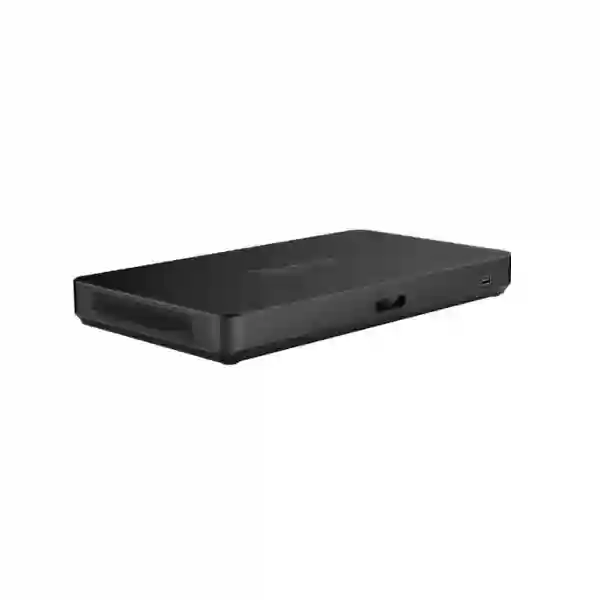
The MVC S98 platform is centered on the MCore 4 Microsoft Teams Rooms computer and the MTouch Plus touch console. Official Yealink material describes MCore 4 with an Intel Core Ultra 5 processor, integrated NPU, 16 GB DDR5 memory and 256 GB SSD storage, along with three HDMI video outputs supporting CEC, HDMI input for 4K content sharing, USB connectivity, Bluetooth, Wi-Fi and an IP-based touch-console connection. Microsoft currently lists the MVC S98-C5U configuration among Teams Rooms certified systems, which is important for organizations standardizing meeting-room technology around a supported Microsoft Teams Rooms platform.
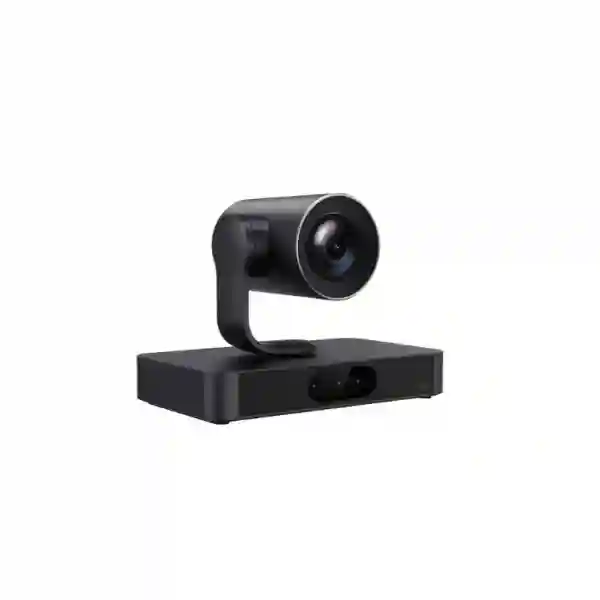
Video is handled by the SmartVision 80 intelligent camera family. Yealink describes it as a four-lens design that combines PTZ and electronic camera views, including a 20x optical PTZ capability and AI functions such as IntelliFocus, speaker tracking, presenter tracking, video fence, picture-in-picture, auto framing and IntelliFrame. Standard MVC S98 bundles documented by Yealink can include three SmartVision 80 cameras, allowing a large room to present participants from more useful angles than a single camera positioned at the front. When used with AVHub, Yealink documents support for larger multi-camera topologies, including deployments with up to nine cameras depending on the designed solution.
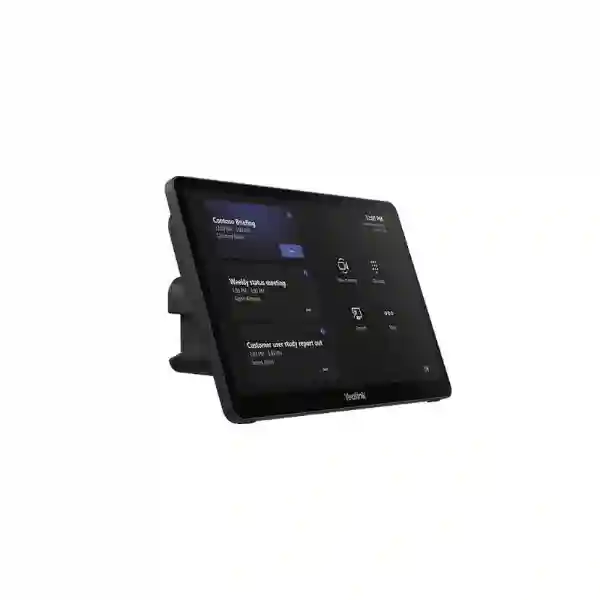
MTouch Plus provides an 11.6-inch full-HD touch interface for meeting control and content-sharing workflows. RoomSensor can report occupancy, temperature, humidity and light conditions. RCH40 E2 provides PoE-oriented connectivity within the room architecture, while the BYOD element allows organizations to use the room’s professional camera and audio resources from a connected laptop when a non-native meeting workflow is required. The exact bill of materials can vary by MVC S98 package, market and project design, so a quotation should identify the complete part list rather than assuming every accessory or audio device is bundled in every SKU.
Why the MVC S98 Is Different from a Basic Video Bar
A video bar is often ideal for a small or medium room because the camera, microphones and speakers are integrated into one appliance. An extra-large boardroom, training room or divisible meeting environment creates a different engineering problem. Participants may sit far from the main display, presenters may move around the room, tables may be arranged in U-shapes or classroom rows, and audio may need to be distributed through ceiling microphones and installed loudspeakers. The MVC S98 addresses this type of room by separating compute, control, cameras, AV processing and audio choices into a modular architecture.
That modular approach is valuable when the room must be designed rather than simply furnished. Camera quantity and angle can be planned around seating. Displays can be selected based on viewing distance. Audio can be matched to ceiling height, table arrangement and acoustic behavior. The network can be segmented and prepared for Teams traffic and room-device connectivity. Cable pathways, rack location, PoE requirements and service access can also be designed before installation. For organizations with premium executive rooms or high-utilization training facilities, these practical details often determine whether the final system feels effortless or complicated.
Key Verified Capabilities
Four-lens intelligent camera design with PTZ and electronic camera views, 20x optical PTZ capability and AI-assisted framing and tracking functions.
Intel Core Ultra 5 architecture with integrated NPU, 16 GB DDR5 memory, 256 GB SSD, multiple HDMI outputs, HDMI input and USB connectivity.
11.6-inch 1920 × 1080 touch console supporting flexible tabletop or wall-oriented deployment and content-sharing workflows.
Centralized AV processing used for multi-camera designs, custom layouts and more advanced ProAV room configurations.
Planning the Room Before Purchase
Before requesting pricing, define the room dimensions, ceiling height, seating capacity, table shape, presenter position, primary and secondary display locations and any requirement to combine or divide the room. Identify whether the organization will use Microsoft Teams Rooms as the standard meeting workflow and whether users also need BYOD access for other platforms. Confirm where cameras can be mounted without obstruction, where microphone pickup must reach, how loudspeakers should cover the audience and where the MCore, AVHub, switches and associated power will be located.
Network preparation should include reliable internet bandwidth, structured cabling, suitable switch capacity, PoE planning where applicable, stable DNS and time services, and enterprise security rules that do not disrupt Teams Rooms operation. Large meeting spaces should also be evaluated for acoustics. Glass walls, hard floors, exposed ceilings and long reverberation times can reduce intelligibility even when premium microphones are installed. In such rooms, an audio plan using ceiling microphones, DSP and correctly placed loudspeakers may produce a better result than adding more tabletop devices.
For a broader collaboration project in Tanzania, FourTeck’s Tanzania business technology portfolio provides context for network, display, security and collaboration dependencies. Buyers planning a complete meeting-room implementation can also review FourTeck Tanzania services for integration-oriented requirements. Regional projects outside Tanzania can be coordinated through FourTeck UAE, FourTeck Kenya and FourTeck Uganda where the surrounding project scope makes those markets relevant.
Yealink MVC S98 Teams Rooms System Tanzania
For organizations in Tanzania, the Yealink MVC S98 is best considered as a meeting-room infrastructure project rather than a standalone appliance purchase. Large corporate boardrooms, government meeting spaces, universities, training centers, financial institutions, energy companies, telecom organizations and enterprises with regional management teams may need a room that supports consistent Microsoft Teams participation for many people at once. The MVC S98 provides the technical foundation for that type of space, but the final experience depends on how the cameras, displays, audio, cabling and network are engineered around the room.
A Tanzania procurement brief should begin with room dimensions and seating. If the room is long, a single front camera may not provide equally useful views of participants at the rear. Multiple SmartVision 80 cameras can be positioned to capture different seating zones, while AVHub allows those feeds to be coordinated as part of the room design. Presenter tracking can be particularly relevant in training spaces where a speaker moves between a presentation screen, lectern and audience. In a boardroom, the priority may instead be natural close-up views of active speakers while keeping remote attendees aware of the wider room context.
Audio requires the same level of planning. A quiet executive room with an acoustically treated ceiling has different needs from a reverberant training hall. Buyers should define whether they prefer ceiling microphones, tabletop pickup or integration with an existing third-party DSP architecture. Yealink documents compatibility with professional audio options and ProAV integration, but the correct device mix should be confirmed against the selected room design. The quotation should also state the number of displays, mounting hardware, HDMI extension, switching requirements, cable pathways and any UPS protection required for the room equipment.
For Tanzania deployments, it is useful to include the existing LAN and internet environment in the design review. Microsoft Teams Rooms depends on stable cloud connectivity, so conference-room technology should not be isolated from broader network planning. Managed switching, VLAN policy, Wi-Fi considerations, firewall rules and resilient power can all affect reliability. A useful quotation request therefore includes the exact MVC S98 package required, number of cameras, audio approach, display sizes, room-controller position, installation location and whether commissioning, user orientation and post-installation support are part of the requested scope.
Yealink MVC S98 Teams Rooms System Dar es Salaam
Dar es Salaam organizations frequently operate in headquarters, multi-floor offices, hotels, conference facilities and customer-facing commercial buildings where meeting rooms are heavily used and expected to support local and international collaboration. In these environments, the MVC S98 can be appropriate when the space is too large or too operationally important for a simple all-in-one video bar. Procurement teams should identify whether the room is an executive boardroom, a training facility, a multipurpose conference room or a divisible space because those use cases influence camera placement, audio design and control workflows.
In a boardroom, participants are commonly seated around a long central table. The key design question is whether each participant can be seen at a natural angle without remote attendees constantly looking at the side of a person’s face. Multiple SmartVision 80 cameras provide design flexibility for this problem. A camera can be positioned to cover the principal seating zone while additional cameras cover the opposite end, presenter area or side seating. The AVHub layer is important because it turns those cameras into an organized room system rather than a collection of independent USB devices.
Dar es Salaam projects should also address building infrastructure early. Premium meeting rooms often contain decorative finishes, concealed ceilings and large displays, which can make late cabling changes expensive. Before interiors are closed, confirm pathways for network, HDMI, USB extension where applicable, microphone cabling, loudspeaker cabling and power. If the room will use ceiling microphones or installed speakers, coordinate with the ceiling and electrical contractors so device locations are compatible with lights, air-conditioning diffusers, sprinklers and access panels. This coordination reduces the risk of compromising audio pickup or creating visible cabling after the fit-out is complete.
A Dar es Salaam quotation should separate the core Teams Rooms bundle from room-specific items. Those items may include displays, mounts, additional cameras, microphone and speaker systems, DSP, network switching, rack hardware, cabling and installation services. Buyers should also specify whether existing AV equipment must be reused. Compatibility can then be checked before purchase rather than discovered during commissioning. The objective is a room where users can walk in, start the scheduled Teams meeting from MTouch Plus and communicate naturally without needing a technician for routine calls.
Yealink MVC S98 Teams Rooms System Mwanza
In Mwanza, the MVC S98 can serve organizations that coordinate distributed teams, regional operations, education, healthcare administration, manufacturing, logistics and public-sector activities across a wide geography. A large collaboration room can reduce the need for frequent travel when remote participants are able to see speakers clearly, follow presentations and hear discussion without interruption. The value of the system is therefore connected to room usability and network reliability, not simply camera resolution or processor specifications.
For a Mwanza site, start by mapping how the room is used during a normal week. A training room may host instructor-led sessions in the morning, management meetings later in the day and external Teams calls with partners at other times. That mixed usage favors a flexible design. SmartVision 80 presenter tracking can support a moving instructor, while multi-camera coverage can show seated participants. BYOD capability can be useful when an external trainer needs to connect a laptop for a platform or application outside the normal Teams Rooms workflow. The room controller should be placed where it can be reached easily without blocking the meeting table.
Connectivity deserves special attention when the site relies on variable or shared internet capacity. The room should have a predictable wired network path to the collaboration infrastructure wherever possible, with bandwidth policies that prevent large local transfers from overwhelming meeting traffic. If the organization uses redundant internet connections, the network team should test failover behavior before declaring the room operational. A successful Teams room needs stable DNS, routing and security policies as well as sufficient raw bandwidth. Power protection should also be considered for the MCore, AVHub, networking and displays so brief power disturbances do not force every device to reboot independently.
When requesting the MVC S98 for Mwanza, buyers should provide room photos or a floor plan if available, approximate seating count, ceiling type and height, display wall position and the distance from the front of the room to the furthest participant. Those details help determine whether the standard camera arrangement is sufficient or whether a more complex configuration should be designed. They also help estimate cable lengths, mounting hardware and installation effort, making the commercial proposal more meaningful than a quote for only the base product kit.
Yealink MVC S98 Teams Rooms System Arusha
Arusha has a strong mix of hospitality, international organizations, development agencies, educational institutions, tourism businesses and corporate offices that may host meetings involving participants from multiple countries. In those environments, a premium Teams Rooms system can support formal board meetings, project workshops, training sessions and hybrid conferences. The MVC S98 is particularly relevant when the room has more participants than a conventional medium-size video bar can cover comfortably or when the room needs multiple camera views and installed audio.
A common planning challenge in hospitality and conference settings is that furniture layouts change. Classroom seating may become a U-shape, or a conference room may be divided into smaller spaces. If the room is expected to change configuration, the AV design should anticipate those modes from the start. Camera positions, microphone zones and loudspeaker coverage should work for the primary configurations rather than only for one furniture plan. Yealink’s ProAV positioning and AVHub architecture are useful in this context because they support more deliberate multi-camera and audio designs than a fixed front-of-room appliance.
Lighting should be evaluated with equal care. Large windows, bright presentation screens and uneven lighting can make faces difficult to capture even with capable cameras. During design, consider where sunlight enters the room at different times of day, whether blinds are available, and whether the camera will be facing directly toward a window. The SmartVision 80 cameras should be mounted at practical heights that preserve natural eye lines while avoiding obstructions. In training rooms, presenter movement should be tested across the actual teaching area so the tracking behavior supports the intended workflow.
Arusha buyers should also decide who will administer the room after installation. A premium system should have documented device names, network information, cable routes and basic recovery procedures. If room staff or IT teams need to switch between native Teams Rooms meetings and BYOD use, user orientation should be included in commissioning. A quotation request that describes the room’s hospitality, training or corporate usage enables the solution to be planned around real events rather than only around a generic occupancy number.
Yealink MVC S98 Teams Rooms System Dodoma
Dodoma organizations may use large meeting spaces for administrative coordination, government and institutional meetings, higher education, project review, public-sector collaboration and enterprise management. Such rooms often have formal seating arrangements and may need to connect many in-room participants with remote colleagues or external stakeholders. The MVC S98 provides a modular Teams Rooms foundation for these demanding environments, with the ability to coordinate multiple camera views and professional audio components around the room.
For formal committee or board-style rooms, the design should focus on equality of participation. Remote attendees should not see only a distant wide shot in which speakers are difficult to recognize. Multiple SmartVision 80 cameras can be positioned to capture different sections of the room, while intelligent tracking and framing can help bring active speakers forward in the remote experience. Display placement should allow in-room attendees to see remote participants and shared content without repeatedly turning away from the discussion. In some rooms, dual or multiple displays may be preferable, but the exact display topology should be chosen around the seating plan and content workflow.
Audio design should be approached as an acoustic problem. Long conference tables, high ceilings and hard surfaces can create reflections that reduce speech clarity. Ceiling microphone systems and distributed loudspeakers may be appropriate, but their quantity and placement should be calculated from room dimensions and device characteristics rather than selected by guesswork. If there is an existing DSP or installed sound system, provide model details during the design stage so integration can be assessed before ordering the MVC S98 components.
For procurement in Dodoma, document the intended Microsoft Teams licensing and account model as part of the wider deployment planning, while keeping licensing separate from assumptions about the hardware bundle. Confirm who will create and manage the room resource account, how the room will be monitored, and which team owns network and endpoint administration. A well-defined ownership model helps prevent situations where AV, network and Microsoft 365 teams each assume another group is responsible for the room. The final scope should include hardware, accessories, installation, configuration, testing and handover requirements as separate line items where appropriate.
Yealink MVC S98 Teams Rooms System UAE
For UAE businesses, the Yealink MVC S98 fits premium boardrooms, enterprise training centers, regional headquarters and ProAV spaces where Microsoft Teams Rooms is a core collaboration platform. The market includes many new office fit-outs and high-specification meeting spaces, so the system is often evaluated alongside room automation, large-format displays, acoustic treatment, integrated ceiling audio and structured rack environments. In these projects, the MVC S98 should be designed as part of the overall AV and IT architecture, not specified in isolation.
The most useful first step is to create a room technology schedule. List the MVC S98 core components, camera quantities, audio devices, displays, mounts, control interfaces, switching, rack equipment and cabling. Then map each item to its physical location and required connection. This process helps architects, MEP teams, AV integrators and IT staff avoid clashes and incomplete cable pathways. For a divisible room, define exactly how the system should behave when the partition is open and when it is closed. Audio zones, camera control and display routing may require more advanced integration than a standard boardroom.
UAE projects may also place a high value on BYOD flexibility because visiting executives, partners and clients may use different collaboration platforms. The MVC S98 platform includes a BYOD path in supported bundles, enabling the professional room peripherals to be used from a laptop. That capability should be demonstrated during handover so users understand the difference between the native Teams Rooms workflow and BYOD mode. Cable access should be intuitive and clearly labeled so users do not disconnect core system connections while trying to attach a laptop.
When sourcing for UAE deployment, confirm the exact regional part number, warranty terms, audio bill of materials and installation scope with the supplier at quotation stage. Large rooms can vary significantly even when their seating capacities are similar, so a site survey or detailed drawings may be required before finalizing quantities. The strongest commercial comparison is not only the hardware price; it is whether each proposal includes all the components and services required to deliver the room outcome without costly additions during commissioning.
Yealink MVC S98 Teams Rooms System Uganda
Uganda enterprises, institutions and multi-site organizations can use the MVC S98 to create a high-capacity Microsoft Teams Rooms environment for leadership meetings, training, education and regional coordination. The system is especially relevant where many people share one meeting space and remote participants need a clearer view of active speakers than a single wide-angle camera can provide. For organizations linking Kampala with up-country offices or international partners, room reliability can become an operational requirement rather than a convenience.
The design process should separate the collaboration platform from the room’s physical infrastructure. Teams Rooms provides the software workflow, but the room still depends on network switching, internet access, displays, audio, power and cabling. SmartVision 80 cameras should be positioned based on real participant locations. AVHub should be located where it remains accessible for service. MTouch Plus should be reachable from the primary user position. If ceiling audio is planned, the ceiling grid and acoustic behavior should be assessed before microphone locations are finalized.
For Uganda deployments, network resilience should be tested under normal business conditions. A conference room may appear to work during quiet commissioning hours but struggle when the office is fully occupied and WAN usage increases. Teams traffic should be considered in the wider network capacity plan, and redundant internet paths should be tested if the organization depends on them. Power protection is equally important because simultaneous reboot cycles across displays, compute, AV processors and switches can create unnecessary recovery delays after interruptions.
A procurement request should state the expected number of participants, room dimensions, preferred audio design, camera quantity, number and size of displays and whether existing equipment will be retained. Organizations with multiple sites may also benefit from standardizing room documentation and naming conventions so support teams can identify devices consistently. The MVC S98 can then become part of a repeatable collaboration-room standard rather than a one-off installation whose configuration is known only to the original installer.
Yealink MVC S98 Teams Rooms System Kampala
In Kampala, large private-sector headquarters, banks, telecom companies, NGOs, universities and regional offices may require collaboration rooms that are used throughout the day by different teams. The MVC S98 is suited to environments where the room must support large audiences, multiple seating zones or premium executive meetings. The system’s modular architecture allows the video and audio design to be shaped around the room rather than requiring the room to adapt to a single fixed camera or microphone position.
A Kampala boardroom project should consider camera sightlines before furniture is finalized. Tall monitors, decorative partitions, flowers and laptop screens can obstruct low-mounted cameras. Conversely, a camera mounted too high can create an unnatural top-down view. The goal is to place cameras near natural eye level while maintaining clear views of the target seating zones. Multiple SmartVision 80 cameras provide options, but each additional camera should have a defined purpose: front table coverage, rear audience coverage, presenter tracking or a secondary angle for specific room modes.
The room’s audio design should also be documented by zones. Identify where participants sit, where presenters stand and where remote audio needs to be reproduced. If ceiling microphones are chosen, confirm their coverage relative to the table and ceiling height. If a DSP is part of the solution, define how echo cancellation, microphone mixing and loudspeaker feeds will be managed. This engineering work is what turns the MVC S98 into a professional room rather than a collection of premium components.
For purchasing, Kampala organizations should ask for a detailed bill of materials and installation scope. Clarify whether the proposal includes only the MVC S98 core bundle or also covers displays, audio, mounts, cables, network equipment, rack accessories and commissioning. Ask how BYOD operation will be presented to users and how the room will be handed over to internal IT. Clear documentation at quotation stage helps teams compare proposals on equivalent scope and reduces disputes about accessories that were assumed but not specified.
Yealink MVC S98 Teams Rooms System Arua
For organizations operating in Arua, a high-quality collaboration room can support management coordination, education, development programs, healthcare administration and communication with teams located elsewhere in Uganda or internationally. The MVC S98 is most suitable when the room is genuinely large or complex enough to benefit from multiple cameras, professional audio and a dedicated Teams Rooms control workflow. Smaller rooms may be served more efficiently by a simpler Yealink room system, so room sizing should be completed before selecting the S98.
Where the MVC S98 is appropriate, the system should be designed around maintainability. Equipment should be mounted and cabled so local IT staff can identify and access components without dismantling furniture or decorative finishes. Cable labels, port maps and device names should form part of handover. If the site depends on remote technical support, good documentation becomes even more valuable because a support engineer can guide local staff through checks without needing to guess how the room was wired.
Internet quality should be evaluated realistically. A collaboration room should not rely solely on peak advertised bandwidth; consistency, latency, packet loss and congestion matter during live meetings. If the organization has more than one internet connection, the failover design should be tested with an active Teams call. The network should also provide appropriate wired connectivity for room devices and avoid unnecessary dependence on congested Wi-Fi for fixed infrastructure. UPS protection can help the room survive brief interruptions and allow orderly recovery during longer outages.
Arua buyers can improve quotation accuracy by providing a floor plan, photos and a description of how many people normally attend meetings. State whether the system will be used for board meetings, teaching, training or mixed events. If remote presenters need to see the full audience, specify that requirement. If in-room participants frequently share laptop content, describe how they prefer to connect. These operational details help determine whether the standard MVC S98 configuration is enough or whether additional audio, camera or connectivity components are justified.
Yealink MVC S98 Teams Rooms System Mbarara
Mbarara organizations with regional management, education, healthcare, agriculture, finance or commercial operations may use a large Teams Rooms environment to connect local teams with headquarters, branches and external partners. The MVC S98 can be appropriate for meeting spaces where many people participate in the same session and where a single fixed view would make remote collaboration impersonal. Multi-camera design allows the room to show speakers and presentation areas more naturally, while the MTouch Plus interface keeps routine meeting control accessible to users.
The room should be assessed for two kinds of capacity: physical and digital. Physical capacity covers seating, camera coverage, microphone pickup and display viewing distance. Digital capacity covers internet bandwidth, LAN performance, security policies and the ability of the environment to support a dedicated Teams Rooms endpoint reliably. Both must be sufficient. A well-equipped room with weak connectivity can still deliver a poor meeting, while excellent connectivity cannot compensate for distant microphones or blocked camera views.
Mbarara deployments should also include a plan for content sharing. Determine whether users mainly share from scheduled Teams meetings, use an HDMI or USB-C connection, or frequently host guests who bring their own laptops. The MVC S98 architecture supports flexible sharing and BYOD scenarios, but the user interface must be simple enough that staff do not need technical assistance for ordinary meetings. Connection points should be clearly marked and placed where cables are not stretched across walking paths or conference tables.
When evaluating suppliers, request a complete project scope that identifies which items are Yealink components and which are room-specific accessories or third-party infrastructure. Confirm whether installation includes camera alignment, Teams Rooms configuration, audio tuning, display setup, network checks, test calls and user orientation. This approach makes it easier to compare the real cost of a working room rather than comparing only base hardware prices. It also provides a clearer foundation for maintenance because the final system configuration is documented from the beginning.
Yealink MVC S98 Teams Rooms System Gulu
In Gulu, the MVC S98 can support institutions and enterprises that run large internal meetings, training, education, development programs or coordination sessions with remote participants. A high-capacity conferencing room can help teams collaborate without moving every participant between cities, but the system must be reliable enough that users trust it for important meetings. This makes installation quality, network readiness and user training as important as the product specifications.
A practical Gulu design should begin with the most common seating arrangement. If the room is classroom-style, camera coverage should include both the instructor and the audience. Presenter tracking can support movement at the front of the room, while other cameras provide participant views. If the room is used for committee meetings, the camera layout may instead prioritize seated speakers. The AVHub layer enables these camera sources to be managed within a more sophisticated room design, but each configuration should be tested using real meeting scenarios rather than only technical test patterns.
Audio should be tested from the quietest and loudest speaking positions. People at the back of a large room should not need to raise their voices unnaturally for remote participants to hear them. Likewise, in-room loudspeaker placement should allow remote speech to remain intelligible throughout the audience area without excessive volume near the front. Ceiling systems can be effective where the room and budget support them, while other layouts may use different professional audio arrangements. The correct design is determined by acoustics and room geometry.
For Gulu procurement, include spares and service strategy in the planning discussion. A large room may be business-critical even if it is used only a few times each week. Document who will support the system, how faults are reported and which common checks local IT can perform. Maintain a record of firmware, account configuration and network settings. These steps reduce dependency on a single installer and help the organization preserve the value of the MVC S98 investment over its operational life.
Yealink MVC S98 Teams Rooms System Kenya
Kenya organizations with regional headquarters, financial services operations, technology companies, universities and multinational offices often require premium Microsoft Teams Rooms that can handle large groups and demanding hybrid collaboration. The MVC S98 is suitable for this upper tier of meeting space because it combines native Teams Rooms compute and control with a modular multi-camera and ProAV architecture. It should be considered where room complexity justifies that flexibility rather than simply because it is the highest model in a product family.
For a Nairobi or broader Kenya deployment, the room design should be coordinated with AV, IT and interior teams. Large displays may require structural backing and power. Cameras need mounting positions with unobstructed sightlines. Ceiling microphones and speakers must avoid lighting and HVAC conflicts. AVHub and MCore need accessible equipment locations with appropriate ventilation and service space. Network cabling should be terminated and tested before commissioning. When these dependencies are addressed during fit-out, the final Teams Room is easier to deliver and maintain.
Organizations with multiple offices can also use the project to establish a standard. Define room categories such as small, medium, large and extra-large, then assign a preferred architecture to each category. The MVC S98 can serve as the extra-large template while simpler Yealink systems serve smaller spaces. Standard naming, diagrams, account configuration, cable labeling and monitoring practices reduce support complexity. Users also benefit because the meeting workflow feels consistent even when room hardware differs by size.
Commercial evaluation should include licensing responsibilities, warranty, installation, commissioning and post-installation support alongside hardware. Confirm whether professional audio is included or must be quoted separately. Ask for the exact camera quantity and accessory list. If the room is divisible or integrates third-party DSP equipment, request a specific design rather than relying on a generic bill of materials. A detailed proposal makes it easier for procurement teams to compare competing solutions and confirm that each one delivers the same functional outcome.
Yealink MVC S98 Teams Rooms System Kuwait
Kuwait enterprises and institutions can deploy the MVC S98 in executive boardrooms, large training facilities and premium conference spaces where Microsoft Teams Rooms is expected to operate as a dedicated room system. The modular design is useful for projects where the architecture includes integrated AV racks, ceiling microphones, DSP, installed loudspeakers and multiple displays. Rather than forcing a simple meeting appliance into a complex room, the MVC S98 provides components that can be incorporated into a more deliberate ProAV design.
Room acoustics should be addressed before selecting audio quantities. Hard walls, glass, stone and reflective ceilings can create long reverberation, reducing speech intelligibility. In a premium boardroom, acoustic treatment may improve the user experience as much as changing microphones. A design review should therefore consider finishes, ceiling height, table dimensions and HVAC noise. The professional audio system can then be selected and tuned around the actual environment. If a third-party DSP or installed amplifier is already present, provide its model and signal-flow details during compatibility planning.
Video design should account for both seated meetings and presentation scenarios. SmartVision 80 cameras can provide separate angles, while presenter tracking helps in spaces where instructors or speakers move. Display configuration should support remote participant video and shared content without making users choose between them. MCore 4 provides multiple video outputs, but the final display topology must still be designed around the room and the Microsoft Teams Rooms behavior expected by the customer.
For Kuwait procurement, request the exact regional package and confirm which accessories are included. Some MVC S98 bundles include defined camera quantities and BYOD components, while audio may be selected separately according to project needs. The quotation should clearly distinguish manufacturer kit contents from integrator-supplied displays, mounts, cables, rack equipment and labor. This clarity is particularly important in high-specification meeting spaces where the supporting AV infrastructure can represent a substantial portion of the complete project cost.
Yealink MVC S98 Teams Rooms System Ghana
Ghana organizations can use the MVC S98 for large collaboration spaces in corporate headquarters, financial institutions, education, public-sector facilities and regional operations. Accra-based organizations with international stakeholders may especially value a dedicated Teams Rooms system that reduces the friction of connecting large in-room groups with remote participants. The MVC S98’s multi-camera approach can give remote attendees clearer speaker views than a single distant camera, while professional audio integration supports rooms where tabletop pickup alone is insufficient.
A Ghana deployment should start with a room survey that captures dimensions, seating, ceiling construction, lighting and existing AV. If the room already has displays, microphones or speakers, record their make, model and available inputs before assuming they can be reused. Compatibility and signal routing should be verified. Reusing suitable infrastructure can reduce project cost, but retaining incompatible equipment can create more integration effort than replacing it. The final design should favor reliability and straightforward support.
Network and power resilience should be included in the scope. The room should have stable connectivity to Microsoft cloud services and adequate LAN capacity for its devices. Managed network infrastructure makes it easier to separate and troubleshoot room traffic. UPS protection can keep critical room components and network equipment running through brief power events, although total runtime must be sized according to the connected load. For high-profile rooms, organizations may also want monitoring and a documented recovery procedure so support teams can restore service quickly after disruptions.
When requesting a quotation in Ghana, specify whether the need is supply only or a complete installed meeting-room solution. A complete scope may include cameras, room compute and control, AVHub, professional audio, displays, mounting, structured cabling, network upgrades, installation, commissioning and user orientation. Separate these elements in the proposal so procurement can see exactly what is included. The resulting comparison will be more useful than evaluating the MVC S98 kit price alone because the business objective is a working Teams Room, not an unopened hardware box.
Yealink MVC S98 Teams Rooms System Nigeria
Nigeria’s large corporate, banking, energy, telecom, technology, education and public-sector environments can require conference spaces that connect significant in-room audiences with distributed teams. The MVC S98 is positioned for this extra-large room class and provides the modular elements needed to build a professional Microsoft Teams Rooms experience. The most important selection question is whether the room needs multi-camera coverage, ProAV audio and flexible integration; if it does, the S98 can provide a stronger design foundation than a compact meeting appliance.
Large rooms in Lagos, Abuja or other business centers may contain long tables, multiple display surfaces and varied lighting. Camera design should be modeled around the actual seating zones. A single front camera can leave distant participants too small in the image, so multiple SmartVision 80 units can create more useful angles. Intelligent speaker and presenter functions can reduce manual camera control, but camera locations still need to be engineered carefully. AI features cannot compensate for a lens that is blocked by furniture or pointed into strong backlight.
For audio, identify the furthest speaking position and test the acoustic environment. High ambient noise and reverberation can reduce intelligibility. Ceiling microphones and installed speakers may be appropriate for executive and training rooms, especially when combined with DSP processing. Where third-party audio infrastructure already exists, integration should be reviewed before procurement. The MVC S98 should be treated as part of a signal chain that includes microphones, DSP, amplification and loudspeakers rather than as the entire acoustic solution by itself.
Nigeria buyers should also consider supportability across multiple office locations. Standard room diagrams, labeled equipment, documented network settings and repeatable Teams account configuration can simplify troubleshooting. For large enterprises, create a checklist for quarterly inspection of cables, camera operation, touch control, content sharing, room account status and firmware. This operational discipline helps the organization maintain meeting quality after the initial installation and gives support teams clear information when a fault occurs.
Yealink MVC S98 Teams Rooms System Seychelles
Seychelles organizations in hospitality, government, financial services, tourism management, education and international business may need premium collaboration rooms to connect island-based teams with partners abroad. In such settings, a dependable video meeting room can reduce travel and support faster decision-making. The MVC S98 is appropriate for larger rooms and conference facilities where several camera views, dedicated Teams Rooms control and professional audio integration are required.
Hospitality environments create specific design considerations. Conference rooms may be reconfigured for board meetings, training, seminars or hybrid events. If furniture changes frequently, the camera and microphone design should support the most important layouts without extensive re-cabling. Wall and ceiling mounting positions should be chosen to remain useful across those layouts. BYOD functionality can also be valuable when visiting guests need to use a collaboration platform other than the organization’s standard Teams Rooms workflow.
Because island logistics can make service visits and replacement planning more consequential, documentation and remote support readiness are important. Equipment should be labeled, configuration information should be recorded and the internal IT or facilities team should know how to perform basic checks. If the organization maintains spare cables, adapters or other common accessories, those should be documented as part of the room standard. The objective is to minimize downtime caused by simple connection or configuration issues.
A Seychelles quotation should therefore include both the collaboration equipment and the practical deployment requirements. Confirm camera quantity, display arrangement, audio topology, rack or cabinet needs, cable lengths and mounting hardware. Ask whether remote commissioning support or on-site integration is included. Clarify warranty and replacement procedures without assuming local stock or guaranteed delivery times. A realistic scope gives procurement teams a clearer picture of the total room investment and helps ensure that the finished system suits the venue’s actual event and meeting patterns.
Compatibility, Integration and Audio Choices
The MVC S98 is a Microsoft Teams Rooms on Windows solution. Organizations should plan it within their Microsoft 365 and Teams administration model, including a room resource account and the appropriate Teams Rooms licensing selected by the customer. Hardware certification and software licensing are separate considerations: a certified room system still requires the organization to configure its Microsoft environment correctly. Identity, network access, conditional access policy and device administration should be reviewed before deployment where enterprise controls are strict.
For ProAV audio, Yealink documents integration options that include its CM50 ceiling microphone, CS10-D ceiling loudspeaker and AP08 DSP platform. The best combination depends on the room. A training room with 30 people seated in rows may require different pickup and playback from a boardroom with 16 people around one table. Third-party DSP integration may also be possible in supported designs, but the specific signal flow should be validated against current Yealink documentation and the selected DSP rather than assumed.
Quotation Checklist
For a useful MVC S98 quotation, provide the room dimensions, seating capacity, seating layout, ceiling height, Microsoft Teams requirement, number of displays, preferred display size, camera coverage expectations, presentation area, desired audio style, existing microphones or DSP, available network connections, rack or cabinet location, cable pathways, BYOD requirement and whether installation and commissioning are required.
Also specify whether the room is fixed, reconfigurable or divisible. If possible, include floor plans, photos and a reflected ceiling plan. These inputs help determine the correct camera, audio and cabling architecture and reduce the risk of hidden additions after procurement approval.
Frequently Asked Questions
What room size is the Yealink MVC S98 designed for?
Yealink positions MVC S98 for extra-large and ProAV meeting spaces, including boardrooms, classrooms, training rooms and complex collaboration rooms. Exact suitability should be based on room dimensions, seating and required AV coverage rather than participant count alone.
How many SmartVision 80 cameras are included?
Current Yealink documentation for the MVC S98-C5U bundle describes three SmartVision 80 cameras in the standard set. Project designs can use broader multi-camera architectures with AVHub, but the exact package and camera quantity should always be confirmed on the quotation.
Does MVC S98 include room audio?
Some documented core kits are supplied without room audio because professional audio is selected according to the meeting space. Yealink supports its own ProAV audio options and integration scenarios. Buyers should confirm microphones, DSP and loudspeakers as explicit line items.
Can users connect their own laptop?
Supported MVC S98 bundles include BYOD connectivity so a laptop can use the room’s professional AV resources. The exact BYOD accessory and connection method should be verified for the package being purchased.
Is the Yealink MVC S98 Microsoft Teams certified?
Microsoft currently lists the MVC S98-C5U platform, including MCore 4, MTouch Plus, RoomSensor, AVHub and SmartVision 80, in its Teams Rooms certified systems information.
Decision Recap
Choose the Yealink MVC S98 when the room is large enough to justify multiple intelligent cameras, when Microsoft Teams Rooms is the primary collaboration platform, when professional audio must be integrated around the space, and when the project requires a modular ProAV architecture rather than a simple appliance. Before purchase, validate the exact kit contents, room audio, camera quantity, displays, network readiness, cabling and deployment services. This planning approach protects the investment and helps the finished room deliver the experience expected from a premium Microsoft Teams Rooms installation.
Plan Your MVC S98 Room with FourTeck Tanzania
Share your room dimensions, seating layout, preferred Microsoft Teams workflow, display requirements, audio expectations and any existing AV equipment. FourTeck Tanzania can use those details to discuss product selection, integration requirements and a project quotation without assuming stock, delivery timing or a one-size-fits-all room design.




Reviews
There are no reviews yet.