
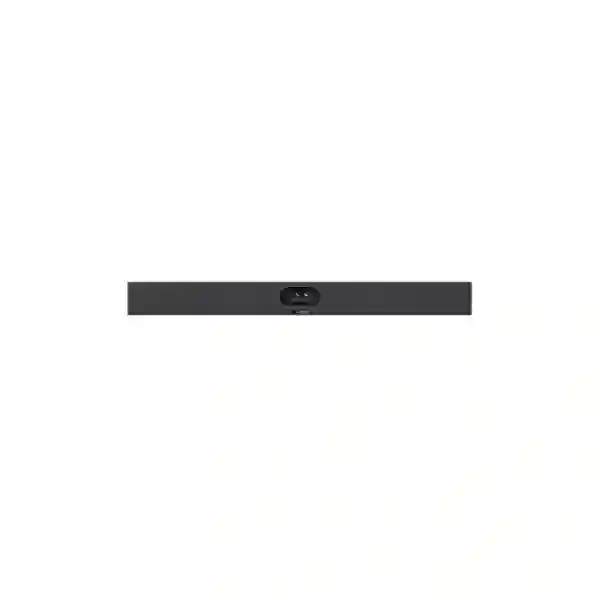
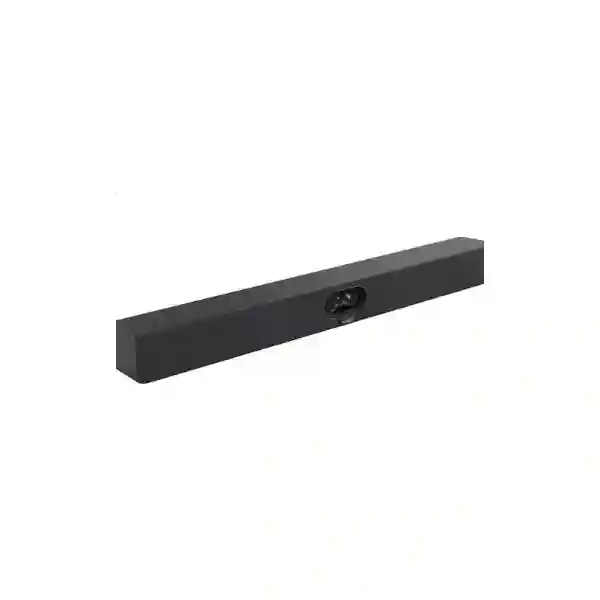
Yealink SmartVision 40 Conference Camera
The Yealink SmartVision 40 is an intelligent all-in-one audio and video collaboration system created for small-to-medium meeting rooms. It brings the camera, microphone array, speakers and AI-assisted participant framing into a single room device, helping organisations reduce the complexity that often comes with separate conferencing components. For businesses in Tanzania planning Microsoft Teams Rooms, hybrid meeting spaces, executive conference rooms or modern collaboration areas, SmartVision 40 provides a practical foundation with high-resolution video, wide room coverage and integrated sound.
Yealink specifies two 48MP cameras, a 120° diagonal field of view, 4K video at 30 frames per second, 6x digital zoom, an 8-element MEMS microphone array, a 6-metre voice pickup range, stereo speakers and support for two expansion microphones. AI functions include IntelliFocus, Multi-Stream IntelliFrame, Video Fence, Auto Framing, Speaker Tracking, image enhancement features and Picture-in-Picture modes. An automatic lens cover supports privacy when the room camera is not active.
Two fixed-focus cameras combine their images for high pixel density and detailed meeting-room video.
A broad field of view helps capture participants seated across small and medium conference rooms.
The built-in MEMS microphone array supports a 6-metre pickup range with integrated noise and echo cancellation.
Auto Framing, Speaker Tracking, IntelliFocus, Multi-Stream IntelliFrame and Video Fence improve participant presentation.
What the Yealink SmartVision 40 Solves
Many meeting rooms become difficult to use because camera, microphone, speaker and cabling choices were assembled independently. SmartVision 40 consolidates those core functions into one device, which can simplify installation, support and user experience. The system is especially relevant when an organisation wants a room that works consistently for scheduled video meetings without asking users to reposition a webcam, select multiple audio devices or manage several pieces of hardware before each call.
Its wide viewing angle is useful for rooms where participants sit relatively close to the display, while its integrated audio design reduces the number of separate components on the table. The built-in microphone array is intended to capture normal speech across the room, and optional expansion microphones can be considered where seating layout or room dimensions justify additional pickup. Integrated stereo speakers provide local playback, so the room can operate as a coordinated audio-video environment rather than a collection of desktop peripherals.
For hybrid meetings, the AI functions can reduce the need for manual camera operation. Auto Framing can keep participants visible as the group changes, while Speaker Tracking focuses attention on the active talker. IntelliFocus and Multi-Stream IntelliFrame provide more advanced participant presentation in supported deployments. Video Fence can help the system concentrate on the intended meeting area rather than people or movement outside the selected room zone. These features are particularly useful for modern offices where meeting spaces are open, flexible or shared by multiple teams.
Verified SmartVision 40 Specifications
| Camera | 2 × 48MP, 120° diagonal field of view, 4K at 30 fps, 6x digital zoom, automatic lens cover, up to 9 camera presets |
| Microphones | 8 MEMS microphone array, 6-metre voice pickup range, 4-metre quality voice range, support for 2 expansion microphones |
| Audio processing | Noise cancellation, echo cancellation and full-duplex operation |
| Speakers | 2 × 10W stereo speakers; 48 kHz sampling rate |
| AI functions | IntelliFocus, Multi-Stream IntelliFrame, Video Fence, Auto Framing, Speaker Tracking, Image Super Resolution, Multi-Focus and Picture-in-Picture |
| Connections | USB 3.0 Type-B, USB 2.0 Type-A, USB-C, Yealink VCH RJ-45, 3.5mm line in/out, power, security lock, reset, HDMI-out and built-in Wi-Fi |
| Physical environment | Operating temperature 0–40°C; operating humidity 10–95% |
Meeting-Room Design and Integration Guidance
Selecting the SmartVision 40 should begin with room dimensions, seating layout, preferred collaboration platform and expected meeting behaviour. A camera with a 120° field of view can suit rooms where the display and camera are relatively close to participants, but camera placement still matters. Mounting too high can make conversations feel unnatural, while mounting too low can create an unflattering angle. For most rooms, the camera should be positioned close to the principal display so remote participants appear to be near eye level during conversation.
Audio should be assessed separately from video. A stated 6-metre pickup range is a useful design reference, but hard surfaces, air-conditioning noise, glass walls and room geometry can affect perceived audio quality. Optional expansion microphones may be appropriate for elongated tables or rooms where the furthest seats fall outside the preferred pickup zone. Display size also deserves attention: a room can have excellent camera quality yet still feel ineffective if remote participants or shared content are too small to read from the back of the table.
Network quality is another important dependency. Stable video conferencing requires adequate bandwidth, low packet loss, consistent latency and proper Wi-Fi or wired network design for all supporting devices. Businesses can review the broader FourTeck Tanzania collaboration and IT infrastructure portfolio when the project also involves switching, Wi-Fi, firewalls, displays or structured cabling. For broader regional requirements, the FourTeck UAE technology portfolio provides a useful regional reference for multi-country projects.
Yealink SmartVision 40 Tanzania
Organisations evaluating the Yealink SmartVision 40 in Tanzania typically need more than a camera specification. A practical purchase decision should consider the meeting platform, room dimensions, seating count, display arrangement, network readiness and the way users will actually start and manage meetings. SmartVision 40 is positioned for small-to-medium rooms, making it relevant for executive meeting rooms, departmental collaboration spaces, training rooms, customer briefing areas and management offices where users expect professional video without the complexity of a large custom AV installation.
The dual 48MP camera design and 120° field of view are useful in rooms where participants sit across a compact table and need to remain visible even when seated near the edges. The integrated 8-microphone array reduces table clutter, while the 6-metre pickup specification gives buyers a concrete reference when checking whether the room is within the intended operating envelope. If the room is longer or the seating extends beyond the preferred pickup area, support for two expansion microphones gives the design a path to broader coverage without replacing the primary device.
Tanzania buyers should also review connectivity and room infrastructure before ordering. Confirm the available wall or display mounting position, power outlet, cable route, display inputs and network access. If the organisation is standardising several rooms, remote device management can reduce the operational burden by making configuration and updates easier to coordinate. For offices with variable internet quality, network resilience, firewall policy and bandwidth planning are as important as the conferencing hardware itself.
For quotation preparation, it helps to provide room dimensions, seating capacity, preferred platform, number of rooms, display requirement and whether installation is needed. The FourTeck Tanzania contact page can be used to submit those details so the request can be evaluated as a complete meeting-room requirement rather than as an isolated device order.
Yealink SmartVision 40 Conference Camera Dar es Salaam
For businesses in Dar es Salaam, the SmartVision 40 can suit offices that need a dependable hybrid-meeting experience across management, sales, finance, operations and customer-facing teams. The city’s concentration of corporate offices, professional services, logistics organisations, education providers and regional headquarters creates frequent demand for meeting rooms that can connect local teams with colleagues, customers and partners elsewhere. An all-in-one device helps simplify those rooms because audio and video are handled together rather than through separate desktop accessories.
The first design question should be room geometry. A boardroom-style table, compact rectangular meeting room or shared collaboration area can all behave differently acoustically. The 120° diagonal field of view helps capture people seated across the front and sides of a table, while AI Auto Framing and Speaker Tracking can reduce manual camera adjustments during active discussion. If the room has glass walls, hard flooring or strong HVAC noise, microphone performance should be tested or planned carefully because acoustics can influence any conferencing solution.
Dar es Salaam deployments should also consider cable management and power. A clean installation around a wall-mounted commercial display usually improves reliability and makes the room easier for non-technical users. The supplied wall-mount approach can support a professional layout, while optional accessories can be evaluated where different mounting positions are required. Businesses deploying multiple meeting rooms should document device names, room assignments, network addressing and update responsibilities from the beginning so future support is faster.
When asking for a quote, include the number of rooms, approximate room size, number of seats, display size, collaboration platform and any requirement for expansion microphones. That information makes it easier to determine whether SmartVision 40 is a good fit for each room or whether some spaces need a different solution. FourTeck Tanzania can also assess related display, Wi-Fi, switching and cabling requirements as part of the same project scope.
Yealink SmartVision 40 Conference Camera Mwanza
Businesses in Mwanza considering the Yealink SmartVision 40 can use it to create a more consistent meeting-room experience for branch coordination, customer meetings, project discussions and remote management sessions. In many regional offices, conferencing equipment must be straightforward enough that staff can use it without daily AV support. The SmartVision 40 addresses this requirement by integrating camera, microphones and speakers into one unit and by using automated framing functions to reduce the need for manual camera control.
The device is particularly relevant for small and medium rooms where a wide 120° field of view can cover participants without requiring a motorised PTZ camera. Dual 48MP cameras combine image information for detailed output, while 4K at 30 fps supports sharp video when the collaboration platform and network can carry the required quality. The 8 MEMS microphones and 6-metre pickup range provide a useful baseline for planning, and optional expansion microphones can help in rooms with longer tables or seating positions that extend beyond the central pickup area.
Mwanza buyers should treat internet and LAN readiness as part of the conference-room design. A high-quality room camera cannot compensate for congested Wi-Fi, packet loss or unstable internet service. Where possible, use reliable network connectivity for the room platform, keep firmware and room software under change control and document settings so troubleshooting does not depend on one individual. Power stability should also be considered, especially if the room contains a display, conferencing PC or other supporting equipment that needs protection from unexpected interruptions.
For procurement, specify whether the requirement is for SmartVision 40 only or for a complete room bundle that also includes displays, controllers, computing, mounting and installation. Clarifying this at the quotation stage prevents gaps between the hardware order and the finished meeting experience. A room drawing or simple photo of the wall and table can also help with mounting and cable-route planning.
Yealink SmartVision 40 Conference Camera Arusha
In Arusha, the Yealink SmartVision 40 is a strong candidate for organisations that regularly connect local teams with national or international colleagues. Tourism, hospitality, NGOs, professional services, education and corporate operations often depend on reliable online meetings, and a purpose-built room system can provide a more predictable experience than laptops placed on a table. SmartVision 40 combines video and room audio in one unit, which can reduce setup steps and support cleaner meeting-room design.
The device’s 120° viewing angle is valuable when the camera is mounted close to participants, while the dual-camera architecture helps maintain image detail across the field. Auto Framing can adjust the view according to the number of participants, and Speaker Tracking can help remote attendees follow active discussion. Video Fence is also useful for rooms with open entrances or background movement because the meeting system can be configured to focus on the intended participant area rather than unrelated motion outside it.
Arusha installations should account for room acoustics and lighting. Strong backlight from windows can affect the appearance of people on camera, so display and camera placement should consider the direction of natural light. Rooms with bare walls or hard surfaces may sound more reverberant than expected, while curtains, soft furnishings and acoustic treatment can improve intelligibility. Because SmartVision 40 includes stereo speakers, the design should avoid placing the unit where furniture or decorative elements block the sound path.
For multi-room projects, standardising the same device across similar rooms can simplify training, support and replacement planning. However, standardisation should follow room assessment rather than precede it. Provide FourTeck with seating count, room dimensions, meeting platform, display requirements and any expected expansion microphone need. That information supports a recommendation based on actual usage rather than brand or model preference alone.
Yealink SmartVision 40 Conference Camera Dodoma
The Yealink SmartVision 40 can support meeting rooms in Dodoma where government-facing organisations, enterprises, professional teams, educational institutions and project offices require structured hybrid collaboration. Its all-in-one design is useful for rooms that need to be easy to operate by different groups throughout the day. Instead of connecting a separate webcam, table microphone and speakers for each meeting, SmartVision 40 provides a coordinated room endpoint with integrated audio and intelligent video functions.
Room fit remains the most important selection criterion. The camera’s 120° DFOV helps cover compact spaces, and the 6-metre voice pickup specification provides a planning reference for the microphone array. For rooms with long conference tables, optional expansion microphones should be evaluated early because microphone placement affects whether participants at the far end are heard consistently. The integrated 2 × 10W stereo speakers can reduce the need for additional audio hardware in appropriately sized rooms.
Dodoma buyers should also decide whether the room is being designed around Microsoft Teams Rooms or another workflow. SmartVision 40 is used within Yealink room-system solutions, and some advanced functions such as Multi-Stream IntelliFrame have platform-specific behaviour. Compatibility should therefore be confirmed for the exact room architecture before procurement. It is also useful to identify how content sharing will work, where the touch controller or room computer will be located and whether the display environment uses one or two screens.
A complete quotation request should include the meeting platform, room count, approximate room dimensions, seating plan, display arrangement and installation preference. If the project includes network preparation, wireless coverage or structured cabling, those dependencies can be reviewed together. This reduces the risk of having conference hardware ready while the room infrastructure is still incomplete.
Yealink SmartVision 40 Conference Camera UAE
Organisations in the UAE evaluating the Yealink SmartVision 40 often require a repeatable conference-room standard that can be rolled out across offices, branches or client-facing spaces. SmartVision 40 is well suited to this type of standardisation because it combines a wide-angle dual-camera system with integrated microphones and speakers, reducing the number of devices that need to be installed and supported in each room. Its advanced AI functions also align with modern hybrid work environments where meetings include both in-room and remote participants.
The dual 48MP architecture and 4K/30 output provide detailed video, while the 120° DFOV is especially relevant for small-to-medium meeting rooms where participants sit relatively close to the display. IntelliFocus and speaker-focused modes can help remote attendees understand who is talking without asking in-room participants to reposition the camera. Video Fence is useful in glass-fronted rooms or busy collaboration zones because it can reduce visual distraction from activity outside the intended meeting area.
For UAE deployments, room consistency and lifecycle management often matter as much as raw specifications. Organisations with many meeting rooms should define firmware policy, remote management ownership, room naming, inventory records and replacement strategy. Cabling and mounting should be standardised where room layouts permit, but acoustic conditions must still be assessed individually. Conference rooms with marble, glass and other reflective finishes can require special attention to echo and background sound.
For UAE procurement and broader regional collaboration projects, businesses can review the FourTeck UAE IT and collaboration solutions. A structured quotation should identify room size, seat count, platform, display configuration and whether each room needs SmartVision 40 alone or a complete Teams Rooms package with controller and compute components.
Yealink SmartVision 40 Conference Camera Uganda
For Uganda-based organisations, the Yealink SmartVision 40 offers a practical approach to creating professional video meeting rooms without assembling separate camera and audio components. It can support branch management, NGO coordination, regional business meetings, education, healthcare administration and professional services where teams frequently communicate across locations. Because the primary camera, microphone array and speakers are built into one device, deployment planning can focus more clearly on room position, network quality and user workflow.
The system’s 120° field of view helps cover participants seated across smaller conference tables, and dual 48MP cameras support detailed video. The built-in microphone array has a specified 6-metre pickup range, which should be checked against the actual distance to the furthest participant. Expansion microphones provide an option for larger or longer rooms, but they should be planned as part of the design rather than added only after users report poor pickup.
Uganda deployments should also account for connectivity quality. Conferencing performance depends on the complete path from the room to the cloud service, not only on the endpoint. Business-grade switching, stable internet, appropriate firewall rules and reliable Wi-Fi or wired connectivity are essential. Power protection can also improve room availability, particularly where the meeting space depends on a display, room PC and network equipment that all need to remain stable during calls.
When requesting a quotation, include the number of rooms, each room’s dimensions, platform preference, expected participants and installation location. Organisations operating both Tanzania and Uganda offices may also benefit from using similar room standards where the spaces are comparable, while still adjusting microphone coverage and display sizing to the actual physical layout.
Yealink SmartVision 40 Conference Camera Kampala
In Kampala, SmartVision 40 can be considered for corporate offices, shared meeting rooms, financial institutions, consulting teams, education providers and regional organisations that rely heavily on Microsoft Teams or other video meeting workflows. A dedicated room endpoint reduces the variability that occurs when every meeting starts from a different laptop or webcam. The integrated camera and audio system helps produce a repeatable user experience and can make room support simpler for internal IT teams.
Camera framing is one of SmartVision 40’s core strengths. Auto Framing reacts to participant presence, while Speaker Tracking and IntelliFocus can make discussions easier to follow for remote users. This becomes especially valuable in rooms where several people contribute rather than one presenter speaking continuously. The 120° field of view means the device can cover a broad area without mechanical movement, reducing the need to control pan, tilt and zoom during ordinary meetings.
Kampala buyers should evaluate the room environment before deciding on quantity. One standard SmartVision 40 configuration may work for multiple similarly sized rooms, but larger boardrooms, training spaces or unusually shaped rooms may need different audio coverage. The 6-metre microphone pickup specification should be compared with the seating plan, and the option for two expansion microphones gives the design additional flexibility. Display size should be selected according to viewing distance and the amount of shared content users expect to read.
For a complete procurement brief, document existing displays, available power, network ports, wall construction, preferred mounting height and the meeting platform. This allows installation requirements to be identified before shipment and helps avoid last-minute changes after equipment arrives.
Yealink SmartVision 40 Conference Camera Arua
Organisations in Arua that coordinate with teams in other cities or countries can use the Yealink SmartVision 40 to improve the quality and consistency of room-based online meetings. The product’s all-in-one structure is valuable where local technical resources are limited because fewer separate audio-video components need to be connected, configured and maintained. A standardised room endpoint also makes remote support easier, since IT staff can work with a known device configuration rather than a changing mix of personal webcams and speakerphones.
For room planning, start by measuring the distance between the camera and the furthest seated participant. The 6-metre voice pickup range provides a clear reference, while the 120° field of view helps determine whether the camera can include everyone from the selected mounting point. If participants sit further away or behind the main group, expansion microphones should be considered. The integrated stereo speakers can provide clear playback when the room size and background noise are appropriate.
Connectivity should be assessed realistically. Where internet service can vary, the meeting platform may automatically reduce video quality, but stable LAN connectivity and traffic prioritisation still help. Avoid placing the conferencing system on an overloaded wireless network if wired connectivity or a dedicated business Wi-Fi design is available. The room should also have stable electrical power, with any required UPS protection planned for the display, room computer and network equipment rather than for the camera alone.
For procurement, include whether the device will be installed in a permanent meeting room, portable collaboration space or executive office. Also identify the preferred meeting software and whether users need one-touch room joining, content sharing or centralized management. These operational details can influence the recommended complete solution even when SmartVision 40 remains the core camera and audio device.
Yealink SmartVision 40 Conference Camera Mbarara
For Mbarara businesses and institutions, the Yealink SmartVision 40 provides an upgrade path from ad-hoc laptop conferencing to a dedicated meeting-room environment. It is particularly suitable when the room is used by several departments and no single user should be responsible for bringing a webcam, speakerphone or cable. Integrating those functions into one purpose-built device can make meetings faster to start and reduce the number of potential points of failure.
The SmartVision 40 camera uses dual 48MP sensors and offers 4K video at 30 frames per second. Its wide field of view is designed to capture the complete meeting area, while AI features help keep participants framed as people enter, leave or take turns speaking. For businesses that host customer calls, interviews, project reviews or management meetings, this can present a more professional and predictable image to remote participants.
Audio planning should receive equal attention. The eight-microphone array and 6-metre pickup range can support normal conference-room conversations, but background noise and room reflections affect the final result. A room near a busy corridor, generator, air-conditioning unit or open office may need acoustic improvements in addition to conferencing hardware. Optional expansion microphones can increase practical coverage where required, though they should be positioned so users do not block or accidentally move them.
Before requesting pricing, define whether you need the SmartVision 40 hardware only or a complete room setup including display, room compute, touch controller, cabling and installation. Also confirm the number of rooms and whether they are similar enough for one standard design. This helps create a procurement plan that is easier to deploy, document and support over time.
Yealink SmartVision 40 Conference Camera Gulu
The Yealink SmartVision 40 can be useful for Gulu organisations that need dependable communication between regional offices, project teams, partner organisations and remote specialists. A dedicated meeting-room device is often more effective than personal webcams when several people share the same room because the camera must cover a wider area and the microphones need to pick up multiple voices from different seating positions. SmartVision 40 addresses both requirements in one integrated platform.
The broad 120° viewing angle helps include participants seated toward the edges of a table, while AI-based framing can adjust the composition during the meeting. This reduces the distraction of someone manually operating the camera or repeatedly asking participants to move closer together. The built-in privacy cover is also valuable for rooms used for confidential discussions because it provides a visible physical indication when the camera lens is closed.
Gulu deployments should be planned around real operating conditions. If internet connectivity is shared with many users, conference traffic should be considered in bandwidth planning. If the room relies on Wi-Fi, signal strength alone is not enough; congestion, interference and roaming behaviour can all affect calls. Power protection, surge protection and reliable network equipment can improve the availability of the overall meeting environment. SmartVision 40 itself should be mounted where the view is unobstructed and the speakers are not blocked by the display or furniture.
A good quotation request should include room size, seat count, display requirement, preferred collaboration platform, installation address and whether the organisation already has a room PC or controller. These details help determine whether the project is a simple device supply or a full room integration requirement.
Yealink SmartVision 40 Conference Camera Kenya
For businesses in Kenya, the SmartVision 40 can support hybrid work across headquarters, branches, customer meeting spaces and project rooms. Its all-in-one design is attractive for organisations standardising conference rooms because installation can be cleaner than multi-device setups and the user experience can remain consistent across locations. A single intelligent video bar style device also simplifies inventory and remote-management planning compared with rooms that use unrelated cameras, microphones and speakers.
The product is designed for small-to-medium spaces, and buyers should map that positioning to actual room dimensions instead of assuming one model can serve every environment. The 120° field of view is useful for short camera-to-table distances, while the dual 48MP cameras help maintain detailed images. The 6-metre microphone pickup specification should be compared against the furthest seat. Expansion microphones can be included when additional coverage is required, giving integrators more flexibility for elongated tables.
Kenya deployments often involve multiple offices, so consistency in configuration becomes important. Device naming, firmware, room profiles and remote monitoring should be documented. If SmartVision 40 is being used as part of a Microsoft Teams Rooms environment, confirm the complete Yealink room kit, compute platform and controller design rather than purchasing the camera without understanding how users will join meetings and share content. Multi-Stream IntelliFrame and some Teams-oriented functions should be reviewed in the context of the chosen platform.
When comparing suppliers, request a quotation that separates hardware, accessories, installation, configuration and any room-infrastructure work. This makes proposals easier to compare and helps identify whether displays, cabling or network changes are excluded. Buyers can also review the regional FourTeck network when planning deployments that span Kenya, Tanzania and Uganda.
Yealink SmartVision 40 Conference Camera Kuwait
In Kuwait, the Yealink SmartVision 40 can be deployed in executive offices, departmental meeting rooms, customer briefing spaces and hybrid-work areas that need professional room-based conferencing. Its integrated camera, microphone and speakers reduce the number of devices visible in the room and can support a cleaner installation around wall-mounted displays. For organisations with many similar rooms, this simplified hardware footprint can make standardisation and support easier.
The technical profile is well aligned with modern collaboration requirements: dual 48MP cameras, a 120° field of view, 4K/30 video, an 8-microphone array and AI-assisted framing. The automatic privacy cover gives users a physical safeguard when the camera is not operating, which can be useful in executive or confidential meeting spaces. Video Fence can also help limit distractions from outside the defined meeting area, particularly in offices with glass partitions or open collaboration zones.
Room acoustics can be challenging in spaces with hard reflective finishes, so the audio design should be checked during planning. The built-in microphones provide broad coverage, but large tables, strong air-conditioning noise or highly reflective walls can influence voice clarity. Expansion microphones may help with distance, while acoustic treatment may be more appropriate when the main problem is reverberation rather than pickup range.
For procurement, confirm display count, meeting platform, room controller requirement, mounting position and content-sharing workflow. Businesses standardising across Gulf and African offices can use the same SmartVision 40 architecture in comparable rooms while adapting network, power and room-accessory choices to local infrastructure. A detailed bill of materials is preferable to a camera-only quote because it makes responsibilities and installation scope clear.
Yealink SmartVision 40 Conference Camera Ghana
The Yealink SmartVision 40 is suitable for Ghanaian organisations looking to replace improvised meeting setups with a dedicated collaboration endpoint. Businesses with distributed teams can benefit from a room system that consistently captures the full group and picks up voices without relying on a laptop microphone. The product’s integrated architecture also helps simplify support because fewer independent AV devices need to be configured and diagnosed.
The 120° field of view makes SmartVision 40 a practical choice for compact meeting rooms where participants sit close to the camera. The AI functions reduce the need for operator control by framing the group and following speakers. For remote attendees, this can make discussion feel more natural because the active person receives more visual attention. The automatic lens cover supports privacy when the room is not in use and gives staff a simple visual assurance that the camera is closed.
Audio planning should consider the stated 6-metre pickup range together with seating geometry and background noise. Optional expansion microphones can extend coverage, but they should not be treated as a substitute for good room acoustics. Network design also matters: conferencing traffic should have stable connectivity, and businesses using cloud collaboration platforms should assess available internet capacity at peak times. If several rooms are active simultaneously, aggregate bandwidth requirements can become significant.
A strong procurement brief for Ghana should list room dimensions, number of seats, platform, display requirement and whether the solution will be installed by an integrator. If the room is part of a wider office technology project, coordinate network switching, Wi-Fi, firewall policy and cabling at the same time. Doing so reduces deployment delays and creates a clearer support model after handover.
Yealink SmartVision 40 Conference Camera Nigeria
For Nigerian enterprises, professional services firms, financial organisations, education providers and growing multi-site businesses, the Yealink SmartVision 40 can provide a consistent standard for small-to-medium meeting rooms. Its design combines high-resolution video with integrated room audio and AI features, allowing organisations to move away from meeting environments that depend on whoever brings the right laptop adapter or webcam on the day.
The dual 48MP cameras produce detailed images and the 120° viewing angle helps include participants seated across the width of a room. Speaker Tracking and IntelliFocus can improve remote meeting engagement by drawing attention to the active talker, while group framing adjusts to the number of people present. The 8 MEMS microphones provide a 6-metre pickup range, and expansion microphones can be added where the seating pattern demands more coverage.
Nigeria deployments should give significant attention to network and power resilience. Video meetings depend on steady connectivity, so business-grade internet, appropriate redundancy where available and well-managed LAN infrastructure can make a larger difference to user experience than small differences between camera specifications. UPS protection for the room system, display and supporting network equipment can also reduce interruption risk. Centralized device management is valuable for organisations with meeting rooms across multiple offices because updates and configuration can be coordinated rather than handled room by room.
When evaluating quotations, distinguish between the SmartVision 40 device, complete room-system components, accessories and installation. Ask whether wall mounting, cabling, controller setup, platform configuration and user handover are included. A transparent scope helps procurement teams compare total project cost and avoids unexpected work after the hardware has already been delivered.
Yealink SmartVision 40 Conference Camera Seychelles
Organisations in Seychelles can use the Yealink SmartVision 40 to create compact, professional meeting rooms for management, hospitality operations, professional services, government-facing work, education and regional collaboration. The all-in-one approach is valuable where space is limited or the room must remain visually clean, because the camera, microphone array and speakers are combined into one device instead of being distributed across the table and walls.
For hotels and customer-facing environments, the ability to frame participants automatically can make meetings look polished without requiring technical operators. The 120° field of view is designed for small-to-medium rooms and supports wide coverage from a relatively close mounting position. Speaker Tracking and IntelliFocus improve the visual presentation of conversations, while the automatic privacy cover is reassuring in rooms that may be used for confidential management discussions outside scheduled online meetings.
Because island environments can involve longer procurement lead times for specialised equipment, it is useful to define the full bill of materials before ordering. Confirm the wall mount, required cable lengths, expansion microphones, display connections, controller and compute platform so missing accessories do not delay commissioning. Network bandwidth and power resilience should also be assessed together with the conferencing device, especially when meetings connect to cloud services for extended periods.
A clear request for quotation should provide room photos or dimensions, number of seats, preferred collaboration service, display count and any existing AV equipment that should remain. If several properties or offices are involved, note whether the rooms are standardised or different. This allows the design to balance repeatability with the practical differences of each site instead of applying one room layout everywhere.
Buying Guidance: Is SmartVision 40 the Right Fit?
Choose SmartVision 40 when the room is genuinely small to medium in size, when a wide-angle fixed camera is appropriate, and when integrated audio is preferred over a custom microphone and loudspeaker system. It is particularly attractive for organisations that want consistent room design across multiple sites and value automated framing over manual PTZ operation. If the room is much larger, has challenging acoustics or needs complex multi-camera coverage, a more modular conferencing solution may be more suitable.
Before purchase, measure the room and note the camera-to-participant distance. Confirm whether the 6-metre microphone pickup range aligns with seating. Check whether the collaboration platform supports the specific AI features you intend to use. Plan display size, mounting, power, network connectivity and any expansion microphones. If the room is part of a Microsoft Teams Rooms deployment, validate the complete system architecture, including room compute and controller components, rather than treating the camera as an independent webcam.
Procurement teams can also review the FourTeck Tanzania shop for technology purchasing context and the FourTeck Tanzania services page when the requirement includes installation, integration or broader infrastructure planning.
Quotation Checklist
Room length and width, table shape, seating count, wall position and existing display size.
Microsoft Teams Rooms or another supported workflow, plus expected content-sharing method.
Distance to furthest participant and whether expansion microphones may be required.
Wall mounting, cabling, display work, network preparation, room configuration and user handover.
Frequently Asked Questions
Is Yealink SmartVision 40 designed for small or large meeting rooms?
Yealink positions SmartVision 40 for small-to-medium meeting rooms. Room dimensions, seating layout and acoustic conditions should still be checked before deployment.
What camera resolution does SmartVision 40 support?
The device uses two 48MP cameras and supports 4K video at 30 frames per second, with a 120° diagonal field of view and 6x digital zoom.
How far can the SmartVision 40 microphones pick up voices?
Yealink specifies a 6-metre voice pickup range and a 4-metre quality voice range. The device also supports two expansion microphones for additional coverage.
Does SmartVision 40 include speakers?
Yes. It includes two 10W stereo speakers as part of the integrated audio design.
Does SmartVision 40 support automatic camera framing?
Yes. Supported AI functions include Auto Framing, Speaker Tracking, IntelliFocus, Multi-Stream IntelliFrame, Video Fence, Multi-Focus and Picture-in-Picture. Feature availability can depend on the room-system platform and configuration.
Does the camera have a privacy cover?
Yes. SmartVision 40 includes an automatic lens cover to provide visible privacy protection when the camera is not in use.
What should I include when requesting a quotation?
Provide the number of rooms, room dimensions, seating capacity, preferred meeting platform, display requirement, installation location and whether you need expansion microphones, room compute, controllers or installation services.
Decision Recap
Yealink SmartVision 40 is a strong fit for organisations that want a professional all-in-one conferencing endpoint for small-to-medium rooms. Its key advantages are the dual 48MP camera system, 120° wide viewing angle, integrated 8-microphone array, 6-metre pickup range, stereo speakers, support for expansion microphones, advanced AI framing and tracking, remote management capability and automatic privacy cover. The best results come from matching the device to the room rather than buying from specifications alone.
For a useful quotation, share the physical room details and meeting workflow first. FourTeck can then help evaluate whether SmartVision 40 should be supplied as a standalone conferencing component or as part of a wider room solution with displays, controllers, compute, mounting, cabling and network preparation.
Consultation for Yealink SmartVision 40
If you are comparing conference camera options for a new room, upgrading an existing meeting space or standardising multiple locations, prepare a short room brief with dimensions, seating, platform and display requirements. This gives the sales and technical team enough context to assess product fit, accessories and deployment scope without relying on assumptions.




Reviews
There are no reviews yet.