
Yealink UVC40 E2 USB Video Bar Tanzania
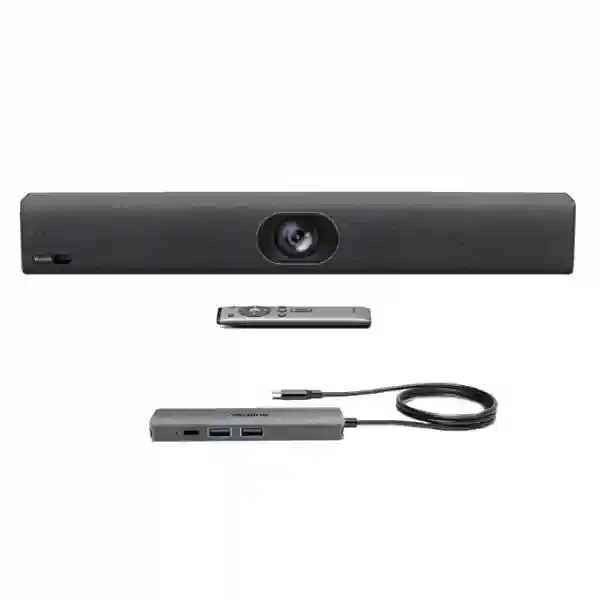
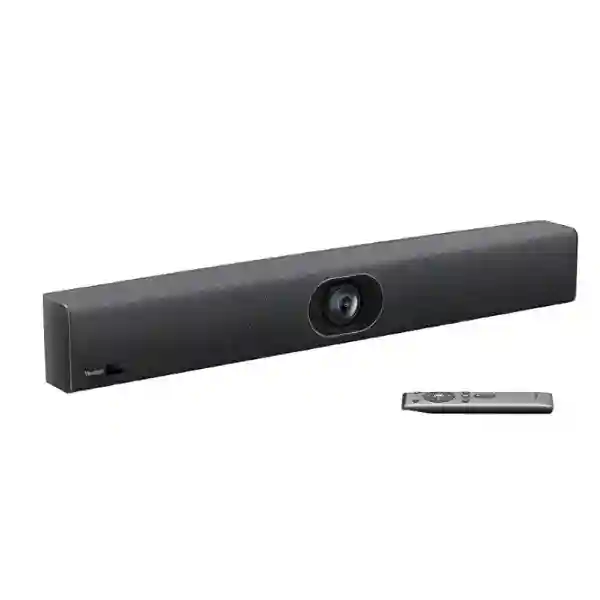
The Yealink UVC40 E2 USB Video Bar is an all-in-one conferencing device built for small meeting rooms and huddle spaces that need a cleaner way to combine professional video, room audio and intelligent participant framing. Instead of deploying separate cameras, microphones and speakers for every compact room, organizations can standardize on one USB-connected collaboration endpoint that is straightforward for staff to understand and easier for IT teams to manage. The UVC40 E2 uses an 8MP Sony 1/1.8-inch CMOS camera, supports video output up to 4K at 30 frames per second, provides a 120-degree ultra-wide field of view and offers 5× electronic pan-tilt-zoom. That makes it particularly relevant where participants sit close to the display and a conventional narrow camera view would leave people at the edge of the table out of frame.
Audio is integrated into the same bar through an eight-element MEMS microphone array and a 5W high-fidelity speaker. Yealink specifies a voice pickup distance of up to 6 metres, supported by beamforming-oriented processing, echo cancellation, automatic gain control, noise suppression and full-duplex audio technologies. For meetings in which participants move, join late or sit at different positions, AI features such as Auto Framing and Speaker Tracking can reduce the need for manual camera adjustment. Smart Area Exposure is designed to improve how people appear in uneven lighting, while the electric privacy shutter closes when the camera is not being used for a meeting.
Why the Yealink UVC40 E2 Fits Small and Huddle Rooms
Small meeting rooms are often the hardest collaboration spaces to standardize. They are used frequently, have limited table space, and usually need to support different users, laptops and meeting services. The Yealink UVC40 E2 addresses that operational reality by consolidating camera, microphones and speaker into one appliance that presents itself to a computer as a standard USB audio/video device. This UAC/UVC approach is valuable for BYOD-style rooms because employees can connect a compatible computer, select the Yealink device inside the conferencing application and begin a call without learning an unfamiliar room-control workflow.
The 120-degree field of view is a practical advantage in compact rooms where the camera may be installed only a short distance from participants. A broad view makes it easier to include people seated at the near corners of a table, while 5× e-PTZ gives the system room to adjust framing electronically. Auto Framing can adapt the composition to the number and position of people in view, and Speaker Tracking can emphasize the active speaker. These functions are especially useful in rooms where meeting style changes from one-person calls to full-table discussions during the day.
For IT administrators, another advantage is the option to use a wired network connection for device management. Yealink states that the UVC40 E2 supports remote configuration, diagnosis and upgrades through its management platform. In multi-room deployments, this can reduce the effort required to inspect every room physically. The supplied mounting accessories are also relevant to deployment planning: the unit includes wall and TV mounting hardware, while a desktop stand is optional. A 7 m USB cable is included, giving installers useful flexibility when deciding where the room PC or user connection point should sit.
Verified Yealink UVC40 E2 Specifications
| Area | Specification |
|---|---|
| Camera | 8MP Sony 1/1.8-inch CMOS, up to 4K30 video output, 120° ultra-wide field of view, 5× e-PTZ, camera presets and electric privacy shutter |
| Microphones | Built-in 8 MEMS microphone array with up to 6 m voice pickup |
| Speaker | Built-in 5W high-fidelity speaker |
| AI functions | Auto Framing, Speaker Tracking and Smart Area Exposure |
| Audio processing | Noise suppression, echo cancellation, acoustic echo cancellation, automatic lip sync detection, automatic gain control, intelligent noise cancellation and full-duplex technology |
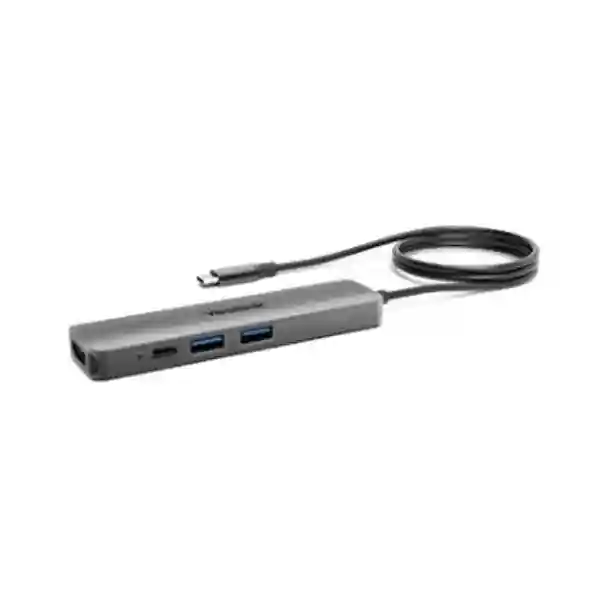
| Interfaces | USB 3.0 Type-B, USB 2.0 Type-A, Yealink microphone/Ethernet RJ-45 port, 48V power, security lock slot and reset slot |
| Management | Yealink RoomConnect and Yealink Management Cloud Service/Device Management Platform |
| Dimensions | 600 mm × 68 mm × 82 mm; listed device weight 1.37 kg |
Camera, Audio and Privacy for Business Meetings
The strongest reason to choose the UVC40 E2 is not a single specification but the way its subsystems are integrated for everyday meetings. The camera combines 4K-class image detail with a 120-degree field of view, allowing small rooms to capture both the speaker and nearby participants without requiring a motorized PTZ camera mounted several metres away. Electronic PTZ gives the system flexibility to crop and recompose the scene, while Auto Framing helps keep the group visible as people join or leave the room.
The microphone array is designed for room conversation rather than one-person desktop use. Eight MEMS microphones provide spatial information that can be used by the system’s audio algorithms, and Yealink’s stated 6 m pickup specification gives planners a clear reference when evaluating table length and seating positions. In acoustically difficult rooms, however, microphone range alone should not be treated as a guarantee of intelligibility. Glass surfaces, hard ceilings, open doors, air-conditioning noise and loud projectors can all affect perceived quality. A sensible deployment therefore considers room acoustics, speaker placement and participant distance rather than selecting equipment only from a published pickup figure.
Privacy is equally practical. The electric privacy shutter is designed to remain closed when the camera is not being used for a video meeting. For boardrooms, HR interview rooms, management spaces and other rooms where visual privacy matters, a visible physical shutter can provide users with a clearer signal than software status alone. It also makes the system easier to explain during security and governance reviews.
Microsoft Teams, Zoom and BYOD Compatibility
Yealink positions the UVC40 E2 as a standard UAC/UVC device compatible with common conferencing platforms, specifically listing Microsoft Teams and Zoom Room among supported examples. That makes the video bar attractive for organizations that do not want a room endpoint locked to one meeting service. A company may use Microsoft Teams internally, join customer Zoom calls, open browser-based meetings or support guest laptops while retaining the same camera and audio hardware.
For procurement teams, the distinction between a USB video bar and a complete dedicated room system matters. The UVC40 E2 provides camera, microphones, speaker and device-management capabilities, but the meeting application still needs an appropriate host computer or room-system architecture. When requesting a quotation, specify whether the room will be BYOD, use a permanently installed Windows PC, integrate with a certified Microsoft Teams Room or Zoom Rooms design, or connect to another collaboration platform. That information determines whether additional compute, touch control, cabling, display interfaces or mounting accessories are required.
Yealink UVC40 E2 Tanzania
For organizations evaluating the Yealink UVC40 E2 in Tanzania, the first decision is to match the product to the room rather than simply to the brand. The bar is intended for small and huddle rooms, so buyers should document room dimensions, seating capacity, camera-to-participant distance, display size and the location of the meeting computer. In many Tanzanian offices, compact meeting spaces are used for project discussions, customer calls, remote interviews, management reviews and collaboration with regional teams. A USB video bar can simplify these rooms because staff do not need to assemble separate webcams, tabletop microphones and portable speakers before every meeting.
Procurement planning should also include the collaboration platforms used by the business. Microsoft Teams and Zoom are explicitly listed by Yealink among compatible platforms, and the device follows standard UAC/UVC behavior. Buyers should still confirm the planned host computer, operating environment and meeting application version as part of deployment design. If users frequently bring their own laptops, cable reach and connection convenience become important. The included 7 m USB cable can help with routing between the display wall and table, but every room should be measured before installation so the cable path does not create trip hazards or force unnecessary extension devices.
For businesses with several branches or meeting rooms across Tanzania, remote management can be a useful operational consideration. The UVC40 E2 can connect to a wired network for device management, configuration, diagnosis and upgrades through Yealink management tools. This can help IT teams standardize settings between rooms and troubleshoot without treating each video bar as an isolated peripheral. Organizations should also consider power protection, network readiness and acoustic conditions, especially in offices where voltage fluctuations, generator transitions, reflective glass or persistent HVAC noise may affect the meeting experience.
FourTeck Tanzania can use a quotation discussion to align the UVC40 E2 with displays, room compute, mounting and collaboration requirements rather than quoting the video bar in isolation. For broader communication and collaboration planning, customers can start from FourTeck Tanzania’s technology portfolio, which provides the wider context for network, security and unified-communications projects. When the requirement involves cross-border offices, the broader FourTeck Africa technology presence can also be relevant for coordinating a common approach across multiple markets.
Yealink UVC40 E2 USB Video Bar Dar es Salaam
Dar es Salaam has a particularly strong use case for compact professional meeting rooms because many companies coordinate with partners, suppliers, customers and management teams across different cities and countries. For offices where meeting rooms are heavily booked, the Yealink UVC40 E2 can reduce setup friction by keeping camera, microphones and speaker permanently installed at the display. Users can connect to the room PC or approved laptop workflow, select the UVC40 E2 as the conferencing device and avoid the variability of personal webcams and speakerphones.
Room layout deserves careful attention. In a narrow huddle room, the 120-degree field of view helps capture participants seated close to the display wall. Auto Framing is useful when the room is used by different group sizes, while Speaker Tracking can help remote attendees follow conversations without someone operating a camera remote. The 6 m stated microphone pickup distance provides a useful planning reference, but businesses should assess reflective walls, open-plan spillover and air-conditioning noise before final installation. In some rooms, moving the bar slightly higher or adjusting participant seating can make a larger difference than simply increasing microphone sensitivity.
Dar es Salaam businesses also often need to support a mix of scheduled internal meetings and external customer calls. Standard UAC/UVC operation can be advantageous here because the room hardware is not restricted to a single conferencing service. The same bar may be used for Microsoft Teams, Zoom and other applications supported by the host computer, subject to application compatibility and room design. Procurement teams should specify whether guest users will connect their own laptops, whether a fixed room PC will be installed and whether the display requires separate HDMI or USB-C connectivity.
For quotation accuracy, include room count, approximate room dimensions, number of seats, existing displays, preferred mounting style, meeting applications and whether remote device management is required. This enables the project to be scoped as a working room solution rather than a standalone equipment purchase. Businesses can use the FourTeck Tanzania contact and quotation page to provide those details for review.
Yealink UVC40 E2 USB Video Bar Mwanza
Organizations in Mwanza may use small video-enabled rooms to connect regional operations with headquarters, vendors and customers without requiring travel for every meeting. The Yealink UVC40 E2 is well suited to this type of room where simplicity is more important than complex production features. Its integrated design reduces the number of separate devices that must be powered, cabled and selected in software, while the wide-angle camera helps cover participants around a compact table.
A key planning question is whether the room is truly small enough for an all-in-one bar. The published 6 m microphone pickup distance is not a recommendation to place every participant six metres away. For best results, buyers should consider the combined effect of room depth, ceiling height, ambient noise and speaker volume. If the room is larger or unusually shaped, the UVC40 E2 supports wired or wireless microphone expansion options, which can extend coverage when appropriate. Those accessories should be included in the room design only after confirming the seating plan and cable-routing requirements.
The device’s wired-network management option can be particularly useful for organizations whose central IT team supports equipment in Mwanza from another location. Remote management can assist with configuration consistency, diagnosis and firmware maintenance. This does not eliminate the need for local hands-on support when a cable, display or power source fails, but it can reduce unnecessary site visits for software-level checks and settings changes. For businesses rolling out several rooms, documenting a standard configuration for camera behavior, audio levels and meeting application settings can make user experience more predictable.
When preparing a purchase request, Mwanza customers should identify the primary conferencing service, laptop or room PC model, display interfaces, wall construction, electrical outlet availability and whether the bar will mount above or below the display. These details help prevent last-minute mounting or cabling issues and make the procurement process easier to evaluate against a complete bill of materials.
Yealink UVC40 E2 USB Video Bar Arusha
Arusha-based organizations working with tourism, hospitality, professional services, development programs, education and regional administration frequently communicate with teams and stakeholders outside the city. A well-designed small meeting room can make these conversations more consistent than relying on individual laptop webcams. The Yealink UVC40 E2 provides a fixed room camera, multi-microphone array and speaker in one unit, helping users walk into a room and start meetings with fewer peripherals to connect.
The 4K30 maximum video output can deliver detailed images when the conferencing platform, host computer, network conditions and far-end session support the required quality. Buyers should understand that end-to-end meeting resolution depends on more than the camera specification; available bandwidth, platform policy and participant devices can reduce actual transmitted resolution. The value of the 8MP sensor therefore also includes better source image detail for electronic framing, not only the maximum resolution seen by remote participants.
For rooms with changing attendance, Auto Framing and Speaker Tracking can provide a more natural experience for remote participants. The electric privacy shutter is also valuable in multipurpose rooms used for confidential conversations or management discussions because the closed shutter gives an immediate visual indication that the camera is not active. IT teams can complement this with standard meeting-room security practices, including controlled room PCs, patching, user access policies and network segmentation where required.
Arusha customers planning a quotation should state whether the room needs wall mounting, TV mounting or a desktop arrangement, and whether additional microphones are being considered. It is also worth identifying the distance from the bar to the room PC before installation. The supplied 7 m USB cable provides useful flexibility, but structured routing should still be planned so the finished space is safe and visually tidy.
Yealink UVC40 E2 USB Video Bar Dodoma
In Dodoma, government-facing organizations, professional firms, educational institutions and distributed enterprises may need reliable small-room video collaboration for internal coordination and meetings with external stakeholders. The Yealink UVC40 E2 can serve as the central audio/video peripheral in a compact meeting space, providing a wide camera view and integrated room audio without requiring multiple tabletop devices. This can be useful where meeting rooms need to remain visually clean and easy for different users to operate.
The best deployment starts with a room survey. The 120-degree camera is designed to cover a broad scene, but mounting height and distance affect how natural participants appear. Mounting the bar too high can create an overhead viewing angle, while positioning it too low may allow laptops or table objects to block faces. Ideally, the camera should sit near the display and close to seated eye level while still allowing the speaker to project clearly into the room. Wall and TV mounting accessories are included, giving installers multiple options.
Audio planning is equally important. Yealink specifies eight MEMS microphones and up to 6 m pickup, along with noise suppression, echo cancellation and full-duplex operation. These technologies improve meeting usability, but they cannot fully compensate for a highly reverberant room. Curtains, acoustic materials, furniture and sensible speaker volume can improve intelligibility. For unusually long tables or challenging spaces, expansion microphones may be considered after the room is measured.
Dodoma procurement teams should also decide whether devices will be managed centrally. When connected through the appropriate wired-network interface, the UVC40 E2 can be administered with Yealink management tools for remote configuration, diagnosis and upgrades. This can support a consistent standard across several offices and reduce manual configuration drift over time.
Yealink UVC40 E2 USB Video Bar UAE
For organizations connecting Tanzania operations with teams in the UAE, the Yealink UVC40 E2 offers a practical way to standardize small-room collaboration at both ends of the call. A consistent room device can reduce differences in camera framing, microphone behavior and user workflow between offices. This is especially useful for businesses with finance, procurement, logistics or management teams split between East Africa and the Gulf, where regular video meetings may replace frequent travel.
The UVC40 E2’s standard UAC/UVC operation makes it adaptable to different meeting applications used by partner organizations. Microsoft Teams and Zoom are explicit compatibility examples from Yealink, and the underlying USB approach can support flexible room designs where a host computer supplies the meeting software. Buyers should still validate the exact platform workflow, compute device and room-control expectations before deployment. Dedicated Teams Rooms or Zoom Rooms implementations may require additional certified components beyond the video bar itself.
The 120-degree field of view is useful in smaller glass meeting rooms commonly found in modern offices, while Smart Area Exposure can help when bright windows or uneven lighting create difficult scenes. However, physical lighting design remains important. Positioning participants with a bright window directly behind them can create challenging contrast for any camera. Where possible, control daylight and use balanced front or ceiling lighting to improve face visibility.
Organizations coordinating UAE and Tanzania projects can also review FourTeck UAE for related regional technology requirements. This can be useful when a project requires consistent conferencing, networking or IT standards across offices rather than separate specifications in each country.
Yealink UVC40 E2 USB Video Bar Uganda
For Uganda-based deployments, the Yealink UVC40 E2 is relevant to organizations seeking a compact USB conferencing solution for branch offices, management rooms, customer meeting spaces and hybrid-work environments. Its integrated form factor means a room can gain a wide-angle 4K-capable camera, microphone array and speaker without installing separate audio and video endpoints. That reduces desk clutter and gives users a consistent device selection inside their conferencing software.
Businesses that operate between Uganda and Tanzania can benefit from standardizing room equipment because IT teams can create a repeatable checklist for installation and support. The UVC40 E2 supports remote management over a wired network, allowing configuration and diagnosis through Yealink tools. When paired with a documented room-PC build and common meeting applications, this can make multi-country support more predictable.
Before purchasing, measure the meeting room and identify the furthest expected participant position. The specified microphone pickup distance is up to 6 m, but room acoustics should be assessed independently. If a room is larger than a typical huddle space, optional wired or wireless expansion microphones may be appropriate, or a different Yealink room architecture may be a better fit. Selecting the product by room size and conversation style is more reliable than choosing by camera resolution alone.
For organizations with offices or projects in Uganda, FourTeck Uganda can provide a regional reference point for related ICT requirements, while Tanzania procurement can remain coordinated through the Tanzania site.
Yealink UVC40 E2 USB Video Bar Kampala
Kampala offices frequently need compact meeting spaces for sales discussions, internal reviews, interviews and calls with international partners. The Yealink UVC40 E2 is designed for exactly this small-room class, where a broad camera view and integrated audio are more useful than a large-room optical PTZ system. Its 120-degree field of view can capture a table positioned close to the display, while electronic PTZ and Auto Framing help the scene adapt to different group sizes.
For businesses whose employees use multiple meeting applications, standard UAC/UVC behavior can reduce platform dependence. A compatible host computer can present the UVC40 E2 as the room camera, microphone and speaker. Companies should standardize which USB port, cable route and meeting PC will be used so users do not need to troubleshoot device selection before every call. If guest laptops are expected, a clearly labelled connection point and concise room instructions can substantially improve adoption.
Kampala buyers should also evaluate whether remote administration is worthwhile. For a single room, local configuration may be sufficient. For several meeting spaces, centralized management can help verify settings and simplify firmware maintenance. The bar’s wired-network management capability provides a path for that operational model. As with any conferencing deployment, organizations should include the room’s LAN, internet access, firewall policy and bandwidth expectations in the design rather than treating the endpoint as independent of the network.
A complete quotation request should list room count, seating, displays, host computers, conferencing platforms, mounting preference and desired cable route. This allows a supplier to identify dependencies before equipment arrives on site.
Yealink UVC40 E2 USB Video Bar Arua
Arua organizations may use video conferencing to connect branch teams, development projects, educational programs, health administration or commercial operations with colleagues in Kampala, Tanzania and other countries. In these environments, the usability of the room is often more important than having a large number of advanced controls. The UVC40 E2 keeps the core audio and video functions inside one bar, which can reduce the number of failure points and accessories that users need to manage.
The wide-angle camera is particularly useful in smaller rooms where participants sit near the screen. Auto Framing can accommodate changing group size, while Speaker Tracking helps remote attendees follow the discussion. The electric privacy shutter is useful for multipurpose rooms because it provides a physical indication that the camera is closed outside meetings. These features make the product suitable for organizations that want a professional experience without training every participant to operate camera presets manually.
Connectivity planning should be completed before installation. The device uses USB for audio/video connection to a computer and can use its RJ-45 interface for wired network management. Buyers should confirm whether the room PC will be mounted behind the display, placed in a cabinet or located at the table. The included 7 m USB cable can support many small-room layouts, but cable protection and strain relief remain important where a cable crosses furniture or wall routes.
For remote locations, organizations may also want to standardize spare cables, power adapters and documented setup instructions. This type of operational planning can be as important as the initial hardware choice because it reduces downtime when a room is used regularly for external meetings.
Yealink UVC40 E2 USB Video Bar Mbarara
In Mbarara, businesses and institutions that rely on regular remote collaboration can use the UVC40 E2 to create a more consistent meeting space than ad hoc laptop setups. The unit’s integrated eight-microphone array and speaker are designed to cover room conversation, while the camera’s 120-degree view gives small groups more freedom in seating position. This is especially helpful when a meeting room is used by departments with different layouts and participant counts.
Because the camera can output up to 4K30, buyers sometimes focus only on video resolution. A better evaluation also considers room acoustics, lighting, network capacity and platform behavior. Remote participants benefit most when they can both see faces clearly and hear conversation without echo or clipping. The UVC40 E2 includes acoustic echo cancellation, automatic gain control, noise suppression and full-duplex technologies to support that goal, but good room design remains important.
Mbarara organizations with centralized IT teams can take advantage of device management over a wired network. This is valuable when rooms need consistent configuration or when support staff are not always at the site. For larger deployments, document the device naming convention, firmware process, room owner and host-PC configuration so support teams can identify problems quickly.
When comparing quotations, verify what is included in the package and what is optional. Yealink lists the UVC40 E2 bar, VCR20 remote control, power adapter, wall mounting accessories, TV mounting accessories and a 7 m USB cable among the package contents, while the desktop stand is optional. Clarifying these details prevents assumptions about installation accessories.
Yealink UVC40 E2 USB Video Bar Gulu
Gulu-based teams that collaborate with offices, donors, customers or partners in other regions can benefit from a permanently equipped small meeting room. The Yealink UVC40 E2 makes that practical by combining the room’s main camera and audio endpoint into one bar. Users do not need to carry personal webcams or speakerphones into the room, and IT can establish a standard connection workflow.
The 5× e-PTZ capability allows the system to crop and reposition the camera image electronically. Combined with Auto Framing and Speaker Tracking, this can create a more focused experience for remote viewers. Because e-PTZ uses the camera’s image rather than an optical motorized lens, it works quietly and suits compact rooms where large camera movements are unnecessary. The 120-degree field of view provides the broad starting image required for this intelligent framing.
Power and network stability should be considered in the room design. The UVC40 E2 uses an external 48V power adapter, so surge protection and stable electrical supply can help protect meeting-room equipment. Internet performance also affects meeting quality; even a 4K-capable camera cannot deliver a high-quality call when the network is congested or unstable. Organizations should therefore review WAN capacity, Wi-Fi or wired-PC connectivity and QoS policies as part of the same project.
For a purchasing decision, Gulu customers should describe the room and workflow in practical terms: number of seats, table shape, distance to display, applications used, meeting frequency and whether remote management is required. This gives the supplier enough context to confirm whether the UVC40 E2 is the right class of solution.
Yealink UVC40 E2 USB Video Bar Kenya
Kenya is a common coordination point for East African organizations, making cross-border video collaboration an important part of many regional operations. The Yealink UVC40 E2 can support standardized small-room deployments for companies that want similar user experiences in Tanzania and Kenya. Using the same video bar model, mounting method and room-PC workflow can simplify training, troubleshooting and spare-part planning.
The product is best suited to huddle and small meeting rooms rather than large boardrooms. Its wide-angle camera allows placement close to the table, and the eight-microphone array is specified for up to 6 m voice pickup. Organizations should still survey each room individually because acoustics and seating can differ even within the same office. Optional microphone expansion can be considered where necessary, but the goal should be to keep the room design proportional to its size and use case.
For hybrid meetings involving both Microsoft Teams and Zoom, standard UAC/UVC operation helps preserve flexibility. A consistent host-PC build can further reduce variability. When meeting rooms are heavily used, IT teams may also appreciate remote management through Yealink’s device tools so configuration and firmware can be managed more systematically.
Organizations with operations in both Tanzania and Kenya can refer to FourTeck Kenya when regional procurement or deployment coordination is required. Keeping requirements documented across countries helps ensure that room standards remain consistent even when equipment is purchased locally.
Yealink UVC40 E2 USB Video Bar Kuwait
For organizations with teams in Kuwait and Tanzania, a common small-room conferencing standard can improve collaboration between regional offices. The Yealink UVC40 E2 gives both locations a predictable camera and audio interface, reducing differences caused by employee-owned webcams or improvised meeting setups. Its integrated form factor is particularly useful in executive huddle rooms, project rooms and branch offices where users expect the equipment to be ready without additional setup.
The electric privacy shutter can be valuable in offices where meeting rooms are used for confidential discussions outside video calls. When the camera is not active, the shutter closes, providing a visible physical privacy state. Combined with standard IT policies for room computers and conferencing accounts, this can form part of a more controlled collaboration environment.
Kuwait deployments should still consider lighting, air-conditioning noise and display placement during installation. A wide-angle lens captures more of the room, which means it can also capture bright windows and visually distracting areas. Smart Area Exposure can improve image presentation, but a balanced room layout and controlled light sources remain beneficial. Similarly, audio algorithms can reduce noise and echo but cannot entirely replace good acoustic conditions.
Where organizations need wider Gulf-region support, FourTeck Kuwait can be used as a regional technology reference while Tanzania-side requirements are coordinated through FourTeck Tanzania.
Yealink UVC40 E2 USB Video Bar Ghana
Ghana-based organizations with operations or partners in East Africa may use the Yealink UVC40 E2 as part of a standardized collaboration environment. The device’s strongest fit is a small meeting room where participants need a professional room experience but do not require a large-room camera system. A single bar can reduce the installation footprint and keeps microphone, speaker and camera behavior consistent.
For procurement teams comparing different video bars, the important verified figures are the 8MP Sony 1/1.8-inch sensor, 120-degree field of view, 5× e-PTZ, up to 4K30 output, eight MEMS microphones, 6 m specified voice pickup and 5W speaker. These specifications should be evaluated against actual room size and meeting style rather than compared in isolation. A wider field of view can be more valuable than higher zoom in a compact room, while microphone expansion capability may be important if participants sit farther away.
The device can also support centralized management over a wired network. Companies operating several branches can use that feature to reduce configuration drift and simplify diagnostics. This is particularly useful when the local room is part of a broader regional standard with common firmware and settings.
Before finalizing an order, Ghana customers should confirm the room PC, preferred collaboration applications, cable routes, mounting surface and whether the installation needs optional microphone accessories. Recording these details in the purchase specification makes it easier to compare offers on an equivalent basis.
Yealink UVC40 E2 USB Video Bar Nigeria
Nigeria-based enterprises with distributed teams often need dependable small-room conferencing for management, customer engagement and coordination between branches. The Yealink UVC40 E2 provides an integrated option for such rooms, combining a 4K-capable camera, intelligent framing, microphone array and speaker in one device. The reduction in separate peripherals can make support easier, especially when rooms are used by many employees throughout the day.
In busy commercial offices, audio quality can be affected by open-plan noise, generators, HVAC systems and hard surfaces. The UVC40 E2 includes intelligent noise cancellation, noise suppression, acoustic echo cancellation and automatic gain control, but deployment teams should still assess whether the room is acoustically suitable for conferencing. Simple changes such as closing doors, adding soft furnishings or reducing reflective surfaces can improve perceived call quality substantially.
For multi-site organizations, remote device management can support standardized operations. The wired network interface can be used for Yealink management functions, enabling configuration, diagnosis and upgrades. Companies should combine this with a documented support process covering room PCs, displays, internet connectivity and conferencing accounts so troubleshooting does not focus only on the video bar.
A strong quotation request should therefore describe the complete room: capacity, table arrangement, display, operating system, meeting services, expected guest-laptop use, cable distance and mounting style. This provides a more accurate basis for selecting accessories and confirming whether the UVC40 E2 is appropriate.
Yealink UVC40 E2 USB Video Bar Seychelles
For organizations in Seychelles, compact meeting rooms often need to connect local teams with regional headquarters, suppliers and international customers. The Yealink UVC40 E2 offers a clean solution for this environment because it combines the core room audio and video functions into one bar. That can be useful in offices where meeting spaces must remain uncluttered and where staff need an intuitive setup rather than a collection of separate devices.
The 120-degree camera view suits smaller spaces where the display is close to the table. Auto Framing and Speaker Tracking can make remote meetings feel more natural without requiring users to operate camera controls. The electric privacy shutter is another useful feature for shared meeting rooms, allowing occupants to see when the camera is physically closed outside active sessions.
Because island deployments can make replacement logistics more important, buyers should plan installation details before ordering. Confirm the correct mounting method, cable path, power requirements and host-PC interfaces. The package includes wall and TV mounting accessories and a 7 m USB cable, which covers many standard installations. Where the room is unusually large or acoustically challenging, optional microphone expansion or a different meeting-room architecture may be more appropriate.
Organizations coordinating Seychelles with Tanzania should also document support responsibilities and standard room settings so users receive the same experience at both ends. The objective is not only to install a camera but to create a repeatable meeting workflow that staff can use confidently.
Deployment and Installation Checklist
Room Fit
Confirm room dimensions, seating count, table position and maximum participant distance. The UVC40 E2 is designed for small and huddle rooms, so very large spaces should be evaluated separately.
Mounting
Choose wall or TV mounting based on display installation and preferred camera height. Keep sightlines natural and ensure laptops or furniture do not block the lens or speaker.
Host Computer
Define whether the room uses BYOD laptops, a fixed PC or a broader Teams/Zoom room architecture. This determines USB routing and any additional display or control hardware.
Network
Plan internet capacity for conferencing and, where required, wired connectivity for device management. Document firewall, VLAN and administration requirements.
Acoustics
Assess background noise and reverberation. The integrated processing helps, but room acoustics still influence clarity and microphone performance.
Lighting
Avoid strong backlighting and extreme contrast where possible. Smart Area Exposure can assist, but balanced face lighting produces the most consistent image.
Buying Guidance: UVC40 E2 Versus a Larger Room System
The UVC40 E2 is a strong choice when the room is compact, participants sit within the practical pickup area and the organization wants a USB-based conferencing workflow. It is less appropriate when a space requires multiple optical cameras, complex ceiling microphones, large loudspeaker systems or advanced divisible-room functionality. In those cases, a modular meeting-room architecture should be considered instead of stretching a small-room bar beyond its intended use.
A useful decision rule is to start with the room rather than the product list. If everyone sits near one display, needs one shared camera view and can be covered by the integrated microphone array, the UVC40 E2 can provide a streamlined installation. If participants sit far apart, use multiple presentation areas or need camera shots from different angles, a more modular system may be justified. The same applies to acoustics: a long or irregular room may need distributed microphones rather than relying on one device at the front.
Buyers should also distinguish between the UVC40 E2 and the older UVC40. They are not specification-identical products. The UVC40 E2 is documented with an 8MP Sony 1/1.8-inch sensor, 120-degree field of view and 5× e-PTZ, whereas older UVC40 documentation describes a different 20MP/133-degree camera configuration. Purchase documentation should therefore use the full model name “UVC40 E2” to avoid receiving the wrong technical assumptions or accessory planning.
Quotation Checklist for Yealink UVC40 E2
For a useful and comparable quotation, provide the following information: number of meeting rooms; room dimensions and seating capacity; existing display size and model; desired wall, TV or desktop placement; location of the host computer; preferred meeting applications; whether BYOD users must connect personal laptops; whether Microsoft Teams Rooms or Zoom Rooms integration is planned; required microphone expansion; approximate USB cable route; wired-network availability for device management; and any installation or configuration assistance required. Including these details helps avoid under-scoping the solution and reduces the chance that important accessories are identified only after purchase.
Frequently Asked Questions
Is the Yealink UVC40 E2 a 4K video bar?
Yes. Yealink specifies maximum video output of 4K at 30 frames per second. Actual meeting resolution depends on the conferencing platform, host computer, network conditions and far-end session capabilities.
What room size is the UVC40 E2 intended for?
Yealink positions it for small and huddle rooms. Room dimensions, seating position, acoustics and microphone distance should be assessed before purchase rather than relying on a room-capacity label alone.
Does it work with Microsoft Teams and Zoom?
Yealink lists Microsoft Teams and Zoom Room among compatible examples and describes the UVC40 E2 as a standard UAC/UVC device. The complete room design still requires a suitable host computer or room-system architecture.
How far can the microphones pick up voices?
Yealink specifies a voice pickup distance of up to 6 m for the built-in eight-MEMS microphone array. Real-world clarity also depends on room acoustics, noise and participant orientation.
Can the UVC40 E2 use expansion microphones?
Yes. Yealink states that the UVC40 E2 supports optional wired or wireless microphone expansion, allowing room audio coverage to be extended where the design requires it.
Does the camera have a privacy shutter?
Yes. The UVC40 E2 includes an electric privacy shutter that closes when the camera is not being used for an active video meeting.
Can IT manage the device remotely?
Yealink documents remote device management, configuration, diagnosis and upgrades through its management tools when the UVC40 E2 is connected to the network using the supported wired management connection.
What is included with the UVC40 E2?
Yealink lists the UVC40 E2 bar, VCR20 remote control with batteries, power adapter, wall mounting hardware, TV mounting hardware, a 7 m USB cable, Velcro, quick-start guide, silicone pad and cable ties. A desktop stand is optional.
Decision Recap
Choose the Yealink UVC40 E2 when you need a compact all-in-one USB meeting bar for a small or huddle room, want a 120-degree wide camera view, require integrated room microphones and speaker, and value AI framing plus a physical privacy shutter. It is particularly suitable for organizations that use common conferencing applications through a room PC or BYOD workflow and want the possibility of centralized device management. Before ordering, verify room size, host-computer strategy, mounting, cable routing and acoustic conditions so the final result performs as a room solution rather than simply a collection of specifications.
Consult FourTeck Tanzania About Your Meeting Room
A productive consultation should begin with your room and collaboration workflow. Share the number of rooms, room dimensions, seating capacity, meeting platforms, current displays, host computers and whether users bring their own laptops. FourTeck can then align the UVC40 E2 requirement with the wider room design and identify whether extra microphones, mounting decisions or network-management considerations should be included in the quotation.




Reviews
There are no reviews yet.