
Yealink UVC86 Tracking Camera Tanzania
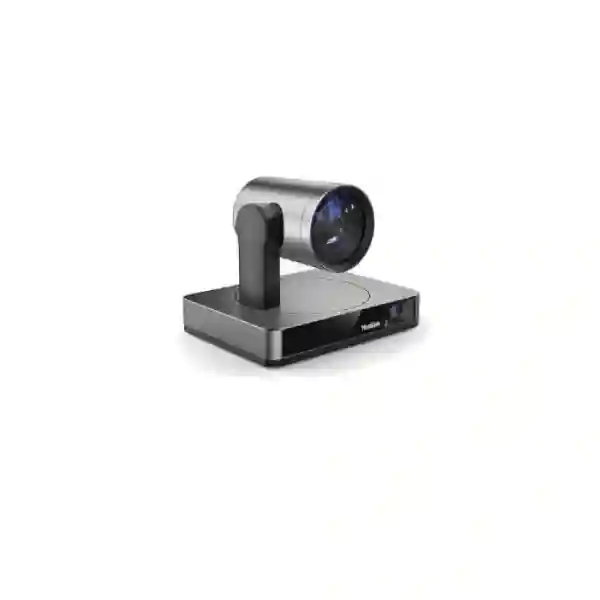
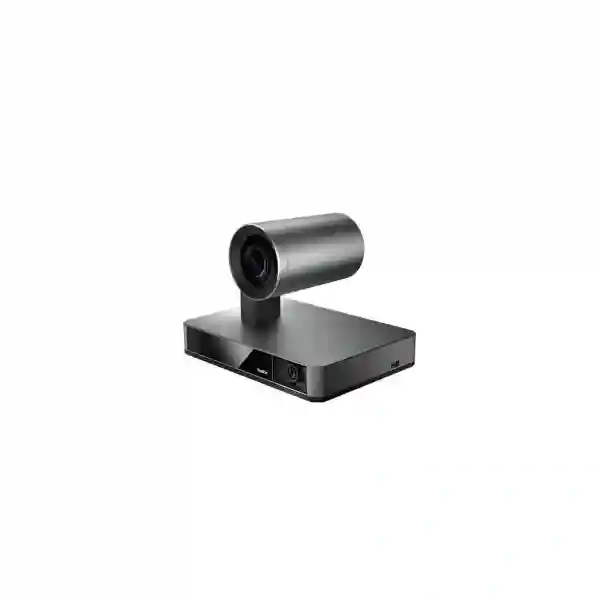
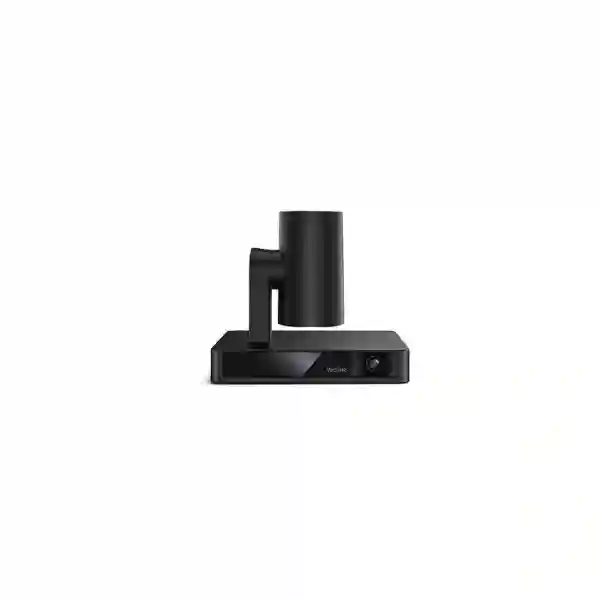
Build a more natural hybrid meeting experience in medium and large rooms with the Yealink UVC86. The camera combines a panoramic lens that helps detect participants with a motorised PTZ camera that delivers detailed close views, 12x optical zoom and intelligent framing. It is designed for organisations that need clearer boardroom, training-room and executive collaboration without relying on constant manual camera operation.
What the Yealink UVC86 solves
A basic webcam can work well when everyone sits close to a laptop, but larger rooms create a different problem. Participants may be several metres away from the display, the active speaker may change frequently, and a presenter may walk between a screen, whiteboard and table. The UVC86 addresses this by combining two camera perspectives. Its panoramic camera provides broad room awareness while the PTZ camera can move, frame and zoom to present a clearer view of the relevant participant or presentation area. This architecture is especially useful where remote attendees need to follow the discussion rather than watch a fixed wide shot for an entire meeting.
The camera is not a complete conferencing room by itself. A practical deployment also needs a suitable meeting platform, room computer or codec, displays, microphones, speakers, mounting, cabling and network capacity. FourTeck therefore recommends treating the UVC86 as the visual centre of a room design rather than as an isolated peripheral. Sharing room dimensions, table shape, participant count and the intended Microsoft Teams, Zoom, Yealink or BYOD workflow makes it easier to identify the right supporting components and reduce last-minute compatibility problems.
Dual-eye 4K design
An 8MP panoramic camera monitors the wider room while an 8MP PTZ camera produces the focused participant view. This helps the system preserve room awareness while creating more useful close framing.
Optical reach
The PTZ camera provides 12x optical zoom plus digital extension. Optical zoom is valuable in deeper rooms because it can bring distant speakers closer without depending only on digital cropping.
Intelligent tracking
Auto Framing, Speaker Tracking and Presenter Tracking can reduce manual camera operation and create a more natural experience for remote participants when the room is properly planned.
Verified Yealink UVC86 technical highlights
| Area | Verified detail |
|---|---|
| Video | Up to 4K video at 30 frames per second |
| PTZ camera | 8MP Sony sensor, 90° diagonal field of view, 81° horizontal field of view, 50° vertical field of view, 12x optical zoom plus 1.7x digital extension |
| Panoramic camera | 8MP Sony sensor, 120° diagonal field of view, 110° horizontal field of view, 78° vertical field of view |
| Movement | Mechanical pan ±100° and tilt +40° / -90° with camera presets |
| AI functions | Auto Framing, Speaker Tracking, Presenter Tracking, with additional supported viewing modes depending on system configuration |
| Connections | USB 3.0 Type-B, USB 2.0 Type-A, Yealink VCH RJ45, 3.5mm line-in, power, security lock, reset and supported HDMI output |
| Installation | Suitable mounting options include table, TV-top, wall, ceiling, TV stand or tripod according to Yealink documentation and the selected room design |
Compatibility can vary by room system, firmware and connection method. In particular, HDMI behaviour is not identical across every Yealink VCS and MVC scenario, so the complete proposed signal path should be checked before procurement.
Room design and buying guidance
Start with the room rather than the model number. Measure camera-to-seat distance, room width, ceiling height and the likely presenter area. Note whether participants sit along a long boardroom table, around a U-shaped training arrangement or in classroom rows. The same UVC86 can behave very differently depending on camera height, lighting direction, furniture, microphone placement and where displays are installed. A good design protects sight lines, avoids strong backlight from windows and keeps the camera close enough to seated eye level to create a natural remote view.
Audio deserves equal attention. Yealink documents integration with compatible Yealink microphones and speaker devices through its room ecosystem. The best choice depends on table length, ceiling finish, room acoustics and whether a clean-table design is required. For longer cable paths, confirm extension hardware rather than assuming any passive USB cable will work. Procurement teams should also define whether the room is a native Microsoft Teams Rooms, Zoom Rooms, Yealink codec environment or a BYOD space. That decision affects compute, controls, cabling and user workflow.
Yealink UVC86 Tracking Camera Tanzania
For organisations evaluating the Yealink UVC86 Tracking Camera in Tanzania, the most useful starting point is a room-by-room requirement rather than a generic request for a conference camera. Tanzanian businesses increasingly use hybrid meetings for regional management, supplier discussions, project coordination, training and customer engagement, and a medium or large meeting room often needs stronger visual coverage than an integrated laptop camera or compact USB bar can provide. The UVC86 is designed for this type of space. Its panoramic lens helps maintain awareness of the wider room while the PTZ camera can produce a closer image of speakers or presenters. The 12x optical zoom is especially relevant where the farthest participant sits several metres from the display and a purely digital crop would make the image less useful.
A Tanzania procurement request should state the number of rooms, approximate dimensions, seating arrangement and preferred conferencing platform. It should also identify whether the camera will be purchased alone or as part of a complete system with room compute, touch controller, microphones, speakers and one or two displays. Where boardrooms are used for executive or client discussions, visual privacy can also matter. Yealink’s physical privacy behaviour, including the panoramic lens cover and PTZ camera resting position when inactive, provides a visible indication of camera state, although organisations should still apply their own meeting-room security and access policies.
Network readiness is another practical consideration. High-quality video collaboration depends on stable bandwidth, reliable switching, sensible QoS where required and resilient internet connectivity. A camera upgrade cannot compensate for packet loss, overloaded Wi-Fi or inconsistent room audio. For offices with several meeting rooms, it is helpful to standardise mounting, cable routes, room controls and user instructions so staff encounter a familiar workflow at each site. Procurement can then compare quotes on a consistent bill of materials instead of comparing camera-only prices that may omit critical accessories.
FourTeck Tanzania can help convert these requirements into a configuration discussion. Buyers can share room photographs or drawings, participant count, platform preference, microphone approach, desired mounting position, quantity and delivery city. The current FourTeck Tanzania contact page specifically supports video and audio conferencing enquiries and recommends including room dimensions, seating and platform details. For cross-border projects, the wider FourTeck Africa technology portfolio can also help buyers consider consistent standards across multiple African sites.
Yealink UVC86 Tracking Camera Dar es Salaam
Dar es Salaam organisations often manage distributed teams, suppliers and regional operations from busy commercial offices where conference rooms are used throughout the day. For a boardroom or training room in Dar es Salaam, the UVC86 can be a strong fit when participants sit beyond the practical reach of a conventional fixed webcam. A buyer should begin by mapping the room: camera wall, table length, nearest and farthest seats, display position and any windows that create backlight. This simple exercise helps determine whether the UVC86’s 90-degree PTZ field of view and optical zoom are appropriate, and whether the panoramic lens can see the intended participant area without being obstructed by a display, wall feature or hanging fixture.
The city’s corporate users may include financial services, logistics, professional services, hospitality groups, NGOs, education providers and multi-branch companies. Their meeting styles can differ considerably. An executive boardroom may prioritise close speaker views and discreet ceiling microphones, while a training space may value Presenter Tracking and wider movement coverage. A project room may need reliable BYOD access for visiting consultants, whereas a standardised Microsoft Teams Rooms deployment may favour a fixed room compute and controller. The UVC86 should therefore be chosen as part of a user workflow rather than only on camera resolution.
When requesting a Dar es Salaam quotation, include whether installation and cable containment are required, because the physical finish can materially affect the result. Wall mounting may create a cleaner executive look, but the mounting height must still produce a natural eye line. Long USB or VCH routes should be designed with supported extension methods. Audio coverage should be checked against table length, participant spacing and room acoustics, particularly in rooms with glass surfaces or limited acoustic treatment. Power protection and network resilience should also be considered where meeting continuity is important.
A useful procurement package identifies quantity, room type, collaboration platform, audio preference, display count, cable distance, mounting plan and expected project schedule. This allows the supplier to quote a room-ready configuration rather than leave microphones, brackets or control devices as later surprises. FourTeck’s Tanzania enquiry process is set up for this type of discussion, and buyers can use the verified contact page to send room details for product selection and quotation support.
Yealink UVC86 Tracking Camera Mwanza
For organisations in Mwanza, a well-designed video room can reduce the friction of coordinating with headquarters, suppliers, branch offices and specialists who may be located elsewhere in Tanzania or abroad. The Yealink UVC86 is suitable for medium and large rooms where people are spread over a longer table or presentation space and remote participants need more than a distant group shot. Its dual-eye design can support a wider sense of the room while the PTZ camera supplies the closer, more directed image that makes a speaker easier to follow.
Room conditions should guide the design. In a long rectangular conference room, optical reach may matter more than extreme wide angle. In a broad training room, seating width and presenter movement become more important. A Mwanza buyer should measure both dimensions and record the normal seating pattern before finalising the camera position. Lighting is equally important: bright windows behind participants can cause difficult exposure conditions, while ceiling lights directly above faces can create shadow. A better result often comes from controlling window light and providing balanced front or side illumination rather than expecting the camera to solve every lighting issue automatically.
The wider conferencing system also needs reliable audio. The UVC86 can integrate with compatible Yealink audio components, but microphone choice depends on room layout and acoustics. A single table microphone strategy may be simple, while ceiling microphones can keep the table clear in a premium boardroom. The selected solution should be tested against the farthest seat and typical speaking volume. Speakers should be placed to maintain clear dialogue without causing excessive room echo. If the room is multipurpose, consider how furniture movement or temporary partitions might affect camera and microphone coverage.
Procurement teams in Mwanza can improve quote accuracy by sharing a room sketch, photographs, dimensions, participant capacity, existing displays, meeting platform and intended mounting location. Ask the quotation to distinguish included items from optional components such as additional microphones, speakers, extension hardware, mounts, installation and user orientation. This creates a clearer basis for comparison and helps avoid buying a camera that cannot be used immediately because an essential room component was not budgeted.
Yealink UVC86 Tracking Camera Arusha
Arusha is home to organisations that frequently collaborate with international partners, regional teams, government stakeholders, tourism and hospitality groups, training organisations and NGOs. In these environments, a conference room may host formal meetings one day and training or project workshops the next. The Yealink UVC86 can support this mixed use when the room is large enough to benefit from motorised PTZ coverage and optical zoom. Auto Framing can help in ordinary meetings, Speaker Tracking can create a closer conversational view, and Presenter Tracking is relevant when a facilitator moves through a planned presentation area.
The room should be designed for the most demanding routine use case. If international briefings commonly include twelve people at a long table, test coverage for the farthest seats. If training sessions involve a standing presenter, mark the expected movement area and confirm that furniture or display screens do not block the camera. If the room is frequently reconfigured, a fixed camera position should still provide acceptable coverage across the main layouts. Yealink supplies flexible mounting options, but the chosen mount should be stable, serviceable and visually appropriate for the room.
Audio design is often the difference between a room that looks impressive and one that people actually enjoy using. Before selecting microphones, consider ceiling height, HVAC noise, hard wall surfaces and the distance between seats. Professional hybrid meetings require remote participants to hear soft-spoken attendees as well as the camera can see them. Network and internet resilience deserve similar attention. Video quality can degrade when the site experiences congestion or unstable links, so the room VLAN, switching and internet path should be reviewed alongside the camera purchase.
For an Arusha quotation, specify whether the room will be native Microsoft Teams Rooms, Zoom Rooms, a Yealink codec solution or a BYOD environment. State whether guests need to connect their own laptops, whether wireless content sharing is required, and whether IT needs central device management. These details determine the complete bill of materials and can prevent incompatible assumptions. FourTeck can use this information to help prepare a practical product and configuration discussion rather than limiting the enquiry to the camera model alone.
Yealink UVC86 Tracking Camera Dodoma
In Dodoma, government departments, professional organisations, education institutions, project offices and private enterprises may need dependable hybrid meeting rooms for inter-city coordination and formal stakeholder sessions. The Yealink UVC86 is most relevant where the room is medium or large and a fixed webcam leaves people at the far end too small on screen. Its PTZ camera provides 12x optical zoom and mechanical movement, while the panoramic camera helps maintain awareness of participants across the wider space.
Formal meeting environments should be planned for predictable operation. Users should not need to reconnect cables or learn a new workflow every time they enter the room. Where the organisation has a preferred collaboration platform, a native room-system approach may create a simpler experience than ad-hoc laptop connections. In other situations, BYOD flexibility may be important because visitors use different meeting applications. The correct architecture depends on governance, user profile and how often external participants host meetings. The UVC86 can participate in several room designs, but the complete compatibility path should be validated before procurement.
Privacy and room management are also important in formal environments. Yealink documents visible camera privacy behaviour when the UVC86 is not active, which can reassure users, but organisations should still manage room access, account security, meeting permissions and firmware updates. IT should document who owns the room, how devices are updated, what to do if a camera or controller stops responding, and which spare cables or remotes are retained. A standard support checklist can reduce disruption during important meetings.
Dodoma buyers should provide room dimensions, seating count, display setup, preferred mounting position and collaboration platform when requesting a quote. If the requirement covers several departments or rooms, define a standard room type and identify exceptions rather than treating every installation independently. That makes budgeting easier and simplifies long-term support. Ask for clear confirmation of included hardware, warranty route, installation scope and any licenses or platform subscriptions that are outside the camera purchase.
Yealink UVC86 Tracking Camera UAE
For organisations coordinating Tanzania operations with offices or partners in the UAE, a consistent conference-room standard can improve user familiarity and simplify IT support. The Yealink UVC86 is a practical candidate for medium and large rooms where directional PTZ coverage, 12x optical zoom and intelligent tracking are more important than an all-in-one small-room video bar. UAE deployments may include executive boardrooms, customer briefing centres, regional headquarters and training rooms, each with different acoustic and presentation requirements.
A multi-country design should document what stays standard and what can vary locally. The camera model, control workflow and conferencing platform may be standardised, while microphone count, cable length and mounting method can be adapted to each room. This approach reduces unnecessary variation without forcing the wrong physical design into every space. Where several rooms use the same collaboration platform, administrators can also establish consistent update, account and support procedures.
For UAE procurement, review compatibility with the intended Microsoft Teams Rooms, Zoom Rooms, Yealink codec or BYOD design and confirm the exact accessories in the quote. Executive spaces often use ceiling microphones and concealed cabling, while training rooms may prefer a more modular setup that can be serviced easily. The camera’s technical capability should therefore be matched with professional AV planning, especially where room control, multiple displays or complex presentation sources are involved.
FourTeck maintains a dedicated UAE technology solutions site for regional IT infrastructure requirements. Organisations planning a Tanzania–UAE standard can use the two regional channels to keep commercial and deployment discussions aligned while still confirming country-specific availability, warranty and delivery arrangements. The goal should be a repeatable user experience, not merely the same camera model on every purchase order.
Yealink UVC86 Tracking Camera Uganda
Ugandan organisations evaluating the UVC86 should focus first on the type of meeting room they are building. The camera is intended for medium and large spaces, so a small huddle room may be better served by a more compact video bar, while a long boardroom or training room can benefit from the UVC86’s optical reach and tracking. For companies with Tanzania and Uganda operations, using a similar room architecture can help staff move between sites without relearning basic meeting controls.
A good Uganda requirement includes room dimensions, maximum participants, table layout and the preferred meeting platform. Where the camera sits at the front of a long room, confirm the farthest speaker distance and whether the camera can be mounted near seated eye level. If a room is used for presentations, identify the presenter zone and whether a whiteboard or screen changes the camera line of sight. The panoramic lens needs a clear view of the participant area to support intelligent behaviour effectively.
Network stability should be part of the project scope. If a branch office has limited or variable bandwidth, IT may need to review WAN capacity, QoS, wired connectivity and internet redundancy before expecting a 4K-capable room to perform consistently. Audio also needs a deliberate plan. Select microphones and speakers for the room rather than copying a component list from a different space. High ceilings, hard floors and long tables can change microphone performance significantly.
For regional procurement and related communications solutions, the verified FourTeck Uganda site covers business communication and IT requirements. Buyers should still request current confirmation of the exact UVC86 bundle, accessories, warranty route and delivery plan. A useful quote separates camera, audio, room compute, controls, mounts, extensions and installation so the organisation can see the full project cost rather than a headline camera price.
Yealink UVC86 Tracking Camera Kampala
Kampala businesses may use larger conference rooms for management reviews, customer discussions, training and communication with branches across East Africa. In these situations the UVC86 offers a different experience from a fixed webcam because the motorised camera can frame participants and use optical zoom to maintain useful detail across a longer room. The panoramic camera simultaneously supports awareness of the wider seating area, enabling intelligent modes to make better framing decisions.
The strongest deployment begins with a room survey. Measure the camera-to-farthest-seat distance, identify display height, note window positions and check ceiling or wall surfaces for mounting. If the camera is placed too high, remote participants may feel they are looking down on the meeting; if it is placed too low, people or furniture can block the view. A centrally aligned position near the display generally creates a more natural experience, but the final choice should respect the room architecture and presentation layout.
Kampala organisations should also decide whether the room needs one-touch native operation or flexible BYOD. A native room solution can simplify everyday use for employees who mostly use one platform, while BYOD may help external guests host meetings from their own laptops. The UVC86 supports several integration paths, but each requires the appropriate room system, cables and audio devices. Confirming this before purchase avoids a common problem where the camera arrives before the organisation has identified how users will actually start a meeting.
A quotation should therefore include room platform, participant count, desired microphones, speaker arrangement, number of displays, mounting method and expected cable lengths. Ask whether remote device management, user training and installation are included or separate. For a multi-room rollout, pilot one representative room and gather user feedback before repeating the design at scale. This can reveal practical issues such as glare, microphone coverage or cable access that are difficult to identify from a product specification alone.
Yealink UVC86 Tracking Camera Arua
Arua organisations connecting with Kampala, neighbouring markets or international partners can use a well-planned conference room to reduce unnecessary travel and keep project communication consistent. The UVC86 is appropriate where the room has enough depth or participant count to justify a PTZ camera with optical zoom. Its panoramic view supports room awareness, while the PTZ camera can deliver a closer view of the active speaker or presenter.
For sites outside a major capital, serviceability and simplicity are particularly important design goals. Avoid creating a room that depends on undocumented adapters or temporary consumer cables. Use a clear bill of materials, label cable routes, retain the supplied remote where applicable and document basic restart and troubleshooting steps. If extension hardware is necessary, select supported methods and ensure power supplies are accessible for maintenance. A room that is easy to support can provide more long-term value than a technically complex setup that requires specialist intervention for minor issues.
The network path should be assessed realistically. High-resolution conferencing benefits from stable wired connectivity and predictable internet performance, but the meeting application may adapt quality to available bandwidth. IT should monitor packet loss, latency and congestion rather than assuming the camera is responsible for every video problem. If the site has critical meetings, consider internet resilience and power protection as part of the room project. These are separate infrastructure decisions, but they strongly influence the user’s perception of the conferencing system.
When requesting the UVC86 for Arua, provide the destination, quantity, room dimensions, seating capacity, platform and installation expectation. State whether existing microphones, displays or room computers will be reused so compatibility can be checked. If the organisation wants a repeatable standard across Arua and Kampala, create a reference room specification with clearly defined optional components. This provides procurement with a consistent baseline while allowing local differences in furniture, ceiling height and cable distance.
Yealink UVC86 Tracking Camera Mbarara
Businesses and institutions in Mbarara may need video collaboration for regional management, education, healthcare administration, financial services, agricultural operations and multi-site project coordination. The UVC86 suits rooms where a simple fixed camera cannot provide enough visual detail across the seating area. Its dual-camera approach enables a broad room perspective and a closer PTZ perspective without requiring users to choose between a permanently wide view and manual zoom for every speaker.
Room use should influence camera settings and installation. A formal boardroom may rely on speaker tracking during discussion and a preset view for presentations. A teaching or training room may make more use of Presenter Tracking and a defined movement zone. A project room with frequent whiteboard work may need a camera angle that keeps both participants and content areas visible. These workflows should be discussed before mounting because changing camera position later can involve new drilling, cable routing and furniture adjustments.
Mbarara buyers should pay equal attention to audio. Remote participants will judge the meeting quality by how clearly they hear quiet speakers, interruptions and group discussion. A camera with excellent visual tracking cannot overcome insufficient microphone coverage. Review table length, ceiling height, acoustic surfaces and background noise before choosing table or ceiling microphones. Where rooms have hard walls or tiles, acoustic treatment may improve clarity more than adding extra microphones without a plan.
For purchasing, request an itemised configuration that shows the camera, mounts, cables, audio devices, room compute, controls and any optional accessories separately. This makes it easier to understand what is essential and what can be deferred. Confirm warranty terms and the route for technical support for the proposed supply source. Organisations with several branches should also decide who manages firmware and room configuration, because consistent administration helps avoid different user experiences developing over time.
Yealink UVC86 Tracking Camera Gulu
For Gulu-based organisations, hybrid meetings can connect project teams, regional management, education programmes, NGOs, public-sector offices and businesses with partners in other cities. A medium or large meeting room needs enough camera reach to show people clearly when they are seated far from the display. The UVC86’s 12x optical zoom is particularly useful in this type of deeper room because optical magnification preserves more practical detail than relying exclusively on a digital crop.
The panoramic camera adds another layer of room awareness. It is designed to observe a broad field while the PTZ camera creates the selected close view. This helps enable Auto Framing, Speaker Tracking and Presenter Tracking, although the quality of the final experience still depends on room geometry, lighting and the selected meeting system. Avoid placing tall monitors, microphones or decorative objects where they block the camera’s view of participants. Ensure the mounting location allows the PTZ mechanism to move freely.
A Gulu implementation should prioritise reliable, maintainable cabling. Document USB or VCH paths and avoid unsupported long passive cable runs. Place power where adapters can be reached for maintenance but cannot be accidentally disconnected. If the camera is ceiling or wall mounted, confirm structural support and safe access. For rooms used by many departments, post simple user instructions at the controller so meeting start, camera privacy and content sharing are understandable without technical assistance.
Procurement teams should share room size, participant count, current displays, collaboration platform and preferred audio method before seeking a final quote. If the project involves several Ugandan locations, compare rooms by type and build a standard design for each type rather than customising every room from scratch. This creates a clearer budget, reduces spare-parts variation and helps IT provide consistent support. Current availability, delivery timing and warranty should be confirmed for the specific order and destination instead of assumed from another market.
Yealink UVC86 Tracking Camera Kenya
Kenyan organisations planning medium or large meeting rooms can consider the UVC86 where they need optical PTZ reach, intelligent framing and a front-of-room camera architecture. Corporate offices, universities, professional firms, financial services and regional headquarters may use the camera for executive meetings, training, project collaboration and customer sessions. Its design is especially relevant for rooms that are too deep for a fixed wide-angle camera to provide useful participant detail.
For a Kenya deployment, define whether the room is primarily discussion-led or presentation-led. Discussion rooms benefit from predictable speaker views and strong microphone coverage across every seat. Presentation rooms need a clear presenter zone, useful content-sharing workflow and camera placement that does not conflict with the main display. If the room supports both, presets and intelligent modes can help, but the physical room still needs to be designed so sight lines remain clear in each use case.
IT teams should standardise the conferencing platform and room controls where possible. Native Microsoft Teams Rooms or Zoom Rooms deployments can provide a consistent front-end, while BYOD designs may be more flexible for mixed platforms. Both approaches can be valid, but the choice influences compute, licensing, cables and support. Buyers should not assume that a camera-only product page describes every component needed to create a usable room.
For related regional requirements, the verified FourTeck Kenya site covers video conferencing and broader communications infrastructure. A Kenya quote request should include quantity, destination, room dimensions, platform, display count, microphone plan and whether installation is required. For cross-border businesses, align Kenya and Tanzania room standards where practical, then adapt mounting and audio to local room conditions. This gives users a familiar experience while keeping the bill of materials technically appropriate.
Yealink UVC86 Tracking Camera Kuwait
Organisations operating between East Africa and Kuwait may use the Yealink UVC86 as part of a standardised collaboration-room design for management, customer and project meetings. The camera’s optical zoom and PTZ movement make it more suitable for medium and large rooms than compact devices intended for huddle spaces. Before standardising the same model internationally, compare actual room dimensions and usage because a consistent user experience does not require every physical component to be identical.
Kuwait boardrooms may place a strong emphasis on clean installation and professional presentation. Wall or display mounting can keep equipment away from the conference table, while ceiling microphones can preserve a minimal visual design. These choices require careful cable planning and service access. If the room uses two displays, a touch controller and content sharing, the complete signal path should be documented so installers understand how camera, compute and displays interact. Platform-specific limitations should be checked against current Yealink documentation and the chosen room bundle.
Lighting and thermal conditions also deserve practical attention. The camera should not be installed where direct glare overwhelms participant faces, and equipment cabinets need suitable ventilation. The room network should provide stable wired connectivity where possible, with bandwidth and security policies appropriate to the organisation. For regulated or sensitive meetings, administrators should apply account, access and recording policies in addition to relying on the camera’s visible privacy mechanisms.
A Kuwait procurement request should identify room size, platform, participant capacity, audio design, display arrangement and required mounting. If the project is linked to a Tanzania rollout, maintain the same naming convention and documentation for room types so IT teams can support both regions efficiently. Confirm commercial availability, warranty route, installation scope and delivery terms for Kuwait separately, because these can differ from Tanzania even when the technical room design is similar.
Yealink UVC86 Tracking Camera Ghana
Ghanaian organisations evaluating the UVC86 may include banks, professional firms, universities, public-sector bodies, mining and energy companies, hospitality groups and regional enterprises. Medium and large meeting rooms in these environments often combine seated discussion with presentations. A dual-eye PTZ camera can support both by maintaining a wide understanding of the room and generating closer participant views when the meeting mode calls for them.
Successful deployment begins with camera position. Mount the camera where the panoramic lens can see the seating area and the PTZ camera can reach the farthest important participant without furniture or displays blocking its motion. Consider window orientation and whether strong daylight changes through the day. If the room is used for videoconferencing in the morning and afternoon, test exposure at both times. Balanced lighting can make a greater difference to perceived video quality than simply selecting the highest nominal resolution.
Audio and network design should be treated as equal parts of the room. A long table may require distributed microphones rather than one device at the front. Ceiling microphones may suit a premium design, but room acoustics and ceiling construction must be assessed. Network traffic should use a stable wired path, and organisations with multiple high-quality rooms should review WAN capacity so simultaneous meetings do not create contention. The conferencing platform may dynamically adjust video quality, but predictable infrastructure improves the user experience.
When requesting a Ghana quote, specify whether the camera is standalone or part of a full room. Identify existing equipment that will be reused and provide model numbers where possible. Ask for clear separation of included and optional items, and confirm support and warranty details for the proposed supply source. If procurement spans Ghana, Tanzania and other African operations, standardise core room types and documentation while allowing microphones, cabling and mounts to change according to each physical room.
Yealink UVC86 Tracking Camera Nigeria
Nigeria’s large corporate offices, professional services firms, universities, financial institutions, energy companies and distributed enterprises may require conference rooms that support both local discussion and remote collaboration across cities or countries. The UVC86 is designed for medium and large meeting spaces and can be particularly useful where a long boardroom table places some participants well beyond the effective detail range of a simple fixed camera. Its 12x optical zoom provides practical reach, while intelligent tracking can reduce the need for someone to operate the camera manually during routine meetings.
The network should be reviewed before a high-quality room is commissioned. Large organisations may run several simultaneous video meetings, so bandwidth planning, wired connectivity, QoS policies and internet redundancy can influence the experience. Where power continuity is important, conferencing equipment should be included in the site’s power-protection strategy. These infrastructure decisions are not camera specifications, but they determine whether the room performs reliably during important management or customer sessions.
Nigeria buyers should also clarify the collaboration platform and user workflow. If employees primarily use Microsoft Teams, a native Teams Rooms design may reduce steps at meeting start. If external customers frequently use different platforms, BYOD or guest-join workflows may be more important. The UVC86 can be incorporated into several architectures, but the right compute, controllers, extenders and audio components must be matched to the intended experience. This is why a camera-only comparison is rarely sufficient for a large-room project.
A useful procurement request includes room dimensions, seating, display count, microphone preference, mounting position, destination, quantity and expected project schedule. Ask for installation assumptions and warranty route to be written into the quotation. For organisations operating in both Nigeria and Tanzania, a common room standard can simplify training and support, while local site surveys determine any necessary changes in cable lengths, acoustic treatment or mounting hardware.
Yealink UVC86 Tracking Camera Seychelles
Seychelles businesses, hospitality groups, government organisations, financial services, education providers and professional firms may use hybrid rooms to maintain regular contact with partners and management teams outside the islands. The UVC86 can suit a formal medium or large meeting space when the camera needs stronger directional reach than a compact desktop device. Its panoramic lens supports room awareness, while the PTZ camera provides optical zoom and mechanical movement for closer views.
Because many premium meeting rooms prioritise appearance as well as function, installation planning matters. Wall or display mounting can keep the table uncluttered, but cable routes and service access should be resolved before final finishes are complete. Where ceiling microphones are used, confirm that the ceiling construction, room acoustics and air-conditioning noise support the design. A visually clean room that has poor microphone pickup will still create a frustrating remote experience, so audio testing should be part of commissioning.
For island procurement, it is useful to identify every required accessory before shipment. Missing a bracket, extension device or compatible cable can delay commissioning even when the main camera is available. Ask the quote to list camera, remote, mounting, audio, compute, controls, displays and extensions clearly, with any customer-supplied items noted. Confirm warranty handling and support route for the proposed supply channel, particularly where replacement logistics may take longer than in a major mainland city.
Seychelles organisations planning the UVC86 should also document user and IT ownership. Define who updates the room system, who retains admin credentials, what basic recovery steps staff may perform and when technical support should be escalated. If the room handles confidential discussions, apply platform security and access-control policies in addition to using the camera’s visible privacy states. A carefully documented room is easier to maintain and more likely to deliver consistent value over its service life.
Compatibility, audio and integration planning
Yealink documents USB and VCH connectivity on the UVC86, along with supported HDMI output scenarios. Buyers should verify the complete architecture because an available physical port does not guarantee identical behaviour in every MVC, VCS, codec or BYOD design. Confirm which device hosts the meeting application, which component controls the camera and how audio reaches the far end. If existing microphones or speakers will be reused, provide exact model numbers so compatibility can be checked.
The camera’s VCH connection is designed for compatible Yealink ecosystem integration. Yealink documentation also references use with devices such as VCM34 array microphones, VCM38 ceiling microphones and MSpeaker II in suitable solutions. The correct quantity and layout depend on the room. Avoid copying the maximum accessory count into a purchase plan without assessing acoustics and seating. More microphones do not automatically mean better sound; correct positioning and echo management matter.
Industries and practical use cases
Executive boardrooms
Long-table management meetings benefit from optical reach and speaker-focused views, especially when senior participants join remotely and need to follow discussion naturally.
Training rooms
Presenter Tracking can support instructors moving through a defined area while remote learners receive a more directed visual experience.
Universities
Seminars, administrative meetings and hybrid teaching spaces can use PTZ coverage where participants or lecturers are positioned farther from the camera.
Professional services
Client meetings, partner reviews and multi-office collaboration benefit from a professional room setup with clear visual framing and well-planned audio.
How to choose the right conference camera
The UVC86 is not automatically the best choice for every room. Small huddle spaces may be better served by a compact all-in-one bar with integrated microphones and speakers. Very large or divisible rooms may require multiple cameras, professional AV switching or dedicated room processing. Choose the camera after defining room size, seating geometry, presenter behaviour, collaboration platform and audio strategy. The camera should support the room experience you want rather than force users into a workflow simply because one specification looks attractive.
If the organisation is comparing regions or planning a multi-country rollout, the FourTeck Africa site provides a broader technology context, while the Kenya and Uganda regional sites can support related East African requirements. Keep camera standards consistent where useful, but validate each physical room independently.
Quotation checklist
For a more useful Yealink UVC86 quotation, send the information below. A complete brief reduces back-and-forth and helps separate a camera-only request from a complete room requirement.
Frequently asked questions
Is the Yealink UVC86 suitable for large meeting rooms?
Yealink positions the UVC86 for medium and large meeting rooms. Final suitability depends on room depth, width, seating, camera location and the wider audio and collaboration system. Very large or complex spaces may require a multi-camera or professional AV design.
Does the UVC86 support 4K video?
Yes. Yealink documents up to 4K video at 30 frames per second. The actual meeting experience also depends on the conferencing platform, host system, network bandwidth and remote endpoint.
What tracking modes are available?
Official Yealink documentation lists Auto Framing, Speaker Tracking and Presenter Tracking. Additional viewing behaviour can depend on software and room-system configuration, so confirm requirements for the planned deployment.
How much optical zoom does the UVC86 provide?
The PTZ camera provides 12x optical zoom. Yealink also specifies 1.7x digital extension for a combined 20.4x HD zoom figure.
Can the UVC86 work with Yealink microphones and speakers?
Yealink documents integration with compatible audio devices through its room ecosystem, including specific microphone and speaker products in supported designs. Confirm the exact room kit and compatibility before ordering.
Can the UVC86 be wall mounted?
Yes. Yealink documents several installation choices including table, TV-top, wall, ceiling, TV stand and tripod options. The chosen method should provide structural support, clear sight lines and service access.
What should I send for a Tanzania quotation?
Share the room dimensions, seating capacity, meeting platform, display count, microphone preference, mounting location, quantity, destination city and whether installation is required. Photos or a room sketch can help for complex spaces.
Decision recap
Choose the Yealink UVC86 when the room is large enough to benefit from a dedicated front-of-room PTZ camera, optical zoom and intelligent tracking. Verify the platform, audio system, mounting and cable path before purchase. For small rooms, compare more compact all-in-one options. For extra-large or divisible spaces, consider whether a multi-camera professional AV design is more appropriate. The best investment is a complete room configuration that users can operate reliably, not a camera selected in isolation.
Talk to FourTeck about your meeting room
Send your room size, platform, participant count, display setup, microphone preference, mounting plan and destination. FourTeck Tanzania can use this information to discuss whether the UVC86 fits the room and what supporting components should be included in a quotation. For regional projects, FourTeck’s East African and wider Africa resources can support a consistent procurement discussion across multiple locations.




Reviews
There are no reviews yet.