
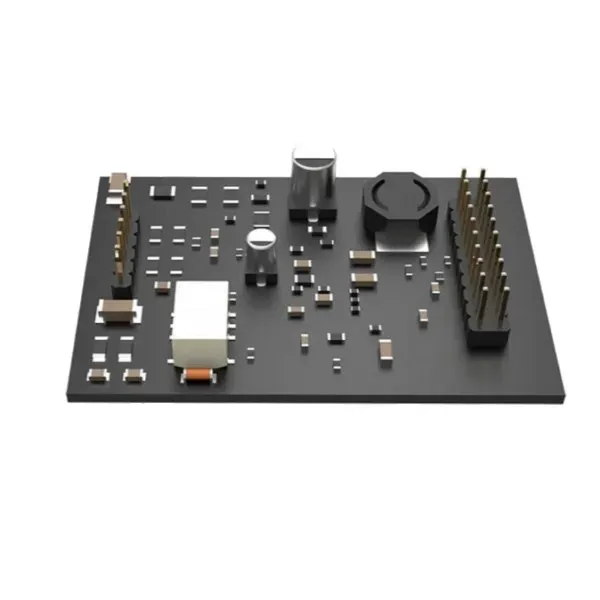
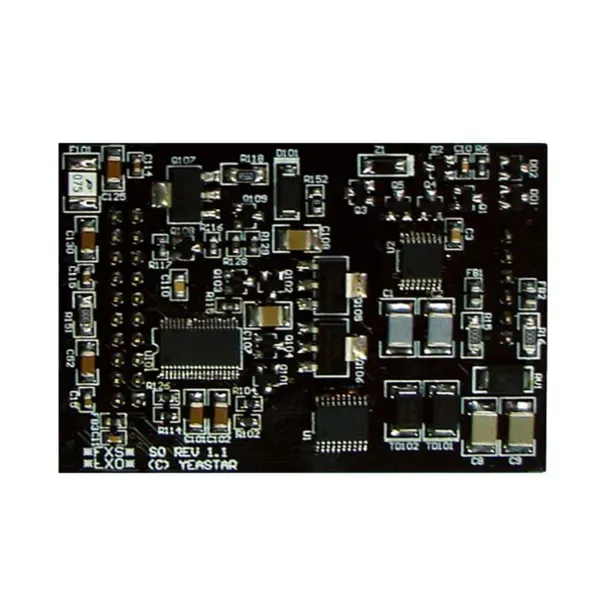
Yeastar SO FXS FXO Module
The Yeastar SO Module is a mixed analog telephony interface designed for supported modular Yeastar PBX appliances. It combines one FXS port for an analog telephone or fax device with one FXO port for a traditional PSTN/POTS telephone line. Yeastar also identifies the SO Module with a PSTN fallback function, making it especially useful where a business wants a simple bridge between legacy analog telephony and an IP PBX architecture without installing separate FXS-only and FXO-only modules for a single-port requirement.
Use the FXS side for an analog phone or fax machine and the FXO side for an analog PSTN line, subject to PBX-model compatibility and local line configuration.
Connect one compatible analog telephone or analog fax machine as a PBX extension.
Connect one analog PSTN/POTS line from the telephone service provider as a physical trunk.
Yeastar positions the SO Module with a PSTN fallback function for continuity between the analog phone side and PSTN line.
What the Yeastar SO Module solves
Many businesses do not move from analog telephony to IP communications in one step. A reception desk may still need a familiar analog handset, an accounts department may retain an analog fax machine, or an office may keep a conventional PSTN line for a specific route while the rest of the organization uses SIP extensions and IP phones. The Yeastar SO FXS FXO Module addresses this mixed requirement in a compact form by providing one station-side analog interface and one line-side analog interface in the same module.
The FXS interface is the PBX side that supplies an analog extension connection. Yeastar documentation specifically describes using an S2 or SO Module when an analog telephone or fax machine needs to connect to an FXS port. The FXO interface is used to receive the analog line presented by a PSTN provider. Yeastar’s administrator guidance explains that an O2 or SO Module can be used to create a PSTN trunk, with the FXO port connected to the service provider line by RJ11 and then configured in the PBX as a physical trunk.
This makes the SO Module particularly relevant when the requirement is exactly one analog endpoint and one analog trunk. If a project needs two analog extensions but no PSTN line, the Yeastar S2 is the more natural module. If it needs two analog PSTN trunks but no analog extension, the O2 is normally the better fit. The SO sits between those designs and reduces wasted interface capacity when the requirement is mixed.
Verified Yeastar SO Module features and compatibility
Mixed analog interfaces
Yeastar’s current telephony-module page lists the SO Module with one FXS port and one FXO port. The FXS side is intended for an analog telephone or fax endpoint; the FXO side is intended for one analog PSTN/POTS telephone line.
PSTN fallback
Yeastar identifies a unique PSTN fallback function for the SO Module. This is useful when continuity of a basic analog path is part of the design, but the exact operational behavior should still be validated during commissioning with the selected PBX and local line.
Current supported PBX families
Yeastar’s current module page lists S412, S20, S50, P520, P550, P560 and P570 among supported models. P560 and P570 use expansion-board arrangements for telephony-module interfaces. Older Yeastar documentation also references S100 and S300, so buyers maintaining legacy installations should verify the exact appliance generation before ordering.
Important compatibility check before purchase
Do not select this module only because the PBX carries the Yeastar brand. Confirm the exact PBX model, hardware generation, available module slot or expansion-board capacity, current interface mix, existing modules and the number of analog devices and PSTN lines required. For a P550, Yeastar’s installation guide explicitly lists the SO Module among supported telephony modules and states that the P550 supports up to four modules. For P560 and P570 projects, expansion-board planning is part of the interface design. For older S100 or S300 deployments, compatibility should be confirmed against the installed system’s documentation rather than inferred from a current product-family page.
Typical business use cases
Analog reception phone
Retain one analog handset for a desk, common area or continuity requirement while the rest of the organization moves to SIP endpoints.
Analog fax machine
Yeastar documentation supports connecting an analog fax machine to an FXS port provided by an S2 or SO Module. Fax routing and trunk support should then be configured to match the selected carrier method.
Single PSTN trunk
Bring one analog telephone-provider line into the Yeastar PBX through the FXO interface and use the PBX routing logic for inbound and outbound calls.
Hybrid migration
Support a phased VoIP migration where one legacy analog endpoint and one traditional line must remain operational alongside SIP trunks, IP phones or remote extensions.
Installation and configuration planning
Telephony modules are internal PBX components, so installation should begin with the correct hardware procedure for the exact Yeastar appliance. Yeastar’s P550 installation guide instructs the installer to power down, open the chassis, insert the module into an available module slot, close the chassis and then continue with system setup. Larger P-Series models use expansion arrangements, so the presence and availability of the required expansion board should be checked before procurement.
On the FXS side, the administrator creates or selects an FXS extension and associates it with the physical port. A connected analog telephone can then behave as a PBX extension. When the FXS device is a fax machine, outbound routing and fax requirements must be considered; Yeastar documentation notes T.38 support when faxing through an appropriate SIP trunk. On the FXO side, the RJ11 line from the telephone provider is connected to the FXO port, the trunk status is checked, and parameters such as receive and transmit volume can be configured where required.
Before commissioning, test inbound calling, outbound dialing, caller behavior, extension ringing, line release, audio levels and the intended fallback scenario. If a fax machine is connected, test both send and receive workflows. If the PSTN line is retained as a contingency path, document exactly which users and call routes are expected to use it and how the organization should operate during an IP or PBX service interruption.
Choose SO, S2 or O2?
| Module | Analog interfaces | Best fit |
|---|---|---|
| SO | 1 FXS + 1 FXO | One analog endpoint plus one PSTN line; Yeastar also identifies PSTN fallback. |
| S2 | 2 FXS | Two analog telephones or compatible analog endpoint requirements without an FXO trunk. |
| O2 | 2 FXO | Two analog PSTN/POTS lines without an FXS extension requirement. |
Yeastar SO FXS FXO Module Tanzania
For organizations in Tanzania, the Yeastar SO FXS FXO Module is most useful when a PBX project must connect modern IP communication with a small amount of retained analog infrastructure. A business may already be standardizing on SIP phones and a Yeastar PBX but still have a single analog device that remains operationally important. Examples include a basic reception handset, a fax machine used by an administrative workflow, or a telephone connected in a location where replacing the endpoint immediately is unnecessary. At the same time, the company may want to preserve one conventional PSTN line for inbound calling, a specific outbound route or continuity planning. The SO Module addresses both requirements with one FXS and one FXO interface.
Procurement teams in Tanzania should begin with the PBX model and interface count rather than simply asking for an “FXS/FXO card.” Yeastar uses different modular arrangements across appliances. Current Yeastar information lists the SO Module for S412, S20, S50, P520, P550, P560 and P570, while older documentation also covers selected legacy systems. That means the safest quotation request includes the exact PBX model, serial or hardware generation where available, currently installed modules, free slots, and the purpose of both analog interfaces. This prevents ordering a module that is electrically correct in principle but unsuitable for the installed chassis arrangement.
Tanzania buyers should also separate equipment availability from telecom-service compatibility. The module provides the physical interfaces, but an FXO trunk still depends on a working analog line from the local service provider and correct PBX line settings. An FXS fax deployment can require additional routing and fax configuration. FourTeck Tanzania’s business technology shop is useful for related PBX and endpoint planning, while the services overview explains broader installation, configuration and lifecycle considerations that often sit around the module purchase.
Yeastar SO FXS FXO Module Dar es Salaam
Businesses in Dar es Salaam often operate mixed communications environments because offices are upgraded in stages. A company can have IP phones at most desks, a SIP trunk for primary external calling and still retain an analog line for a specific business process or contingency requirement. The Yeastar SO Module is well suited to that kind of transition because one internal slot can provide both an analog station connection and an analog trunk connection. Instead of installing separate two-port modules when only one of each interface is needed, the mixed SO layout keeps the hardware aligned with the actual requirement.
For a Dar es Salaam head office, branch, hotel administration area, clinic, school, retail back office or professional-services environment, the planning question is not just whether an analog phone can be plugged in. The call flow needs to be documented. Decide whether the FXO line is primary, backup or dedicated to a particular route. Decide whether the FXS endpoint is a voice phone, fax machine or another supported analog terminal. Confirm how after-hours calls should behave, which outbound calls may use the PSTN line, and whether the organization expects the PSTN fallback feature to be part of its business-continuity process. These decisions make commissioning faster and avoid later confusion about why a physical line is present but unused by the intended routes.
The physical installation also deserves attention. The PBX should be powered down according to Yeastar’s hardware procedure before an internal module is fitted. After installation, the FXS extension and FXO trunk must be configured and tested. Audio levels, line status, dialing patterns and inbound routing should be checked with the actual provider line rather than assumed from a generic configuration. Businesses comparing a module-only purchase with a broader voice-system upgrade can review FourTeck Tanzania’s integrated IT and IP telephony overview to understand how PBX, switching, firewall, internet and endpoint decisions interact.
Yeastar SO FXS FXO Module Mwanza
In Mwanza, the Yeastar SO FXS FXO Module can support organizations that want to modernize office telephony without discarding every analog dependency on day one. A branch office may have only one remaining analog device but still require a conventional telephone line. A medical practice or administrative department may have a fax workflow. A small business may use IP phones for most employees while keeping one analog phone for a controlled purpose. The one-FXS, one-FXO layout is designed for precisely that mixed need, and it can be cleaner than allocating two full ports of one type when the second port would remain unused.
For procurement, the most important Mwanza requirement is to verify the host PBX. Yeastar’s modular platform spans multiple appliance generations, and the module arrangement differs by model. A P550 can accept telephony modules directly in its internal module slots. P560 and P570 systems use expansion-board architecture for these interfaces. S20, S50 and S412 are also represented on Yeastar’s current compatibility information. Legacy S-Series deployments should be checked against their own documentation before an order is finalized. Supplying the exact PBX model in the request for quotation is therefore more useful than giving only the number of analog ports needed.
Mwanza deployments should also account for how the analog line will be used operationally. If it is intended as a backup route, test the procedure that users will follow when the primary SIP route is unavailable. If the FXS side is used for fax, test send and receive behavior with the chosen trunk path. If the analog endpoint is located far from the PBX, review the existing copper path and termination quality before blaming the module for line noise or unreliable signaling. A good handover includes port labels, trunk names, extension numbers, routing notes and a simple description of what the fallback path is expected to do.
Yeastar SO FXS FXO Module Arusha
Arusha businesses in hospitality, tourism, professional services, education and branch operations can encounter a practical mix of new and legacy telephony. An IP PBX may support room-to-office communications, administration, reception and remote staff, yet one analog line or analog device may remain necessary. The Yeastar SO Module gives a supported modular PBX one FXS interface and one FXO interface in the same hardware option. That combination makes it relevant when a site needs limited analog integration without turning the PBX into a large bank of legacy ports.
A hotel or lodge administration office, for example, might retain one PSTN line as an alternate route while using SIP for primary calling. A school office may need an analog fax machine while staff use IP extensions. A professional office may want an analog phone connected for a specific continuity process. The module can support these patterns, but the endpoint and route design must be clear before installation. FXS and FXO are not interchangeable: the FXS side serves an analog endpoint, while the FXO side accepts the external analog line. Connecting equipment to the wrong type of interface will not deliver the intended result.
For Arusha procurement, ask for a quotation that identifies the Yeastar appliance model, the available module capacity, whether an EX08 expansion arrangement is required, the number of existing analog lines, the intended analog device, and the expected call-flow behavior. If the PBX is already in service, a configuration backup before hardware work is sensible operational practice. After fitting the module, test inbound calls, outbound calls, ringing, caller behavior, line release and any fallback expectation. Documenting the result is especially valuable for hospitality and multi-shift environments where a different employee may need to understand the system outside normal IT support hours.
Yeastar SO FXS FXO Module Dodoma
Organizations in Dodoma that operate Yeastar modular PBX equipment can use the SO Module to preserve a carefully limited amount of analog connectivity while building a predominantly IP-based phone system. Government-related offices, associations, education providers, NGOs, professional firms and branch sites may encounter existing analog circuits or devices that cannot be removed immediately. The SO Module avoids treating that requirement as a reason to keep the entire telephony platform analog. One FXS port can serve a legacy endpoint, while one FXO port can terminate an analog PSTN line.
The buying decision should still start with compatibility. Current Yeastar information lists the SO Module among telephony options for models including S412, S20, S50, P520, P550, P560 and P570. P560 and P570 require the relevant expansion architecture for telephony interfaces. Older S-Series installations may have additional historical support, but their exact hardware should be checked before procurement. For an existing Dodoma site, include a photograph of the PBX label or record the precise model and installed expansion hardware as part of the request; this gives the technical team enough information to confirm the physical path for the module.
Operational resilience is another reason a Dodoma organization might retain a PSTN line, but the phrase “fallback” should not replace a real continuity plan. Confirm what happens during loss of internet, loss of SIP service, PBX shutdown or power interruption. If a UPS keeps the PBX running, the organization may choose one call-routing strategy; if the plan is to rely on a direct analog path under a PBX outage, test the Yeastar fallback behavior with the installed line and endpoint. Written instructions for reception or security staff can make that feature far more useful in a real incident.
Yeastar SO FXS FXO Module UAE
For UAE offices connected to regional FourTeck projects, the Yeastar SO Module can be used when a modular PBX requires one legacy analog endpoint and one analog PSTN trunk. The same technical logic applies as in Tanzania: the FXS interface faces the analog telephone or fax device, while the FXO interface accepts the analog line presented by the telecom provider. The module is most efficient when the requirement is genuinely mixed; if the project needs several analog extensions or several analog trunks, a different module combination may make more sense.
UAE projects often involve multi-site standardization, so it is useful to document whether the analog interface is a temporary migration feature or a permanent part of the branch design. A business with branches in multiple countries may choose the same Yeastar PBX family but encounter different carrier services at each site. The module itself does not standardize those carrier conditions. Ringing behavior, local PSTN signaling, routing rules and numbering plans should be validated per site. This is especially important when the FXO circuit is expected to act as a backup route to SIP, because a technically installed line is not the same as a tested business-continuity workflow.
When preparing a UAE quotation, include the PBX model, current module population, expansion-board status, analog endpoint type, provider line type and target call flow. If the site is one part of a regional network, keep extension ranges, trunk naming and configuration documentation consistent between countries where practical. Consistency makes remote support easier without assuming identical local telecom conditions. The module is a small hardware component, but it should be treated as part of the wider PBX architecture rather than as an isolated accessory.
Yeastar SO FXS FXO Module Uganda
Uganda organizations using Yeastar modular PBX appliances may need to keep a single analog endpoint and a single PSTN line while the majority of users move to IP extensions. The SO Module provides an efficient interface mix for that scenario. An analog phone, fax machine or other supported station-side device can connect through the FXS port, while an analog line from a telecom provider can connect through the FXO port. Yeastar also associates the module with PSTN fallback, which can be relevant where the analog path is part of an availability strategy.
A Uganda deployment should be designed from the call flow outward. If the FXO line receives a public number, decide where inbound calls should go during business hours, after hours and during periods when the preferred SIP route is not available. If the FXS endpoint is a fax machine, verify fax routing and trunk suitability. If it is a voice handset, choose an extension number, caller-ID behavior and outbound permissions. These settings make the hardware useful; simply installing the module does not automatically create an operational trunk or extension.
Compatibility should be checked against the exact PBX. Yeastar’s current list covers multiple S-Series and P-Series appliances, but module capacity and expansion methods differ. Larger P-Series systems may require an expansion board, while a P550 supports several telephony modules internally. Buyers can also consult the FourTeck Uganda IP PBX and VoIP overview for broader regional communication-system context. A strong quotation request includes the PBX model, free slot count, analog-device requirement, line-service details, expected routing and any need for fallback testing.
Yeastar SO FXS FXO Module Kampala
Kampala businesses frequently combine headquarters functions, customer-facing reception, branch connectivity and remote working, which can make telephony migrations more complex than replacing every phone at once. The Yeastar SO Module is useful when an organization wants the benefits of an IP PBX while retaining one traditional telephone-provider line and one analog endpoint. Its mixed interface arrangement fits smaller legacy requirements without forcing the PBX to allocate two FXS ports or two FXO ports when only one of each is needed.
For a Kampala office, decide why the analog line is being retained. It may be a fallback route, a number known to customers, a service that has not yet migrated to SIP, or a dedicated connection for a particular workflow. Then decide what the FXS port will serve. If it is a fax machine, include fax testing in acceptance. If it is a reception handset or common-area phone, confirm ringing patterns, outbound dialing restrictions and caller presentation. If the intended design relies on Yeastar’s PSTN fallback, test that exact behavior under controlled conditions before describing it to users as a business-continuity feature.
Kampala procurement teams should also distinguish the cost of the module from the cost of the completed function. Installation, PBX shutdown planning, internal fitting, trunk configuration, extension creation, route changes, provider coordination and testing can all be part of the project. An apparently inexpensive interface card may therefore sit inside a more valuable configuration exercise. Recording the final port mapping and PBX configuration reduces future troubleshooting time, especially if the organization later adds SIP trunks, replaces the analog line or removes the remaining analog endpoint.
Yeastar SO FXS FXO Module Arua
For an Arua office or branch, the Yeastar SO FXS FXO Module can be attractive when the business wants a compact hybrid telephony design. Rather than preserving a complete analog PBX just because one device or one line remains in use, a supported Yeastar system can host that analog requirement alongside IP calling. The FXS port provides the station interface for the analog device, and the FXO port receives the analog PSTN line. This can reduce equipment duplication and support a gradual migration strategy.
Branch environments should put special attention on maintainability. Before the module is purchased, record the PBX model, current firmware or appliance generation, installed modules and available capacity. Check whether the system requires an expansion board for additional telephony interfaces. Define the purpose of the analog line, then document inbound and outbound routing. If the line is intended for continuity when IP connectivity is unstable, test the fallback or alternate route with real users and real provider service. A plan that has never been tested is difficult to depend on during an outage.
For the analog endpoint, confirm cable condition and distance, especially if existing copper wiring is being reused. Poor termination, damaged cable or old distribution points can create noise and unreliable behavior that may be incorrectly attributed to the PBX module. Label the port at the PBX and at the endpoint, and record the extension number or fax assignment. If the Arua branch is managed from Kampala or another city, consistent labels and configuration notes become even more valuable because remote technicians can understand the hardware layout before anyone visits the site.
Yeastar SO FXS FXO Module Mbarara
Mbarara organizations upgrading to IP telephony can use the Yeastar SO Module when they want to keep one analog endpoint and one analog outside line within a modern modular PBX. This is common during staged migrations because business processes and carrier services do not always change at the same time. The organization may have already deployed IP phones but still use a fax machine, or it may have moved most outbound traffic to SIP while retaining a PSTN number for selected incoming calls. The mixed interface design supports that overlap.
The module should be sized as part of the complete port plan. If the organization expects more analog devices in the next year, a single SO Module may solve today’s need but create unnecessary redesign later. Conversely, if the requirement is permanently one analog phone and one line, the SO may be more efficient than an S2 plus an O2. Count current and future ports, review available module slots, and identify whether the PBX model needs expansion hardware. This is especially important on larger Yeastar systems where expansion architecture determines how modules are fitted.
After physical installation, configure the FXS extension and FXO trunk in a controlled change window. Test the provider line, receive and transmit audio, inbound destinations, outbound routes and line release. If the FXS port serves fax, include fax-specific tests. If the FXO line is described internally as a backup, simulate the condition under which it is expected to be used. Finally, add the port map and call-flow notes to the organization’s PBX documentation so future support does not depend on the memory of the installer.
Yeastar SO FXS FXO Module Gulu
A Gulu branch, institution or commercial site may benefit from the Yeastar SO FXS FXO Module when it needs a small amount of analog integration without abandoning an IP PBX strategy. The module’s one FXS and one FXO interface can support one analog endpoint and one analog carrier line, allowing SIP phones and IP-based routing to remain the primary system while the legacy requirement is retained in a controlled way.
For branch continuity, the key design step is understanding exactly what should happen when the normal calling path is unavailable. If the organization uses a SIP trunk over internet connectivity but keeps a PSTN line, define which extensions can use the analog line and under what conditions. If the Yeastar PSTN fallback feature is important to the business case, verify it on the selected PBX and test it with the actual connected analog phone and provider circuit. Staff should know whether they must move to a specific phone, dial differently or simply continue using the analog endpoint during the fallback condition.
A good Gulu deployment also considers remote support. Label the SO Module’s physical ports, document the FXS extension and FXO trunk names, record the provider number and route purpose, and keep a configuration backup after commissioning. If the branch has intermittent support access, these small documentation steps can shorten troubleshooting significantly. When ordering, include the exact Yeastar model and module-slot status. Do not assume every Yeastar PBX takes the same module in the same way, particularly when moving between compact S-Series appliances, P550 and the larger expansion-board-based P-Series systems.
Yeastar SO FXS FXO Module Kenya
Kenya businesses operating Yeastar modular PBX platforms can use the SO Module to connect one analog endpoint and one analog PSTN line within an IP telephony environment. This is useful for offices that have migrated most users to SIP phones but retain a legacy device or number. It can also fit branch standardization projects where every site uses the same Yeastar PBX family but only some locations require an analog interface.
The most important procurement step is to confirm the PBX model and available expansion path. Current Yeastar information includes S412, S20, S50, P520, P550, P560 and P570 in the supported model list for the telephony modules. Larger P-Series appliances use expansion arrangements, while P550 provides multiple internal module slots. If the Kenya site runs an older S-Series platform, compare its own administrator documentation and installed hardware before treating current model lists as a complete compatibility statement.
From an operational perspective, identify whether the FXO circuit is primary, secondary or dedicated. Configure inbound and outbound routes accordingly and test with the local provider service. For the FXS side, identify whether the device is voice or fax and apply the correct extension or fax workflow. Multi-country organizations can use the FourTeck Kenya IT and IP PBX overview for wider regional system planning. When the same communications standard spans Kenya, Tanzania and Uganda, common extension plans and configuration documentation can simplify management, but carrier-specific analog behavior should still be validated independently at each site.
Yeastar SO FXS FXO Module Kuwait
For Kuwait offices maintaining a Yeastar modular PBX, the SO Module can serve a targeted hybrid requirement: one analog station and one analog PSTN trunk inside a largely IP-based telephony platform. This type of interface is useful when the organization does not want to keep a separate analog gateway for such a small port count, provided the selected PBX model supports the module and has the necessary slot or expansion capacity.
The FXS side should be planned around the endpoint. If it is an analog phone, assign the extension and permissions that fit the user role. If it is a fax machine, validate the chosen fax path and any trunk-specific requirements. The FXO side should be planned around the carrier line: confirm the service presented is an analog PSTN/POTS connection suitable for the FXO port, then configure the trunk, inbound behavior and outbound route. Audio levels and signaling should be tested with the live line because local circuit behavior cannot be guaranteed from the module specification alone.
Kuwait procurement teams should also decide whether the analog line is strategic or temporary. If it exists only during migration, plan its eventual removal so module capacity can be reused or simplified. If it is part of business continuity, record and test the fallback procedure periodically. A telephony interface that has not carried a call for months may still appear present in the configuration while the underlying provider line has changed. Regular validation is therefore more important than the mere presence of the SO Module inside the PBX.
Yeastar SO FXS FXO Module Ghana
Ghana organizations considering the Yeastar SO FXS FXO Module are typically solving a mixed legacy-interface problem rather than building a large analog phone system. The module provides one FXS port for an analog endpoint and one FXO port for a traditional telephone-provider line. In a modern IP PBX deployment, that can be enough to keep one business process working while moving the rest of the users to SIP phones, softphones or other IP-based communication methods.
A well-prepared Ghana quotation should state the exact PBX model, current module inventory, whether expansion hardware is already installed, the analog endpoint type, the external line purpose and the desired routing behavior. If the PBX is a P560 or P570, expansion-board planning is part of the design. If it is P550, Yeastar documentation lists the SO among supported internal modules. If the equipment is an older S-Series appliance, verify compatibility from the documentation for that generation. This reduces the risk of assuming that a module supported historically remains appropriate for every current or legacy chassis.
Once installed, the Ghana site should test both sides independently and then as part of the complete call flow. The analog endpoint should obtain expected extension behavior, and the FXO line should show proper trunk status, inbound call delivery and outbound dialing. If PSTN fallback is important, test the specific outage condition the business wants to protect against. Record the result, because “fallback” can mean different operational expectations to different teams. Clear documentation turns a small hardware feature into a dependable part of the communication plan.
Yeastar SO FXS FXO Module Nigeria
Nigeria businesses with Yeastar modular PBX equipment may use the SO Module where one analog device and one analog line need to coexist with an IP-based phone system. This is a focused requirement, but it appears in many migration projects: a known PSTN number remains active, a fax machine is still part of a workflow, or a basic analog handset is retained for continuity. The module combines those interface types in one slot and therefore deserves consideration before purchasing separate FXS-only and FXO-only modules.
Compatibility remains the first technical checkpoint. Current Yeastar telephony-module information identifies several supported S-Series and P-Series models, but the physical expansion method is not identical across them. P560 and P570 systems rely on expansion-board arrangements for telephony interfaces, and a P550 supports multiple internal modules. Older S-Series appliances may have historical compatibility that should be checked directly against that model’s documentation. A procurement request that simply says “Yeastar SO card” is therefore incomplete without the host PBX model.
Nigeria deployments should treat the external analog line as a telecom service, not just a cable plugged into the PBX. Confirm that the provider circuit is active, identify the number, understand its inbound and outbound restrictions and test real calls after configuration. If the FXS device is a fax machine, test fax behavior across the selected trunk. If fallback is a reason for retaining the PSTN line, simulate the relevant failure condition and train the affected users. This produces a verified continuity path rather than a theoretical one.
Yeastar SO FXS FXO Module Seychelles
Seychelles hotels, offices, service companies and other organizations running a modular Yeastar PBX may encounter situations where IP telephony coexists with a small analog requirement. The Yeastar SO Module is designed for one FXS endpoint and one FXO PSTN line, making it suitable when a site does not need a larger analog gateway or multiple dedicated analog modules. It can support a controlled migration path where the majority of users remain on SIP phones while one legacy endpoint and one carrier line are retained.
Hospitality environments should be especially clear about the purpose of the analog endpoint. If it is part of administration or a fax workflow, it can be configured as an FXS extension with appropriate routing. If the FXO line is retained for operational resilience, reception or management staff should know how it is intended to be used. The Yeastar fallback function can be valuable, but it should be tested against the actual installed PBX and provider circuit before being relied on as an emergency process.
For Seychelles procurement, include the PBX model, installed modules, expansion-board availability, endpoint type, analog-line details and required call flows. Shipping and availability should be confirmed at quotation time rather than assumed from a web page. After installation, conduct a complete acceptance test covering line status, inbound routing, outbound dialing, analog endpoint operation, audio quality and fallback behavior if applicable. A compact module can solve a specific problem very neatly, but only when the hardware selection, carrier interface and PBX configuration are all aligned.
Quotation checklist for the Yeastar SO Module
Related FourTeck resources
For a broader procurement view, the FourTeck Tanzania shop covers business technology categories including IP PBX hardware and endpoints. This is useful when the SO Module is part of a larger telephony refresh rather than a standalone spare.
The FourTeck Tanzania services page provides context for installation, configuration, troubleshooting and lifecycle support that may be required around PBX hardware changes.
The FourTeck Tanzania technology overview explains how IP telephony interacts with switching, cabling, internet, firewall and other infrastructure. This matters because reliable voice depends on more than the module alone.
For organizations with regional branches, FourTeck Uganda and FourTeck Kenya provide regional IP PBX and IT-solution context for cross-border standardization.
Frequently asked questions
What ports does the Yeastar SO Module provide?
It provides one FXS port and one FXO port. The FXS side is for an analog telephone or fax endpoint, while the FXO side connects an analog PSTN/POTS line.
Can the SO Module connect a fax machine?
Yes. Yeastar documentation describes using an S2 or SO Module when connecting an analog fax machine to an FXS port. The complete fax setup still depends on PBX routing and the trunk used to send or receive the fax.
Can the SO Module connect a PSTN line?
Yes. Yeastar documents the SO Module as an option for creating a PSTN trunk. The provider’s analog line connects to the FXO port and is then configured as a trunk in the PBX.
What is the difference between SO, S2 and O2 modules?
SO has one FXS and one FXO port. S2 has two FXS ports for analog endpoints. O2 has two FXO ports for analog PSTN lines. The best choice depends on the required port mix.
Which Yeastar PBX models support the SO Module?
Yeastar’s current telephony-module page lists S412, S20, S50, P520, P550, P560 and P570. Legacy Yeastar documentation also references older S100 and S300 configurations. Always verify the exact appliance and expansion hardware before ordering.
Does P550 support the SO Module?
Yes. Yeastar’s P550 installation guide lists the SO Module among the supported optional telephony modules and states that P550 supports up to four modules.
Do P560 and P570 need an expansion board?
Yeastar’s modular design documentation shows the larger P560 and P570 using expansion-board arrangements to add telephony interfaces. Confirm the specific EX08 requirement and available expansion capacity in the target system.
Is the PSTN line automatically configured after installing the module?
No. The physical FXO interface must be connected to the provider line and configured in the PBX. Trunk status, routing and audio behavior should be tested after setup.
Is the SO Module suitable if I need two PSTN lines?
Not by itself. The SO Module provides one FXO port. If you need two analog PSTN lines and no FXS endpoint, the Yeastar O2 Module is generally the more direct two-FXO option, subject to PBX compatibility.
What information should I send for a quotation?
Send the exact PBX model, installed modules, available slots or expansion hardware, the analog endpoint type, the number and type of PSTN lines, required quantity, and whether installation or configuration is part of the request.
Decision recap
Choose the Yeastar SO Module when the real requirement is one analog endpoint plus one analog PSTN line on a compatible modular Yeastar PBX. Choose S2 when the need is two FXS interfaces, and O2 when the need is two FXO interfaces. Before purchase, confirm the host PBX model and available module architecture, then define how the analog endpoint and external line will be routed.
For Tanzania projects, provide the exact Yeastar model and intended use so the module can be quoted with the right installation and configuration scope. Availability, delivery, warranty terms and service scope should be confirmed in the quotation rather than assumed from general product information.
Consultation panel
A useful pre-sales check takes only a few details: the Yeastar PBX model, the number of free module slots, whether an expansion board is present, the analog device to be connected, and the purpose of the PSTN line. With that information, the correct interface mix can be evaluated before installation begins.




Reviews
There are no reviews yet.