
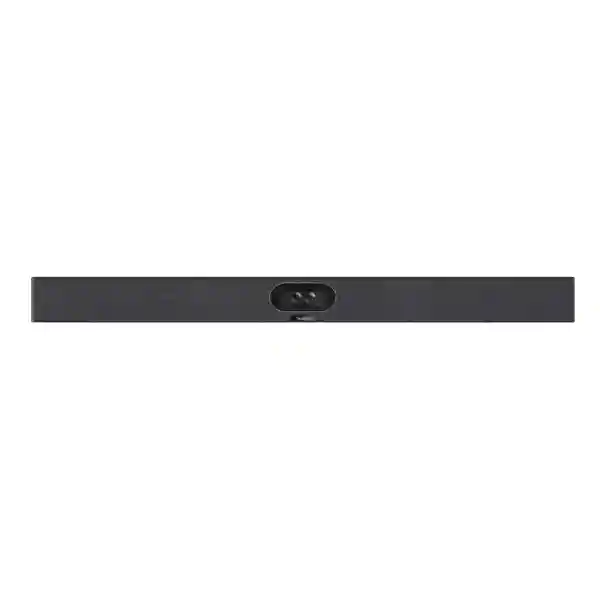
Yealink MeetingBar A40 Zoom Rooms System
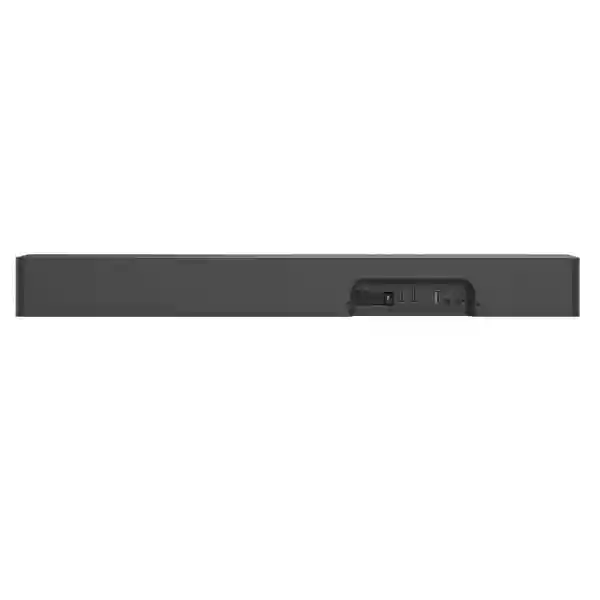
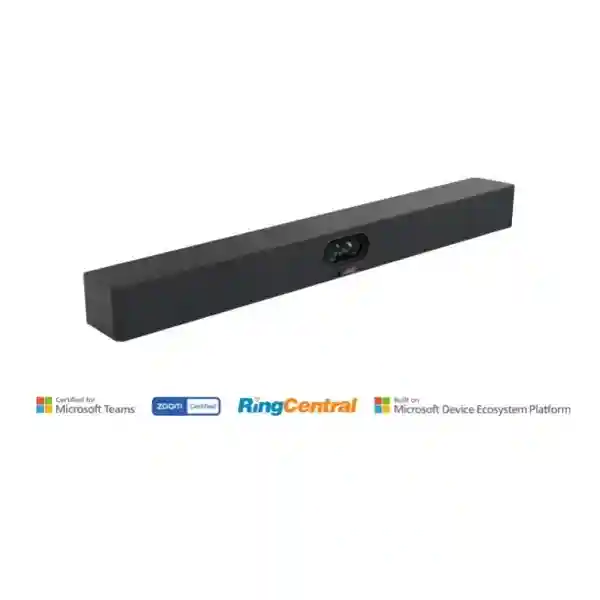
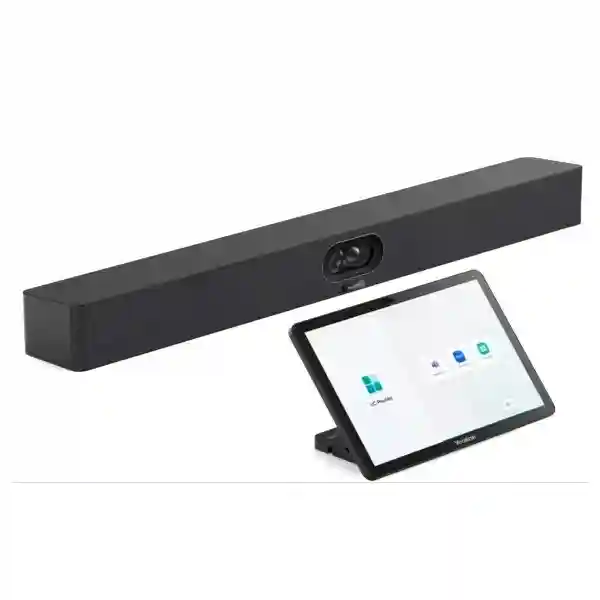
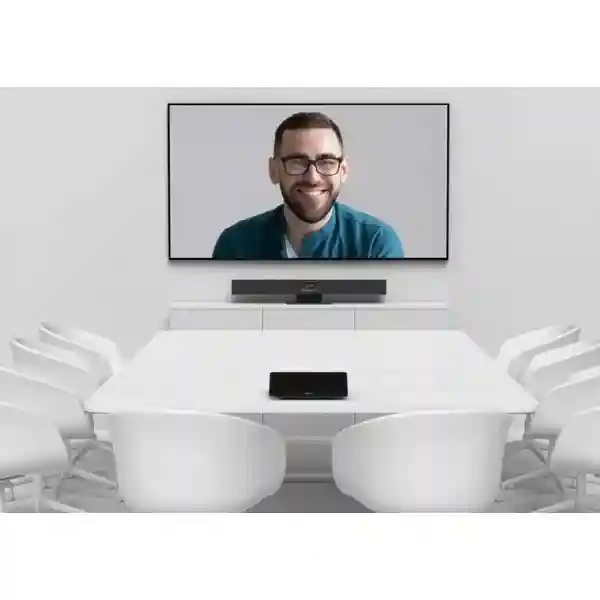
The Yealink MeetingBar A40 Zoom Rooms System brings camera, microphones, loudspeakers and intelligent video functions into one collaboration bar for premium small-to-medium rooms. For organisations that want a purpose-built Zoom Rooms experience without assembling separate camera and audio components, the A40 provides a streamlined foundation that can be planned around the room, display, network and user workflow.
Yealink lists IntelliFocus, Auto Framing and Speaker Tracking for the MeetingBar A40, helping the room system keep attention on participants without requiring constant manual camera adjustment.
The bar integrates two 10W speakers and an 8-MEMS microphone array. That consolidated design can simplify cabling and reduce the number of separate meeting-room endpoints to manage.
The Zoom Rooms appliance edition is intended for organisations standardising meeting spaces around Zoom, giving users a consistent room experience rather than a laptop-led ad-hoc conferencing setup.
Room depth, seating position, acoustics, display count, cable paths, internet quality and management policy should be checked before finalising a bill of materials or installation approach.
What the Yealink MeetingBar A40 Zoom Rooms System solves
Many meeting rooms fail not because the conferencing platform is inadequate, but because the room hardware was selected without considering how people actually sit, speak, share content and join meetings. A laptop webcam may be acceptable for one user, yet it quickly becomes limiting when several people sit around a table. The A40 addresses this by placing a purpose-built camera and integrated room audio at the front of the meeting space. A wide field of view can capture more of the table, while framing and speaker-tracking functions can improve the remote participant experience.
For IT teams, an appliance-based room also changes the support model. Instead of asking every employee to connect a USB cable, select the right microphone and choose the correct camera, the room can be prepared as a dedicated Zoom Rooms environment. That reduces setup friction and creates a repeatable experience from one meeting room to another. The room still requires disciplined configuration: network access, account licensing, display settings, firmware management and user permissions should be treated as part of the deployment, not as afterthoughts.
The A40 is particularly relevant when the goal is to keep the room visually clean. A consolidated video bar can reduce component sprawl around the display. That does not mean every room should use the same design. Larger spaces may need more extensive microphone coverage or a different camera architecture. Smaller rooms may not require every accessory. FourTeck therefore recommends sizing the solution around actual room dimensions, expected participants, display placement and the way meetings are conducted.
Verified MeetingBar A40 capabilities
| Product positioning | All-in-one video collaboration bar for premium small-to-medium rooms |
| Imaging | Two 48MP cameras combined for high-resolution room imaging |
| Maximum video resolution | Up to 4K |
| Maximum frame rate | Up to 60 fps |
| Field of view | 120° diagonal, 110° horizontal, 54° vertical |
| Digital zoom | 6x digital zoom |
| AI camera functions | IntelliFocus, Auto Framing and Speaker Tracking |
| Built-in microphones | 8-MEMS microphone array |
| Built-in loudspeakers | 2 × 10W speakers |
| Expansion microphones | Support for up to two additional expansion microphones according to Yealink product information; accessory selection should be confirmed for the intended deployment. |
Planning a dependable Zoom Room around the A40
A successful room starts with the physical space. Camera height should approximate a natural eye line, and the display should be visible from the furthest seat without forcing participants to turn away from the camera. Very reflective rooms can produce echo even when the conferencing hardware is strong, so acoustic treatment, soft furnishings or layout changes may deliver more value than adding equipment. The microphone array should not be expected to overcome every difficult room condition.
Network quality is equally important. Zoom Rooms relies on reliable IP connectivity, and meetings can become unstable when wireless congestion, packet loss or inadequate internet capacity is ignored. Where possible, room-system connectivity should be included in the organisation’s broader LAN design, with suitable switching, segmentation, firewall rules and Quality of Service considerations. FourTeck’s Tanzania IT services overview explains how collaboration systems fit alongside networking, security and infrastructure planning.
Power and cable routing deserve similar attention. A visually clean room depends on mounting positions, power outlets, network ports and display cabling being planned before installation. For new offices, these requirements should be coordinated with structured cabling work. For existing rooms, a site assessment can identify whether the display wall, furniture, conduit and network placement are suitable before hardware is ordered.
Buying guidance for the Yealink MeetingBar A40 Zoom Rooms System
The product name in this page is specifically the Zoom Rooms System configuration. If your organisation standardises on Microsoft Teams Rooms or requires frequent switching between platforms, confirm the intended operating mode before procurement.
Record room length, width, table dimensions, seating count, display size and camera-to-furthest-seat distance. These measurements help determine whether the A40 is appropriate and whether microphone expansion or a different room architecture is needed.
Decide whether the room requires one or two displays, how content and remote participants should be shown, and where displays will be mounted. Sightlines matter as much as screen size.
Confirm stable LAN and internet access, necessary firewall policies and any IT security requirements. A premium room device cannot compensate for an unreliable WAN connection.
Related FourTeck Tanzania resources
FourTeck Tanzania positions video conferencing as part of a wider business technology environment. Buyers can review the FourTeck Tanzania technology portfolio to understand how collaboration connects with networking, security, displays and communications. The Tanzania business technology shop provides a broader procurement entry point, while the services page is useful when the project includes room design, installation, configuration or supporting infrastructure. Organisations planning regional deployments can also review FourTeck resources for Kenya IT and video conferencing solutions, Uganda IT solutions, Ghana business IT solutions, Nigeria IT services and Kuwait IT solutions.
Yealink MeetingBar A40 Zoom Rooms System Tanzania
For organisations in Tanzania, the Yealink MeetingBar A40 Zoom Rooms System is a practical option when the objective is to create a dedicated small-to-medium Zoom meeting room rather than rely on personal laptops and loose USB peripherals. This distinction matters for businesses that hold frequent client meetings, management reviews, project sessions, training calls or cross-border collaboration. A dedicated room makes the meeting experience repeatable: users enter the space, start or join the scheduled Zoom meeting through the room workflow and use a camera and audio system selected for group participation.
Tanzania deployments should begin with room assessment rather than a product-only quotation. The A40’s dual 48MP imaging and wide field of view are useful characteristics, but the final experience still depends on seating distance, lighting, wall surfaces, room noise and display positioning. In a shallow boardroom, a wide camera can help include participants seated close to the screen. In a deeper room, the furthest participants may need extra attention to microphone coverage and image composition. Where the room is too large for a front-of-room bar, a different architecture may be more appropriate than simply adding accessories.
Network readiness is a major procurement consideration in Tanzania because meeting quality depends on the complete path from the room to the internet. Businesses should confirm the availability and stability of their primary internet connection, internal switching capacity, Wi-Fi policy where applicable, firewall configuration and backup connectivity if meetings are operationally critical. The conference room should not be treated as an isolated AV island. It sits on the business network and therefore should follow the organisation’s security, VLAN, access and device-management standards.
A quotation request is more useful when it includes room dimensions, expected participants, number and size of displays, mounting requirements, whether the room already has network cabling, and whether content sharing is required from guest laptops. It is also important to identify the Zoom Rooms licensing position, because room hardware and the collaboration subscription are separate procurement considerations. FourTeck can use this information to help shape a deployment bill of materials instead of assuming the same accessory set is correct for every customer.
For multi-site Tanzanian businesses, standardisation can reduce support overhead. If several offices use similar room sizes, a repeatable A40 configuration can make user training, documentation, firmware policy and troubleshooting easier. Where sites differ substantially, standardisation should focus on the user experience rather than forcing identical hardware into unsuitable spaces. The goal is consistent, dependable Zoom collaboration across Tanzania with hardware selected according to each room’s real requirements.
Yealink MeetingBar A40 Zoom Rooms System Dar es Salaam
In Dar es Salaam, organisations evaluating the Yealink MeetingBar A40 Zoom Rooms System often have a mix of executive meeting rooms, client-facing conference rooms and everyday project spaces. The A40 can be especially relevant to companies that communicate frequently with regional offices, suppliers, international partners or remote staff and want a room that is always ready for Zoom. Rather than moving a webcam and speakerphone from room to room, the meeting bar can remain installed at the display as part of a permanent collaboration space.
A Dar es Salaam office may have glass-walled rooms, open-plan areas close to meeting spaces or air-conditioning noise that affects speech intelligibility. These environmental details should be considered during planning. The built-in 8-MEMS microphone array is intended for room pickup, but room acoustics still affect every conferencing system. If hard surfaces create strong reflections, improving the acoustic environment can produce a more natural result for remote participants. If seating extends beyond the comfortable pickup zone of the room design, the possibility of supported expansion microphones should be evaluated.
Businesses should also plan the physical installation carefully. Determine whether the video bar will be mounted above or below the display, whether the chosen position keeps the camera near participant eye level, where the room controller will be placed, and how network and power cabling will reach each component. A neat wall installation often depends on electrical and data preparation. Where the room is being fitted out, it is more efficient to coordinate conferencing infrastructure before furniture and wall finishes are complete.
For procurement teams in Dar es Salaam, the request for quote should identify the exact A40 Zoom Rooms requirement, display configuration, desired accessories, quantity, room count and any installation scope. Avoid treating a web product name as a complete bill of materials. Room systems may involve controllers, mounting, cabling and content-sharing requirements that differ by project. Confirming these elements early reduces the chance of receiving an incomplete quote that cannot be deployed immediately.
IT managers should include the A40 in their device-management and network-security policies from day one. Assign the room to a documented network segment, record administrative ownership, plan firmware maintenance and maintain an inventory of room components. When meeting rooms become business-critical, this operational discipline is as important as the initial purchase. A well-planned Dar es Salaam Zoom Room should be simple for users precisely because the technical complexity has been handled in the background.
Yealink MeetingBar A40 Zoom Rooms System Mwanza
For businesses and institutions in Mwanza, the Yealink MeetingBar A40 Zoom Rooms System can support regional coordination without requiring every meeting participant to join separately from a notebook. A dedicated room is useful for management calls, supplier discussions, training sessions, interviews, project coordination and meetings between Mwanza operations and teams in other Tanzanian cities. The A40’s integrated camera and audio architecture reduces the need for users to understand the technical routing of microphones, speakers and webcams before each call.
Room size remains the first decision point. A small conference room with a short table can often be served by an all-in-one video bar more cleanly than a complex multi-component installation. A longer room with participants seated further from the front should be evaluated carefully. The A40 offers intelligent camera functions such as Auto Framing and Speaker Tracking, but these features work best when the physical layout allows a clear view of the people in the room. Tall objects, unusually placed displays or participants seated outside the intended camera zone can reduce the effectiveness of any automatic framing system.
Connectivity planning is also important for Mwanza sites. A business should understand its usual internet performance during working hours, not only its advertised bandwidth. Simultaneous cloud applications, file transfers, guest Wi-Fi and other video calls may compete for capacity. Network teams can reduce risk by reviewing switching, cabling, firewall policy and traffic prioritisation as part of the conference-room project. For sites where meetings are essential to operations, a backup connectivity strategy may be considered at the broader network level.
When requesting a quotation, Mwanza customers should specify whether the need is hardware supply only or a complete room outcome. A complete project may include assessment, mounting, display integration, network preparation, configuration, account setup coordination, testing and user handover. Separating these scopes helps procurement teams compare proposals more accurately. It also prevents the assumption that a product box automatically includes every cable, bracket or service needed by the room.
The strongest deployment outcome is a room that non-technical users can operate confidently. Labels, a simple quick-start guide, consistent controller placement and documented support contacts can prevent minor issues from disrupting meetings. If several Mwanza rooms are planned, standardise naming conventions and installation practices so administrators can identify each system quickly. This operational approach turns the Yealink A40 from a piece of hardware into part of a dependable collaboration service.
Yealink MeetingBar A40 Zoom Rooms System Arusha
Arusha organisations frequently collaborate across locations, making a dedicated Zoom Room valuable for offices, hospitality operations, non-governmental organisations, education, project teams and businesses working with international stakeholders. The Yealink MeetingBar A40 Zoom Rooms System is designed for premium small-to-medium spaces where a wide camera view, integrated microphones and built-in speakers can create a more natural group meeting than a laptop placed at one end of the table.
The room’s visual environment deserves special attention. Strong backlighting from windows can make faces difficult to see, while low light can reduce image quality. Before purchasing any camera system, evaluate whether blinds, lighting control or display relocation would improve the room. The A40’s dual-camera approach and intelligent framing are designed to improve participant presentation, but basic room-lighting discipline remains important. A camera should ideally face participants with balanced light rather than point toward a bright window behind them.
Audio is similarly influenced by architecture. Boardrooms with tile floors, bare walls or large glass surfaces can create echo and reverberation. The built-in microphone array and noise-reduction functions can help, yet acoustic improvements may still be required where the room itself is difficult. A procurement conversation should therefore include room finishes and expected seating positions, not only the number of people. If the room occasionally hosts larger groups, consider whether the seating arrangement can stay within the effective design zone or whether another room configuration is more appropriate.
Arusha buyers should also verify how content will be presented. Many meetings involve presentations, spreadsheets, dashboards or video clips. Determine whether users will share from managed corporate laptops, guest devices or both. Guest workflows should be simple but still aligned with the organisation’s security policy. The display strategy should provide enough screen area to see both shared content and remote participants comfortably, particularly in rooms used for training or detailed project reviews.
For long-term support, document the Zoom Room account assignment, device names, physical room name, network information and responsible administrator. If the organisation operates sites across Tanzania, use consistent naming conventions so IT teams can understand which room is being discussed during a support call. This type of disciplined deployment is especially useful for Arusha organisations with remote management or regional operations, where troubleshooting may need to begin before someone can physically visit the meeting space.
Yealink MeetingBar A40 Zoom Rooms System Dodoma
In Dodoma, the Yealink MeetingBar A40 Zoom Rooms System can be considered for offices that need dependable, repeatable video collaboration for administrative meetings, project coordination, policy discussions, training and communication with teams in other regions. A dedicated Zoom Room helps create a shared meeting experience where the room, rather than a participant’s laptop, becomes the conferencing endpoint. This can reduce delays caused by missing adapters, incorrectly selected microphones or users spending the first minutes of a call configuring personal devices.
The A40’s 120-degree diagonal field of view can be useful in compact rooms where participants sit relatively close to the display. However, wide camera coverage should not be interpreted as permission to ignore placement. The camera needs a clear view of the table, and its height should feel natural to remote participants. Mounting the bar too high can create an overhead perspective; mounting it too low can make the table dominate the picture. Installation should therefore balance display position, eye line and furniture height.
Dodoma procurement teams should identify the room’s operational importance. An occasional internal meeting room may need a simpler support plan than a room used daily for executive or external meetings. Critical rooms benefit from documented test procedures, spare-cable planning, clear escalation steps and scheduled health checks. IT teams can also verify that room-system firmware and Zoom Rooms software are maintained according to approved policies, rather than only updating devices when a problem occurs.
Infrastructure preparation is another key issue. Confirm that the meeting room has suitable electrical outlets, network ports and display connections. If the room is part of a new fit-out, coordinate the conferencing design with structured cabling and power planning before walls and furniture are finalised. This can avoid visible extension cables and late changes. If the room already exists, a short technical survey can reveal whether additional network or electrical work should be included in the project scope.
A useful Dodoma quotation request states the intended number of rooms, room dimensions, approximate participant capacity, display requirements, Zoom platform requirement, content-sharing expectation and installation scope. This enables the supplier to discuss a complete room solution rather than only quoting the video bar. Customers should also request clarity on what is included and excluded, particularly for accessories, mounting materials, licences and services, so procurement decisions are based on comparable project scope.
Yealink MeetingBar A40 Zoom Rooms System UAE
For organisations in the UAE, the Yealink MeetingBar A40 Zoom Rooms System fits a common requirement: standardised, professional collaboration rooms across offices that conduct frequent regional and international meetings. The appliance approach can suit businesses that want Zoom Rooms available as a dedicated workplace service rather than depending on individual users to bring a laptop and connect peripherals. This is particularly useful where executives, client teams, sales staff or project groups expect rooms to operate consistently throughout the day.
UAE office environments range from compact glass meeting pods to larger executive conference rooms, so the same A40 configuration should not be assumed for every space. The dual 48MP camera design and wide field of view are strong starting points for small-to-medium rooms, but acoustics, seating depth and display layout still determine whether the room is a good fit. Hard architectural finishes can increase reverberation, while open ceilings and glass partitions may allow external noise to enter the room. Room assessment should therefore accompany hardware selection.
For enterprise deployments across several UAE offices, consistency can be achieved through a room standard that defines display size, controller location, cable routing, naming conventions, network settings and support procedures. The physical hardware may vary when rooms differ, but the user experience can remain similar. This makes training easier and reduces calls to IT. Central administrators can also benefit from documented asset ownership and remote management processes for meeting-room devices.
A procurement team should confirm Zoom Rooms licensing, accessory needs and installation scope separately. Avoid assuming that a Zoom Rooms appliance purchase automatically provides every software entitlement required by the organisation. Likewise, content sharing from laptops, dual-display operation, room-controller placement and expansion microphones should be defined in the bill of materials. A complete quotation should map each item to a specific room requirement.
Where UAE and Tanzania offices collaborate frequently, using a consistent Zoom Rooms strategy can improve meeting predictability across regions. Participants know what to expect when entering a room, and IT teams can apply common operational standards. The most valuable outcome is not simply higher camera resolution; it is a meeting environment that starts quickly, captures participants clearly, supports natural conversation and remains manageable over its lifecycle.
Yealink MeetingBar A40 Zoom Rooms System Uganda
Ugandan organisations considering the Yealink MeetingBar A40 Zoom Rooms System can use it to build a dedicated meeting space for management communication, branch coordination, training, customer meetings and cross-border collaboration. An all-in-one bar is attractive where teams want fewer separate devices at the front of the room and a consistent Zoom experience. The built-in camera, microphones and speakers reduce the number of standalone AV components that need to be connected and supported.
The A40 should be selected according to room dimensions rather than participant count alone. Ten people tightly grouped around a short table may be easier to capture than six people spread through a deeper room. Camera angle, microphone distance and seating geometry should all be assessed. The A40 provides automatic framing and speaker-tracking features, which can improve meeting dynamics, but good physical design is still essential for these functions to work naturally.
Uganda deployments should also account for network resilience. Cloud meetings depend on dependable connectivity, and organisations with important scheduled calls should consider how their broader network handles internet interruptions. The room-system project is a good opportunity to review LAN cabling, switch capacity, firewall policy and internet performance. If Wi-Fi is involved in any part of the workflow, coverage and congestion should be tested in the actual room rather than assumed from nearby office areas.
Procurement requests should distinguish between product supply and deployment services. A hardware-only quote is appropriate where the customer’s IT team will install and configure the room. A turnkey requirement should describe mounting, display integration, cabling, network checks, Zoom Rooms configuration support, testing and handover. Stating the desired outcome makes it easier to compare proposals and reduces ambiguity about who is responsible for each stage.
For organisations operating multiple Ugandan branches, standardised documentation becomes especially valuable. Record the room name, device serial information, network assignment, display model, controller details and support contacts. Use the same room-naming format across Kampala and regional offices. This makes remote troubleshooting faster and creates a foundation for lifecycle planning when equipment eventually requires firmware updates, replacement or expansion.
Yealink MeetingBar A40 Zoom Rooms System Kampala
In Kampala, companies with busy meeting schedules often need rooms that can be used by many employees without repeated technical setup. The Yealink MeetingBar A40 Zoom Rooms System is designed for this kind of dedicated room experience. Users can rely on a fixed camera and audio system rather than carrying a conference speakerphone or configuring a webcam for each meeting. This can be particularly useful for sales teams, professional services firms, regional headquarters and organisations that frequently host external Zoom calls.
A Kampala installation should begin by mapping the room. Measure from the front display wall to the furthest participant, note the width of the table, identify any side seating and review how people move through the space. The A40’s wide camera view can cover compact arrangements effectively, while AI functions can help focus attention. However, unusual seating angles or people positioned far beyond the table can challenge a front-of-room design. A room sketch is often more informative than simply stating that the room seats eight or twelve people.
Display selection also affects the experience. If the room is used for spreadsheets, technical drawings or detailed presentations, screen size should be chosen for the furthest viewing distance. Two displays may be useful when teams want to keep remote participants visible while sharing content, subject to the final system design. The mounting height should allow both comfortable viewing and sensible camera placement. These choices should be made together rather than treating the display as an unrelated purchase.
Network and security teams should participate before deployment. Zoom Rooms requires internet access, and room appliances should be included in approved device-management and access policies. Avoid placing the room on an unmanaged network simply because it is an AV system. Document firewall requirements, addressing, VLANs where used and administrative responsibilities. This creates a safer and easier-to-support environment than leaving the meeting device outside normal IT governance.
Kampala buyers can improve quotation quality by supplying photos of the room, approximate dimensions, existing display details, desired meeting platform and installation expectations. If several rooms are planned, classify them by size and purpose so the supplier can recommend a standard for each room type. A well-structured request makes it easier to identify where the A40 is the right fit and where another approach may provide better coverage.
Yealink MeetingBar A40 Zoom Rooms System Arua
For organisations in Arua, video conferencing can reduce the need for staff to travel for routine coordination, training and administrative meetings. The Yealink MeetingBar A40 Zoom Rooms System can provide a dedicated small-to-medium meeting space where several participants communicate through one room endpoint. Its integrated design may be especially useful in offices that want professional group video without constructing a complex AV rack or relying on portable equipment.
Connectivity should be assessed carefully as part of an Arua deployment. The performance of a Zoom Room depends not only on the conferencing hardware but on the stability of the internet service and the internal network. Businesses should review real working-hour performance and consider what other traffic shares the same connection. Large backups, cloud synchronisation, guest usage and other meetings can all affect available capacity. Where meetings are highly important, broader WAN resilience may be considered as a business continuity measure.
The room itself should be optimised for clear communication. The A40 includes two 10W speakers and an 8-MEMS microphone array, but participants still need to sit within a sensible room layout. Position chairs so people face the front display naturally. Avoid placing noisy equipment or strong air-conditioning outlets directly near the microphone area. If the room has hard reflective surfaces, simple acoustic changes can improve remote speech quality more effectively than increasing speaker volume.
Arua procurement teams should specify what they expect after delivery. If the objective is a working Zoom Room, the scope may need to include physical mounting, cable management, network configuration checks, Zoom account coordination, firmware validation and user testing. Hardware supply alone may be sufficient for organisations with their own technical team, but responsibilities should be explicit. Clear scope reduces delays between receiving equipment and being able to use the room reliably.
Once deployed, keep simple operational records. A room support sheet can include the device name, display information, network connection, administrator contact and basic restart procedures. Staff should know how to join a meeting and share content without changing advanced settings. This combination of a suitable collaboration bar and disciplined room management can make the system much more dependable over time.
Yealink MeetingBar A40 Zoom Rooms System Mbarara
Mbarara businesses, education organisations, healthcare administrators and regional teams can use a dedicated Zoom Room to improve communication with headquarters, partners and remote specialists. The Yealink MeetingBar A40 Zoom Rooms System is relevant to spaces where several people need to appear and sound as one room rather than as a collection of separate laptop connections. Its all-in-one format places core video and audio functions in a single front-of-room unit.
The decision to use the A40 should be based on the actual room. A compact meeting room with a central table is very different from a training room where participants sit in rows. The product is positioned for small-to-medium meeting spaces, so rooms that are long, unusually shaped or used for classroom-style seating may need a different design. Automatic framing can improve composition, but it does not replace appropriate camera placement and room geometry.
For Mbarara deployments, power and connectivity reliability should be considered alongside the conferencing device. Meeting rooms may depend on the display, network switch, firewall, internet router and the A40 itself. If any one of those components loses power, the meeting experience can be interrupted. Organisations that already protect network equipment with suitable power backup should include meeting-room requirements in the same resilience discussion. The exact solution depends on site conditions and desired uptime.
Security and administration also matter. Room devices should have controlled administrative access and should be included in normal firmware and asset-management processes. Avoid sharing administrator credentials broadly simply to make meetings easy to start. Users should operate the room through the intended Zoom Rooms interface, while configuration rights remain with authorised staff. This separation improves reliability because settings are less likely to be changed accidentally.
When requesting pricing, describe the business use rather than only asking for the product price. State whether the room is for executive meetings, training, teleconsultation, client calls or general collaboration; include the room size and expected participant count; and mention any existing display or conferencing equipment that may need to be retained. This gives the supplier enough context to identify compatibility questions before the order is finalised.
Yealink MeetingBar A40 Zoom Rooms System Gulu
In Gulu, the Yealink MeetingBar A40 Zoom Rooms System can support organisations that need structured video collaboration between regional operations and colleagues elsewhere in Uganda or internationally. A fixed room system reduces the dependence on individual employees having the right webcam, microphone and cables. It also creates a common space for group discussions, which can be valuable for training, programme coordination, supplier calls and management reviews.
The A40’s dual 48MP imaging and wide field of view are useful for room capture, but customers should still evaluate how far people sit from the camera and whether everyone remains visible when the room is full. Chairs positioned along side walls, for example, may not create the same experience as participants seated around a central table. A simple room layout drawing can reveal these issues before hardware selection. If the room frequently changes configuration, the conferencing design should account for the most demanding regular arrangement.
Audio quality requires attention to noise sources. A meeting room adjacent to a busy reception, corridor or open office may need better physical separation. Air-conditioning, fans and reflective surfaces can also affect intelligibility. The built-in microphone array provides integrated pickup, yet users should not expect signal processing to remove every environmental problem. Good room design and sensible participant placement remain part of a professional deployment.
For Gulu sites with limited local IT resources, remote manageability and clear documentation become especially important. Administrators should record the room’s network information, ownership, firmware policy and support process. If troubleshooting is needed, a remote team can work more efficiently when the installation is documented and consistently labelled. Photos of cable connections and mounting positions can also become useful support references.
Procurement should include a realistic implementation timeline based on site readiness rather than assumptions about product delivery. If new cabling, display mounting or electrical work is required, these tasks may need to be completed before the room system can be commissioned. A clear readiness checklist helps the organisation coordinate facilities, IT and users so that the A40 can be tested in its final environment instead of being temporarily assembled on a desk.
Yealink MeetingBar A40 Zoom Rooms System Kenya
Kenyan organisations seeking a standard Zoom Rooms platform for small-to-medium spaces can consider the Yealink MeetingBar A40 where an appliance-style room and integrated front-of-room hardware are preferred. This can suit corporate offices, professional services teams, education environments, project organisations and distributed companies that want predictable meeting behaviour from room to room. The device’s camera intelligence and integrated audio can simplify the physical design compared with assembling several independent peripherals.
For offices in Nairobi, Mombasa and other business centres, room types can vary widely. Compact collaboration rooms benefit from a wide field of view, while larger boardrooms may demand extended microphone coverage or a different camera strategy. Organisations should therefore create a room taxonomy before buying at scale. Group rooms into small, medium and specialised categories based on dimensions, seating and meeting style, then determine where the A40 fits naturally.
An enterprise deployment should also consider integration with broader IT standards. Meeting-room devices need network access, software maintenance and asset ownership. Decide whether the room uses wired Ethernet, what network segment it belongs to, how administrators will manage it and which team is responsible for Zoom Rooms accounts. If guest content sharing is part of the workflow, establish a method that balances ease of use with security policy.
Kenyan procurement teams comparing suppliers should ask for an itemised bill of materials and explicit services scope. A low hardware price can be misleading when installation, mounting, commissioning or required accessories are excluded. Conversely, organisations with internal AV and IT teams may prefer hardware-only supply. The important point is to compare like with like and confirm that the proposed configuration corresponds to the exact room dimensions and Zoom deployment model.
When Kenya and Tanzania teams collaborate frequently, adopting similar room practices can improve the cross-border experience. Users can move between offices and understand the interface immediately, while support teams can share documentation and troubleshooting procedures. Hardware standardisation should remain flexible enough to accommodate different room sizes, but a consistent Zoom Rooms user experience can still become part of the organisation’s collaboration standard.
Yealink MeetingBar A40 Zoom Rooms System Kuwait
Kuwait businesses that use Zoom as a core collaboration platform may choose the Yealink MeetingBar A40 Zoom Rooms System for dedicated small-to-medium rooms where a clean, integrated installation is preferred. The all-in-one bar combines camera and audio functions at the front of the room, reducing the need for separate USB peripherals and giving users a room designed around group meetings rather than individual desktop use.
Office fit-outs in Kuwait often place strong emphasis on appearance, and conferencing equipment should be considered early in interior planning. Cable routes, wall reinforcement, display mounting, power outlets and network points all affect the final result. A video bar mounted after the room is complete can lead to visible cabling or compromised camera placement. Coordinating the A40 with the display and furniture design can produce a cleaner and more functional space.
Acoustics should also be reviewed, particularly in rooms with stone, glass or other reflective finishes. The integrated 8-MEMS microphone array provides built-in voice pickup, while the two 10W speakers provide playback, but highly reverberant rooms can still create an unnatural remote experience. Before adding more audio equipment, assess whether the physical room can be improved through softer surfaces, acoustic treatment or seating changes.
For businesses operating multiple meeting rooms, create a standard commissioning checklist. Verify camera view, microphone pickup, speaker level, content sharing, Zoom Rooms sign-in, network stability and display behaviour before the room is handed to users. Document the results and device information. This process catches installation issues while the project team is still present and gives support teams a known baseline for future troubleshooting.
A Kuwait quotation should clearly distinguish the MeetingBar A40 Zoom Rooms hardware from any Zoom software subscription, accessories and professional services. Confirm requirements for room controllers, content sharing, expansion microphones, display quantity, wall mounts and cable lengths. This avoids ambiguity and helps purchasing teams understand the complete cost of creating a usable room rather than comparing only the headline price of the main video bar.
Yealink MeetingBar A40 Zoom Rooms System Ghana
In Ghana, organisations building modern collaboration spaces can consider the Yealink MeetingBar A40 Zoom Rooms System for group communication across offices, customers and international teams. A dedicated Zoom Room is particularly useful where meetings happen frequently enough that setting up a laptop, webcam and speakerphone each time becomes inefficient. The A40 creates a permanent room endpoint with integrated video and audio designed for small-to-medium meeting spaces.
Room selection should consider usage patterns as well as size. A room used primarily for four-person project calls may need a different display and seating arrangement from a room used for ten-person client presentations. The A40’s intelligent framing features can help the camera adapt to active participants, but the best results still come from predictable seating and clear sightlines. Furniture should not block participants, and the camera should be installed close to the visual centre of the display area.
Ghana deployments should include a network-readiness review. The room needs stable communication with Zoom services, and local network issues can undermine otherwise capable hardware. Check Ethernet cabling, switch configuration, firewall policy and internet performance. If the organisation depends on Wi-Fi for content sharing or user devices, ensure the room has adequate wireless coverage without excessive interference. These infrastructure questions should be resolved before commissioning day.
Operational ownership is equally important. Decide which team manages Zoom Rooms licences, which team supports the physical hardware and who is authorised to change device settings. Smaller organisations may assign all responsibilities to one IT administrator, while larger companies may divide them between collaboration, network and facilities teams. A simple responsibility matrix prevents problems from being passed between teams when users report an issue.
For quotation preparation, Ghana customers should provide room dimensions, seating count, display requirement, platform choice, content-sharing needs and installation scope. If the project spans several sites, include a room list with each site’s requirements. This allows the supplier to identify repeatable configurations while still accounting for local differences. A properly scoped project makes the A40 part of a complete meeting environment rather than an isolated hardware purchase.
Yealink MeetingBar A40 Zoom Rooms System Nigeria
Nigerian enterprises, distributed organisations and professional teams can use the Yealink MeetingBar A40 Zoom Rooms System to standardise dedicated collaboration spaces where Zoom is central to daily communication. An appliance-style room can reduce meeting start-up friction and provide a predictable experience for employees who move between offices. Instead of relying on a personal computer to become the room system, the collaboration bar is installed as a permanent part of the meeting environment.
Large organisations should resist the temptation to standardise purely by model name. The A40 is positioned for premium small-to-medium rooms, so a nationwide or multi-office deployment should map room sizes first. A room in Lagos with twelve seats and a deep table may have different requirements from a compact six-person room in another location. Standardisation should identify several approved room designs rather than force one bill of materials into every space.
Power and network resilience deserve deliberate planning in Nigeria because the room depends on several interconnected systems. The collaboration bar, display, network switch, firewall and internet service all need to be operational. Where the organisation already uses UPS or backup power for core network equipment, meeting-room hardware should be considered within the same continuity strategy according to business importance. Connectivity monitoring can also help distinguish WAN problems from room-device problems.
Security policies should treat the A40 as a managed enterprise endpoint. Administrative access should be controlled, firmware kept current according to approved change procedures and room devices included in asset inventories. Network teams should define where meeting-room traffic belongs and avoid bypassing normal firewall governance merely to accelerate installation. A secure deployment is easier to maintain when responsibilities are agreed before the system goes live.
Nigerian procurement teams can improve supplier responses by providing a structured room schedule. For each room list dimensions, participant capacity, displays, existing infrastructure, Zoom licensing status and required services. Ask suppliers to identify assumptions and exclusions clearly. This approach produces more comparable bids and reduces the risk of discovering later that controllers, mounting, commissioning or content-sharing components were not part of the quoted configuration.
Yealink MeetingBar A40 Zoom Rooms System Seychelles
For organisations in Seychelles, the Yealink MeetingBar A40 Zoom Rooms System can support collaboration between island operations, regional offices and international partners without making every meeting dependent on personal devices. A dedicated room can be valuable for hospitality groups, professional services, government-related organisations, education teams and businesses that coordinate with headquarters overseas. The A40’s integrated form factor allows the room to remain ready for scheduled Zoom meetings with fewer separate front-of-room components.
Room planning should reflect the available space. Many offices may prioritise compact, multifunctional meeting rooms, where a wide camera view can help capture participants seated close to the display. The 120-degree diagonal field of view is useful in this context, but care should be taken to avoid placing the bar where bright windows dominate the image. Lighting control, camera height and table orientation can make a substantial difference to perceived video quality.
Connectivity is a crucial design factor for island locations. The room system can only deliver a stable cloud meeting when the underlying network and internet path are reliable. Organisations should test their actual business-hour conditions, understand whether critical meetings require backup connectivity and ensure that firewalls and network policies are prepared for Zoom Rooms. The conferencing project should therefore involve both the people responsible for room AV and those responsible for networking.
Seychelles organisations should also plan support before installation. If local technical resources are limited, detailed documentation, remote management and clear escalation procedures become valuable. Record how devices are connected, label cables, retain room photographs and keep administrative information securely. A small amount of documentation at handover can significantly reduce troubleshooting time when a remote support team needs to guide local staff.
When seeking pricing, customers should include logistics and implementation scope in the discussion without assuming stock or delivery times. Confirm what accessories are required, how the system will be mounted, whether the display already exists, who will configure the Zoom Room and how acceptance testing will be performed. A complete plan helps ensure that the A40 arrives as part of a deployable solution rather than as hardware awaiting unresolved site preparation.
Compatibility, integration and deployment considerations
The A40 Zoom Rooms System should be planned as part of a complete collaboration environment. Confirm the exact Zoom Rooms licensing requirement and any organisation-specific identity or sign-in policies before deployment. Review how content sharing will work for employees and guests. Confirm display inputs, mounting positions and expected screen behaviour. Where additional microphones or control accessories are being considered, verify compatibility with the exact A40 firmware and deployment mode at the time of purchase.
Networking should be documented. The room needs access to required cloud services, and firewall or proxy restrictions should be validated against current vendor guidance. Avoid copying an old port list from another system without checking whether it still applies. If the organisation uses segmented networks, place the room in the appropriate VLAN and confirm any rules needed for administration, content sharing or peripherals. Device names should follow a standard that makes the physical room identifiable.
Installation should also consider serviceability. Leave enough access to power and network connections so technicians do not need to remove a large display for routine troubleshooting. Label both ends of hidden cables. Record mounting hardware and cable lengths. If a controller is used, position it where participants can reach it easily without stretching across the table. These details do not appear in headline specifications, but they strongly influence day-to-day usability and long-term maintenance.
Quotation checklist
Frequently asked questions
Is the Yealink MeetingBar A40 suitable for a small or medium Zoom Room?
Yealink positions the MeetingBar A40 as an all-in-one collaboration bar for premium small-to-medium rooms. Actual suitability depends on room dimensions, seating depth, acoustics and expected participants, so a room assessment is preferable to selecting by seat count alone.
What camera technology does the A40 use?
Yealink lists two 48MP imaging units, up to 4K output, a 120-degree diagonal field of view, 110-degree horizontal field of view, 6x digital zoom and AI functions including IntelliFocus, Auto Framing and Speaker Tracking.
Does the A40 include microphones and speakers?
Yes. Yealink lists an integrated 8-MEMS microphone array and two built-in 10W speakers. The vendor also indicates support for up to two expansion microphones, subject to accessory compatibility and the final configuration.
Does buying the A40 automatically include a Zoom Rooms licence?
Do not assume the required Zoom subscription is automatically included with every hardware quotation. Confirm the organisation’s Zoom Rooms licensing status and any required subscriptions separately during procurement.
What information should I provide for a Tanzania quotation?
Provide room dimensions, seating count, photos where possible, display quantity and size, Zoom Rooms requirement, content-sharing expectations, network availability, mounting requirements and whether you need supply only or installation and commissioning.
Can the A40 be standardised across multiple offices?
Yes, when rooms are appropriately sized. A multi-office standard can simplify user experience, documentation and support, but different room geometries may require different accessories or another system design. Standardise the meeting experience without forcing one hardware configuration into unsuitable spaces.
Decision recap
Choose the Yealink MeetingBar A40 Zoom Rooms System when you need a dedicated Zoom collaboration bar for a properly sized small-to-medium room and value an integrated camera, microphone and speaker design. Its dual 48MP imaging, wide view and AI-assisted framing can create a strong front-of-room experience, while the appliance model supports a consistent Zoom Rooms workflow. Before purchase, validate room geometry, acoustics, display strategy, network readiness, licensing and accessory requirements.
Consultation panel
A useful consultation starts with the room, not the catalogue. Share the intended location, room size, table layout, number of participants, display requirements and current Zoom setup. FourTeck can then discuss whether the A40 fits the space, which accessories should be confirmed, and what infrastructure work may be needed. This helps purchasing teams request a quotation based on a complete deployment requirement.




Reviews
There are no reviews yet.