
YEALINK WIRED CONTENT SHARING & BYOD ACCESSORY
Yealink VCH51 Tanzania
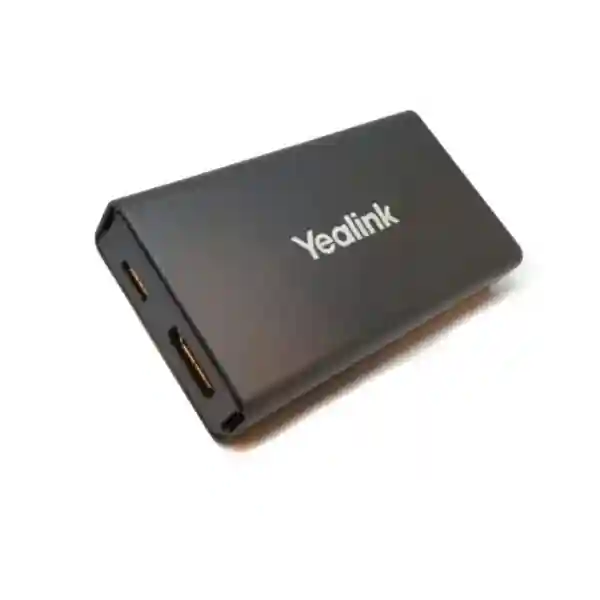
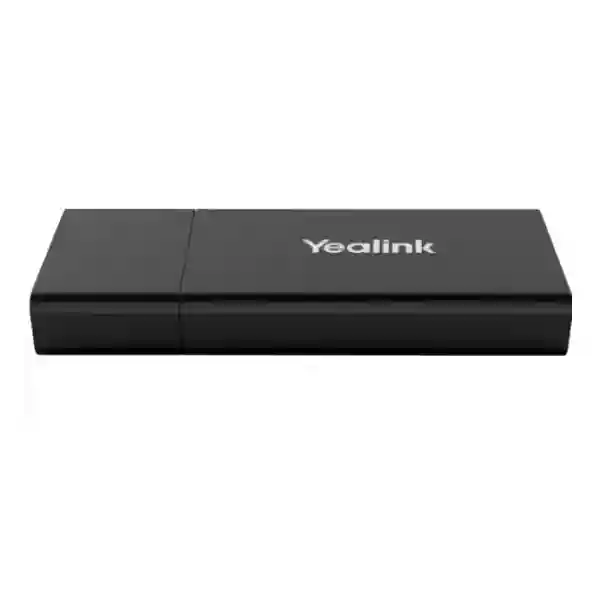
The Yealink VCH51 Sharing Box gives compatible Yealink meeting-room systems a convenient wired connection point for laptop content sharing and, on supported systems, BYOD operation. A presenter can connect through HDMI or USB-C rather than running presentation cables directly to equipment mounted near the display. For businesses building or upgrading meeting rooms in Tanzania, that simple change can make everyday presentations easier to start, easier to explain to guests and easier to support.
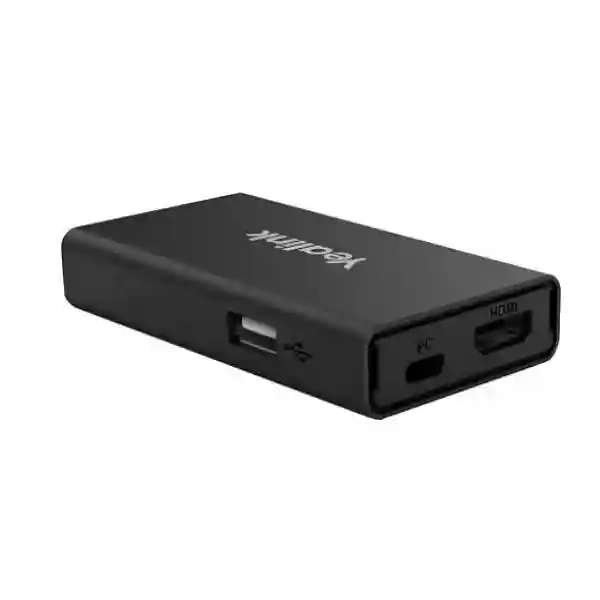
Official Yealink specifications list one 100 Mbps RJ45 port with IEEE 802.3af full-duplex support, one USB 2.0 Type-A port, one USB 2.0 Type-C port with DisplayPort video input, one HDMI video input and presentation resolution up to 4Kp15, subject to the capabilities of the connected conferencing system. The unit measures 123 mm × 49 mm × 16.8 mm and weighs 76 g. Yealink lists Windows 7/8.1/10 and macOS 10.6 or higher for the original VCH51 datasheet. Because Yealink has expanded its room-system portfolio over time, compatibility should always be confirmed against the exact room device, firmware and intended workflow before purchase.
Quick answer
The VCH51 is best suited to organisations that already use, or plan to use, a compatible Yealink room system and want a table-side wired interface for presentations or BYOD. It is not a standalone conferencing codec, camera or wireless presentation system. Its value comes from extending the room system’s connection point toward the user and making HDMI/USB-C laptop connection more practical.
What the Yealink VCH51 does
In a typical conference room, the main video bar, codec or intelligent camera may sit near the display while users sit several metres away at the table. Without an extension accessory, every presenter may need to reach the front of the room or depend on a long loose cable. The VCH51 is designed to bring the wired sharing connection closer to the meeting participants. It connects to compatible Yealink equipment through the VCH/network-style link and exposes HDMI, USB-C and USB-A interfaces at the user side. That arrangement can reduce cable clutter near the display and create a more predictable meeting routine.
For ordinary content sharing, a user can connect a laptop and present through the Yealink room system. For supported BYOD workflows, the laptop can use the Yealink room camera, microphone and speaker as the audio-video peripherals for a third-party conferencing application. This matters when an organisation has a dedicated room platform but occasionally needs to join a meeting hosted on another service. Instead of asking users to ignore the room hardware and rely on a laptop webcam, compatible BYOD operation can let them use the installed room audio and video equipment.
The exact experience depends on the connected Yealink system. Yealink’s original VCH51 datasheet specifically identified BYOD support with MeetingEye 400/600 and MeetingBar A20/A30 at the time of publication, while later Yealink support material documents VCH51 use with additional room products in particular configurations. This is why FourTeck recommends validating the exact endpoint and software version rather than assuming every device bearing the Yealink name supports every VCH51 function.
Verified Yealink VCH51 specifications
| Item | Verified detail | Planning implication |
|---|---|---|
| RJ45 | 1 × 100 Mbps RJ45, IEEE 802.3af, full-duplex | Confirm the room endpoint/VCH connection and cabling path before installation. |
| USB-A | 1 × USB 2.0 Type-A | Used in supported workflows; requirements depend on the connected endpoint. |
| USB-C | 1 × USB 2.0 Type-C with DP video input | Useful for laptops supporting video output over USB-C. |
| HDMI | 1 × HDMI video input | Provides a familiar wired presentation option for many business laptops. |
| Presentation | Up to 4Kp15 | Actual resolution varies by connected Yealink system; verify before specifying a room. |
| Dimensions | 123 × 49 × 16.8 mm | Compact enough for table-side or discreet cable-managed placement. |
| Weight | 76 g | Easy to position, but cable strain should still be managed. |
| Operating systems | Windows 7/8.1/10; macOS 10.6 or higher in the original datasheet | For newer operating systems, confirm current Yealink support guidance and room-system compatibility. |
Business benefits and buying guidance
Wired simplicity
A wired presentation path is easy to explain to staff and guests. Users can connect a suitable cable without pairing to a wireless network, discovering a receiver or installing a special presentation application.
BYOD flexibility
On supported Yealink systems, users can run a meeting application from their own laptop while taking advantage of the room’s camera, microphones and speakers. That can be useful for guest meetings and platform flexibility.
Table-side access
The compact box can move the presentation interface away from wall-mounted equipment and toward the conference table, reducing the need for users to approach the display every time they share content.
Compatibility-first procurement
Because the VCH51 depends on a compatible Yealink environment, the best quotation identifies the room endpoint first, then verifies the intended presentation and BYOD workflow before accessories are ordered.
Plan the whole meeting room, not only the accessory
A VCH51 can improve the cable experience, but meeting quality still depends on the rest of the room. Camera framing, microphone reach, speaker coverage, display size, lighting, acoustics, internet stability and LAN design determine whether remote participants can see and hear clearly. FourTeck Tanzania’s video conferencing and collaboration services can help customers connect these elements into one room design. The FourTeck Tanzania technology shop is also useful when the project includes other business technology categories beyond the presentation accessory.
For multi-country organisations, FourTeck’s regional network can support related planning through FourTeck Uganda, FourTeck Kenya and FourTeck UAE. These links are useful for procurement teams that want a consistent collaboration-room approach across multiple offices while still validating equipment against each site’s room dimensions, network and meeting platform.
Yealink VCH51 Tanzania
For organisations searching for Yealink VCH51 in Tanzania, the central procurement question is compatibility. The VCH51 is not a universal USB docking station and should not be selected only because a room needs HDMI or USB-C. It is a Yealink collaboration accessory designed to work as part of a supported Yealink video conferencing environment. A useful quotation therefore starts with the exact Yealink room endpoint already installed or planned, the preferred method of content sharing, and whether BYOD operation is required. If the room uses a MeetingBar, MeetingEye, MeetingBoard or another Yealink platform, the model and current software state should be documented so the accessory relationship can be checked against current Yealink guidance.
Tanzanian businesses may use the VCH51 in boardrooms, management meeting rooms, training spaces, hybrid classrooms, project rooms and client-facing conference areas. In each case, the accessory’s practical benefit is the same: it brings a wired sharing connection to the people at the table. The rest of the deployment can vary significantly. A small room may have one display and an all-in-one video bar. A larger boardroom may have dual displays, extended microphones, additional speakers and more complex cable management. The VCH51 should be located where laptop users can reach it without stretching cables across walkways or moving equipment during a meeting.
Network and power planning also matter. The official specification lists a 100 Mbps RJ45 interface with IEEE 802.3af support. That connection should be treated as part of the room system design rather than assumed to be a general-purpose LAN endpoint. Cable routes, table boxes, floor boxes and conduit should be planned before furniture is fixed, especially in renovated offices where the display wall and conference table are several metres apart. If the room is being built from scratch, installing an appropriate structured path during construction is cleaner than adding exposed cables later.
FourTeck Tanzania can help customers prepare a requirement that covers the VCH51 together with the room endpoint, displays, switching, Wi-Fi, internet, UPS protection and support needs. Buyers should request an itemised quotation showing the exact model, included cables or accessories, any endpoint required for operation, installation scope and configuration scope. Availability, warranty and delivery commitments should be confirmed in the quotation rather than assumed from online listings. This approach gives procurement teams a clear technical basis for comparing offers and reduces the risk of receiving an accessory that cannot deliver the intended workflow in the installed room.
Yealink VCH51 Dar es Salaam
Dar es Salaam businesses often operate fast-moving meeting environments where local teams, regional management, suppliers and remote colleagues need to collaborate from the same room. For a company already using a compatible Yealink conferencing system, the VCH51 can simplify the moment when someone needs to present a laptop screen or join a guest meeting from a different conferencing application. A table-side wired connection is particularly useful in executive boardrooms, professional-services offices, banks, training centres and project rooms where visitors may bring different laptops and where meeting delays are visible to customers and senior staff.
The best Dar es Salaam deployment begins with the physical room. Measure the distance between the display wall and table, identify where participants normally sit, and decide whether the VCH51 will be placed on the tabletop, inside a cable cubby or near a floor box. The cable route should be protected from chairs and foot traffic. Where the meeting room is part of a larger office fit-out, the VCH connection should be coordinated with electrical outlets, display cabling, network points and furniture before final installation. This is more professional than allowing multiple loose HDMI and USB cables to cross the room.
Procurement teams should also decide what “BYOD” means for their users. Some organisations simply need wired presentation. Others want a visitor’s laptop to run Zoom, Microsoft Teams, Webex or another application while the installed Yealink room camera and audio devices act as peripherals. Those workflows should be tested against the exact endpoint. Yealink’s documentation has evolved as its room portfolio has expanded, so model-level verification is safer than relying on an old compatibility statement copied from a reseller page.
For Dar es Salaam projects, FourTeck can help align the accessory with room-network readiness, conferencing equipment and display requirements without making unsupported claims about stock or same-day delivery. A good request for quotation should include the Yealink endpoint model, number of rooms, cable distances, laptop connector types, desired meeting platforms and whether installation is required. It should also identify any related need for managed switching, Wi-Fi improvement, firewall policy or UPS protection. This produces a more accurate solution than quoting the VCH51 in isolation and gives IT teams a clearer path for deployment, testing, documentation and future support.
Yealink VCH51 Mwanza
Businesses and institutions in Mwanza may use video collaboration to connect local teams with headquarters, suppliers, project partners and specialists in other cities. When a compatible Yealink room system is already installed, the VCH51 can provide a straightforward wired presentation point so users do not need to interact with equipment mounted behind or below a display. This is helpful in meeting rooms where the table is separated from the screen by a significant distance, or where the organisation wants a consistent procedure that staff can follow without technical assistance.
For a Mwanza site, the VCH51 should be considered together with the reliability of the complete meeting environment. Content sharing inside the room is local, but cloud meetings still depend on stable internet connectivity and a well-designed LAN. If calls regularly experience freezing, poor audio or dropped sessions, installing a sharing accessory will not solve those underlying issues. IT teams should review internet bandwidth, congestion, Wi-Fi conditions if laptops join wirelessly, and the wired network connecting the conferencing system. A managed switch, sensible quality-of-service policy and dependable power can be as important to meeting continuity as the visible room equipment.
The original VCH51 specification supports HDMI and USB-C video input. That makes it suitable for mixed laptop fleets, but not every USB-C connector on every computer carries DisplayPort video. Before standardising the room, test representative laptops used by staff. Where older or specialised computers are common, HDMI may remain the most dependable presentation connection. If users frequently bring ultrabooks with only USB-C, confirm that those ports support video output and provide the appropriate cable. This small validation step can prevent help-desk calls during important meetings.
Mwanza buyers should ask suppliers to state exactly what is included with the proposed VCH51 package and what work is included in the installation price. A useful quotation can separate hardware, cables, labour, configuration and testing. If a new Yealink endpoint is also required, list that as a distinct item and verify the VCH51 workflow with it before approval. FourTeck Tanzania can support this planning process and relate the meeting-room requirement to wider networking, display and infrastructure needs. The objective is a room that users can operate predictably, not simply the purchase of another accessory.
Yealink VCH51 Arusha
Arusha has organisations that host regional meetings, training sessions, tourism and hospitality discussions, NGO coordination, professional-services calls and multi-country project reviews. In those environments, guest participation can be just as important as internal meetings. The Yealink VCH51 can be useful when a compatible Yealink room needs a simple wired path for a visitor’s laptop. Instead of asking the guest to learn the room’s native meeting workflow, a supported BYOD configuration can allow the laptop’s chosen conferencing application to use the installed room camera, microphone and speaker, while ordinary wired presentation can support slide decks and shared documents.
Room usability should guide installation. In a hotel conference room, training facility or executive meeting space, different users may enter every day. Labels and cable organisation therefore matter. The VCH51 can be positioned near the primary presenter seat, with HDMI and USB-C cables clearly identified. If the room is reconfigured for different seating patterns, consider whether the cable route remains safe and accessible. Permanent under-floor or under-table pathways may be preferable to loose extension cables where furniture moves frequently.
The technical team should also distinguish between presentation resolution and the resolution of the overall meeting call. Yealink lists VCH51 presentation up to 4Kp15, with the actual result depending on the connected video conferencing system. A 4K-capable display does not guarantee that every application, endpoint or network path will operate at the same resolution. The practical buying goal is clear, readable shared content and reliable meeting operation, not the largest number in a specification table. For spreadsheets and detailed technical drawings, text clarity may matter more than high motion frame rate; for video playback, the use case may demand a different evaluation.
Arusha procurement teams can improve quotation quality by documenting room dimensions, display count, current Yealink equipment, expected number of users, typical laptop connectors and conferencing platforms. If the organisation operates multiple meeting rooms, standardising cable labels and user instructions can reduce support effort. FourTeck Tanzania can help review these details and integrate the VCH51 into a broader collaboration-room plan. Any statements about availability, warranty, delivery or on-site service should be confirmed in the final commercial offer, allowing buyers to make decisions based on documented terms rather than generic web claims.
Yealink VCH51 Dodoma
Organisations in Dodoma may need dependable collaboration rooms for administration, project coordination, education, consulting and multi-location communication. The Yealink VCH51 can support those rooms when it is paired with a compatible Yealink endpoint and the requirement includes wired content sharing or supported BYOD. Its small form factor allows it to sit close to the meeting participants while the main conferencing device remains near the display. That can make a room easier to operate because the user connects where they are seated rather than walking to the front wall with a laptop.
In offices where meeting rooms are used by many departments, consistency is valuable. A standard instruction such as “connect HDMI or supported USB-C, then select the expected presentation mode” is easier to train than a different process in every room. The VCH51 can contribute to that consistency, but it should be installed with appropriate cable management and endpoint settings. If the organisation has several room models, test each one because compatibility and available functions may not be identical. An accessory that supports BYOD with one endpoint may offer only presentation in another configuration.
Power continuity deserves attention in critical meeting spaces. The VCH51 itself forms only one part of the chain: the display, Yealink room system, network switch, router or firewall and internet termination may all need power. If meetings are important to operations, placing the relevant network and conferencing equipment on appropriately sized UPS protection can reduce interruptions during brief power events. UPS capacity should be calculated from the actual connected load and desired runtime rather than selected by guesswork.
For procurement in Dodoma, a specification should distinguish what is verified from what must be confirmed. Verified VCH51 hardware facts include HDMI input, USB-C with DP video input, USB 2.0 Type-A, 100 Mbps RJ45 with IEEE 802.3af support, compact dimensions and up to 4Kp15 presentation subject to endpoint capability. Items such as current stock, lead time, included cables in a particular commercial package, warranty terms and installation coverage must be confirmed with the seller. FourTeck Tanzania can help structure the requirement, verify the intended Yealink-room relationship and prepare a quotation that covers related infrastructure where necessary.
Yealink VCH51 UAE
For UAE businesses, the VCH51 is relevant to meeting rooms where compatible Yealink hardware is already standard and users want a dependable wired sharing path. Corporate offices in Dubai, Abu Dhabi and other Emirates often host a mix of internal meetings, partner calls and visitor presentations, which makes a predictable laptop connection valuable. The original VCH51 provides both HDMI and USB-C video input, giving facilities and IT teams options when users arrive with different notebook types. On supported Yealink environments, BYOD can further extend room flexibility by allowing the laptop’s own conferencing application to use the installed Yealink camera and audio devices.
A UAE procurement team managing multiple offices should avoid treating the VCH51 and VCH51 Pro as interchangeable. They are different products with different published specifications. The original VCH51 has a 100 Mbps RJ45 interface, HDMI, USB-A and USB-C, with presentation listed up to 4Kp15. The VCH51 Pro is a newer product with a Gigabit RJ45 port, USB-C-oriented design, optional PD power input and higher published presentation capability in supported situations. If an existing room was designed around the original VCH51, replacing it with another model should be reviewed against endpoint compatibility and required workflow rather than assumed to be a drop-in upgrade.
Installation quality is especially important in polished boardrooms. Cable exits should align with the table, floor box or furniture module; connectors should not be left under tension; and the user-facing interface should be easy to identify. For rooms that are frequently reconfigured, the accessory can be positioned in a protected table location rather than permanently trapped under furniture. IT teams should document the intended cable combination for content sharing and BYOD so users know whether USB-C alone is sufficient or whether HDMI plus USB is required by the particular endpoint and workflow.
FourTeck’s UAE presence can be explored through FourTeck UAE for related regional technology requirements. Buyers should request a written quotation for the exact VCH51 configuration, confirm availability and warranty at the time of purchase, and provide the Yealink endpoint model for compatibility checking. For regional organisations linking UAE and Tanzania offices, using a common room-design standard can make support easier, but each site still needs its own assessment for display size, table layout, cable distance, internet performance and meeting-platform policy.
Yealink VCH51 Uganda
Ugandan organisations with compatible Yealink meeting systems can use the VCH51 to create a more convenient wired connection point for presentations and supported BYOD. This can benefit businesses with branch networks, professional-services teams, schools, NGOs and project offices that collaborate with regional or international participants. The accessory is particularly useful when the conference table is some distance from the video bar or room device. Instead of extending several unmanaged consumer cables across the room, the VCH51 can be incorporated into the room design as a defined user interface.
Before procurement, identify the exact purpose. If the requirement is only to show laptop content on the room display, the presentation workflow may be sufficient. If the requirement is to join third-party meetings from the laptop while using the room camera and audio, BYOD support must be validated for the specific Yealink endpoint. Yealink’s current support resources document VCH sharing-box workflows across multiple product families, while the original datasheet described a narrower list. The safest purchasing approach is therefore to verify the model and firmware that will be used rather than relying on a broad statement such as “works with Yealink.”
Organisations with sites outside Kampala may also want a standard deployment kit that can be repeated across branches. A repeatable design can define the room endpoint, display, VCH51 placement, cable types, user instructions and basic network prerequisites. Standardisation helps remote IT support because staff know what equipment should be present and how it should be connected. However, cable lengths and room acoustics still need local assessment; a design suitable for a four-seat room cannot simply be copied into a long boardroom.
For Uganda-focused purchasing and related infrastructure, FourTeck Uganda can provide regional context, while FourTeck Tanzania can coordinate requirements connected to Tanzanian operations. Request quotations that clearly separate hardware from installation and configuration, and confirm commercial details such as availability, warranty and lead time at the point of order. This makes it easier for procurement teams to compare proposals on equivalent scope and helps IT teams avoid receiving an accessory without the supporting endpoint, cabling or room preparation needed for successful use.
Yealink VCH51 Kampala
Kampala offices often need meeting rooms that can switch quickly between internal collaboration, customer calls and partner-hosted meetings. A compatible Yealink room equipped with the VCH51 can make that transition easier by giving laptop users an accessible wired connection. HDMI remains useful for a wide range of business notebooks, while USB-C with DisplayPort video input supports many newer devices. On supported systems, BYOD can allow a visitor or employee to use the conferencing application on the laptop while benefiting from the installed room camera, microphone and speakers.
For high-use rooms in Kampala, the physical presentation point should be designed for repeated connection cycles. Loose adapters that disappear from the table and cables pulled tightly around furniture create avoidable support issues. A protected table module, sensible cable length and clear labelling can improve reliability. IT teams should keep a small tested set of approved adapters for laptops that lack the required port, but should avoid building the whole room around a chain of converters. Whenever possible, test common corporate laptop models directly with the VCH51 and the connected Yealink endpoint.
The room network should also be checked if users complain about conferencing quality. The VCH51 can simplify local content sharing, but cloud meeting quality depends on internet access, switching, firewall policy and the room endpoint itself. If a Kampala office is upgrading several meeting rooms, it may be efficient to assess wired network capacity and Wi-Fi coverage at the same time. Video meetings can expose network weaknesses that ordinary email and web browsing do not reveal, particularly when multiple rooms are active simultaneously.
A well-prepared Kampala quotation request should state the number of rooms, endpoint model in each room, required laptop connector types, whether users need BYOD, and whether cabling or installation is part of the scope. It should also describe any requirement for displays, room controllers, microphones or network upgrades. FourTeck can help convert those details into a structured solution rather than a single-product purchase. Buyers should confirm stock, warranty, delivery and on-site support terms in writing because those commercial conditions can change and should not be inferred from product descriptions or listings found elsewhere online.
Yealink VCH51 Arua
For organisations in Arua, a reliable meeting room can reduce the need for unnecessary travel and make it easier to coordinate with teams, partners and specialists in other locations. The Yealink VCH51 can be a useful accessory when a compatible Yealink room system is part of that collaboration strategy. Its purpose is focused: provide a convenient wired interface for laptop presentation and, where supported, BYOD. This focus makes it important to evaluate the product as part of the whole room rather than as a standalone conferencing solution.
Arua deployments may place additional importance on infrastructure resilience. If the meeting depends on cloud conferencing, an unstable internet connection or frequent power interruption will affect the experience regardless of the quality of the room hardware. Businesses should consider whether critical network equipment and the conferencing endpoint need UPS protection, whether the primary internet service is adequate for simultaneous calls, and whether a secondary connectivity option is justified by the importance of remote meetings. These decisions are separate from the VCH51 itself but directly affect whether the room performs as users expect.
The VCH51’s compact size makes it easy to place near users, but that also means it should be secured against accidental movement and cable strain. If the conference table is moved for training or workshops, the installation should allow safe disconnection and reconnection. For fixed boardrooms, under-table cable management can keep the surface neat while leaving the required HDMI or USB-C lead available. Clear documentation should show how the VCH51 connects to the Yealink endpoint and which user cable is intended for each laptop type.
When requesting a quote for Arua, provide photos or a basic sketch of the room if an on-site survey is not initially available. Include the table-to-display distance, existing network outlets, available power, exact Yealink model and the desired conferencing applications. A supplier can then identify whether the VCH51 fits the requirement and what other items may be necessary. FourTeck’s regional approach can help organisations that manage both Tanzanian and Ugandan locations apply consistent documentation and room standards while still adapting each site to its own connectivity, furniture and operational conditions.
Yealink VCH51 Mbarara
In Mbarara, businesses, educational institutions and distributed organisations may use conferencing rooms to connect local teams with national offices, customers and regional partners. The VCH51 can support a compatible Yealink room by making wired laptop presentation easier to reach and easier to standardise. Instead of using a long HDMI cable from the front display, the accessory can serve as a deliberate table-side connection point. That can improve room appearance and reduce confusion when multiple people need to present during the same meeting.
The user workflow should be decided before installation. Some teams want a simple “plug in and share” presentation process. Others need BYOD because they receive invitations on platforms different from the room’s native environment. BYOD is more demanding because the laptop must interact with the room audio and video path, so endpoint support must be checked carefully. Current Yealink support information should be used for the exact device model. Procurement staff should avoid assuming that an older reseller compatibility list is complete, or that every newer Yealink system automatically supports the original VCH51 in the same way.
For rooms used for training, USB-C can be attractive because many modern notebooks use it, but the port must support video output. A charging-only USB-C port will not necessarily provide the required signal. HDMI remains a practical fallback where available. IT departments can reduce meeting-day surprises by testing standard company laptop models and maintaining a small compatibility note. Where guest access is common, simple written instructions in the room can explain which cable to use and whom to contact if the device does not detect the presentation path.
Mbarara buyers should include room integration in the commercial discussion. Ask whether the quotation includes cable installation, testing, user handover and documentation, or only the hardware. If the room endpoint, display or network must also be upgraded, list those items separately. FourTeck can help coordinate a complete requirement and link it with broader networking or collaboration needs. Final commercial terms such as product availability, warranty, delivery schedule and support coverage should be confirmed in the issued quotation, keeping the buying decision grounded in current, written information rather than generic statements.
Yealink VCH51 Gulu
Gulu organisations that rely on remote coordination can benefit from meeting-room designs that are simple enough for everyday users and structured enough for IT teams to support. The Yealink VCH51 is a small component of that design, but it can solve a common problem: how to let a presenter connect a laptop at the table when the main Yealink conferencing device is installed by the display. With HDMI and USB-C video inputs on the original VCH51, the room can accommodate common wired presentation methods while keeping the endpoint installation neat.
If BYOD is required, compatibility becomes the first technical check. The intention may be to let a user open a meeting on their laptop and select the room’s Yealink camera, microphone and speakers rather than the laptop’s built-in devices. This workflow is valuable for meetings hosted on an external organisation’s platform, but it should be tested with the endpoint and software versions actually deployed. FourTeck recommends a compatibility-first approach because Yealink has several room-system generations and the original VCH51 should not be confused with the newer VCH51 Pro.
Connectivity planning is also relevant for Gulu offices with limited or variable internet resources. The local presentation path can work even though the cloud call still relies on external connectivity. Network administrators should understand how many simultaneous video sessions the site expects, whether other applications compete for the same internet bandwidth and whether traffic prioritisation is appropriate. If a site has only one internet circuit and video meetings are operationally critical, the organisation may also evaluate a backup connection. These broader measures often improve conferencing reliability more than changing the presentation accessory alone.
A procurement request can be simple but should be complete: identify the exact Yealink room product, state whether HDMI sharing, USB-C sharing or BYOD is required, provide approximate cable distance, and specify whether installation is expected. If multiple branches will use the same standard, include the number of rooms and any differences in layout. FourTeck can then help map the VCH51 to the wider meeting-room requirement. Current availability, warranty, lead time and service coverage should be confirmed at quotation stage so management has accurate commercial information alongside the verified technical specifications.
Yealink VCH51 Kenya
Kenyan businesses looking for Yealink VCH51 typically have a practical collaboration need rather than a standalone hardware requirement: they want users to share content into a compatible Yealink room from the conference table or they want supported BYOD for meetings launched from a laptop. The VCH51 addresses that workflow through HDMI and USB-C presentation connectivity and its connection to the Yealink room environment. It can be especially useful in boardrooms, project rooms and client meeting areas where different presenters use the same installed conferencing system.
For organisations with several offices in Nairobi or across Kenya, a standard room bill of materials can simplify support. That standard should define the room endpoint, VCH51, display, cable types, network connection and user instructions. It should also identify which room sizes require additional microphones or different camera coverage. Standardising the presentation accessory without standardising the supporting endpoint can create confusion, so each room category should be documented as a complete design. If older and newer Yealink systems coexist, compatibility should be recorded by model rather than assumed across the fleet.
The original VCH51 is not the same device as the VCH51 Pro currently promoted for newer Yealink room ecosystems. Buyers should check the exact part they are being quoted. This matters because published interface speeds, connection options and presentation capabilities differ. A quotation that says only “VCH51” without a clear model description can lead to mismatched expectations, especially when comparing offers from different suppliers. Procurement teams should therefore request the exact manufacturer model, package details and intended compatible endpoint in writing.
For Kenya-specific technology requirements, FourTeck Kenya can provide regional context, while FourTeck Tanzania can support cross-border organisations that operate in both markets. A strong quotation request includes room count, existing Yealink equipment, laptop connector requirements, meeting platforms and installation scope. Buyers should also confirm availability, delivery, warranty and support terms at the time of purchase. The result should be a documented room solution that can be installed, tested and handed over predictably rather than an isolated accessory ordered without confirmation of how it fits the conferencing environment.
Yealink VCH51 Kuwait
Kuwait organisations using compatible Yealink room systems can consider the VCH51 when they need a tidy wired presentation interface near meeting participants. Corporate boardrooms, consulting spaces, training rooms and project offices often need both internal room meetings and externally hosted calls. The VCH51 can support HDMI or USB-C content input and, on supported Yealink environments, BYOD use. The benefit is less about adding another box to the room and more about giving users an obvious connection point that reduces the need to handle equipment near the display.
Room integration should account for the table layout and the permanent audiovisual installation. If the display and endpoint are wall mounted, a structured cable path from the front of the room to the table can keep the space cleaner. Where raised floors or floor boxes are available, the link can be routed discreetly. In rooms with movable tables, the installer should consider service loops and safe disconnect points so the VCH51 is not damaged when furniture is repositioned. Even a small accessory benefits from professional cable strain relief and labelling.
Kuwait buyers should also assess whether the original VCH51 is the correct generation for a new deployment. Yealink now offers the VCH51 Pro for newer use cases and publishes different specifications for it. The original VCH51 remains relevant to particular systems and installations, but a greenfield room should be designed around the current endpoint’s documented accessory compatibility. Selecting by model name alone can lead to unnecessary limitations or a product that does not match the target room system.
A proper request for quotation should include the endpoint model, desired presentation resolution, BYOD requirement, display arrangement, number of rooms and installation needs. If the organisation has sites in Tanzania, Kenya, Uganda or the UAE as well, it may be helpful to align room standards across countries while verifying each local deployment. Commercial details such as current stock, price, warranty, delivery and support should always be confirmed by the supplier in writing. This keeps the technical and commercial decision transparent and prevents assumptions based on marketplace listings that may refer to different package contents or outdated availability.
Yealink VCH51 Ghana
Ghanaian businesses that use hybrid meetings can benefit from room technology that is straightforward for both employees and guests. The Yealink VCH51 can form part of such a design where a compatible Yealink conferencing system is installed. Its HDMI and USB-C inputs allow a laptop to feed presentation content through the room system, while supported BYOD scenarios can let a laptop use room audio and video devices. This can help organisations that participate in meetings hosted by customers, partners or international teams using different conferencing applications.
The VCH51 should not be specified only from a product photo or reseller headline. Its function depends on the endpoint. Before buying for an Accra office or another Ghana location, record the exact Yealink model and check current compatibility guidance. If the meeting room is still at design stage, compare the original VCH51 against the accessories officially supported by the selected current-generation endpoint. That may lead to the VCH51, VCH51 Pro or another Yealink sharing method depending on the system. The goal is not to force one accessory into every room but to choose the correct interface for the installed platform.
For conference rooms used by many departments, cable management and user guidance are important. An HDMI cable can be clearly labelled for conventional presentation. A USB-C cable should be tested with the organisation’s notebook fleet because some USB-C ports do not output video. If adapters are necessary, standardise approved models and keep spares rather than depending on users to bring their own. A short instruction card can explain how to connect and where to select the room audio/video device when BYOD is enabled.
Procurement teams in Ghana should ask for a quotation that distinguishes the VCH51 hardware, required endpoint, cabling, installation, configuration and testing. If the room also needs a display, network switch, Wi-Fi improvement or UPS, include these as related but separate items. For multi-country organisations, FourTeck’s regional network can help create common standards while local commercial terms remain specific to each market. Availability, warranty, delivery and any on-site service commitment should be verified at the time of quotation so the purchase decision is based on current contractual information rather than assumptions.
Yealink VCH51 Nigeria
Nigeria has a broad range of enterprises, financial organisations, educational institutions, technology companies and distributed teams that rely on video collaboration. In a compatible Yealink meeting room, the VCH51 can simplify wired content sharing and supported BYOD by putting the laptop connection within reach of the participants. This can be particularly helpful in rooms used for customer presentations and partner calls, where an external visitor may need to use their own conferencing application or share a presentation without learning the room’s entire operating system.
Because Nigeria is a large market with many resellers and online listings, buyers should pay close attention to product identity and technical accuracy. Some marketplace descriptions may attribute wireless sharing, remote controls or generic conferencing features directly to the VCH51 even though the official Yealink datasheet describes it as a wired sharing box. Procurement should therefore use Yealink documentation as the factual baseline. Verified original VCH51 interfaces are the 100 Mbps RJ45 port with IEEE 802.3af support, USB 2.0 Type-A, USB 2.0 Type-C with DP video input and HDMI video input, with presentation up to 4Kp15 depending on the video system.
For Lagos, Abuja or branch-office deployments, room standardisation can reduce support load. IT teams can define a tested Yealink endpoint and accessory combination, approved cables, installation diagram and simple user instructions. The same standard can then be adapted to different room sizes by changing display size, microphone extension or camera coverage while keeping the presentation workflow familiar. If a site has unreliable power or internet, those infrastructure risks should be addressed separately because they influence the overall meeting experience more than the sharing accessory.
A Nigerian quotation request should identify whether the organisation is extending an existing Yealink room or building a new one. For an existing room, provide the endpoint model and current configuration. For a new room, provide room dimensions, seating, meeting platform and display requirements so the correct endpoint and sharing accessory can be selected together. Commercial terms such as stock, price, warranty and delivery can vary by supplier and should be confirmed in the issued quotation. FourTeck’s regional approach is useful for organisations that want consistent meeting-room standards across Nigeria, Ghana, East Africa and the UAE without making unsupported assumptions about local inventory or service coverage.
Yealink VCH51 Seychelles
Businesses and institutions in Seychelles often need dependable remote collaboration because teams, suppliers and specialists may be located across islands or in other countries. A compatible Yealink meeting room can provide a consistent collaboration environment, and the VCH51 can make wired content sharing or supported BYOD more convenient by placing the laptop connection close to the user. This can be valuable for hospitality management, professional services, government, education, project coordination and regional business meetings where guest laptops are common.
For island environments, procurement planning should include logistics and spares strategy without assuming that a particular product is locally stocked. If the VCH51 is operationally important, buyers may consider whether an additional tested unit or set of critical cables should be held as a spare, especially for organisations operating several properties. That decision depends on replacement lead times, support arrangements and the business impact of a failed meeting room. It should be made from current supplier information rather than a generic statement about availability.
The physical installation can be simple but should still be professional. In a hospitality boardroom or executive meeting area, visible cable clutter reduces the quality of the space. The VCH51’s compact dimensions make discreet placement possible, while HDMI and USB-C cables can be routed through a table grommet or cable cubby. Where furniture is frequently moved, ensure that the room design allows cables to be disconnected safely and does not leave the accessory hanging by its connectors. A labelled wiring diagram can help local staff restore the setup if furniture is rearranged.
Seychelles buyers should provide the exact Yealink endpoint model, room count, display layout, desired BYOD workflow and laptop connector types when requesting a proposal. If cloud meetings are critical, include information about primary and backup internet connectivity as part of the wider room assessment. The VCH51 itself does not solve internet quality, acoustics or camera coverage, so those topics should be reviewed separately. FourTeck can help structure a multi-region collaboration standard for organisations operating in Seychelles and East Africa, while the final quotation should confirm current product availability, commercial terms, warranty and any implementation services that are actually included.
Related FourTeck Tanzania resources
For a VCH51 deployment, the most relevant internal resource is the FourTeck Tanzania services page, which explains how video conferencing, networking, infrastructure and support are planned as connected systems. This is useful because the VCH51 should be evaluated with the room endpoint, display, audio coverage and network rather than as an isolated accessory.
The FourTeck Tanzania shop provides a broader view of business technology categories that may be required around a conferencing room, including networking, computing, security and related infrastructure. The About FourTeck Tanzania page is useful for customers evaluating the company’s integrated technology approach and regional context. For project-specific questions, the verified FourTeck Tanzania contact page is the correct route for requesting a quotation or discussing compatibility.
Yealink VCH51 FAQ
What is the Yealink VCH51?
The VCH51 is a Yealink wired sharing box designed to connect a user’s computer to a compatible Yealink video conferencing system for content presentation and, on supported systems, BYOD operation. It is an accessory, not a standalone conferencing codec or camera.
Which ports does the original VCH51 have?
Yealink lists one 100 Mbps RJ45 port with IEEE 802.3af full-duplex support, one USB 2.0 Type-A port, one USB 2.0 Type-C port with DP video input, and one HDMI video input.
Does the VCH51 support 4K?
The original Yealink datasheet states presentation resolution up to 4Kp15. Yealink also notes that actual presentation resolution can vary between video conferencing systems, so the endpoint should be checked before a room is specified around a particular resolution.
Can VCH51 be used for BYOD?
Yes, in supported Yealink configurations. BYOD allows a laptop to run its own meeting application while using the room’s compatible Yealink audio and video equipment. Support varies by endpoint and generation, so verify the exact room model and firmware before ordering.
Is VCH51 the same as VCH51 Pro?
No. They are different Yealink products. The VCH51 Pro has different interfaces and published capabilities, including a Gigabit RJ45 connection and higher supported presentation performance in selected configurations. A quotation should state the exact model.
Can any USB-C laptop share through VCH51?
The VCH51 USB-C input uses DisplayPort video input. The laptop’s USB-C port must therefore support the required video output. A USB-C connector used only for charging or data may not provide video. Test representative laptops before standardising a room.
How do I request a Yealink VCH51 quote in Tanzania?
Provide the exact Yealink room endpoint, number of rooms, required HDMI or USB-C workflow, whether BYOD is needed, and whether installation is part of the scope. FourTeck Tanzania can then verify the requirement and prepare a project-specific quotation.
Quotation checklist
For a faster and more accurate VCH51 proposal, include these details in your enquiry:
- Exact Yealink room-system model and current deployment status.
- Number of rooms and approximate room/table layout.
- Whether you need content sharing only or BYOD as well.
- Preferred laptop connectors: HDMI, USB-C or both.
- Common meeting applications used by staff and guests.
- Distance between the display/endpoint and presenter position.
- Whether cable installation, configuration and testing are required.
- Any need for displays, microphones, network switching, Wi-Fi or UPS.
Decision recap
Choose the Yealink VCH51 when your confirmed room endpoint supports it and you need a convenient wired sharing interface at the table. Verify BYOD separately if that is part of the requirement. Do not substitute VCH51 Pro specifications for the original VCH51, and do not assume every USB-C laptop or every Yealink endpoint behaves identically. The strongest procurement process validates the room system, cables, laptop fleet and meeting workflow together, then documents what is included in the final quotation.
Discuss your Yealink VCH51 requirement with FourTeck Tanzania
Send the room endpoint model, number of meeting spaces and your content-sharing or BYOD requirement. FourTeck can help determine whether the VCH51 is appropriate, identify related room infrastructure that should be included, and prepare a quotation based on the actual project scope. This approach is especially useful for businesses that want repeatable room standards across Tanzania and other regional offices.




Reviews
There are no reviews yet.