
Hanwha Vision • Enterprise IP video recording
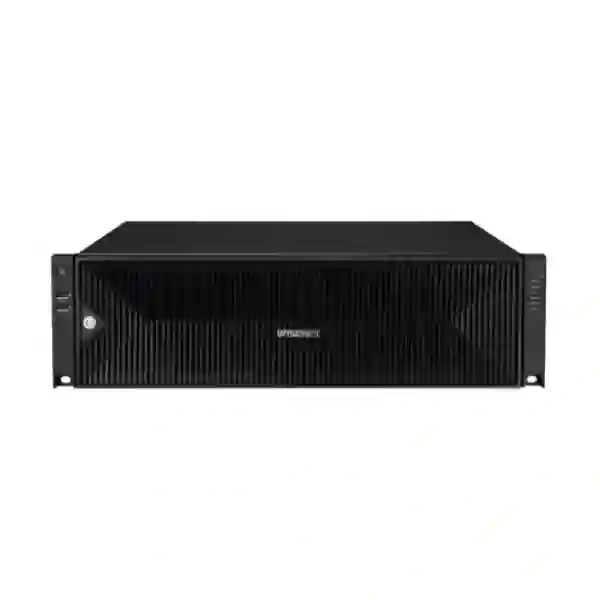
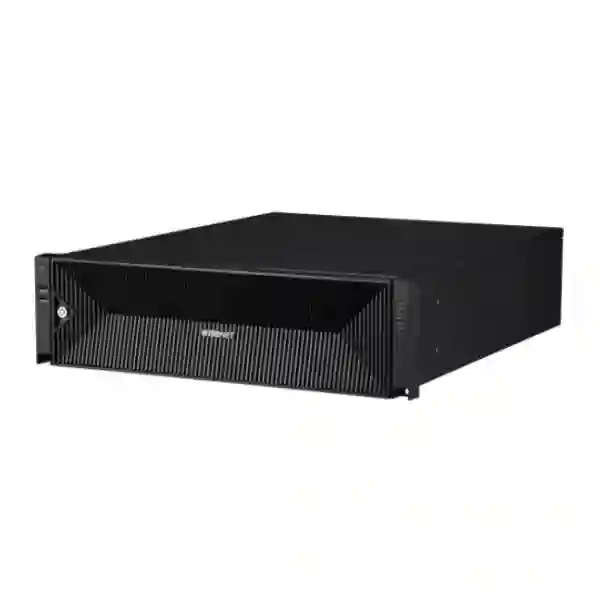
Hanwha PRN-6400B4 64-Channel AI Network Video Recorder
A large camera system needs more than a recorder that accepts a long channel list. The Hanwha PRN-6400B4 is intended for teams planning up to 64 IP camera inputs, centralized recording and organized investigation workflows. Its 16 SATA bays, RAID options and search features can be useful in security control rooms, commercial facilities, industrial premises and multi-building operations. Before selecting it, match the recording load, compatible cameras, storage plan and operator needs to the specific deployment. For Tanzania projects, request a configuration-led quote rather than assuming that a maximum capacity figure guarantees a particular number of retention days.
At a glance: verified technical highlights
Storage figures and throughput maxima depend on the operating configuration. Regional availability, included drives and commercial terms require a quotation.
Understand the fit
Who should consider this 64-channel recorder
This NVR is most relevant when a project has numerous IP cameras, a dedicated monitoring position or a need to find and export video evidence efficiently. A warehouse with coverage at receiving bays, perimeter gates, loading areas and internal corridors may have very different recording demands from a multi-storey office with mostly indoor cameras. Both might approach the same channel count, but their resolutions, frame rates and retention needs will differ. A buyer should specify active camera count, planned growth, recording schedules and critical views before selecting an NVR. The 64-channel designation is an input limit, not a promise that all 64 cameras can run at their highest settings within any recording mode. Smaller sites should compare the operational cost of this chassis against an appropriately sized alternative.
What 64 channels actually means
The published input capacity is up to 64 network-camera channels. Think of a channel as a registered camera input, not a guaranteed level of image quality, bit rate or live-display performance. A channel budget should reserve room for expansions, replacement cameras and any changes to the security plan. Separately calculate incoming data rates and playback requirements, because those resources have their own limits. If a site needs 64 cameras at a high constant bitrate, check the applicable recording mode rather than dividing a headline specification without context. Document camera names, recording profiles, camera IP addresses and coverage purposes. This produces a more maintainable system and helps an integrator identify gaps before equipment is ordered.
Check cameras before committing
Hanwha lists SUNAPI and ONVIF connectivity for the PRN-6400B4, including ONVIF Profile S among its published network protocols. These standards can support interoperability, but their presence does not mean every third-party camera will expose every feature. A mixed-brand project should verify video stream registration, codec selection, time synchronization, motion events, PTZ controls and recovery after connection loss with the actual proposed models and firmware. Advanced metadata search especially deserves a model-level compatibility check. Create a camera compatibility matrix that identifies mandatory functions and acceptable limitations, then test a representative camera from each family before a large rollout. This is particularly valuable during upgrades when existing cameras will be retained.
How AI-assisted search adds value
The product supports AI search features such as BestShot and attribute-based queries. In a supported deployment, searchable metadata can help an operator narrow a lengthy recording period instead of manually scanning numerous camera feeds. Hanwha identifies attributes associated with people, vehicles and other objects, while some face-related and number-plate features depend on specific compatible Wisenet AI camera families. Treat this as an investigation aid, not as independent proof of identity, intent or wrongdoing. Assess the precise camera-model capabilities, recording conditions and retained metadata before designing an operational procedure around the feature. A demonstration using representative footage is more informative than a generic promise that artificial intelligence will solve every search task.
Know the boundaries of AI functions
The recorder should not be described as turning all connected cameras into AI analytics cameras. Search filters depend on the metadata and analytics supplied by supported sources and on configuration conditions. Busy scenes, poor illumination, severe compression, occlusion or unsuitable camera placement can make any visual investigation less straightforward. Teams should define which event types matter and whether the proposed camera range actually sends the corresponding data. Test sample cases such as person movement at a gate or vehicle appearance near a loading point. Provide a conventional time-and-event review workflow for footage that does not support rich attributes. This preserves investigative usefulness even when AI features are unavailable on certain channels.
Recording, bandwidth and storage
Understand recording bandwidth by mode
Hanwha specifies different performance figures for different configurations. Its published recording figures include up to 400 Mbps in distributed mode and up to 150 Mbps in normal mode; RAID operation is described separately, with up to 400 Mbps in normal RAID operation and up to 320 Mbps during degradation or rebuild. These are mode-dependent ceilings, not interchangeable promises. Choose the intended operating and storage arrangement first, then check that the sum of camera streams fits within the corresponding recording limit with an appropriate engineering allowance. Account for peak activity and changing video content rather than sizing against unusually quiet sample footage. Ask the system designer to document the selected mode and the worst credible recording workload in the project proposal.
Build a realistic camera bitrate budget
Video data rate is influenced by resolution, frame rate, scene movement, compression, image quality settings and camera features. Two cameras with the same megapixel rating may have very different bitrates when one watches a quiet corridor and the other overlooks moving vehicles. Create a schedule for every proposed camera showing its primary stream, recording profile, intended frames per second and expected peak bitrate. Add the selected values and compare the total with the NVR mode limit. If the budget is tight, consider camera profile optimization or a different recording architecture rather than assuming video can always be compressed further without a security tradeoff. Leave room for scenes that become busier over time.
Match resolution and compression to evidence needs
The PRN-6400B4 supports camera resolutions up to 32MP and recording codecs including H.265, H.264 and MJPEG. Hanwha also identifies WiseStream support with relevant codecs. High resolution is useful only when lens selection, field of view, lighting and playback requirements make that detail meaningful. A wide overview camera and a camera intended to capture details at an entry point may require different settings. Choose profiles through actual scene tests, checking daytime and nighttime visibility as well as export quality. Codec settings should be evaluated against connected-camera support and the software that will review footage. Avoid setting every channel to its theoretical maximum merely because the recorder accepts that resolution.
Plan retention from usable capacity
The headline storage figure is up to 160TB in non-RAID mode with 16 supported SATA drives of up to 10TB each, according to the manufacturer specification. That number describes a maximum raw configuration, not guaranteed usable video storage and not a fixed retention period. RAID overhead, filesystem behavior, reserved space, recording hours, stream variability and event policies all affect the outcome. Start with the retention requirement, calculate expected daily footage volume and include a safety margin for high-activity periods. Then choose a suitable supported hard-drive configuration. It is better to say a design targets a stated retention window under defined assumptions than to guarantee a fixed number of days without examining the cameras.
Choose RAID for the risk you need to manage
RAID 5 and RAID 6 are listed storage options, with the manufacturer describing two arrays of up to eight drives each. RAID changes usable capacity and how the system responds to some disk failures; it is not a substitute for verified export, independent backup or sound maintenance. Discuss acceptable downtime, drive rebuild exposure and the importance of critical recordings before choosing a configuration. An installation focused on long retention may have different priorities from one where disk-failure tolerance is essential. Record the intended array layout and drive sizes on the handover sheet. The storage quote should distinguish the number of drives physically installed, raw terabytes and estimated usable recording capacity after the selected configuration.
Hot-swappable drives and maintenance practice
Sixteen SATA bays are specified, with hot-swap capability. This can simplify planned disk maintenance when the system and storage configuration are operated correctly, but a hot-swap bay is not permission to remove any drive without checking its status. Administrators need an approved procedure for identifying a failed disk, confirming the array state, replacing only the correct unit and checking that recovery finishes. Keep drive labels, serial records and a replacement plan consistent with the manufacturer’s current compatibility guidance. For important security operations, schedule maintenance windows and confirm the availability of recordings before taking action. A well-managed storage process is more valuable than a capacity headline that leaves responsibility unclear.
Consider external storage carefully
The manufacturer lists iSCSI external storage support. That creates an additional planning option for compatible architectures, but it should not be interpreted as unlimited recording capacity or as a replacement for compatibility validation. Review the particular storage system, network capacity, latency, redundancy, authentication, monitoring and failure behavior with the integrator. Define what happens if an external storage connection is interrupted and how any recovery procedure affects recording continuity. Keep recording traffic and management access appropriately controlled within the network design. If the intended project can be satisfied with internal supported disks, the simpler architecture may be easier to operate. External storage should be chosen because the specific requirements justify its additional complexity.
Monitoring and investigation
Two HDMI outputs for the control room
The recorder provides two HDMI outputs. The published local display maximum is 3840 by 2160 at 30Hz on HDMI 1 and 1920 by 1080 at 60Hz on HDMI 2. Hanwha describes dynamic layouts and multiple split-view arrangements for local monitoring. These monitor outputs can support a practical surveillance desk, but local decoding capacity and layout limits still require consideration. A control room should not be designed around the assumption that every 32MP feed can be shown at full native detail simultaneously. Choose monitor layouts based on operator duties: persistent critical views on one screen and event review or secondary views on another. Verify monitor, cable and placement requirements before procurement.
Playback and evidence retrieval
Recorded footage can be searched by date and time, events and supported smart-search functions. The manufacturer’s published playback bandwidth is up to 64 Mbps, and playback capacity is distinct from recording capacity. For investigators, the workflow is as important as the specification: know which camera covers an area, confirm system time, locate the incident window, review relevant adjacent cameras and export the correct segment. Establish access privileges for personnel who may view versus export recordings. Test the actual playback performance expected at the monitoring workstation or remote client. Operators benefit from documented procedures that prevent accidentally overwriting evidence, selecting the wrong time zone or exporting a clip with insufficient context.
Event rules that support response
Hanwha lists events associated with alarm input, video loss, camera-generated activity and analytics, plus configurable actions such as event notifications, PTZ presets and alarm outputs. These tools are most useful when connected to an agreed response process. Decide what requires immediate attention, what can be reviewed later and which alarms may become too frequent to be actionable. A noisy motion rule can overwhelm staff; a carefully selected camera event can make review more focused. Test notifications after installation, including the behavior when a camera becomes disconnected. Event-based recording may reduce footage volume in some scenarios, but it must not compromise coverage of incidents that matter to the site.
Use bookmarks and timeline context
The recorder supports bookmark management and presents video preview functions in its official feature summary. Bookmarks can help an authorized reviewer return to a relevant moment without repeatedly searching an entire recording period. They should be part of a consistent investigation process with incident numbers, camera identifiers and timestamps recorded separately where the organization requires an audit trail. A bookmark by itself should not be treated as an external backup or a permanent retention hold. The storage system still follows configured retention and overwrite rules. Train operators to inspect footage before and after the selected moment so that a single image or short clip is not interpreted without the surrounding context.
PTZ and camera control considerations
PTZ control is supported through compatible interfaces, and Hanwha lists control through its GUI, web viewer and compatible controller. Before specifying joystick equipment or detailed camera functions, validate compatibility with the selected PTZ model and control path. Presets can make a large facility easier to monitor, but a moving PTZ camera does not continuously watch every direction. If persistent coverage of an entrance or hazard area is required, complement PTZ views with fixed cameras where appropriate. Determine who is allowed to move cameras, whether patrols are used and what happens when a live operator changes the view. The security design should follow required coverage rather than treating PTZ motion as a substitute for camera placement.
Alarm inputs, outputs and local interfaces
The recorder includes eight alarm inputs and four alarm outputs, two HDMI ports, four USB ports and one 3.5mm audio output according to the official specification. These interfaces can be helpful in a broader monitoring setup, but the correct electrical wiring and device behavior must be verified for any connected alarm equipment. The quote should identify whether door contacts, alarms, annunciators or other peripheral devices are part of the project and who supplies them. Do not assume an included alarm device or an integrated access-control panel. Where alarms lead to an operational response, test the full chain from event source through operator notification and escalation. Equipment counts alone do not define a working security workflow.
Networks, access and resilience
Design the recording network before installation
The PRN-6400B4 provides three RJ-45 Gigabit Ethernet interfaces. That gives a network designer options, but a reliable deployment still requires proper switching, addressing, routing and stream management. Calculate aggregate traffic not just at the NVR but also across uplinks, switch stacks, distribution links and any remote-viewing path. Use a clear IP address plan and document which cameras and workstations may communicate with the recorder. Network segmentation can reduce unnecessary exposure when implemented by qualified administrators. A camera system that records correctly during commissioning can still fail later if another project saturates a shared link. Test the network under realistic operational traffic rather than relying on nominal Gigabit labels.
Plan separate camera power and switching
The published interface list does not identify built-in PoE camera ports on this model. Accordingly, do not assume that its Ethernet interfaces will directly power the camera estate. A typical IP camera design may require appropriately sized PoE switches or other manufacturer-approved power arrangements. Include switch port count, PoE budget, cable runs, surge protection strategy and uplink redundancy in the bill of materials where relevant. Camera power consumption can change with infrared illumination or added accessories, so peak requirements matter. Maintainability also matters: a labeled patch panel, sensible switch layout and clear cable documentation reduce fault-finding time. Confirm the final switching and camera-power architecture as part of the quotation, not as an unexpected installation extra.
Manage accounts and recording security
The published security capabilities include IP address filtering, 802.1X-related support, access logs, device certificate features and signed firmware. These are useful building blocks, but protection depends on the way the recorder, cameras and surrounding network are configured and maintained. Use role-based privileges, unique credentials, controlled administration access and an approved firmware-update process. Review unnecessary services and remote access methods according to the customer’s security policy. Do not share administrator credentials across every monitoring workstation. Document who is responsible for account reviews and what happens when personnel change roles. For video that may contain identifiable people, align access and retention decisions with the organization’s applicable privacy and records obligations.
Remote viewing without overpromising
Hanwha describes mobile access options, QR-code-assisted connection and support for Wisenet viewing tools. A remote-viewing feature is not the same as guaranteeing good video over every internet connection. Viewer performance depends on network quality, upload capacity, permissions, camera profiles and the supported client environment. Decide which users need occasional live viewing, which need evidence playback and which need administrative access. Those uses should not automatically receive identical credentials. Evaluate a secure remote-access design with the site’s IT team, and test it using the actual permitted network path. Avoid treating an easy setup method as a reason to expose services broadly to the public internet.
Integrate with monitoring software deliberately
Hanwha lists WAVE, SSM, web viewer, Wisenet Viewer and mobile tools among supported viewing approaches, along with SUNAPI-related interfaces. Integration projects should start with a specific workflow rather than a brand-name checklist. Confirm whether the operator needs live grids, recorded search, incident export, event forwarding or centralized health reporting. Verify client version, license terms where relevant, operating-system support and the actual functions supported for this recorder and camera mix. The availability of a protocol does not guarantee feature parity in every third-party VMS. If a site already has a security platform, perform a small compatibility test before promising unified operation. Record any separate licensing or server requirements in the project scope.
Define users, roles and audit expectations
A 24-hour monitoring room, a security manager reviewing incidents and an IT engineer maintaining the network have different responsibilities. Assign access accordingly. The manufacturer describes limits on local and remote user and search sessions; review the current published specifications against the number of people who must use the system at the same time. Simultaneous recording channels do not equal unlimited investigator sessions. Set a process for approving evidence exports and reviewing activity logs. When staff work in shifts, shared shift procedures need not mean shared administrator passwords. A concise access matrix should show who can watch live feeds, search footage, export evidence, change recording rules and manage hardware. This avoids operational surprises after handover.
Make backup and exports testable
The device supports file backup and network-based export formats described in the manufacturer’s specifications. However, a successful recorder installation is not complete until authorized staff can retrieve a usable evidence file and verify it on the intended review system. Establish naming rules, incident references, time-zone conventions, secure transfer procedures and storage arrangements for exported footage. Where long-term preservation is required, design an independent evidence-management process rather than assuming footage remains indefinitely on the recording disks. Check exported clips for correct camera, date range, playback compatibility and integrity. Include a practical export exercise in acceptance testing. A recording that cannot be located or reliably delivered when needed offers limited operational value.
Understand failover and recovery
The official specification lists N+1 failover support and ARB among recorder features. Such capabilities need compatible equipment, configuration and testing; they are not a promise of uninterrupted recording from one unconfigured appliance. If resilience is essential, ask an integrator to identify the failover architecture, spare equipment, supported camera models and operational behavior during a failure. Clarify what recordings are available locally at the camera, how they are recovered and whether gaps can arise in the selected scenario. Simulate a controlled failure during commissioning when permitted. Also document who receives alerts and who can authorize repairs. Resilience is a tested system property, not a single label on a device specification.
Deployment and procurement in Tanzania
Power and cooling deserve early attention
The NVR accepts 100–240 VAC at 50/60Hz and is specified to consume up to 285W with 16 drives installed. Its stated operating temperature range is 0°C to 40°C, with 20% to 85% relative humidity. Those equipment figures help an engineer estimate room conditions and electrical capacity, but they do not eliminate the need for a properly sized UPS, grounding and ventilation. Assess the entire system, including switches, monitors, cameras and network gear, when calculating backup power. Avoid enclosing the recorder in a poorly ventilated cabinet or positioning it where heat accumulation will be difficult to control. Commissioning should include monitoring under sustained recording load in the actual installation environment.
Measure rack space and service clearance
Hanwha specifies dimensions of 440.0 by 132.0 by 571.1mm and an approximate chassis weight of 13.6kg without hard drives. This is a substantial unit, so specify suitable shelf or rack support, a cabinet with adequate usable depth and practical front and rear access. Leave room for cable bends, cooling airflow and safe drive replacement. Do not rely only on a nominal cabinet width or a photograph of a similar recorder. A completed rack drawing should identify the recorder’s position, switches, power distribution and labeling scheme. Physical service clearance is especially valuable when an array needs attention years after installation and staff must identify one drive without disturbing other connections.
A commissioning sequence that avoids surprises
Start by confirming the camera inventory and intended recording profiles. Prepare storage with the selected supported drives and array configuration, then configure system time, accounts, network settings and recording schedules. Register cameras in manageable batches and check each stream for image quality, events and recovery after a controlled disconnect. Test local display layouts and the exact remote viewing workflows authorized by the customer. Verify playback and export from representative channels, including high-bitrate and nighttime scenes. Finally, confirm alert routing, storage health and expected retention calculations under operational traffic. A signed acceptance checklist is more useful than a simple statement that all cameras appear online. Keep an as-built configuration record for maintenance and later expansion.
Upgrading from an existing CCTV installation
A replacement recorder does not automatically make every old camera or archive compatible. Before migration, list camera models, firmware, codecs, IP addresses, passwords, event requirements and supported management interfaces. Identify which recordings need to remain accessible from the previous system and who will retain that device or exported archive. Schedule a controlled changeover so cameras can be validated in stages and security coverage gaps are minimized. Determine whether existing network switches, cabling and backup power can support the revised design. Record any camera features that work differently on the new platform. A planned migration avoids discovering on the changeover day that a crucial legacy camera streams video but does not send the required event metadata.
Example: warehouses and distribution areas
A warehouse deployment may combine loading doors, vehicle approaches, inventory aisles and restricted rooms. The NVR’s high channel count can make one recording platform attractive, but cameras near moving vehicles may need very different profiles from static indoor scenes. Define which footage is required for operational review and which is security-critical. Test low-light performance around loading points and determine whether event searches have the appropriate camera-generated metadata. Plan recorder placement in a secured technical space rather than an exposed loading area. Consider how security staff will search multiple cameras for the same incident and where evidence exports will be stored. The project should prioritize coverage continuity, recording headroom and useful operator workflows over simply filling every available channel.
Example: office campuses and public-facing buildings
Offices and multi-building premises often require a balance between broad common-area coverage, focused entrances and restricted technical spaces. Group cameras with clear names and layouts so operators can quickly identify the relevant building and floor. Specify the incident-retention period and permitted access for facility managers separately from technical administration. A dual-monitor control position may be useful where a guard must keep key entrances visible while reviewing an alarm. If cameras use different brands or generations, test individual event and analytics functions. For premises occupied by staff or visitors, set clear access, notice and retention procedures consistent with the applicable organizational and legal framework. The recorder is one element of a complete governance and security design.
Example: industrial and infrastructure sites
An industrial installation may have long cable routes, temperature challenges, remote network segments and high-priority perimeter views. This requires project-specific site engineering even when the selected NVR supports sufficient camera channels. Confirm whether distributed network equipment and camera power can remain available during electrical interruptions. Evaluate the distances between buildings, bandwidth across links and any special environmental enclosures needed for the cameras and switches. Keep the recorder within its stated environmental operating limits. Define response processes for video loss and essential alarms, and avoid allowing noncritical network traffic to undermine recording reliability. If the site requires advanced redundancy, examine the full failover design and acceptance tests rather than assuming a single recorder alone provides the required resilience.
Compare the whole system cost, not only the chassis
For a meaningful quotation in Tanzania, ask for an itemized scope rather than a bare model number. The offer should state the recorder configuration, number and type of supported drives, RAID design, network switching, UPS, accessories, rack requirements, installation work and commissioning tests. Also clarify the number of cameras included, whether existing equipment will be reused and any separate viewing-software costs. Confirm warranty terms, support responsibility, lead time and commercial conditions directly in the quote; none should be assumed from the generic product specification. A less expensive initial configuration can become more costly if it lacks required retention or compatible camera analytics. Compare proposals on documented performance and service scope, not a headline price alone.
Questions to settle before requesting a quote
Prepare a simple project brief covering current and future camera count, exact camera models, codec and resolution choices, expected recording hours, target retention days and preferred storage tolerance. Note which events must be searchable, whether video is reviewed locally or remotely and who will be permitted to export it. Include site electrical conditions, rack space, monitoring workstations and network connections. Identify critical cameras where interruption is unacceptable and agree how that requirement will be verified. If the recorder will replace older equipment, include a migration and archive plan. This information allows a supplier to distinguish a suitable PRN-6400B4 configuration from one that looks sufficient only because the camera count is below 64.
A practical ownership and maintenance plan
Operating a recorder is an ongoing responsibility. Assign an owner for storage-health alerts, user access, firmware review, time synchronization and the camera inventory. Keep a secure copy of configuration records, but handle passwords and encryption material under an approved credential procedure. Schedule checks that confirm cameras still cover their intended scenes, not merely that a video stream remains online. Review retention against the actual bitrate pattern after the installation has been in use. Test evidence export periodically so a playback issue does not first appear during a serious incident. Record maintenance and drive replacement history. A well-documented support plan reduces dependence on the memory of the original installer and makes a future system expansion easier to evaluate.
When a smaller or distributed architecture may fit better
A 64-channel central NVR is not automatically the right choice for every project. A small facility with modest retention needs may be better served by a lower-channel platform with an appropriately sized drive set. Conversely, several buildings connected through constrained links may warrant a distributed recording design rather than pushing every high-bitrate feed across one shared connection. Compare the impact on monitoring, retention, resilience, maintenance and future expansion. Do not choose solely on the number of cameras installed today. Ask the design team to explain why this recorder’s channel count, storage layout and recording modes suit the measured requirements. The best buying decision is the architecture that the customer can operate, maintain and verify confidently.
Frequently asked questions
Is the PRN-6400B4 a 64-channel NVR?
Yes. Hanwha lists a maximum of 64 IP camera inputs for this model. The number refers to channels, not unlimited recording throughput or guaranteed operation with every camera feature. Confirm the proposed stream rates, recording mode and compatibility before finalizing a 64-camera deployment.
Does it support 32MP cameras?
The official specification lists camera resolutions up to 32MP. Actual recording and playback behavior depends on codec, camera profile and recorder limits. Verify the high-resolution camera models, required frame rates and recording workload rather than treating maximum resolution as a promise for all channels at once.
How many hard drives can be installed?
The published design provides 16 SATA drive bays with hot-swap capability. Hanwha lists supported drive sizes up to 10TB, which produces a stated raw maximum of 160TB in non-RAID mode. Select drives from the current compatibility information and calculate usable space for the chosen storage layout.
Is 160TB the usable capacity with RAID?
No. The 160TB headline refers to a non-RAID raw maximum under the published drive assumptions. RAID 5 or RAID 6 changes available capacity, and practical recording space can be lower still. Obtain a storage estimate that states the array configuration, number of installed drives and retention assumptions.
Does the recorder support RAID 5 and RAID 6?
Yes. The manufacturer’s specifications list RAID 5 and RAID 6, with an array size of up to eight drives across two arrays. The correct level depends on resilience priorities, capacity requirements and rebuild risk. RAID does not replace independent evidence backup or careful disk-maintenance procedures.
Can it record at 400 Mbps?
The manufacturer lists up to 400 Mbps in certain recording configurations, including distributed mode, while other modes have different limits. Normal mode is listed at up to 150 Mbps, and RAID degradation or rebuild can change the figure. Check the selected mode before designing camera bitrates around 400 Mbps.
Will AI search work with every IP camera?
Not necessarily. BestShot and attribute search depend on supported metadata and the capabilities of compatible cameras. Certain face- and number-plate-related features are tied to designated Wisenet AI camera ranges. Test actual models and firmware if an AI function is a buying requirement.
Can I connect third-party ONVIF cameras?
ONVIF support is listed among the recorder’s protocols, but interoperability must be verified at feature level. Basic video reception may be possible where advanced events, metadata, PTZ controls or configuration functions behave differently. A test of each proposed third-party camera family is the safest procurement step.
Does the device include PoE ports for cameras?
The official recorder interface specification lists three Gigabit Ethernet RJ-45 ports but does not identify integrated PoE camera ports. Plan separate supported camera power arrangements, commonly using appropriately sized PoE networking equipment, and verify both port count and power budget.
What displays can it connect to?
Two HDMI outputs are specified. Hanwha lists HDMI 1 at up to 3840 × 2160 at 30Hz and HDMI 2 at up to 1920 × 1080 at 60Hz. Local split-screen and decoding behavior have their own limits, so design the control-room layout around operator needs.
Does it support remote monitoring?
Hanwha lists web and mobile viewing methods, including QR-code-assisted setup. Real-world viewing depends on configured permissions, compatible client software and network conditions. Arrange secure remote access with the customer’s IT team and test permitted playback as well as live viewing.
What recording formats are supported?
Hanwha lists H.265, H.264 and MJPEG recording, with WiseStream support on applicable camera profiles. Each choice affects bitrate, storage demand and playback interoperability. Use the camera’s actual supported options and confirm export usability before setting a site-wide policy.
What power supply and temperature are required?
The recorder is specified for 100–240 VAC, 50/60Hz, with an operating range of 0°C to 40°C. Power consumption is listed up to 285W with 16 drives installed. Size UPS and cooling for the whole installation, not just the recorder, and inspect the room’s operating conditions.
Is this model automatically available in Tanzania?
Availability, local price, delivery, drive bundle and warranty are commercial details that must be confirmed for the specific offer. The manufacturer’s product specifications do not establish local stock. Request a written quotation identifying the model, the drive configuration, accessories and support terms before procurement.
How do I request an accurate quotation?
Provide the current and planned camera count, camera models, target resolution and frame rates, recording schedule, required retention, storage resilience and preferred monitoring setup. Include network and power details where known. Ask for an itemized proposal with explicitly stated assumptions and compatibility checks.
Request a configuration-led quote for Tanzania
To evaluate the Hanwha PRN-6400B4 for your surveillance project, share the camera schedule, target retention period, required AI search capabilities, planned RAID arrangement and local network conditions. Ask for the full equipment and commissioning scope, including storage drives, switching, power protection and compatibility testing. A written proposal should confirm the exact device configuration and commercial terms rather than relying on headline specifications alone.




Reviews
There are no reviews yet.