
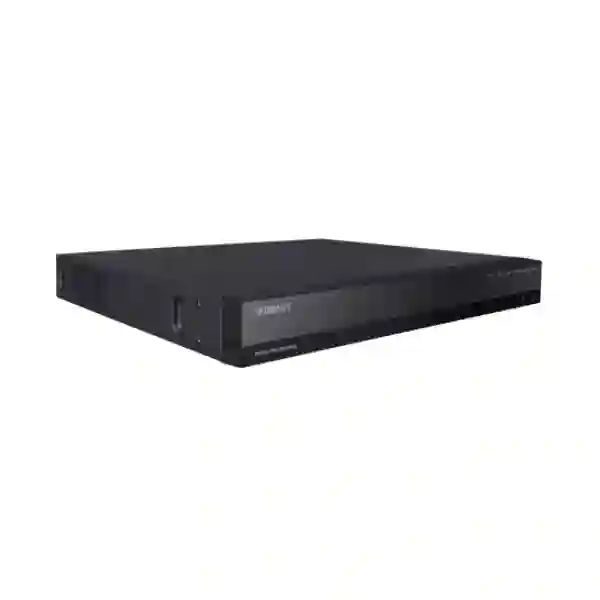
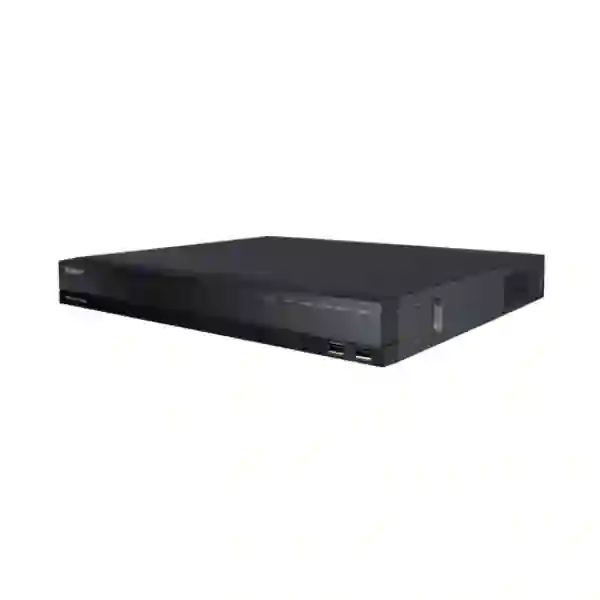
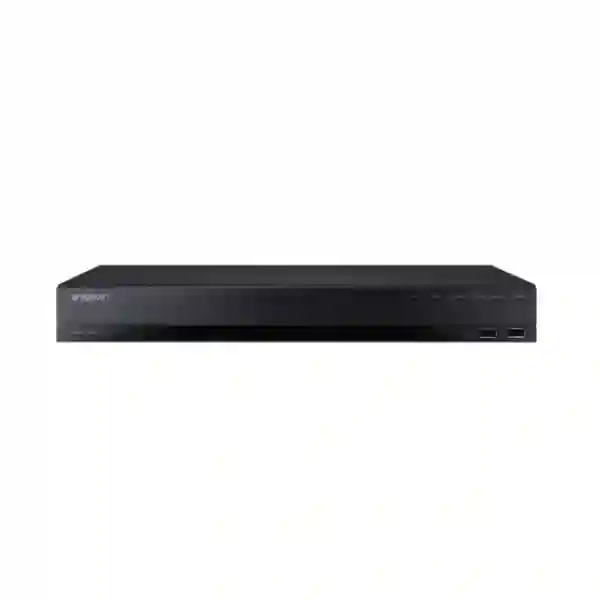
Hanwha HRX-1634: 16-Channel Pentabrid DVR
Keep compatible coaxial cameras in your surveillance plan while evaluating selected IP additions. The HRX-1634 combines 16 analog BNC inputs with network-camera capability, supported video compression and flexible local and remote viewing options. For a Tanzania project, begin with camera compatibility, desired video quality and a realistic storage-retention calculation before requesting a detailed quote.
At a glance
The stated maximums are specification limits, not a guarantee that every feature or combination can be used simultaneously. Resolution, frame rate, stream bitrate, firmware and compatible-camera requirements must be assessed for the planned installation.
What the HRX-1634 is designed to solve
Replacing every installed camera is not always necessary when a surveillance site needs a better recorder. The HRX-1634 is intended for mixed-format video environments: existing coaxial cameras can remain part of the design where their outputs are supported, and selected IP cameras can be considered alongside them. That gives buyers a practical way to evaluate a recorder upgrade separately from a full camera and cabling replacement. It is especially relevant where several camera generations coexist after phased installation work. The first question is not simply how many cameras a building has, but what those cameras transmit and what the new recorder must actually capture.
The recorder combines 16 physical analog BNC channels with network-camera capability. Its published maximum is 18 total channels, subject to channel allocation and configuration. The system does not automatically transform an unsupported camera into a compatible one, and an IP camera is not connected to a BNC socket. A dependable specification starts with a camera inventory, a recording-quality requirement and a realistic retention target. Use those three inputs to decide whether this model fits the site before selecting disks or scheduling installation.
Pentabrid support explained in plain language
The word pentabrid refers to the five input families recognised by the product: AHD, HDTVI, HDCVI, conventional CVBS analog video and IP video. On a site with an established coaxial infrastructure, this flexibility can reduce the pressure to standardise every compatible camera on the same signal family immediately. It is useful when a shop, office or warehouse has received cameras from different installation phases. However, the presence of a signal name on the specification does not guarantee that every manufacturer-specific camera mode, resolution or control function will work.
Start by recording the exact output format and resolution of each existing camera. Where cameras support switchable output modes, note which mode is currently active. Confirm signal transmission, cable condition, connector quality and any required settings before treating a camera as reusable. IP cameras need separate verification against the recorder’s supported protocols and capabilities. For a mixed installation, a small bench test using representative cameras is more informative than relying on a broad compatibility label alone. Compatibility assessment should be part of the quotation, not an assumption made after purchase.
16 BNC inputs and additional network-camera capacity
The HRX-1634 provides 16 analog camera input positions through BNC connectors. Hanwha also lists additional network-camera support and up to 18 total recording channels, with the number of usable network channels depending on the configuration. For a site planning sixteen existing coaxial feeds and two new IP views, that makes this recorder worth evaluating. It is important to distinguish the physical analog connectors from the network-camera channel allocation. Eighteen does not mean eighteen BNC plugs, nor does it mean that every possible IP-camera combination is automatically approved.
Write a channel plan before selecting the equipment. Number each entrance, corridor, counter, loading area and perimeter view. Mark existing analog feeds and planned IP locations separately. Include spare capacity for a genuine future need, but do not use the headline channel count as a substitute for a supported configuration. If the project needs many additional network cameras, broader IP recording capacity or a larger site architecture, compare an appropriate NVR rather than assuming this hybrid DVR is the best long-term option. The appropriate recorder follows the camera plan.
Understanding 8MP support and recording speed
Up to 8MP resolution support is a key capability, but megapixel figures and frames per second are different decisions. Hanwha publishes analog recording rates of 8fps at 8MP, 12fps at 5MP, 15/12fps at 4MP and 30/25fps at 2MP, depending on the operating video standard and configuration. The maximum rate also depends on what the connected camera delivers. Consequently, a buyer should not assume that every 8MP camera will be recorded at 25 or 30 frames per second. Higher detail can come with a lower available recording frame rate on this model.
Consider what the footage must show. A stationary entrance or inventory shelf may prioritise spatial detail; a faster moving scene may benefit from a different balance of frame rate, field of view and exposure. The recording design should identify which channels truly need higher resolution, which need smoother motion and which are acceptable at lower settings. Test representative movement at the intended scene and lighting conditions. If sustained high-frame-rate 8MP recording is essential, compare a recorder whose published per-channel specifications explicitly meet that objective.
H.265, H.264 and MJPEG recording options
The HRX-1634 supports H.265, H.264 and MJPEG compression. These are different approaches to encoding video, and the choice affects storage use, bandwidth, playback requirements and compatibility with connected devices or viewing software. H.265 can offer more efficient encoding than older approaches in suitable conditions, but that does not mean a fixed percentage saving can be promised for every camera, scene or setting. A busy loading bay, a nearly motionless storeroom and a poorly lit perimeter can generate very different streams even at the same nominal resolution.
When sizing a system, use real or conservatively estimated bitrates for each camera rather than a single generic camera count. Consider recording hours, image complexity, frame rates and the desired number of retained days. Review whether both the main stream and a secondary stream are needed, and whether the selected camera format and mode are compatible with the recorder. Codec labels help narrow the options, but they do not replace a storage calculation or a short test of actual recorded footage.
Recording bandwidth is a separate capacity check
Hanwha specifies a maximum recording bandwidth of 128Mbps for this recorder. That is a total-capacity consideration, not a promise that every possible set of cameras will run at its highest published resolution and frame rate simultaneously. A sixteen-camera configuration needs its combined recording bitrate assessed, especially if several higher-resolution channels are active. Recording throughput, network delivery, decoding and playback are related but distinct limits. In addition, an IP camera must be reachable over a properly configured network before its stream can contribute to the recorder.
Prepare an input budget listing each channel’s intended resolution, frame rate, codec and estimated bitrate. Add the estimates and leave sensible operating headroom rather than designing directly against the advertised maximum. If the site anticipates adding cameras later, size for the proposed final configuration. Where a camera generates multiple streams, confirm how the recorder uses those streams. This planning step helps prevent disappointing results in busy scenes and makes quotation comparisons more meaningful than looking at channel count or megapixels alone.
Two SATA bays and maximum stated disk capacity
The recorder has two SATA hard-drive positions, with Hanwha listing support up to 6TB per drive and a maximum of 12TB across both bays. These are capacity ceilings for compatible devices, not a statement that hard drives are supplied with every unit. The quantity and type of fitted storage must be confirmed for the quoted package. Two drive bays do not by themselves establish a RAID level, automatic failover capability or guaranteed continuity if a disk fails. Those are separate design questions that should not be assumed from the bay count.
Select drives suited to continuous video recording and present on the applicable compatibility guidance. Determine usable retention from the actual expected bitrates, the recording schedule and the amount of installed storage. A drive labelled 6TB does not result in six terabytes of video that can be stored without filesystem and operational overhead. Confirm what happens when recording space fills, who checks drive health and how footage should be backed up. The most valuable storage specification is not the largest number on the carton but the retention period the site can achieve and verify.
How to estimate the required retention period
The correct storage target starts with a policy question: how many days of useful footage does the organisation need? Different sites may have different operational expectations and any applicable obligations should be assessed independently. A warehouse might prioritise checking delivery discrepancies, while a small reception area may need routine event review. The recorder’s supported 12TB maximum is only one input. Actual retention depends on the combined video data rate, recording hours, codec settings, event activity and available formatted disk space.
Ask the project team to list each camera and mark its expected bitrate under typical and busy conditions. Calculate approximate data produced per hour, then multiply by daily recording hours and the intended days of retention. Build in a reasonable margin for seasonal activity, scene changes and operational overhead. Validate the result after installation using the recorder’s own measured recording behaviour. If the required footage duration cannot be met within the supported disk configuration, do not promise it; revise the settings, architecture or recorder choice before commissioning.
Continuous, scheduled and event-led recording
The HRX-1634 provides recording modes including normal, dual-stream, scheduled continuous or event operation, pre-event and post-event capture, and bookmarks. These choices let a security design reflect what happens in each part of the premises. An important doorway might justify continuous recording, while another view may be planned around defined events after evaluating the risk of missed activity. The presence of an event setting alone does not establish how reliably a camera will detect the event in every lighting condition or scene.
Design recording schedules around real operating patterns and review what happens outside trading hours. Test that pre-event footage includes the lead-up to the activity and that post-event capture lasts long enough to show its conclusion. A motion-only strategy can conserve space but may miss incidents if detection is not configured correctly. Consistent time settings and documented recording rules are also important when staff need to reconstruct a sequence across cameras. Recording configuration should be agreed with the people who will investigate footage, not left to arbitrary defaults.
Event inputs, alarms and response actions
Hanwha lists 16 alarm inputs and four relay outputs, together with event actions such as notifications, buzzer, monitor output and PTZ preset commands. These functions can form part of a structured response process, subject to the connected devices and correct configuration. A door contact, external alarm or camera-generated event may be relevant, but each needs electrical and logical compatibility confirmed. A recorder event does not by itself provide a monitored alarm service or guarantee that a person will respond to a notification.
Define the purpose of each input and output before wiring. Decide whether a trigger should start a recording, display a camera, activate an appropriate relay or notify an authorised user. Test both ordinary events and failure conditions, including disconnected cables and lost cameras. Clearly label terminals and keep a record of event rules so maintenance staff can understand the system later. For critical security functions, distinguish information recorded by a DVR from the separate alarm and response system responsible for taking action.
Local monitoring with HDMI, VGA and spot output
The HRX-1634 provides one HDMI output and one VGA output and lists support for dual-monitor operation. Its HDMI output supports display resolutions up to 3840 by 2160, while the VGA output has a separate published resolution range. There is also a BNC spot-monitor output. This gives a site options for a main viewing station and a secondary display arrangement, though the exact layout and simultaneous display behaviour should be confirmed against the intended monitor setup and firmware.
During planning, identify who watches live video and where they sit. A reception operator may need a multi-camera overview, whereas a security desk might prefer a focused view of a gate or loading point. Check monitor input types, cable lengths, desired resolution, screen mounting and operator accessibility. Local HDMI output should not be confused with native camera resolution or recording frame rate; the monitor is showing the available video, not improving the source footage. Validate the user interface and preferred layouts before handing the system to everyday operators.
Remote viewing and supported Wisenet applications
Network connectivity supports remote access and viewing arrangements, and Hanwha identifies Wisenet Viewer, Wisenet Mobile Viewer and web-based tools among compatible viewing options for this model. P2P setup using a QR code is also listed. These features can be useful for authorised managers reviewing incidents away from the recorder, provided the intended software version, user rights and network conditions are suitable. Remote access should never be treated as automatically secure simply because an application makes connection convenient.
Prepare a remote-access plan with named authorised users, password controls, a documented connection method and the organisation’s network requirements. Confirm the software available for the intended operating systems and check functional limitations before promising particular playback behaviour. Hanwha’s specifications distinguish local, CMS, mobile and web simultaneous playback capabilities. Users who expect the full local multi-camera experience on a phone may need a practical demonstration. Test access from an external network and ensure that former staff accounts can be promptly disabled.
Network security and responsible administration
The recorder’s published network features include HTTPS, user access logging, IP address filtering and other security-related capabilities. These can assist with responsible deployment, but no connected recorder should be considered protected without deliberate configuration and maintenance. The best starting point is a dedicated administrator account with a strong unique password, carefully assigned everyday user privileges and documented ownership of the device. A recorder that is installed and forgotten may become difficult to support even when its original configuration was sound.
Before commissioning, agree who can change settings, export clips, manage storage and access live footage. Keep time synchronisation reliable, restrict unnecessary network exposure and follow current vendor guidance for supported firmware. Review remote-access architecture with the site network administrator rather than opening network services indiscriminately. Maintain a change record for software updates, camera additions and configuration adjustments. These steps do not eliminate risk, but they turn a technical feature list into a workable security process with clear accountability.
Coaxial control and PTZ considerations
Coaxial control is listed for supported camera signal types, and the recorder also provides RS-485 for supported PTZ protocols. This matters when existing cameras have motorised pan, tilt or zoom functions or require compatible control commands over coaxial infrastructure. However, PTZ interoperability depends on more than the mere presence of a connector. The camera model, control mode, configured protocol and addressing must all align. A fixed camera may record perfectly without supporting any remote movement command at all.
If PTZ functionality is part of the brief, test basic movement, preset recall and any tour behaviour required by the operator. Record which cameras are controlled through coaxial commands and which, if any, use RS-485. Ensure that operator privileges are set sensibly so unauthorised users cannot redirect important views. Consider the trade-off of a moving camera: when it looks in one direction, other areas may no longer be in view. For high-priority entrances, a fixed overview camera can complement a PTZ device rather than relying on a single moving field of view.
Network-camera compatibility and ONVIF
The specification references SUNAPI and ONVIF for network-camera connections. Those terms are useful integration clues, but ONVIF support is not a universal promise that every function of every IP camera will be available. Camera models vary in profiles, firmware, codecs, event support and control features. The recorder may receive a standard video stream while some advanced camera functions remain unavailable. This is particularly relevant when a project mixes camera brands or adds IP cameras to an established analog site.
For each proposed IP camera, record the exact model and firmware version, intended video stream, codec, resolution, network settings and the features actually needed. Test live viewing, recording, time synchronisation, playback and event transfer. If smart search or video analytics are important, verify those specific capabilities rather than inferring them from IP connectivity alone. Note that the recorder’s published smart-search capability applies to network cameras, not all analog channels. A short compatibility test can prevent a much more expensive site visit after commissioning.
Smart search and efficient incident review
Hanwha identifies smart search for network-camera material. In a well-designed system, searchable recordings can help a trained operator narrow the time spent looking for a relevant clip. It is still necessary to establish what search criteria are supported by the connected camera, the recorder and the relevant software. A recording system does not know the business significance of an event by default. Search quality depends on the data captured, scene visibility, camera configuration and how the operator frames the investigation.
Build an incident-review procedure around timestamps, camera labels and the event information your configuration actually records. A useful workflow begins with the reported incident time, then checks the likely entrance or activity area and expands across adjacent camera views. Keep original footage available while reviewing or exporting a copy. If the organisation expects person identification, license-plate readability or other precise visual outcomes, assess the camera optics and scene conditions separately. Search tools may reduce review effort; they do not compensate for inadequate camera placement or missing footage.
Evidence export, playback and review practices
Hanwha specifies recording backup options that include recorder-side export formats and web-viewer export. That is useful for organisations that periodically need to preserve a particular segment, but the export workflow should be tested before the first urgent request. Different viewing and export formats may require different software or procedures. A file that has been copied successfully is not necessarily straightforward for a recipient to open, and an unlabelled clip may be difficult to associate with the correct incident.
Document who is authorised to export recordings, what identifying information accompanies a clip and how the original material is protected. Use accurate camera names, device time settings and event references. After export, verify that the file can be opened and that the requested beginning and end are present. Protect exported media and share it only through approved organisational procedures. The DVR supplies technical capabilities, but retention, handling and disclosure decisions remain the organisation’s responsibility and should reflect applicable rules and its own security policies.
Physical installation and ventilation
The HRX-1634 is a compact metal recorder with published dimensions of 370 by 44 by 320 millimetres. Hanwha gives an operating temperature range of 0°C to 40°C and relative humidity from 20% to 85%. These figures are particularly important when planning equipment rooms or cabinets in warm or humid environments. A ventilated indoor cabinet is a different environment from a sealed shelf above a hot appliance. The recorder should not be selected on desk footprint alone while airflow, access and drive servicing are ignored.
Choose a protected location where authorised staff can reach the recorder for maintenance but casual visitors cannot interfere with cables or storage. Allow space for power and video connectors, avoid blocked vents and keep the device away from water and direct heat. Estimate cabinet temperature under the actual expected operating load rather than assuming room temperature equals equipment temperature. If a site cannot maintain the specified operating conditions, improve the environment or reconsider the installation design. Equipment placement is part of reliability planning.
Power, resilience and site readiness
Hanwha lists a 12V DC power input and maximum power consumption of 40W with two 6TB drives fitted. The precise power-adapter arrangement should be confirmed for the quoted package, and the installer should follow the manufacturer’s instructions. The quoted consumption is useful for basic equipment planning, but it does not automatically cover monitors, cameras, networking hardware or any backup power system. A CCTV design can be interrupted by the failure of any of those supporting components even when the recorder itself remains healthy.
For sites where power interruptions are a concern, assess the recorder, cameras, network equipment and critical displays as a single system. Define the desired operating duration during a mains failure, select suitable backup power equipment and test the complete load. Make sure restart behaviour and recording recovery are checked after a controlled power interruption. Reliable operation also depends on protected cabling, correct grounding arrangements and responsible cabinet management. These are project design measures, not built-in guarantees of continuous recording.
Camera naming, time settings and handover
A successful DVR installation should be easy for someone other than the installer to operate. The HRX-1634 provides setup and system-control functions, but customer value comes from clear camera labels, sensible viewing groups and repeatable user procedures. Names such as Camera 01 or Rear Camera may not be sufficient in a building with several similarly named corridors. A site plan with location-specific camera identifiers makes live viewing, playback and maintenance substantially more efficient.
At commissioning, verify the time zone and time source, confirm that all recorded channels have accurate timestamps and inspect the footage from every input. Document the administrator owner, authorised operators, camera names, recording schedule, fitted drives and retention result. Show the responsible users how to locate recordings, export a short clip and recognise basic health warnings. Provide the equipment model and serial information through the normal handover records. A carefully documented installation is easier to manage after staff changes, configuration adjustments or future camera expansion.
Choosing between a DVR and an NVR
A pentabrid DVR is especially attractive when the existing deployment includes useful coaxial cameras. A network video recorder is generally worth comparing when the project will rely primarily on new IP cameras, expects broad network-camera expansion or has IP-specific performance requirements. Neither architecture should be presented as automatically better for every site. The total cost and disruption depend on cameras, cabling, switching, storage, software, installation work and the quality the operator actually needs.
To make a fair comparison, prepare two equipment schedules against the same viewing and retention requirements. One may reuse supported coaxial cameras with the HRX-1634, while the other may replace or migrate more of the system to IP. Count all supporting items, including networking and power equipment, rather than comparing recorder prices alone. Consider future maintenance skills and planned expansion. If an installation is already fully IP-based, confirm why a sixteen-BNC hybrid recorder is preferable to a suitable IP-focused device before deciding.
What to inspect when replacing an older DVR
A recorder replacement can uncover problems that were hidden by the original system. Coaxial cable ends may be damaged, camera power supplies may be unstable, and some cameras may be configured for output modes the new recorder does not use. The HRX-1634 supports multiple standards, but replacing a recorder does not repair bad cabling or insufficient lighting. Existing monitor interfaces, PTZ controls, alarm connections and hard drives also deserve separate attention before the cutover.
Begin with a survey showing every camera and its tested video signal. Check sample footage, power feeds, cable routes and the intended display. Document existing alarm integrations and any external software that users depend on. If footage from the previous DVR needs to be retained, arrange a suitable authorised preservation or migration process; hard drives are not assumed interchangeable between recorders. Schedule a cutover procedure with a rollback plan where uninterrupted coverage is important. Test the finished installation against the original camera list, not merely a live-picture count.
A practical quotation checklist for Tanzania buyers
A useful quotation should identify the exact Hanwha Vision HRX-1634 model and what is included with it. Ask whether hard drives, power accessories, display cables, installation labour, setup and user training form part of the proposed scope. Include the current camera list, planned IP additions and the desired recording duration. Confirm the local commercial terms directly rather than treating a catalogue description as proof of stock, price, delivery, warranty or installation coverage. Those details must be explicitly quoted for the intended transaction.
Specify how success will be accepted: the expected number of functioning channels, a verified recording schedule, remote access for approved users, a demonstrated export procedure and a recorded retention estimate. Ask for clarification when a technical limit is relevant, especially 8MP frame rates and the supported drive configuration. A site survey may be appropriate for projects with existing cameras of uncertain make or condition. This produces a comparable, technically accountable proposal without assuming regional availability or service arrangements that have not been confirmed.
Common buying mistakes and how to avoid them
One frequent mistake is treating an advertised total channel count as if all those channels were physical analog connectors. Another is interpreting 8MP support as 8MP recording at full-motion frame rates on every channel. Buyers may also assume the maximum supported hard-drive capacity is included in the box, or that any ONVIF camera will provide every advanced function. Those assumptions can produce a specification that appears attractive but does not match the site. Read the individual performance and interface figures rather than stopping at the headline product name.
A stronger purchase process uses three checks: exact camera compatibility, recorded-video quality under representative conditions and a storage calculation for the agreed retention period. Add a fourth check for remote access if that is a business requirement, and a fifth for installation environment and power resilience. Keep these tests in the project acceptance criteria. The recorder can be a good fit for a mixed analog and IP site, but suitability is determined by the combination of camera, operator and operating requirements.
Operations and maintenance after installation
Video systems need a small but consistent operating routine. The person responsible for the HRX-1634 should periodically confirm that all planned cameras are recording, that the clock is accurate and that the fitted drives are functioning as intended. A live image on a monitor is helpful, but it is not proof that footage from the previous day can be played back. Test a small playback sample and review the retention window at suitable intervals. This is particularly important after a camera addition, codec change or recording schedule adjustment.
Keep configuration and equipment records available to authorised maintenance staff. If a device is replaced, document the changes and retest remote viewing, alarms and backup procedures. Review application and firmware support using current manufacturer guidance rather than installing files based on model names alone. Changes to password access, network design or staff responsibilities should trigger an account review. A sensible maintenance process helps the organisation get dependable use from the installed recorder without assuming that a one-time commissioning test guarantees future operation.
Key verified technical specifications
| Manufacturer / model | Hanwha Vision / HRX-1634 |
|---|---|
| Recorder classification | 16CH pentabrid DVR |
| Analog video | 16 BNC inputs; AHD, HDTVI, HDCVI, CVBS |
| Network camera | Additional channel capability; up to 18 total as configured |
| Maximum listed recording resolution | Up to 8MP; frame rate varies by resolution |
| Analog main-stream rates | 8MP 8fps; 5MP 12fps; 4MP 15/12fps; 2MP 30/25fps |
| Compression | H.265 / H.264 / MJPEG |
| Maximum recording bandwidth | 128Mbps |
| Maximum playback bandwidth | 32Mbps |
| HDD provision | 2 SATA slots; up to 6TB per compatible disk (12TB total) |
| Local video connections | 1 HDMI, 1 VGA, 1 BNC spot output |
| Network interface | RJ-45, 10/100/1000BASE-T |
| Alarm connections | 16 inputs / 4 relay outputs |
| USB ports | 2 front USB 2.0; 1 rear USB 3.0 |
| PTZ controls | Supported coaxial control and RS-485 |
| Audio connections | 4 line inputs / 1 line output |
| Operating conditions | 0°C to 40°C; 20% to 85% RH |
| Power | 12V DC; maximum 40W with two 6TB HDDs |
| Physical size | 370 × 44 × 320 mm |
All specification values are based on Hanwha Vision’s published HRX-1634 product information and may be revised by the manufacturer. Actual inclusion of disks, accessories, installation or services is a matter for the individual quotation. Confirm the specific unit and firmware as applicable.
Common deployment scenarios
The examples below are planning situations, not claims of completed installations or guaranteed suitability. Each requires the same fundamental checks: supported cameras, useful recording quality, appropriate retention, secured access and suitable operating conditions.
Small retail shop with existing coaxial cameras
A shop with several working AHD or compatible analog cameras may prefer to update the recording centre before replacing every camera. Catalogue camera formats and confirm their video outputs first. Identify whether checkout activity, entrances and stock areas need different recording settings. Test actual footage of people moving through aisles because frame rate and lighting affect usable detail. Verify how the recorder will be secured, whether an owner needs authorised remote viewing and how many days of footage are required. A quotation can then focus on a recorder, suitable drives and essential installation work without assuming that all existing accessories will be reusable.
Office reception and shared corridors
An office may need a consistent view of reception traffic, access points and common corridors. The channel plan should distinguish areas that need higher image detail from those where a wider overview is sufficient. Check whether existing analog cameras are supported and whether any new IP camera can be accommodated within the allowed configuration. Clear camera naming and reliable timestamps become important when several departments request event reviews. Decide who is allowed to play back and export recordings, and keep the device away from publicly accessible desks. Local monitoring and controlled remote viewing can serve different staff roles.
Warehouse entrances and delivery zones
Warehouse activity can include moving vehicles, variable lighting and wide spaces, so a simple megapixel target is not enough. Review the critical loading views at the intended resolution and available frame rate, including peak activity. Identify cameras used to check delivery times, gate access and loading-bay events. Storage planning should consider long working hours and changing scene complexity. If more than two network-camera additions are proposed alongside sixteen analog feeds, validate channel allocation or compare a different recorder. Include safe equipment placement and power planning in the design rather than treating them as later accessories.
Apartment or mixed-use building
A multi-tenant property may have cameras added over several years with more than one analog format. The recorder’s pentabrid input support makes a compatibility survey worthwhile before deciding to replace the entire installation. List shared entrances, circulation areas and other appropriately authorised views, then confirm that every proposed camera location follows the building’s policies and applicable rules. Access to playback should be limited to designated personnel, and footage handling procedures should be agreed. Test recording quality after dark as well as during daytime. The purchase decision should include secure installation, storage retention and a clear maintenance owner.
Workshop or light industrial premises
A workshop often places cameras in dusty or warm areas while the recorder itself can be located in a cleaner protected room. Hanwha’s published temperature and humidity limits apply to the recorder installation, so evaluate cabinet heat and ventilation carefully. Determine which cameras watch the public entrance, material movement or other legitimate security points. Check that cable routing and connectors survive the environment. A reasonable recording plan balances useful evidence with realistic storage consumption. Confirm alarm wiring and viewing privileges separately, rather than assuming that connecting the DVR automatically creates an industrial alarm system.
School administrative or campus security area
A school or training facility considering CCTV should begin with a clear, authorised safeguarding and security purpose rather than a camera-count target. The HRX-1634 may be examined where compatible coaxial cameras already exist, but camera locations, privacy measures and access rights need specific institutional approval. Reception and external access points may have different viewing requirements. Ensure that recordings can be retrieved by authorised staff using accurate times and labels. Retention and disclosure practices should reflect the organisation’s duties. Technical specifications are only one part of a defensible deployment, so policy review must precede installation.
Clinic reception and non-clinical public areas
In a clinic, camera placement and recorded content require particular care. A mixed-camera recorder might serve appropriately approved public entrances or exterior approaches, but it should never be taken as a reason to capture private consultations or sensitive areas indiscriminately. Review the proposed views with the organisation’s privacy and security decision-makers. Restrict live and recorded access and document how an incident clip may be shared. Check network isolation and the retention policy before remote access is enabled. Choosing the correct DVR does not replace the need for careful camera-position decisions and secure handling of sensitive footage.
Hospitality front-of-house and service entrances
A hotel or guest accommodation site might have older coaxial cameras covering public entrances and service access, with a plan to add a small number of IP views. The channel inventory should describe those signals and distinguish what is already connected from future additions. Test night-time footage and backlit doorways, as these can affect useful detail more than a recorder’s headline resolution. An agreed viewing layout can help staff respond to incidents without searching through every camera. Storage duration, who controls exports and how the recorder is physically secured should all be confirmed during procurement.
Multi-room office building refurbishment
A refurbishment is an opportunity to check every camera cable and standard before old equipment is dismantled. Record which analog channels are still useful and which locations are better served by new cameras. The HRX-1634 allows the buyer to consider a mixed-format transition, although IP camera additions remain subject to its channel and protocol limits. Plan cutover in phases where practical, and test a representative camera from each signal type before the final installation day. The technical handover should include a current camera map, recording rules and a method for proving that the completed installation meets the brief.
Community facility or place of assembly
A community building may use CCTV intermittently, yet incidents can arise outside scheduled activities. Decide whether continuous recording or an event schedule offers a suitable balance for each authorised view. Check entrances and shared areas in both quiet and crowded conditions. The DVR’s event and recording modes provide configuration options but cannot guarantee detection of every relevant activity. Assign responsibility for viewing requests, maintenance and recording integrity, especially if several volunteers or staff members share the premises. Equipment selection should follow these procedures and the privacy requirements, not precede them.
Vehicle gate with a PTZ camera
A gate operator may want a movable camera for checking activity as well as a fixed overview of the approach. The HRX-1634 lists coaxial control and RS-485 PTZ support, but commands must be tested with the actual camera and chosen connection method. Document preset positions, control permissions and the effect of movement on other areas that may need coverage. If a vehicle number or fine detail must be read reliably, validate the camera and lens arrangement rather than assuming the DVR can create that detail. Alarm triggers and monitor layouts should be demonstrated as part of commissioning.
Branch office with management viewing remotely
A branch may want selected managers to view the recorder without being physically present. The model supports network-based viewing options, but the network administrator should agree the connection method, credentials and permitted users. Test remote playback under ordinary internet conditions and explain its difference from local display functions. Keep administrative privileges separate from day-to-day viewing rights. If the branch loses power or connectivity, remote viewing may be unavailable, and the operational plan should acknowledge that possibility. A clear access policy is as important as the recorder’s QR-code connection feature.
Legacy CCTV system with uncertain camera labels
An older system can have unnamed cables, mixed camera resolutions and incomplete documents. Before ordering a replacement recorder, trace a sample of each camera type and record its output standard. Examine coaxial connector condition, camera power supplies and monitor interfaces. The HRX-1634 supports several analog families, making it relevant to a compatibility trial, but it cannot guarantee recovery of a poor-quality feed. Name channels by physical location, then compare recordings against a simple acceptance sheet. Where prior footage must be retained, preserve it through an authorised separate process before removing the original recorder.
Growth plan with future IP cameras
A site may anticipate replacing some analog cameras gradually with network cameras. The HRX-1634 is an option to evaluate during that transition, but the published total and allocation limits must shape the migration plan. List today’s analog inputs, planned replacement sequence and eventual IP count. Confirm that intended IP models support required streams and features. If the future installation will rely on significantly more IP cameras, a dedicated NVR may be more suitable than repeatedly redesigning the DVR’s channel plan. Choose an architecture that supports the documented end state, not only the first phase.
Frequently asked questions
Is the Hanwha HRX-1634 a 16-channel or an 18-channel recorder?
It has 16 physical analog BNC camera inputs. Hanwha also describes network-camera support and up to 18 channels in total, depending on how channels are configured. The distinction matters: a BNC input and a network-camera channel are not interchangeable connectors. Ask the installer to show the proposed camera allocation for the exact installation and verify that the mix of cameras is supported before committing to a final design.
Will my existing coaxial cameras work?
The recorder supports AHD, HDTVI, HDCVI and conventional CVBS signals. That broad support makes many existing coaxial installations worth evaluating, but the exact camera signal, resolution, control settings and cable condition still need checking. Provide the camera model numbers or arrange a representative test. The presence of a compatible signal family does not guarantee that every specialist function or non-standard output mode will operate.
Can it record at 8MP resolution?
Yes, 8MP is among the published supported recording resolutions, but recording speed at that resolution is limited. Hanwha specifies 8fps at 8MP for analog main-stream recording. Higher frame rates are available at selected lower resolutions, subject to signal type and the camera. Confirm the resolution and motion requirements of each critical scene so the recording specification matches what operators actually need.
Does it record 8MP at 30 frames per second?
No. The published analog recording specification does not indicate 30fps at 8MP. It identifies 8fps at 8MP and higher potential frame rates at lower resolutions, including 30/25fps at 2MP depending on the video standard. If a project requires full-motion 8MP recording, evaluate a different recorder with verified capacity for that exact requirement rather than assuming this model provides it.
What is the maximum supported hard-drive capacity?
Hanwha lists two SATA bays supporting drives of up to 6TB each, for a published maximum total of 12TB. That is a technical capacity limit and not proof that any drive is included with the recorder. Ask the supplier to state the installed drive quantity and capacities on the quotation. Check current drive compatibility guidance and calculate the retention period using the actual stream settings.
How many days of footage will 12TB keep?
There is no reliable universal day count. Storage duration depends on the number of cameras, their bitrates, resolutions, codecs, activity levels and recording schedules. The formatted usable storage capacity and operational overhead also matter. Calculate the expected data rate from the proposed camera settings and verify retention after installation. A supplier should not promise a specific number of days without an accompanying storage estimate and assumptions.
Can I add IP cameras?
Yes. The HRX-1634 includes network-camera capability alongside its analog inputs, subject to the total channel allocation and supported integration protocols. Hanwha lists SUNAPI and ONVIF. Before ordering an IP camera, confirm model compatibility, stream format, network configuration and any desired event functions. Do not assume that every IP camera feature will work solely because standard video streaming is available.
Does it support mobile viewing?
Hanwha identifies Wisenet Mobile Viewer and other viewing software among supported options, and the recorder includes a P2P connection method. The practical experience depends on software compatibility, permissions, connectivity and security configuration. Have the intended users test live viewing and playback with the actual system. Remote access should be enabled and maintained according to the organisation’s approved security procedures.
Can two monitors be connected?
The recorder provides HDMI and VGA display outputs, with dual-monitor capability listed by Hanwha. It also has a separate BNC spot-monitor output. The chosen displays must support the appropriate input connections and resolutions. Confirm the exact layout and viewing requirements during installation, because a second physical connector does not automatically mean every desired independent multiview arrangement is available.
Does it support motion-triggered recording?
The recorder offers event recording and supports motion-related camera events under specified conditions. Detection availability and performance depend on the camera type and configuration. Test the intended triggers in realistic lighting and activity conditions, including events just before and after the trigger. Consider continuous recording for critical areas where missed detection would be unacceptable. A motion event is an aid to recording strategy, not a guarantee that every incident will be detected.
Can it control PTZ cameras?
Supported control options include coaxial control for relevant signal types and RS-485 for listed PTZ protocols. Whether an individual camera can be controlled depends on compatibility, connection method and settings. Confirm movement, zoom and preset operations with the actual proposed camera. Where constant coverage matters, assess whether a separate fixed camera should cover the view while the PTZ unit changes direction.
Is a hard drive or surveillance software licence included?
The published technical specifications do not establish the exact contents or commercial terms of a particular Tanzania listing. The recorder has two supported SATA positions and specified viewing-software compatibility, but drive inclusion, software terms and accessories must be checked against the specific quotation. Request an itemised offer before planning the total installed cost or relying on a particular hardware bundle.
Is it suitable for a hot equipment room?
Only if the installed environment stays within the manufacturer’s stated conditions. Hanwha lists an operating range of 0°C to 40°C and 20% to 85% relative humidity. Allow for cabinet heat, ventilation, safe power arrangements and maintenance access. If the cabinet is expected to exceed those conditions, improve the installation environment or choose a better-suited design. A room’s average ambient temperature may not match the temperature inside a crowded enclosure.
What is the difference between a pentabrid DVR and an NVR?
This pentabrid DVR combines coaxial camera formats with selected network-camera capability. A dedicated NVR primarily serves an IP-camera design. The right choice depends on the existing camera inventory, future expansion plan, recording performance and supporting infrastructure. Where many usable coaxial cameras exist, a hybrid recorder may be practical. Where the target system is predominantly IP with larger expansion needs, compare a suitable NVR.
What should I provide when requesting a quote in Tanzania?
Share the exact required model, current camera quantity and types, number of proposed IP additions, recording-duration target, monitor requirements and whether remote viewing is needed. Mention the installation environment and any existing problems with cabling or footage quality. Request confirmation of the included drives, accessories, installation scope, price, delivery and warranty terms. None of those commercial details should be inferred from the model specification alone.
Request a compatibility-led HRX-1634 quotation
Contact FourTeck Tanzania to discuss the Hanwha HRX-1634 for your planned CCTV system. Share your camera model list, current input standards, proposed IP additions, recording-quality priorities, storage-retention target and desired monitoring arrangement. Ask for the exact hardware inclusion, compatibility assessment and commercial terms to be confirmed in the response. The next step is a properly scoped quotation, not an assumption about availability, drive inclusion, warranty or installation coverage.




Reviews
There are no reviews yet.