
UniFi networking • Independent security gateway
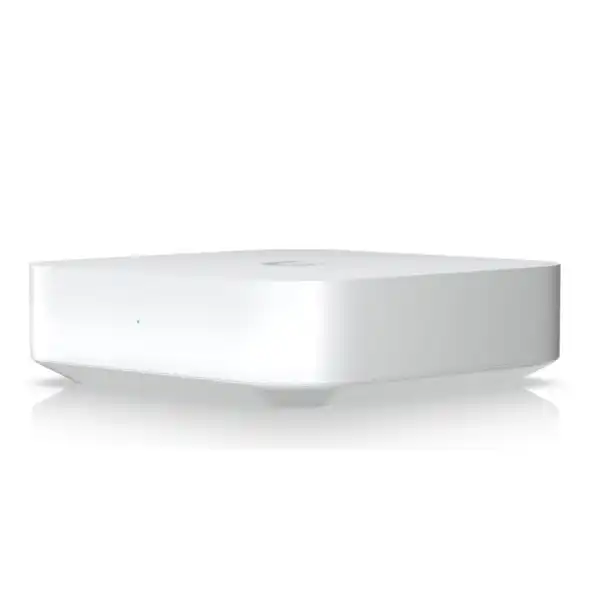
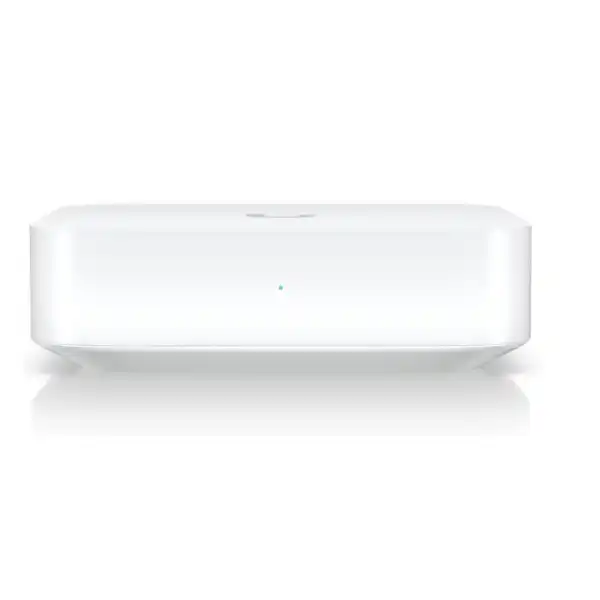
Ubiquiti UniFi Gateway Lite UXG-Lite
A compact, wired UniFi gateway for smaller business networks that need managed routing, firewall policy, traffic insight and VPN capabilities without an all-in-one Wi-Fi router.
2 × Gigabit RJ45 • 1 Gbps listed IDS/IPS • Separate UniFi Network management required
Is this the right gateway for your site?
The UXG-Lite fits a compact UniFi installation with a suitable management platform and one wired WAN connection. It does not have built-in Wi-Fi or an integrated UniFi controller. Confirm your full network design before ordering.
What the UXG-Lite does for a small network
The Ubiquiti UniFi Gateway Lite UXG-Lite sits between an internet connection and a local network. It routes traffic, applies firewall rules, and provides a central point for security and connectivity policies. For a business with staff computers, a printer, a point-of-sale system, and UniFi wireless access points, it can be the gateway that ties those separate components together. It is not a wireless router with every function in one enclosure. Instead, it is a dedicated networking component intended to work with an appropriate switch, access points when Wi-Fi is required, and a separate UniFi Network management environment. That modular approach matters when a site already owns reliable UniFi equipment or expects to change access points without replacing its gateway. Customers should plan the whole network rather than evaluating only the gateway price. The physical internet connection, management host, switching, wireless coverage, power continuity, and cabling all influence whether the installation will work well.
Who should consider this gateway
The most natural buyers are small offices, workshops, professional practices, hospitality back offices, retail premises, and administrators maintaining compact UniFi sites. A home user with several UniFi access points and an established controller may also prefer an independent gateway instead of moving to an all-in-one device. The strongest fit is a network that needs a single wired internet connection, Gigabit-class Ethernet interfaces, and policy controls without a large rack-mounted appliance. It is useful for teams that want visibility into traffic categories and a consistent management experience across their UniFi network. It is less suitable where the gateway must directly supply Wi-Fi, connect a large number of devices without a switch, or accept multiple independent wired WAN connections. Buyers with high-speed multi-gigabit internet, complex port requirements, or large concurrent workloads should compare higher-capacity gateways. Size alone does not determine suitability: network design, traffic patterns, and management requirements are more important.
The most important buying decision
Before requesting the Ubiquiti Gateway Lite in Tanzania, establish whether you already have a supported UniFi Network application and somewhere to run it. Ubiquiti describes UXG-Lite as an independent gateway managed by a CloudKey, UniFi OS Server, or Official UniFi Hosting. The current technical specification lists UniFi Network version 8.3.32 or later. A dedicated manager is an important architectural difference from an integrated UniFi Cloud Gateway. If a site has no management platform, account for that requirement before purchase. Ask who will administer the environment, how configuration backups will be maintained, and whether the administrator can access the management service during an internet outage. The correct answer depends on the deployment, but these decisions should be made in advance. A gateway can be physically connected yet remain unsuitable for a buyer’s expected workflow if the chosen management platform is missing or incompatible.
Physical ports and basic layout
The unit provides two RJ45 Ethernet interfaces operating at 10, 100, or 1000 Mbps. In the normal layout, one port is used for WAN and one for LAN. That is deliberately simple and keeps the enclosure compact, but it also means the gateway is not a replacement for a multiport Ethernet switch. A typical connection path is internet modem or optical-network terminal, then UXG-Lite, then a managed or unmanaged switch serving computers and access points. If several isolated networks are required, their topology and VLAN configuration should be planned alongside a suitably capable switch. The two Ethernet jacks are not an indication of two standard wired internet uplinks. Ubiquiti’s specification states a maximum WAN port count of one for this model. Check the handoff from the internet provider, including Ethernet speed, the type of WAN addressing, and any authentication or VLAN settings, before arranging an installation.
Gigabit interfaces and realistic performance
The published IDS/IPS throughput specification is 1 Gbps. That describes the manufacturer’s stated capacity for intrusion detection and prevention workloads; it is not a promise that every installation will achieve the same application performance. Real transfers depend on packet sizes, network topology, ISP service, switching, client hardware, firewall rules, VPN encryption, and other enabled services. A 1 GbE physical port also differs from a multi-gigabit uplink: it will not deliver more than the interface can carry. For everyday office browsing, cloud applications, messaging, and typical business file transfers, Gigabit-class networking may be appropriate when the overall design is sound. Customers who routinely move large datasets, use 2.5 GbE or faster connections, or expect substantial VPN load should evaluate a larger model. Ask for expected peak traffic rather than deciding only from the advertised internet plan speed. Plan headroom for growth and configuration changes.
Firewall protection and traffic visibility
The Gateway Lite supports a stateful firewall, application-aware Layer 7 controls, traffic identification, and intrusion detection and prevention. These features help administrators define permitted communications, investigate usage, and apply security policies closer to the internet edge. The value is in correctly designed rules and operational follow-through, not simply turning on every checkbox. A good initial policy starts with explicit network segmentation, minimum necessary access, and a process for reviewing exceptions. Visibility into traffic can help distinguish routine software updates from unusual demand, but classification and logging have limitations and should not be treated as exhaustive forensic evidence. The gateway does not replace endpoint protection, software patching, secure passwords, multifactor authentication, or a tested backup system. In business environments, layered controls remain necessary. Security functions should be configured and periodically assessed by a competent administrator who understands the business applications and the risks of accidentally blocking legitimate services.
Intrusion detection versus prevention
Intrusion detection, commonly abbreviated IDS, is intended to identify suspicious network activity; intrusion prevention, or IPS, adds a blocking function according to its configuration and available signatures or detections. This distinction matters because an alert is not the same as successfully stopping an attack. Administrators should consider logging, alert review, false positives, and how security updates are managed. Applications that depend on unusual protocols may need careful testing before strict controls are enforced. For an office, a phased rollout may be practical: establish baseline behavior, enable protections suited to the risk, and check business-critical transactions and remote access after applying policy changes. The manufacturer’s 1 Gbps IDS/IPS throughput rating makes this a compelling compact option on paper, but protection quality also depends on correct rules, ongoing maintenance, and understanding what inspection can and cannot see. Encrypted traffic and endpoint behavior still require attention elsewhere in the security program.
Network segmentation for staff and guests
Many small sites have different classes of connected devices. Staff laptops may need internal file access, visitors may need internet only, and payment or building systems may require tightly limited communication. A thoughtful design can separate those groups into distinct logical networks and control communication through the gateway. The UXG-Lite can participate in a UniFi deployment where the administrator defines network and firewall policies, but the switch and wireless infrastructure must also support the intended segmentation. A guest SSID alone is not proof of complete isolation; check its associated VLAN, DHCP service, routing, and firewall behavior. Document which devices must communicate and why. For example, a guest device should generally not reach office accounting computers, while a staff workstation may need a deliberately approved printer path. Proper planning makes the network easier to troubleshoot and reduces the chance that one compromised device can reach everything else.
VPN options for remote work
Ubiquiti lists multiple VPN functions for the Gateway Lite, including WireGuard, OpenVPN, Teleport, and site-to-site options such as IPsec and Site Magic. The available user experience and configuration depend on the current UniFi software, compatible endpoints, and chosen deployment. A remote worker might need secure access to an internal service, while an administrator may need a controlled method to reach network resources. A branch office may require a site-to-site tunnel to another location. These scenarios differ in authentication, routing, performance, and operational responsibility. Before choosing a protocol, identify the data that must be reached, the number of users, the client operating systems, address-space conflicts, and the expected internet connection at both ends. VPN support should not be interpreted as a guarantee that every third-party appliance will interoperate without testing. Where sensitive business systems are involved, apply least-privilege access and monitor unusual connections.
Site-to-site connectivity and branches
Small organizations sometimes need to connect a branch and a main office so that selected systems can communicate over encrypted tunnels. The Gateway Lite includes manufacturer-listed site-to-site VPN features, but successful deployment requires planning at both locations. The remote endpoint’s compatibility, public or private WAN addressing, network subnets, DNS configuration, and routing policy all affect the result. Avoid using overlapping address ranges if cross-site routing is required. If internet access is unreliable at one location, the VPN cannot provide continuous application access on its own; connectivity and recovery procedures remain important. Administrators should determine whether all traffic needs to pass through a central site or only specific applications. That choice influences bandwidth consumption, security policy, and troubleshooting. For multiple sites, naming conventions, documentation, and an agreed management owner become increasingly valuable. The gateway can form part of a managed branch design, not a substitute for planning the full intersite architecture.
Routing, DHCP, NAT and DNS planning
Basic gateway functions such as address assignment, network address translation, route selection, and DNS behavior have direct consequences for users. The current UniFi specification lists configurable DHCP, advanced NAT capabilities, IPv6 ISP support, and OSPF dynamic routing. Not every small office needs all of these. A straightforward site may use one WAN, a few internal networks, and automatic address allocation. A specialist installation may need reserved addresses for printers, selective NAT rules, or routing to another internal router. Changes to these settings should be made against a documented diagram, especially when replacing an older gateway. Misconfigured DHCP can disrupt every workstation, while incorrect NAT or firewall rules can break externally accessible applications. Coordinate requirements with the internet provider and any internal software vendor rather than copying another business’s settings. A clean plan for IP ranges and service discovery reduces recurring support problems.
QoS and everyday application experience
Quality of Service controls help administrators prioritize or shape traffic when a network is under load. The Gateway Lite includes advanced QoS capabilities in Ubiquiti’s listed feature set. Useful examples are maintaining acceptable calling performance during large downloads or keeping a critical business application responsive during a busy workday. QoS does not create additional subscribed ISP bandwidth and cannot remove congestion on networks outside the administrator’s control. It also requires awareness of the actual uplink speed and the traffic mix. Excessive prioritization rules may be difficult to understand and can have unintended effects. Measure a real problem first, then configure a manageable policy and verify whether user experience improves. For organisations using cloud telephony or video calls, test latency and packet loss during peak activity, rather than focusing only on a speed-test result taken when the network is quiet.
UniFi access points and wireless coverage
The UXG-Lite is a wired gateway; it has no integrated Wi-Fi radio. To provide wireless service, use an appropriate access point or existing wireless infrastructure and connect it through the LAN-side network. In a UniFi-focused deployment, compatible UniFi access points may be managed within the same supported UniFi Network environment. Wireless planning is a distinct exercise: building materials, room layout, interference, user density, required roaming behavior, and device capabilities affect coverage. Do not assume that adding a capable gateway will solve weak signal areas. For a single small office, one well-positioned access point may be sufficient, while larger or divided spaces can need multiple access points and a suitable switch. Check whether the chosen access points require PoE and whether the switch or separate injectors can provide it. The Gateway Lite itself should not be assumed to power access points through Ethernet.
Switch requirements and expansion
With one ordinary LAN port, the gateway will usually connect to an Ethernet switch when multiple wired devices are present. The switch choice affects expansion options. An unmanaged Gigabit switch may suit a simple flat network, but separate staff, guest, voice, or device networks often call for managed switching with VLAN capabilities. If cameras or access points require Power over Ethernet, evaluate PoE budgets independently. Count physical ports for today’s devices plus a sensible allowance for additions. Check uplink capacity, power consumption, mounting conditions, and administration needs. An undersized or incorrectly configured switch can become a bottleneck even when the gateway is performing correctly. In multiroom deployments, consider cable pathways and cable testing before purchasing hardware. It is often more economical to plan the gateway, switch, wireless access points, and power arrangement together than to buy each device independently without confirming interoperability.
Choosing a UniFi management host
A supported management application provides the configuration and operational interface for this independent gateway. Ubiquiti identifies CloudKey, UniFi OS Server, and Official UniFi Hosting among the management choices for current Gateway Lite deployments. The latest technical specification lists UniFi Network 8.3.32 or later. Confirm exact support and release versions before installing or migrating. Compare management choices on total cost, location of the server, access control, backup and recovery, update responsibility, and the skills of the team administering it. A management service on site may have different operational tradeoffs from a hosted service. Make sure the chosen approach supports the intended access policies and can be maintained by the actual owner of the network. Do not confuse the management host with the gateway’s routing role. Buying this gateway does not include an assumption that every management service or hosting subscription is provided without separate arrangements.
First-time setup checklist
Begin with a network diagram and a verified list of ISP requirements. Identify the WAN handoff, local subnet, planned VLANs, location of the management host, and login credentials for the appropriate administrator. Connect the provider equipment to the WAN interface and the local switch or initial setup device to the LAN interface. Supply power through the specified USB-C adapter and follow the current Ubiquiti adoption guide for the supported UniFi Network release. Bluetooth is included among management-related hardware interfaces, but the exact setup path depends on software and device state. After adoption, verify internet connectivity, DNS resolution, DHCP allocation, expected VLAN tagging, and administrative access. Then apply security policies and test them with representative business devices. Record a known-good configuration and recovery process. If replacing an existing router, schedule a controlled cutover and keep the former configuration available until critical applications have been checked.
Migration from a legacy UniFi Security Gateway
Buyers replacing an older USG may be attracted by Ubiquiti’s claim of up to ten times routing performance under specified IPS/IDS, QoS, and Smart Queue test conditions. This is a manufacturer comparison, not a universal speed multiplier for every network. A migration should be treated as a configuration project rather than a simple cable swap. Export or document existing networks, DHCP reservations, static routes, port forwards, VPN settings, firewall rules, and any provider-specific WAN configuration. Check whether features and configuration methods changed in the current UniFi Network release. Review adoption steps for the old and new devices and plan a way to return to the previous setup if needed. Users should be notified of a potential interruption. Test internet access, remote connectivity, printers, internal systems, and guest isolation after the move. A structured change window is especially important in a shop or office where losing connectivity disrupts transactions or customer service.
Selecting the correct internet connection
The physical WAN connection should be assessed before purchase. This gateway has a Gigabit Ethernet WAN interface, so it is best matched to an appropriate Ethernet handoff from the internet provider. If the ISP supplies fiber, the optical termination or modem normally provides the required interface; the gateway is not a substitute for every type of fiber termination device. Confirm whether the provider expects DHCP, static addressing, PPPoE, a tagged VLAN, or a particular modem mode. The practical experience also depends on upload speed, latency, packet loss, contention, and service support, not only the advertised maximum download rate. If a business needs assured continuity, discuss a backup-connectivity design separately. The manufacturer lists an additional failover option involving UniFi LTE Backup, but local service compatibility, required hardware, and availability must be verified for the actual installation. Do not mistake that conditional capability for a second built-in wired WAN port.
Tanzania business deployment considerations
For a Tanzania-based office, school administration area, clinic reception, or small retail network, begin with operational requirements rather than making assumptions about local infrastructure. Determine the service available at the exact premises, the way the provider hands off connectivity, and how outages affect the business. Where stable electricity is important, consider an appropriately sized UPS for the gateway, optical-network terminal, management equipment, and essential switch. A UPS helps with short power interruptions only within its capacity and does not address an upstream provider outage. Review cable quality, physical security, ventilation, and the ability of a local administrator to service the installation. If the site relies on payment terminals, booking tools, or cloud applications, confirm their network access requirements and acceptable downtime. No local stock, price, specific ISP compatibility, or regulatory approval should be inferred from a general product description; these must be checked for the intended offer.
Physical size, energy use and placement
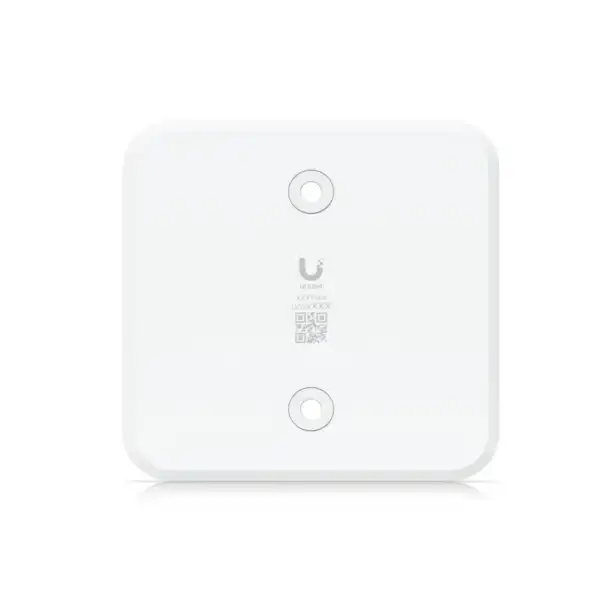
The UXG-Lite measures 98 by 98 by 30 millimetres and weighs approximately 320 grams according to Ubiquiti’s specification. It is a compact desktop device with a listed maximum power consumption of 3.83 watts. That combination makes it easy to place in a small network area, but placement still matters. Keep cabling tidy, allow ventilation, and avoid conditions outside the manufacturer’s operating range. The published ambient temperature range is minus 10 to 40 degrees Celsius, with 5 to 95 percent non-condensing humidity. Avoid direct rain, water exposure, and sealed hot enclosures. The unit’s USB-C power supply is listed as 5 V DC at 3 A, with an adapter included in the manufacturer’s configuration. Confirm the supplied package and appropriate local power connection for the actual seller. Physical security is also important: a gateway should not be located where visitors can unplug it or access connected infrastructure unnoticed.
Security maintenance and administrator roles
A gateway is a long-lived operational asset rather than a one-time appliance. Establish who owns changes to firewall policy, software maintenance, backups, and response to alerts. Give administrators individual accounts where supported and use strong authentication. Maintain a record of approved remote access routes and review them when staff responsibilities change. Updates should be evaluated for relevant fixes and installed through a controlled process appropriate to the business. Do not postpone all maintenance indefinitely, but avoid unplanned changes during critical operating hours. Document how to recover from misconfiguration, power loss, or loss of the management service. Backup files and administrative credentials should be protected because they can reveal sensitive network details. At periodic intervals, confirm that unused ports, obsolete policies, and unnecessary remote access paths have been removed. The Gateway Lite’s technical feature set provides useful tools, but consistent administration is the basis of dependable security.
What this unit does not include
Several purchase mistakes can be prevented by being explicit about what the product is not. The Gateway Lite is not a Wi-Fi access point, a multiport LAN switch, a modem for every ISP medium, or an all-in-one cloud gateway with embedded UniFi management. It does not offer multiple standard wired WAN ports and does not provide 2.5 GbE Ethernet interfaces. It is also not a standalone replacement for endpoint antivirus, identity management, backup, or physical security. The final network may require a compatible controller or hosting arrangement, PoE-capable switching, additional access points, a UPS, and professional configuration depending on site needs. These are not drawbacks for every buyer; the modular approach is precisely why some existing UniFi users choose an independent gateway. They are important cost and compatibility considerations for someone buying a complete network for the first time.
When to look at a different gateway
Consider alternatives when the network must handle multi-gigabit WAN service, has a requirement for multiple native wired WAN connections, or needs more integrated Ethernet ports. A single-unit purchase with built-in Wi-Fi and onboard management may be simpler for a location starting completely from scratch. A complex branch requiring many site-to-site tunnels, large VPN user populations, or demanding inspection workloads may benefit from a higher-capacity platform after workload analysis. Conversely, a compact UniFi environment with a suitable management host and one Gigabit-class uplink may not need a larger appliance. Compare models using documented port counts, supported WAN designs, realistic inspected throughput, management model, and total project cost. The right choice is the one that matches the actual network design while leaving sensible operating headroom, not necessarily the newest or highest-priced model.
Questions to answer before requesting a quote
A useful request should include the intended country and site, exact desired model UXG-Lite, approximate number of wired and wireless clients, contracted internet speed, and whether a supported UniFi manager already exists. Identify whether the purchase is for a new network, an upgrade from an older USG, or a replacement unit. Mention needs for guest access, segmented business devices, remote VPN users, site-to-site connectivity, and any special ISP settings. State which related equipment is already present, including the modem or optical terminal, switch, access points, and backup power. These details help the seller or installer identify missing components and reduce back-and-forth. Ask for a quotation that distinguishes the gateway itself from optional switching, access points, management or hosting, configuration, and onsite work. Prices and availability are not stated here because they were not independently verified for the target listing.
A practical deployment example: one office
Imagine an office with a fibre service terminating in a provider device, ten computers, two printers, staff Wi-Fi, and occasional visitors. An appropriate topology could place the provider handoff upstream of the Gateway Lite and a managed switch downstream. The switch serves wired equipment and supported Wi-Fi access points. Staff and guest networks can then be planned with the necessary segmentation, access rules, and address assignments. The management service maintains the UniFi configuration, while the gateway handles routing and security policies. Before deployment, validate physical Ethernet requirements and obtain the actual provider settings. During testing, confirm that guests reach only authorized destinations, printers remain reachable by intended staff, and key business applications function. This is an illustrative architecture rather than a claim that the gateway alone includes all the components or that a particular number of users is guaranteed. Equipment sizing should follow actual traffic and coverage needs.
A practical deployment example: retail counter
A small retailer may rely on inventory software, an online point-of-sale service, staff phones, and guest Wi-Fi. The important outcome is predictable separation and availability of business traffic. A Gateway Lite deployment can use firewall policy and organized networks to reduce unnecessary communication between guest devices and business equipment, subject to the capabilities of the connected switch and access points. The operator should first identify the transaction system’s vendor requirements, such as required outbound services and any approved remote-support access. Confirm how the store behaves if the ISP fails, because a gateway does not guarantee that a cloud service remains usable without connectivity. Backup power may keep local equipment running for a limited period, but payment-provider and internet dependencies still apply. Changes should be scheduled around trading hours. A clear handover document helps staff distinguish a local Wi-Fi issue from an upstream internet or application outage.
A practical deployment example: managed branch
An administrator responsible for several modest sites may prefer an independent UniFi gateway at each branch so that common policies, monitoring, and VPN planning fit an established management approach. At each location, the Gateway Lite can form part of a consistent architecture with local switching and wireless infrastructure. However, centralized administration does not mean every network is identical. Each branch may have different ISP credentials, addressing, expected traffic, hardware, and operational restrictions. Use standard names and policy templates where appropriate, then document each site’s exceptions. Confirm the management service is reachable according to the deployment design and test the recovery process if it becomes unavailable. For branch-to-branch access, plan addressing and tunnel policies carefully. The device is a compact gateway option; it is not an assurance of a specific number of supported branches or simultaneous VPN connections under all conditions.
Monitoring and troubleshooting
Operational visibility becomes valuable when users report slow applications or unexpected outages. The UniFi environment can expose network information, traffic insights, and quality or outage reporting according to supported software and configuration. Administrators should compare observations from the gateway with switch status, wireless experience, ISP diagnostics, and application health. If internet service is unavailable, test the provider handoff and local addressing before assuming the gateway is defective. If only wireless clients are affected, examine access-point signal, channel congestion, and PoE delivery. If one application fails, check DNS, routing, and policy logs. Record the time of the issue, affected network segment, and any recent changes. A short troubleshooting checklist helps avoid random configuration adjustments that obscure the original cause. For persistent performance complaints, test under representative traffic rather than relying on a single speed test.
Managing changes with minimal disruption
When an office depends on connectivity, seemingly small gateway edits can have broad consequences. A revised DHCP range, firewall zone, VPN route, or NAT rule might interrupt users who are not part of the original request. Establish a change process proportional to the business: record the intended outcome, current configuration, planned adjustment, validation step, and rollback option. For new security controls, define a testing window and representatives from the applications involved. Keep a working way to access the management environment if a new rule accidentally blocks the normal administrative path. After the change, confirm both the desired behavior and the absence of unrelated breakage. This discipline is especially useful where the Gateway Lite serves as the single internet gateway for a site. Good administration saves more operational time than repeatedly resetting hardware without identifying the cause.
Technical specifications at a glance
The official current specification identifies a dual-core ARM Cortex-A53 processor at 1 GHz, 1 GB of system memory, and a compact polycarbonate enclosure. Physical connectivity comprises two 10/100/1000 Mbps RJ45 ports, with one default WAN and one LAN. The maximum wired WAN count is one, and IDS/IPS throughput is specified as 1 Gbps. Power is supplied through USB-C at 5 V DC and 3 A, with maximum device consumption listed at 3.83 watts. The size is 98 x 98 x 30 millimetres and weight approximately 320 grams. Ubiquiti lists Ethernet and Bluetooth management-related hardware access and a factory reset button. The current software requirement is UniFi Network version 8.3.32 or later. These figures describe the exact UXG-Lite model and should not be confused with the Gateway Max or other similarly named UniFi products. Features and software requirements may evolve with manufacturer releases.
How to evaluate total cost
A fair comparison uses more than the hardware price. Include the management environment, switching, wireless access points, power supply arrangements, network cabling, installation, configuration, and future administration. If an existing site already owns compatible UniFi access points, switching, and management infrastructure, the Gateway Lite may fit into that investment with fewer new components. For a new location, an integrated alternative might offer a simpler purchase or a different balance of features. Compare support and maintenance responsibilities as well as upfront equipment. Ask whether the offer includes configuration, firewall policy setup, VPN implementation, migration from an older gateway, or only sealed hardware. Establish the scope in writing to avoid assuming services are included. Local commercial terms, warranty, delivery, and pricing must come from a verified seller offer, not from generic specification data or prices advertised in another country.
Final buyer checklist
Choose the Ubiquiti Gateway Lite when the site needs a dedicated, compact UniFi security gateway with one Gigabit WAN port, one Gigabit LAN port, and a separate supported UniFi Network management service. Confirm that access points and switches are available where needed, that the internet provider can present a suitable Ethernet connection, and that VPN or segmentation requirements have been reviewed. Decide who will maintain security rules, updates, configuration backups, and troubleshooting. For Tanzania deployments, verify the exact local quotation, package contents, delivery and installation arrangements, and any market-specific requirements directly with the supplier. If the project needs native dual wired WAN, multi-gigabit interfaces, embedded Wi-Fi, or built-in UniFi management, compare other devices before buying. To proceed, request a quote for the exact model and provide a short description of the existing network and the intended deployment.
Frequently asked questions
Does the UXG-Lite include Wi-Fi?
No. It is a wired security gateway. Add an appropriate wireless access point and any required switch to create a Wi-Fi network. Plan PoE separately for access points that need it.
Can the UXG-Lite work without a UniFi controller?
It is intended to be managed through a supported UniFi Network environment rather than operate as an independently configured consumer router. Verify your CloudKey, server, or hosting choice before purchase.
How many Ethernet ports are available?
There are two Gigabit RJ45 ports in the standard configuration: one WAN and one LAN. A separate Ethernet switch is normally needed for multiple downstream wired devices.
Does it support a 2.5 Gbps internet connection?
Its Ethernet ports are rated at Gigabit speed, not 2.5 GbE. A buyer requiring a faster physical WAN interface should compare other gateway models.
What does 1 Gbps IDS/IPS throughput mean?
It is the manufacturer’s stated inspected throughput figure for this gateway. Actual results vary with configuration and workload; it is not a universal guarantee of application speeds.
Is the Gateway Lite the same as a UniFi Cloud Gateway?
No. The Gateway Lite is an independent gateway, while an integrated Cloud Gateway combines additional management functions in a different product design. Compare the required controller arrangement carefully.
Can it connect two wired internet providers?
The current specification lists a maximum WAN port count of one. Do not purchase it expecting two native wired WAN interfaces. Examine alternative models for that requirement.
Does it support VPN connections?
Yes. Ubiquiti lists several remote-access and site-to-site VPN options. Confirm client, endpoint, software, and routing compatibility for your specific project.
Can it replace an older USG?
It may be a suitable upgrade in a supported UniFi network. Plan migration of networks, firewall policies, WAN details, VPNs, and DHCP settings, and test the new setup before completing the cutover.
Can I attach a UniFi access point directly?
A wired access point can be part of the downstream network, but the gateway should not be assumed to supply PoE. Check power requirements and whether a suitable switch or injector is needed.
Is there a confirmed Tanzania price?
No price is stated because the target listing’s current local price has not been verified. Request a quotation that also clarifies any required controller, switch, or installation services.
Is stock or delivery in Tanzania confirmed?
This description does not establish inventory or dispatch terms. Ask the seller to confirm the exact model, current availability, delivery destination, and applicable commercial conditions.
Is the gateway suitable for a guest network?
It can participate in a segmented network with appropriate routing and firewall policies. The switch, Wi-Fi access points, VLANs, and guest network configuration must support the intended isolation.
What should I prepare before installation?
Gather the ISP handoff details, current IP ranges, a list of business-critical devices, management platform details, administrator access, and the required security or VPN policies.
Does the gateway include an optical fiber port?
The product’s listed network interfaces are RJ45 Ethernet. If a service arrives over fiber, the provider’s termination equipment must supply a compatible handoff.
Where should it be installed?
Use an indoor location with appropriate ventilation, safe power, and protected cabling. Check environmental limits, prevent accidental unplugging, and keep access to network equipment controlled.
Does a firewall remove the need for endpoint security?
No. Network controls complement device patching, endpoint protection, strong authentication, backups, and sensible user access. A layered security approach remains essential.
What details help with an accurate quote?
Specify UXG-Lite, the intended network size, internet speed, current UniFi components, management choice, VPN needs, and whether installation or migration assistance is required.
Request a UXG-Lite quotation
Ask for the Ubiquiti UXG-Lite by its exact model name. Share your ISP connection type, the UniFi management environment you use, and whether you need switches, access points, VPN setup, or migration assistance. Confirm pricing, stock, delivery, and service terms for your Tanzania location directly with the seller.




Reviews
There are no reviews yet.