
UniFi networking · Independent security gateway
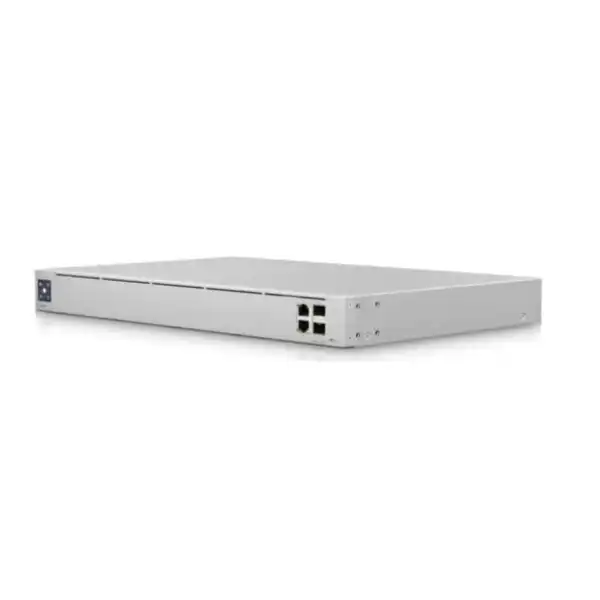
Ubiquiti Gateway Pro UXG-Pro for Business Networks in Tanzania
Build a centrally managed, rack-mounted network edge with 10G SFP+ connectivity, intelligent WAN options, stateful firewall protection, VPN features and a published 3.5 Gbps IDS/IPS throughput rating. The UniFi Gateway Pro is best for organizations that want an independent router and security gateway while keeping UniFi Network management on a separate compatible host.
Quick buying answer
Choose the Ubiquiti Gateway Pro UXG-Pro when you already use, or plan to use, a separate CloudKey, Official UniFi Hosting service or compatible UniFi OS Server to manage your network. Its physical 10G-capable ports provide an upgrade path for high-speed handoffs and switch uplinks. Its security throughput rating, however, is not a promise of 10 Gbps inspected internet traffic. A successful purchase also depends on the ISP handoff, suitable SFP+ modules, appropriate switching, a workable power plan and the design of your firewall rules.
For a quotation, provide your internet speeds, primary and backup ISP handoffs, current UniFi controller arrangement, expected users, VLANs, VPN connections and the rack location. FourTeck Tanzania can use those requirements to discuss product suitability; this page does not assert local inventory, delivery commitments or a quoted price.
At-a-glance hardware and capability summary
| Area | Verified UXG-Pro detail |
|---|---|
| Device | Ubiquiti UniFi Gateway Pro, model UXG-Pro |
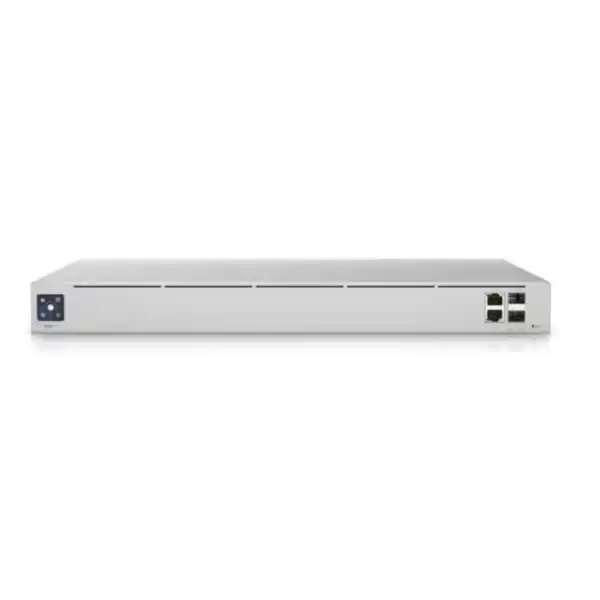
| Default WAN | 1 × 10G/1G SFP+; 1 × 1 GbE RJ45 |
| Default LAN | 1 × 10G/1G SFP+; 1 × 1 GbE RJ45 |
| Maximum WAN interfaces | Up to three with supported remapping/configuration |
| IDS/IPS throughput | 3.5 Gbps published rating |
| Security | Stateful and application-aware firewalls, DPI, IDS/IPS, content filtering |
| VPN/SD-WAN | Supported UniFi site-to-site and remote-access options; check configuration requirements |
| Installation | 1U rack-mounted; 442.4 × 43.7 × 285.6 mm |
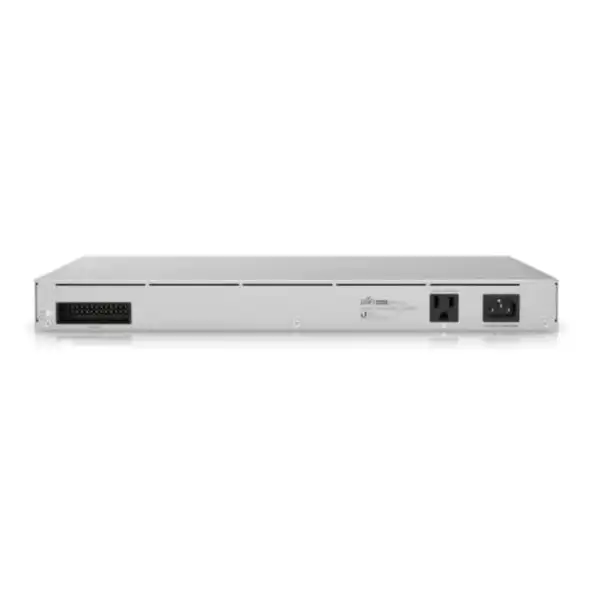
| Power | Internal AC supply; compatible DC Power Backup input; 30 W maximum consumption |
| Management | Separate CloudKey, Official UniFi Hosting or UniFi OS Server; UniFi Network 8.3.32+ |
The default WAN and LAN roles describe the factory interface arrangement. Ubiquiti supports port remapping in compatible UniFi Network software. Availability of individual firewall, VPN and analytics functions can depend on software versions, configuration and any optional service tier. Physical 10G SFP+ connectivity and rated security processing capacity answer different performance questions.
What is an independent UniFi gateway?
The UXG-Pro is a dedicated gateway, router and firewall at the boundary between your local network and one or more upstream internet connections. It can route traffic between internal networks, perform network address translation, enforce firewall policies, establish encrypted VPN connections and report on connectivity. Its job is not to replace every other component in an IT rack: switching, Wi-Fi and the UniFi management application are separate design decisions. This division of responsibilities is the main reason to consider an independent gateway.
Independent management can be useful when an IT team oversees several locations from an established UniFi control plane. Network administrators can retain a chosen management architecture rather than changing the controller whenever the network gateway is replaced. That flexibility brings a corresponding responsibility: the management host must be selected, maintained, backed up and kept compatible with the gateway. A buyer starting from zero equipment should evaluate that additional dependency before ordering.
This is not the older UniFi Security Gateway Pro, commonly identified as USG-Pro-4. The names look similar but the products have different hardware generations, performance expectations and software requirements. Check the exact UXG-Pro model on the quotation and delivery documentation. Do not assume accessories, firmware guidance or throughput figures for the legacy model apply to this one.
Who is this gateway suited to?
The Gateway Pro is relevant for offices with segmented employee and guest networks, organizations linking sites through VPN, larger wired-and-wireless installations, and IT teams with an existing CloudKey or independently hosted UniFi management system. Its 1U rack format suits equipment rooms where patch panels, managed switches, UPS equipment and ISP termination are already arranged. A business that needs predictable management of several distinct networks may value its firewall, monitoring and WAN features more than its port count alone.
A useful selection criterion is the network role rather than company size. A small specialist office with a high-speed internet circuit and demanding VPN or segmentation requirements could have a stronger case for the UXG-Pro than a much larger building whose users share a modest connection. Conversely, a basic office requiring only simple broadband, a few access points and minimal administration may find an integrated Cloud Gateway architecture simpler. IT teams should evaluate peak traffic, applications, security policy, growth plans and operational skills.
Consider long-term administration too. Someone must own UniFi backups, network changes, ISP credentials, VPN keys, firmware maintenance and incident response. The gateway makes those tasks manageable but does not perform organizational governance on its own. If a site has no permanent technical staff, include remote administration procedures and local recovery instructions in the deployment plan.
Understanding the two 10G SFP+ ports
The UXG-Pro provides a default 10G/1G SFP+ WAN interface and a default 10G/1G SFP+ LAN interface, alongside separate gigabit RJ45 connections for WAN and LAN. This gives architects the option to connect an appropriate high-speed ISP handoff and a 10G-capable core or aggregation switch. SFP+ is a port format, not a promise that a particular optical fibre connection can plug in without consideration. The correct module, cable, optical standard and link configuration still matter.
For example, an ISP may provide ethernet on a copper RJ45 port, a fibre presentation through a provider-managed terminal, or a directly compatible optical connection. Each has different cabling and module implications. A gateway with SFP+ does not automatically replace an optical network terminal or authenticate directly to every carrier network. Confirm what the provider hands off and whether static addressing, VLAN tagging, PPPoE or another WAN setting will be needed.
The same planning applies on the LAN side. A 10G uplink is useful when the downstream switch can accept that speed and the internal design benefits from the capacity. If the switch only provides gigabit ports, the installed link will not become 10G merely because the gateway has an SFP+ socket. Specify the entire connection path, not just one endpoint.
Why 10G ports do not mean 10G IDS/IPS
Ubiquiti publishes a 3.5 Gbps IDS/IPS throughput figure for the UXG-Pro. That is a security processing rating, while the 10G marking describes the capability of the SFP+ physical interface. Treat them as different measures. A service with a nominal 10 Gbps handoff does not imply that this gateway will inspect and forward all of that traffic at 10 Gbps with every desired security setting enabled. Planning solely around port labels can produce disappointing results after deployment.
Real traffic depends on packet sizes, active firewall features, encapsulation, VPN workloads, ISP connection method and the amount of concurrent activity. Ubiquiti also notes that PPPoE may affect performance compared with some simpler WAN configurations. An organization purchasing a multi-gigabit circuit should identify the throughput it genuinely needs while intrusion prevention and business-critical policies are active, then leave capacity for busy periods and future use.
If your target is higher than the gateway’s published inspected throughput, review a different gateway class or revisit the architecture before committing. The safest design decision is to establish a performance target with security enabled, not to quote an unrealistic best-case throughput. Use an acceptance test after installation that measures the relevant path, the actual carrier service and the same features that will remain turned on.
Multi-WAN resilience and how to plan it
The standard port arrangement includes a gigabit RJ45 WAN and a 10G SFP+ WAN, and Ubiquiti lists support for a maximum of three WAN ports with compatible remapping. This gives administrators options for a primary connection, backup service and, where the configuration allows, more advanced link assignments. Multi-WAN is particularly useful when an organization wants services such as cloud applications, customer transactions and remote administration to be less dependent on one carrier connection.
Failover and load balancing are different decisions. Failover emphasizes maintaining a usable connection when the preferred ISP becomes unavailable or fails a defined health check. Load balancing can distribute eligible traffic across links, but it does not turn two separate broadband subscriptions into a single faster connection for every application or session. Existing sessions may still disconnect during a WAN change, and any software depending on a fixed public address requires special consideration.
Before deployment, document the primary circuit, backup technology, public addressing, data caps if relevant, DNS requirements and critical applications. Test both complete link outages and degraded service, such as high packet loss or abnormal latency. Confirm how health checks are configured and how administrators will receive alerts. An LTE backup device or backup broadband service is separate equipment and service; neither is built into the Gateway Pro by default.
Firewall security without unnecessary complexity
The UXG-Pro supports stateful firewalling and an application-aware Layer 7 firewall, with zone-based firewall filtering and deep packet inspection features listed in Ubiquiti’s current technical specifications. These capabilities help administrators define which categories of traffic are permitted between the internet, business systems, guest users and connected devices. They are most valuable when rules begin with documented network requirements rather than being accumulated without a plan.
A practical policy might allow employees to use approved business applications, restrict guests from reaching internal servers, and limit devices such as cameras or printers to only the services they require. The administrator should identify legitimate exceptions before switching a rule into an enforcement posture. A broad block can improve security on paper while interrupting printing, name resolution, telephony or other operational workflows if dependencies have not been mapped.
Treat application identification and category filtering as controls that require review, not as perfect substitutes for endpoint protection or user awareness. Encrypted traffic, changing application behavior and shared hosting can complicate classification. Keep an emergency access path, audit significant changes and test policies with representative users. The gateway is one element in layered security that also includes device updates, credentials, physical security and properly protected backups.
Intrusion detection, prevention and traffic visibility
Intrusion detection and prevention features are designed to identify suspicious patterns and, according to the applied configuration, alert on or block selected traffic. For a business network this can add a useful layer of defense at the gateway, especially when connected systems have varied security capabilities. Ubiquiti lists IDS/IPS and traffic identification support for the UXG-Pro, alongside optional enhanced threat information in parts of the wider UniFi security offering.
However, intrusion prevention does not establish that every attack will be detected or prevented. Signatures, inspection limits, protocol choices, false positives and the placement of the gateway all influence effectiveness. Traffic that never traverses the gateway, such as certain communications inside the same VLAN, may need protection from endpoint controls or a properly segmented switching design. Do not describe the appliance as a replacement for an organizational security program.
Start by deciding what should be logged, who receives alerts and who will respond. Review events to identify false positives before applying broad exclusions. When performance testing the gateway, use the intrusion prevention settings intended for daily operation. Security monitoring should answer operational questions: what happened, which system was involved, whether any connection was blocked and what action is required next.
VLAN segmentation for staff, guests and devices
Modern offices often need more than one trust boundary. Employee laptops, visitors, payment terminals, cameras, printers, telephony equipment and building-control devices can have very different access requirements. With a carefully designed combination of VLAN-aware switches, correctly configured access points and gateway firewall policy, the UXG-Pro can help route and control traffic between these network segments. A good design reduces accidental access and makes troubleshooting more systematic.
Begin with an inventory of systems and their dependencies. A guest wireless network typically needs internet access but should not have broad access to private business systems. A printer or collaboration screen may need selective connections from employee devices. A camera network may need permitted paths to a video recorder or management station. Document each exception rather than adding an unrestricted allow rule when one service stops working.
Remember that VLANs are not automatically a complete security boundary. Switch ports and wireless SSIDs must be mapped correctly, trunk ports must carry the intended tags, and firewall rules must control inter-VLAN paths. Test both what a device can reach and what it cannot reach. Where a business handles sensitive customer information, consult its own policy and legal obligations when designing segmentation, retention and access logging.
Remote access and site-to-site VPN design
The product specifications list UniFi VPN and SD-WAN features including site-to-site options and remote-access technologies such as WireGuard and OpenVPN. These can support employees working away from the office or private connectivity between compatible business locations. The most important first question is the intended use: connecting entire networks, granting a particular employee limited access, or linking a handful of applications through a controlled route.
Site-to-site designs need distinct network addressing, clearly defined permitted subnets and suitable routing. Two offices using the same private subnet can create conflicts that must be resolved before connectivity is reliable. Public IP availability, carrier NAT and firewall restrictions may affect how a tunnel is established. UniFi’s Site Magic workflow has its own ownership, connectivity and topology requirements, so identify them before promising a particular deployment.
For individual remote users, implement appropriate authentication, access scope, device policy and a process for revoking access. Evaluate security updates and endpoint health as carefully as tunnel encryption. VPN adds another network pathway; it should not give every remote device unrestricted access to the entire company environment. Test connectivity from a genuine external network and document what happens if the primary internet link fails.
UniFi Network management is a separate requirement
The UXG-Pro must be managed by a compatible external UniFi control plane, rather than hosting the full UniFi Network application as an all-in-one Cloud Gateway. Ubiquiti currently describes management choices including CloudKey, Official UniFi Hosting and a UniFi OS Server running compatible UniFi Network software. Its current product documentation specifies UniFi Network version 8.3.32 or later. The exact host and application version should be checked against the intended software release before commissioning.
For an organization with an existing CloudKey, the first step is to confirm the model, software version, network capacity, administrator access and backup arrangement. For a self-managed server, confirm operating environment, secure connectivity, update procedures and recovery ownership. For hosted management, clarify the service arrangement, recurring costs if applicable and the consequences of losing management connectivity. The gateway is not itself a cloud subscription or a full management server.
A management host helps administrators configure and observe the site but cannot repair a failed WAN connection or replace proper out-of-band access. Plan for a scenario in which remote management is temporarily unavailable. Keep a secure copy of relevant settings, equipment labels and ISP information, and document how staff can reach the site during a maintenance window. Purchasers should include controller readiness in their equipment checklist.
Transceivers, DAC cables and switch compatibility
A correct SFP+ connection may use a suitable optical module with the matching fibre type, a compatible direct-attach copper cable for a short equipment-rack run, or an approved copper ethernet adapter where appropriate. The best choice depends on link distance, the peer equipment, speed and installation conditions. Ubiquiti recommends suitable official modules or adapters for the gateway’s SFP+ ports. Confirm compatibility at both ends rather than assuming any transceiver labelled 10G will work.
Fibre installations require attention to single-mode versus multimode optics, connector type, optical wavelength and the route between racks. DAC cables simplify some short adjacent equipment links but have reach and compatibility limitations. Copper RJ45 adapters may also impose practical thermal, distance or interoperability constraints. These are procurement details worth resolving before installation, because the gateway alone does not include a complete solution for every handoff type.
Where access switches feed many wireless access points, also account for switch port speeds and PoE budgets. The UXG-Pro is a gateway, not a PoE access switch. It cannot be expected to power access points directly or provide a large bank of user-facing switch ports. Treat switching, Wi-Fi coverage and cabling as independent items in the deployment design.
Power backup, rack space and environment
The UXG-Pro is a 1U rack-mounted appliance measuring approximately 442.4 by 43.7 by 285.6 millimetres and weighing about 3.4 kilograms. Ubiquiti specifies a maximum device power consumption of 30 watts and an internal AC supply, along with an input designed for compatible DC backup from its UniFi Power Backup ecosystem. That capability should not be confused with two built-in hot-swappable power supplies. External backup equipment must be designed and sourced separately.
A practical rack plan includes an appropriate power distribution arrangement, cable management, ventilation, a manageable front-panel position and room for future expansion. Size UPS runtime against the entire service path, not just the gateway: fibre terminals, ISP modems, switches, access points that need to remain online and any management host might all require power. A gateway that remains energized while its upstream modem or core switch goes off cannot maintain business connectivity.
Confirm electrical and environmental suitability for the actual installation, including circuit stability, airflow, rack depth and cable bend radius. Ubiquiti’s published ambient operating range is minus 10 to 40 degrees Celsius; this is not an invitation to mount the appliance in direct sun or an unventilated enclosure. Where outages matter, test a controlled power-loss scenario and record the actual backup duration rather than assuming a certain number of minutes.
Connectivity considerations for Tanzanian deployments
For purchasers planning an office or multi-site network in Tanzania, begin with the actual service agreement and physical ISP handoff rather than generalized claims about regional connectivity. Ask the provider whether it delivers a fibre terminal with ethernet output, a router-managed connection, a static public address, PPPoE credentials or VLAN-tagged service. Confirm whether bridge mode is supported and which device is responsible for NAT. The answers drive port, module and firewall decisions.
If more than one ISP connection is available to the site, consider diversity beyond simply ordering a second subscription. Two services that share a physical route, power source or upstream dependency may fail together. Request written technical handoff details from providers and check any provider-specific limitations on inbound VPN or public addressing. A backup service should be measured for its ability to run business-critical applications, not only for whether a status indicator changes to online.
Do not assume this page confirms stock in Tanzania, installation coverage, local regulatory authorization, delivery dates or particular carrier partnerships. Those commercial and compliance questions must be verified for the intended transaction. A reliable quotation should distinguish the gateway appliance from SFP+ modules, cable assemblies, compatible management hardware or hosting, switching, backup power, configuration services and any necessary ISP changes.
Planning a migration from a current gateway
Replacing an existing router is rarely a matter of swapping cables alone. Before the change, document the present WAN address assignment, DNS, DHCP scopes, VLAN IDs, static routes, VPN tunnels, firewall rules, port forwards and any device that depends on fixed addressing. Record the ISP connection identifiers and keep them available securely to the authorized installer. Review how public-facing applications, VoIP systems or remote users could be affected by a change in NAT or WAN address.
If the organization already operates a UniFi Network environment, verify the management host and software compatibility first, and take an appropriate configuration backup. Avoid assuming that a legacy gateway’s configuration can be restored to a different hardware family without checking the migration method. Prepare a cutover plan with a maintenance window, acceptance tests and a rollback path. Back up switch and access-point settings where their behavior is also being changed.
During the migration, validate the primary internet connection, secondary WAN behavior, internal routing, client address assignment and intended network isolation. Then check remote access, site-to-site tunnels, inbound services and critical applications from their actual user locations. A successful cutover is not just a green gateway icon; it is evidence that necessary business workflows function and prohibited access remains restricted.
A practical commissioning sequence
First, confirm the received unit is the UXG-Pro model and inspect the shipment, rack accessories and visible condition. Identify the default WAN and LAN connectors and match them to the prepared cabling plan. Confirm the target UniFi control plane is available at a compatible application version. The gateway’s management arrangement should be established as part of the approved adoption process, with appropriate administrator credentials and ownership.
Second, configure the upstream internet service, local networks, DHCP requirements and a minimal set of reviewed firewall rules. Introduce a secondary WAN only after the primary connection behaves as expected. Where WAN/LAN port remapping is required, follow the supported UniFi procedure carefully; changing the role of an active interface can interrupt access. Make such changes with a secure local recovery route and a clear record of the original configuration.
Third, test real traffic. Confirm link negotiation on the SFP+ interfaces, DNS resolution, expected throughput, VPN reachability, segregated network rules and alerts. Apply approved security settings and repeat relevant performance checks after they are enabled. Finally, export or verify backups, record firmware and software versions, label cables, document the rollback plan and hand over a concise operations guide to the network owner.
Security baseline for the first month
A gateway is easier to keep secure when commissioning includes a repeatable baseline. Start with named administrator accounts, a strong authentication policy, limited management exposure and an inventory of networks and privileged systems. Remove temporary rules used during installation. Where authentication and remote access features support stronger safeguards, apply them according to the organization’s current identity policy.
Use restrictive rules around sensitive services while permitting the specific business flows users need. Review new rules with service owners and include expiry dates for temporary exceptions. Enable relevant event logging and alert delivery to people who will read and act on it. Test that a guest user cannot access private systems and that an authorized employee can complete the approved workflow. Security policy should be observable and documented, not merely enabled.
During the first few weeks, inspect WAN-quality trends, security events, blocked application reports and VPN stability. Some early events may reflect legitimate traffic that requires adjustment; others may reveal forgotten devices or outdated assumptions. Build a cadence for UniFi updates, configuration backups and incident review. No appliance removes the need to protect endpoints, secure physical access or maintain recovery procedures.
Monitoring, troubleshooting and operational ownership
UniFi’s network management features can help teams see internet quality, gateway status and traffic patterns. The information becomes more valuable when administrators define what a healthy site looks like: target WAN availability, expected latency, backup-link use, key application response times and routine maintenance periods. Recording a baseline before changes makes it easier to distinguish a real fault from an unusual but harmless traffic pattern.
When a user reports poor connectivity, isolate the path systematically. Check link status and negotiated speeds, then WAN health, DNS, DHCP, routing, firewall decisions and the application endpoint. If the problem appears only across a VPN, inspect tunnel state, addressing and routes. If only an internal device is affected, start with its switch port, VLAN and local network rather than assuming the internet gateway is responsible.
Keep responsibility clear. Someone should be able to obtain ISP support, approve security policy changes, renew hosting arrangements where applicable and access encrypted configuration backups. Store credentials through an approved secure method rather than in a shared spreadsheet or public ticket. A good handover includes an equipment inventory, the physical connection diagram, current network subnets, the management-host arrangement and a tested escalation procedure.
UXG-Pro versus an all-in-one Cloud Gateway
The most consequential comparison is architectural. An independent UXG-Pro handles the routing and security edge but relies on a separate UniFi Network management host. A UniFi Cloud Gateway combines that control plane and routing in one supported appliance. Neither approach is automatically best. The independent model can preserve an existing centralized management design; an integrated gateway can reduce the number of components required for a new site.
Consider who will operate the network. If your IT team already hosts UniFi Network for several offices, buying a gateway that fits that management model can avoid needless restructuring. If a single office has no controller, the cost and complexity of a compatible management arrangement must be included when comparing proposals. A device price comparison that ignores the management host, support model and other infrastructure is incomplete.
Also compare performance and physical features on their own merits. Verify available WAN/LAN ports, switching requirements, the throughput rating with intrusion prevention, VPN needs, power options and future expansion. Do not assume similar model names mean identical functionality. The UXG-Pro is also distinct from the older USG-Pro-4 and from the Dream Machine Pro, whose management architecture is different.
Sizing the complete bill of materials
The gateway is one line in a complete network proposal. Include the correct optical modules or cables, rack hardware where necessary, one or more compatible managed switches, access points, power equipment, ISP termination arrangements and a UniFi management host if one is not already available. Also account for the engineering work needed to configure firewall zones, internet links, VPN access, monitoring and documented handover.
A useful purchasing worksheet separates mandatory items from optional enhancements. Mandatory items are those without which the design cannot operate as specified: an appropriate management arrangement, compatible WAN presentation, LAN switching for the intended user count and power. Optional items might include a second ISP service, additional network isolation, extended monitoring procedures or a dedicated backup-power arrangement. Each should have a business reason.
Ask vendors to identify what is included and excluded from the proposed supply, such as transceivers, configuration, installation, freight, tax and support terms. Local pricing and warranty details should be confirmed on the actual quote, not inferred from an overseas retail listing. This protects the buyer from comparing an appliance-only price against an installed and tested network solution.
A site design example: office with guest Wi-Fi
Consider an office with staff computers, internet-connected meeting rooms, printers and guest wireless access. The gateway sits between the internet services and a managed switch. Access points connect to the switch, while tagged networks can separate employee devices, guest users and shared business resources. Gateway firewall policy decides which traffic crosses between those segments. The UniFi management application runs on a compatible host elsewhere in the designed environment.
The first objective is reliable ordinary access: valid addressing, working DNS, usable Wi-Fi and controlled connections to internal applications. The second is isolation. Guests should receive the intended internet service but not general access to staff workstations or confidential systems. Network administrators can then add monitoring that helps distinguish a wireless performance issue from an ISP problem or blocked gateway policy.
Such a design should not be copied without checking office layout, Wi-Fi coverage, number of clients, switch capacity and service requirements. The UXG-Pro’s 10G uplink could help if the aggregation switch and traffic levels warrant it; for a lightly loaded office it may not be the main source of value. The actual case for purchase may instead rest on independent management and granular firewall controls.
A site design example: branch offices and VPN
An organization with more than one location might use the UXG-Pro at a site where an external UniFi management platform already operates. The goal could be private access to selected central systems while keeping local internet traffic and guest networks separate. A site-to-site tunnel or supported SD-WAN design can provide connectivity, subject to routing, addressing, controller and WAN prerequisites. The proper network topology depends on where applications live and how employees use them.
Start by drawing the information flows. Identify which site needs to initiate connections, which subnets can communicate and whether public IP addresses or carrier NAT affect tunnel negotiation. Confirm how a branch works when its main WAN fails and whether sessions re-establish acceptably on a backup link. The same test should consider any central dependency whose failure could stop both offices from operating.
Remote access should follow least-privilege policy: connecting two networks does not require granting all devices unrestricted access. Log important security events, protect shared services and create a documented process for rotating secrets or removing access when business relationships change. Build acceptance tests around the actual line-of-business software rather than assuming that an established VPN tunnel guarantees every workflow will work.
When to consider a different gateway class
The UXG-Pro may not be the best choice if an organization requires all-in-one local management, a gateway with built-in Wi-Fi, integrated PoE switching or a higher published inspected throughput. Those requirements point toward different hardware or a different combination of appliances. Similarly, if the current UniFi management host is incompatible or capacity-constrained, solving that dependency may be more urgent than replacing the router.
High-availability requirements deserve particular care. Support for external DC power backup does not equal a second hot-swappable internal power supply, automatic gateway-pair failover or uninterrupted ISP service. A truly resilient network may require redundant carrier routes, switch designs, separate power sources and an appropriate gateway architecture. Ask for the precise type of redundancy needed and verify the selected hardware supports it.
On the other hand, an organization with a managed rack, several separated networks and a proven external controller may find the independent gateway approach a natural fit. Select by operational requirements and measured capacity, not just by the word Pro. A right-sized design is one that the business can maintain after the installer leaves.
Pre-quotation requirements to share
To prepare a technically meaningful quote, gather a small set of facts before discussing accessories. Describe the office or site type, approximate active client count, number of VLANs, whether there is a server room or rack, and which UniFi products are already installed. Share the make and model of the management host where known, together with its current UniFi Network application version. Note any requirement to preserve an existing management arrangement.
List each ISP circuit with its contracted speed, physical handoff, addressing method and whether a carrier-provided modem must remain in place. Explain your primary concerns: keeping service available during an ISP outage, protecting guest networks, providing remote access, improving visibility or preparing a 10G switch uplink. Add the applications that must continue working during an outage, especially telephony, payments or hosted operational platforms.
Finally, identify logistical constraints such as power stability, rack depth, ventilation and access to a maintenance window. A detailed plan can then identify which components are confirmed, which need verification and which are optional. Do not send real passwords, VPN private keys or other sensitive credentials through an unverified public enquiry form. Exchange sensitive configuration information through an approved secure support process.
Installation and purchase checklist
- Confirm the exact UXG-Pro model, not the older USG-Pro-4.
- Verify management host type, administrative access, backup, and UniFi Network software compatibility.
- Document the primary and backup ISP handoffs, addresses, authentication and service limits.
- Select compatible SFP+ optics, DAC cables or approved ethernet adapters for the actual endpoints.
- Check rack space, power, UPS sizing, switch uplinks and wireless requirements.
- List necessary VLANs, firewall policies, VPN users, remote sites and business-critical services.
- Agree on a controlled cutover plan, acceptance tests, rollback steps and operating responsibility.
- Request written confirmation of local commercial terms, accessories and availability for the specific quote.
This checklist is intended to reduce omissions at procurement and installation. Each completed item can be attached to the design document and revisited during final acceptance.
Frequently asked questions about the UXG-Pro
Is the Ubiquiti UXG-Pro a router or a firewall?
It performs both gateway routing and firewall functions. It connects local networks to upstream internet services, manages applicable network address translation and helps enforce stateful or application-aware firewall policy. Its features also include traffic identification and intrusion detection and prevention. The business value comes from designing these controls around your actual users and network segments. It is not a standalone replacement for switches, Wi-Fi access points or endpoint security tools. A complete proposal should show where each component connects and which management system controls the gateway.
Does the UXG-Pro include a UniFi controller?
No. The UXG-Pro is an independent gateway, not a Cloud Gateway that runs the UniFi Network control plane locally. Ubiquiti specifies management through a suitable CloudKey, Official UniFi Hosting or UniFi OS Server using compatible UniFi Network software. Check the application version, supported hardware and the account responsible for the site before buying. This is especially important for organizations replacing an existing router, because compatibility and backed-up configurations should be verified before the change window. A separate management host or hosting arrangement may affect the total cost.
Can the Gateway Pro connect to a 10 Gbps internet connection?
It has a 10G/1G SFP+ WAN port designed for suitable high-speed interfaces. Whether it connects to a particular ISP depends on that provider’s handoff, supported optics or adapters, authentication and network configuration. Its published 3.5 Gbps IDS/IPS throughput figure is a separate performance measure, so do not equate a 10G physical connection with guaranteed 10G inspected traffic. Establish the bandwidth requirement with security features enabled and allow realistic headroom. A pre-installation review should check both the gateway interface and every component between the ISP and the internal network.
Does it support two internet providers?
Yes. Its default layout includes both a gigabit RJ45 WAN interface and a 10G/1G SFP+ WAN interface, and UniFi offers supported multi-WAN behavior. The product specification also lists a maximum of three WAN ports with supported configuration and remapping. Failover needs correctly configured internet health checks and a usable backup service. Two connections can improve resilience but cannot eliminate every shared physical dependency or prevent every active session from being disrupted during a transition. Confirm the intended WAN policy, public addressing and critical application behavior during an actual failover test.
What is the difference between the UXG-Pro and USG-Pro-4?
They are different generations of UniFi gateway hardware with different technical characteristics. The older USG-Pro-4 should not be treated as another name for the UXG-Pro. Manufacturer product information, management requirements and security throughput figures must be checked for the exact model being purchased. When replacing a legacy device, record existing VLANs, firewall rules, IP settings, NAT arrangements and VPN links before attempting a migration. Do not assume older documentation or a configuration export will apply unchanged. The model identifier on the equipment and quote is the safest first check.
Will the UXG-Pro provide Wi-Fi or PoE?
No integrated Wi-Fi access point or multiport PoE switch is part of this gateway’s intended function. Wireless service requires suitably placed access points and appropriate network connectivity; devices that need PoE also require a compatible source such as a PoE switch or injector. The gateway can provide the network edge and routing policies for their traffic, while the switch and access points provide access. Include the number of wireless users, building layout, switching uplink capacity and power budget in any equipment proposal. Do not purchase only the gateway if the site also needs a new wireless infrastructure.
Can it connect offices securely through VPN?
It supports UniFi remote-access and site-to-site VPN capabilities, including options identified in Ubiquiti’s current technical specifications. The exact method should match the sites, public addressing, routing needs and management requirements. Before deployment, check for overlapping private subnets, ISP NAT conditions, permitted firewall traffic and the identity of the person authorized to administer tunnels. Encrypting the connection is only one part of securing remote access; limit which networks and services are reachable and review changes over time. Test representative applications from each location, including behavior after a WAN disruption.
Is an extra power supply required?
The unit has its own internal AC power supply. A compatible external DC backup arrangement is an optional resilience feature, not evidence of two integrated hot-swappable power supplies. The rest of the network may still depend on an ISP terminal, core switch and management equipment that need their own power planning. If continuity matters, define required runtime and calculate backup capacity for all essential devices. Verify compatibility and procurement of any separate backup-power equipment before making uptime promises. Controlled testing is preferable to assuming that a backup connector alone makes an installation fault tolerant.
What SFP+ module do I need?
There is no single module that suits every deployment. The choice depends on whether the peer uses single-mode or multimode fibre, copper ethernet, or a short compatible direct-attach cable. Connector type, cable length, speed, distance and supported module behavior all matter. Confirm both endpoints and the ISP handoff before ordering. Ubiquiti recommends suitable official modules or adapters for a good experience. If the provider delivers a managed optical terminal with a standard ethernet port, the appropriate connection may be quite different from installing a fibre optic SFP+ directly in the gateway.
Can I buy just this gateway for a new office network?
Only if the other required components are already available or are included in the planned installation. A usable design normally needs the ISP handoff, an appropriate LAN switching arrangement, separate Wi-Fi access points where wireless service is required, safe power and a compatible UniFi Network management host. Advanced requirements such as backup internet, site-to-site VPN or network segmentation add configuration work. Ask for a complete bill of materials and a description of who will manage and support the system. Comparing a bare appliance price with a fully installed office network quote is misleading.
How much does the UXG-Pro cost in Tanzania?
A Tanzania selling price cannot be responsibly stated without a verified current local offer for the exact listing. A final quote may depend on the gateway itself, suitable optics or cable assemblies, any required controller or hosting, backup power, shipping, taxes and installation work. Stock, service coverage and warranty terms should also be confirmed for the individual transaction. This page intentionally avoids converting an overseas store price into an assumed local price. Request a written itemized quote specifying the exact UXG-Pro model and what is included, rather than relying on an unverified price displayed elsewhere.
What information should I supply for a quote?
Provide the model requested, site requirements, number of internet services, each ISP handoff type and speed, expected users, planned VLANs, VPN needs, switch uplink requirements and the current UniFi management arrangement. State whether a rack, UPS, compatible 10G optics or additional wireless equipment already exists. Mention critical applications and the maximum acceptable interruption during migration. A useful quotation can then separate appliance supply, mandatory accessories, optional resilience features and configuration services. Keep passwords and private keys out of ordinary enquiry messages; share them only through an agreed secure channel if a technician actually needs them.
Request a UXG-Pro solution quote
Share the WAN handoff details, expected traffic, existing UniFi management setup and security requirements with FourTeck Tanzania when requesting a quotation. Ask for the gateway model, suitable connectivity accessories, any additional management or power equipment and the applicable commercial terms to be stated separately.
Next step: Request a written Ubiquiti Gateway Pro UXG-Pro quote and compatibility review.




Reviews
There are no reviews yet.