
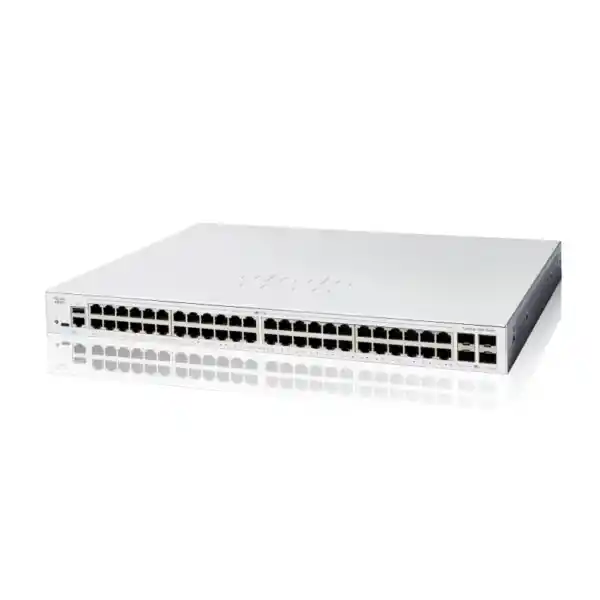
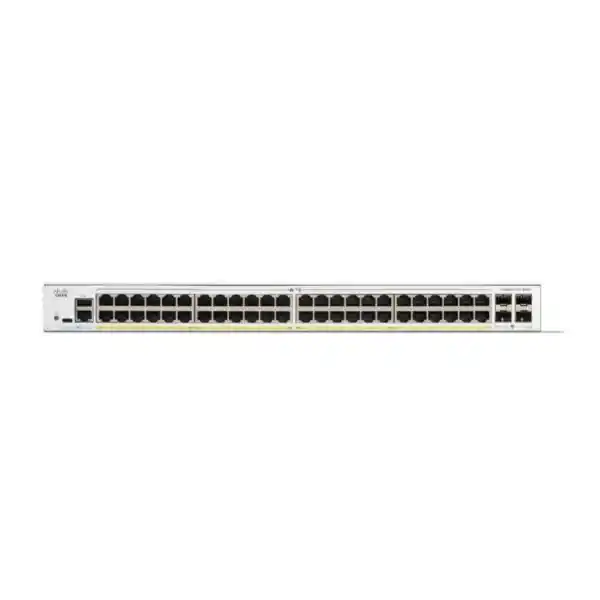
Cisco Catalyst 1200 · Wired business access
48 Gigabit connections with room for a faster upstream link
The Cisco Catalyst C1200-48T-4X Network Switch is a candidate for Tanzania businesses connecting many wired devices to a shared network. Its combination of Gigabit access ports and 10G-capable uplinks addresses a specific requirement: desktop connectivity with greater capacity towards upstream equipment. Choose it when endpoints receive power separately and the proposed network design fits its capabilities.
Request a FourTeck Tanzania quotation with the quantity, endpoint power requirements and uplink details. Include compatible connection accessories and the tasks you want priced so that the proposal reflects a usable installation.
A suitable starting point
An office or computer room with many wired endpoints, separate endpoint power and a planned upstream connection. Confirm actual traffic demand and administration requirements before selecting the final equipment.
Review a different configuration when
Your devices need power from the switch, faster copper access speeds or specific enterprise functions. Write those requirements into the specification and request a comparison against a suitable alternative.
Core hardware specifications
| Item | Specification |
|---|---|
| Access interfaces | 48 × 10/100/1000 Ethernet |
| Uplink interfaces | 4 × 10G SFP+ |
| Power to endpoints | Non-PoE / data only |
| Switching capacity | 176 Gbps |
| Forwarding rate | 130.94 Mpps at 64-byte packets |
| Installation format | Rack-mountable |
These are switch specifications, not guaranteed application throughput or internet speed. The selected connection modules, cabling, remote equipment and network configuration determine how the interfaces are used.
01 · PRODUCT FIT
Start with the endpoints, then choose the uplinks
A switch purchase should begin with the equipment that will connect to it. List desktop computers, docking stations, printers, locally powered phones, meeting-room equipment, network storage and any other wired devices. Record where each device sits and which wall outlet serves it. This gives the copper-port count a practical meaning: the switch must support the occupied outlets that need service, plus the growth and maintenance allowance your organization chooses.
Separate installed outlets from active connections. A building may have many more wall sockets than devices, while a desk with a phone and computer may use a different connection arrangement from a desk with only a laptop dock. Count the actual connections at the cabinet. An illustrative office with thirty-two active connections and six planned additions would use thirty-eight access ports, leaving ten of the forty-eight copper ports available. That is a planning example rather than a recommendation to reserve the same amount everywhere.
Next, draw the paths from those endpoints to their applications. Identify which traffic stays within the local network and which travels to another floor, a server room, a firewall or an internet connection. The value of faster uplinks depends on those paths. Several users copying files to a central server place different demands on the network from users working mainly with lightweight web applications.
For a Tanzania procurement request, describe the business requirement in these terms before asking for a hardware quotation. A clear inventory makes it easier to determine whether a dense, data-only access switch is appropriate and which connection accessories belong in the same order.
02 · PRODUCT FIT
A 10G uplink does not turn every desktop port into 10G
The practical role of an uplink is to carry traffic beyond the access switch. A faster connection towards the distribution network can provide more room for simultaneous activity from several endpoints. It can be useful when employees access shared documents, transfer project files or reach services hosted elsewhere on the site. Its benefit depends on the upstream equipment supporting the intended speed and on the rest of the path having sufficient capacity.
Consider a simplified planning example: several computers may each have a Gigabit connection while sharing one uplink towards a central server. If those computers are active together, their combined demand can exceed the capacity of a single Gigabit uplink. Moving that shared connection to 10G can address that particular constraint. It does not increase the negotiated speed of an individual copper access port or guarantee a particular file-transfer result.
Likewise, the published switching-capacity figure describes the switch fabric rather than your internet subscription. A slow internet service, an overloaded firewall, an older server disk system or poor endpoint performance can still limit application responsiveness. Before selecting the model as a remedy for slow networking, identify where congestion or errors occur and compare the proposed change against that evidence.
Ask the network administrator to document the uplink destination, available interfaces, required link speed and expected busy-period traffic. If additional uplinks are planned, define whether they serve separate destinations, approved aggregation or a resilience design. Connecting several cables without a topology plan is not a substitute for engineering the connections.
03 · PRODUCT FIT
Non-PoE operation: check power for every connected device
This model carries network data without supplying operating power to connected endpoints over Ethernet. That distinction should be settled early when the equipment list includes IP phones, wireless access points or cameras. Such devices may communicate over a standard Ethernet connection, but they still need an appropriate power source. The correct arrangement depends on the exact endpoint and its installation requirements.
For each powered endpoint, record whether a suitable local power adapter is already present, whether an approved injector is needed or whether a PoE switch would be more practical. Include the associated power outlets and backup arrangements in the design. A device connected through an injector adds components and cabling that must be accommodated and documented; it should not become an overlooked item discovered during installation.
A data-only switch can fit a cabinet dedicated to computers and printers that already receive power separately. A cabinet serving many ceiling-mounted access points or distributed cameras presents a different buying question. Compare the complete installation cost and maintenance effort of the available power arrangements, rather than selecting solely from the price of the switch chassis.
Check future plans as well as the current inventory. If a telephone, wireless or surveillance refresh is scheduled, the access-switch choice should account for the resulting power requirements. Request a comparison with a suitable PoE alternative when that requirement exists. Adding a powered device later should be a planned expansion with a compatible supply, rather than an assumption that every network port can provide electricity.
04 · PRODUCT FIT
Build the fiber or direct-attach connection as a complete link
An SFP+ slot is an interface for a compatible connection module or cable; it is not itself a finished fiber link. Before ordering accessories, establish the equipment at both ends, the required speed, the distance and the available cable route. Identify any existing patch panels and the fiber type already installed. A successful connection depends on the complete path, including its terminations.
For a fiber design, have the installer record the fiber category, connector arrangement, polarity and measured or documented link condition. Match the optics to the medium and distance, and verify compatibility with each device and the intended software. A connector that physically fits does not establish that the transceiver, fiber and remote interface form a supported combination. Avoid choosing optics solely from a general description such as “10G fiber module.”
For nearby equipment in the same cabinet, a compatible direct-attach arrangement may be an option to evaluate. The cable must suit both interfaces, the route and the supported length. Leave adequate bend space and avoid placing mechanical strain on the connectors. If equipment is in different rooms or cabinets, assess the actual route rather than estimating distance from a floor-plan straight line.
Ask for optics and connection cables to appear as explicit quotation items, with quantities for both ends where needed. If an existing module is to be reused, provide its exact identifier for verification. Do not assume modules are included with the switch or that every accessory from an older installation can be carried forward. An agreed link schedule makes installation and acceptance much easier.
05 · NETWORK DESIGN
Use segmentation to organize the network around business roles
VLAN support provides a way to separate logical network groups over the switching infrastructure. In a business design, those groups might distinguish staff workstations, printers, voice equipment and device administration. Choose groups because they have different access or operating requirements. Creating many VLANs without a clear purpose can make everyday troubleshooting harder without delivering a useful improvement.
Begin with a simple policy matrix. For each group, list the services it needs and the destinations it should not reach. A staff computer may need an application server and a printer, while a visitor device may need only internet access. This policy then informs the VLAN arrangement, the gateway location and the controls applied by the relevant security equipment.
Record how every access port and uplink participates in the design. A mismatch between an endpoint connection and an upstream trunk can prevent normal communication even when the physical link appears healthy. Include the expected tagging behavior and any untagged network on the connection schedule. Test the intended service from representative devices before moving the remaining users.
Segmentation alone should not be described as complete protection. The result depends on routing, filtering, authentication and management access across the wider network. Keep the design readable enough that another administrator can understand it later. A small, documented set of networks with clear service rules is often easier to operate than an elaborate arrangement whose purpose is known to only one installer.
06 · NETWORK DESIGN
Decide where routing and security inspection should happen
Cisco documents static-routing capability for this product family. That can be relevant when evaluating straightforward communication between internal networks, but the right gateway location depends on the organization’s security policy and operating model. Decide which traffic should be routed locally and which should pass through the firewall before assigning addresses or enabling production routes.
For example, a business may want staff access to a shared service while keeping visitor or equipment networks under separate controls. The design should show the expected forward path and return path for each permitted connection. Moving a gateway can change which device sees that traffic. An apparently successful connectivity test does not by itself prove that the intended inspection or access policy remains in place.
Static routes also require someone to maintain them when addressing or next-hop equipment changes. Document the destination networks, gateway relationships and responsible administrator. Compare the number of sites and the rate of change with the operating effort the organization can support. A branch with a simple, stable layout and a larger network with frequently changing paths may justify different platforms or routing architectures.
If a tender requires specific dynamic-routing protocols, advanced campus features or a defined scale, request explicit verification against the exact platform and firmware. Product-family names and broad descriptions such as “Layer 3” are not sufficient acceptance criteria. Write the actual routing requirement into the specification so that the proposed hardware can be assessed against a concrete design.
07 · NETWORK DESIGN
Plan voice and video quality across the whole path
The platform includes Quality of Service controls that can prioritize selected traffic when links are busy. This is relevant to conversations and interactive applications because congestion affects them differently from background transfers. Choose a policy that reflects the business applications in use and review where packets are classified and how that treatment continues beyond the access switch.
Start with a simple observation exercise. Record whether quality problems occur during backups, large uploads, meetings or other busy periods. Determine whether the issue appears on local links, the upstream network, the internet connection or the application service. A switch configuration change will have limited value if the actual constraint sits elsewhere or if other devices disregard the intended traffic treatment.
Define which devices or markings the network should trust. Allowing every endpoint to request the highest priority can undermine the policy. Ask the administrator to review the relationship between classification, queue behavior and the available bandwidth, then test normal and congested conditions with representative applications. Avoid applying a complicated policy merely because many settings are available.
If phones are part of the deployment, keep their network policy and power requirements as separate checks. Traffic prioritization does not provide electrical power, and a working power adapter does not establish that call quality is acceptable. Acceptance should include a realistic call or meeting test while other normal business activity is taking place, with observations recorded for future troubleshooting.
08 · NETWORK DESIGN
Choose access controls that your team can operate
Cisco’s administration documentation includes port security, storm control and 802.1X authentication. These controls address different requirements and need a coordinated configuration. For instance, Cisco documents restrictions on enabling port security and 802.1X together on the same port. Treat feature selection as a design exercise rather than a checklist in which every option is enabled.
An organization considering authenticated access should first review its endpoint population and supporting identity services. Staff laptops, printers, specialized equipment and visiting devices may need different handling. Establish what happens when a device cannot authenticate and how an authorized user obtains help. A control that works in a lab can still disrupt operations if legitimate exceptions have no documented process.
For simpler environments, concentrate on clear ownership of ports, appropriate restrictions on management access and a routine for investigating unexpected devices. Have the network administrator decide how unused connections should be handled. Keep cabinet access controlled and label patching so that changes can be traced. Operational habits support the technical controls and reduce uncertainty during incidents.
Test security changes using a representative set of endpoints before wider rollout. Record the intended outcome for allowed and denied connections, and confirm that necessary business services still work. Assign responsibility for reviewing events and resolving access problems. Buying a switch with security features provides tools; the organization still needs an understandable policy and a practical way to maintain it.
09 · NETWORK DESIGN
Make switch administration recoverable and understandable
Choose an administration approach that the people supporting the network can use consistently. Cisco describes web-based management and Cisco Business Dashboard options for this family. Before adopting a shared management platform, verify its current device and software requirements and decide who will maintain it. The management approach should suit the number of sites and the available support skills.
Document how administrators reach the device during normal service and how they recover access when an uplink or addressing change causes a problem. Keep credentials under the organization’s approved process and give access only to the appropriate people. An equipment handover should include the necessary records without exposing passwords in general project documents or shared photographs.
Configuration records deserve the same attention as the hardware. Capture the approved baseline, record subsequent changes and retain a recoverable backup under the organization’s controls. Confirm that settings are saved using the supported procedure. Before a production restart, plan how the team will verify that the intended configuration returns and that users can reach their normal applications.
Use consistent device names, interface descriptions and time settings across the deployment. These details make it easier to relate a reported problem to a cabinet, cable and event. Agree who owns firmware review, configuration maintenance and incident response after installation. A successful purchase leaves the customer with an operable network and usable records, rather than only equipment that passed an initial power-on check.
10 · NETWORK DESIGN
Check the cabinet, cabling and power arrangement
Rack installation requires more than a spare position on an equipment list. Check usable cabinet depth, cable-management space, access to the power connection and ventilation around the proposed location. Account for patch leads and uplink cables as well as the chassis. A crowded cabinet can make routine moves and troubleshooting harder even when the switch itself fits.
Inspect the copper cabling that will serve the endpoints. For Gigabit operation, Cisco specifies Category 5e or better cabling, but the condition and termination of an installed run also matter. Review existing cable test records where available. If a particular outlet has intermittent connectivity, investigate the cable path and termination instead of assuming a new switch will correct the fault.
Include the switch in the site’s power-continuity plan. A protected access switch can still lose useful connectivity when the upstream router, firewall or distribution equipment loses power. Decide which services must remain available during a supply interruption, then size and maintain the backup arrangement for the relevant equipment. Runtime should be assessed from the actual load and chosen backup system.
For the proposed Tanzania installation, confirm the appropriate power lead and the full electrical arrangement with the installer. Assess temperature, dust exposure and cabinet airflow at the actual site. Do not treat an ordinary business access-switch installation as suitable for an outdoor or harsh industrial location without checking the documented environmental requirements and the enclosure design.
11 · PURCHASE PLANNING
Where this configuration can fit
A conventional office is a useful starting point for assessing the model: many wired workstations, shared printers, a central cabinet and an upstream connection towards common services. Where endpoints already receive power separately and Gigabit desktop access meets the requirement, the combination of copper density and faster uplink options can form a coherent design. The final fit still depends on traffic, cabling and administration requirements.
A training room or computer laboratory presents a similar port-density question, but usage patterns deserve special attention. Many machines may download the same files or access a central service at the same time. Test that combined activity against the server and uplink design. Also decide how the room’s devices should be separated from administrative systems and how equipment moves will be tracked.
A branch office may value a single organized point for wired access. Identify which applications stay local and which depend on the main office or cloud services. Record the effect of losing the branch internet connection and the steps local staff can take before escalating a fault. The switch is one part of that service path and cannot replace a sound WAN or application design.
In a mixed wireless, phone and camera deployment, the data-only configuration needs a closer power review. Likewise, a high-performance workstation area may need faster endpoint ports than this model provides. Use these scenarios to narrow the shortlist rather than assuming that a familiar brand or a large port count makes the same switch appropriate for every room or department.
12 · PURCHASE PLANNING
Compare alternatives using the requirement that changes the decision
Within the family, the C1200-48T-4G offers forty-eight Gigabit copper ports with Gigabit SFP uplinks. The C1200-48P-4X combines forty-eight Gigabit PoE+ access ports with four 10G SFP+ uplinks; Cisco lists a 375W PoE budget. These differences help frame the first comparison: is the deciding requirement upstream bandwidth, endpoint power, or both?
If the office needs fewer active copper connections, compare a smaller configuration against the full expansion plan. Spare capacity has value when growth is reasonably expected, but unused ports alone are not a business benefit. Consider how many cabinets are required, where the devices sit and whether a smaller switch would create extra interconnections or maintenance effort.
If the project requires multi-gigabit desktop or access-point connections, explicitly include the required access-port speeds in the shortlist. Faster uplinks do not answer that requirement. If the design depends on stacking, advanced resilience or particular management integrations, require documentary confirmation for the exact proposed model rather than transferring assumptions from another Catalyst family.
For an existing enterprise-switch replacement, begin with the features currently used and the expected operating model. Matching the number of ports does not establish equivalent functionality or a supported migration. FourTeck Tanzania’s Catalyst 2960-X replacement guidance addresses a separate migration requirement. Review that subject independently if your purchase begins with an existing 2960-X installation.
13 · PURCHASE PLANNING
Prepare a bill of materials that can be compared fairly
A useful quotation should identify the exact switch model and quantity before listing accessories and services separately. Ask for the intended uplink arrangement to be reflected in the equipment schedule, including compatible optics or cables where required. If the remote end also needs a component, include it explicitly instead of leaving the installer to resolve the missing part later.
State which items already exist and require verification for reuse. Examples include patch panels, fiber runs, transceivers, backup power and cabinet fittings. Provide exact identifiers or test records where possible. A quotation based on confirmed reusable infrastructure can be compared more meaningfully than one that assumes all existing equipment is suitable without inspection.
Separate the commercial terms from the technical specification. Request the applicable quotation currency, taxes, delivery destination, lead time, product condition and written warranty or support terms for the actual offer. Pricing and availability should come from that offer. Published specifications do not establish local stock, included services or the turnaround time for a particular order.
If configuration, installation or handover assistance is required, describe the tasks and acceptance evidence you expect and request those items to be confirmed in the proposal. This makes service scope reviewable without assuming that every hardware purchase includes engineering work. Procurement and IT can then compare the complete proposed outcome, including responsibilities, rather than only the headline equipment price.
14 · DEPLOYMENT
Move from the old switch with a controlled cutover
Before disconnecting existing equipment, capture the current port assignments, network groups, uplinks and any special endpoint requirements. Identify dependencies such as printer addressing, telephone connections and locally attached systems. Label the cables in a way that can be reconciled with the new port schedule. A photograph can help, but it should supplement written records rather than replace them.
Prepare and review the intended configuration before the agreed change window. Where practical, validate a representative endpoint, uplink and network group in advance. Check how the administrator will reach the new switch and confirm access to the old device if rollback becomes necessary. Keep the previous configuration and cable mapping available to the people performing the work.
During the move, work through manageable groups of connections and check results against the schedule. Test application access, name resolution, printing and any important local services, rather than stopping at a link light. When an issue appears, record the affected connection and symptom so the team can distinguish a cabling problem from addressing, policy or upstream connectivity.
Define a rollback decision before starting: who makes it, which service failures trigger it and how much time remains to restore the old arrangement. After the cutover, confirm saved settings, update the final port map and record any exceptions. The aim is a documented transition with an understood recovery path and an installation the support team can take over confidently.
15 · DEPLOYMENT
Agree acceptance checks before installation day
Acceptance should reflect the reason for buying the switch. If the objective is to expand wired capacity, confirm the required connections and their intended network membership. If the objective includes a faster uplink, verify that the complete connection establishes the planned speed and passes an appropriate traffic test. Use agreed test endpoints and conditions so that results can be interpreted later.
Include a check of access boundaries. A staff device should reach the services it needs, while a device assigned to a restricted group should exhibit the intended restrictions. Test representative allowed and denied paths under the approved policy. Record enough detail to repeat the check after a future configuration change, including the source group and destination service.
Review operating readiness as well as connectivity. Confirm administrator access, the final configuration backup, accurate equipment identification and a usable port schedule. If a restart test is appropriate, arrange it within the change plan and verify service afterwards. Check that the people responsible for the site know where the records are kept and how to report a problem.
Finally, distinguish a switch acceptance result from an end-to-end application guarantee. A good local connection does not prove that an internet provider, cloud service or storage system will always perform at a particular level. Record observed results and any remaining dependencies clearly. This gives procurement and the technical team a shared basis for signing off the installation and addressing outstanding work.
Frequently asked buying questions
Does this switch supply PoE to phones or access points?
No. It is a data-only model. Check each endpoint’s power requirements and include an appropriate independent supply or select a suitable PoE switch. For a large powered-device estate, compare the complete power arrangement, accessory count and maintenance effort before choosing the hardware. Confirm power compatibility for the exact devices in the project.
Are all the Ethernet ports 10G?
No. The copper access connections are Gigabit Ethernet; the four SFP+ uplinks provide the 10G connection option. That distinction matters when choosing hardware for faster workstations or access points. If an endpoint requires a multi-gigabit connection, include that access-port speed explicitly in the requirement and compare an appropriate switch platform.
Can I connect it to an existing switch from another brand?
Evaluate the proposed Ethernet connection using the specifications and configuration requirements at both ends. Check interface speed, compatible connection media, VLAN behavior and any aggregation design. A shared connector type or a working link light does not verify the complete network policy. Ask the administrator to validate the actual interconnection before purchase or cutover.
Are fiber transceivers included?
Have the quotation state the included accessories explicitly. Do not assume that SFP+ slots mean optical modules are supplied. A fiber link needs suitable components for both devices and the installed medium. Provide the remote equipment model, fiber details and route distance so the proposed optics and patching can be checked together.
Will this improve slow internet access?
Only if an issue addressed by the switch change is contributing to the problem. Internet performance also depends on the provider connection, firewall, applications and endpoints. Measure the current bottleneck first. A faster upstream LAN connection can help local traffic sharing that path, but it does not increase the purchased internet bandwidth.
Is it an automatic replacement for an older Catalyst switch?
No replacement should be approved from the brand name and port count alone. Record the old device’s features in use, power delivery, uplinks, management dependencies and topology. Compare those requirements with the proposed model and software. Designs relying on specific enterprise features or a stack require a separate compatibility and migration assessment.
What should I include when asking for a Tanzania price?
Provide the exact model, quantity, installation destination, endpoint inventory and required uplink arrangement. Identify accessories you already own and any installation or configuration tasks you want quoted. Ask for written commercial terms covering the actual offer, including applicable taxes, delivery expectations and support. A complete request reduces ambiguity when comparing proposals.
What records should the installer hand over?
Request the final port schedule, network diagram, approved configuration backup, equipment identifiers and acceptance results. The records should explain how the installation is operated and who maintains it. Credentials should be transferred using the organization’s approved process. Keep the handover package updated when ports, uplinks or network policies change after installation.
Request a C1200-48T-4X quotation for Tanzania
Send FourTeck Tanzania a concise equipment brief so the proposed switch and accessories can be assessed against your site requirement. Include the following information in your enquiry:
- Required switch quantity and the number of active wired connections.
- Any phones, cameras or access points, with their power arrangements.
- Upstream device model, desired connection speed, medium and route distance.
- Existing modules or cables proposed for reuse, identified precisely.
- Installation destination, cabinet conditions and requested configuration or handover tasks.
Ask for the exact equipment schedule and current commercial terms in writing. Agree the accessory selection, implementation responsibilities and acceptance checks before placing the order.




Reviews
There are no reviews yet.