
FOURTECK TANZANIA · BUSINESS NETWORKING
Cisco Catalyst C1300-24T-4G Network Switch
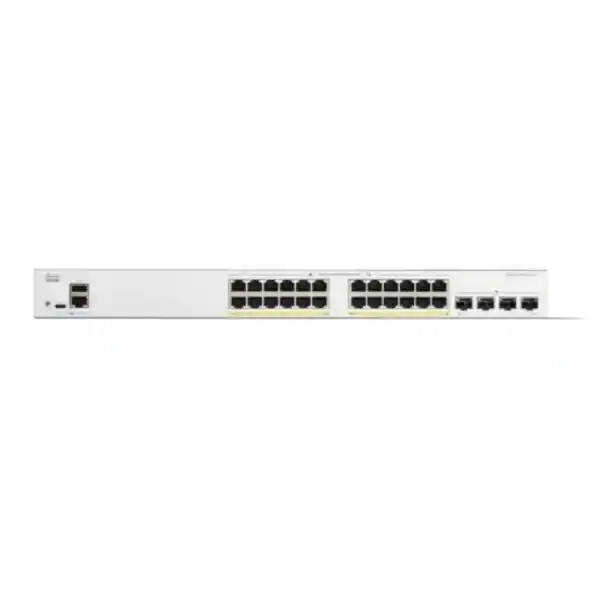
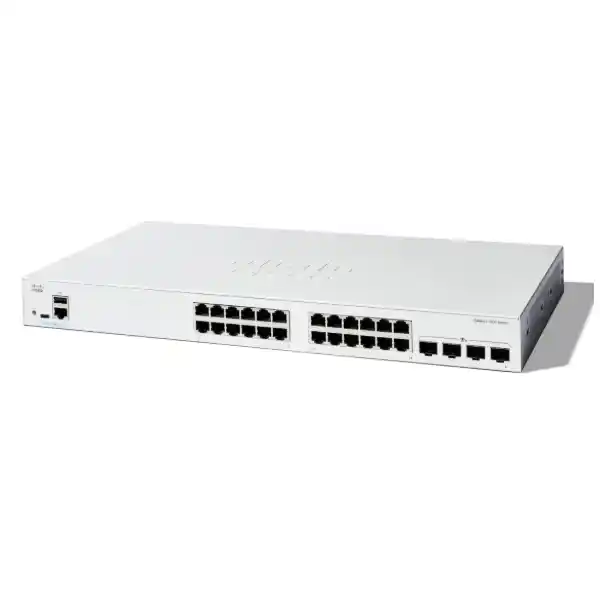
Build a manageable wired network for business computers, printers and locally powered equipment. This model provides 24 Gigabit copper connections and four 1G SFP uplinks in a fanless, rack-mountable design. It suits buyers who need control over their access network and have already planned how connected devices will receive power.
4 × 1G SFP
Non-PoE
Fanless
Next step: Request a FourTeck Tanzania quotation with your device count, uplink requirements and installation details.
At a glance: the specifications that shape your purchase
| Item | Specification |
|---|---|
| Manufacturer / family | Cisco / Catalyst 1300 |
| Model / manufacturer product ID | C1300-24T-4G |
| Copper interfaces | 24 × 10/100/1000 Mbps Ethernet |
| Uplink interfaces | 4 × Gigabit SFP |
| Switching capacity | 56 Gbps |
| Forwarding rate | 41.67 Mpps, measured with 64-byte packets |
| PoE output | None |
| Cooling | Fanless |
| Dimensions, W × D × H | 444.3 × 240 × 43.94 mm |
| Weight | 2.63 kg |
| Power input | Internal supply; 100–240 V AC, 50–60 Hz |
The switching figure describes internal forwarding capacity. It is not an internet subscription speed, an application throughput guarantee or the speed of one uplink. Check the complete path from each user to the destination when assessing the network. A fast local connection can still depend on a busy server, a constrained firewall or an internet circuit shared by many users.
Choose this model around the devices you actually connect
Start with a list of equipment rather than a target port count alone. Record workstations, printers, servers, telephone handsets, meeting-room systems and any equipment operated by another department. For every item, identify its network interface, power source, expected traffic and location. This turns a switch purchase into an access-network plan and helps prevent accessories or power requirements from being discovered during installation.
A practical fit
Consider this switch for an office, branch workgroup or equipment room where Gigabit desktop connectivity is appropriate and endpoint power is supplied separately. Plan logical separation and administration alongside the physical connections.
Review another option when needed
Reassess the selection if your design calls for powered access ports, faster uplinks, multigigabit endpoints or a resilient hardware stack. Define those requirements before comparing quotations.
Count occupied sockets at the switch, not simply the number of people employed. Shared printers, building systems and uplinks can make those numbers different. Reserve capacity according to approved growth plans and the effort required to add equipment later. A small spare allowance may be adequate for a stable workgroup; a planned expansion deserves an explicit forecast. Avoid buying on an assumed universal percentage.
Plan endpoint power before ordering
For phones, cameras and wireless access points, write down exactly how each unit will be powered. Equipment that expects power from an Ethernet switch needs a suitable alternative power arrangement with this model. Check the device documentation for supported adapters or injectors, electrical ratings and connector requirements. Do not assume that an adapter found in a storeroom is suitable because the connector fits.
Separate powering decisions from data compatibility. A device can have a compatible Ethernet interface while still lacking the power it needs to operate. Conversely, an endpoint with a suitable local power supply may have no need for powered switching. This distinction matters when evaluating an existing installation: record the arrangement that works today and verify whether the replacement will preserve it.
External injectors may be reasonable for a limited number of devices, but include their sockets, cabling, mounting and backup-power needs in the design. For a larger population of powered endpoints, compare the complete installation with a switch offering the required PoE standard and total power budget. Make that comparison across the full bill of materials, including ongoing maintenance and the number of separate items technicians must troubleshoot.
For continuity planning, draw the power path to every important endpoint. Backing up the switch alone will not keep a separately powered phone, access point or desktop running. Decide which business functions must remain available during a mains interruption, then size and test the supporting power arrangement for the equipment involved. Ask for a documented scope rather than a general assurance that the network is protected.
Give the uplink design the same attention as the access ports
Ask where most traffic will go. A workgroup mainly accessing cloud services has a different traffic pattern from a team regularly transferring large files to shared storage. Identify which applications cross the uplink, which communicate locally and which are sensitive to interruption. Use that information to select the upstream connection and to decide whether this access-switch tier fits the next stage of growth.
The 4G model designation refers to Gigabit SFP connectivity; it does not indicate mobile broadband. These uplink slots are not 10G SFP+ ports. If a design explicitly requires a 10 Gigabit uplink, select a model that supports that interface. Do not rely on inserting a faster optical module to change the capability of a port.
Treat optics as an engineered link. Identify the equipment at both ends, fibre type, connector, route length and existing patch-panel arrangement. Confirm supported transceivers against the exact platform and software documentation. Match optical characteristics across the link, and account for patch leads and intermediate connections. Specify module quantities at both ends unless an existing compatible module is confirmed for reuse.
For an existing fibre route, request its records or arrange testing before committing to accessories. A label on a patch panel may not fully describe the installed cable or its condition. Make acceptance criteria clear: link establishment, the expected negotiated speed and successful application traffic are distinct checks. Record the final module types and port assignments so future replacements do not depend on someone remembering what was installed.
Organise users and equipment with a clear VLAN plan
VLAN support allows logical networks to share switching infrastructure. Access and trunk port roles determine how those networks reach individual endpoints and upstream equipment. Agree the intended role of each connection before configuration begins. A desk port, a firewall connection and a connection carrying several wireless networks may require different treatment even though each uses an Ethernet cable.
A useful starting plan identifies business users, visitors, operational equipment and network administration as separate requirements. These are planning examples, not a required number of VLANs. For each proposed group, record who owns it, how addresses are assigned and which destinations it needs to reach. Avoid adding networks with no operational purpose: complexity also creates work for whoever supports the installation.
Decide where communication between those networks will be controlled. The platform supports Layer 3 configuration, but choosing a gateway location is an architectural decision. Ask whether the traffic should pass through a firewall for the required inspection and policy enforcement. Document the approved path and test both permitted and prohibited connections. Creating a VLAN alone does not describe a complete security policy.
Keep a small connection matrix with the deployment records. It should show which user groups may reach shared printers, application servers, administration interfaces and the internet. Ask the business owner to confirm those needs before the engineer implements them. This gives the installer a testable requirement and makes later requests easier to assess. It also reduces the temptation to grant broad access simply to make a single application work.
Use management controls that your team can maintain
Cisco documents a browser-based setup workflow and a command-line interface for the Catalyst 1300 platform. Choose an administration approach that matches the team’s skills and the organisation’s operational practices. A readable configuration, named owner and recoverable access process are more valuable than enabling every available feature without a clear reason.
Identify an approved administration network and the people permitted to make changes. Use individual accounts where your access design supports them, protect credentials in the organisation’s approved system and remove access when responsibilities change. For remote administration, define a secure route through the wider network. Do not make convenience the only criterion for deciding who can reach the management interface.
Set an operational naming convention before installation. A useful device name can identify its site and role without revealing sensitive information. Apply meaningful descriptions to connections and maintain a matching port schedule. A future technician should be able to identify the upstream link and an important application connection without unplugging cables to see what stops working.
Agree how configuration changes will be requested, recorded and checked. A minor desk move may need only a short change record; a gateway change warrants a maintenance window and rollback plan. Keep the process proportional to the business effect. The goal is to retain enough context for support staff to understand why the configuration looks the way it does and what should happen if a change fails.
Introduce access security in manageable stages
The administration guide covers 802.1X authentication, RADIUS integration and port-security controls. These features need a design that includes the connected devices and authentication services. Before introducing authentication, inventory the endpoint types and decide how users, printers and other equipment will be treated. Test the chosen approach with representative devices rather than assuming all equipment behaves like a managed laptop.
Pilot the policy on a controlled part of the network. Confirm normal connection, reconnect behaviour and the response when the authentication service is unreachable. Decide what access is appropriate in that condition and document the business consequences. A configuration that behaves securely in one scenario can interrupt essential work in another if its failure behaviour has not been considered.
Review feature interactions before combining controls. Cisco notes restrictions on using port security and 802.1X together on the same interface. Do not translate a generic hardening checklist directly into a configuration without checking the platform guide. Choose the control that serves the intended requirement and verify its effect through a realistic acceptance test.
Extend the review beyond the switch. Protect endpoint accounts, maintain software, limit administrative privileges and define incident ownership. Physical security also matters: network sockets and equipment cupboards should be managed according to the environment. Treat switch access controls as one part of this arrangement. Keep a record of exceptions, the reason for each exception and the person responsible for reviewing it.
Keep voice and business application traffic predictable
Voice VLAN features and traffic prioritisation are available within the platform’s documented configuration options. Select them to match the telephone system and network design. Where handsets are used, confirm their tagging behaviour, discovery requirements and power arrangement with the exact phone documentation. Keep the voice design aligned with the upstream router, firewall and call system.
Quality of service provides a way to give selected traffic preferential handling when links are congested. Begin by deciding which applications deserve that treatment and where their traffic can be classified reliably. A consistent policy across the path is more useful than an isolated setting on one device. Record the intended treatment so future troubleshooting can distinguish configuration behaviour from an unrelated application issue.
Use a representative busy-period test. Run the applications people rely on while other normal traffic is present, and check the user experience at both ends of important sessions. For telephony, assess registration and actual calls rather than relying on a successful ping. For a hosted application, check the business task users perform rather than only loading the login screen.
Prioritisation does not create additional bandwidth or fix every source of delay. If the uplink or internet service is consistently undersized, revisit capacity. If an application is slow when the network is quiet, investigate its server, endpoint and service dependencies. Keeping these checks separate helps the buyer decide whether the next investment belongs in switching, connectivity or another part of the system.
Plan resilience around realistic failure scenarios
List the interruptions the business wants to tolerate: a damaged patch lead, a failed upstream port, loss of electrical power or an unavailable access switch. Each has a different remedy. Ask for the proposed design to explain what remains operational in each case and what staff must do to recover. A general statement about redundancy does not provide that information.
For hardware stacking, select a supported model explicitly. Cisco’s hardware-stacking model list does not include this switch. Several units installed together should therefore be planned and supported as separate switches. If your procurement requirement calls for a single resilient stack, confirm an appropriate platform and its supported interconnects before placing the order.
For multiple physical network paths, ask the engineer to document the control method and test the expected response to a link failure. Additional cables must form part of a valid topology. Keep a copy of the resulting diagram and label the paths so maintenance staff can understand the arrangement. Include upstream equipment and power dependencies in the review.
Define recovery responsibilities as carefully as the topology. Who can attend the equipment room, who holds the backup configuration and who approves a replacement? For a business relying on one access switch, a documented restoration procedure may be especially valuable. Decide the acceptable recovery time with the people affected, then assess whether the proposed spares, access arrangements and support scope can reasonably meet it.
Prepare the cabinet, cabling and electrical supply
Measure the available installation space and inspect how patch leads and power cables will be routed. The equipment dimensions in the specification table describe the unit, so allow additional working space for connections and maintenance. Check the cabinet arrangement against the manufacturer installation requirements. Access for a technician is part of a usable installation, especially where equipment is mounted behind a locked door or above desk level.
Fanless operation can be useful where equipment is placed near people, but the location still needs appropriate ventilation. Avoid choosing a cupboard solely because the switch fits inside it. Consider nearby heat sources, cable congestion and how the enclosure behaves when closed during normal operation. Ask the installer to assess the intended position instead of assuming that an office room temperature describes conditions inside every cabinet.
Inspect structured cabling and patch leads before attributing an existing performance problem to the switch. Record damaged connectors, inconsistent labels and links that negotiate below the expected speed. Where the cable plant is uncertain, include testing in the project scope. Replacing electronics without addressing the physical connection can leave the original fault in place and make the new equipment difficult to evaluate.
Have the responsible installer confirm the power connection, protective arrangements and backup-power requirements for the actual site. Ensure equipment can be isolated and serviced through the organisation’s normal procedures. Keep electrical work within the appropriate professional scope. For a Tanzania procurement request, include the required cable and plug arrangement in the quotation review rather than assuming every regional supply package contains the same accessories.
Make migration a controlled business change
Before removing an existing switch, capture its connection map and identify the important services passing through it. Include equipment that may be quiet during an office inspection, such as backup systems or devices used only at particular times. Ask department owners to confirm critical workflows. This helps establish an installation window that reflects business use instead of simply choosing a time when the room appears empty.
Translate the current requirements into the new platform’s configuration approach. Do not assume an older Cisco configuration can be pasted unchanged because the manufacturer name is the same. Review syntax, interface naming, management access and feature behaviour against the relevant documentation. Keep a readable migration worksheet showing each old connection and its intended new port.
Stage the proposed configuration before the outage where practical. Verify administrative access, the address plan and the intended port roles in a controlled setup. Decide how the engineer will recover if management connectivity is lost during the change. Keep the existing equipment and its configuration available for the agreed rollback period, subject to the organisation’s handling requirements.
During cutover, move and test connections in an order that makes faults easy to isolate. Record deviations rather than silently changing the design to complete the installation. If a business test fails, compare it with the acceptance plan and use the agreed rollback criteria. Finish by updating labels and documents so the final network matches the handover records, including any approved changes made during commissioning.
Agree acceptance tests before installation starts
Define success as a set of observable business and technical results. Link lights are a useful initial indication, but they do not demonstrate access to an application, correct network separation or configuration persistence. Ask for a test record that identifies the expected result, the actual result and the person who checked it. Keep the detail proportional to the network’s importance.
- Physical connectivity: Check labelled connections, expected link speeds and the upstream path using suitable test equipment and representative endpoints.
- Business services: Verify addressing, name resolution, printing and the applications required by each user group.
- Policy behaviour: Test authorised access and deliberately test connections that should be blocked under the approved design.
- Operational handover: Confirm administration access, saved configuration, backup location and the procedure for reporting a fault.
Where approved by the business, include a planned restart check and any relevant link-failure tests. Schedule disruptive tests explicitly and protect dependent systems. Record what was tested rather than describing the installation as fully resilient without evidence. If a test cannot be performed during commissioning, identify it as an outstanding item with an owner and an agreed follow-up arrangement.
Ask the people who use the network to participate in application testing. An engineer can confirm forwarding behaviour, while a business user may notice that a document workflow, payment process or shared resource behaves differently. Combining those perspectives makes acceptance more useful and gives the support team a reliable reference if a fault is reported later.
Keep the network supportable after handover
Create an equipment record containing the device identity, physical location, installed software, responsible owner and the final connection map. Store configuration backups through the organisation’s approved process and restrict access appropriately. Include the date and purpose of important changes. These records reduce dependence on a single technician and make a future replacement easier to prepare.
Cisco documents port statistics and operational status information for this platform. Use those tools to establish a baseline after installation. During troubleshooting, compare current link behaviour and error indicators with that baseline rather than changing settings at random. Connect technical observations to the time and scope of the user’s reported problem.
For software maintenance, check the current release documentation for the exact hardware and intended features. Back up the configuration before an upgrade and plan for the necessary interruption. Cisco’s upgrade instructions include a reboot to apply firmware. Arrange access for recovery and define rollback options before starting, particularly when the only route to the switch depends on the device being changed.
Make support ownership explicit. Confirm who receives alerts or fault reports, who can authorise an outage and who is responsible for dependent equipment. Commercial support, warranty handling and any installation assistance should be confirmed in the quotation and purchase documents. Do not assume that purchasing the hardware automatically includes a particular on-site response, maintenance programme or configuration service.
Match the project to the right switching requirement
Compare alternatives by the requirement that changes the design. If the main issue is endpoint power, assess powered switching and the required budget. If the main issue is traffic leaving the workgroup, assess uplink capacity. If the issue is continued operation during equipment failure, review the architecture and supported redundancy features. A larger port count alone does not address all three questions.
For a simple desk expansion, inspect the upstream network before deciding that an additional access switch is the whole solution. Confirm spare capacity at the gateway, the address plan and the operational implications of adding another management point. For a new branch, start with the applications and users, then work back through access, security, connectivity and power.
For an older campus-switch replacement, compare operational requirements as well as interfaces. Teams may depend on a particular stacking arrangement, routing design, authentication workflow or management system. Those dependencies deserve a separate compatibility review. You can use the FourTeck Tanzania Catalyst 2960-X replacement guide when the project concerns that specific legacy family.
Keep the final decision grounded in the intended role of this product. A well-matched access switch can support an organised business network without requiring every feature found in a larger campus platform. The useful question is whether the proposed equipment, configuration and support arrangements satisfy the approved requirements over the expected deployment period.
Information to include in your Tanzania quotation request
Send a short project brief that describes what you are connecting and how the network will be used. Include the quantity of switches, the number of current and planned endpoints, the upstream equipment and the desired installation location. If replacing existing hardware, include its exact model and a connection summary. Remove passwords, configuration secrets and unrelated personal information before sharing project material.
For optical links, state the fibre information you can verify and identify anything that requires inspection. For endpoint power, distinguish locally powered devices from equipment that needs a separate solution. For implementation, say whether you need hardware supply only or want configuration and commissioning considered in the quotation. A clear brief lets the proposed scope be reviewed line by line.
Ask the quotation to separate hardware, optics, cables and any agreed services. Confirm the exact model, accessory inclusions, commercial terms, warranty process and delivery arrangements for your order. Request current pricing in the quotation rather than relying on a figure copied from another market or a different product variant. Availability and delivery timing require confirmation for the requested quantity and destination.
Where procurement involves several stakeholders, nominate a technical reviewer and a commercial approver. The technical reviewer should confirm the design and accessory list; the commercial approver should confirm the purchasing terms. Retain the accepted specification with the order so delivery can be checked against it. This makes substitutions easier to evaluate and gives the installation team a clear statement of what was purchased.
Buyer questions
Can this switch power my phones or wireless access points?
This is a non-PoE model. Check whether each endpoint has an approved local power supply or needs a suitable injector. When many devices require Ethernet power, compare the full project with a powered switch and verify both the required power standard and the total budget. Include endpoint power in the purchase specification.
Does the 4G suffix mean 4G mobile connectivity?
No. In this product designation it identifies the Gigabit SFP uplink variant. Mobile connectivity would require separate appropriate equipment and a service arrangement. If the project uses a cellular router upstream, review its Ethernet interface, routing role and expected traffic separately from the switch selection.
Can it provide faster access to our shared files?
That depends on the existing bottleneck. Check the current client links, the path to storage, server performance and concurrent usage. A switch change can help when the access network is the constraint, but it will not increase a storage system’s processing capability or remove a limit elsewhere in the path. Measure first.
How should I specify the SFP modules?
Provide the exact equipment at both ends, fibre type, route length and connector arrangement. Ask the technical reviewer to select supported, matching modules and suitable patch leads. Confirm quantities and accessory inclusions in the quotation. Do not assume optics are included with the switch or that a module from another installation will be suitable.
Is it suitable for a classroom or training room?
It may fit a room of wired computers if the device count, traffic pattern and supporting network align with the design. Consider software downloads, shared resources and exam or teaching applications during busy periods. Assess the cabinet position, cable management and who can access the equipment. Confirm suitability against the actual room requirements.
What should be checked before reusing our current configuration?
Review the intended functions against the Catalyst 1300 documentation. Check port assignments, addressing, VLAN behaviour, gateway placement and management access. Recreate and test the approved requirements rather than assuming the old file is directly interchangeable. Keep the original configuration available within the agreed migration and rollback process.
Do separate VLANs automatically provide the required security?
A VLAN plan defines logical network separation, while the complete access policy also depends on routing and filtering between those networks. Write down what each group should reach, decide where that policy is enforced and test the result. Include administration access and shared services in the review so the policy supports necessary work.
How do I confirm price, stock and delivery in Tanzania?
Request a current quotation for the exact model, quantity and destination. Ask for accessory inclusions, commercial terms and the proposed delivery arrangement in writing. Configuration, installation and support requirements should be described separately so their scope can be agreed. Keep the accepted quotation and technical specification together for receiving and commissioning.
Request a C1300-24T-4G quotation
Share your device list, switch quantity, uplink details and project location with FourTeck Tanzania. Include any requirements for optics, cabinet accessories, configuration or commissioning so they can be considered in the proposed scope. Ask for confirmation of current pricing, availability and order terms before purchase. A reviewed bill of materials gives your team a practical starting point for an organised deployment.




Reviews
There are no reviews yet.