
BUSINESS ACCESS SWITCHING · TANZANIA
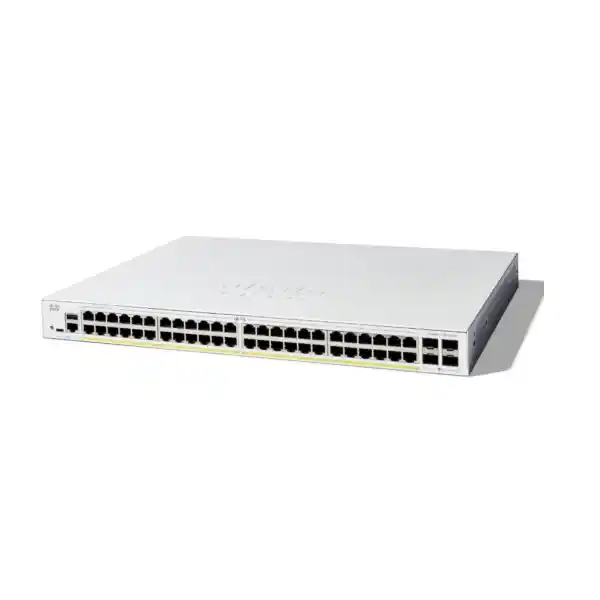
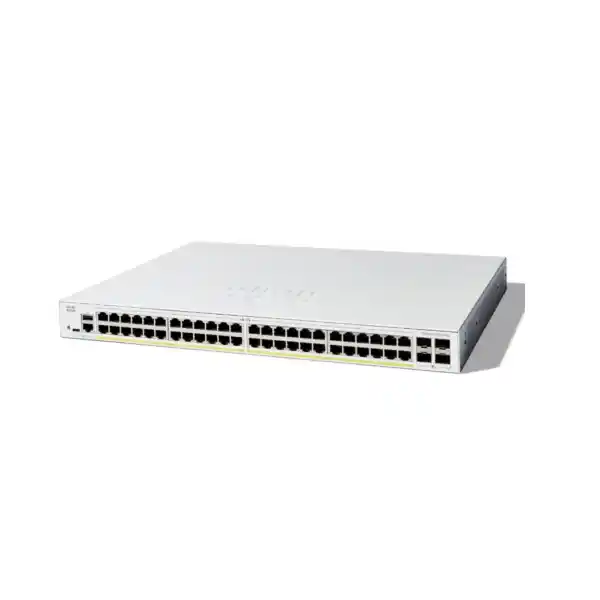
Cisco Catalyst C1300-48P-4X Network Switch
Connect an office floor or branch with a managed access layer designed around your device count, endpoint power needs and upstream network. Use the specification and planning checks below to prepare a complete quotation request.
Check three requirements first
Connections
Count the equipment that will be patched to this cabinet, with an explicit allowance for growth.
Power
Match each endpoint’s required power standard and add the allocations across all powered devices.
Uplinks
Confirm the upstream equipment, link media and compatible modules or cables for the full connection.
A managed PoE access layer for a growing business
If your next office switch must connect staff devices while powering compatible phones, access points and surveillance cameras, the Cisco Catalyst C1300-48P-4X gives you a clearly defined starting point: a managed Gigabit access layer with faster uplink options. For a Tanzania procurement project, the useful question is whether its port mix, shared power allowance and operating approach suit the equipment you intend to deploy. Ask FourTeck Tanzania for a model-specific quotation supported by an endpoint list and an uplink plan.
The strongest fit is an office floor, branch or similar cabinet where many devices need dependable wired access and a proportion of them require standards-based power through their network cable. Plan the complete path from each endpoint to its application: the copper connection, VLAN, upstream link, gateway and any internet service. A well-chosen access switch helps organise that path, but its specification cannot compensate for an undersized firewall, unsuitable cabling or a wireless design that needs a different access-port speed.
This page concentrates on the exact 48-port PoE model with 10G uplinks. Keep the complete part number on quotation requests and purchase orders. Similar-looking Catalyst names can describe different power budgets, uplink types or software capabilities. If a supplier proposes an alternative, review the technical differences explicitly before accepting it. A short procurement comparison is easier to resolve before ordering than during a scheduled network change.
Hardware essentials at a glance
| Item | Model-specific detail |
|---|---|
| Manufacturer and model | Cisco Catalyst C1300-48P-4X |
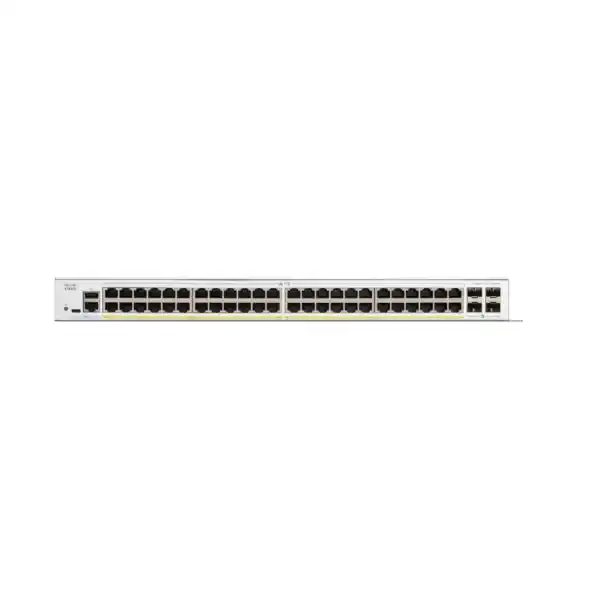
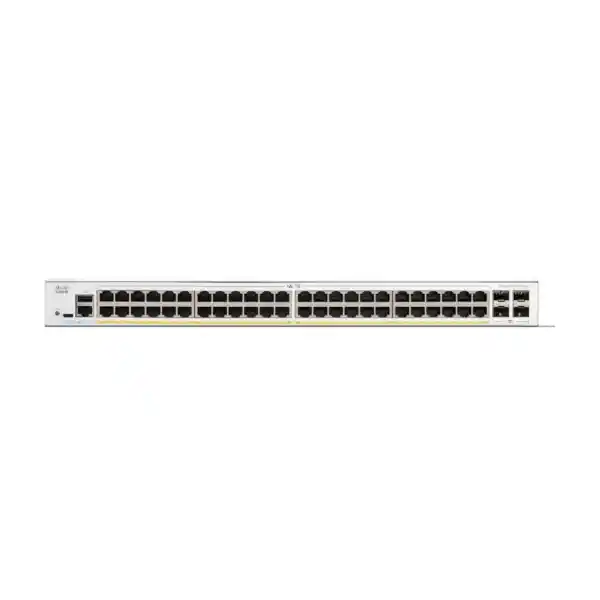
| Copper access interfaces | 48 × 10/100/1000 Ethernet ports |
| Endpoint power | IEEE 802.3af PoE and IEEE 802.3at PoE+; up to 30 W at a supported access port, within the shared budget |
| Uplink interfaces | 4 × 10 Gigabit SFP+ slots |
| PoE planning figure | 370 W in Cisco’s ordering summary; the same datasheet’s PoE table lists 375 W. Confirm the quoted unit’s supported allocation. |
| Installation and cooling | Rack-mountable; this model has a fan |
| Software platform | Catalyst 1300 uses customised Linux software |
| Management choices | Web interface and command-line management; Cisco Business Dashboard support |
Treat the table as the hardware starting point for a bill of materials. It does not describe what accessories are included in a particular seller’s package. Have the quotation identify any optical modules, direct-attach cables, mounting accessories and power-cord requirements separately. If an existing fibre circuit will be reused, provide both ends of the connection and the installed module details so compatibility can be assessed as a link rather than as an isolated switch port.
The small difference between Cisco’s published power figures should not decide a design that is already close to its limit. Use the lower figure for initial calculations, reserve headroom and confirm the supported allocation for the exact supplied equipment. Avoid filling the remaining budget with assumptions about typical consumption. Endpoint operating modes, configured allocations and future additions need to be included before the design is considered complete.
Work out port demand before choosing the cabinet layout
Start with a port schedule organised by physical location and device role. Count workstations, printers, phones, access points, cameras and any local appliances that will connect directly. Separate active requirements from planned expansion, and identify which outlets are actually patched to the cabinet. An inventory based on building occupancy alone can overlook shared printers, meeting-room equipment or a growing camera estate. A port schedule also exposes whether one cabinet is being asked to serve an impractical cable layout.
Distinguish an endpoint from a person. One desk may have a phone and a computer, while another employee works entirely through wireless access. Some phone designs allow a computer to connect through the phone; others may not suit that arrangement or the required speed. Record the actual endpoint connection method instead of assuming a universal two-device pattern. Confirm the phone’s own pass-through capability and consider how a phone outage would affect the computer connected behind it.
Reserve ports deliberately. The appropriate allowance depends on expected hiring, access-point additions, spare outlets and how often the site changes. Do not use every available position simply because the switch offers it. A small reserve can make a device move easier, while sustained growth may justify another cabinet or another switch. Label both the patch-panel position and switch interface so that the spare capacity remains usable when a technician visits months later.
Keep the port schedule separate from the power schedule. A workstation can consume an Ethernet position without consuming PoE, while a camera consumes both. This distinction helps you see whether the project is constrained by physical connections, total power or uplink traffic. Increasing the port count does not automatically solve the other constraints. Ask for the quotation to reflect the limiting requirement rather than selecting a model solely by the number printed in its name.
Build a realistic PoE budget
PoE design has two tests: the power requirement of each device and the combined requirement of all powered devices. Obtain the manufacturer’s specification for every endpoint model, including its required PoE standard and supported operating modes. Devices with the same general role can have very different needs. A basic phone, an access point with several radios and a camera with auxiliary functions should not be assigned one generic wattage simply because all connect through an Ethernet cable.
Create a worksheet with the device quantity, maximum required switch-side allocation, intended port and any restrictions. Use documented figures suitable for switch budgeting rather than treating a casual consumption reading as the design maximum. Where endpoint documentation distinguishes power supplied at the switch from power received by the device, use a consistent basis and account for the relevant delivery allowance. If that distinction is unclear, resolve it with the equipment documentation before finalising quantities.
For an illustrative calculation, suppose a project allocates 10 W each to 18 devices and 20 W each to another six. The total allocation is 300 W, leaving 70 W against a conservative 370 W planning figure. These are invented planning inputs, not consumption claims for any phone or access point. Replace them with the actual endpoint specifications and leave an appropriate reserve. The arithmetic helps expose a shortfall; it does not establish device compatibility.
Check demanding operating conditions. A camera may use more power when additional functions are active, and an access point may change its available features with the power it receives. Include those behaviours in acceptance testing. If a device requires a power standard beyond this switch’s PoE+ capability, spare aggregate wattage does not solve that mismatch. Choose a suitable power source or a different switch after checking the endpoint’s requirements.
Decide which services matter most during a constrained-power event and document the intended recovery order. The person maintaining the cabinet should know which ports serve essential communications, which serve guest facilities and which are reserved. Check the available PoE configuration options against the installed firmware before relying on a specific priority behaviour. Also plan for switch restarts: powered devices may lose service while the access switch reboots, so maintenance windows should include endpoint recovery tests.
Choose uplinks around the whole connection
The uplink slots create a separate design task from the copper access ports. Begin with the upstream device, the distance between cabinets and the available cabling. Record the fibre type, connector arrangement, patch-panel route and existing transceivers. For an in-rack connection, a supported cable assembly may be appropriate; for a longer run, the optical design needs suitable modules at both ends. A shared connector shape alone does not establish that two modules will operate together.
Ask for exact module or cable part numbers on the proposed bill of materials. Confirm supported speed, media, reach and compatibility with each device. If you already own optics, provide their labels and the equipment in which they are currently used. Reuse can be sensible when it is supported and the link budget is suitable. It should be a checked engineering decision rather than a promise based on a photograph of an SFP-sized module.
Estimate how much traffic leaves the cabinet at busy times. File transfers, backups, wireless clients and camera recording can overlap even when individual users appear to be doing light work. Use observed utilisation where available and record the intended growth. The advertised speed of an uplink is not an application-throughput guarantee; servers, storage, gateway capacity and other shared links may set the practical limit. Measure the service path that matters to the business.
If the design uses multiple uplinks, decide how loops will be prevented and how upstream devices participate. Link aggregation and redundant topology decisions require matching configurations and suitable equipment at the other end. Do not connect extra cables in the expectation that bandwidth or resilience will improve automatically. Have the engineer document the intended forwarding behaviour and test a single-link failure during an agreed maintenance window.
Organise users, voice, wireless and cameras with VLANs
A useful VLAN plan begins with who should communicate with whom. List staff systems, voice endpoints, cameras, guests and management devices as separate roles, then describe the required access between them. For example, a camera may need to reach its recorder and a time service without needing broad access to office computers. Capture those relationships in plain language before translating them into VLAN numbers, IP subnets and network rules.
The Catalyst 1300 VLAN controls provide ways to define network membership and handle voice traffic. Your deployment should specify which endpoint ports carry ordinary access traffic and which links need tagged VLANs. An access point serving several wireless networks needs a matching upstream configuration; a VLAN created on the switch is insufficient if the access point or gateway expects a different identifier. Keep the native and tagged VLAN expectations consistent across each link.
Decide where communication between networks will be routed and where the security policy will be enforced. A switch forwarding traffic between subnets and a firewall inspecting application traffic perform different jobs. Review the exact routing requirements against the installed software rather than assuming that every feature associated with the Catalyst brand is available. If security inspection is required between user groups, make sure the topology sends that traffic through the intended enforcement point.
For a phone deployment, check the endpoint’s supported discovery and VLAN behaviour. The administration guide describes voice VLAN and LLDP-MED policy functions, but successful service also depends on addressing, call-control reachability and the phone configuration. Test with the actual phone model and software. Include a computer connected behind a phone if that arrangement is planned, because voice and workstation traffic may need different treatment on the same physical connection.
Write down the purpose of each VLAN, its gateway, its addressing source and its allowed destinations. That small document is valuable when a printer is moved or a new access point is installed. Avoid leaving the plan in one administrator’s memory. A replacement technician should be able to identify why an interface has a particular profile without experimenting on a live connection.
Make access control practical to operate
A managed access layer is useful when the team also has a clear policy for attaching devices. Decide whether an office outlet is reserved for a known endpoint, open to managed staff devices or intended for guests. The switch’s security controls can support a broader access policy, but they need dependencies and exception handling. A feature being available does not mean that enabling it everywhere with one default setting will suit every endpoint.
The security guide covers port authentication and related controls. If 802.1X is part of the design, confirm the identity service, endpoint supplicant support and behaviour when authentication is unavailable. Printers and other embedded devices may require a different approved method from staff laptops. Pilot those cases before widespread activation. The acceptance test should include permitted access, rejected access and recovery from an identity-service interruption.
Access control lists can filter specified traffic, and their match rules, placement and default action need careful review. Start from the business communication requirements and test both allowed and disallowed paths. A rule that permits a user to reach a server may still omit a dependency such as name resolution. Conversely, a broad exception added to fix one application can undermine the intended separation. Keep the reason for each exception with the configuration record.
Treat switch administration as a distinct access requirement. Define who can manage the equipment, from which network and through which approved services. Use individual administrative accounts where practical, protect credentials and disable unnecessary management exposure in accordance with your operating policy. Ensure that emergency access and account recovery are documented. Restricting access without a workable recovery route can turn a routine configuration mistake into a prolonged outage.
Security settings should be reviewed when equipment changes. A new camera model, a replacement phone or a different wireless configuration can alter the original assumptions. Record device moves, retire unused interface profiles and include the access-layer configuration in periodic network reviews. The objective is a policy the team can maintain accurately as the site evolves.
Give voice and important applications an appropriate traffic policy
Quality of service helps determine how competing traffic is treated when a network interface is busy. The Catalyst 1300 guide describes classification, queuing and related controls. Begin with the business application and the point of congestion. A telephone conversation and a scheduled backup can tolerate different delay behaviour, but assigning a priority label to traffic does not increase the available link capacity.
Define which markings are trusted and where the network should classify traffic itself. A managed phone may be treated differently from an unmanaged visitor device. Review the policy across the switch, upstream network and gateway so that a priority decision at one hop is not discarded at the next. Keep the policy small enough to explain and test. Too many traffic classes can make troubleshooting harder without providing a useful business improvement.
Use a realistic test during a period of controlled load. Place calls while representative data transfers run, and inspect the relevant interface and queue information. Check application behaviour as well as link utilisation. If performance remains poor, investigate the complete route, including wireless coverage, WAN service and server response. A local traffic policy cannot repair every cause of call delay or application slowness.
Agree how the policy will be maintained after handover. Someone should own changes when applications move, when a new voice system is introduced or when internet capacity changes. Keep the previous working configuration and record the reason for a change. This makes it easier to determine whether a later complaint is related to prioritisation, capacity or an unrelated service dependency.
Match wireless requirements before ordering
An access point’s wireless generation is only one part of its wired requirement. Check its Ethernet port speed, power standard and behaviour under reduced power. This switch’s copper ports provide Gigabit access, so an access point that needs a faster wired connection to meet your design target requires a different access-port choice. A fast uplink from the switch does not change the speed of the access-point connection.
Collect the exact access-point models and intended radio configuration. A quotation should reflect the required features of those devices, rather than assuming that any powered access point will operate fully. Confirm controller or cloud-management requirements separately. The access switch provides the wired connection and compatible power; wireless licensing, radio planning and client capacity remain parts of the wireless solution.
Where guest and staff wireless networks share an access point, document their VLAN mapping and gateway policies. Test from a real wireless client on each network, including addressing, internet access and permitted internal resources. Check that a visitor cannot reach the management network through an unintended route. These tests are more useful than simply confirming that the access point has powered on.
For broader wireless selection, see the Cisco wireless access point guidance for Tanzania. Use that discussion alongside the exact endpoint documentation when deciding whether Gigabit PoE+ access is sufficient for your planned installation. The right pairing follows the required radio features and wired demand, rather than a brand match alone.
Plan the physical installation and power continuity
Review the cabinet before confirming the equipment order. Check usable mounting space, access to the rear of the device, patch-lead routing and room for the proposed uplink cables. Cable bends and crowded patch panels can make a technically compatible build difficult to maintain. Ask the installer to show where the switch, patch panels and power equipment will sit, with enough access to identify and replace a cable safely.
This model uses fan cooling, so assess ventilation and the suitability of the location for occupied spaces. Avoid assuming that characteristics of smaller fanless models apply to this unit. Keep airflow paths clear and assess the cabinet environment under normal operating conditions. Where heat or dust is a concern, have the installation assessed against the equipment’s documented requirements instead of relying on the room’s occasional comfort level.
Power continuity should include every device required for the service. Backing up the PoE switch may keep an endpoint powered while the gateway, recorder or upstream switch has already stopped. Define the business service that must remain available and identify its complete power chain. Then size backup equipment from the appropriate electrical load and required runtime. The PoE allowance alone is not the entire AC load of the installation.
For a Tanzania site, provide the actual installation address, available power arrangement and cabinet details with the enquiry. Any electrical protection, earthing or wiring work should be assessed for the specific premises by a qualified installer. Obtain site-specific requirements where applicable. Do not infer product approval, installation suitability or service coverage from the country name on a quotation.
Also consider maintenance access. Identify who can open the cabinet, where spare patch leads are stored and how a visiting technician reaches the responsible contact. A labelled power connection and a current port map can reduce diagnosis time. Documenting these details during installation is easier than reconstructing them during a service interruption.
Set up management that your team can sustain
Choose the day-to-day management approach before deployment. A small site may operate through the web interface, while a team managing several cabinets may prefer documented command-line procedures and a central management platform. Confirm the exact platform version, supported devices and any applicable commercial terms for that management plan. Management integration should be checked independently of the decision to buy the switch hardware.
The Getting Started guide provides access to basic setup, configuration backup and software-management functions. Use the commissioning stage to establish the management address, administrative access and a repeatable backup process. Distinguish changes that are active in the running configuration from changes that have been saved for later restarts. Verify persistence during an approved test rather than discovering after an outage that a working change was never retained.
Decide who receives alerts and what action each alert requires. A port outage on an unused socket should not be treated like the loss of the only upstream connection. Start with a small set of useful events and confirm that notifications reach an attended destination. If the team uses a monitoring system, define how it identifies the device and which measurements it retains.
The status tools expose information such as firmware version, port utilisation and PoE allocation. Capture a baseline after commissioning: connected interfaces, expected link speeds, power allocation and normal traffic patterns. This provides a reference when a later complaint arrives. An error counter is more informative when the team knows whether it is increasing and which cable or endpoint is attached.
Keep an ownership record with the equipment documentation. Include the business contact, technical administrator, purchase reference, installed software and the location of the configuration backup. Review access when staff or service providers change. The aim is to make ordinary maintenance possible without dependence on one person’s laptop or an undocumented password.
Replace an existing switch with a controlled cutover
If this is a replacement project, collect the current configuration and physical port map before disconnecting anything. Record VLANs, interface descriptions, uplink arrangements, management addressing and any endpoint-specific exceptions. Identify the services that depend on the old switch and agree which tests demonstrate successful restoration. A simple cable move can become a configuration migration when the old equipment has accumulated years of local changes.
Do not assume an existing Catalyst configuration can be pasted unchanged into this platform. Compare the required behaviour and translate the settings using documentation appropriate to the new device and software. Verify any feature that is essential to your network standard, including routing, authentication and management integration. Where a requirement cannot be met, resolve the platform choice before the production change.
Prepare the new unit away from the live network where practical. Establish a known management path, configure the intended profiles and test representative endpoints. Keep a copy of the old configuration and a photograph or diagram of the patching. Label cables in a way that remains readable during the change. These preparations let the installer concentrate on verified steps during the maintenance window.
Agree the rollback condition before work starts. Define how long diagnosis can continue before the old service is restored, who makes that decision and how users will be informed. Retain the previous hardware and working patch map until acceptance is complete. A rollback plan is useful only when the equipment, access and time required to execute it are still available.
For an organisation reviewing a legacy estate, the Catalyst 2960-X replacement planning guide provides wider migration context. Treat the C1300 as a candidate that must satisfy your own requirements, rather than assuming that any newer Cisco switch is an interchangeable replacement.
Use an acceptance checklist that follows the service
| Test area | What to demonstrate |
|---|---|
| Physical connections | Correct labels, stable links and the intended interface speeds on representative endpoints and uplinks. |
| Powered equipment | Required device features operate under the agreed power allocation, including demanding modes where relevant. |
| Network membership | Each tested endpoint receives the expected addressing and reaches its approved destinations. |
| Access restrictions | Guest or device networks cannot reach prohibited resources; approved dependencies remain available. |
| Applications | Calls, printing, wireless access and recording work as required by the installation scope. |
| Recovery and handover | Saved configuration, accessible backups, monitoring delivery and an agreed recovery procedure are checked. |
Set measurable acceptance conditions with the people who use the services. A link indicator alone does not prove that a phone can place a call or that a camera is recording. Select a representative sample from every endpoint category and include exceptions such as a printer using a fixed address. Record the results and any remaining actions so that both the purchaser and installer understand what has been accepted.
Repeat critical checks after an agreed restart test if the maintenance scope permits it. Confirm that the saved configuration loads and that dependent endpoints recover as expected. For designs with redundant paths, test the intended failure scenario under supervision. Record observed behaviour without turning a successful test into a promise that every future failure will have the same outcome.
What to include in a Tanzania quotation request
Send FourTeck Tanzania the complete model name, quantity and installation location, along with your endpoint inventory. Mark which devices need PoE and include their exact model numbers or documented power requirements. Provide the present port demand and likely additions. This lets the proposed configuration be reviewed against a concrete requirement and makes alternative suggestions easier to compare.
For uplinks, describe the upstream equipment, existing fibre or cable route and required link speed. Include any modules you want to reuse. State whether the enquiry is for hardware supply alone or whether configuration, migration or installation should be considered as a separately confirmed scope. Include a preferred maintenance window if the project affects an operating network, while leaving scheduling subject to the agreed quotation.
Ask the quotation to identify the supplied hardware, accessories, any applicable software or management costs, and the relevant commercial terms. Confirm current price, availability, delivery arrangements and warranty or support terms for the exact offer. A product description is a technical starting point; the quotation should establish what is actually being supplied and which services, if any, are included.
Compare proposals on the complete required build. A lower hardware figure may exclude the optics or work needed for your link, while an alternative may offer capacity your endpoints do not need. Use the port schedule, power worksheet and acceptance checklist as common reference documents. That keeps procurement decisions tied to the operational outcome instead of an incomplete comparison of switch names.
Buyer questions answered
Can every PoE port supply its maximum at the same time?
No. Per-port capability and the aggregate power allowance are separate limits. Add the documented allocations for your planned devices and keep the total within the confirmed switch budget. Include headroom and demanding endpoint modes before approving the device count.
Which power figure should I use for this model?
Cisco’s ordering summary states 370 W, while the PoE specification table states 375 W. Use 370 W for conservative initial planning and request confirmation for the exact quoted unit. A design that depends on the final few watts should be reviewed rather than assumed acceptable.
Will it suit every new wireless access point?
Check the exact access point. Its required power standard, operating features and wired speed must fit the access connection. An endpoint needing higher power or multigigabit access may require a different switch or another verified arrangement.
Are optical modules and cables included?
Inclusion depends on the quoted package. Ask for a line-by-line accessory list and exact part numbers. Match both ends of the proposed link, including media and reach, before purchasing or reusing modules.
Is this a substitute for a firewall or an internet router?
Select equipment by its role. The access layer connects and organises local devices; internet connectivity, application inspection and remote-access requirements need their own design. Confirm where routing and security enforcement belong in your network.
Can I move my old switch configuration directly?
Review it first. Translate the required behaviour for this platform and installed software, then test representative ports and services. Keep the current configuration and a usable rollback plan until the replacement has passed acceptance.
How do I obtain a price for a Tanzania project?
Request a quotation from FourTeck Tanzania with the model, quantity, endpoint power schedule and uplink details. Ask for current availability and commercial terms in that quotation. Provide the installation location so any delivery or service request can be assessed for the actual project.
Request a C1300-48P-4X quotation
Prepare your device list, conservative PoE calculation and uplink details, then ask FourTeck Tanzania for a quotation for the Cisco Catalyst C1300-48P-4X network switch. Identify the accessories and any deployment work you want assessed. A clear requirement lets the proposed hardware, power allocation and connection plan be reviewed together before you place the order.




Reviews
There are no reviews yet.