
CISCO CATALYST 9200CX · TANZANIA
Compact PoE access for spaces close to users
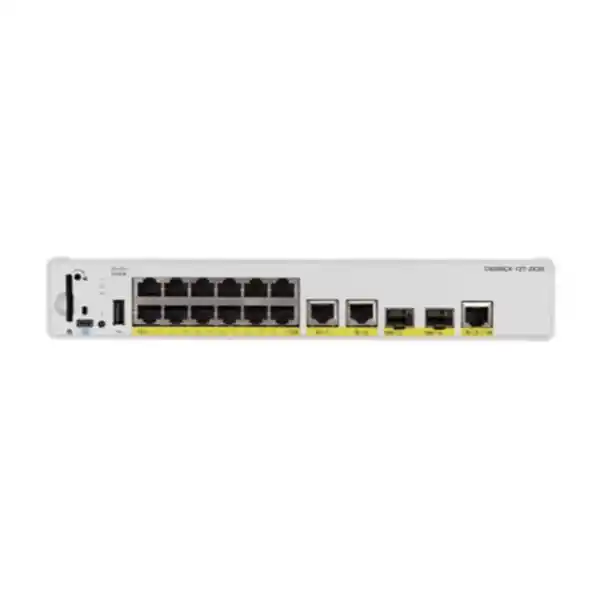
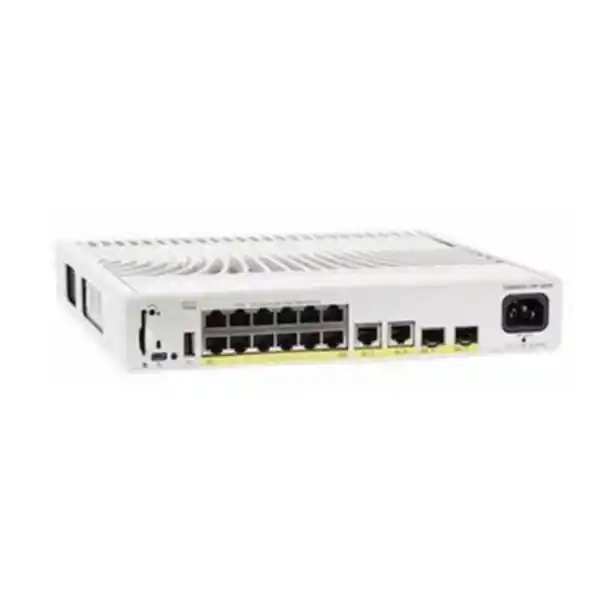
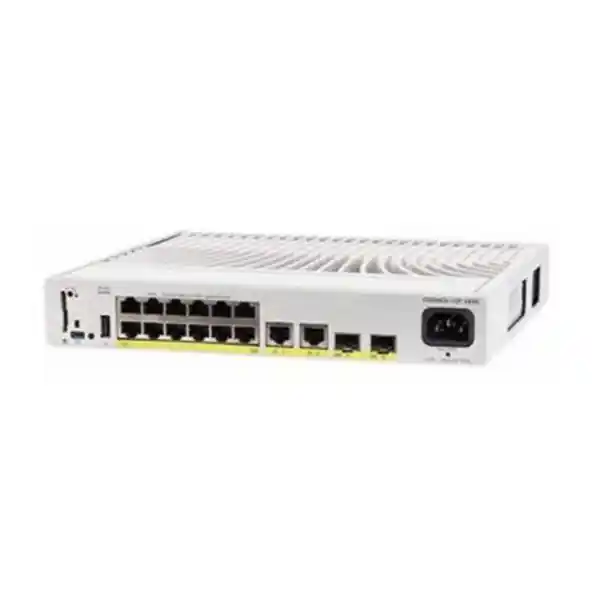
Equip a small workspace with managed Ethernet and power for compatible endpoints without committing to a full-size access switch. The Cisco Catalyst C9200CX-12P-2XGH Network Switch combines twelve Gigabit PoE+ access ports with dedicated copper and SFP+ uplinks in a compact, fanless chassis. It suits projects where a limited number of phones, cameras, access points or wired business devices need a local connection point and a clearly planned connection back to the main network.
For Tanzania procurement, begin with the endpoint list, installation space and power source. This is the HVDC/AC version of the compact twelve-port PoE+ model, so the power connection deserves particular attention. Ask FourTeck Tanzania for a configuration-based quotation covering the licence edition, suitable power cord, uplink components and mounting requirements. State the intended installation environment and any application that must remain available during a disruption.
Technical snapshot
| Item | Verified configuration | Buying implication |
|---|---|---|
| Access interfaces | 12 × 10/100/1000 PoE+ copper ports | Count wired endpoints and retain room for planned additions. |
| Fixed uplinks | 2 × 1G copper and 2 × 10G SFP+ | Specify the connection medium and components at both ends. |
| Endpoint power | Up to 30W PoE+ per port; 240W total available PoE | Individual port capability and total switch budget both apply. |
| Internal power supply | 315W HVDC/AC | The supply rating is separate from the endpoint power allocation. |
| Power connector | Saf-D-Grid | Verify the correct cable for the proposed electrical supply. |
| Cooling | Fanless | Provide suitable ventilation and installation clearance. |
| Dimensions, H × W × D | 4.4 × 26.9 × 24.4 cm | Allow additional space for cables and heat dissipation. |
| Weight | 2.99 kg | Check the mounting surface and accessory selection. |
| Stacking | Not supported on C9200CX | Plan each unit as a separate switch. |
Who should consider this switch?
This model is worth assessing when a small group of devices sits away from the main communications rack, the access connections need Gigabit speeds, and compatible endpoints can share a carefully calculated power allowance. A departmental office, meeting area, reception zone or building services location may have this pattern. The useful question is whether placing a managed switch nearby improves the installation while keeping management access, physical security and maintenance practical.
Map the requirement before choosing the chassis. Record how many ports will be occupied on day one, which devices need power over Ethernet, and whether future equipment will require faster copper interfaces or a higher power class. Also decide whether a single local switch is an acceptable point of failure. A compact format solves a space problem; the overall design still needs an explicit availability target.
Choose a different configuration when the endpoint count exceeds the available access ports, when multiple devices require power beyond PoE+, or when the project depends on hardware stacking. Where the requirement is primarily high-density user access in a central rack, compare a suitable larger switch rather than adding several small units simply to reach the desired port count.
Understand the access ports and endpoint limits
The access side is designed for standard copper Ethernet connections up to Gigabit speed. Faster backbone links are useful for carrying combined traffic upstream, but they do not change the speed of an individual access interface. An endpoint requiring a 2.5G, 5G or 10G copper connection needs a different access-port specification. This distinction is particularly relevant when evaluating newer wireless equipment or workstations with faster network adapters.
Create a port schedule with an endpoint name, wall outlet, expected link speed, power requirement and network role for each connection. A phone, camera and wireless access point should not be treated as identical loads merely because each uses an Ethernet cable. Check the endpoint’s own documentation for its supported power standard and required operating mode. Accessories attached to an endpoint can also change the power requirement.
Keep the dedicated uplink plan separate from the user-port count. Determine which interfaces will connect to the upstream network and label them accordingly in the design. This avoids purchasing around an ambiguous description such as a sixteen-port switch when the actual requirement concerns twelve powered access connections. If expansion is likely, reserve access capacity deliberately instead of assuming unused backbone interfaces will meet every future endpoint need.
Calculate PoE demand before approving the order
The 240W PoE allowance is shared across connected powered devices. It does not mean every access port can deliver its maximum power simultaneously. Twelve allocations of 30W would total 360W, which exceeds the available budget. Budgeting must therefore consider the whole endpoint group as well as the requirement of each device. The internal supply’s 315W rating must not be quoted as usable endpoint power.
For an illustrative planning exercise, assume eight devices each require a 15W allocation and four devices each require 25W. The total is 220W, leaving 20W against the published allowance. This is arithmetic for a hypothetical device mix, not a guarantee that particular endpoints will negotiate those values. Confirm the required allocation, applicable cable losses and observed negotiation for the selected equipment before accepting the design.
Use maximum required operating demand rather than a convenient idle measurement. Cameras with illumination, phones with expansion modules and access points enabling additional functions may need more power than their minimum operating state suggests. Document which functions must be available, then obtain the corresponding endpoint requirements. Leave an intentional reserve where later additions or uncertain allocations could otherwise consume the remaining headroom.
During commissioning, compare the planned allocations with the actual switch power readings and verify that every required endpoint starts correctly after a controlled restart. If the budget is insufficient, redesign the endpoint distribution or select suitable hardware. Do not make a shortfall disappear in the quotation by counting only current consumption while ignoring the power requested by the installed devices.
Treat the HVDC/AC power arrangement as an order detail
The GH model uses an internal supply supporting HVDC/AC input and a Saf-D-Grid connection. It should be quoted with a power connection appropriate to the actual site. Do not assume that a cord from another Catalyst model, an existing desktop device or an ordinary spare accessory will fit. Include the intended supply type, outlet arrangement and required cord in the bill of materials before the order is approved.
HVDC means high-voltage direct current. It should not be interpreted as a general reference to any DC source available in a building. Where an engineered DC distribution system is proposed, have the electrical designer match the installation to Cisco’s exact input specifications and connector requirements. Where AC operation is proposed, verify that arrangement explicitly. Select the model around the real power architecture rather than around an assumption prompted by its abbreviated name.
Power continuity also needs a project decision. Identify the equipment that must remain powered, the required operating period and the upstream network dependencies. A backed-up local switch alone cannot maintain an application if the gateway, access point controller or other essential system loses power. Calculate the backup requirement for the intended load and obtain a suitable power-system design.
The endpoint power allowance is a capacity limit, not a prediction of constant electricity consumption. Actual input demand changes with the connected load and operating conditions. For facilities planning, use an appropriately verified load assessment and allow for the equipment sharing the same supply. Keep electrical installation and connection work with appropriately qualified personnel following the manufacturer’s installation instructions.
Plan the uplink as an end-to-end connection
Choose the uplink around the traffic path, distance and upstream interfaces. A small group of lightly used office devices may have a different requirement from a location sending several camera streams or supporting busy wireless users. Estimate simultaneous application traffic and identify where it travels. A faster connection is useful only when the upstream switch, intermediate cabling and destination path can support the intended service.
For fiber, record the installed fiber type, approximate route length, connector arrangement and the supported optical interface at each end. For a direct-attach cable, verify that the exact cable and length are supported by both devices. An SFP+ slot does not establish compatibility with every transceiver sold in that format. Check Cisco’s applicable compatibility information for the chosen hardware and software release.
Ask for uplink components as explicit quotation lines. A chassis description showing optical slots does not establish that transceivers, fiber patch leads or direct-attach cables are included. This is especially important where the opposite end is an existing switch whose interface type has not yet been recorded. Take an inventory or obtain photographs of the relevant labels before selecting components.
If the design uses two uplinks, document their purpose and the control mechanism that prevents an unintended loop. Separate links can be used in different supported designs, but installing a second cable does not itself define redundancy. Have the network engineer validate the topology, software support and intended failure behavior. Include upstream device failure in the discussion, not only failure of an individual cable.
Install the fanless chassis with room to dissipate heat
A fanless unit is useful in occupied areas where cooling-fan noise would be undesirable. It still produces heat and needs a suitable installation location. Cisco’s preparation guidance calls for at least 7.6 cm of clearance around the switch. Assess the space after patch leads, power connections, furniture and nearby equipment are in place, rather than relying only on the bare chassis dimensions.
Confirm the mounting method and its compatible accessories before procurement. A shelf, wall position or furniture installation should provide secure support, access for servicing and the orientation allowed by the installation instructions. Include accessory part numbers in the quotation where they are needed. Avoid hiding the equipment in an enclosed compartment simply because its size makes it possible to fit.
Review temperature, humidity, dust exposure, altitude and access restrictions for the exact proposed location. The equipment and selected optics must both be appropriate to the conditions. A compact enterprise switch should not be assumed to be outdoor or industrial equipment. If the location is exposed or difficult to ventilate, reassess the equipment choice and enclosure design before committing to installation.
Keep cables supported and clearly labelled, with enough service access to replace a patch lead or inspect an indicator without dismantling the surrounding area. Physical access matters operationally: a device located near users should still be protected against casual disconnection and unauthorized changes. Agree who can reach the unit and who owns a fault investigation before the installation is handed over.
Separate users, voice, cameras and management traffic
Start the network configuration with a simple statement of which devices may communicate. For example, office workstations may need business applications, cameras may need a recording system, and administrative tools may need access to infrastructure. Translate those requirements into a network policy before configuring ports. Merely placing every device on the same local switch should not make all traffic equally trusted.
Use a documented VLAN and addressing plan where appropriate, and check the required switch features against the selected licence and software. A VLAN separates broadcast domains; the rules controlling communication between them must also be defined at the relevant routing or security point. Decide where those rules will be enforced and who is responsible for maintaining them when devices move or departments change.
If authentication or endpoint admission is required, include the complete dependency chain in the design. Identify the authentication service, endpoint capabilities, credential management and expected behavior if the service becomes unavailable. Validate the intended method with the actual device types before rolling it out. A camera or printer may need a different onboarding approach from a managed employee laptop.
Protect the administration path as a separate requirement. Specify who can manage the switch, from which networks, and through which supported access methods. Record the intended logging and time-synchronization arrangements so configuration changes and faults can be investigated consistently. Technical security controls are useful when they match an operational process that the organization can maintain.
Choose the licence edition and management approach deliberately
Cisco lists C9200CX-12P-2XGH-E with Network Essentials and C9200CX-12P-2XGH-A with Network Advantage. The base model supplied in the enquiry does not identify which edition is required. Ask the network designer to match the proposed switching and routing role to the applicable feature matrix, software release and scale limits. Request the complete ordering code on the quotation rather than approving an unspecified edition.
Cisco’s ordering guidance for C9200CX also requires an aligned software term licence at purchase. Confirm the applicable subscription choice and duration for the order. Make the base entitlement, term subscription and any optional support clear as separate commercial items. This helps procurement compare configurations on equivalent terms and gives the operations team a record of what has actually been purchased.
The platform uses Cisco IOS XE software. Decide how the team intends to configure, monitor, back up and maintain the switch, then validate any proposed management integration against the exact model, software and entitlement. Do not infer Meraki Dashboard management capability from another Catalyst product’s documentation. Management mode is a specification to verify when the organization requires a particular operational workflow.
Assign ownership of licence records and any required account association before deployment. Use an organization-controlled account and document who can approve changes or renewals. When an existing management platform is part of the project, include its version and licensing in the compatibility review. The switch hardware, management system and commercial entitlements should form one coherent design.
Availability: distinguish a second link from a resilient service
Begin with the business impact of losing this local connection point. If all nearby phones or cameras depend on one switch, its loss affects that entire group regardless of how many upstream links are connected. Decide whether the organization can accept that outage while equipment is restored, or whether the application requires a different distribution of endpoints and dependencies.
C9200CX does not support hardware stacking. Do not include StackWise kits or describe a pair of these units as a single hardware stack. Where unified stack operation is mandatory, assess another suitable platform. Where independent compact switches are acceptable, design their management, uplinks and endpoint placement as separate devices with a clear recovery process.
Record distinct failure cases: local power loss, a damaged access cable, one failed uplink, upstream switch failure and loss of an application server. For each case, state the expected user impact and the intended recovery action. This produces a useful availability discussion without assuming that any single hardware feature can remove every operational dependency.
Agree the approach to spares and restoration. A prepared configuration backup, an inventory of optics and cords, and a known replacement procedure may be valuable for a small installation. Any required support response, replacement arrangement or delivery commitment must appear in the actual commercial agreement. Avoid basing the business continuity plan on a general expectation about warranty handling.
Deployment examples to evaluate against your own site
Reception and administration
A small reception area may combine wired computers and compatible IP phones. Plan the endpoint connections, voice policy, upstream reachability and backup-power requirement together. Confirm that a phone’s essential calling functions survive the failure cases the business cares about. Keep the switch accessible to authorized staff while protecting it from accidental disconnection during furniture changes or routine cleaning.
A meeting or training area
List wired presentation equipment, room systems and any wireless access points separately. Some collaboration devices need external power or a power class beyond PoE+, while some access points require faster copper links for the intended mode. Check each device rather than approving the switch from the room name alone. Include maintenance access when equipment is mounted above or behind furniture.
A local surveillance connection point
Record camera models, required power during illumination or accessory use, stream destinations and cable routes. Keep the recording system and upstream path in the capacity review. Decide whether losing the local switch would create an unacceptable gap in coverage. If the installation is exposed to weather or harsh conditions, reassess the equipment and installation method before selecting this chassis.
A small department or branch zone
Use the local endpoint count and expected growth to decide whether compact access is economical over the planned service period. Assign a management owner, maintain an accurate port map and provide a documented escalation path. If the branch relies on remotely managed services, include access during a WAN fault in the operating plan. These are design examples, not promises of site suitability.
Compare nearby options by the requirement that changes
Compare complete configurations rather than chassis names alone. A lower initial hardware price can be misleading if the order excludes required licences, power connections or optical components. Equally, a larger model may add cost and installation requirements without improving the actual application. Select the option whose interfaces, power architecture and operational model match the requirement.
Treat any proposed substitution as a design change. Review the port schedule, accessories, software entitlement and installation drawing before approving it. Similar-looking part numbers within a product family can describe materially different power arrangements or endpoint capabilities. Ask for written confirmation of the differences that affect your installation rather than accepting a generic statement that two switches are equivalent.
| Requirement | Model or platform to assess | What to verify |
|---|---|---|
| Twelve Gigabit PoE+ ports with HVDC/AC input | This GH model | Power source, connector and complete licence edition. |
| Twelve Gigabit PoE+ ports with the AC-only variant | C9200CX-12P-2X2G | Input arrangement and model-specific accessory choices. |
| Fewer powered access devices | An appropriate eight-port compact option | Actual power demand, spare ports and uplink requirements. |
| Faster copper access or higher endpoint power | A suitable multigigabit/UPOE model | Per-port speed, power class and total budget. |
| Hardware stacking or substantially more ports | A suitable larger Catalyst platform | Stack support, capacity, power and operational requirements. |
What a complete Tanzania quotation should specify
Request an itemized bill of materials with the exact hardware ordering code, quantity, network licence edition and required software subscription. Identify the intended customer organization and how the licence records will be associated with it. State whether the order is for a new installation, an expansion or a replacement so that the quotation can address the relevant dependencies.
Add the power cord appropriate to the GH model and site supply, the selected mounting accessories and the required uplink components. Include the transceiver or cable at the upstream end where necessary. Distinguish supplied items from existing customer equipment and from items that will be provided by another contractor. The installation should not depend on an unassigned accessory being found later.
If configuration, installation, testing or support is requested, define each scope separately. Record what access and site information must be provided, who owns cabling work and what evidence will be delivered at handover. Service availability, location coverage and timing should be confirmed for the actual project. A product enquiry alone does not establish an installation commitment.
Ask for price in the quotation, together with the applicable tax treatment, supply status, delivery terms and any support or warranty conditions. No fixed Tanzania price or stock status is stated here. Confirm the destination and required date so procurement can assess the written offer. If a project has strict acceptance requirements, include those with the enquiry rather than introducing them after the equipment arrives.
Prepare the site information once, then use it throughout the project
A short, accurate site brief reduces repeated clarification. Include a simple floor or area plan, the proposed switch position, the cable routes and the identity of the upstream device. Add the endpoint schedule and the intended power source. Photographs can help confirm space and interface details, but they should accompany measurements and model numbers rather than replace them.
Record any constraints that change implementation: restricted maintenance hours, rooms that cannot lose connectivity, limited access to the mounting area or coordination with another contractor. Identify who can authorize a short service interruption and who will test the business applications afterward. The switch can be technically suitable while the installation still fails because these practical dependencies were left unresolved.
Use one approved version of the requirements for procurement and implementation. When an endpoint changes, update both its power allocation and its network role. When the upstream connection changes, revisit the optics and topology. Maintaining the brief through the project makes the final equipment list easier to verify and gives the support team a reliable starting point.
Replacing an existing switch without losing important settings
Inventory the existing configuration before planning the cutover. Capture interface descriptions, connected devices, VLAN assignments, management addressing, uplink settings and any policies that affect voice or application traffic. Record the installed optics and the physical cable labels. Keep an accessible backup so the engineer can compare the intended new configuration with the current service.
Do not treat a configuration file from another switch generation as a finished deployment template. Review commands and features against the target software and licence, then validate the essential behavior before the change window. A configuration can appear syntactically acceptable while still placing an endpoint in the wrong network or omitting an operational dependency.
Prepare a cutover sequence that identifies cable moves, configuration verification and application tests. Decide what result requires rollback and how the old service would be restored. Where practical, test a representative phone, access point or camera before migrating the whole endpoint group. Keep a record of the new port mapping as cables are moved.
After migration, check the actual negotiated links, endpoint power state and upstream reachability. Ask the application’s owner to verify the service from the user’s perspective. A successful ping or illuminated link indicator is only part of the evidence. Complete the change record with the configuration backup and any differences from the approved plan.
Acceptance checks that demonstrate the intended result
Agree these tests before installation and adapt them to the application’s importance. A small office may need a straightforward endpoint checklist, while a location supporting security or essential communications may need more detailed evidence. Assign a named person to accept the outcome and record any outstanding items with an owner and target date.
Use representative application tests: place a required call, retrieve a camera stream, connect a wireless client or access the relevant business system. Perform only the failure tests that have been authorized for the maintenance window. Keep the acceptance record with the final equipment list so future changes can be assessed against the working baseline.
| Check | Evidence to record |
|---|---|
| Hardware and licences | Delivered ordering code, serial inventory and entitlement records match the approved order. |
| Access connectivity | Each labelled endpoint is on its intended network and operates at its expected link speed. |
| PoE operation | Required endpoints start and receive adequate allocations within the overall budget. |
| Uplink service | Approved media, link settings and application paths work through the selected upstream equipment. |
| Policy behavior | Allowed communications succeed and intended restrictions are tested. |
| Failure behavior | Agreed link or power tests produce the documented impact and recovery. |
| Handover | Current configuration, port schedule, support contacts and maintenance ownership are available. |
Maintain a supportable installation after handover
Keep the port map current when devices move. An old label can make a simple fault look like a wider network problem, especially when the switch is located in an occupied area away from the main rack. Record the endpoint, outlet and switch interface together. Include the upstream connection and power arrangement in the same installation record.
Schedule configuration backups and software maintenance through the organization’s normal change process. Review the applicable release information before an upgrade, confirm compatibility with required functions and retain a recovery plan. Assign responsibility for monitoring power headroom, link errors and capacity trends so that a growing endpoint group does not silently outgrow the original design.
Maintain an inventory of installed optics, accessories and licence ownership. When additional devices are requested, check both the spare-port position and the power calculation before connecting them. This preserves the relationship between the approved design and the live installation and makes a later expansion quotation more accurate.
Frequently asked questions
Does this switch provide twelve 10G access ports?
No. Its twelve powered access ports support copper Ethernet up to 1G. The two SFP+ uplinks provide the 10G interface option. If individual endpoints require multigigabit or 10G copper access, choose a model with those access-port capabilities.
Can all twelve ports deliver 30W at the same time?
The shared PoE budget is 240W, so twelve simultaneous 30W allocations would exceed it. Calculate the required allocations for the actual device mix and retain suitable headroom. Check both the power standard of each endpoint and the total demand.
Is 315W the power available to connected devices?
The 315W figure describes the internal power supply. The published endpoint PoE allowance is 240W. Use the latter for the switch-wide powered-device budget, alongside individual port limits and the endpoint requirements.
What must I check about the GH power connection?
Confirm the intended HVDC or AC supply, its compatibility with the model and the correct Saf-D-Grid cable arrangement. Include the power cord in the order review. Do not assume that a power lead from a different compact switch will fit.
Can I stack it with an existing Catalyst 9200L?
No. Cisco does not provide stacking on C9200CX. Treat it as an independent switch in the network design. If hardware stacking is a mandatory requirement, assess a platform that supports the required stack configuration.
Are optics, subscriptions and mounting hardware included?
Inclusion depends on the quoted configuration. Ask for explicit lines identifying the hardware edition, required software term licence, power connection, mounting accessories and uplink components. Confirm anything described as customer-supplied before authorizing the order.
Which licence edition should I request?
Use the required switching, routing and management features to choose the complete -E or -A ordering code. Verify support and scale against the proposed software release. Procurement should receive a clearly itemized licence and subscription configuration rather than only the base model name.
Can it power any wireless access point or camera?
Compatibility must be checked for the exact endpoint and required operating mode. Confirm Ethernet speed, PoE standard, power allocation and network requirements. Equipment needing more than PoE+ per port or faster access links may require another switch.
What is the current Tanzania price and lead time?
Request a written quotation for the required quantity and complete configuration. The offer should confirm price, applicable taxes, supply status, destination, delivery terms and any requested services. These commercial details cannot be inferred from the manufacturer’s technical specification.
Request the right compact-switch configuration
Send FourTeck Tanzania the quantity, endpoint models, planned PoE allocations, uplink speed and media, upstream switch model, proposed mounting position and power-source details. Add the features that determine the licence edition and any requirements for configuration, commissioning or ongoing support.
Ask for the complete bill of materials and written confirmation of commercial terms before ordering. A configuration-led enquiry helps establish whether this compact HVDC/AC model meets the project or whether an alternative is more appropriate. For projects that also include wireless equipment, review the related Cisco wireless planning guidance below and supply the exact access point models for compatibility assessment.




Reviews
There are no reviews yet.