
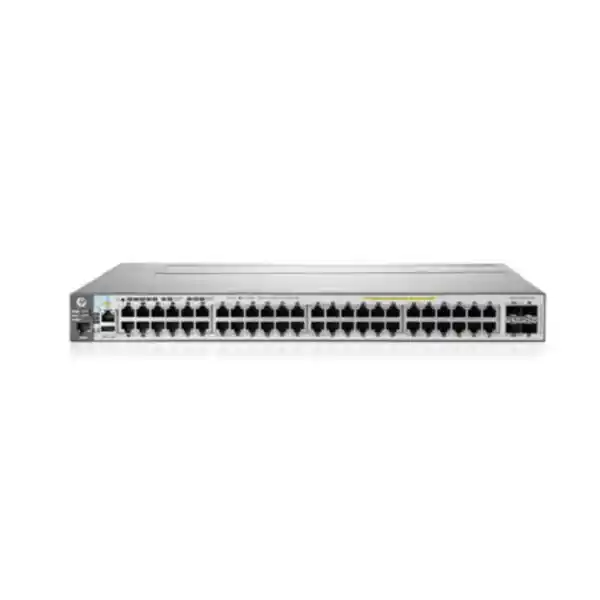
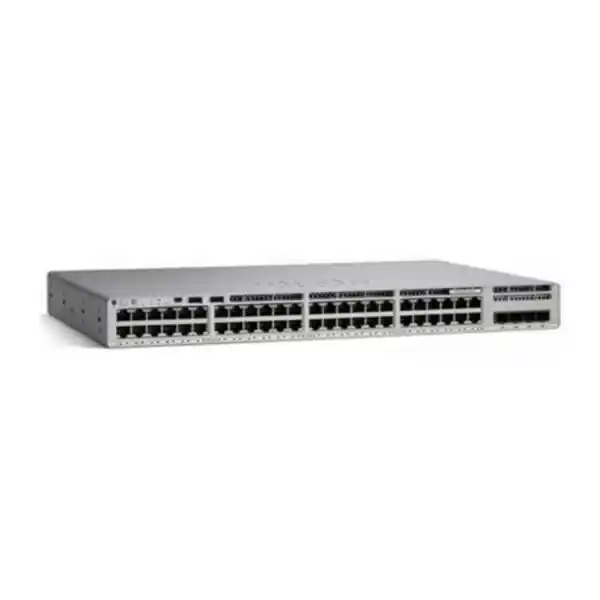
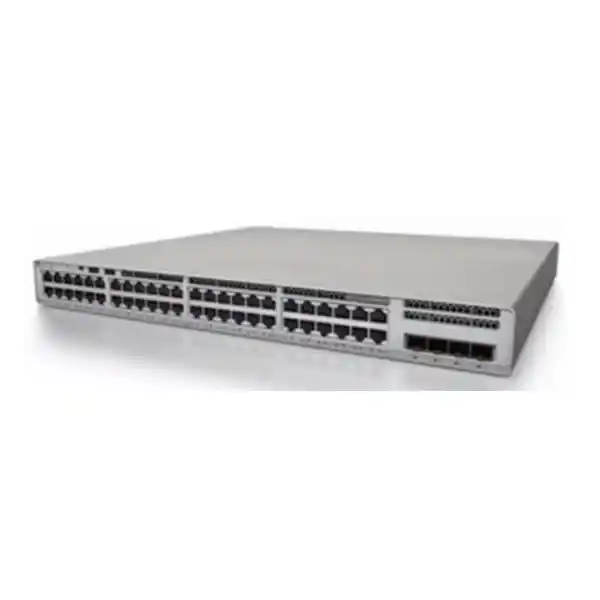
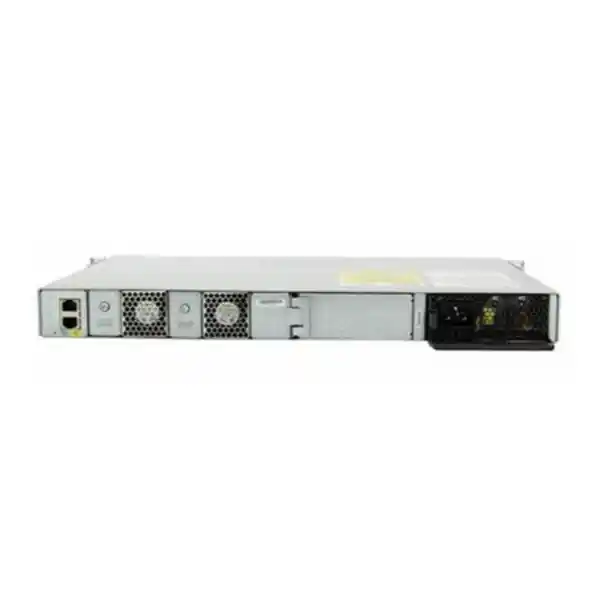
Cisco Catalyst C9200L-48T-4X Network Switch
Build a secure, manageable access layer with forty-eight Gigabit Ethernet data ports and four fixed 1/10G uplinks. The Cisco Catalyst C9200L-48T-4X is designed for branch, campus and enterprise edge networks that need dependable wired connectivity, modern Cisco IOS XE operations and room to aggregate traffic into faster uplinks without paying for PoE that is not required.
4 × 1/10G SFP/SFP+ uplinks
176 Gbps switching capacity
StackWise-80 capable
Data-only, no PoE
A clear fit for high-density wired access
The C9200L-48T-4X is a strong fit when a network needs many conventional copper Ethernet connections for desktops, servers, printers, controllers, point-of-sale terminals, building systems or other powered-separately devices. Each of its forty-eight access ports supports 10/100/1000 Ethernet, while four fixed uplink positions accept supported 1G SFP or 10G SFP+ optics and compatible connectivity options. That combination makes the switch especially useful when edge devices remain at Gigabit speed but aggregation links must carry substantially more combined traffic toward a distribution switch, core switch or server environment.
For buyers in Tanzania, the important decision is not simply the port count. Confirm whether endpoints need PoE, how many 10G uplinks will actually be used, whether the switch will operate alone or in a stack, what software license tier is required, and which optics and power accessories belong in the bill of materials. The C9200L-48T-4X is intentionally a data-only platform. If a design expects the switch itself to power IP phones, Wi-Fi access points, cameras or other PoE devices, a PoE-capable Catalyst 9200L variant is the more appropriate starting point.
Key specifications at a glance
| Product family | Cisco Catalyst 9200L fixed-uplink access switch |
|---|---|
| Access ports | 48 × 10/100/1000 data ports |
| Fixed uplinks | 4 × 1/10G SFP/SFP+ capable uplink ports |
| PoE | No — this is a data-only model |
| Switching capacity | 176 Gbps |
| Forwarding rate | 130.95 Mpps standalone |
| Stacking | StackWise-80; up to 80 Gbps stacking bandwidth, with supported C9200L members at the same license level |
| Memory | 2 GB DRAM and 4 GB flash for the C9200L platform |
| Default power supply | PWR-C5-125WAC, with a second supported supply position for redundancy |
| Fans | Fixed redundant fans on C9200L |
| Dimensions | Approximately 4.4 × 44.5 × 28.8 cm chassis; approximately 32.9 cm deep including front-end protrusions and fans |
| Weight | Approximately 4.53 kg |
Specifications should be matched to the exact orderable SKU and current Cisco compatibility guidance at quotation time, especially for license level, optics, stacking accessories and software release.
Why four 10G-capable uplinks matter
A forty-eight-port access switch can concentrate a large amount of user and device traffic. If all upstream connectivity is limited to a single 1G path, that uplink can become a bottleneck long before the access ports themselves are fully utilized. The C9200L-48T-4X addresses this design problem with four fixed uplink interfaces that can operate with supported 1G SFP or 10G SFP+ modules. A network designer can therefore use higher-speed fiber or supported direct connectivity to a distribution layer while preserving the forty-eight copper ports for endpoints.
The four uplinks also provide design flexibility. They can be used for redundant paths, link aggregation, separate upstream destinations or a staged migration from 1G to 10G. The exact design depends on the topology, transceiver compatibility, fiber plant, distance, resilience requirements and upstream switch capabilities. For a new office or campus build, it is sensible to identify the intended fiber type and distance before ordering optics. For an existing site, confirm whether the installed fiber is multimode or single-mode, the connector presentation, the available patching, and whether both ends support the intended transceiver type.
The “4X” designation is therefore more than a naming detail: it distinguishes this model from the C9200L-48T-4G, which uses four fixed 1G uplinks. Where the access layer must feed high-capacity servers, internet edges, wireless aggregation or a busy distribution layer, the 10G-capable uplinks can provide a much better growth path. Where upstream requirements are modest and expected to remain at 1G, the 4G version may be sufficient and should be compared during design.
Performance for an enterprise access layer
Cisco specifies 176 Gbps of switching capacity and 130.95 million packets per second of forwarding performance for the C9200L-48T-4X operating as a standalone switch. With stacking included in the platform calculation, Cisco lists higher aggregate figures, but the practical design question is how traffic will actually move between endpoints, VLANs, uplinks and the rest of the network. The switch should be sized as part of an end-to-end architecture rather than judged only by a headline bandwidth number.
The C9200L platform provides scale suitable for business access networks, including 16,000 MAC addresses, support for thousands of IPv4 and IPv6 routing entries, up to 4094 VLAN IDs, 512 switched virtual interfaces and jumbo frames up to 9198 bytes. It also supports Flexible NetFlow scale for traffic visibility. These capacities are useful when an organization needs more than an unmanaged edge switch: segmented departments, voice and data separation, controlled guest access, management networks, server VLANs, surveillance networks that use separate power arrangements, and other structured network designs can be implemented without treating every connected device as part of one flat broadcast domain.
Capacity planning still matters. A branch with ordinary office applications may use only a fraction of the platform’s performance, while a site with large file transfers, backup traffic, local servers, dense virtualized workloads or many east-west data flows can place greater demand on uplinks. The best result comes from mapping actual applications, expected concurrency and growth, then deciding how many 10G uplinks, link-aggregation groups or stack members are necessary.
StackWise-80 for growth and simpler operations
C9200L switches support Cisco StackWise-80 using the appropriate C9200L stacking kit and cables. Cisco specifies up to eight C9200L members at the same license level in a supported stack, with 80 Gbps of stacking bandwidth. Stacking allows multiple physical switches to operate with a common management and control plane, which can simplify administration when a wiring closet grows beyond forty-eight access ports.
For example, an office floor that begins with one switch can add compatible C9200L members as port demand expands. A stack can also support cross-stack EtherChannel designs, allowing an upstream port-channel to use physical links on different stack members. That can reduce dependence on a single member for upstream connectivity when the design and configuration are implemented correctly. Stacking is not the same as eliminating every failure mode, however. Power design, uplink diversity, physical cabling, stack topology, software maintenance strategy and spare planning still require attention.
Cisco does not support mixing C9200L fixed-uplink models in a stack with modular C9200 models or unrelated Catalyst families such as older 2960-class switches. License level also matters when choosing stack members. A procurement plan should therefore document the exact model and license suffix for every proposed member before ordering. The stacking kit is an accessory rather than something to assume is automatically included, so include adapters and the required cable lengths in the bill of materials.
If stacking is not required, the switch can operate independently. Some sites prefer standalone switches with resilient uplinks because their fault domains, physical layout or operational model make that architecture simpler. The right choice depends on how many switches share a rack, how failures should be contained, and how the network team intends to manage changes and upgrades.
Cisco IOS XE and management choices
The Catalyst 9200 Series runs Cisco IOS XE, giving network teams a familiar enterprise switching operating system with command-line management, programmability and telemetry capabilities. Cisco also positions the platform for management through Cisco Catalyst Center and for cloud-based monitoring or management options through the Meraki dashboard, depending on the deployment model and current Cisco software requirements. This gives organizations flexibility to operate the switch with traditional CLI processes or integrate it into a broader automation and assurance strategy.
For smaller IT teams, centralized management can help standardize configuration and visibility across multiple branches. For mature network operations teams, model-driven interfaces, telemetry and automation can support repeatable provisioning and monitoring. In either case, the management platform should be selected before procurement because software subscriptions, entitlement choices, identity integration and operational workflows may affect the final order. The base model name C9200L-48T-4X does not by itself tell you which Network license tier is being purchased.
During handover, document management addressing, administrator authentication, NTP, DNS, syslog targets, SNMP or telemetry settings, configuration backup procedures and software maintenance ownership. A managed switch delivers the most value when its configuration is treated as operational infrastructure rather than a one-time installation. Good documentation is especially important for multi-site organizations where remote troubleshooting depends on knowing exactly how each access switch is connected and controlled.
Network Essentials or Network Advantage?
Cisco lists two principal orderable versions for this hardware family: C9200L-48T-4X-E with Network Essentials and C9200L-48T-4X-A with Network Advantage. The physical port layout is the same class of C9200L-48T-4X hardware, but the software entitlement affects available capabilities. Buyers should therefore avoid ordering based only on the shortened model name when advanced routing, segmentation or automation requirements are part of the project.
Network Essentials is designed for common enterprise access requirements and includes Layer 2 features plus selected Layer 3 routing capabilities suitable for many branch and access-layer deployments. Network Advantage expands the feature set for organizations that need more advanced networking functions. Cisco also lists separate term-based software licenses for Catalyst 9200L. Exact feature availability can change with Cisco IOS XE releases and licensing policy, so a current feature-to-license check should be part of every formal quotation.
Choose Essentials when
The design centers on mainstream access switching, VLANs, standard resiliency, common routing needs and conventional branch or campus operations, with no requirement for features that depend on the higher license tier.
Evaluate Advantage when
The organization requires advanced routing, segmentation, policy or automation features that are licensed above Essentials, or when the switch must align with an existing Network Advantage standard across the estate.
The practical procurement rule is simple: provide the intended topology and feature requirements, then quote the complete Cisco SKU and software combination. Do not assume that the least expensive license level will support every planned network design.
Security built for a managed enterprise edge
Access switches sit close to users and endpoints, so they are an important enforcement point for network security. Cisco positions the Catalyst 9200 Series with Trust Anchor technologies, image signing and Secure Boot to help establish hardware and software authenticity. The series also supports 128-bit AES MACsec capabilities, policy-oriented segmentation and enterprise access controls. These features can help strengthen the edge when they are configured as part of a broader security architecture rather than left unused.
A secure deployment normally begins with administrative controls: restricted management access, strong authentication, dedicated management VLANs or out-of-band processes where appropriate, logging, time synchronization, secure protocol choices and a defined software update policy. At the access layer, 802.1X, VLAN segmentation, access-control policies, port security approaches and monitoring can be combined according to the organization’s identity and endpoint strategy. The exact configuration should reflect the capability of connected devices and the chosen license and software release.
Flexible NetFlow can add useful traffic visibility for capacity planning and security investigation, while QoS features help classify and prioritize important application flows. For organizations using Cisco Identity Services Engine or Catalyst Center, the switch can participate in a more policy-driven architecture. These integrations require planning and should not be presented as automatic security simply because the hardware supports them.
For buyers replacing unmanaged or older access switches, the operational improvement often comes from consistent policy and visibility as much as raw bandwidth. A standard configuration template, centralized logging, scheduled configuration backups and controlled administrator access can materially improve manageability across offices and branches.
Layer 2 and Layer 3 design flexibility
The C9200L-48T-4X can serve as more than a basic port concentrator. The platform supports enterprise Layer 2 functions for VLAN-based segmentation, spanning-tree designs, link aggregation and traffic control, and it also supports Layer 3 routing capabilities according to the selected software tier. Cisco documents static routing and protocols such as RIP and OSPF within its Catalyst 9200 feature set, with additional routing capability depending on licensing. This allows the switch to fit either a classic Layer 2 access design or selected routed-access patterns.
For many organizations, the simplest design is to keep routing at the distribution or core layer and use the C9200L primarily for access. That centralizes inter-VLAN policy and can simplify troubleshooting. Other networks may prefer routing closer to the edge to reduce Layer 2 fault domains or meet resilience objectives. There is no universal answer: topology, staff experience, security policy, branch autonomy and existing standards all influence the correct design.
When migrating from an older switch, collect the current VLAN list, trunk definitions, spanning-tree settings, link aggregation, gateway locations, DHCP relay requirements, ACLs and QoS policies before installation. A port-for-port swap without understanding those dependencies can create avoidable outages. A controlled migration plan should also identify rollback steps and the point at which upstream routing or firewall changes are required.
Power design and hardware resilience
Cisco specifies the PWR-C5-125WAC as the default power supply for the C9200L-48T-4X. The Catalyst 9200 platform supports dual field-replaceable power supplies, and a second compatible supply can be used to provide redundancy. Because this particular model is data-only, the power requirement is materially different from PoE variants that must reserve substantial capacity for powered endpoints.
For a business network in Tanzania, power continuity should be addressed as a system design issue. If uptime matters, consider how both switch power supplies will be fed, whether separate power distribution units are available, and whether UPS capacity is adequate for the switch plus connected upstream equipment. A redundant power supply does not provide meaningful resilience if both supplies connect to the same failing source without backup. Likewise, a UPS must be sized for the real rack load and desired runtime rather than only the switch’s nominal supply rating.
The C9200L uses fixed redundant fans rather than field-replaceable fan modules. Rack airflow should therefore remain unobstructed, and the switch should be installed in an environment that stays within Cisco’s specified operating range. Cisco documents normal operation up to 45°C at lower altitudes, with reduced temperature limits at higher altitudes and only short-term allowance for certain exceptional conditions. In warm network rooms, reliable cooling, clean airflow and sensible rack spacing are operational requirements rather than cosmetic considerations.
Before commissioning, confirm rack ear hardware, power cord type, PDU compatibility, UPS outlets, grounding practice and cable management. Neat copper and fiber routing reduces accidental disconnection and makes future maintenance easier, especially in a 48-port environment where patch density can become high.
Important: this model does not provide PoE
The letter “T” in C9200L-48T-4X identifies a data-port model. The forty-eight copper ports carry Ethernet data but do not supply PoE power. This is ideal when connected devices have their own power sources, but it is the wrong choice if the switch is expected to energize IP phones, wireless access points, IP cameras or other powered devices through the Ethernet cable.
A common purchasing mistake is to compare only port count and uplink speed, then discover after delivery that endpoint power was assumed. Avoid that by producing a simple endpoint inventory before ordering. Count how many devices require PoE today, how many may be added, and what power class they need. If the answer is zero or power is delivered by separate injectors or local adapters by design, the C9200L-48T-4X can be an efficient choice. If many endpoints need switch-delivered power, compare the corresponding C9200L PoE models instead.
There are also environments where keeping data switching and endpoint power separate is intentional. Some server rooms, laboratories, industrial spaces and back-office networks already provide dedicated device power and simply need dense managed Ethernet. In those cases, buying a non-PoE model can avoid unnecessary power-supply capacity and procurement cost. The important point is to make that decision consciously.
Practical deployment scenarios
Corporate office floor
Connect desktop PCs, printers, docking stations and locally powered devices across a high-density floor, then use one or more 10G uplinks to the building distribution layer. VLANs can separate departments and services while centralized management keeps configurations consistent.
Branch aggregation
Use the switch as a managed branch access layer where many wired endpoints need 1G connectivity and upstream traffic is aggregated toward a router, firewall or distribution switch through resilient fiber or DAC links.
Education and training facilities
Provide managed connectivity to labs, classrooms, administration areas and fixed workstations where endpoints are powered separately. Segmentation can keep student, staff, management and infrastructure networks logically separated.
Server and infrastructure access
Use Gigabit access ports for appliances, management interfaces and infrastructure devices, with 10G uplinks carrying aggregated traffic toward a higher-capacity core. Validate server throughput expectations before using a 1G access port for data-intensive workloads.
Multi-switch wiring closet
Deploy multiple compatible C9200L units with StackWise-80 when a single management plane and higher port density simplify operations. Plan stack accessories, cable lengths, license alignment and redundant uplinks as part of the design.
Refresh from older Catalyst access switches
Modernize an installed access layer with Cisco IOS XE, improved telemetry, security capabilities and faster uplinks while retaining familiar enterprise switching concepts. A migration audit should map every legacy VLAN, trunk and policy before cutover.
How it compares with nearby Catalyst 9200L options
| Model family | Access ports | Uplinks | PoE | Best fit |
|---|---|---|---|---|
| C9200L-48T-4X | 48 × 1G data | 4 × 1/10G | No | Dense data-only access with faster uplinks |
| C9200L-48T-4G | 48 × 1G data | 4 × 1G | No | Data-only access where 1G uplinks are sufficient |
| C9200L-48P-4X | 48 × 1G PoE+ | 4 × 1/10G | Yes | Phones, APs, cameras and other PoE endpoints with 10G uplinks |
| C9200L-24T-4X | 24 × 1G data | 4 × 1/10G | No | Smaller data-only access layer with the same class of high-speed uplinks |
The comparison highlights the two most important selection dimensions: endpoint power and uplink speed. Port count comes next. If those three requirements are defined accurately, the correct Catalyst 9200L hardware family becomes much easier to identify before software licensing is added.
Optics, fiber and cabling considerations
The uplink ports can support compatible 1G SFP or 10G SFP+ transceiver options, but the exact optic must be selected for the link. Do not treat “SFP+” as a complete specification. Multimode fiber, single-mode fiber, reach, connector type, wavelength, patching and the transceiver supported by the device at the far end all affect compatibility. Cisco maintains current transceiver compatibility information because supported options can evolve with hardware and software releases.
For a building backbone, first document the fiber plant. Identify whether the installed cable is OM-class multimode or OS-class single-mode, measure the approximate run length, inspect connector types and confirm whether spare strands are available for resilience. For short rack-to-rack connections, a supported DAC or other appropriate method may be practical when both endpoints support it. The bill of materials should include every transceiver, patch cord and adapter needed at both ends rather than listing only the switch.
Copper access cabling also deserves attention. A managed Gigabit switch cannot compensate for damaged terminations, poor patch leads or unsuitable horizontal cabling. During a refresh, test questionable runs, label patch panels and preserve documentation showing which wall outlets map to which switch ports. This makes VLAN assignment, troubleshooting and endpoint moves significantly easier after deployment.
Where the network connects buildings or traverses electrically noisy environments, fiber is often preferred for isolation and distance, but the engineering decision should reflect the site. Lightning protection, grounding, pathway design and local electrical practice should be handled by qualified installers. The switch page should guide product selection, not replace a site survey.
QoS and traffic visibility
Modern access networks carry mixed traffic: business applications, web services, voice, video meetings, backups, management traffic and cloud applications may all share the same physical links. Cisco Catalyst 9200 Series switches include QoS mechanisms for classifying and scheduling traffic, including support for common CoS and DSCP methods. Correct QoS design can help preserve user experience for latency-sensitive applications when links become busy.
Flexible NetFlow provides another operational advantage by exposing information about traffic flows. Cisco specifies up to 16,000 flow entries for 24- and 48-port Gigabit Ethernet C9200L models. Flow records can support capacity planning and investigation when paired with an appropriate collector and operational process. This is especially useful when a team needs to understand which applications or endpoints are consuming bandwidth rather than relying only on interface utilization counters.
Neither QoS nor telemetry should be enabled without a plan. Classify traffic based on actual business requirements, preserve markings only where trust is appropriate, and ensure monitoring platforms can store and interpret the data being exported. An access switch is a valuable visibility point, but the configuration should remain supportable by the team that will operate it.
Physical installation and rack planning
The C9200L-48T-4X is a rack-mountable switch with a chassis height of approximately 4.4 cm, corresponding to a standard 1RU class installation, width of approximately 44.5 cm and chassis depth of approximately 28.8 cm. Cisco lists the depth at approximately 32.9 cm when front-end protrusions and fans are included. The switch weighs approximately 4.53 kg. These dimensions make it relatively compact, but a deployment must still leave adequate space for power leads, uplink fibers, stacking cables and front patching.
In a 48-port rack, cable management becomes important quickly. Horizontal managers, correctly sized patch leads and clear labeling keep patch cords away from airflow and reduce accidental port disruption. If multiple C9200L switches will be stacked, plan their rack adjacency and stacking cable lengths before mounting. A stack cable that is too short or poorly routed can make later maintenance unnecessarily difficult.
Also consider service access. The platform’s power supplies are field replaceable, while the C9200L fan units are fixed. Leave enough rear clearance for power-supply work and airflow, and avoid placing the switch where hot exhaust from another device feeds directly into its intake. Rack temperature should be monitored in equipment rooms that experience significant daytime heat or inconsistent cooling.
Installation records should include rack unit position, serial number, power source, UPS/PDU outlet, management IP, uplink destinations, optic type, stack member number if applicable and the configuration backup location. That documentation can save significant troubleshooting time months or years later.
Deployment planning for Tanzanian organizations
A Tanzania deployment should be designed around the actual site rather than assumptions about location or infrastructure. Before ordering, confirm the building’s power arrangement, UPS strategy, rack depth, cooling, structured cabling, fiber availability and upstream devices. If the switch will support a branch that depends heavily on cloud services or internet connectivity, the WAN design and service-provider resilience may be more important to user experience than the access switch itself.
Power continuity deserves particular attention for business-critical networks. A switch with dual power supplies can still go offline if both sources fail together. Where operations require resilience, consider independent protected power feeds where feasible, a correctly sized UPS and a tested shutdown or generator strategy for longer outages. The design should also protect the upstream router, firewall, distribution switch and optical equipment; keeping only the access switch powered does not preserve service if the rest of the path is unavailable.
Environmental conditions should be checked as part of the survey. Cisco’s normal operating range for Catalyst 9200/9200L includes operation from -5°C to 45°C at lower altitudes, with limits varying by altitude and exceptional conditions. A network cabinet placed in a hot, poorly ventilated room can exceed acceptable conditions even when the general office feels comfortable. Equipment-room ventilation, dust control and temperature monitoring help protect reliability.
Finally, plan support ownership. Decide who is responsible for software upgrades, configuration backups, change approval, fault response, spare optics and escalation to Cisco support where an eligible warranty or service contract applies. A well-designed network includes the operational model from the beginning instead of treating support as a post-installation issue.
Availability, warranty and support questions to confirm
Cisco documents an Enhanced Limited Lifetime hardware warranty for Catalyst 9200 Series switches, including specified replacement and initial TAC provisions subject to Cisco’s terms and service availability. Buyers should still confirm the warranty path, entitlement, replacement logistics and any additional Cisco support contract included with the exact quoted product. Warranty terms are manufacturer-defined; they should not be confused with a seller-specific service promise.
For procurement, request the complete orderable SKU, not only “C9200L-48T-4X.” The suffix identifies Network Essentials or Network Advantage, and a complete Cisco configuration may also involve software subscription choices, power options, stacking accessories and optics. Confirm whether the quote is for new equipment, what support entitlement applies, and which accessories are physically included.
Stock, delivery time and local pricing can change and should be confirmed on the current quotation rather than assumed from a product description. The same applies to any installation, configuration or onsite service requirement. A technically correct bill of materials and documented scope are more reliable than a generic claim that every accessory or service is automatically included.
Procurement checklist before you request a quote
Confirm how many devices need copper Ethernet now and how many ports should remain spare for growth.
Verify that connected devices have separate power. If PoE is required, select a suitable “P” model instead.
Decide whether 1G or 10G uplinks are required and how many links will be used for resilience or aggregation.
Record multimode or single-mode fiber, connector type and link distance so the correct optics can be selected.
Choose Network Essentials or Network Advantage according to the required routing, policy and automation features.
If stacking is planned, include the C9200L stacking kit, suitable cables and same-license-level member planning.
Decide whether a second power supply, redundant feed or UPS-backed design is required for the target availability level.
Document whether the network will use CLI, Cisco Catalyst Center, Meraki dashboard capabilities or another supported operational workflow.
Verify rack space, depth, airflow, temperature, patching and cable-management requirements before installation day.
Confirm warranty entitlement, support contract requirements, installation scope and who owns ongoing software maintenance.
Migration checklist for an existing network
Replacing an access switch is safest when the existing network is documented before any cable is moved. Export or record the current configuration, then build a port map showing endpoint, VLAN, trunk status, description, speed/duplex exceptions, link aggregation membership and any security policy tied to each interface. Identify special ports such as firewall links, servers, wireless controllers, building systems or monitoring appliances that may not behave like ordinary user endpoints.
Next, review the Layer 2 topology. Confirm root bridge placement, trunk allowed-VLAN lists, native VLAN conventions and loop-prevention design. If the new switch will use different uplink speeds or bundles, verify the upstream switch configuration in advance. For Layer 3 features, capture SVI addresses, routes, DHCP relay settings, ACLs and routing protocol relationships. Test the planned configuration in a maintenance window with a documented rollback path.
After cutover, validate more than link lights. Test representative users in each VLAN, default-gateway reachability, DNS, DHCP, application access, internet access where relevant, network management, logging, time synchronization and failover behavior. If redundant uplinks or a stack are used, test a controlled failure to confirm the design behaves as expected. Save the final running configuration and update rack and port documentation once the installation is stable.
A migration is also a good time to remove obsolete VLANs, unused trunks and undocumented exceptions, but cleanup should be deliberate. Changing too many variables during one maintenance window can make troubleshooting harder. Separate necessary migration changes from optional optimization wherever practical.
Frequently asked questions
Does the Cisco C9200L-48T-4X provide PoE?
No. It is a 48-port data-only switch. If your phones, wireless access points, cameras or other devices must receive power over Ethernet, compare a C9200L PoE-capable “P” model instead.
How many 10G uplinks does it have?
It has four fixed uplink interfaces that support compatible 1G SFP or 10G SFP+ connectivity. The correct transceiver depends on the fiber type, distance and the device at the far end.
What is the switching capacity?
Cisco specifies 176 Gbps switching capacity and 130.95 Mpps forwarding rate for the C9200L-48T-4X as a standalone switch.
Can C9200L-48T-4X switches be stacked?
Yes. The C9200L family supports StackWise-80 with the appropriate C9200L stacking kit. Cisco supports up to eight compatible C9200L members at the same license level in a stack. C9200L fixed-uplink models are not stacked with modular C9200 models or unrelated Catalyst families.
What is the difference between C9200L-48T-4X-E and C9200L-48T-4X-A?
The “E” orderable version uses Network Essentials, while the “A” version uses Network Advantage. Choose the license according to required features and current Cisco licensing guidance rather than assuming both editions provide identical software capabilities.
Can the switch be managed with Cisco Catalyst Center?
Cisco lists Catalyst Center as an operational management option for the Catalyst 9200 Series. The platform also supports CLI operations and current Meraki dashboard management or monitoring options. Check the exact licensing and software requirements for the management model you intend to use.
Does it support Layer 3 routing?
Yes, the Catalyst 9200 Series supports Layer 3 capabilities, with the specific routing features available depending on the software license and IOS XE release. Network Essentials covers common access routing requirements, while Network Advantage extends the feature set.
What power supply is standard?
Cisco specifies the PWR-C5-125WAC as the default primary supply for this data-only model. The platform has two power-supply positions, so a second supported supply can be used for redundancy.
Is this switch suitable for a Tanzanian branch office?
It can be, particularly where the branch needs many managed Gigabit copper ports, does not require PoE from this switch and benefits from 10G-capable uplinks. Suitability depends on the site’s rack, power, cooling, fiber, WAN, licensing and support requirements, so a configuration review is recommended before purchase.
Should I choose the 4X or 4G version?
Choose the 4X model when you need 10G-capable uplinks or want a stronger growth path toward higher-speed aggregation. The 4G model may be sufficient where four 1G uplinks meet both current and expected future traffic requirements.
Are SFP or SFP+ transceivers included automatically?
Do not assume that optics are included. The required modules depend on the specific quotation and link design. Confirm transceiver part numbers, fiber type, distance and quantities in the bill of materials.
What should I provide when asking for a quote?
Provide the number of switches, preferred Network Essentials or Network Advantage level if known, whether stacking is required, the number and speed of uplinks, fiber type and distance, need for redundant power, rack details and any support or installation scope. If those details are not yet known, provide the network objective and endpoint count so the configuration can be reviewed before a final bill of materials is prepared.
Request a C9200L-48T-4X configuration review
Before ordering, confirm the full Cisco orderable SKU, Network Essentials or Network Advantage requirement, optics, stacking accessories, power redundancy and rack design. A short configuration review helps prevent common mismatches such as ordering a data-only switch for PoE endpoints, choosing the wrong uplink optics or omitting stack hardware.
Next step: request a quotation with your required switch quantity, endpoint count, uplink speed, fiber distance and whether stacking or redundant power is needed. Pricing, stock, delivery and service scope should be confirmed on the current Tanzania quotation.




Reviews
There are no reviews yet.