
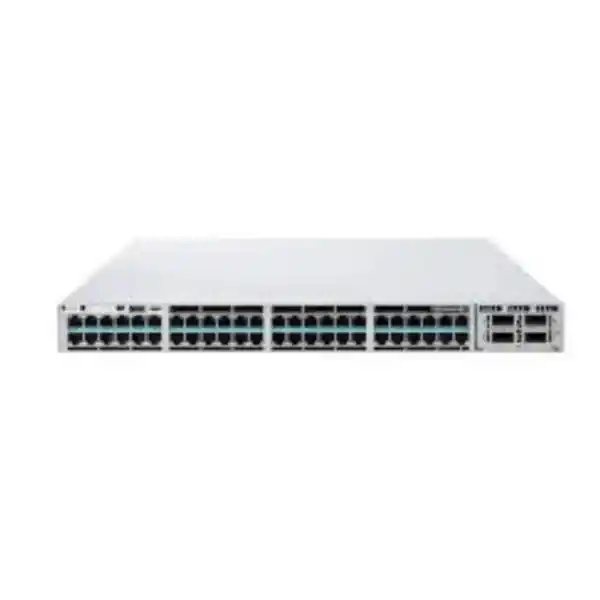
Cisco UPOE+ up to 90W
830W Default PoE Budget
StackWise-480
High-power enterprise access switching for demanding edge devices
The Cisco Catalyst C9300-24H is designed for networks that need more than ordinary PoE at the access layer. It combines 24 copper Gigabit Ethernet ports with Cisco UPOE+ power delivery, a modular uplink architecture, enterprise-class stacking, Cisco IOS XE software, and the operational depth of the Catalyst 9300 family. For a Tanzanian business planning a new office, campus, hotel, healthcare site, education facility, industrial building, retail environment, or surveillance deployment, its key value is simple: it can consolidate network connectivity and high-power endpoint delivery into a resilient access-switch platform without forcing every powered device to depend on a nearby electrical outlet.
This model is especially relevant when the endpoint power requirement is higher than standard IEEE PoE+ can comfortably supply. The C9300-24H supports UPOE+ and IEEE 802.3bt Type 4 operation for compatible devices, with up to 90W available per supported port. The important planning limit is the switch-wide PoE budget: with the default 1100W AC power supply, Cisco specifies 830W of available PoE power. Buyers should therefore size the deployment from the total endpoint power draw, not simply multiply 90W by 24 and assume that amount is available from the standard power configuration.
Who should choose the C9300-24H?
Choose the C9300-24H when you need a premium 24-port enterprise access switch and your design includes devices that may require up to 90W of PoE power, while 1 Gigabit access-port speed is sufficient. Typical examples include pan-tilt-zoom or thermal cameras with heaters and accessories, high-power wireless access points, digital signage, compact downstream switches, building-management gateways, collaboration endpoints, lighting or IoT infrastructure, and other IEEE 802.3bt-capable devices. It also suits mixed environments because lower-power PoE and PoE+ endpoints can share the same access switch with higher-power devices, subject to correct configuration and total power-budget planning.
Do not choose it only because the product name contains the high-power H designation. The C9300-24H has 24 10/100/1000 Mbps downlink ports rather than multigigabit downlinks. If a wireless access point, workstation, storage endpoint, or other device needs 2.5G, 5G, or 10G on its access link, a multigigabit Catalyst model such as a C9300-24UX or C9300X-24HX may be more appropriate. The C9300-24H can use a multigigabit network module in its uplink slot, but that does not convert its 24 access ports into multigigabit ports. This distinction is one of the most important checks before purchase.
Cisco Catalyst C9300-24H key specifications
Specifications describe the C9300-24H hardware platform. Exact software capabilities depend on the ordered license level, current Cisco software release, subscriptions, and configuration. Uplink modules, optics, stack cables, secondary power supplies, and other accessories should be confirmed as separate line items unless the exact quote explicitly includes them.
Understanding the 90W UPOE+ capability
Power over Ethernet is often treated as a secondary switch specification, but with the C9300-24H it is a primary design feature. Standard PoE and PoE+ were created for devices such as phones, basic cameras, and access points with moderate power requirements. Modern edge infrastructure can require considerably more. Cisco UPOE+ combines Cisco high-power PoE capabilities with IEEE 802.3bt support so compatible endpoints can receive power levels up to 90W over the Ethernet connection. This can reduce the need for dedicated electrical outlets close to each device and can make it easier to centralize backup power around the network rack.
The phrase “up to 90W per port” does not mean the default switch power supply can deliver 90W simultaneously to all 24 ports. Twenty-four ports at 90W would represent 2160W of endpoint allocation, while Cisco specifies an 830W PoE budget for the C9300-24H with its default 1100W AC power supply. A realistic bill of materials should therefore record the maximum power requirement of every powered endpoint, add design margin, and compare the total against the available PoE budget for the selected power-supply configuration. Devices rarely draw their label maximum all the time, but sizing only from average power can produce unexpected shortages during startup, heater activation, radio load, USB peripheral use, or future expansion.
For example, a deployment might combine cameras that use 20W to 30W, access points that can require more than standard PoE+, and a small number of specialized 60W to 90W endpoints. The C9300-24H is useful because it allows those power classes to coexist on one enterprise switch while giving the network administrator control over port priorities and allocation. The actual endpoint must also support the relevant PoE mode and cabling must be suitable for the required power and data transmission. High-power PoE makes cable quality, bundle size, connector quality, patch-panel condition, and thermal planning more important than in a low-power network.
If the design requires extensive high-power loading, discuss the intended wattage profile before ordering. The Catalyst 9300 platform supports two power-supply slots, enabling configurations that can be designed for additional PoE capacity or redundancy. The exact result depends on the installed power-supply combination, so the second supply should not be treated as a generic “double the PoE” upgrade. The correct approach is to match Cisco-supported power combinations to the measured or specified endpoint load and to the required redundancy policy.
Modular uplinks: choose the aggregation path you actually need
Unlike fixed-uplink access switches, the C9300-24H uses a field-replaceable network-module slot. This is valuable when the access layer must match different distribution designs over the life of the network. A site can select a module based on the required fiber type, uplink speed, port count, or copper multigigabit requirement rather than being locked to one built-in uplink configuration. Cisco lists C9300 network modules that provide four 1G SFP interfaces, eight 10G/1G SFP+ interfaces, two 25G/10G/1G SFP28 interfaces, two 40G QSFP+ interfaces, or four multigigabit copper interfaces.
The uplink module is not simply an accessory to choose after the switch arrives. It should be part of the network architecture decision. A small site with modest traffic might use 1G fiber, while a campus access closet aggregating many powered cameras and wireless devices may need multiple 10G links. A growing environment may prefer 25G uplinks to increase headroom without moving to a different access switch. A design using 40G can be appropriate when the upstream platform and optics strategy already support that interface. The transceiver type, fiber grade, connector type, link distance, distribution-switch compatibility, and redundancy topology must all be checked with the selected module.
Also remember that the modular uplink choice does not change the speed of the 24 copper access ports. Those remain 10/100/1000 Mbps. If users are buying the switch primarily for modern Wi-Fi access points capable of sustained throughput above 1 Gbps, confirm whether the AP should have a multigigabit wired connection. The C9300-24H can deliver high PoE power, but a different Catalyst model may be a better fit when high power and multigigabit downlink speed are both mandatory.
StackWise-480 for resilient access-layer growth
The C9300-24H supports Cisco StackWise-480, providing 480 Gbps of stack bandwidth for supported Catalyst 9300 configurations. Up to eight compatible members can operate in a StackWise-480 stack under Cisco’s supported mixing and license rules. From an operations perspective, a stack can simplify management because multiple physical switches can be handled as a coordinated switching system rather than as completely independent access devices. This is useful when a wiring closet needs to grow from 24 ports to a larger port count or when resilient uplinks should be distributed across stack members.
Stack design still requires discipline. Members must follow Cisco compatibility rules, including license-level requirements and restrictions around higher-scale Catalyst 9300 variants. Fixed-uplink C9300L models cannot simply be mixed into a modular-uplink C9300 stack. Likewise, C9300X models have their own StackWise-1T capability and can operate with standard C9300 models only under the supported mixed-stack behavior. If a project is likely to add switch models over several years, define the long-term stack family before purchasing the first unit.
Cisco StackPower is also supported on the C9300-24H. StackPower lets compatible switches share power resources through a dedicated power-stack design, which can help build power redundancy or make installed power capacity more flexible across a group. It should be engineered separately from the data stack because cable requirements, power supplies, redundancy objectives, and maximum supported members are different. For a mission-critical deployment, treat data resilience and power resilience as two related but distinct design decisions.
Performance that matches a 24-port enterprise access role
Cisco specifies 208 Gbps of switching capacity and 154.76 million packets per second of forwarding performance for the C9300-24H in standalone operation. With stacking included in the platform figures, Cisco lists 688 Gbps of switching capacity and 511.90 Mpps of forwarding performance. These figures are consistent with the role of the switch as a high-feature enterprise access platform rather than a simple unmanaged or lightly managed PoE device.
Performance numbers should be interpreted together with the access-port and uplink architecture. Twenty-four 1G edge ports do not individually need a 10G connection, but a busy switch can aggregate traffic from many endpoints at once. Selecting sufficient uplink capacity prevents the distribution link from becoming the real bottleneck. High-definition surveillance, wireless traffic, video collaboration, backup jobs, large file transfers, and IoT telemetry can all share the same access layer, so uplink oversubscription should be an intentional design choice rather than an accidental one.
Security and segmentation capabilities
The Catalyst 9300 family is built as an enterprise switching platform with security functions that extend well beyond basic VLAN separation. Cisco IOS XE supports common access-control mechanisms, 802.1X-based admission, first-hop security features, control-plane protection, telemetry, and MACsec capabilities. The hardware family supports both 128-bit and 256-bit MACsec, while the exact feature availability depends on the selected software license and release. Cisco’s current license table, for example, distinguishes advanced capabilities such as MACsec-256, richer routing, advanced segmentation, and some automation functions under Network Advantage.
For buyers, the practical message is that the switch can participate in a security architecture rather than functioning only as a port concentrator. A wired endpoint can be authenticated, assigned policy, placed into the appropriate segment, monitored, and restricted according to business requirements. These controls matter in environments where cameras, staff devices, guest systems, building controls, printers, phones, and operational technology share the same physical switching infrastructure but should not all have the same network privileges.
Cisco also positions the Catalyst 9300 family for Software-Defined Access, encrypted-traffic visibility, group-based policy, and deeper integrations across the Catalyst ecosystem. These are solution-level capabilities rather than automatic functions provided simply by powering on a C9300-24H. They may require specific licenses, controllers, identity services, subscriptions, design work, and compatible software versions. A product quote should therefore separate “supported by the platform” from “included and ready in this exact order.”
That distinction protects the customer from two common purchasing mistakes: overbuying an advanced license for a simple Layer 2 access requirement, or underbuying a base license when the planned design needs advanced routing, segmentation, automation, or security functions. Define the intended architecture before selecting the final part number.
Cisco IOS XE and automation readiness
The C9300-24H runs Cisco IOS XE, Cisco’s modern enterprise network operating system for the Catalyst 9000 family. Beyond familiar command-line administration, IOS XE supports model-driven management and programmability technologies that can help larger IT teams standardize configuration. Depending on license and release, the platform supports tools and interfaces such as NETCONF, RESTCONF, YANG data models, gNMI, streaming telemetry, zero-touch provisioning methods, on-box Python capabilities, and application hosting features.
For a single switch, automation may sound unnecessary. For a company with multiple branches, floors, campuses, or customer sites, the operational benefit grows quickly. Consistent templates can reduce configuration drift, telemetry can provide more structured monitoring than periodic manual checks, and automated provisioning can shorten deployment time when many switches need similar settings. This also improves change control because a repeatable workflow is easier to audit than a collection of one-off manual edits.
The correct automation approach depends on the organization’s operating model. Teams already using infrastructure-as-code practices may prioritize APIs and structured telemetry. Smaller IT departments may prefer centralized Cisco management tooling and standardized configuration templates. The C9300-24H can fit either style, but the chosen license, software train, security policy, and management architecture should be confirmed before a large rollout.
Network Essentials or Network Advantage?
Cisco lists two primary C9300-24H ordering variants for the IOS XE licensing model: C9300-24H-E with Network Essentials and C9300-24H-A with Network Advantage. The hardware description remains the same core 24-port 1G UPOE+ platform, but the software entitlement changes the available feature set. Network Essentials covers fundamental switching and selected routed-access capabilities, while Network Advantage adds advanced routing, segmentation, resiliency, automation, security, and other enterprise functions defined by Cisco’s current license matrix.
A buyer should not select the A or E suffix only from price. Start with the actual technical requirements: routing protocols, scale, VRF and segmentation needs, automation interfaces, high-availability behavior, MACsec requirements, SD-Access plans, and the organization’s future network roadmap. If the switch will provide straightforward access connectivity under an existing routed core, Network Essentials may be sufficient. If the access layer participates in advanced Layer 3, segmentation, or automation design, Network Advantage may be required.
Cisco software packaging and subscription rules can change over the product lifecycle. For that reason, the quote should state the complete orderable part number, the license tier, any required subscription term, support services, and the intended software management model. The generic model name C9300-24H alone is not enough to confirm the commercial software bundle.
Practical Tanzania deployment planning
For deployments in Tanzania, the most useful planning work happens before the switch is shipped to site. Start with the rack and power environment. The C9300-24H is a 1RU enterprise switch and is approximately 19.2 inches deep with the default 1100W power supply installed. Allow additional space behind the chassis for power leads, stack cables, network-module clearance, fiber bend radius, cable management, and service access. Confirm that the rack depth and mounting arrangement suit the site rather than assuming every wall cabinet designed for smaller access switches will be deep enough.
Power continuity is particularly important when one switch is feeding cameras, wireless access points, phones, and other critical devices. A switch outage can become a simultaneous endpoint outage. Size the UPS from the switch input requirement and the expected PoE load, not from the chassis nameplate alone. Consider how long the powered endpoints must remain online during an interruption, whether the distribution switch and upstream router are also protected, and whether a secondary power supply is needed for the required availability target. Surge protection, grounding, rack bonding, ventilation, and maintenance access should form part of the installation plan.
Next, validate the structured cabling. High-power PoE and Gigabit Ethernet depend on all four cable pairs and sound termination. Existing cabling that appears acceptable for low-power phones may reveal faults when asked to carry higher power continuously. Inspect patch panels, patch cords, cable category, pair integrity, connector condition, and long cable runs. Where cable bundles carry substantial PoE load, follow appropriate cabling practices for thermal management. If new fiber uplinks are part of the project, confirm fiber type and distance before ordering SFP, SFP+, SFP28, or QSFP optics.
Finally, document the software and operations plan. Record the intended management IP strategy, VLANs, authentication method, logging destination, time source, configuration backup process, software version policy, administrator access controls, monitoring platform, and change-management procedure. For a stacked design, record member priority, stack-cable routing, uplink distribution, power-stack design, and spare strategy. These details make deployment repeatable across sites and reduce the chance that expensive enterprise hardware is operated like an unmanaged edge device.
Common business scenarios
High-power surveillance
Use the C9300-24H when cameras, heaters, illuminators, PTZ motors, or other accessories push power demand beyond basic PoE+. The 1G access speed is typically ample for individual camera streams, while uplink capacity should be sized for the aggregate video load and recording architecture.
Wireless access layer
The model can power demanding wireless access points where high PoE wattage is needed. Check the AP Ethernet interface carefully: if the AP requires multigigabit wired throughput to deliver its expected performance, choose a multigigabit access-switch model instead of relying only on the C9300-24H power capability.
Smart-building edge
Building-management gateways, lighting controls, sensors, displays, and edge devices can share an access platform with user traffic when segmentation and policy are designed correctly. High-power PoE can reduce local power adapters, while enterprise switching features help separate operational technology from general user networks.
Collaboration and digital signage
Large collaboration endpoints, room systems, signage players, and display-related devices can benefit from centralized network power where supported. Confirm each endpoint’s PoE class and data-rate requirement; some devices still require local AC power even when their network interface supports PoE for auxiliary functions.
Campus access closets
StackWise-480 and modular uplinks make the platform suitable for campus wiring closets that may grow beyond one switch. A consistent stack design can simplify uplink resiliency and management, while the power architecture should be planned for the combined endpoint load across all members.
Branch and multi-site standardization
Organizations with repeated branch designs can standardize on a common Catalyst platform, then select uplink modules and licensing according to each site. Consistent IOS XE operations, templates, monitoring, and spare strategy can reduce support complexity across geographically distributed locations.
How the C9300-24H compares with nearby Catalyst 9300 choices
| Model | Access ports | PoE class | Best reason to choose |
|---|---|---|---|
| C9300-24P | 24 x 1G | PoE+ up to 30W class | Standard powered edge devices without high-wattage demand |
| C9300-24U | 24 x 1G | Cisco UPOE up to 60W | More PoE headroom while retaining 1G access |
| C9300-24H | 24 x 1G | UPOE+ up to 90W | High-power endpoints where 1G downlink speed is sufficient |
| C9300-24UX | 24 x multigigabit up to 10G | Cisco UPOE up to 60W | Multigigabit access performance when 60W is sufficient |
| C9300X-24HX | 24 x 10G multigigabit | UPOE+ up to 90W | High power plus high-speed multigigabit access and a newer higher-performance platform |
This comparison is a decision guide rather than a complete feature matrix. The right model depends on endpoint speed, PoE wattage, uplink architecture, software features, hardware scale, and budget. If the C9300-24H looks attractive only because of its 90W power capability, verify whether the endpoint also needs a wired link faster than 1G. If it does, a multigigabit model can avoid creating a data bottleneck while still meeting the power requirement.
Buying checklist before requesting a quote
A complete C9300-24H quote should be based on the finished architecture, not just the chassis. Use the following checklist to reduce change orders, missing accessories, and compatibility problems during installation.
- Confirm that 24 access ports are sufficient after allowing for spare capacity and future growth.
- Confirm that 1G access speed is sufficient for every endpoint, particularly modern wireless access points.
- List each PoE endpoint and its maximum power requirement, then calculate the total required budget.
- Decide whether the default 830W PoE budget is enough or whether a different supported power design is needed.
- Define whether a second power supply is required for redundancy, additional PoE capacity, or both.
- Select the correct uplink network module from the 1G, 10G, 25G, 40G, or multigigabit options.
- Specify optics, direct-attach cables, or copper uplink media separately and confirm upstream compatibility.
- If stacking is planned, specify stack cables, member count, model compatibility, and license-level consistency.
- Choose C9300-24H-E or C9300-24H-A based on the required Cisco software features.
- Confirm support services, software subscriptions, and entitlement terms that apply to the final Cisco order.
- Check rack depth, ventilation, UPS capacity, grounding, cable management, and environmental conditions at the installation site.
- Record a baseline configuration and operations plan covering management, monitoring, logging, backups, authentication, and software updates.
Providing this information with the request for quotation makes it easier to identify the correct orderable configuration. It also prevents a common problem with modular enterprise switches: buying the correct chassis but discovering later that the uplink module, transceivers, stack accessories, power supply, or license tier does not match the intended design.
Recommended deployment workflow
1. Inventory endpoints
List every device, access speed, PoE requirement, VLAN, security class, and expected growth. Separate devices that genuinely need more than 30W or 60W from those that simply support those modes.
2. Size power
Add maximum endpoint draw, design margin, and future ports. Compare the total with the default 830W PoE budget and decide whether the power-supply design must change.
3. Design uplinks
Estimate aggregate traffic, choose uplink speed and redundancy, then select the network module, optics, fiber, or copper media that matches the upstream switch.
4. Choose licensing
Map routing, segmentation, automation, resiliency, and security requirements to Network Essentials or Network Advantage and document the exact Cisco part number.
5. Prepare the site
Validate rack depth, airflow, UPS, grounding, cable plant, labeling, patching, and physical access before installation. High-power PoE deserves careful cabling inspection.
6. Configure and verify
Apply the approved baseline, update to an appropriate supported software release, test authentication and PoE, verify uplink redundancy, confirm monitoring, and save configuration backups.
Frequently asked questions
Does the C9300-24H provide 90W on all 24 ports at the same time?
Each UPOE+ access port can support power delivery up to 90W for a compatible device, but the total simultaneously available PoE power is limited by the installed power-supply configuration. Cisco specifies an 830W PoE budget with the default 1100W AC power supply. A design that expects many ports to approach 90W must therefore be calculated as a total power system, not from the per-port maximum alone.
Is the C9300-24H a multigigabit access switch?
No. Its 24 downlink ports are 10/100/1000 Mbps copper Ethernet ports. The modular uplink slot can accept a multigigabit network module, but that does not change the speed of the 24 access ports. If the connected devices need 2.5G, 5G, or 10G downlinks, consider a Catalyst 9300 multigigabit model such as the C9300-24UX or a suitable C9300X model.
Does it support IEEE 802.3bt PoE?
Yes. Cisco documents UPOE+ on the C9300-24H with IEEE 802.3bt Type 4 support and power delivery up to 90W for supported powered devices. The connected endpoint, cabling, and switch configuration must also support the required power mode. Always verify the endpoint’s Ethernet and PoE specifications rather than assuming any high-power device will negotiate 90W automatically.
Is an uplink module included with the switch?
Cisco’s Catalyst 9300 modular-uplink architecture treats the network module as a selectable component, and the default chassis configuration does not include a network module. The project should specify the required module explicitly. Available C9300 options include 4 x 1G SFP, 8 x 10G/1G SFP+, 2 x 25G/10G/1G SFP28, 2 x 40G QSFP+, and 4-port multigigabit copper modules.
Can the C9300-24H be stacked?
Yes. It is a standard modular-uplink Catalyst 9300 model and supports StackWise-480. Cisco supports up to eight compatible members in a StackWise-480 stack, subject to the model-mixing and license-level rules in the current documentation. Stack cables are separate design items. If the project will mix C9300 and C9300X hardware, verify the supported mixed-stack behavior before purchasing.
What is the difference between C9300-24H-E and C9300-24H-A?
The E suffix denotes the Network Essentials orderable variant and the A suffix denotes Network Advantage. Both are based on the same C9300-24H high-power hardware platform, but the software entitlement differs. Network Advantage adds advanced capabilities beyond the Essentials feature set. The correct choice depends on routing, segmentation, automation, security, and resiliency requirements, so the full part number should be recorded in the quote.
Can it power modern Wi-Fi access points?
It can power many high-demand access points because UPOE+ supports substantially more power than standard PoE+. However, power and data rate are separate requirements. A modern AP may need more than 1 Gbps of wired throughput even if its power requirement is within the C9300-24H range. Check the AP’s Ethernet interface and expected traffic. If multigigabit connectivity is required, use a switch with multigigabit downlink ports.
Does the switch support redundant power supplies?
The Catalyst 9300 platform supports two power-supply slots. The C9300-24H ships with a default 1100W AC power supply configuration, while a second compatible supply can be added as part of a supported design. The second supply can contribute to resilience and, depending on the supported combination, available PoE capacity. Define whether the objective is redundancy, additional PoE headroom, or both before selecting the power configuration.
What rack space and depth should be allowed?
The C9300-24H is a 1RU switch. Cisco lists the chassis at about 1.73 inches high and 17.5 inches wide, with a depth of about 19.2 inches when the default 1100W power supply is installed. The cabinet should provide additional rear clearance for power cables, uplinks, stack cables, fiber bend radius, and service access rather than matching the chassis depth exactly.
What should a Tanzania buyer provide when requesting a quote?
Provide the required quantity, preferred Network Essentials or Network Advantage tier if known, endpoint PoE loads, uplink speed and media, stacking requirement, power-redundancy requirement, optic types and distances, support expectations, and any existing Cisco architecture that the switch must join. If these details are not yet known, provide the device list and network diagram so the bill of materials can be developed from the actual design rather than from the chassis alone.
Are price, stock, warranty, and delivery time fixed for this product?
Those commercial details can vary by configuration, sourcing route, support choice, and current availability. They should be confirmed on the specific quotation for Tanzania. The C9300-24H chassis name by itself does not define the complete delivered solution because licensing, uplink modules, optics, stack accessories, secondary power supplies, and support services can materially change the final bill of materials.
Request the correct C9300-24H configuration for your network
The Cisco Catalyst C9300-24H is a strong choice when your priority is enterprise access switching with 24 Gigabit copper ports and high-power UPOE+ delivery up to 90W per compatible port. Its modular uplinks, StackWise-480 support, StackPower capability, dual-power architecture, and IOS XE software make it suitable for networks that need a longer-term platform rather than a basic PoE switch.
For a quote, share the endpoint count, PoE wattage, uplink speed, fiber or copper requirement, license tier, stacking plan, and power-redundancy objective. The configuration can then be matched to the required C9300-24H orderable variant and the necessary network module, optics, stack accessories, power supplies, software entitlements, and support items without assuming components that may not be included by default.




Reviews
There are no reviews yet.