
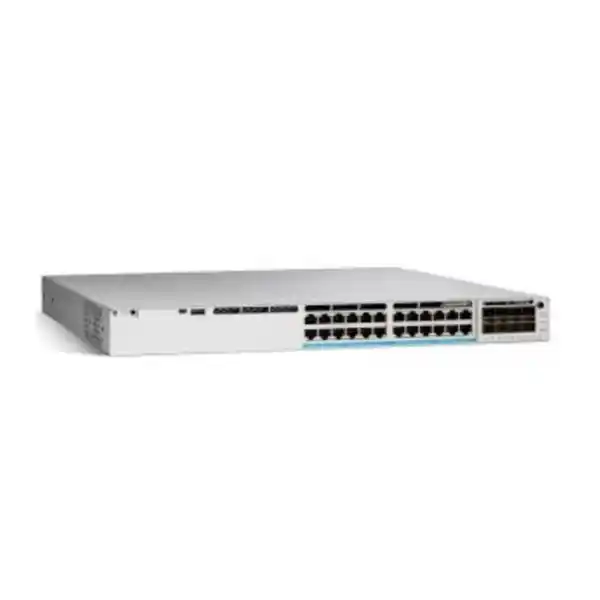
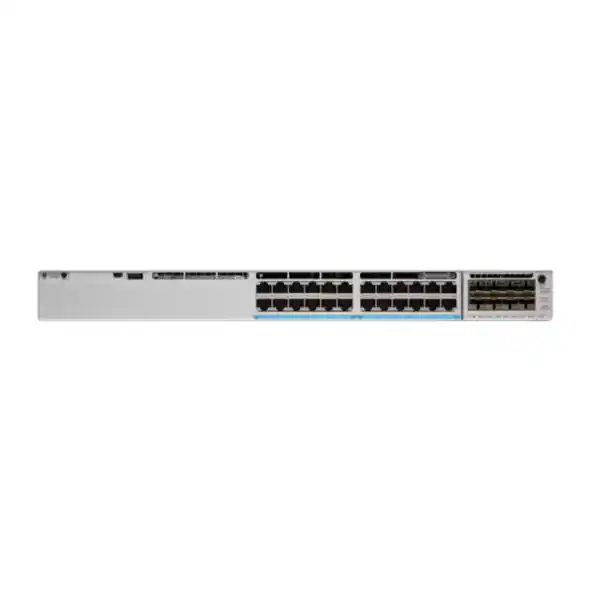
Cisco Catalyst C9300X-24Y Network Switch
For organizations planning a high-speed fiber access or distribution layer, the Cisco Catalyst C9300X-24Y brings twenty-four multi-rate SFP28 interfaces into a stackable enterprise switching platform. Each downlink can be designed for 25G, 10G, or 1G fiber connectivity, allowing the same switch to serve mixed generations of network equipment while creating a clear upgrade path toward higher-capacity campus and aggregation links.
The model is especially relevant where a network team needs dense fiber, substantial switching performance, modular uplink choices, hardware-assisted security capabilities, and Cisco IOS XE operations without moving to a larger chassis. For a Tanzania deployment, the key purchasing decision is not only the switch itself: optics, fiber distance, uplink module, software license level, stacking accessories, power redundancy, rack depth, and the intended management model should all be confirmed as part of the design.
Quick specification overview
| Model | Cisco Catalyst C9300X-24Y |
|---|---|
| Access interfaces | 24 × SFP28 supporting 25G/10G/1G fiber |
| Uplink design | Modular uplinks; module selected separately according to required speed and port density |
| Standalone switching capacity | 2,000 Gbps |
| Switching capacity with stacking | 3,000 Gbps |
| Forwarding rate | 1,488 Mpps standalone; up to 2,232 Mpps with stacking |
| Stacking | StackWise-1T; up to eight compatible Catalyst 9300X members |
| System memory | 16 GB DRAM and 16 GB flash on Catalyst 9300X |
| Default power supply | 715W AC platform configuration |
| PoE | No PoE on the SFP28 access ports |
| Dimensions with installed components | Approximately 4.4 × 44.5 × 52.6 cm (H × W × D) |
| Weight with default power supply | Approximately 7.35 kg |
Performance, security, management, and feature availability can depend on the selected software package, license entitlement, optics, uplink module, and deployed topology. Confirm the final bill of materials for the exact project rather than assuming every Catalyst 9300X capability is active in every license combination.
What makes the C9300X-24Y different?
Many access switches are designed around copper Ethernet and Power over Ethernet. This model addresses a different requirement: high-density fiber connections at the access or distribution layer. Its twenty-four SFP28 ports give designers a common platform for 1G, 10G, and 25G fiber links. That flexibility is useful when an organization is upgrading in phases and must continue supporting existing 1G or 10G equipment while introducing 25G servers, distribution links, security appliances, wireless aggregation, or other high-throughput endpoints.
Cisco positions the 24Y as a higher-density fiber model for campus access and distribution. In practical terms, it can help reduce the number of separate speed-specific switches in a rack when the optical transceivers, fiber plant, and connected devices are correctly matched. The switch also belongs to the Catalyst 9300X family, which adds higher-capacity stacking and hardware crypto capabilities beyond standard Catalyst 9300 platforms.
The important limitation is equally clear: the C9300X-24Y is not a PoE access switch. Its front-panel SFP28 ports are intended for fiber or supported optical/direct-attach connectivity, not for powering desk phones, Wi-Fi access points, cameras, or other powered devices. If the project requires copper access plus PoE or UPOE+, a different Catalyst 9300X or Catalyst 9300 model may be the more appropriate choice.
High-density 25G fiber for modern campus designs
Campus fiber access
Use multi-rate SFP28 interfaces to connect fiber-fed access blocks, building distribution points, high-speed wireless aggregation, or network appliances while retaining compatibility with selected lower-speed links.
Distribution and aggregation
The 24-port fiber density and multi-terabit switching capacity make the platform suitable where many downstream links converge and where 25G access speeds can reduce oversubscription pressure.
Phased upgrades
A mixed-speed design can preserve useful 1G and 10G optical links while preparing selected paths for 25G, subject to the supported optics and the capabilities of each connected endpoint.
Lean branch or edge aggregation
Where a branch or remote site has many fiber links but does not justify a chassis, a stackable 1RU platform can provide a compact operational model with room to scale.
Performance for demanding east-west and north-south traffic
Cisco specifies 2,000 Gbps of standalone switching capacity for the C9300X-24Y and 1,488 million packets per second of forwarding performance using 64-byte IPv4 packets. In a supported stacked configuration, the published platform figures rise to 3,000 Gbps of switching capacity and 2,232 Mpps of forwarding. Cisco also identifies the Catalyst 9300 Series as providing wire-speed, nonblocking performance for IPv4 and IPv6 in the listed performance tables.
Those numbers matter when multiple high-speed links are active at the same time. A 25G-capable access port can quickly expose bottlenecks in an older aggregation design, especially where storage, virtualization, high-capacity wireless, video, backup, data replication, or cloud traffic converge. Selecting a switch with enough fabric capacity is only part of the design: the uplink module, link aggregation strategy, routing architecture, optics, and remote peer capacity must also be sized so that the rest of the path can carry the traffic that the access ports can generate.
For buyers comparing this platform with lower-speed alternatives, the practical question is whether the network needs the density of twenty-four 25G-capable fiber ports today or during the expected service life of the switch. If the answer is yes, the C9300X-24Y can reduce the need for an early replacement when server, campus backbone, or distribution links move beyond 10G.
Modular uplinks: choose the right northbound capacity
The C9300X-24Y uses a modular uplink architecture, which lets the network design select uplink capacity separately from the twenty-four SFP28 access ports. Cisco lists Catalyst 9300X network modules that can provide combinations such as 10G/1G, 25G/10G/1G, and 100G/40G. The C9300X-NM-4C 4-port 100G/40G module is specifically listed as compatible with the C9300X-24Y. Other Catalyst 9300X network modules include the C9300X-NM-8M, C9300X-NM-8Y, and C9300X-NM-2C.
The default switch configuration does not include a network module, so uplink selection should be part of the bill of materials rather than treated as an afterthought. A deployment using many 25G downlinks may justify 100G uplinks to reduce oversubscription. A smaller site with lower aggregate traffic may choose a different module. The correct answer depends on traffic patterns, redundancy design, peer-switch interfaces, expected growth, and whether uplinks will operate independently or as port channels.
Confirm the exact uplink module, optical transceivers, fiber type, connector type, and link distance before ordering. A switch chassis alone does not define the complete optical design.
StackWise-1T for scale and operational simplicity
Catalyst 9300X models support StackWise-1T, providing up to 1 Tbps of stacking bandwidth. Cisco allows up to eight compatible members in a StackWise-1T stack when the required stack cables and licensing conditions are met. This can let administrators operate multiple physical switches as a coordinated stack, simplify certain management tasks, and build greater port density without moving immediately to a chassis architecture.
Mixed stacking with standard Catalyst 9300 models is also supported in specified combinations, but Cisco notes that mixed C9300X and C9300 stacks operate at StackWise-480 speeds and require the same license level among supported members. That distinction matters in upgrade projects: adding a newer C9300X to an existing stack does not automatically preserve the 1 Tbps stacking rate. Review the intended member models, license levels, stack cabling, and software release before treating a mixed-stack design as equivalent to an all-C9300X deployment.
For critical networks, stacking is not a substitute for a complete resilience design. Power diversity, upstream path diversity, routing convergence, optic redundancy, maintenance procedures, and failure-domain planning still determine how the service behaves during hardware or link failure. Use StackWise as one layer in a broader availability plan.
Security capabilities built into the Catalyst 9300X platform
The Catalyst 9300X family is based on Cisco’s UADP 2.0sec ASIC. Cisco documents hardware-based IPsec capabilities up to 100 Gbps on the platform and support for AES-256 secure tunnel connectivity. The platform also supports MACsec link encryption, Secure Boot, signed software images, and hardware identity mechanisms intended to strengthen trust in the switching infrastructure. These capabilities can be useful for organizations carrying sensitive traffic between buildings, sites, data centers, or cloud-connected edges.
Security features are not all equivalent from a licensing perspective. Cisco’s current feature tables distinguish between Network Essentials and Network Advantage capabilities, and advanced functions such as MACsec-256, network segmentation technologies, advanced routing, and IPsec may require specific license entitlements or add-ons. Cisco also notes that an HSEC key is required for the IPsec feature on relevant deployments. The safe purchasing approach is therefore to define the security requirement first and then map it to the exact switch PID, software subscription, and add-on license rather than assuming a base chassis name guarantees every advanced feature.
For a procurement team, this licensing distinction is important because the physical switch can remain identical while the feature set differs materially. Document whether the design needs only Layer 2 and routed-access functions, advanced routing protocols, segmentation with VRF/VXLAN/LISP/TrustSec, MACsec-256, IPsec, advanced telemetry, application hosting, Cisco ThousandEyes capabilities, or Cisco Catalyst Center functions. That requirements list should drive the final license selection.
Cisco IOS XE, automation, and visibility
Cisco IOS XE provides the software foundation for enterprise network operations on Catalyst 9300 Series switches. The platform supports model-driven programmability and automation technologies such as NETCONF, RESTCONF, YANG, streaming telemetry, and on-box Python capabilities according to the selected software package. These tools can help network teams move from device-by-device configuration toward repeatable workflows, configuration management, telemetry pipelines, and API-driven operations.
For organizations standardizing on Cisco Catalyst Center, the platform can participate in Cisco’s automation, assurance, inventory, and Software-Defined Access architecture when the required licenses and design prerequisites are in place. Cisco also offers a Meraki cloud-management experience for supported Catalyst 9300 Series configurations. The product family therefore supports more than one operational model, but that flexibility should not be interpreted as automatic inclusion of every cloud or assurance service with every chassis purchase.
A good deployment plan decides the management model before implementation. Teams should determine where configuration authority will live, how software images will be managed, how telemetry will be collected, how configuration backups will be handled, which monitoring system will receive alerts, and who owns license administration. Doing this early is particularly valuable for distributed organizations where network devices may be installed in multiple offices, campuses, branches, or technical rooms.
Licensing choices: Essentials, Advantage, and cloud-managed variants
Cisco’s ordering information distinguishes multiple product numbers for the 24-port 25G fiber platform. The C9300X-24Y-E corresponds to a Network Essentials base license, while the C9300X-24Y-A corresponds to Network Advantage. Cisco also lists a C9300X-24Y-M ordering option for Meraki Advanced or Enterprise software. The user-facing model name “C9300X-24Y” therefore describes the hardware family but does not by itself identify the complete licensed configuration.
Network Essentials covers core switching functionality and selected routed-access capabilities. Network Advantage adds advanced routing and segmentation features in Cisco’s current feature matrix. Additional Cisco Catalyst or Cisco DNA software entitlements can enable broader automation, assurance, advanced telemetry, SD-Access, security, ThousandEyes, or application-hosting functions depending on the package. Because Cisco periodically updates software packaging and supported releases, the recommended approach is to validate the current bill of materials against the exact operational features required at the time of purchase.
When requesting a quotation in Tanzania, specify the desired management approach and the features the network must support, not only the physical port count. That makes it possible to select the correct -E, -A, or cloud-managed path and any required software term or security add-on without overbuying unnecessary capability or under-licensing a design that depends on advanced functions.
Fiber and optics planning for Tanzania deployments
A fiber switch purchase succeeds only when the optical design is treated as part of the network, not as a separate accessory decision. In Tanzania, organizations may be connecting equipment across a single equipment room, between floors, across buildings, or over longer campus distances. Each scenario can require a different optic and fiber type. Multimode and single-mode fiber are not interchangeable simply because the switch accepts an SFP-format transceiver, and the supported reach depends on the exact optic, wavelength, cable plant, connector quality, and remote interface.
Start by documenting every planned link: source port speed, destination interface, fiber type, connector, strand availability, expected distance, redundancy requirement, and whether the path crosses patch panels or intermediate distribution frames. Then select supported 1G, 10G, or 25G optics or direct-attach components for each link. This avoids common procurement problems such as purchasing 25G transceivers for peers that only support 10G, mixing incompatible wavelengths, overlooking single-mode requirements for longer runs, or discovering that an existing fiber plant needs cleaning, testing, or replacement.
For 25G adoption, also verify that the connected device supports the intended 25G Ethernet mode and that the cabling path has the optical budget required by the selected transceivers. Where a migration is phased, it can be useful to document which ports begin at 1G or 10G and which will later move to 25G. That plan helps operations teams avoid accidental mismatches during expansion.
Because the C9300X-24Y has no PoE on its SFP28 access ports, devices such as access points, IP cameras, or phones must receive power elsewhere if they are connected through a media architecture that ultimately terminates on this switch. In many campus designs, that means PoE remains at an edge access switch while the C9300X-24Y aggregates those access switches over fiber.
Power, rack, cooling, and physical planning
Cisco lists a 715W AC default power supply for the C9300X-24Y platform configuration. The chassis supports redundant field-replaceable power-supply and fan concepts within the Catalyst 9300X family, so projects that require power resilience should define whether a secondary supply, independent power feeds, UPS capacity, and generator-backed circuits are part of the solution. Redundant hardware only adds value when the upstream electrical design avoids a single shared failure point.
With installed components, Cisco lists the C9300X-24Y at approximately 4.4 cm high, 44.5 cm wide, and 52.6 cm deep, with a weight of about 7.35 kg when equipped with the default power supply. Rack depth should be checked carefully, especially in wall-mounted or shallow cabinets that were designed for smaller access switches. Allow additional rear clearance for power leads, stacking cables, airflow, and service access.
Cisco’s hardware guidance also defines environmental operating limits. The equipment room should therefore provide controlled temperature, ventilation, dust management, and power quality appropriate for enterprise network hardware. In locations where mains disturbances or outages are possible, size UPS systems for the complete network load and desired runtime rather than relying on the wattage printed on a single power supply. Consider the switch, optics, peer devices, routers, security appliances, servers, and any cooling systems required to keep the rack within specification.
Good physical planning also includes labeling. Label every fiber pair, patch panel, optic type, stack cable, uplink, power feed, and rack position. That reduces troubleshooting time and lowers the risk of disconnecting the wrong path during maintenance.
Common deployment scenarios
Campus distribution
Aggregate multiple building or floor switches over 10G or 25G fiber, then use a suitable modular uplink toward core switching. This is a strong fit when the access layer is already fiber-rich and traffic growth is pushing beyond traditional 10G aggregation.
Server and appliance aggregation
Connect servers, storage-facing devices, security appliances, or service platforms that use 10G or 25G Ethernet, while maintaining headroom for higher-capacity northbound links. Validate each endpoint’s supported optics and network topology first.
High-speed branch core
Use a compact stackable platform for a branch that has significant fiber distribution but does not require a modular chassis. Stacking can increase port count while preserving a consistent Catalyst operational model.
Migration from 1G/10G fiber
Retain selected existing optical links while migrating priority paths to 25G over time. This can be useful when replacement must be staged across budgets, buildings, or maintenance windows.
Secure site interconnection
Where the network design calls for encrypted connectivity, Catalyst 9300X hardware supports IPsec and MACsec capabilities, but the exact use case must be checked against license, HSEC, software release, topology, and performance requirements.
Automation-led enterprise operations
Organizations using APIs, telemetry, configuration automation, Cisco Catalyst Center, or supported Meraki management can integrate the switch into a broader operational framework rather than managing every change manually.
How to decide whether this 24-port fiber model is the right fit
Choose this model when the project genuinely benefits from dense SFP28 fiber. Twenty-four 25G-capable ports provide substantial bandwidth, but a design that only needs a handful of 10G optical links may be better served by a smaller or less specialized platform. Conversely, if the site expects many 25G links and high-capacity uplinks, buying a lower-speed switch can create an expensive replacement cycle.
| Requirement | C9300X-24Y fit | What to verify |
|---|---|---|
| 24 high-speed fiber ports | Strong fit | Optics, peer speeds, fiber plant |
| 25G server or distribution links | Strong fit | Endpoint support and optical reach |
| PoE endpoints | Not a direct fit | Use a PoE access model and fiber uplink |
| 100G uplinks | Supported with appropriate module | Module, optics, remote peer |
| Up to 1 Tbps stacking | Supported in compatible C9300X stack | Members, cables, licenses, software |
| Advanced routing/security | Platform capable | Exact entitlement and required add-ons |
C9300X-24Y versus nearby Catalyst 9300X choices
The closest fiber alternative in the Catalyst 9300X family is the C9300X-12Y, which provides twelve 25G/10G/1G SFP28 ports instead of twenty-four. The 12Y can be appropriate where fiber density is lower, while the 24Y is better suited to a larger aggregation point or a deployment that expects significant growth. The choice should reflect actual link counts plus a reasonable expansion allowance rather than using port count as the only performance indicator.
Copper-oriented Catalyst 9300X variants serve different needs. Models such as the C9300X-24HX provide high-speed multigigabit copper and UPOE+ capabilities, making them more suitable for directly connecting and powering compatible access devices. The C9300X-24Y is preferable when the requirement is dense fiber and the endpoints do not depend on switch-supplied PoE.
This distinction helps avoid a common mistake: comparing Catalyst model numbers without comparing the media type. A 24-port switch with copper multigigabit interfaces and a 24-port switch with SFP28 fiber ports may share a family name, yet they solve very different physical-layer problems.
Deployment and migration checklist
- Define the role. Confirm whether the switch will operate as fiber access, distribution, aggregation, branch core, server aggregation, or part of a larger campus architecture. The role determines uplink capacity, routing requirements, and resiliency needs.
- Count links by speed. Document how many 1G, 10G, and 25G connections are required on day one and what growth is expected over the service life of the switch.
- Audit the fiber plant. Verify multimode or single-mode fiber, connector type, strand availability, patch-panel paths, estimated loss, distance, and any existing optic standards.
- Select supported optics. Match every local optic to the remote interface and fiber path. Avoid choosing optics only by form factor or speed label.
- Choose the uplink module. Size northbound capacity according to expected aggregate traffic and redundancy. Consider whether 25G, 40G, or 100G uplinks are required.
- Plan stacking. If multiple switches will operate as a stack, verify member compatibility, StackWise cables, license levels, software versions, and required maintenance windows.
- Choose the software entitlement. Map routing, segmentation, security, automation, assurance, and management requirements to the correct Network Essentials, Network Advantage, Cisco Catalyst/DNA, or supported Meraki option.
- Design power resilience. Decide whether the project needs a second power supply, independent circuits, UPS backup, or StackPower architecture and confirm the complete electrical load.
- Validate rack dimensions. The chassis is deeper than many compact access switches. Check usable rack depth and cable-clearance requirements before delivery.
- Prepare the migration plan. Schedule configuration staging, optics installation, fiber testing, change control, rollback steps, monitoring, and post-cutover validation before moving production links.
Operational design considerations
A high-performance switch should be deployed with equally disciplined operational processes. Establish a standard configuration baseline covering management interfaces, AAA, role-based access, secure protocols, NTP, DNS, logging, telemetry, SNMP where required, interface descriptions, spanning-tree policy, routing policy, QoS, and security controls. Even where Cisco automation tools are used, a documented baseline helps auditors, operations teams, and future engineers understand the intended state.
Monitoring should cover more than whether the chassis is reachable. Track interface utilization, errors, optic diagnostics where available, packet drops, CPU and memory behavior, environmental alarms, power-supply status, stack health, routing adjacencies, and software events. On 25G links, a physical-layer issue can create significant application impact quickly, so proactive monitoring of error counters and optical levels is particularly valuable.
Software lifecycle management also deserves attention. Keep an approved release strategy, test upgrades against required features, back up configurations before changes, and document rollback procedures. In stacked environments, understand how a software upgrade affects all members and the services connected through them. Avoid treating a stack as eight independent switches during change planning; it can share operational dependencies.
Finally, maintain an accurate inventory of chassis serial numbers, power supplies, uplink modules, optics, stack cables, software entitlements, and deployed locations. That information speeds support cases, spares planning, and future capacity reviews.
Questions to settle before requesting a quote
- Do you need exactly twenty-four SFP28 access ports, or would a twelve-port fiber model meet the design?
- How many links will run at 25G, 10G, and 1G at installation and after expected growth?
- Are the existing fiber runs single-mode or multimode, and what are the measured or estimated distances?
- Which optical transceivers or direct-attach cables are required at both ends of each connection?
- Does the design need 100G uplinks, and which C9300X network module matches that requirement?
- Will the switch operate standalone, in an all-C9300X StackWise-1T stack, or in a supported mixed Catalyst 9300 stack?
- Is Network Essentials sufficient, or are Network Advantage features such as advanced routing, segmentation, or MACsec-256 required?
- Is IPsec part of the design, and have the required entitlement and HSEC requirements been validated?
- Will operations use conventional Cisco IOS XE management, Cisco Catalyst Center, supported Meraki cloud management, or a combination aligned to the chosen license?
- Is redundant power required, and are separate UPS-backed feeds available in the rack?
- Does the equipment cabinet provide enough depth, airflow, and rear clearance for the chassis and cabling?
- What spares are required for critical optics, power, fans, stack cables, and uplink components?
Frequently asked questions
How many ports does the Cisco Catalyst C9300X-24Y have?
It provides twenty-four SFP28 access ports. Cisco specifies these ports for 25G, 10G, or 1G operation, subject to supported optics, cabling, and remote-device compatibility.
Does the C9300X-24Y provide PoE?
No. This is a fiber data switch and Cisco lists no PoE for the C9300X-24Y access ports. Choose a suitable PoE or UPOE+ Catalyst model when powered copper endpoints must connect directly to the switch.
Can it use 100G uplinks?
Yes, the Catalyst 9300X platform supports modular 100G/40G uplink options. Cisco specifically lists the C9300X-NM-4C as compatible with the C9300X-24Y. The final module and optics should be selected according to the peer device and topology.
What is the switching capacity?
Cisco specifies 2,000 Gbps standalone switching capacity and 3,000 Gbps with stacking for the C9300X-24Y, with forwarding rates of 1,488 Mpps standalone and 2,232 Mpps with stacking.
How many switches can be stacked?
Cisco documents up to eight Catalyst 9300X switches in a StackWise-1T stack. Mixed stacking with supported Catalyst 9300 models is possible but operates at StackWise-480 speeds and has model and license considerations.
Does the switch support MACsec and IPsec?
The Catalyst 9300X platform supports MACsec and hardware-based IPsec capabilities. Exact availability depends on the selected software package, license, software release, and in the case of IPsec, applicable HSEC requirements. Validate the entitlement for the planned security design.
Is Network Essentials or Network Advantage better?
It depends on the network design. Network Essentials covers core switching and selected routed-access functions, while Network Advantage adds advanced routing and segmentation capabilities in Cisco’s feature matrix. Requirements should drive the license choice.
Can it be managed through the Meraki dashboard?
Cisco offers cloud-managed Catalyst 9300 Series options and lists a C9300X-24Y-M ordering path for Meraki Advanced or Enterprise software. Confirm the intended operational mode and current licensing before ordering.
What should I include in a quotation request?
Include the required switch quantity, license level, uplink module, optics, fiber distances, stacking requirement, redundant power requirement, software term, desired management platform, and any security features such as MACsec or IPsec. This produces a more accurate bill of materials than requesting the chassis alone.
Is this switch suitable for a Tanzania enterprise or campus network?
It can be suitable where the technical requirement calls for high-density fiber, 25G-capable access or distribution links, enterprise routing and security, and stackable architecture. The project should still validate local power design, rack conditions, optics, fiber distances, licensing, and the complete deployment bill of materials.
Request a C9300X-24Y solution quote
For the most useful quotation, provide the number of switches, expected 1G/10G/25G port mix, fiber type and distances, required uplink speed, stacking plan, software feature requirements, preferred management method, and redundancy expectations. This makes it possible to define the switch, license, uplink module, optics, stacking components, and power options as one coherent solution.
Request a verified Tanzania-ready bill of materials before purchase.
Technical capabilities and software packaging can change by Cisco release and entitlement. Final configuration should be validated against the current Cisco documentation and the exact product PID selected for the order. No price, stock status, delivery time, warranty term, local certification, or service-level promise is stated here because those details were not verified for the target Tanzania listing.




Reviews
There are no reviews yet.