
Cisco Catalyst 9300X • Enterprise access switching
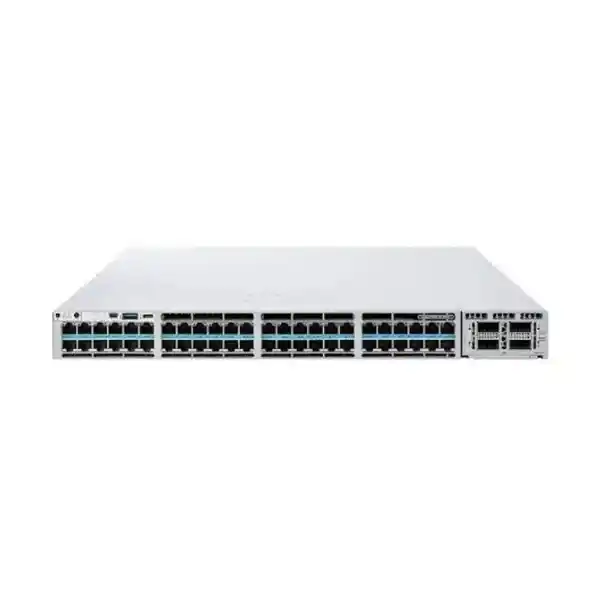
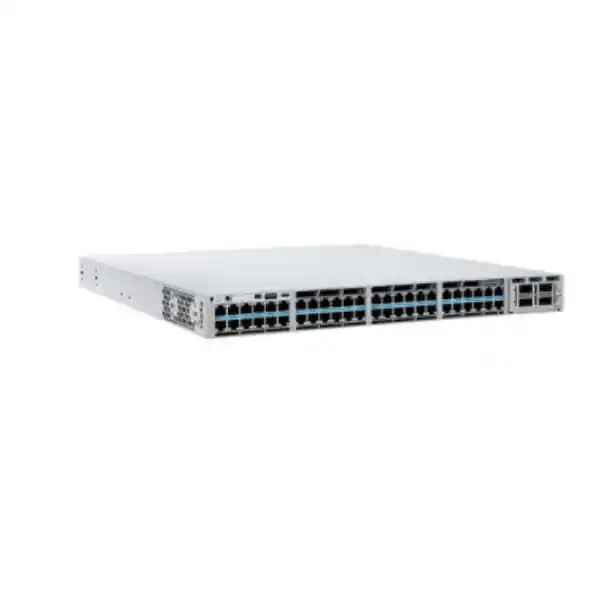
Cisco Catalyst C9300X-48HXN Network Switch
The Cisco Catalyst C9300X-48HXN is designed for enterprise access networks that need more bandwidth and power at the edge without moving every endpoint to fiber. It combines 48 Cisco UPOE+ multigigabit copper ports, a mix of 5G and 10G access speeds, modular high-speed uplinks and StackWise-1T stacking. For buyers planning Wi-Fi 6/6E access, dense collaboration endpoints, powered building systems or high-performance user access, the key value is the ability to consolidate data and power on familiar copper cabling while retaining a path to faster uplinks and resilient stacking.
size the PoE load, choose the required license variant and select the uplink module before requesting a quote. The base C9300X-48HXN model name alone does not define the complete orderable configuration.
Why the C9300X-48HXN fits demanding access networks
Many enterprise access networks now carry a mix of ordinary 1G devices and endpoints that can use substantially more bandwidth. Wireless access points, engineering workstations, media systems, high-resolution cameras, edge appliances and specialist devices can outgrow a traditional 1G access layer even when the existing structured cabling remains usable. The C9300X-48HXN addresses that transition with multigigabit Ethernet on every access port. Forty ports can negotiate at 100 Mbps, 1G, 2.5G or 5G, while eight ports extend the range to 10G. That layout is useful when most devices need up to 2.5G or 5G but a smaller set of high-demand endpoints should receive 10G copper connectivity.
The switch also combines this access density with Cisco UPOE+ power delivery. Cisco positions the platform for high-speed wireless access and smart-building use cases where an Ethernet link may also need to power the attached device. The practical design question is not simply whether a port is capable of high-power PoE; it is whether the total power budget matches the number and power class of endpoints that will be connected at the same time. With the standard 1100W AC power supply, Cisco specifies 690W of available PoE power for this model. Larger or secondary power-supply combinations can raise that available budget. This makes bill-of-materials planning important for deployments with many power-hungry endpoints.
For Tanzania deployments, this combination can be attractive where the objective is to refresh the access layer once and support a mixed estate for several years. Existing 100M and 1G devices can coexist with newer multigigabit endpoints, while modular uplinks and stacking provide room to scale the aggregation side. The result is a platform that can serve as a high-capacity campus, office, education, hospitality or institutional access switch without forcing every connected device into the same speed tier.
Port layout: understand the 40-port and 8-port split
The C9300X-48HXN has 48 copper access ports, but they are not all identical in maximum data rate. Cisco documents 40 ports as 100M/1G/2.5G/5G multigigabit interfaces and eight ports as 100M/1G/2.5G/5G/10G multigigabit interfaces. All 48 are Cisco UPOE+ ports. This distinction matters during port assignment. If the design includes a small number of servers, high-throughput workstations, Wi-Fi access points with 10GBASE-T uplinks or other endpoints that can exceed 5G, those endpoints should be mapped to the eight 10G-capable ports. The remaining forty ports still provide significantly more headroom than standard Gigabit Ethernet and are well suited to endpoints that negotiate at 2.5G or 5G.
| Access-port group | Port count | Supported access speeds | Power |
|---|---|---|---|
| 5G multigigabit group | 40 | 100M / 1G / 2.5G / 5G | Cisco UPOE+ |
| 10G multigigabit group | 8 | 100M / 1G / 2.5G / 5G / 10G | Cisco UPOE+ |
This asymmetric design is one of the main reasons to choose the HXN rather than simply looking for a generic “48-port 10G switch.” It concentrates 10G capability where it is likely to be most valuable while maintaining forty multigigabit access ports for the broader edge. When assessing cabling, remember that negotiated multigigabit speed depends on the endpoint, cable quality, channel length and installation conditions. The switch can provide the capability, but an end-to-end link must also support the intended rate.
UPOE+ and PoE budgeting: design for the real load
Cisco identifies the C9300X-48HXN as a full UPOE+ model with support for high-power delivery at the access port. That is useful for modern wireless access points, video devices, collaboration systems, building controls and other powered endpoints that may require more than conventional PoE+. However, a per-port maximum and the switch-wide power budget are different measurements. With the default PWR-C1-1100WAC-P power supply, Cisco lists 690W of available PoE power. A deployment that attempted to draw high power on many ports simultaneously would therefore need a carefully selected power-supply configuration rather than assuming every port can consume its maximum at once.
Cisco also supports an upgraded 1900W power supply and secondary power supplies on this platform. The exact available PoE budget changes with the primary and secondary supply combination. For example, Cisco’s current data sheet lists 1490W with the 1900W primary supply alone and higher totals when a supported secondary supply is added. Those figures are useful for planning, but a project bill of materials should be based on the actual endpoint inventory and the selected redundant-power design. A simple PoE worksheet should record each device type, quantity, expected draw, worst-case draw, whether startup surges are relevant and the ports reserved for future growth.
This planning discipline is particularly useful where the switch is expected to power access points and building systems continuously. It keeps the design grounded in actual electrical demand, preserves reserve capacity for failures or growth and helps determine whether the project needs a second supply from day one. Power continuity for the rack itself should also be considered separately; switch power supplies cannot replace suitable upstream UPS and electrical design.
Modular uplinks for 10G, 25G, 40G and 100G designs
The uplink side is modular rather than fixed, which lets the network team select an uplink format that matches the distribution or core design. Cisco lists C9300X network modules that include multigigabit copper, SFP28 and QSFP28 options. Relevant modules include the C9300X-NM-8M for multigigabit copper, C9300X-NM-8Y for 25G/10G/1G fiber interfaces and C9300X-NM-2C for 100G/40G interfaces. The network module is not part of the default base configuration, so it should be included explicitly in the order when uplinks are required.
There is an important C9300X-48HXN-specific limitation that should be checked before purchasing an eight-port network module. On this HXN platform, the nominal eight-port 8Y and 8M modules do not provide eight usable ports. Cisco’s current software documentation states that on Cisco IOS XE 17.8.1 and later, ports 1 through 6 are usable on those modules while ports 7 and 8 are permanently disabled. On earlier supported releases, fewer of those module ports are usable. The C9300X-NM-2C provides two 40G/100G interfaces; current documentation also describes breakout support only on one of the two ports in the relevant newer software releases.
Another selection point is the C9300X-NM-4C. Cisco lists that four-port 40/100G module for certain C9300X models but not for the C9300X-48HXN. Buyers should therefore avoid assuming that every C9300X module is interchangeable across every C9300X chassis. The cleanest design process is to choose the desired uplink speed and media, verify the exact module against the HXN compatibility notes, confirm the planned Cisco IOS XE release, then select the optics or cables supported by that module and software combination.
StackWise-1T for scale and operational simplicity
The C9300X family supports Cisco StackWise-1T, providing 1 Tbps of stacking bandwidth for stacks built from compatible C9300X members. Cisco supports up to eight stack members, allowing multiple physical switches to operate with a shared management and control-plane model. For an access network, that can reduce operational overhead compared with managing each switch as an isolated device. It can also provide a cleaner path for adding access-port capacity while keeping a consistent logical design across a wiring closet or access block.
Stack design still requires attention to model and license compatibility. Cisco states that C9300X switches can stack with other Catalyst 9300X models at StackWise-1T speeds when the relevant license levels match. They can also stack with C9300 models, but in that mixed case the stack operates at StackWise-480 speeds, again subject to Cisco’s compatibility rules. A migration plan should therefore consider whether existing C9300 switches will remain in the stack or whether the objective is to build a new C9300X-only stack that preserves the 1 Tbps stacking capability.
For high-density wireless and powered-edge deployments, stack planning should include more than data bandwidth. Rack space, stack-cable topology, power-supply redundancy, StackPower+ design, uplink diversity and maintenance procedures all influence resilience. If a stack serves an entire floor or operational zone, the uplinks should be distributed thoughtfully and the PoE load should be assessed for failure scenarios. The value of StackWise is greatest when the physical design supports the logical redundancy rather than concentrating all critical uplinks or power capacity in a single member.
Performance headroom for dense edge traffic
Cisco specifies 960 Gbps of switching capacity and a forwarding rate of 714.24 million packets per second for the C9300X-48HXN. With stacking included in the platform figures, Cisco lists 1,960 Gbps of switching capacity and 1,458.24 Mpps of forwarding rate. These numbers describe the hardware platform’s traffic-handling capability and help distinguish the HXN from lower-capacity access switches. They are not a promise that every application will achieve a particular end-to-end throughput, because real performance also depends on topology, uplinks, packet sizes, policy, oversubscription, endpoint capability and software configuration.
The practical benefit is headroom. A 48-port access switch with many 2.5G and 5G endpoints can aggregate far more traffic than a conventional 48-port 1G model. High-speed modular uplinks give the designer options to carry that load northbound without forcing a premature chassis replacement. Where traffic patterns are bursty, such as wireless user access, media workflows or dense office environments, it is useful to assess both peak and average demand. The uplink choice should reflect likely concurrency rather than merely adding together every theoretical access-port maximum.
Cisco uses the UADP 2.0sec ASIC in the Catalyst 9300X platform. The architecture is designed for advanced enterprise switching and security functions while keeping forwarding in hardware. From a procurement perspective, the important point is that this is not simply a faster collection of RJ-45 ports; it is an enterprise switching platform intended for access-layer services, policy and resilient campus design. The exact set of software functions available in a project depends on the software release and license combination selected for the order.
Security capabilities and licensing considerations
Cisco’s Catalyst 9300X platform includes hardware features intended to support secure enterprise networking. Cisco documents MACsec with AES-256 support across Catalyst 9300 Series models and hardware-anchored trust capabilities such as Secure Boot and Secure Unique Device Identification. The C9300X platform also supports hardware-based IPsec at up to 100G at the platform level, but Cisco explicitly notes that the HSEC key must be ordered for the IPsec capability. These details should be reflected in a security design because hardware support alone does not automatically mean every feature is enabled in every commercial bundle.
Software licensing is therefore a core part of the buying decision. Cisco lists orderable C9300X-48HXN variants with Network Essentials, Network Advantage and Meraki management licensing options. The suffix on the orderable product identifies the relevant package, so a quote for “C9300X-48HXN” should be checked carefully to make sure the selected variant aligns with routing, segmentation, assurance, automation and management requirements. If advanced features are required, the project should verify the current Cisco feature matrix and subscription terms for the intended release rather than relying on a feature list from an older generation or a different license tier.
For customers comparing on-premises Cisco IOS XE management with a Meraki cloud-managed operating model, the platform family now supports a Meraki management experience on eligible orderable variants. The two approaches should not be treated as interchangeable without design review. Operations teams should decide how configuration, monitoring, policy, identity, software lifecycle and troubleshooting will be handled, then procure the hardware and license package that supports that operating model.
A strong match for high-density Wi-Fi access
Modern wireless networks can place unusual demands on the wired access layer. A single access point may need more than 1G of Ethernet capacity and may also require substantial PoE power for multiple radios, USB peripherals or advanced features. Cisco positions the C9300X-48HXN specifically for secure Wi-Fi 6 and Wi-Fi 6E high-speed access. The combination of 2.5G, 5G and 10G copper rates with UPOE+ allows a design to connect newer access points without replacing every horizontal copper run with fiber, provided the installed cabling and link conditions support the required rate.
The HXN port mix is especially relevant when not every access point needs 10G. Many wireless deployments can use 2.5G or 5G for the majority of access points, with selected high-capacity areas benefiting from the eight 10G-capable interfaces. That can align well with phased upgrades in which different access-point generations coexist. It also leaves flexibility for non-wireless endpoints such as high-end workstations, audiovisual systems or local appliances to use the faster copper ports where appropriate.
Before specifying the switch for a wireless project, map the expected access-point count, negotiated wired speed and maximum power requirement per AP. Then calculate the required PoE budget and uplink bandwidth for the whole access block. This prevents two common design errors: buying more 10G access ports than the project can use, or underestimating the power and uplink capacity needed when many APs are active simultaneously. The C9300X-48HXN is strongest when its mixed-speed port layout is matched deliberately to the wireless design.
Smart-building, video and powered-edge use cases
The same power-and-bandwidth combination is useful beyond Wi-Fi. Enterprise buildings increasingly place cameras, displays, conferencing endpoints, badge systems, environmental sensors, lighting gateways and other connected systems on the IP network. Some of these devices remain low bandwidth, while others can generate sustained video traffic or require higher power. A UPOE+ access platform lets the network team centralize power delivery and monitoring at the switch while preserving multigigabit capacity for the devices that need it.
However, a smart-building design should not treat the access switch as the only resilience layer. The building function may depend on the rack’s upstream electrical supply, UPS runtime, switch power supplies, stack topology, uplinks and configuration. Devices such as cameras or access-control systems can also have different availability requirements from ordinary user endpoints. Separate VLANs, security policy and operational ownership may be required. The hardware provides a capable foundation, but the service design must define how those endpoint classes are segmented and supported.
For procurement, inventory every powered endpoint by device type and note whether it needs standard PoE, PoE+, UPOE or UPOE+. Do not assign the highest power class to every port automatically; that can inflate the power design. At the same time, leave reasonable reserve for endpoint replacement and growth. If future devices are expected to require more power than today’s estate, specifying suitable primary and secondary power supplies when the switch is purchased can be cleaner than redesigning the rack later.
Choosing between C9300X-48HXN, C9300X-48HX and C9300X-48TX
The C9300X copper family includes models aimed at different access requirements, and understanding those differences helps prevent overbuying or selecting a data-only model for a PoE project. The C9300X-48HXN provides 40 ports that reach 5G and eight that reach 10G, with UPOE+ on all 48 access ports. The C9300X-48HX provides 48 multigigabit UPOE+ ports that can each reach 10G. The C9300X-48TX provides 48 10G-capable multigigabit copper ports but is a data-only platform rather than a UPOE+ model.
| Model | Access-port profile | PoE | Good fit when… |
|---|---|---|---|
| C9300X-48HXN | 40 × up to 5G + 8 × up to 10G | UPOE+ | Most endpoints need 2.5G/5G and a smaller group needs 10G. |
| C9300X-48HX | 48 × up to 10G | UPOE+ | A large share of access ports may need 10G copper plus high-power PoE. |
| C9300X-48TX | 48 × up to 10G | Data only | High-speed copper is required but endpoint power is not. |
The HXN can therefore be a cost- and design-efficient middle ground when 10G is needed selectively rather than on all 48 ports. The final choice should still account for switching capacity, power budget, uplink module requirements, licensing and the expected life of the installation. If the endpoint roadmap suggests that nearly every port will soon need 10G, the 48HX deserves comparison. If powered endpoints are not part of the plan, the 48TX avoids buying PoE hardware that may not be used.
Software choices: Network Essentials, Network Advantage and Meraki-managed variants
Cisco’s ordering information lists multiple commercial variants of the C9300X-48HXN. The -E variant is associated with Network Essentials, the -A variant with Network Advantage, and the -M variant with a Meraki management license choice. This means the base hardware name is not sufficient for a complete purchase order. Two quotations can both mention C9300X-48HXN while delivering different software entitlements, subscriptions or management models.
The correct license depends on what the network must do. A straightforward access-layer deployment may have different requirements from a campus using advanced Layer 3 routing, segmentation, assurance or software-defined access. Cisco’s software packaging evolves over time, so the project should validate the current feature matrix and subscription structure at the point of purchase. Do not assume that a feature demonstrated on the Catalyst 9300X family is automatically available in every license tier or every operating mode.
Operations should also be involved before the order is finalized. If the team already uses Cisco IOS XE workflows, templates, automation and monitoring, continuity may be important. If the organization is standardizing on Meraki Dashboard operations, an eligible Meraki-managed variant may fit better. The hardware platform can support different operational approaches, but the transition process, software version, licensing and feature parity should be reviewed as part of the design rather than after installation.
Deployment planning for Tanzania organizations
For a Tanzania-based organization, the most useful procurement process starts with the local network design rather than with a generic global bill of materials. Record the number of user ports, wireless access points, cameras, phones, conferencing devices and other powered endpoints. Identify which devices genuinely need 2.5G, 5G or 10G. Then size the uplinks according to expected traffic and the upstream switch or router interfaces. This produces a configuration that fits the actual building or campus instead of simply choosing the largest module available.
Power design deserves equal attention. Confirm the available rack power, UPS capacity, acceptable outage behavior and whether a second switch power supply is required for redundancy. The standard 1100W primary supply provides a 690W PoE budget on this model, which may be sufficient for a mixed endpoint estate but could be inadequate for dense high-power devices. If higher PoE capacity is required, choose the supported power-supply configuration as part of the original design. This is especially important when powered devices support business-critical services.
Cabling should also be inspected before assuming multigigabit rates will be achieved across every existing run. The switch supports the required Ethernet speeds, but link performance depends on the full channel. Older cabling, poor termination, excessive length or environmental interference can reduce achievable speed. A site survey or cable qualification exercise can identify which runs are ready for 2.5G, 5G or 10G and which should be remediated before deployment.
Finally, confirm software and support requirements in the quotation. The exact orderable license variant, subscription term, support service, uplink module, optics, stack accessories, power supplies and power cords should all be visible. Pricing, stock, delivery times, warranty terms and local service coverage should be confirmed for the specific quote rather than inferred from the product family description.
Technical specification summary
| Model | Cisco Catalyst C9300X-48HXN |
|---|---|
| Access ports | 48 × Cisco UPOE+ multigigabit copper |
| 5G group | 40 × 100M/1G/2.5G/5G |
| 10G group | 8 × 100M/1G/2.5G/5G/10G |
| Uplinks | Modular C9300X network-module slot; supported choices include multigigabit copper, 25G/10G/1G SFP28 and 100G/40G QSFP28 options, subject to HXN port-use limits. |
| Default power supply | 1100W AC |
| Available PoE with default primary supply | 690W |
| Stacking | StackWise-1T, up to 1 Tbps stacking bandwidth on compatible C9300X stacks |
| Stack members | Up to 8 supported members, subject to model and license compatibility |
| Switching capacity | 960 Gbps |
| Forwarding rate | 714.24 Mpps |
| Chassis size | 1RU class; Cisco lists approximately 4.4 × 44.5 × 44.6 cm for the chassis dimensions in its current data sheet, with installed power-supply depth depending on configuration. |
Specifications should always be checked against the final Cisco orderable part number and the software release planned for deployment. Network-module port availability, software functions and license entitlements can vary by release or commercial bundle. Where a project has a mandatory feature, optic, breakout mode or interoperability requirement, verify that item before the purchase order is approved.
Before you order: configuration checklist
1. Access speeds
Count endpoints that need 1G, 2.5G, 5G and 10G. Confirm that eight 10G-capable access ports are enough for the design.
2. PoE budget
Add the expected and maximum power draw of all powered endpoints. Compare the total with the selected primary and secondary power-supply configuration.
3. Uplink module
Choose copper, SFP28 or QSFP28 uplinks and verify HXN-specific usable-port restrictions for the exact module and software release.
4. Optics and cables
Match transceivers, DACs or fiber to the chosen network module, distance, connector type and current Cisco compatibility guidance.
5. License variant
Select the orderable -E, -A or eligible -M path according to required functions and management model; do not quote only the base chassis name.
6. Stack and resilience
Plan stack cables, member compatibility, redundant uplinks, power-supply redundancy, UPS capacity and maintenance access before installation.
Completing these six checks turns the switch from a model number into a usable deployment package. It also makes quotations easier to compare because each supplier is asked for the same license level, power design, uplink hardware and accessories. If a quote omits those details, request clarification before treating it as equivalent to another offer.
Frequently asked questions
Does the C9300X-48HXN have 48 ports of 10GBASE-T?
No. Cisco documents forty access ports with speeds up to 5G and eight access ports with speeds up to 10G. All 48 are multigigabit UPOE+ ports, but only the eight-port group has 10GBASE-T capability.
Can all 48 ports deliver 90W at the same time?
The ports support Cisco UPOE+ capability, but simultaneous delivery is limited by the total PoE budget. With the standard 1100W primary power supply, Cisco lists 690W of available PoE for this model. Higher-capacity or secondary power-supply combinations can increase the total. Size the configuration from the endpoint load rather than multiplying a per-port maximum by 48.
Which uplink modules can be used?
Cisco lists C9300X-NM-8M, C9300X-NM-8Y and C9300X-NM-2C options for the HXN platform, with release-dependent usable-port limits. The four-port C9300X-NM-4C is not listed as compatible with the C9300X-48HXN. Verify the exact module and software release before ordering.
Does the switch support 100G uplinks?
Yes, the C9300X platform supports 100G modular uplink options. For the C9300X-48HXN, the C9300X-NM-2C provides two 40G/100G ports, subject to Cisco’s software and breakout restrictions.
How many switches can be stacked?
Cisco supports up to eight members in a Catalyst 9300 stack. C9300X-only stacks can use StackWise-1T, while mixed C9300X and C9300 stacking operates at the lower StackWise-480 rate and requires compatible license levels.
Is the base model the same as an orderable SKU?
Not by itself. Cisco lists orderable variants including C9300X-48HXN-E, C9300X-48HXN-A and C9300X-48HXN-M, each associated with a different software or management package. Confirm the exact suffix and subscription details in the quotation.
Is it suitable for Wi-Fi 6 or Wi-Fi 6E access points?
Cisco specifically positions this model for high-speed Wi-Fi 6/6E access. The multigigabit copper ports and UPOE+ capability are designed for endpoints that need more bandwidth and power than conventional 1G PoE access. Check each access point’s wired interface, power requirement and cabling before finalizing port assignment.
What should be confirmed for a Tanzania quotation?
Confirm the exact orderable license variant, uplink module, optics or cables, primary and secondary power supplies, stack accessories, software subscription term and support requirement. Also confirm the commercial details of the specific quote, including price, availability, delivery and warranty terms, rather than assuming they are fixed by the global product specification.
Request a correctly sized C9300X-48HXN configuration
For an accurate configuration, provide the number and type of connected devices, required access speeds, estimated PoE load, preferred uplink speed and media, stack size and the network features your team expects to use. Those details make it possible to distinguish between the C9300X-48HXN license variants and select the appropriate network module, optics, power supplies and stack accessories.
Request a Cisco Catalyst C9300X-48HXN quote for Tanzania with the complete bill of materials shown clearly. Confirm commercial terms, availability, warranty and support for the exact proposed configuration before purchase.




Reviews
There are no reviews yet.