
Enterprise indoor wireless for modern Tanzania networks
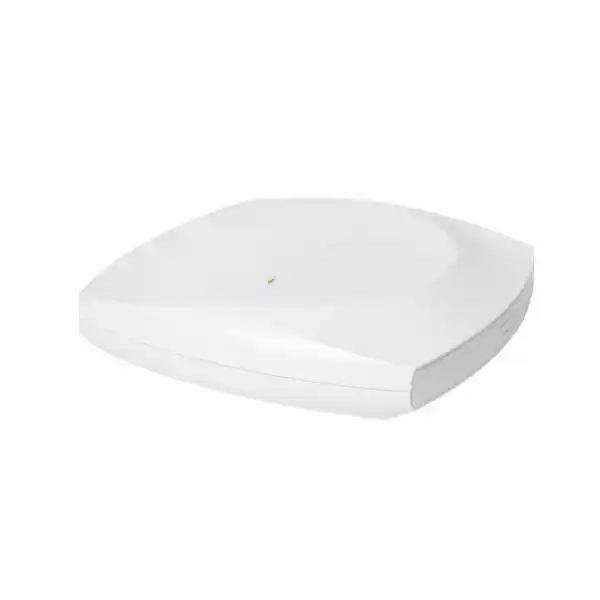
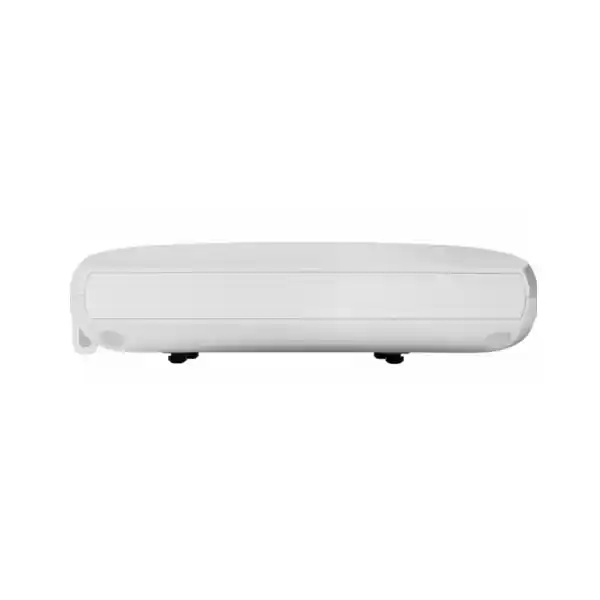
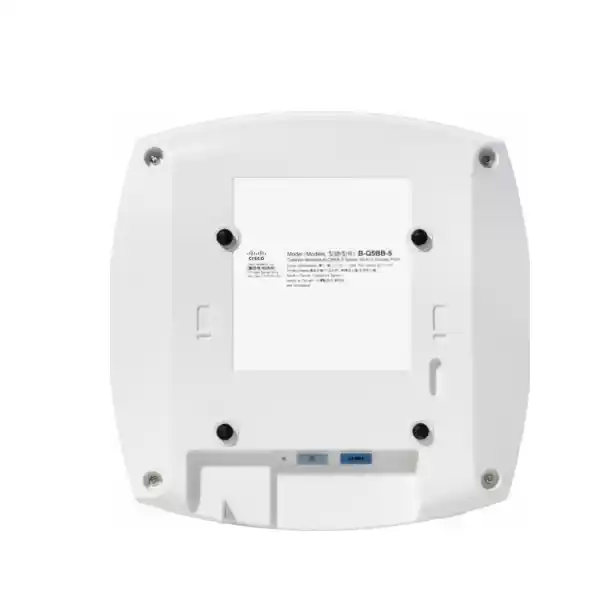
Cisco Wireless CW9176I Wi‑Fi 7 Access Point
The Cisco Wireless CW9176I is a high-performance indoor Wi‑Fi 7 access point for organizations that need more wireless capacity, lower latency, stronger multi-user efficiency and a practical migration path toward 6 GHz. Its internal omnidirectional antennas suit conventional ceiling-mounted enterprise designs, while three 4×4 client-serving radios, flexible radio assignment, a multigigabit Ethernet interface up to 10 Gbps and integrated location and IoT radios give network teams a platform designed for demanding office, campus and service environments.
3 × 4×4 client radios
2.4 / 5 / 6 GHz
10 Gbps mGig uplink
Internal omnidirectional antennas
Buying guidance: plan the CW9176I as part of a complete wireless system, not as a stand-alone speed upgrade. Confirm the management platform and licensing, PoE class, switch port speed, cabling, RF design and the regulatory availability of 6 GHz for the intended Tanzania deployment before ordering. Full radio capability and the 10 Gbps uplink depend on the correct power design.
What the CW9176I is designed to solve
Enterprise Wi‑Fi design is increasingly less about achieving a single high speed test and more about maintaining predictable service when many users, devices and applications compete for airtime. Video meetings, cloud applications, unified communications, large file transfers, mobile devices, scanners, IoT endpoints and guest traffic can all share the same floor or building. Older access points may still provide coverage, yet become constrained by airtime contention, limited channel choices, oversubscribed uplinks or management complexity.
The CW9176I addresses that requirement with Wi‑Fi 7 features that improve spectral use and client efficiency while retaining interoperability with earlier Wi‑Fi generations. Cisco positions the model as a high-performance indoor access point with internal omnidirectional antennas. That makes it a natural fit for standard enterprise ceiling deployments where broad room or floor coverage is required and where an external antenna system is unnecessary.
For buyers in Tanzania, the practical value is strongest when the network is being refreshed as a system. A modern access point can expose weaknesses elsewhere: an older 1 Gbps switch port can become a bottleneck; insufficient PoE can place the AP in a reduced operating state; poor cabling can prevent the expected multigigabit link; and an RF plan built around legacy 2.4 GHz assumptions may not make good use of 5 GHz or 6 GHz. A successful project therefore combines the access point with suitable switching, power, cabling, controllers or cloud management, authentication, monitoring and a properly surveyed physical environment.
CW9176I at a glance
Wi‑Fi 7 features and why they matter
Wi‑Fi 7 introduces several mechanisms intended to increase throughput, reduce latency and use spectrum more efficiently. The CW9176I supports core 802.11be capabilities including 4096‑QAM, Multi-Link Operation, preamble puncturing, uplink and downlink OFDMA and channel widths up to 320 MHz in 6 GHz where the regulatory domain, software and client capabilities permit. These features should be viewed as tools the network can use under the right conditions rather than as guarantees that every client will reach a particular data rate.
4K-QAM for higher data density
4096‑QAM, often described as 4K-QAM, allows more information to be carried per symbol than earlier modulation schemes. The benefit is most visible when a compatible client has a strong, clean signal and sufficient signal-to-noise ratio. In real buildings, walls, distance, interference and client radio design determine whether the highest modulation levels are sustainable. That means AP placement and RF planning remain important even with Wi‑Fi 7.
Multi-Link Operation for responsive client connections
Multi-Link Operation allows compatible Wi‑Fi 7 devices to make coordinated use of more than one link. Depending on client and network implementation, this can help improve throughput, resilience or latency. It is particularly relevant to interactive business applications, high-quality collaboration and other workloads where responsiveness matters. Legacy clients continue to connect using their supported Wi‑Fi generation, so an upgrade can serve a mixed device estate while newer endpoints gain access to newer capabilities.
320 MHz channels in 6 GHz
The 6 GHz radio can support channels up to 320 MHz under the applicable regulatory and software conditions. Wide channels can create very high PHY rates for capable clients, but using the widest possible channel is not automatically the best design. High-density networks may benefit from narrower channels that provide more channel reuse between neighboring access points. The correct width depends on the number of APs, client density, application demand and usable local spectrum.
Preamble puncturing and OFDMA
Preamble puncturing is designed to let a wide channel remain useful even when a portion of its spectrum is unavailable or affected, rather than forcing the whole transmission to a narrower channel in every case. OFDMA, carried forward and enhanced from Wi‑Fi 6, allows channel resources to be shared more efficiently among multiple clients. Together with MU‑MIMO and scheduling features such as Target Wake Time, these mechanisms are valuable in environments where many endpoints need service at the same time.
Cisco documents aggregate PHY data rates up to 18 Gbps for a 2.4/5/6 GHz configuration and up to 23 Gbps for a 5/5/6 GHz configuration. These are aggregate physical-layer figures across radios, not an expected single-client application throughput figure. Actual usable throughput is lower after protocol overhead and depends on client capabilities, channel width, spectrum availability, interference, cabling, switching, power profile and network design.
Flexible radio architecture for changing device mixes
The CW9176I is not limited to one fixed three-band operating pattern. Cisco Flexible Radio Assignment can support a tri-radio arrangement using 2.4 GHz, 5 GHz and 6 GHz, or a configuration using two 5 GHz radios alongside 6 GHz. This matters because not every organization has the same client mix. A site with many legacy or IoT clients may still need strong 2.4 GHz service, while an environment dominated by modern 5 GHz and 6 GHz devices may benefit from a different allocation.
The 2.4 GHz band remains useful for certain IoT devices, older endpoints and situations where propagation characteristics are important, but it also has fewer non-overlapping channels and is commonly exposed to interference. The 5 GHz band is the established enterprise workhorse for laptops, phones and many Wi‑Fi 5 or Wi‑Fi 6 clients. The 6 GHz band adds cleaner spectrum for capable Wi‑Fi 6E and Wi‑Fi 7 devices, subject to local approval and software support. A design that treats all three bands identically can miss the purpose of the flexible hardware.
For a Tanzania deployment, verify the permitted and supported 6 GHz operation for the exact country and software state before the RF plan is finalized. Cisco explicitly notes that in countries where 6 GHz use is not allowed or where current software does not support it, the 6 GHz radio is disabled. This is an important procurement point: the hardware contains the radio, but usable spectrum remains subject to regulatory and software conditions.
Internal omnidirectional antennas provide broad azimuth coverage and simplify typical indoor ceiling installations. Cisco lists peak integrated antenna gains of 5 dBi at 2.4 GHz, 5 dBi at 5 GHz and 6 dBi at 6 GHz for the CW9176I. These values help RF engineers model coverage, but they do not replace an on-site or predictive survey. Building materials, ceiling height, AP orientation, furniture, people, neighboring networks and device transmit characteristics all affect the real cell shape.
The 10 Gbps uplink: plan the wired network with the wireless network
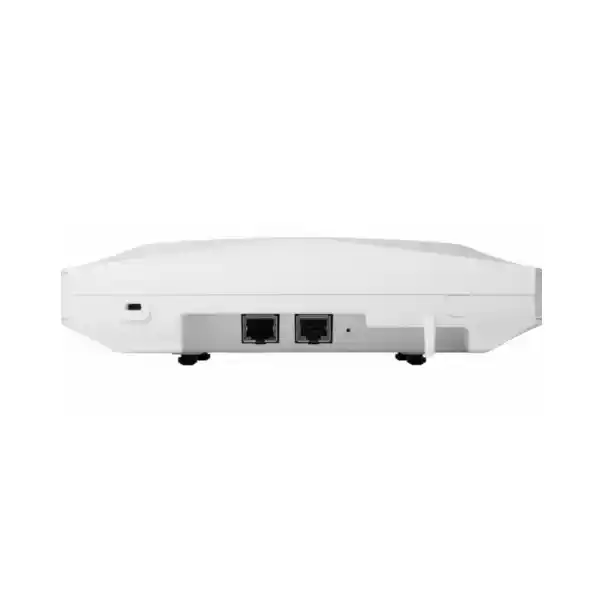
A high-capacity access point can only deliver its potential when the upstream network is designed accordingly. The CW9176I includes one RJ‑45 multigigabit Ethernet port that can negotiate at 100 Mbps, 1 Gbps, 2.5 Gbps, 5 Gbps or 10 Gbps. This gives designers flexibility when migrating from older access-layer switching, but the negotiated rate and available PoE profile are both significant.
Cisco states that Cat 6 or Cat 6A cabling is required for 10 Gbps port speeds, while Cat 5e can support speeds up to 5 Gbps. In a refresh project, do not assume that every installed horizontal cable run will achieve the intended speed simply because the switch and AP both advertise multigigabit capability. Cable category, run quality, termination, patch panels, patch leads and installation condition all matter. Certification or testing is especially worthwhile where an existing building cabling plant will be reused.
An AP connected at 1 Gbps can still provide useful Wi‑Fi service, but it may create an avoidable bottleneck in a busy environment. Conversely, installing 10 Gbps access ports everywhere is not automatically required. The correct switch design should reflect traffic engineering, the number of APs, expected concurrency, local application traffic, internet capacity, controller architecture and future growth. A multigigabit-ready access layer gives more options for balancing cost and headroom.
The CW9176I also provides an RJ‑45 management console interface and a USB 2.0 interface with up to 9 W output in the full-power profile. The USB interface can support application-hosting or connected-module use cases where supported. If USB or edge-hosted functionality is part of the business case, include its power requirement and software support in the design instead of treating it as a free add-on.
PoE planning is a critical CW9176I design decision
Power over Ethernet makes ceiling installation practical because a separate local power outlet is normally unnecessary, but the power class directly affects available features. Cisco supports 802.3bt Class 5/UPOE, 802.3at PoE+ and 802.3af PoE for staging. The full-performance target should be designed around 802.3bt Class 5 where the project expects all 4×4 radios, a 10 Gbps link and USB availability.
| Power source | Radio profile | Ethernet profile | USB | Cisco-listed maximum PoE consumption |
|---|---|---|---|---|
| 802.3bt Class 5 / UPOE | 4×4 on 2.4, 5 and 6 GHz | 10 Gbps | Available, up to 9 W | 39 W |
| 802.3at PoE+ | 2×2 on 2.4 GHz; 4×4 on 5 and 6 GHz | 2.5 Gbps | Not available | 25.5 W |
| 802.3af PoE | Radios off; staging use | 1 Gbps | Not available | 13.95 W |
This table is especially important when the access point will replace an older Wi‑Fi 5 or Wi‑Fi 6 AP. Existing switches may provide only PoE+ or may have an overall chassis power budget that cannot supply Class 5 power to every port at once. Check both per-port capability and total switch power budget. Also verify that LLDP or Cisco Discovery Protocol is enabled where required for proper power negotiation, as Cisco recommends.
Cisco lists typical power consumption lower than the maximum PoE allocation, but the switch must still be able to negotiate and reserve the required profile. When designing backup power, UPS runtime or generator capacity, consider the combined draw of the access switches, APs, controllers and supporting network equipment rather than the AP specification in isolation.
Catalyst or Meraki management: choose the operating model first
One of the strategic advantages of Cisco’s newer global-use Wi‑Fi 7 access points is the ability to support different management approaches using a unified hardware portfolio. For organizations already standardized on Cisco Catalyst wireless, the CW9176I can be used with Catalyst 9800 Series Wireless Controllers and Cisco Catalyst Center. For organizations that prefer cloud-based operations, Cisco also supports Meraki cloud management for this hardware family. The correct choice depends on the existing network, operational skills, architecture, policies and subscription model.
A Catalyst design may suit enterprises that already operate controller-based WLANs, integrate with Cisco Identity Services Engine, use Catalyst Center automation and assurance, or require close alignment with an existing campus architecture. A Meraki-managed design may appeal to organizations that want centralized cloud visibility, simplified multi-site operations and a dashboard-led workflow. Neither choice should be made solely because the hardware can support it; migration processes, feature availability, firmware, licensing and operational responsibilities must be planned.
Cisco states that its Wi‑Fi 7 access points, including the 9176 Series, require a Cisco Networking Subscription for wireless, with Essentials or Advantage licensing options. Buyers should confirm the exact subscription term and feature level with the quote. Do not budget only for the hardware. Management, support and entitlement are part of the overall deployment decision.
The CW9176I should also not be treated as an embedded-controller replacement. Cisco’s deployment guidance states that Embedded Wireless Controller functionality on the AP is not supported for the CW9176 family as an active EWC or subordinate AP. Organizations moving from smaller autonomous or embedded-controller designs should therefore validate the target management architecture before purchase.
Security and network access control
Wireless security is a system property that combines radio encryption, identity, segmentation, policy, software maintenance and monitoring. The CW9176I supports modern Wi‑Fi security mechanisms including WPA2 and WPA3, 802.1X authentication, Enhanced Open/OWE and AES-based encryption suites documented by Cisco. It also supports multiple enterprise EAP methods, enabling integration with established authentication and identity designs.
For business networks, the access point should normally be deployed as part of a broader policy architecture rather than using a single shared password for every employee and device. Enterprise authentication can tie network access to users, devices or certificates, while VLANs, policy tags, segmentation and firewall controls can separate corporate, guest and IoT traffic. The exact implementation differs between Catalyst and Meraki designs and should match the organization’s identity and security requirements.
Cisco also describes Trust Anchor technologies, image signing and Secure Boot as part of the secure infrastructure for the Wireless 9176 Series. Those controls help protect platform integrity, but they do not eliminate the need for operational discipline. Maintain supported software, restrict management access, review administrator roles, use strong identity controls, monitor rogue or anomalous activity and document change procedures.
Guest networks need equal attention. A hospitality, education, healthcare or customer-facing deployment may carry a large volume of unmanaged devices. Guest onboarding, isolation, bandwidth policies, acceptable-use controls, DNS security and internet breakout should be designed separately from the trusted corporate WLAN. Wi‑Fi 7 performance does not compensate for weak segmentation or poor access policy.
Integrated BLE, UWB, GNSS and IoT capabilities
The CW9176I is more than a Wi‑Fi radio platform. Cisco integrates Bluetooth Low Energy, ultra-wideband and GNSS/GPS capabilities alongside a dedicated scanning function and application-hosting support. These components can support location-aware and IoT use cases when paired with the necessary software, licenses, tags, applications and design.
The integrated BLE radio can contribute to asset tracking, wayfinding and analytics workflows. UWB can be used for higher-precision location use cases in supported deployments. GNSS/GPS helps the platform with location and regulatory-domain processes. These features are most valuable when they are connected to a defined business outcome, such as locating equipment, improving indoor navigation or adding sensor services, rather than simply being enabled because the radios are present.
Application hosting can place supported containerized applications or hardware modules closer to the network edge. This may reduce the need for a separate overlay device in some IoT projects. However, the operational model should be reviewed carefully: application lifecycle, security, resource use, support ownership and USB power all need to be included in the design.
Organizations that do not need location or IoT capabilities still benefit from the CW9176I as a wireless access point. These radios should be viewed as optional platform capabilities, not requirements for basic Wi‑Fi operation. Feature availability may depend on software release, management mode and licensing, so validate the intended workflow rather than assuming every integrated radio automatically provides an end-to-end application.
Suitable deployment environments
Corporate offices
Support dense laptop and smartphone populations, collaboration rooms, cloud applications and increasing numbers of Wi‑Fi 6E or Wi‑Fi 7 clients without abandoning older compatible endpoints.
Education and campuses
Provide high-capacity wireless for classrooms, libraries, administrative areas and shared spaces, with centralized identity, policy and monitoring across many APs.
Healthcare environments
Support mixed client estates and mobile workflows where dependable roaming, segmentation and operational visibility matter. Application requirements should be validated carefully for clinical systems.
Hospitality and guest venues
Handle high concurrency from personal devices while separating guest, staff, property and IoT traffic. Capacity planning should reflect peak occupancy, not average daily load.
Retail and service branches
Combine employee mobility, customer access, scanners and supported IoT services with centralized policy across multiple sites.
Technology-intensive indoor spaces
Provide capacity for media-rich, low-latency or high-device-count applications where a high-performance 4×4 platform and multigigabit uplink are justified.
The CW9176I is an indoor AP. Outdoor yards, exposed warehouses, harsh industrial areas, very high ceilings or spaces that need shaped RF coverage may call for different enclosure or antenna choices. Cisco also offers the CW9176D1 with a directional antenna pattern for scenarios where directed coverage is more suitable. The correct model should follow the RF requirement rather than a simple preference for the highest specification.
RF design considerations for Tanzania projects
A wireless bill of materials should come after the coverage and capacity requirements are understood. Start with the expected number and type of client devices, the applications they use, the areas where mobility is important and the peak concurrency in each zone. A boardroom with twenty high-performance laptops, an open office with hundreds of mixed devices, a classroom block and a warehouse scanning area can all need different AP placement even when the same model is used.
Do not design solely for signal strength. A client may see a strong AP and still experience poor performance because too many devices share the same channel, because neighboring APs overlap excessively, because interference consumes airtime or because the client itself has a lower radio capability. Capacity design, channel reuse and transmit-power planning are as important as coverage.
The 6 GHz band has different propagation characteristics and a different client population from 2.4 GHz. A layout created years ago for 2.4 GHz coverage may not provide the desired 5 GHz or 6 GHz experience. If the project depends on Wi‑Fi 7 benefits, a predictive model followed by on-site validation is preferable to simply replacing old APs one-for-one in the same locations.
Building construction matters. Reinforced concrete, masonry, metal shelving, lift cores, reflective surfaces and dense partitions can change attenuation and multipath behavior. In Tanzania, commercial buildings vary widely in age, layout, wall materials and available structured cabling, so the design should be based on the actual site. A floor plan alone does not reveal cable quality, switch-room constraints or the RF effect of finished materials.
Environmental limits must also be observed. Cisco lists an operating temperature range of 0°C to 50°C and relative humidity of 10% to 90% noncondensing for the CW9176I. This supports many conditioned indoor deployments, but an enclosed hot ceiling void, unconditioned plant area or dusty industrial location may require a different installation approach. Confirm that the intended mounting position stays within the specified environment.
Migration from Wi‑Fi 5, Wi‑Fi 6 or Wi‑Fi 6E
A CW9176I refresh does not require every client to be Wi‑Fi 7 on day one. Cisco documents interoperability with earlier supported Wi‑Fi generations, allowing organizations to upgrade the infrastructure while endpoints are replaced gradually. This is useful because laptop and smartphone refresh cycles often span several years, and specialized devices may remain on older standards even longer.
The greatest improvement may initially come from better radio efficiency, cleaner spectrum, stronger management and more capacity rather than from Wi‑Fi 7 headline rates. Wi‑Fi 6 and 6E clients can continue to use OFDMA, MU‑MIMO and related capabilities, while Wi‑Fi 7 clients can take advantage of newer features when supported. The network can therefore become ready for future devices without making current devices obsolete.
Before replacing an older AP, compare mounting hardware, cable position, PoE delivery and switch-port capability. Cisco notes that bracket reuse may be possible with legacy Cisco access points, which can simplify some upgrades, but mounting compatibility should be confirmed for the specific existing bracket and installation. The larger concern is often upstream power: an AP that previously ran comfortably on PoE+ may be replaced by a CW9176I that needs Class 5 power to expose its full intended profile.
Also review the WLAN configuration rather than copying it unchanged. Years of accumulated SSIDs, legacy data rates, outdated security settings and broad 2.4 GHz coverage can undermine a new hardware investment. Migration is an opportunity to simplify SSIDs, modernize authentication, tune minimum data rates, revisit roaming, segment IoT and guest traffic and review whether 6 GHz-capable clients should be steered toward the newer band.
Plan the rollout in stages. A pilot area can validate software, controller or dashboard behavior, cabling, power negotiation, client compatibility and RF assumptions before a larger installation. Capture baseline performance before migration so that user experience after the change can be compared with meaningful measurements rather than anecdotal impressions.
Key technical specifications
| Model | Cisco Wireless CW9176I |
|---|---|
| Deployment | Indoor enterprise access point with integrated omnidirectional antennas |
| Wi‑Fi standard | 802.11be Wi‑Fi 7, with support for earlier compatible Wi‑Fi standards |
| Serving radios | Three 4×4 radios; flexible 2.4/5/6 GHz or 5/5/6 GHz operation where supported |
| Wi‑Fi 7 features | 4096‑QAM, Multi-Link Operation, preamble puncturing, uplink/downlink OFDMA, TWT, BSS coloring and channel widths up to 320 MHz in 6 GHz under supported conditions |
| Aggregate PHY data rate | Cisco documents up to 18 Gbps in 2.4/5/6 mode or up to 23 Gbps in 5/5/6 mode; actual throughput is lower and environment-dependent |
| Ethernet | 1 × RJ‑45 multigigabit port supporting 100M/1G/2.5G/5G/10G |
| Other interfaces | RJ‑45 management console; USB 2.0 with up to 9 W output in the full-power profile |
| Power input | 802.3bt Class 5/UPOE, 802.3at PoE+, or Cisco CW-INJ-8 injector; 802.3af supported for staging with radios off |
| Maximum PoE consumption | Up to 39 W on 802.3bt Class 5 profile |
| Integrated antenna peak gain | 2.4 GHz: 5 dBi; 5 GHz: 5 dBi; 6 GHz: 6 dBi |
| Additional radios/capabilities | BLE/IoT, UWB, GNSS/GPS and dedicated scanning functions, subject to software and solution support |
| Dimensions | Approx. 24 × 24 × 5.1 cm without mounting bracket |
| Weight | Approx. 1.56 kg |
| Operating environment | 0°C to 50°C; 10% to 90% relative humidity, noncondensing |
| Licensing | Cisco Networking Subscription for wireless; verify Essentials or Advantage requirements for the intended feature set |
Specifications can vary by software release, regulatory domain, management mode and power profile. Confirm the final bill of materials and supported feature matrix for the intended deployment before procurement.
How to decide whether the CW9176I is the right model
Choose the CW9176I when the project needs a high-performance indoor AP, broad omnidirectional coverage, three 4×4 serving radios, multigigabit uplink capacity and a migration path to Wi‑Fi 7 without abandoning compatible older clients. It is especially compelling when the switching layer can provide 802.3bt Class 5 power and multigigabit Ethernet, because that allows the access point to operate in its intended full-capability profile.
Consider a different model or design when the environment is moderate-density and does not justify this level of radio capacity, when only 1 Gbps switching will be retained long term, when PoE+ is the permanent power ceiling, or when directional coverage is required. Cisco’s broader Wi‑Fi 7 portfolio includes lower and higher performance models as well as different antenna formats. Matching the AP to the requirement can reduce total cost and improve RF behavior.
For very high-density environments, compare the CW9176I with higher-tier models rather than assuming one 9176I can simply cover more area. Wireless capacity is usually increased by placing enough cells in the right locations and reusing spectrum effectively, not by maximizing transmit power from fewer APs. The RF plan should determine AP count.
For high ceilings, aisles, auditoriums, warehouses or long narrow areas, an omnidirectional ceiling pattern may not be ideal. A directional model such as the CW9176D1 can concentrate energy differently. The choice should follow a survey, mounting geometry and client locations. Coverage pattern is a design variable, not a cosmetic distinction between models.
Deployment checklist before ordering
Decide whether the deployment will use Cisco Catalyst controller-based management or Meraki cloud management, and validate the migration or onboarding path.
Include the required Cisco Networking Subscription and select the correct Essentials or Advantage entitlement for the intended features.
Validate country approval, software support and allowed spectrum for the exact Tanzania deployment. Do not assume that a physical 6 GHz radio guarantees local operation.
Use 802.3bt Class 5/UPOE when full 4×4 operation, 10 GbE and USB are requirements. Verify total switch PoE budget, not only per-port labeling.
Confirm the access switch supports the intended 2.5, 5 or 10 Gbps link and that upstream switching has sufficient capacity.
Review cable category, run length, termination and condition. Cisco specifies Cat 6/Cat 6A for 10 Gbps port speed and notes Cat 5e support up to 5 Gbps.
Plan for capacity, roaming, interference and band use rather than relying on old AP positions or signal strength alone.
Estimate how many clients support Wi‑Fi 6, Wi‑Fi 6E and Wi‑Fi 7. This helps determine expected benefit from 6 GHz and newer features.
Define corporate, guest, IoT and operational traffic policies, including 802.1X, certificate or credential workflows where appropriate.
Confirm mounting, ceiling type, environmental limits, access for maintenance and whether omnidirectional coverage fits the space.
Consider UPS runtime, switch redundancy, controller or cloud reachability, internet dependencies and how critical users will behave during failures.
Test a representative area with real devices and applications before a large rollout, then adjust power, channels, placement and policies from measured results.
Performance expectations: what buyers should measure
The most useful success criteria are application and user-experience metrics rather than only peak speed. Measure connection reliability, roaming behavior, latency, packet loss, airtime utilization, retransmissions, channel use and application response under realistic load. A fast single-client speed test after installation can be informative, but it does not prove that a busy floor will perform well during peak use.
Client capability is one of the largest variables. A two-stream laptop cannot use four spatial streams simply because the AP has a 4×4 radio. A device that supports only Wi‑Fi 6 cannot use Wi‑Fi 7 Multi-Link Operation. A 5 GHz-only handset cannot benefit from 6 GHz channels. Design estimates should therefore be based on the actual endpoint estate, not only the access-point specification.
Internet performance is another independent limit. A branch with a 200 Mbps WAN circuit will not deliver multi-gigabit internet speeds to clients even when the local Wi‑Fi and Ethernet path is much faster. The higher-capacity WLAN can still improve local transfers, concurrency and airtime efficiency, but expectations should distinguish LAN capability from WAN bandwidth.
Where critical real-time applications are involved, test them directly. Voice, video, virtual desktop, interactive cloud systems and specialized mobile applications respond differently to latency, jitter and packet loss. Define acceptable thresholds with the application owner and validate roaming through the actual movement paths users will take.
Frequently asked questions
Is the Cisco CW9176I a Wi‑Fi 7 access point?
Yes. Cisco specifies the CW9176I as an indoor enterprise Wi‑Fi 7 access point supporting IEEE 802.11be features such as 4096‑QAM, Multi-Link Operation, preamble puncturing and channel widths up to 320 MHz in 6 GHz under supported regulatory and software conditions.
Does it support 2.4 GHz, 5 GHz and 6 GHz?
The hardware supports flexible operation using 2.4/5/6 GHz or 5/5/6 GHz client-serving radios. Actual 6 GHz operation depends on country authorization, software support and the selected deployment configuration.
Can older Wi‑Fi clients connect?
Yes. The access point supports earlier compatible Wi‑Fi standards, so organizations can refresh infrastructure before every client becomes Wi‑Fi 7 capable. Each device will operate according to its own supported bands, channels, spatial streams and security capabilities.
Does the CW9176I need a wireless controller?
The answer depends on the chosen management architecture. Cisco supports Catalyst controller-based deployment with Catalyst 9800 Series Wireless Controllers and also supports Meraki cloud-managed operation for the platform family. Embedded Wireless Controller functionality on the CW9176 family is not supported, so the management model should be confirmed before ordering.
What license is required?
Cisco states that Wi‑Fi 7 access points including the 9176 Series require a Cisco Networking Subscription for wireless, with Essentials or Advantage options. The correct tier depends on the required features and management design, so the hardware and subscription should be quoted together.
What PoE is recommended?
For the full profile, design for 802.3bt Class 5/UPOE. Cisco lists full 4×4 operation on all three serving radios, a 10 Gbps Ethernet link and USB availability in this power mode. PoE+ is supported but reduces some capability, while 802.3af is intended for staging with the radios off.
Will PoE+ work?
Yes, but in a reduced profile. Cisco lists the 2.4 GHz radio as 2×2, the 5 GHz and 6 GHz radios as 4×4, the Ethernet link at 2.5 Gbps and USB unavailable under the PoE+ profile. This can be acceptable for some deployments, but it should be an intentional design choice.
Does it really provide 18 Gbps or 23 Gbps to one user?
No. Those Cisco figures are aggregate physical-layer rates across serving radios under specified channel configurations. Real application throughput is lower and is shared among clients. Client radio design, channel width, interference, protocol overhead, wired uplink speed, power mode and application path all affect observed performance.
What cabling is needed for the 10 Gbps port?
Cisco specifies Cat 6 or Cat 6A for 10 Gbps port speeds and notes that Cat 5e can support speeds up to 5 Gbps. Existing cable runs should be checked for category, condition and termination quality before a multigigabit refresh.
Can the 6 GHz radio be used in Tanzania?
The hardware includes 6 GHz capability, but Cisco states that the 6 GHz radio is disabled in countries where use is not allowed or where current software does not support it. Confirm the current product approval and regulatory status for Tanzania, along with the required software, before treating 6 GHz as an available design assumption.
Is the CW9176I suitable for outdoor installation?
No. The CW9176I is an indoor access point. Outdoor or harsh-environment deployments should use equipment designed for the relevant enclosure, temperature, moisture, dust and antenna requirements.
What should be supplied for a project quote?
For an accurate design, provide the site type, floor plans if available, approximate user and device counts, important applications, current switch models, available PoE class, existing cabling category, preferred Catalyst or Meraki management approach and any requirements for guest access, identity, IoT or location services. This allows the AP count and supporting infrastructure to be sized around the real requirement rather than a generic quantity.
Plan your Cisco CW9176I deployment
If you are evaluating the Cisco Wireless CW9176I for an office, campus, education, healthcare, hospitality or multi-site project in Tanzania, start with the design inputs that determine whether the AP can operate at full value: user density, RF environment, switching, PoE, cabling, management platform, subscription and 6 GHz regulatory support. A correctly sized Wi‑Fi 7 solution should improve capacity and operational flexibility without creating hidden bottlenecks upstream.
Request a project quote and wireless design review for the Cisco CW9176I Wi‑Fi 7 Access Point.




Reviews
There are no reviews yet.