
HANWHA VISION · CCTV RECORDING
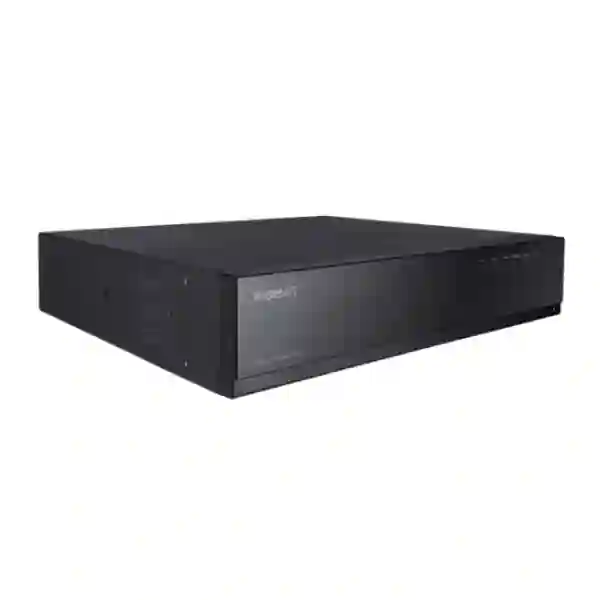
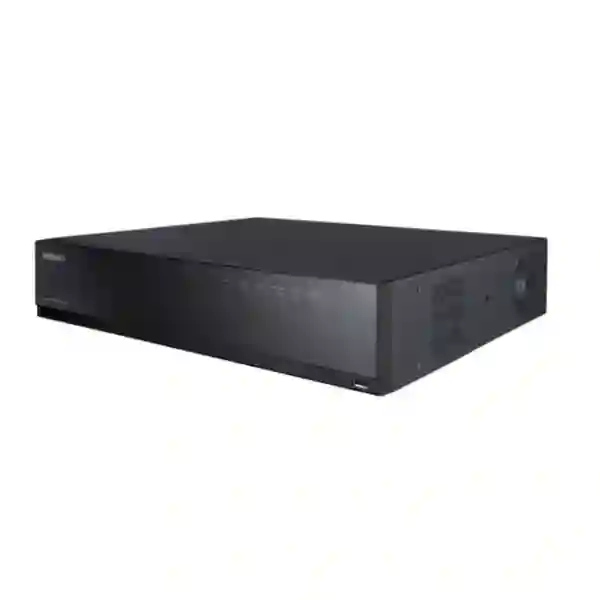
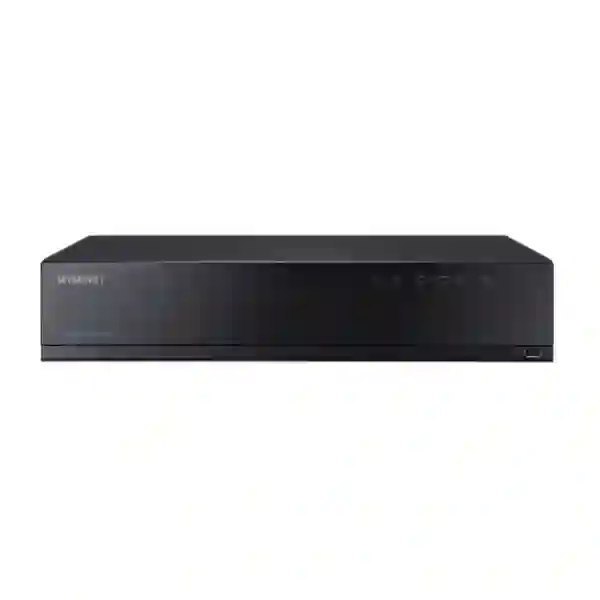
Hanwha HRX-821 8-Channel Pentabrid DVR
An eight-analog-input, mixed-format DVR with limited IP-camera expansion and four SATA drive bays. Evaluate its fit carefully for an existing system.
Important buying notice
Hanwha Vision lists the HRX-821 as discontinued. This page is a technical decision guide, not confirmation that a unit is currently in stock or supported under any particular warranty. Confirm the exact unit, drive configuration, security-maintenance position and seller’s commercial terms before purchase.
Specification snapshot
| Product family | Hanwha Vision / Wisenet HRX-821 |
|---|---|
| Type | 5-in-1 Pentabrid digital video recorder |
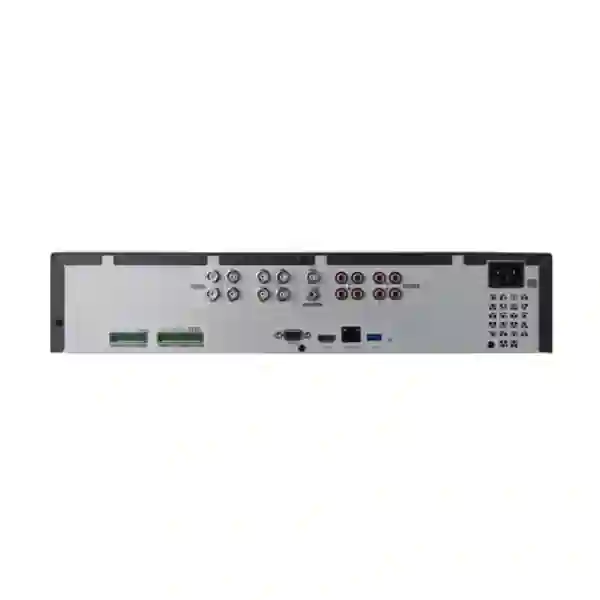
| Analog video inputs | 8 BNC channels |
| Network camera capacity | 2 additional IP cameras in headline 8+2 configuration |
| Video formats | AHD, HDTVI, HDCVI, CVBS, IP |
| Recording formats | H.265, H.264, MJPEG |
| Selected recording rates | 8MP at 8fps; 5MP at 12fps; 2MP at 30fps |
| Storage | Up to 4 SATA HDDs; up to 6TB per drive |
| Display outputs | HDMI and VGA dual-monitor support |
| Smart search | Advertised for network cameras only |
| Product lifecycle | Discontinued by manufacturer |
A practical starting point for mixed CCTV systems
The Hanwha Vision HRX-821 is a five-in-one, eight-channel Pentabrid digital video recorder intended for surveillance systems using several camera signal standards. Its eight BNC connections accept supported analog formats, while network-camera support lets an installation retain coaxial infrastructure and introduce suitable IP devices. This makes it relevant when a business has a functioning cable network but wants better image detail, more recording flexibility, or a staged transition rather than a complete replacement. The main question is not simply whether the recorder has eight channels; it is whether the existing cameras, intended recording settings, hard drives, network and operating environment match its supported design.
For an installation in Tanzania, begin by counting cameras, identifying each signal type, checking cable and connector condition, and deciding how long footage must be retained. The HRX-821 supports up to eight analog channels plus two network cameras for up to ten channels in the commonly advertised configuration. That statement does not mean any arbitrary mix of ten IP cameras will work. Confirm the intended channel allocation and firmware capabilities before purchasing or changing an existing installation. Since Hanwha Vision lists the HRX-821 as discontinued, purchasers should also verify actual unit condition, seller support, and long-term operational expectations before selecting it for a new project.
Understanding Pentabrid rather than assuming universal compatibility
Pentabrid describes the recorder’s ability to work with five broad surveillance input families: AHD, HDTVI, HDCVI, CVBS and IP. Each family has its own signal and device conventions. Supporting those families is useful when an existing installation contains analog cameras purchased at different times, but it does not make every camera, resolution, firmware combination or control function universally interchangeable. An installer should record each camera’s model, output mode and power requirement, then confirm the mode and resolution supported on the relevant input. A visible picture is only the first compatibility test; stable recording, correct frame rate, nighttime performance and any required camera controls also matter.
In a renovation, test a representative camera from each installed family before carrying out the full cutover. Analog formats typically use coaxial video connections, whereas IP devices use Ethernet networking and compatible communication protocols. A network switch or camera power provision may be necessary for IP devices; the recorder’s network port should not be mistaken for an integrated PoE camera switch. Ask the equipment provider to confirm the exact camera pairing rather than relying only on a generic phrase such as “works with all CCTV cameras.” This careful approach helps avoid unnecessary cable replacements and unplanned onsite troubleshooting.
Eight analog inputs and a measured path toward IP
The HRX-821 provides eight analog video inputs and can support network-camera connections within its total-channel limits. This is useful for a small office, retail premises, reception area, accommodation property or similar site that has conventional cameras in service. An organization may preserve its existing cameras while introducing IP imaging where there is a specific requirement, such as at a more demanding entrance or a newly opened area. However, the number of available network channels is limited and should be treated as a design constraint rather than an invitation to expand indefinitely.
A sensible migration plan starts with a channel map: camera location, cable route, signal format, resolution, night-view requirement, recorder input, retention importance and desired operator view. Keep a separate record of any camera planned for replacement. If a business expects substantial IP-camera growth, a current network video recorder may be a more suitable long-term platform than this discontinued Pentabrid unit. The HRX-821 can be a practical transitional recorder when its exact capabilities fit a defined estate, but it is not a substitute for designing future channel headroom.
Recording resolution and frame-rate trade-offs
Hanwha Vision describes the HRX-821 as supporting up to 8-megapixel input and recording. The published headline recording rates include 8 frames per second at 8MP, 12 frames per second at 5MP and 30 frames per second at 2MP, subject to camera input and configuration. These are different operating points; the phrase “8MP recorder” should not be interpreted as 8MP recording at 30 frames per second. For a fixed entrance, high spatial detail at a modest frame rate may be acceptable. For a busy counter or area where quick movement matters, a lower resolution with a higher supported frame rate might be more useful.
Before selecting settings, identify what a recording must demonstrate: general presence, passage through a gate, handling of an item or close-up identification. Lens choice, camera placement and lighting often affect usable evidence as much as recorder resolution. Review actual recorded clips, not only the live display. Make sure the system performs as expected at daytime and after dark, and verify that the chosen camera produces a compatible stream. Do not compare camera megapixels without also considering motion, storage and the real scene.
H.265, H.264 and MJPEG recording choices
The recorder supports H.265, H.264 and MJPEG formats. Compression is important because camera streams generate considerable data over days or weeks of recording. H.265 may reduce storage requirements in some comparable scenarios, but savings vary with scene movement, camera configuration, bitrate limits and encoding support. H.264 may be useful where an established viewing or export workflow depends on it. MJPEG is another listed format, though it should not automatically be chosen for a storage-sensitive installation. The practical objective is footage that can be stored, found, reviewed and exported reliably.
Test the selected codec with the intended cameras and the exact software used by the security team. A nominal bitrate is not a promise of identical file size on every camera; a quiet corridor and a crowded vehicle entrance may generate different workloads. If a client needs recordings to be viewed by several departments or on older computers, confirm playback compatibility early. Compression efficiency should never be achieved by reducing image quality below the level needed for the site’s security purpose.
Four hard-drive bays and retention planning
One distinguishing specification of the HRX-821 is support for up to four SATA hard drives, with Hanwha Vision listing up to 6TB per drive. This corresponds to a stated maximum installed capacity of 24TB under the specified drive limits. It does not indicate that four drives are included with every unit or that usable retention equals a fixed number of days. Actual capacity depends on which supported drives are fitted and how recording is configured. Hard drives should be verified for recorder compatibility, health and the intended operating duty cycle.
Estimate required retention by collecting expected camera bitrates, active recording hours, number of cameras, audio usage and reserve capacity. Motion-triggered operation may reduce stored data in some circumstances, but it can also miss an event if detection is poorly configured. Continuous recording gives more predictable coverage while consuming capacity steadily. Specify a retention target first, calculate storage from real configurations, and validate the resulting oldest available footage during handover. For a discontinued recorder, drive availability and recovery procedures also deserve attention before purchase.
What the storage maximum does not tell you
An advertised storage ceiling is a hardware compatibility reference, not a guarantee of uninterrupted operation, data redundancy or legal evidence retention. Four drives do not automatically mean the recorder protects footage against drive failure; do not assume RAID or a mirrored architecture without documentation for the exact configuration. If footage is operationally critical, plan a separate export, backup and incident-handling procedure. Ask how a failed disk will be detected, who receives the alert, whether recording continues and how the owner will recover required clips.
A good CCTV storage design also accounts for future camera changes. Increasing resolution, raising frame rates or adding an IP camera can materially change retention. Weather, lighting, scene movement and recording schedules may affect observed bitrates. During acceptance testing, compare estimated retention with actual disk usage over a representative operating period. Record the drive model and installation date for maintenance. The safest purchase decision considers both total storage capacity and the practical ability to retrieve a clip when an incident occurs.
Dual-monitor viewing with HDMI and VGA
The HRX-821 provides HDMI and VGA monitor outputs and is described by Hanwha Vision as supporting dual-monitor use. This suits sites where a local operator needs a larger overview and a second viewing position, subject to the supported display configurations. The published product sheet identifies HDMI and VGA as separate outputs and notes specific output modes. An installer should therefore verify the actual resolution and display arrangement before promising independent high-resolution images on both screens. A large 4K television does not by itself make every recorded channel 4K or increase the available recording frame rate.
Choose monitor size around the viewing distance and the number of simultaneous camera tiles. A compact display showing many camera feeds may be less effective than a correctly positioned screen showing fewer important views. Set up camera names that operators understand, such as receiving door or front entrance, and check that the picture remains legible from the workstation. After installing displays, test live view, playback and any intended spot-monitor function. Consider screen power consumption and physical access to the recorder room as part of the overall design.
Smart search and ordinary playback
The HRX-821 includes search and playback features, but the manufacturer specifically limits its advertised smart-search function to network cameras. This distinction matters because an installer should not promise identical advanced search behaviour for all analog channels. For many everyday investigations, accurate timestamps, sensible camera naming, recording schedules and a clear incident process are more valuable than a long feature list. Personnel should know how to locate a time window, choose the correct camera and confirm that playback corresponds to the event being reviewed.
During installation, verify time-zone settings, date and time, daylight-saving behaviour where relevant, time synchronisation and access permissions. A clip with the wrong timestamp may be difficult to use operationally. Demonstrate searches on both an analog and a compatible IP camera if the site has both. Test whether exported footage plays on a separate computer before an actual incident creates urgency. Where sophisticated analytics search is a central project requirement, evaluate a currently supported recorder and camera platform rather than assuming that the HRX-821 provides features associated with newer product generations.
Coaxial control in an existing camera estate
Coaxial control can simplify work with certain supported analog cameras, because compatible camera functions may be controlled through the existing video connection. Hanwha Vision lists coaxial control for the Pentabrid DVR, which can be attractive during refurbishment projects that aim to reuse cable routes. Nevertheless, available functions depend on the camera family, protocol and model. A camera producing video over coax is not proof that every menu or movement command will be available through that same cable.
Identify any cameras requiring remotely adjusted settings, optical zoom, lens functions or PTZ movements. Check the appropriate control protocol and configuration with a small compatibility test. Some PTZ installations use separate serial-control wiring, and this recorder also has an RS-485 interface. When different camera makes are mixed, document which functions work and which require direct camera access. This prevents a customer from discovering after installation that the picture records correctly but a desired adjustment cannot be made from the monitoring desk.
Local networks and supported IP-camera protocols
For network-camera integration, the published HRX-821 information identifies Wisenet SUNAPI and ONVIF support. Those are useful interoperability starting points, not a guarantee that every ONVIF-labelled camera or advanced feature will behave identically. An IP camera must be reachable over the network, use supported authentication and deliver an acceptable stream. The recorder provides an Ethernet network interface, while camera power and switching requirements must be addressed separately. Firmware revisions, codec choices and camera profiles can also change what is available.
Use an IP-address plan that separates cameras, recorder administration and ordinary office devices where appropriate. Check available bandwidth on switches and uplinks, especially when local viewing and remote access occur simultaneously. Confirm that DNS, gateways and time services are configured correctly if used. Camera discovery should be followed by a real recording test at the intended resolution. For a mixed-brand installation, document verified live view, recording, playback, alarms and time synchronisation rather than simply noting that the device was detected on the network.
Remote viewing without assuming permanent cloud service
The HRX-821 advertises a peer-to-peer service with QR-code connection and historical Wisenet viewing options. This can simplify initial remote-access setup on compatible systems. It should not be interpreted as a guarantee that a particular mobile application, cloud endpoint or account service will remain available indefinitely for a discontinued model. Mobile operating systems and security requirements evolve, so any deployment dependent on remote viewing should be checked against currently available client software and the recorder’s firmware.
A responsible setup begins with the least amount of network exposure needed to meet the buyer’s objective. Use unique strong credentials, restrict administrator access, document approved users and review available updates. Prefer a properly managed remote-access design over leaving management interfaces openly accessible. Test remote viewing on the intended phones and connections, including a lower-bandwidth connection, and check how the system behaves after a router reboot. Agree on who will manage accounts when staff change. The purchase value of remote access depends on ongoing maintainability, not just a successful QR-code demonstration.
Audio and event inputs in the surveillance design
The broader HRX family documentation lists audio and alarm interfaces for the HRX-821, and these may support installations needing more than silent video. However, using audio requires compatible microphones, appropriate wiring, correct settings and a lawful operational purpose. Alarm inputs and outputs can be useful for connecting external sensors or signalling systems where the device and installation are compatible. They do not automatically convert the recorder into a full intrusion alarm panel or replace dedicated life-safety equipment.
Before specifying audio or alarm integration, request the exact connection diagram and verify each proposed sensor, trigger and action. Agree whether the requirement is to record an event, alert an operator, activate an output or provide a timestamp for investigation. Perform a full end-to-end test, including what happens during a power outage or loss of camera signal. Policies for access to audio and footage should be defined by the organization. Where regulations or contractual requirements apply, obtain local advice instead of assuming that a general product feature establishes legal compliance.
Power provision and UPS selection
Manufacturer technical information lists a universal-range AC supply for the HRX-821 and a maximum power-consumption figure dependent on drive configuration. These references are useful when designing a rack or power circuit, but they should not be used to calculate backup runtime in isolation. An installation may also have cameras, networking hardware, monitors and connectivity equipment that need separate power. A recorder protected by a UPS cannot preserve useful video if all its cameras and network switches lose power at the same time.
Plan the supported load by measuring or estimating every powered component, then choose a UPS with appropriate capacity, runtime and maintenance arrangements. Test clean shutdown and recovery where supported. In sites with dust, high temperatures or constrained spaces, ensure adequate ventilation and cable management. Avoid placing the unit inside an unventilated cupboard or near water. Label the supply and keep shutdown instructions available for staff. Power resilience is an integrated system decision, not an accessory added after the recorder has been chosen.
Operating environment and physical installation
Published specifications for the HRX-821 include an operating temperature range of 0°C to 40°C and humidity limits. Those ratings relate to the recorder’s operating environment, not the weather conditions faced by outdoor cameras. In warm locations or rooms with little airflow, heat build-up can affect electronics and hard-drive reliability. The device should be installed on a stable surface or suitable shelf with the manufacturer’s required clearances. Ventilation openings must remain unobstructed.
Physical access matters as well. A DVR placed in a public reception area may be easy to unplug, damage or remove. Locate it where authorised staff can service drives and cables but unauthorised visitors cannot reach it. Account for the cable bend radius behind the chassis, available space for monitors, the UPS and safe earthing. Document the unit’s position and connection labels. If a site has persistent condensation, airborne contaminants or temperatures outside the specified range, choose a more appropriate protected equipment location rather than assuming a general indoor recorder can tolerate harsh conditions.
A useful recording policy for shops and offices
A shop may need coverage of entries, payment areas and stock-handling points, while an office may emphasise access routes, shared areas and after-hours events. These are different goals even when both sites have eight cameras. The recorder should be configured around those objectives rather than using every input identically. For example, a receiving entrance may benefit from longer retention or a different image setting than a low-risk passage. Any policy must be proportionate to the organisation’s security purpose.
Create a concise camera schedule that records the purpose of each view, authorised viewers, recording times, retention target and incident escalation contact. Make sure cameras do not unintentionally capture unnecessary private areas. Staff should know where recordings are accessed, how requests are approved and who may export evidence. For the HRX-821, verify the selected recording mode and quality during site acceptance. A working surveillance system is one that people can operate correctly and responsibly, not merely one with a green recording indicator.
Entrances, vehicle routes and challenging lighting
Some customers consider a higher-megapixel camera because they hope it will solve difficult identification problems. At vehicle gates or entrances, however, shutter settings, glare, camera angle, exposure and image compression can matter more than the headline pixel count. A Pentabrid recorder receives the image the camera produces; it cannot reconstruct details that the camera did not capture. Before deciding on an 8MP recording setting, conduct scene tests with the actual camera at the intended mounting point.
Review footage when the sun is behind subjects, at dusk, under artificial lights and during the busiest operating period. Check that important faces, doors or vehicle movements remain visible without excessive blur. Balance frame rate and resolution against the nature of events that need review. If a customer requires specialised automatic number-plate recognition or advanced object analytics, verify dedicated cameras and platform support rather than treating the HRX-821 as an automatic substitute for a purpose-designed system. Good field testing prevents expensive disappointment.
Exporting footage and managing incidents
A recording is most useful when an authorised person can retrieve it without changing its context. The HRX-821 family documentation describes backup and playback functions, but actual export formats and client requirements should be checked on the installed firmware. Designate staff who may perform exports, agree how requests are documented, and test that exported files open on an independent workstation. A file that plays only on an inaccessible legacy application may complicate an investigation even if the recording itself was captured successfully.
For each incident, preserve the original relevant recording where operationally possible, keep a record of the time range and camera source, and avoid circulating copies without a clear purpose. Check that time stamps agree with the site clock. Securely store exported files and limit access. Define a deletion or retention procedure consistent with the site’s obligations and policies. A basic incident workflow can be more valuable than adding another camera, because it turns stored video into information that management can actually use.
Security hardening for a connected recorder
Any recorder connected to a network should be treated as an information system. Change initial credentials, provide individual accounts where possible, remove unused access, and protect the network equipment supporting it. Network and mobile features can be convenient, but convenience should not result in uncontrolled internet exposure. With a discontinued product, software maintenance and vulnerability response deserve particular attention. Do not assume that the presence of an older setup wizard or P2P function indicates an actively maintained security service.
Before deployment, establish the installed firmware version and investigate the manufacturer’s current support position through appropriate channels. Keep a configuration backup where supported, secure physical ports and check that network time and alerting behave as expected. Review access when an installer leaves or a new guard arrives. If organisational security policy requires an actively supported platform, compare current alternatives instead of making an exception just because existing coaxial cables could be retained. The strongest installation is one that remains manageable after the initial engineer leaves.
What discontinued status means for purchasing
Hanwha Vision currently identifies the HRX-821 as discontinued. That is a material purchasing consideration and should appear clearly on any listing rather than being hidden in technical notes. A discontinued designation does not prove that every unit has failed, that no replacement parts exist or that all software immediately stops functioning. It does mean the buyer should confirm the exact unit being offered, its condition, supplied accessories, available documentation and the provider’s support arrangements before committing funds.
A buyer requesting a quote should ask whether the unit is new old stock, refurbished or previously used, and whether hard drives are installed. It is important to verify what the seller will actually supply rather than relying on a catalogue photograph. Request clarity on testing, configuration, secure reset, records of earlier ownership where relevant and any service commitments the provider can substantiate. For a new long-life security installation, the risk of selecting a discontinued recorder may outweigh the benefit of matching an existing model. Obtain an evaluation of current alternatives if ongoing support is important.
How to compare HRX-821 with HRX-820
The HRX-821 and HRX-820 belong to the same eight-channel Pentabrid recorder family, and Hanwha Vision lists similar headline camera-format support for both. The more obvious published difference is the number of SATA hard-drive positions: the HRX-821 supports up to four, while the HRX-820 supports up to two. This can matter when designing larger retention capacity within an eight-analog-camera recorder. It does not follow that an HRX-821 will always retain footage longer; actual installed drives, camera settings and recording schedules must still be compared.
When evaluating an available legacy unit, confirm that the product label is the exact model ordered. Different commercial bundles may be sold with different installed storage capacities, and a similar chassis appearance is not a reliable identifier. Compare the actual number of cameras, supported hard drives, output requirements and maintenance position. Since both are legacy-family models, a modern supported alternative may be a better choice for a fresh deployment. The correct comparison starts with the customer’s objectives rather than choosing the model that has the larger number in its name.
When a current NVR or hybrid recorder may be preferable
The HRX-821 is appealing principally when a site must accommodate supported analog standards and modest network-camera integration. If an organisation expects many IP cameras, a larger number of analytics events, modern cybersecurity management or software support for several years, a current NVR or supported hybrid platform may offer a better fit. A new model should not be chosen automatically either: compatibility, retention, commissioning complexity and lifecycle documentation still require verification.
When planning replacement, compare the cost of maintaining coaxial routes against upgrading the camera network. Existing analog cameras might continue to meet some operational needs, while critical locations receive new network cameras. Specify the number of simultaneous live and recorded streams, target resolution, evidence-retention period, permitted users and expected expansion. This requirement-led approach helps avoid purchasing a recorder that becomes undersized after the first addition of cameras. It also provides a clear basis for a quotation, whether the final recommendation is this legacy DVR or another supported solution.
Tanzania-specific installation considerations
For a CCTV project in Tanzania, practical site conditions may be more consequential than a product headline. Discuss the available electrical supply, protection from outages, the equipment-room temperature, network connectivity, physical security and the ability to service storage devices. A business with limited onsite technical staff may require a simpler operating routine and clear documentation. However, no assumption should be made about the performance of any particular telecom operator, site internet service or regional power arrangement without examining the actual premises.
If remote viewing is required, test the real connection and the client’s viewing device. If cameras are located on another building, assess cabling, surge protection, network boundaries and safe installation practices. Provide staff instructions in language suitable for the customer and agree who will review a missed recording alert. Availability, delivery, installation services, warranty and price must be confirmed for the exact quotation; the specifications on this page do not establish those commercial terms. This distinction keeps buying decisions transparent.
Network-camera additions and bandwidth headroom
Adding an IP camera changes the way data reaches the recorder. Unlike analog signals delivered directly through BNC inputs, an IP video stream shares network capacity with other traffic. The design should account for camera bitrate, switch capacity, recorder capability and remote viewing demand. A camera that looks fine when viewed alone may behave differently when several users review video or when backups and office data cross the same network. Confirm the recorder’s supported IP streams and current available channels before buying additional cameras.
Plan addressing and network security at the same time. Give the installer a schedule of cameras, addresses, passwords held securely, software versions and switch ports. Confirm that the camera can reconnect after a switch restart and that correct time information returns. Test common fault scenarios such as cable disconnection and power loss. Where IP growth is the main objective, do not treat the two supplementary network channels as a scalable network recording architecture. A suitable NVR may provide more straightforward expansion and management.
Commissioning checks before accepting the system
A proper handover should include more than viewing a wall of live camera tiles. Ask the installer to show every channel, confirm the image format, demonstrate representative daytime and low-light playback, and check recording after a restart. Verify date, time, recording schedule, retention configuration, storage health and the behaviour of any configured alarms. Export a test clip, open it on the agreed computer and confirm that the recorded camera name and time information are useful.
If IP cameras or remote users are part of the setup, test those functions using the intended networks and authorised accounts. Ensure the customer receives a camera schedule, configuration summary, basic user instructions and an agreed method for requesting support. Record any limitations, especially features that work only with network cameras or require particular camera models. For a discontinued DVR, documenting installed firmware, unit serial number and drive configuration is particularly important. These steps turn a catalogue specification into a tested operational service.
Maintenance responsibilities and routine inspections
The ongoing reliability of a CCTV system depends on recurring checks. Define how often someone should confirm that cameras are recording, time is correct, storage has no reported faults and the oldest available footage meets the retention target. Lenses may become dirty, external camera views may be blocked by new signs or vegetation, and a moved shelf may obstruct airflow around the recorder. A maintenance plan should address the full system rather than treating the DVR as the only component.
Keep an accurate list of installed drives and camera models, and review access rights when responsibilities change. Test the process for exporting footage periodically; an export function that has not been used for years is an unnecessary incident risk. Track failures and investigate recurring disconnections instead of simply restarting equipment. If replacement parts or current support are difficult to obtain, define when upgrading the recorder becomes more economical and secure. Operational readiness is an ongoing responsibility shared by the installer and the system owner.
Procurement checklist for the exact unit
Before ordering, request written confirmation of the manufacturer’s model identifier HRX-821 and the condition of the offered device. Ask whether any hard drives, mouse, power lead, rack fittings or other accessories are included, because a generic model description does not establish the contents of a specific commercial bundle. Confirm the planned number of analog and network cameras, the exact camera models to be retained, recording modes, desired storage capacity and any monitor outputs required by the customer.
Ask for a clear description of commissioning, testing and support obligations. If the unit is pre-owned, ensure it is securely reset and does not retain former users’ accounts or footage. Verify permitted installation environment and the availability of compatible replacement drives. Avoid relying on unverified claims about local stock, automatic cloud support, regulatory approval or a fixed lifespan. Since the manufacturer marks this recorder discontinued, the quote should allow the buyer to compare the financial and operational value of a currently supported alternative.
A realistic fit decision, not just a feature list
The HRX-821 can be a reasonable candidate for a defined legacy CCTV requirement when existing AHD, HDTVI, HDCVI or CVBS cameras need to continue operating and only limited IP integration is planned. Its four-drive design and support for multiple analog formats are relevant benefits in that narrow context. The same recorder is less convincing as the default choice for a newly planned site needing many network cameras, long-term security updates or advanced analytics. Neither conclusion can be reached from channel count alone.
The most productive next step is a compatibility and lifecycle review. Share the current camera list, recording objectives, preferred retention, number of monitor positions and any remote viewing requirement. Ask the supplier to confirm both technical fit and the actual status of any unit available for sale. A clear requirement brief helps distinguish an acceptable legacy replacement from a procurement decision that would be better served by a modern platform. The objective is dependable usable footage, not simply matching a model code.
Camera compatibility testing in mixed estates
Mixing standards is one of the reasons a Pentabrid DVR is considered, but compatibility should be approached in layers. First, confirm the analog signal family or network protocol. Next, verify resolution and video timing. Then confirm whether the camera records consistently, displays correctly in split-screen view and preserves sufficient detail during the busiest scene. Finally, test any secondary functions such as UTC camera menus, PTZ control, event triggers and audio. An installer should mark each of these tests separately instead of using a single yes-or-no compatibility label.
Where a site contains cameras acquired over many years, even two units carrying the same resolution description may behave differently. Document the output mode configured on each camera, not just the brand printed on the housing. If a test reveals a limitation, it may be solved through a supported camera mode; alternatively, changing the camera or recorder could be necessary. The buyer deserves to know that limitation before the system is accepted. This discipline reduces troubleshooting and helps future technicians maintain the installation.
Image retention and evidence quality requirements
Retention and quality should be specified together. A business may ask for a month of recordings, but the real question is whether that month will contain imagery detailed enough for its intended use. Selecting a high resolution, high bitrate and continuous recording increases storage demand; reducing everything to minimum settings may preserve more days but compromise evidence. Use a representative period of real recordings to choose a balanced configuration instead of relying on a universal retention calculator.
Identify which cameras need higher clarity and which need only contextual views. For example, an entrance used for incident review could have different settings from a corridor used for general activity awareness. Review recordings during busy periods, after dark and when lighting changes. Record the resulting expected retention and the procedure for exporting important clips before they are overwritten. If policy calls for guaranteed preservation of evidence, implement a separate documented archival process. The DVR’s installed capacity alone cannot establish that an organisation has met its needs.
Accessible operation for security personnel
A recorder may have many capabilities but still be ineffective if the people responsible for it cannot use them quickly. Design the operator interface around a small number of recurring tasks: checking live images, confirming recording status, reviewing an event, exporting a clip and reporting a fault. Give cameras logical names that match the premises. Avoid ambiguous identifiers that require staff to memorise which numbered channel covers a door. Set access permissions according to responsibility rather than sharing an administrator account.
During handover, invite the intended operators to perform the tasks themselves. Check whether the monitor layout remains usable when several cameras are displayed and whether the search workflow is understandable without the installer standing beside them. Provide instructions for unexpected messages and power restoration, including whom to contact. For a legacy recorder, keep copies of appropriate documentation and approved tools in the organisation’s maintenance records. Training and clear ownership make more difference to day-to-day value than an impressive but untested feature list.
Planning for lifecycle changes and eventual replacement
Discontinued equipment deserves a replacement plan even if it currently works well. A DVR may continue recording while its compatible clients, replacement components or security posture become harder to maintain. Establish what will trigger a review: repeated storage faults, inability to access footage with approved systems, unmanageable remote access, added camera requirements or changes to the organisation’s security policy. Recording these thresholds makes the upgrade decision less reactive.
When considering replacement, preserve an up-to-date map of cameras, cabling, installed drives, network addresses and user needs. Review whether some analog devices can remain useful on a suitable supported hybrid recorder or whether an IP-focused design is justified. Calculate the transition effort, not only the cost of a new recorder. Verify how existing recordings will be handled before equipment is retired. A planned migration avoids losing useful footage or discovering too late that a critical device cannot connect to the chosen successor.
Request a compatibility and availability review
Share your camera models, signal formats, desired retention, installed drives and remote-viewing requirements. Ask for written confirmation of any HRX-821 unit’s condition and availability, plus a comparison with a currently supported recorder where appropriate. No price, availability, warranty or installation commitment is implied.
Contact FourTeck Tanzania through the site’s verified enquiry channel to discuss the correct CCTV recording solution.




Reviews
There are no reviews yet.