
Security visibility • AI public view • Tanzania
Hanwha SMT-3221PV 32-Inch AI Public View Monitor
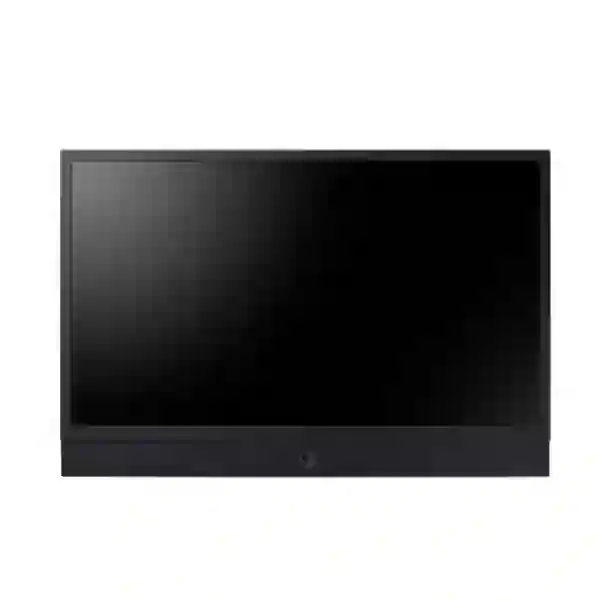
Make your security presence visible while giving staff a practical, configurable public-facing display. The Hanwha SMT-3221PV combines a Full HD monitor, a built-in 2MP network camera and AI-assisted analytics in a single device. It is intended for places where customers, visitors and employees should be able to see a monitored area or an on-screen security message, such as entrances, retail aisles, counters and reception spaces.
For a project in Tanzania, the important decision is not simply screen size. Confirm camera coverage, placement, network design, appropriate power equipment, mounting support and your policy for recording and public notices. Request a quote with a proposed installation location and intended use so the complete equipment list can be assessed rather than treating the monitor as a plug-and-play television.
At a glance: verified product features
A public view monitor has a different job from a standard CCTV screen
A conventional security monitor normally sits where security staff can watch video feeds. A public view monitor is deliberately placed where other people can see it. Its visible display can show a camera view, a message or configured visual content, creating a clear indication that monitoring equipment is present. The SMT-3221PV goes further by placing a network camera in the monitor housing, reducing the need for a separate visible camera at that exact position when the integrated camera provides the required view. It is not automatically a substitute for a building-wide camera system, a recorder or a staffed monitoring operation.
This distinction affects purchasing decisions. A general-purpose commercial screen may be adequate for showing announcements. A separate camera and monitor combination may be appropriate when the best camera angle is far from the best display position. The Hanwha unit is worth considering when both functions can share a carefully selected location and when built-in analytics or configurable deterrent messages matter. Start with the behaviour you need from the device: showing a live image, displaying a safety message, detecting events, gathering operational counts or communicating with a wider surveillance platform.
What people see on the display
The visible screen is a 32-inch class, 16:9 Full HD LED monitor. A public-facing installation can show the integrated camera image and use an on-screen message to explain the intended security purpose. Hanwha provides a default recording-related text message, but the wording should match what the site actually does. Do not display a claim that recording is taking place unless recording has been configured and the notice is consistent with the organisation’s real practices. The message can be adjusted for a more relevant customer or visitor context, subject to the available on-screen settings.
Image slideshow capability and a custom logo image make the display more flexible than a simple fixed warning sign. A shop might choose a clear security notice at an entrance, while a reception team could incorporate a branded message that makes the monitored area easy to recognise. The screen should not become visually crowded: users may be standing several metres away and moving past quickly. Choose concise wording, sufficient contrast, an uncluttered live view and an orientation that suits the space. Test the result from actual visitor positions before committing the final mount.
The integrated 2MP camera: coverage before specifications
The camera uses a 1/2.8-inch 2MP CMOS imaging device and a fixed 3.06 mm lens. Its stated angular field of view is approximately 107.7 degrees horizontally, 59 degrees vertically and 126.7 degrees diagonally. These figures are helpful for an initial design, but they do not guarantee identifiable detail at every distance. Wide views include more of a scene while making distant subjects smaller. A door, counter or walkway should be surveyed for the useful area of coverage rather than selecting mounting height from the display dimensions alone.
The F1.6 lens and stated minimum colour illumination of 0.03 lux under specified test conditions inform low-light planning, yet the real result depends on movement, illumination, reflections and exposure settings. The camera supports a rated 120 dB wide dynamic range, which can be useful where bright entrances and darker interiors appear together. Test for backlight, glare and after-hours conditions. If a project requires a particular face-detail level or distant viewing range, assess captured sample frames on site and consider whether an additional dedicated camera is necessary.
Understanding what the AI features actually do
Hanwha describes AI-based classification of people and faces together with analytic events. Supported configurations include motion detection, object detection, virtual-line crossing and direction, plus virtual-area behaviours such as intrusion, loitering, entering and exiting. These are configurable event tools, not a promise that every detected movement is a threat. The quality of a result depends on correct scene geometry, camera position, lighting, thresholds and ongoing review of unwanted alarms. An installer should test normal customer movement and staff movement before choosing an alert rule.
The product also lists people counting, queue management and heatmap functions as business-intelligence capabilities. These may help an operator understand movement patterns around a monitored location when set up appropriately. They should not be represented as guaranteed footfall accuracy, individual identity tracking or a substitute for verified operational reporting. In particular, face detection is different from identifying a named individual. Use the correct terminology in deployment notices and staff training. Define the business question first, then choose only the analytics needed to answer it.
Deterrence through visible monitoring and configured events
A public view installation is often selected because the monitoring itself is visible. A person entering a monitored area can see the screen and understand that an active security setup is in use. The SMT-3221PV supports motion- and event-activated visual LED and audio alarm functions, providing additional tools for a site that wants configurable responses. Whether to enable audible alerts should be a deliberate operating decision, since a busy shop or reception space may generate frequent movement that would make continuous warnings unsuitable.
Create an event policy before configuring alarms. Determine which scene zones deserve attention, which movements are normal, whether the alert should be local or relayed to staff and what happens after an alert. Verify alarm input/output wiring and any network notification destination during commissioning. More alarms do not necessarily mean better security. Good practice is to keep detection zones narrow enough for their intended purpose, log test cases and assign someone to review the configuration when furniture, queue barriers or visitor patterns change.
Full HD picture quality and viewing conditions
The display specification is 1920 × 1080 pixels, 400 cd/m² brightness, 1300:1 contrast and 178-degree stated horizontal and vertical viewing angles. It is well suited to a clear public view under appropriate indoor conditions, but the manufacturer’s brightness figure should not be converted into a promise of outdoor sunlight readability. Strong reflections, direct sunlight and unusual mounting angles can reduce practical legibility even when a screen has wide nominal viewing angles. Plan placement under actual site lighting.
The panel is specified for 16.7 million display colours, a 25 ms response time and a 30,000-hour panel-life rating. These values provide comparison points, not a guaranteed replacement cycle. For shops with long operating hours, review the planned display schedule, ambient temperature and power-continuity strategy. Full HD is suitable for the product’s intended live-view presentation, but it is not a 4K panel. If the project specification requires a higher native resolution or multiple simultaneous detailed feeds, choose the display solution to match that requirement.
Landscape and portrait: choose the format for the scene
Landscape positioning can make sense for wider counters, shop entrances or corridors where the visible scene extends across the frame. Portrait can work better at narrow passages or areas where visitors approach from directly ahead. The manufacturer supports landscape and portrait display modes, and the camera functions include video rotation and hallway-style viewing. Orientation should be selected from the intended viewing area, not only from the spare wall space or the shape of an existing sign.
A portrait installation also changes how text, logos and video are composed. Before mounting, confirm whether a person entering the premises can read the primary message without stopping, and whether the live image contains the relevant zone rather than a wide amount of unused wall or ceiling. Consider line of sight from different visitor heights and from the security staff position. Arrange a temporary test at the proposed height and orientation whenever possible. A correct image format is valuable only when the real scene is still useful.
Mounting, physical size and structural considerations
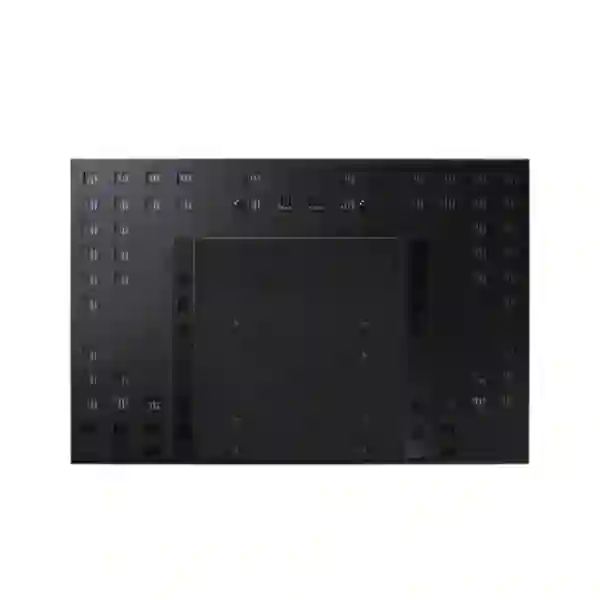
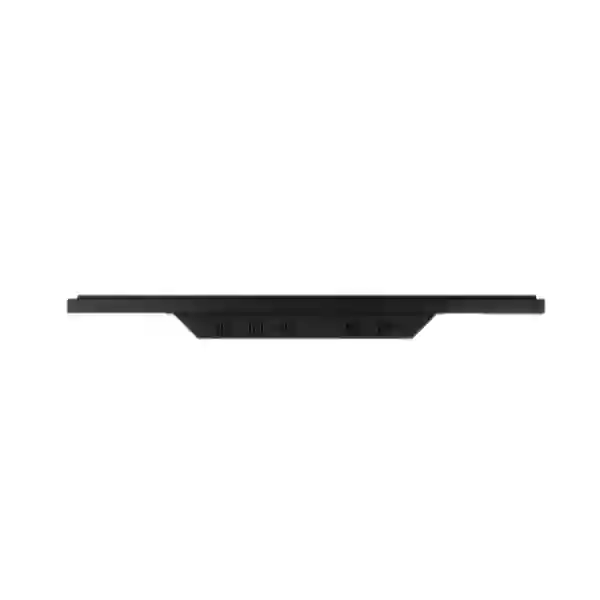
The manufacturer’s dimensions without a stand are 734 × 490 × 68 mm and the stated weight is 12.4 kg. The black steel cabinet and VESA mounting interfaces are intended for a professional, fixed installation. Supported interface patterns are 100 × 100 mm, 200 × 100 mm and 200 × 200 mm. These are mounting-hole patterns, not evidence that any particular bracket, pole or ceiling assembly is included. Select an appropriately rated mount and verify the actual assembly against the wall or ceiling structure.
An installer must allow for cable access, the viewing angle, cooling clearance, service access and any protective placement required by the environment. A crowded entrance might need a position that prevents accidental impact while still providing a useful public view. If a mount allows tilt or rotation, verify that its supported adjustment and load capacity remain suitable for the chosen orientation. Record the proposed height, bracket model, attachment surface and route to power and Ethernet before ordering. Never rely on the VESA pattern alone to establish mechanical compatibility.
Powering the monitor: HPoE and 24 V DC
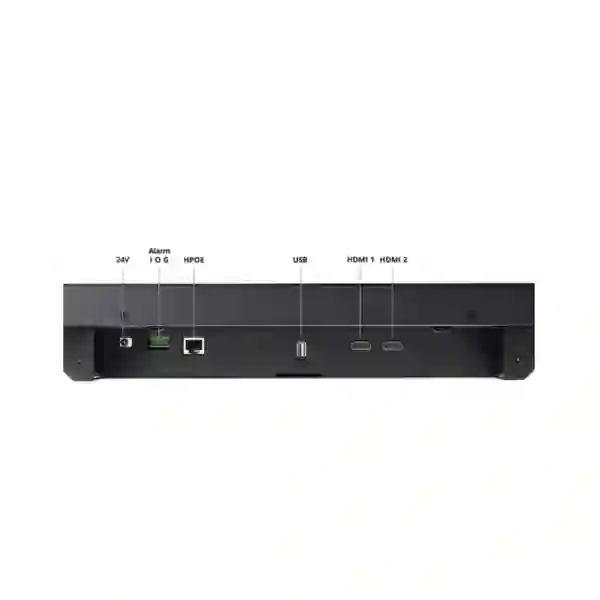
The SMT-3221PV accepts either 24 V DC or high-power Power over Ethernet conforming to 802.3bt, and Hanwha specifies 56 W power consumption. Standard lower-power PoE cannot be assumed sufficient merely because the connector is Ethernet. The datasheet identifies a 24 V adapter model SPU-60240 and HPoE injector model SPO-8315 as relevant accessories, while stating that power adapters are not included. Confirm current accessory compatibility and the correct region-specific mains arrangement before purchasing equipment.
Build the power path as part of the overall installation, not as an afterthought. For HPoE, verify the actual switch or injector output budget, cable length, cable quality, thermal conditions and the number of other powered devices on the same switch. For DC, specify the correct adapter and its safe installation point. If a site needs operation during short power failures, evaluate an appropriate UPS and the power demands of the display, network equipment and recording system together. Do not assume the monitor has an internal backup battery.
Ethernet connectivity and network preparation
The monitor provides an RJ-45 10/100BASE-T Ethernet interface. Its integrated camera and management features make it a networked security device, so the installation should be planned with the organisation’s IT or security administrator. Obtain an approved network segment, addressing method, administrative access procedure and rules for any video-management system before deployment. A screen that lights up successfully is not proof that the camera can be reached securely or that network recording and events are functioning.
Plan the physical cable route as carefully as the network configuration. Keep connectors accessible for safe servicing without leaving them exposed to visitors. Record IP addressing, device identity, firmware version and assigned management responsibility in a controlled asset register. Where remote access is required, use an approved secure method rather than exposing device administration indiscriminately to the public internet. Verify the building’s network policies, switch support and expected traffic. Ethernet connectivity also does not establish that the product is a Wi-Fi monitor; the stated wired interface should be used for design assumptions.
HDMI connections and video-source planning
Two HDMI inputs give the display options beyond its built-in camera feed. This can be useful when a project requires an approved local video source, provided the desired content mode has been checked against the actual device configuration. Hanwha lists input formats including Full HD at 60 Hz. The presence of two connectors should not be confused with a guaranteed picture-in-picture or picture-by-picture feature: this exact SMT-3221PV model is distinguished from variants that advertise those display modes.
If a site expects the display to switch between sources, show several sources at once or display a recorder feed, those behaviours should be tested before the solution is quoted as complete. Check HDMI cable reach, source resolution, content rights and the intended default screen after a power interruption. Decide who is allowed to change inputs and how the display should return to its security purpose. The HDMI ports offer useful flexibility, but they do not by themselves replace a matrix switcher, video wall controller or multi-window security workstation.
MicroSD and recording: define the storage workflow
The device lists one microSD/SDHC/SDXC slot supporting a maximum card capacity of 256 GB. Hanwha also documents event-driven recording and possible NAS recording within the camera’s supported features. These capabilities should be used only after confirming a real recording design: medium suitability, event settings, image quality, retention targets, access rights, maintenance checks and recovery after a fault. Do not assume that a card is supplied or that a supported recording destination has already been configured.
Storage size alone cannot determine how many days of evidence a site will retain. Duration changes with codec, frame rate, activity, picture complexity, trigger settings and overwriting policy. Set a retention requirement based on the site’s needs and applicable rules, then calculate and test the configuration. If recordings are important to investigations, define export procedures and time synchronisation, restrict access, and monitor storage health. A public-facing monitor may be visible to many people, but its underlying recorded video should still be controlled as a security asset.
Camera video formats and bandwidth decisions
The integrated camera lists H.265 and H.264 encoding up to 30 frames per second in 60 Hz mode, and MJPEG at a lower maximum frame rate. WiseStream III is also listed as a supported smart-codec feature. These specifications can inform a bandwidth estimate for a configured stream, but they are not a fixed bit rate or a guarantee that every client can decode every codec. A compatible recorder or video-management platform must be configured for the chosen stream settings.
For a network used by multiple cameras, calculate aggregate traffic and allow for viewing, recording and occasional configuration activity. Check the selected recorder’s supported resolution, frame rate, codec and stream protocol rather than relying on a generic brand compatibility statement. High visual quality may be essential for some scenes, while lower bandwidth is more important for others. A practical commissioning test should include live viewing, retrieval of any configured recordings and a network interruption scenario. Monitor recovery after power and network changes so a visible working screen does not mask a missing video recording.
Alarms, speakers and integration with site operations
The monitor includes two 2 W speakers, one alarm input and one alarm output. Together with event-triggered video analytics and network notification functions, these features enable a range of site-specific workflows. They do not, however, provide a complete alarm response service by themselves. If an alert is sent to a third-party panel, recorder or staff application, confirm the electrical interface, supported message format and expected recipient action. Avoid connecting unverified circuits directly to the monitor.
Audio alerts should be designed for the environment. A calm office reception may need a restrained visual indication, while a controlled access point may benefit from an approved local sound. In a high-traffic retail setting, repetitive audible alarms can irritate customers or be ignored by staff. Test the actual alert volume and timing in the premises and ensure the purpose is explained to operators. Recording and audible notification are separate functions: configure each intentionally and validate the response under realistic conditions.
Custom messages, logos and the slideshow
Hanwha supports a customizable text overlay, on-screen logo image and image slideshow, as well as browser-based management of functions including scheduling and banners. The useful question is what visitors need to understand immediately. A short, correctly worded notice can communicate the monitored-area purpose without forcing customers to read a paragraph. Brand imagery may help the display appear integrated into the premises, but a logo should not obscure a key part of the camera view.
A slideshow can support a site-specific display plan, yet important safety or security notices should not become difficult to find between changing screens. Verify the content format, upload process and scheduling behaviour in the current firmware before designing customer-facing graphics. Assign an owner for updating messages when store layouts, policies or operations change. A banner should not imply that an alarm, facial identification or recording system is active unless that functionality is genuinely in use. The right configuration is one that staff can maintain reliably.
Use case: shop entrances and retail service areas
In a retail entrance, a visible monitoring display can make the surveillance arrangement easy to recognise. The integrated camera may cover the approach to the entrance, while the screen presents a live view and a clear notice. This can help the retailer communicate that the space is monitored, but the equipment does not guarantee prevention of theft or other incidents. A professional survey should examine whether backlit doorways, seasonal displays or passing traffic interfere with the image and whether the screen can be read from the intended approach.
For service counters, a different placement may be preferable. An entrance-mounted unit might show arrivals well but miss a cash counter that needs a dedicated camera. Use the SMT-3221PV where the public-facing display and the integrated camera work together, and supplement it elsewhere when coverage requires a different angle. Consider customer comfort, staff workflow and the effect of queues on the detection area. The best retail design is a useful, maintained security workflow rather than a monitor chosen only for its prominence.
Use case: reception, commercial premises and visitor access
At an office reception or commercial building entrance, the monitor can present an immediate reminder of the site’s monitored-access arrangements. A well-positioned unit may show people approaching a reception point while allowing administrators to display an appropriate message. For organisations that already use an access-control system, do not assume the public view monitor can directly unlock doors, read credentials or act as a full visitor-management platform. Any integration must be designed and verified separately.
Space planning matters particularly at reception desks. Glass partitions can create reflections, and a screen mounted above eye level may produce an unhelpful face angle. Measure the likely position of the camera view, the direction of approaching visitors and the sightline of staff. Discuss what happens if a visitor requests information about monitoring. If analytics such as queue management or people counting are enabled, decide who will review them and whether they genuinely help operations. Keep the system’s purpose understandable to both operators and visitors.
Use case: shared spaces, corridors and internal checkpoints
A public view monitor may also fit a shared commercial corridor, internal checkpoint or customer waiting area when a visible security message is appropriate. Such locations often have repeated movement and changing conditions, so a simple motion alarm may create noise without improving response. Instead, select the area of interest, define relevant events and confirm that operators have a reason to act on them. A device placed in a narrow passage may benefit from portrait orientation or hallway-style video rotation.
Before deployment, assess sightlines, emergency routes, accessibility and building rules. Do not obstruct exits or place the screen where it draws attention away from important safety signage. In shared premises, the property manager and tenant may have different roles in deciding how video is captured and used. Confirm responsibilities before enabling recording, sharing analytics or providing administrative credentials. The product’s technical capability is only one part of a working installation; a clear operational owner is just as important.
Tanzania project planning: environment and site reliability
For a Tanzania project, confirm the proposed installation conditions rather than assuming that all locations have the same power, climate or network environment. The manufacturer’s rated operating range is 0 to +40 °C with 10% to 80% non-condensing humidity. An indoor wall near a hot roof, poorly ventilated enclosure or sunlit window can have different conditions from the room’s general temperature. Verify actual exposure and select another location or a different product when the rated limits cannot be maintained.
Assess power stability and network availability at the exact site. A useful plan identifies the mains source, possible UPS, approved HPoE injector or DC adapter, Ethernet route and the equipment that must stay online for recording or alerts to work. Confirm installation access, physical security of cables and who can maintain the system. The Tanzania context does not establish current local stock, pricing, delivery, warranty or service coverage. Those commercial details should be checked with a written quote rather than inferred from international product listings.
Tanzania buying checklist: ask for a complete system quotation
A product quote should identify the exact monitor model, the required power method, compatible power accessory, mounting bracket, cabling, any memory card or recording equipment, installation labour where applicable and commissioning responsibility. Include the number of units, intended screen orientation and descriptions of the spaces to be covered. This level of detail helps avoid a quote that supplies the display but omits an essential injector or fails to account for site access and cabling work.
Ask the supplier to distinguish included equipment from optional accessories. Request confirmation of firmware support and any third-party integration before paying for a complete solution. If the installation involves more than one location, agree on common naming, network configuration, user roles and documentation. Commercial terms should separately state whether taxes, transport, mounting hardware, site surveys and post-installation support are included. No specific Tanzania price, lead time, warranty or service-area claim is assumed on this page.
ONVIF, SUNAPI and video-management compatibility
The manufacturer lists ONVIF Profiles S, G, T and M and its SUNAPI HTTP API as supported interfaces. These standards and interfaces are useful starting points for interoperability discussions. They do not automatically guarantee every analytics event, recording function or camera setting will operate identically across all recorders and software versions. Actual integration depends on the selected management platform, its profile implementation, licences, firmware and configuration.
Before procurement, provide your security integrator with the intended VMS or NVR model, version, camera count and needed functions. Separate basic live video, event delivery, recording playback, device administration and analytics metadata into different test items. A platform may support one without supporting all of them. Conduct a small compatibility proof of concept where possible and document the result. If the customer needs a specific remote dashboard or alarm workflow, treat that integration as a project requirement to verify, not as an unqualified promise based solely on an ONVIF logo.
Network security and administrative control
Because the SMT-3221PV is a networked camera and display, secure deployment is essential. Hanwha’s published specifications include secure boot, signed and encrypted firmware, digest authentication, supported 802.1X network authentication, HTTPS and other secure communications features. These are security capabilities to configure and maintain; they do not mean the installation is secure without further work. Begin by changing initial credentials where required, assigning least-privilege user roles and limiting who can reach administration services.
Place the device within an approved security network architecture and keep a controlled record of firmware, user access and important settings. Validate the source and applicability of updates, maintain time synchronisation and review logs when the operational process calls for it. Disable unneeded services where supported and avoid direct public-internet exposure. When an external provider needs temporary support access, agree on a secure, auditable method. Physical access to the monitor and removable storage should also be controlled, since the unit may be installed in an area open to visitors.
Privacy, notices and responsible video use
A camera facing a public or semi-public area can capture people who have not come to the premises specifically to be recorded. Plan its purpose, coverage and access rules before enabling recording or analytics. Use clear notices that truthfully describe the deployed monitoring practice. Avoid aiming the integrated camera at unrelated private spaces or beyond the area needed for the stated security purpose. Configure privacy masks when appropriate, while recognising that technical masking must be tested against the actual captured view.
Face detection and people counting should not be described as facial identification or as a guarantee of demographic insight. Decide how long recorded material is needed, who can export it and what happens when a visitor or staff member asks about its use. Consult the organisation’s legal or compliance adviser for requirements that apply to its specific activities in Tanzania. This product page does not assert that the device itself confers legal authorisation or a Tanzanian regulatory approval. Responsible operation is determined by both technology and governance.
Commissioning sequence for installers and IT teams
Begin with a site survey and a documented purpose for the monitor. Confirm the device location, screen orientation, camera field of view, compatible mount, power budget, network path, target recording system and administrative owner. Next, safely install the bracket and cabling, connect the approved power equipment and verify stable startup. The power adapter or HPoE injector must be addressed in this stage because it is not included as standard. Record serial and configuration information according to the customer’s asset-management process.
Then configure approved network access, update firmware as appropriate, select the display layout and establish camera settings in the actual lighting conditions. Test each intended analytic event with ordinary movement as well as representative trigger cases. Validate audio levels, notices, source switching, recording retrieval, clock settings, power recovery and management access. Finish with a handover that explains who receives alarms, who changes screen messages, who checks logs and how the unit can be safely serviced. A simple commissioning checklist makes future support less dependent on the original installer.
Maintenance, cleaning and ongoing performance checks
Like any visible security device, the monitor needs periodic attention after installation. Dust or fingerprints on the screen affect readability; dust on the camera viewing area can reduce useful image detail. Follow the manufacturer’s applicable cleaning guidance and disconnect or isolate the equipment safely where required before maintenance. Check that mounting hardware remains secure, cabling is undamaged and the unit is operating within its rated environmental limits. Changes to a shop layout or reception desk may alter a once-correct field of view.
Review the configured message and logo so that visitors see current, accurate information. If event notifications or recording are used, test that alerts reach their destination and that stored footage can actually be retrieved. Monitor available storage, firmware advisories and administrator accounts through the site owner’s normal maintenance process. When a service issue occurs, note the symptoms, current firmware, power source and network state before changing settings. Good maintenance preserves the value of the public view installation beyond its initial visual impact.
Troubleshooting common deployment questions
If the screen is dark, first confirm the selected power method and whether the specific HPoE source or 24 V supply is suitable. Do not assume a standard PoE port provides enough power. If the screen works but the integrated camera cannot be viewed over the network, check addressing, network reachability, account access and the receiving platform’s stream settings. If the HDMI image appears wrong, check the selected input and the source’s supported output format before concluding that the panel is faulty.
If analytics produce too many events, review the configured zones, scene geometry, lighting and normal pedestrian movement. If no recordings are available, inspect the actual configured recording destination, media health, event rules and retention settings. When a message looks unreadable, revisit font size, contrast, viewing distance and display orientation. Document any diagnostic changes and restore approved security settings afterward. These checks are planning guidance, not a substitute for the manufacturer manual or qualified technical support when electrical safety, firmware recovery or physical damage is involved.
Compare with a standard monitor or a separate camera system
The SMT-3221PV has a clear value proposition when a visible monitor and its integrated camera can share a useful location. A basic signage monitor may be less specialised but does not provide this built-in AI camera and alarm feature set. A conventional CCTV display can serve a guard desk well, yet its placement and role are different from a public view device. A separately mounted camera and screen allow each component to be positioned independently, which can be advantageous when one shared mounting point creates a compromise.
The decision should be based on a site survey and operational requirements. Choose a separate-camera approach if the important camera view is too high, too far away or directed differently from the public-facing display. Consider a higher-resolution monitor if the screen itself must present fine multi-camera detail. For a planned 32-inch AI public-facing view with approved messages and supported analytics, the Hanwha solution may simplify the concept. Do not assume this non-PIP/PBP model provides the multi-window functions advertised for other product variants.
Procurement questions that prevent costly assumptions
Before authorising an order, ask whether the exact SMT-3221PV model is being supplied, which power component is included, which mounting solution is suitable and whether any HDMI, Ethernet or storage accessories are included in the quotation. Clarify whether the application needs local event storage, integration with an NVR or VMS, or only a visible live image and message. Each requirement changes installation effort, software testing and operating responsibility. Request a written breakdown rather than comparing prices for unlike equipment bundles.
Also ask whether the proposed installation has been checked for environmental suitability and physical safety. Agree on the specific acceptance tests: readable display, intended camera coverage, authorised management access, correct time, tested alarms, footage retrieval if configured and reliable startup after power loss. Ask who will hold administrative credentials and provide documentation at handover. If any of these answers is uncertain, resolve it before installation. The most economical purchase is not necessarily the least expensive monitor; it is the configuration that meets the stated job without missing essentials.
SMT-3221PV technical specifications
These are manufacturer-published specifications for the exact model. Design and specifications may change; confirm the current revision and any project-specific accessories before ordering.
| Category | 32-inch AI Public View Monitor (AI PVM) |
|---|---|
| Display | LED, 1920 × 1080 Full HD; 16:9 |
| Rated brightness / contrast | 400 cd/m² / 1300:1 |
| Viewing angle / response | 178° horizontal and vertical / 25 ms |
| Built-in camera | 1/2.8-inch 2MP CMOS; 3.06 mm fixed lens; F1.6 |
| Camera field of view | 107.7° horizontal; 59.0° vertical; 126.7° diagonal |
| Camera WDR | 120 dB stated |
| Video compression | H.265, H.264, MJPEG |
| Analytics | People/face classification, event rules, people counting, queue management, heatmap |
| Video inputs | Two HDMI inputs and integrated camera |
| Network / APIs | RJ-45 10/100BASE-T; ONVIF S/G/T/M; SUNAPI |
| Audio / alarms | 2 × 2 W speakers; 1 alarm input; 1 alarm output |
| Edge storage | 1 × microSD/SDHC/SDXC slot, up to 256 GB |
| Power | 24 V DC or HPoE IEEE 802.3bt; 56 W rated consumption |
| Operating conditions | 0 to +40 °C; 10–80% relative humidity, non-condensing |
| Dimensions / weight | 734 × 490 × 68 mm without stand; 12.4 kg |
| Mounting | VESA 100 × 100, 200 × 100, 200 × 200 mm |
| Important accessory note | Compatible DC adapter or HPoE injector not included as standard |
Frequently asked questions
What is the Hanwha SMT-3221PV used for?
It is a 32-inch AI public view monitor intended to show security-related content in a place where visitors can see it. An integrated 2MP camera and configurable messages make it different from an ordinary monitor. Its suitability depends on camera placement, the intended message, power, networking and any wider surveillance workflow.
Does it have a built-in camera?
Yes. Hanwha specifies an integrated 2MP CMOS camera with a 3.06 mm fixed lens. The camera and screen share the same device housing, so mounting location is especially important. A project may still need separate security cameras where the correct coverage and public display position do not coincide.
Is the screen 4K?
No. The native display resolution is Full HD at 1920 × 1080 pixels. That is a useful specification for a public-facing live image and short message. A requirement for a native 4K screen should be addressed by choosing a different display suited to that requirement.
Can it detect faces?
The manufacturer lists face detection and AI-based person/face classification. That is not the same as identifying a named person or guaranteeing facial recognition. Any use of detection features should be configured for the intended purpose, tested in actual lighting and managed under appropriate privacy rules.
Can it count people or help assess queues?
Hanwha lists people counting, queue management and heatmap functions among the AI business-intelligence capabilities. The actual usefulness of these tools depends on installation position, scene conditions, configuration and how the business interprets results. The product does not guarantee a particular counting accuracy for every premises.
Can I power it from a normal PoE switch?
Do not assume so. The product requires 802.3bt HPoE or suitable 24 V DC power. The actual switch or injector must have the correct standard and adequate available power budget. Ask the installer to check the chosen power source and cable path before specifying the final equipment list.
Is a power adapter included?
Hanwha states that the power adapters are not included as standard. The manufacturer identifies accessory references for a compatible 24 V DC adapter and HPoE injector. The quotation should state exactly which approved power accessory, if any, is being supplied with the unit.
Can it work in portrait orientation?
Yes. Landscape and portrait modes are supported, and the camera features include rotated hallway-style viewing. Choose the orientation according to the approach route, the message layout and the useful camera scene. Have the proposed mounting assembly checked for that orientation.
How much recording can a microSD card hold?
The device has one microSD/SDHC/SDXC slot with a stated maximum of 256 GB. Recording duration cannot be promised from card size alone because it depends on codec, video settings, activity, triggers and retention policy. Agree on a target retention period and test the configured storage workflow.
Will it integrate with my recorder or VMS?
Hanwha lists ONVIF Profiles S/G/T/M and SUNAPI. These can help with interoperability, but exact compatibility must be checked with the selected NVR or video-management platform and the functions required. Verify live view, recordings, events and management separately rather than assuming all features work through one protocol.
Can it display an organisation’s logo and message?
Yes. It supports an on-screen logo image, customizable text overlay and image slideshow. A message should accurately reflect the actual monitoring and recording arrangements. Test readability at the expected visitor distance, especially if a live image is also displayed.
Is it suitable for outdoor installation in Tanzania?
Do not treat the monitor as weatherproof without a separate manufacturer rating for the intended exposure. Published operating specifications are 0 to +40 °C and 10% to 80% non-condensing humidity. Review heat, sunlight, moisture, protection and ventilation for the exact proposed location before selecting the device.
What should I provide for a quotation?
Share the number of monitors, proposed location for each unit, mounting surface, indoor conditions, desired portrait or landscape format, network situation, power preference and whether recording or analytics integration is required. Ask for the complete bill of materials, installation scope, compatibility checks and commercial terms in writing.
Is it a substitute for a complete security system?
No. A visible monitor with a built-in camera can be a valuable part of an overall security arrangement, but site-wide camera coverage, controlled recording, monitoring procedures and incident response may require additional equipment and people. Make the purchasing decision from the site’s protection requirements, not the screen alone.
Request a Tanzania project quote
Need a visible security monitor for an entrance, shop floor, reception area or visitor checkpoint? Ask for an assessment of the Hanwha SMT-3221PV against your location, power and network requirements. Include the intended mounting position, number of units and whether the project needs local recording, a separate NVR or verified software integration.
Request a written quote that distinguishes the monitor from required power accessories, mount, cabling and installation work. Pricing, stock, delivery and support terms should be confirmed for the exact order. No unverified local offer is represented here.




Reviews
There are no reviews yet.