
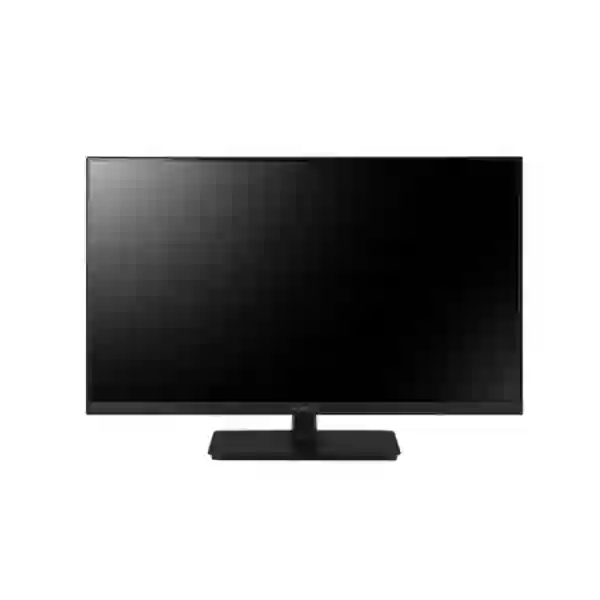
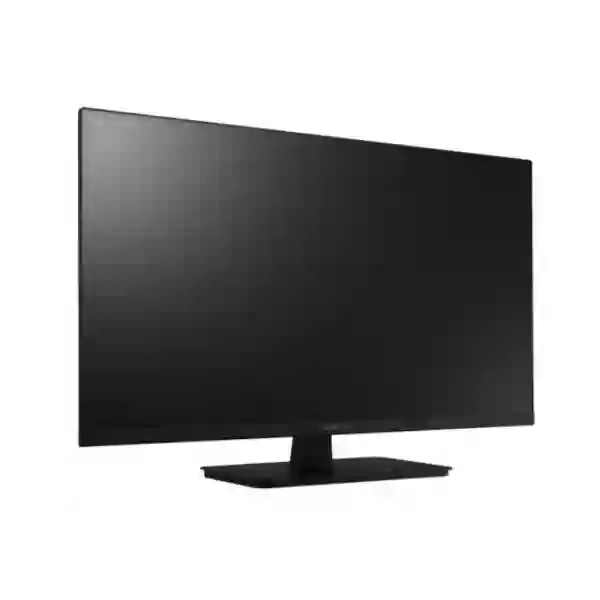
Hanwha Vision • Professional UHD display
Hanwha SMT-3240 32-inch 4K UHD Monitor
A 32-inch-class display for security viewing stations and other indoor professional video tasks. With 3840 × 2160 resolution at up to 60 Hz, HDMI and DisplayPort inputs, integrated 2 W × 2 speakers and a design tested for 24/7 operation, the SMT-3240 gives buyers a clear set of features to evaluate against their source equipment and working environment.
Planning a Tanzania installation? Request a quote that identifies the exact monitor, signal source, mounting arrangement and site conditions. Local pricing, stock, delivery and warranty terms must be confirmed separately.
Key features at a glance
- 32-inch-class LED panel with 16:9 format
- 4K UHD 3840 × 2160 output presentation at up to 60 Hz from compatible source equipment
- 1 × HDMI and 1 × DisplayPort video inputs
- 300 cd/m² typical brightness; 178°/178° viewing angle
- Built-in 2 W × 2 speakers and listed audio output
- 100 × 100 mm VESA mounting interface
- Designed and tested for 24/7 operation according to Hanwha Vision
Verified technical specifications
The following figures are taken from Hanwha Vision’s official SMT-3240 product and support information. Check the latest manufacturer documentation when preparing a contractual specification or final equipment schedule. Actual results also depend on the connected signal source and the installed environment.
| Brand | Hanwha Vision |
|---|---|
| Model | SMT-3240 |
| Display | 32-inch-class LED monitor |
| Maximum resolution | 3840 × 2160 (UHD), up to 60 Hz with compatible input |
| Aspect ratio | 16:9 |
| Brightness | 300 cd/m² (typical) |
| Contrast ratio | 1000:1 (typical) |
| Viewing angle | 178° horizontal / 178° vertical |
| Response time | 14 ms (typical) |
| Panel life figure | 30,000 hours (manufacturer specification; not a warranty) |
| Video inputs | 1 × HDMI; 1 × DisplayPort |
| Audio | 2 W × 2 built-in speakers; audio output listed |
| Power input | AC 100–240 V, 50/60 Hz |
| Power consumption | 55 W (manufacturer specification) |
| Operating temperature | 0°C to +40°C |
| Operating humidity | 10–80% non-condensing |
| Dimensions with stand | 714.6 × 485.7 × 200.9 mm (W × H × D) |
| Dimensions without stand | 714.6 × 445.6 × 53.7 mm (W × H × D) |
| Weight | 8.0 kg with stand; 6.5 kg without stand |
| Mounting interface | 100 × 100 mm VESA |
| Cabinet colour | Black |
What this 32-inch UHD monitor is designed to do
The Hanwha SMT-3240 is a 32-inch-class LED monitor intended for professional video viewing, including security monitoring environments. Its native 3840 × 2160 UHD display can present a compatible 4K signal at up to 60 Hz through HDMI or DisplayPort. The screen offers a practical middle ground: considerably more display area than a compact desktop monitor, but a smaller footprint than a large wall display. For buyers evaluating equipment for surveillance desks, offices or security rooms, the key benefit is a defined set of display and connectivity specifications rather than an assumption that all video-monitoring equipment works together.
This is a display, not a network video recorder, camera, video decoder or surveillance management application. It shows the signal supplied by a connected computer, compatible recorder or other external video output. It does not independently discover IP cameras, store recordings, run video analytics or create a multi-camera layout. Those functions must come from the connected source equipment and its software. Establishing that boundary at the start helps buyers prepare a complete installation rather than buying a screen and discovering that additional equipment is required.
Why 4K UHD matters for a security viewing station
A 3840 × 2160 display has a large canvas for viewing detailed imagery, camera grids, timelines and interface controls. When a compatible source outputs UHD, text and small interface elements may be represented using more pixels than on a conventional 1920 × 1080 display. This can be useful where operators need to navigate a recorder interface while keeping several camera tiles visible. It can also suit a workstation that displays maps, access-control information, incident logs or a live-view dashboard alongside surveillance footage, provided the connected computer and software support that workflow.
However, a 4K monitor does not turn low-resolution footage into genuine 4K video. Camera resolution, compression, transmission conditions, recorder output settings, video-wall or decoder capacity and individual tile size still govern how much usable detail appears. A grid of many feeds can reduce the physical size of each view even when the display is sharp. Ask which cameras and layouts matter most, then test the actual source at the intended output resolution. UHD is valuable when it serves an operator task, not simply because the number is higher.
Choose the right role for the screen
Begin with the work the screen must support. A receptionist may need to recognize a visitor approaching an entrance. A security guard may watch live cameras and use playback during an incident. A facilities supervisor might display a recorder dashboard intermittently while working with other software. Each task has different needs for viewing distance, screen position, brightness, input switching and the number of simultaneously visible cameras. A single 32-inch monitor can be a focused operator display or one element in a larger monitored workspace; it is not automatically a replacement for a dedicated video wall.
Consider who will sit closest to the screen, how often the image changes and whether someone needs to read fine detail from several metres away. At a desk, UHD is often best appreciated when the operator can sit reasonably near the panel. From across a lobby or large room, screen size and visual hierarchy may matter more than native pixel count. Create a simple list of required tasks before purchasing: live viewing, search and playback, alarm acknowledgment, report preparation, visitor monitoring, or presentation of one priority camera. That list will guide the source, mounting and usability decisions.
Understand the display specifications
Hanwha Vision lists a 16:9 aspect ratio, 300 cd/m² typical brightness, 1000:1 typical contrast ratio, a 178° horizontal and vertical viewing angle, and a 14 ms typical response time for the SMT-3240. These are useful reference values when comparing displays in a tender or equipment schedule. Wide specified viewing angles can support workstations where more than one person needs to view the screen from different seats. The listed brightness can be suitable for many controlled indoor spaces, although visibility in a particular room depends on reflections, background lighting and installation position.
The monitor is also listed as supporting approximately 1.07 billion display colours and a panel life figure of 30,000 hours. These figures should be read in the context of the manufacturer’s specifications, not as promises of perfect image quality, uninterrupted operation or a particular service life in every environment. Panel life is not the same as a warranty period. If image fidelity for forensic examination, calibrated colour or specialist medical display is essential, specify those additional needs explicitly; the published SMT-3240 specification alone does not establish suitability for such specialist uses.
HDMI and DisplayPort: check the complete signal path
The published interface list provides one HDMI video input and one DisplayPort input. Both are described by Hanwha Vision as capable of accepting 3840 × 2160 at 60 Hz when the source and connection are compatible. A security NVR may provide an HDMI display output, while a workstation might use HDMI or DisplayPort. Before ordering, compare the actual output sockets on the source device with the monitor inputs, and confirm the source supports the intended resolution and refresh rate. A connector shape alone does not prove that the attached hardware can deliver UHD at 60 Hz.
Plan how the operator will select sources and whether input switching is needed. With two physical video inputs, a simple arrangement might connect a recorder to HDMI and an operator PC to DisplayPort, subject to the equipment’s supported modes. That does not imply picture-in-picture or simultaneous display of both inputs; do not assume those functions without explicit documentation. Confirm cable type, cable length and routing with the installer. Long signal runs may require professionally selected extension equipment, and active conversion or extension should be tested with the real equipment before handover.
Avoid assumptions about ports and direct IP connectivity
The manufacturer lists HDMI and DisplayPort as video inputs, plus an audio output. It does not list VGA, BNC, an Ethernet camera port or a built-in IP camera interface in the SMT-3240’s official interface specifications. Some reseller descriptions of display products can mix generic monitor terminology with specific features. For procurement, use the exact-model manufacturer specifications rather than assuming that an older analog connection or an unfamiliar connector is included. If your recorder offers only a different output type, determine whether an appropriate external converter is practical and supported.
A conventional IP camera normally sends video across the network to an NVR, video-management system or decoder. The screen then receives a display signal from that downstream equipment; it does not substitute for the decoding, authentication, bandwidth and recording functions. Similarly, connecting a laptop is not equivalent to integrating a camera system. Document the full chain as camera to network to recording or viewing device to monitor. This simple diagram makes it easier to identify missing interfaces, software licenses, network capacity and controls over who can see or export footage.
Designed and tested for 24/7 operation
Hanwha Vision explicitly describes the SMT-3240 as designed and tested for 24/7 operation. That makes the model relevant to buyers who want a continuously available viewing point rather than a screen used for occasional presentations. In a security room, operators may require a persistent overview during shift changes, incident reviews and periods of unattended monitoring. The manufacturer’s description establishes a design intention for round-the-clock use, but actual reliability still depends on suitable ventilation, electrical conditions, operating temperature and correct installation.
Treat continuous operation as an operational plan rather than a slogan. Define who will check the display each shift, how a failed screen will be reported, whether an alternate viewing station exists and what should happen during power interruptions. Choose sensible image arrangements and screen settings to suit the monitoring software. Keep ventilation areas clear and follow the device’s current manual. Round-the-clock design does not guarantee that every connected recorder, cable, power source or software application will operate continuously; each part of the chain deserves its own reliability check.
On-screen layout and multi-camera viewing
A surveillance display is useful only when the camera arrangement matches the operator’s decisions. A single large image can help an operator focus on a gate, cash point or loading entrance. A four-way split can support a modest group of related views. Larger grids can provide situational awareness, but they also make each camera tile smaller. The SMT-3240 provides UHD pixels for a compatible layout, while the NVR or VMS creates that layout. Confirm which grid options the connected equipment supports and whether playback, alarm overlays or software sidebars reduce the usable image area.
Organize camera views by task rather than filling every possible tile. Put urgent entrances or high-risk zones where an operator can identify them quickly. Keep critical labels legible and use meaningful camera names in the viewing software. If the work involves regular evidence review, reserve a way to enlarge a selected feed to full screen. Ask operators to test a normal shift workflow with sample images, not just a showroom demo. The best grid is one that supports rapid recognition and action, even if it uses fewer tiles than the technology permits.
The difference between display resolution and camera evidence
The SMT-3240 can show a UHD signal, but the quality of a particular recorded incident depends on factors upstream of the monitor. A camera’s sensor resolution, lens choice, field of view, lighting, shutter behavior, compression settings and recording retention are separate design decisions. A small distant subject in an extremely wide camera scene may remain difficult to identify on any display. Likewise, digital enlargement of a heavily compressed or low-detail recording will not create missing evidence. Buyers should evaluate security footage using representative distances, scenes and lighting.
A practical acceptance test includes live footage and recordings from the actual cameras, viewed through the final recorder or workstation at the screen’s intended output settings. Check faces or vehicle details only where the camera system has been designed to capture them, and assess whether on-screen timestamps and camera names remain readable. Do not use a monitor’s 4K label as proof that the overall surveillance system captures 4K images. The monitor is the final presentation stage in a larger technical workflow, and each stage must be appropriate for the desired security outcome.
Positioning the monitor for comfortable use
A screen’s usefulness depends on mounting height, viewing distance and the angle from which operators see it. With a 32-inch-class display, avoid installing the centre of the screen so high that desk-based users must continually tilt their heads. A seated security officer typically benefits from a position where commonly used controls and priority imagery are comfortably visible. For a shared station, consider how a second person will view the monitor during a handover or incident. The specified 178° viewing angle gives flexibility, but it does not remove the need to test sightlines.
Consider reflections from windows, bright ceiling fixtures and glossy surfaces. Repositioning the monitor or controlling ambient light often improves visibility more effectively than simply increasing brightness. The 300 cd/m² brightness figure does not make the SMT-3240 a sunlight-readable outdoor display. Where a screen faces substantial daylight, test the proposed installation during the brightest relevant period. Also plan where the keyboard, mouse, recorder and incident log will sit so that operators do not have to twist or reach around the monitor to perform routine tasks.
Stand dimensions, footprint and VESA mounting
Hanwha Vision specifies dimensions of 714.6 × 485.7 × 200.9 mm with the stand and 714.6 × 445.6 × 53.7 mm without the stand. The listed weight is 8.0 kg with the stand and 6.5 kg without it. These figures allow a contractor to check the desk width, available depth, cabinet clearance and physical load before the equipment arrives. If the display will sit on furniture, allow space for cables, safe handling and ordinary cleaning. Do not choose a shelf by screen diagonal alone.
The model supports a 100 × 100 mm VESA mounting interface. A compatible mounting pattern does not establish that every arm or wall bracket is suitable. Check the bracket’s rated weight capacity, fastener requirements, clearance, installation orientation and the strength of the supporting structure. The manufacturer’s stand and the proposed third-party mount may have different setup procedures. Where staff will reposition the screen frequently, cable strain relief and stable mounting become important. Ensure that opening access panels or moving equipment will not snag the HDMI, DisplayPort or power connections.
Electrical planning and standby arrangements
The official input requirement is AC 100–240 V at 50/60 Hz, and the published power-consumption figure is 55 W. These values help installers size electrical distribution and estimate the display’s contribution to a larger monitoring station. They should not be used alone to size a UPS for a complete system. A recorder, network switch, router, decoding workstation and other security equipment can add significantly to the total load. Determine which devices must remain operating during an outage and calculate the combined electrical demand using their current specifications.
For a Tanzanian security installation, plan suitable protected power outlets, safe cable routing and a practical restart procedure. Local electrical work should be assessed against the actual site conditions and applicable requirements. If continuity matters, ask a qualified professional to select the UPS or backup arrangement based on all equipment, desired runtime and measured or verified load. A powered monitor is of little use if the camera network or recorder has already shut down. Conversely, preserving recording may be more urgent than keeping every secondary viewing screen powered throughout an extended interruption.
Operating temperature and indoor suitability
Hanwha Vision lists an operating temperature range of 0°C to +40°C and operating humidity of 10% to 80% non-condensing for the SMT-3240. These numbers matter when a security screen will run in a small room, cabinet or poorly ventilated reception area. Heat can accumulate around a display even when the room temperature seems acceptable to a person. Measure the expected conditions at the actual mounting location, particularly where other electronics also generate heat. Protect the unit from condensation, water ingress and sources of excessive dust according to the installation guidance.
This specification should not be interpreted as an outdoor weatherproofing rating. A guardhouse with direct sunlight and little ventilation may behave very differently from an air-conditioned control room. Where conditions may exceed the manufacturer’s operating limits, consider an appropriate controlled enclosure or choose equipment designed for the environment. Leave space for heat dissipation and periodic inspection. Never assume that the wide AC input range or 24/7 design overrides the published temperature and humidity limits. Environmental suitability is a site-specific purchasing decision.
Audio output and built-in speakers
The SMT-3240 includes built-in speakers rated at 2 W × 2, and the official specification identifies an audio output. This may be useful for basic audio cues or sound from a compatible source device, but the existence of speakers does not mean that every CCTV recorder or camera will provide audio. Audio monitoring depends on the upstream equipment, signal format, source configuration and any relevant permissions or policies. Confirm the intended audio workflow before specifying the screen for audible incident alerts or review of recorded audio.
Do not treat small monitor speakers as a substitute for a dedicated public-address, evacuation or high-volume alarm system. In busy reception areas, ambient noise may make modest built-in speakers unsuitable for critical notification. If operators need dependable incident alerts, plan how the monitoring software, external sound equipment and response process will work together. Some organisations may deliberately mute live-camera audio while retaining visual monitoring. Clarify what the security policy permits and what the operator is actually expected to hear, rather than assuming that an audio connector completes the requirement.
What the wide viewing angle means in practice
The manufacturer’s 178° horizontal and vertical viewing-angle specifications indicate a panel designed to be viewed from a range of positions. In a small control office, this can help a supervisor and operator look at the same screen during a discussion. It may also make a side-by-side desk arrangement more practical than a narrow-viewing display. Still, perceived image quality changes with position, room lighting and the particular material on screen. Critical fine-detail review should be performed from an appropriate seated position rather than at the most extreme angle.
Plan whether the monitor will be a primary working display or a secondary information screen. A primary display needs direct visibility of menus, camera identifiers and controls. A secondary display may show a broader live overview that operators reference occasionally. These roles lead to different preferred height, scaling and screen brightness. Test the interface’s text size as well as the video image. A system can be technically configured at UHD while remaining difficult to operate if labels are tiny, application scaling is poor or the screen is located too far from the user.
Retail, cashier and front-desk monitoring
In retail premises, a dedicated display can help an authorised operator observe an entrance, a sales floor or another designated area through an appropriate camera system. The SMT-3240’s screen size is useful when a desk must show more than one view without taking over an entire wall. A typical arrangement would use the recorder’s HDMI output and a view layout designed around the staff’s responsibilities. The monitor itself does not detect theft, recognise faces or determine whether suspicious activity is occurring; any such capabilities depend on separate cameras, software and governance.
Before choosing a layout, identify the events that staff need to notice and the practical response they can take. A cashier who must serve customers cannot safely study a complex camera grid throughout every transaction. Keep the display accessible to the right personnel without exposing sensitive footage to everyone waiting at the counter. Ask how recordings will be searched when an incident is reported, and verify that the operator can quickly switch from live view to replay. Site privacy practices and authorised access should form part of the deployment plan.
Office buildings and reception security
Commercial offices often combine visitor monitoring, lobby cameras and a reception workflow. A 32-inch-class monitor can provide a convenient viewing point for designated staff without requiring a large public-facing display. Consider whether the screen is operated by a receptionist, building manager or dedicated guard, because these people may have different permissions and attention levels. A connected PC can also show a surveillance application alongside other systems, if the workstation and software support that arrangement at the chosen resolution.
The physical placement of the monitor is especially important in reception areas. People approaching the desk should not automatically gain a clear view of private camera imagery or recorded incidents. An angled workstation, controlled access and carefully chosen on-screen camera layouts can reduce accidental exposure. Ask the installer to demonstrate normal operation, alarm handling and sign-out or screen-lock procedures where applicable. The buyer’s goal is a usable security workflow, not simply a larger panel positioned near the front door.
Warehouse and loading-bay observation
Warehouses may involve long camera views, moving vehicles, loading doors and busy logistics routes. A UHD-capable monitor can help present multiple views at a supervised station, but it does not overcome insufficient camera coverage or poor lighting. Choose cameras and lenses for the distances and detail needed, then design the monitor layout around loading operations. If a supervisor is interested in a single critical bay during an activity, providing an easy full-screen view may be more valuable than showing every camera on a dense grid.
Position the display in a protected indoor workspace rather than assuming it can withstand heat, dust or vibration near heavy equipment. Confirm the environmental limits and ensure the route from the recording device to the screen is practical. Staff may need to consult footage while completing paperwork or managing deliveries, so think about how quickly they can select a particular feed. Test a real loading sequence and verify that camera names, timestamps and controls remain legible in the final user interface.
Hospitality and mixed-use properties
Hotels, managed residences and mixed-use buildings may need a monitoring station covering several operational zones. A 32-inch UHD display can present a central view at an authorised security desk, but the right camera arrangement depends on the building’s layout and the organisation’s access policy. Separate public approaches, service routes and other relevant areas into clear groups within the NVR or VMS, when supported. Avoid interpreting the monitor’s resolution as a guarantee that it can show unlimited cameras clearly at once.
Install the screen where designated staff can view it without creating unnecessary exposure of personal information. A busy lobby may benefit from placing monitoring equipment behind the reception area or in a dedicated back office. Consider shift changes, the ability to replay an event and the practical steps for reporting faulty cameras or display feeds. These workflow details often determine whether a security display is genuinely useful during everyday operations. The monitor’s role is to make the output of an appropriately designed system accessible to the people who need it.
Institutional, education and health-facility contexts
Schools, training centres and healthcare facilities may have particular expectations about where monitoring is appropriate, who can view footage and how incidents are escalated. The SMT-3240 can be considered as a viewing screen where a compatible system is already planned, but it does not establish suitability for every sensitive environment. A room used for clinical diagnosis, for example, may require specialised image-display capabilities that cannot be inferred from a general surveillance monitor specification. Keep the purpose of the display clearly defined in the procurement requirements.
Where multiple departments request visibility, consider role-based access in the upstream software rather than installing screens that show more footage than each operator needs. The viewing station should support a specific, authorised task. Test the interface for staff who may not use CCTV software every day, including how to select a camera and report an issue. Prioritise clarity of operation, physical security and appropriate handling of footage. Those criteria are more meaningful than adding unsupported claims about medical performance, student safety outcomes or automatic threat detection.
Control rooms and incident-response desks
In a dedicated security operations area, a monitor is one component of an end-to-end response system. Operators may use a primary live-view screen, a separate workstation for investigation and a log or communications channel. The SMT-3240 can fill one of those display roles. Its 32-inch-class UHD format offers a compact operator-facing panel with a defined HDMI and DisplayPort input set. Work out whether one screen can support the intended workflow or whether separate displays will improve attention, usability and resilience.
Design the station around real incidents. Can the operator identify a priority alarm without searching through a crowded grid? Can they enlarge the relevant camera, review footage, record an event and continue observing other areas? What happens if one signal source becomes unavailable? The equipment schedule should cover source outputs, user permissions, software operation, cable routing, environmental conditions and alternate procedures. A monitor specification is necessary for compatibility but does not, by itself, provide an operational security plan.
Comparing UHD with a Full HD monitor
A Full HD screen uses 1920 × 1080 pixels, while the SMT-3240’s UHD resolution is 3840 × 2160. The higher pixel count can support finer desktop text, more interface content or a more detailed compatible video signal on the same approximate screen size. Whether that difference is useful depends on viewing distance, content and source output. If a recorder supports only Full HD output, connecting it to a UHD display will not produce additional native source detail. The monitor may display the lower-resolution signal using scaling, but the original information remains limited.
For a basic single-camera view from a distance, buyers may find that screen size, correct placement and source quality matter more than specifying UHD. For a workstation showing complex controls, detailed imagery and several streams, UHD can be a stronger fit when the source equipment supports it. Compare the total cost of a usable station, not just the screen’s headline pixel count. A sensible comparison includes compatible video output, cables, mounting, operator tasks and whether the extra resolution will actually be visible in the final location.
Comparing a 32-inch display with a larger wall screen
A 32-inch-class monitor generally suits individual or small-group viewing at a desk more naturally than a large wall-mounted screen. It requires less wall area and may be easier to incorporate into an operator workstation. Larger displays can be appropriate where viewers stand farther back or several people need a shared overview, but bigger is not automatically better for detailed desk tasks. The number of on-screen cameras, viewing distance and room geometry should drive the choice. Screen size should also be considered alongside the space required for brackets, cable routes and safe access.
If your project involves a command wall, a public information area or a display viewed across a large room, assess purpose-built larger options rather than assuming a 32-inch unit is sufficient. Conversely, a large display installed too close to an operator may create unnecessary head movement. For multiple screens, examine desk footprint, output ports and software support. The SMT-3240’s official specification establishes its own dimensions and connections; it does not guarantee suitability for an arbitrary multi-screen wall or mounting system.
A useful checklist before connecting an NVR
Record the exact model of the NVR or other source, the output connector to be used and the maximum supported display resolution. Verify whether that output can provide 3840 × 2160 at 60 Hz if you intend to use the monitor’s full capability. Check whether the viewing software supports a layout that suits the operator and whether camera feeds can be expanded without disturbing recording. Identify who will change display settings, who holds administrator credentials and whether the viewing station should be isolated from guest access.
On site, confirm the expected cable path and plan how to prevent strain or accidental disconnection. Ask the installer to test cold starts, reconnection after a source restart, switching inputs and returning to the normal viewing screen. Inspect text legibility in the menus and confirm the requested audio behaviour. Include power continuity, backup procedures and the display’s operating environment in the same checklist. These small tests are often more valuable than relying on a product label that simply says the equipment supports 4K.
A useful checklist for connecting a computer
Where the monitor will be used with a desktop PC or laptop, check the graphics hardware, display output and operating-system scaling. Confirm the chosen HDMI or DisplayPort connection can deliver the target resolution and refresh rate with the selected cable and any dock or adapter. A compatible display does not guarantee that every laptop port or docking station supports UHD at 60 Hz. Also consider application scaling: surveillance software, browser dashboards and report tools should remain readable on a high-resolution 32-inch-class screen.
Decide whether this will be a dedicated security display or a shared office screen. Shared use can introduce unwanted interruptions from notifications, screen savers or application switching. A dedicated operator station may need a consistent startup layout and restricted access to configuration settings. Test full-screen video, split-screen views, alarms and routine office tasks before the installation is accepted. If the computer is to decode many video streams simultaneously, specify CPU, GPU, memory and software requirements separately; those capabilities are not supplied by the monitor.
Cable selection, distance and installation quality
The monitor’s two published video input types make connection planning straightforward when the source is nearby. For longer runs, however, signal integrity depends on cable construction, pathway and the selected extension method. Do not assume that any inexpensive cable will reliably carry the desired UHD refresh rate over a long distance. Ask the installer to confirm an appropriate cable or extender for the actual site and test it with the intended source. Keep signal cables clear of damage risks, sharp bends and unnecessary handling.
Provide a simple label at each cable end, especially in a room with several recorders or viewing stations. This makes troubleshooting easier during shift changes and equipment replacement. Plan access to the monitor ports without forcing the screen against a wall or cabinet. If a converter, splitter or matrix switch is required, confirm compatibility and supported resolution through its own documentation. The specification for the SMT-3240 cannot be used to guarantee third-party accessory performance. A documented, tested connection usually creates fewer problems than an improvised adapter chain.
Operations, maintenance and cleaning
Arrange routine checks so that operators can distinguish between a display fault and loss of video from the source system. If the monitor shows its menus but no camera view, the next step may be to inspect source selection, output settings and the connected device rather than replacing the panel. Maintain a record of installed cables, source settings, mount details and contact responsibilities. Familiarity with normal operation helps staff identify changes early, particularly in a workstation used across several shifts.
Clean and handle the screen according to the current manufacturer instructions, without assuming that household chemicals or abrasive materials are suitable. Keep vents clear and monitor the room environment. If equipment is moved, confirm that the mounting arrangement and cable strain relief remain safe. Avoid presenting the manufacturer’s 30,000-hour panel life figure as a scheduled replacement date or warranty entitlement. Maintenance and replacement planning should take account of real operating conditions, service needs, supplier terms and the availability of a backup viewing method.
Planning procurement for a Tanzania project
Customers in Tanzania should request confirmation of the exact model, commercial terms and installation needs before placing an order. The product description can establish technical fit, but it cannot confirm local stock, shipping arrangements, price in Tanzanian shillings, taxes, warranty terms or support eligibility. Those details belong in a current, specific supplier quote. Ask that the quote names SMT-3240 clearly and distinguishes the monitor from any optional mounting hardware, signal converters, UPS equipment, accessories or installation services.
When comparing quotations, give the supplier a concise deployment brief: number of monitors, source models, required input type, intended viewing distances, mounting preference, site conditions and planned operating hours. State whether an operator demonstration or commissioning test is required. A complete equipment schedule helps avoid a screen arriving without the correct cable, suitable bracket or approved power arrangement. FourTeck Tanzania can review the intended use and quote request, but availability and service scope must be confirmed rather than assumed from this product description.
Questions to ask before approving a purchase
First, ask whether the display must show one camera, a grid, a desktop application or a combination of these. Second, confirm the output type and resolution of the video source. Third, assess the space, installation method, viewing distance and whether the surrounding light will interfere with the image. Fourth, identify the power and environmental conditions under which it will operate. Finally, decide who must use it, who can change settings and what testing will demonstrate an acceptable installation.
These decisions help separate essential requirements from optional preferences. A project with many IP cameras may need additional recorder or decoding capacity, but the monitor does not supply that processing. A site exposed to extreme heat may need environmental improvements, not merely a higher-resolution screen. A reception desk may need better privacy controls, not more visible camera tiles. Share the requirements with the supplier and installer so that the proposed equipment list answers the actual operating challenge instead of relying on the model name alone.
How to run a practical site acceptance test
After installation, power on the source equipment and monitor in the sequence recommended for the system. Confirm that the selected input appears, the intended display resolution is available and the image is stable during normal use. Check the operator’s preferred camera grid, full-screen selection and any required playback workflow. Verify that timestamps, camera names and on-screen controls are legible from the normal seating position. If audio is intended, test it from the actual source instead of assuming that built-in speakers guarantee usable sound.
Continue with realistic interruptions: restart the recorder or workstation, disconnect and reconnect a test source under safe conditions and confirm the normal display can be restored without confusion. Check the physical mount, access to connectors, ventilation and power arrangements. Record the final source settings and hand over instructions for daily use. If the project includes a UPS, test its behaviour according to the approved commissioning plan. A signed-off demonstration of real tasks provides clearer evidence of suitability than a box-opening inspection or a static test image.
What the monitor does not replace
The SMT-3240 does not replace cameras, an NVR, a VMS, access-control software, network switches or an incident-response procedure. It also does not make an unprotected installation weatherproof, compensate for a poor camera angle, supply missing pixels in a recording or independently perform image analytics. Stating these limits is important because the term surveillance monitor can sound like an entire security solution. The screen is an output device: its job is to present a video signal supplied and managed elsewhere.
Choose the larger system according to the security requirement, then choose a compatible display. Where an installation needs network-camera discovery, recorder storage, mobile viewing, alarm logic, privacy controls or analytic events, those features must be specified with the relevant equipment and software. Where a specialist application needs ultra-low latency, calibrated colour or industrial environmental ratings, evaluate those requirements separately. The published characteristics make the SMT-3240 a candidate for many indoor viewing stations, not a universal answer to every monitoring project.
The value of a properly specified viewing station
A useful viewing station combines a legible display, a reliable source device, sensible camera grouping, controlled user access and a clear operating procedure. The SMT-3240 contributes its UHD-capable panel, defined video inputs, integrated speakers and stated continuous-operation design to that combination. A well-placed screen can reduce the friction of switching between camera views or consulting a timeline, provided the operator has compatible software and the right permissions. Procurement should therefore focus on how the complete station will be used and supported.
Think through an ordinary working day and a difficult incident. During normal monitoring, the operator needs a predictable view with readable labels and a comfortable position. During an event, they need to locate the relevant camera, inspect details, communicate clearly and retain access to required systems. If a component fails, they need a fallback. A precise equipment brief and realistic acceptance test tie these needs to technical specifications. The goal is not a promise of perfect surveillance; it is a viewing setup that supports informed, timely human decisions.
Frequently asked questions
Is the Hanwha SMT-3240 a 4K monitor?
Yes. Hanwha Vision specifies a 3840 × 2160 UHD display and support for a compatible 4K signal at up to 60 Hz through HDMI or DisplayPort. Your recorder, computer or other source must also supply that signal. The display does not upgrade the native detail of lower-resolution recordings.
Can the SMT-3240 work continuously?
Hanwha Vision describes this model as designed and tested for 24/7 operation. Appropriate power, ventilation and environmental conditions remain important. This statement is not a guarantee of zero downtime or an extended warranty.
Does it connect directly to IP cameras?
The published interface list identifies HDMI and DisplayPort video inputs, not a built-in Ethernet camera interface. IP-camera video normally reaches the screen through a compatible recorder, viewing computer or decoder. Confirm the entire proposed signal path.
Does it include HDMI and VGA?
The manufacturer confirms HDMI and DisplayPort video inputs. VGA is not listed in the official interface specification for this model. If an existing recorder has VGA only, discuss the source output and any compatible conversion equipment with your installer.
Is the screen genuinely 32 inches?
The product is marketed as a 32-inch-class monitor. Some technical product listings describe the panel diagonal as 31.5 inches. This naming difference does not change the manufacturer’s stated 3840 × 2160 resolution or the published physical dimensions.
Can it show several CCTV cameras at once?
It can display a multi-camera layout produced by a compatible NVR, decoder or computer. How many feeds appear, how each is arranged and whether operators can enlarge a view depend on the connected system, not on a built-in camera-management function in the screen.
Does the monitor record CCTV footage?
No recording capability is listed for the SMT-3240. Footage storage, search, retention and export must be provided by an external recorder or supported software. The monitor presents the resulting live or recorded video signal.
Can it be mounted on a wall or monitor arm?
The published mounting interface is VESA 100 × 100 mm. Select a bracket or arm rated for the screen’s weight and the actual structure. Check access to cables and all relevant installation requirements before mounting.
Are speakers built in?
Yes. Hanwha Vision specifies two built-in 2 W speakers and an audio output. Whether audio plays depends on the connected source and its audio settings. For critical alarm audibility, evaluate a suitable dedicated notification arrangement.
Is it suitable for outdoor use?
The manufacturer lists operating conditions of 0°C to +40°C and 10–80% non-condensing humidity. The published specification does not establish weatherproof outdoor suitability. Choose an appropriate protected indoor location, or seek equipment rated for the intended outdoor environment.
Can I connect a laptop to it?
A laptop or dock with a compatible HDMI or DisplayPort output may be used. Check the laptop graphics capability, output format, cable or adapter and application scaling if 3840 × 2160 at 60 Hz is required. The monitor cannot correct limits in the source computer.
What is the price in Tanzania and is stock available?
This page does not state a verified Tanzania price or stock position. Request a current quote identifying the exact SMT-3240 model, required accessories, delivery or installation requirements and applicable commercial terms. Do not infer local availability from overseas product listings.
Does the 30,000-hour panel-life figure mean a warranty?
No. Hanwha Vision’s panel-life figure is a technical specification, not the same as a local warranty, guaranteed operating period or replacement schedule. Ask the supplier to confirm the applicable commercial warranty and support terms in writing.
What should be checked before ordering?
Confirm the recorder or PC output, desired resolution and refresh rate, cable path, intended viewing distance, VESA or stand installation, indoor temperature and power arrangements. Also decide which live and recorded views operators need and agree on a practical commissioning test.
Request a Hanwha SMT-3240 quote for your project
Tell FourTeck Tanzania how you intend to use the monitor: the recorder or computer model, number of viewing stations, preferred mounting arrangement, power continuity needs and installation environment. Ask for a current, written quotation covering the exact SMT-3240 unit and any required accessories or services.
Next step: Contact FourTeck Tanzania to confirm product availability, pricing and the appropriate configuration. This content does not represent a stock confirmation or a commercial offer.




Reviews
There are no reviews yet.