
Hanwha Vision • IP surveillance display hardware
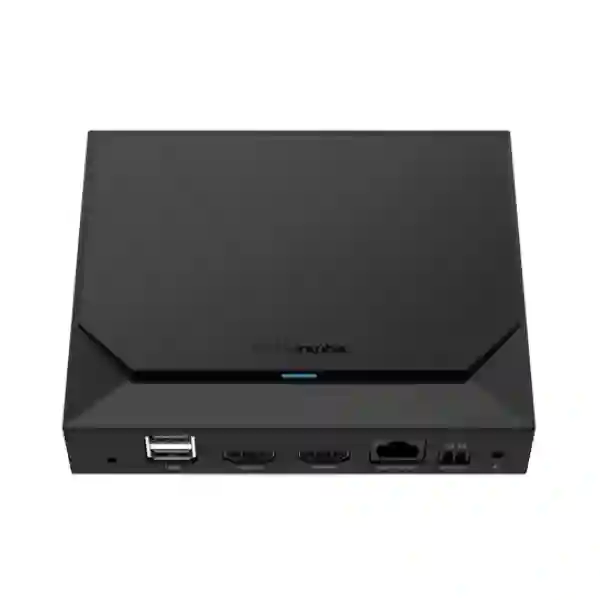
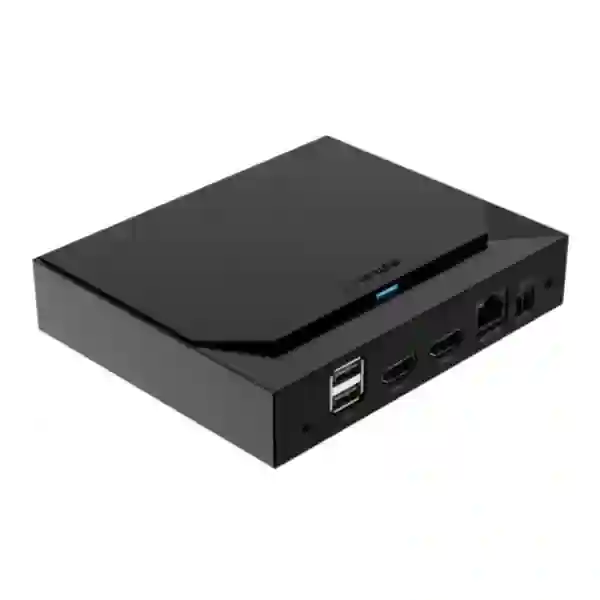
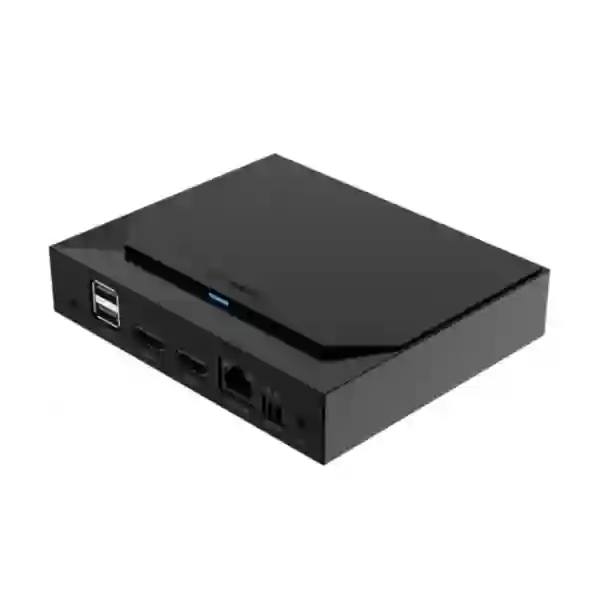
Hanwha SPD-152 64-Channel Network Video Decoder
Put compatible IP camera feeds onto dedicated surveillance monitors with a compact network decoder supporting configurable layouts, two HDMI connections and PoE or DC power. Built for live monitoring points where the display requirement is clear and recorded-video storage is handled elsewhere.
Quick buying answer
The SPD-152 is a video decoder, not an NVR. It is suited to a live monitoring screen where compatible camera streams must be displayed reliably. Its published 64-channel figure is a layout maximum, not an assurance that all cameras can run at maximum image quality simultaneously. Check decoding workload, HDMI mode, camera compatibility, indoor temperature, power and local quotation before ordering for a project in Tanzania.
Verified technical specifications
| Model | Hanwha Vision SPD-152 |
|---|---|
| Type | Network video decoder for live monitoring |
| Display layouts | Up to 64 channels in specified clone layout; expanded: up to 36 + 25 |
| HDMI 1 | Up to 3840 × 2160 at 30 Hz; audio supported |
| HDMI 2 | Up to 1920 × 1080 at 60 Hz; no audio |
| Video codecs | H.265, H.264, MJPEG |
| Protocols | ONVIF, RTSP, RTP, HTTP, SUNAPI |
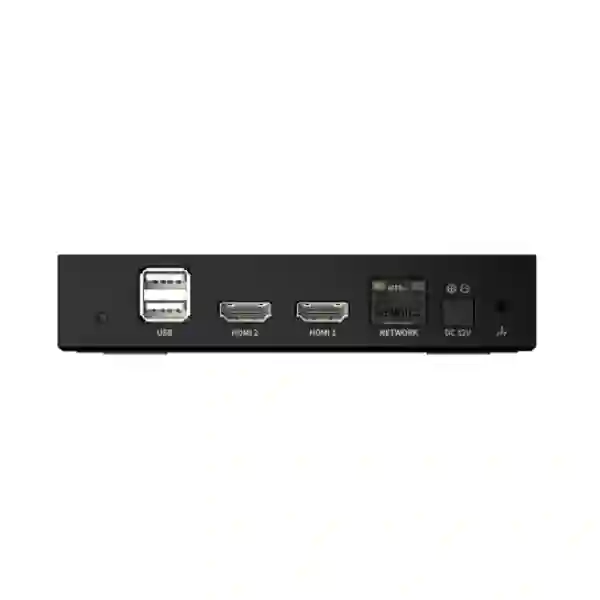
| Connectivity | 1 × Gigabit Ethernet; 2 × USB 2.0 |
| Power | 12 V DC or IEEE 802.3af PoE |
| Operating limits | 0–40°C; 20–85% RH |
| Dimensions / weight | 140 × 29.5 × 115.4 mm; 260 g |
Technical information reflects Hanwha Vision’s SPD-152 datasheet and installation guidance. Display count and decoding capacity depend on the selected stream and mode. Specifications may change.
What the SPD-152 does in a CCTV system
The Hanwha SPD-152 network video decoder converts compatible IP video streams into pictures that a conventional HDMI monitor can display. It is a display endpoint for live surveillance, not a substitute for an IP camera, a network video recorder, or the storage system that retains footage. This distinction is important when planning a security room: a camera produces the stream, the network delivers it, the decoder makes it viewable, and a recorder or other authorised recording platform remains responsible for storing material when recording is required.
A dedicated decoder can be useful where staff must keep an overview on a security monitor while a separate workstation performs administration, incident review, or routine office work. The screen can show a selected camera or a multi-camera arrangement, depending on the configured layout and available decoding resources. That makes the device relevant to guarded entrances, reception counters, monitoring points, and control rooms in which live awareness is the immediate requirement.
The practical buying question is therefore not simply how many cameras are installed. It is how many live pictures must be visible at the same time, which ones need high detail, how frequently views change, and whether the room requires one display or a coordinated pair. The answers determine whether this decoder is a suitable display appliance or whether a different monitoring architecture would be more appropriate.
How its 64-channel specification should be interpreted
Hanwha lists a maximum 64-channel display arrangement for the SPD-152. That number identifies the upper split-screen layout capacity in the specified mode; it does not mean the hardware can decode sixty-four high-resolution cameras at their maximum individual frame rates at the same instant. Every stream contributes to the overall processing workload. A layout with many small tiles commonly needs lower-resolution live profiles than a layout that concentrates on a handful of priority cameras.
The published maximum decoding examples include 8-megapixel video at 60 frames per second and an aggregate 2-megapixel decoding figure of 360 frames per second in the relevant datasheet. Treat these as performance envelopes, not promises that can be added together across every codec, channel, resolution, and display mode. Actual results depend on camera profiles, bitrates, scene complexity, the number of simultaneous streams, and firmware behaviour. Test the chosen mix against the manufacturer’s decoding guidance before commissioning.
For an operations team, a sensible approach is to define a clear hierarchy: use smaller overview streams for broad coverage, reserve higher detail for critical positions, and maintain a simple way to switch to a focused view. Ask the installer to demonstrate the complete expected layout under realistic camera activity rather than accepting the channel headline alone. This prevents late surprises such as dropped frames or a tile that uses the wrong stream profile.
Two HDMI outputs, with meaningful differences
HDMI 1 is the primary display connection and is specified for up to 3840 × 2160 at 30 Hz. It also supports audio. HDMI 2 is the secondary output, with support up to 1920 × 1080 at 60 Hz and no HDMI audio output. Both connectors support common lower display formats listed by the manufacturer. A buyer planning a 4K security monitor should therefore identify which screen must use HDMI 1, instead of assuming both sockets provide identical capabilities.
The decoder supports arrangements in which displays repeat the same view or show different content. In an extended display configuration, the manufacturer’s operating manual states that the primary monitor’s maximum video output resolution is limited to 1920 × 1080. That is a critical design detail for anyone expecting to run two independent screens while also retaining 4K output on the first. Check the selected mode and its supported format before buying costly monitors.
Display compatibility also involves the monitor’s supported timing, HDMI cabling, chosen aspect ratio, and the physical distance from the decoder. A monitor that can accept 4K does not by itself make each individual camera tile a 4K stream. The decoder’s output resolution describes the signal sent to the display; the live image detail depends separately on the camera, encoded video profile, split layout, and available decoding capacity.
Duplicate displays versus extended monitoring
Duplicate, sometimes called clone, mode is useful when the same surveillance picture should appear on two screens. Examples include a guard’s desk facing one direction and a second local monitor facing a supervisor, or a testing station that needs the same live view on a reference display. Because the two outputs have different resolution ceilings, choose a shared format that both screens support and verify the actual duplicate-mode behaviour during setup.
Extended mode is intended for two different screen areas. The published division figures specify up to 36 channels on HDMI 1 and up to 25 channels on HDMI 2 in the corresponding arrangement. Those are layout limits, not a statement that sixty-one high-resolution, high-frame-rate streams will always run simultaneously. The primary output is subject to the 1080p extended-mode limitation noted in Hanwha’s manual. An operator should choose extended mode for workflow reasons, not just to increase the number of visible boxes.
For busy surveillance desks, the strongest design often assigns distinct jobs to each screen. One can provide an overview of entrances, gates, and circulation routes; the other can show selected high-priority viewpoints. Establish naming conventions and a response process so a guard can find the required picture immediately. If the project involves more than two screens, confirm whether additional decoders or a dedicated video wall system is necessary.
Live layouts and automatic sequences
The SPD-152 supports up to 20 layouts and a sequence function. Layouts let an operator organise a screen around a task rather than rely on a fixed matrix. A daytime layout might prioritise public entrances, deliveries, and reception; a different layout might present perimeter cameras and access routes after normal business hours. Where authorised personnel configure the device, a sequence can rotate through prepared views at a selected interval.
A good layout is not necessarily the one with the most camera tiles. Smaller pictures can make it difficult to identify an event, understand direction of movement, or notice a blocked entrance. Start with a short list of questions an operator must answer quickly: Is the loading gate clear? Is the queue backing up? Has someone entered a restricted corridor? Choose screen divisions that preserve enough visual detail to support those decisions.
Sequence timing also deserves practical attention. Rapid changes may prevent staff from understanding a scene, while long intervals can leave a location unseen for too much of a shift. Include critical cameras in fixed positions where necessary, and use rotation only for supporting views. Before handover, confirm that a layout change is reflected properly on the attached monitor and that operators can return to a known overview after an alarm or manual close-up.
Camera streams, codecs and compatibility checks
The stated video codecs are H.265, H.264 and MJPEG. The decoder supports relevant network mechanisms including ONVIF, RTSP and Hanwha’s SUNAPI interface. These specifications make it a candidate for systems using compatible IP surveillance sources, but protocol support alone does not prove that every camera, feature or firmware version will work in every mode. The model and stream should be tested before an installer commits to a large mixed-camera deployment.
Check each camera’s actual output profiles, not just the resolution printed on its housing. A 4K camera may offer several streams with different frame rates, compression modes and bandwidth requirements. The decoder needs a compatible stream suitable for the intended layout. If the installation uses cameras from multiple manufacturers, confirm supported discovery, authentication, stream transport, video display and any operational controls separately.
The network design should also account for camera replacement and future upgrades. Keep a record of each registered camera, model, firmware, addressing method and selected live profile. This makes troubleshooting faster when a tile goes blank or displays an unexpected resolution. Confirm any advanced camera functions individually; general standards support must not be taken to imply universal compatibility with every brand-specific alarm, analytics, PTZ or metadata feature.
Network bandwidth and stream planning
Hanwha specifies one 10/100/1000BASE-T Ethernet interface and a maximum network bandwidth figure of 150 Mbps for the SPD-152. The gigabit link speed and the decoder’s stated bandwidth handling are different figures. A gigabit-capable switch port does not override the published decoder network ceiling. Estimate the combined throughput of the actual camera profiles that will be viewed concurrently and leave headroom for normal variation and operational changes.
For example, ten streams configured at an average of 4 Mbps represent roughly 40 Mbps before allowing for networking overhead and changes in scene activity. This is an illustrative planning calculation, not a manufacturer guarantee or a recommended camera setting. The correct bitrate depends on the codec, image detail, frame rate, scene movement and compression configuration. When a camera switches profiles or a layout changes, the traffic pattern may change as well.
The decoder, cameras and management platform should have stable network paths. Review switch uplinks, VLAN policies, routing, multicast or unicast assumptions, and the handling of camera credentials. If several monitoring endpoints display the same source, consider the total load on the cameras and network rather than sizing each decoder in isolation. A practical acceptance test is to change between normal, busy and emergency layouts while checking video quality, continuity and network utilisation.
Power options and electrical considerations
The SPD-152 can be powered using 12 V DC or Power over Ethernet under IEEE 802.3af. Published maximum power consumption is 11.0 W when supplied through 12 V DC and 12.95 W via PoE. These options can simplify positioning near a monitor because a compliant PoE network connection may avoid a separate local power supply. Verify the actual power method, connections and installation accessories against the approved project design.
An Ethernet switch port labelled PoE should still be checked for its available power class, remaining switch budget and cable condition. For DC operation, use a correctly specified power source and follow the manufacturer’s connection and electrical safety instructions. Do not assume that connecting both supply types automatically creates a supported, tested uninterruptible power system or seamless failover arrangement without explicit project verification.
Security monitoring depends on more than the decoder staying powered. Cameras, network switches, recording systems and screens also need a suitable backup-power strategy if the site expects visibility during an outage. In Tanzania, assess the actual building’s supply stability and critical monitoring requirements before selecting UPS capacity or power distribution. The device’s low published consumption helps with planning, but a reliable system must be assessed as a whole.
Compact mounting and placement options
The unit’s published enclosure dimensions are approximately 140 × 29.5 × 115.4 mm, with a weight of 260 g. Hanwha describes monitor-back and pole mounting possibilities. The installation manual discusses use of a multi-adapter on compatible 75 × 75 mm and 100 × 100 mm VESA hole patterns, as well as other documented installation methods. Check the display’s actual bracket, existing stand and connector clearance instead of assuming every monitor can take the device behind it.
A concealed decoder can help a reception or monitoring point remain tidy, but the best mounting place must also allow safe access for HDMI, network, power and maintenance connections. Avoid sharply bent HDMI leads, stretched Ethernet cables and locations where a mounted screen blocks airflow or traps heat. Support the installed cables so their weight does not strain the small connectors when the monitor is moved or cleaned.
Pole mounting may require additional suitable accessories; the manufacturer’s installation guidance identifies a separately sold pole strap option. Verify the current supplied kit and exact accessories before procurement rather than treating every mounting illustration as evidence that all hardware comes in the box. Record the final mounting position and label cable ends so a future technician can locate the correct decoder without disturbing adjacent equipment.
Indoor environmental limits matter
Hanwha publishes an operating temperature range of 0°C to 40°C and an operating relative humidity range of 20% to 85% for the SPD-152. It is an indoor device, and the manual cautions against outdoor installation and liquid exposure. These conditions should be checked at the equipment location, not inferred from the average weather of a region or the rating of the monitor alone.
A decoder placed behind a wall-mounted monitor, inside an unventilated cabinet, or close to a warm power supply can experience a higher local temperature than the room’s general reading. In a Tanzanian project, measure the proposed location during realistic operating hours and account for sunlight, cabinet airflow, nearby equipment and any loss of air conditioning. Avoid moisture, condensation and locations exposed to dust or water ingress beyond the equipment’s stated design.
Where the project needs equipment in a gatehouse, kiosk or other demanding space, specify the environmental controls and enclosure as part of the design. Do not assume a weatherproof camera housing protects a decoder mounted separately inside the same structure. If the planned position cannot remain within the manufacturer’s limits, reconsider the location or select another device designed for the conditions.
Management through local controls and browser
The SPD-152 provides a local user interface and web-viewer management. This can reduce dependence on a dedicated PC for the live monitor while still allowing authorised technicians to configure the decoder over the network. Hanwha’s manual includes an installation wizard, camera registration settings, layout management, display controls, user settings and network parameters. Plan who is responsible for configuration and who needs day-to-day access to the live viewing functions.
One important limitation is that the web viewer’s layout interface is not necessarily a browser-based duplicate of all live camera video. The manufacturer’s guide describes a web-viewer management surface in which camera names and layout configuration are reflected on the decoder’s monitor. Buyers should not assume the SPD-152 provides a fully featured remote-browser surveillance workstation. Confirm the intended role of the browser interface during demonstrations.
Use controlled administrative accounts, secure credentials and a documented ownership process. Keep a record of the original installation settings and any subsequent change. If the device will be managed by an IT team and operated by security personnel, agree on a practical workflow for camera additions, password changes, monitor layout updates and restoration after power or network maintenance.
SSM and monitor-wall integration
Hanwha lists SSM among the supported management options in a newer SPD-152 datasheet. Hanwha Vision Europe also documents use of the SPD-152 in a System Security Manager virtual-matrix monitoring workflow. The support material distinguishes operating modes and describes how a decoder can be associated with a virtual monitor wall and its display panes. These capabilities are relevant when a larger site needs coordinated camera selection across monitoring positions.
Do not treat the presence of an SSM feature as proof that every installation needs no additional software, configuration or licensing. The correct answer depends on the SSM version, virtual-matrix components, the deployment topology and the specific intended feature. Hanwha’s support instructions reference particular versions, so the installer should verify current compatibility and requirements for the customer’s environment rather than repeat a general licensing promise.
A control-room project should begin with an operational map: which users control layouts, which screens belong to each wall, and what happens when an alarm requires a priority camera to appear. Decide whether the decoder will operate independently or take instructions from a management platform. Record permissions and recovery procedures, and confirm that all expected remote-control commands work on the selected firmware before the system is accepted.
Standalone, SSM and web operation modes
Hanwha’s 2026 technical support guidance identifies Standalone, SSM/VMS and Web operating modes for the SPD-152. The correct mode affects how layouts are managed and whether external systems can change them. In particular, that guidance notes that SUNAPI layout control requires SSM mode or Web mode. This is useful for integrators who plan to call display layouts from an external command system rather than solely through the decoder’s local user interface.
Choose the operating mode early in the design. A standalone guard post with stable camera selections has different requirements from a multi-screen security operations centre driven by a virtual matrix. Switching management approaches after commissioning may require configuration changes, account updates and retesting. Ask how layouts will be created, who may override them, and how the system should respond if management-network connectivity is interrupted.
The device’s network protocol list should be interpreted as a set of supported integration mechanisms rather than an open promise of unrestricted automation. Confirm the exact commands and permissions needed for any third-party control system. Where an integrator proposes a custom panel, alarm-triggered scene switch or supervisory dashboard, request a practical proof of operation with the intended firmware and video sources.
Audio support and realistic monitoring use
The manufacturer’s specification lists G.711, G.726 and AAC audio codecs. It also states that HDMI 1 supports audio while HDMI 2 does not. These facts are easy to miss when a solution is designed around video-only diagrams. A security team that relies on listening to a camera should verify that the correct camera stream contains audio and that the chosen display path and monitor can actually reproduce it.
Not every surveillance deployment requires or permits audio monitoring. The decision may depend on the use case, internal policy, local requirements and the equipment already installed. Do not add microphones or audio capabilities to a camera merely because the decoder can process certain audio formats. Confirm whether audio is required at all, which operator should access it, and whether speakers or another endpoint are part of the approved design.
Where an alerting procedure depends on sound, perform a specific end-to-end test. Check the camera configuration, selected codec, audio profile, network transport, HDMI 1 output and the monitor’s own volume setting. If the proposed second screen is the one expected to provide sound, redesign the arrangement because HDMI 2 is not specified to carry audio.
PTZ, thermal and other camera operations
The SPD-152 operating manual describes live-view functions involving supported PTZ cameras and thermal imaging cameras. In the relevant supported configurations, an operator may be able to adjust a camera view or inspect thermal information through the decoder interface. These functions can add practical value to a monitoring point where staff need to respond to an event without changing workstations.
Advanced features require compatible cameras, the right control protocol, appropriate permissions and testing. A third-party ONVIF stream that displays successfully may not expose every proprietary PTZ or thermal function. Even devices from the same manufacturer can behave differently according to model, camera mode, firmware and stream settings. Identify the specific functions required by the security procedure, then verify each in an acceptance test.
Avoid treating a decoder as a replacement for a full incident-investigation workstation. Operators may still need a recorder or video management client to search older video, export evidence, inspect analytics history or perform complex administrative work. The decoder’s strength is its role in showing live camera pictures and selected supported controls where a dependable dedicated display is useful.
Example: reception and entrance monitoring
At a reception desk, live pictures may need to cover a pedestrian entrance, vehicle gate, lobby and delivery approach. A dedicated display can keep these views visible while the receptionist uses a separate computer for visitor registration. The SPD-152 can be considered where camera streams are compatible and the desired layout is within the decoder’s practical capability. The important measure is whether staff can recognise relevant activity quickly.
A useful design might give the main entrance a larger tile and place less frequently used approach cameras in smaller positions. If the visitor desk needs a second outward-facing monitor, determine whether a duplicate display is the right answer or whether two genuinely different views are needed. The selected mode affects output resolution, channel division and cable layout. Confirm that the viewing angle, screen size and lighting support real observation.
The operational checklist should include ordinary situations rather than only ideal demonstration footage: a visitor approaching from a bright exterior, two vehicles arriving together, and staff needing to switch temporarily to a close-up. Show reception staff how to select the required view and return to their standard layout. Keep any recording and retention responsibilities clearly assigned to the separate surveillance platform.
Example: security guardroom or perimeter watch
A security guardroom can have many cameras but only a few that require continuous attention. An overview layout may prioritise the perimeter, access roads and external doors, while a second layout focuses on the loading area or a particular shift’s activity. The decoder’s layout and sequence functions can support such a workflow when the stream budget and monitor arrangement are planned carefully.
The operator should never need to memorise camera numbers to find the right view during an incident. Use meaningful labels, group related perspectives and agree on an alarm response. When a priority event occurs, the guard should know which layout to select, whether there is a high-detail camera profile, and which separate system holds the footage for later examination. Avoid sequencing away a critical camera if it must remain visible continuously.
Guardroom installations also make power and environment planning important. Confirm backup supply for the whole viewing chain, including cameras, network switches and monitors. Check heat and humidity where the decoder will be mounted, particularly when a small room is unattended for parts of the day. A well-configured decoder supports monitoring; it does not remove the need for a properly operated security process.
Example: multi-screen operations desk
A larger operations desk may need distinct screens for an overview, a priority incident view and a management application. The SPD-152 has two HDMI outputs, so its suitability depends on how those displays are assigned. Where a design calls for additional independent monitor surfaces, an integrator may need more decoder endpoints or a broader monitor-wall architecture. Avoid assuming two physical HDMI connectors are equivalent to an unlimited video wall controller.
In an extended two-display arrangement, plan around the documented 36-channel and 25-channel layout maxima and the primary output’s 1080p restriction. A control-room team may prefer fewer, more legible live images instead of attempting to fill every tile. Decide whether SSM or another verified management workflow will control layouts and how operators will take temporary control during an event.
Maintenance is part of the design too. Label which decoder drives each monitor, document IP addresses and management credentials securely, and store a validated configuration backup. If one display fails, staff should know which spare position or alternate workflow is available. Test changes during a normal shift to confirm that software updates, layout edits and network maintenance do not accidentally remove critical views.
What to verify before using cameras from different brands
A cross-brand deployment needs a source-by-source compatibility review. Begin with model number, firmware version and whether a usable ONVIF or RTSP stream is enabled. Next, check the video codec, stream resolution, frame rate, bitrate and authentication method. Confirm that the camera can be registered, its live video actually appears, and the stream continues through a normal layout change or device restart.
If the project requires camera control, audio, multi-sensor channels, dewarping, thermal overlays or event-driven switching, add separate tests for those features. Do not infer full functional compatibility from a successful video connection. Check whether the decoder can use the required secondary stream and whether a camera supports enough simultaneous connections for the recording system and all live displays.
A good procurement record includes a small compatibility matrix with the camera model, tested decoder firmware, protocol, chosen profile, tested maximum number of live streams and any unsupported feature. This is more useful than a vague claim that the system works with all IP cameras. It also creates a sensible maintenance plan when a camera is replaced with a newer model.
A Tanzania deployment planning checklist
For a project in Tanzania, begin with the real room and its network. Confirm whether the device will be installed in an office, a reception point, a dedicated surveillance room or a separate guardhouse. Measure available space, expected operating temperature, humidity and the length of cable runs. Establish the precise display requirement, the number of camera views normally visible, and which views must remain on screen during a security event.
Next, evaluate the site’s existing IP surveillance system. Identify the camera brands and models, codec settings, recording platform, switching hardware, access policy and network topology. A camera count alone is not enough for sizing. If the site has several buildings, consider where stream traffic crosses uplinks and which paths depend on wireless or other shared connections. Verify that the selected profiles fit the decoder’s stated network and decoding limits.
Finally, confirm commercial and support details through an actual quotation. Local stock, final Tanzanian-shilling pricing, taxes, delivery terms, installation coverage, warranty and ongoing support arrangements cannot be concluded from the model’s global datasheet. Request these for the exact project and make the planned mounting accessories, power method and commissioning responsibilities explicit before an order is approved.
Installation and commissioning sequence
Start by checking the equipment and approved installation accessories against the project bill of materials. Confirm the selected monitor supports the intended HDMI format and that the VESA or other mounting arrangement has the required clearance. Connect the display, appropriate network interface and approved power method following the manufacturer’s instructions. Do not install the decoder outdoors or in an unverified high-temperature location.
Configure the network address, administrative credentials and any required time settings. Register a small representative group of cameras first, including the highest-resolution source, any third-party stream and any camera that needs audio or PTZ control. Check the main HDMI output, then the second output and selected duplicate or extended mode. Confirm that the visible resolutions match expectations rather than simply accepting a successful image.
Build the real operator layouts, apply the intended sequence, and test changes with the complete set of expected streams. Measure whether the device stays responsive and whether any tiles lose frames or disconnect. If a management platform will control the decoder, verify its operating mode, commands and account permissions. Document the final configuration, label the installation and provide operators with a short guide to normal and emergency screen selection.
Cybersecurity and maintenance responsibilities
Hanwha’s technical documentation lists protections such as IP address filtering, access logs, 802.1X, encryption-related features, device certificates and signed firmware. These are useful capabilities for an enterprise network, but their availability does not mean a freshly connected decoder is secure in every environment without configuration. Apply the organisation’s normal standards for device credentials, firmware review, network segmentation and restricted administration.
Plan which users may manage the decoder and whether its management interface should be reachable from general office or guest networks. Where possible, avoid unnecessary exposure to public networks. Track firmware versions and use the correct manufacturer support guidance for the exact model when evaluating updates. Any change should be tested for compatibility with camera registrations, layouts and any SSM or external control integration.
Operational maintenance also includes checking connection health, the physical mount, ventilation, displayed clock and configuration backups. If a camera goes blank, troubleshoot the camera feed, credentials, network reachability, codec and profile before concluding that the decoder has failed. Maintain a simple incident log documenting what changed and what was restored. Security monitoring works best when both IT and site security understand their responsibilities.
When the SPD-152 may not be the right choice
The SPD-152 is not a recording appliance. A buyer who needs to store footage, search recorded events or manage evidence should plan an appropriate NVR or video management solution. If the only requirement is to view a single already accessible camera on an existing workstation, adding a dedicated decoder may introduce hardware and management that the project does not need. The choice should follow the operator’s workflow rather than a channel-count comparison.
It may also be unsuitable when the room requires outdoor-rated equipment, operation outside the specified temperature range, more independent display outputs than the device provides, or a guaranteed combination of very high-resolution live feeds beyond its decoding envelope. A requirement for 4K output on the primary screen while simultaneously using extended mode needs particular attention because the manual documents a 1080p limitation in that mode.
For advanced video walls, large-scale incident investigation, complex analytics or demanding multi-brand integrations, evaluate the entire monitoring architecture. That may involve multiple decoders, a verified VMS-controlled wall, suitable workstations or other specialist display hardware. A technically sound specification states what the SPD-152 will do, what the existing system must supply and which functions still require compatibility testing.
Questions to include in a quotation request
Tell the supplier or integrator the number of cameras expected, but also provide the typical simultaneous live-view count, camera resolutions, desired frame rates and any brand mixing. State whether the room needs one monitor, two repeated pictures, or two independent display spaces. Identify the screen formats and whether any audio must be heard. These details reveal much more about fit than a short request for a 64-channel device.
Describe the network environment: camera VLANs, switch capabilities, PoE availability, approximate stream bitrates and whether camera feeds cross shared building links. Note any SSM, control-room software or other platform that must manage layouts. Confirm whether PTZ operation, thermal views, audio monitoring or automated layout changes are mandatory, and include any existing documentation that will help test those dependencies.
The final request should also cover mounting, cables, environmental controls, backup power, commissioning tests, user training and after-sales requirements. Ask for an itemised answer that identifies assumptions and exclusions. For Tanzania procurement, request current availability, an exact commercial quote and the applicable local terms instead of using overseas listings or currency conversions as if they represented local supply.
Frequently asked questions
Does the SPD-152 record video? No. It is intended to decode and display live IP camera video. Recording, storage, retention and playback require a separate system designed for those functions. Keep the decoder’s live-view role distinct when setting equipment budgets and security procedures.
Can it display 64 cameras at once? The model supports a layout of up to 64 channels in the specified single-screen configuration. Actual smoothly decoded video depends on the combined stream requirements. Very high-resolution and high-frame-rate profiles require a realistic performance test.
Can both HDMI outputs run at 4K? No. The published output maximum for HDMI 1 is 3840 × 2160 at 30 Hz; HDMI 2 is limited to 1920 × 1080 at 60 Hz. In extended-display mode, the operating manual also limits the primary display output to 1080p.
Does HDMI 2 carry sound? No. The manufacturer specifies HDMI 1 as supporting audio and HDMI 2 as not supporting audio. Check the camera stream, decoder configuration and connected display if sound is required at a monitoring station.
Can it use PoE power? Yes. It supports IEEE 802.3af Power over Ethernet as well as 12 V DC power. Verify the switch’s power budget, the cable route and the actual site backup-power arrangement; do not assume PoE alone ensures operation during a mains outage.
Will it work with every ONVIF camera? ONVIF and RTSP are listed among supported protocols, but complete compatibility is not guaranteed for every camera or feature. Verify the exact models, firmware, stream profiles, authentication and required controls, particularly in multi-brand installations.
Can it be installed behind a monitor? Hanwha documents monitor-back mounting with a multi-adapter and supported VESA arrangements. Confirm the monitor’s hole pattern, clearances and the required hardware. Check physical ventilation and cable strain before finalising the location.
Can it be used outdoors? The manual advises against outdoor installation, and the published operating range is 0°C to 40°C with 20% to 85% relative humidity. Select a protected indoor position that can remain within those specifications.
What is the benefit of its sequence feature? It can cycle through prepared layouts so a single monitoring point can review different groups of cameras. Define the interval and required fixed priority views around actual operator needs rather than using automatic rotation as a substitute for active monitoring.
Can the SPD-152 be integrated with Hanwha SSM? Hanwha documents SSM management and virtual-matrix monitor-wall workflows. Verify the specific SSM version, supported operating mode, firmware, management components and applicable software terms for the planned project.
What must be confirmed before ordering in Tanzania? Confirm the camera and display design, power and mounting requirements, the room environment, the proposed commissioning test, and a current project quotation. Stock, price in TZS, local supply arrangements and support terms are not established by the global product datasheet.
Request a project-specific SPD-152 quotation
If your organisation needs a dedicated live CCTV display endpoint, the Hanwha SPD-152 may be a suitable part of the monitoring design. The strongest fit is a project with supported IP streams, a clearly defined one- or two-screen arrangement and known viewing priorities. The key limitations are equally important: decoding capacity is finite, 4K output belongs to HDMI 1 under its supported mode, and the unit does not replace video recording or a full VMS workstation.
For an accurate proposal, provide your camera models and quantities, stream resolutions, preferred screen arrangement, required audio or control features, available PoE and environmental details. Ask for compatibility review, an itemised product and installation scope, and confirmation of current Tanzania availability and commercial terms. Request a Hanwha SPD-152 network video decoder quotation based on the real monitoring requirement rather than an assumed standard package.
Plan the display before buying the decoder
Share the intended cameras, resolutions, monitoring screen count, installation environment and required controls when requesting a Tanzania project quote. A documented compatibility check and commissioning plan help ensure that the chosen setup delivers the live pictures operators actually need.




Reviews
There are no reviews yet.