
HANWHA VISION • PROFESSIONAL IP VIDEO RECORDING
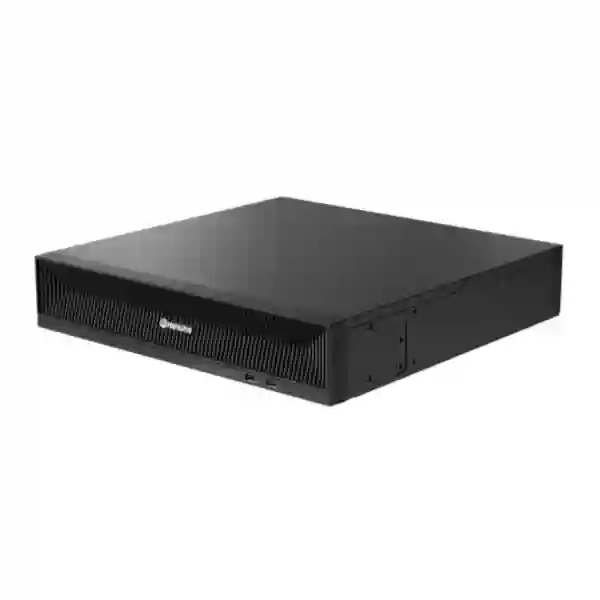
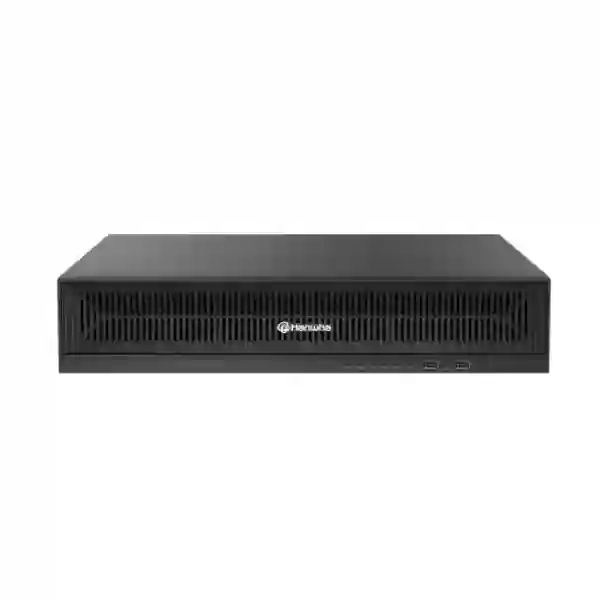
Hanwha Vision XRN-6420B2 64-Channel Network Video Recorder
Planning an IP surveillance system with many cameras? The Hanwha XRN-6420B2 brings 64 channels, high-resolution recording and flexible storage together in a dedicated recorder. It is relevant to Tanzania buyers planning larger sites where bandwidth, retention, remote access and reliable operations need to be specified together rather than considered after installation.
Request a configuration-led quotation: confirm your camera count, bitrates, retention period, drive plan and network layout before selecting hardware.
The practical buying answer
The Hanwha XRN-6420B2 is a 64-channel IP network video recorder for centralising camera recording, live monitoring, search and export. Hanwha Vision specifies a 12th-generation Intel processor, embedded Linux operating system, recording from supported cameras up to 32 megapixels, H.265/H.264/MJPEG compression and up to 200 Mbps playback bandwidth. The combination makes it a candidate for installations that need more channels and stronger operational controls than a compact entry-level recorder.
Capacity figures should be read carefully. The specification lists up to 520 Mbps recording bandwidth in distributed mode, but up to 300 Mbps in normal mode. It also offers eight SATA drive positions and supports up to 10 TB per supported drive, giving an 80 TB maximum raw internal capacity when fully populated. Those are equipment limits, not promises of a particular video retention period.
For a Tanzania CCTV project, the right purchase begins with an engineering schedule: number of cameras, resolution and frames per second, codec, estimated average and peak bitrates, required evidence-retention period, access permissions and any failover arrangements. These determine whether this recorder is sufficient and what other infrastructure is needed.
Verified specifications at a glance
Manufacturer-listed limits help you scope a design, but actual performance depends on camera streams, storage, software configuration and site conditions.
| Network camera inputs | Up to 64 channels |
|---|---|
| Camera recording resolution | CIF to 32 MP, subject to supported codec and performance limits |
| Recording bandwidth | Up to 300 Mbps normal; 520 Mbps distributed mode |
| Playback bandwidth | Up to 200 Mbps |
| Video compression | H.265, H.264, MJPEG |
| Drive architecture | 8 SATA bays, up to 10 TB per supported drive, 80 TB maximum raw |
| External storage | iSCSI supported |
| Display | HDMI 1 up to 3840 × 2160 at 30 Hz; HDMI 2 up to 1920 × 1080 at 60 Hz |
| Camera interfaces | SUNAPI, ONVIF; confirm exact camera features individually |
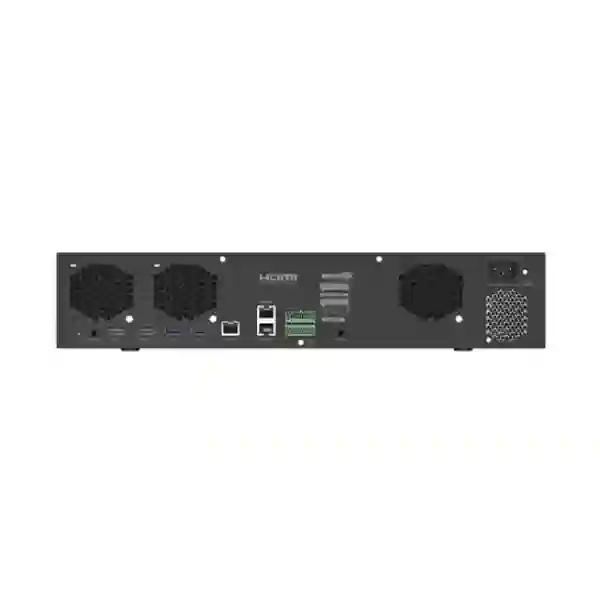
| Network ports | 3 × RJ-45 Gigabit Ethernet |
| Alarms and USB | 8 alarm inputs, 4 alarm outputs; 4 USB ports |
| Power | 100–240 V AC ±10%, 50/60 Hz; up to 143 W with 8 drives |
| Operating environment | 0°C to +40°C; 20–85% relative humidity |
| Enclosure | 438 × 86 × 434.9 mm; approx. 7.3 kg excluding HDDs |
1. Who is this recorder designed for?
The XRN-6420B2 is most relevant where camera counts, viewing requirements and recording load are too substantial for a basic small-business NVR. Typical planning scenarios include multi-building business premises, institutional facilities, warehouses with several camera zones, industrial compounds and larger hospitality properties. These are illustrative deployment scenarios, not claims that a particular Tanzanian site is using this model.
An installation with dozens of cameras may require different recording profiles for entrances, corridors, parking areas, loading bays and perimeter zones. The recorder provides the central platform, while camera choices determine details such as image quality, night-time visibility, analytic events and audio. Buyers should choose it for a verified total system requirement, not merely because the model supports 64 channels.
If your site currently uses fewer channels but anticipates phased expansion, document future camera positions and reserve practical network and disk headroom. Conversely, if each camera has a demanding bitrate or the system needs specialised resilience, compare the complete operating design rather than assuming the largest displayed channel number is enough.
2. Plan channel capacity alongside real network load
A 64-channel label answers how many network camera inputs can be registered; it does not say every possible camera stream can run at its highest resolution, frame rate and quality simultaneously. Video bitrate depends on scene movement, lighting, sensor size, compression, frame rate and the camera’s configured stream profiles. A busy loading area at night may consume more data than a quiet office corridor, even when the cameras have the same resolution.
Build a channel schedule with expected average and peak megabits per second for every stream. Add the rates and check the total against the intended operating mode. In normal mode, the specified recording bandwidth is up to 300 Mbps; the higher 520 Mbps figure applies to distributed mode. Confirm the correct mode and architecture during commissioning instead of describing 520 Mbps as an unconditional all-purpose limit.
Budget for live-view traffic, client sessions and network overhead as well. A design that fits on paper at an average daytime bitrate may become constrained during high-motion events. A careful proposal includes margin, measured test conditions and an acceptance criterion that can be verified on the installed system.
3. Understand the 32 MP recording specification
Hanwha Vision lists network camera input resolutions from CIF to 32 MP. That makes the device suitable for considering very high-resolution views, but resolution support is only one part of performance. The manufacturer describes decoding examples with different combinations of channels, resolution and frame rate; a high-resolution stream does not imply the recorder can locally decode dozens of such streams in one display layout.
Use high resolution strategically. An entrance identification view may justify more pixels and a narrower field of view, while a general corridor or storage-zone overview might achieve its goal with a lower-resolution profile. Lens choice, target distance, lighting and camera placement still govern whether the recorded image contains useful evidence. More pixels cannot correct poor positioning or excessive compression.
Ask the system designer to record the proposed camera resolution, frames per second, codec, bitrate ceiling and retention policy for each channel. Confirm that local multi-screen views and exported evidence remain usable under the expected load before accepting the finished system.
4. Size storage for evidence retention, not headlines
The eight SATA bays support a maximum of 80 TB raw capacity using up to eight supported 10 TB drives. This is a storage ceiling, not the number of days you will retain footage. Recording duration varies with the number of enabled streams, average bitrate, recording schedule, audio, motion or event frequency and space reserved for system functions. Drive formatting and operational considerations also affect usable capacity.
A practical planning calculation begins by summing the expected average recording bitrate of the active cameras. Multiply by the number of recording seconds per day and the requested retention days, then convert bits to bytes and include headroom. For example, a combined continuous stream around 100 Mbps consumes roughly 1.08 TB per 24 hours before allowances; this is an illustrative calculation, not a predicted result for this recorder or a specific camera set.
Event-based schedules can reduce storage use in some environments, but they can also miss footage if the event rules are too narrow. For important entrances and incident areas, decide explicitly whether continuous recording is required. Request a written retention estimate based on actual planned streams and revisit it after on-site measurement.
5. Check the exact hard-drive package before ordering
The model designation alone does not establish that hard disks are included in the Tanzania offer. The manufacturer’s base-model and regional configurations may be listed separately from variants with preinstalled capacity. Ask whether the proposed unit is diskless, supplied with specified supported drives or bundled with a defined total raw storage capacity. The distinction affects procurement cost and the time needed to make the system operational.
Hanwha Vision provides a supported-drive compatibility reference for its recorders. Use the approved drive models and capacities for the exact firmware and chassis rather than assuming any desktop SATA disk is suitable. Continuous surveillance workloads involve frequent writing, playback, potential alert searches and varying thermal conditions. Drive quality and compatibility are therefore part of system design, not optional accessories.
Also confirm how drive bays will be allocated for future growth, how failed drives will be identified and replaced, and who will be responsible for monitoring drive health. The final handover should document the installed drive model, individual capacity, firmware version and the calculated storage target.
6. Non-RAID versus RAID: a critical model distinction
Hanwha Vision’s global XRN-6420B2 documentation identifies this model as non-RAID. The closely named XRN-6420RB2 is documented with RAID 5/6 functionality. Because the names are similar, a quotation should never assume the base XRN-6420B2 provides disk-array redundancy. Some regional product summaries contain inconsistent RAID wording, making confirmation of the exact variant particularly important before contracting.
RAID is also distinct from backup. A redundant array may improve resilience to particular disk failures but cannot protect against every kind of damage, deletion, misconfiguration, theft or major site outage. A non-RAID recorder can still be appropriate when operational requirements allow its storage architecture and the project includes a well-designed approach to incident exports and recovery.
If your procurement specification explicitly calls for RAID 5 or RAID 6, request a proposal for the appropriate manufacturer-supported recorder variant and compatible disks. If the requirement is continuity after recorder failure, evaluate the recorder’s N+1 failover features separately. Treat storage redundancy, recorder failover and independent evidence backup as three different design decisions.
7. Use H.265, H.264 and MJPEG deliberately
The XRN-6420B2 supports H.265, H.264 and MJPEG. H.265 is often chosen when a compatible camera can deliver useful video quality with less data than a comparable H.264 stream, but realised savings depend on scene complexity and camera settings. Compression choice also affects compatibility with viewers, evidence tools and third-party systems. Do not assume a theoretical percentage saving will automatically be achieved in a Tanzanian deployment.
Where supported cameras offer WiseStream features, investigate how their encoding settings behave in the intended scene. Compression tuned too aggressively may save storage but compromise detail during rapid motion, poor lighting or a security incident. A representative video sample should be reviewed at the full export quality, not only in a small live-view tile.
For installations combining existing cameras from different generations, H.264 can remain useful where devices or downstream applications lack the required H.265 support. Document a deliberate encoding profile for each camera family and confirm that recorded clips can be searched and played by the authorised team.
8. Balance main and secondary video streams
Dual-stream recording and multiple camera profiles can help a larger security operation separate evidence-quality recording from the bandwidth demands of live viewing. An operator looking at many thumbnails generally does not need every channel decoded at full original resolution. A carefully defined secondary stream can reduce load while the primary recording maintains appropriate scene detail, subject to the chosen camera’s actual capabilities.
Before enabling profiles, determine which stream is recorded, which stream is shown locally, and which stream is available to remote clients. Test transitions from a multi-camera mosaic to a single expanded camera, especially if the site relies on zooming or reviewing small objects. The objective is predictable viewing without accidentally sacrificing the evidence stream.
Document stream names and settings during commissioning so future technicians do not confuse a low-bitrate monitoring profile with the forensic recording profile. Also measure the effect on total recording bandwidth in the chosen mode. A dual-stream strategy is a design tool, not a substitute for the recorder’s documented throughput ceiling.
9. Integrate cameras through SUNAPI and ONVIF
Hanwha Vision lists SUNAPI and ONVIF interfaces, making the recorder relevant both to Hanwha camera environments and to some mixed-brand IP surveillance designs. These protocols help establish communication, but they do not guarantee that every camera feature, motion event, audio channel or analytic rule will work identically across brands and firmware versions. An ONVIF logo by itself is not a complete interoperability test.
Create a camera compatibility matrix before purchase. Record the manufacturer, model, firmware, required protocol, supported video streams, PTZ commands, event types and any special credentials. If the design includes third-party cameras, test live view, scheduled recording, playback, event triggering and post-reboot reconnection on a representative device before scaling to dozens of channels.
Native integrations often expose richer settings than a generic interoperable connection, especially for analytics and device management. If specialised events are central to the security plan, verify their end-to-end handling instead of assuming all camera events will appear automatically in the NVR interface.
10. Use camera analytics with realistic expectations
Hanwha Vision specifies AI search compatibility with supported Hanwha AI cameras. That wording matters: the NVR should not be marketed as a device that creates equivalent AI object attributes from every ordinary camera. Searchable metadata depends on compatible cameras, supported analytic functions, camera configuration and the relevant recorder or viewer workflows.
Start by deciding what the security team must find after an incident. Do operators need to locate a person entering a zone, a vehicle movement, a specific event type or simply a time interval? Choose cameras and analytics that support the required questions, then test whether the expected metadata is recorded and available through the chosen search method.
Analytics can shorten review time in appropriate conditions, but scene lighting, camera angle, occlusion and configuration affect results. Keep a manual time-based search route and an evidence procedure for situations where metadata is absent or inconclusive. Describe AI features in procurement only when the exact camera-recorder combination has been verified.
11. Event rules, alerts and operator response
The recorder supports a range of event triggers, including alarm inputs, video loss, camera events and user-initiated events. Supported actions include email, event push notifications, PTZ presets, alarm outputs and monitor-related responses. These functions become useful only when each event has a clear operational purpose and someone is assigned to respond to it.
For example, a loading-bay camera-loss alert can prompt staff to check connectivity before an important delivery period. A physical alarm input may call attention to a protected doorway. But indiscriminate alerts can overwhelm operators and encourage them to ignore genuine incidents. Prioritise important events and test nuisance-trigger rates in actual site conditions.
Prepare an event register showing the originating device, triggering condition, expected action, notification recipient, response owner and verification method. Test email or mobile delivery using the site’s actual network and account settings. Where alarm outputs interface with other equipment, confirm electrical and procedural compatibility through the system integrator.
12. Dual HDMI displays and control-room layouts
The XRN-6420B2 provides two HDMI connections. Hanwha lists HDMI 1 at up to 3840 × 2160 at 30 Hz and HDMI 2 at up to 1920 × 1080 at 60 Hz. Dynamic layout and virtual channel features let operators organise views around their tasks rather than relying solely on a fixed grid. That is valuable where one monitor tracks a general overview and another focuses on priority cameras.
The manufacturer’s local display examples describe clone mode and expanded layouts with different division counts per display. Actual decoding limits vary with the streams selected, so monitor layout should be demonstrated using the real camera profiles. Operators may prefer a small set of readable high-priority views to a wall of tiny tiles that cannot show adequate detail.
Define an operator screen plan before installation: which cameras remain visible, which scenes require rapid enlargement, whether names are understandable and how staff will navigate between routine monitoring and incident investigation. Ergonomic layout is as important as a high channel count.
13. Playback, search and evidence export
Recorded video is useful only when authorised staff can retrieve the correct footage and preserve it coherently. The recorder supports time, event and other search methods, with manufacturer-listed playback bandwidth up to 200 Mbps. It also describes local and network export formats. Exact export steps and media requirements should be verified against the current user manual and the firmware installed on the delivered recorder.
Create a basic incident workflow that begins with a reported location and time window, identifies relevant channels, retrieves surrounding context and exports the selected footage. Include a check that the exported file can be opened on an independent review workstation using an approved viewer. Record the operator, date, selected time period and any chain-of-custody details required by the organisation.
Where evidence may be needed for formal investigations, preserve original footage according to the organisation’s policy. Avoid assuming that an export file is a substitute for a documented evidence-handling process. Access to exports should be limited and logged, and time synchronisation should be checked before incidents occur.
14. Local users, remote monitoring and mobile access
Hanwha Vision identifies local and remote user limits, web access and supported viewers including Wisenet Viewer and Wisenet mobile. The manufacturer’s specification lists a maximum of four playback users in the relevant playback context, consisting of one local and three remote users. Other live viewing limits are described separately, so simultaneous user counts should be considered per function rather than summed into an unlimited access claim.
Define who needs to monitor live feeds, who needs playback, who can export and who may change settings. A reception operator, security supervisor, administrator and incident investigator rarely need identical permissions. Test each role using the exact software platform and devices planned for the site.
Remote access may be convenient for managers travelling between premises, but it depends on appropriate internet connectivity and secure configuration. Test performance at expected connection speeds, especially when several cameras are opened at once. Mobile monitoring is useful for awareness; it should not be treated as a guaranteed substitute for a dedicated evidence-review workstation.
15. Secure the recorder as critical network equipment
Hanwha’s specification includes security controls such as IP address filtering, user access logging, 802.1X, TLS, signed firmware and a trusted platform module. These capabilities support secure deployment, but protection depends on a coherent configuration and regular administration. No hardware feature alone makes a recorder immune to misuse or every cyber threat.
Use unique administrator credentials, individual operator accounts where feasible, least-privilege permissions and a documented password recovery method. Place surveillance devices on an appropriately segmented network and limit management access to approved workstations or controlled remote paths. Disable unnecessary services after confirming their operational requirements. Confirm vendor guidance for firmware update procedures and security advisories.
Keep a secure inventory of recorder serial numbers, firmware, connected camera firmware, network addresses, authorised accounts and maintenance contacts. Review account access when staff responsibilities change. If remote connectivity uses a QR-code or P2P setup feature, assess it against the organisation’s cybersecurity policy rather than assuming simple onboarding automatically meets enterprise access requirements.
16. Design the CCTV network before installing cameras
The recorder has three Gigabit Ethernet ports, but the total network design still needs switches, cabling, network addressing and a planned data path between cameras and recording equipment. The published interface specification does not list a built-in bank of PoE camera ports for this model. Budget compatible PoE switches or separate camera power arrangements where required.
Map the physical network by building, floor or camera zone. Estimate aggregate stream traffic, available uplink capacity, cable lengths, switch backplane limits and resilience requirements. Separate camera-to-recorder traffic from unnecessary general-purpose traffic where practical. Use suitable fibre or copper links based on distance, environment and engineering standards, not generic assumptions about what one cable can carry.
Record IP allocation, VLAN arrangements, time synchronisation, DNS requirements and any outbound services. Where multiple network interfaces are used, document each one’s role. Test performance during normal activity and busy periods; camera packet loss and intermittent switch links can undermine recording even when the recorder itself has ample channel capacity.
17. Power continuity and electrical planning
Hanwha specifies an AC input of 100–240 V, 50/60 Hz and maximum consumption of 143 W with eight drives. The unit is not a complete power-continuity solution on its own. A larger surveillance installation must also power cameras, network switches, monitors, network equipment and any environmental controls needed to keep recording operational.
Choose a UPS based on the combined measured or specified load, desired backup runtime, battery condition, growth allowance and any shutdown or alert requirements. Do not size a UPS using the NVR’s wattage alone when cameras rely on PoE switches elsewhere in the facility. Consider whether network equipment in remote buildings has its own backup power or will fail during the same outage.
Include correct earthing, surge protection and safe electrical installation within the project’s scope. Test a controlled mains interruption and return to service during commissioning, verifying that cameras reconnect and recording resumes. Document who will maintain UPS batteries and what happens if an outage lasts longer than the designed runtime.
18. Temperature, dust and installation environment
The published operating range is 0°C to +40°C with 20–85% relative humidity. In a Tanzania installation, the room or cabinet conditions at the recorder are more relevant than the outdoor weather forecast. A rack in an unventilated storeroom can be much hotter than a nearby occupied office, while dust accumulation and blocked airflow may degrade long-term reliability.
Reserve adequate airflow around the chassis, avoid enclosing it in a sealed space without thermal engineering and account for the heat generated by its hard drives and nearby network equipment. Where the installation environment is dusty, establish a safe inspection and cleaning programme. Physical access to the recorder and disks should also be controlled to reduce tampering risk.
Before handover, measure actual cabinet temperature under sustained recording load and document the room’s ventilation or cooling arrangements. If the site’s operating conditions exceed the specified limits, resolve the environment or choose an appropriate alternative rather than assuming the NVR is weatherproof or designed for direct outdoor mounting.
19. Rack dimensions and physical integration
The metal chassis is listed at approximately 438 mm wide, 86 mm high and 434.9 mm deep, weighing around 7.3 kg without hard drives. Those dimensions help determine cabinet depth and supporting hardware, but they do not by themselves confirm that all required mounting accessories are included with the quoted package. Allow additional space for cable bends, rear ventilation, power connections and service access.
Choose a cabinet that can safely support the recorder together with network equipment, UPS components and any other site hardware. Label each camera connection and organise patching so future maintenance does not disturb unrelated services. Physical security matters: place the recorder where an unauthorised visitor cannot simply disconnect power or remove evidence.
Plan access for drive installation and servicing before fixing the unit into a crowded rack. A tidy installation should also have an asset label, a documented equipment layout and protected copies of its network and configuration records. These small measures reduce future troubleshooting time and avoid preventable disruption.
20. Failover and Automatic Recovery Backup
The recorder supports Hanwha’s N+1 failover and Automatic Recovery Backup functions according to the manufacturer. These are relevant when specifying continuity for multi-recorder surveillance architecture, but they require compatible equipment, deliberate configuration and validation under realistic failure conditions. They should not be represented as a guarantee that all video will always be preserved.
Identify the exact failure scenario the organisation needs to handle. Is the priority a single disk fault, a temporary network link interruption, a recorder hardware failure or an electrical outage affecting an entire building? Each scenario has a different response. For instance, an N+1 recorder arrangement cannot solve an outage that simultaneously removes camera power and network connectivity.
Specify any extra equipment, compatible firmware and operational settings needed for the selected resilience feature. During acceptance testing, simulate permitted failure scenarios and check what happens to live monitoring, ongoing recording, event records and the eventual resynchronisation process. Record the results and the residual risks.
21. Example: multi-building commercial premises
Consider a commercial campus with entry points, shared corridors, parking areas and separate buildings. A 64-channel recorder can provide a central recording location when the network architecture supports it. The first challenge is not choosing a 64-way screen but deciding which streams must travel across links, how footage will be retrieved and how the site will retain evidence during an incident.
Create a camera map showing zones and priorities. Higher-detail views may be required at gates and vehicle access points, while general overview cameras provide situational context. Storage and recording schedules can differ by zone under an approved policy. The number of cameras in this example is deliberately unspecified because a proper design depends on measured coverage needs.
Before selection, check inter-building link bandwidth, lightning and surge exposure, electrical continuity and the location of the secure equipment room. Assign the security team a simple incident-retrieval procedure and a schedule for checking camera health. The NVR is one component in that operational chain.
22. Example: warehouse and logistics operations
Warehouses often have varied visual demands: a gate may require vehicle or person identification, while a loading dock needs a broad view of movements and a warehouse aisle requires reliable illumination. A recorder supporting multiple IP cameras can centralise evidence, but practical quality depends on specifying each view against a defined operational question rather than installing a uniform camera type everywhere.
Where forklifts, doors or fast-moving loads appear, test motion detail and recording bitrate in realistic conditions. Compare daytime and after-hours footage. The event register may include camera loss or a defined analytic trigger where supported, but the team must avoid treating unverified alerts as automatic proof of an incident.
Operational planning should also cover how quickly a supervisor can locate a delivery time window, export the relevant cameras and share evidence through the organisation’s approved procedures. If that workflow is difficult during a test, adding more storage alone will not fix it.
23. Example: institutional and mixed-use facilities
Schools, healthcare campuses, offices and hospitality facilities may combine public-facing entrances with restricted internal areas. A central recorder is potentially useful in such mixed environments because channel organisation, access permissions and retention policy can be handled through a common operational plan. The suitability of any specific deployment still requires consultation on privacy, site governance and camera placement.
Decide which teams can see each camera group, whether remote playback is appropriate and who is authorised to export footage. The existence of a network connection should not imply that every employee can view every camera. Keep administrative accounts separate from routine monitoring roles and periodically check access lists.
Use the camera schedule to balance broad situational awareness with clearly justified close-up views. Provide adequate signage and internal procedures as applicable to the site. Technical capabilities support a security programme; they do not replace an organisation’s responsibility to decide how monitoring data is handled.
24. Pre-installation checklist for integrators
A good design review can prevent a costly mismatch between camera count, bandwidth and retention. Before purchase, prepare a proposed camera schedule, network topology, recorder location, power plan, storage target and viewer requirements. Ask the supplier or systems integrator to identify assumptions explicitly, including recording mode and what is actually included in the price.
Confirm the exact model suffix, the drive package and the availability of supported firmware and drive combinations. Separate must-have requirements from preferences: minimum retention, required analytics, evidence export, local monitor arrangement and resilience. Where the project has existing cameras, arrange a compatibility sample test before relying on standard protocol support.
Agree how the installation will be accepted: demonstrated recording for all channels, verified playback and export, successful failure or power-restoration tests as relevant, and documented operator training. An acceptance checklist makes subsequent support more objective and protects the buyer against vague promises.
- Camera list and target recording profile approved for each location
- Aggregate average and peak bitrates calculated against the correct mode
- Storage duration documented using a realistic, testable workload
- Hard-drive compatibility, package contents and failure strategy agreed
- Network, UPS, permissions, commissioning and support responsibilities defined
25. A practical commissioning sequence
Start with physical installation, equipment inventory and network health checks. Configure unique credentials, time settings, management access and any necessary firmware updates according to manufacturer instructions. Then enrol a small representative set of cameras, verify video and supported events, and confirm that the recorded streams use the intended quality profiles.
Add cameras in managed groups rather than enabling the entire estate without intermediate verification. Monitor aggregate recording traffic and check playback while recording continues. Test local display layouts and remote viewer permissions with real operators, not just an administrator account. Ensure every channel has a meaningful name that can be matched to the physical site.
Run a controlled retention and export verification with sample footage, perform a power-restoration test and validate planned alerts. Where failover is part of the architecture, follow an agreed test plan with a rollback procedure. At handover, provide an equipment register, camera map, access and backup procedure, network diagram, storage calculation and a record of unresolved issues.
26. Maintenance and evidence assurance after handover
Surveillance recording should be checked routinely rather than assumed to work indefinitely after installation. Establish recurring reviews of connected-camera status, disk health, available capacity, firmware security advisories, time synchronisation and the ability to replay recent footage. A status light or live image does not prove that the desired recording retention policy is still being achieved.
Assign an owner for maintenance and incident access, with escalation paths when a disk reports a fault or a camera stops communicating. Keep securely stored records of approved changes, including adjustments to bitrate, schedules, software and user permissions. Recalculate storage needs when cameras or quality settings change, particularly if several higher-resolution units are added.
Periodically perform a controlled evidence export and opening test using an authorised workstation. Also review UPS condition and rack temperature. These operational checks are often more valuable than adding a feature that no one has been trained to use.
27. Compare this model with other recorder choices
The XRN-6420B2 is not automatically the best value for every CCTV project. A smaller recorder may be easier to manage when the camera count and bandwidth demand are modest. A distributed multi-recorder design may be better when cameras are spread across locations connected by constrained links. A specialised recording server or video-management platform may suit projects requiring different integration, user or scale characteristics.
Compare alternatives against the real project criteria: channels, codec and resolution, normal versus distributed recording throughput, playback performance, hard-disk architecture, resilience, permitted users, viewer software and compatibility with existing cameras. Total operating cost also includes disks, switching, UPS, cabinet space, integration and maintenance.
If disk-array redundancy is mandatory, specifically assess the RAID-capable XRN-6420RB2 or another verified alternative rather than treating the two model suffixes as interchangeable. A purchasing decision should document the required capabilities and demonstrate where the proposed model meets them.
28. Questions to include in your Tanzania quotation
A useful quotation identifies more than a recorder model and a headline storage figure. Ask the supplier to clarify whether the offer includes disks, how many camera streams the quoted architecture can handle at the chosen settings, whether the system will use normal or distributed mode, and how users will securely access live view and playback.
Request a line-item scope for any compatible IP cameras, PoE switches, network cabling, rack and ventilation, UPS, configuration, training and ongoing support. Ask who will perform compatibility tests, how recording duration will be verified and what documentation will be provided after installation. If the site already has equipment, include make, model and firmware details rather than assuming interoperability.
For Tanzania procurement, request confirmed local commercial terms from the supplier, including current quotation currency, applicable taxes, delivery terms, stock status and warranty coverage. None of those terms can be inferred from the technical datasheet or from a different regional market.
Frequently asked buyer questions
These short answers explain common purchasing and deployment considerations for the Hanwha XRN-6420B2 without assuming any unverified local stock, price or installation promise.
Is the Hanwha XRN-6420B2 a 64-channel NVR?
Yes. The Hanwha XRN-6420B2 is specified for up to 64 network camera inputs. However, the number of channels is not the same as a guaranteed load at maximum resolution and frame rate. Total bitrate, operating mode, decoding and storage requirements must still be checked against the complete installation plan.
Does this recorder support 32 MP cameras?
The manufacturer lists camera input resolutions up to 32 MP. Supported decoding combinations and playback capacity differ by resolution, codec and frame rate. Use the current compatibility information and a representative camera test when a project depends on high-resolution recording or live monitoring across many channels.
What is the recording bandwidth: 300 Mbps or 520 Mbps?
Both figures appear in the manufacturer specifications, but they describe different operating modes. Normal mode is listed at up to 300 Mbps recording, while distributed mode is listed at up to 520 Mbps. Ask the integrator to state the intended mode and validate bandwidth with the actual selected camera profiles.
How many hard drives can the XRN-6420B2 use?
The recorder provides eight SATA drive bays, and the published specification allows up to 10 TB for each supported drive, producing a maximum of 80 TB raw internal capacity. The actual number of disks included in a quotation is a separate commercial question and must be confirmed before ordering.
Does XRN-6420B2 have RAID 5 or RAID 6?
Hanwha Vision’s global support information identifies XRN-6420B2 as non-RAID. The separately named XRN-6420RB2 is the RAID-capable model described with RAID 5/6 support. Because some regional product summaries are inconsistent, confirm the exact suffix and manufacturer-approved storage mode in writing before relying on RAID.
Can I connect third-party ONVIF IP cameras?
The recorder supports ONVIF and SUNAPI interfaces. That can enable connections with compatible third-party IP cameras, but available features differ by model and firmware. Test the required video streams, audio, PTZ commands, analytics and event notifications for each third-party camera family.
Can I monitor the recorder from a phone?
The manufacturer’s materials list mobile support and software viewers. Actual remote access depends on compatible devices, appropriate setup, network connectivity and authorised accounts. If mobile access is important, demonstrate live view and playback through the intended application while applying the site’s security policy.
Does it have PoE ports for direct camera power?
The published recorder interface describes three Gigabit Ethernet connections, not a built-in bank of PoE camera switch ports. Plan appropriate PoE switches or other approved camera power arrangements for the number and location of cameras in the installation.
How many days of footage will 80 TB retain?
There is no universal retention number. Eighty terabytes is the maximum raw installed drive capacity, while actual duration depends on configured bitrate, number of active channels, recording schedule, audio and usable capacity. Ask for a calculated retention estimate and confirm it with measured recording data after commissioning.
Can this recorder perform AI-based searches?
Hanwha specifies AI search compatibility with supported Hanwha AI cameras. That does not mean ordinary third-party cameras automatically gain identical AI metadata capabilities. Confirm the camera model, supported attributes, firmware and viewer workflow, then test the exact search task the operator needs.
What should I provide to request a quotation in Tanzania?
Provide your proposed camera count, camera models if already selected, target resolution and frame rate, site layout, requested storage days, need for remote viewing, user roles and any resilience requirement. Also identify whether drives, cameras, cabling, PoE switching and UPS equipment should be included in the commercial scope.
Is the recorder suitable for hot or dusty equipment areas?
The manufacturer’s operating range is 0°C to +40°C and 20–85% relative humidity. The unit is not presented as an outdoor weatherproof recorder. Use a secure ventilated equipment space and verify actual cabinet temperature and dust exposure under load before accepting the installation.
Can the NVR record during a power cut?
Only if the necessary equipment continues receiving suitable power. The recorder itself needs AC input; cameras, switches and any inter-building links also require power to send footage. Plan and test UPS coverage for the full critical recording path rather than assuming the NVR alone can preserve operation.
What does N+1 failover mean for this system?
The model lists N+1 failover as a supported feature, but a resilient deployment needs suitable additional equipment, compatible configurations and tested recovery procedures. Failover is separate from disk RAID and from evidence backup. Ask the system integrator to explain the precise failures the proposed architecture addresses.
Request a Hanwha XRN-6420B2 configuration and quotation
Tell FourTeck Tanzania what you need to record, how long footage must remain available, which camera brands will connect and which users need access. Request confirmation of the exact model variant, hard-drive configuration, camera compatibility, relevant accessories and current commercial terms before purchase.
Next step: Request an itemised recorder and surveillance-system quotation.




Reviews
There are no reviews yet.