
Hanwha Vision • Network video recording
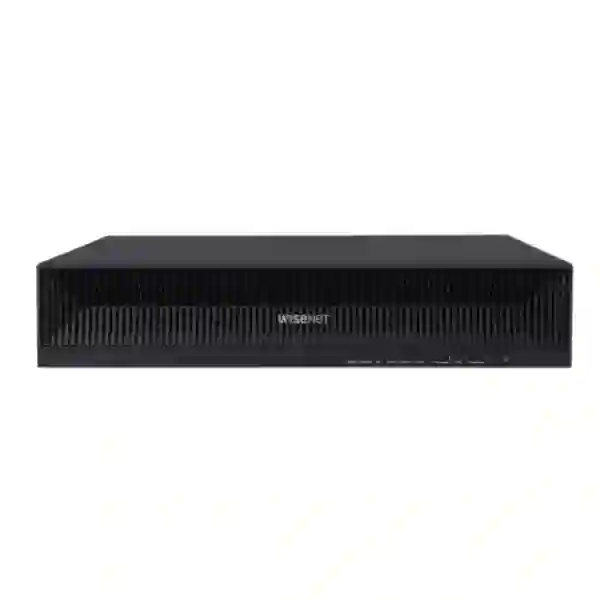
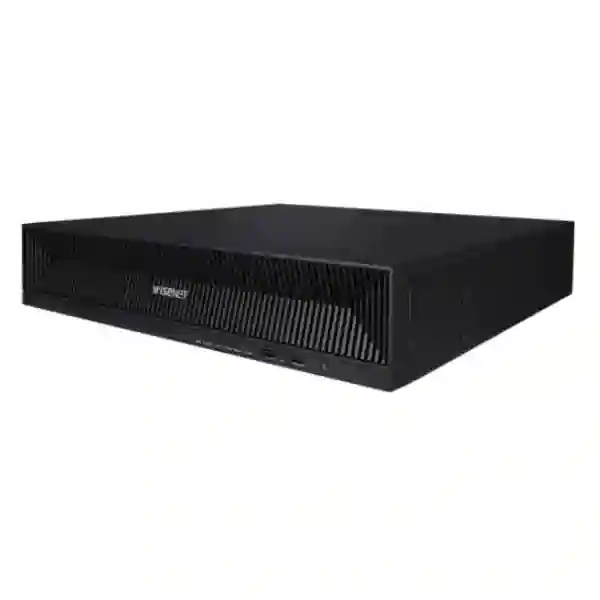
Hanwha XRN-1620B2-12: 16-Channel NVR with 12TB Storage
Build a surveillance recording system around the footage you actually need to keep and find. This Hanwha Vision model combines sixteen IP-camera inputs, an installed 12TB drive configuration, up to 140Mbps recording bandwidth and support for camera resolutions up to 32MP. For businesses planning surveillance in Tanzania, the key questions are camera compatibility, recording retention, network design and power protection.
Is this the right NVR for your site?
Consider it if your camera schedule fits within sixteen IP inputs and the combined recording profile fits the published 140Mbps limit. The supplied 12TB capacity is a starting point, not a guaranteed retention period. Confirm camera compatibility and obtain a storage calculation before making the final purchasing decision. Ask for a model-specific Tanzania quotation that includes the equipment required to build a working system.
Specifications at a glance
These are manufacturer-listed capabilities for the exact model or its XRN-1620B2 hardware platform. Performance varies with the selected cameras, recording profiles and supported configurations. Confirm product revision and HDD compatibility before purchase.
| Model | XRN-1620B2-12 |
|---|---|
| Manufacturer | Hanwha Vision |
| Recorder type | IP network video recorder |
| Network-camera channels | Up to 16 |
| Included capacity | 12TB nominal (2 × 6TB HDD) |
| Recording bandwidth | Up to 140Mbps |
| Camera recording resolution | Up to 32MP |
| Video codecs | H.265 / H.264 / MJPEG |
| Maximum HDD expansion | 8 SATA slots; up to 80TB total with compatible drives |
| Playback bandwidth | Up to 32Mbps |
| Local outputs | HDMI (up to 3840 × 2160 at 30Hz) and VGA |
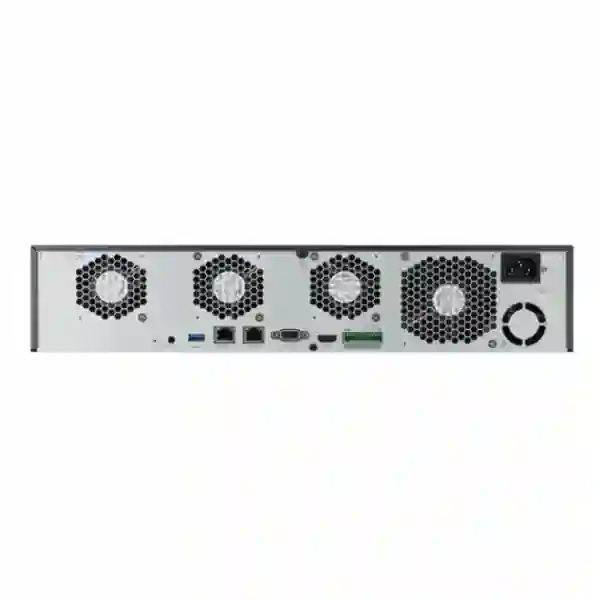
| Network connections | 2 × RJ-45 Gigabit Ethernet |
| Supported protocols | SUNAPI and ONVIF |
| AI search | With compatible Hanwha AI cameras |
| Power input | 100–240VAC, 50/60Hz |
| Specified power consumption | 130W |
| Operating environment | 0°C to 40°C; 20% to 85% relative humidity |
| Chassis size | 440 × 89.8 × 428.4mm |
Choose a recorder around the questions your security team will ask
Choosing an NVR starts with an operational question: what must the organisation be able to see, retain and retrieve when something happens? The Hanwha XRN-1620B2-12 is intended for a network-camera installation of up to sixteen channels, but the channel count alone does not tell you whether a complete design will succeed. A useful plan identifies critical views, image detail requirements, likely incident times, operator access and the retention period the organisation genuinely needs. It also establishes who will review recordings and how evidence can be exported.
For a shop, priority views may cover entrances, payment points and stock areas. A warehouse may place more weight on loading operations, movement between zones and overnight activity. A multi-tenant building may need clear separation between security responsibilities and ordinary office access. In each case the recorder is one component of a larger system that includes cameras, cabling, switching, storage, displays, network access and procedures.
Start by mapping those needs rather than buying solely on the largest advertised resolution. FourTeck Tanzania can use a completed camera schedule and retention brief to discuss whether this recorder is a suitable candidate, without implying that every camera model or feature is automatically compatible.
Understand what the 16-channel limit means
A sixteen-channel NVR is designed to accept up to sixteen network-camera inputs. That maximum is a useful boundary for current installations, but it is also a planning decision for future growth. If a site has fourteen cameras today and expects six more after an expansion, a sixteen-channel design may become restrictive even when storage remains available. Planning for growth may mean reviewing a larger recorder or a different recording architecture before the first unit is installed.
The maximum channel count must not be confused with a promise that sixteen high-resolution cameras can all record any selected frame rate and bitrate simultaneously. Camera settings contribute to the aggregate recording load. The manufacturer specifies a maximum 140Mbps recording bandwidth for this series. The installer should therefore evaluate the sum of the intended recording streams under realistic conditions, including night scenes, movement and quality settings.
Document the number of cameras needed immediately, the number likely within the next project phase and any special feeds such as panoramic or high-resolution views. This prevents the recording system from becoming a bottleneck before it reaches the expected end of its operational life.
What the supplied 12TB actually represents
For this exact configuration, Hanwha Vision lists two installed 6TB SATA hard drives, providing 12TB of nominal storage. The nominal figure is a useful starting point for comparing configurations, but it is not the same as the final space available for video after formatting and the recorder’s own storage management. It also does not translate automatically into a fixed retention period such as thirty or ninety days. A manufacturer capacity statement must be interpreted in the context of the actual camera plan.
Recording days depend on the number of active cameras, their selected video profiles, the compression format, average bitrate, frame rate, scene complexity and whether the system records continuously or in response to events. A quiet corridor and a busy loading area may produce very different file sizes even when the cameras have matching resolution settings. Audio recording, where enabled and supported, can also contribute to total storage use.
Before ordering, prepare a retention schedule showing which camera views are essential and whether each must be recorded at all times. Check local organisational policies and applicable legal obligations separately; the recorder’s storage capacity does not establish a legally required retention period.
Calculate retention before specifying additional drives
A useful recording estimate begins with each camera’s measured or proposed bitrate rather than with a blanket assumption that every device consumes the same storage. List each camera, its expected codec, resolution, frame rate and intended recording hours. Add the streams together to estimate the recording load, then translate that rate into daily storage demand and the number of days to retain. Allow headroom for changing scenes and operational conditions rather than treating the initial estimate as a guarantee.
Where continuous recording is necessary, storage use continues even when no incident occurs. Event recording may reduce total data, but only when camera analytics, sensitivity, schedules and triggering behaviour are configured correctly. Events that are missed or filtered out cannot be reconstructed later merely because the recorder had unused storage space. An incident-driven policy is therefore a risk decision as well as a capacity decision.
Review footage at daytime, night and during normal peak activity before approving the retention target. An installation plan should state both expected storage duration and the assumptions behind it. If footage retention is a contractual requirement, test it after commissioning with real camera traffic.
Bandwidth planning: why 140Mbps matters
The XRN-1620B2 family supports up to 140Mbps of recording bandwidth. That number describes an aggregate recorder capability, not a separate 140Mbps allowance for each connected camera. A practical design should add the expected inbound recording streams and leave operating margin for variations caused by image complexity, encoding changes or future camera replacements. A camera’s advertised maximum bitrate and its configured everyday bitrate may differ significantly.
Network layout matters as much as the headline bandwidth figure. Cameras and recording equipment should be connected through appropriately sized switches and reliable cabling. Avoid creating a narrow uplink that carries the streams from many cameras without adequate capacity. If operators watch live video remotely, their streams and the wider network design need separate consideration. The manufacturer’s published playback and transmission limits also differ from the recording specification.
Ask the installer to supply a simple bandwidth budget by camera group. It should identify how the system will behave when multiple high-activity scenes occur at once and explain which network interfaces serve camera traffic and user access. This makes troubleshooting more effective and avoids treating bandwidth as an invisible specification.
Resolution support is not a promise about every display mode
The recorder supports network-camera resolution up to 32MP, which can be useful for high-detail surveillance applications. Recording support, live decoding and display output are related but different capabilities. The number of channels displayed simultaneously, the output resolution, frame rate and compression format can affect what an operator sees on a connected monitor. A design that records high-resolution streams should not assume that every stream can be decoded at its highest rate in every multi-view arrangement.
Hanwha lists HDMI output up to 3840 × 2160 at 30Hz and a VGA option for full-HD viewing. The recorder supports particular dual-monitor and single-monitor modes. Those details are valuable when specifying an operator desk, reception display or guard station, but the intended combination should be checked against the current manufacturer display matrix.
High resolution also has consequences elsewhere. It can increase camera bitrate, storage demand and review complexity if settings are not chosen thoughtfully. Decide which scenes genuinely need extra image detail and which can be covered effectively with a lower-bandwidth camera profile. This keeps the recording architecture aligned with security outcomes rather than specification headlines.
Choose compression with image evidence in mind
H.265, H.264 and MJPEG are listed recording codecs for the XRN-1620B2 platform. Compression affects the amount of storage a given scene may require, but its real-world benefit depends on camera capability, configuration and scene content. H.265 can help control bandwidth and disk demand when the camera and recorder are configured compatibly. It should not be presented as a guarantee that a particular site will achieve a fixed percentage saving.
The recorded result must remain useful when viewed, exported or handed to an authorised investigator. Very aggressive compression can reduce fine detail in moving subjects or complex lighting conditions. A sensible acceptance test compares recorded clips from representative cameras with their actual evidential objectives. Check faces or identifying features only where the camera view and local rules permit that purpose; an NVR does not overcome poor camera placement or unsuitable optics.
When designing the system, choose an appropriate stream profile for each location. Discuss bitrates, image quality, frame rates and export compatibility with the installation team. The best setting is one that meets operational needs reliably within the recorder’s recording and storage limits.
Make local monitoring comfortable for operators
A recorder may perform well technically yet remain difficult to use if the guard desk workflow is poorly designed. Plan how the operator will move between a live overview, a priority camera and a recorded event. This series provides local display options through HDMI and VGA, with dynamic layout functions described in Hanwha’s documentation. The selected monitor and display mode should match the viewing distance and number of cameras that staff need to follow.
For routine monitoring, group cameras by operational purpose rather than simply by camera number. Entrances, perimeter approaches, shared corridors and loading points should be easy to identify. Clearly label each feed so the labels remain meaningful after maintenance or a camera replacement. Review the consequences of showing sixteen feeds at once on a small screen: the system may be recording detail that an operator cannot usefully inspect in the small live view.
Create a short operating guide with screenshots of the approved layouts and the steps to locate footage. Training and ergonomics often determine whether a well-specified recorder helps people act quickly during an incident.
Search and playback should solve real investigation problems
During an incident review, an operator rarely begins with a perfect timestamp. They may know that an event happened between two shifts, near a particular entrance or shortly before an alarm. The recorder offers date-and-time searching, event lists, smart search and playback controls. These tools can help narrow the review process, provided the cameras, event settings and system clock were configured correctly during installation.
Before accepting the installation, ask staff to complete a sample investigation. They should identify a camera, search a known time range, review the relevant recording and export a short clip. Include a case in which the relevant event occurred just before the reported time. This tests not only the software but also camera labels, time synchronisation and staff permissions. Retention and overwritten data limits still apply.
The XRN-1620B2-12 should be assessed as part of an evidence workflow, not merely as a device that stores files. A clear process for finding, reviewing and preserving video helps reduce avoidable delays, especially when several employees share responsibility for incident response.
AI-assisted search requires the right cameras
Hanwha Vision describes AI search by object attributes when the recorder works with compatible Wisenet or Hanwha AI cameras. That is a meaningful capability for a system that must review larger amounts of recorded footage, but it is not a claim that the NVR independently adds every possible AI function to ordinary cameras. Supported attributes and search results depend on the paired camera model, its firmware and the relevant settings.
If AI searching is part of the buying reason, identify the exact camera models intended for critical positions and check current compatibility documentation before committing to the design. Ask for a practical demonstration of the search behaviour that matters to the site. The value of an AI function should be judged by whether it makes a genuine task faster or easier, not simply by the presence of the word AI in a specification.
Analytics should support human review rather than replace it. False positives, missed detections, lighting conditions and changes in a scene can affect results. Define an operator procedure for confirming search findings against the original recording before making a security decision.
Use event recording without losing critical footage
The recorder supports continuous, scheduled and event-oriented recording modes as well as pre-event and post-event recording. Event sources can include alarm inputs, video loss and supported camera-generated information. These features can make the recording schedule more relevant to the site, but they require careful design and testing. An event rule that is too sensitive may create unnecessary alerts; a rule that is too restrictive may fail to preserve an important moment.
Start with a small set of high-value events, such as an after-hours zone trigger, a camera-offline warning or a monitored access point. Agree who receives each alert and how quickly someone is expected to investigate. Do not imply that an email or push event automatically guarantees delivery: network connectivity, account configuration and receiving systems can affect alerts.
Event recording is especially useful when paired with sound incident procedures. Test the trigger, the recording interval and the clip retrieval process together. Keep essential cameras on a recording schedule that matches their risk level rather than applying one policy to every view simply because it is easier to configure.
Check camera interoperability before purchase
The XRN-1620B2 documentation identifies SUNAPI and ONVIF protocol support. These interfaces are relevant when an organisation has a mix of cameras or is upgrading an existing IP installation. However, standards support does not guarantee that every camera, firmware release and advanced feature will behave identically. Basic video recording, camera-side analytics, audio, PTZ control and metadata-driven search may have different compatibility requirements.
Create a compatibility list with manufacturer, full model number, firmware version, required codec and expected features for every camera. Check both the recorder documentation and the camera vendor’s current information. Where a camera is already deployed, arrange a trial connection if possible. Verify stream stability and the intended recording mode rather than relying only on successful device discovery.
An existing camera may provide reliable video while lacking a specialised Hanwha search feature. That can still be a sensible outcome if the buyer understands the limitation. Compatibility decisions should preserve useful investment in cameras without creating unsupported expectations about integration, advanced events or future firmware updates.
Plan camera power and switching separately
A sixteen-channel recording limit does not mean the appliance necessarily includes sixteen built-in PoE outputs. Hanwha lists two RJ-45 gigabit Ethernet interfaces for the XRN-1620B2 family; installers should therefore specify camera networking and power equipment separately rather than treating the NVR as a complete camera power distribution device. Review the exact hardware and connection diagram before procurement.
Where cameras require Power over Ethernet, select switches or injectors with a suitable total power budget and enough ports. Remember that outdoor housings, heaters, infrared illumination, PTZ movement or accessories can affect power requirements for some camera models. Check distances, cabling quality, uplink capacity and how any equipment in a remote area will be protected against power disturbances. A camera that is powered but cannot reliably reach the recorder is still a monitoring gap.
Ask for a network drawing that shows camera groups, switch locations, uplinks, power sources and the recorder’s interfaces. This drawing should be updated after commissioning. It becomes particularly useful when a future maintenance visit must identify whether a problem originates at the camera, cable, switch, recording system or power supply.
Use the dual network interfaces deliberately
The recorder specifies two 1Gbps RJ-45 interfaces. That can assist network design by allowing the installer to consider how camera-side traffic and authorised viewing traffic are connected. It should not be interpreted as a guarantee of complete isolation without appropriate routing, switch configuration and security policies. Network segregation is an architecture choice that must be designed and enforced across all connected equipment.
For organisations with an existing office or industrial network, involving the network administrator early can prevent problems later. Document addressing, subnet assignments, DNS, time synchronisation, permitted access and the systems that require access to the recorder. Agree how camera devices are discovered and maintained. Avoid exposing administrative services unnecessarily, particularly across the public internet.
The commissioning record should identify which interface performs which task and the approved method for remote support. A clean, documented layout generally makes incidents easier to diagnose and reduces accidental disruption when the rest of the organisation changes its network equipment.
Remote viewing needs security and a reliable connection
Hanwha documents web viewer and mobile viewing capabilities for the recorder family. These may be attractive when responsible staff need to review incidents from another office or while away from the premises. Remote access, however, should be approached as an access-control decision rather than an automatic feature that must be enabled for everyone. A clear policy should state who can connect, what they may view and when their access should be removed.
Internet performance and upstream bandwidth influence the usability of remote viewing. A recorder on a fast local network may still deliver a poor external experience if the site connection is congested or unstable. The permitted connection method should also account for firewall policy, user identity, device security and current vendor guidance. Do not publish open administrative interfaces merely to avoid the work of designing secure access.
Test a real remote playback task from the approved network and device. Confirm that logs, account permissions and alert arrangements behave as expected. Include these results in handover documentation so remote viewing is supportable without depending on undocumented installation shortcuts.
Harden accounts and keep firmware managed
Security equipment is itself a connected system and needs ongoing protection. Hanwha documents features including HTTPS, IP address filtering, access logs, 802.1X and signed firmware for the XRN-1620B2 family. These features can support a disciplined design, but they do not replace sensible account management, network controls or a maintenance process. Do not assume that every security setting is enabled automatically on installation.
Give each authorised operator an appropriate account rather than allowing teams to share administrator credentials. Restrict privileged access, review permissions after staff changes and preserve an auditable process for firmware updates. Before applying an update, examine current manufacturer guidance, check compatibility and establish a recovery procedure that suits the organisation’s operating hours and risk tolerance. Keep backup records of relevant approved configuration settings.
An NVR is often expected to operate continuously and may be overlooked until a major incident occurs. A regular review of user access, alert settings, time synchronisation and update status is a practical way to reduce avoidable security and operational problems.
Distinguish storage expansion from data protection
The manufacturer lists eight SATA HDD slots with a maximum aggregate capacity of 80TB, subject to supported drive sizes and compatibility. That provides an expansion path when a growing camera estate requires more retention. It does not mean that any eight drives can be inserted without checking the supported-drive list, physical installation requirements and the recorder’s configuration procedures. Capacity planning should always use the current approved hardware and documentation.
Additional disk space is not the same as guaranteed resilience. A larger storage array can still lose access to important video if a drive fails, the recorder is damaged, the premises are compromised or the operating process is weak. Likewise, a supplied pair of 6TB drives should not be described as automatically mirrored. The exact recording and drive configuration must be verified during deployment.
If the security objective includes preserving a subset of critical footage outside the recorder, establish a separate export or backup policy and test its operation. Define which incidents require preservation, who authorises a copy and where that copy is held. Hardware capacity and evidence protection answer different questions, and both deserve explicit treatment in a purchase review.
Design for power continuity in Tanzania
For a Tanzania installation, power resilience is a practical planning topic even though the required design depends on the specific building and its electricity supply. The manufacturer lists 100–240VAC, 50/60Hz power input for this recorder and a specified power consumption of 130W. Those figures help an electrical contractor assess the installation, but they are not a site-specific UPS runtime estimate. Switches, cameras, monitors and other equipment may require independent protected power.
A UPS should be sized for the equipment that must stay operational through a disturbance, taking into account the total load and the desired runtime. Agree whether the objective is to maintain recording during a short interruption or simply to allow a controlled shutdown. Surge protection, earthing, ventilation and maintenance also deserve attention in the broader system design.
The recorder cannot store footage from a camera that has lost power or a network path that has failed. Protecting only the NVR while leaving critical switches unprotected may therefore provide little operational benefit. The power diagram should show the full recording chain and assign responsibility for periodic UPS tests.
Respect operating temperature, humidity and ventilation
Hanwha specifies an operating temperature range of 0°C to 40°C and 20% to 85% relative humidity for the XRN-1620B2 family. Those published limits should inform equipment-room selection and cabinet design. A recorder installed in a cramped, unventilated enclosure may experience harsher conditions than the surrounding office. The installer should not rely on ambient room conditions alone when evaluating heat produced by the appliance and neighbouring equipment.
Choose a secure location with appropriate airflow, protection from dust and moisture and practical access for servicing. The published chassis dimensions are approximately 440 × 89.8 × 428.4mm, so allow extra space for cables, air movement and safe handling. If the selected rack or cabinet has limited depth or heavy loading, verify physical clearances before delivery.
A useful handover includes a simple cleaning and environment inspection schedule. Operators should know how to recognise unusual heat, repeated disk alerts or ventilation problems. Suitable equipment placement is often less visible than resolution and storage specifications, but it plays a major role in sustained performance.
Plan evidence export and chain of custody
Recorded video becomes useful evidence only when it can be found, reviewed and preserved appropriately. The manufacturer describes file backup and export functions, with formats dependent on the local or network workflow. A buyer should check which format is appropriate for ordinary internal review and which process is needed when footage may be used in a formal investigation. The ability to create a file is not a substitute for maintaining its integrity and context.
Establish who may export clips, how approval is recorded and how exported material is labelled. Preserve the incident date, source camera, extraction time, operator and relevant case reference. Where necessary, keep an untouched master copy and use a separate working copy for routine sharing. Protect storage media and restrict access to authorised personnel.
Test export from the actual recorder during acceptance. Confirm that another approved workstation can open the resulting material and that time information is understandable. If an incident occurs, staff should not be learning the export procedure for the first time under pressure. Evidence procedures should also follow the organisation’s privacy, retention and legal requirements.
Installation preparation: details worth collecting
Before installation day, prepare a site inventory that includes camera locations, required recording profiles, network details and the proposed location of the NVR. A labelled camera schedule is especially valuable because it connects each physical view to the name that operators will see during playback. Record which cameras are critical during business hours, after hours or during loading and dispatch operations.
Confirm a suitable secure cabinet or equipment area, monitor location, cable routes, network uplinks and protected power. Verify that the included 12TB arrangement matches the purchase specification and document the installed drives without assuming a particular redundancy mode. Review access to the equipment for authorised maintenance and the environmental conditions expected at the installation point.
A clear pre-installation record reduces surprises. It allows the supplier, site representative, installer and IT team to discuss different responsibilities before work begins. It also establishes a reference for future expansion, fault diagnosis and any later discussion about whether the supplied design meets the agreed operational objectives.
Commissioning should include a witnessed recording test
A successful start-up screen is not a complete acceptance test. Commissioning should confirm that all expected cameras are registered, labelled and producing usable footage under their normal operating conditions. Check date and time, recording schedules, bitrate settings, event rules and the required number of simultaneous channels. Compare the configured network and storage settings with the approved design rather than accepting defaults without review.
Use representative recordings from busy and quiet periods. Review one high-resolution camera, one lower-bandwidth camera and any camera that depends on analytics or special integration. Trigger planned alerts and test recovery after an appropriate controlled interruption if the project’s risk policy allows it. Confirm that authorised staff can locate, play and export a known clip.
Record test outcomes and outstanding issues, not just a general installation-complete statement. This gives the buyer a practical baseline for support and ensures that documented constraints are understood. Training should be part of acceptance: the people who will use the system need to demonstrate the ordinary tasks required of them.
Maintenance routines protect the recording investment
NVR maintenance should be routine rather than reactive. Create a schedule for checking camera connectivity, recording health, storage alerts, time synchronisation, system logs and the physical condition of the equipment area. A recorder may be powered on while an individual camera has stopped providing useful footage. Regular exception checks are therefore more valuable than relying solely on the presence of a power indicator.
Agree who monitors faults and what happens when a camera or hard drive reports a problem. Document the escalation path for hardware, network and operational issues. Keep a current copy of the camera schedule, approved settings and relevant contact information. Review the system whenever new cameras are added or when the organisation changes its retention or access policies.
A maintenance review is also the right time to compare actual retention with the original storage estimate. If scene activity or camera settings have changed, the stored duration may differ from the commissioning baseline. Adjust the plan deliberately rather than allowing retention to drift unnoticed.
Where the recorder fits in a retail setting
Retail surveillance often combines several types of viewing requirement. A wide entrance view helps reconstruct movement, while a specific transaction or stockroom camera may require different detail. The XRN-1620B2-12 can be considered when up to sixteen IP-camera channels cover the chosen operating areas and the combined recording bandwidth remains within its specified limits. The recorder itself does not determine whether images are suitable for identifying a particular action; that is primarily a camera design question.
For a retail deployment, decide which cameras are most important during opening, closing and stock handling. Build an accessible event-review workflow for supervisors without giving unrestricted configuration privileges to everyone who occasionally needs footage. Consider the effect of long opening hours on continuous recording and storage retention.
If branches are managed by different teams, establish who may view local footage and how incident copies are handled. The commercial benefit of a recorder is not simply having many feeds; it is helping the store locate relevant recordings promptly while keeping access and operating procedures under control.
Where it fits in warehouses and logistics
Warehouse surveillance often spans entry points, loading bays, dispatch routes and internal movement areas. These zones may have rapidly changing scene content, which is relevant when estimating recording bitrate and storage use. Some cameras may need to capture broad context while others provide detail at a specific doorway or process checkpoint. A sixteen-channel design can work for a defined area, but large sites should review coverage and channel-growth plans carefully.
Operators may need to retrieve footage around shipment times, alarms or a reported handling incident. Accurate system clocks, sensible camera labels and tested playback procedures help make those searches manageable. For cameras mounted in exposed positions, networking, power and environmental considerations may be as important as the recorder’s maximum resolution.
Include the warehouse’s actual operating cycle in the acceptance test. A configuration that performs well during a quiet daytime walkthrough should also be evaluated during the site’s busiest normal recording conditions. This helps expose unrealistic bandwidth and retention assumptions before the system is depended on for important investigations.
Where it fits in offices and multi-use buildings
A shared commercial building may use network cameras to observe entrances, reception areas, parking access, corridors and equipment rooms. In this environment, the technical capability to accept sixteen channels is only part of the decision. Building management must also decide who is responsible for each camera and whether tenants, security contractors or facilities staff require different levels of viewing permission.
Use descriptive camera names and avoid collecting views that are unnecessary for the stated security purpose. Define how long recordings should be kept and who may approve a download. If the building network is shared with ordinary office systems, discuss traffic separation and access rules with the IT administrator. The recorder’s network and account features can support that architecture when deployed appropriately.
For a building with planned extension work, map the expected future camera count before choosing the unit. Storage can be expanded within published limits, but the sixteen-channel ceiling remains a separate capacity decision. That difference matters when several new entry points or parking areas are expected.
Compare this configuration with smaller or larger designs
A buyer should compare recorders by operational fit, not only by their storage label. A smaller channel-count unit can be economical and sufficient for a site with limited coverage needs and no likely expansion. A sixteen-channel model becomes attractive where the camera schedule justifies those inputs and the organisation needs a coordinated recording and review point. A larger system may be more appropriate where channel growth, centralised operations or aggregate recording load will exceed the chosen limits.
The nominal 12TB configuration should also be compared with the required retention rather than with disk capacity in isolation. A project with fewer high-bitrate cameras may use storage differently from one with many lower-bitrate cameras. If extended retention is essential, check the manufacturer’s supported HDD options and whether storage expansion is operationally preferable to a different system architecture.
Other evaluation criteria include camera compatibility, investigation tools, remote-access requirements, maintenance practices and the skills of the people who will operate the installation. Ask suppliers to state assumptions explicitly so competing proposals can be compared on the same basis.
What to confirm in a Tanzania quotation
Request a quotation that identifies the exact Hanwha Vision XRN-1620B2-12 model, the included 12TB drive configuration and any separately priced components. Camera power equipment, network switches, cabling, monitors, UPS equipment and installation work should be clear rather than hidden in an ambiguous system description. Ask how the supplier intends to meet the required recording days and whether a storage calculation is included.
Local availability, pricing, shipping arrangements, taxes, warranty handling and installation coverage should be confirmed directly for the proposed transaction. This page does not make a claim about current Tanzania stock, a particular price in Tanzanian shillings or an assured delivery date. Regional availability of a specific variant can differ, even when the manufacturer publishes a global product description.
A good quote also identifies the support and handover scope: firmware review, user training, network commissioning, camera testing, documentation and escalation arrangements. These items make a practical difference after the equipment has been installed. The most useful comparison is the cost and suitability of a working recording solution, not only the standalone price of the NVR chassis.
A quick decision guide for the project owner
This model is a sensible candidate to evaluate if the system has no more than sixteen intended camera inputs, needs the listed 140Mbps recording capability, can benefit from a nominal 12TB starting configuration and requires features such as event search, local monitoring and compatible AI-assisted investigation. It is especially worth examining when the organisation wants a recorder with documented storage expansion possibilities instead of committing immediately to a larger storage configuration.
Pause the purchase decision if the expected channel count is already near sixteen, if the required aggregate recording rate is uncertain, if the storage target is contractual but has not been calculated, or if advanced AI functionality is expected from incompatible cameras. These are design questions that cannot be resolved by a headline feature list.
The next useful action is to create a camera schedule, a retention target and a list of the precise operating tasks staff must perform. Those three documents allow a supplier to confirm suitability, identify missing components and prepare a quotation that can be reviewed against actual needs.
Operating responsibility, privacy and access
Video recording can affect employees, customers and other people who use a site. The organisation deploying the system should define a lawful security purpose, appropriate signage or notices where required, rules for who can review recordings and a documented retention policy. The presence of storage capacity or smart search features does not itself establish permission to collect, retain or disclose footage.
Limit viewing and export privileges to people with a defined responsibility. Review administrative accounts when staff or contractors change. Where footage is shared following an incident, record the basis for the transfer and the persons who received it. Applicable Tanzanian legal and privacy requirements should be assessed by the organisation or its qualified adviser; this product page does not make a regulatory compliance claim about a proposed installation.
Good governance also improves practical operations. When staff know which events they should escalate and where records belong, the recording system is less likely to become an unmanaged archive. Technical configuration and organisational policy should be considered together from the start.
Avoid common specification mistakes
The first common mistake is equating twelve terabytes with a guaranteed number of recording days. Another is assuming that sixteen supported inputs can record any combination of resolutions and bitrates without regard to the aggregate bandwidth limit. A third is expecting AI search to function identically with all cameras. The published model information supports these capabilities with defined conditions; a sound proposal should preserve those conditions.
Other mistakes include treating two installed hard drives as proof of automatic mirroring, assuming a network recorder powers every connected camera, or neglecting the effect of poor cabling and overloaded uplinks. Buying a high-resolution recorder will not correct a camera aimed at the wrong location. Likewise, secure remote access is a system design choice, not something to achieve by exposing services casually.
Most of these risks can be addressed with a short documented design review. Ask for channel and bitrate budgets, camera compatibility checks, drive configuration confirmation, power planning, an access policy and a witnessed playback test. These are straightforward questions that reveal whether the proposal is genuinely ready to deploy.
A practical handover checklist for the buyer
The final handover should contain the exact recorder model, drive configuration, camera schedule, network diagram, configured recording profiles and the estimated retention under agreed assumptions. It should also identify the equipment-room location, power arrangements, active alert rules, the approved account-management procedure and where administrator credentials are held securely. Sensitive credentials should never be placed in an openly circulated report.
Ask for evidence that camera registration, recording, playback, event triggers and export were each tested. Operators should receive a short guide for routine monitoring and incident retrieval, along with instructions for reporting faults. A maintenance schedule should state who checks disk health, time synchronisation, logs and firmware notices. These records reduce dependence on individual installers and provide a clear baseline for future expansion.
If there are open issues at acceptance, document the issue, responsible party and expected remedy before the system is treated as fully handed over. The result should be a usable surveillance process, not merely an installed appliance with an impressive list of technical specifications.
Frequently asked buyer questions
Does the XRN-1620B2-12 include hard drives?
Yes. Hanwha Vision’s exact-model information identifies two preinstalled 6TB drives for a nominal 12TB configuration. Treat 12TB as a storage-capacity designation, not as a promise of twelve terabytes of user-accessible video space after formatting or of a particular number of recording days. Confirm the supplied configuration in the quotation and commissioning report.
How many cameras can the recorder accept?
It supports up to sixteen network-camera inputs. The actual design must still fit within the maximum 140Mbps recording bandwidth and the supported camera and codec combinations. Plan spare channels for expected expansion. If the project is likely to exceed sixteen cameras soon, compare a higher-channel-count architecture before purchasing.
Can it record 4K or 32MP footage?
The manufacturer specifies network-camera resolution support up to 32MP. This includes applications using 4K camera streams where other compatibility and bandwidth conditions are met. Supported recording resolution must not be confused with the number of high-resolution streams that can be displayed simultaneously. Check the manufacturer’s detailed decoding and display matrix for the intended operator layout.
How many days will 12TB of storage last?
There is no universal answer. Recording duration changes with camera count, bitrate, compression, frame rate, scene activity and continuous versus event-driven schedules. A site-specific storage calculation should be prepared before the retention promise is made. After installation, verify the estimate against actual recording rates rather than relying only on a theoretical calculation.
Can storage be expanded beyond the installed 12TB?
The XRN-1620B2 platform is specified with eight SATA bays and support up to 80TB in total, using compatible drives within the manufacturer’s published limits. Expansion requires checking supported HDD models, configuration procedures and the site’s operational requirements. More capacity does not automatically create redundant copies or protect against every type of footage loss.
Does the recorder provide AI object search?
Hanwha lists object-attribute AI search when the recorder is paired with compatible Hanwha or Wisenet AI cameras. The recorder does not make an ordinary camera equivalent to every AI camera model. Confirm supported search attributes, camera firmware and configuration for the exact installation, and test a sample investigation before relying on the feature operationally.
Does it power sixteen PoE cameras directly?
Do not assume that sixteen channels means sixteen integrated PoE outputs. The manufacturer’s interface specifications list two gigabit RJ-45 network connections. Camera power should be specified independently, using compatible switches, injectors or other approved arrangements as required by the exact cameras. The installation drawing should show both power and network connections.
Can I use non-Hanwha IP cameras?
The recorder supports relevant protocols including ONVIF and SUNAPI, but protocol support by itself is not a complete compatibility guarantee. Basic video, audio, PTZ, events and analytics may work differently across vendors and firmware releases. Check individual camera models against current manufacturer documentation and test any third-party devices whose advanced functions are important.
Can I view recordings from a phone or browser?
The recorder family includes web-viewing and mobile-viewing functionality in the manufacturer documentation. Available functions depend on current software support, authorised accounts, network configuration and a suitable connection. Remote viewing should be configured through an approved secure method and tested for the actual users who need it, rather than enabled indiscriminately.
Is the recorder suitable for continuous recording?
The platform supports normal, scheduled and event-based recording modes, including continuous operation as configured. Continuous recording consumes storage throughout the recording period and may require additional capacity to meet a long retention target. Check camera bitrates, the desired number of days and the recorder’s aggregate recording limit before selecting a continuous policy.
What power and environment does the unit need?
Hanwha lists a 100–240VAC, 50/60Hz supply, 130W specified power consumption, and operation from 0°C to 40°C at 20% to 85% relative humidity. These figures inform electrical protection and cabinet design. A site engineer should assess ventilation and a suitable UPS arrangement for the full recording chain, not only the recorder.
Is the product available at a fixed Tanzania price?
No Tanzania stock, delivery time, local warranty terms or price has been verified for this page. Ask FourTeck Tanzania for an exact-model quotation that identifies the included drives and any additional required equipment or services. Availability and commercial terms should be confirmed for the specific order rather than inferred from a global manufacturer’s product listing.
What should be included in the installation acceptance test?
Check all expected camera streams, channel names, recording modes, synchronised time, storage behaviour, event triggers, playback and export. Test at least one realistic incident-retrieval task with the actual operating staff. Include network security settings, approved remote access and power-protection checks in the sign-off. Record any limitations or unfinished work in the handover.
How should operators preserve important video?
Agree in advance who may search and export footage, which file formats are usable and where incident copies are stored securely. Document the source camera, event time and extraction details. Test that exported material opens on an approved workstation. Storage expansion and ordinary recorder operation should not be mistaken for a complete evidence-preservation or backup policy.
Request a Hanwha NVR configuration and quotation
Tell FourTeck Tanzania your proposed camera models, number of channels, recording resolution, desired retention days, network layout and power requirements. Request a review of the XRN-1620B2-12 configuration and an itemised proposal covering the recorder, cameras, switching, backup or export needs and any agreed installation services. Exact local pricing, warranty and stock should be confirmed in the quotation.
Next step: Request a model-specific quote and compatibility review from FourTeck Tanzania.




Reviews
There are no reviews yet.